Switch NISSAN PATHFINDER 2009 Owner´s Manual
[x] Cancel search | Manufacturer: NISSAN, Model Year: 2009, Model line: PATHFINDER, Model: NISSAN PATHFINDER 2009Pages: 471, PDF Size: 5.9 MB
Page 300 of 471
USING THE SYSTEM
Initialization
When the ignition switch is placed in the ON
position, NISSAN Voice Recognition is initialized,
which takes a few seconds. When completed,
the system is ready to accept voice commands. If
the
switch is pressed before the initializa-
tion completes, voice commands will not be ac-
cepted. Please wait until the NISSAN Voice Rec-
ognition initialization is completed.
BEFORE STARTING
To get the best recognition performance from
Voice Recognition, observe the following:
cThe interior of the vehicle should be as quiet
as possible. Close the windows to eliminate
the surrounding noises (traffic noise and vi-
bration sounds, etc.) , which may prevent the
system from correctly recognizing the voice
commands.
cWait until the tone sounds before speaking a
command.
cSpeak in a natural conversational voice with-
out pausing between words.
cIf the air conditioner is set to “Auto”, the fan
speed is automatically lowered so that your
commands can be recognized more easily.
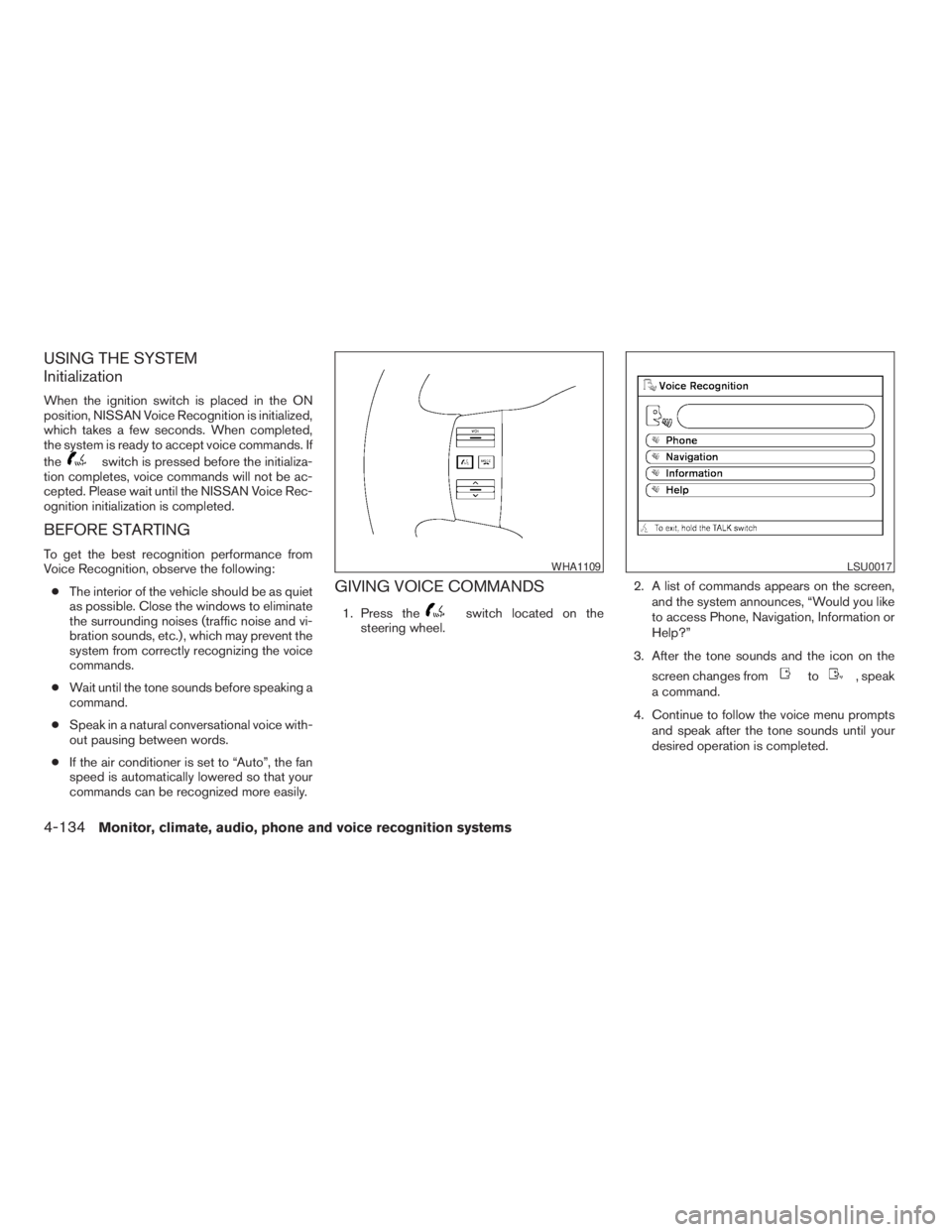
GIVING VOICE COMMANDS
1. Press theswitch located on the
steering wheel.2. A list of commands appears on the screen,
and the system announces, “Would you like
to access Phone, Navigation, Information or
Help?”
3. After the tone sounds and the icon on the
screen changes from
to, speak
a command.
4. Continue to follow the voice menu prompts
and speak after the tone sounds until your
desired operation is completed.
WHA1109LSU0017
4-134Monitor, climate, audio, phone and voice recognition systems
ZREVIEW COPYÐ2009 Pathfinder(pat)
Owners ManualÐUSA_English(nna)
05/29/08Ðdebbie
X
Page 301 of 471
Operating tips
cSay a command after the tone. Voice com-
mands cannot be accepted when the icon
is
.
c
Commands that are available are always
shown on the display and spoken through
voice menu prompts. Commands other than
those that are displayed are not accepted.
Please follow the prompts given by the system.
cIf the command is not recognized, the sys-
tem repeats the announcement. Repeat the
command in a clear voice.
cPress the
switch on the steering
wheel to return to the previous screen.
cIf you want to cancel the command, press
and hold the
switch. The message,
“Voice cancelled” will be announced.
cIf you want to adjust the volume of the sys-
tem feedback, push the volume control
switch on the steering wheel or use the
audio system volume knob while the system
is making an announcement.
How to speak numbers
Voice Recognition requires a certain way to
speak numbers when giving voice commands.
Refer to the following examples.General rule:
cOnly single digits 0 (zero) to 9 can be used.
cWhen saying the phone number 800-662-
6200, the system will accept “eight-
hundred” in addition to “eight zero zero” or
“eight oh oh”. 500, 700, and 900 are also
supported.
Examples:
c1-800-662-6200
– “One eight zero zero six six two six two
zero zero”
– “One eight hundred six six two six two
zero zero”
Improving Recognition of Phone numbers:
You can improve the recognition of phone num-
bers by saying the phone number in three groups
of numbers. For example, when you try to call
800-662-6200, say “eight zero zero” first, and
the system will then ask you for the next three
digits. Then, say “six six two”. After recognition,
the system will then ask for the last four digits.
Say, “six two zero zero”. Using this method of
phone digit entry can improve recognition perfor-
mance.NOTE:
When speaking a house number, speak the
number “0” as “zero” or “oh”. If the letter
“O” is included in the house number, it will
not be recognized as “0” even if you speak
“oh” instead of “zero”.
Monitor, climate, audio, phone and voice recognition systems4-135
ZREVIEW COPYÐ2009 Pathfinder(pat)
Owners ManualÐUSA_English(nna)
05/29/08Ðdebbie
X
Page 304 of 471
Voice command examples
Some basic voice command examples are de-
scribed here.
For navigation system commands, see the sepa-
rate Navigation System Owner’s Manual.
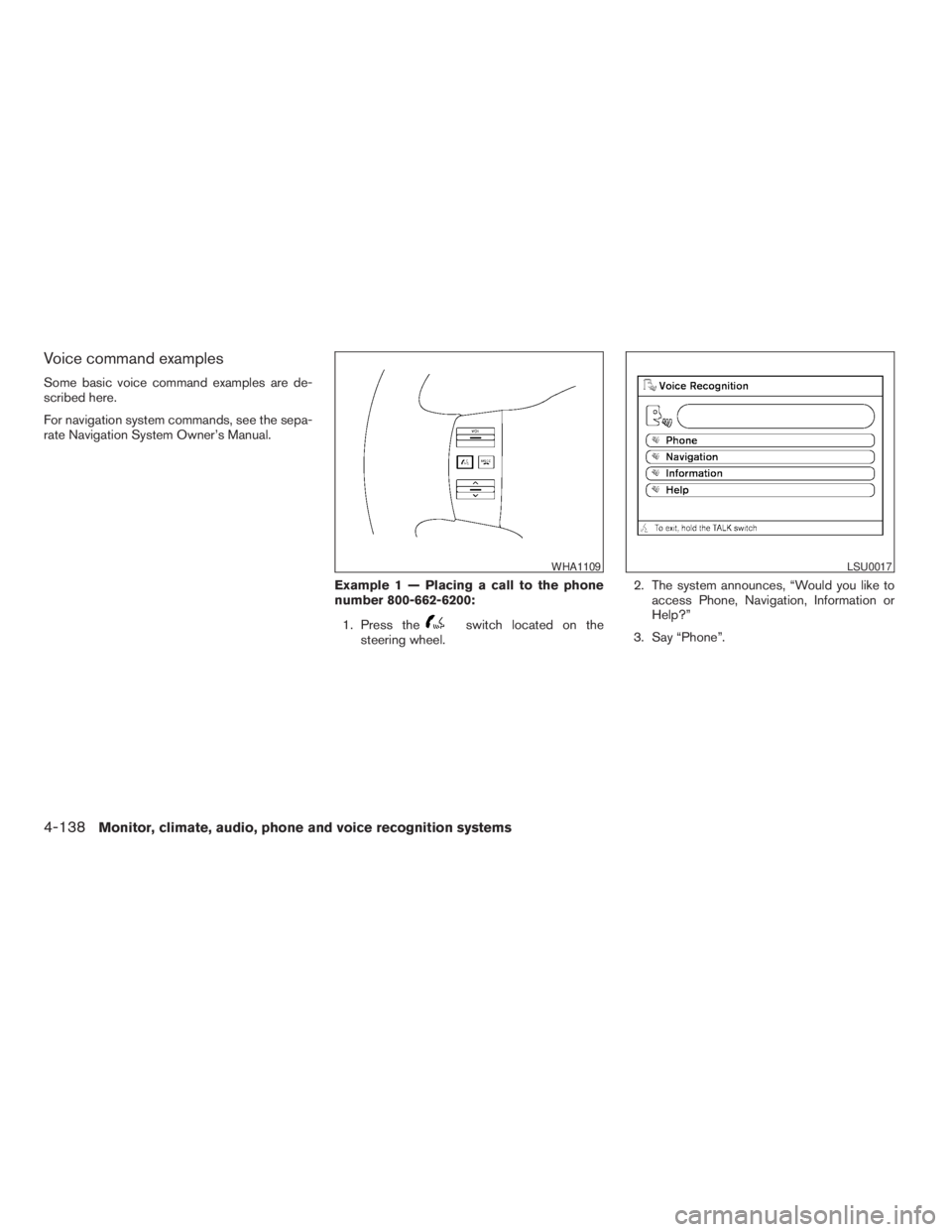
Example 1 — Placing a call to the phone
number 800-662-6200:
1. Press the
switch located on the
steering wheel.2. The system announces, “Would you like to
access Phone, Navigation, Information or
Help?”
3. Say “Phone”.
WHA1109LSU0017
4-138Monitor, climate, audio, phone and voice recognition systems
ZREVIEW COPYÐ2009 Pathfinder(pat)
Owners ManualÐUSA_English(nna)
05/29/08Ðdebbie
X
Page 307 of 471
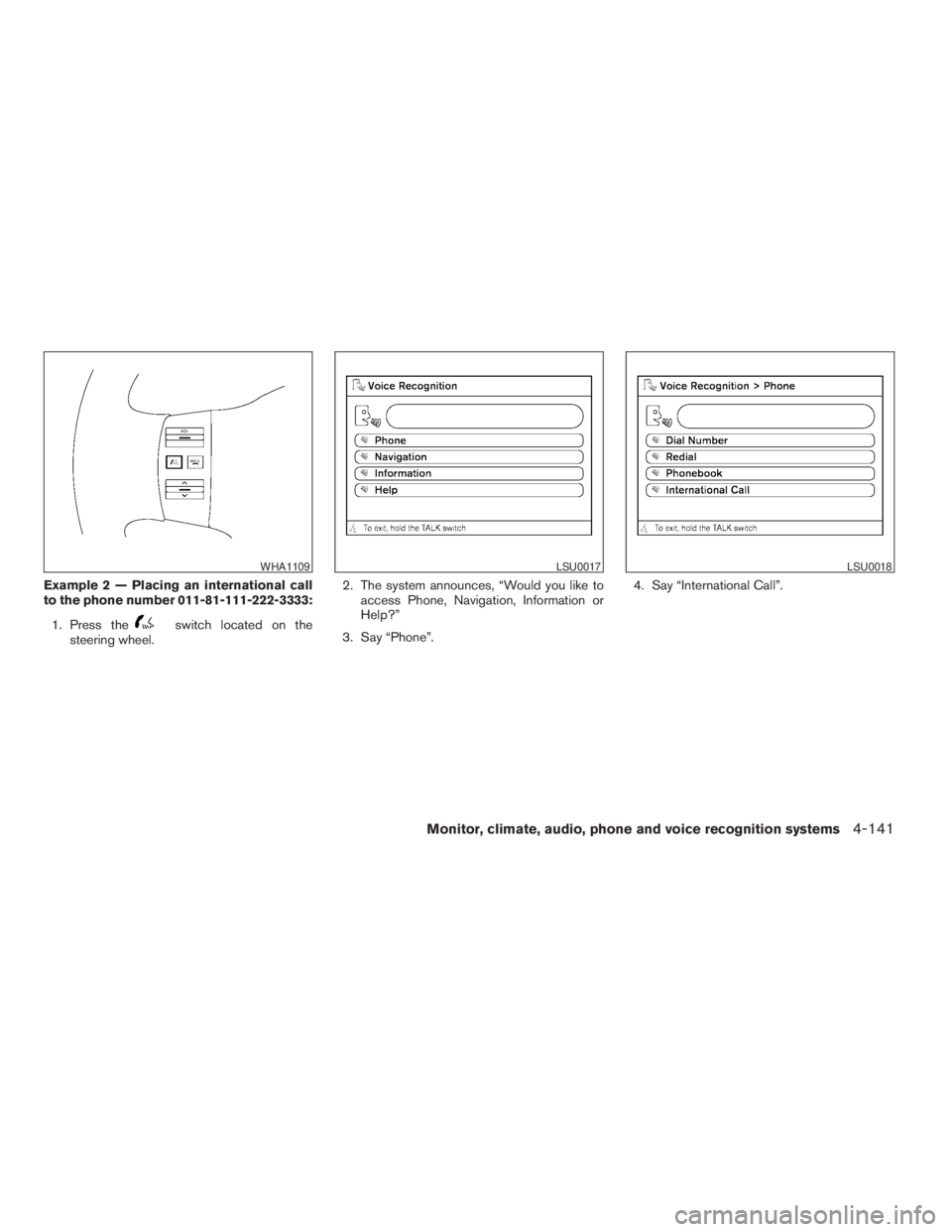
Example 2 — Placing an international call
to the phone number 011-81-111-222-3333:
1. Press the
switch located on the
steering wheel.2. The system announces, “Would you like to
access Phone, Navigation, Information or
Help?”
3. Say “Phone”.4. Say “International Call”.
WHA1109LSU0017LSU0018
Monitor, climate, audio, phone and voice recognition systems4-141
ZREVIEW COPYÐ2009 Pathfinder(pat)
Owners ManualÐUSA_English(nna)
05/29/08Ðdebbie
X
Page 308 of 471
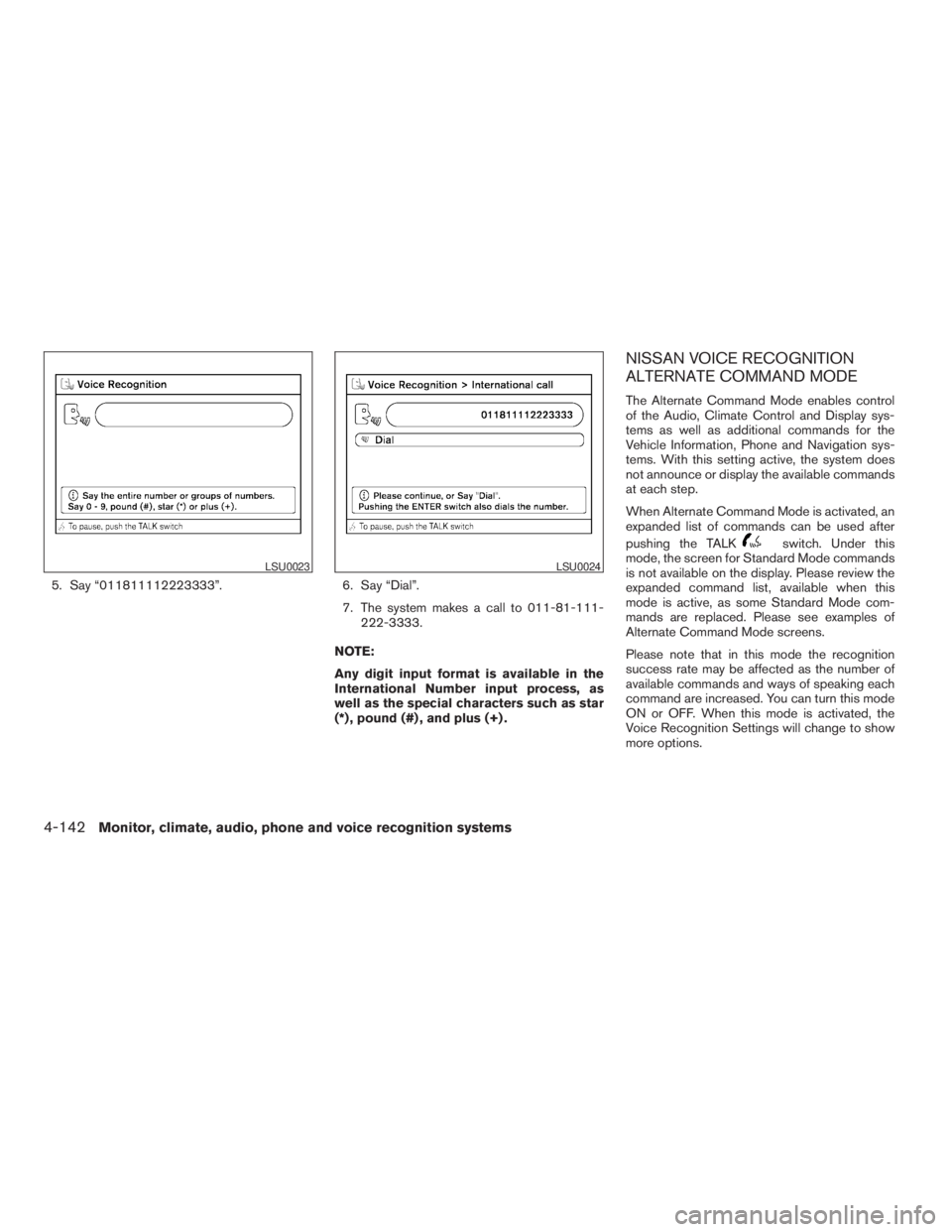
5. Say “011811112223333”. 6. Say “Dial”.
7. The system makes a call to 011-81-111-
222-3333.
NOTE:
Any digit input format is available in the
International Number input process, as
well as the special characters such as star
(*) , pound (#) , and plus (+) .
NISSAN VOICE RECOGNITION
ALTERNATE COMMAND MODE
The Alternate Command Mode enables control
of the Audio, Climate Control and Display sys-
tems as well as additional commands for the
Vehicle Information, Phone and Navigation sys-
tems. With this setting active, the system does
not announce or display the available commands
at each step.
When Alternate Command Mode is activated, an
expanded list of commands can be used after
pushing the TALK
switch. Under this
mode, the screen for Standard Mode commands
is not available on the display. Please review the
expanded command list, available when this
mode is active, as some Standard Mode com-
mands are replaced. Please see examples of
Alternate Command Mode screens.
Please note that in this mode the recognition
success rate may be affected as the number of
available commands and ways of speaking each
command are increased. You can turn this mode
ON or OFF. When this mode is activated, the
Voice Recognition Settings will change to show
more options.
LSU0023LSU0024
4-142Monitor, climate, audio, phone and voice recognition systems
ZREVIEW COPYÐ2009 Pathfinder(pat)
Owners ManualÐUSA_English(nna)
05/29/08Ðdebbie
X
Page 309 of 471
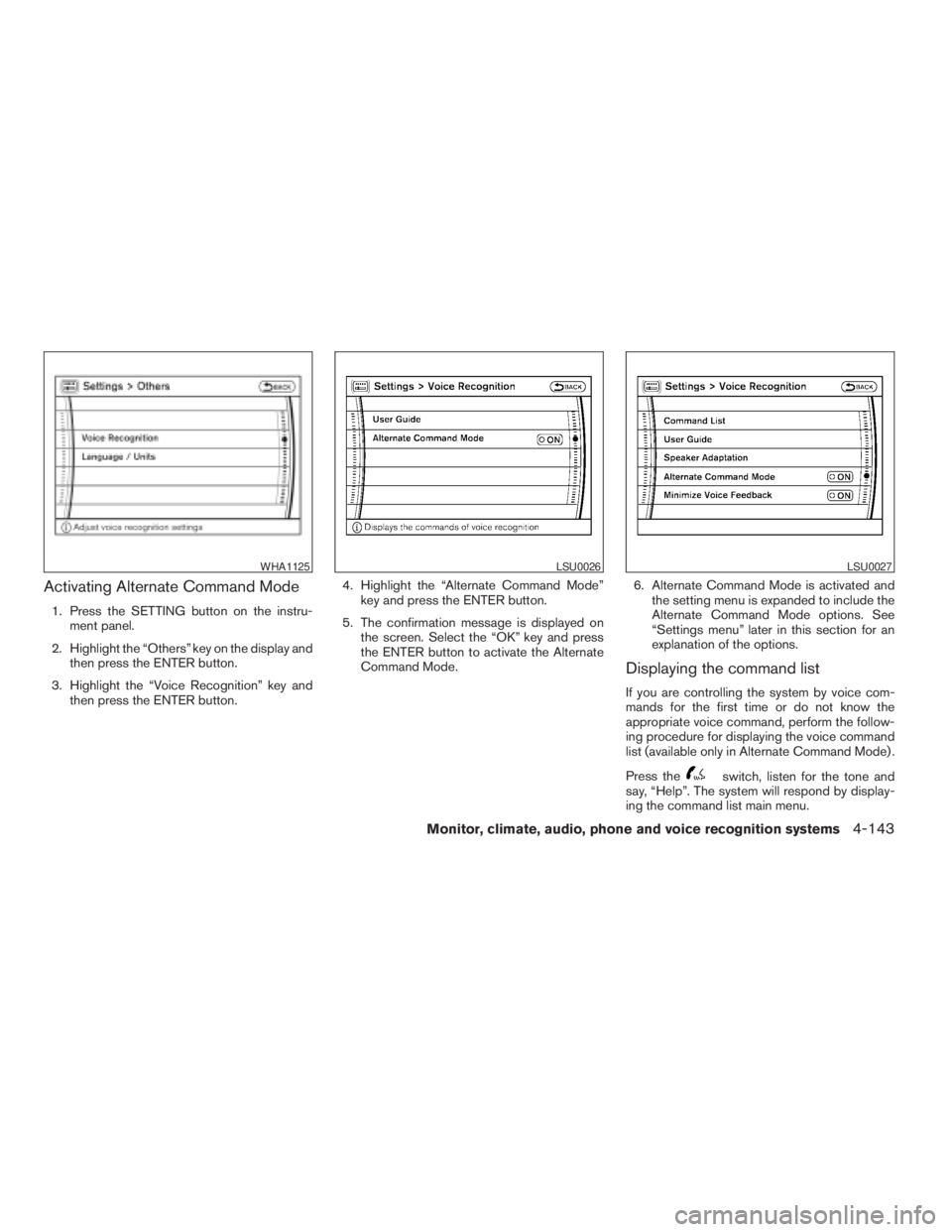
Activating Alternate Command Mode
1. Press the SETTING button on the instru-
ment panel.
2. Highlight the “Others” key on the display and
then press the ENTER button.
3. Highlight the “Voice Recognition” key and
then press the ENTER button.4. Highlight the “Alternate Command Mode”
key and press the ENTER button.
5. The confirmation message is displayed on
the screen. Select the “OK” key and press
the ENTER button to activate the Alternate
Command Mode.6. Alternate Command Mode is activated and
the setting menu is expanded to include the
Alternate Command Mode options. See
“Settings menu” later in this section for an
explanation of the options.
Displaying the command list
If you are controlling the system by voice com-
mands for the first time or do not know the
appropriate voice command, perform the follow-
ing procedure for displaying the voice command
list (available only in Alternate Command Mode) .
Press the
switch, listen for the tone and
say, “Help”. The system will respond by display-
ing the command list main menu.
WHA1125LSU0026LSU0027
Monitor, climate, audio, phone and voice recognition systems4-143
ZREVIEW COPYÐ2009 Pathfinder(pat)
Owners ManualÐUSA_English(nna)
05/29/08Ðdebbie
X
Page 316 of 471
Tutorial for making a phone call by voice
command operation.
cHelp on Speaking
Displays useful tips for how to correctly
speak commands in order for them to be
properly recognized by the system.
cVoice Recognition Settings
Describes the available Voice Recognition
settings.
cAdapting the System to Your Voice
Tutorial for adapting the system to your
voice.
USING THE SYSTEM
Initialization
When the ignition switch is placed in the ON
position, NISSAN Voice Recognition is initialized,
which takes a few seconds. When completed,
the system is ready to accept voice commands. If
the
switch is pressed before the initializa-
tion completes the display will show the mes-
sage: “Phonetic data downloaded. Please wait.”
or a beep sounds.
Before starting
To get the best performance from NISSAN Voice
Recognition, observe the following:
cKeep the interior of the vehicle as quiet as
possible. Close the windows to eliminate the
surrounding noises (traffic noises, vibration
sounds, etc.) , which may prevent the system
from recognizing the voice commands cor-
rectly.
cWhen the climate control is in the AUTO
mode, the fan speed decreases automati-
cally for easy recognition.
cWait until a tone sounds before speaking a
command.
cSpeak in a natural voice without pausing
between words.
Giving voice commands
1. Press and release theswitch located
on the steering wheel.
WHA1109
4-150Monitor, climate, audio, phone and voice recognition systems
ZREVIEW COPYÐ2009 Pathfinder(pat)
Owners ManualÐUSA_English(nna)
05/29/08Ðdebbie
X
Page 317 of 471
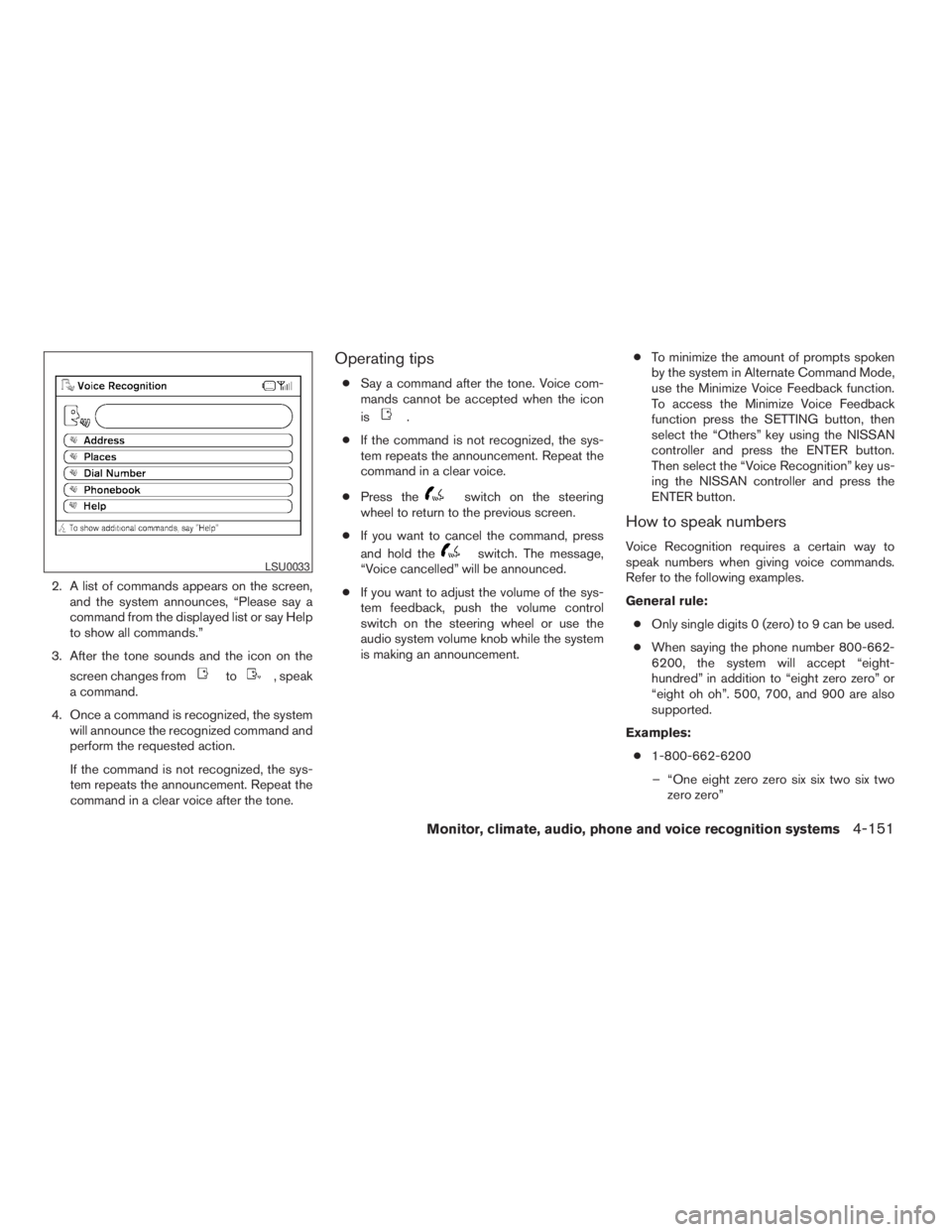
2. A list of commands appears on the screen,
and the system announces, “Please say a
command from the displayed list or say Help
to show all commands.”
3. After the tone sounds and the icon on the
screen changes from
to, speak
a command.
4. Once a command is recognized, the system
will announce the recognized command and
perform the requested action.
If the command is not recognized, the sys-
tem repeats the announcement. Repeat the
command in a clear voice after the tone.
Operating tips
cSay a command after the tone. Voice com-
mands cannot be accepted when the icon
is
.
cIf the command is not recognized, the sys-
tem repeats the announcement. Repeat the
command in a clear voice.
cPress the
switch on the steering
wheel to return to the previous screen.
cIf you want to cancel the command, press
and hold the
switch. The message,
“Voice cancelled” will be announced.
cIf you want to adjust the volume of the sys-
tem feedback, push the volume control
switch on the steering wheel or use the
audio system volume knob while the system
is making an announcement.cTo minimize the amount of prompts spoken
by the system in Alternate Command Mode,
use the Minimize Voice Feedback function.
To access the Minimize Voice Feedback
function press the SETTING button, then
select the “Others” key using the NISSAN
controller and press the ENTER button.
Then select the “Voice Recognition” key us-
ing the NISSAN controller and press the
ENTER button.
How to speak numbers
Voice Recognition requires a certain way to
speak numbers when giving voice commands.
Refer to the following examples.
General rule:
cOnly single digits 0 (zero) to 9 can be used.
cWhen saying the phone number 800-662-
6200, the system will accept “eight-
hundred” in addition to “eight zero zero” or
“eight oh oh”. 500, 700, and 900 are also
supported.
Examples:
c1-800-662-6200
– “One eight zero zero six six two six two
zero zero”
LSU0033
Monitor, climate, audio, phone and voice recognition systems4-151
ZREVIEW COPYÐ2009 Pathfinder(pat)
Owners ManualÐUSA_English(nna)
05/29/08Ðdebbie
X
Page 319 of 471
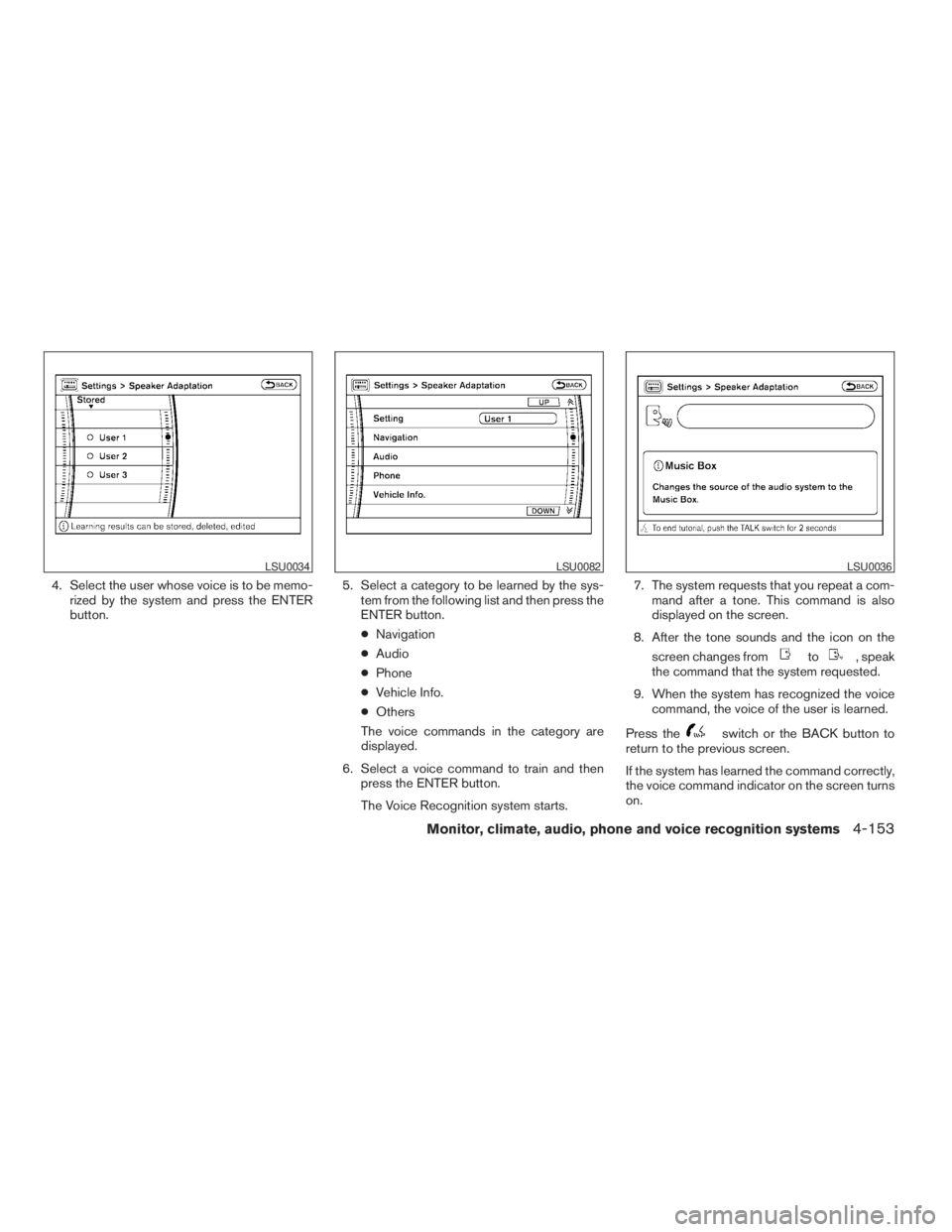
4. Select the user whose voice is to be memo-
rized by the system and press the ENTER
button.5. Select a category to be learned by the sys-
tem from the following list and then press the
ENTER button.
cNavigation
cAudio
cPhone
cVehicle Info.
cOthers
The voice commands in the category are
displayed.
6. Select a voice command to train and then
press the ENTER button.
The Voice Recognition system starts.7. The system requests that you repeat a com-
mand after a tone. This command is also
displayed on the screen.
8. After the tone sounds and the icon on the
screen changes from
to, speak
the command that the system requested.
9. When the system has recognized the voice
command, the voice of the user is learned.
Press the
switch or the BACK button to
return to the previous screen.
If the system has learned the command correctly,
the voice command indicator on the screen turns
on.
LSU0034LSU0082LSU0036
Monitor, climate, audio, phone and voice recognition systems4-153
ZREVIEW COPYÐ2009 Pathfinder(pat)
Owners ManualÐUSA_English(nna)
05/29/08Ðdebbie
X
Page 323 of 471
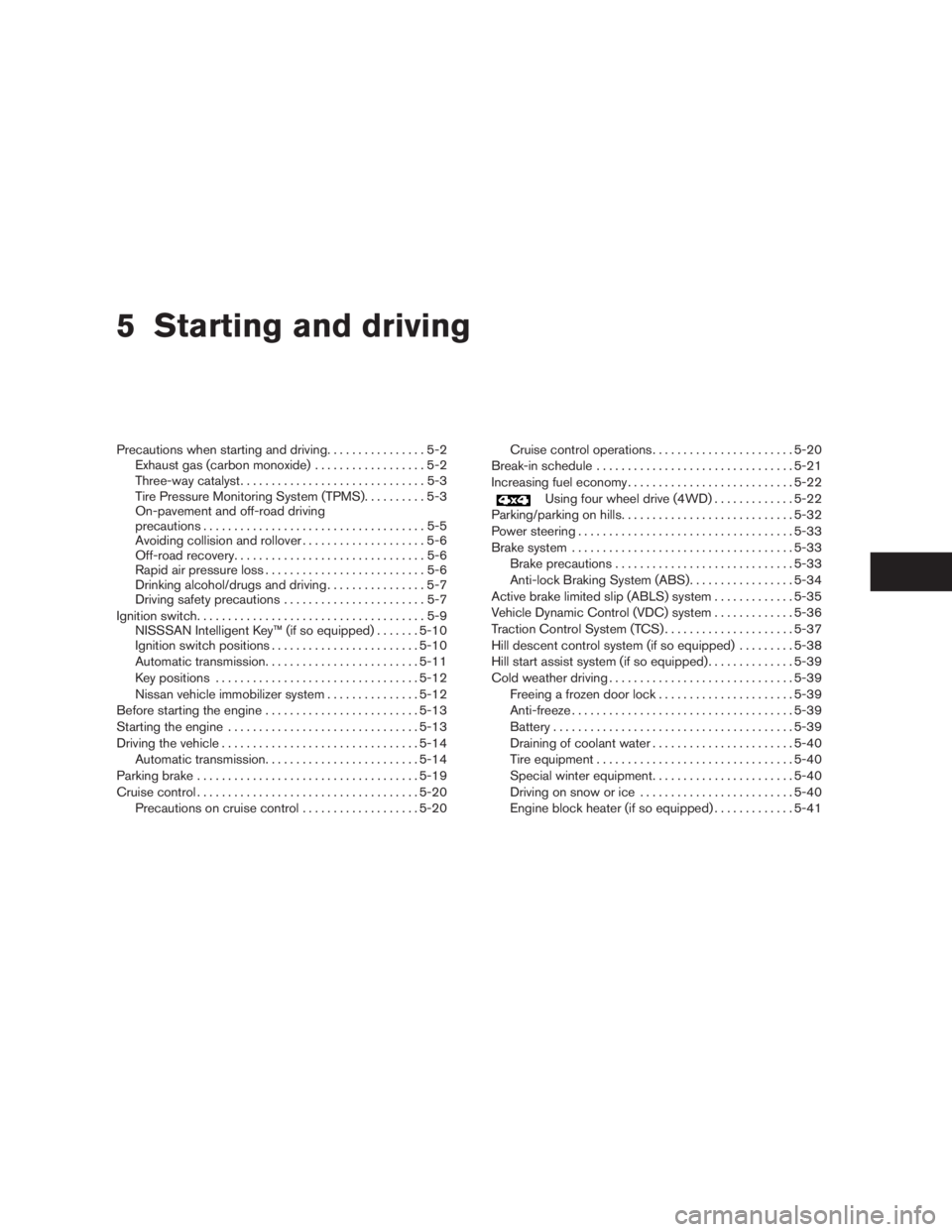
5 Starting and driving
Precautions when starting and driving................5-2
Exhaust gas (carbon monoxide)..................5-2
Three-way catalyst..............................5-3
Tire Pressure Monitoring System (TPMS)..........5-3
On-pavement and off-road driving
precautions....................................5-5
Avoiding collision and rollover....................5-6
Off-road recovery...............................5-6
Rapid air pressure loss..........................5-6
Drinking alcohol/drugs and driving................5-7
Driving safety precautions.......................5-7
Ignition switch.....................................5-9
NISSSAN Intelligent Key™ (if so equipped).......5-10
Ignition switch positions........................5-10
Automatic transmission.........................5-11
Key positions.................................5-12
Nissan vehicle immobilizer system...............5-12
Before starting the engine.........................5-13
Starting the engine...............................5-13
Driving the vehicle................................5-14
Automatic transmission.........................5-14
Parking brake....................................5-19
Cruise control....................................5-20
Precautions on cruise control...................5-20Cruise control operations.......................5-20
Break-in schedule................................5-21
Increasing fuel economy...........................5-22
Using four wheel drive (4WD).............5-22
Parking/parking on hills............................5-32
Power steering...................................5-33
Brake system....................................5-33
Brake precautions.............................5-33
Anti-lock Braking System (ABS).................5-34
Active brake limited slip (ABLS) system.............5-35
Vehicle Dynamic Control (VDC) system.............5-36
Traction Control System (TCS).....................5-37
Hill descent control system (if so equipped).........5-38
Hill start assist system (if so equipped)..............5-39
Cold weather driving..............................5-39
Freeing a frozen door lock......................5-39
Anti-freeze....................................5-39
Battery.......................................5-39
Draining of coolant water.......................5-40
Tire equipment................................5-40
Special winter equipment.......................5-40
Driving on snow or ice.........................5-40
Engine block heater (if so equipped).............5-41
ZREVIEW COPYÐ2009 Pathfinder(pat)
Owners ManualÐUSA_English(nna)
05/29/08Ðdebbie
X