trip computer NISSAN PATHFINDER 2009 Owner´s Manual
[x] Cancel search | Manufacturer: NISSAN, Model Year: 2009, Model line: PATHFINDER, Model: NISSAN PATHFINDER 2009Pages: 471, PDF Size: 5.9 MB
Page 76 of 471
2 Instruments and controls
Instrument panel...................................2-2
Meters and gauges................................2-3
Speedometer and odometer.....................2-4
Trip computer (if so equipped)...................2-5
Tachometer....................................2-6
Engine coolant temperature gauge...............2-6
Fuel gauge....................................2-7
Engine oil pressure gauge.......................2-8
Voltmeter......................................2-8
Compass display (if so equipped)...................2-9
Compass display...............................2-9
Warning/indicator lights and audible reminders......2-13
Checking bulbs...............................2-14
Warning lights................................2-14
Indicator lights................................2-19
Audible reminders.............................2-22
Security systems.................................2-23
Vehicle security system.........................2-23
NISSAN vehicle immobilizer system.............2-24
Windshield wiper and washer switch...............2-26
Switch operation..............................2-26
Rear window wiper and washer switch..............2-27Rear window and outside mirror (if so equipped)
defroster switch..................................2-27
Headlight and turn signal switch....................2-28
Headlight control switch........................2-28
Daytime running light system (Canada only)......2-30
Instrument brightness control...................2-31
Turn signal switch.............................2-31
Fog light switch (if so equipped)................2-32
Hazard warning flasher switch.....................2-32
Horn............................................2-33
Heated steering wheel (if so equipped).............2-33
Heated seat (if so equipped).......................2-34
Vehicle Dynamic Control (VDC) OFF switch.........2-34
Hill descent control switch (if so equipped)..........2-35
Power outlet.....................................2-36
Storage.........................................2-37
Storage trays.................................2-37
Storage bins..................................2-38
2nd row under-seat storage bin.................2-39
Console box..................................2-39
Glove box....................................2-40
Sunglasses holder.............................2-40
ZREVIEW COPYÐ2009 Pathfinder(pat)
Owners ManualÐUSA_English(nna)
05/29/08Ðdebbie
X
Page 81 of 471
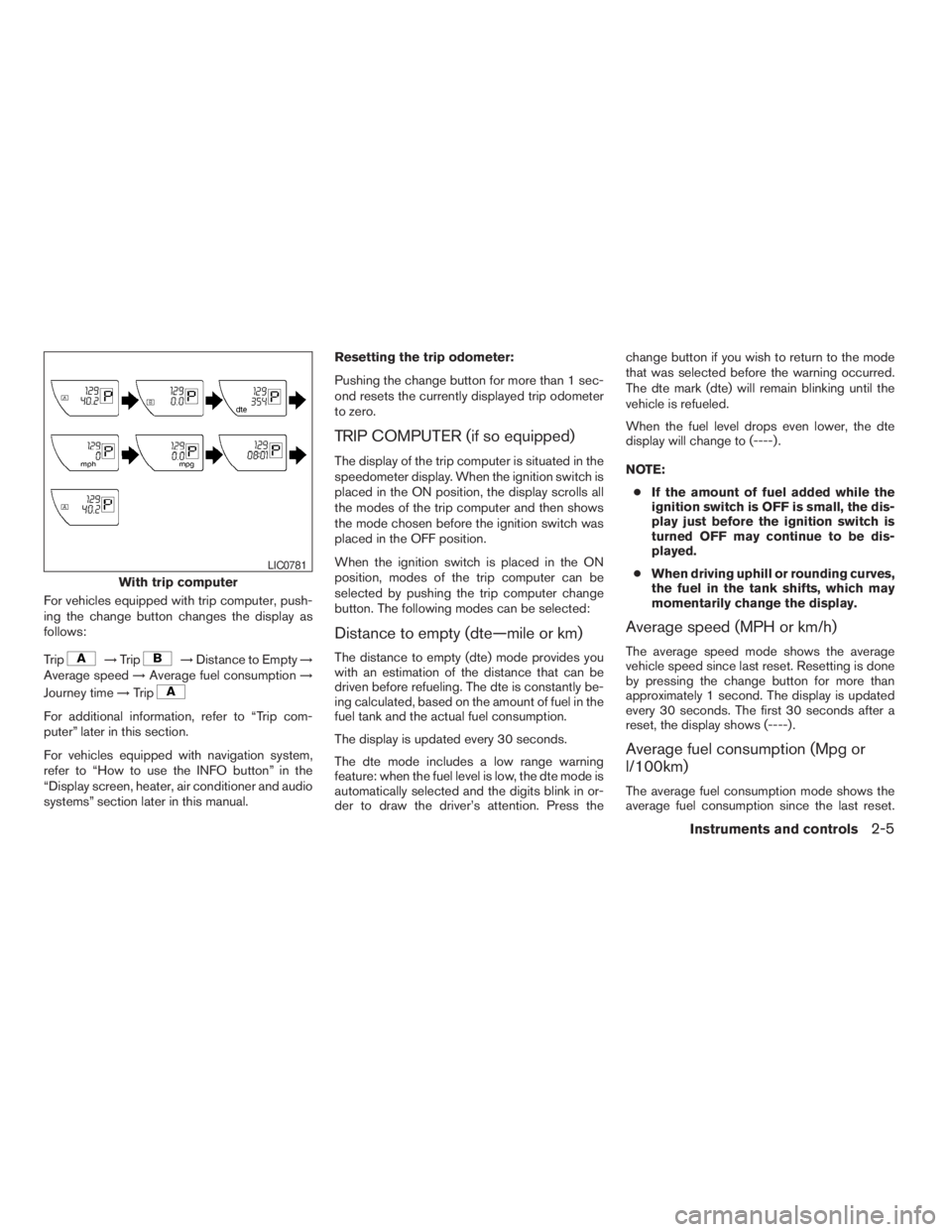
For vehicles equipped with trip computer, push-
ing the change button changes the display as
follows:
Trip
!Trip!Distance to Empty!
Average speed!Average fuel consumption!
Journey time!Trip
For additional information, refer to “Trip com-
puter” later in this section.
For vehicles equipped with navigation system,
refer to “How to use the INFO button” in the
“Display screen, heater, air conditioner and audio
systems” section later in this manual.Resetting the trip odometer:
Pushing the change button for more than 1 sec-
ond resets the currently displayed trip odometer
to zero.
TRIP COMPUTER (if so equipped)
The display of the trip computer is situated in the
speedometer display. When the ignition switch is
placed in the ON position, the display scrolls all
the modes of the trip computer and then shows
the mode chosen before the ignition switch was
placed in the OFF position.
When the ignition switch is placed in the ON
position, modes of the trip computer can be
selected by pushing the trip computer change
button. The following modes can be selected:
Distance to empty (dte—mile or km)
The distance to empty (dte) mode provides you
with an estimation of the distance that can be
driven before refueling. The dte is constantly be-
ing calculated, based on the amount of fuel in the
fuel tank and the actual fuel consumption.
The display is updated every 30 seconds.
The dte mode includes a low range warning
feature: when the fuel level is low, the dte mode is
automatically selected and the digits blink in or-
der to draw the driver’s attention. Press thechange button if you wish to return to the mode
that was selected before the warning occurred.
The dte mark (dte) will remain blinking until the
vehicle is refueled.
When the fuel level drops even lower, the dte
display will change to (----) .
NOTE:
cIf the amount of fuel added while the
ignition switch is OFF is small, the dis-
play just before the ignition switch is
turned OFF may continue to be dis-
played.
cWhen driving uphill or rounding curves,
the fuel in the tank shifts, which may
momentarily change the display.
Average speed (MPH or km/h)
The average speed mode shows the average
vehicle speed since last reset. Resetting is done
by pressing the change button for more than
approximately 1 second. The display is updated
every 30 seconds. The first 30 seconds after a
reset, the display shows (----) .
Average fuel consumption (Mpg or
l/100km)
The average fuel consumption mode shows the
average fuel consumption since the last reset.
With trip computer
LIC0781
Instruments and controls2-5
ZREVIEW COPYÐ2009 Pathfinder(pat)
Owners ManualÐUSA_English(nna)
05/29/08Ðdebbie
X
Page 82 of 471
Resetting is done by pressing the change button
for more than approximately 1 second. The dis-
play is updated every 30 seconds. At about the
first 1/3 miles (500 m) after a reset, the display
shows (----) .
Journey time
The journey time mode shows the time since the
last reset. The displayed time can be reset by
pressing the change button for more than ap-
proximately 1 second.
Trip computer reset
Pushing the change button for more than 3 sec-
onds will reset all modes except Trip A and dis-
tance to empty (dte) .
TACHOMETER
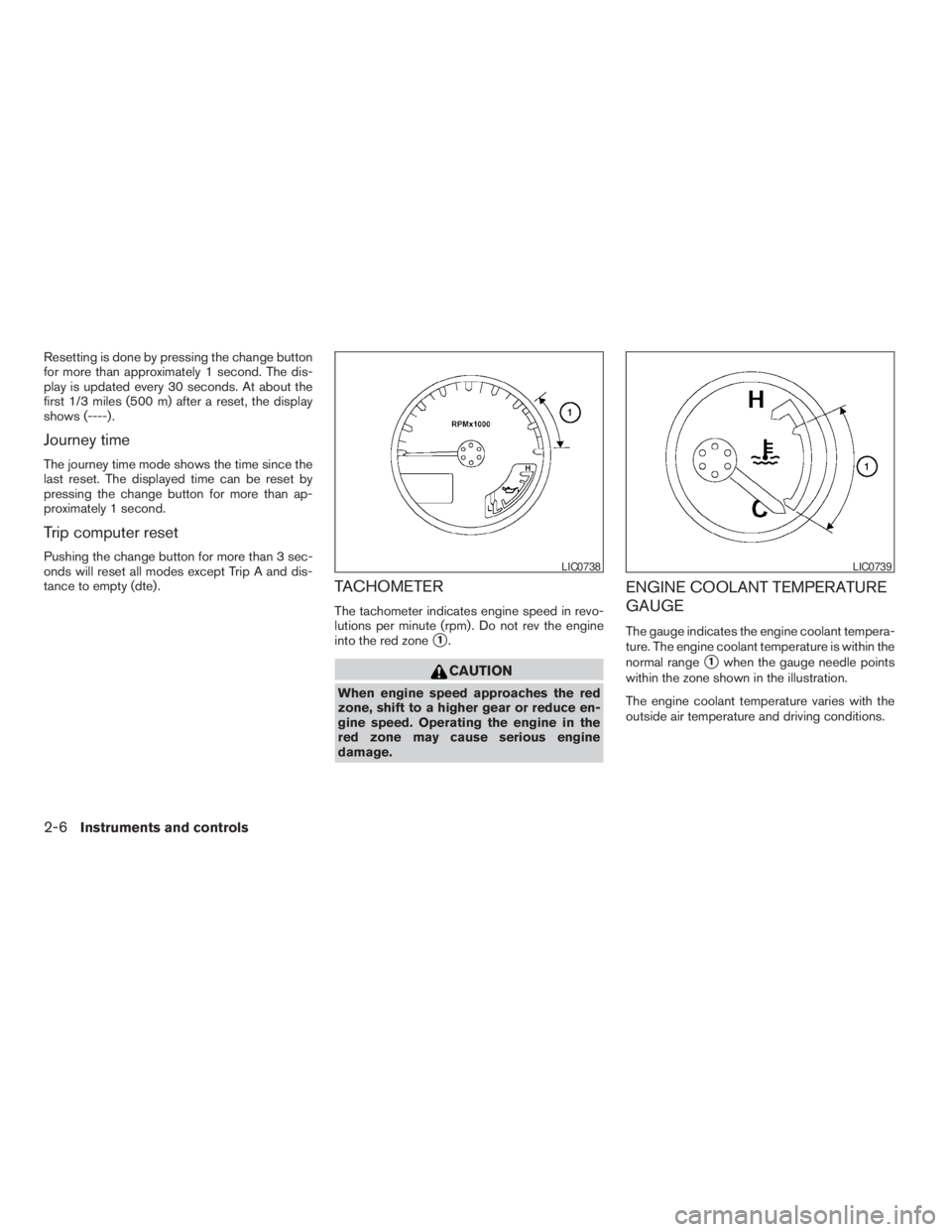
The tachometer indicates engine speed in revo-
lutions per minute (rpm) . Do not rev the engine
into the red zone
s1.
CAUTION
When engine speed approaches the red
zone, shift to a higher gear or reduce en-
gine speed. Operating the engine in the
red zone may cause serious engine
damage.
ENGINE COOLANT TEMPERATURE
GAUGE
The gauge indicates the engine coolant tempera-
ture. The engine coolant temperature is within the
normal range
s1when the gauge needle points
within the zone shown in the illustration.
The engine coolant temperature varies with the
outside air temperature and driving conditions.
LIC0738LIC0739
2-6Instruments and controls
ZREVIEW COPYÐ2009 Pathfinder(pat)
Owners ManualÐUSA_English(nna)
05/29/08Ðdebbie
X
Page 175 of 471
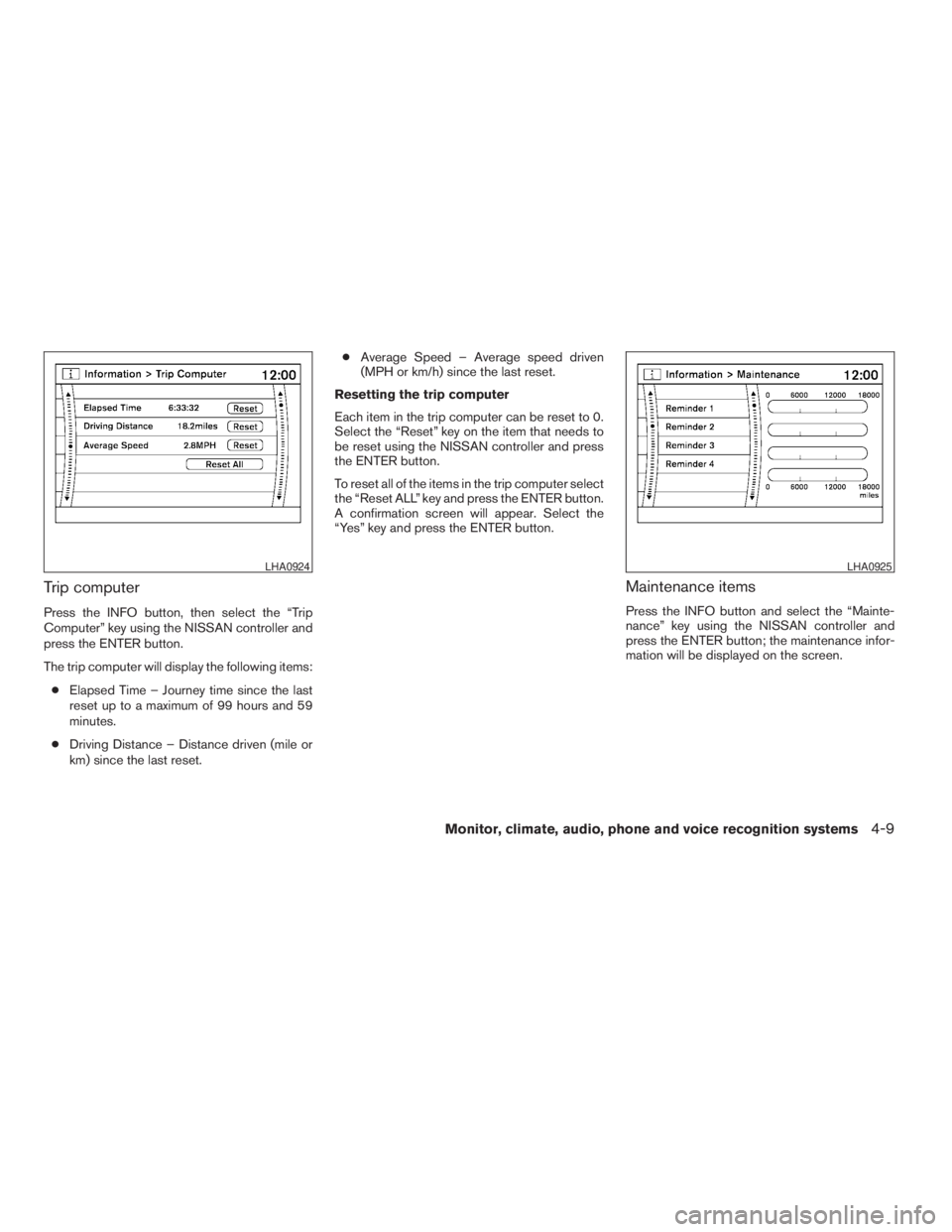
Trip computer
Press the INFO button, then select the “Trip
Computer” key using the NISSAN controller and
press the ENTER button.
The trip computer will display the following items:
cElapsed Time – Journey time since the last
reset up to a maximum of 99 hours and 59
minutes.
cDriving Distance – Distance driven (mile or
km) since the last reset.cAverage Speed – Average speed driven
(MPH or km/h) since the last reset.
Resetting the trip computer
Each item in the trip computer can be reset to 0.
Select the “Reset” key on the item that needs to
be reset using the NISSAN controller and press
the ENTER button.
To reset all of the items in the trip computer select
the “Reset ALL” key and press the ENTER button.
A confirmation screen will appear. Select the
“Yes” key and press the ENTER button.
Maintenance items
Press the INFO button and select the “Mainte-
nance” key using the NISSAN controller and
press the ENTER button; the maintenance infor-
mation will be displayed on the screen.
LHA0924LHA0925
Monitor, climate, audio, phone and voice recognition systems4-9
ZREVIEW COPYÐ2009 Pathfinder(pat)
Owners ManualÐUSA_English(nna)
05/29/08Ðdebbie
X
Page 190 of 471
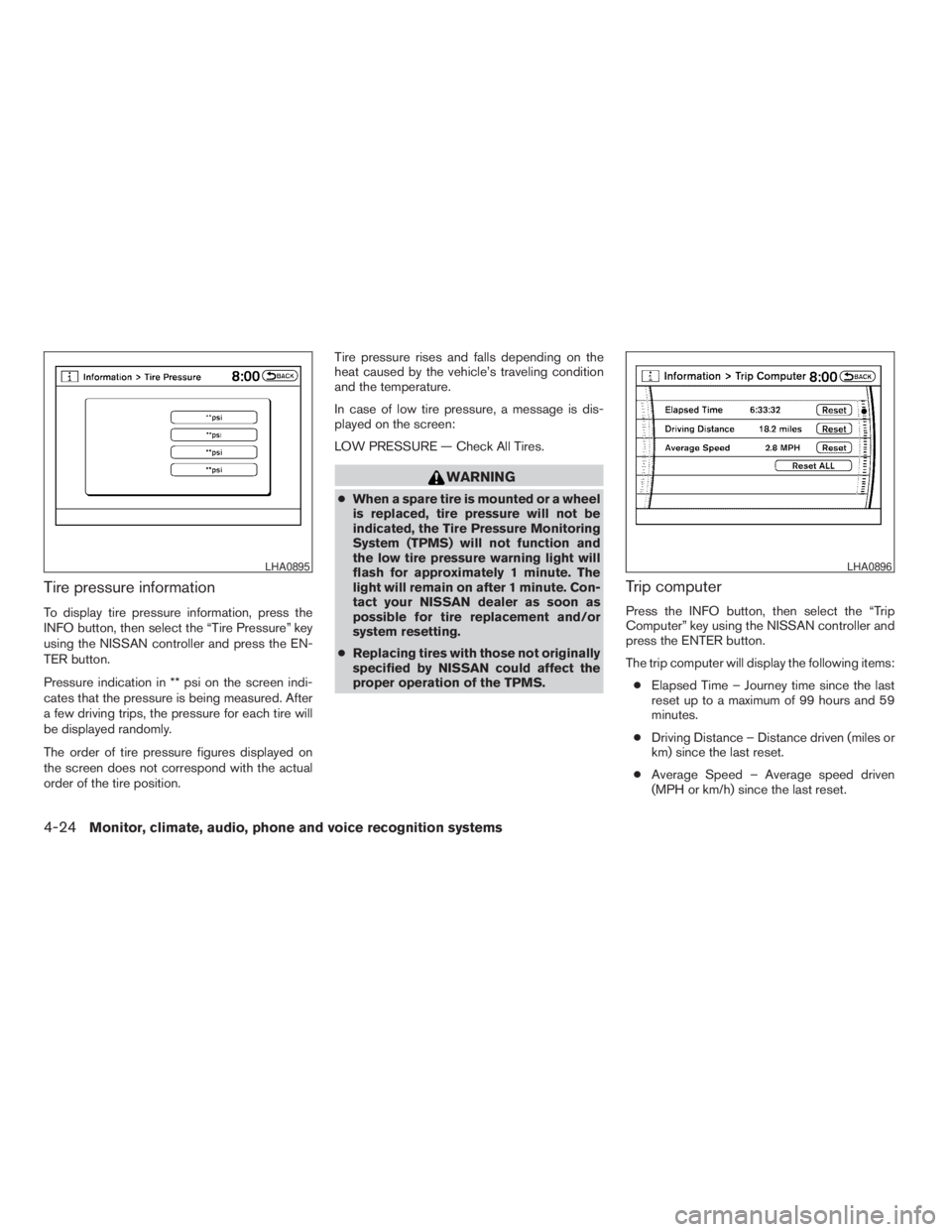
Tire pressure information
To display tire pressure information, press the
INFO button, then select the “Tire Pressure” key
using the NISSAN controller and press the EN-
TER button.
Pressure indication in ** psi on the screen indi-
cates that the pressure is being measured. After
a few driving trips, the pressure for each tire will
be displayed randomly.
The order of tire pressure figures displayed on
the screen does not correspond with the actual
order of the tire position.Tire pressure rises and falls depending on the
heat caused by the vehicle’s traveling condition
and the temperature.
In case of low tire pressure, a message is dis-
played on the screen:
LOW PRESSURE — Check All Tires.
WARNING
cWhen a spare tire is mounted or a wheel
is replaced, tire pressure will not be
indicated, the Tire Pressure Monitoring
System (TPMS) will not function and
the low tire pressure warning light will
flash for approximately 1 minute. The
light will remain on after 1 minute. Con-
tact your NISSAN dealer as soon as
possible for tire replacement and/or
system resetting.
cReplacing tires with those not originally
specified by NISSAN could affect the
proper operation of the TPMS.
Trip computer
Press the INFO button, then select the “Trip
Computer” key using the NISSAN controller and
press the ENTER button.
The trip computer will display the following items:
cElapsed Time – Journey time since the last
reset up to a maximum of 99 hours and 59
minutes.
cDriving Distance – Distance driven (miles or
km) since the last reset.
cAverage Speed – Average speed driven
(MPH or km/h) since the last reset.
LHA0895LHA0896
4-24Monitor, climate, audio, phone and voice recognition systems
ZREVIEW COPYÐ2009 Pathfinder(pat)
Owners ManualÐUSA_English(nna)
05/29/08Ðdebbie
X
Page 191 of 471
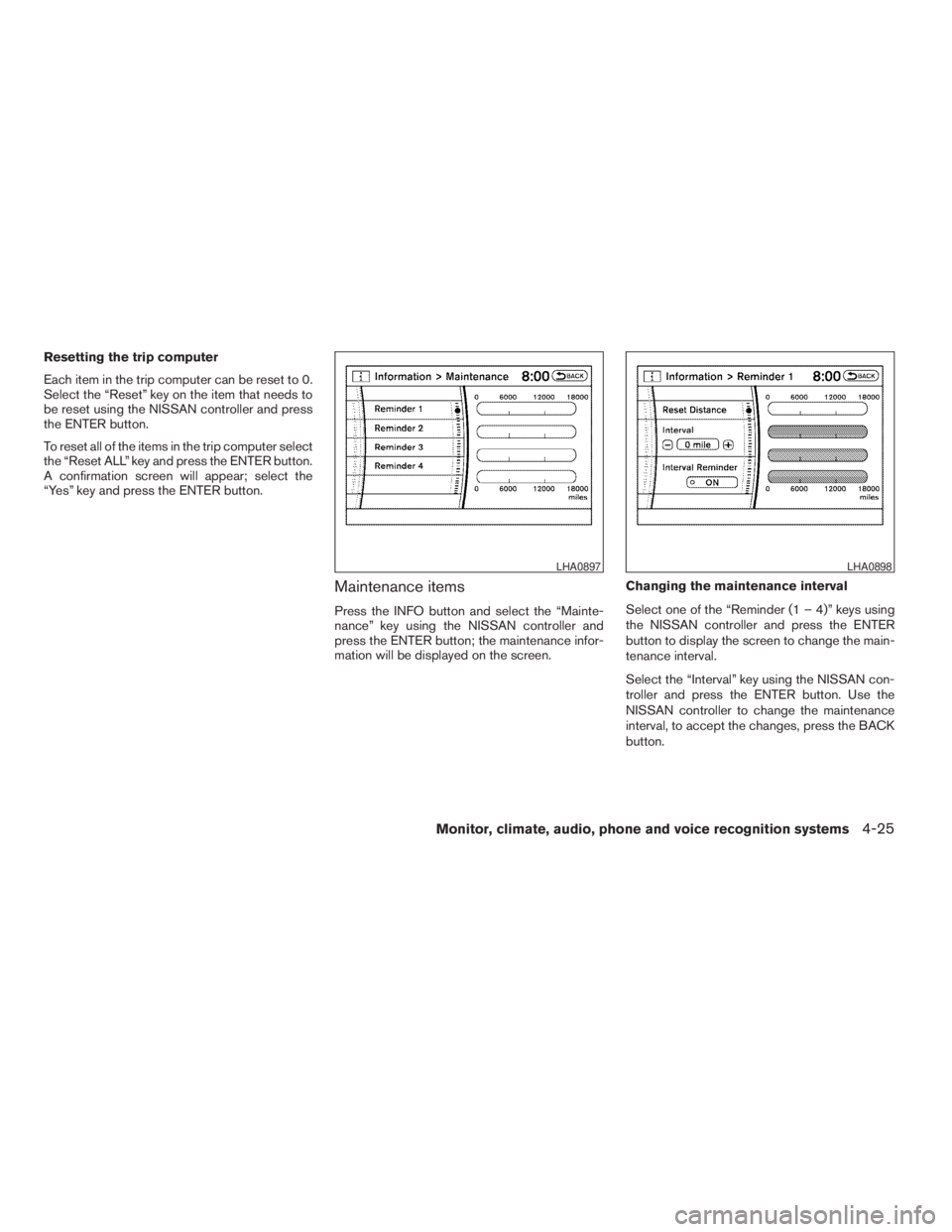
Resetting the trip computer
Each item in the trip computer can be reset to 0.
Select the “Reset” key on the item that needs to
be reset using the NISSAN controller and press
the ENTER button.
To reset all of the items in the trip computer select
the “Reset ALL” key and press the ENTER button.
A confirmation screen will appear; select the
“Yes” key and press the ENTER button.
Maintenance items
Press the INFO button and select the “Mainte-
nance” key using the NISSAN controller and
press the ENTER button; the maintenance infor-
mation will be displayed on the screen.Changing the maintenance interval
Select one of the “Reminder (1 – 4)” keys using
the NISSAN controller and press the ENTER
button to display the screen to change the main-
tenance interval.
Select the “Interval” key using the NISSAN con-
troller and press the ENTER button. Use the
NISSAN controller to change the maintenance
interval, to accept the changes, press the BACK
button.
LHA0897LHA0898
Monitor, climate, audio, phone and voice recognition systems4-25
ZREVIEW COPYÐ2009 Pathfinder(pat)
Owners ManualÐUSA_English(nna)
05/29/08Ðdebbie
X
Page 303 of 471
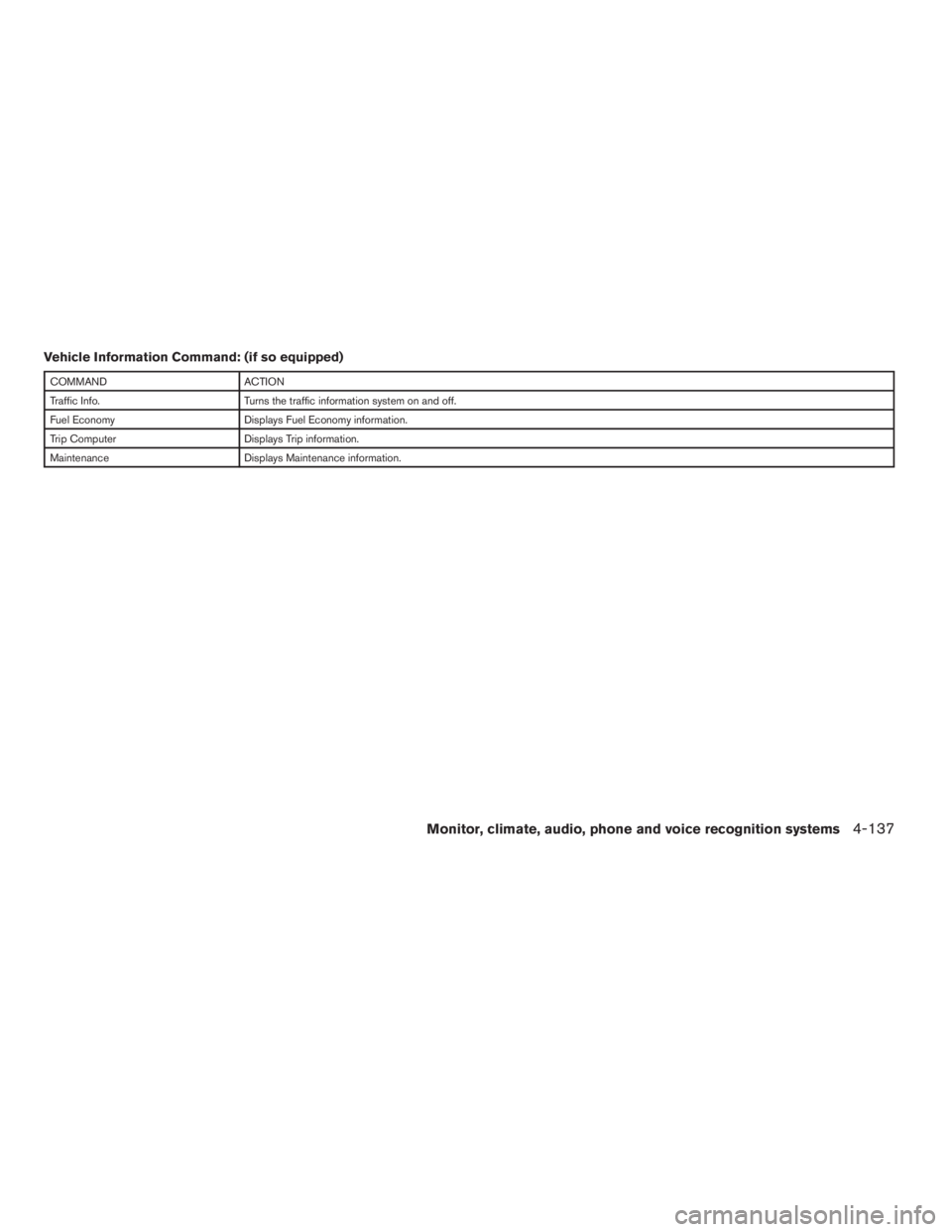
Vehicle Information Command: (if so equipped)
COMMAND ACTION
Traffic Info. Turns the traffic information system on and off.
Fuel Economy Displays Fuel Economy information.
Trip Computer Displays Trip information.
Maintenance Displays Maintenance information.
Monitor, climate, audio, phone and voice recognition systems4-137
ZREVIEW COPYÐ2009 Pathfinder(pat)
Owners ManualÐUSA_English(nna)
05/29/08Ðdebbie
X
Page 314 of 471
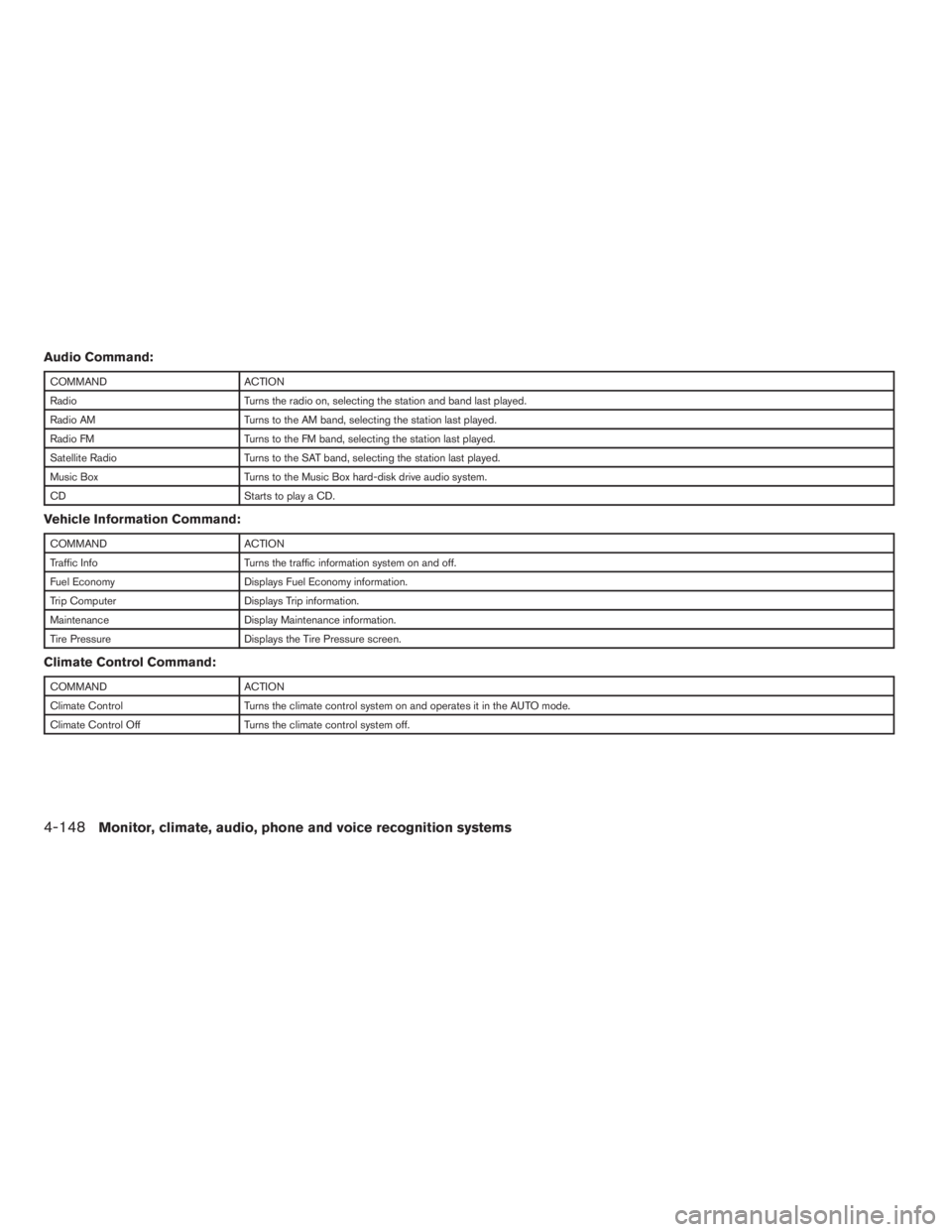
Audio Command:
COMMAND ACTION
Radio Turns the radio on, selecting the station and band last played.
Radio AM Turns to the AM band, selecting the station last played.
Radio FM Turns to the FM band, selecting the station last played.
Satellite Radio Turns to the SAT band, selecting the station last played.
Music Box Turns to the Music Box hard-disk drive audio system.
CD Starts to play a CD.
Vehicle Information Command:
COMMAND ACTION
Traffic Info Turns the traffic information system on and off.
Fuel Economy Displays Fuel Economy information.
Trip Computer Displays Trip information.
Maintenance Display Maintenance information.
Tire Pressure Displays the Tire Pressure screen.
Climate Control Command:
COMMAND ACTION
Climate Control Turns the climate control system on and operates it in the AUTO mode.
Climate Control Off Turns the climate control system off.
4-148Monitor, climate, audio, phone and voice recognition systems
ZREVIEW COPYÐ2009 Pathfinder(pat)
Owners ManualÐUSA_English(nna)
05/29/08Ðdebbie
X
Page 465 of 471
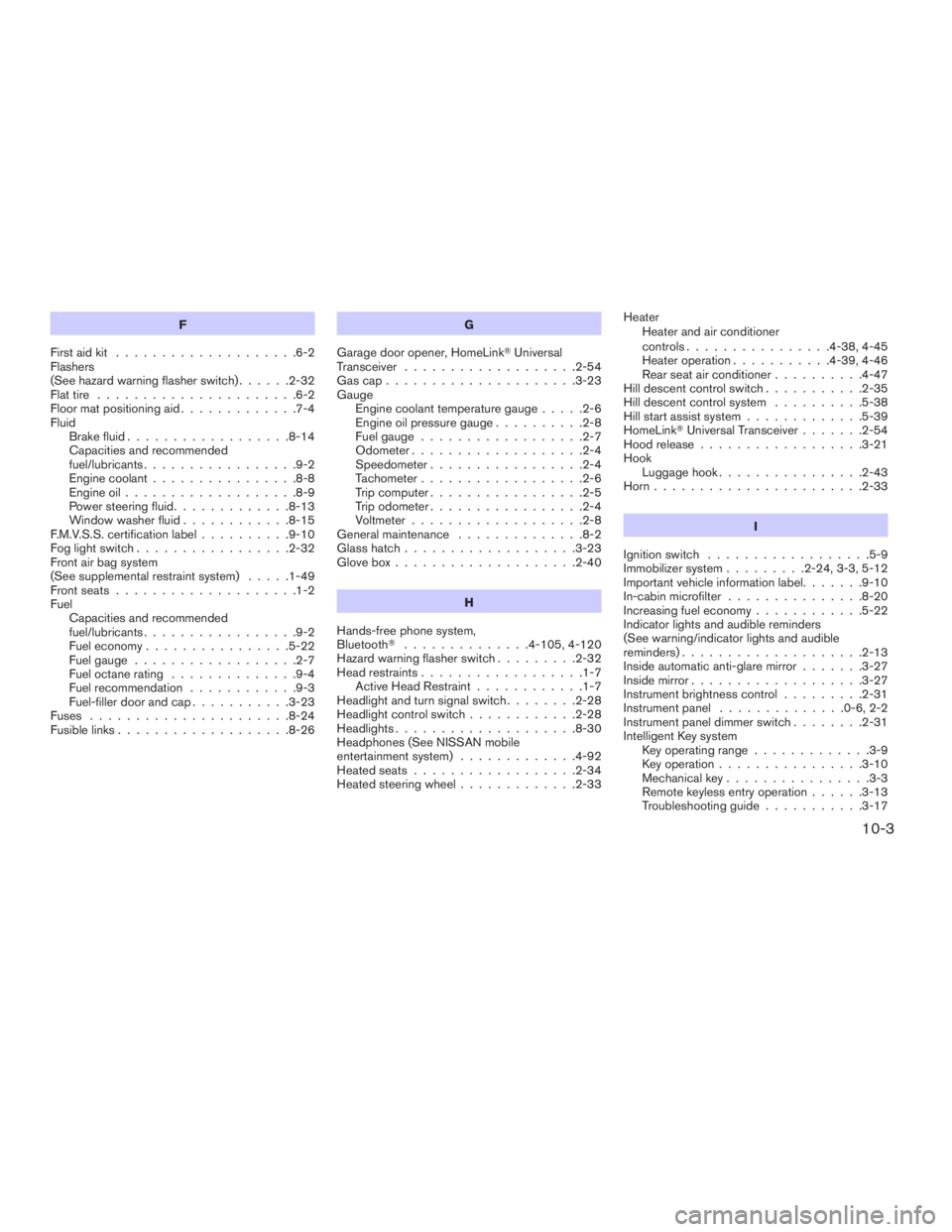
F
First aid kit....................6-2
Flashers
(See hazard warning flasher switch)......2-32
Flat tire......................6-2
Floor mat positioning aid.............7-4
Fluid
Brake fluid..................8-14
Capacities and recommended
fuel/lubricants.................9-2
Engine coolant................8-8
Engine oil...................8-9
Power steering fluid.............8-13
Window washer fluid............8-15
F.M.V.S.S. certification label..........9-10
Fog light switch.................2-32
Front air bag system
(See supplemental restraint system).....1-49
Front seats....................1-2
Fuel
Capacities and recommended
fuel/lubricants.................9-2
Fuel economy................5-22
Fuel gauge..................2-7
Fuel octane rating..............9-4
Fuel recommendation............9-3
Fuel-filler door and cap...........3-23
Fuses......................8-24
Fusible links...................8-26G
Garage door opener, HomeLinkTUniversal
Transceiver...................2-54
Gascap.....................3-23
Gauge
Engine coolant temperature gauge.....2-6
Engine oil pressure gauge..........2-8
Fuel gauge..................2-7
Odometer...................2-4
Speedometer.................2-4
Tachometer..................2-6
Trip computer.................2-5
Trip odometer.................2-4
Voltmeter...................2-8
General maintenance..............8-2
Glass hatch...................3-23
Glove box....................2-40
H
Hands-free phone system,
BluetoothT..............4-105, 4-120
Hazard warning flasher switch.........2-32
Head restraints..................1-7
Active Head Restraint............1-7
Headlight and turn signal switch........2-28
Headlight control switch............2-28
Headlights....................8-30
Headphones (See NISSAN mobile
entertainment system).............4-92
Heated seats..................2-34
Heated steering wheel.............2-33Heater
Heater and air conditioner
controls................4-38, 4-45
Heater operation...........4-39, 4-46
Rear seat air conditioner..........4-47
Hill descent control switch...........2-35
Hill descent control system..........5-38
Hill start assist system.............5-39
HomeLinkTUniversal Transceiver.......2-54
Hood release..................3-21
Hook
Luggage hook................2-43
Horn.......................2-33
I
Ignition switch..................5-9
Immobilizer system.........2-24, 3-3, 5-12
Important vehicle information label.......9-10
In-cabin microfilter...............8-20
Increasing fuel economy............5-22
Indicator lights and audible reminders
(See warning/indicator lights and audible
reminders)....................2-13
Inside automatic anti-glare mirror.......3-27
Inside mirror...................3-27
Instrument brightness control.........2-31
Instrument panel..............0-6, 2-2
Instrument panel dimmer switch........2-31
Intelligent Key system
Key operating range.............3-9
Key operation................3-10
Mechanical key................3-3
Remote keyless entry operation......3-13
Troubleshooting guide...........3-17
10-3
ZREVIEW COPYÐ2009 Pathfinder(pat)
Owners ManualÐUSA_English(nna)
06/13/08Ðdebbie
X
Page 469 of 471
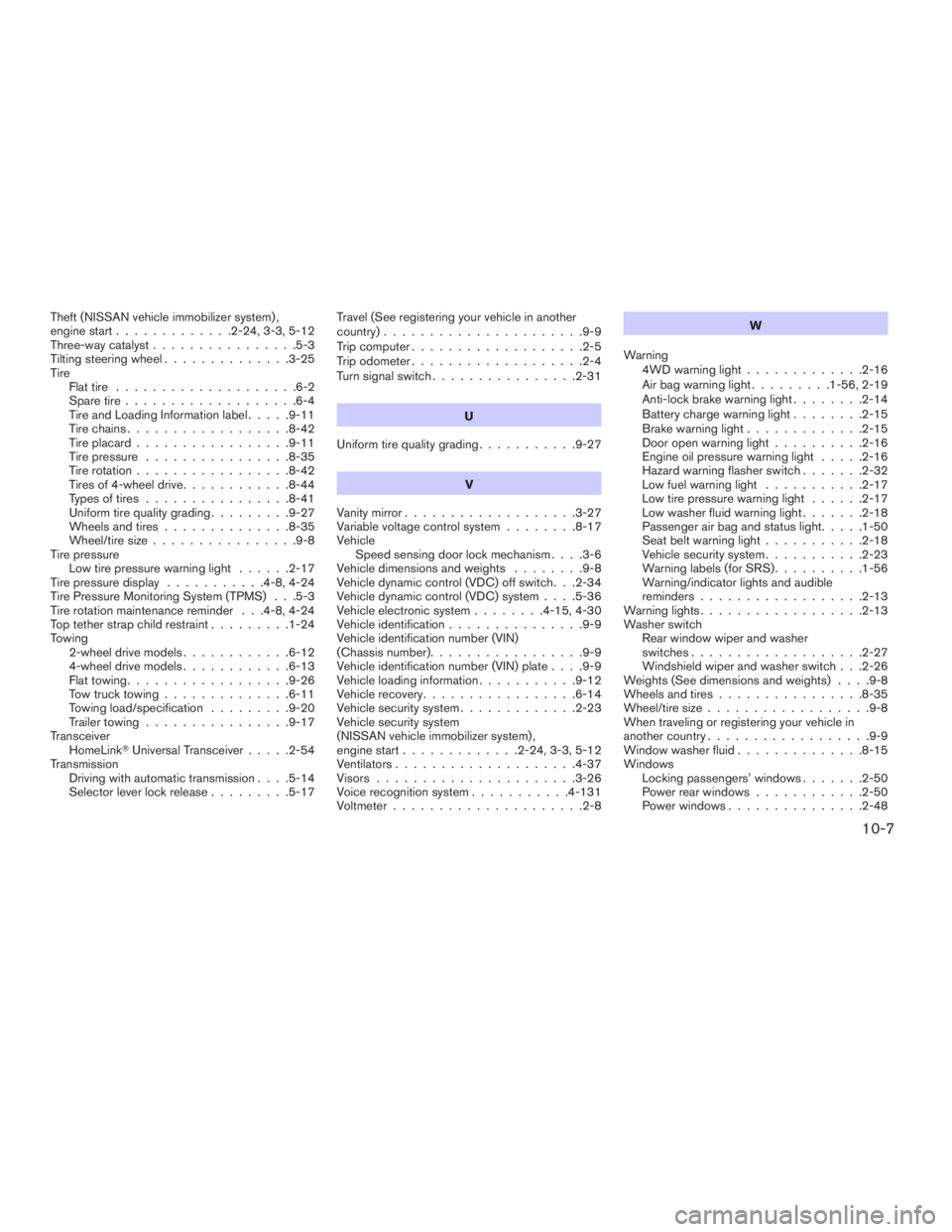
Theft (NISSAN vehicle immobilizer system) ,
engine start.............2-24, 3-3, 5-12
Three-way catalyst................5-3
Tilting steering wheel..............3-25
Tire
Flat tire....................6-2
Spare tire...................6-4
Tire and Loading Information label.....9-11
Tire chains..................8-42
Tire placard.................9-11
Tire pressure................8-35
Tire rotation.................8-42
Tires of 4-wheel drive............8-44
Types of tires................8-41
Uniform tire quality grading.........9-27
Wheels and tires..............8-35
Wheel/tire size................9-8
Tire pressure
Low tire pressure warning light......2-17
Tire pressure display...........4-8, 4-24
Tire Pressure Monitoring System (TPMS) . . .5-3
Tire rotation maintenance reminder . . .4-8, 4-24
Top tether strap child restraint.........1-24
Towing
2-wheel drive models............6-12
4-wheel drive models............6-13
Flat towing..................9-26
Tow truck towing..............6-11
Towing load/specification.........9-20
Trailer towing................9-17
Transceiver
HomeLinkTUniversal Transceiver.....2-54
Transmission
Driving with automatic transmission. . . .5-14
Selector lever lock release.........5-17Travel (See registering your vehicle in another
country)......................9-9
Trip computer...................2-5
Trip odometer...................2-4
Turn signal switch................2-31
U
Uniform tire quality grading...........9-27
V
Vanity mirror...................3-27
Variable voltage control system........8-17
Vehicle
Speed sensing door lock mechanism. . . .3-6
Vehicle dimensions and weights........9-8
Vehicle dynamic control (VDC) off switch. . .2-34
Vehicle dynamic control (VDC) system. . . .5-36
Vehicle electronic system........4-15, 4-30
Vehicle identification...............9-9
Vehicle identification number (VIN)
(Chassis number).................9-9
Vehicle identification number (VIN) plate. . . .9-9
Vehicle loading information...........9-12
Vehicle recovery.................6-14
Vehicle security system.............2-23
Vehicle security system
(NISSAN vehicle immobilizer system) ,
engine start.............2-24, 3-3, 5-12
Ventilators....................4-37
Visors......................3-26
Voice recognition system...........4-131
Voltmeter.....................2-8W
Warning
4WD warning light.............2-16
Air bag warning light.........1-56, 2-19
Anti-lock brake warning light........2-14
Battery charge warning light........2-15
Brake warning light.............2-15
Door open warning light..........2-16
Engine oil pressure warning light.....2-16
Hazard warning flasher switch.......2-32
Low fuel warning light...........2-17
Low tire pressure warning light......2-17
Low washer fluid warning light.......2-18
Passenger air bag and status light.....1-50
Seat belt warning light...........2-18
Vehicle security system...........2-23
Warning labels (for SRS)..........1-56
Warning/indicator lights and audible
reminders..................2-13
Warning lights..................2-13
Washer switch
Rear window wiper and washer
switches...................2-27
Windshield wiper and washer switch . . .2-26
Weights (See dimensions and weights). . . .9-8
Wheels and tires................8-35
Wheel/tire size..................9-8
When traveling or registering your vehicle in
another country..................9-9
Window washer fluid..............8-15
Windows
Locking passengers’ windows.......2-50
Power rear windows............2-50
Power windows...............2-48
10-7
ZREVIEW COPYÐ2009 Pathfinder(pat)
Owners ManualÐUSA_English(nna)
06/13/08Ðdebbie
X