Switch NISSAN PATHFINDER 2009 Owner´s Manual
[x] Cancel search | Manufacturer: NISSAN, Model Year: 2009, Model line: PATHFINDER, Model: NISSAN PATHFINDER 2009Pages: 471, PDF Size: 5.9 MB
Page 9 of 471
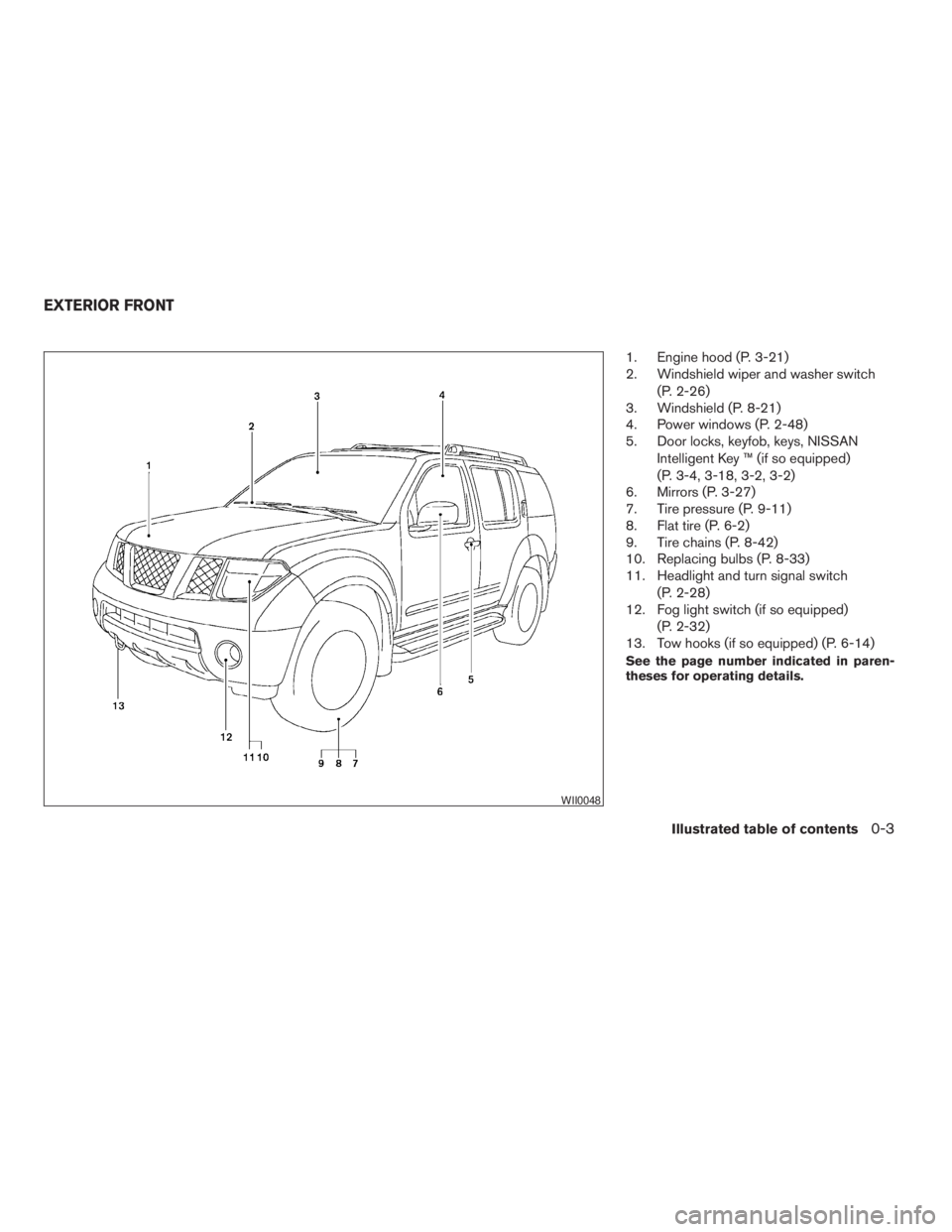
1. Engine hood (P. 3-21)
2. Windshield wiper and washer switch
(P. 2-26)
3. Windshield (P. 8-21)
4. Power windows (P. 2-48)
5. Door locks, keyfob, keys, NISSAN
Intelligent Key ™ (if so equipped)
(P. 3-4, 3-18, 3-2, 3-2)
6. Mirrors (P. 3-27)
7. Tire pressure (P. 9-11)
8. Flat tire (P. 6-2)
9. Tire chains (P. 8-42)
10. Replacing bulbs (P. 8-33)
11. Headlight and turn signal switch
(P. 2-28)
12. Fog light switch (if so equipped)
(P. 2-32)
13. Tow hooks (if so equipped) (P. 6-14)
See the page number indicated in paren-
theses for operating details.
WII0048
EXTERIOR FRONT
Illustrated table of contents0-3
ZREVIEW COPYÐ2009 Pathfinder(pat)
Owners ManualÐUSA_English(nna)
05/29/08Ðdebbie
X
Page 10 of 471
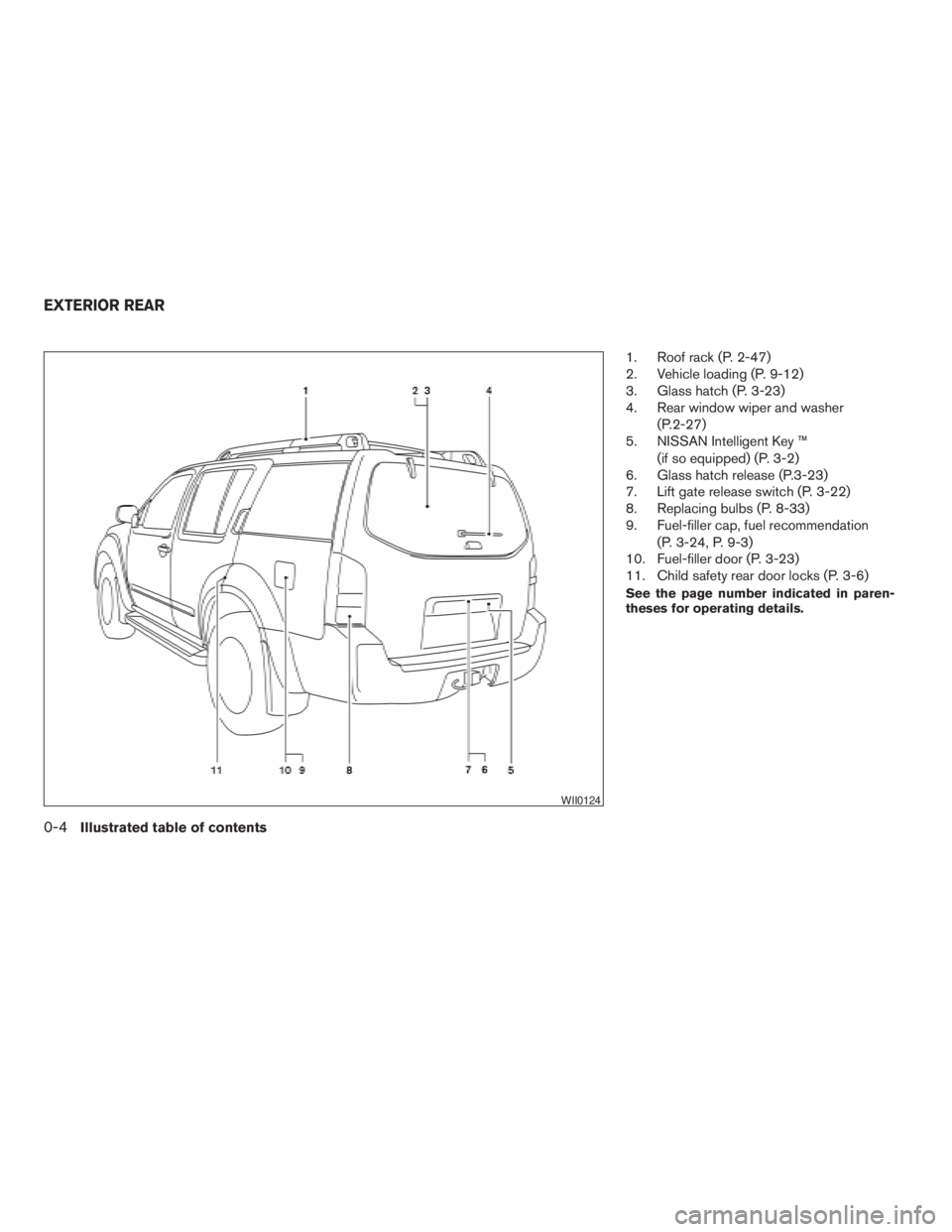
1. Roof rack (P. 2-47)
2. Vehicle loading (P. 9-12)
3. Glass hatch (P. 3-23)
4. Rear window wiper and washer
(P.2-27)
5. NISSAN Intelligent Key ™
(if so equipped) (P. 3-2)
6. Glass hatch release (P.3-23)
7. Lift gate release switch (P. 3-22)
8. Replacing bulbs (P. 8-33)
9. Fuel-filler cap, fuel recommendation
(P. 3-24, P. 9-3)
10. Fuel-filler door (P. 3-23)
11. Child safety rear door locks (P. 3-6)
See the page number indicated in paren-
theses for operating details.
WII0124
EXTERIOR REAR
0-4Illustrated table of contents
ZREVIEW COPYÐ2009 Pathfinder(pat)
Owners ManualÐUSA_English(nna)
05/29/08Ðdebbie
X
Page 12 of 471
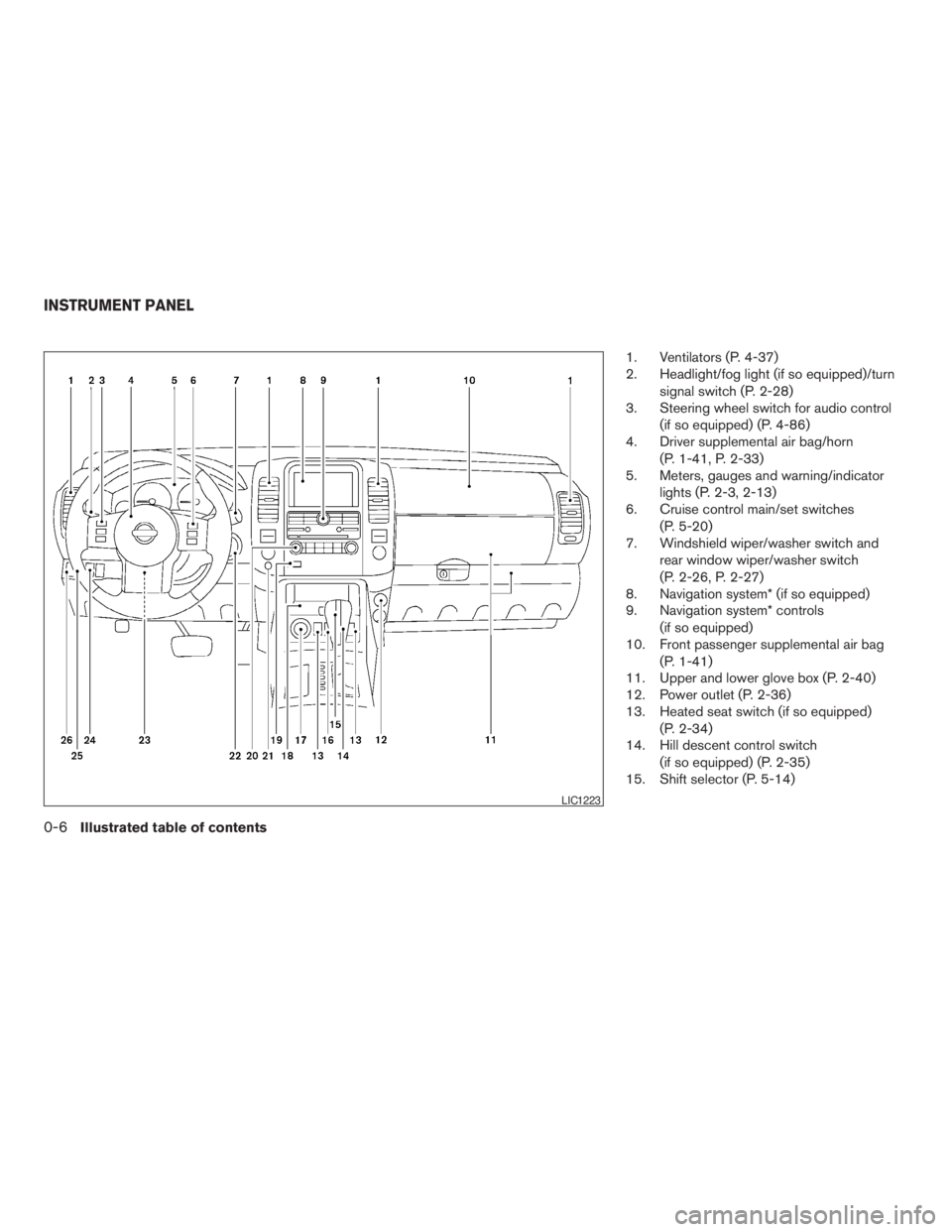
1. Ventilators (P. 4-37)
2. Headlight/fog light (if so equipped)/turn
signal switch (P. 2-28)
3. Steering wheel switch for audio control
(if so equipped) (P. 4-86)
4. Driver supplemental air bag/horn
(P. 1-41, P. 2-33)
5. Meters, gauges and warning/indicator
lights (P. 2-3, 2-13)
6. Cruise control main/set switches
(P. 5-20)
7. Windshield wiper/washer switch and
rear window wiper/washer switch
(P. 2-26, P. 2-27)
8. Navigation system* (if so equipped)
9. Navigation system* controls
(if so equipped)
10. Front passenger supplemental air bag
(P. 1-41)
11. Upper and lower glove box (P. 2-40)
12. Power outlet (P. 2-36)
13. Heated seat switch (if so equipped)
(P. 2-34)
14. Hill descent control switch
(if so equipped) (P. 2-35)
15. Shift selector (P. 5-14)
LIC1223
INSTRUMENT PANEL
0-6Illustrated table of contents
ZREVIEW COPYÐ2009 Pathfinder(pat)
Owners ManualÐUSA_English(nna)
05/29/08Ðdebbie
X
Page 13 of 471
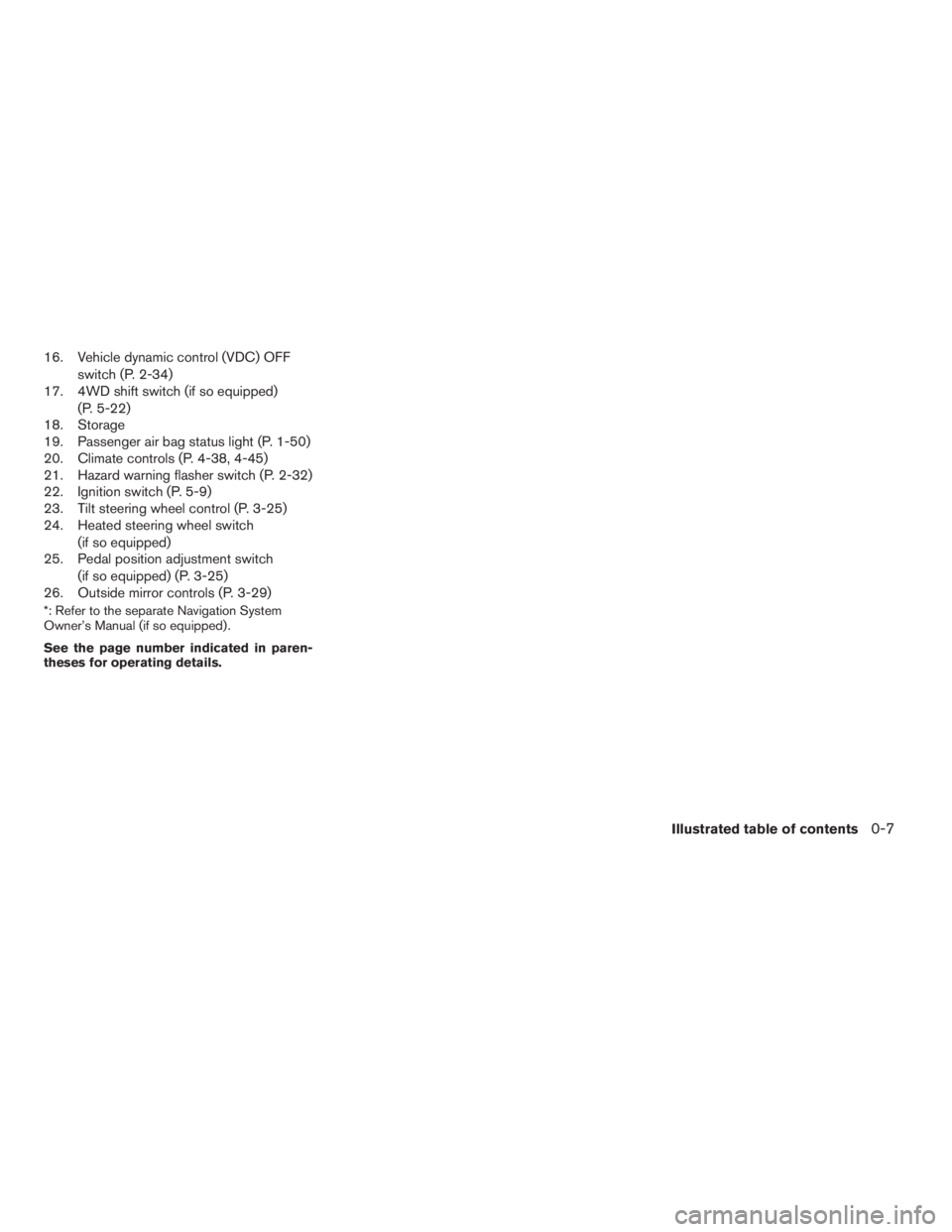
16. Vehicle dynamic control (VDC) OFF
switch (P. 2-34)
17. 4WD shift switch (if so equipped)
(P. 5-22)
18. Storage
19. Passenger air bag status light (P. 1-50)
20. Climate controls (P. 4-38, 4-45)
21. Hazard warning flasher switch (P. 2-32)
22. Ignition switch (P. 5-9)
23. Tilt steering wheel control (P. 3-25)
24. Heated steering wheel switch
(if so equipped)
25. Pedal position adjustment switch
(if so equipped) (P. 3-25)
26. Outside mirror controls (P. 3-29)
*: Refer to the separate Navigation System
Owner’s Manual (if so equipped) .
See the page number indicated in paren-
theses for operating details.
Illustrated table of contents0-7
ZREVIEW COPYÐ2009 Pathfinder(pat)
Owners ManualÐUSA_English(nna)
05/29/08Ðdebbie
X
Page 16 of 471
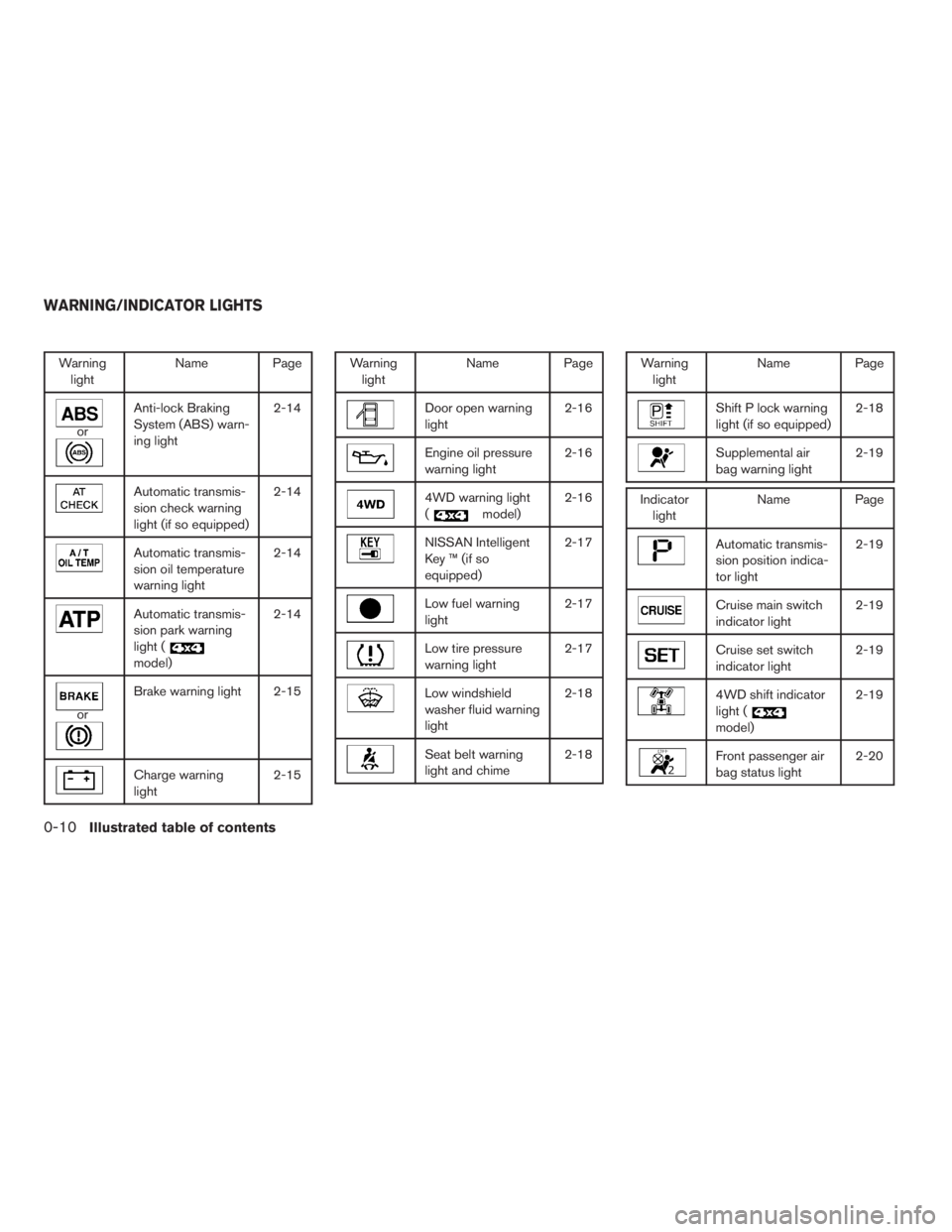
Warning
lightName Page
or
Anti-lock Braking
System (ABS) warn-
ing light2-14
Automatic transmis-
sion check warning
light (if so equipped)2-14
Automatic transmis-
sion oil temperature
warning light2-14
Automatic transmis-
sion park warning
light (
model)2-14
or
Brake warning light 2-15
Charge warning
light2-15
Warning
lightName Page
Door open warning
light2-16
Engine oil pressure
warning light2-16
4WD warning light
(
model)2-16
NISSAN Intelligent
Key ™ (if so
equipped)2-17
Low fuel warning
light2-17
Low tire pressure
warning light2-17
Low windshield
washer fluid warning
light2-18
Seat belt warning
light and chime2-18
Warning
lightName Page
Shift P lock warning
light (if so equipped)2-18
Supplemental air
bag warning light2-19
Indicator
lightName Page
Automatic transmis-
sion position indica-
tor light2-19
Cruise main switch
indicator light2-19
Cruise set switch
indicator light2-19
4WD shift indicator
light (
model)2-19
Front passenger air
bag status light2-20
WARNING/INDICATOR LIGHTS
0-10Illustrated table of contents
ZREVIEW COPYÐ2009 Pathfinder(pat)
Owners ManualÐUSA_English(nna)
05/29/08Ðdebbie
X
Page 20 of 471
WARNING
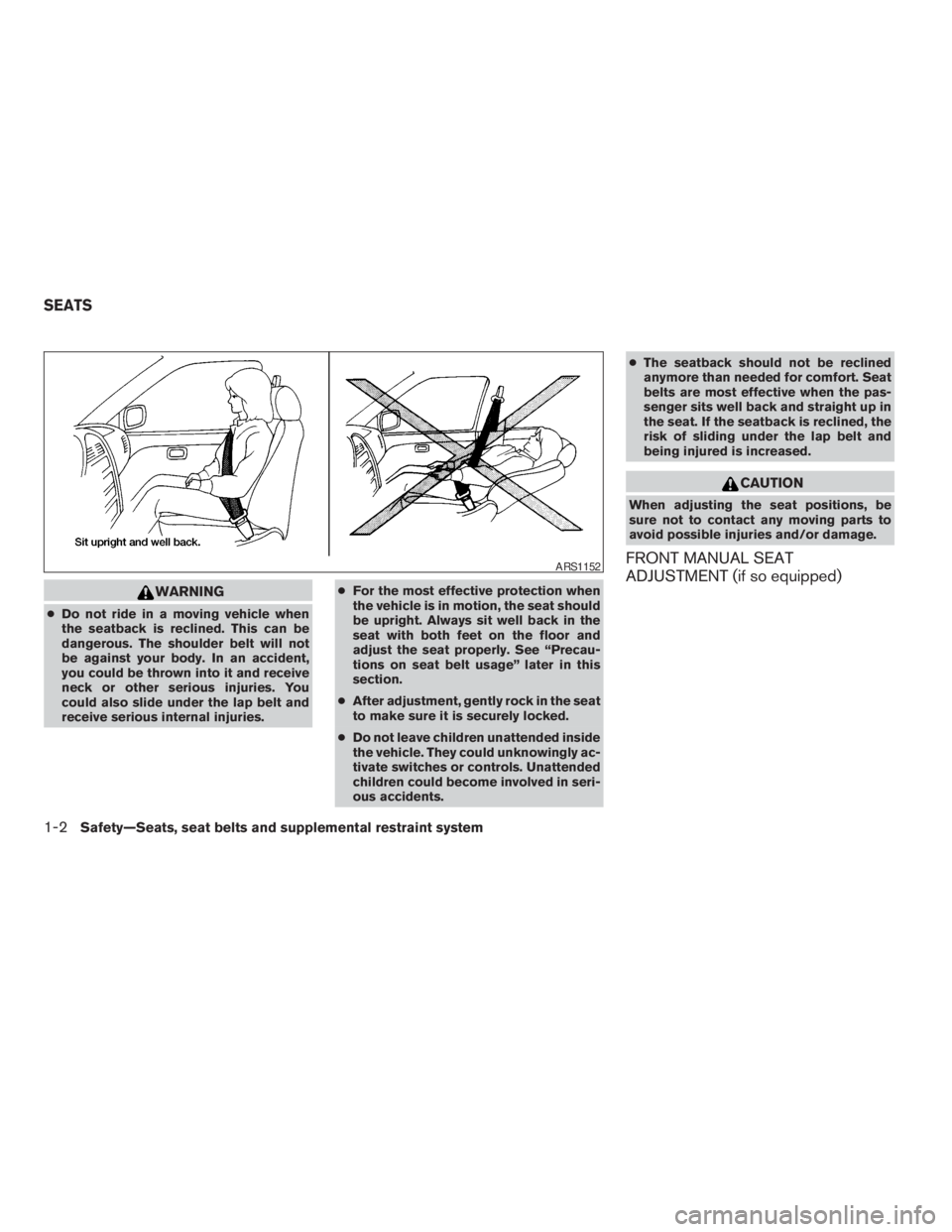
cDo not ride in a moving vehicle when
the seatback is reclined. This can be
dangerous. The shoulder belt will not
be against your body. In an accident,
you could be thrown into it and receive
neck or other serious injuries. You
could also slide under the lap belt and
receive serious internal injuries.cFor the most effective protection when
the vehicle is in motion, the seat should
be upright. Always sit well back in the
seat with both feet on the floor and
adjust the seat properly. See “Precau-
tions on seat belt usage” later in this
section.
cAfter adjustment, gently rock in the seat
to make sure it is securely locked.
cDo not leave children unattended inside
the vehicle. They could unknowingly ac-
tivate switches or controls. Unattended
children could become involved in seri-
ous accidents.cThe seatback should not be reclined
anymore than needed for comfort. Seat
belts are most effective when the pas-
senger sits well back and straight up in
the seat. If the seatback is reclined, the
risk of sliding under the lap belt and
being injured is increased.
CAUTION
When adjusting the seat positions, be
sure not to contact any moving parts to
avoid possible injuries and/or damage.
FRONT MANUAL SEAT
ADJUSTMENT (if so equipped)ARS1152
SEATS
1-2Safety—Seats, seat belts and supplemental restraint system
ZREVIEW COPYÐ2009 Pathfinder(pat)
Owners ManualÐUSA_English(nna)
05/29/08Ðdebbie
X
Page 22 of 471
FRONT POWER SEAT
ADJUSTMENT (if so equipped)
Operating tips
cThe power seat motor has an auto-reset
overload protection circuit. If the motor
stops during operation, wait 30 seconds,
then reactivate the switch.
cDo not operate the power seat switch for a
long period of time when the engine is off.
This will discharge the battery.
See “Automatic drive positioner (if so equipped)”
in “Pre-driving checks and adjustments” for auto-
matic drive positioner operation.
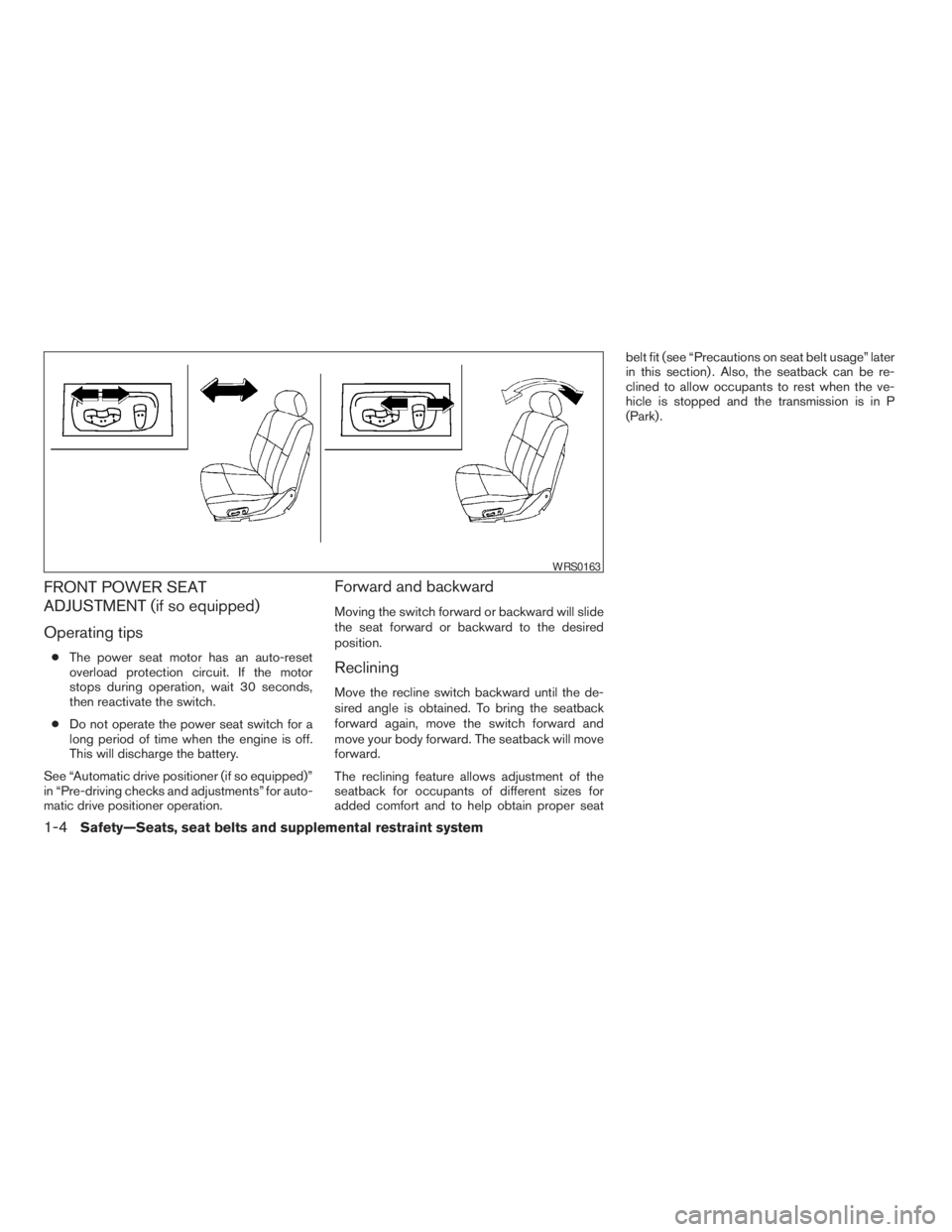
Forward and backward
Moving the switch forward or backward will slide
the seat forward or backward to the desired
position.
Reclining
Move the recline switch backward until the de-
sired angle is obtained. To bring the seatback
forward again, move the switch forward and
move your body forward. The seatback will move
forward.
The reclining feature allows adjustment of the
seatback for occupants of different sizes for
added comfort and to help obtain proper seatbelt fit (see “Precautions on seat belt usage” later
in this section) . Also, the seatback can be re-
clined to allow occupants to rest when the ve-
hicle is stopped and the transmission is in P
(Park) .
WRS0163
1-4Safety—Seats, seat belts and supplemental restraint system
ZREVIEW COPYÐ2009 Pathfinder(pat)
Owners ManualÐUSA_English(nna)
05/29/08Ðdebbie
X
Page 23 of 471
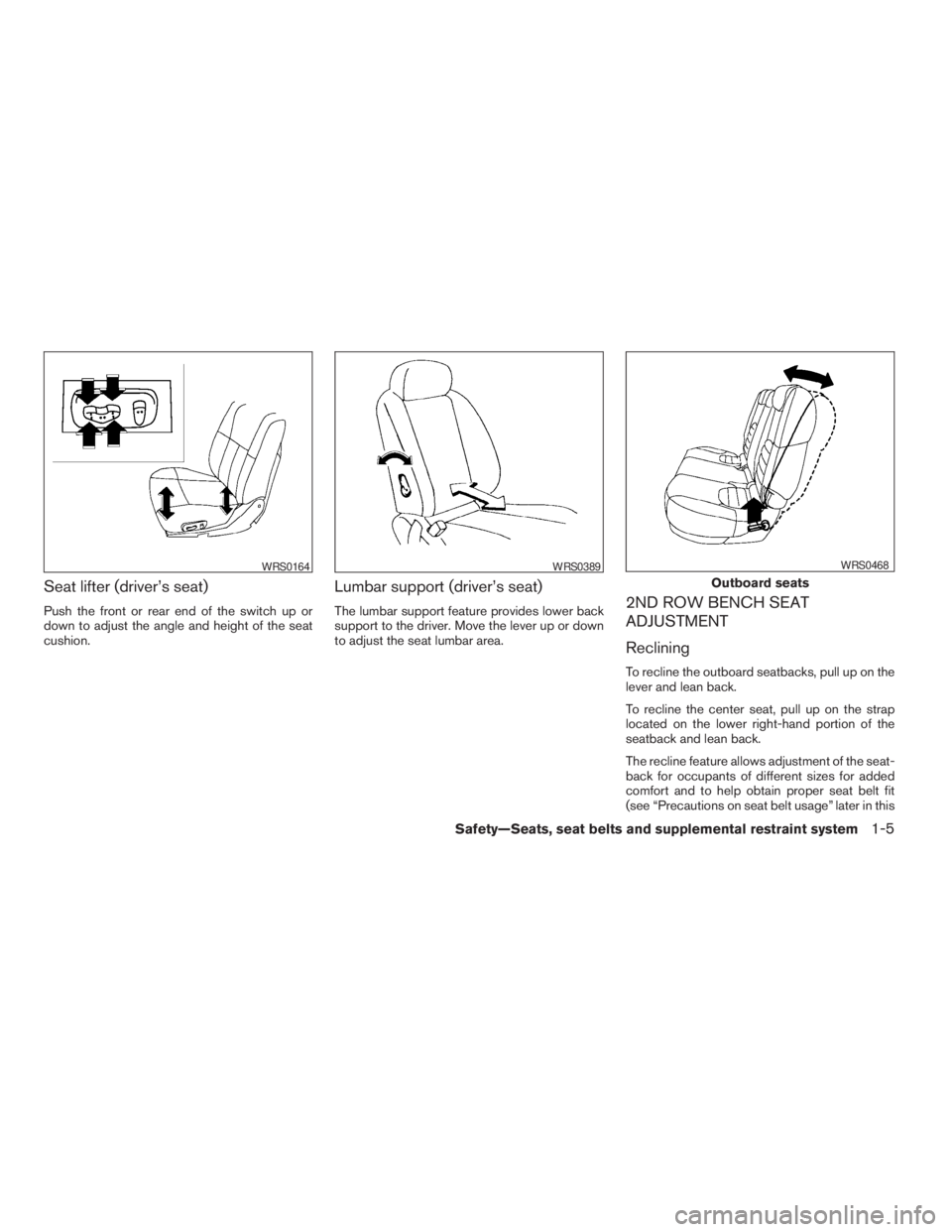
Seat lifter (driver’s seat)
Push the front or rear end of the switch up or
down to adjust the angle and height of the seat
cushion.
Lumbar support (driver’s seat)
The lumbar support feature provides lower back
support to the driver. Move the lever up or down
to adjust the seat lumbar area.2ND ROW BENCH SEAT
ADJUSTMENT
Reclining
To recline the outboard seatbacks, pull up on the
lever and lean back.
To recline the center seat, pull up on the strap
located on the lower right-hand portion of the
seatback and lean back.
The recline feature allows adjustment of the seat-
back for occupants of different sizes for added
comfort and to help obtain proper seat belt fit
(see “Precautions on seat belt usage” later in this
WRS0164WRS0389
Outboard seats
WRS0468
Safety—Seats, seat belts and supplemental restraint system1-5
ZREVIEW COPYÐ2009 Pathfinder(pat)
Owners ManualÐUSA_English(nna)
05/29/08Ðdebbie
X
Page 51 of 471
the belt holds the restraint in place. If the
restraint is not secure, tighten the belt as
necessary, or put the restraint in another
seat and test it again. You may need to try a
different child restraint. Not all child re-
straints fit in all types of vehicles.
9. Check that the retractor is in the ALR mode
by trying to pull more seat belt out of the
retractor. If you cannot pull any more belt
webbing out of the retractor, the retractor is
in the ALR mode.
10. Check to make sure the child restraint is
properly secured prior to each use. If the
seat belt is not locked, repeat steps 3
through 8.
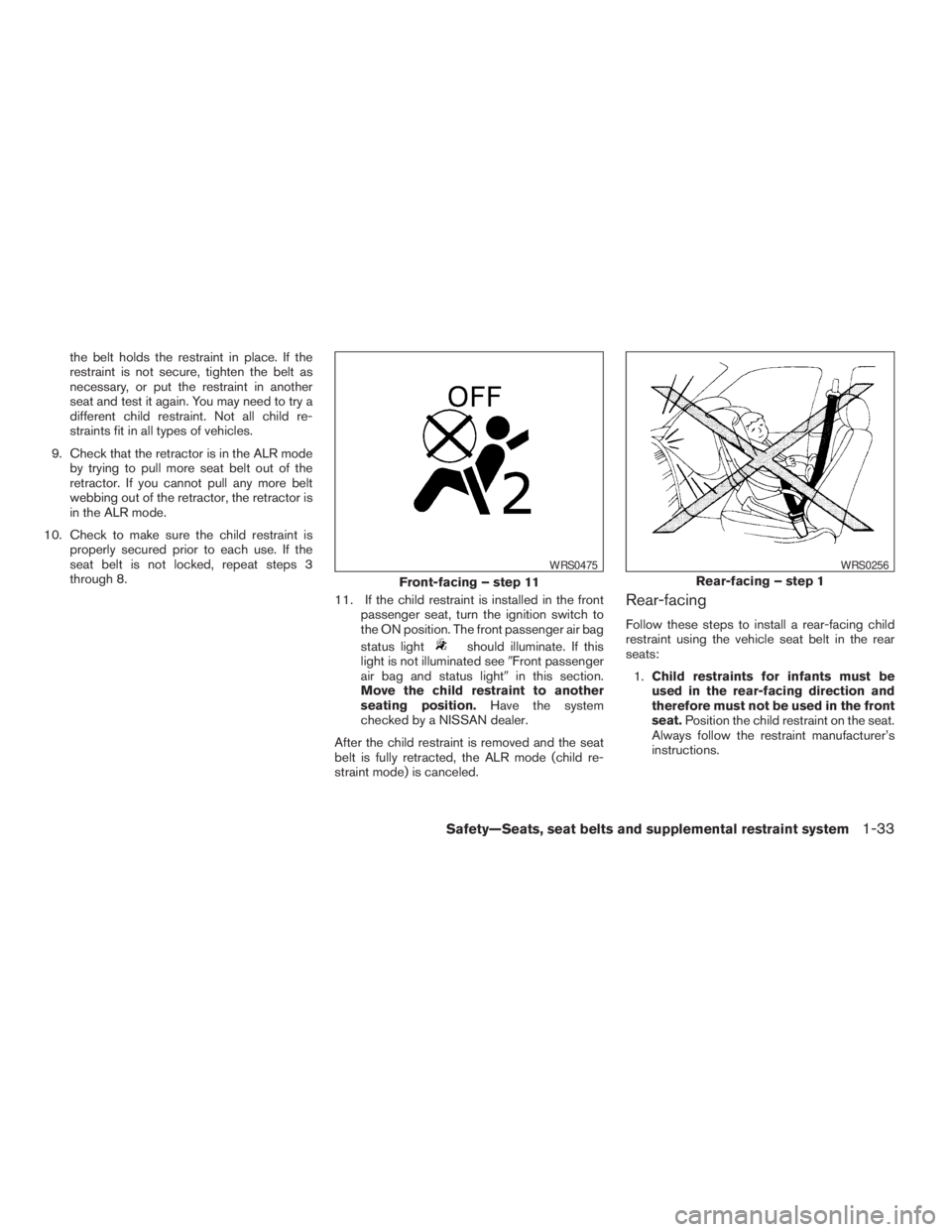
11. If the child restraint is installed in the front
passenger seat, turn the ignition switch to
the ON position. The front passenger air bag
status light
should illuminate. If this
light is not illuminated see9Front passenger
air bag and status light9in this section.
Move the child restraint to another
seating position.Have the system
checked by a NISSAN dealer.
After the child restraint is removed and the seat
belt is fully retracted, the ALR mode (child re-
straint mode) is canceled.
Rear-facing
Follow these steps to install a rear-facing child
restraint using the vehicle seat belt in the rear
seats:
1.Child restraints for infants must be
used in the rear-facing direction and
therefore must not be used in the front
seat.Position the child restraint on the seat.
Always follow the restraint manufacturer’s
instructions.
Front-facing – step 11
WRS0475
Rear-facing – step 1
WRS0256
Safety—Seats, seat belts and supplemental restraint system1-33
ZREVIEW COPYÐ2009 Pathfinder(pat)
Owners ManualÐUSA_English(nna)
05/29/08Ðdebbie
X
Page 58 of 471
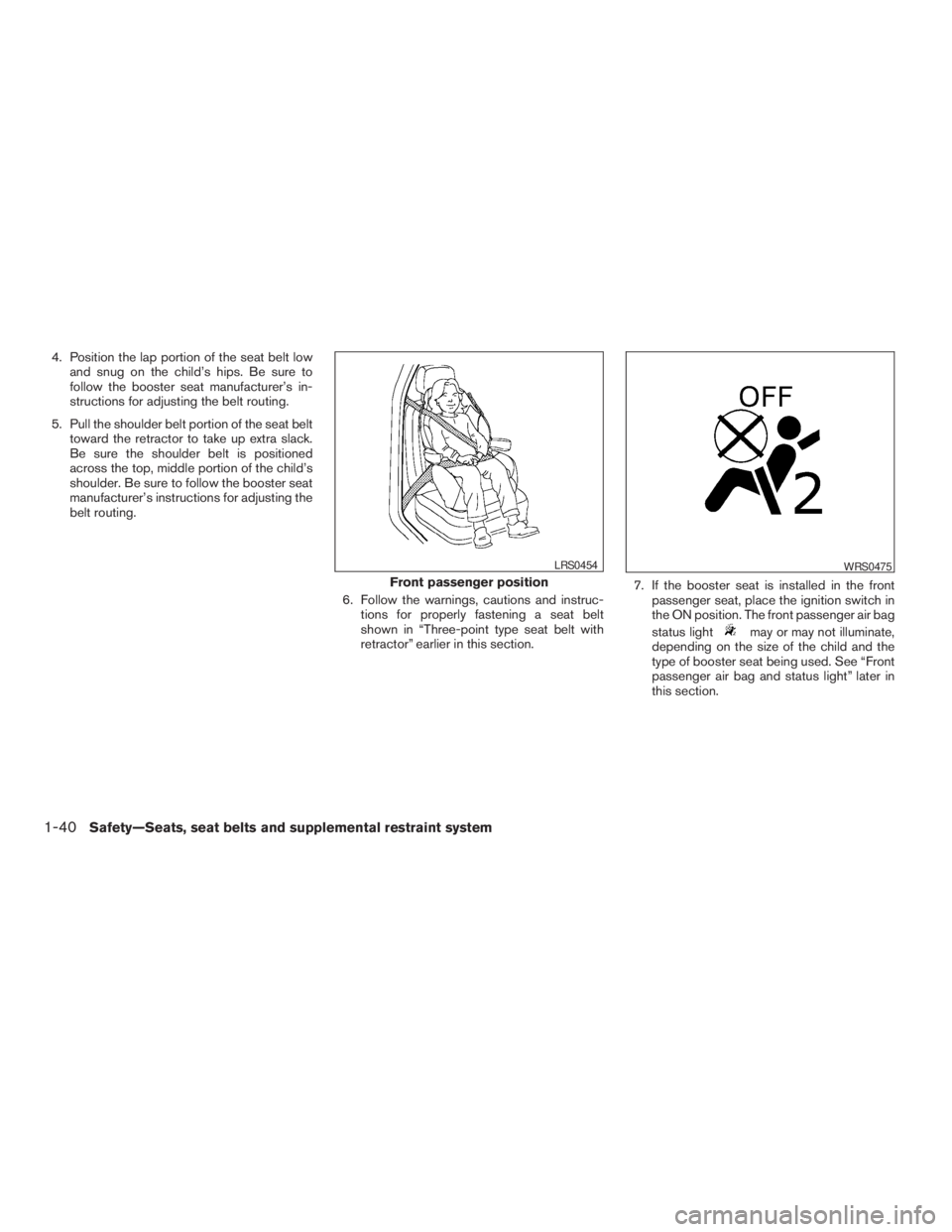
4. Position the lap portion of the seat belt low
and snug on the child’s hips. Be sure to
follow the booster seat manufacturer’s in-
structions for adjusting the belt routing.
5. Pull the shoulder belt portion of the seat belt
toward the retractor to take up extra slack.
Be sure the shoulder belt is positioned
across the top, middle portion of the child’s
shoulder. Be sure to follow the booster seat
manufacturer’s instructions for adjusting the
belt routing.
6. Follow the warnings, cautions and instruc-
tions for properly fastening a seat belt
shown in “Three-point type seat belt with
retractor” earlier in this section.7. If the booster seat is installed in the front
passenger seat, place the ignition switch in
the ON position. The front passenger air bag
status light
may or may not illuminate,
depending on the size of the child and the
type of booster seat being used. See “Front
passenger air bag and status light” later in
this section.
Front passenger position
LRS0454WRS0475
1-40Safety—Seats, seat belts and supplemental restraint system
ZREVIEW COPYÐ2009 Pathfinder(pat)
Owners ManualÐUSA_English(nna)
05/29/08Ðdebbie
X