key NISSAN PATHFINDER 2010 Owner´s Manual
[x] Cancel search | Manufacturer: NISSAN, Model Year: 2010, Model line: PATHFINDER, Model: NISSAN PATHFINDER 2010Pages: 463, PDF Size: 5.69 MB
Page 238 of 463
SEEK/CAT and TRACK buttons:
Press theSEEK/CAT button while the CF
card is playing to return to the beginning of the
current track. Press the
TRACK button
while the CF card is playing to skip to the begin-
ning of the next track.
If you press and hold the
SEEK/CAT (re-
wind) button or the
TRACK (fast forward)
button for more than approximately 1.5 seconds,
the CF card will play while rewinding or fast
forwarding. When the
SEEK/CAT (rewind)
button or the
TRACK (fast forward) button
is released, the CF card will return to the normal
playing speed.
The NISSAN controller can also be used to se-
lect tracks when the CF card is being played.
For more information on how to use the NISSAN
controller, see “How to use the NISSAN control-
ler” earlier in this section.
Folder selection:
To change to another folder in the CF card either:
cTurn the TUNE/FLDR knob right or left.
cTouch the desired folder key on screen.
cUse the NISSAN controller.
SCAN·RPT button:
Pressing the SCAN·RPT button while the CF
card is playing changes the play pattern as fol-
lows:
1 CF CARD RPT!1 FOLDER RPT!1 TRK
RPT!1 CF CARD RDM!1 FOLDER RDM!
1 CF CARD RPT
1 CF CARD RPT: the entire CF card will be
repeated.
1 FOLDER RPT: the folder currently being ac-
cessed will be repeated.
1 TRK RPT: the current track playing will be
repeated.
1 CF CARD RDM: all the tracks on the CF card
will be played randomly.
1 FOLDER RDM: the tracks in the current folder
being accessed will be played randomly.
CF eject:
Press the knob next to the CF slot while a CF
card is inserted to eject the CF card.
Troubleshooting messages:
The following messages will be displayed under
certain conditions:
cReading CompactFlashT
The system is reading the CF card inserted
in the slot.cNo CompactFlashTcard
A CF card is not inserted in the slot.
cCompactFlashTread error
The system cannot read the CF card.
cUnplayable file
The system cannot play a music file.
cNo audio file
The CF card inserted in the slot or its folder
does not contain any music files.
Compatibility with other media:
If a commercially available CompactFlashT
adapter is inserted into the slot, other memory
media can also be used.
MUSIC BOX™ HARD DRIVE AUDIO
SYSTEM (if so equipped)
The Music Box Hard Drive audio system can
store songs from CDs being played. The system
has a 9.3 gigabyte (GB) storage capacity and
can record up to 200 hours (approximately 2,900
songs) .
The following CDs can be recorded in the Music
Box Hard Drive audio system:
cCDs without MP3/WMA files.
cHybrid Compact Disc Digital Audio (Hybrid
CD-DA) specification in Super Audio CDs.
4-74Monitor, climate, audio, phone and voice recognition systems
Page 239 of 463
![NISSAN PATHFINDER 2010 Owner´s Manual cCompact Disc Digital Audio (CD-DA) speci-
fication in CD-Extras.
cFirst session of multisession disc.
Extreme temperature conditions [below24°F
(220°C) and above 158°F (70°C)] could affect
the pe](/img/5/40318/w960_40318-238.png "NISSAN PATHFINDER 2010 Owner´s Manual cCompact Disc Digital Audio (CD-DA) speci-
fication in CD-Extras.
cFirst session of multisession disc.
Extreme temperature conditions [below24°F
(220°C) and above 158°F (70°C)] could affect
the pe")
cCompact Disc Digital Audio (CD-DA) speci-
fication in CD-Extras.
cFirst session of multisession disc.
Extreme temperature conditions [below24°F
(220°C) and above 158°F (70°C)] could affect
the performance of the hard-disk.
NOTE:
If the hard drive needs to be replaced due
to a malfunction, all stored music data will
be erased.
Recording CDs
1. Operate the audio system to play a CD.
For information on playing CDs, see “Com-
pact Disc (CD) player operation” earlier in
this section.
2. Touch the “REC” key. REC CD appears on
the screen.
NOTE:
cThe system starts playing and recording the
1st track on the CD when the “REC” key is
selected.cIndividual tracks from a CD cannot be se-
lected to be recorded to the Music Box
hard-disk drive.
cThe skip, fast forward and rewind features
are disabled while the CD is recording.
cThe recording process can be stopped at
any time. All tracks that were played before
the CD was stopped are stored.
cIndividual tracks can be deleted from the
hard drive after the CD is recorded.
cThe system records faster than it plays.
WHA0955WHA0956
Monitor, climate, audio, phone and voice recognition systems4-75
Page 240 of 463
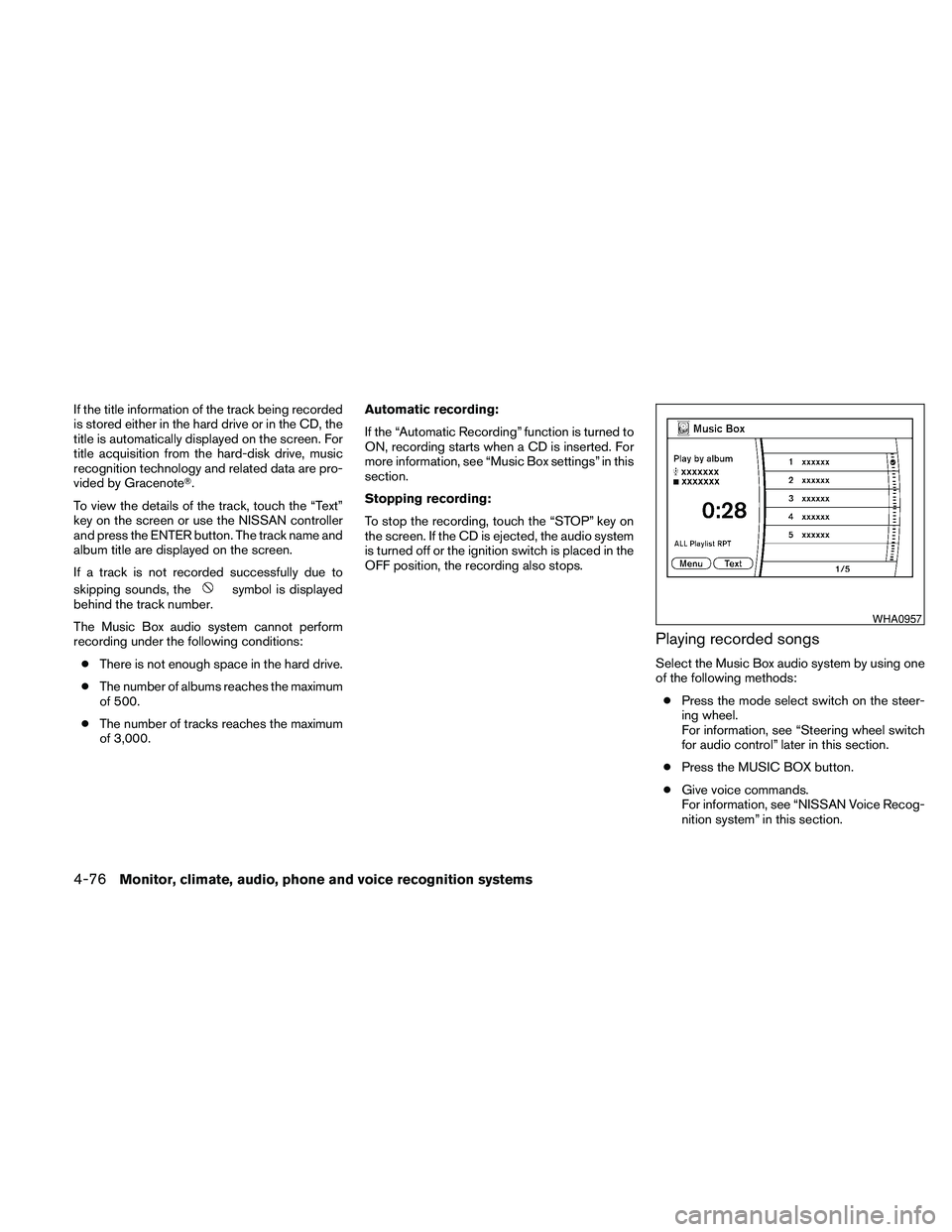
If the title information of the track being recorded
is stored either in the hard drive or in the CD, the
title is automatically displayed on the screen. For
title acquisition from the hard-disk drive, music
recognition technology and related data are pro-
vided by GracenoteT.
To view the details of the track, touch the “Text”
key on the screen or use the NISSAN controller
and press the ENTER button. The track name and
album title are displayed on the screen.
If a track is not recorded successfully due to
skipping sounds, the
symbol is displayed
behind the track number.
The Music Box audio system cannot perform
recording under the following conditions:
cThere is not enough space in the hard drive.
cThe number of albums reaches the maximum
of 500.
cThe number of tracks reaches the maximum
of 3,000.Automatic recording:
If the “Automatic Recording” function is turned to
ON, recording starts when a CD is inserted. For
more information, see “Music Box settings” in this
section.
Stopping recording:
To stop the recording, touch the “STOP” key on
the screen. If the CD is ejected, the audio system
is turned off or the ignition switch is placed in the
OFF position, the recording also stops.
Playing recorded songs
Select the Music Box audio system by using one
of the following methods:
cPress the mode select switch on the steer-
ing wheel.
For information, see “Steering wheel switch
for audio control” later in this section.
cPress the MUSIC BOX button.
cGive voice commands.
For information, see “NISSAN Voice Recog-
nition system” in this section.
WHA0957
4-76Monitor, climate, audio, phone and voice recognition systems
Page 241 of 463
Stopping playback:
The system stops playing when:
cAnother mode (radio, CD, CompactFlashT
or AUX) is selected.
cThe audio system is turned off.
cThe ignition switch is placed in the OFF
position.
SEEK/CAT and TRACK buttons:
Press the
SEEK/CAT button while a track
is playing to return to the beginning of the current
track. Press the
TRACK button while a
track is playing to skip to the beginning of the next
track.
If you press and hold the
SEEK/CAT (re-
wind) button or the
TRACK (fast forward)
button for more than approximately 1.5 seconds;
the track will play while rewinding or fast forward-
ing. When the
SEEK/CAT (rewind) button
or the
TRACK (fast forward) button is re-
leased, the track will return to the normal playing
speed.
The NISSAN controller can also be used to se-
lect tracks.For more information on how to use the NISSAN
controller, see “How to use the NISSAN control-
ler” earlier in this section.
Play mode selection:
To change to another album or artist, turn the
TUNE/FLDR knob.
SCAN·RPT button:
Pressing the SCAN·RPT button while a track is
playing changes the play pattern as follows:
ALL Playlist RPT!1 Playlist RPT!1 TRK RPT
!ALL Playlist RDM!1 Playlist RDM!ALL
Playlist RPT
ALL Playlist RPT: the entire playlist will be re-
peated.
1 Playlist RPT: the playlist currently being played
will be repeated.
1 TRK RPT: the current track playing will be
repeated.
ALL Playlist RDM: all the tracks in the playlist will
be played randomly.
1 Playlist RDM: the tracks in the current playlist
will be played randomly.Music Box menu
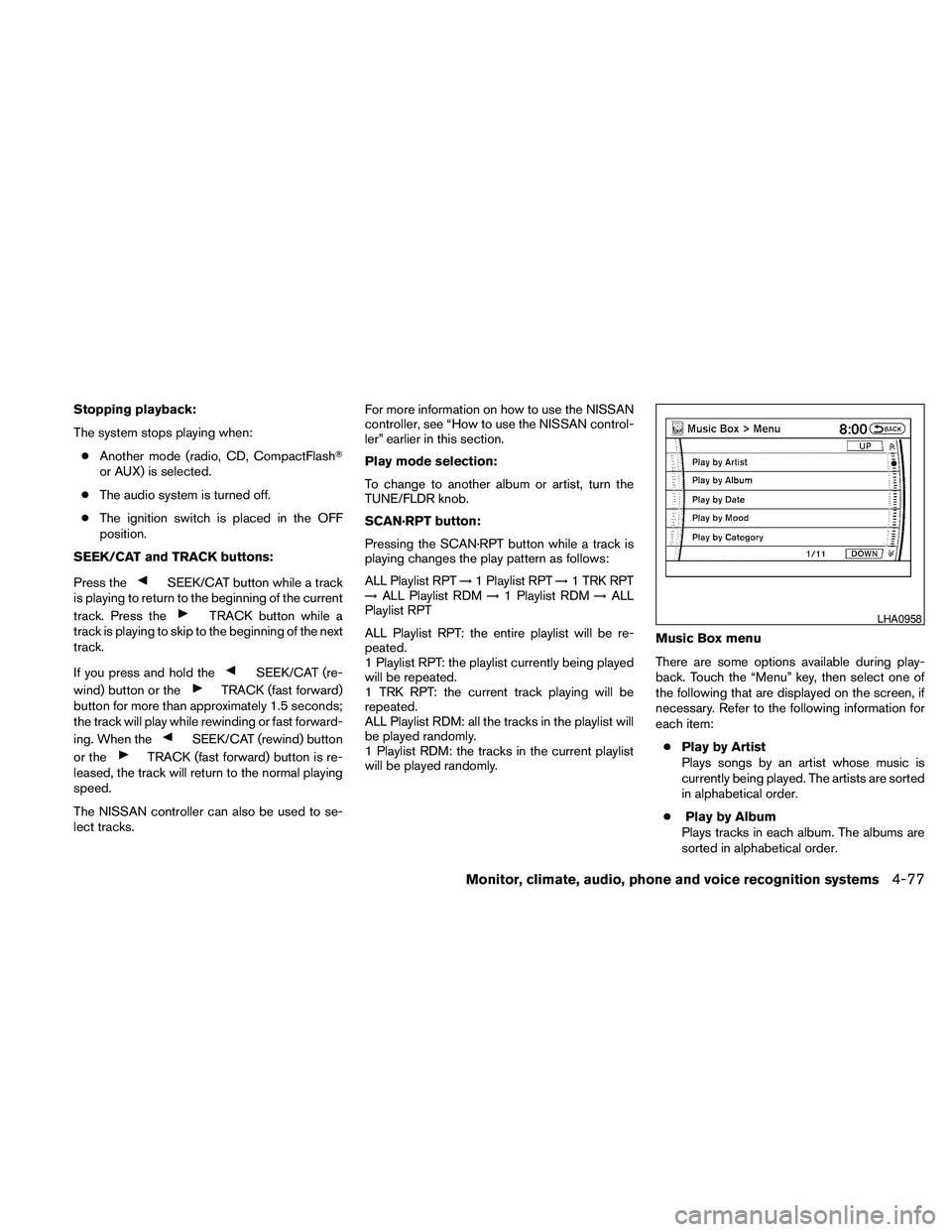
There are some options available during play-
back. Touch the “Menu” key, then select one of
the following that are displayed on the screen, if
necessary. Refer to the following information for
each item:
cPlay by Artist
Plays songs by an artist whose music is
currently being played. The artists are sorted
in alphabetical order.
cPlay by Album
Plays tracks in each album. The albums are
sorted in alphabetical order.
LHA0958
Monitor, climate, audio, phone and voice recognition systems4-77
Page 242 of 463
cPlay by Date
Plays tracks in each album. The albums are
sorted in order of the date when they were
stored in the system.
cPlay by Mood
Plays music from one of the following
moods:
– Relaxing Music
– Lively Music
– Slow Music
– Upbeat MusiccPlay by Category
Plays music from one of the following cat-
egories:
– My Favorites
– Hit Songs
– Kids’ Songs
– Rarely Played
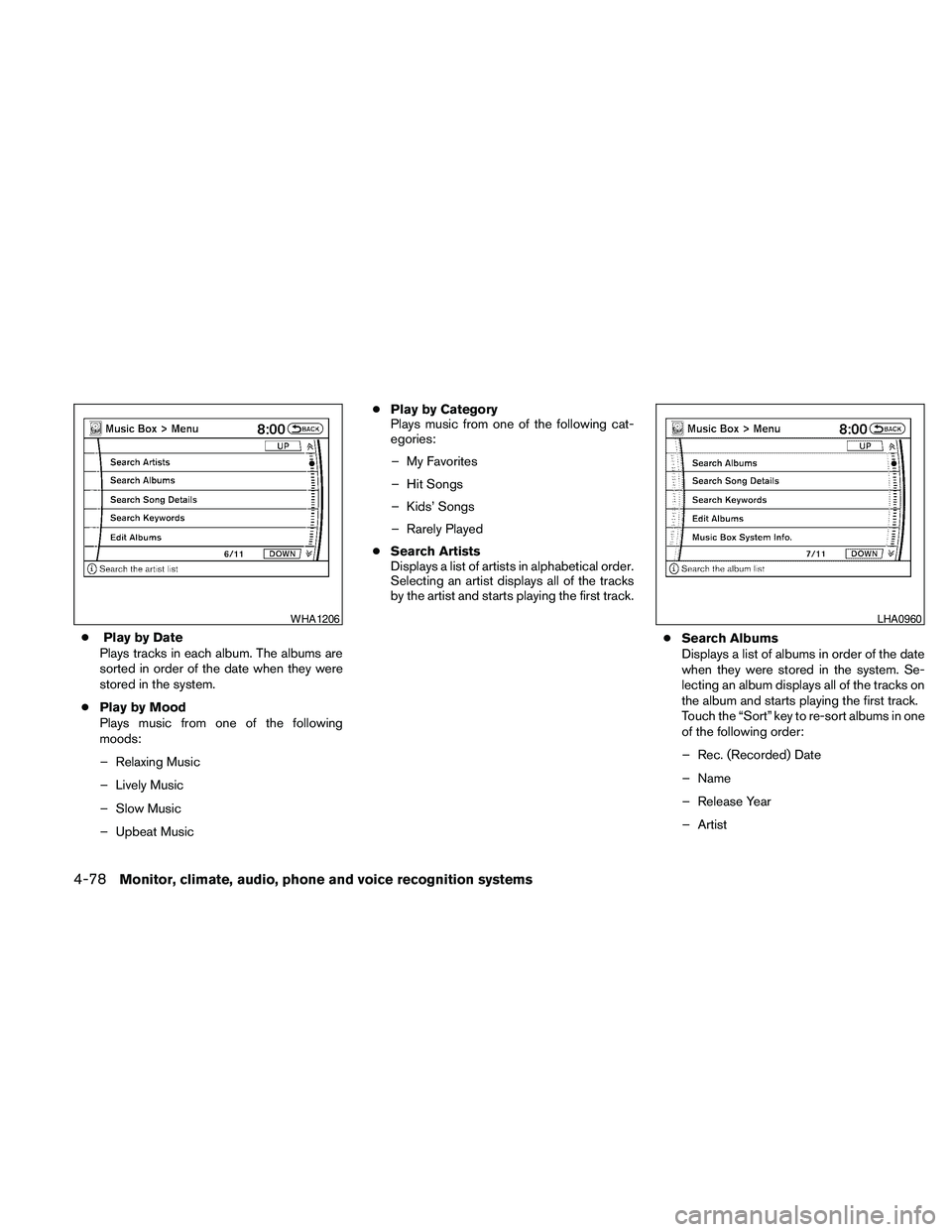
cSearch Artists
Displays a list of artists in alphabetical order.
Selecting an artist displays all of the tracks
by the artist and starts playing the first track.
cSearch Albums
Displays a list of albums in order of the date
when they were stored in the system. Se-
lecting an album displays all of the tracks on
the album and starts playing the first track.
Touch the “Sort” key to re-sort albums in one
of the following order:
– Rec. (Recorded) Date
– Name
– Release Year
– Artist
WHA1206LHA0960
4-78Monitor, climate, audio, phone and voice recognition systems
Page 243 of 463
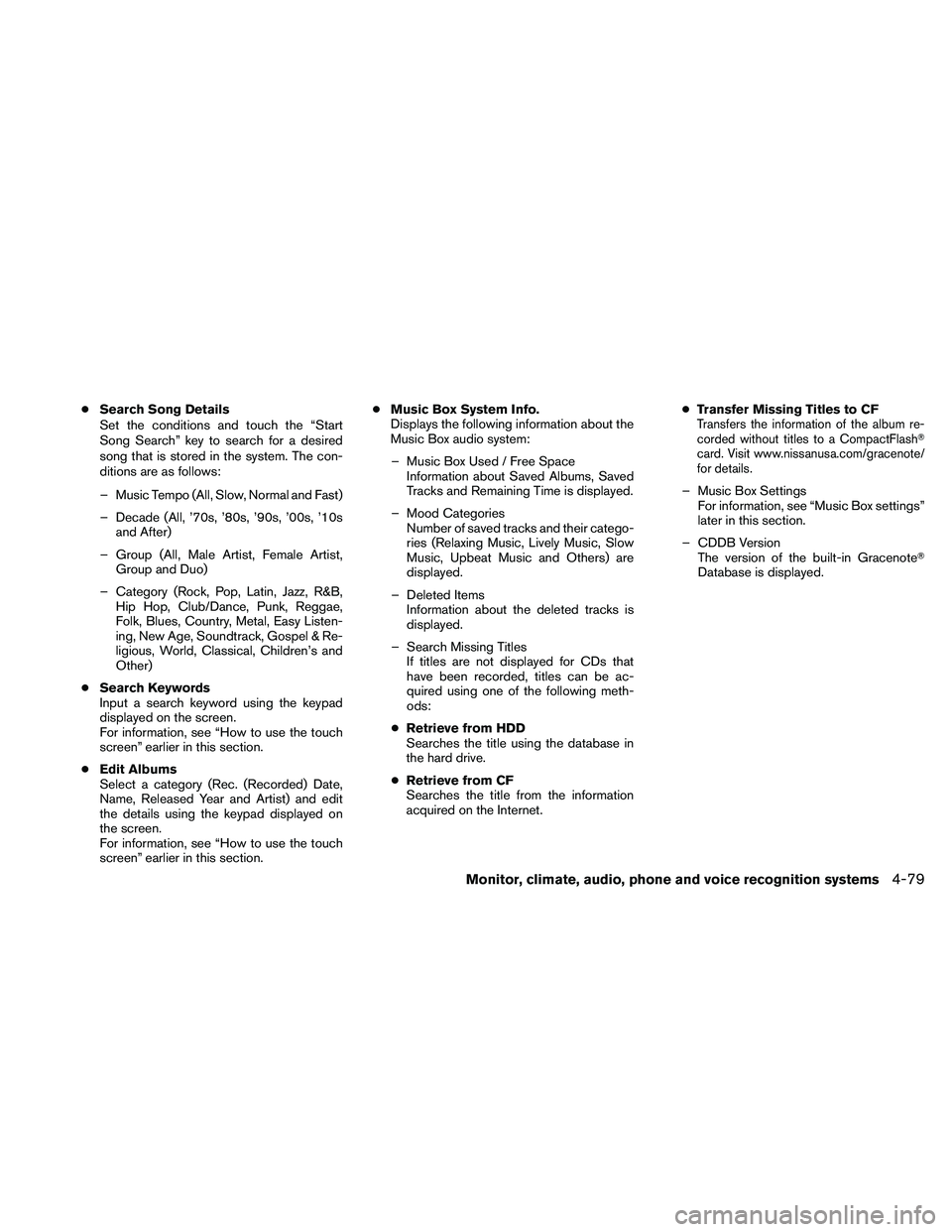
cSearch Song Details
Set the conditions and touch the “Start
Song Search” key to search for a desired
song that is stored in the system. The con-
ditions are as follows:
– Music Tempo (All, Slow, Normal and Fast)
– Decade (All, ’70s, ’80s, ’90s, ’00s, ’10s
and After)
– Group (All, Male Artist, Female Artist,
Group and Duo)
– Category (Rock, Pop, Latin, Jazz, R&B,
Hip Hop, Club/Dance, Punk, Reggae,
Folk, Blues, Country, Metal, Easy Listen-
ing, New Age, Soundtrack, Gospel & Re-
ligious, World, Classical, Children’s and
Other)
cSearch Keywords
Input a search keyword using the keypad
displayed on the screen.
For information, see “How to use the touch
screen” earlier in this section.
cEdit Albums
Select a category (Rec. (Recorded) Date,
Name, Released Year and Artist) and edit
the details using the keypad displayed on
the screen.
For information, see “How to use the touch
screen” earlier in this section.cMusic Box System Info.
Displays the following information about the
Music Box audio system:
– Music Box Used / Free Space
Information about Saved Albums, Saved
Tracks and Remaining Time is displayed.
– Mood Categories
Number of saved tracks and their catego-
ries (Relaxing Music, Lively Music, Slow
Music, Upbeat Music and Others) are
displayed.
– Deleted Items
Information about the deleted tracks is
displayed.
– Search Missing Titles
If titles are not displayed for CDs that
have been recorded, titles can be ac-
quired using one of the following meth-
ods:
cRetrieve from HDD
Searches the title using the database in
the hard drive.
cRetrieve from CF
Searches the title from the information
acquired on the Internet.cTransfer Missing Titles to CFTransfers the information of the album re-
corded without titles to a CompactFlashT
card. Visit www.nissanusa.com/gracenote/
for details.
– Music Box Settings
For information, see “Music Box settings”
later in this section.
– CDDB Version
The version of the built-in GracenoteT
Database is displayed.
Monitor, climate, audio, phone and voice recognition systems4-79
Page 244 of 463
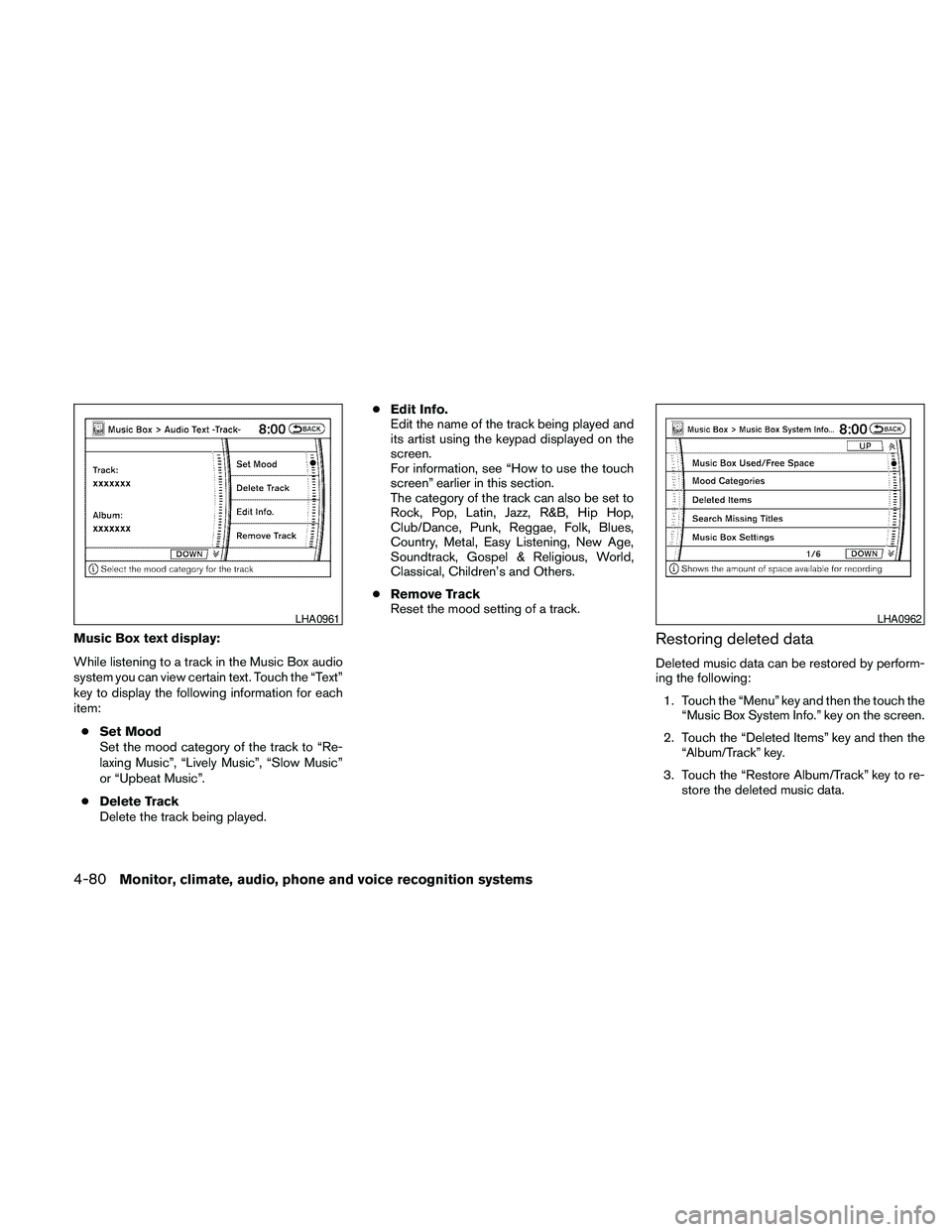
Music Box text display:
While listening to a track in the Music Box audio
system you can view certain text. Touch the “Text”
key to display the following information for each
item:
cSet Mood
Set the mood category of the track to “Re-
laxing Music”, “Lively Music”, “Slow Music”
or “Upbeat Music”.
cDelete Track
Delete the track being played.cEdit Info.
Edit the name of the track being played and
its artist using the keypad displayed on the
screen.
For information, see “How to use the touch
screen” earlier in this section.
The category of the track can also be set to
Rock, Pop, Latin, Jazz, R&B, Hip Hop,
Club/Dance, Punk, Reggae, Folk, Blues,
Country, Metal, Easy Listening, New Age,
Soundtrack, Gospel & Religious, World,
Classical, Children’s and Others.
cRemove Track
Reset the mood setting of a track.Restoring deleted data
Deleted music data can be restored by perform-
ing the following:
1. Touch the “Menu” key and then the touch the
“Music Box System Info.” key on the screen.
2. Touch the “Deleted Items” key and then the
“Album/Track” key.
3. Touch the “Restore Album/Track” key to re-
store the deleted music data.
LHA0961LHA0962
4-80Monitor, climate, audio, phone and voice recognition systems
Page 245 of 463
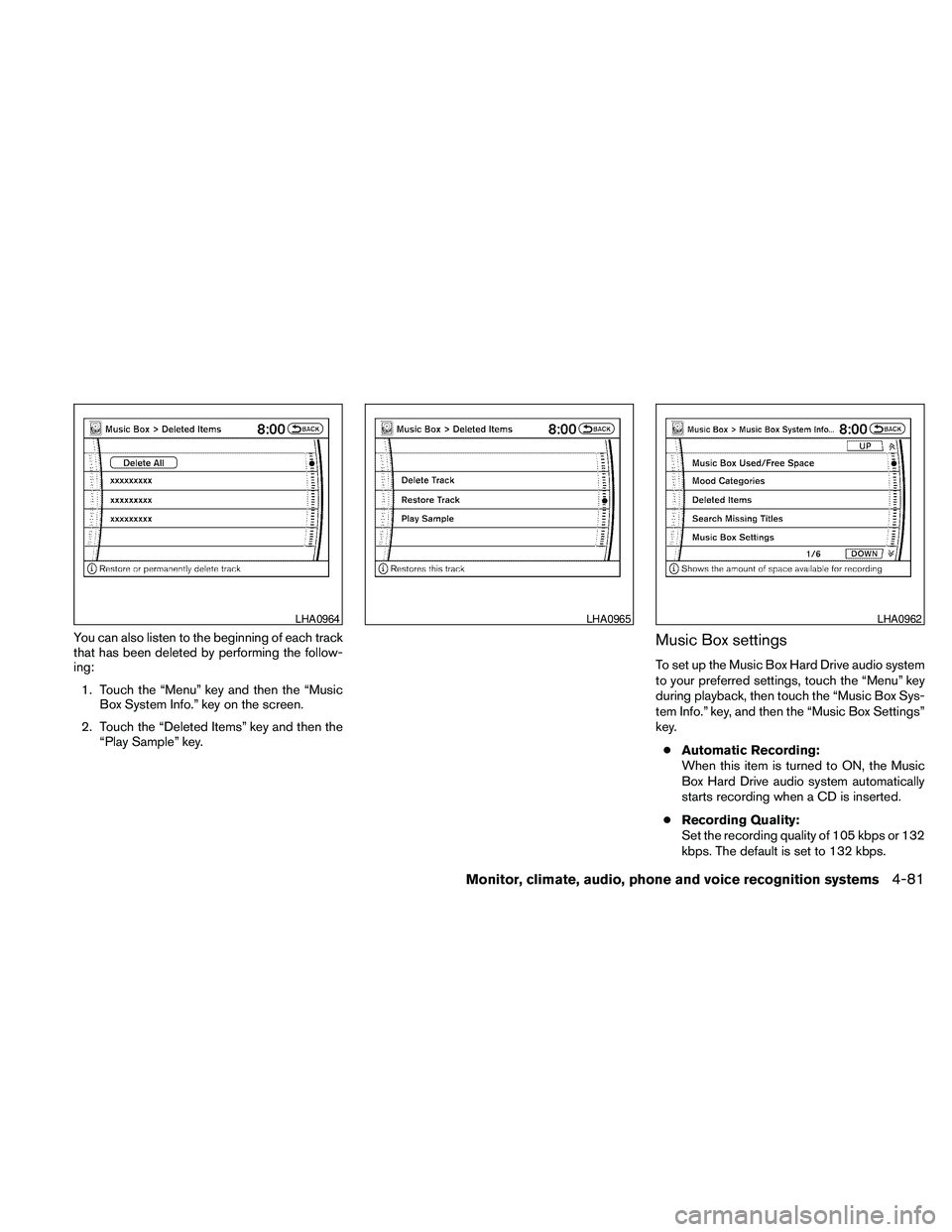
You can also listen to the beginning of each track
that has been deleted by performing the follow-
ing:
1. Touch the “Menu” key and then the “Music
Box System Info.” key on the screen.
2. Touch the “Deleted Items” key and then the
“Play Sample” key.Music Box settings
To set up the Music Box Hard Drive audio system
to your preferred settings, touch the “Menu” key
during playback, then touch the “Music Box Sys-
tem Info.” key, and then the “Music Box Settings”
key.
cAutomatic Recording:
When this item is turned to ON, the Music
Box Hard Drive audio system automatically
starts recording when a CD is inserted.
cRecording Quality:
Set the recording quality of 105 kbps or 132
kbps. The default is set to 132 kbps.
LHA0964LHA0965LHA0962
Monitor, climate, audio, phone and voice recognition systems4-81
Page 254 of 463
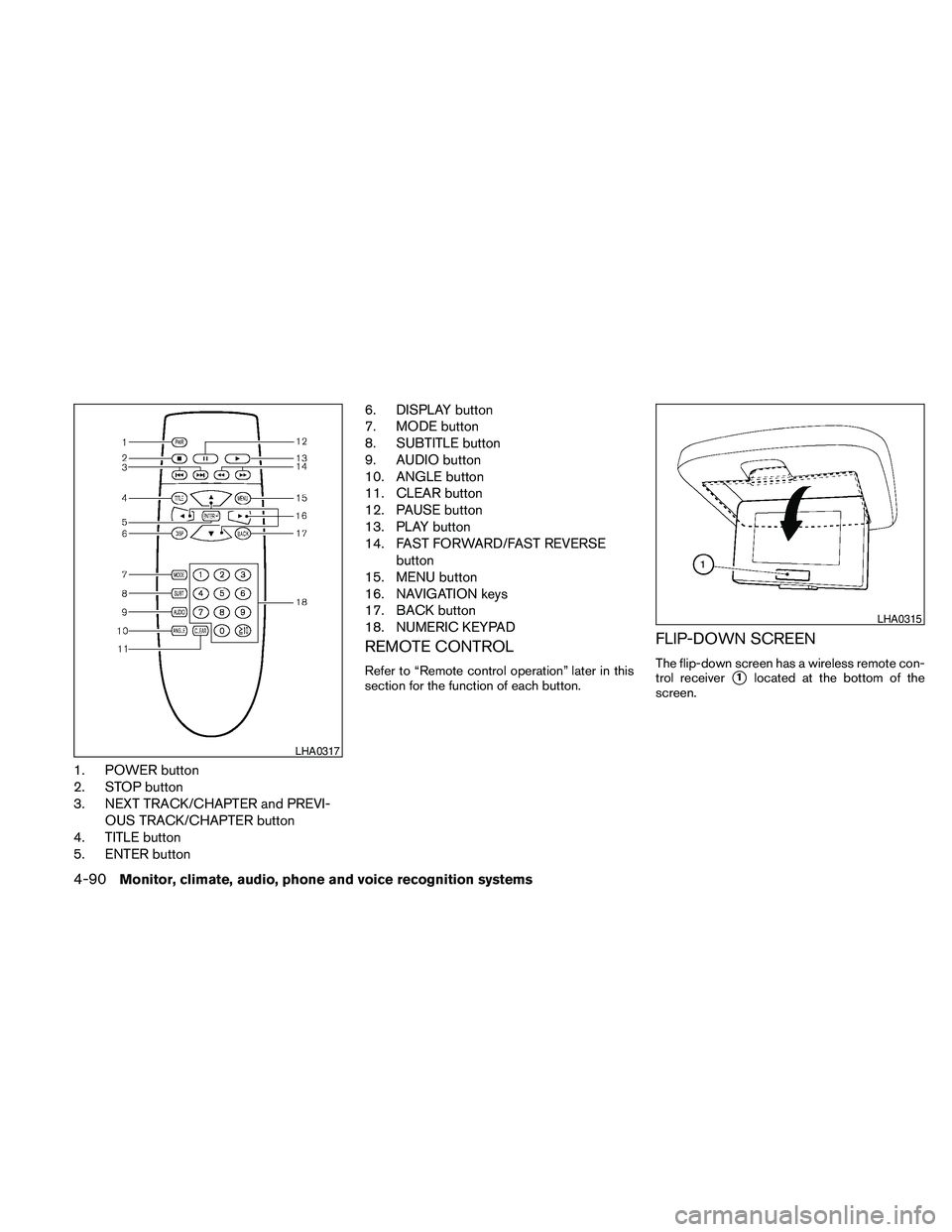
1. POWER button
2. STOP button
3. NEXT TRACK/CHAPTER and PREVI-
OUS TRACK/CHAPTER button
4. TITLE button
5. ENTER button6. DISPLAY button
7. MODE button
8. SUBTITLE button
9. AUDIO button
10. ANGLE button
11. CLEAR button
12. PAUSE button
13. PLAY button
14. FAST FORWARD/FAST REVERSE
button
15. MENU button
16. NAVIGATION keys
17. BACK button
18. NUMERIC KEYPAD
REMOTE CONTROL
Refer to “Remote control operation” later in this
section for the function of each button.
FLIP-DOWN SCREEN
The flip-down screen has a wireless remote con-
trol receiver
s1located at the bottom of the
screen.
LHA0317
LHA0315
4-90Monitor, climate, audio, phone and voice recognition systems
Page 257 of 463
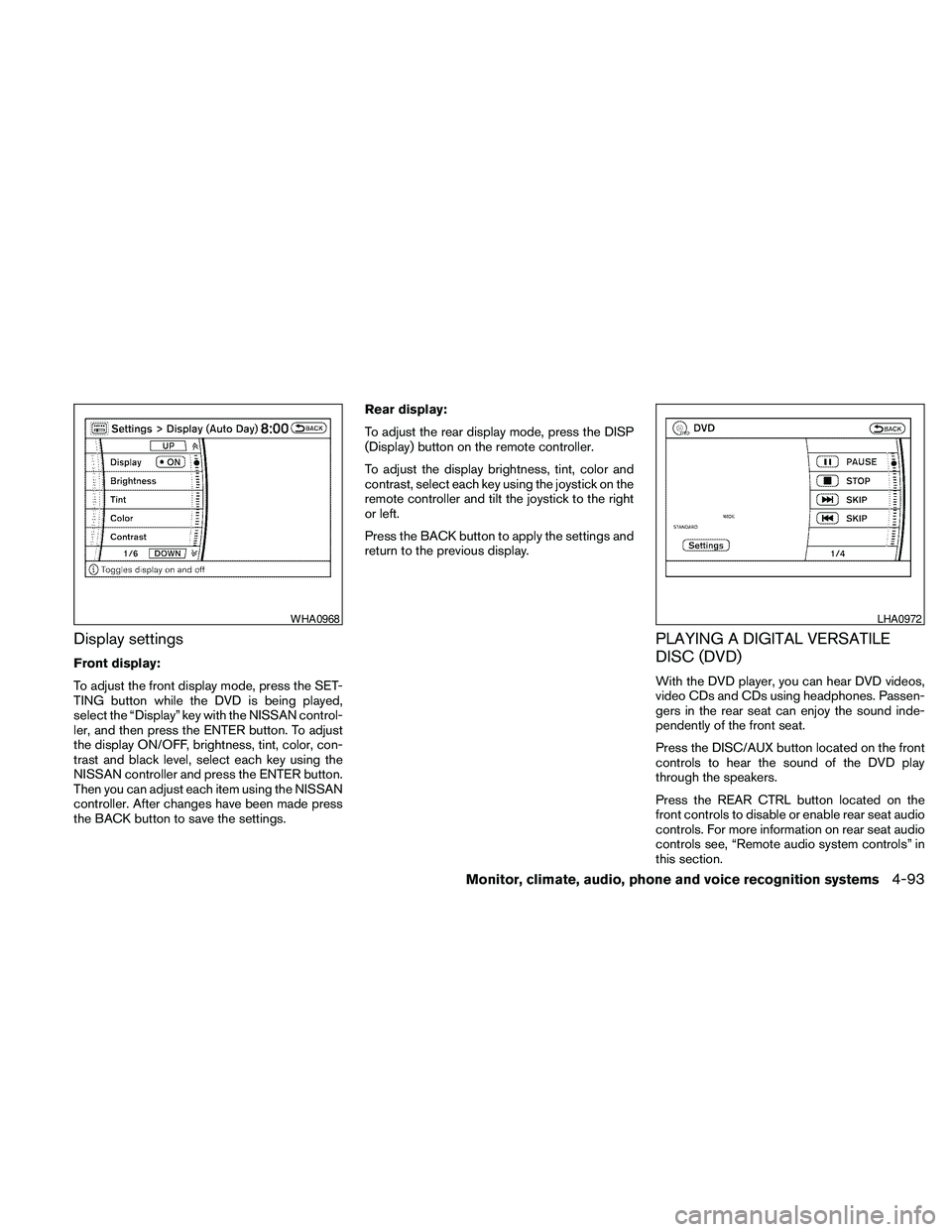
Display settings
Front display:
To adjust the front display mode, press the SET-
TING button while the DVD is being played,
select the “Display” key with the NISSAN control-
ler, and then press the ENTER button. To adjust
the display ON/OFF, brightness, tint, color, con-
trast and black level, select each key using the
NISSAN controller and press the ENTER button.
Then you can adjust each item using the NISSAN
controller. After changes have been made press
the BACK button to save the settings.Rear display:
To adjust the rear display mode, press the DISP
(Display) button on the remote controller.
To adjust the display brightness, tint, color and
contrast, select each key using the joystick on the
remote controller and tilt the joystick to the right
or left.
Press the BACK button to apply the settings and
return to the previous display.
PLAYING A DIGITAL VERSATILE
DISC (DVD)
With the DVD player, you can hear DVD videos,
video CDs and CDs using headphones. Passen-
gers in the rear seat can enjoy the sound inde-
pendently of the front seat.
Press the DISC/AUX button located on the front
controls to hear the sound of the DVD play
through the speakers.
Press the REAR CTRL button located on the
front controls to disable or enable rear seat audio
controls. For more information on rear seat audio
controls see, “Remote audio system controls” in
this section.
WHA0968LHA0972
Monitor, climate, audio, phone and voice recognition systems4-93