key battery NISSAN PATHFINDER 2010 Owner´s Manual
[x] Cancel search | Manufacturer: NISSAN, Model Year: 2010, Model line: PATHFINDER, Model: NISSAN PATHFINDER 2010Pages: 463, PDF Size: 5.69 MB
Page 97 of 463
cWhen a spare tire is mounted or a wheel
is replaced, tire pressure will not be
indicated, the TPMS will not function
and the low tire pressure warning light
will flash for approximately 1 minute.
The light will remain on after 1 minute.
Contact your NISSAN dealer as soon as
possible for tire replacement and/or
system resetting.
cReplacing tires with those not originally
specified by NISSAN could affect the
proper operation of the TPMS.
CAUTION
cThe TPMS is not a substitute for the
regular tire pressure check. Be sure to
check the tire pressure regularly.
cIf the vehicle is being driven at speeds
of less than 16 MPH (25 km/h) , the
TPMS may not operate correctly.
cBe sure to install the specified size of
tires to the 4 wheels correctly.
Low windshield washer fluid
warning light
This light comes on when the windshield washer
fluid is at a low level. Add windshield washer fluidas necessary. See “Window washer fluid” in the
“Maintenance and do-it-yourself” section of this
manual.
NISSAN Intelligent Key™
warning light (if so equipped)
The Intelligent Key warning light illuminates green
when the ignition switch can be turned. The
Intelligent Key warning light illuminates red when
the ignition switch cannot be turned.
The Intelligent Key warning light blinks red if the
Intelligent Key is taken outside of the vehicle
while the ignition switch is placed in the ACC or
ON position.
cIf the Intelligent Key warning light blinks,
make sure of the location of the Intelligent
Key as soon as possible. The Intelligent Key
should be carried by the driver while operat-
ing the vehicle.
cThe Intelligent Key warning light turns off
about 10 seconds after the Intelligent Key is
brought inside the vehicle.
The Intelligent Key warning light blinks green
indicating that the Intelligent Key battery is almost
discharged.
See “NISSAN Intelligent Key™” in the “Pre-
driving checks and adjustments” section.
Seat belt warning light and
chime
The light and chime remind you to fasten your
seat belts. The light illuminates whenever the
ignition switch is placed in the ON or START
position and remains illuminated until the driver’s
seat belt is fastened. At the same time, the chime
sounds for about 6 seconds unless the driver’s
seat belt is securely fastened.
The seat belt warning light may also illuminate if
the front passenger’s seat belt is not fastened
when the front passenger’s seat is occupied . For
7 seconds after the ignition switch is placed in
the ON position, the system does not activate the
warning light for the front passenger.
Refer to “Seat belts” in the “Safety—Seats, seat
belts and supplemental restraint system” section
for precautions on seat belt usage.
Shift P warning light
This light blinks red and the key reminder chime
sounds if the shift selector is in any position other
than P (Park) and the ignition switch is in the OFF
position. Return the shift selector to P (Park) with
the ignition switch in the OFF position and the
light will turn off. Place the ignition switch in the
LOCK position and the chime will turn off.
Instruments and controls2-17
Page 100 of 463
For additional information, see “Driving the ve-
hicle” in the “Starting and driving” section of this
manual.
Security indicator light
This light blinks whenever the ignition switch is
placed in the LOCK, OFF or ACC position. This
function indicates the security system equipped
on the vehicle is operational.
For additional information, see “Security sys-
tems” later in this section.
Slip indicator light
This indicator light will blink when the traction
control system is limiting wheel spin. Slippery
road conditions may exist if the slip indicator
blinks on. If this happens, adjust your driving
accordingly.
The slip indicator light also comes on when you
place the ignition switch in the ON position. The
light will turn off after about 2 seconds if the
system is operational. If the light does not come
on or does not go off, have the traction control
system checked by a NISSAN dealer.
If the battery is removed or discharged, the trac-
tion control system is disabled and the slip indi-
cator light will not turn off after 2 seconds whenthe ignition switch is placed in the ON position.
To reset the system, you must perform the reset
procedure. Refer to “Vehicle dynamic control
(VDC) system” in the “Starting and driving” sec-
tion of this manual.
If the light does not go off after performing the
reset procedure, have the traction control system
checked by a NISSAN dealer.
Transfer 4LO position indicator
light (
model)
The light should turn off within 1 second after
placing the ignition switch in the ON position.
This light comes on when the 4WD shift switch is
set in the 4LO position with the ignition key in the
ON position.
The transfer case may be damaged if you shift the
switch while driving.
Make sure the transfer 4LO position indicator
light turns on when you shift the 4WD shift switch
to 4LO.
The indicator light may blink while shifting
from one drive mode to the other.All mode 4WD (if so equipped)
If the 4WD shift switch is set in the 4LO position
and the light blinks, stop the vehicle, drive slowly
forward and the light will turn on.
When you shift between 4H and 4LO, stop the
vehicle and shift the transmission shift selector to
the N position with the brake pedal depressed,
then depress and turn the 4WD shift switch to
4LO or 4H.
You cannot move the transfer 4WD shift switch
between 4H and 4LO unless you stop the vehicle
and shift the shift selector to the N position with
the brake pedal depressed.
Part time 4WD (if so equipped)
The 4LO indicator light must stop blinking and
remain illuminated or turn off before shifting the
transmission into gear. If the shift selector is
shifted from the N position to any other gear
when the 4LO indicator light is blinking, the ve-
hicle may move unexpectedly.
When you shift between 4H and 4LO, stop the
vehicle and shift the transmission shift selector to
the N position with the brake pedal depressed,
then depress and turn the 4WD shift switch to
4LO or 4H.
2-20Instruments and controls
Page 101 of 463
You cannot move the transfer 4WD shift switch
between 4H and 4LO unless you stop the vehicle
and shift the shift selector to the N position with
the brake pedal depressed.
Turn signal/hazard indicator
lights
The appropriate light flashes when the turn signal
switch is activated.
Both lights flash when the hazard switch is turned
on.
Vehicle Dynamic Control
(VDC) OFF indicator light
This indicator light comes on when the Vehicle
Dynamic Control off switch is pushed to OFF, the
transfer case is in the 4LO position (
model) , or when the Vehicle Dynamic Control sys-
tem is not functioning properly. This indicates the
Vehicle Dynamic Control system is not operating.
Push the Vehicle Dynamic Control off switch
again or restart the engine and the system will
operate normally. See “Vehicle Dynamic Control
(VDC) system” in the “Starting and driving” sec-
tion of this manual.
The Vehicle Dynamic Control light also comes on
when you place the ignition switch in the ON
position. The light will turn off after about 2 sec-onds if the system is operational. If the light stays
on or comes on along with the SLIP indicator light
while you are driving, have the Vehicle Dynamic
Control system checked by a NISSAN dealer.
If the battery is removed or discharged, the Ve-
hicle Dynamic Control system is disabled and the
VDC indicator light will not turn off after 2 sec-
onds when the ignition switch is placed in the ON
position. To reset the system, you must perform
the reset procedure. Refer to “Vehicle Dynamic
Control (VDC) system” in the “Starting and driv-
ing” section of this manual.
If the light does not go off after performing the
reset procedure, have the traction control system
checked by a NISSAN dealer.
While the Vehicle Dynamic Control system is
operating, you might feel slight vibration or hear
the system working when starting the vehicle or
accelerating, but this is normal.AUDIBLE REMINDERS
Brake pad wear warning
The disc brake pads have audible wear warnings.
When a disc brake pad requires replacement, it
makes a high pitched scraping sound when the
vehicle is in motion, whether or not the brake
pedal is depressed. Have the brakes checked as
soon as possible if the warning sound is heard.
Key reminder chime
A chime sounds if the driver’s door is opened
while the key is left in the ignition switch. Remove
the key and take it with you when leaving the
vehicle.
Light reminder chime
With the ignition switch placed in the OFF posi-
tion, a chime sounds when the driver’s door is
opened if the headlights or parking lights are on.
Turn the headlight control switch off before leav-
ing the vehicle.
NISSAN Intelligent Key™ buzzer (if so
equipped)
The Intelligent Key buzzer sounds if any one of the
following improper operations is found.
cThe ignition switch is not returned to the
LOCK position when closing the doors.
cThe Intelligent Key is left inside the vehicle
when locking the doors.
cThe Intelligent Key is taken outside the ve-
hicle when operating the vehicle.
When the buzzer sounds, be sure to check both
the vehicle and the Intelligent Key. See “NISSAN
Intelligent Key™” in the “Pre-driving checks and
adjustments” section.
Instruments and controls2-21
Page 128 of 463
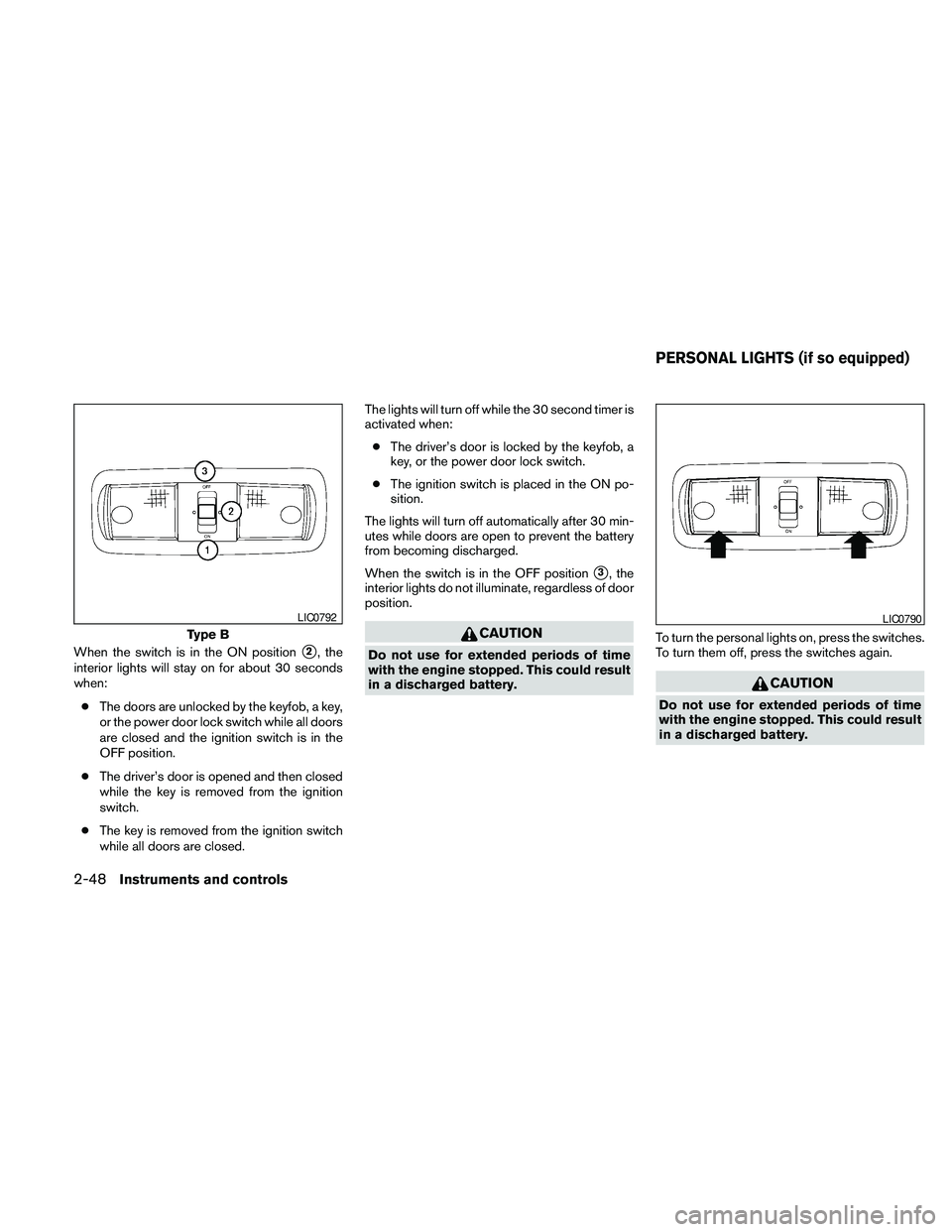
When the switch is in the ON positions2, the
interior lights will stay on for about 30 seconds
when:
cThe doors are unlocked by the keyfob, a key,
or the power door lock switch while all doors
are closed and the ignition switch is in the
OFF position.
cThe driver’s door is opened and then closed
while the key is removed from the ignition
switch.
cThe key is removed from the ignition switch
while all doors are closed.The lights will turn off while the 30 second timer is
activated when:
cThe driver’s door is locked by the keyfob, a
key, or the power door lock switch.
cThe ignition switch is placed in the ON po-
sition.
The lights will turn off automatically after 30 min-
utes while doors are open to prevent the battery
from becoming discharged.
When the switch is in the OFF position
s3, the
interior lights do not illuminate, regardless of door
position.
CAUTION
Do not use for extended periods of time
with the engine stopped. This could result
in a discharged battery.To turn the personal lights on, press the switches.
To turn them off, press the switches again.
CAUTION
Do not use for extended periods of time
with the engine stopped. This could result
in a discharged battery.
Type B
LIC0792LIC0790
PERSONAL LIGHTS (if so equipped)
2-48Instruments and controls
Page 129 of 463
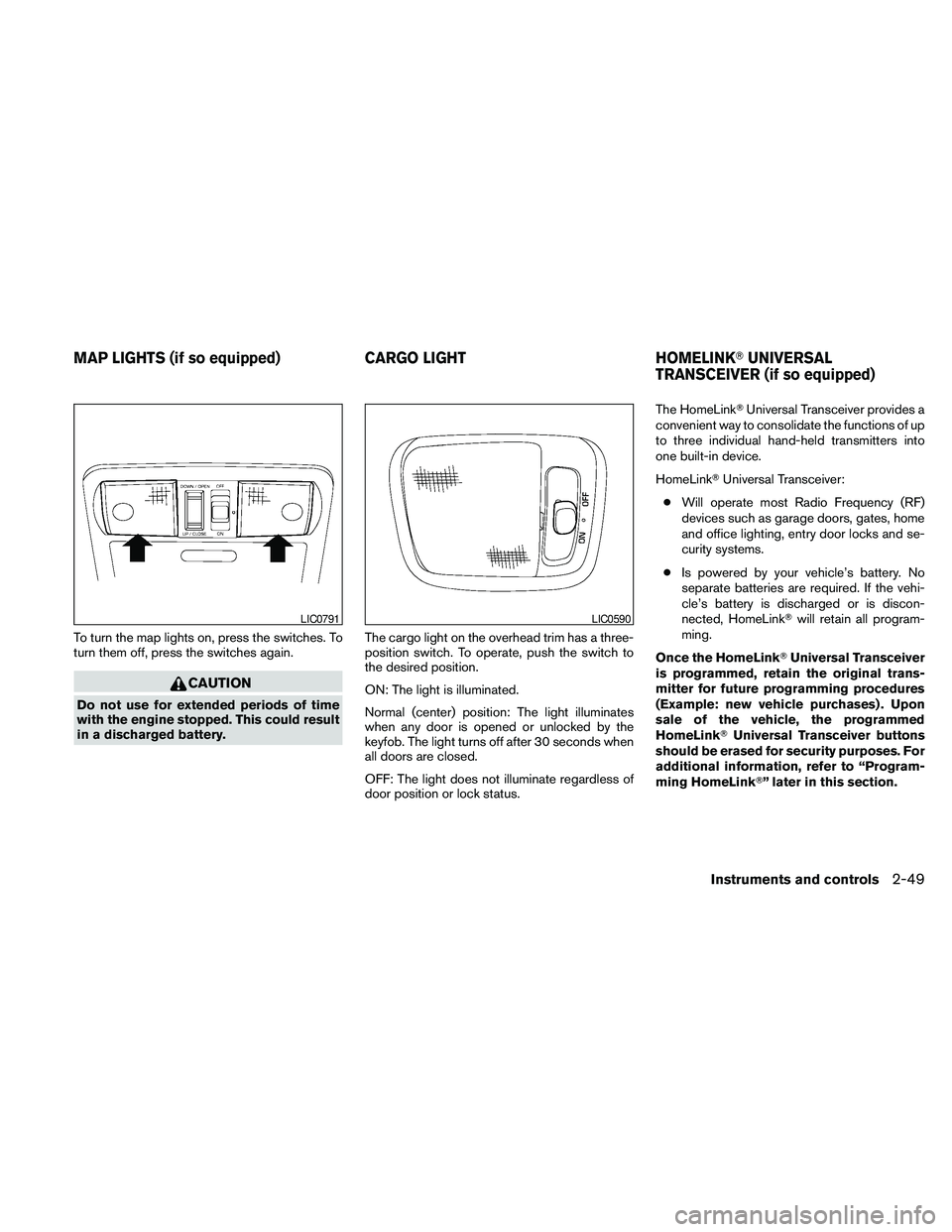
To turn the map lights on, press the switches. To
turn them off, press the switches again.
CAUTION
Do not use for extended periods of time
with the engine stopped. This could result
in a discharged battery.The cargo light on the overhead trim has a three-
position switch. To operate, push the switch to
the desired position.
ON: The light is illuminated.
Normal (center) position: The light illuminates
when any door is opened or unlocked by the
keyfob. The light turns off after 30 seconds when
all doors are closed.
OFF: The light does not illuminate regardless of
door position or lock status.The HomeLinkTUniversal Transceiver provides a
convenient way to consolidate the functions of up
to three individual hand-held transmitters into
one built-in device.
HomeLinkTUniversal Transceiver:
cWill operate most Radio Frequency (RF)
devices such as garage doors, gates, home
and office lighting, entry door locks and se-
curity systems.
cIs powered by your vehicle’s battery. No
separate batteries are required. If the vehi-
cle’s battery is discharged or is discon-
nected, HomeLinkTwill retain all program-
ming.
Once the HomeLinkTUniversal Transceiver
is programmed, retain the original trans-
mitter for future programming procedures
(Example: new vehicle purchases) . Upon
sale of the vehicle, the programmed
HomeLinkTUniversal Transceiver buttons
should be erased for security purposes. For
additional information, refer to “Program-
ming HomeLinkT” later in this section.
LIC0791LIC0590
MAP LIGHTS (if so equipped) CARGO LIGHT HOMELINKTUNIVERSAL
TRANSCEIVER (if so equipped)
Instruments and controls2-49
Page 139 of 463
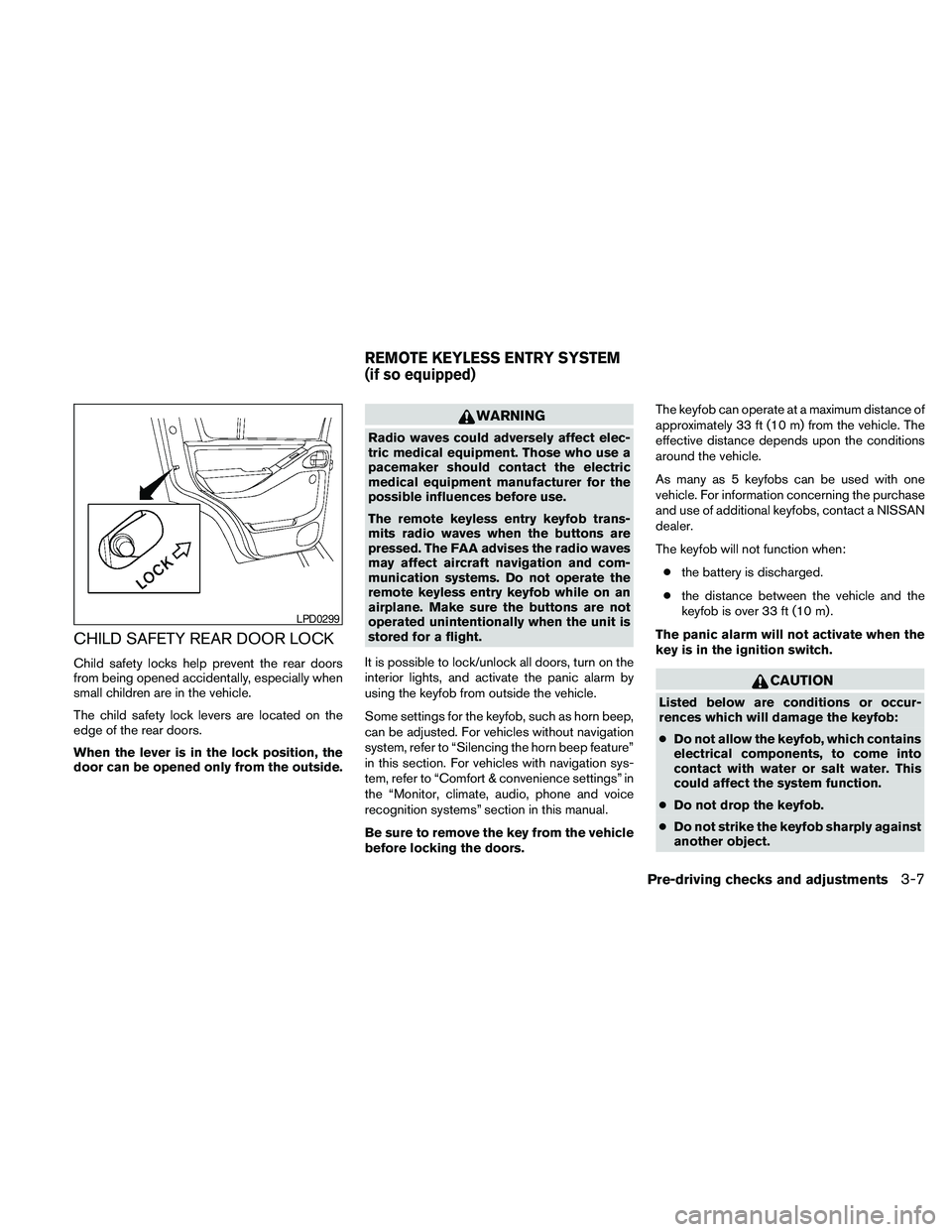
CHILD SAFETY REAR DOOR LOCK
Child safety locks help prevent the rear doors
from being opened accidentally, especially when
small children are in the vehicle.
The child safety lock levers are located on the
edge of the rear doors.
When the lever is in the lock position, the
door can be opened only from the outside.
WARNING
Radio waves could adversely affect elec-
tric medical equipment. Those who use a
pacemaker should contact the electric
medical equipment manufacturer for the
possible influences before use.
The remote keyless entry keyfob trans-
mits radio waves when the buttons are
pressed. The FAA advises the radio waves
may affect aircraft navigation and com-
munication systems. Do not operate the
remote keyless entry keyfob while on an
airplane. Make sure the buttons are not
operated unintentionally when the unit is
stored for a flight.
It is possible to lock/unlock all doors, turn on the
interior lights, and activate the panic alarm by
using the keyfob from outside the vehicle.
Some settings for the keyfob, such as horn beep,
can be adjusted. For vehicles without navigation
system, refer to “Silencing the horn beep feature”
in this section. For vehicles with navigation sys-
tem, refer to “Comfort & convenience settings” in
the “Monitor, climate, audio, phone and voice
recognition systems” section in this manual.
Be sure to remove the key from the vehicle
before locking the doors.The keyfob can operate at a maximum distance of
approximately 33 ft (10 m) from the vehicle. The
effective distance depends upon the conditions
around the vehicle.
As many as 5 keyfobs can be used with one
vehicle. For information concerning the purchase
and use of additional keyfobs, contact a NISSAN
dealer.
The keyfob will not function when:
cthe battery is discharged.
cthe distance between the vehicle and the
keyfob is over 33 ft (10 m) .
The panic alarm will not activate when the
key is in the ignition switch.
CAUTION
Listed below are conditions or occur-
rences which will damage the keyfob:
cDo not allow the keyfob, which contains
electrical components, to come into
contact with water or salt water. This
could affect the system function.
cDo not drop the keyfob.
cDo not strike the keyfob sharply against
another object.
LPD0299
REMOTE KEYLESS ENTRY SYSTEM
(if so equipped)
Pre-driving checks and adjustments3-7
Page 143 of 463
WARNING
cRadio waves could adversely affect
electric medical equipment. Those who
use a pacemaker should contact the
electric medical equipment manufac-
turer for the possible influences before
use.
cThe Intelligent Key transmits radio
waves when the buttons are pressed.
The FAA advises the radio waves may
affect aircraft navigation and communi-
cation systems. Do not operate the In-
telligent Key while on an airplane. Make
sure the buttons are not operated unin-
tentionally when the unit is stored for a
flight.
The Intelligent Key can operate all the door locks
using the remote controller function or pushing
the request switch on the vehicle without taking
the key out from a pocket or purse. The operating
environment and/or conditions may affect the
Intelligent Key operation.
Be sure to read the following before using the
Intelligent Key.
CAUTION
cBe sure to carry the Intelligent Key with
you when operating the vehicle.
cNever leave the Intelligent Key in the
vehicle when you leave the vehicle.
The Intelligent Key is always communicating with
the vehicle as it receives radio waves. The Intel-
ligent Key transmits weak radio waves. Environ-
mental conditions may interfere with the opera-
tion of the Intelligent Key under the following
operating conditions.
cWhen operating near a location where
strong radio waves are transmitted, such as
a TV tower, power station and broadcasting
station.
cWhen in possession of wireless equipment,
such as a cellular telephone, transceiver,
and CB radio.
cWhen the Intelligent Key is in contact with or
covered by metallic materials.
cWhen any type of radio wave remote control
is used nearby.cWhen the Intelligent Key is placed near an
electric appliance such as a personal com-
puter.
cWhen the vehicle is parked near a parking
meter.
In such cases, correct the operating conditions
before using the Intelligent Key function or use
the mechanical key.
Although the life of the battery varies depending
on the operating conditions, the battery’s life is
approximately 2 years. If the battery is dis-
charged, replace it with a new one.
When the Intelligent Key battery is low, the Intel-
ligent Key indicator will illuminate after the ignition
switch is placed in the ON position.
Since the Intelligent Key is continuously receiving
radio waves, if the key is left near equipment
which transmits strong radio waves, such as sig-
nals from a TV and personal computer, the bat-
tery life may become shorter.
For information regarding replacement of a bat-
tery, see “Battery replacement” in the “Mainte-
nance and do-it-yourself” section of this manual.
NISSAN INTELLIGENT KEY™ (if so
equipped)
Pre-driving checks and adjustments3-11
Page 144 of 463
For models with a steering wheel lock mecha-
nism: Because the steering wheel is locked elec-
trically, unlocking the steering wheel with the
ignition switch in the LOCK position is impossible
when the vehicle battery is completely dis-
charged. Unlocking the steering wheel is impos-
sible even if the Intelligent Key is inserted into the
ignition switch. Pay special attention that the
vehicle battery is not completely discharged.
As many as 4 Intelligent Keys can be registered
and used with one vehicle. For information about
the purchase and use of additional Intelligent
Keys, contact a NISSAN dealer.
CAUTION
Listed below are conditions or occur-
rences which will damage the Intelligent
Key:
cDo not allow the Intelligent Key, which
contains electrical components, to
come into contact with water or salt
water. This could affect the system
function.
cDo not drop the Intelligent Key.
cDo not strike the Intelligent Key sharply
against another object.
cDo not change or modify the Intelligent
Key.cWetting may damage the Intelligent
Key. If the Intelligent Key gets wet, im-
mediately wipe until it is completely dry.
cDo not place the Intelligent Key for an
extended period in an area where tem-
peratures exceed 140°F (60°C) .
cDo not attach the Intelligent Key with a
key holder that contains a magnet.
cDo not place the Intelligent Key near
equipment that produces a magnetic
field, such as a TV, audio equipment and
personal computers.
If an Intelligent Key is lost or stolen, NISSAN
recommends erasing the ID code of that Intelli-
gent Key from the vehicle. This may prevent the
unauthorized use of the Intelligent Key to operate
the vehicle. For information regarding the erasing
procedure, contact a NISSAN dealer.
3-12Pre-driving checks and adjustments
Page 145 of 463
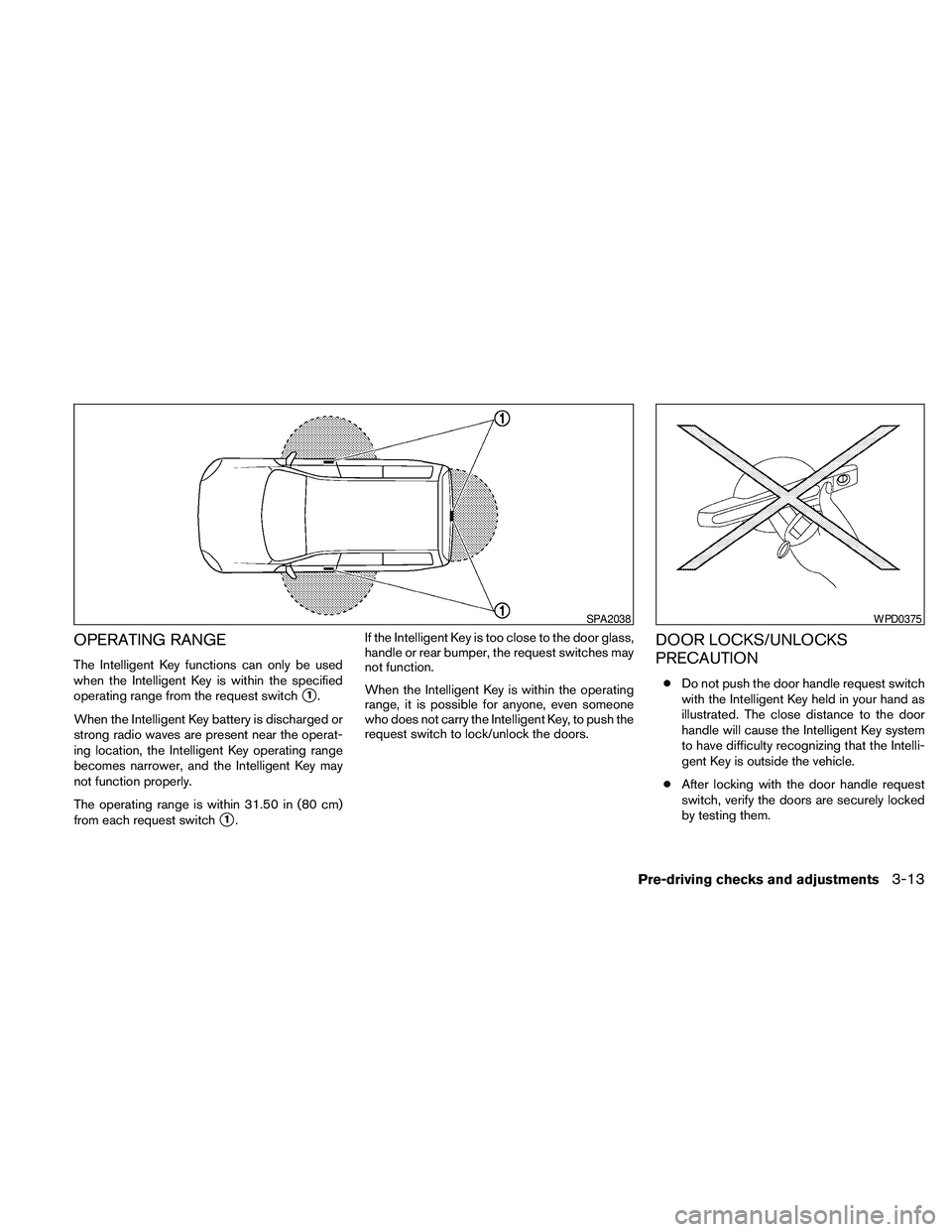
OPERATING RANGE
The Intelligent Key functions can only be used
when the Intelligent Key is within the specified
operating range from the request switch
s1.
When the Intelligent Key battery is discharged or
strong radio waves are present near the operat-
ing location, the Intelligent Key operating range
becomes narrower, and the Intelligent Key may
not function properly.
The operating range is within 31.50 in (80 cm)
from each request switch
s1.If the Intelligent Key is too close to the door glass,
handle or rear bumper, the request switches may
not function.
When the Intelligent Key is within the operating
range, it is possible for anyone, even someone
who does not carry the Intelligent Key, to push the
request switch to lock/unlock the doors.
DOOR LOCKS/UNLOCKS
PRECAUTION
cDo not push the door handle request switch
with the Intelligent Key held in your hand as
illustrated. The close distance to the door
handle will cause the Intelligent Key system
to have difficulty recognizing that the Intelli-
gent Key is outside the vehicle.
cAfter locking with the door handle request
switch, verify the doors are securely locked
by testing them.
SPA2038WPD0375
Pre-driving checks and adjustments3-13
Page 149 of 463
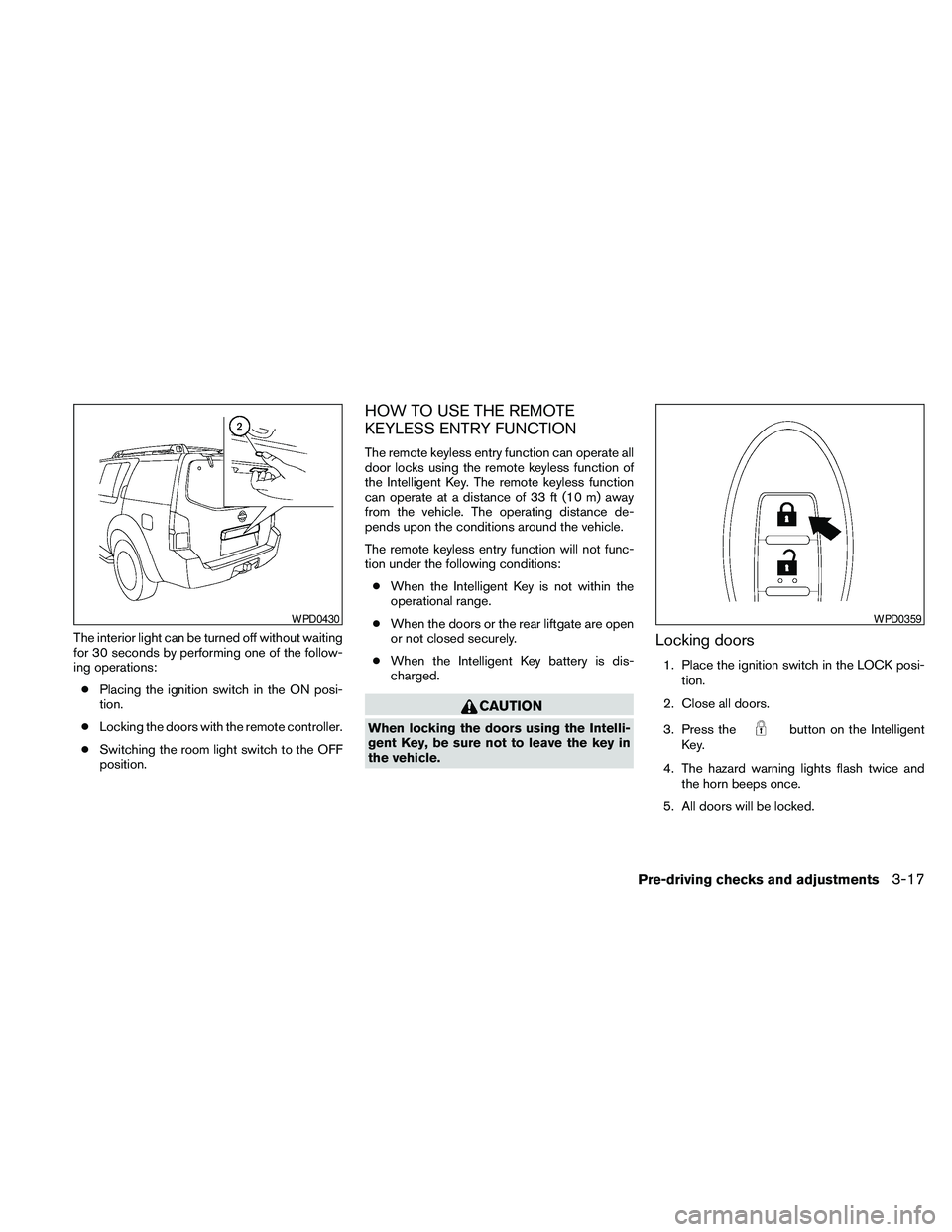
The interior light can be turned off without waiting
for 30 seconds by performing one of the follow-
ing operations:
cPlacing the ignition switch in the ON posi-
tion.
cLocking the doors with the remote controller.
cSwitching the room light switch to the OFF
position.
HOW TO USE THE REMOTE
KEYLESS ENTRY FUNCTION
The remote keyless entry function can operate all
door locks using the remote keyless function of
the Intelligent Key. The remote keyless function
can operate at a distance of 33 ft (10 m) away
from the vehicle. The operating distance de-
pends upon the conditions around the vehicle.
The remote keyless entry function will not func-
tion under the following conditions:
cWhen the Intelligent Key is not within the
operational range.
cWhen the doors or the rear liftgate are open
or not closed securely.
cWhen the Intelligent Key battery is dis-
charged.
CAUTION
When locking the doors using the Intelli-
gent Key, be sure not to leave the key in
the vehicle.
Locking doors
1. Place the ignition switch in the LOCK posi-
tion.
2. Close all doors.
3. Press the
button on the Intelligent
Key.
4. The hazard warning lights flash twice and
the horn beeps once.
5. All doors will be locked.
WPD0430WPD0359
Pre-driving checks and adjustments3-17