Forward collision NISSAN PATHFINDER 2022 Owner´s Manual
[x] Cancel search | Manufacturer: NISSAN, Model Year: 2022, Model line: PATHFINDER, Model: NISSAN PATHFINDER 2022Pages: 647, PDF Size: 8.48 MB
Page 405 of 647
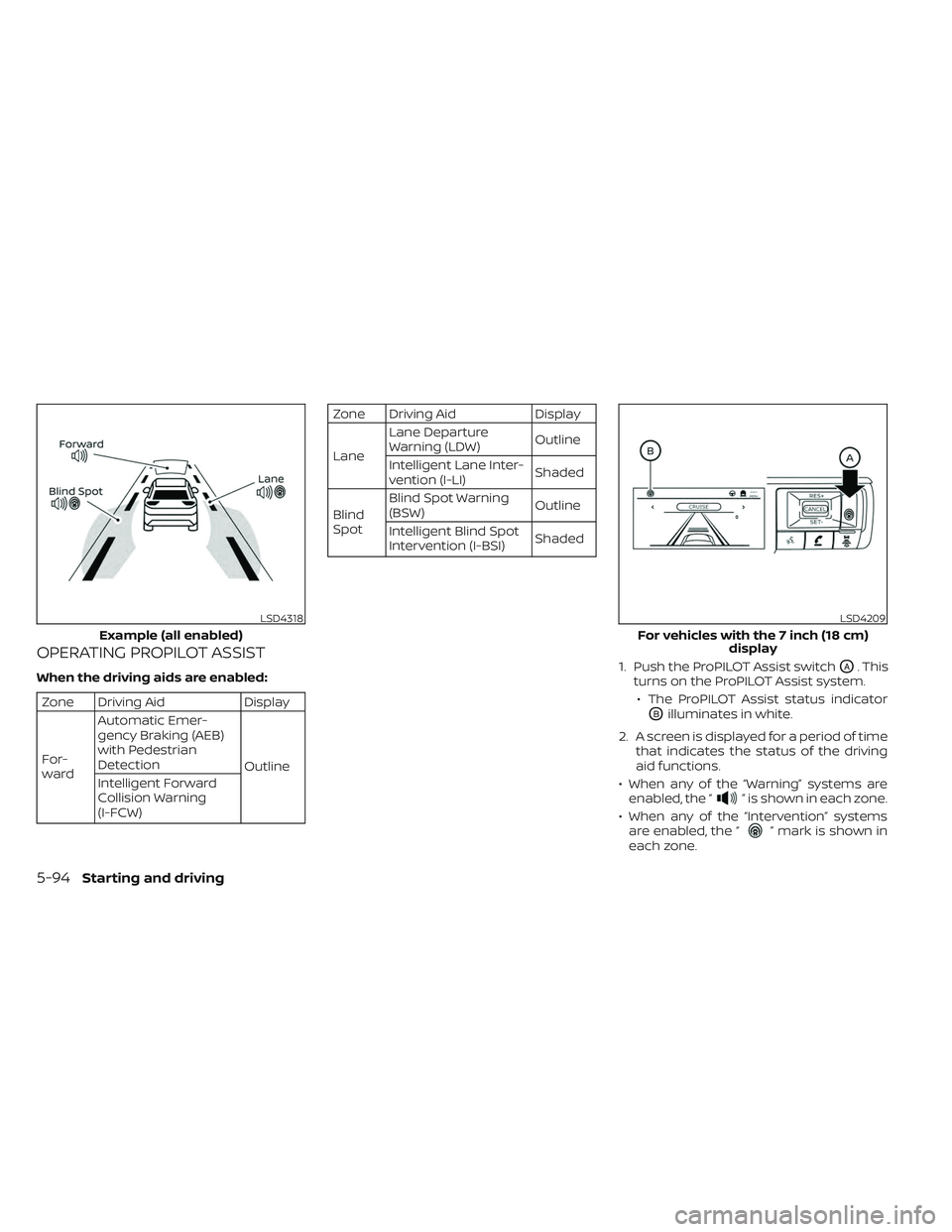
OPERATING PROPILOT ASSIST
When the driving aids are enabled:
Zone Driving AidDisplay
For-
ward Automatic Emer-
gency Braking (AEB)
with Pedestrian
Detection
Outline
Intelligent Forward
Collision Warning
(I-FCW)
Zone Driving Aid Display
Lane Lane Departure
Warning (LDW)
Outline
Intelligent Lane Inter-
vention (I-LI) Shaded
Blind
Spot Blind Spot Warning
(BSW)
Outline
Intelligent Blind Spot
Intervention (I-BSI) Shaded
1. Push the ProPILOT Assist switch
OA. This
turns on the ProPILOT Assist system.
• The ProPILOT Assist status indicator
OBilluminates in white.
2. A screen is displayed for a period of time that indicates the status of the driving
aid functions.
• When any of the “Warning” systems are enabled, the “
” is shown in each zone.
• When any of the “Intervention” systems are enabled, the “
” mark is shown in
each zone.
LSD4318
Example (all enabled)
LSD4209
For vehicles with the 7 inch (18 cm) display
5-94Starting and driving
Page 447 of 647
• Do not subject the area around the park-ing sensors
O1to strong impact. Also, do
not remove or disassemble the parking
sensors. If the parking sensors and pe-
ripheral areas are deformed in an acci-
dent, etc., have the sensors checked. It is
recommended that you visit a NISSAN
dealer for this service.
• Do not install any stickers (including transparent stickers) or accessories on
the parking sensors
O1and their sur-
rounding areas. This may cause a mal-
function or improper operation.
WARNING
Failure to follow the warnings and in-
structions for proper use of the AEB
with Pedestrian Detection system
could result in serious injury or death.
• The AEB with Pedestrian Detection
system is a supplemental aid to the
driver. It is not a replacement for the
driver’s attention to traffic condi-
tions or responsibility to drive safely.
It cannot prevent accidents due to
carelessness or dangerous driving
techniques.
• The AEB with Pedestrian Detection
system does not function in all driv-
ing, traffic, weather and road
conditions.
The AEB with Pedestrian Detection system
can assist the driver when there is a risk of
a forward collision with the vehicle ahead in
the traveling lane or with a pedestrian
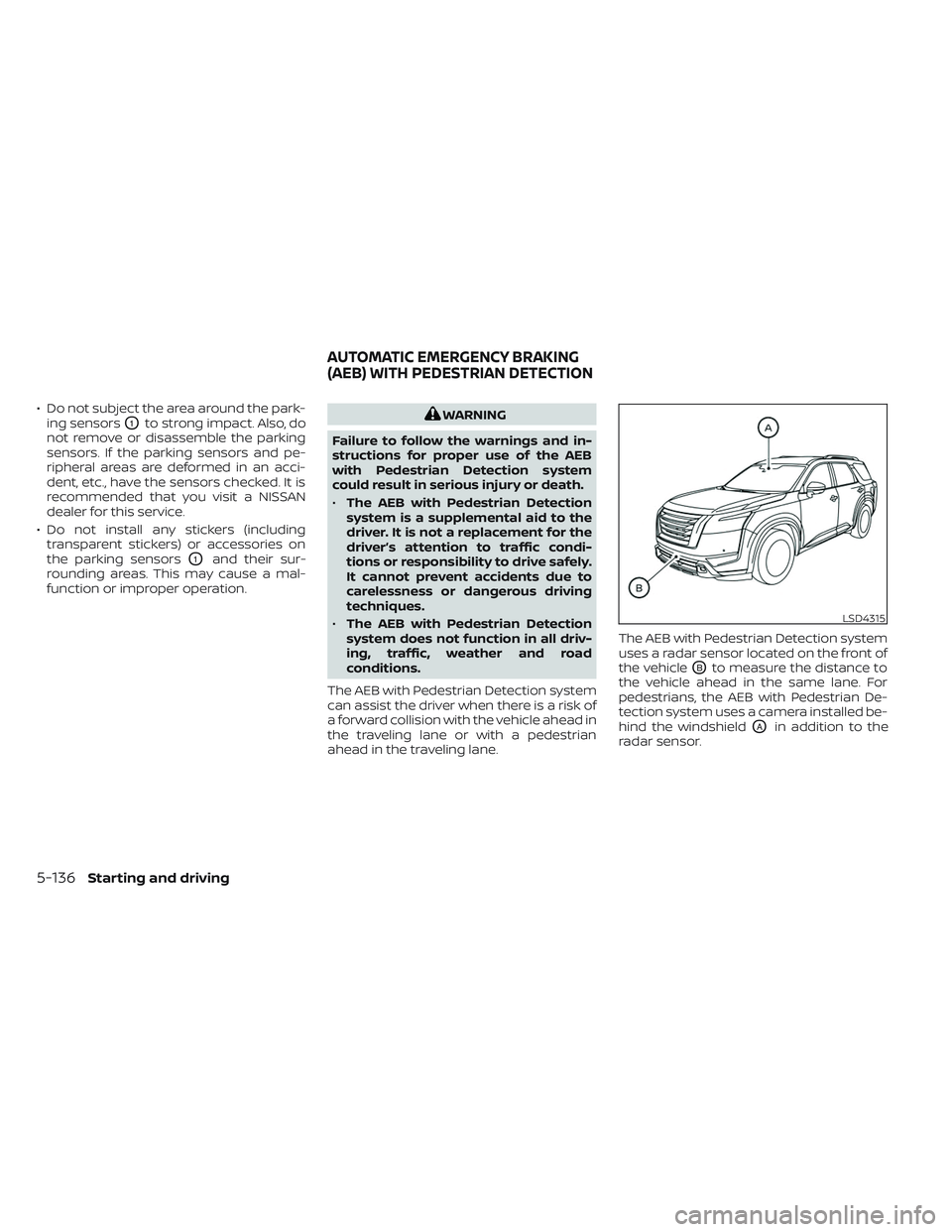
ahead in the traveling lane. The AEB with Pedestrian Detection system
uses a radar sensor located on the front of
the vehicle
OBto measure the distance to
the vehicle ahead in the same lane. For
pedestrians, the AEB with Pedestrian De-
tection system uses a camera installed be-
hind the windshield
OAin addition to the
radar sensor.
LSD4315
AUTOMATIC EMERGENCY BRAKING
(AEB) WITH PEDESTRIAN DETECTION
5-136Starting and driving
Page 449 of 647
The AEB system operates at speeds above
approximately 3 mph (5 km/h). For the pe-
destrian detection function, the system
operates at speeds between6–37mph
(10 – 60 km/h).
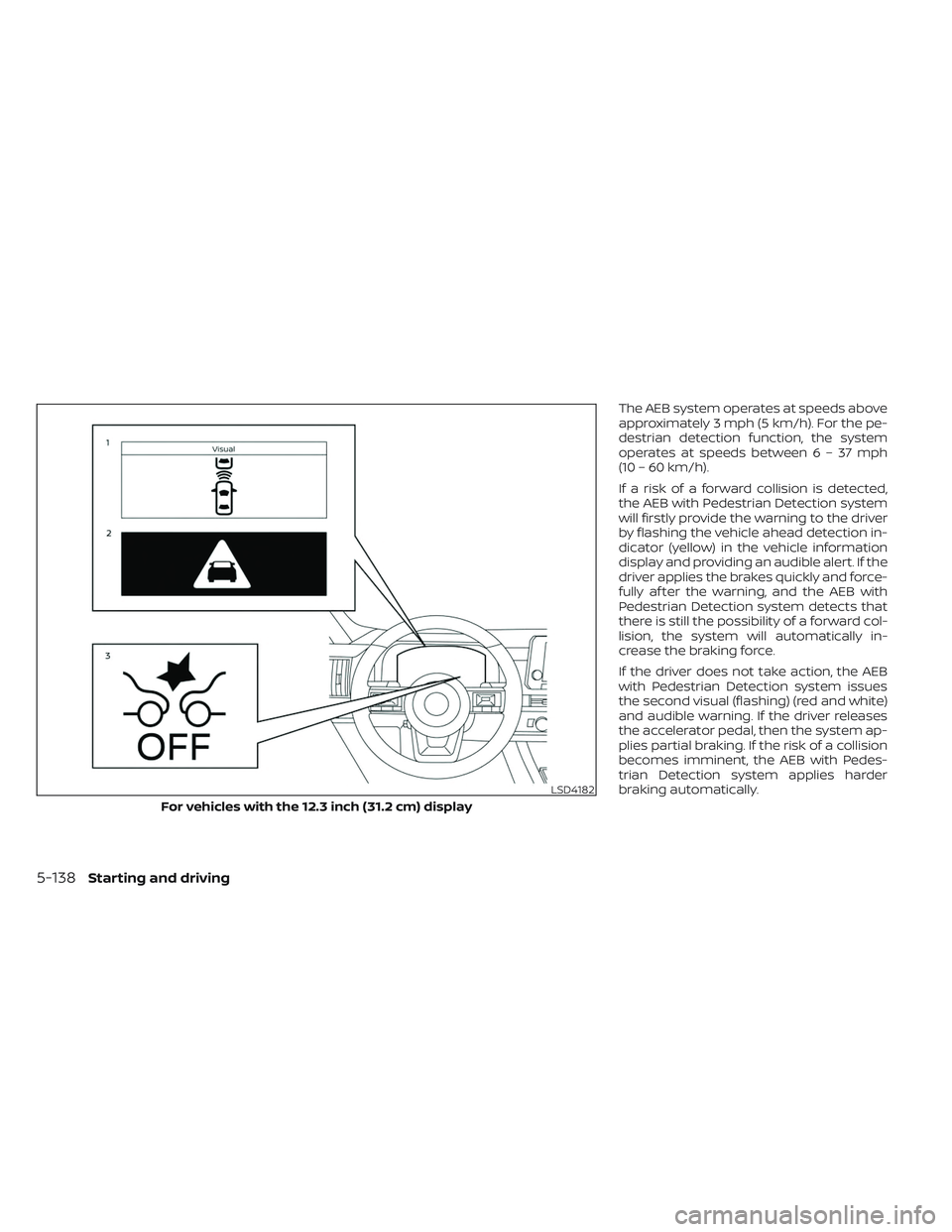
If a risk of a forward collision is detected,
the AEB with Pedestrian Detection system
will firstly provide the warning to the driver
by flashing the vehicle ahead detection in-
dicator (yellow) in the vehicle information
display and providing an audible alert. If the
driver applies the brakes quickly and force-
fully af ter the warning, and the AEB with
Pedestrian Detection system detects that
there is still the possibility of a forward col-
lision, the system will automatically in-
crease the braking force.
If the driver does not take action, the AEB
with Pedestrian Detection system issues
the second visual (flashing) (red and white)
and audible warning. If the driver releases
the accelerator pedal, then the system ap-
plies partial braking. If the risk of a collision
becomes imminent, the AEB with Pedes-
trian Detection system applies harder
braking automatically.
LSD4182
For vehicles with the 12.3 inch (31.2 cm) display
5-138Starting and driving
Page 450 of 647
While the AEB with Pedestrian Detection
system is operating, you may hear the
sound of brake operation. This is normal
and indicates that the AEB with Pedestrian
Detection system is operating properly.
NOTE:
The vehicle’s brake lights come on when
any braking is performed by the AEB
with Pedestrian Detection system.
Depending on vehicle speed and distance
to the vehicle or pedestrian ahead, as well
as driving and roadway conditions, the sys-
tem may help the driver avoid a forward
collision or may help mitigate the conse-
quences if a collision should be unavoid-
able. If the driver is handling the steering
wheel, accelerating or braking, the AEB with
Pedestrian Detection system function will
be delayed or will not function.The automatic braking will cease under the
following conditions:
• When the steering wheel is turned to
avoid a collision.
• When the accelerator pedal is depressed.
• When there is no longer a vehicle or a pedestrian detected ahead.
If the AEB with Pedestrian Detection sys-
tem has stopped the vehicle, the vehicle
will remain at a standstill for approximately
2 seconds before the brakes are released.
Starting and driving5-139
Page 460 of 647
RF Exposure Information according 2.1091/
2.1093/OET bulletin 65:
Radiofrequency radiation exposure
information:
This equipment complies with FCC radia-
tion exposure limits set forth for an uncon-
trolled environment. This equipment
should be installed and operated with
minimum distance of 20 cm between the
radiator and your body.
The transmitter must not be co-located or
operating in conjunction with any other an-
tenna or transmitter.
For Canada
Type approval number:
IC: 3387A-FR5CPEC
Legal warning for RF equipment:
This device complies with Industry Canada
licence-exempt RSS standard(s). Operation
is subject to the following two conditions:
(1) this device may not cause interference,
and (2) this device must accept any inter-
ference, including interference that may
cause undesired operation of the device.WARNING
Failure to follow the warnings and in-
structions for proper use of the I-FCW
system could result in serious injury or
death.
• The I-FCW system can help warn the
driver before a collision occurs but
will not avoid a collision. It is the driv-
er’s responsibility to stay alert, drive
safely and be in control of the vehicle
at all times.
The I-FCW system can help alert the driver
when there is a sudden braking of a second
vehicle traveling in front of the vehicle
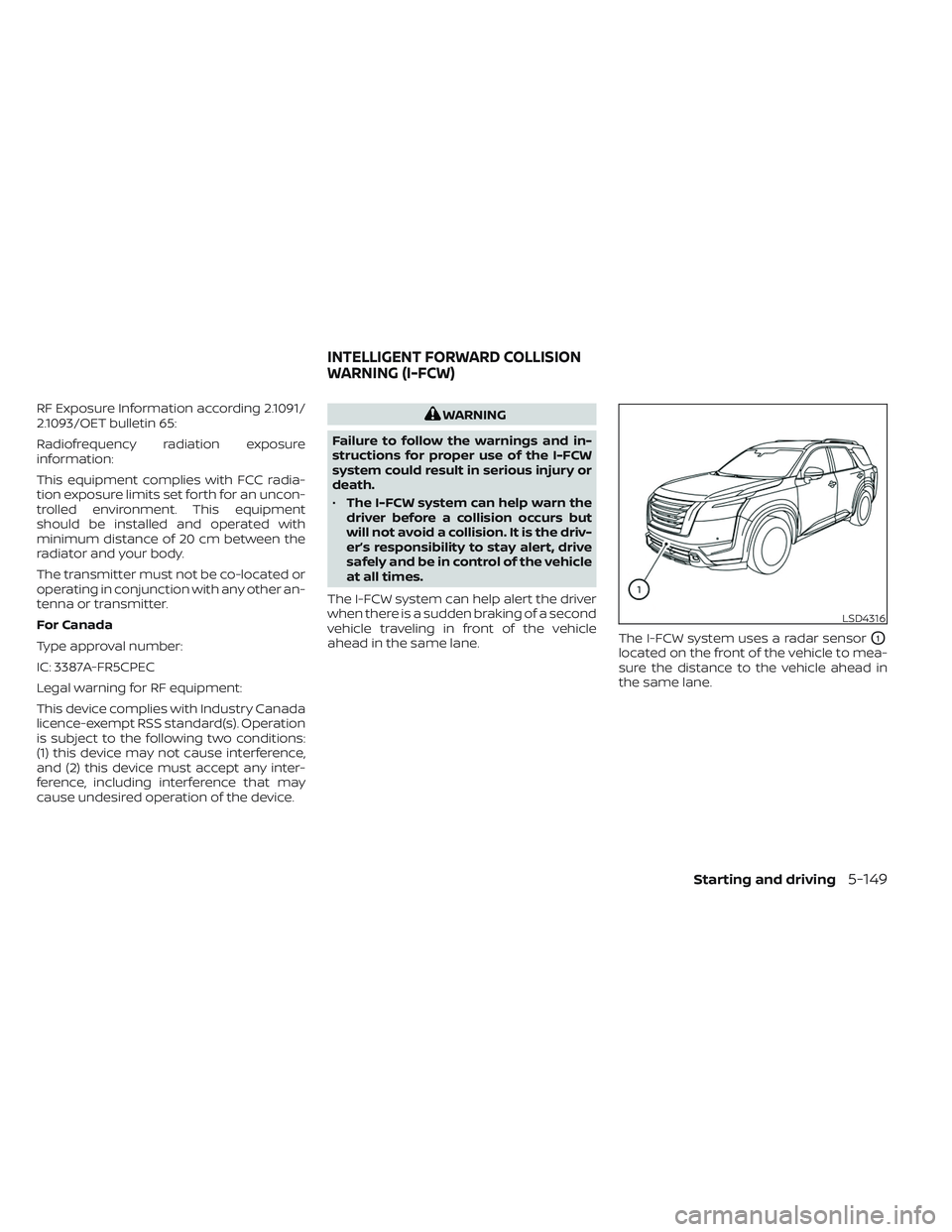
ahead in the same lane. The I-FCW system uses a radar sensor
O1
located on the front of the vehicle to mea-
sure the distance to the vehicle ahead in
the same lane.
LSD4316
INTELLIGENT FORWARD COLLISION
WARNING (I-FCW)
Starting and driving5-149
Page 493 of 647
vehicle brakes to control vehicle speed al-
lowing the driver to concentrate on steer-
ing while reducing the burden of brake and
accelerator operation.
If the hill descent control system ON indica-
tor light is blinking, the hill descent control
is engaged; however, the hill descent con-
trol will not control the vehicle speed.
• Once the system is activated, the indica-tor light will remain on in the instrument
panel. For additional information, see “Hill
descent control system ON indicator
light” (P. 2-17).
If the accelerator or brake pedal is de-
pressed while the hill descent control sys-
tem is on, the system will stop operating
temporarily. As soon as the accelerator or
brake pedal is released, the hill descent
control system begins to function again if
the hill descent control operating condi-
tions are fulfilled.WARNING
• Never rely solely on the hill start as-
sist system to prevent the vehicle
from moving backward on a hill. Al-
ways drive carefully and attentively.
Depress the brake pedal when the
vehicle is stopped on a steep hill. Be
especially careful when stopped on a
hill on frozen or muddy roads. Failure
to prevent the vehicle from rolling
backwards may result in a loss of
control of the vehicle and possible
serious injury or death.
• The hill start assist system is not de-
signed to hold the vehicle at a stand-
still on a hill. Depress the brake pedal
when the vehicle is stopped on a
steep hill. Failure to do so may cause
the vehicle to roll backwards and
may result in a collision or serious
personal injury.
• The hill start assist may not prevent
the vehicle from rolling backwards
on a hill under all load or road condi-
tions. Always be prepared to depress
the brake pedal to prevent the ve-
hicle from rolling backwards. Failure
to do so may result in a collision or
serious personal injury. The hill start assist system automatically
keeps the brakes applied to help prevent
the vehicle from rolling backward in the
time it takes the driver to release the brake
pedal and apply the accelerator when the
vehicle is stopped on a hill.
Hill start assist will operate automatically
under the following conditions:
• The shif t lever is moved to a forward or
reverse gear.
• The vehicle is stopped completely on a hill by applying the brake.
The maximum holding time is 2 seconds.
Af ter 2 seconds the vehicle will begin to roll
back and hill start assist will stop operating
completely.
Hill start assist will not operate when the
shif t position is moved to N (Neutral) or P
(Park), or on a flat and level road.
HILL START ASSIST SYSTEM
5-182Starting and driving
Page 638 of 647
Front air bag system (See supplemental
restraint system)...............1-68Front and rear sonar system.......5-183Front power seat adjustment........1-4Front seats....................1-2Front-door pocket..............2-101FuelCapacities and recommended
fuel/lubricants
...............10-2Fuel economy...............5-171Fuel gauge..................2-10Fuel octane rating.............10-6Fuel recommendation..........10-4Fuel efficient driving tips..........5-170Fuel gauge...................2-10Fuel-filler door.................3-29Fuses.......................8-21Fusible links..................8-22
G
Garage door opener, HomeLink® Universal
Transceiver.......2- 118, 2-119, 2-121, 2-122Gauge
Engine coolant temperature gauge. . .2-9Fuel gauge..................2-10Odometer................. .2-8Speedometer..............2-6, 2-7Tachometer.................2-8Trip odometer................2-8General maintenance.............9-2Glove box...................2-104Glove box lock................2-104
H
Hazard warning flasher switch........6-2Head restraints.................1-12Head Up Display (HUD)............2-90Headlight and turn signal switch.....2-78Headlight control switch...........2-78Headlights...................8-27Heated 2nd row seat switches.......2-87Heated seat switches............2-86Heated seats................. .2-85Heated steering wheel switch.......2-88Heater
Heater and air conditioner controls. .4-33Heater operation.............4-34Hill descent control switch.........2-89Hill descent control system........5-181Hill start assist system...........5-182HomeLink® Universal
Transceiver.......2- 118, 2-119, 2-121, 2-122Hood.......................3-21Hook
Luggage hook...............2-109Horn...................... .2-85
I
Idling Stop System..............5-189Ignition switch
Push-button ignition switch.......5-13Immobilizer system..........2-72,5-16Important vehicle information label. . .10-12
In-cabin microfilter..............8-18Increasing fuel economy..........5-171IndicatorNISSAN Intelligent Key® battery discharge
indicator
...................5-15Indicator lights and audible reminders
(See warning/indicator lights and audible
reminders)
...................2-12Inside automatic anti-glare mirror. . . .3-33Instrument brightness control.......2-83Instrument panel.............0-6, 2-4Instrument panel dimmer switch.....2-83Intelligent Around View Monitor......4-10Intelligent Blind Spot Intervention
(I-BSI)...................... .5-62Intelligent Cruise Control (ICC)
(for vehicles with ProPILOT Assist). . . .5-102Intelligent Driver Alertness (I-DA).....5-165Intelligent Forward Collision Warning
(I-FCW).....................5-149Intelligent Key system
Key operating range............3-8Key operation................3-9Mechanical key................3-3Remote keyless entry operation. . . .3-13Troubleshooting guide..........3-16Warning signals...............3-16Intelligent Lane Intervention (I-LI).....5-42Intelligent Trace Control (I-TC).......5-180Interior light..................2-116ISOFIX child restraints.............1-36
11-3