Forward collision NISSAN PATHFINDER 2022 Owner´s Manual
[x] Cancel search | Manufacturer: NISSAN, Model Year: 2022, Model line: PATHFINDER, Model: NISSAN PATHFINDER 2022Pages: 647, PDF Size: 8.48 MB
Page 150 of 647
Hold onto the steering wheel immediately.
When the steering operation is detected,
the warning turns off and the Steering As-
sist function is automatically restored.
For additional information, see “ProPILOT
Assist” (P. 5-86).
Idling Stop System
This indicator shows the Idling Stop Sys-
tem status.
For addition information, see “Idling Stop
System” (P. 5-189).
Intelligent Lane
Intervention (I-LI)/
Intelligent Blind Spot
Intervention (I-BSI)/
ProPILOT Assist indicator
This indicator shows when the I-LI, I-BSI or
ProPILOT Assist system is engaged.
For additional information, see “Intelligent
Lane Intervention (I-LI)” (P. 5-42), “Intelligent
Blind Spot Intervention (I-BSI)” (P. 5-62) or
“ProPILOT Assist” (P. 5-86).
Lane Departure Warning
(LDW) indicator
This indicator appears when the LDW sys-
tem is unavailable.
For additional information, see “Lane De-
parture Warning (LDW)” (P. 5-35).
Malfunction: See Owner’s Manual
This warning appears when one or more of
the following systems (if so equipped) is
not functioning properly:
• Rear Automatic Braking (RAB)
• Traffic Sign Recognition (TSR)
If one or more of these warning appears,
have the system checked. It is recom-
mended that you visit a NISSAN dealer for
this service.
Malfunction warning
This warning appears when one or more of
the following systems (if so equipped) mal-
function:
• Rear Cross Traffic Alert (RCTA)
• Automatic Emergency Braking (AEB) withPedestrian Detection
• Intelligent Forward Collision Warning (I-FCW) If one or more of these warning appears,
have the system checked. It is recom-
mended that you visit a NISSAN dealer for
this service.
Not Available Bad Weather indicator
This message may appear when the Steer-
ing Assist system is engaged.
Under the following conditions, the Steering
Assist system is automatically canceled:
• When the wiper (HI) operates.
• When lane markers in the traveling lane
cannot be correctly detected for a period
of time due to such items as a snow rut,
reflection of light on a rainy day or several
unclear lane markers are present.
If you want to use the Steering Assist sys-
tem again, cancel the ProPILOT Assist sys-
tem and set it again when lane markers are
clearly visible.
Not Available Front Camera
Obstructed indicator
This message may appear when the Steer-
ing Assist system is engaged.
Under the following conditions, the Steering
Assist system is automatically canceled:
Instruments and controls2-43
Page 152 of 647
Steering Assist Not Available Cannot
Detect Lane indicator
This indicator may appear when the Steer-
ing Assist system is engaged. The Steering
Assist system is automatically canceled
when the lane markers in the traveling lane
cannot be correctly detected for a period
of time due to such items as a snow rut,
reflection of light on a rainy day or several
unclear lane markers are present.
If you want to use the Steering Assist sys-
tem again, cancel the ProPILOT Assist sys-
tem and set it again when lane markers are
clearly visible.
Steering Assist status
This indicator appears when the Steering
Assist system is engaged.
For additional information, see “ProPILOT
Assist” (P. 5-86).
Unavailable: High Cabin Temperature
This message appears when the camera
detects an interior temperature of more
than 104°F (40°C). For additional informa-
tion, see “ProPILOT Assist” (P. 5-86), “Intelli-
gent Lane Intervention (I-LI)” (P. 5-120), “Lane
Departure Warning (LDW)” (P. 5-35) or “Intel-
ligent Blind Spot Intervention (I-BSI)”
(P. 5-62).
Unavailable Side Radar Obstruction
This message appears when the Blind
Spot Warning (BSW) or Rear Cross Traffic
Alert (RCTA) systems become unavailable
because a radar blockage is detected. For
additional information, see “Blind Spot
Warning (BSW)” (P. 5-49), “Intelligent Blind
Spot Intervention (I-BSI)” (P. 5-62) or “Rear
Cross Traffic Alert (RCTA)” (P. 5-75).
Vehicle ahead detection
indicator
This indicator shows when the following
systems are engaged and have detected a
vehicle:
• Automatic Emergency Braking (AEB) withPedestrian Detection
• Intelligent Forward Collision Warning (I-FCW)
For additional information, see “Automatic
Emergency Braking (AEB) with Pedestrian
Detection” (P. 5-136) or “Intelligent Forward
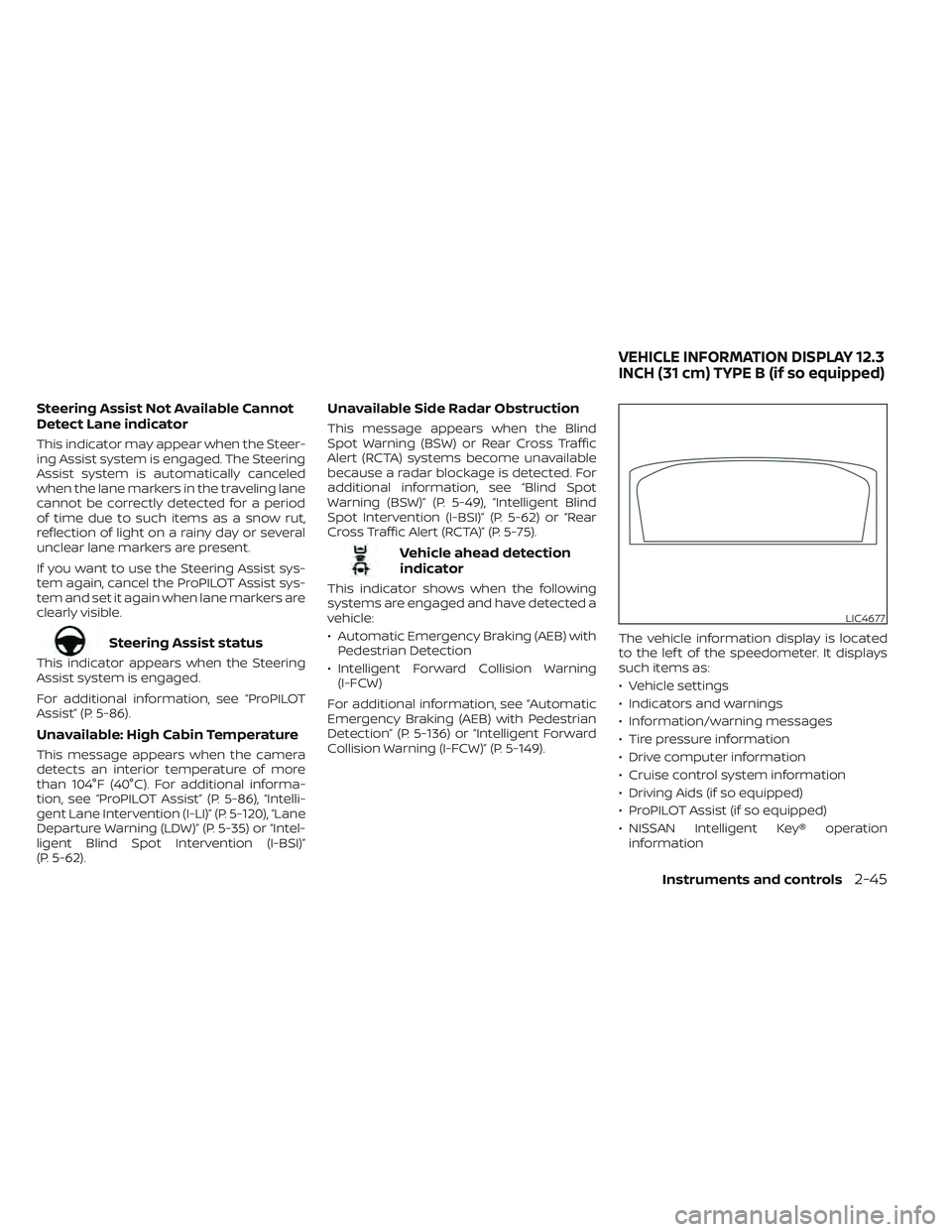
Collision Warning (I-FCW)” (P. 5-149). The vehicle information display is located
to the lef t of the speedometer. It displays
such items as:
• Vehicle settings
• Indicators and warnings
• Information/warning messages
• Tire pressure information
• Drive computer information
• Cruise control system information
• Driving Aids (if so equipped)
• ProPILOT Assist (if so equipped)
• NISSAN Intelligent Key® operation
information
LIC4677
VEHICLE INFORMATION DISPLAY 12.3
INCH (31 cm) TYPE B (if so equipped)
Instruments and controls2-45
Page 156 of 647
Manual Reset2 can be reset manually by
using the scroll dial or will be reset auto-
matically each time the ignition switch is
placed in the OFF position (if so equipped).
Auto Refuel will be reset automatically each
time when refueling.
For additional information, see “ECO Mode”
(P. 5-31).
6. Tire Pressures
The tire pressure mode shows the pres-
sure of all four tires while the vehicle is
driven.
With the “Tire Pres ECO advice” function ON,
when the tire pressure is getting low,
“Check Tire Pressures for Best Fuel
Economy” or “Add air for Best Fuel
Economy” appears. For additional informa-
tion, see “ECO Mode Setting” (P. 5-31) or “Tire
Pres ECO advice” (P. 5-31).
When the “Tire Pressure Low — Add Air”
warning appears, the display can be
switched to the tire pressure mode by
pushing the scroll dial to reveal additional
details on the displayed warning.
7. Intelligent 4x4 torque
distribution display (if so
equipped)
When the Intelligent 4x4 torque distribution
display is selected, you can view the distri-
bution ratio of the transmission torque to
the front and rear wheels during driving.
8. Compass (if so equipped)
This display indicates the direction the ve-
hicle is heading.
9. Navigation (if so equipped)
When the route guidance is set in the navi-
gation system, this item shows the naviga-
tion route information.
9. Audio
The audio mode shows the status of audio
information.
11. Driver Assistance
The Driver Assistance mode shows the op-
erating condition for the following systems:
•Forward–– Automatic Emergency Braking (AEB)with Pedestrian Detection system –
– Intelligent Forward Collision Warning
(I-FCW)
• Lane: –– Lane Departure Warning (LDW)
–– Intelligent Lane Intervention (I-LI)
• Blind Spot: –– Blind Spot Warning (BSW)
–– Intelligent Blind Spot Intervention (I-
BSI) (if so equipped)
For additional information, see “Intelligent
Blind Spot Intervention (I-BSI)” (P. 5-62),
“Blind Spot Warning (BSW)” (P. 5-49), “Lane
Departure Warning (LDW)” (P. 5-35), “Auto-
matic Emergency Braking (AEB) with Pe-
destrian Detection” (P. 5-136), “Intelligent
Forward Collision Warning (I-FCW)” (P. 5-149)
or “Intelligent Lane Intervention (I-LI)”
(P. 5-42).
12. ProPILOT Assist (if so equipped)
The ProPILOT Assist mode shows operat-
ing conditions for the following systems:
• Intelligent Cruise Control (ICC)
• Steering Assist
The display will also be shown when the
ProPILOT Assist is turned on. For additional
information, see “ProPILOT Assist” (P. 5-86).
Instruments and controls2-49
Page 160 of 647

Menu itemExplanation
Blind Spot Assist Displays available blind spot options.
Warning Allows user to turn the Blind Spot Warning (BSW) system on or off. For additional information, see “Blind Spot Warning (BSW)”
(P. 5-49).
Intervention Allows user to turn the Intelligent Blind Spot Intervention (I-BSI) system on or off. For additional information, see “Intelligent
Blind Spot Intervention (I-BSI)” (P. 5-62).
Emergency Brake Displays available emergency brake options.
Front Allows user to turn the front emergency braking system on or off. For additional information, see “Automatic Emergency
Braking (AEB) with Pedestrian Detection” (P. 5-136) and “Intelligent Forward Collision Warning (I-FCW)” (P. 5-149).
Rear Allows user to turn the rear emergency braking system on or off. For additional information, see “Rear Automatic Braking
(RAB)” (P. 5-129).
Speed Limit Sign Allows user to turn the Speed Limit Sign on or off. For additional information, see “Traffic Sign Recognition (TSR)” (P. 5-32).
Speed Adjust by Route Allows user to turn the speed adjust by route feature on or off.
Spd.Limit Assist Allows user to turn the speed limit assist to OFF, Manual or Auto.
Parking Aids Displays available parking aids.
Moving Object Allows user to turn the Moving Object Detection (MOD) on or off. For additional information, see “Moving Object Detection
(MOD)” (P. 4-26).
Auto Show Sonar Allows user to auto display the sonar. For additional information, see “Front and rear sonar system” (P. 5-183).
Front Sonar Allows user to turn the front sonar on or off.
Rear Sonar Allows user to turn the rear sonar on or off.
Sonar Distance Allows user to set the distance sensor range to Long/Medium/Short.
Sonar Volume Allows the user to set the parking sensor volume to High/Medium/Low.
Rear Cross Traffic Alert Allows user to turn the Rear Cross Traffic Alert (RCTA) system on or off. For additional information, see “Rear Cross Traffic A lert
(RCTA)” (P. 5-75).
Driver Alertness Allows user to turn the Intelligent Driver Alertness on or off. For additional information, see “Intelligent Driver Alertness (I-D A)”
(P. 5-165).
Timer Alert Allows user to set the timer alert.
Low Temp. Alert Allows user to turn the low temperature alert on or off.
Instruments and controls2-53
Page 174 of 647
Have the system checked. It is recom-
mended that you visit a NISSAN dealer for
this service.
AWD Error: See Owner’s Manual
This warning appears when the 4-Wheel
Drive (4WD) system is not functioning prop-
erly while the engine is running. Reduce
vehicle speed and have your vehicle
checked by a NISSAN dealer as soon as
possible. For additional information, see
“Intelligent 4x4 (I-4x4)” (P. 5-171).
AWD High Temp. Stop Vehicle
This warning appears when the oil tem-
perature of the powertrain parts will in-
crease due to the difference in rotation be-
tween the front and rear wheels is large
(wheel slip), such as when driving the ve-
hicle on rough roads, through sand or mud,
or freeing a stuck vehicle. If this warning is
displayed, stop the vehicle with the engine
idling, as soon as it is safe to do so. In these
cases, the 4WD changes to 2WD to protect
the powertrain parts. Then if the warning
turns off, you can continue 4WD driving.
Tire Size Incorrect See Owner’s
Manual
This warning may appear if there is a large
difference between the diameters of the
front and rear wheels. Pull off the road in a
safe area, with the engine idling. Check that
all the tire sizes, brand, construction and
tread patterns are the same, that the tire
pressure is correct and that the tires are
not excessively worn. If you have any prob-
lems, please change tires or adjust to the
correct tire pressure. Do not select the
SNOW or SAND or MUD/RUT (if so equipped)
mode with the Drive Mode Selector and do
not drive fast. For additional information,
see “Intelligent 4x4 (I-4x4)” (P. 5-171).
Automatic Emergency
Braking (AEB) with
Pedestrian Detection
system warning indicator
This warning appears when the ignition
switch is placed in the ON position.
This warning appears when the AEB with
Pedestrian Detection system is set to OFF
in the vehicle information display.
If the warning appears when the AEB with
Pedestrian Detection system is on, it may
indicate that the system is unavailable. For
additional information, see “AutomaticEmergency Braking (AEB) with Pedestrian
Detection” (P. 5-136).
Automatic Emergency
Braking (AEB) with
Pedestrian Detection
emergency warning
indicator
This indicator appears along, with an au-
dible warning, when the system detects
the possibility of a forward collision.
For additional information, see “Automatic
Emergency Braking (AEB) with Pedestrian
Detection” (P. 5-136).
Blind Spot Warning
(BSW)/Intelligent Blind
Spot Intervention (I-BSI)
indicator
This indicator appears when the BSW or
I-BSI system is unavailable.
For additional information, see “Blind Spot
Warning (BSW)” (P. 5-49) or “Intelligent Blind
Spot Intervention (I-BSI)” (P. 5-62).
Cruise control indicator
This indicator shows the cruise control sys-
tem status.
Instruments and controls2-67
Page 175 of 647

When cruise control is activated, a green
circle will illuminate to indicate it is set. The
vehicle information display will also display
the speed the cruise control was set at. If
you accelerate past the set speed, the
speed will blink until you either cancel
cruise control or go back to the set speed.
If cruise control is on and canceled, the
speed will be displayed to show the speed
the vehicle will return to if the resume but-
ton is activated.
Currently not available
This message may appear when the Pro-
PILOT Assist system, Intelligent Blind Spot
Intervention (I-BSI) or the Intelligent Lane
Intervention (I-LI) system is engaged.
Under the following conditions, the Pro-
PILOT Assist, Intelligent Blind Spot Interven-
tion (I-BSI) or the Intelligent Lane Interven-
tion (I-LI) system is automatically canceled:
• When the VDC system is turned off
• The SNOW mode or the SAND or MUD/RUT mode is selected (4WD models).
The above system cannot be used in some
situations (VDC operates, wheel slip and
VDC system is off.)
Driver Attention Alert
Malfunction
This warning appears when the Intelligent
Driver Alertness (I-DA) system is not func-
tioning properly. For additional information,
see “Intelligent Driver Alertness (I-DA)”
(P. 5-165).
Driver Attention Alert—
TakeaBreak?
This alert appears when the system has
detected that the driver may be displaying
fatigue or a lack of attention.
Forward Driving Aids temporarily
disabled Front Sensor blocked See
Owner’s Manual
This message appears when the front ra-
dar sensor may be obstructed due to:
• mud, dirt, snow, ice, etc.
• inclement weather (rain, fog, snow, etc.).
All forward driving aids are temporarily dis-
abled until the system detects that the
front radar sensor is no longer obstructed.
For additional information, see:
• Automatic Emergency Braking (AEB) with Pedestrian Detection (P. 5-136)
• ProPILOT Assist (P. 5-86) • Intelligent Forward Collision Warning
(I-FCW) (P. 5-149)
Hands on detection
warning
This warning appears when the Steering
Assist system is engaged and the following
condition(s) occur:
• When not holding the steering wheel
• When there is no steering wheeloperation
Hold onto the steering wheel immediately.
When the steering operation is detected,
the warning turns off and the Steering As-
sist function is automatically restored.
For additional information, see “ProPILOT
Assist” (P. 5-86).
Intelligent Lane
Intervention (I-LI)/
Intelligent Blind Spot
Intervention (I-BSI)/
ProPILOT Assist indicator
This indicator shows when the I-LI, I-BSI or
ProPILOT Assist system is engaged.
For additional information, see “Intelligent
Lane Intervention (I-LI)” (P. 5-42), “Intelligent
Blind Spot Intervention (I-BSI)” (P. 5-62) or
“ProPILOT Assist” (P. 5-86).
2-68Instruments and controls
Page 176 of 647
Idling Stop System
This indicator shows the Idling Stop Sys-
tem status.
For addition information, see “Idling Stop
System” (P. 5-189).
Lane Departure Warning
(LDW) indicator
This indicator appears when the LDW sys-
tem is unavailable.
For additional information, see “Lane De-
parture Warning (LDW)” (P. 5-35).
Malfunction: See Owner’s Manual
This warning appears when one or more of
the following systems (if so equipped) is
not functioning properly:
• Rear Automatic Braking (RAB)
• Traffic Sign Recognition (TSR)
If one or more of these warning appears,
have the system checked. It is recom-
mended that you visit a NISSAN dealer for
this service.
Malfunction warning
This warning appears when one or more of
the following systems (if so equipped) mal-
function:
• Rear Cross Traffic Alert (RCTA)
• Automatic Emergency Braking (AEB) withPedestrian Detection
• Intelligent Forward Collision Warning (I-FCW)
If one or more of these warning appears,
have the system checked. It is recom-
mended that you visit a NISSAN dealer for
this service.
Not Available Bad Weather indicator
This message may appear when the Steer-
ing Assist system is engaged.
Under the following conditions, the Steering
Assist system is automatically canceled:
• When the wiper (HI) operates.
• When lane markers in the traveling lane cannot be correctly detected for a period
of time due to such items as a snow rut,
reflection of light on a rainy day or several
unclear lane markers are present.
If you want to use the Steering Assist sys-
tem again, cancel the ProPILOT Assist sys-
tem and set it again when lane markers are
clearly visible.
Not Available Front Camera
Obstructed indicator
This message may appear when the Steer-
ing Assist system is engaged.
Under the following conditions, the Steering
Assist system is automatically canceled:
• The camera area of the windshield is fogged up or covered with dirt, water
drops, ice, snow, etc.
• Strong light, such as sunlight or high beams from oncoming vehicles, enter
the front camera.
Not Available Parking Brake On
This message may appear when the Pro-
PILOT Assist system is engaged.
Under the following condition, the ProPILOT
Assist system is automatically canceled:
• The electronic parking brake is applied.
The above system cannot be used when
the electronic parking is activated.
For additional information, see "ProPILOT
Assist (P. 5-86) and “Parking brake” (P. 5-23).
Instruments and controls2-69
Page 178 of 647
Steering Assist status
This indicator appears when the Steering
Assist system is engaged.
For additional information, see “ProPILOT
Assist” (P. 5-86).
Unavailable: High Cabin Temperature
This message appears when the camera
detects an interior temperature of more
than 104°F (40°C). For additional informa-
tion, see “ProPILOT Assist” (P. 5-86), “Intelli-
gent Lane Intervention (I-LI)” (P. 5-120), “Lane
Departure Warning (LDW)” (P. 5-35) or “Intel-
ligent Blind Spot Intervention (I-BSI)”
(P. 5-62).
Unavailable Side Radar Obstruction
This message appears when the Blind
Spot Warning (BSW) or Rear Cross Traffic
Alert (RCTA) systems become unavailable
because a radar blockage is detected. For
additional information, see “Blind Spot
Warning (BSW)” (P. 5-49), “Intelligent Blind
Spot Intervention (I-BSI)” (P. 5-62) or “Rear
Cross Traffic Alert (RCTA)” (P. 5-75).
Vehicle ahead detection
indicator
This indicator shows when the following
systems are engaged and have detected a
vehicle:
• Automatic Emergency Braking (AEB) withPedestrian Detection
• Intelligent Forward Collision Warning (I-FCW)
For additional information, see “Automatic
Emergency Braking (AEB) with Pedestrian
Detection” (P. 5-136) or “Intelligent Forward
Collision Warning (I-FCW)” (P. 5-149).
Your vehicle has two types of security
systems:
• Vehicle security system
• NISSAN Vehicle Immobilizer System
VEHICLE SECURITY SYSTEM
The vehicle security system provides visual
and audible alarm signals if someone
opens the doors, hood or lif tgate when the
system is armed. It is not, however, a mo-
tion detection type system that activates
when a vehicle is moved or when a vibra-
tion occurs.
LIC2930
SECURITY SYSTEMS
Instruments and controls2-71
Page 199 of 647
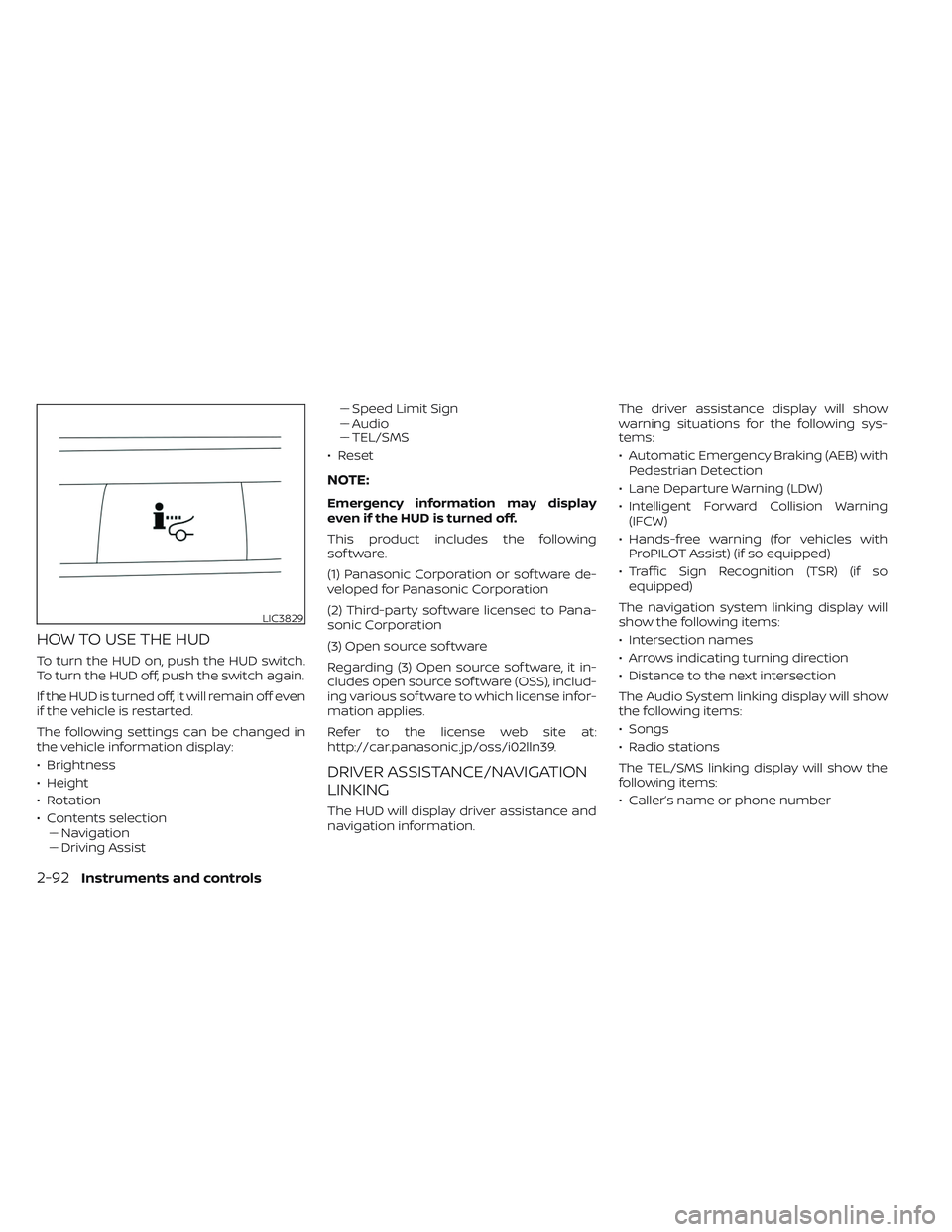
HOW TO USE THE HUD
To turn the HUD on, push the HUD switch.
To turn the HUD off, push the switch again.
If the HUD is turned off, it will remain off even
if the vehicle is restarted.
The following settings can be changed in
the vehicle information display:
• Brightness
• Height
• Rotation
• Contents selection–– Navigation
–– Driving Assist –– Speed Limit Sign
–– Audio
–– TEL/SMS
• Reset
NOTE:
Emergency information may display
even if the HUD is turned off.
This product includes the following
sof tware.
(1) Panasonic Corporation or sof tware de-
veloped for Panasonic Corporation
(2) Third-party sof tware licensed to Pana-
sonic Corporation
(3) Open source sof tware
Regarding (3) Open source sof tware, it in-
cludes open source sof tware (OSS), includ-
ing various sof tware to which license infor-
mation applies.
Refer to the license web site at:
http://car.panasonic.jp/oss/i02lln39.
DRIVER ASSISTANCE/NAVIGATION
LINKING
The HUD will display driver assistance and
navigation information. The driver assistance display will show
warning situations for the following sys-
tems:
• Automatic Emergency Braking (AEB) with
Pedestrian Detection
• Lane Departure Warning (LDW)
• Intelligent Forward Collision Warning (IFCW)
• Hands-free warning (for vehicles with ProPILOT Assist) (if so equipped)
• Traffic Sign Recognition (TSR) (if so equipped)
The navigation system linking display will
show the following items:
• Intersection names
• Arrows indicating turning direction
• Distance to the next intersection
The Audio System linking display will show
the following items:
• Songs
• Radio stations
The TEL/SMS linking display will show the
following items:
• Caller’s name or phone number
LIC3829
2-92Instruments and controls
Page 313 of 647
Rear Automatic Braking (RAB).................5-129
RAB system operation ......................5-130
Turning the RAB system on/off .............5-132
RAB system limitations .....................5-133
System malfunction ........................ 5-135
System maintenance ......................5-135
Automatic Emergency Braking (AEB) with
Pedestrian Detection .......................... 5-136
AEB with Pedestrian Detection system
operation .................................. 5-137
Turning the AEB with Pedestrian
Detection system ON/OFF .................5-140
AEB with Pedestrian Detection system
limitations ................................. 5-141
System temporarily unavailable ............5-145
System malfunction ........................ 5-147
System maintenance ......................5-148
Intelligent Forward Collision Warning (I-FCW) . . 5-149 I-FCW system operation ....................5-152
Turning the I-FCW system on/off ...........5-153
I-FCW system limitations ...................5-155
System temporarily unavailable ............5-161
System malfunction ........................ 5-163
System maintenance ......................5-164Intelligent Driver Alertness (I-DA)
...............5-165
Intelligent Driver Alertness system
operation .................................. 5-166
How to enable/disable the Intelligent
Driver Alertness (I-DA) system ..............5-167
Intelligent Driver Alertness (I-DA)
system limitations ......................... 5-168
Break-in schedule ............................. 5-169
Fuel efficient driving tips .......................5-170
Increasing fuel economy .......................5-171
Intelligent 4X4 (I-4X4) (if so equipped) ...........5-171
Parking/parking on hills .......................5-173
Power steering ................................ 5-174
Brake system ................................. 5-175
Brake precautions .......................... 5-175
Anti-lock Braking System (ABS) .............5-175
Brake Assist ................................ 5-177
Vehicle Dynamic Control (VDC) system ........5-177
How
to turn off the VDC system ............5-179
Rise-up and build-up ....................... 5-179
Brake force distribution ....................5-179
Chassis Control ............................... 5-180
Intelligent Trace Control (I-TC) ..............5-180