indicators NISSAN PATHFINDER 2022 Owner´s Manual
[x] Cancel search | Manufacturer: NISSAN, Model Year: 2022, Model line: PATHFINDER, Model: NISSAN PATHFINDER 2022Pages: 647, PDF Size: 8.48 MB
Page 419 of 647
WARNING
In order to reduce the risk of a collision
that may result in serious injury or
death, please be aware of the following:
• This function is only activated with
the lef t turn signal and will briefly ac-
celerate the vehicle even if a lane
change is not initiated. This can in-
clude non-passing situations such as
lef t side exits.
• Ensure that when passing another
vehicle, the adjacent lane is clear be-
fore initiating the pass. Sudden
changes in traffic may occur while
passing- always manually steer or
brake as needed- never solely rely on
the system.
Speed Limit Assist-afe ature of
ProPILOT Assist with Navi-link (if
so equipped)
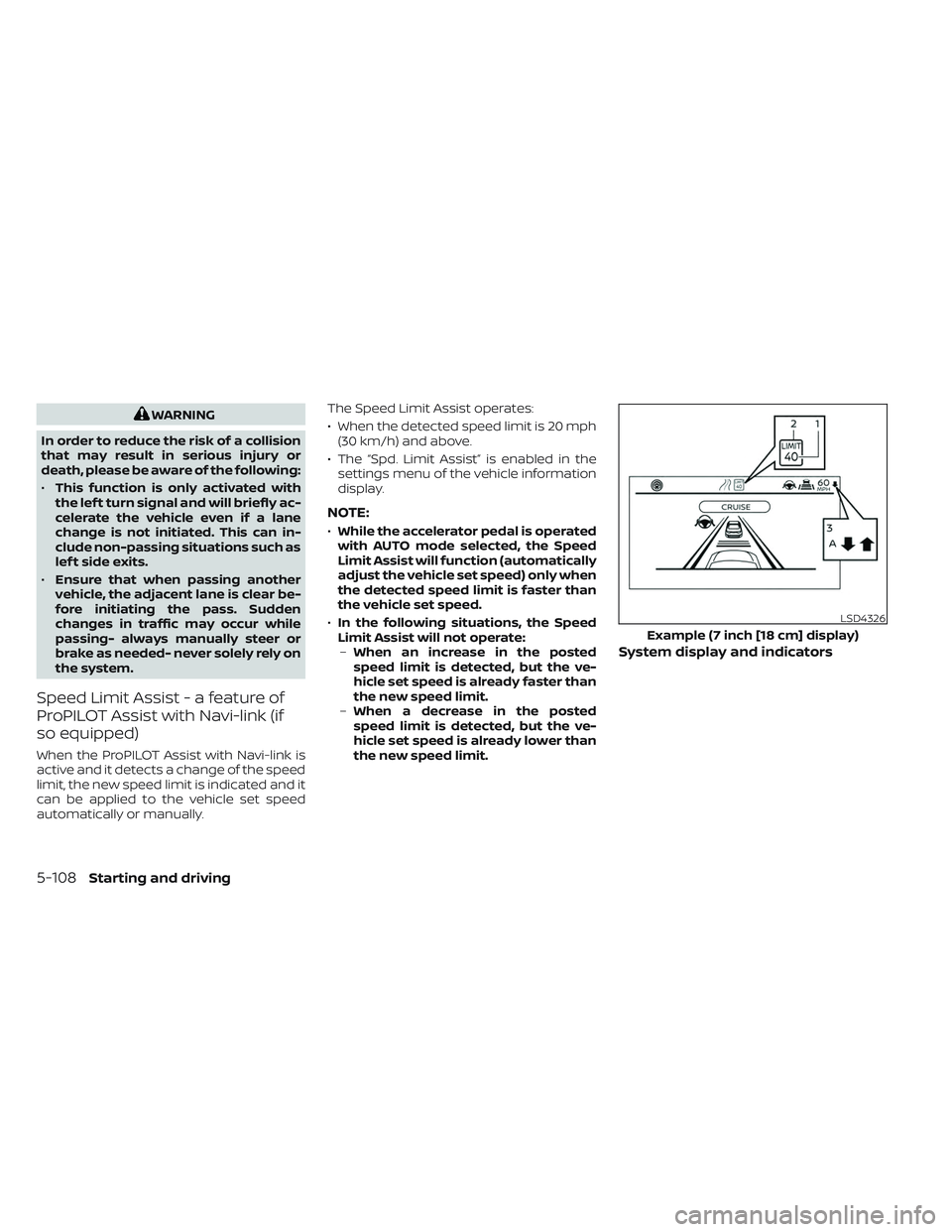
When the ProPILOT Assist with Navi-link is
active and it detects a change of the speed
limit, the new speed limit is indicated and it
can be applied to the vehicle set speed
automatically or manually. The Speed Limit Assist operates:
• When the detected speed limit is 20 mph
(30 km/h) and above.
• The “Spd. Limit Assist” is enabled in the settings menu of the vehicle information
display.
NOTE:
•While the accelerator pedal is operated
with AUTO mode selected, the Speed
Limit Assist will function (automatically
adjust the vehicle set speed) only when
the detected speed limit is faster than
the vehicle set speed.
• In the following situations, the Speed
Limit Assist will not operate: – When an increase in the posted
speed limit is detected, but the ve-
hicle set speed is already faster than
the new speed limit.
– When a decrease in the posted
speed limit is detected, but the ve-
hicle set speed is already lower than
the new speed limit.
System display and indicators
LSD4326
Example (7 inch [18 cm] display)
5-108Starting and driving
Page 421 of 647
3. Select “Spd. Limit Assist”, and press theOK button to select “Auto” or “Manual” to
enable (not activate) the system. To de-
activate the system, select “OFF”.
NOTE:
The system will retain current settings in
the vehicle information display even if
the engine is restarted.
Speed Adjust by Rout e-afeature
of ProPILOT Assist with Navi-link
(if so equipped)
When the ProPILOT Assist with Navi-link is
active on a limited access freeway (as iden-
tified in the navigation map data), the
Speed Adjust by Route uses road informa-
tion provided by the navigation system
and can adjust the vehicle speed depend-
ing on curves, junctions or exits and the
driver may need to apply additional brak-
ing at any time.
When the vehicle is through the curve or
junction, the vehicle will accelerate again to
the set speed. When exiting the limited ac-
cess freeway, the driver will need to apply
braking at the end of the exit.
NOTE:
• The system does not operate when the
accelerator pedal is depressed.
• The system may not operate depend-
ing on the set distance to the vehicle
ahead and vehicles detected ahead.
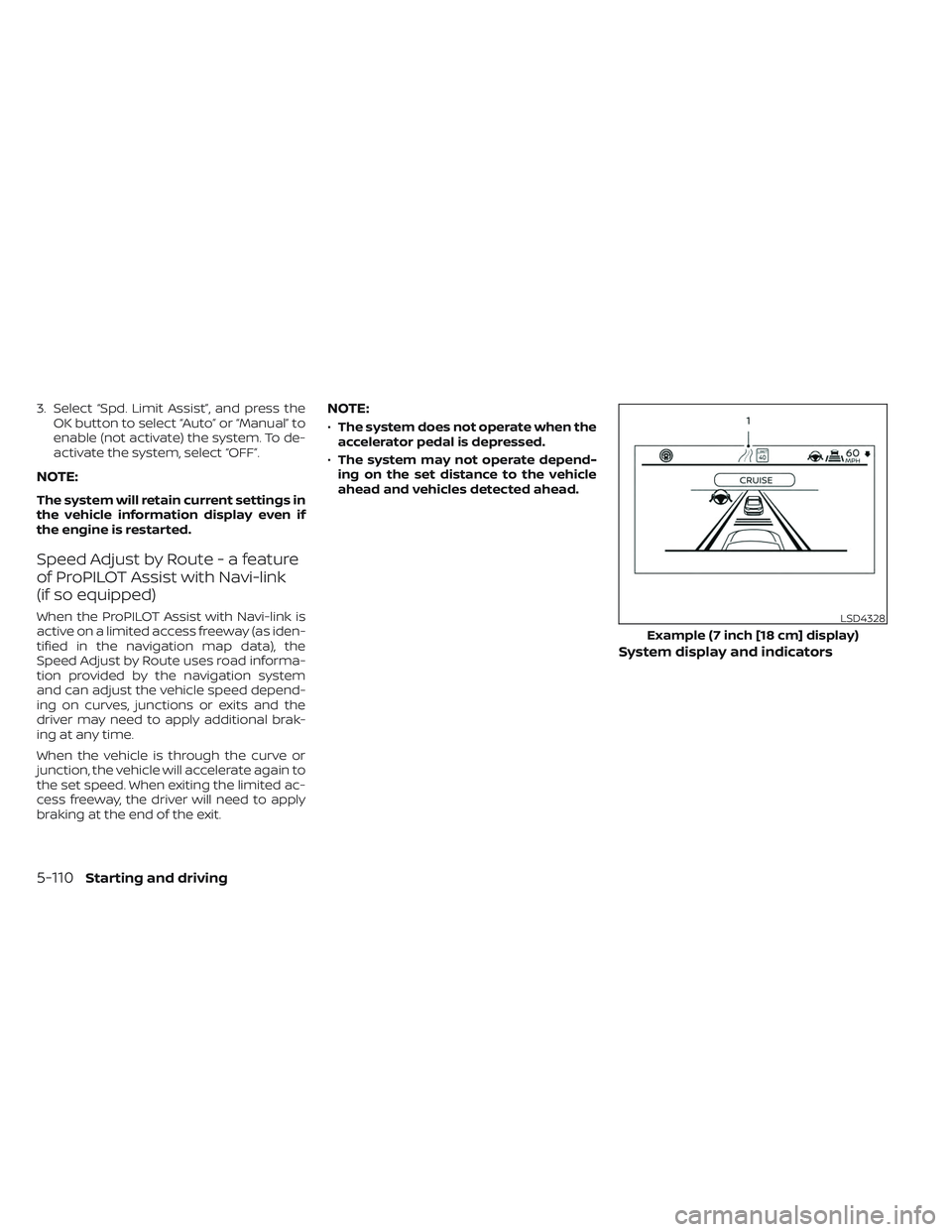
System display and indicators
LSD4328
Example (7 inch [18 cm] display)
5-110Starting and driving
Page 430 of 647
•Always drive carefully and atten-
tively when using the Steering Assist.
Read and understand the Owner’s
Manual thoroughly before using the
Steering Assist. To avoid serious in-
jury or death, do not rely on the sys-
tem to prevent accidents or to con-
trol the vehicle’s speed in emergency
situations. Do not use the Steering
Assist except in appropriate road and
traffic conditions.
Steering Assist operation
The Steering Assist controls the steering
system to help keep your vehicle near the
center of the lane when driving. The Steer-
ing Assist is combined with the Intelligent
Cruise Control (ICC) system. For additional
information, see “Intelligent Cruise Control
(ICC) (for vehicles with ProPILOT Assist)”
(P. 5-102).
The Steering Assist can be activated when
the following conditions are met:
• The ICC system is activated.
• Lane markers on both sides are clearly detected.
• A vehicle ahead is detected (when the vehicle is driven at speeds under 37 mph
[60 km/h]). • The driver grips the steering wheel.
• The vehicle is driven at the center of the
lane.
• The turn signals are not operated.
• The windshield wiper is not operated in the high (HI) speed operation (the Steer-
ing Assist function is disabled af ter the
wiper operates for approximately 10
seconds).
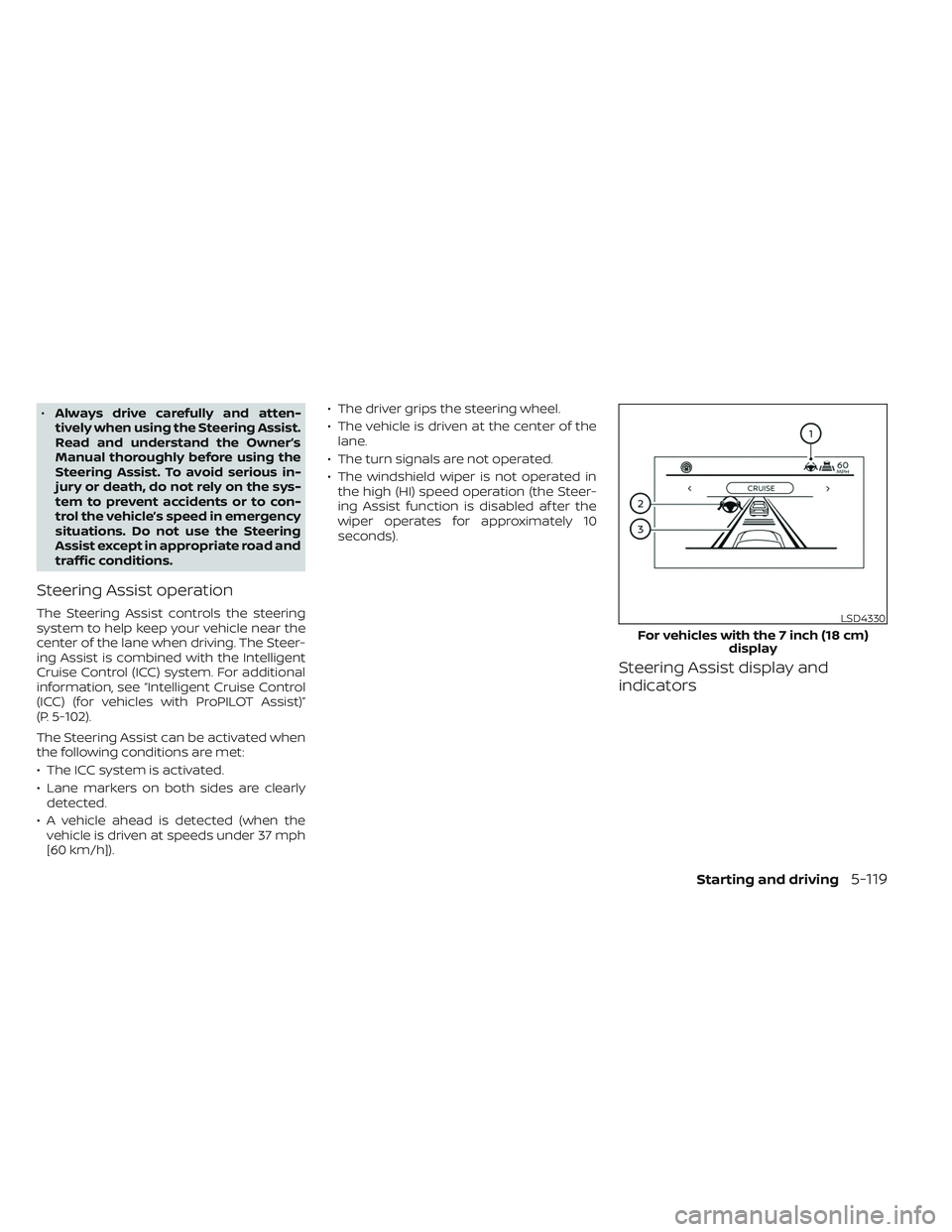
Steering Assist display and
indicators
LSD4330
For vehicles with the 7 inch (18 cm) display
Starting and driving5-119
Page 438 of 647
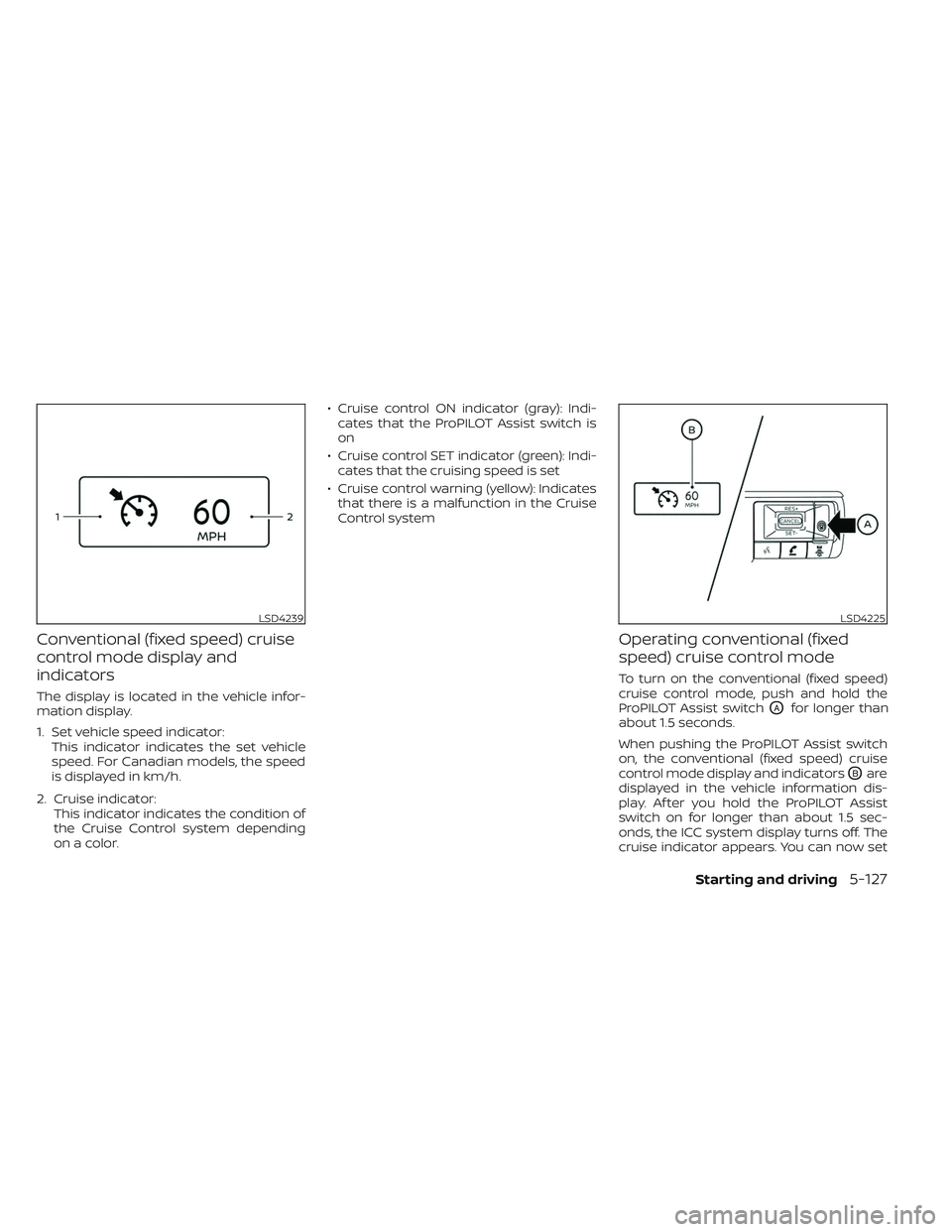
Conventional (fixed speed) cruise
control mode display and
indicators
The display is located in the vehicle infor-
mation display.
1. Set vehicle speed indicator:This indicator indicates the set vehicle
speed. For Canadian models, the speed
is displayed in km/h.
2. Cruise indicator: This indicator indicates the condition of
the Cruise Control system depending
on a color. • Cruise control ON indicator (gray): Indi-
cates that the ProPILOT Assist switch is
on
• Cruise control SET indicator (green): Indi- cates that the cruising speed is set
• Cruise control warning (yellow): Indicates that there is a malfunction in the Cruise
Control system
Operating conventional (fixed
speed) cruise control mode
To turn on the conventional (fixed speed)
cruise control mode, push and hold the
ProPILOT Assist switch
OAfor longer than
about 1.5 seconds.
When pushing the ProPILOT Assist switch
on, the conventional (fixed speed) cruise
control mode display and indicators
OBare
displayed in the vehicle information dis-
play. Af ter you hold the ProPILOT Assist
switch on for longer than about 1.5 sec-
onds, the ICC system display turns off. The
cruise indicator appears. You can now set
LSD4239LSD4225
Starting and driving5-127
Page 492 of 647
If the chassis control warning message ap-
pears in the vehicle information display, it
may indicate that the I-TC is not function-
ing properly. Have the system checked as
soon as possible. It is recommended that
you visit a NISSAN dealer for this service. For
additional information, see “Vehicle infor-
mation display warnings and indicators”
(P. 2-37).
WARNING
The I-TC may not be effective depend-
ing on the driving condition. Always
drive carefully and attentively.
When the I-TC is operating, you may feel a
pulsation in the brake pedal and hear a
noise. This is normal and indicates that the
I-TC is operating properly. You may also feel
deceleration when the I-TC is operating.
However, this is not a malfunction.
ACTIVE RIDE CONTROL (ARC) (if so
equipped)
This system senses upper body motion
and controls four wheel brake pressure.
This will enhance ride comfort in an effort
to restrain uncomfortable upper body
movement when passing over undulated
road surfaces. When the VDC system is
turned off, the ARC is also turned off.
If the chassis control system error warning
message appears in the vehicle informa-
tion display, it may indicate that the ARC is
not functioning properly. Have the system
checked as soon as possible. It is recom-
mended that you visit an NISSAN dealer for
this service.
WARNING
The ARC may not be effective depend-
ing on the driving condition. Always
drive carefully and attentively.
When the ARC is operating, you may feel a
pulsation in the brake pedal and hear a
noise. This is normal and indicates that the
ARC is operating properly. You may also feel
deceleration when the ARC is operating.
However, this is not a malfunction.
WARNING
• Never rely solely on the hill descent
control system to control vehicle
speed when driving on steep down-
hill grades. Always drive carefully and
attentively when using the hill de-
scent control system and decelerate
the vehicle speed by depressing the
brake pedal if necessary. Be espe-
cially careful when driving on frozen,
muddy or extremely steep downhill
roads. Failure to control vehicle
speed may result in a loss of control
of the vehicle and possible serious
injury or death.
• The hill descent control may not con-
trol the vehicle speed on a hill under
all load or road conditions. Always be
prepared to depress the brake pedal
to control vehicle speed. Failure to do
so may result in a collision or serious
personal injury.
The hill descent control system helps
maintain vehicle speed when driving under
15 mph (25 km/h) on steeper downhill
grades. Hill descent control is useful when
engine braking alone cannot control ve-
hicle speed. Hill descent control applies the
HILL DESCENT CONTROL SYSTEM
(if so equipped)
Starting and driving5-181
Page 554 of 647
If the brakes do not operate properly have
the brakes checked. It is recommended
that you visit a NISSAN dealer for this
service.
Self-adjusting brakes
Your vehicle is equipped with self-adjusting
brakes.
The front and rear disc-type brakes self-
adjust every time the brake pedal is
applied.
WARNING
Have your brake system checked if the
brake pedal height does not return to
normal. It is recommended that you
visit a NISSAN dealer for this service.
Brake pad wear indicators
The disc brake pads on your vehicle have
audible wear indicators. When a brake pad
requires replacement, a high pitched
scraping or screeching sound will be heard
when the vehicle is in motion. The noise will
be heard whether or not the brake pedal is
depressed. Have the brakes checked as
soon as possible if the wear indicator
sound is heard. Under some driving or climate conditions,
occasional brake squeak, squeal or other
noise may be heard. Occasional brake
noise during light to moderate stops is nor-
mal and does not affect the function or
performance of the brake system.
Proper brake inspection intervals should
be followed.
For additional information re-
garding brake inspections, see appropriate
maintenance schedule information in the
"Maintenance and schedules" section of
this manual.
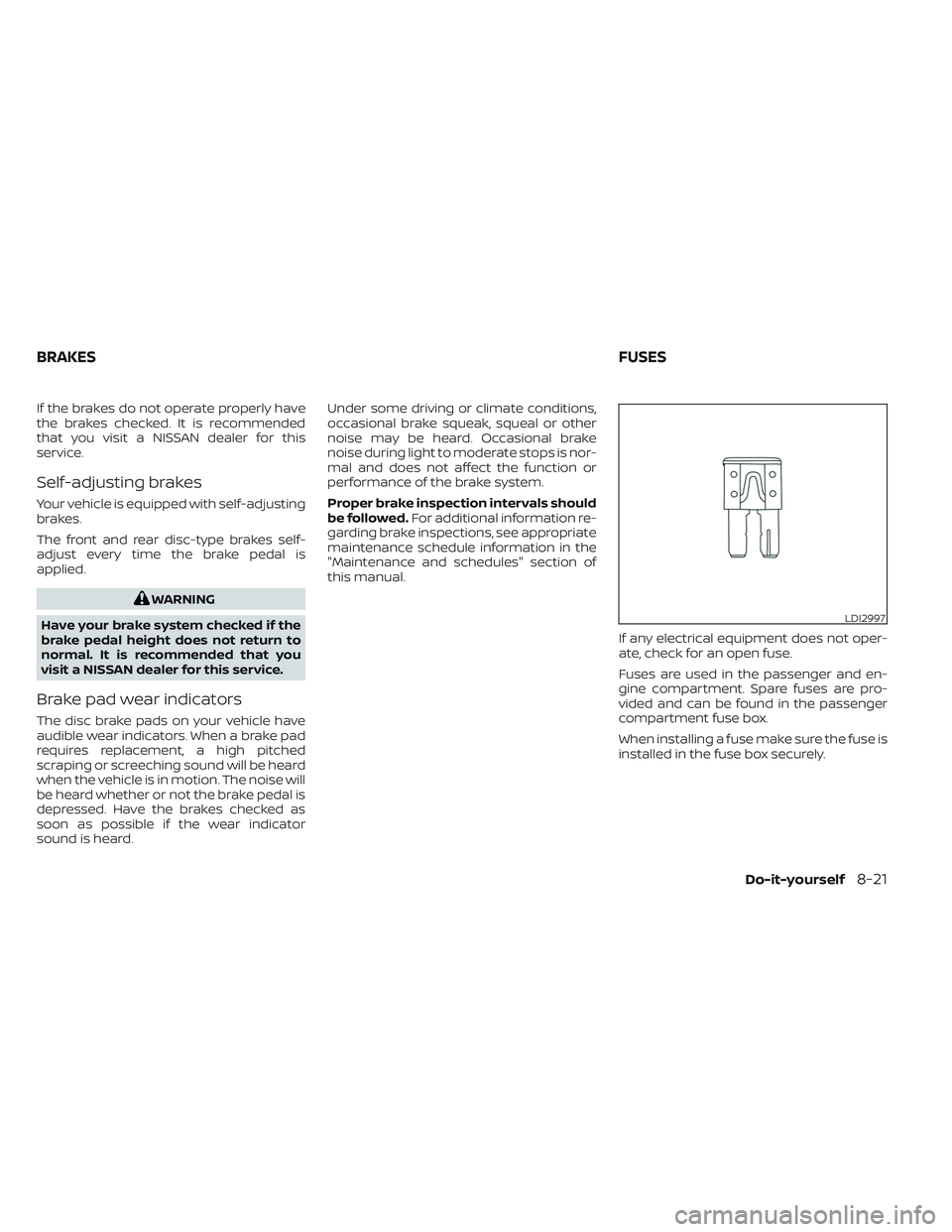
If any electrical equipment does not oper-
ate, check for an open fuse.
Fuses are used in the passenger and en-
gine compartment. Spare fuses are pro-
vided and can be found in the passenger
compartment fuse box.
When installing a fuse make sure the fuse is
installed in the fuse box securely.
LDI2997
BRAKES FUSES
Do-it-yourself8-21
Page 572 of 647
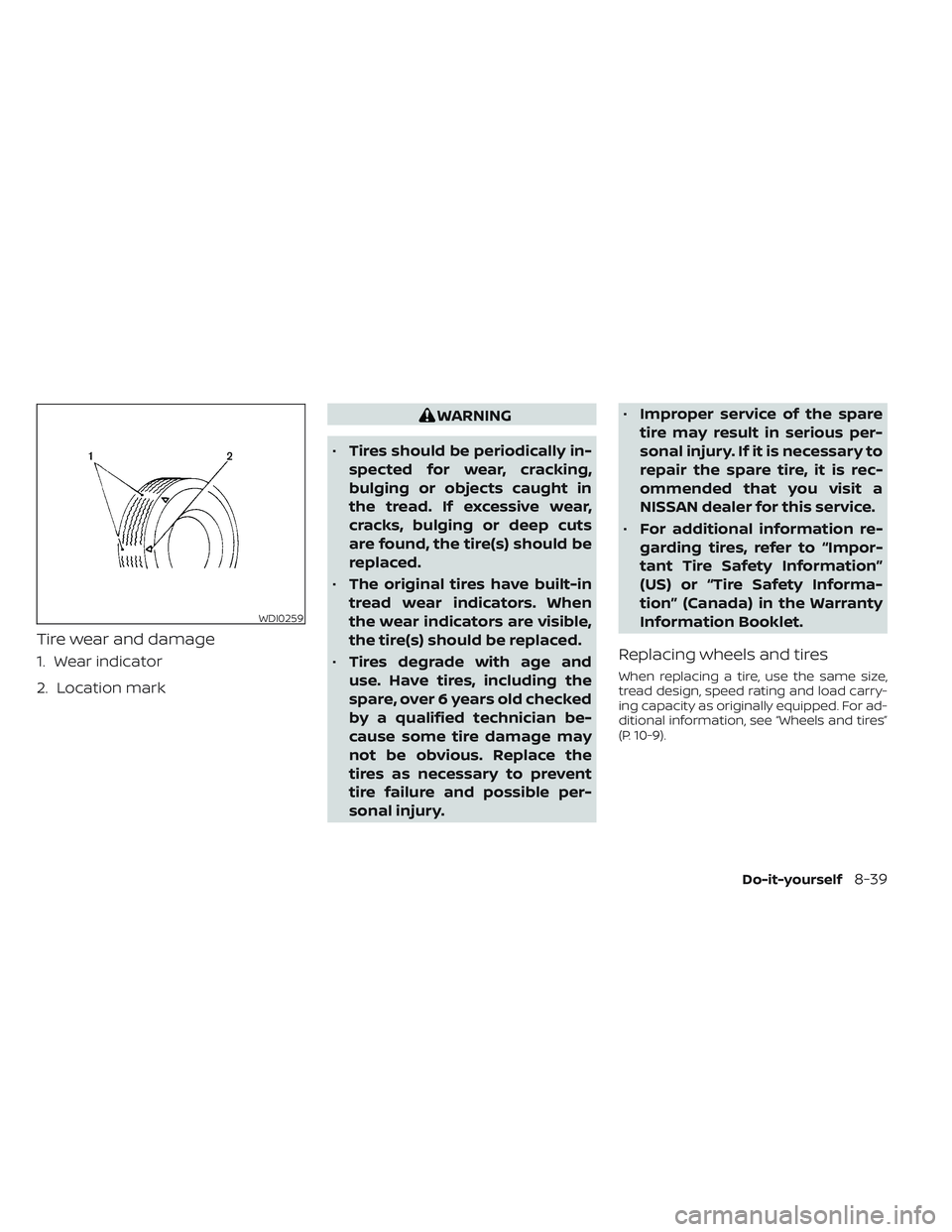
Tire wear and damage
1. Wear indicator
2. Location mark
WARNING
• Tires should be periodically in-
spected for wear, cracking,
bulging or objects caught in
the tread. If excessive wear,
cracks, bulging or deep cuts
are found, the tire(s) should be
replaced.
• The original tires have built-in
tread wear indicators. When
the wear indicators are visible,
the tire(s) should be replaced.
• Tires degrade with age and
use. Have tires, including the
spare, over 6 years old checked
by a qualified technician be-
cause some tire damage may
not be obvious. Replace the
tires as necessary to prevent
tire failure and possible per-
sonal injury. •
Improper service of the spare
tire may result in serious per-
sonal injury. If it is necessary to
repair the spare tire, it is rec-
ommended that you visit a
NISSAN dealer for this service.
• For additional information re-
garding tires, refer to “Impor-
tant Tire Safety Information”
(US) or “Tire Safety Informa-
tion” (Canada) in the Warranty
Information Booklet.
Replacing wheels and tires
When replacing a tire, use the same size,
tread design, speed rating and load carry-
ing capacity as originally equipped. For ad-
ditional information, see “Wheels and tires”
(P. 10-9).
WDI0259
Do-it-yourself8-39
Page 575 of 647
•When driving on roads covered with
snow or ice, the TEMPORARY USE
ONLY spare tire should be used on the
rear wheels and the original tire used
on the front wheels (drive wheels).
• Tire tread of the TEMPORARY USE
ONLY spare tire will wear at a faster
rate than the standard tire. Replace
the spare tire as soon as the tread
wear indicators appear.
• Do not use the spare tire on other
vehicles.
• Do not use more than one spare tire
at the same time.
• Do not tow a trailer when the TEMPO-
RARY USE ONLY spare tire is installed.CAUTION
• Do not use tire chains on a TEMPO-
RARY USE ONLY spare tire. Tire chains
will not fit properly and may cause
damage to the vehicle.
• Because the TEMPORARY USE ONLY
spare tire is smaller than the original
tire, ground clearance is reduced. To
avoid damage to the vehicle, do not
drive over obstacles. Also, do not
drive the vehicle through an auto-
matic car wash since it may get
caught.
8-42Do-it-yourself
Page 636 of 647
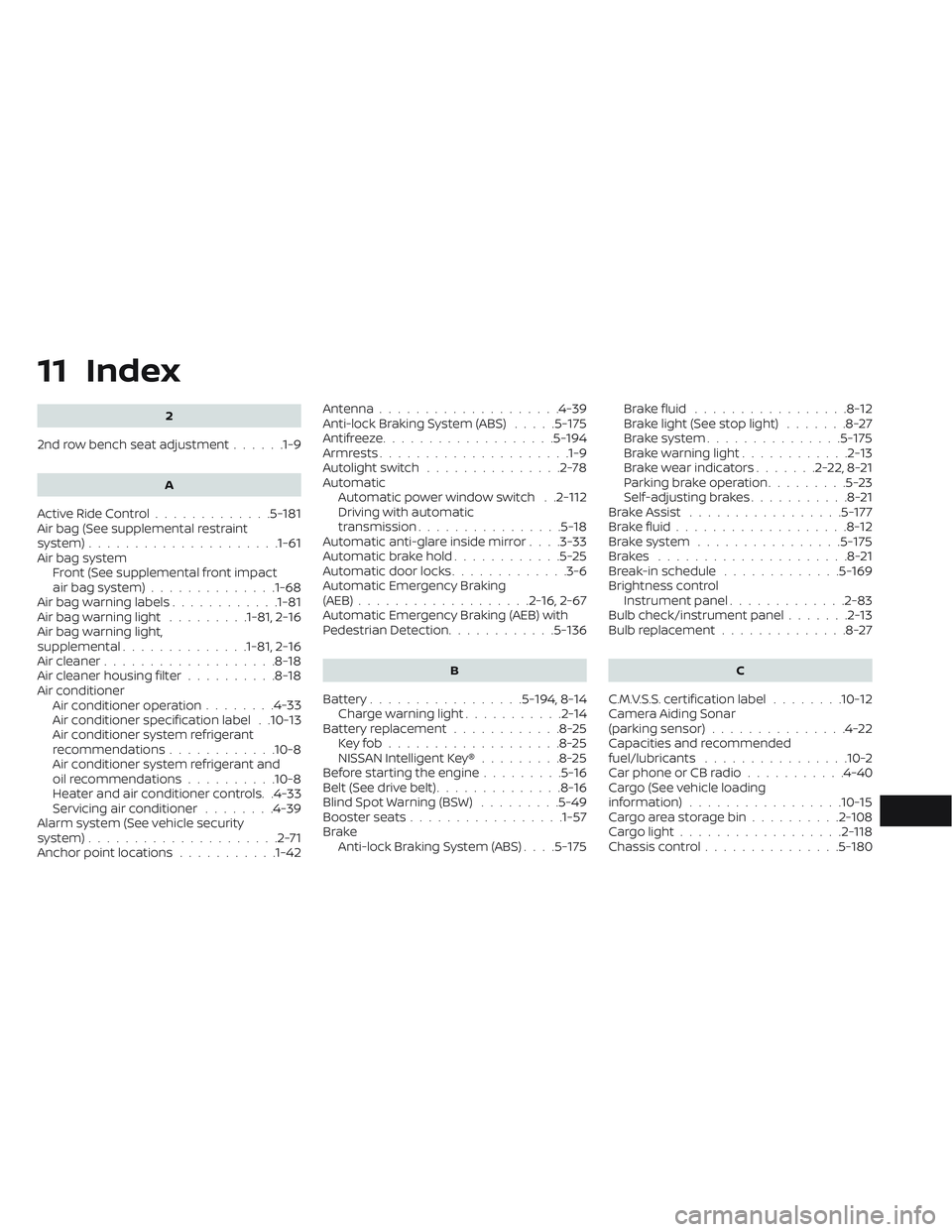
11 Index
2
2nd row bench seat adjustment......1-9
A
Active Ride Control.............5-181Air bag (See supplemental restraint
system).....................1-61Air bag system
Front (See supplemental front impact
air bag system)
..............1-68Air bag warning labels............1-81Air bag warning light.........1-81, 2-16Air bag warning light,
supplemental..............1-81, 2-16Air cleaner...................8-18Air cleaner housing filter..........8-18Air conditionerAir conditioner operation........4-33Air conditioner specification label. .10-13Air conditioner system refrigerant
recommendations............10-8Air conditioner system refrigerant and
oil recommendations..........10-8Heater and air conditioner controls. .4-33Servicing air conditioner........4-39Alarm system (See vehicle security
system).....................2-71Anchor point locations...........1-42
Antenna................... .4-39Anti-lock Braking System (ABS).....5-175Antifreeze...................5-194Armrests.................... .1-9Autolight switch...............2-78Automatic
Automatic power window switch. .2-112Driving with automatic
transmission................5-18Automatic anti-glare inside mirror. . . .3-33Automatic brake hold............5-25Automatic door locks.............3-6Automatic Emergency Braking
(AEB)...................2-16, 2-67Automatic Emergency Braking (AEB) with
Pedestrian Detection............5-136
B
Battery.................5-194, 8-14Charge warning light...........2-14Battery replacement............8-25Key fob...................8-25NISSAN Intelligent Key®.........8-25Before starting the engine.........5-16Belt (See drive belt)..............8-16Blind Spot Warning (BSW).........5-49Booster seats.................1-57Brake
Anti-lock Braking System (ABS). . . .5-175
Brake fluid.................8-12Brake light (See stop light).......8-27Brake system...............5-175Brake warning light............2-13Brake wear indicators.......2-22,8-21Parking brake operation.........5-23Self-adjusting brakes...........8-21Brake Assist.................5-177Brake fluid...................8-12Brake system................5-175Brakes.....................8-21Break-in schedule.............5-169Brightness controlInstrument panel.............2-83Bulb check/instrument panel.......2-13Bulb replacement..............8-27
C
C.M.V.S.S. certification label........10-12Camera Aiding Sonar
(parking sensor)...............4-22Capacities and recommended
fuel/lubricants................10-2Car phone or CB radio...........4-40Cargo (See vehicle loading
information)................ .10-15Cargo area storage bin..........2-108Cargo light..................2-118Chassis control...............5-180