ECO mode NISSAN PATHFINDER 2022 Owner´s Manual
[x] Cancel search | Manufacturer: NISSAN, Model Year: 2022, Model line: PATHFINDER, Model: NISSAN PATHFINDER 2022Pages: 647, PDF Size: 8.48 MB
Page 359 of 647
SYSTEM TEMPORARILY
UNAVAILABLE
Condition A:
The warning and assist functions of the I-LI
system are not designed to work under the
following conditions:
•
When you operate the lane change signal
and change the traveling lanes in the direc-
tion of the signal. (The I-LI system will be
deactivated for approximately 2 seconds
af ter the lane change signal is turned off.)
• When the vehicle speed lowers to less than approximately 37 mph (60 km/h).
Af ter the above conditions have finished
and the necessary operating conditions
are satisfied, the warning and assist func-
tions will resume.
Condition B:
The assist function of the I-LI system is not
designed to work under the following con-
ditions (warning is still functional):
• When the brake pedal is depressed.
• When the steering wheel is turned as far as necessary for the vehicle to change
lanes.
• When the vehicle is accelerated during I-LI system operation. • When the Intelligent Cruise Control (ICC)
approach warning occurs.
• When the hazard warning flashers are operated.
• When driving on a curve at high speed.
Af ter the above conditions have finished
and the necessary operating conditions
are satisfied, the I-LI system application of
the brakes will resume.
Condition C:
If the following messages appear in the
vehicle information display, the I-LI system
will be turned off automatically.
• “Not Available Poor Road Conditions” When the VDC system (except Traction
Control System [TCS] function) or ABS
operates.
• “Currently not available”: – When the VDC system is turned off.
– When the SNOW mode, or the MUD/ RUT mode or SAND mode (4WD mod-
els only) is selected.
Action to take:
When the above conditions no longer exist,
turn off the I-LI system. Push the ProPILOT
Assist switch (for vehicles with ProPILOT
Assist) on the steering wheel again to turn
the I-LI system back on. Temporary disabled status at high
temperature:
If the vehicle is parked in direct sunlight
under high temperature conditions (over
approximately 104°F [40°C]) and then the
I-LI system is turned on, the I-LI system
may be deactivated automatically and the
following message will appear on the ve-
hicle information display: “Unavailable: High
Cabin Temperature.”
SYSTEM MALFUNCTION
If the I-LI system malfunctions, it will cancel
automatically. The LDW indicator (orange)
and the “Not Available System Malfunction”
warning message will display. If the LDW
indicator (orange) and the warning mes-
sage appear in the display, pull off the road
to a safe location and stop the vehicle. Turn
the engine/motor off and restart the
engine/motor. If the LDW indicator (orange)
and warning message continue to appear,
have the I-LI system checked. It is recom-
mended that you visit a NISSAN dealer for
this service.
5-48Starting and driving
Page 372 of 647
SYSTEM MAINTENANCE
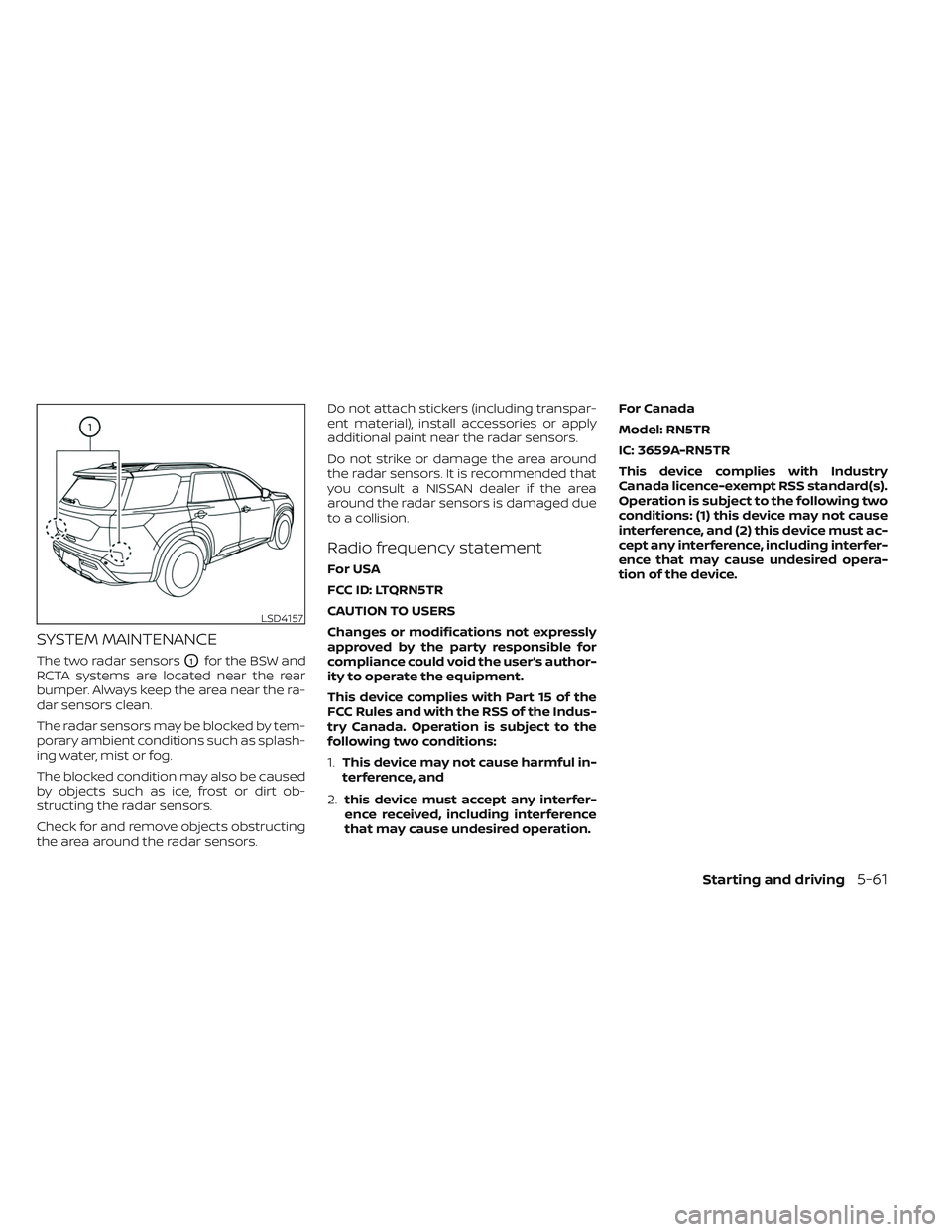
The two radar sensorsO1for the BSW and
RCTA systems are located near the rear
bumper. Always keep the area near the ra-
dar sensors clean.
The radar sensors may be blocked by tem-
porary ambient conditions such as splash-
ing water, mist or fog.
The blocked condition may also be caused
by objects such as ice, frost or dirt ob-
structing the radar sensors.
Check for and remove objects obstructing
the area around the radar sensors. Do not attach stickers (including transpar-
ent material), install accessories or apply
additional paint near the radar sensors.
Do not strike or damage the area around
the radar sensors. It is recommended that
you consult a NISSAN dealer if the area
around the radar sensors is damaged due
to a collision.
Radio frequency statement
For USA
FCC ID: LTQRN5TR
CAUTION TO USERS
Changes or modifications not expressly
approved by the party responsible for
compliance could void the user’s author-
ity to operate the equipment.
This device complies with Part 15 of the
FCC Rules and with the RSS of the Indus-
try Canada. Operation is subject to the
following two conditions:
1.
This device may not cause harmful in-
terference, and
2. this device must accept any interfer-
ence received, including interference
that may cause undesired operation. For Canada
Model: RN5TR
IC: 3659A-RN5TR
This device complies with Industry
Canada licence-exempt RSS standard(s).
Operation is subject to the following two
conditions: (1) this device may not cause
interference, and (2) this device must ac-
cept any interference, including interfer-
ence that may cause undesired opera-
tion of the device.
LSD4157
Starting and driving5-61
Page 384 of 647
NOTE:
• The radar sensors may not detect a ve-hicle which is traveling at about the
same speed as your vehicle when it en-
ters the detection zone.
• I-BSI will not operate or will stop oper- ating and only a warning chime will
sound under the following conditions:– When the brake pedal is depressed.
– When the vehicle is accelerated dur- ing I-BSI system operation.
– When steering quickly.
– When the ICC, I-FCW or AEB with Pe- destrian Detection warnings sound.
– When the hazard warning flashers are operated.
– When driving on a curve at a high speed.
– When the BSW system is turned off.
SYSTEM TEMPORARILY
UNAVAILABLE
Under the following conditions, a chime will
sound, the following message will appear
in the vehicle information display and the
I-BSI system will be turned off automati-
cally. The I-BSI system will not be available
until the conditions no longer exist. • “Not available Poor Road Conditions”
– When the VDC system (except TCS function) or ABS operates.
• “Currently not available” – When the VDC system is turned off.
– When the SNOW mode, or the MUD/ RUT mode or SAND mode (4WD mod-
els only) is selected
• “Unavailable High Cabin Temperature”: If the vehicle is parked in direct sunlight
under high temperature conditions
(over approximately 104°F (40°C)).
• “Unavailable Side Radar Obstruction”: When side radar blockage is detected.
Turn off the I-BSI system and turn it on
again when the above conditions no lon-
ger exist.
SYSTEM MALFUNCTION
When the I-BSI system malfunctions, it will
be turned off automatically, a chime will
sound, and the “Not available System Mal-
function” warning message with the BSW
indicator (orange) will appear in the vehicle
information display.
Action to take:
Stop the vehicle in a safe location, place the
vehicle in the P (Park) position, turn the en-
gine off and restart the engine. If the “Not
available System Malfunction” warning
message with the BSW indicator (orange)
continues to be displayed, have the I-BSI
system checked. It is recommended you
visit a certified NISSAN dealer for this
service.
Starting and driving5-73
Page 395 of 647

SYSTEM MAINTENANCE
The two radar sensorsO1for the BSW and
RCTA systems are located near the rear
bumper. Always keep the area near the ra-
dar sensors clean.
The radar sensors may be blocked by tem-
porary ambient conditions such as splash-
ing water, mist or fog.
The blocked condition may also be caused
by objects such as ice, frost or dirt ob-
structing the radar sensors.
Check for and remove objects obstructing
the area around the radar sensors. Do not attach stickers (including transpar-
ent material), install accessories or apply
additional paint near the radar sensors.
Do not strike or damage the area around
the radar sensors. It is recommended that
you consult a NISSAN dealer if the area
around the radar sensors is damaged due
to a collision.
Radio frequency statement
For USA
FCC ID: LTQRN5TR
CAUTION TO USERS
Changes or modifications not expressly
approved by the party responsible for
compliance could void the user’s author-
ity to operate the equipment.
This device complies with Part 15 of the
FCC Rules and with the RSS of the Indus-
try Canada. Operation is subject to the
following two conditions:
1.
This device may not cause harmful in-
terference, and
2. this device must accept any interfer-
ence received, including interference
that may cause undesired operation. For Canada
Model: RN5TR
IC: 3659A-RN5TR
This device complies with Industry
Canada licence-exempt RSS standard(s).
Operation is subject to the following two
conditions: (1) this device may not cause
interference, and (2) this device must ac-
cept any interference, including interfer-
ence that may cause undesired opera-
tion of the device.
LSD4157
5-84Starting and driving
Page 404 of 647
– No vehicle icon shown: No vehicle de-tected ahead (Your vehicle maintains
the driver-selected set speed.)
• Speed control status indicator (or- ange): Indicates an ICC malfunction
For the lane marker indicator, see “Steering
Assist display and indicators” (P. 5-119).
9. Set vehicle speed indicator
Indicates the set vehicle speed
10. Vehicle set speed indicator (if so
equipped) (
)
Indicates the vehicle set speed
11. Road information indicator (if so
equipped) (
,)
Indicates the detected road
information.
For additional information, see “Speed
Adjust by Rout e-afeature of ProPILOT
Assist with Navi-link” (P. 5-110). 12.
Detected speed limit indicator (if so
equipped) (
)
Indicates the currently detected speed
limit.
For additional information, see “Speed
Limit Assist-afe ature of ProPILOT As-
sist with Navi-link” (P. 5-108).
13. Speed Limit Assist indicator (if so
equipped) (A,
,)
Indicates the Speed Limit Assist activa-
tion mode or system operation.
For additional information, see “Speed
Limit Assist-afe ature of ProPILOT As-
sist with Navi-link” (P. 5-108).
TURNING THE CONVENTIONAL
(fixed speed) CRUISE CONTROL
MODE ON
NOTE:
ProPILOT Assist provides no approach
warnings, automatic braking, or steering
assist in the conventional (fixed speed)
cruise control mode.
To choose the conventional (fixed speed)
cruise control mode, push and hold the
ProPILOT Assist switch for longer than ap-
proximately 1.5 seconds. For additional in-
formation, see “Conventional (fixed speed)
cruise control mode” (P. 5-126).
Starting and driving5-93
Page 408 of 647
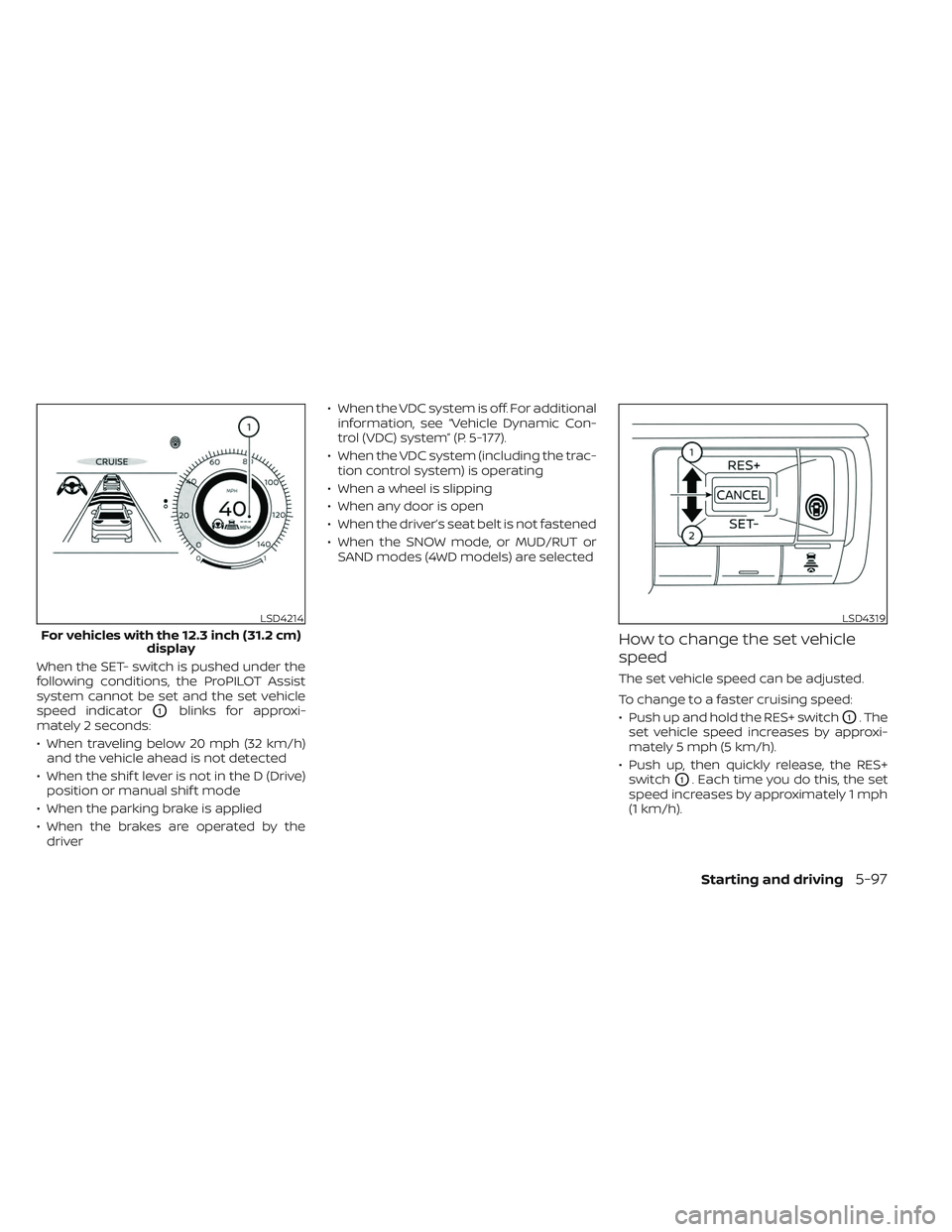
When the SET- switch is pushed under the
following conditions, the ProPILOT Assist
system cannot be set and the set vehicle
speed indicator
O1blinks for approxi-
mately 2 seconds:
• When traveling below 20 mph (32 km/h) and the vehicle ahead is not detected
• When the shif t lever is not in the D (Drive) position or manual shif t mode
• When the parking brake is applied
• When the brakes are operated by the driver • When the VDC system is off. For additional
information, see “Vehicle Dynamic Con-
trol (VDC) system” (P. 5-177).
• When the VDC system (including the trac- tion control system) is operating
• When a wheel is slipping
• When any door is open
• When the driver’s seat belt is not fastened
• When the SNOW mode, or MUD/RUT or SAND modes (4WD models) are selected
How to change the set vehicle
speed
The set vehicle speed can be adjusted.
To change to a faster cruising speed:
• Push up and hold the RES+ switch
O1. The
set vehicle speed increases by approxi-
mately 5 mph (5 km/h).
• Push up, then quickly release, the RES+ switch
O1. Each time you do this, the set
speed increases by approximately 1 mph
(1 km/h).
LSD4214
For vehicles with the 12.3 inch (31.2 cm) display
LSD4319
Starting and driving5-97
Page 416 of 647
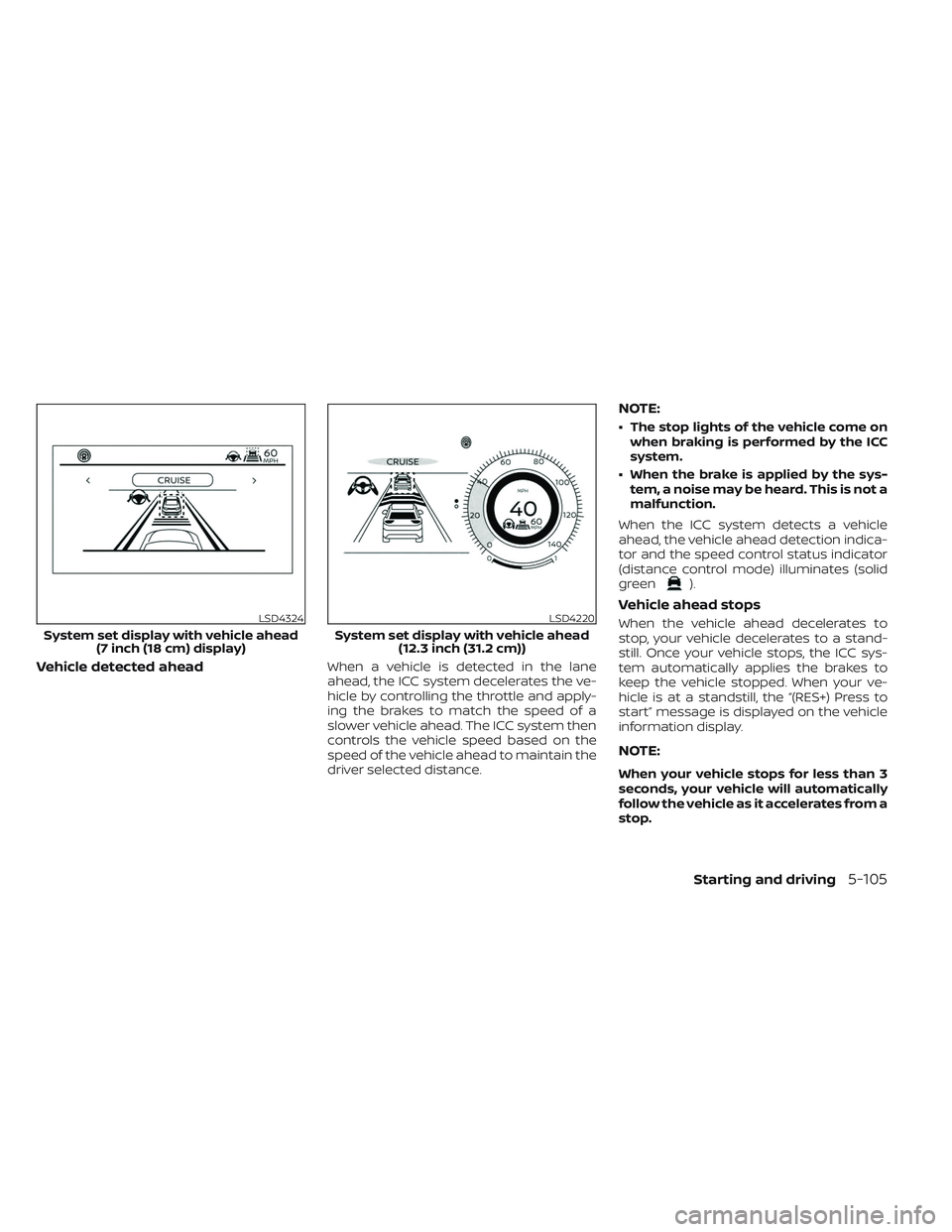
Vehicle detected aheadWhen a vehicle is detected in the lane
ahead, the ICC system decelerates the ve-
hicle by controlling the throttle and apply-
ing the brakes to match the speed of a
slower vehicle ahead. The ICC system then
controls the vehicle speed based on the
speed of the vehicle ahead to maintain the
driver selected distance.
NOTE:
• The stop lights of the vehicle come onwhen braking is performed by the ICC
system.
• When the brake is applied by the sys- tem, a noise may be heard. This is not a
malfunction.
When the ICC system detects a vehicle
ahead, the vehicle ahead detection indica-
tor and the speed control status indicator
(distance control mode) illuminates (solid
green
).
Vehicle ahead stops
When the vehicle ahead decelerates to
stop, your vehicle decelerates to a stand-
still. Once your vehicle stops, the ICC sys-
tem automatically applies the brakes to
keep the vehicle stopped. When your ve-
hicle is at a standstill, the “(RES+) Press to
start” message is displayed on the vehicle
information display.
NOTE:
When your vehicle stops for less than 3
seconds, your vehicle will automatically
follow the vehicle as it accelerates from a
stop.
LSD4324
System set display with vehicle ahead (7 inch (18 cm) display)
LSD4220
System set display with vehicle ahead (12.3 inch (31.2 cm))
Starting and driving5-105
Page 417 of 647
Vehicle ahead accelerates
•When your vehicle is stopped for less than
approximately 3 seconds and the vehicle
ahead begins to move, your vehicle will
start moving again automatically.
• When your vehicle is at a standstill for more than approximately 3 seconds and
the vehicle ahead begins to accelerate,
push up the RES+ switch or lightly de-
press the accelerator pedal. The ICC sys-
tem starts to follow the vehicle ahead.
• Always check surroundings before re- starting the vehicle.
• For vehicles equipped with ProPILOT As- sist with Navi-link and only when on a
limited access freeway (as identified in
the navigation map data):– The time the vehicle can remain stopped and automatically restart is
extended from 3 seconds to 30
seconds.
– If a vehicle ahead cuts in or out of the lane ahead, the vehicle may not auto-
matically start when the traffic ahead
begins to move. You need to push up
the RES+ switch or lightly depress the
accelerator pedal to follow the vehicle
directly ahead when it is safe to do so.
Vehicle ahead not detected
When a vehicle is no longer detected
ahead, the ICC system gradually acceler-
ates your vehicle to resume the previously
set vehicle speed. The ICC system then
maintains the set speed.
When a vehicle is no longer detected, the
vehicle ahead detection indicator turns off
and speed control status indicator (main-
tain speed control mode) illuminates
(green outline
).
The ICC system gradually accelerates to
the set speed, but you can depress the
accelerator pedal to quickly accelerate.
When a vehicle is no longer detected and
your vehicle is traveling under approxi-
mately 15 mph (24 km/h), the ICC system
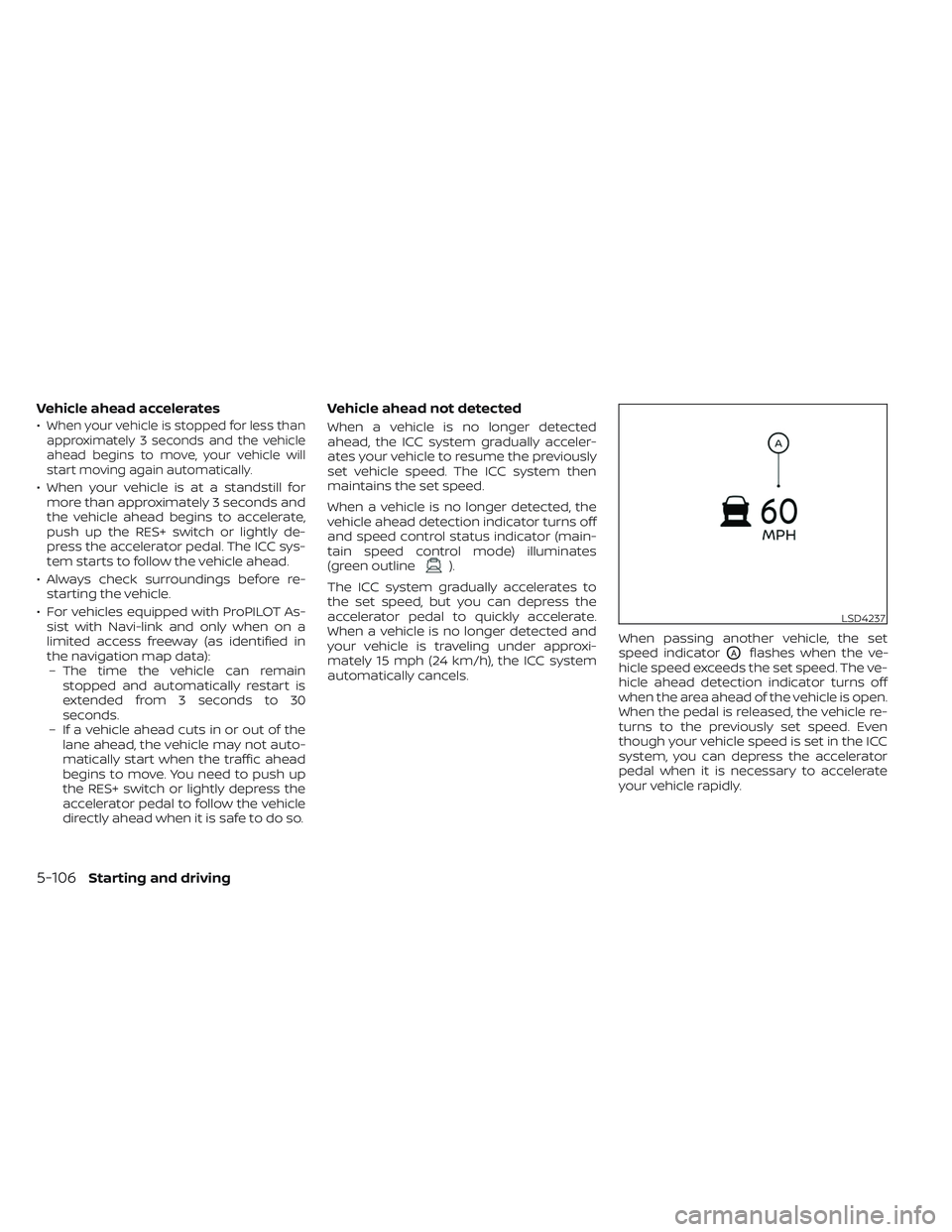
automatically cancels. When passing another vehicle, the set
speed indicator
OAflashes when the ve-
hicle speed exceeds the set speed. The ve-
hicle ahead detection indicator turns off
when the area ahead of the vehicle is open.
When the pedal is released, the vehicle re-
turns to the previously set speed. Even
though your vehicle speed is set in the ICC
system, you can depress the accelerator
pedal when it is necessary to accelerate
your vehicle rapidly.
LSD4237
5-106Starting and driving
Page 420 of 647
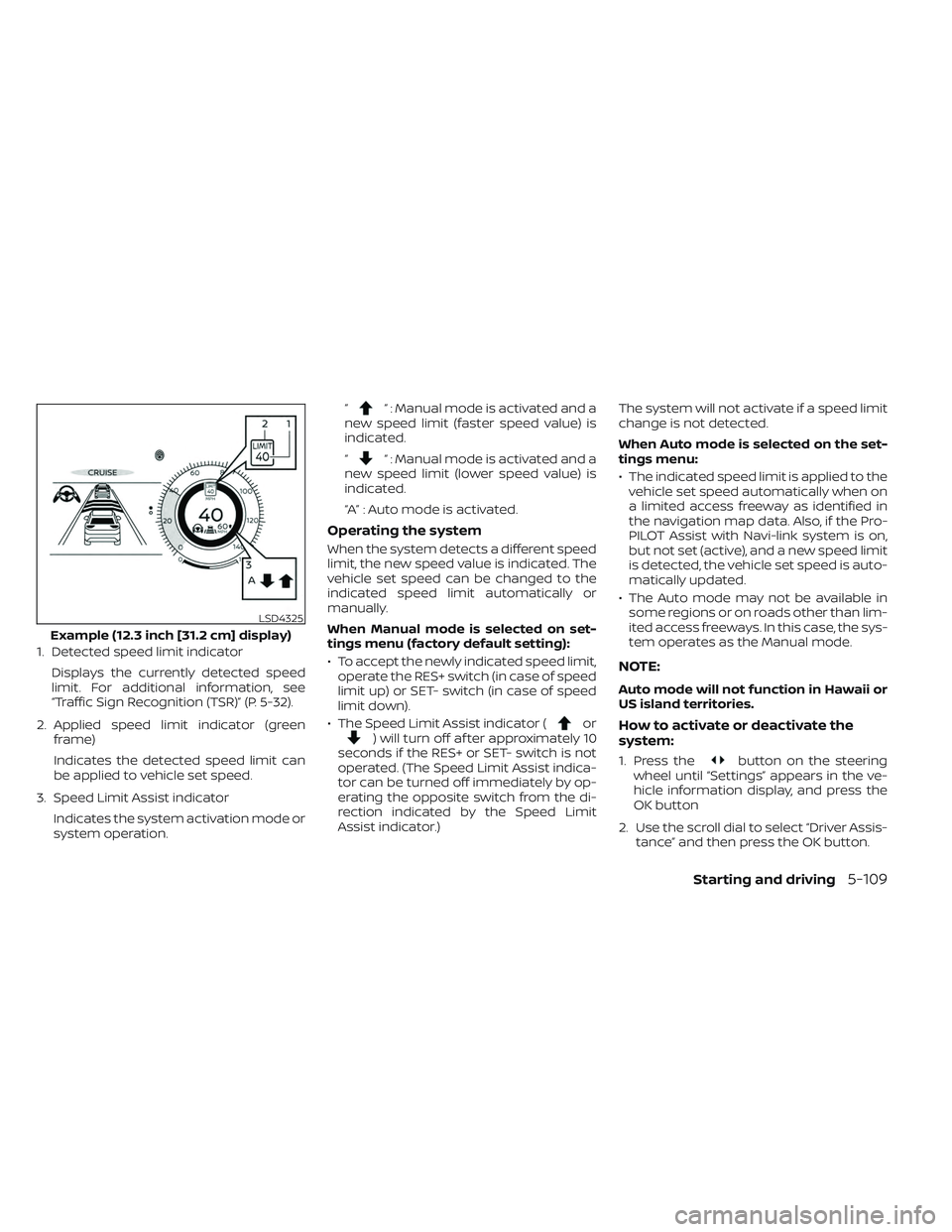
1. Detected speed limit indicatorDisplays the currently detected speed
limit. For additional information, see
“Traffic Sign Recognition (TSR)” (P. 5-32).
2. Applied speed limit indicator (green frame)
Indicates the detected speed limit can
be applied to vehicle set speed.
3. Speed Limit Assist indicator Indicates the system activation mode or
system operation. “
“ : Manual mode is activated and a
new speed limit (faster speed value) is
indicated.
“
“ : Manual mode is activated and a
new speed limit (lower speed value) is
indicated.
“A” : Auto mode is activated.
Operating the system
When the system detects a different speed
limit, the new speed value is indicated. The
vehicle set speed can be changed to the
indicated speed limit automatically or
manually.
When Manual mode is selected on set-
tings menu (factory default setting):
• To accept the newly indicated speed limit, operate the RES+ switch (in case of speed
limit up) or SET- switch (in case of speed
limit down).
• The Speed Limit Assist indicator (
or) will turn off af ter approximately 10
seconds if the RES+ or SET- switch is not
operated. (The Speed Limit Assist indica-
tor can be turned off immediately by op-
erating the opposite switch from the di-
rection indicated by the Speed Limit
Assist indicator.) The system will not activate if a speed limit
change is not detected.
When Auto mode is selected on the set-
tings menu:
• The indicated speed limit is applied to the
vehicle set speed automatically when on
a limited access freeway as identified in
the navigation map data. Also, if the Pro-
PILOT Assist with Navi-link system is on,
but not set (active), and a new speed limit
is detected, the vehicle set speed is auto-
matically updated.
• The Auto mode may not be available in some regions or on roads other than lim-
ited access freeways. In this case, the sys-
tem operates as the Manual mode.
NOTE:
Auto mode will not function in Hawaii or
US island territories.
How to activate or deactivate the
system:
1. Press thebutton on the steering
wheel until “Settings” appears in the ve-
hicle information display, and press the
OK button
2. Use the scroll dial to select “Driver Assis- tance” and then press the OK button.
LSD4325
Example (12.3 inch [31.2 cm] display)
Starting and driving5-109
Page 426 of 647

When driving on some roads, such as wind-
ing, hilly, curved, narrow roads, or roads
which are under construction, the radar
sensor may detect vehicles in a different
lane, or may temporarily not detect a ve-
hicle traveling ahead. This may cause the
radar system to decelerate or accelerate
the vehicle.
The detection of vehicles may also be af-
fected by vehicle operation (steering ma-
neuver or traveling position in the lane, etc.)
or vehicle condition.If this occurs, the ICC system may warn you
by blinking the system indicator and sound-
ing the chime unexpectedly. You will have to
manually control the proper distance away
from the vehicle traveling ahead.
System Temporarily Unavailable
The following are conditions in which the
ICC system may be temporarily unavail-
able. In these instances, the ICC system
may not cancel and may not be able to
maintain the selected following distance
from the vehicle ahead.Condition A
Under the following conditions, the ICC sys-
tem is automatically canceled. A chime will
sound and the system will not be able to be
set:
• Any door is open.
• The driver’s seat belt is not fastened.
• The vehicle ahead is not detected and
your vehicle is traveling below the speed
of 15 mph (24 km/h). For ProPILOT Assist
with Navi-link equipped vehicles on a lim-
ited access freeway as identified in the
navigation map data, the ICC system
cancels and a warning chime sounds if
your vehicle is at a standstill for more
than approximately 3 seconds and a ve-
hicle is not detected ahead.
• Your vehicle has been stopped by the ICC system for approximately 3 minutes or
longer.
• The shif t lever is not in the D (Drive) posi- tion or manual shif t mode.
• The electronic parking brake is applied.
• The VDC system is turned off.
• The AEB with Pedestrian Detection ap- plies harder braking.
• VDC (including the traction control sys- tem) operates.
SSD0253
Starting and driving5-115