cabin NISSAN PATHFINDER 2022 Owner´s Manual
[x] Cancel search | Manufacturer: NISSAN, Model Year: 2022, Model line: PATHFINDER, Model: NISSAN PATHFINDER 2022Pages: 647, PDF Size: 8.48 MB
Page 3 of 647
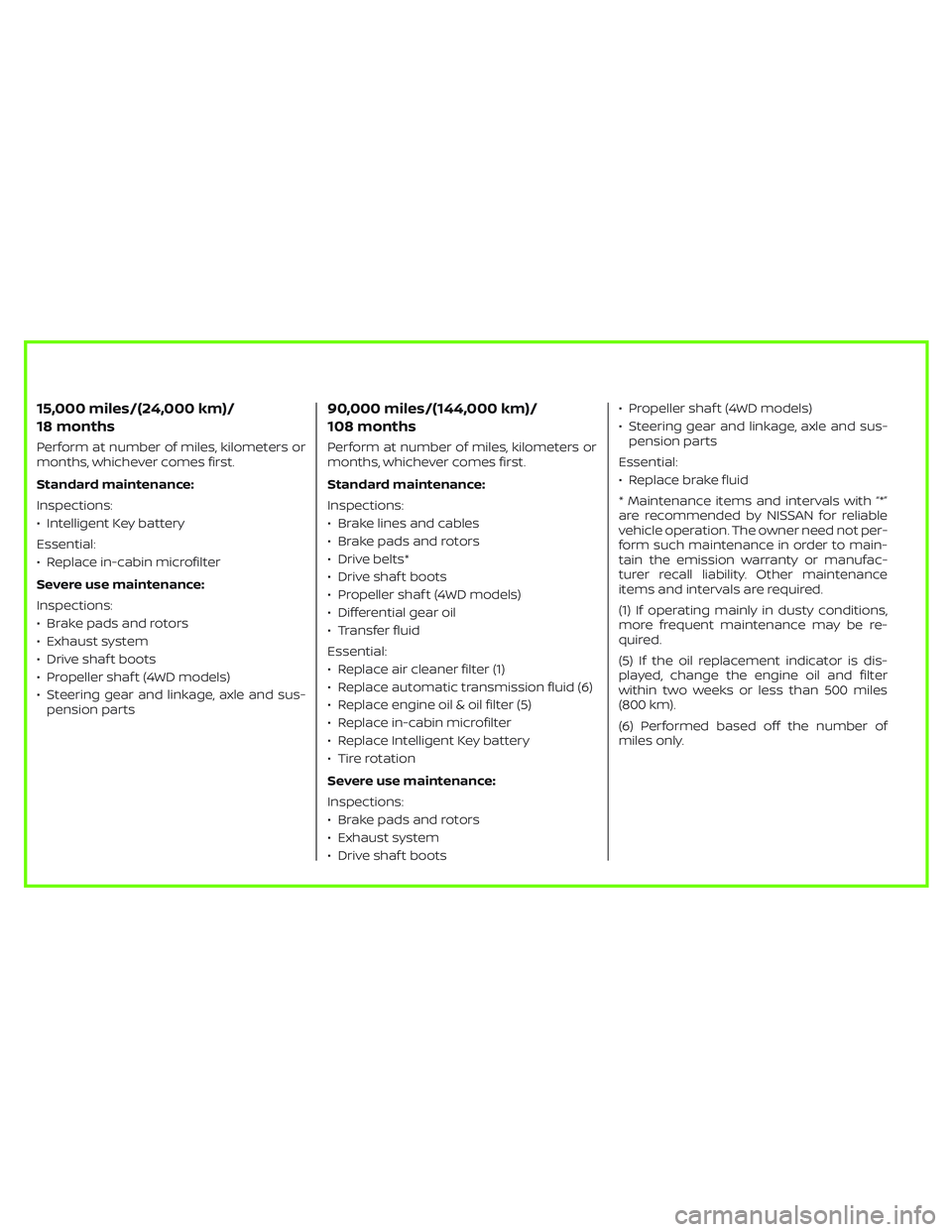
15,000 miles/(24,000 km)/
18 months
Perform at number of miles, kilometers or
months, whichever comes first.
Standard maintenance:
Inspections:
• Intelligent Key battery
Essential:
• Replace in-cabin microfilter
Severe use maintenance:
Inspections:
• Brake pads and rotors
• Exhaust system
• Drive shaf t boots
• Propeller shaf t (4WD models)
• Steering gear and linkage, axle and sus-
pension parts
90,000 miles/(144,000 km)/
108 months
Perform at number of miles, kilometers or
months, whichever comes first.
Standard maintenance:
Inspections:
• Brake lines and cables
• Brake pads and rotors
• Drive belts*
• Drive shaf t boots
• Propeller shaf t (4WD models)
• Differential gear oil
• Transfer fluid
Essential:
• Replace air cleaner filter (1)
• Replace automatic transmission fluid (6)
• Replace engine oil & oil filter (5)
• Replace in-cabin microfilter
• Replace Intelligent Key battery
• Tire rotation
Severe use maintenance:
Inspections:
• Brake pads and rotors
• Exhaust system
• Drive shaf t boots• Propeller shaf t (4WD models)
• Steering gear and linkage, axle and sus-
pension parts
Essential:
• Replace brake fluid
* Maintenance items and intervals with “*”
are recommended by NISSAN for reliable
vehicle operation. The owner need not per-
form such maintenance in order to main-
tain the emission warranty or manufac-
turer recall liability. Other maintenance
items and intervals are required.
(1) If operating mainly in dusty conditions,
more frequent maintenance may be re-
quired.
(5) If the oil replacement indicator is dis-
played, change the engine oil and filter
within two weeks or less than 500 miles
(800 km).
(6) Performed based off the number of
miles only.
Page 152 of 647
Steering Assist Not Available Cannot
Detect Lane indicator
This indicator may appear when the Steer-
ing Assist system is engaged. The Steering
Assist system is automatically canceled
when the lane markers in the traveling lane
cannot be correctly detected for a period
of time due to such items as a snow rut,
reflection of light on a rainy day or several
unclear lane markers are present.
If you want to use the Steering Assist sys-
tem again, cancel the ProPILOT Assist sys-
tem and set it again when lane markers are
clearly visible.
Steering Assist status
This indicator appears when the Steering
Assist system is engaged.
For additional information, see “ProPILOT
Assist” (P. 5-86).
Unavailable: High Cabin Temperature
This message appears when the camera
detects an interior temperature of more
than 104°F (40°C). For additional informa-
tion, see “ProPILOT Assist” (P. 5-86), “Intelli-
gent Lane Intervention (I-LI)” (P. 5-120), “Lane
Departure Warning (LDW)” (P. 5-35) or “Intel-
ligent Blind Spot Intervention (I-BSI)”
(P. 5-62).
Unavailable Side Radar Obstruction
This message appears when the Blind
Spot Warning (BSW) or Rear Cross Traffic
Alert (RCTA) systems become unavailable
because a radar blockage is detected. For
additional information, see “Blind Spot
Warning (BSW)” (P. 5-49), “Intelligent Blind
Spot Intervention (I-BSI)” (P. 5-62) or “Rear
Cross Traffic Alert (RCTA)” (P. 5-75).
Vehicle ahead detection
indicator
This indicator shows when the following
systems are engaged and have detected a
vehicle:
• Automatic Emergency Braking (AEB) withPedestrian Detection
• Intelligent Forward Collision Warning (I-FCW)
For additional information, see “Automatic
Emergency Braking (AEB) with Pedestrian
Detection” (P. 5-136) or “Intelligent Forward
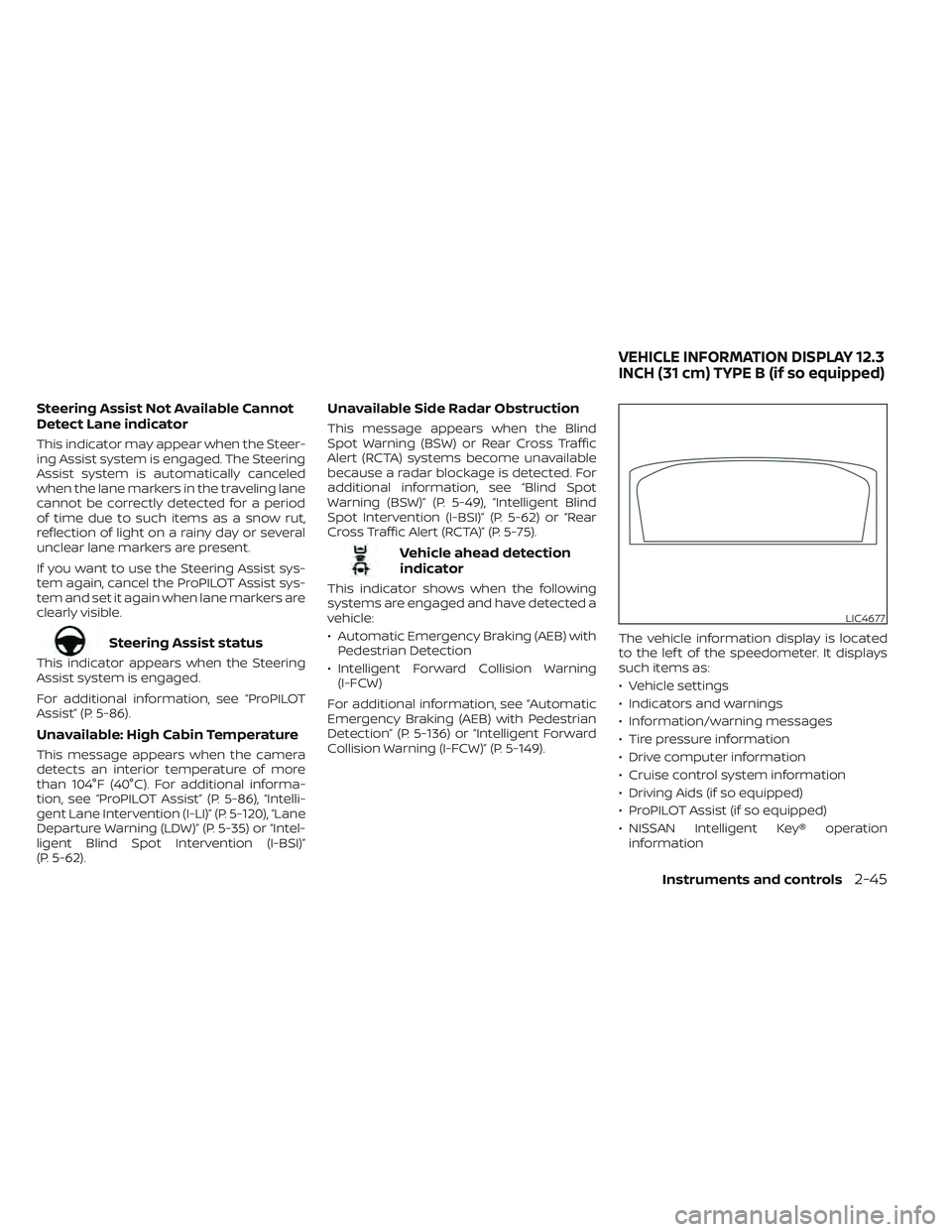
Collision Warning (I-FCW)” (P. 5-149). The vehicle information display is located
to the lef t of the speedometer. It displays
such items as:
• Vehicle settings
• Indicators and warnings
• Information/warning messages
• Tire pressure information
• Drive computer information
• Cruise control system information
• Driving Aids (if so equipped)
• ProPILOT Assist (if so equipped)
• NISSAN Intelligent Key® operation
information
LIC4677
VEHICLE INFORMATION DISPLAY 12.3
INCH (31 cm) TYPE B (if so equipped)
Instruments and controls2-45
Page 178 of 647
Steering Assist status
This indicator appears when the Steering
Assist system is engaged.
For additional information, see “ProPILOT
Assist” (P. 5-86).
Unavailable: High Cabin Temperature
This message appears when the camera
detects an interior temperature of more
than 104°F (40°C). For additional informa-
tion, see “ProPILOT Assist” (P. 5-86), “Intelli-
gent Lane Intervention (I-LI)” (P. 5-120), “Lane
Departure Warning (LDW)” (P. 5-35) or “Intel-
ligent Blind Spot Intervention (I-BSI)”
(P. 5-62).
Unavailable Side Radar Obstruction
This message appears when the Blind
Spot Warning (BSW) or Rear Cross Traffic
Alert (RCTA) systems become unavailable
because a radar blockage is detected. For
additional information, see “Blind Spot
Warning (BSW)” (P. 5-49), “Intelligent Blind
Spot Intervention (I-BSI)” (P. 5-62) or “Rear
Cross Traffic Alert (RCTA)” (P. 5-75).
Vehicle ahead detection
indicator
This indicator shows when the following
systems are engaged and have detected a
vehicle:
• Automatic Emergency Braking (AEB) withPedestrian Detection
• Intelligent Forward Collision Warning (I-FCW)
For additional information, see “Automatic
Emergency Braking (AEB) with Pedestrian
Detection” (P. 5-136) or “Intelligent Forward
Collision Warning (I-FCW)” (P. 5-149).
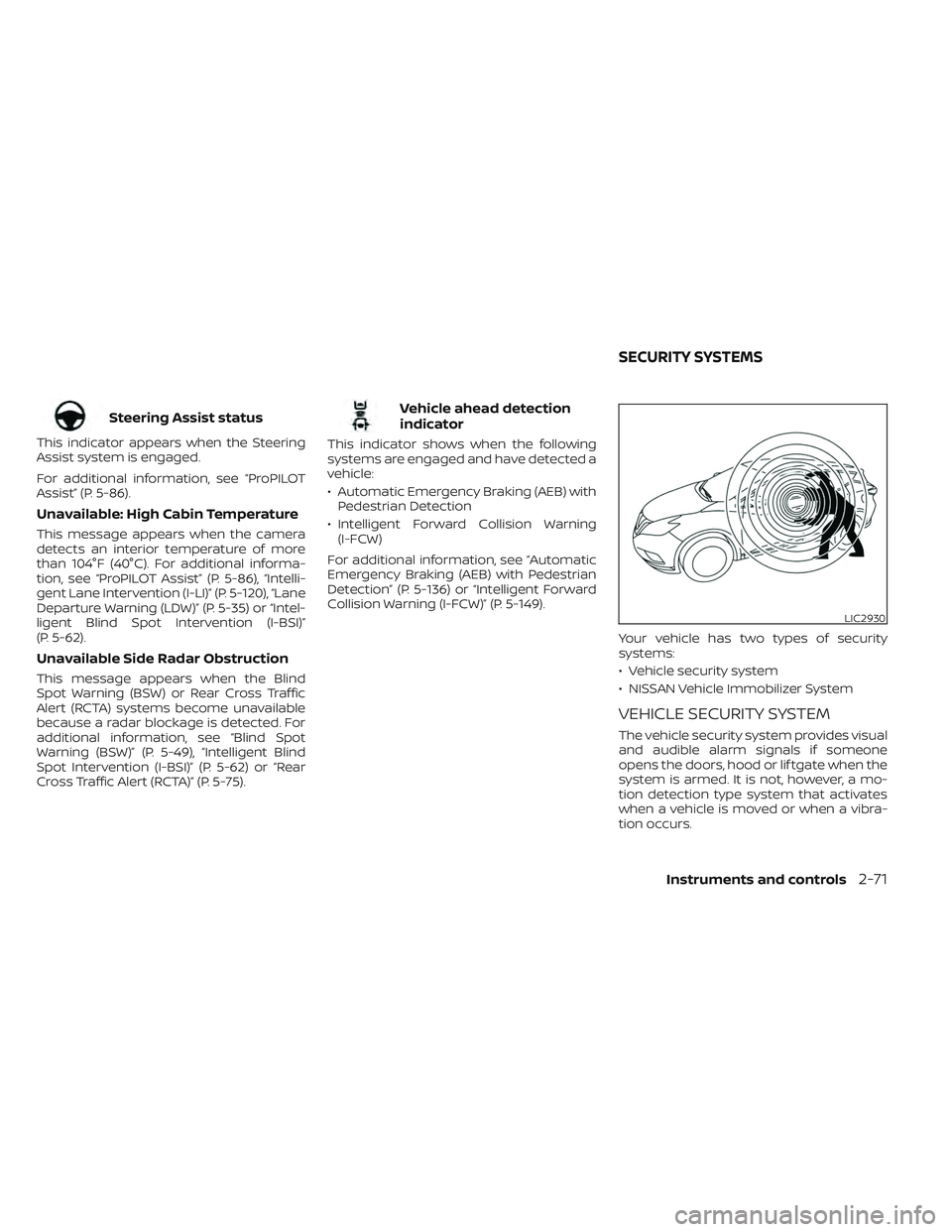
Your vehicle has two types of security
systems:
• Vehicle security system
• NISSAN Vehicle Immobilizer System
VEHICLE SECURITY SYSTEM
The vehicle security system provides visual
and audible alarm signals if someone
opens the doors, hood or lif tgate when the
system is armed. It is not, however, a mo-
tion detection type system that activates
when a vehicle is moved or when a vibra-
tion occurs.
LIC2930
SECURITY SYSTEMS
Instruments and controls2-71
Page 249 of 647
Thebutton will be on the NISSAN
Intelligent Key® if the vehicle has Remote
Engine Start. This feature allows the engine
to start from outside the vehicle.
Vehicles with an automatic climate control
system will default to either a heating or
cooling mode depending on outside and
cabin temperatures. For additional infor-
mation, see “Remote Engine Start with In-
telligent Climate Control” (P. 4-34).
Laws in some local communities may re-
strict or prohibit the use of Remote Engine
Start, or the amount of time a parked ve-
hicle engine may idle. For example, some
laws require a person using Remote Engine Start to have the vehicle in view or may
restrict idling time except in freezing tem-
peratures. Check local regulations for any
requirements.
Other conditions may affect the function of
the Remote Engine Start feature. For addi-
tional information, see “Conditions the Re-
mote Engine Start will not work” (P. 3-20).
Other conditions can affect the perfor-
mance of the Intelligent Key transmitter.
For additional information, see “NISSAN In-
telligent Key® system” (P. 3-7).
REMOTE ENGINE START
OPERATING RANGE
WARNING
• To help avoid risk of injury or death
through unintended operation of the
vehicle and/or its systems, including
entrapment in windows or inadver-
tent door lock activation, do not
leave children, people who require
the assistance of others or pets unat-
tended in your vehicle. Additionally,
the temperature inside a closed ve-
hicle on a warm day can quickly be-
come high enough to cause a signifi-
cant risk of injury or death to people
and pets. •
Do not use Remote Engine Start in
closed spaces such as a garage. Do
not breathe exhaust gases; they con-
tain colorless and odorless carbon
monoxide. Carbon monoxide is dan-
gerous. It can cause unconscious-
ness or death.
CAUTION
When the Intelligent Key battery is dis-
charged or other strong radio wave
sources are present near the operating
location, the Intelligent Key operating
range becomes narrower, and the Intel-
ligent Key may not function properly.
The Remote Engine Start function can only
be used when the Intelligent Key is within
the specified operating range from the
vehicle.
The Remote Engine Start operating range
is approximately 197 f t (60 m) from the
vehicle.
LPD2995
REMOTE ENGINE START (if so
equipped)
3-18Pre-driving checks and adjustments
Page 303 of 647
Remote Engine Start with
Intelligent Climate Control (if so
equipped)
Vehicles equipped with automatic climate
controls and Remote Engine Start function
may go into automatic heating or cooling
mode when Remote Engine Start is acti-
vated depending on outside and cabin
temperatures. During this period, the cli-
mate control display and buttons will be
inoperable until the ignition switch is
turned on. In Remote Engine Start defrost-
ing mode, the rear window defroster,
heated seats (if so equipped) and heated
steering wheel (if so equipped) may be ac-
tivated automatically.
Voice Recognition logic (if so
equipped)
When the climate control system is on, the
front and rear fan speeds may be auto-
matically lowered so that commands are
more easily recognized. Fan speed can be
adjusted using the fan speed decrease and
increase buttons, if desired.
MANUAL OPERATIONFan speed control
Press thefan speed control buttons
to manually control the fan speed.
Press the AUTO button to return to auto-
matic control of the fan speed.
Temperature control dial
The temperature control dial allows you to
adjust the temperature of the outlet air. To
lower the temperature, turn the dial to the
lef t. To increase the temperature, turn the
dial to the right. Temperature can be ad-
justed on the driver’s and passenger’s side.
Air recirculation
Press theair recirculation button to
recirculate interior air inside the vehicle.
The
indicator light on the button will
come on.
The air recirculation cannot be activated
when the air conditioner is in the
front
defrosting mode.
When the outside temperature exceeds
70°F (21°C), the air conditioning system may
default to air recirculation mode automati-
cally to reduce overall power consumption.
To exit air recirculation mode, deselect the
air recirculation button (indicator will turn
off ) to enter fresh air mode.
Fresh air intake
Press thefresh air intake button to
draw outside air into the passenger
compartment.
A/C (air conditioner) button
Start the engine, press thefan speed
control buttons to the desired position and
press the
button to turn on the air
conditioner. To turn off the air conditioner,
press the
button again.
The air conditioner cooling function op-
erates only when the engine is running.
Air flow control
Pressing theair flow control button
manually controls air flow and selects the
air outlet:
— Air flows from center and side
vents.
— Air flows from center and sidevents and foot outlets.
— Air flows mainly from foot out-lets.
— Air flows from defroster and footoutlets.
4-34Monitor, climate, audio, phone and voice recognition systems
Page 305 of 647
OPERATING TIPS
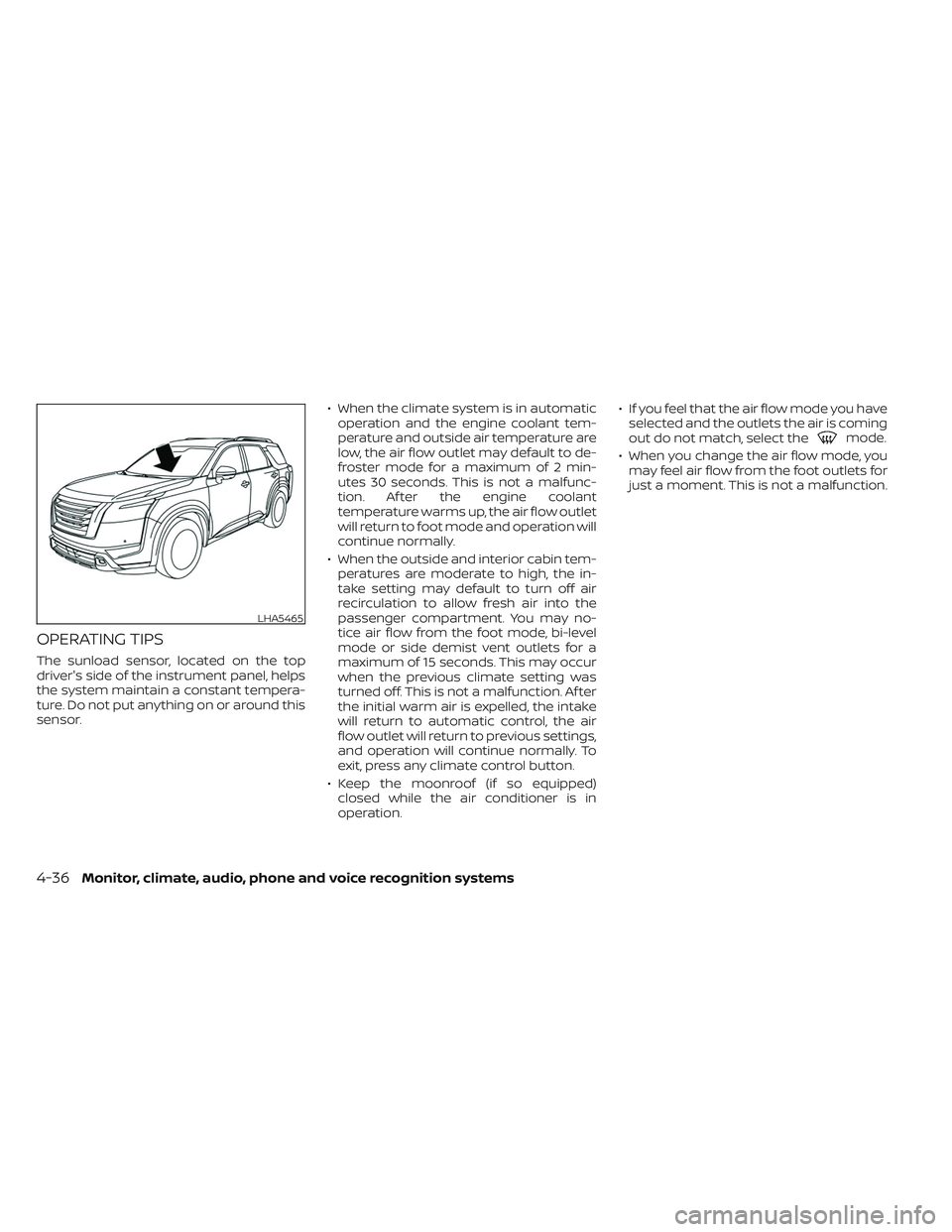
The sunload sensor, located on the top
driver's side of the instrument panel, helps
the system maintain a constant tempera-
ture. Do not put anything on or around this
sensor.• When the climate system is in automatic
operation and the engine coolant tem-
perature and outside air temperature are
low, the air flow outlet may default to de-
froster mode for a maximum of 2 min-
utes 30 seconds. This is not a malfunc-
tion. Af ter the engine coolant
temperature warms up, the air flow outlet
will return to foot mode and operation will
continue normally.
• When the outside and interior cabin tem- peratures are moderate to high, the in-
take setting may default to turn off air
recirculation to allow fresh air into the
passenger compartment. You may no-
tice air flow from the foot mode, bi-level
mode or side demist vent outlets for a
maximum of 15 seconds. This may occur
when the previous climate setting was
turned off. This is not a malfunction. Af ter
the initial warm air is expelled, the intake
will return to automatic control, the air
flow outlet will return to previous settings,
and operation will continue normally. To
exit, press any climate control button.
• Keep the moonroof (if so equipped) closed while the air conditioner is in
operation. • If you feel that the air flow mode you have
selected and the outlets the air is coming
out do not match, select the
mode.
• When you change the air flow mode, you may feel air flow from the foot outlets for
just a moment. This is not a malfunction.
LHA5465
4-36Monitor, climate, audio, phone and voice recognition systems
Page 345 of 647
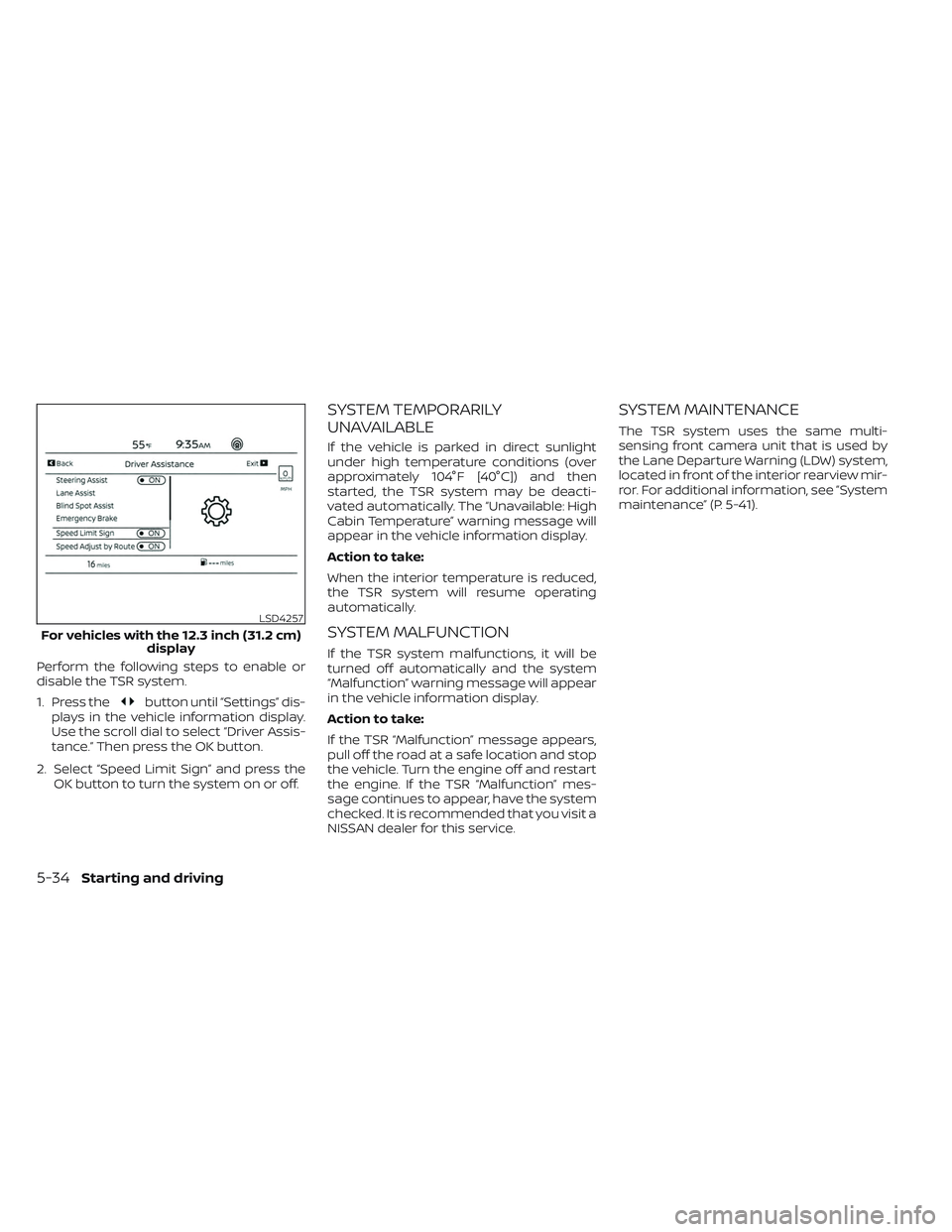
Perform the following steps to enable or
disable the TSR system.
1. Press the
button until “Settings” dis-
plays in the vehicle information display.
Use the scroll dial to select “Driver Assis-
tance.” Then press the OK button.
2. Select “Speed Limit Sign” and press the OK button to turn the system on or off.
SYSTEM TEMPORARILY
UNAVAILABLE
If the vehicle is parked in direct sunlight
under high temperature conditions (over
approximately 104°F [40°C]) and then
started, the TSR system may be deacti-
vated automatically. The “Unavailable: High
Cabin Temperature” warning message will
appear in the vehicle information display.
Action to take:
When the interior temperature is reduced,
the TSR system will resume operating
automatically.
SYSTEM MALFUNCTION
If the TSR system malfunctions, it will be
turned off automatically and the system
“Malfunction” warning message will appear
in the vehicle information display.
Action to take:
If the TSR “Malfunction” message appears,
pull off the road at a safe location and stop
the vehicle. Turn the engine off and restart
the engine. If the TSR “Malfunction” mes-
sage continues to appear, have the system
checked. It is recommended that you visit a
NISSAN dealer for this service.
SYSTEM MAINTENANCE
The TSR system uses the same multi-
sensing front camera unit that is used by
the Lane Departure Warning (LDW) system,
located in front of the interior rearview mir-
ror. For additional information, see ”System
maintenance” (P. 5-41).
LSD4257
For vehicles with the 12.3 inch (31.2 cm) display
5-34Starting and driving
Page 351 of 647
–When driving without normal tire
conditions (for example, tire wear,
low tire pressure, installation of
spare tire, tire chains, nonstan-
dard wheels).
– When the vehicle is equipped with
non-original brake parts or sus-
pension parts.
– When you are towing a trailer or
other vehicle.
• The system may not function prop-
erly under the following conditions:
– On roads where there are multiple
parallel lane markers; lane mark-
ers that are faded or not painted
clearly; yellow painted lane mark-
ers; non-standard lane markers;
or lane markers covered with wa-
ter, dirt, snow, etc.
– On roads where the discontinued
lane markers are still detectable.
– On roads where there are sharp
curves.
–
On roads where there are sharply contrasting objects, such as shad-
ows, snow, water, wheel ruts, seams
or lines remaining af ter road re-
pairs. (The LDW system could detect
these items as lane markers.)
– On roads where the traveling lane
merges or separates.
– When the vehicle’s traveling direc-
tion does not align with the lane
marker.
– When traveling close to the ve-
hicle in front of you, which ob-
structs the lane camera unit de-
tection range.
– When rain, snow, dirt or an object
adheres to the windshield in front
of the lane camera unit.
– When the headlights are not
bright due to dirt on the lens or if
the aiming is not adjusted
properly.
– When strong light enters the lane
camera unit. (For example, the
light directly shines on the front of
the vehicle at sunrise or sunset.)
– When a sudden change in bright-
ness occurs. (For example, when
the vehicle enters or exits a tunnel
or under a bridge.)SYSTEM TEMPORARILY
UNAVAILABLE
If the vehicle is parked in direct sunlight
under high temperature conditions (over
approximately 104°F [40°C]) and then
started, the LDW system may be deacti-
vated automatically and the following
message will appear in the vehicle infor-
mation display: “Unavailable: High Cabin
Temperature."
When the interior temperature is reduced,
the LDW system will resume operating
automatically.
The LDW system is not designed to warn
under the following conditions:
• When you operate the lane change signal and change traveling lanes in the direc-
tion of the signal. (The LDW system will
become operable again approximately 2
seconds af ter the lane change signal is
turned off.)
• When the vehicle speed lowers to less than approximately 37 mph (60 km/h).
Af ter the above conditions have finished
and the necessary operating conditions
are satisfied, the LDW functions will resume.
5-40Starting and driving
Page 359 of 647
SYSTEM TEMPORARILY
UNAVAILABLE
Condition A:
The warning and assist functions of the I-LI
system are not designed to work under the
following conditions:
•
When you operate the lane change signal
and change the traveling lanes in the direc-
tion of the signal. (The I-LI system will be
deactivated for approximately 2 seconds
af ter the lane change signal is turned off.)
• When the vehicle speed lowers to less than approximately 37 mph (60 km/h).
Af ter the above conditions have finished
and the necessary operating conditions
are satisfied, the warning and assist func-
tions will resume.
Condition B:
The assist function of the I-LI system is not
designed to work under the following con-
ditions (warning is still functional):
• When the brake pedal is depressed.
• When the steering wheel is turned as far as necessary for the vehicle to change
lanes.
• When the vehicle is accelerated during I-LI system operation. • When the Intelligent Cruise Control (ICC)
approach warning occurs.
• When the hazard warning flashers are operated.
• When driving on a curve at high speed.
Af ter the above conditions have finished
and the necessary operating conditions
are satisfied, the I-LI system application of
the brakes will resume.
Condition C:
If the following messages appear in the
vehicle information display, the I-LI system
will be turned off automatically.
• “Not Available Poor Road Conditions” When the VDC system (except Traction
Control System [TCS] function) or ABS
operates.
• “Currently not available”: – When the VDC system is turned off.
– When the SNOW mode, or the MUD/ RUT mode or SAND mode (4WD mod-
els only) is selected.
Action to take:
When the above conditions no longer exist,
turn off the I-LI system. Push the ProPILOT
Assist switch (for vehicles with ProPILOT
Assist) on the steering wheel again to turn
the I-LI system back on. Temporary disabled status at high
temperature:
If the vehicle is parked in direct sunlight
under high temperature conditions (over
approximately 104°F [40°C]) and then the
I-LI system is turned on, the I-LI system
may be deactivated automatically and the
following message will appear on the ve-
hicle information display: “Unavailable: High
Cabin Temperature.”
SYSTEM MALFUNCTION
If the I-LI system malfunctions, it will cancel
automatically. The LDW indicator (orange)
and the “Not Available System Malfunction”
warning message will display. If the LDW
indicator (orange) and the warning mes-
sage appear in the display, pull off the road
to a safe location and stop the vehicle. Turn
the engine/motor off and restart the
engine/motor. If the LDW indicator (orange)
and warning message continue to appear,
have the I-LI system checked. It is recom-
mended that you visit a NISSAN dealer for
this service.
5-48Starting and driving
Page 384 of 647
NOTE:
• The radar sensors may not detect a ve-hicle which is traveling at about the
same speed as your vehicle when it en-
ters the detection zone.
• I-BSI will not operate or will stop oper- ating and only a warning chime will
sound under the following conditions:– When the brake pedal is depressed.
– When the vehicle is accelerated dur- ing I-BSI system operation.
– When steering quickly.
– When the ICC, I-FCW or AEB with Pe- destrian Detection warnings sound.
– When the hazard warning flashers are operated.
– When driving on a curve at a high speed.
– When the BSW system is turned off.
SYSTEM TEMPORARILY
UNAVAILABLE
Under the following conditions, a chime will
sound, the following message will appear
in the vehicle information display and the
I-BSI system will be turned off automati-
cally. The I-BSI system will not be available
until the conditions no longer exist. • “Not available Poor Road Conditions”
– When the VDC system (except TCS function) or ABS operates.
• “Currently not available” – When the VDC system is turned off.
– When the SNOW mode, or the MUD/ RUT mode or SAND mode (4WD mod-
els only) is selected
• “Unavailable High Cabin Temperature”: If the vehicle is parked in direct sunlight
under high temperature conditions
(over approximately 104°F (40°C)).
• “Unavailable Side Radar Obstruction”: When side radar blockage is detected.
Turn off the I-BSI system and turn it on
again when the above conditions no lon-
ger exist.
SYSTEM MALFUNCTION
When the I-BSI system malfunctions, it will
be turned off automatically, a chime will
sound, and the “Not available System Mal-
function” warning message with the BSW
indicator (orange) will appear in the vehicle
information display.
Action to take:
Stop the vehicle in a safe location, place the
vehicle in the P (Park) position, turn the en-
gine off and restart the engine. If the “Not
available System Malfunction” warning
message with the BSW indicator (orange)
continues to be displayed, have the I-BSI
system checked. It is recommended you
visit a certified NISSAN dealer for this
service.
Starting and driving5-73