high NISSAN PATHFINDER 2023 User Guide
[x] Cancel search | Manufacturer: NISSAN, Model Year: 2023, Model line: PATHFINDER, Model: NISSAN PATHFINDER 2023Pages: 665, PDF Size: 4.64 MB
Page 81 of 665
BOOSTER SEATS
For additional information on installing a
booster seat in your vehicle, follow the in-
structions outlined in this section.
Precautions on booster seats
WARNING
If a booster seat and seat belt are not
used properly, the risk of a child being
injured or killed in a sudden stop or col-
lision greatly increases:
– Make sure the shoulder portion of
the belt is away from the child's face
and neck and the lap portion of the
belt does not cross the stomach.
– Make sure the shoulder belt is not
behind the child or under the child's
arm.
– A booster seat must only be installed
in a seating position that has a lap/
shoulder belt. Booster seats of various sizes are offered
by several manufacturers. When selecting
any booster seat, keep the following points
in mind:
• Choose only a booster seat with a label
certif ying that it complies with Federal
Motor Vehicle Safety Standard 213 or Ca-
nadian Motor Vehicle Safety Standard 213.
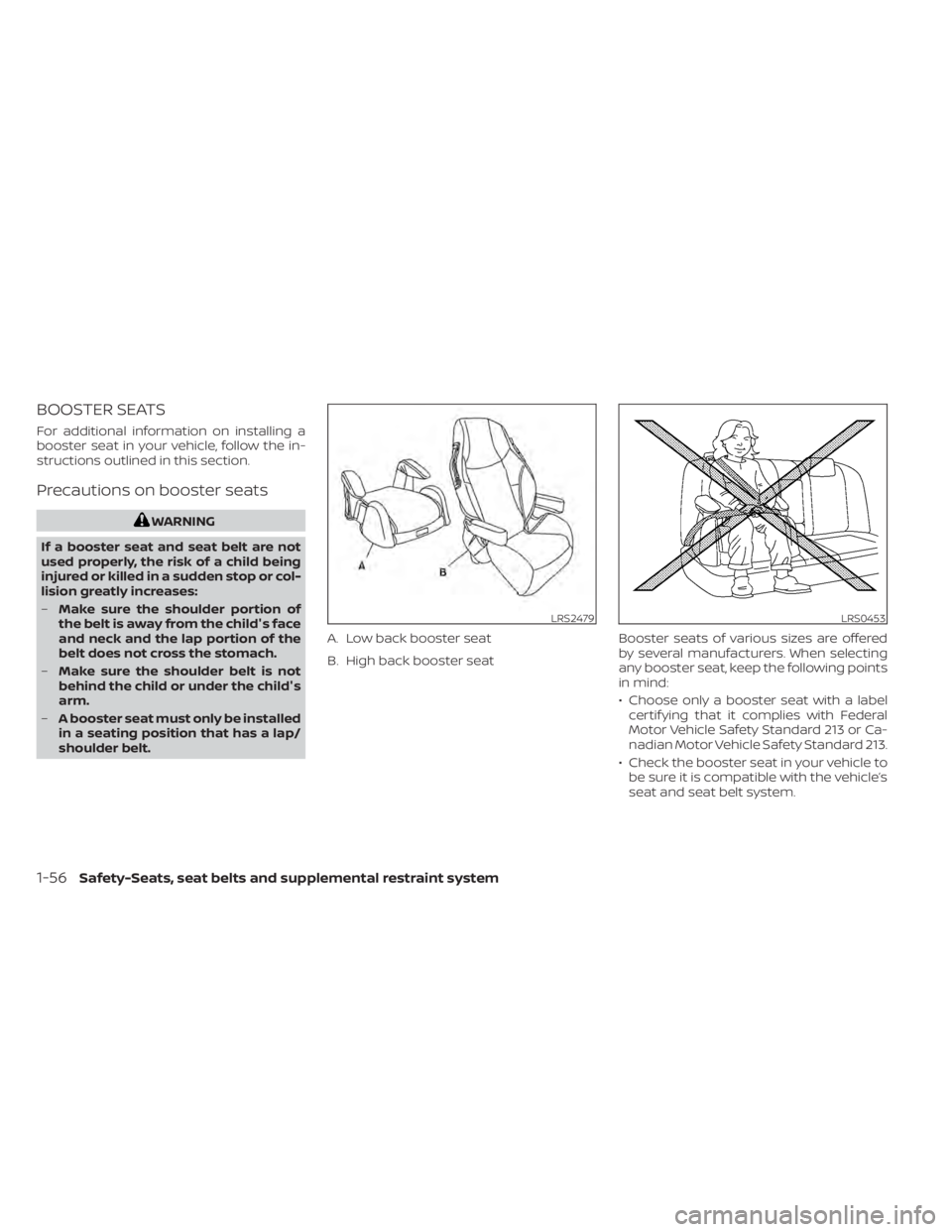
• Check the booster seat in your vehicle to be sure it is compatible with the vehicle’s
seat and seat belt system.
LRS2479
A. Low back booster seat
B. High back booster seat
LRS0453
1-56Safety-Seats, seat belts and supplemental restraint system
Page 82 of 665
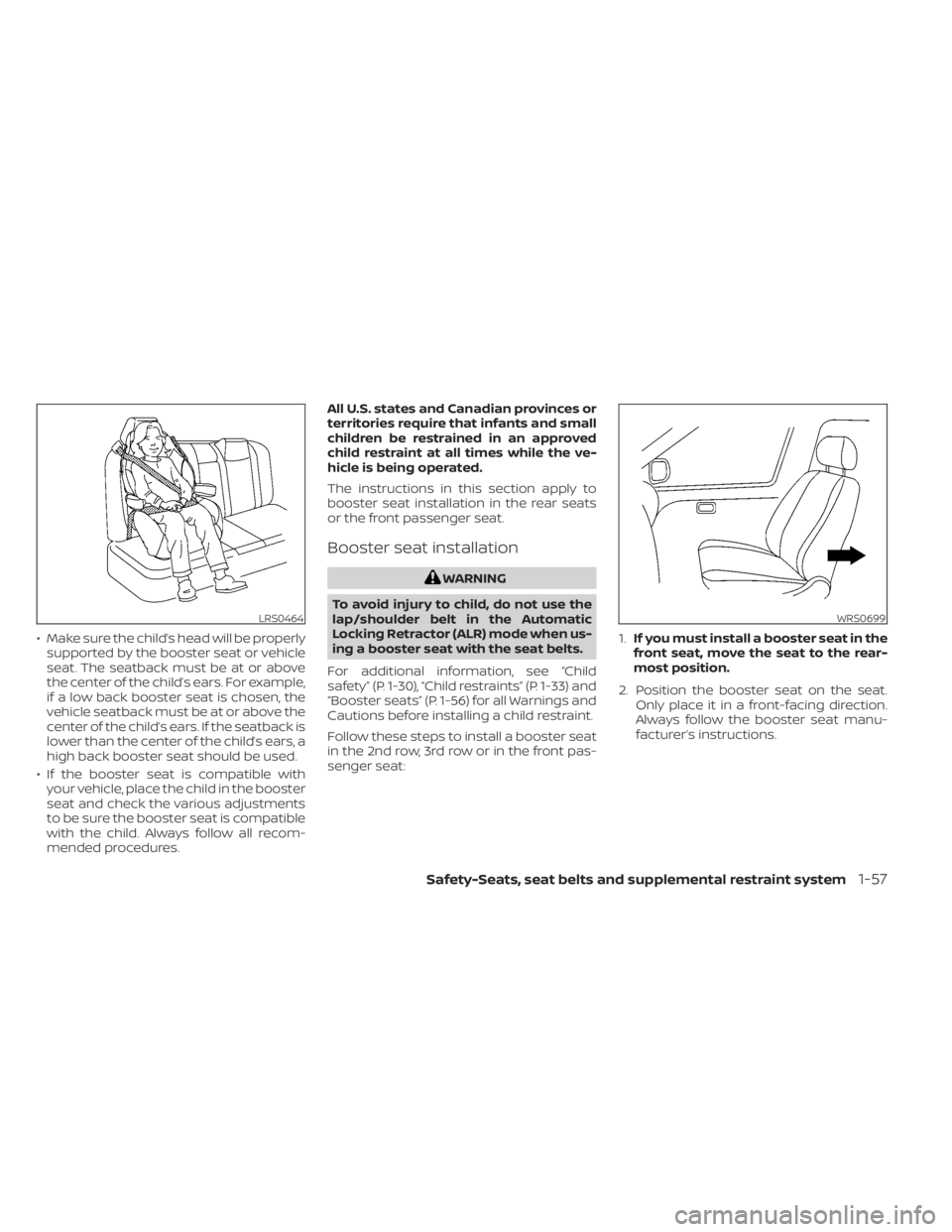
• Make sure the child’s head will be properlysupported by the booster seat or vehicle
seat. The seatback must be at or above
the center of the child’s ears. For example,
if a low back booster seat is chosen, the
vehicle seatback must be at or above the
center of the child’s ears. If the seatback is
lower than the center of the child’s ears, a
high back booster seat should be used.
• If the booster seat is compatible with your vehicle, place the child in the booster
seat and check the various adjustments
to be sure the booster seat is compatible
with the child. Always follow all recom-
mended procedures. All U.S. states and Canadian provinces or
territories require that infants and small
children be restrained in an approved
child restraint at all times while the ve-
hicle is being operated.
The instructions in this section apply to
booster seat installation in the rear seats
or the front passenger seat.
Booster seat installation
WARNING
To avoid injury to child, do not use the
lap/shoulder belt in the Automatic
Locking Retractor (ALR) mode when us-
ing a booster seat with the seat belts.
For additional information, see “Child
safety” (P. 1-30), “Child restraints” (P. 1-33) and
“Booster seats” (P. 1-56) for all Warnings and
Cautions before installing a child restraint.
Follow these steps to install a booster seat
in the 2nd row, 3rd row or in the front pas-
senger seat: 1.
If you must install a booster seat in the
front seat, move the seat to the rear-
most position.
2. Position the booster seat on the seat. Only place it in a front-facing direction.
Always follow the booster seat manu-
facturer’s instructions.
LRS0464WRS0699
Safety-Seats, seat belts and supplemental restraint system1-57
Page 94 of 665
The driver supplemental front-impact air
bag is located in the center of the steering
wheel. The front passenger supplemental
front-impact air bag is mounted in the
dashboard above the glove box. The front
air bags are designed to inflate in higher
severity frontal collisions, although they
may inflate if the forces in another type of
collision are similar to those of a higher
severity frontal impact. They may not in-
flate in certain frontal collisions. Vehicle
damage (or lack of it) is not always an indi-
cation of proper front air bag system
operation.
The NISSAN Advanced Air Bag System
monitors information from the crash zone
sensor, the Air bag Control Unit (ACU), seat
belt buckle sensors and occupation classi-
fication sensor (weight sensor). Inflator op-
eration is based on the severity of a colli-
sion and seat belt usage for the driver. For
the front passenger, the occupant classifi-
cation sensor is also monitored. Based on
information from the sensor, only one front
air bag may inflate in a crash, depending on
the crash severity and whether the front
occupants are belted or unbelted. Addi-
tionally, the front passenger air bag and the
front passenger supplemental knee air
bag may be automatically turned off under
some conditions, depending on the weightdetected on the front passenger seat and
how the seat belt is used. If the front pas-
senger air bag and front passenger
supplemental knee air bag is OFF, the front
passenger air bag status light will be illumi-
nated. For additional information, see
“Front passenger air bag and status light”
(P. 1-70). One front air bag inflating does not
indicate improper performance of the
system.
If you have any questions about your air
bag system, it is recommended that you
visit a NISSAN dealer to obtain information
about the system. If you are considering
modification of your vehicle due to a dis-
ability, you may also contact NISSAN. Con-
tact information is contained in the front of
this Owner's Manual.
When a front air bag inflates, a fairly loud
noise may be heard, followed by the re-
lease of smoke. This smoke is not harmful
and does not indicate a fire. Care should be
taken to not inhale it, as it may cause irrita-
tion and choking. Those with a history of a
breathing condition should get fresh air
promptly.
Front air bags, along with the use of seat
belts, help to cushion the impact force on
the face and chest of the front occupants.
They can help save lives and reduce seri-
ous injuries. However, an inflating front air
bag may cause facial abrasions or other
injuries. Front air bags do not provide re-
straint to the lower body.
Even with NISSAN Advanced Air Bags, seat
belts should be correctly worn and the
driver and front passenger seated upright
as far as practical away from the steering
wheel or instrument panel. The front air
bags inflate quickly in order to help protect
the front occupants. Because of this, the
force of the front air bag inflating can in-
crease the risk of injury if the occupant is
too close to, or is against, the front air bag
module during inflation.
The front air bags deflate quickly af ter a
collision.
The front air bags operate only when the
ignition switch is in the ON position.
Af ter placing the ignition switch in the
ON position, the supplemental air bag
warning light illuminates. The supple-
mental air bag warning light will turn off
af ter about 7 seconds if the system is
operational.
Safety-Seats, seat belts and supplemental restraint system1-69
Page 97 of 665
If an adult occupant is in the seat but the
front passenger air bag status light is illu-
minated (indicating that the front passen-
ger air bag and front passenger supple-
mental knee air bag are OFF), it could be
that the person is a small adult, or is not
sitting on the seat properly or not using the
seat belt properly.
If a child restraint must be used in the front
seat, the front passenger air bag status
light may or may not be illuminated, de-
pending on the size of the child and the
type of child restraint being used. If the air
bag status light is not illuminated (indicat-
ing that the front passenger air bag and
front passenger supplemental knee air
bag might inflate in a crash), it could be that
the child restraint or seat belt is not being
used properly. Make sure that the child re-
straint is installed properly, the seat belt is
used properly and the occupant is posi-
tioned properly. If the air bag status light is
still not illuminated, reposition the occu-
pant or child restraint in a rear seat.
If the front passenger air bag status light
will not illuminate even though you believe
that the child restraint, the seat belts and
the occupant are properly positioned, it is
recommended that you take your vehicle
to a NISSAN dealer. A NISSAN dealer cancheck system status by using a special
tool. However, until you have confirmed
with a dealer that your air bag is working
properly, reposition the occupant or child
restraint in a rear seat.
The NISSAN Advanced Air Bag System and
front passenger air bag status light will
take a few seconds to register a change in
the front passenger seat status. This is nor-
mal system operation and does not indi-
cate a malfunction.
If a malfunction occurs in the front passen-
ger air bag system, the supplemental air
bag warning light
, located in the me-
ter and gauges area of the instrument
panel, will be illuminated (blinking or
steadily lit). Have the system checked. It is
recommended that you visit a NISSAN
dealer for this service.
Normal operation
In order for the occupant classification
sensor system to classif y the front passen-
ger based on weight, please follow the pre-
cautions and steps outlined below:
Precautions
• Make sure that there are no objects weighing over 9.1 lbs. (4 kg) hanging on
the seat or placed in the seatback pocket
(if so equipped). • Make sure that a child restraint or other
object is not pressing against the rear of
the seatback.
• Make sure that a rear passenger is not pushing or pulling on the back of the front
passenger seat.
• Make sure that the front passenger seat or seatback is not forced back against an
object on the seat or floor behind it.
• Make sure that there is no object placed under the front passenger seat.
Steps
1. Adjust the seat as outlined in “Seats” (P. 1-2). Sit upright, leaning against the
seatback, and centered on the seat
cushion with your feet comfortably ex-
tended to the floor.
2. Make sure there are no objects on your lap.
3. Fasten the seat belt as outlined in “Seat belts” (P. 1-20). Front passenger seat belt
buckle status is monitored by the occu-
pant classification system, and is used
as an input to determine occupancy
status. So, it is highly recommended that
the front passenger fasten their seat
belt.
1-72Safety-Seats, seat belts and supplemental restraint system
Page 101 of 665
warnings in this manual must be fol-
lowed.The side air bags and curtain air
bags are designed to inflate in higher se-
verity side collisions, although they may in-
flate if the forces in another type of collision
are similar to those of a higher severity
impact. They are designed to inflate on the
side where the vehicle is impacted. They
may not inflate in certain side collisions.
Curtain air bags are also designed to inflate
in certain types of rollover collisions or near
rollovers. As a result, certain vehicle move-
ments (for example, during severe off-
roading) may cause the curtain air bags to
inflate.
Vehicle damage (or lack of it) is not always
an indication of proper side air bag and
curtain air bag operation.
When the side air bags and curtain air bags
inflate, a fairly loud noise may be heard,
followed by release of smoke. This smoke is
not harmful and does not indicate a fire.
Care should be taken not to inhale it, as it
may cause irritation and choking. Those
with a history of a breathing condition
should get fresh air promptly.
Side air bags, along with the use of seat
belts, help to cushion the impact force on
the chest of the front and rear outboard occupants. Front central side air bag, along
with the use of seat belts helps cushion the
impact force on the head area of the front
occupants. Curtain air bags help to cush-
ion the impact force to the head of occu-
pants in the front and rear outboard seat-
ing positions in all rows. They can help save
lives and reduce serious injuries. However,
an inflating side air bag or curtain air bag
may cause abrasions or other injuries. Side
air bags and curtain air bags do not pro-
vide restraint to the lower body.
The seat belts should be correctly worn
and the driver, front passenger, and 2nd
row outboard occupants seated upright as
far as practical away from the side air bag.
Rear seat passengers should be seated as
far away as practical from the door finish-
ers and side roof rails. The side air bags and
curtain air bags inflate quickly in order to
help protect the occupants. Because of
this, the force of the side air bags and cur-
tain air bags inflating can increase the risk
of injury if the occupant is too close to, or is
against, these air bag modules during in-
flation. The side air bag will deflate quickly
af ter the collision is over. The front central
side air bag and curtain air bags will remain
inflated for a short period of time.
The side air bags and curtain air bags
operate only when the ignition switch is
placed in the ON position.
Af ter placing the ignition switch in the
ON position, the supplemental air bag
warning light illuminates. The supple-
mental air bag warning light will turn off
af ter about 7 seconds if the system is
operational.
WARNING
• Do not place any objects near the
seatback of the front seats. Also, do
not place any objects (an umbrella,
bag, etc.) between the front door fin-
isher and the front seat. Such objects
may become dangerous projectiles
and cause injury if a side air bag
inflates.
• Right af ter inflation, several side air
bag and curtain air bag system com-
ponents will be hot. Do not touch
them; you may severely burn
yourself.
1-76Safety-Seats, seat belts and supplemental restraint system
Page 102 of 665
•No unauthorized changes should be
made to any components or wiring
of the side air bag and curtain air bag
systems. This is to prevent damage
to or accidental inflation of the side
air bag and curtain air bag systems.
• Do not make unauthorized changes
to your vehicle's electrical system,
suspension system or side panel.
This could affect proper operation of
the curtain air bag systems.
• Tampering with the side air bag sys-
tem may result in serious personal
injury. For example, do not change
the front seats by placing material
near the seatbacks or by installing
additional trim material, such as seat
covers, around the side air bag.
• It is recommended that you visit a
NISSAN dealer for work on and
around the side air bag and curtain
air bag. It is also recommended that
you visit a NISSAN dealer for installa-
tion of electrical equipment. The SRS
wiring harnesses* should not be
modified or disconnected. Unauthor-
ized electrical test equipment and
probing devices should not be used
on the side air bag or curtain air bag
systems. * The SRS wiring harness or connectors
are yellow or orange for easy
identification.
When selling your vehicle, we request that
you inform the buyer about the side air
bags and curtain air bag system and guide
the buyer to the appropriate sections in
this Owner's Manual.
DRIVER AND FRONT PASSENGER
SUPPLEMENTAL KNEE AIR BAGS
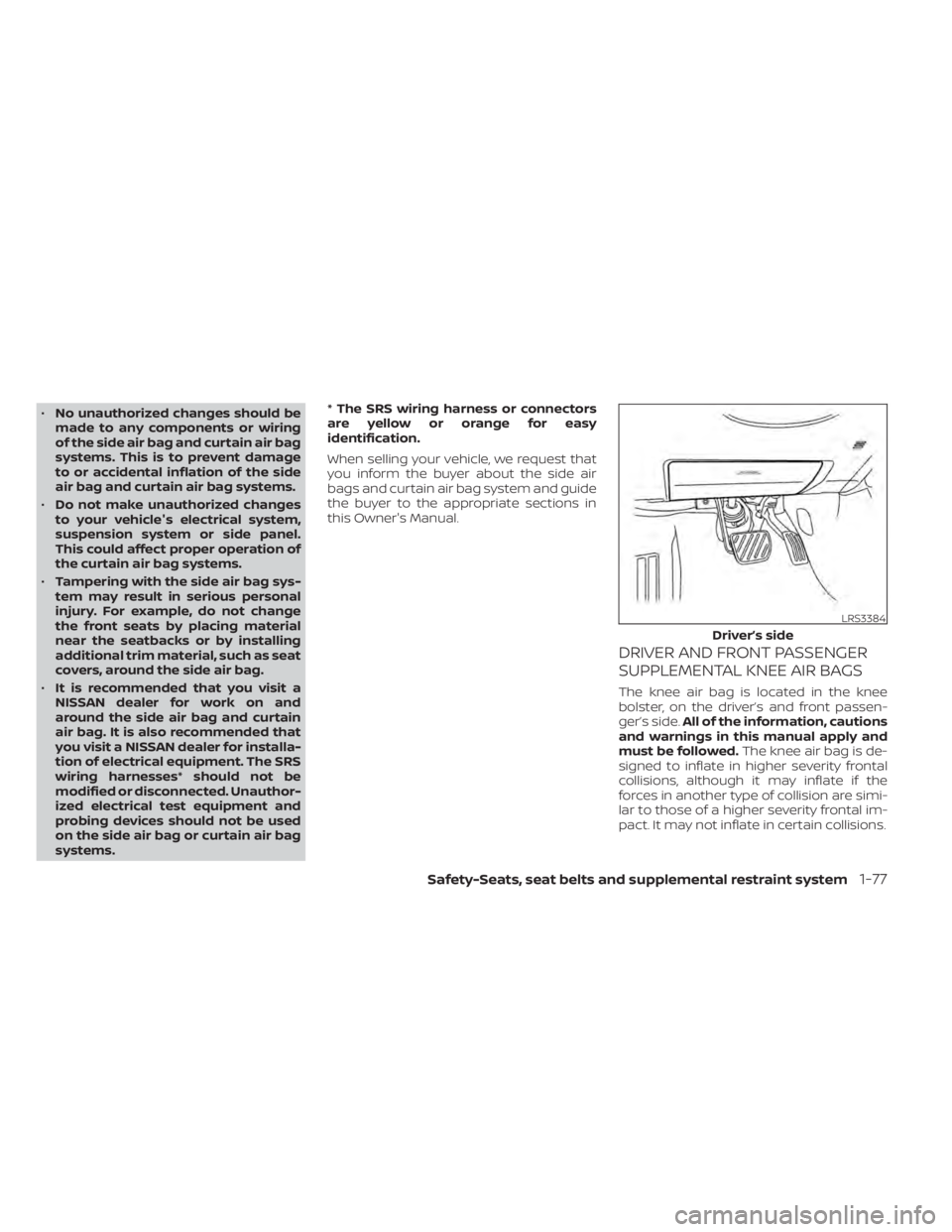
The knee air bag is located in the knee
bolster, on the driver’s and front passen-
ger’s side.
All of the information, cautions
and warnings in this manual apply and
must be followed. The knee air bag is de-
signed to inflate in higher severity frontal
collisions, although it may inflate if the
forces in another type of collision are simi-
lar to those of a higher severity frontal im-
pact. It may not inflate in certain collisions.
LRS3384
Driver’s side
Safety-Seats, seat belts and supplemental restraint system1-77
Page 118 of 665
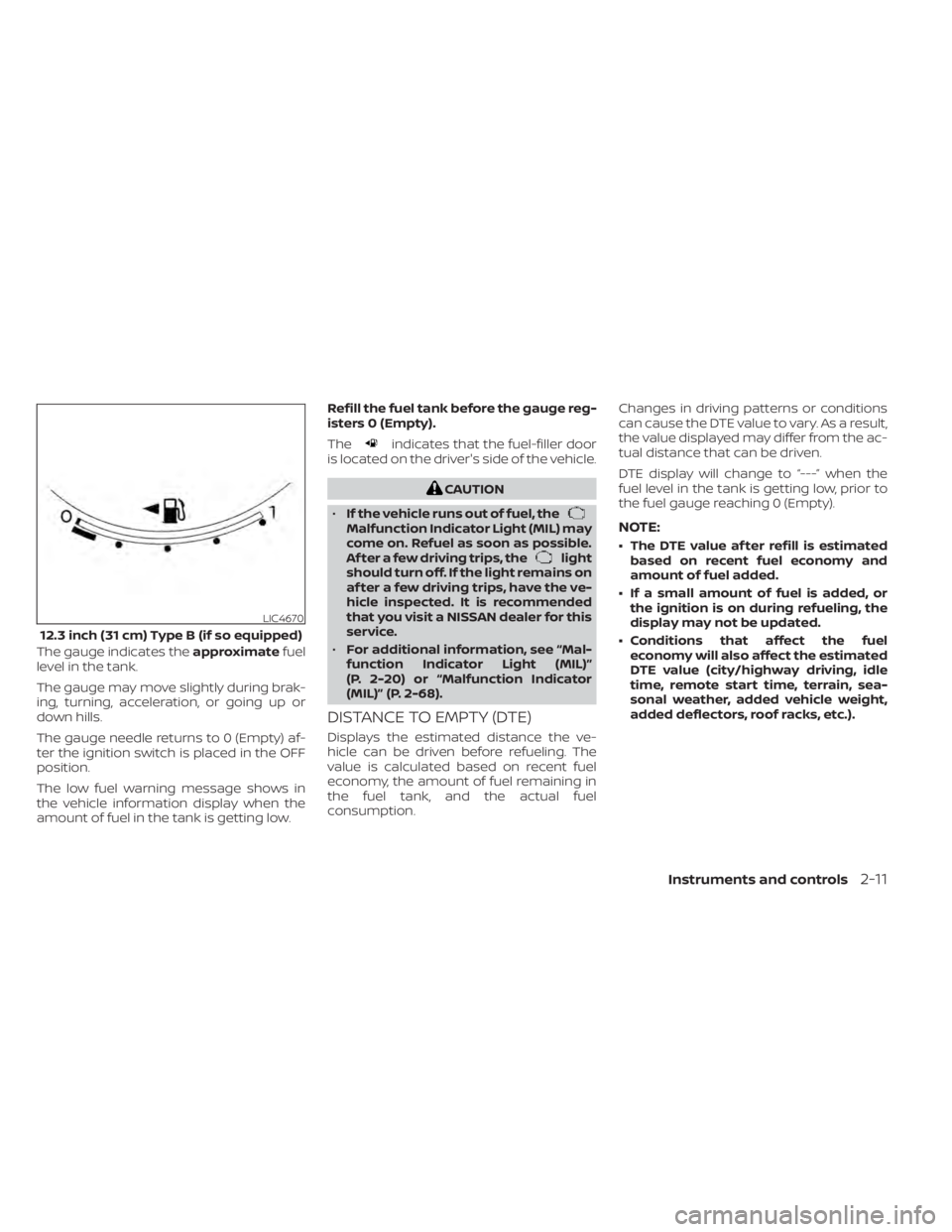
The gauge indicates theapproximatefuel
level in the tank.
The gauge may move slightly during brak-
ing, turning, acceleration, or going up or
down hills.
The gauge needle returns to 0 (Empty) af-
ter the ignition switch is placed in the OFF
position.
The low fuel warning message shows in
the vehicle information display when the
amount of fuel in the tank is getting low. Refill the fuel tank before the gauge reg-
isters 0 (Empty).
The
indicates that the fuel-filler door
is located on the driver's side of the vehicle.
CAUTION
• If the vehicle runs out of fuel, the
Malfunction Indicator Light (MIL) may
come on. Refuel as soon as possible.
Af ter a few driving trips, the
light
should turn off. If the light remains on
af ter a few driving trips, have the ve-
hicle inspected. It is recommended
that you visit a NISSAN dealer for this
service.
• For additional information, see “Mal-
function Indicator Light (MIL)”
(P. 2-20) or “Malfunction Indicator
(MIL)” (P. 2-68).
DISTANCE TO EMPTY (DTE)
Displays the estimated distance the ve-
hicle can be driven before refueling. The
value is calculated based on recent fuel
economy, the amount of fuel remaining in
the fuel tank, and the actual fuel
consumption. Changes in driving patterns or conditions
can cause the DTE value to vary. As a result,
the value displayed may differ from the ac-
tual distance that can be driven.
DTE display will change to “---” when the
fuel level in the tank is getting low, prior to
the fuel gauge reaching 0 (Empty).
NOTE:
• The DTE value af ter refill is estimated
based on recent fuel economy and
amount of fuel added.
• If a small amount of fuel is added, or the ignition is on during refueling, the
display may not be updated.
• Conditions that affect the fuel economy will also affect the estimated
DTE value (city/highway driving, idle
time, remote start time, terrain, sea-
sonal weather, added vehicle weight,
added deflectors, roof racks, etc.).
LIC4670
12.3 inch (31 cm) Type B (if so equipped)
Instruments and controls2-11
Page 119 of 665
Warning/Indicator light (red)Warning/Indicator light (yellow) Warning/Indicator light (other)
orBrake warning lightorAnti-lock Braking System (ABS)
warning lightAutomatic brake hold indicator light
(white/green) (if so equipped)
Charge warning lightAutomatic Emergency Braking (AEB) with
Pedestrian Detection system warning light
(if so equipped)Front fog light indicator light (green)
(if so equipped)
Electric shif t control system warning light
(if so equipped)Electric power steering warning lightHigh Beam Assist indicator light (green)
(if so equipped)
orElectronic parking brake
indicator light (if so equipped)Electronic parking brake warning light
(if so equipped)High beam indicator light (blue)
(if so equipped)
Engine oil pressure warning light
(if so equipped)Front passenger air bag status lightLow beam indicator light (green)
(if so equipped)
Master warning light (if so equipped)Hill descent control system ON indicator
light (if so equipped)Side light and headlight indicator light
(green) (if so equipped)
Seat belt warning light and chime
(if so equipped)Low tire pressure warning light
(if so equipped)Turn signal/hazard indicator lights (green)
(if so equipped)
WARNING LIGHTS, INDICATOR LIGHTS
AND AUDIBLE REMINDERS
2-12Instruments and controls
Page 129 of 665
While the VDC system is operating, you
might feel a slight vibration or hear the sys-
tem working when starting the vehicle or
accelerating, but this is normal.
WARNING
The VDC should remain on unless free-
ing a vehicle from mud or snow.
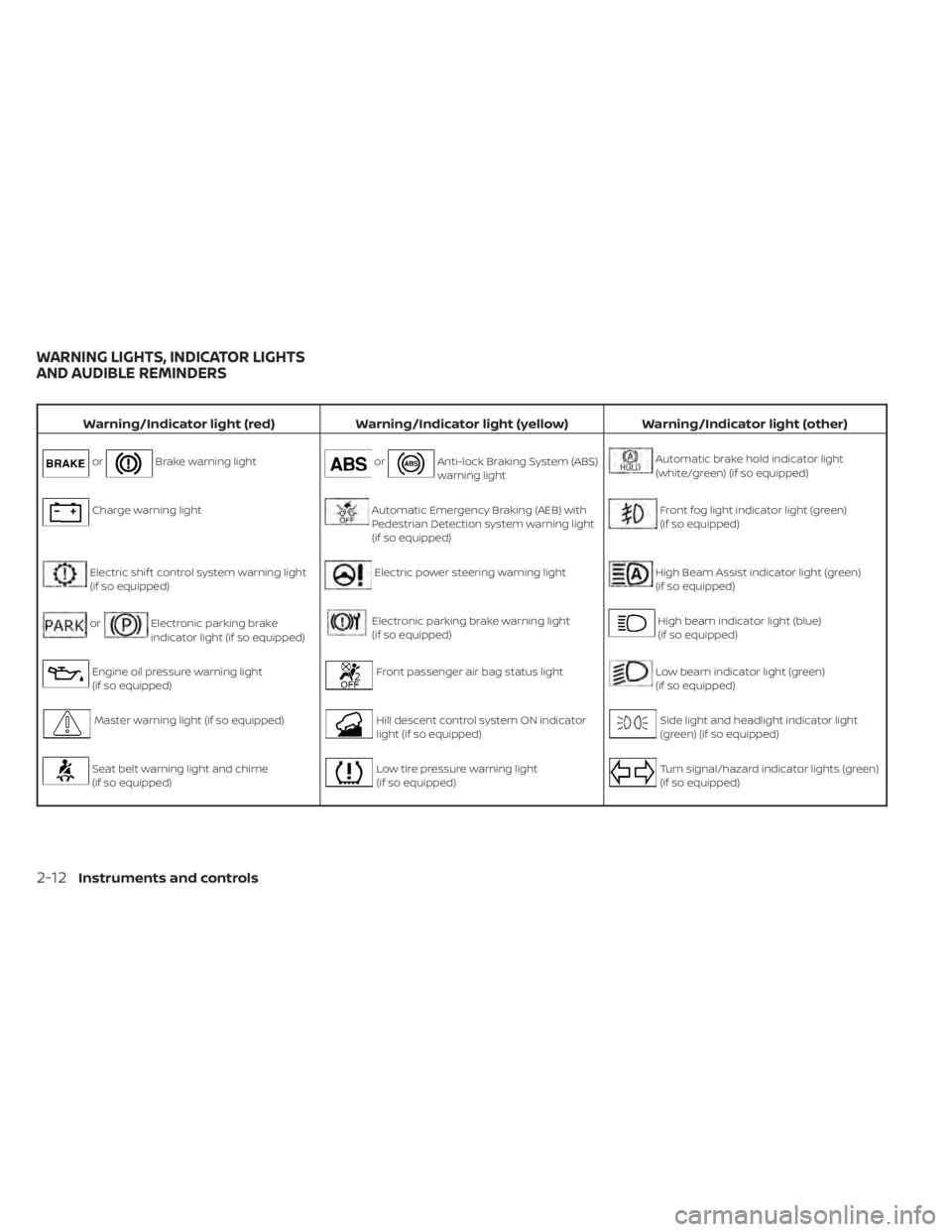
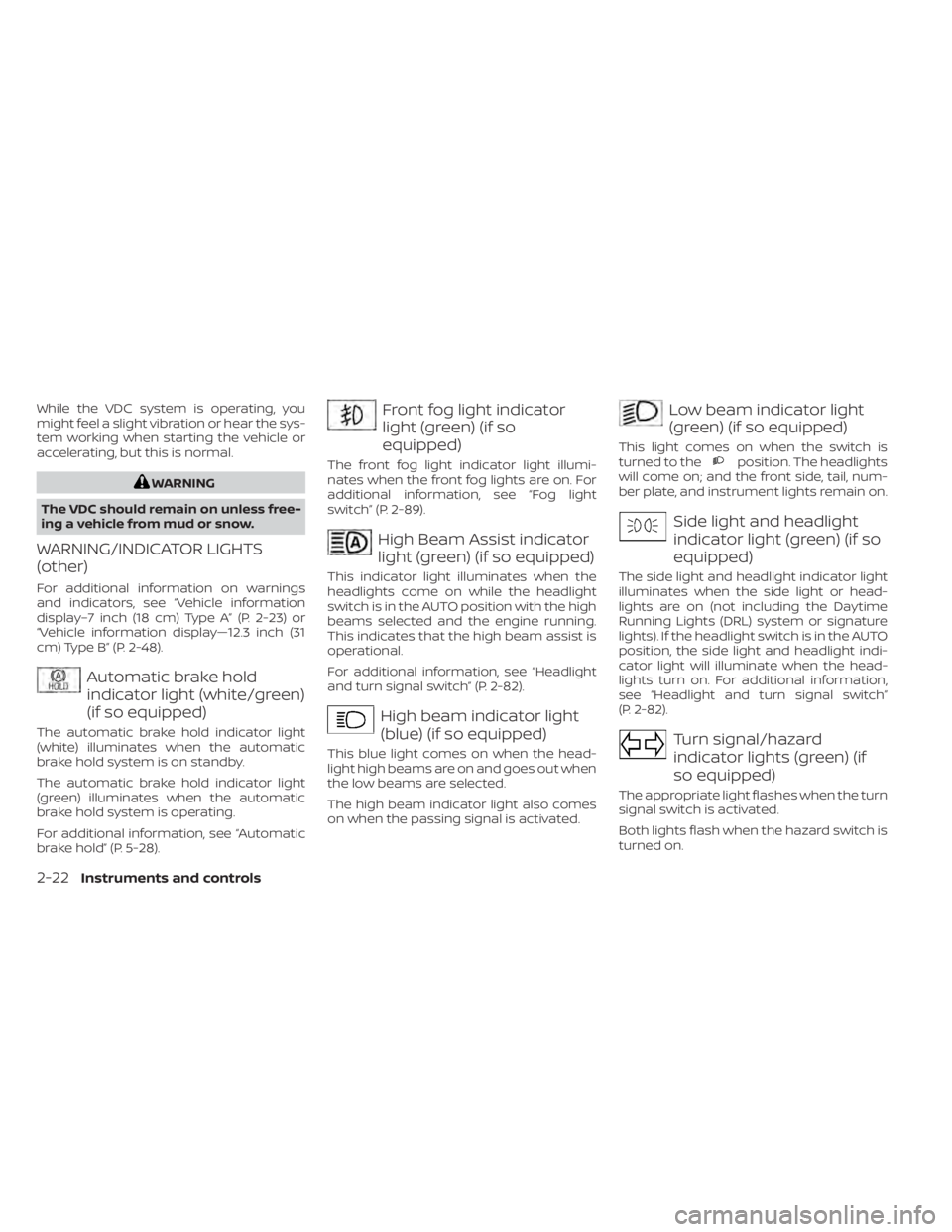
WARNING/INDICATOR LIGHTS
(other)
For additional information on warnings
and indicators, see “Vehicle information
display–7 inch (18 cm) Type A” (P. 2-23) or
“Vehicle information display—12.3 inch (31
cm) Type B” (P. 2-48).
Automatic brake hold
indicator light (white/green)
(if so equipped)
The automatic brake hold indicator light
(white) illuminates when the automatic
brake hold system is on standby.
The automatic brake hold indicator light
(green) illuminates when the automatic
brake hold system is operating.
For additional information, see “Automatic
brake hold” (P. 5-28).
Front fog light indicator
light (green) (if so
equipped)
The front fog light indicator light illumi-
nates when the front fog lights are on. For
additional information, see “Fog light
switch” (P. 2-89).
High Beam Assist indicator
light (green) (if so equipped)
This indicator light illuminates when the
headlights come on while the headlight
switch is in the AUTO position with the high
beams selected and the engine running.
This indicates that the high beam assist is
operational.
For additional information, see “Headlight
and turn signal switch” (P. 2-82).
High beam indicator light
(blue) (if so equipped)
This blue light comes on when the head-
light high beams are on and goes out when
the low beams are selected.
The high beam indicator light also comes
on when the passing signal is activated.
Low beam indicator light
(green) (if so equipped)
This light comes on when the switch is
turned to theposition. The headlights
will come on; and the front side, tail, num-
ber plate, and instrument lights remain on.
Side light and headlight
indicator light (green) (if so
equipped)
The side light and headlight indicator light
illuminates when the side light or head-
lights are on (not including the Daytime
Running Lights (DRL) system or signature
lights). If the headlight switch is in the AUTO
position, the side light and headlight indi-
cator light will illuminate when the head-
lights turn on. For additional information,
see “Headlight and turn signal switch”
(P. 2-82).
Turn signal/hazard
indicator lights (green) (if
so equipped)
The appropriate light flashes when the turn
signal switch is activated.
Both lights flash when the hazard switch is
turned on.
2-22Instruments and controls
Page 130 of 665
AUDIBLE REMINDERS
Brake pad wear warning
The disc brake pads have audible wear
warnings. When a disc brake pad requires
replacement, it makes a high pitched
scraping sound when the vehicle is in mo-
tion, whether or not the brake pedal is de-
pressed. Have the brakes checked as soon
as possible if the warning sound is heard. It
is recommended that you visit a NISSAN
dealer for this service.
Key reminder chime (if so
equipped)
A chime sounds if the driver's door is
opened while the ignition switch is placed
in the AUTO ACC or OFF position or placed
in the OFF or LOCK position with the Intelli-
gent Key lef t in the vehicle. Make sure the
ignition switch is placed in the LOCK posi-
tion, and take the Intelligent Key with you
when leaving the vehicle.
Light reminder chime
With the ignition switch placed in the OFF
position, a chime sounds when the driver's
door is opened if the headlights or parking
lights are on.
Turn the headlight control switch off or to
AUTO before leaving the vehicle.
NISSAN Intelligent Key® door
buzzer
The Intelligent Key door buzzer sounds if
any one of the following improper opera-
tions is found.
• The Intelligent Key is lef t inside the vehiclewhen locking the doors.
• The Intelligent Key is taken outside the vehicle when operating the vehicle.
When the buzzer sounds, be sure to check
both the vehicle and the Intelligent Key. For
additional information, see “NISSAN Intelli-
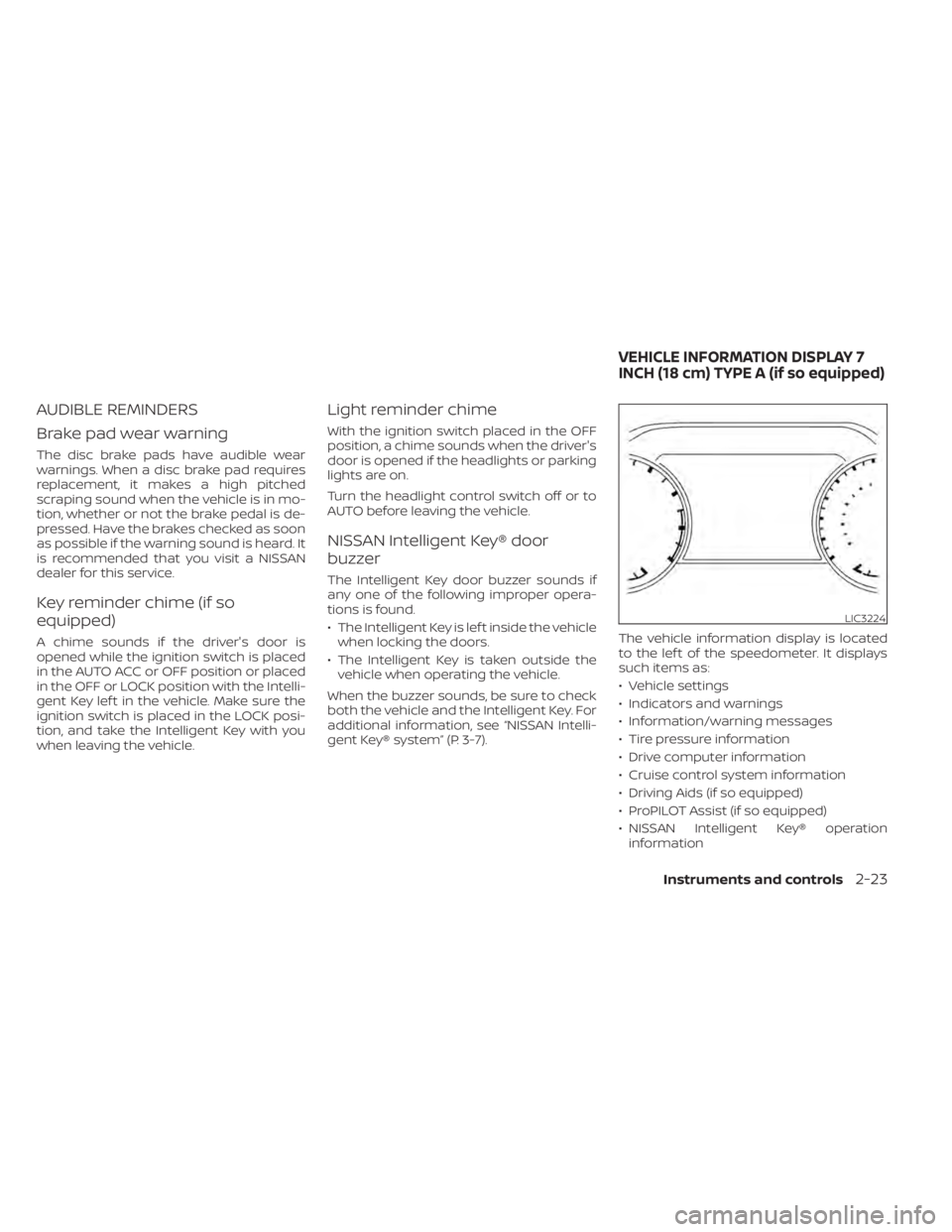
gent Key® system” (P. 3-7). The vehicle information display is located
to the lef t of the speedometer. It displays
such items as:
• Vehicle settings
• Indicators and warnings
• Information/warning messages
• Tire pressure information
• Drive computer information
• Cruise control system information
• Driving Aids (if so equipped)
• ProPILOT Assist (if so equipped)
• NISSAN Intelligent Key® operation
information
LIC3224
VEHICLE INFORMATION DISPLAY 7
INCH (18 cm) TYPE A (if so equipped)
Instruments and controls2-23