AEB NISSAN PATHFINDER 2023 Owner's Guide
[x] Cancel search | Manufacturer: NISSAN, Model Year: 2023, Model line: PATHFINDER, Model: NISSAN PATHFINDER 2023Pages: 665, PDF Size: 4.64 MB
Page 470 of 665
Action to take:
When the VDC system is on, the AEB with
Pedestrian Detection system will resume
automatically.
SYSTEM MALFUNCTION
If the AEB with Pedestrian Detection sys-
tem malfunctions, it will be turned off auto-
matically, a chime will sound, the AEB with
Pedestrian Detection system warning light
(orange) will illuminate and the warning
message [Malfunction] will appear in the
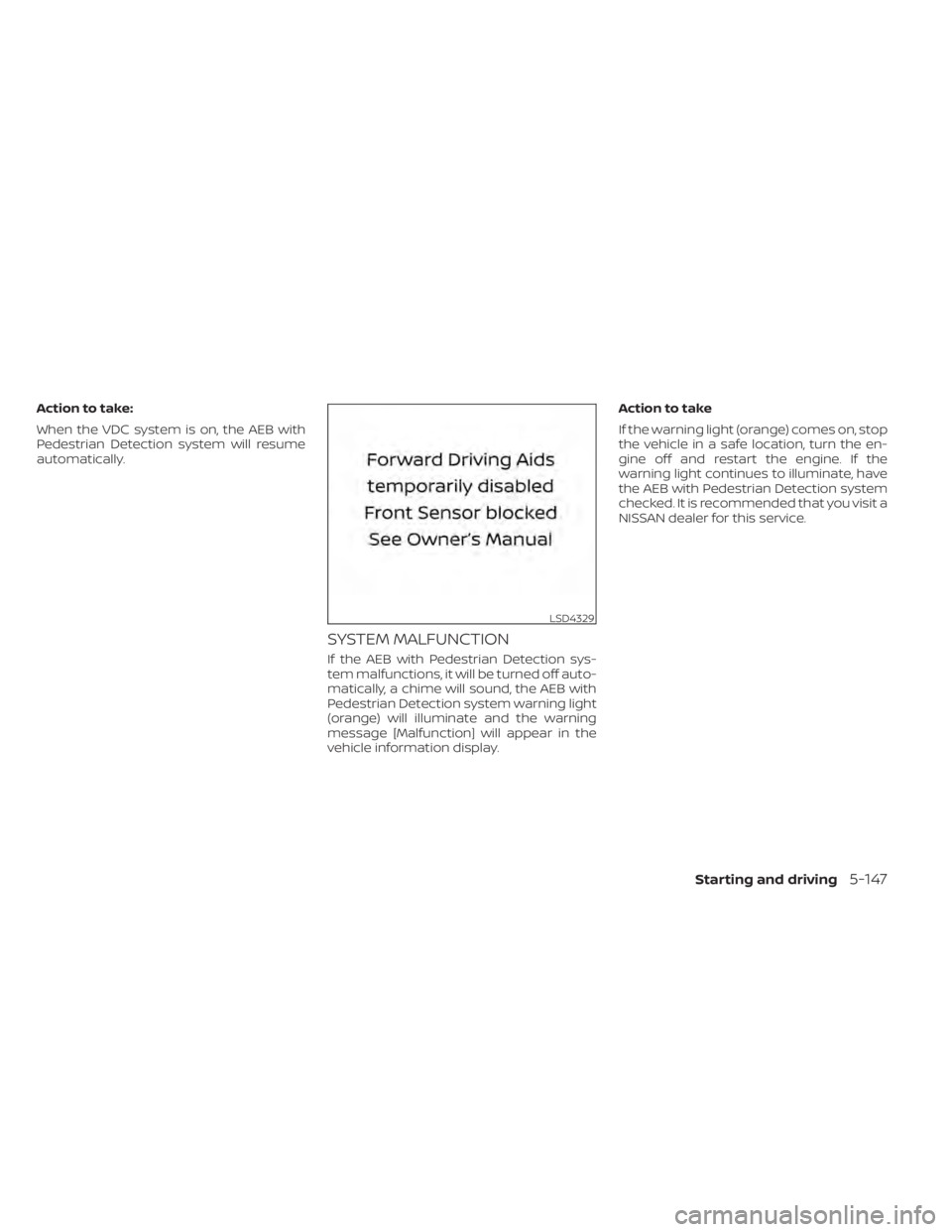
vehicle information display.Action to take
If the warning light (orange) comes on, stop
the vehicle in a safe location, turn the en-
gine off and restart the engine. If the
warning light continues to illuminate, have
the AEB with Pedestrian Detection system
checked. It is recommended that you visit a
NISSAN dealer for this service.
LSD4329
Starting and driving5-147
Page 471 of 665
SYSTEM MAINTENANCE
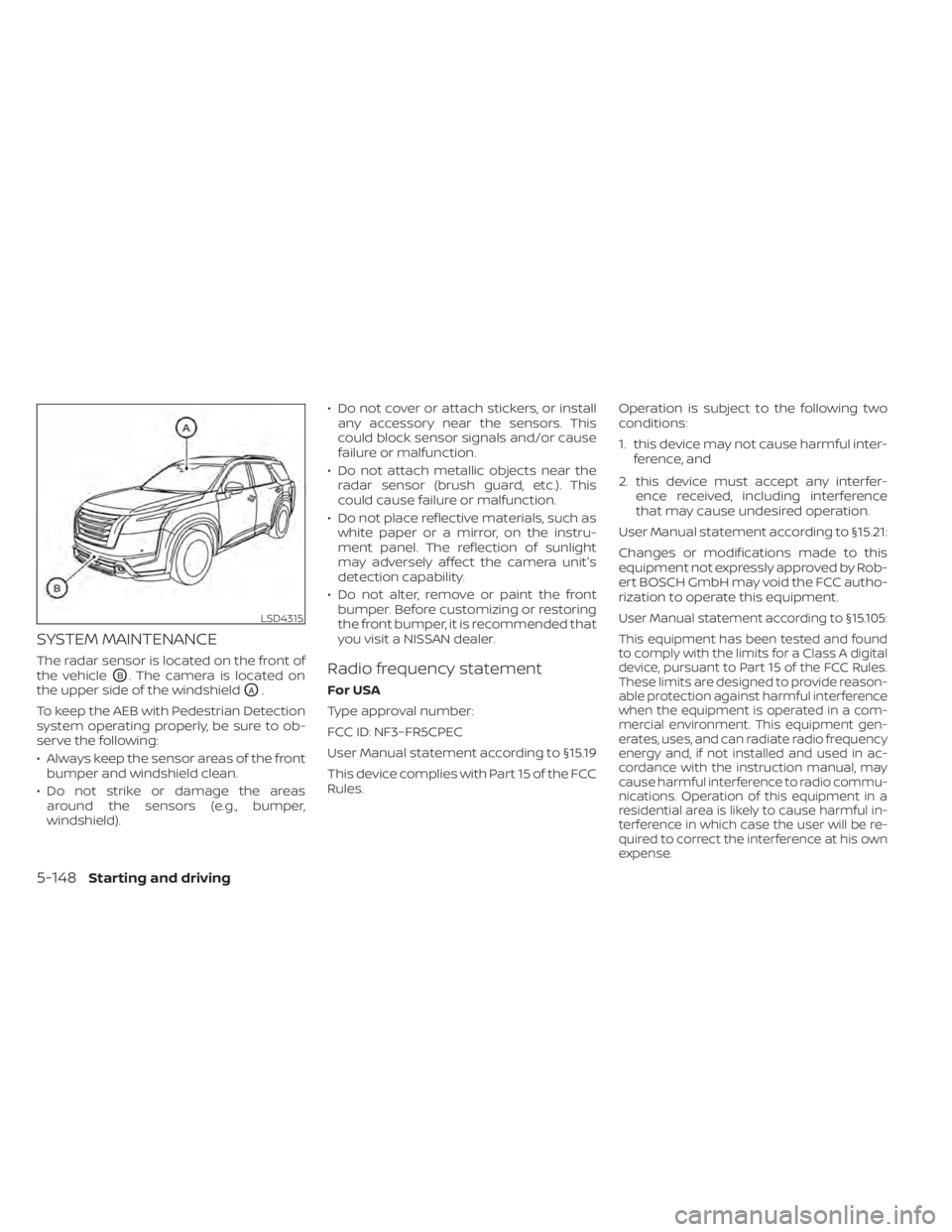
The radar sensor is located on the front of
the vehicle
OB. The camera is located on
the upper side of the windshield
OA.
To keep the AEB with Pedestrian Detection
system operating properly, be sure to ob-
serve the following:
• Always keep the sensor areas of the front bumper and windshield clean.
• Do not strike or damage the areas around the sensors (e.g., bumper,
windshield). • Do not cover or attach stickers, or install
any accessory near the sensors. This
could block sensor signals and/or cause
failure or malfunction.
• Do not attach metallic objects near the radar sensor (brush guard, etc.). This
could cause failure or malfunction.
• Do not place reflective materials, such as white paper or a mirror, on the instru-
ment panel. The reflection of sunlight
may adversely affect the camera unit's
detection capability.
• Do not alter, remove or paint the front bumper. Before customizing or restoring
the front bumper, it is recommended that
you visit a NISSAN dealer.
Radio frequency statement
For USA
Type approval number:
FCC ID: NF3–FR5CPEC
User Manual statement according to §15.19
This device complies with Part 15 of the FCC
Rules. Operation is subject to the following two
conditions:
1. this device may not cause harmful inter-
ference, and
2. this device must accept any interfer- ence received, including interference
that may cause undesired operation.
User Manual statement according to §15.21:
Changes or modifications made to this
equipment not expressly approved by Rob-
ert BOSCH GmbH may void the FCC autho-
rization to operate this equipment.
User Manual statement according to §15.105:
This equipment has been tested and found
to comply with the limits for a Class A digital
device, pursuant to Part 15 of the FCC Rules.
These limits are designed to provide reason-
able protection against harmful interference
when the equipment is operated in a com-
mercial environment. This equipment gen-
erates, uses, and can radiate radio frequency
energy and, if not installed and used in ac-
cordance with the instruction manual, may
cause harmful interference to radio commu-
nications. Operation of this equipment in a
residential area is likely to cause harmful in-
terference in which case the user will be re-
quired to correct the interference at his own
expense.LSD4315
5-148Starting and driving
Page 474 of 665
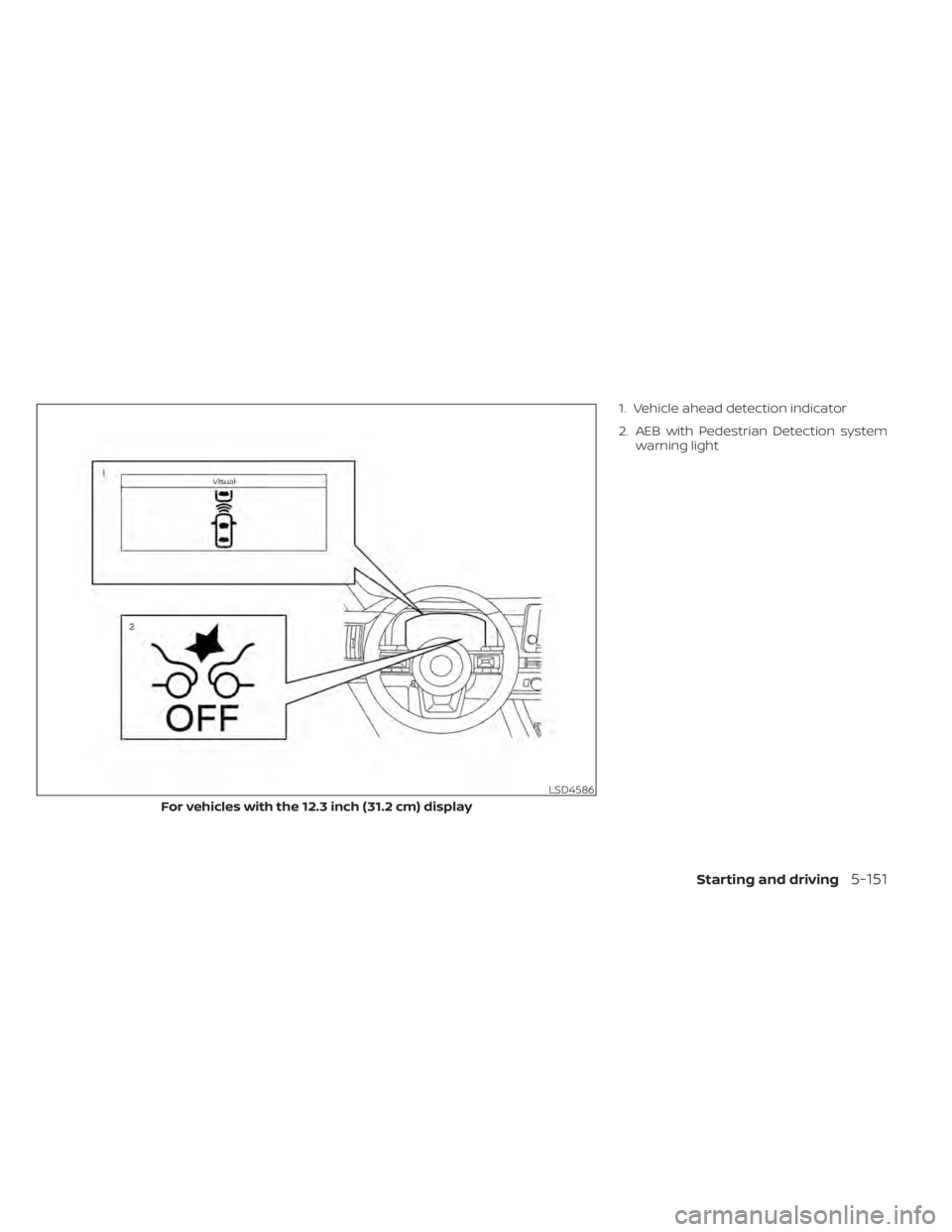
1. Vehicle ahead detection indicator
2. AEB with Pedestrian Detection systemwarning light
LSD4586
For vehicles with the 12.3 inch (31.2 cm) display
Starting and driving5-151
Page 476 of 665
TURNING THE I-FCW SYSTEM
ON/OFF
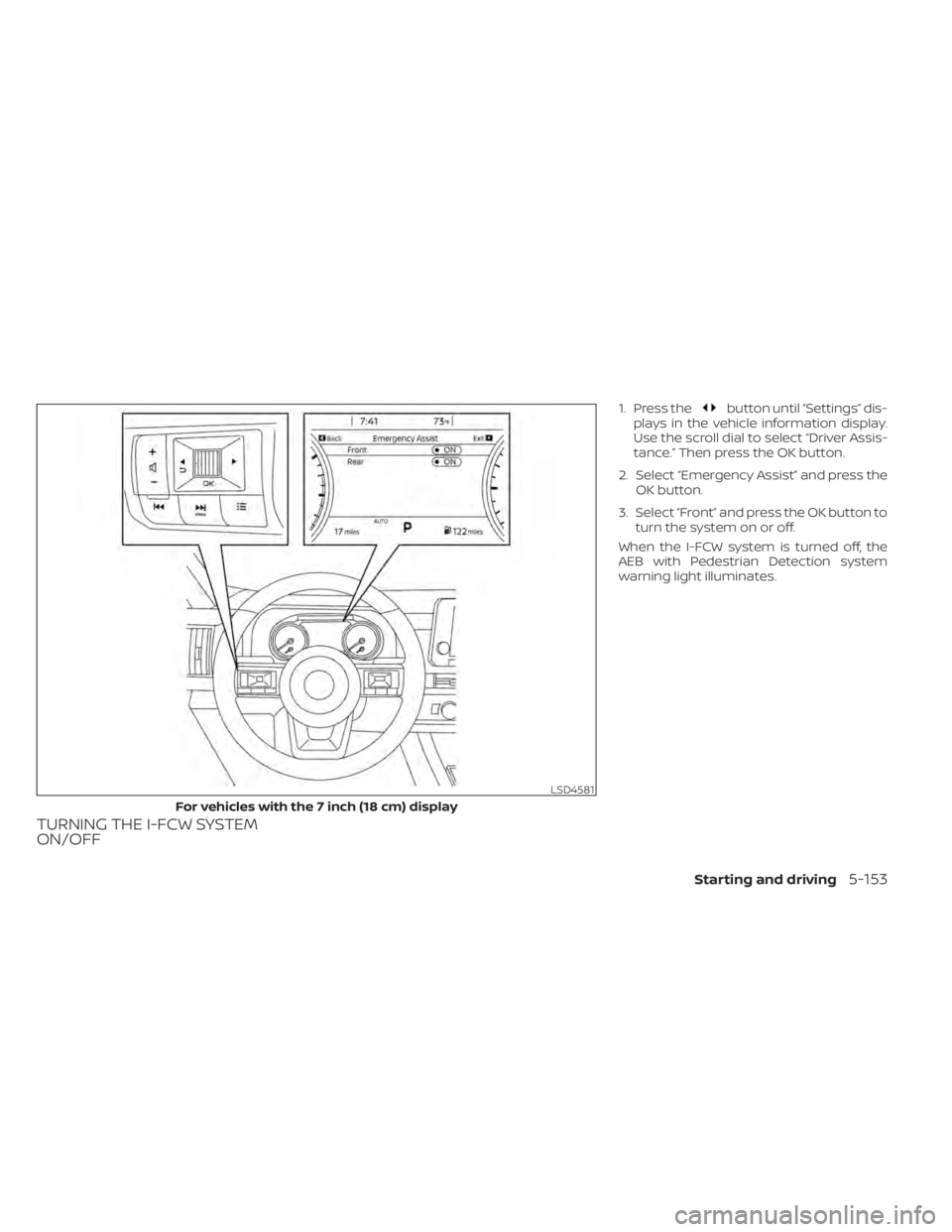
1. Press thebutton until “Settings” dis-
plays in the vehicle information display.
Use the scroll dial to select “Driver Assis-
tance.” Then press the OK button.
2. Select “Emergency Assist” and press the OK button.
3. Select “Front” and press the OK button to turn the system on or off.
When the I-FCW system is turned off, the
AEB with Pedestrian Detection system
warning light illuminates.
LSD4581
For vehicles with the 7 inch (18 cm) display
Starting and driving5-153
Page 477 of 665
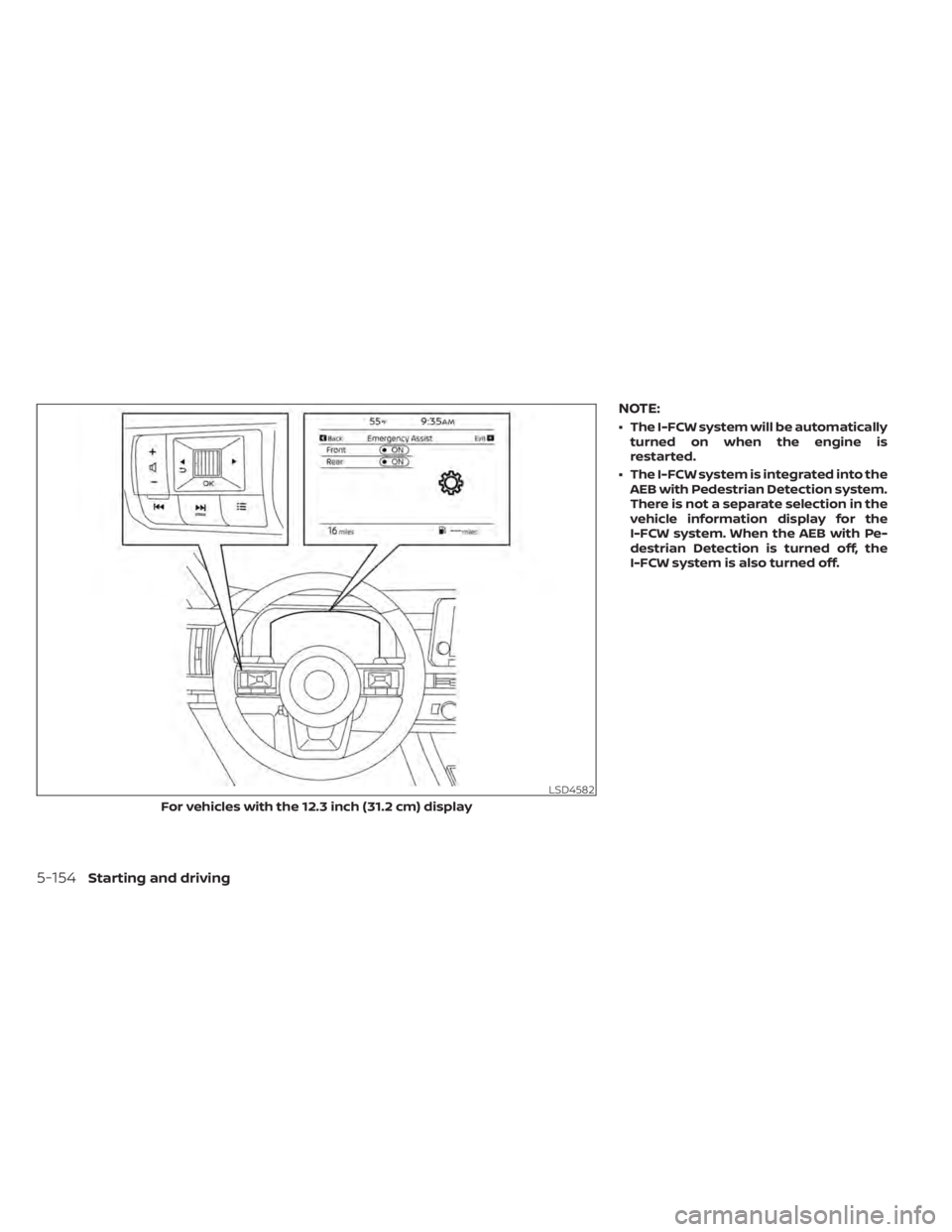
NOTE:
• The I-FCW system will be automaticallyturned on when the engine is
restarted.
• The I-FCW system is integrated into the AEB with Pedestrian Detection system.
There is not a separate selection in the
vehicle information display for the
I-FCW system. When the AEB with Pe-
destrian Detection is turned off, the
I-FCW system is also turned off.
LSD4582
For vehicles with the 12.3 inch (31.2 cm) display
5-154Starting and driving
Page 484 of 665
SYSTEM TEMPORARILY
UNAVAILABLE
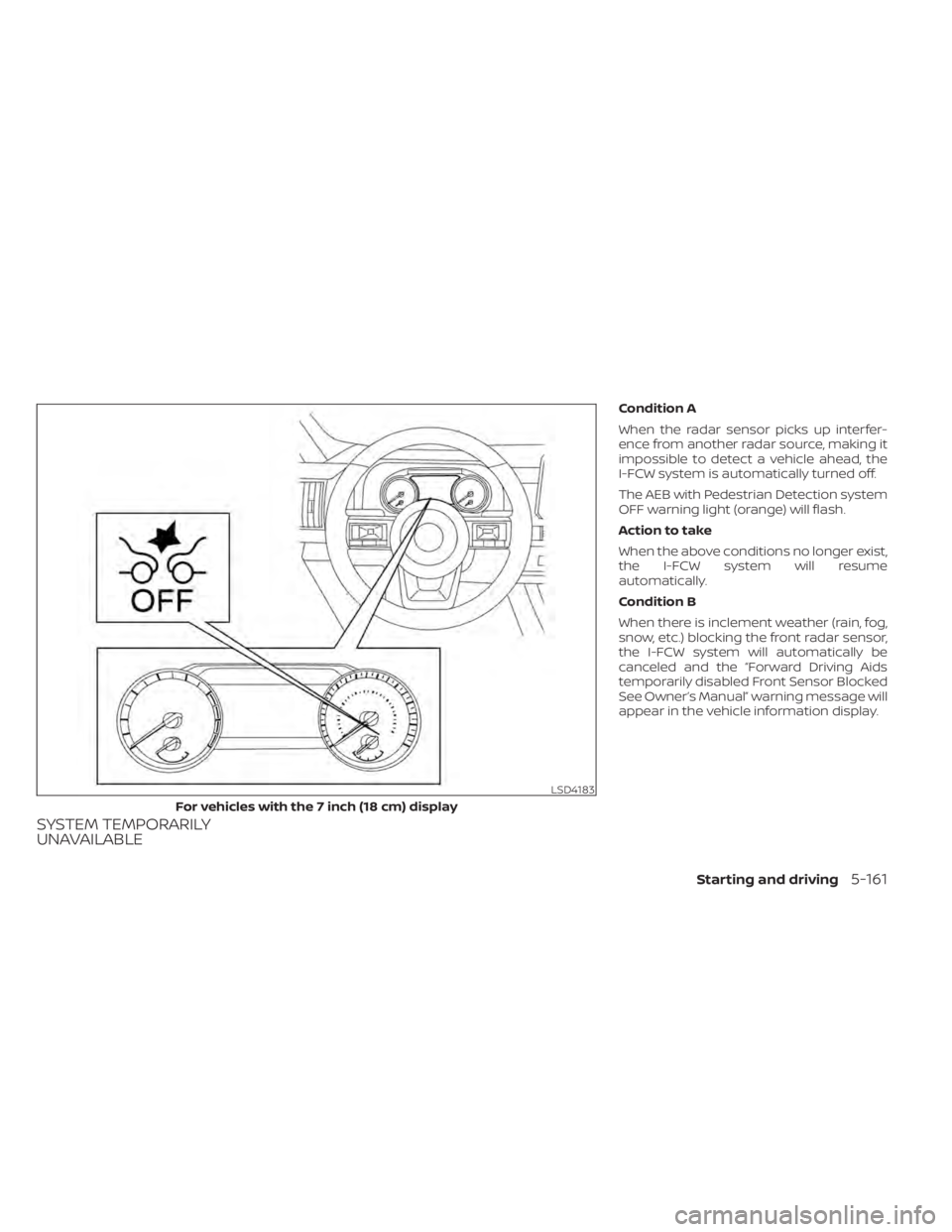
Condition A
When the radar sensor picks up interfer-
ence from another radar source, making it
impossible to detect a vehicle ahead, the
I-FCW system is automatically turned off.
The AEB with Pedestrian Detection system
OFF warning light (orange) will flash.
Action to take
When the above conditions no longer exist,
the I-FCW system will resume
automatically.
Condition B
When there is inclement weather (rain, fog,
snow, etc.) blocking the front radar sensor,
the I-FCW system will automatically be
canceled and the “Forward Driving Aids
temporarily disabled Front Sensor Blocked
See Owner’s Manual” warning message will
appear in the vehicle information display.
LSD4183
For vehicles with the 7 inch (18 cm) display
Starting and driving5-161
Page 486 of 665
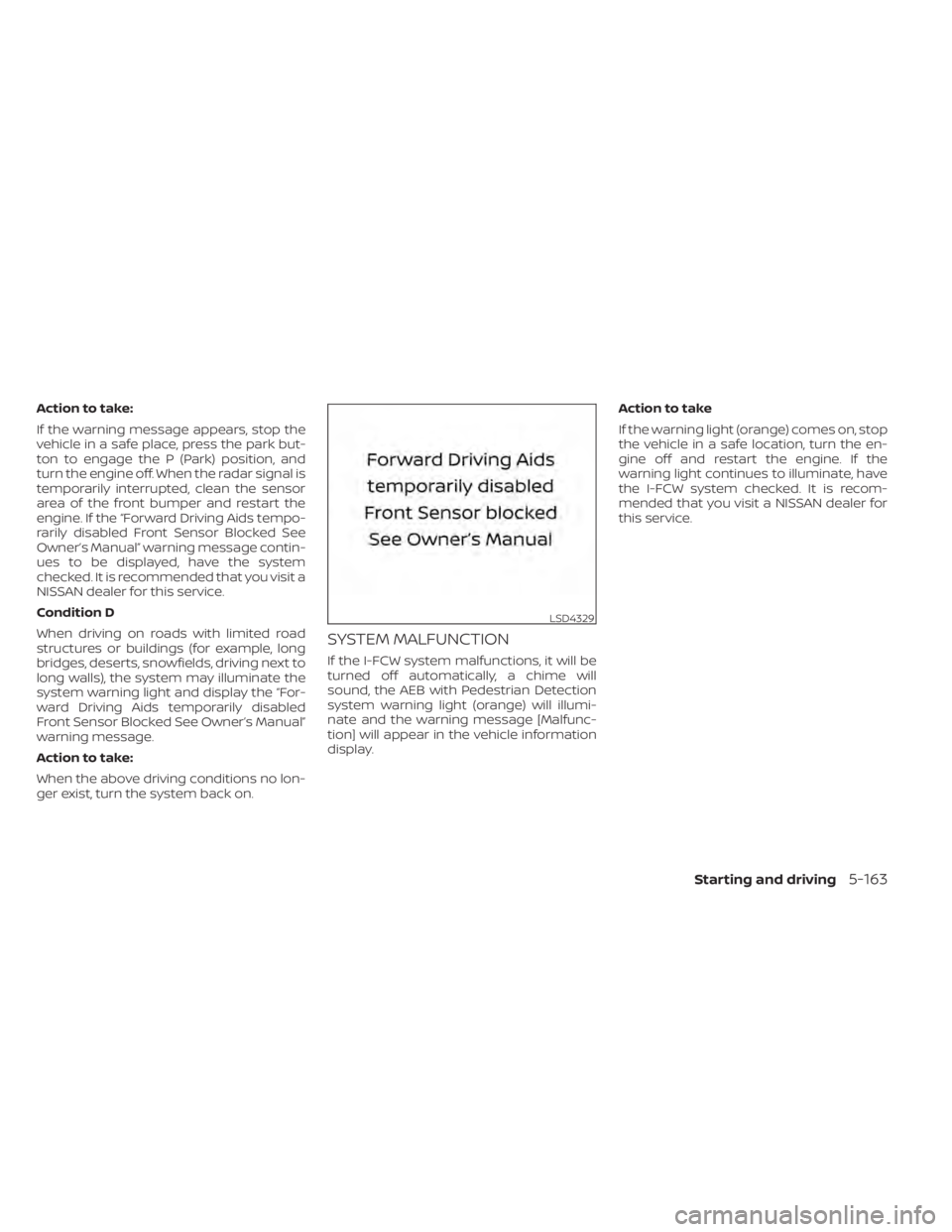
Action to take:
If the warning message appears, stop the
vehicle in a safe place, press the park but-
ton to engage the P (Park) position, and
turn the engine off. When the radar signal is
temporarily interrupted, clean the sensor
area of the front bumper and restart the
engine. If the “Forward Driving Aids tempo-
rarily disabled Front Sensor Blocked See
Owner’s Manual” warning message contin-
ues to be displayed, have the system
checked. It is recommended that you visit a
NISSAN dealer for this service.
Condition D
When driving on roads with limited road
structures or buildings (for example, long
bridges, deserts, snowfields, driving next to
long walls), the system may illuminate the
system warning light and display the “For-
ward Driving Aids temporarily disabled
Front Sensor Blocked See Owner’s Manual”
warning message.
Action to take:
When the above driving conditions no lon-
ger exist, turn the system back on.
SYSTEM MALFUNCTION
If the I-FCW system malfunctions, it will be
turned off automatically, a chime will
sound, the AEB with Pedestrian Detection
system warning light (orange) will illumi-
nate and the warning message [Malfunc-
tion] will appear in the vehicle information
display.Action to take
If the warning light (orange) comes on, stop
the vehicle in a safe location, turn the en-
gine off and restart the engine. If the
warning light continues to illuminate, have
the I-FCW system checked. It is recom-
mended that you visit a NISSAN dealer for
this service.
LSD4329
Starting and driving5-163
Page 500 of 665
BRAKE ASSIST
When the force applied to the brake pedal
exceeds a certain level, the Brake Assist is
activated generating greater braking force
than a conventional brake booster even
with light pedal force.
WARNING
The Brake Assist is only an aid to assist
braking operation and is not a collision
warning or avoidance device. It is the
driver’s responsibility to stay alert,
drive safely and be in control of the ve-
hicle at all times. The VDC system uses various sensors to
monitor driver inputs and vehicle motion.
Under certain driving conditions, the VDC
system helps to perform the following
functions:
• Controls brake pressure to reduce wheel
slip on one slipping drive wheel so power
is transferred to a non-slipping drive
wheel on the same axle.
• Controls brake pressure and engine out- put to reduce drive wheel slip based on
vehicle speed (traction control function).
• Controls brake pressure at individual wheels and engine output to help the
driver maintain control of the vehicle in
the following conditions:– Understeer (vehicle tends to not follow the steered path despite increased
steering input)
– Oversteer (vehicle tends to spin due to certain road or driving conditions)
The VDC system can help the driver to
maintain control of the vehicle, but it can-
not prevent loss of vehicle control in all driv-
ing situations. When the VDC system operates, the
indicator light in the instrument panel
flashes so note the following:
• The road may be slippery or the system
may determine some action is required
to help keep the vehicle on the steered
path.
• You may feel a pulsation in the brake pedal and hear a noise or vibration from
under the hood. This is normal and indi-
cates that the VDC system is working
properly.
• Adjust your speed and driving to the road conditions.
For additional information, see “Slip indica-
tor light” (P. 2-21) and “Vehicle Dynamic Con-
trol (VDC) OFF indicator light” (P. 2-21).
If a malfunction occurs in the system, the
andindicator lights come on in
the instrument panel. The VDC system au-
tomatically turns off when these indicator
lights are on.
The vehicle information display is used to
turn off the VDC system. The
indicator
light and the AEB with Pedestrian Detec-
tion system warning light illuminate to in-
dicate the VDC and AEB with Pedestrian
Detection systems are off.
VEHICLE DYNAMIC CONTROL (VDC)
SYSTEM
Starting and driving5-177
Page 648 of 665
These data can help provide a better un-
derstanding of the circumstances in which
crashes and injuries occur. NOTE: EDR data
are recorded by your vehicle only if a non-
trivial crash situation occurs; no data are
recorded by the EDR under normal driving
conditions and no personal data (e.g.,
name, gender, age, and crash location) are
recorded. However, other parties, such as
law enforcement, could combine the EDR
data with the type of personally identif ying
data routinely acquired during a crash
investigation.
To read data recorded by an EDR, special
equipment is required, and access to the
vehicle or the EDR is needed. In addition to
the vehicle manufacturer and NISSAN
dealer, other parties, such as law enforce-
ment, that have the special equipment, can
read the information if they have access to
the vehicle or the EDR.
EDR data will only be accessed with the
consent of the vehicle owner or lessee or
as otherwise required or permitted by law.ADDITIONAL DATA RECORDING (on
vehicles equipped with optional
ProPILOT Assist)
If your vehicle is equipped with the optional
ProPILOT Assist, it will also be equipped
with a supplemental vehicle data record-
ing function.
The data recording function is designed to
record such data as:
• Driver operational status of accelerator,brakes, steering, etc.
• Detection status of a vehicle ahead and lane markers
• Vehicle information including distance to vehicle ahead and lateral position
• Information on the operation of the Pro- PILOT Assist and other crash avoidance
features
• ProPILOT Assist malfunction diagnosis information
• External images from multi-sensing front camera (Available only when SRS air bag
or AEB with Pedestrian Detection system
is activated)
ProPILOT Assist does not record conversa-
tions, sounds or images of the inside of the
vehicle. To read this vehicle data, special equip-
ment is required and access to the vehicle
or the recording unit is needed. This vehicle
data will only be accessed with the consent
of the vehicle owner or lessee or as other-
wise required or permitted by law.
If downloaded, NISSAN may use the data
recorded for the purpose of improving
NISSAN's vehicle safety performance.
NISSAN will not disclose/provide the re-
corded data to a third party except:
• With the consent of the vehicle owner or
with the consent of the lessee
• In response to an official request from law enforcement, a court order, governmen-
tal agency, or other legally enforceable
requests
• For use as part of NISSAN's defense of litigation
• For research purposes af ter the data is modified such that it is no longer tied to a
specific vehicle or vehicle owner
If you have any questions regarding the
data NISSAN may collect about you, please
visit our Privacy Policy:
https://www.nissanusa.com.
Technical and consumer information10-37
Page 650 of 665
11 Index
A
Active Brake Limited Slip (ABLS)
system....................5-180Active Ride Control.............5-181Air bag (See supplemental restraint
system).....................1-59Air bag system
Front (See supplemental front impact air
bag system)
................1-67Air bag warning labels............1-80Air bag warning light.........1-80, 2-16Air bag warning light,
supplemental.............1-80, 2-16Air cleaner...................8-17Air cleaner housing filter..........8-17Air conditionerAir conditioner operation........4-33Air conditioner specification label. .10-13Air conditioner system refrigerant and oil
recommendations............10-8Air conditioner system refrigerant
recommendations............10-8Heater and air conditioner controls. .4-33Servicing air conditioner........4-39Alarm system (See vehicle security
system).....................2-76Anchor point locations...........1-40Antenna................... .4-39Anti-lock Braking System (ABS).....5-175Antifreeze...................5-196
Approach unlock function.........3-17Armrests....................1-10Autolight switch...............2-83Automatic
Automatic power window switch. .2-119Driving with automatic transmission.5-18Automatic anti-glare inside mirror. . . .3-37Automatic brake hold............5-28Automatic door locks.............3-6Automatic Emergency Braking
(AEB)....................2-17,2-71Automatic Emergency Braking (AEB) with
Pedestrian Detection............5-137
B
Battery.................5- 196, 8-13Charge warning light...........2-15Battery replacement............8-24Key fob...................8-24NISSAN Intelligent Key®.........8-24Before starting the engine.........5-16Belt (See drive belt)..............8-15Blind Spot Warning (BSW).........5-52Booster seats.................1-56Brake
Anti-lock Braking System (ABS). . . .5-175Brake fluid..................8-11Brake light (See stop light).......8-26Brake system...............5-175
Brake warning light............2-14Brake wear indicators......2-23,8-20Parking brake operation.........5-26Self-adjusting brakes..........8-20Brake Assist.................5-177Brake fluid...................8-11Brake system................5-175Brakes.....................8-20Break-in schedule.............5-169Brightness controlInstrument panel.............2-88Bulb check/instrument panel.......2-14Bulb replacement..............8-26
C
C.M.V.S.S. certification label........10-12Camera Aiding Sonar (parking sensor).4-23Capacities and recommended
fuel/lubricants................10-2Car phone or CB radio...........4-40Cargo (See vehicle loading
information)................ .10-15Cargo area storage bin..........2-114Cargo light..................2-124Chassis control...............5-181Check tire pressure..........2-43, 2-70Child restraint with top tether strap. . .1-40Child restraints.......1-30, 1-31, 1-33, 1-35