fuse NISSAN PATHFINDER 2023 Owners Manual
[x] Cancel search | Manufacturer: NISSAN, Model Year: 2023, Model line: PATHFINDER, Model: NISSAN PATHFINDER 2023Pages: 665, PDF Size: 4.64 MB
Page 21 of 665
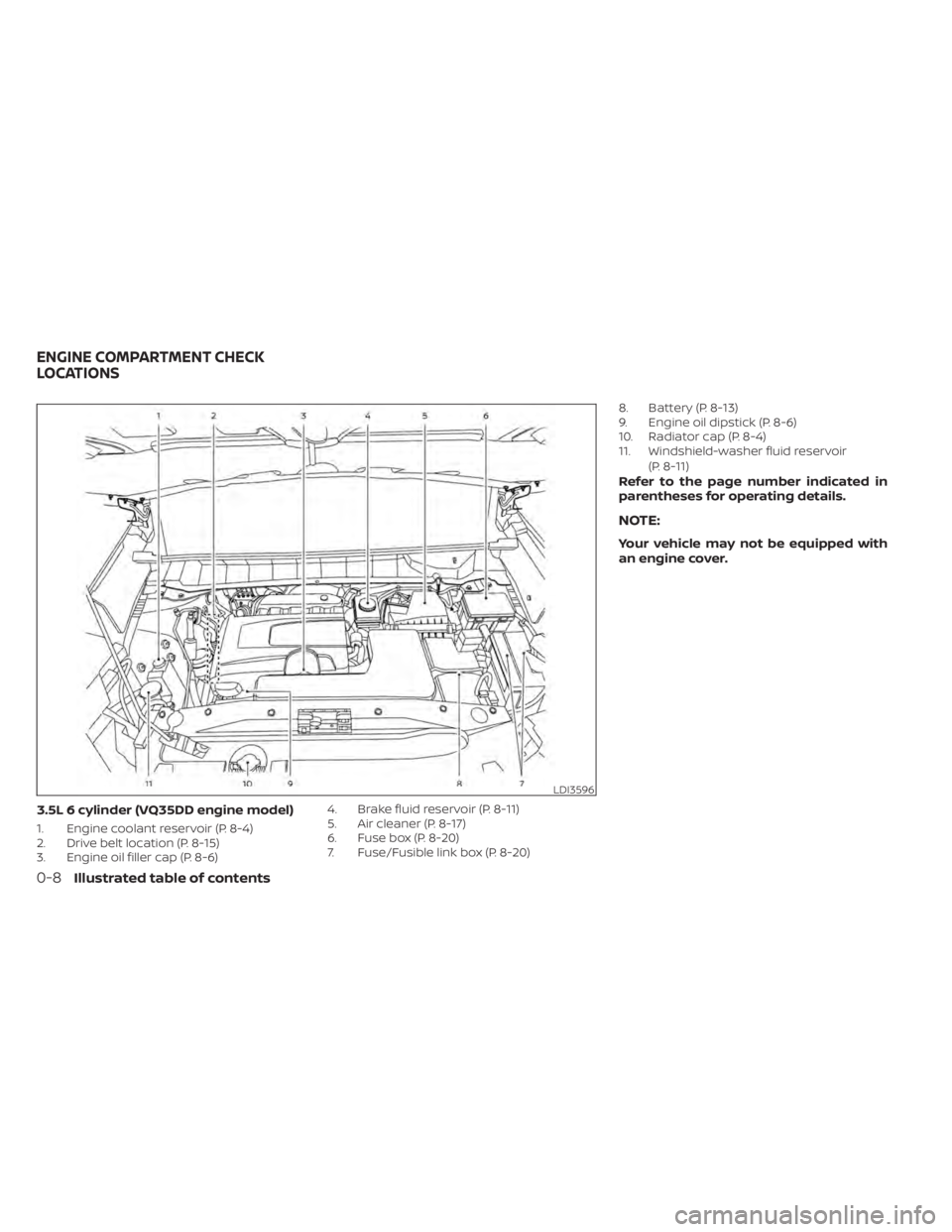
3.5L 6 cylinder (VQ35DD engine model)
1. Engine coolant reservoir (P. 8-4)
2. Drive belt location (P. 8-15)
3. Engine oil filler cap (P. 8-6)4. Brake fluid reservoir (P. 8-11)
5. Air cleaner (P. 8-17)
6. Fuse box (P. 8-20)
7. Fuse/Fusible link box (P. 8-20)8. Battery (P. 8-13)
9. Engine oil dipstick (P. 8-6)
10. Radiator cap (P. 8-4)
11. Windshield-washer fluid reservoir
(P. 8-11)
Refer to the page number indicated in
parentheses for operating details.
NOTE:
Your vehicle may not be equipped with
an engine cover.
LDI3596
ENGINE COMPARTMENT CHECK
LOCATIONS
0-8Illustrated table of contents
Page 149 of 665
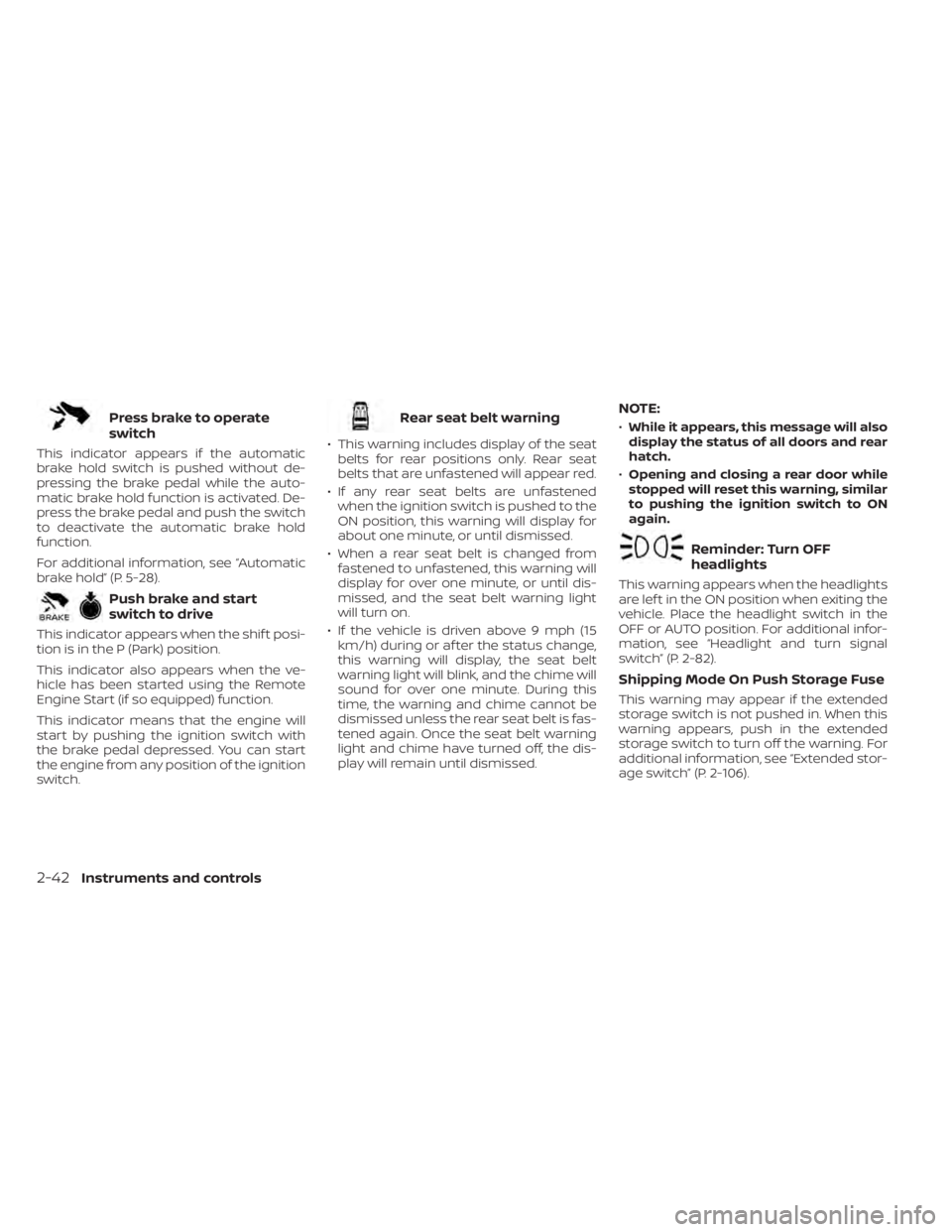
Press brake to operate
switch
This indicator appears if the automatic
brake hold switch is pushed without de-
pressing the brake pedal while the auto-
matic brake hold function is activated. De-
press the brake pedal and push the switch
to deactivate the automatic brake hold
function.
For additional information, see “Automatic
brake hold” (P. 5-28).
Push brake and start
switch to drive
This indicator appears when the shif t posi-
tion is in the P (Park) position.
This indicator also appears when the ve-
hicle has been started using the Remote
Engine Start (if so equipped) function.
This indicator means that the engine will
start by pushing the ignition switch with
the brake pedal depressed. You can start
the engine from any position of the ignition
switch.
Rear seat belt warning
• This warning includes display of the seatbelts for rear positions only. Rear seat
belts that are unfastened will appear red.
• If any rear seat belts are unfastened when the ignition switch is pushed to the
ON position, this warning will display for
about one minute, or until dismissed.
• When a rear seat belt is changed from fastened to unfastened, this warning will
display for over one minute, or until dis-
missed, and the seat belt warning light
will turn on.
• If the vehicle is driven above 9 mph (15 km/h) during or af ter the status change,
this warning will display, the seat belt
warning light will blink, and the chime will
sound for over one minute. During this
time, the warning and chime cannot be
dismissed unless the rear seat belt is fas-
tened again. Once the seat belt warning
light and chime have turned off, the dis-
play will remain until dismissed.
NOTE:
•While it appears, this message will also
display the status of all doors and rear
hatch.
• Opening and closing a rear door while
stopped will reset this warning, similar
to pushing the ignition switch to ON
again.
Reminder: Turn OFF
headlights
This warning appears when the headlights
are lef t in the ON position when exiting the
vehicle. Place the headlight switch in the
OFF or AUTO position. For additional infor-
mation, see “Headlight and turn signal
switch” (P. 2-82).
Shipping Mode On Push Storage Fuse
This warning may appear if the extended
storage switch is not pushed in. When this
warning appears, push in the extended
storage switch to turn off the warning. For
additional information, see “Extended stor-
age switch” (P. 2-106).
2-42Instruments and controls
Page 177 of 665
Seat belt indicator and
chime
• The indicator and chime remind you tofasten the seat belts.
• The seat belt indicator appears when the ignition switch is pushed to the ON posi-
tion if the driver’s seat belt is not fastened,
or if the front passenger seat belt is not
fastened when occupied.
• The seat belt indicator also appears if a rear passenger seat belt is changed from
fastened to unfastened.
• If the driver’s seat belt is not fastened when the ignition switch is pushed to the
ON position, the chime will sound shortly.
• If the vehicle is driven above 9 mph (15 km/h) in the conditions that illuminate
the seat belt indicator, the indicator will
begin to blink and the chime will sound
for over one minute, or until the seat belt
is fastened again.
NOTE:
•The indicator and/or chime may acti-
vate if an object is placed in the unoc-
cupied front passenger seat. In this
case, please remove the object from
the front passenger seat. •
The indicator and/or chime may acti-
vate if any seat belt is unfastened be-
fore the vehicle comes to a complete
stop. Please remain fastened until the
vehicle has come to a complete stop.
Shipping Mode On Push Storage Fuse
This warning may appear if the extended
storage switch is not pushed in. When this
warning appears, push in the extended
storage switch to turn off the warning. For
additional information, see “Extended stor-
age switch” (P. 2-106).
Side light and headlight
indicator (green)
The side indicator and headlight indicator
appears when the side light or headlights
are on (not including the Daytime Running
Lights (DRL) system or signature lights). If
the headlight switch is in the AUTO posi-
tion, the side indicator and headlight indi-
cator will appear when the headlights turn
on. For additional information, see “Head-
light and turn signal switch” (P. 2-82).
Steep Slope Apply foot
brake
This indicator appears, and chime sounds
if the “Caution Steep slope” indicator has
appeared over about 3 minutes. Then the parking brake will automatically be applied
and the brake force of the automatic brake
hold will be released, and the vehicle may
move or roll away unexpectedly. Apply the
foot brake to stop the vehicle moving.
For additional information, see “Automatic
brake hold” (P. 5-28).
Time for a break?
This indicator appears when the set time is
reached. The time can be set up to six
hours. For additional information, see “Set-
tings” (P. 2-55).
Tire Pressure Low - Add Air
This warning appears when the low tire
pressure warning light in the meter illumi-
nates and low tire pressure is detected. The
warning appears each time the ignition
switch is placed in the ON position as long
as the low tire pressure warning light re-
mains illuminated. If this warning appears,
stop the vehicle and adjust the tire pres-
sures of all four tires to the recommended
COLD tire pressure shown on the Tire and
Loading Information label. For additional
information, see “Low tire pressure warning
light” (P. 2-18) and “Tire Pressure Monitoring
System (TPMS)” (P. 5-5).
2-70Instruments and controls
Page 209 of 665
CAUTION
• The outlet and plug may be hot dur-
ing or immediately af ter use.
• Only certain power outlets are de-
signed for use with a cigarette lighter
unit. Do not use any other power out-
let for an accessory lighter. It is rec-
ommended that you visit a NISSAN
dealer for additional information.
• Do not use with accessories that ex-
ceed a 12 volt, 120W (10A) power draw. •
Do not use double adapters or more
than one electrical accessory.
• Use power outlets with the engine
running to avoid discharging the ve-
hicle battery.
• Avoid using power outlets when the
air conditioner, headlights, or rear
window defroster is on.
• Before inserting or disconnecting a
plug, be sure the electrical accessory
being used is turned off.
• Push the plug in as far as it will go. If
good contact is not made, the plug
may overheat or the internal tem-
perature fuse may open.
• When not in use, be sure to close the
cap. Do not allow water or any other
liquid to contact the outlet.120V OUTLET (if so equipped)
CAUTION
• The outlet and plug may be hot dur-
ing or immediately af ter use.
• Use power outlets with the engine
running to avoid discharging the ve-
hicle battery.
• Do not use accessories that exceed a
120V, 150W power draw. Do not use
double adaptors or more than one
electrical accessory.
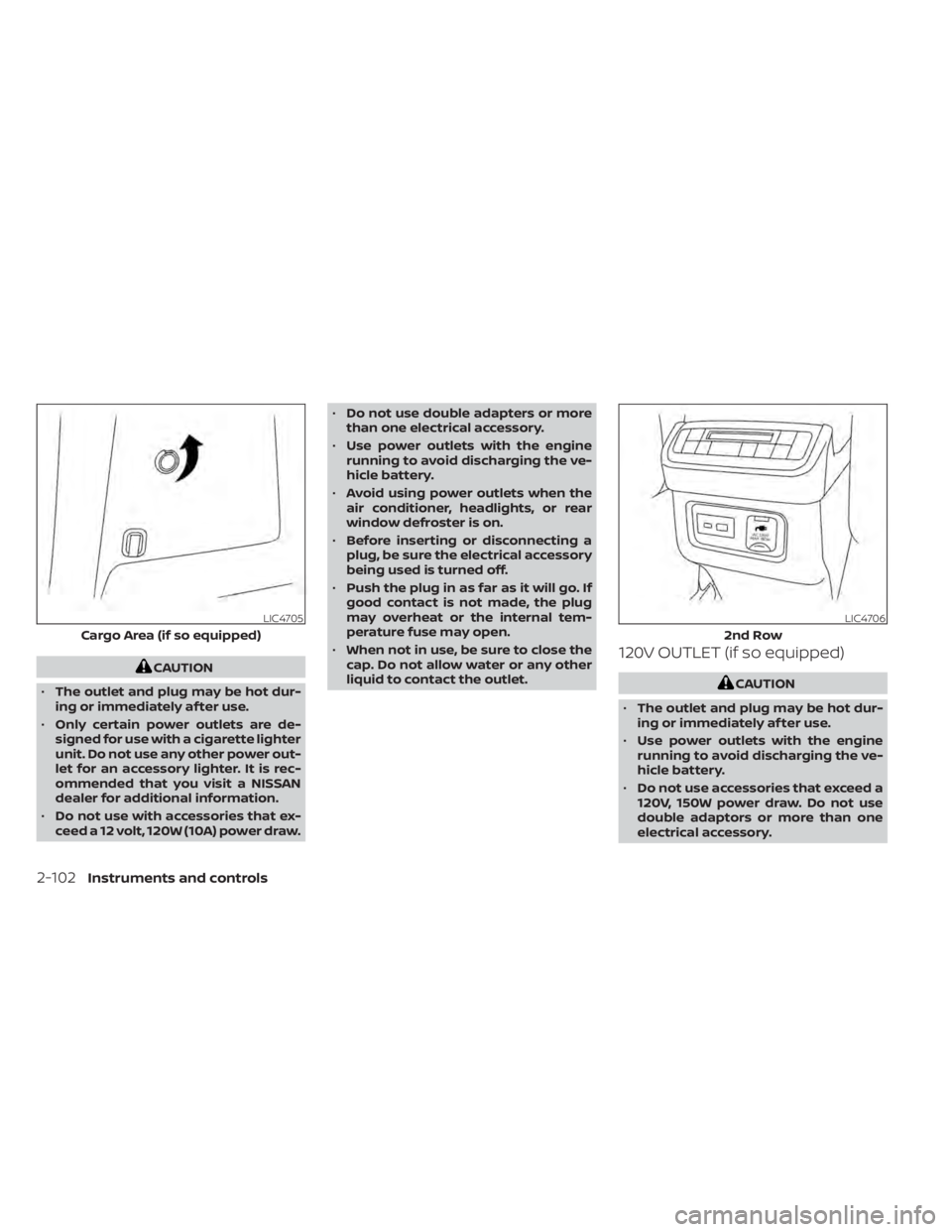
LIC4705
Cargo Area (if so equipped)
LIC4706
2nd Row
2-102Instruments and controls
Page 210 of 665
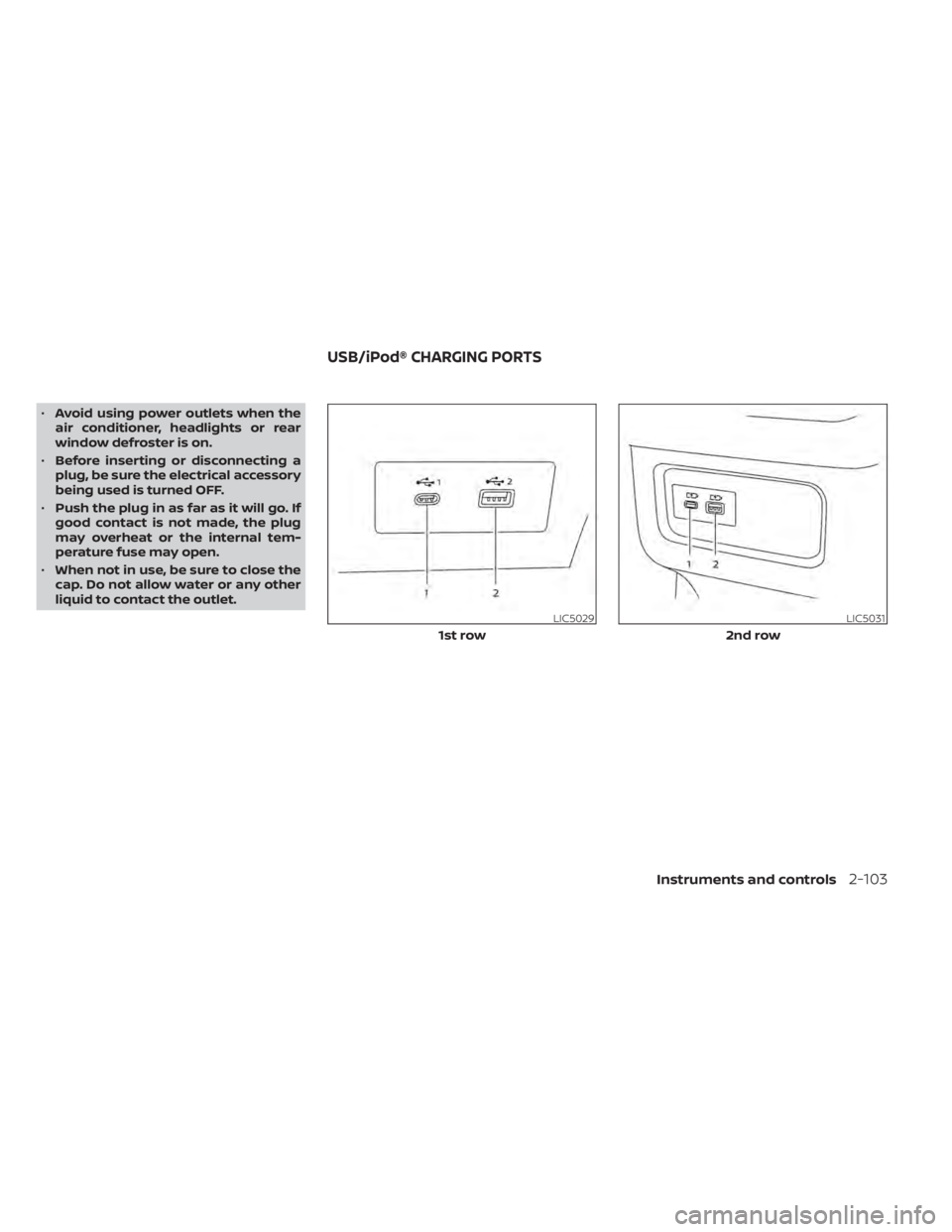
•Avoid using power outlets when the
air conditioner, headlights or rear
window defroster is on.
• Before inserting or disconnecting a
plug, be sure the electrical accessory
being used is turned OFF.
• Push the plug in as far as it will go. If
good contact is not made, the plug
may overheat or the internal tem-
perature fuse may open.
• When not in use, be sure to close the
cap. Do not allow water or any other
liquid to contact the outlet.
LIC5029
1st row
LIC5031
2nd row
USB/iPod® CHARGING PORTS
Instruments and controls2-103
Page 280 of 665
Restarting the entry/exit function
If the battery cable is disconnected or if the
fuse opens, the stored memory positions
may be lost and some of the functions will
be restricted.
1. Drive the vehicle over 25 mph (40 km/h).
OR
2. Open and close the driver's door morethan two times with the ignition switch
in the OFF position.
The entry/exit function should now work
properly.
SETTING MEMORY FUNCTION
The position of the following settings can
be linked to the Intelligent Key and the
memorized settings can be available for
each Intelligent Key.
• Climate control system
• Audio system
To use the memory function, set the cli-
mate and audio systems to the driver's
preferred settings. Lock the doors with the
Intelligent Key. Each Intelligent Key may be
set with the driver's individual preferences.
When a new Intelligent Key is used, “Con-
nection with the key has been done” will be displayed on the vehicle information dis-
play and the memorized settings are
available.
To engage the memorized settings, per-
form the following:
1. Carry the Intelligent Key that is linked to
the memorized settings.
2. Unlock the doors by wrapping hand around the capacitive door handle or
the
button on the Intelligent Key.
3. Place the ignition switch in the ON posi- tion. The settings linked to the Intelligent
Key will start.
For additional information on using the cli-
mate control system, see “Heater and air
conditioner (automatic)” (P. 4-32).
SYSTEM OPERATION
The memory seat system will not work or
will stop operating under the following
conditions:
• When the vehicle speed is above 4 mph (7 km/h).
• When any of the memory switches are pushed while the memory seat is
operating. • When the switch for the driver’s seat and
steering wheel is pushed while the
memory seat is operating.
• When the seat has already been moved to the memorized position.
• When no seat position is stored in the memory switch.
• When the shif t position is moved from P (Park) position to any other position.
Pre-driving checks and adjustments3-43
Page 548 of 665
8 Do-it-yourself
Maintenance precautions.......................8-2
Engine compartment check locations ...........8-3
Engine cooling system ..........................8-4
Checking engine coolant level ................8-5
Changing engine coolant ....................8-5
Engine oil .......................................8-6
Checking engine oil level .....................8-6
Changing engine oil and oil filter ..............8-6
Automatic Transmission Fluid (ATF) .............8-10
Brake fluid ....................................... 8-11
Windshield-washer fluid .........................8-11
Windshield-washer fluid reservoir ............8-11
Battery......................................... 8-13
Jump starting ............................... 8-14
Variable voltage control system ................8-15
Drive belt ....................................... 8-15
Spark plugs .................................... 8-16
Replacing spark plugs .......................8-16
Air cleaner ..................................... 8-17
In-cabin microfilter .......................... 8-17Windshield wiper blades
........................8-18
Cleaning .................................... 8-18
Replacing ................................... 8-18
Brakes ......................................... 8-20
Fuses .......................................... 8-20
Engine compartment ....................... 8-21
Passenger compartment ...................8-22
Battery replacement ........................... 8-24
NISSAN Intelligent Key® ......................8-24
Lights .......................................... 8-26
Headlights .................................. 8-26
Fog lights (if so equipped) ...................8-26
Exterior and interior lights ...................8-26
Wheels and tires ............................... 8-28
Tire pressure ................................ 8-28
Tire labeling ................................. 8-33
Types of tires ................................ 8-37
Tire chains .................................. 8-38
Changing
wheels and tires .................. 8-39
Page 550 of 665
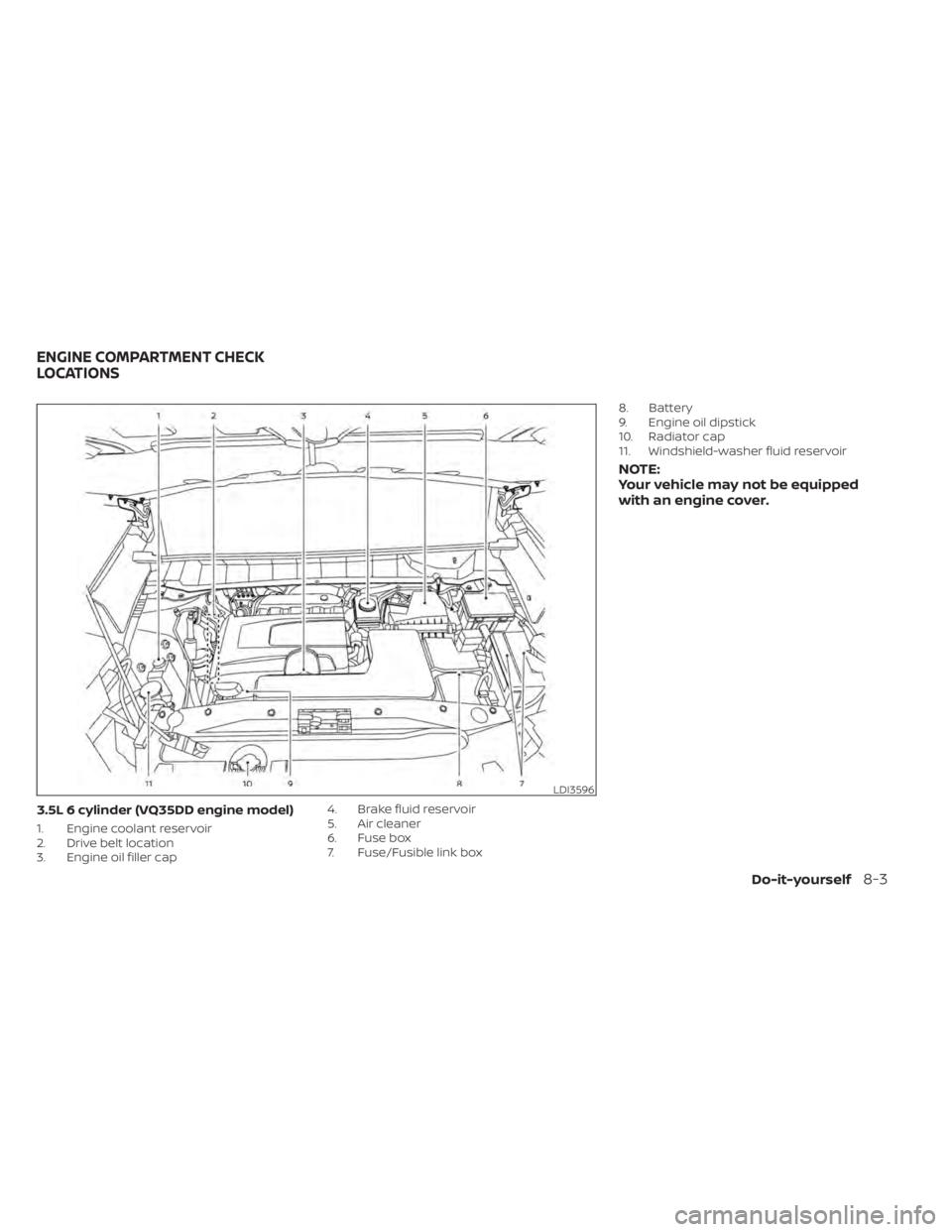
3.5L 6 cylinder (VQ35DD engine model)
1. Engine coolant reservoir
2. Drive belt location
3. Engine oil filler cap4. Brake fluid reservoir
5. Air cleaner
6. Fuse box
7. Fuse/Fusible link box8. Battery
9. Engine oil dipstick
10. Radiator cap
11. Windshield-washer fluid reservoir
NOTE:
Your vehicle may not be equipped
with an engine cover.
LDI3596
ENGINE COMPARTMENT CHECK
LOCATIONS
Do-it-yourself8-3
Page 567 of 665
If the brakes do not operate properly have
the brakes checked. It is recommended
that you visit a NISSAN dealer for this
service.
Self-adjusting brakes
Your vehicle is equipped with self-adjusting
brakes.
The front and rear disc-type brakes self-
adjust every time the brake pedal is
applied.
WARNING
Have your brake system checked if the
brake pedal height does not return to
normal. It is recommended that you
visit a NISSAN dealer for this service.
Brake pad wear indicators
The disc brake pads on your vehicle have
audible wear indicators. When a brake pad
requires replacement, a high pitched
scraping or screeching sound will be heard
when the vehicle is in motion. The noise will
be heard whether or not the brake pedal is
depressed. Have the brakes checked as
soon as possible if the wear indicator
sound is heard. Under some driving or climate conditions,
occasional brake squeak, squeal or other
noise may be heard. Occasional brake
noise during light to moderate stops is nor-
mal and does not affect the function or
performance of the brake system.
Proper brake inspection intervals should
be followed.
For additional information re-
garding brake inspections, see appropriate
maintenance schedule information in the
"Maintenance and schedules" section of
this manual.
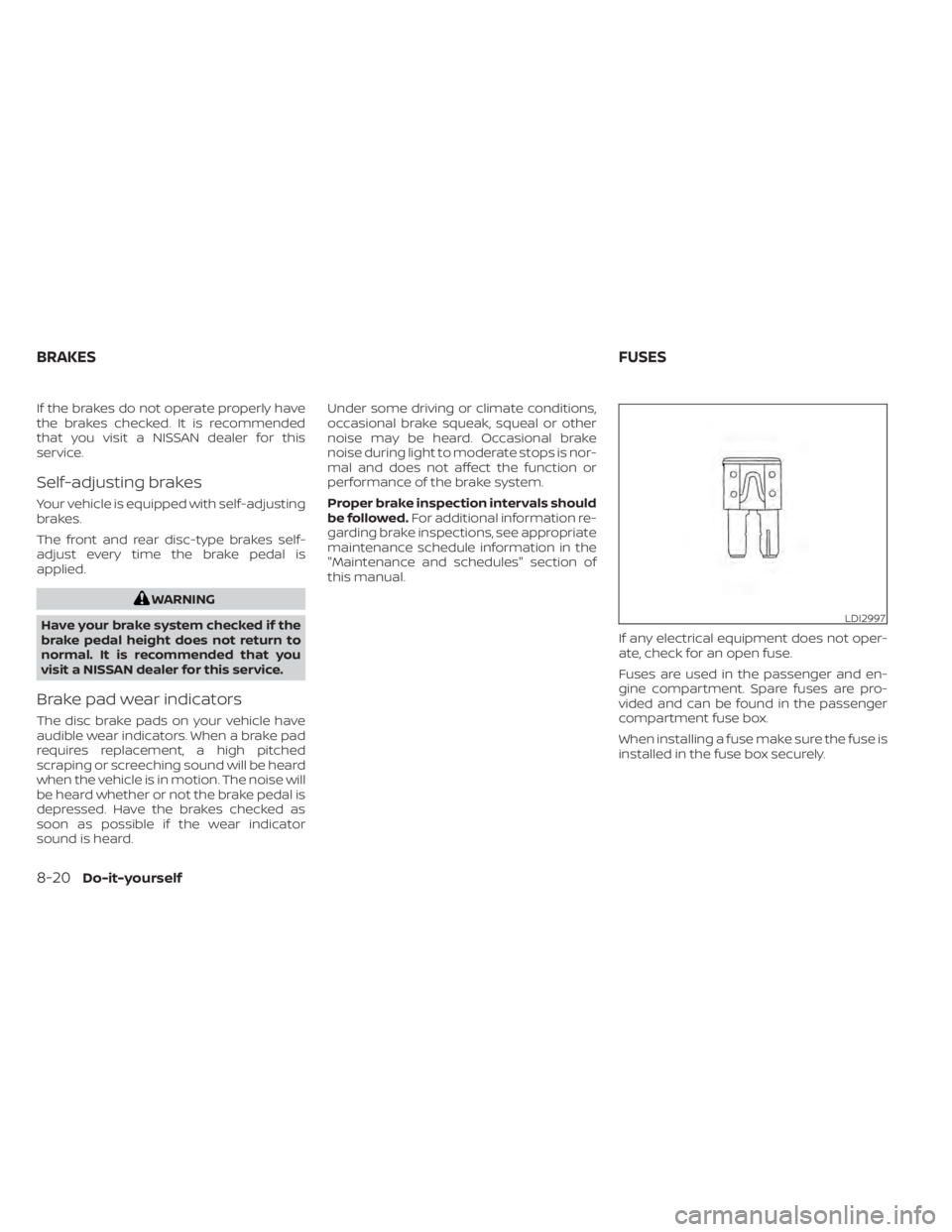
If any electrical equipment does not oper-
ate, check for an open fuse.
Fuses are used in the passenger and en-
gine compartment. Spare fuses are pro-
vided and can be found in the passenger
compartment fuse box.
When installing a fuse make sure the fuse is
installed in the fuse box securely.
LDI2997
BRAKES FUSES
8-20Do-it-yourself
Page 568 of 665
ENGINE COMPARTMENT
WARNING
Never use a fuse of higher or lower am-
perage rating than that specified on
the fuse box cover. This could damage
the electrical system or electronic con-
trol units or cause a fire. If any electrical equipment does not come
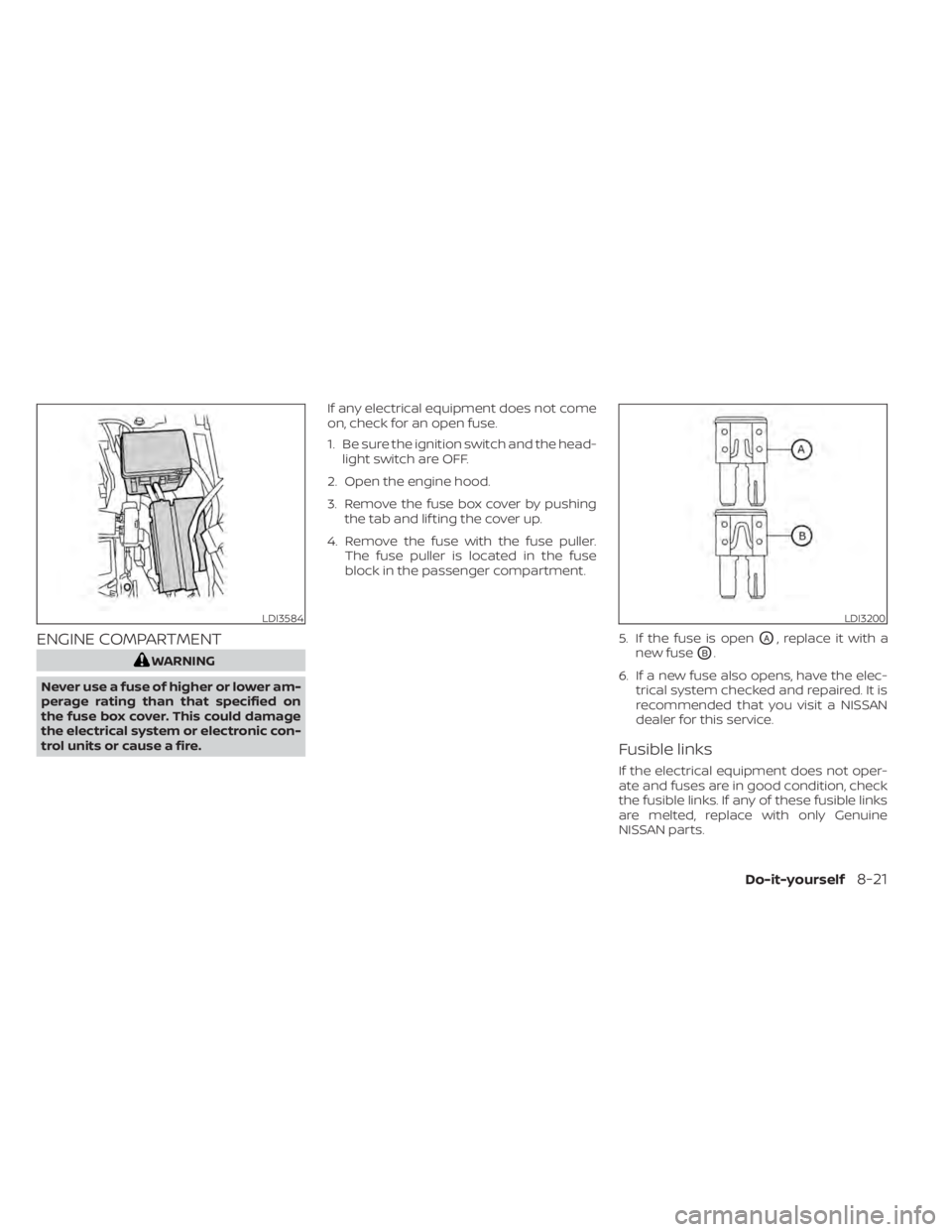
on, check for an open fuse.
1. Be sure the ignition switch and the head-
light switch are OFF.
2. Open the engine hood.
3. Remove the fuse box cover by pushing the tab and lif ting the cover up.
4. Remove the fuse with the fuse puller. The fuse puller is located in the fuse
block in the passenger compartment.
5. If the fuse is open
OA, replace it with a
new fuse
OB.
6. If a new fuse also opens, have the elec- trical system checked and repaired. It is
recommended that you visit a NISSAN
dealer for this service.
Fusible links
If the electrical equipment does not oper-
ate and fuses are in good condition, check
the fusible links. If any of these fusible links
are melted, replace with only Genuine
NISSAN parts.
LDI3584LDI3200
Do-it-yourself8-21