park assist NISSAN PATHFINDER 2023 Owners Manual
[x] Cancel search | Manufacturer: NISSAN, Model Year: 2023, Model line: PATHFINDER, Model: NISSAN PATHFINDER 2023Pages: 665, PDF Size: 4.64 MB
Page 20 of 665
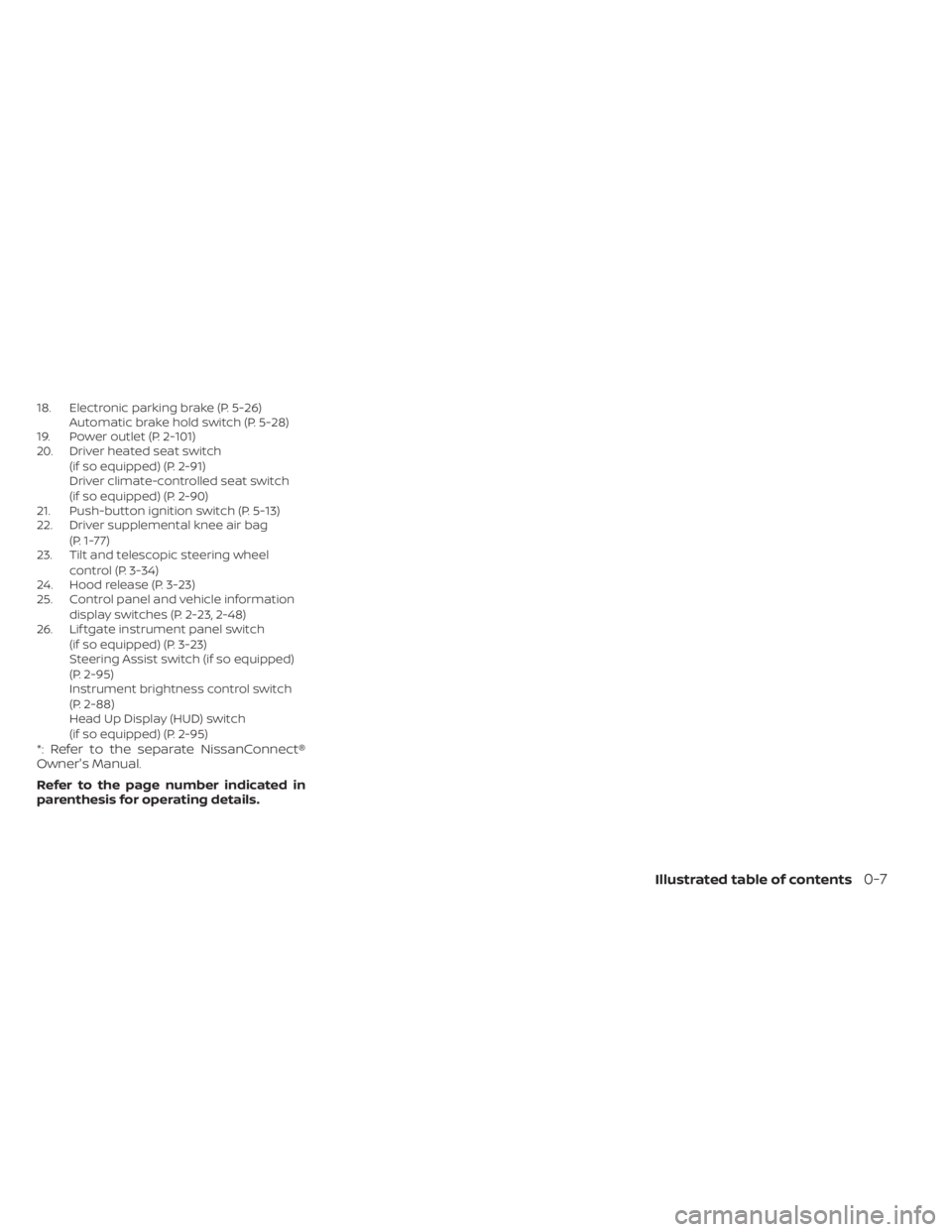
18. Electronic parking brake (P. 5-26)Automatic brake hold switch (P. 5-28)
19. Power outlet (P. 2-101)
20. Driver heated seat switch
(if so equipped) (P. 2-91)
Driver climate-controlled seat switch
(if so equipped) (P. 2-90)
21. Push-button ignition switch (P. 5-13)
22. Driver supplemental knee air bag
(P. 1-77)
23. Tilt and telescopic steering wheel
control (P. 3-34)
24. Hood release (P. 3-23)
25. Control panel and vehicle information
display switches (P. 2-23, 2-48)
26. Lif tgate instrument panel switch
(if so equipped) (P. 3-23)
Steering Assist switch (if so equipped)
(P. 2-95)
Instrument brightness control switch
(P. 2-88)
Head Up Display (HUD) switch
(if so equipped) (P. 2-95)
*: Refer to the separate NissanConnect®
Owner's Manual.
Refer to the page number indicated in
parenthesis for operating details.
Illustrated table of contents0-7
Page 22 of 665
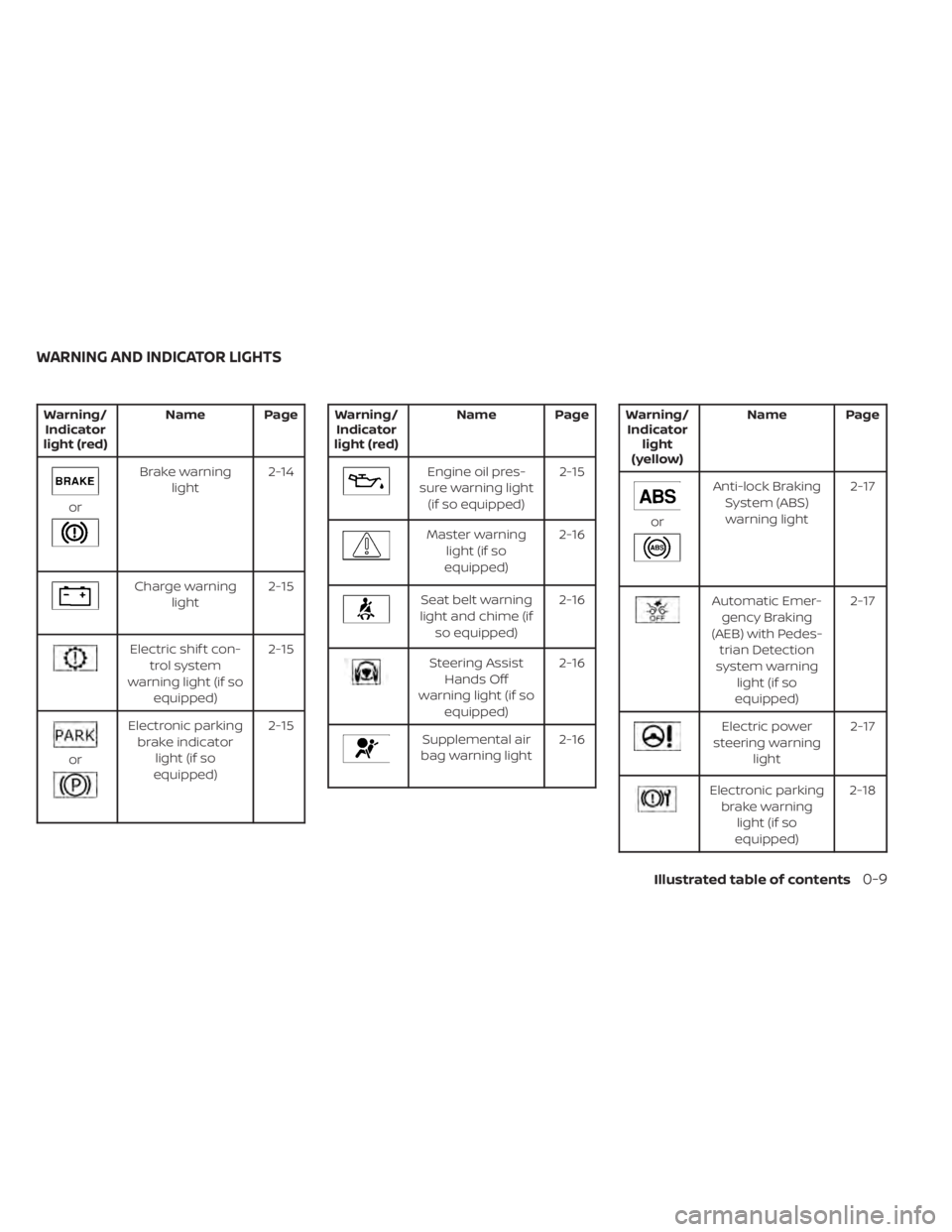
Warning/Indicator
light (red) Name Page
or
Brake warning
light 2-14
Charge warning
light 2-15
Electric shif t con-
trol system
warning light (if so equipped) 2-15
or
Electronic parking
brake indicator light (if so
equipped) 2-15
Warning/
Indicator
light (red) Name Page
Engine oil pres-
sure warning light (if so equipped) 2-15
Master warning
light (if so
equipped) 2-16
Seat belt warning
light and chime (if so equipped) 2-16
Steering Assist
Hands Off
warning light (if so equipped) 2-16
Supplemental air
bag warning light 2-16
Warning/
Indicator light
(yellow) Name Page
or
Anti-lock Braking
System (ABS)warning light 2-17
Automatic Emer-
gency Braking
(AEB) with Pedes- trian Detection
system warning light (if so
equipped) 2-17
Electric power
steering warning light 2-17
Electronic parking
brake warning light (if so
equipped) 2-18
WARNING AND INDICATOR LIGHTS
Illustrated table of contents0-9
Page 112 of 665
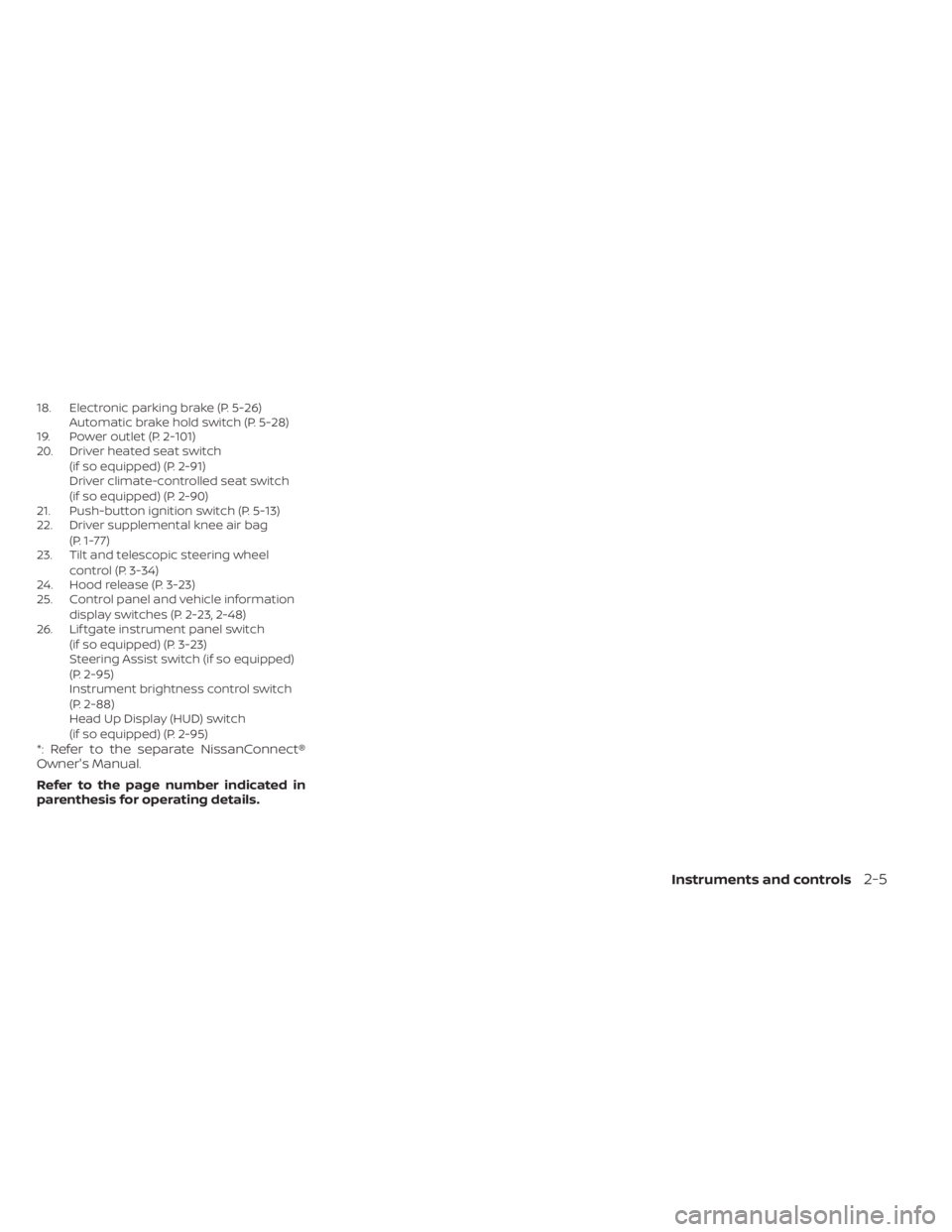
18. Electronic parking brake (P. 5-26)Automatic brake hold switch (P. 5-28)
19. Power outlet (P. 2-101)
20. Driver heated seat switch
(if so equipped) (P. 2-91)
Driver climate-controlled seat switch
(if so equipped) (P. 2-90)
21. Push-button ignition switch (P. 5-13)
22. Driver supplemental knee air bag
(P. 1-77)
23. Tilt and telescopic steering wheel
control (P. 3-34)
24. Hood release (P. 3-23)
25. Control panel and vehicle information
display switches (P. 2-23, 2-48)
26. Lif tgate instrument panel switch
(if so equipped) (P. 3-23)
Steering Assist switch (if so equipped)
(P. 2-95)
Instrument brightness control switch
(P. 2-88)
Head Up Display (HUD) switch
(if so equipped) (P. 2-95)
*: Refer to the separate NissanConnect®
Owner's Manual.
Refer to the page number indicated in
parenthesis for operating details.
Instruments and controls2-5
Page 119 of 665
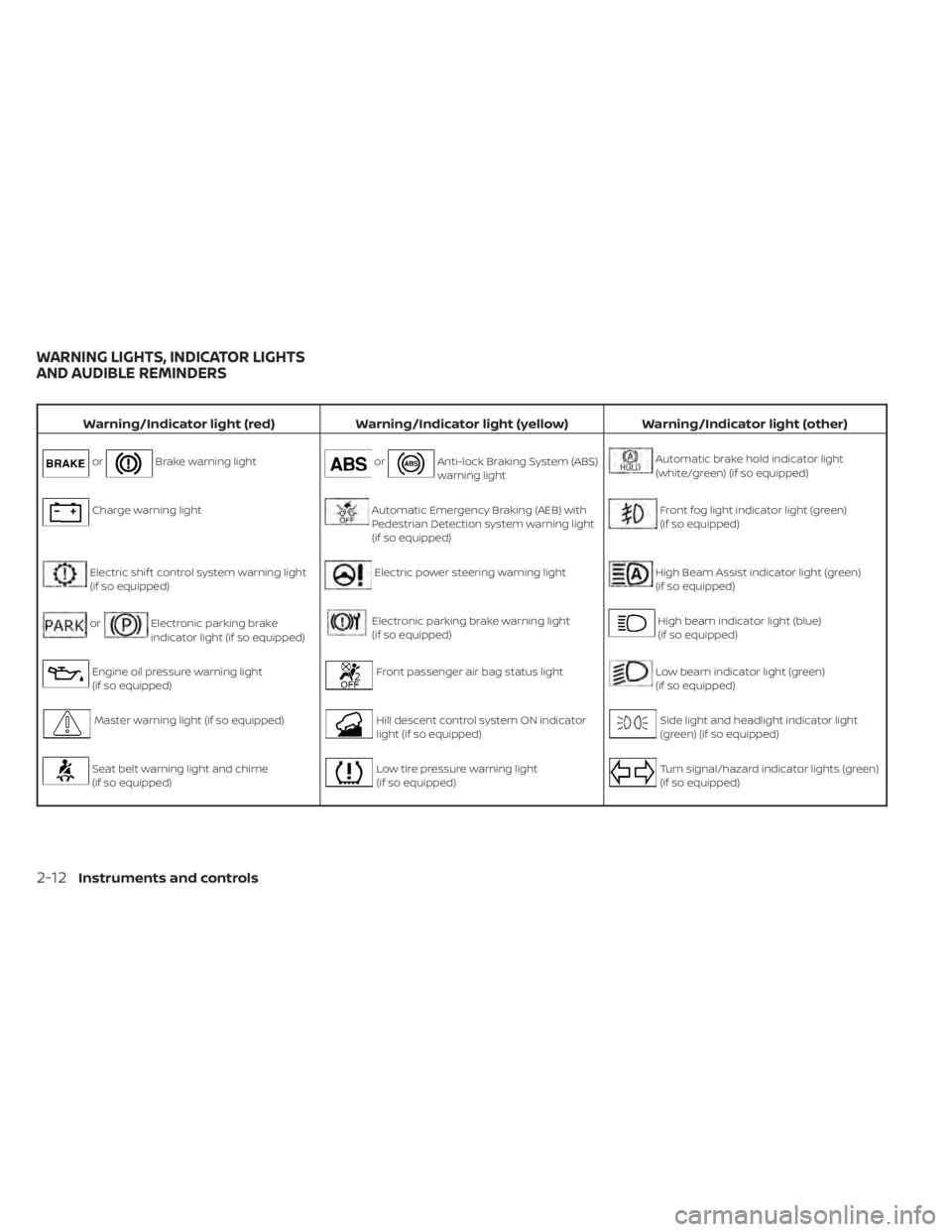
Warning/Indicator light (red)Warning/Indicator light (yellow) Warning/Indicator light (other)
orBrake warning lightorAnti-lock Braking System (ABS)
warning lightAutomatic brake hold indicator light
(white/green) (if so equipped)
Charge warning lightAutomatic Emergency Braking (AEB) with
Pedestrian Detection system warning light
(if so equipped)Front fog light indicator light (green)
(if so equipped)
Electric shif t control system warning light
(if so equipped)Electric power steering warning lightHigh Beam Assist indicator light (green)
(if so equipped)
orElectronic parking brake
indicator light (if so equipped)Electronic parking brake warning light
(if so equipped)High beam indicator light (blue)
(if so equipped)
Engine oil pressure warning light
(if so equipped)Front passenger air bag status lightLow beam indicator light (green)
(if so equipped)
Master warning light (if so equipped)Hill descent control system ON indicator
light (if so equipped)Side light and headlight indicator light
(green) (if so equipped)
Seat belt warning light and chime
(if so equipped)Low tire pressure warning light
(if so equipped)Turn signal/hazard indicator lights (green)
(if so equipped)
WARNING LIGHTS, INDICATOR LIGHTS
AND AUDIBLE REMINDERS
2-12Instruments and controls
Page 125 of 665
When the ignition switch is placed in the ON
position, the electric power steering
warning light illuminates. Af ter starting the
engine, the electric power steering
warning light turns off. This indicates the
power steering is operational.
If the electric power steering warning light
illuminates while the engine is running, it
may indicate the power steering is not
functioning properly and may need servic-
ing. Have the power steering checked. It is
recommended that you visit a NISSAN
dealer for this service.
When the electric power steering warning
light illuminates with the engine running,
there will be no power assist for the steer-
ing, but you will still have control of the
vehicle. At this time, greater steering effort
is required to operate the steering wheel,
especially in sharp turns and at low speeds.
For additional information, see “Power
steering” (P. 5-174).
Electronic parking brake
warning light (if so
equipped)
When the ignition switch is in the ON posi-
tion, the electronic parking brake warning
light illuminates and then turns off.The electronic parking brake system
warning light functions for the electronic
parking brake system. If the warning light
illuminates, it may indicate the electronic
parking brake system is not functioning
properly. Have the system checked. It is
recommended that you visit a NISSAN
dealer for this service.
For additional information, see “Parking
brake” (P. 5-26).
Front passenger air bag
status light
The front passenger air bag status light will
be lit and the passenger front air bag will be
off depending on how the front passenger
seat is being used.
For additional information, see “Front pas-
senger air bag and status light” (P. 1-71).
Hill descent control system
ON indicator light (if so
equipped)
When the ignition switch is placed in the ON
position, this light comes on briefly and
then turns off.
The light comes on when the hill descent
control system is activated.
If the hill descent control switch is on and
the indicator light blinks, the system is not
engaged.
If the indicator light does not come on
when the hill descent switch is on, the sys-
tem may not be functioning properly. Have
the system checked. It is recommended
that you visit a NISSAN dealer for this
service.
For additional information, see “Hill descent
control switch” (P. 2-94) or “Hill descent con-
trol system” (P. 5-182).
Low tire pressure warning
light (if so equipped)
Your vehicle is equipped with a Tire Pres-
sure Monitoring System (TPMS) that moni-
tors the tire pressure of all tires except the
spare.
The low tire pressure warning light warns
of low tire pressure or indicates that the
TPMS is not functioning properly.
Af ter the ignition switch is placed in the ON
position, this light illuminates for about 1
second and turns off.
2-18Instruments and controls
Page 130 of 665
AUDIBLE REMINDERS
Brake pad wear warning
The disc brake pads have audible wear
warnings. When a disc brake pad requires
replacement, it makes a high pitched
scraping sound when the vehicle is in mo-
tion, whether or not the brake pedal is de-
pressed. Have the brakes checked as soon
as possible if the warning sound is heard. It
is recommended that you visit a NISSAN
dealer for this service.
Key reminder chime (if so
equipped)
A chime sounds if the driver's door is
opened while the ignition switch is placed
in the AUTO ACC or OFF position or placed
in the OFF or LOCK position with the Intelli-
gent Key lef t in the vehicle. Make sure the
ignition switch is placed in the LOCK posi-
tion, and take the Intelligent Key with you
when leaving the vehicle.
Light reminder chime
With the ignition switch placed in the OFF
position, a chime sounds when the driver's
door is opened if the headlights or parking
lights are on.
Turn the headlight control switch off or to
AUTO before leaving the vehicle.
NISSAN Intelligent Key® door
buzzer
The Intelligent Key door buzzer sounds if
any one of the following improper opera-
tions is found.
• The Intelligent Key is lef t inside the vehiclewhen locking the doors.
• The Intelligent Key is taken outside the vehicle when operating the vehicle.
When the buzzer sounds, be sure to check
both the vehicle and the Intelligent Key. For
additional information, see “NISSAN Intelli-
gent Key® system” (P. 3-7). The vehicle information display is located
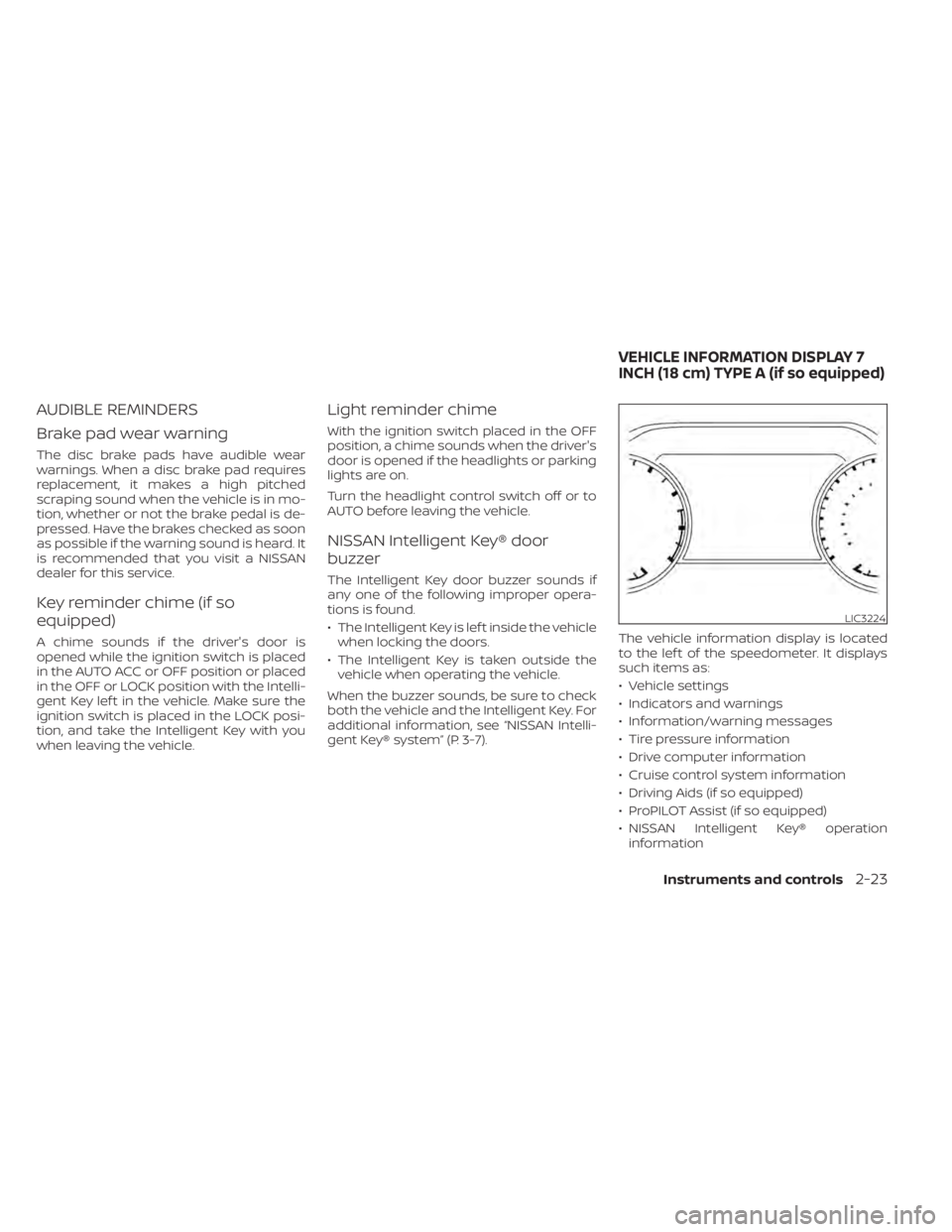
to the lef t of the speedometer. It displays
such items as:
• Vehicle settings
• Indicators and warnings
• Information/warning messages
• Tire pressure information
• Drive computer information
• Cruise control system information
• Driving Aids (if so equipped)
• ProPILOT Assist (if so equipped)
• NISSAN Intelligent Key® operation
information
LIC3224
VEHICLE INFORMATION DISPLAY 7
INCH (18 cm) TYPE A (if so equipped)
Instruments and controls2-23
Page 137 of 665
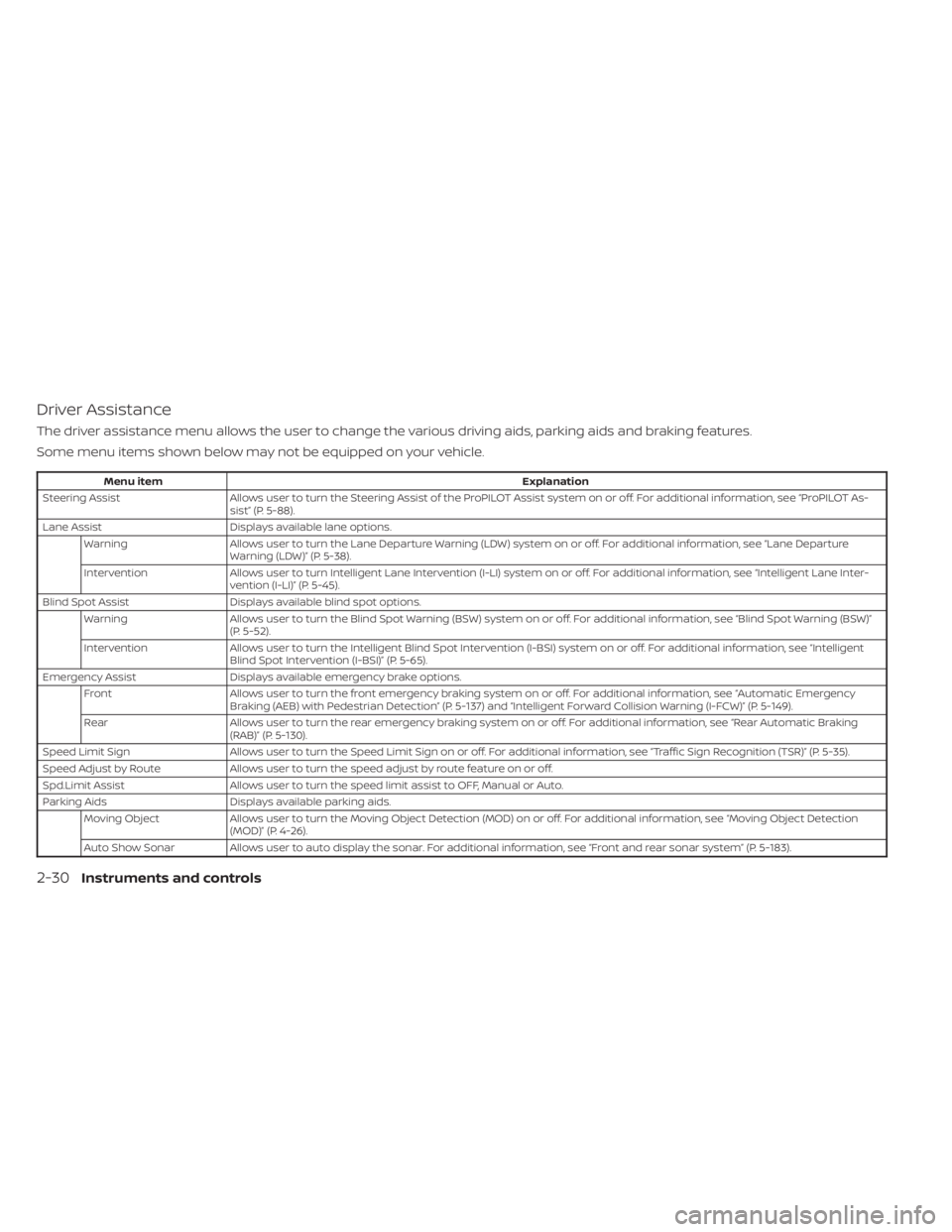
Driver Assistance
The driver assistance menu allows the user to change the various driving aids, parking aids and braking features.
Some menu items shown below may not be equipped on your vehicle.
Menu itemExplanation
Steering Assist Allows user to turn the Steering Assist of the ProPILOT Assist system on or off. For additional information, see “ProPILOT As-
sist” (P. 5-88).
Lane Assist Displays available lane options.
Warning Allows user to turn the Lane Departure Warning (LDW) system on or off. For additional information, see “Lane Departure
Warning (LDW)” (P. 5-38).
Intervention Allows user to turn Intelligent Lane Intervention (I-LI) system on or off. For additional information, see “Intelligent Lane Inter-
vention (I-LI)” (P. 5-45).
Blind Spot Assist Displays available blind spot options.
Warning Allows user to turn the Blind Spot Warning (BSW) system on or off. For additional information, see “Blind Spot Warning (BSW)”
(P. 5-52).
Intervention Allows user to turn the Intelligent Blind Spot Intervention (I-BSI) system on or off. For additional information, see “Intelligent
Blind Spot Intervention (I-BSI)” (P. 5-65).
Emergency Assist Displays available emergency brake options.
Front Allows user to turn the front emergency braking system on or off. For additional information, see “Automatic Emergency
Braking (AEB) with Pedestrian Detection” (P. 5-137) and “Intelligent Forward Collision Warning (I-FCW)” (P. 5-149).
Rear Allows user to turn the rear emergency braking system on or off. For additional information, see “Rear Automatic Braking
(RAB)” (P. 5-130).
Speed Limit Sign Allows user to turn the Speed Limit Sign on or off. For additional information, see “Traffic Sign Recognition (TSR)” (P. 5-35).
Speed Adjust by Route Allows user to turn the speed adjust by route feature on or off.
Spd.Limit Assist Allows user to turn the speed limit assist to OFF, Manual or Auto.
Parking Aids Displays available parking aids.
Moving Object Allows user to turn the Moving Object Detection (MOD) on or off. For additional information, see “Moving Object Detection
(MOD)” (P. 4-26).
Auto Show Sonar Allows user to auto display the sonar. For additional information, see “Front and rear sonar system” (P. 5-183).
2-30Instruments and controls
Page 138 of 665
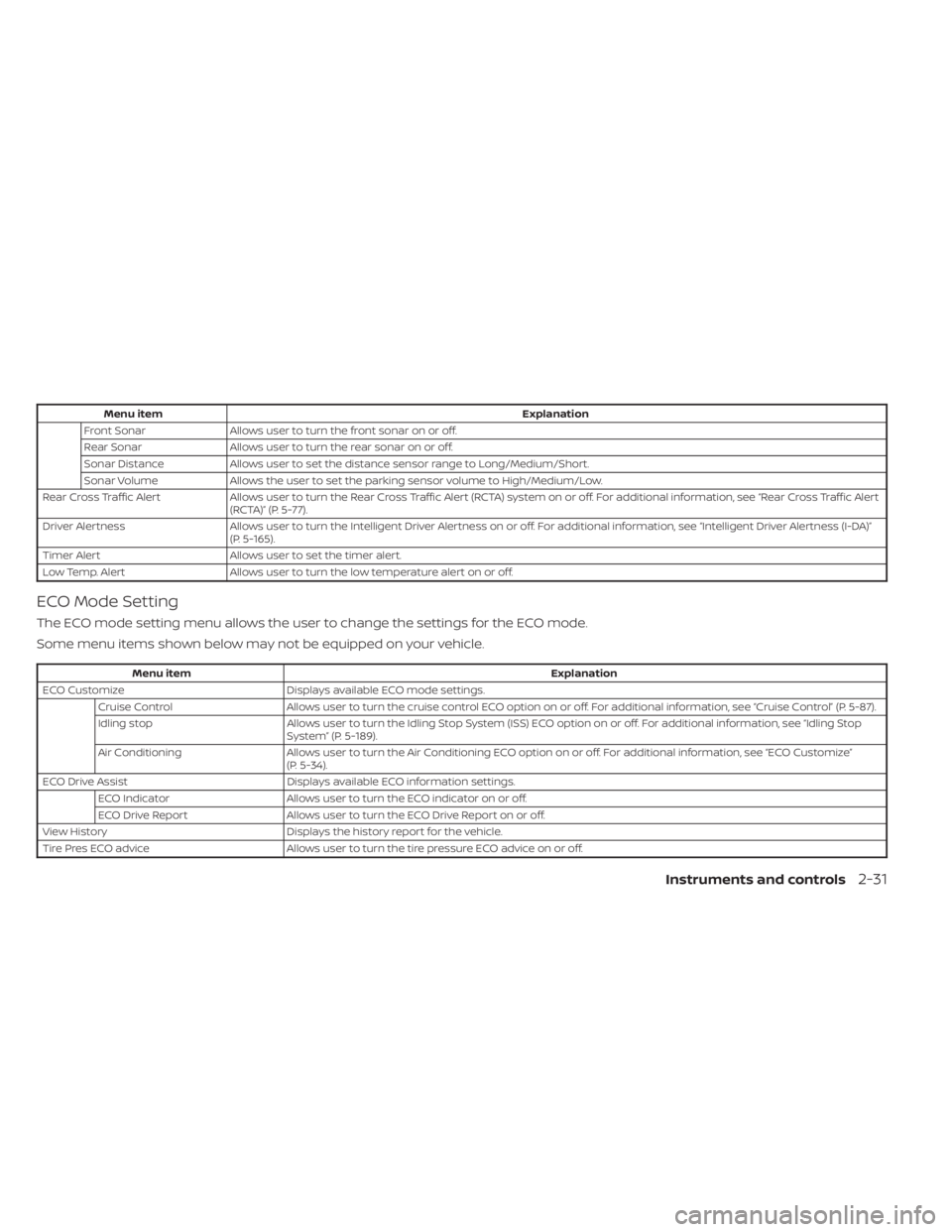
Menu itemExplanation
Front Sonar Allows user to turn the front sonar on or off.
Rear Sonar Allows user to turn the rear sonar on or off.
Sonar Distance Allows user to set the distance sensor range to Long/Medium/Short.
Sonar Volume Allows the user to set the parking sensor volume to High/Medium/Low.
Rear Cross Traffic Alert Allows user to turn the Rear Cross Traffic Alert (RCTA) system on or off. For additional information, see “Rear Cross Traffic A lert
(RCTA)” (P. 5-77).
Driver Alertness Allows user to turn the Intelligent Driver Alertness on or off. For additional information, see “Intelligent Driver Alertness (I-D A)”
(P. 5-165).
Timer Alert Allows user to set the timer alert.
Low Temp. Alert Allows user to turn the low temperature alert on or off.
ECO Mode Setting
The ECO mode setting menu allows the user to change the settings for the ECO mode.
Some menu items shown below may not be equipped on your vehicle.
Menu item Explanation
ECO Customize Displays available ECO mode settings.
Cruise Control Allows user to turn the cruise control ECO option on or off. For additional information, see “Cruise Control” (P. 5-87).
Idling stop Allows user to turn the Idling Stop System (ISS) ECO option on or off. For additional information, see “Idling Stop
System” (P. 5-189).
Air Conditioning Allows user to turn the Air Conditioning ECO option on or off. For additional information, see “ECO Customize”
(P. 5-34).
ECO Drive Assist Displays available ECO information settings.
ECO Indicator Allows user to turn the ECO indicator on or off.
ECO Drive Report Allows user to turn the ECO Drive Report on or off.
View History Displays the history report for the vehicle.
Tire Pres ECO advice Allows user to turn the tire pressure ECO advice on or off.
Instruments and controls2-31
Page 148 of 665
Low Fuel
This warning appears when the fuel level in
the fuel tank is getting low. Refuel as soon
as it is convenient, preferably before the
fuel gauge reaches 0 (Empty).There will be
a small reserve of fuel in the tank when
the fuel gauge needle reaches 0 (Empty).
Low Outside Temperature
This warning appears if the outside tem-
perature is below 37°F (3°C). The tempera-
ture can be changed to display in Celsius or
Fahrenheit. For additional information, see
“Driver Assistance” (P. 2-30).
Low Washer Fluid
This warning appears when the
windshield-washer fluid is at a low level.
Add windshield-washer fluid as necessary.
For additional information, see
“Windshield-washer fluid” (P. 8-11).
Neutral Hold Mode activated
This message appears when the Neutral
hold mode is activated. To exit the Neutral
hold mode, place the vehicle in any other
shif t position other than N (Neutral). For
additional information, see “Neutral hold
mode function” (P. 5-23).
Neutral Hold Mode was not activated
This message appears when the Neutral
hold mode is unavailable. To activate the
Neutral hold mode, wait for a while without
shif ting and then perform the operations
again. For additional information, see “Neu-
tral hold mode function” (P. 5-23).
Neutral Hold Mode guidance
This message appears af ter approxi-
mately 5 seconds when the ignition switch
is placed in the OFF position while the shif t
position is in the N (Neutral) position (Neu-
tral hold mode is available). For additional
information, see “Neutral hold mode func-
tion” (P. 5-23).
Parking Sensor Error: See Owner’s
Manual
This warning appears when there is an er-
ror with the system. For additional informa-
tion, see “Front and rear sonar system”
(P. 5-183).
Power will turn off to save the battery
Under the specific conditions, this warning
may appear in the vehicle information dis-
play af ter a period of time if the ignition
switch is in the ON position and if the ve- hicle is in P (Park). For additional informa-
tion, see “Push-button ignition switch posi-
tions” (P. 5-14).
Power turned off to save the battery
Under the specific conditions, this warning
may appear af ter the ignition switch is au-
tomatically turned off. For additional infor-
mation, see “Push-button ignition switch
positions” (P. 5-14).
Press Brake Pedal to
prevent rolling
This warning appears in the following situ-
ations:
• The driver tries to release the electronic
parking brake manually without depress-
ing the brake pedal.
• The vehicle is stopped on a steep hill and there is a possibility of moving backward,
even if the electronic parking brake is
applied.
• This warning appears and chime sounds if the vehicle moves while the automatic
brake hold function is activated. Apply the
foot brake to stop the vehicle moving.
Instruments and controls2-41
Page 153 of 665
If you want to use the Steering Assist sys-
tem again, cancel the ProPILOT Assist sys-
tem and set it again when lane markers are
clearly visible.
Not Available Front Camera
Obstructed
This message may appear when the Steer-
ing Assist system is engaged.
Under the following conditions, the Steer-
ing Assist system is automatically
canceled:
• The camera area of the windshield isfogged up or covered with dirt, water
drops, ice, snow, etc.
• Strong light, such as sunlight or high beams from oncoming vehicles, enter
the front camera.
Not Available Parking Brake On
This message may appear when the ProPI-
LOT Assist system is engaged.
Under the following condition, the ProPILOT
Assist system is automatically canceled:
• The electronic parking brake is applied.
The above system cannot be used when
the electronic parking is activated.
For additional information, see "ProPILOT
Assist (P. 5-88) and “Parking brake” (P. 5-26).
Not Available Poor Road Conditions
This message may appear when the ProPI-
LOT Assist system, Intelligent Blind Spot In-
tervention (I-BSI) or the Intelligent Lane In-
tervention (I-LI) system is engaged.
Under the following conditions, the ProPI-
LOT Assist system, Intelligent Blind Spot In-
tervention (I-BSI) or the Intelligent Lane In-
tervention (I-LI) system is automatically
canceled:
• When the VDC system operates
• When a wheel slips
The above system cannot be used in some
situations (VDC operates, wheel slip and
VDC system is off.)
Not Available Seat Belt Not Fastened
This message may appear when the ProPI-
LOT Assist system is engaged.
Under the following condition, the ProPILOT
Assist system is automatically canceled:
• When the driver’s seat belt is not fastened
The above system cannot be used when
the driver’s seat belt is not fastened.
Not Available System Malfunction
This warning appears when one or more of
the following systems (if so equipped) is
not functioning properly.
• ProPILOT Assist
• Blind Spot Warning (BSW)
• Intelligent Blind Spot Intervention (I-BSI)
• Lane Departure Warning (LDW)
• Intelligent Lane Intervention (I-LI)
If one or more of these warnings appear,
have the system checked. It is recom-
mended that you visit a NISSAN dealer for
this service.
For additional information, see ProPILOT
Assist” (P. 5-88), Intelligent Blind Spot Inter-
vention (I-BSI)” (P. 5-65), “Blind Spot Warning
(BSW)” (P. 5-52), “Lane Departure Warning
(LDW)” (P. 5-38) or “Intelligent Lane Interven-
tion (I-LI)” (P. 5-45).
ProPILOT Assist indicators
These indicators show the ProPILOT Assist
system status. The status is shown by
color. For additional information, see “Pro-
PILOT Assist” (P. 5-88).
2-46Instruments and controls