USB NISSAN PATHFINDER HYBRID 2015 Owner's Guide
[x] Cancel search | Manufacturer: NISSAN, Model Year: 2015, Model line: PATHFINDER HYBRID, Model: NISSAN PATHFINDER HYBRID 2015Pages: 524, PDF Size: 6.49 MB
Page 313 of 524
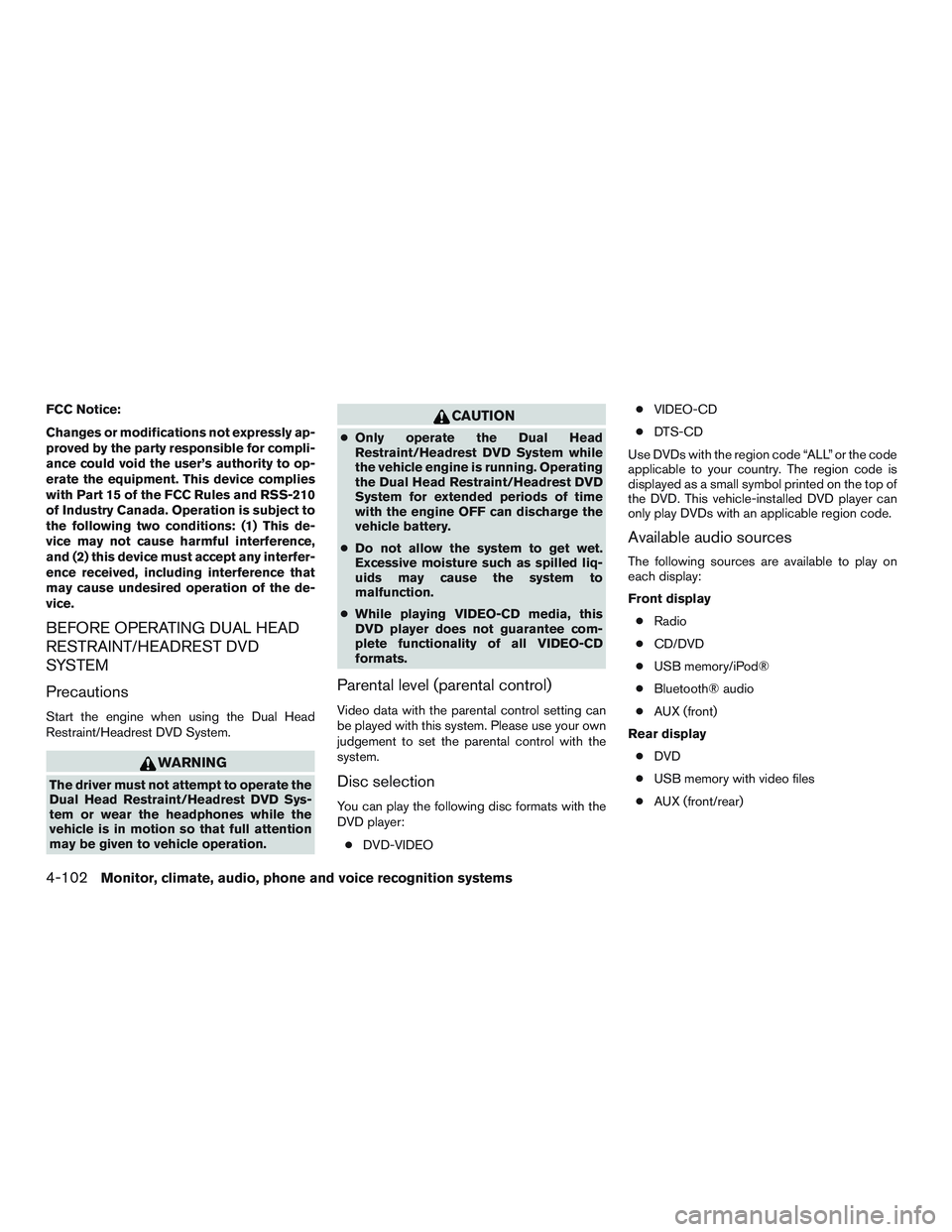
FCC Notice:
Changes or modifications not expressly ap-
proved by the party responsible for compli-
ance could void the user’s authority to op-
erate the equipment. This device complies
with Part 15 of the FCC Rules and RSS-210
of Industry Canada. Operation is subject to
the following two conditions: (1) This de-
vice may not cause harmful interference,
and (2) this device must accept any interfer-
ence received, including interference that
may cause undesired operation of the de-
vice.
BEFORE OPERATING DUAL HEAD
RESTRAINT/HEADREST DVD
SYSTEM
Precautions
Start the engine when using the Dual Head
Restraint/Headrest DVD System.
WARNING
The driver must not attempt to operate the
Dual Head Restraint/Headrest DVD Sys-
tem or wear the headphones while the
vehicle is in motion so that full attention
may be given to vehicle operation.
CAUTION
●Only operate the Dual Head
Restraint/Headrest DVD System while
the vehicle engine is running. Operating
the Dual Head Restraint/Headrest DVD
System for extended periods of time
with the engine OFF can discharge the
vehicle battery.
●Do not allow the system to get wet.
Excessive moisture such as spilled liq-
uids may cause the system to
malfunction.
●While playing VIDEO-CD media, this
DVD player does not guarantee com-
plete functionality of all VIDEO-CD
formats.
Parental level (parental control)
Video data with the parental control setting can
be played with this system. Please use your own
judgement to set the parental control with the
system.
Disc selection
You can play the following disc formats with the
DVD player:
●DVD-VIDEO●VIDEO-CD
●DTS-CD
Use DVDs with the region code “ALL” or the code
applicable to your country. The region code is
displayed as a small symbol printed on the top of
the DVD. This vehicle-installed DVD player can
only play DVDs with an applicable region code.
Available audio sources
The following sources are available to play on
each display:
Front display
●Radio
●CD/DVD
●USB memory/iPod®
●Bluetooth® audio
●AUX (front)
Rear display
●DVD
●USB memory with video files
●AUX (front/rear)
4-102Monitor, climate, audio, phone and voice recognition systems
Page 318 of 524
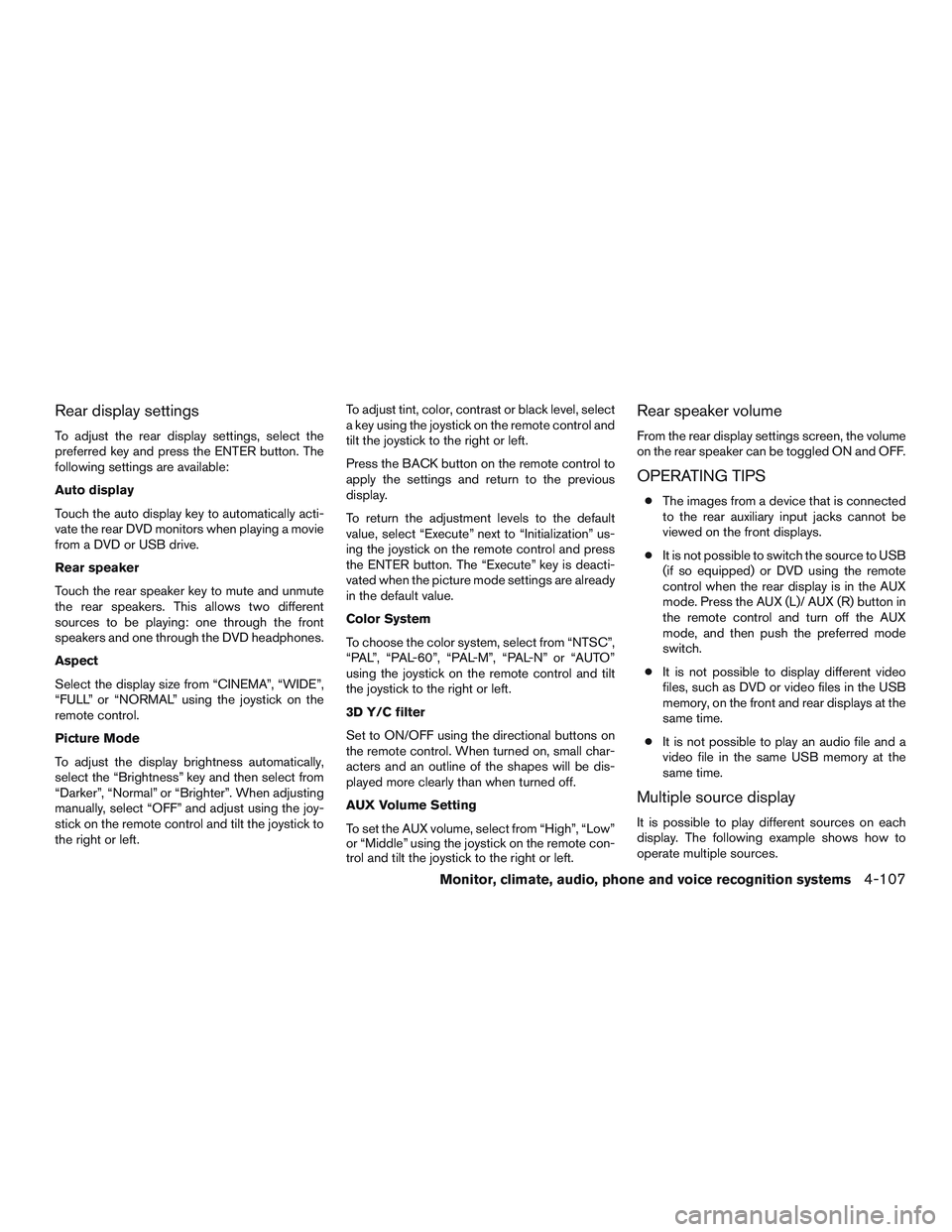
Rear display settings
To adjust the rear display settings, select the
preferred key and press the ENTER button. The
following settings are available:
Auto display
Touch the auto display key to automatically acti-
vate the rear DVD monitors when playing a movie
from a DVD or USB drive.
Rear speaker
Touch the rear speaker key to mute and unmute
the rear speakers. This allows two different
sources to be playing: one through the front
speakers and one through the DVD headphones.
Aspect
Select the display size from “CINEMA”, “WIDE”,
“FULL” or “NORMAL” using the joystick on the
remote control.
Picture Mode
To adjust the display brightness automatically,
select the “Brightness” key and then select from
“Darker”, “Normal” or “Brighter”. When adjusting
manually, select “OFF” and adjust using the joy-
stick on the remote control and tilt the joystick to
the right or left.To adjust tint, color, contrast or black level, select
a key using the joystick on the remote control and
tilt the joystick to the right or left.
Press the BACK button on the remote control to
apply the settings and return to the previous
display.
To return the adjustment levels to the default
value, select “Execute” next to “Initialization” us-
ing the joystick on the remote control and press
the ENTER button. The “Execute” key is deacti-
vated when the picture mode settings are already
in the default value.
Color System
To choose the color system, select from “NTSC”,
“PAL”, “PAL-60”, “PAL-M”, “PAL-N” or “AUTO”
using the joystick on the remote control and tilt
the joystick to the right or left.
3D Y/C filter
Set to ON/OFF using the directional buttons on
the remote control. When turned on, small char-
acters and an outline of the shapes will be dis-
played more clearly than when turned off.
AUX Volume Setting
To set the AUX volume, select from “High”, “Low”
or “Middle” using the joystick on the remote con-
trol and tilt the joystick to the right or left.
Rear speaker volume
From the rear display settings screen, the volume
on the rear speaker can be toggled ON and OFF.
OPERATING TIPS
●The images from a device that is connected
to the rear auxiliary input jacks cannot be
viewed on the front displays.
●It is not possible to switch the source to USB
(if so equipped) or DVD using the remote
control when the rear display is in the AUX
mode. Press the AUX (L)/ AUX (R) button in
the remote control and turn off the AUX
mode, and then push the preferred mode
switch.
●It is not possible to display different video
files, such as DVD or video files in the USB
memory, on the front and rear displays at the
same time.
●It is not possible to play an audio file and a
video file in the same USB memory at the
same time.
Multiple source display
It is possible to play different sources on each
display. The following example shows how to
operate multiple sources.
Monitor, climate, audio, phone and voice recognition systems4-107
Page 359 of 524
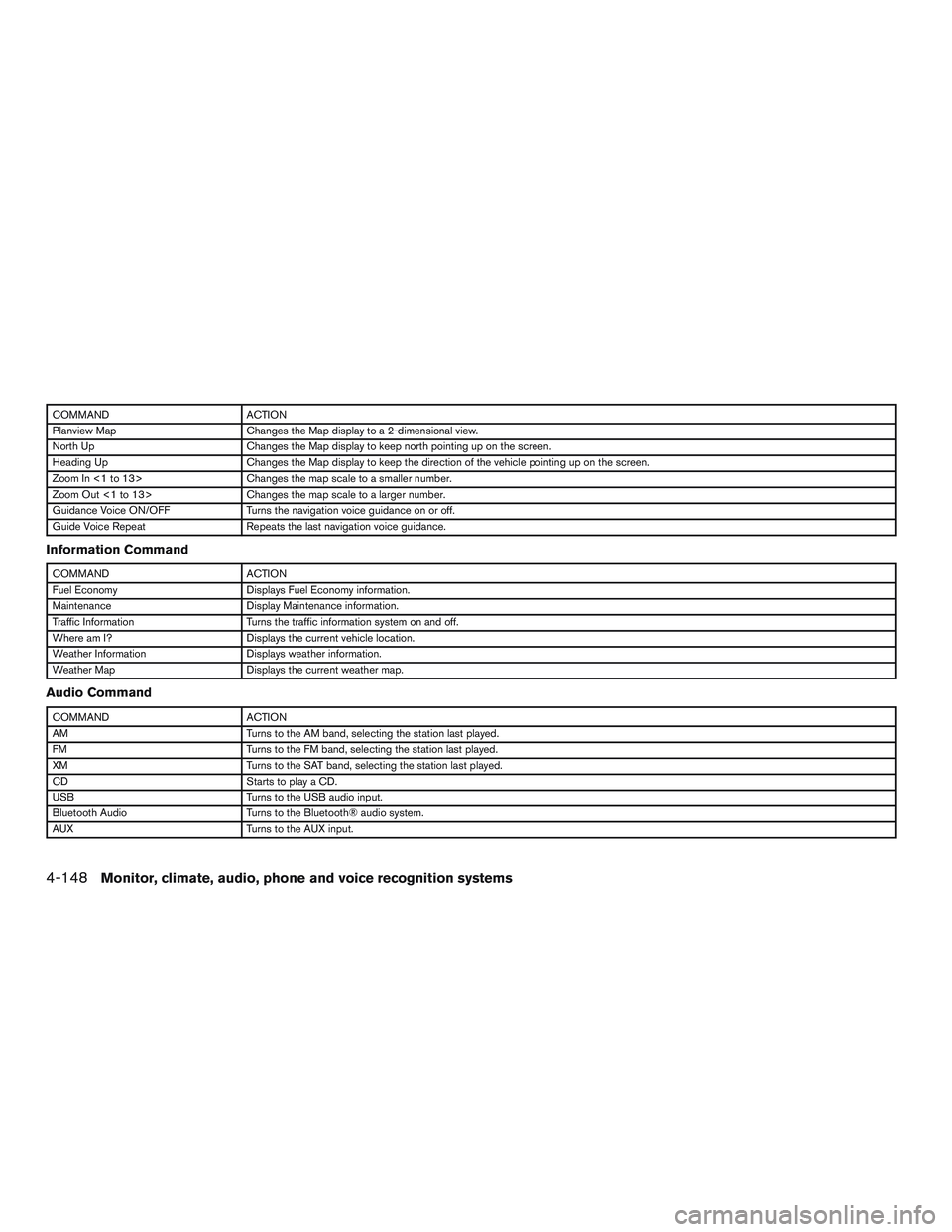
COMMAND ACTION
Planview Map Changes the Map display to a 2-dimensional view.
North Up Changes the Map display to keep north pointing up on the screen.
Heading Up Changes the Map display to keep the direction of the vehicle pointing up on the screen.
Zoom In <1 to 13> Changes the map scale to a smaller number.
Zoom Out <1 to 13> Changes the map scale to a larger number.
Guidance Voice ON/OFF Turns the navigation voice guidance on or off.
Guide Voice Repeat Repeats the last navigation voice guidance.
Information Command
COMMAND ACTION
Fuel Economy Displays Fuel Economy information.
Maintenance Display Maintenance information.
Traffic Information Turns the traffic information system on and off.
Where am I? Displays the current vehicle location.
Weather Information Displays weather information.
Weather Map Displays the current weather map.
Audio Command
COMMAND ACTION
AM Turns to the AM band, selecting the station last played.
FM Turns to the FM band, selecting the station last played.
XM Turns to the SAT band, selecting the station last played.
CD Starts to play a CD.
USB Turns to the USB audio input.
Bluetooth Audio Turns to the Bluetooth® audio system.
AUX Turns to the AUX input.
4-148Monitor, climate, audio, phone and voice recognition systems
Page 516 of 524
10 Index
2nd row bench seat adjustment......1-6,1-8
A
Air bag (See supplemental restraint
system) .....................1-47
Air bag system
Front (See supplemental front impact
air bag system)...............1-54
Airbagwarninglabels.............1-64
Airbagwarninglight...........1-65,2-15
Air bag warning light, supplemental . .1-65, 2-15
Air cleaner housing filter............8-19
Air conditioner
Air conditioner service...........4-47
Air conditioner specification label.....9-12
Air conditioner system refrigerant and
oil recommendations.............9-7
Heater and air conditioner controls....4-43
Servicing air conditioner..........4-47
Alarm system
(See vehicle security system).........2-31
Anchor point locations.............1-30
Antenna.....................4-95
Anti-lock brake warning light..........2-10
Anti-lock Braking System (ABS)........5-41
Armrests .....................1-9
Around View™ Monitor.............4-28
Audible reminders...............2-18
Audio system..................4-47
Bluetooth®audio..............4-90
Compact disc (CD) player.....4-67,4-74Audio System
Digital Versatile Disc (DVD) Player
Operation..................4-76
Audio system
FM/AM/SAT radio with CD/DVD player . .4-70
FM/AM/SAT radio with compact disc (CD)
player ....................4-63
Audio System
iPod® Player.............4-84,4-86
iPod® player operation.......4-84,4-86
Audio system
Radio ....................4-47
Steering wheel audio control switch . . .4-94
USB interface............4-79,4-80
Autolight switch.................2-37
Automatic
Automatic drive positioner.........3-36
Automatic power window switch.....2-57
Automatic anti-glare inside mirror.......3-33
Automatic door locks..............3-6
Automatic drive positioner...........3-36
B
Battery......................8-16
Chargewarninglight............2-11
Battery replacement
Keyfob ...................8-24
Before starting the engine...........5-13
Belt (See drive belt)..............8-17
Block heater
Engine....................5-49Bluetooth® audio................4-90
Bluetooth® hands-free phone
system.................4-109, 4-124
Boosterseats..................1-44
Brake
Anti-lock Braking System (ABS)......5-41
Brake fluid..................8-14
Brakelight(Seestoplight).........8-27
Brake system................5-40
Brakewearindicators........2-18,8-21
Parking brake operation..........5-18
Self-adjusting brakes............8-21
Brake fluid....................8-14
Brakes......................8-21
Brake system..................5-40
Break-inschedule ...............5-33
Brightness/contrast button........4-9,4-18
Brightness control
Instrument panel..............2-39
Bulb check/instrument panel..........2-10
Bulbreplacement................8-27
C
Capacities and recommended
fuel/lubricants...................9-2
Cargolight ...................2-62
Cargo (See vehicle loading information) . . .9-13
Car phone or CB radio............4-108
CDcareandcleaning .............4-93
CD player (See audio system).....4-67,4-74
Check tire pressure...............2-30
Page 521 of 524
Speedometer...................2-4
Spotlights(Seemaplight) ...........2-62
SRS warning label................1-64
Stability control.................5-42
Starting
Before starting the engine..........5-13
Jump starting.................6-11
Precautions when starting and driving....5-2
Push starting.................6-13
Starting the engine.............5-14
Starting the engine...............5-14
Steering
Heated steering wheel...........2-44
Power steering fluid.............8-14
Power steering system...........5-40
Steering wheel audio control switch......4-94
Stoplight.....................8-27
Storage......................2-48
Storagebin....................2-54
Sunglassescase.................2-50
Sunroof (see Moonroof).............2-57
Sun visors....................3-32
Supplemental air bag warning labels......1-64
Supplemental air bag warning light . . .1-65, 2-15
Supplemental front impact air bag system . . .1-54
Supplemental restraint system
Information and warning labels.......1-64
Precautions on supplemental restraint
system ....................1-47
Supplemental restraint system
(Supplemental air bag system).........1-47
Switch
Autolightswitch...............2-37
Automatic power window switch......2-57
Foglightswitch ...............2-40
Hazard warning flasher switch........6-2Headlight and turn signal switch......2-36
Headlight control switch..........2-37
Instrument brightness control........2-39
Power door lock switch............3-6
Power inverter switch............2-45
Rear window and outside mirror defroster
switch.....................2-36
Rear window wiper and washer
switches...................2-35
Tow mode switch..............2-46
Turn signal switch..............2-39
Vehicle dynamic control (VDC) off
switch.....................2-45
Windshield wiper and washer switch . . .2-33
T
Tachometer....................2-5
Theft (NISSAN vehicle immobilizer system) ,
engine start.............2-32,3-4,5-13
Three-way catalyst................5-2
Tire
Flat tire.....................6-3
Spare tire................6-4,8-40
Tire and Loading Information label.....9-12
Tirechains..................8-37
Tireplacard..................9-12
Tire pressure.................8-30
Tirerotation..................8-37
Tires of 4-wheel drive............8-39
Types of tires.................8-36
Uniform tire quality grading.........9-28
Wheels and tires...............8-30
Wheel/tire size.................9-9Tire pressure
Low tire pressure warning light.......2-12
Tire Pressure Monitoring System (TPMS)....5-3
Top tether strap child restraint.........1-29
Towing
4-wheel drive models............6-15
Flattowing..................9-27
Towing load/specification..........9-20
Towtrucktowing...............6-14
Trailer towing.................9-17
Towing a trailer..................9-17
Tow mode switch................2-46
Transceiver
HomeLink® Universal Transceiver.....2-63
Transmission
Continuously Variable Transmission
(CVT) fluid..................8-13
Driving with Continuously Variable
Transmission (CVT).............5-15
Travel (See registering your vehicle in another
country)......................9-10
Trip odometer...................2-4
Turn signal switch................2-39
U
Uniform tire quality grading...........9-28
USB interface
Audio file operation..........4-79,4-81
Video file operation.............4-82
V
Vanity mirror...................3-33
10-6