immobilizer NISSAN PATHFINDER HYBRID 2015 Owners Manual
[x] Cancel search | Manufacturer: NISSAN, Model Year: 2015, Model line: PATHFINDER HYBRID, Model: NISSAN PATHFINDER HYBRID 2015Pages: 524, PDF Size: 6.49 MB
Page 103 of 524
2 Instruments and controls
Instrument panel...................................2-2
Meters and gauges................................2-3
Speedometer and odometer.....................2-4
Tachometer....................................2-5
Fuel gauge....................................2-5
Assist Charge Gauge...........................2-6
Compass display (if so equipped)...................2-6
Zone variation change procedure.................2-7
Warning/indicator lights and audible reminders.......2-9
Checking bulbs...............................2-10
Warning lights................................2-10
Indicator lights................................2-15
Audible reminders.............................2-18
Vehicle Information Display........................2-18
How to use the vehicle information display.......2-19
Startup display................................2-19
Settings......................................2-19
Vehicle information display warnings and
indicators.....................................2-27
Security systems.................................2-31
Vehicle security system.........................2-31
NISSAN vehicle immobilizer system.............2-32
Windshield wiper and washer switch...............2-33Switch operation..............................2-34
Rear window wiper and washer switch..............2-35
Rear window and outside mirror defroster switch.....2-36
Headlight and turn signal switch....................2-36
Headlight control switch........................2-37
Daytime running light system (Canada only)......2-39
Instrument brightness control...................2-39
Turn signal switch.............................2-39
Fog light switch...............................2-40
Horn............................................2-41
Heated seats (if so equipped)......................2-41
Heated 2nd row seats (if so equipped)..............2-42
Climate controlled seat switch (if so equipped)......2-43
Heated steering wheel (if so equipped).............2-44
Vehicle Dynamic Control (VDC) off switch
...........2-45
Power inverter switch (if so equipped)..............2-45
Tow mode switch.................................2-46
Power outlets....................................2-46
12v outlets...................................2-46
120v outlet (if so equipped)....................2-48
Storage.........................................2-48
Map pockets..................................2-48
Seatback pocket..............................2-49
Page 134 of 524
Your vehicle may have two types of security sys-
tems:
●Vehicle security system
●NISSAN Vehicle Immobilizer System
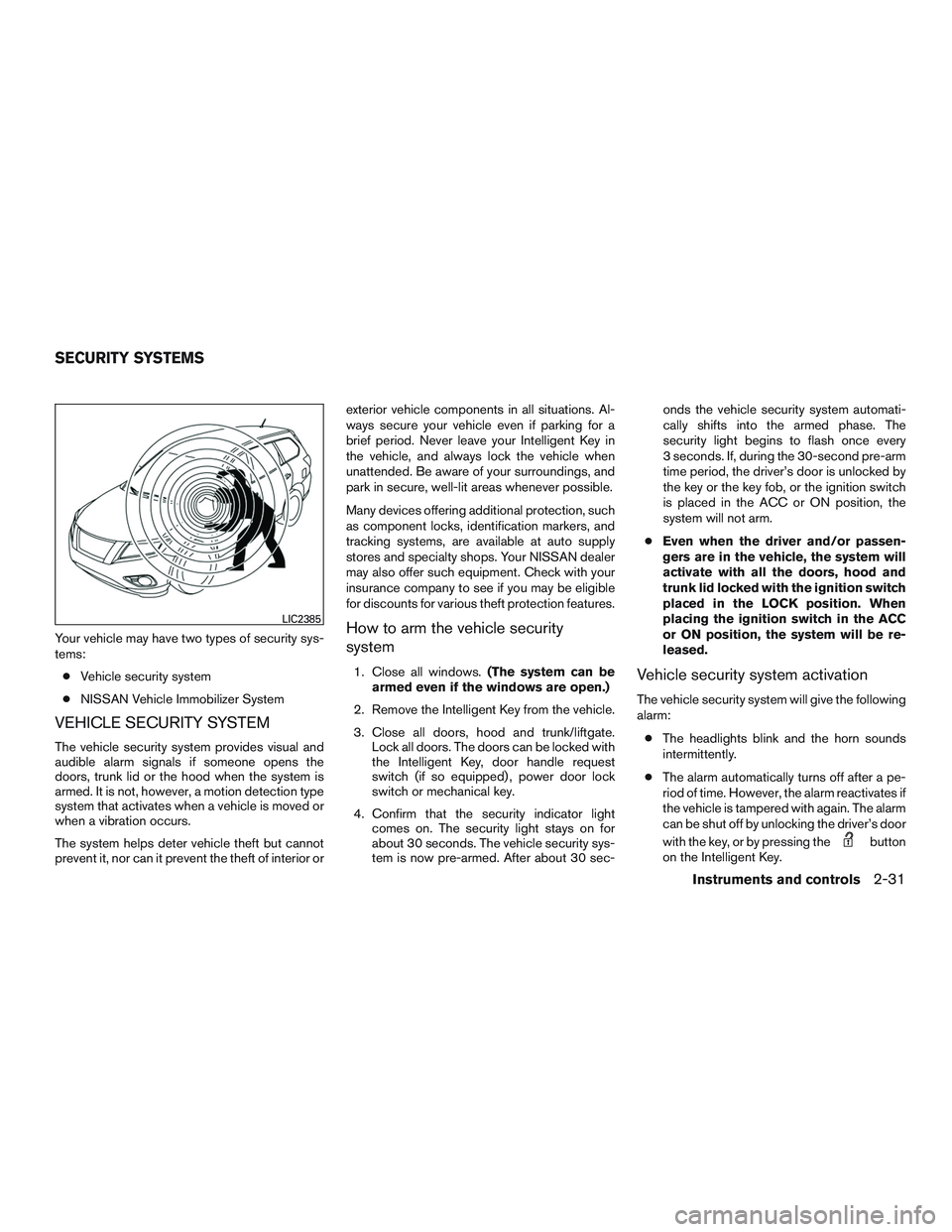
VEHICLE SECURITY SYSTEM
The vehicle security system provides visual and
audible alarm signals if someone opens the
doors, trunk lid or the hood when the system is
armed. It is not, however, a motion detection type
system that activates when a vehicle is moved or
when a vibration occurs.
The system helps deter vehicle theft but cannot
prevent it, nor can it prevent the theft of interior orexterior vehicle components in all situations. Al-
ways secure your vehicle even if parking for a
brief period. Never leave your Intelligent Key in
the vehicle, and always lock the vehicle when
unattended. Be aware of your surroundings, and
park in secure, well-lit areas whenever possible.
Many devices offering additional protection, such
as component locks, identification markers, and
tracking systems, are available at auto supply
stores and specialty shops. Your NISSAN dealer
may also offer such equipment. Check with your
insurance company to see if you may be eligible
for discounts for various theft protection features.
How to arm the vehicle security
system
1. Close all windows.(The system can be
armed even if the windows are open.)
2. Remove the Intelligent Key from the vehicle.
3. Close all doors, hood and trunk/liftgate.
Lock all doors. The doors can be locked with
the Intelligent Key, door handle request
switch (if so equipped) , power door lock
switch or mechanical key.
4. Confirm that the security indicator light
comes on. The security light stays on for
about 30 seconds. The vehicle security sys-
tem is now pre-armed. After about 30 sec-onds the vehicle security system automati-
cally shifts into the armed phase. The
security light begins to flash once every
3 seconds. If, during the 30-second pre-arm
time period, the driver’s door is unlocked by
the key or the key fob, or the ignition switch
is placed in the ACC or ON position, the
system will not arm.
●Even when the driver and/or passen-
gers are in the vehicle, the system will
activate with all the doors, hood and
trunk lid locked with the ignition switch
placed in the LOCK position. When
placing the ignition switch in the ACC
or ON position, the system will be re-
leased.Vehicle security system activation
The vehicle security system will give the following
alarm:
●The headlights blink and the horn sounds
intermittently.
●The alarm automatically turns off after a pe-
riod of time. However, the alarm reactivates if
the vehicle is tampered with again. The alarm
can be shut off by unlocking the driver’s door
with the key, or by pressing the
button
on the Intelligent Key.
LIC2385
SECURITY SYSTEMS
Instruments and controls2-31
Page 135 of 524
The alarm is activated by:
●opening the door or hood without using the
key or Intelligent Key (even if the door is
unlocked by releasing the door inside lock
switch) .
How to stop an activated alarm
The alarm stops only by unlocking the driver’s
door or the trunk/liftgate with the key, pressing
the
button on the Intelligent Key, or press-
ing the request switch on the driver’s or passen-
ger’s door with the Intelligent Key in range of the
door handle.
NISSAN VEHICLE IMMOBILIZER
SYSTEM
The NISSAN Vehicle Immobilizer System will not
allow the engine to start without the use of a
registered key.Never leave these keys in the vehicle.
FCC Notice:
For USA:
This device complies with part 15 of the
FCC Rules. Operation is subject to the fol-
lowing two conditions: (1) This device may
not cause harmful interference, and (2) this
device must accept any interference re-
ceived, including interference that may
cause undesired operation.
NOTE:
Changes or modifications not expressly ap-
proved by the party responsible for compli-
ance could void the user’s authority to op-
erate the equipment.
For Canada:
This device complies with Industry Canada
licence-exempt RSS standard(s) . Opera-
tion is subject to the following two condi-
tions: (1) this device may not cause inter-
ference, and (2) this device must accept any
interference, including interference that
may cause undesired operation of the de-
vice.
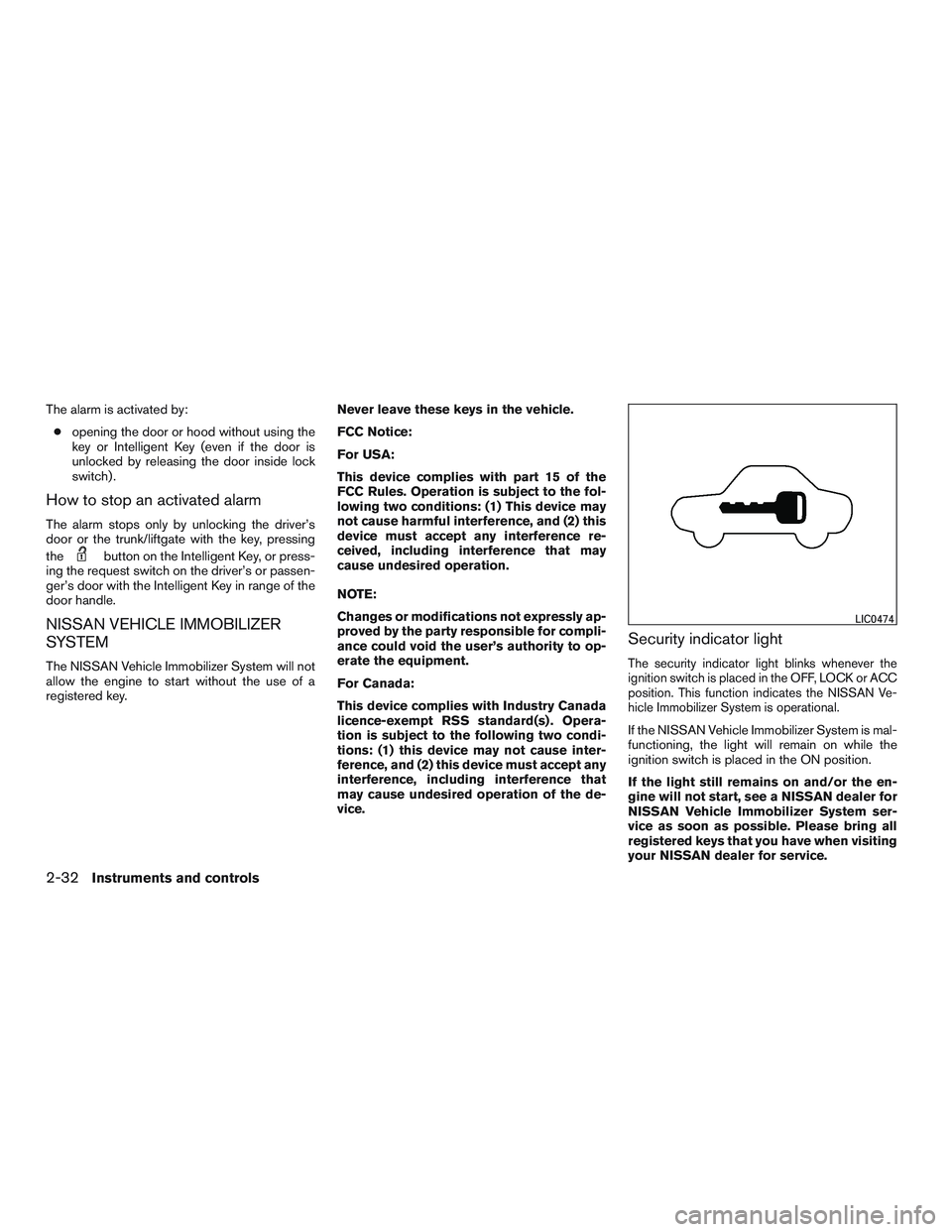
Security indicator light
The security indicator light blinks whenever the
ignition switch is placed in the OFF, LOCK or ACC
position. This function indicates the NISSAN Ve-
hicle Immobilizer System is operational.
If the NISSAN Vehicle Immobilizer System is mal-
functioning, the light will remain on while the
ignition switch is placed in the ON position.
If the light still remains on and/or the en-
gine will not start, see a NISSAN dealer for
NISSAN Vehicle Immobilizer System ser-
vice as soon as possible. Please bring all
registered keys that you have when visiting
your NISSAN dealer for service.
LIC0474
2-32Instruments and controls
Page 172 of 524
3 Pre-driving checks and adjustments
Keys .............................................3-2
NISSAN Intelligent Key® ........................3-2
NISSAN Vehicle Immobilizer System keys.........3-4
Doors............................................3-5
Locking with key................................3-5
Locking with inside lock knob....................3-6
Locking with power door lock switch . . ...........3-6
Automatic door locks...........................3-6
Child safety rear door lock.......................3-7
NISSAN Intelligent Key®...........................3-7
Operating range................................3-9
Door locks/unlocks precaution..................3-10
NISSAN Intelligent Key® Operation.............3-10
How to use the remote keyless entry
function......................................3-14
Warning signals...............................3-17
Troubleshooting guide.........................3-18
Remote Engine Start (if so equipped)...............3-20
Remote engine start operating range . . ..........3-20
Remote starting the vehicle.....................3-20
Extending engine run time......................3-21
Canceling a remote start.......................3-21
Conditions the remote start will not work.........3-21
Hood...........................................3-22Liftgate..........................................3-23
Operating the manual liftgate
(if so equipped)...............................3-23
Operating the power liftgate (if so equipped).....3-23
Power liftgate main switch......................3-27
Liftgate release................................3-27
Liftgate position setting........................3-28
Fuel-filler door...................................3-28
Opening the fuel-filler door.....................3-28
Fuel-filler cap.................................3-29
Tilt/telescopic steering............................3-31
Manual operation (if so equipped)...............3-31
Automatic operation (if so equipped).............3-31
Sun visors.......................................3-32
Vanity mirrors.................................3-33
Mirrors..........................................
3-33
Automatic anti-glare rearview mirror.............3-33
Outside mirrors...............................3-35
Automatic drive positioner (if so equipped)..........3-36
Memory storage function.......................3-36
Entry/exit function.............................3-38
Setting memory function........................3-39
System operation..............................3-39
Page 173 of 524
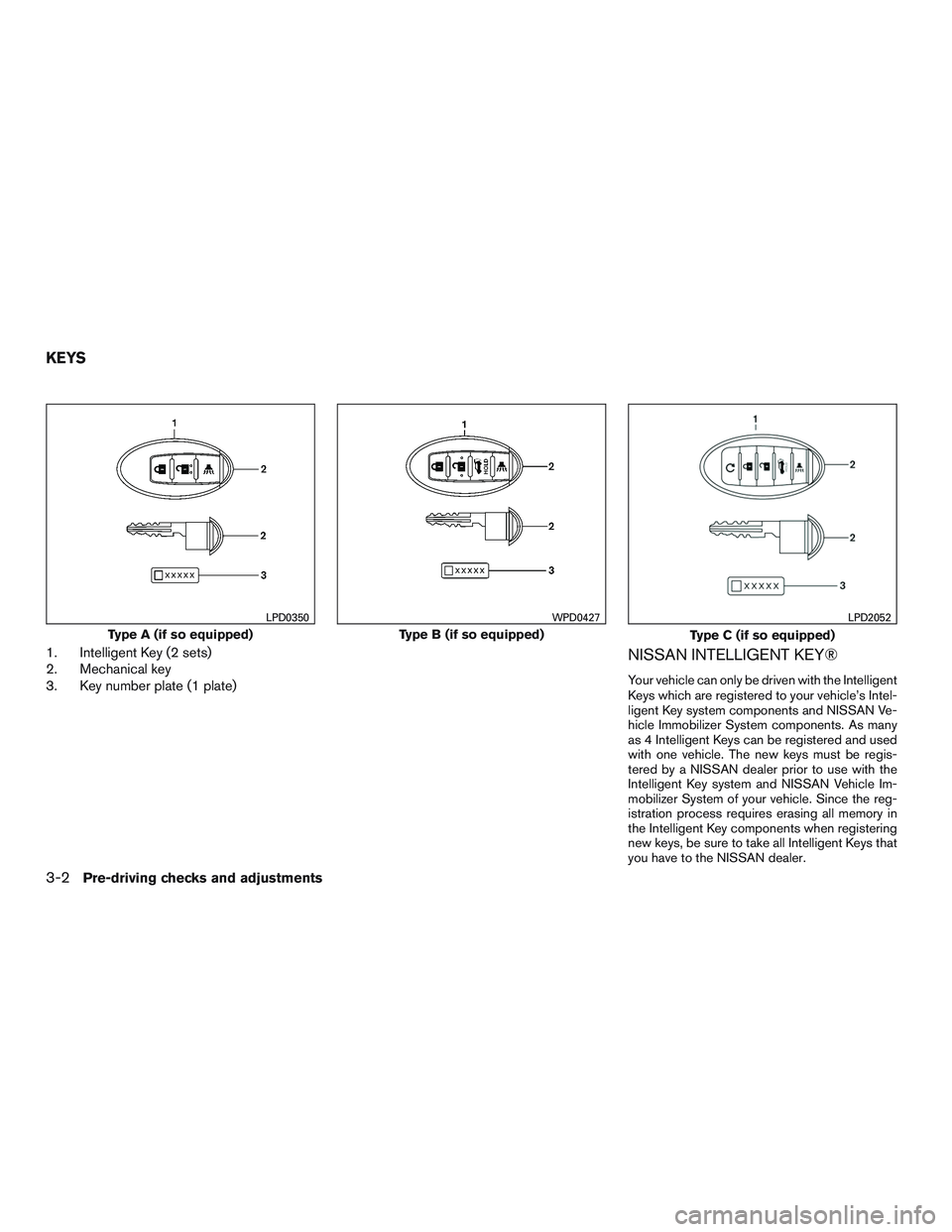
1. Intelligent Key (2 sets)
2. Mechanical key
3. Key number plate (1 plate)NISSAN INTELLIGENT KEY®
Your vehicle can only be driven with the Intelligent
Keys which are registered to your vehicle’s Intel-
ligent Key system components and NISSAN Ve-
hicle Immobilizer System components. As many
as 4 Intelligent Keys can be registered and used
with one vehicle. The new keys must be regis-
tered by a NISSAN dealer prior to use with the
Intelligent Key system and NISSAN Vehicle Im-
mobilizer System of your vehicle. Since the reg-
istration process requires erasing all memory in
the Intelligent Key components when registering
new keys, be sure to take all Intelligent Keys that
you have to the NISSAN dealer.
Type A (if so equipped)
LPD0350
Type B (if so equipped)
WPD0427
Type C (if so equipped)
LPD2052
KEYS
3-2Pre-driving checks and adjustments
Page 175 of 524
CAUTION
Always carry the mechanical key installed
in the Intelligent Key slot.
For additional information, refer to “Doors” in this
section and “Storage” in the “Instruments and
controls” section of this manual.
Valet hand-off
When you have to leave a key with a valet, give
them the Intelligent Key itself and keep the me-
chanical key with you to protect your belongings.
To prevent the glove box from being opened
during valet hand-off, follow the procedure be-
low.
1. Remove the mechanical key from the Intelli-
gent Key.
2. Lock the glove box with the mechanical key.
3. Hand the Intelligent Key to the valet and
keep the mechanical key with you.
For additional information, refer to “Storage” in
the “Instruments and controls” section of this
manual.
NISSAN VEHICLE IMMOBILIZER
SYSTEM KEYS
You can only drive your vehicle using the master
or valet keys which are registered to the NISSAN
Vehicle Immobilizer System components in your
vehicle. These keys have a transponder chip in
the key head.
The master key can be used for all the locks.
The valet key cannot be used for the glove box
lock.
To protect your belongings when you leave a key
with someone, give them the valet key only.
Never leave these keys in the vehicle.
Additional or replacement keys:
If you still have a key, the key number is not
necessary when you need extra NISSAN Vehicle
Immobilizer System keys. Your dealer can dupli-
cate your existing key. As many as 4 NISSAN
Vehicle Immobilizer System keys can be used
with one vehicle. You should bring all NISSAN
Vehicle Immobilizer System keys that you have to
your NISSAN dealer for registration. This is be-
cause the registration process will erase the
memory of all key codes previously registered
into the NISSAN Vehicle Immobilizer System.
After the registration process, these components
will only recognize keys coded into the NISSANVehicle Immobilizer System during registration.
Any key that is not given to your dealer at the time
of registration will no longer be able to start your
vehicle.
CAUTION
Do not allow the immobilizer system key,
which contains an electrical transponder,
to come into contact with water or salt
water. This could affect system function.
3-4Pre-driving checks and adjustments
Page 365 of 524
5 Starting and driving
Precautions when starting and driving................5-2
Exhaust gas (carbon monoxide)..................5-2
Three-way catalyst..............................5-2
Tire Pressure Monitoring System (TPMS)..........5-3
On-pavement and off-road driving
precautions....................................5-6
Avoiding collision and rollover . ...................5-6
Off-road recovery...............................5-7
Rapid air pressure loss..........................5-7
Drinking alcohol/drugs and driving................5-8
Driving safety precautions.......................5-8
Push-Button Ignition Switch.......................5-10
Operating range...............................5-11
Push-button ignition switch positions . . ..........5-11
Emergency engine shut off.....................5-12
NISSAN Intelligent Key® battery discharge.......5-12
NISSAN vehicle immobilizer system.............5-13
Before starting the NISSAN PUREDRIVE™ Hybrid
System..........................................5-13
Starting the NISSAN PUREDRIVE™ Hybrid System . . 5-14
Remote start (if so equipped)...................5-14
Driving the vehicle................................5-15
Continuously Variable Transmission (CVT)........5-15Parking brake....................................5-18
Blind Spot Warning (BSW) System
(if so equipped)..................................5-19
Blind Spot Warning (BSW) system..............5-19
BSW system operation........................5-20
BSW system precautions......................5-22
BSW driving situations.........................5-22
The Rear Cross Traffic Alert (RCTA) system
(if so equipped)..................................5-25
RCTA system operation........................5-26
RCTA system precautions......................5-27
RCTA system operation........................5-29
Radar maintenance............................5-30
Cruise control....................................5-31
Precautions on cruise control...................5-31
Cruise control operations.......................5-32
Break-in schedule................................5-33
Fuel-efficient driving tips
..........................5-33
Increasing fuel economy...........................5-35
Intelligent 4WD (if so equipped)....................5-35
4x4–i system operation........................5-35
Parking/parking on hills............................5-39
Power steering...................................5-40
Page 378 of 524
After Step 3 is performed, when the ignition
switch is pushed without depressing the
brake pedal, the ignition switch position will
change to ACC.
4. Push the ignition switch while depressing
the brake pedal within ten seconds after the
chime sounds. The engine will start.
NOTE:
●When the ignition switch is pushed to the
ACC or ON position or the engine is started
by the above procedure, the Intelligent Key
battery discharge indicator appears in the
vehicle information display even when the
Intelligent Key is inside the vehicle. This is
not a malfunction. To turn off the Intelligent
Key battery discharge indicator, touch the
ignition switch with the Intelligent Key again.
●If the Intelligent Key battery discharge indi-
cator appears, replace the battery as soon
as possible. For additional information, refer
to “Battery Replacement” in the “Mainte-
nance and do-it-yourself” section of this
manual.NISSAN VEHICLE IMMOBILIZER
SYSTEM
The NISSAN Vehicle Immobilizer system will not
allow the engine to start without the use of the
registered key.
If the engine fails to start using a registered key
(for example, when interference is caused by
another registered key, an automated toll road
device or automatic payment device on the key
ring) , restart the engine using the following pro-
cedure:
1. Leave the ignition switch in the ON position
for approximately 5 seconds.
2. Place the ignition switch in the OFF or
LOCK position, and wait approximately
10 seconds.
3. Repeat Steps 1 and 2.
4. Restart the engine while holding the device
(which may have caused the interference)
separate from the registered key.
If the no start condition re-occurs, NISSAN rec-
ommends placing the registered key on a sepa-
rate key ring to avoid interference from other
devices.●Make sure the area around the vehicle is
clear.
●Check fluid levels such as engine oil, cool-
ant, brake fluid, and windshield-washer fluid
as frequently as possible, or at least when-
ever you refuel.
●Check that all windows and lights are clean.
●Visually inspect tires for their appearance
and condition. Also check tires for proper
inflation.
●Check that all doors are closed.
●Position seat and adjust head
restraints/headrests.
●Adjust inside and outside mirrors.
●Fasten seat belts and ask all passengers to
do likewise.
●Check the operation of warning lights when
the ignition switch is placed in the ON posi-
tion. For additional information, refer to
“Warning/indicator lights and audible re-
minders” in the “Instruments and controls”
section of this manual.
BEFORE STARTING THE NISSAN
PUREDRIVE™ HYBRID SYSTEM
Starting and driving5-13
Page 518 of 524
Front air bag system
(See supplemental restraint system)......1-54
Front power seat adjustment...........1-4
Frontseats.....................1-2
Fuel
Capacities and recommended
fuel/lubricants.................9-2
Fuel economy................5-35
Fuel-filler door and cap...........3-28
Fuel gauge...................2-5
Fuel octane rating...............9-5
Loose fuel cap warning........2-30,3-29
Fuel gauge.....................2-5
Fuses.......................8-22
Fusible links...................8-22
G
Garage door opener, HomeLink® Universal
Transceiver....................2-63
Gascap .....................3-28
Gauge
Fuel gauge...................2-5
Odometer...................2-4
Power meter..................2-6
Speedometer.................2-4
Tachometer..................2-5
Trip odometer.................2-4
General maintenance...............8-2
Glovebox.....................2-49
Gloveboxlock..................2-49H
Hands-free phone system,
Bluetooth®...............4-109, 4-124
Hazard warning flasher switch..........6-2
Headlight and turn signal switch........2-36
Headlight control switch............2-37
Headlights....................8-26
Head restraints..................1-11
Heated seats............2-41,2-42,2-43
Heated steering wheel.............2-44
Heater
Heater and air conditioner controls.....4-43
Heater operation...............4-44
High voltage components..........HEV-10
Hill descent control system...........5-45
Hill start assist system..............5-46
HomeLink® Universal Transceiver.......2-63
Hood release...................3-22
Hook
Luggage hook................2-53
Horn .......................2-41
Hybrid System
Stops operating while driving.........6-9
Vehicle does not start............6-10
Hybrid vehicle characteristics........HEV-12
I
Ignition Switch
Push-Button Ignition Switch........5-10
Imageviewer...................4-19
Immobilizer system.........2-32,3-4,5-13
Important vehicle information label.......9-11In-cabin microfilter................8-19
Increasing fuel economy.............5-35
Indicator lights and audible reminders
(See warning/indicator lights and audible
reminders).....................2-9
Inside automatic anti-glare mirror........3-33
Instrument brightness control..........2-39
Instrumentpanel...............0-6,2-2
Instrument panel dimmer switch........2-39
Intelligent Key system
Key operating range..............3-9
Key operation................3-10
Mechanical key................3-3
Remote keyless entry operation.......3-14
Troubleshooting guide............3-18
Warning signals...............3-18
Interior light....................2-61
Inverter
Checking inverter coolant level.......8-10
Inverter cooling system............8-9
iPod®Player ...............4-84, 4-86
ISOFIX child restraints.............1-27
J
Jump starting...................6-11
K
Key fob battery replacement..........8-24
Keyless entry
With Intelligent Key system
(See Intelligent Key system).........3-14
Keys, For Intelligent Key system.......3-2,3-7
10-3
Page 519 of 524
L
Labels
Air conditioner specification label.....9-12
C.M.V.S.S. certification label........9-11
Emissioncontrolinformationlabel.....9-11
Engine serial number............9-11
F.M.V.S.S. certification label.........9-11
Tire and Loading Information label.....9-12
Vehicle identification number (VIN) plate . .9-10
Warning labels (for SRS)..........1-64
LATCH (Lower Anchors and Tethers for CHildren)
System......................1-27
Liftgate......................3-23
Liftgaterelease.................3-27
Light
Airbagwarninglight.........1-65,2-15
Brake light (See stop light).........8-27
Bulb check/instrument panel........2-10
Bulb replacement..............8-27
Charge warning light............2-11
Foglightswitch ...............2-40
Headlight and turn signal switch......2-36
Headlight control switch..........2-37
Headlights..................8-26
Interiorlight..................2-61
Lightbulbs..................8-26
Low tire pressure warning light.......2-12
Low windshield-washer fluid warning
light ..................2-14,2-29
Passenger air bag and status light.....1-56
Security indicator light............2-17
Spotlights(Seemaplight) .........2-62
Warning/indicator lights and audible
reminders...................2-9Lights
Maplights ..................2-62
Lock
Child safety rear door lock..........3-7
Door locks...................3-5
Gloveboxlock................2-49
Liftgaterelease...............3-27
Power door locks...............3-6
Loose fuel cap warning..........2-30,3-29
Lowfuelwarninglight.......2-12,2-14,2-28
Low tire pressure warning light.........2-12
Low windshield-washer fluid warning
light ....................2-14,2-29
Luggage hook..................2-53
Luggage rack (see roof rack)..........2-54
Luggage (See vehicle loading information) . .9-13
Luggage storage
(see vehicle loading information)........2-54
M
Maintenance
Generalmaintenance.............8-2
Insidethevehicle...............8-3
Maintenance precautions...........8-5
Outside the vehicle..............8-2
Seatbeltmaintenance............1-23
Underthehoodandvehicle .........8-4
Malfunction indicator light............2-16
Manual front seat adjustment...........1-2
Maplights ....................2-62
Map pocket....................2-48
Memory Seat...................3-36
Meters and gauges................2-3
Instrument brightness control........2-39Mirror
Automatic anti-glare inside mirror......3-33
Outside mirror control............3-35
Outside mirrors...............3-35
Vanity mirror.................3-33
Moonroof.....................2-57
N
NISSAN vehicle immobilizer
system................2-32,3-4,5-13
NISSAN voice recognition system......4-137
O
Octane rating (See fuel octane rating)......9-5
Odometer.....................2-4
Oil
Capacities and recommended
fuel/lubricants.................9-2
Changingengineoil.............8-11
Changing engine oil filter..........8-13
Checking engine oil level..........8-10
Engineoil...................8-10
Engine oil and oil filter recommendation . . .9-6
Engine oil viscosity..............9-6
Oneshotcall..................4-113
Outside mirror control..............3-35
Outside mirrors.................3-35
Owner’s manual order form...........9-31
Owner’s manual/service manual order
information....................9-31
10-4