key NISSAN PATHFINDER HYBRID 2015 Owners Manual
[x] Cancel search | Manufacturer: NISSAN, Model Year: 2015, Model line: PATHFINDER HYBRID, Model: NISSAN PATHFINDER HYBRID 2015Pages: 524, PDF Size: 6.49 MB
Page 15 of 524
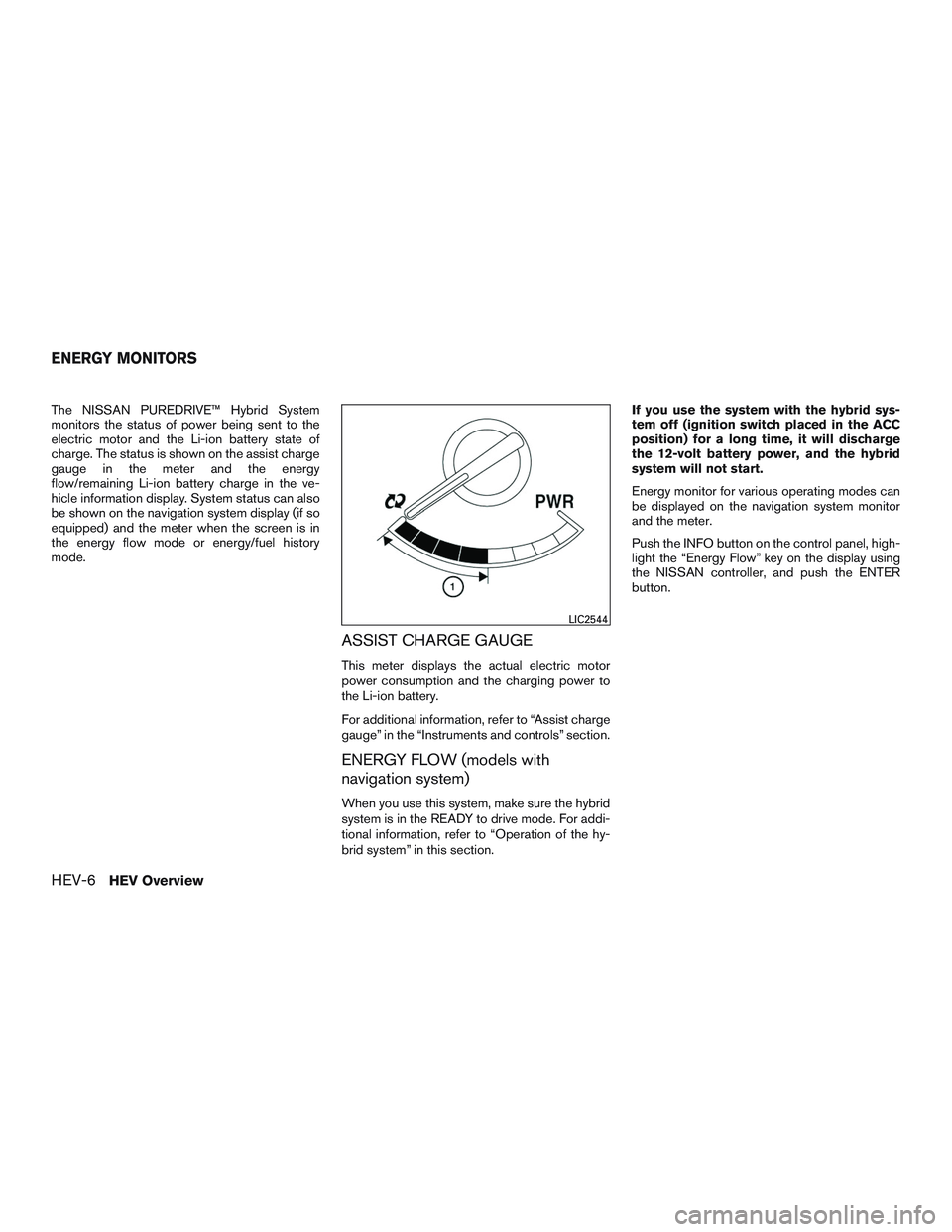
The NISSAN PUREDRIVE™ Hybrid System
monitors the status of power being sent to the
electric motor and the Li-ion battery state of
charge. The status is shown on the assist charge
gauge in the meter and the energy
flow/remaining Li-ion battery charge in the ve-
hicle information display. System status can also
be shown on the navigation system display (if so
equipped) and the meter when the screen is in
the energy flow mode or energy/fuel history
mode.
ASSIST CHARGE GAUGE
This meter displays the actual electric motor
power consumption and the charging power to
the Li-ion battery.
For additional information, refer to “Assist charge
gauge” in the “Instruments and controls” section.
ENERGY FLOW (models with
navigation system)
When you use this system, make sure the hybrid
system is in the READY to drive mode. For addi-
tional information, refer to “Operation of the hy-
brid system” in this section.If you use the system with the hybrid sys-
tem off (ignition switch placed in the ACC
position) for a long time, it will discharge
the 12-volt battery power, and the hybrid
system will not start.
Energy monitor for various operating modes can
be displayed on the navigation system monitor
and the meter.
Push the INFO button on the control panel, high-
light the “Energy Flow” key on the display using
the NISSAN controller, and push the ENTER
button.
LIC2544
ENERGY MONITORS
HEV-6HEV Overview
Page 16 of 524
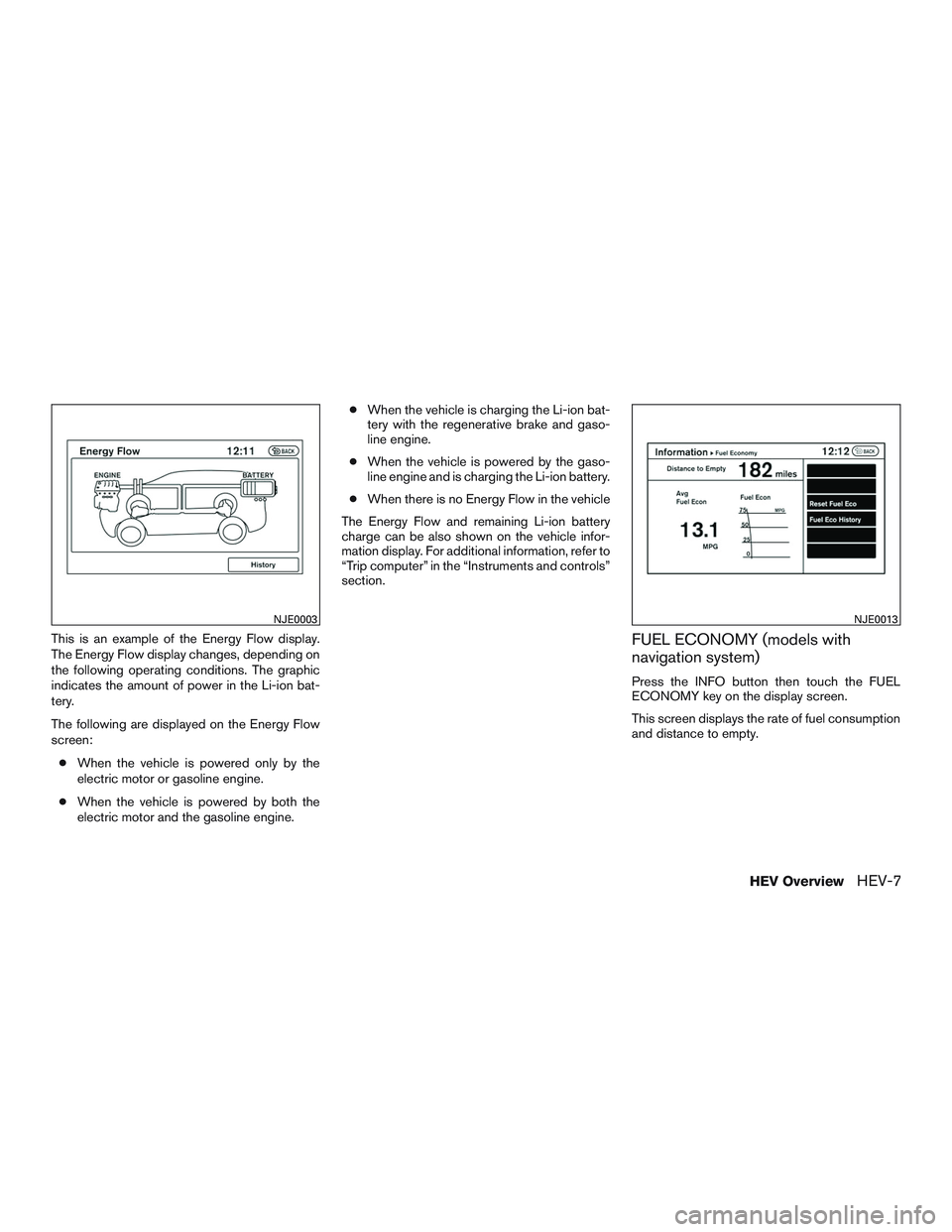
This is an example of the Energy Flow display.
The Energy Flow display changes, depending on
the following operating conditions. The graphic
indicates the amount of power in the Li-ion bat-
tery.
The following are displayed on the Energy Flow
screen:
●When the vehicle is powered only by the
electric motor or gasoline engine.
●When the vehicle is powered by both the
electric motor and the gasoline engine.●When the vehicle is charging the Li-ion bat-
tery with the regenerative brake and gaso-
line engine.
●When the vehicle is powered by the gaso-
line engine and is charging the Li-ion battery.
●When there is no Energy Flow in the vehicle
The Energy Flow and remaining Li-ion battery
charge can be also shown on the vehicle infor-
mation display. For additional information, refer to
“Trip computer” in the “Instruments and controls”
section.FUEL ECONOMY (models with
navigation system)
Press the INFO button then touch the FUEL
ECONOMY key on the display screen.
This screen displays the rate of fuel consumption
and distance to empty.
NJE0003NJE0013
HEV OverviewHEV-7
Page 17 of 524
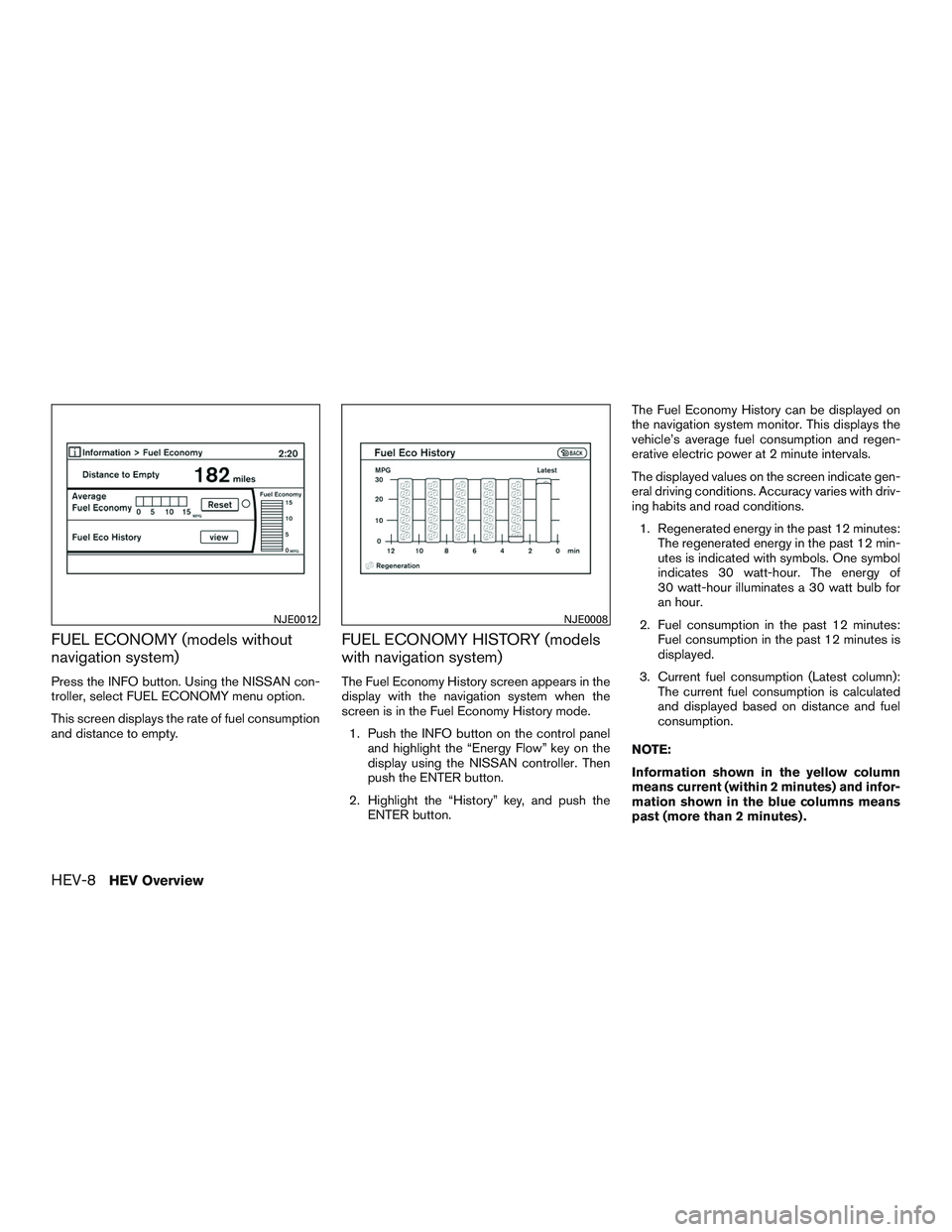
FUEL ECONOMY (models without
navigation system)
Press the INFO button. Using the NISSAN con-
troller, select FUEL ECONOMY menu option.
This screen displays the rate of fuel consumption
and distance to empty.
FUEL ECONOMY HISTORY (models
with navigation system)
The Fuel Economy History screen appears in the
display with the navigation system when the
screen is in the Fuel Economy History mode.
1. Push the INFO button on the control panel
and highlight the “Energy Flow” key on the
display using the NISSAN controller. Then
push the ENTER button.
2. Highlight the “History” key, and push the
ENTER button.The Fuel Economy History can be displayed on
the navigation system monitor. This displays the
vehicle’s average fuel consumption and regen-
erative electric power at 2 minute intervals.
The displayed values on the screen indicate gen-
eral driving conditions. Accuracy varies with driv-
ing habits and road conditions.
1. Regenerated energy in the past 12 minutes:
The regenerated energy in the past 12 min-
utes is indicated with symbols. One symbol
indicates 30 watt-hour. The energy of
30 watt-hour illuminates a 30 watt bulb for
an hour.
2. Fuel consumption in the past 12 minutes:
Fuel consumption in the past 12 minutes is
displayed.
3. Current fuel consumption (Latest column):
The current fuel consumption is calculated
and displayed based on distance and fuel
consumption.
NOTE:
Information shown in the yellow column
means current (within 2 minutes) and infor-
mation shown in the blue columns means
past (more than 2 minutes) .
NJE0012NJE0008
HEV-8HEV Overview
Page 18 of 524
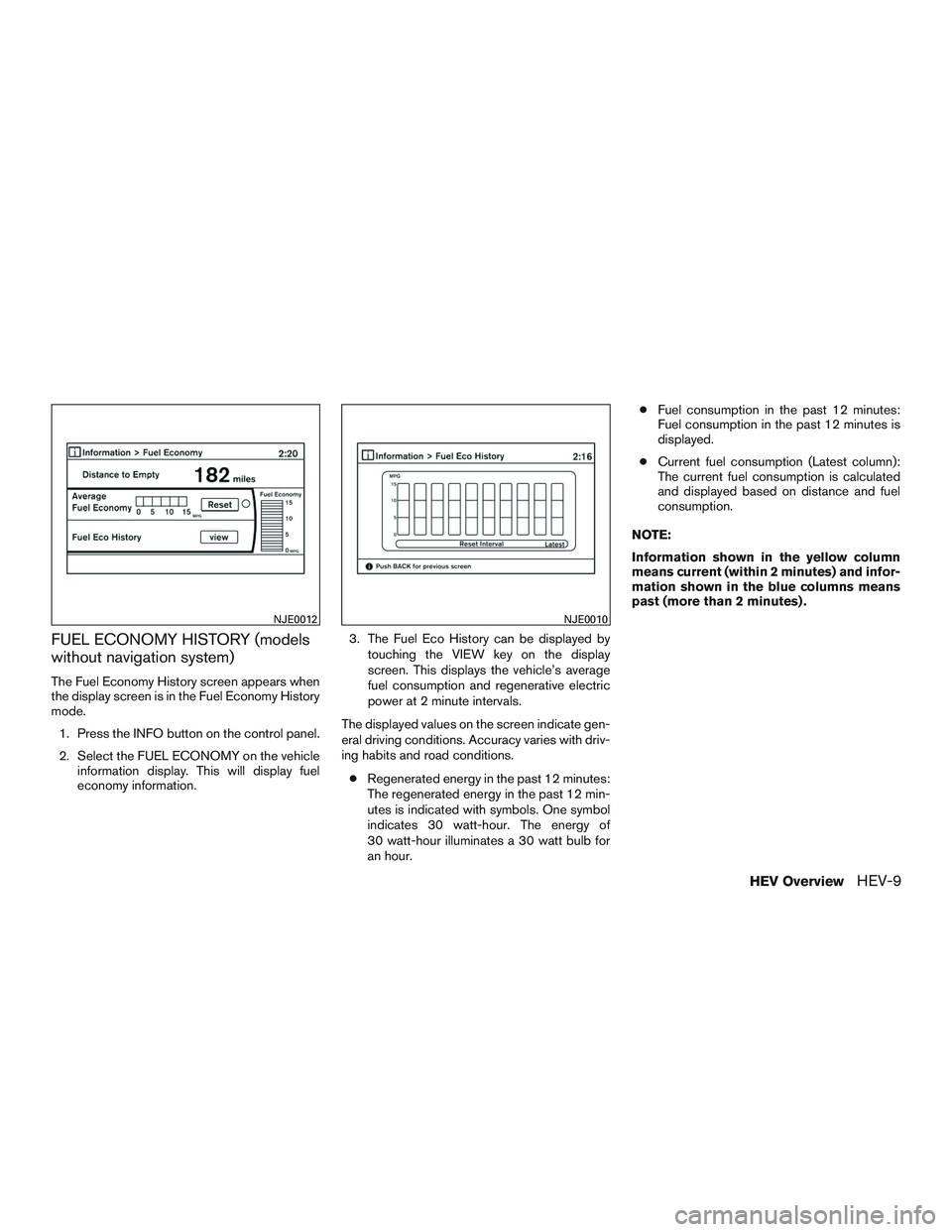
FUEL ECONOMY HISTORY (models
without navigation system)
The Fuel Economy History screen appears when
the display screen is in the Fuel Economy History
mode.
1. Press the INFO button on the control panel.
2. Select the FUEL ECONOMY on the vehicle
information display. This will display fuel
economy information.3. The Fuel Eco History can be displayed by
touching the VIEW key on the display
screen. This displays the vehicle’s average
fuel consumption and regenerative electric
power at 2 minute intervals.
The displayed values on the screen indicate gen-
eral driving conditions. Accuracy varies with driv-
ing habits and road conditions.
●Regenerated energy in the past 12 minutes:
The regenerated energy in the past 12 min-
utes is indicated with symbols. One symbol
indicates 30 watt-hour. The energy of
30 watt-hour illuminates a 30 watt bulb for
an hour.●Fuel consumption in the past 12 minutes:
Fuel consumption in the past 12 minutes is
displayed.
●Current fuel consumption (Latest column):
The current fuel consumption is calculated
and displayed based on distance and fuel
consumption.
NOTE:
Information shown in the yellow column
means current (within 2 minutes) and infor-
mation shown in the blue columns means
past (more than 2 minutes) .
NJE0012NJE0010
HEV OverviewHEV-9
Page 26 of 524
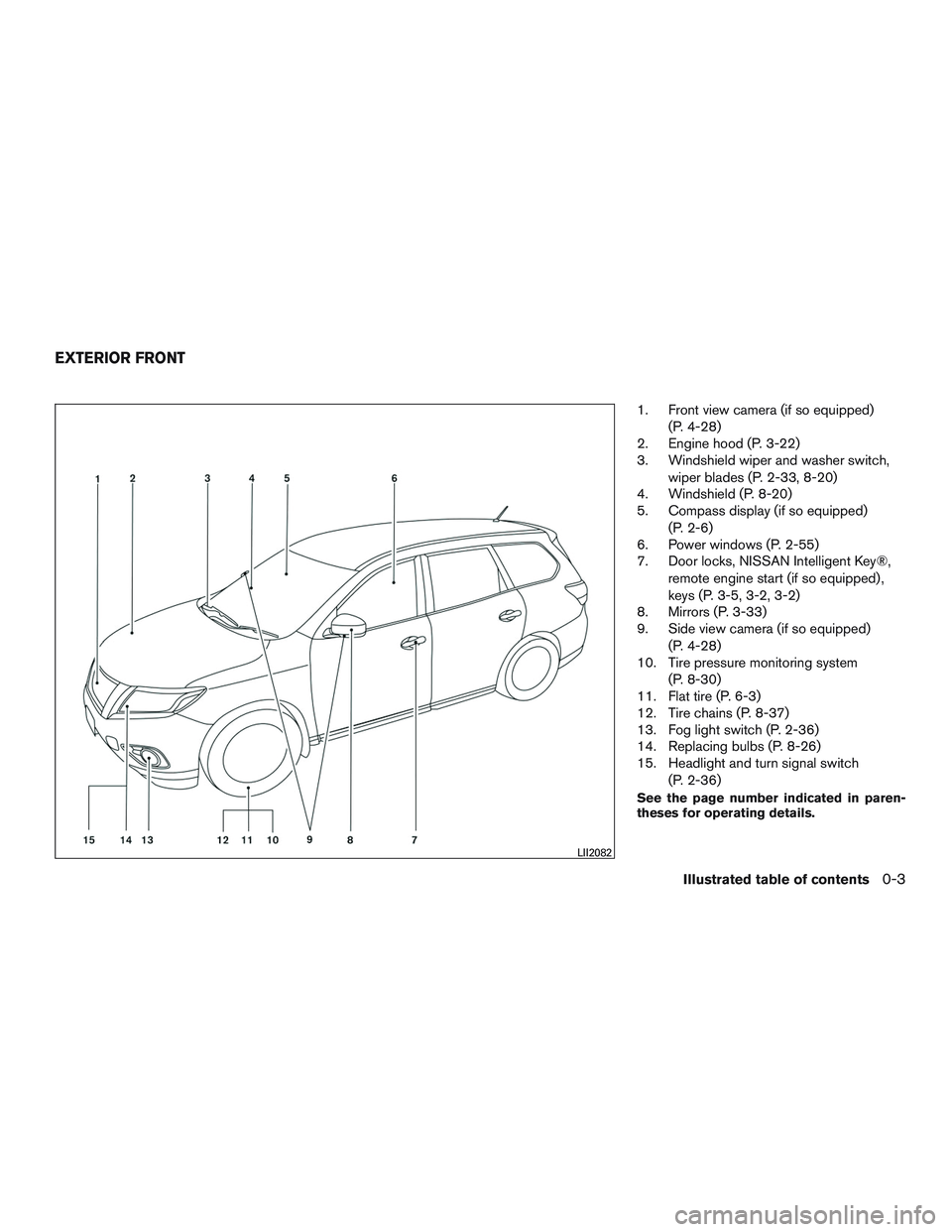
1. Front view camera (if so equipped)
(P. 4-28)
2. Engine hood (P. 3-22)
3. Windshield wiper and washer switch,
wiper blades (P. 2-33, 8-20)
4. Windshield (P. 8-20)
5. Compass display (if so equipped)
(P. 2-6)
6. Power windows (P. 2-55)
7. Door locks, NISSAN Intelligent Key®,
remote engine start (if so equipped) ,
keys (P. 3-5, 3-2, 3-2)
8. Mirrors (P. 3-33)
9. Side view camera (if so equipped)
(P. 4-28)
10. Tire pressure monitoring system
(P. 8-30)
11. Flat tire (P. 6-3)
12. Tire chains (P. 8-37)
13. Fog light switch (P. 2-36)
14. Replacing bulbs (P. 8-26)
15. Headlight and turn signal switch
(P. 2-36)
See the page number indicated in paren-
theses for operating details.
LII2082
EXTERIOR FRONT
Illustrated table of contents0-3
Page 117 of 524
●Replacing tires with those not originally
specified by NISSAN could affect the
proper operation of the TPMS.
CAUTION
●The TPMS is not a substitute for the
regular tire pressure check. Be sure to
check the tire pressure regularly.
●If the vehicle is being driven at speeds
of less than 16 MPH (25 km/h), the
TPMS may not operate correctly.
●Be sure to install the specified size of
tires to the 4 wheels correctly.
Low windshield-washer fluid
warning light
This light comes on when the windshield-washer
fluid is at a low level. Add windshield-washer fluid
as necessary. For additional information, refer to
“Windshield-washer fluid” in the “Maintenance
and do-it-yourself” section of this manual.
Master warning light
When the ignition switch is in the ON position,
the master warning light illuminates if any of the
following are displayed on the vehicle information
display:●No key warning
●Low fuel warning
●Low washer fluid warning
●Parking brake release warning
●Door open warning
●Loose fuel cap warning
●Check tire pressure warning
For additional information, refer to “Vehicle Infor-
mation Display” in this section.
Power steering warning light
WARNING
●If the engine is not running or is turned
off while driving, the power assist for
the steering will not work. Steering will
be harder to operate.
●When the power steering warning light
illuminates with the engine running,
there will be no power assist for the
steering. You will still have control of
the vehicle, but the steering will be
much harder to operate. Have the power
steering system checked by a NISSAN
dealer.When the ignition switch is in the ON position,
the power steering warning light illuminates. After
starting the engine, the power steering warning
light turns off. This indicates that the electric
power steering system is operational. If the
power steering warning light illuminates while the
engine is running, it may indicate the power
steering system is not functioning properly and
may need servicing. Have the hydraulic pump
electric power steering system checked by a
NISSAN dealer. For additional information, refer
to “Power steering” in the “Starting and driving”
section of this manual.
Seat belt warning light and
chime
The light and chime remind you to fasten your
seat belts. The light illuminates whenever the
ignition switch is placed in the ON or START
position and remains illuminated until the driver’s
seat belt is fastened. At the same time, the chime
sounds for about 6 seconds unless the driver’s
seat belt is securely fastened.
The seat belt warning light may also illuminate if
the front passenger’s seat belt is not fastened
when the front passenger’s seat is occupied . For
7 seconds after the ignition switch is placed in
the ON position, the system does not activate the
warning light for the front passenger.
2-14Instruments and controls
Page 121 of 524
Push the VDC off switch again or restart the
engine and the system will operate normally. For
additional information, refer to “Vehicle Dynamic
Control (VDC) system” in the “Starting and driv-
ing” section of this manual.
The VDC light also comes on when you place the
ignition switch in the ON position. The light will
turn off after about 2 seconds if the system is
operational. If the light stays on or comes on
along with the
indicator light while you are
driving, have the VDC system checked by a
NISSAN dealer.
While the VDC system is operating, you might
feel slight vibration or hear the system working
when starting the vehicle or accelerating, but this
is normal.
AUDIBLE REMINDERS
Brake pad wear warning
The disc brake pads have audible wear warnings.
When a disc brake pad requires replacement, it
makes a high pitched scraping sound when the
vehicle is in motion, whether or not the brake
pedal is depressed. Have the brakes checked as
soon as possible if the warning sound is heard.
Key reminder chime
A chime sounds if the driver’s door is opened
while the ignition switch is placed in the ACC or
OFF position or placed in the OFF or LOCK
position with the Intelligent Key left in the vehicle.
Make sure the ignition switch is placed in the
LOCK position, and take the Intelligent Key with
you when leaving the vehicle.
Light reminder chime
With the ignition switch placed in the OFF posi-
tion, a chime sounds when the driver’s door is
opened if the headlights or parking lights are on.
Turn the headlight control switch off before leav-
ing the vehicle.
NISSAN Intelligent Key® door buzzer
The Intelligent Key door buzzer sounds if the
Intelligent Key is left inside the vehicle when
locking the doors. When the buzzer sounds, be
sure to check both the vehicle and the Intelligent
Key. For additional information, refer to “NISSAN
Intelligent Key®” in the “Pre-driving checks and
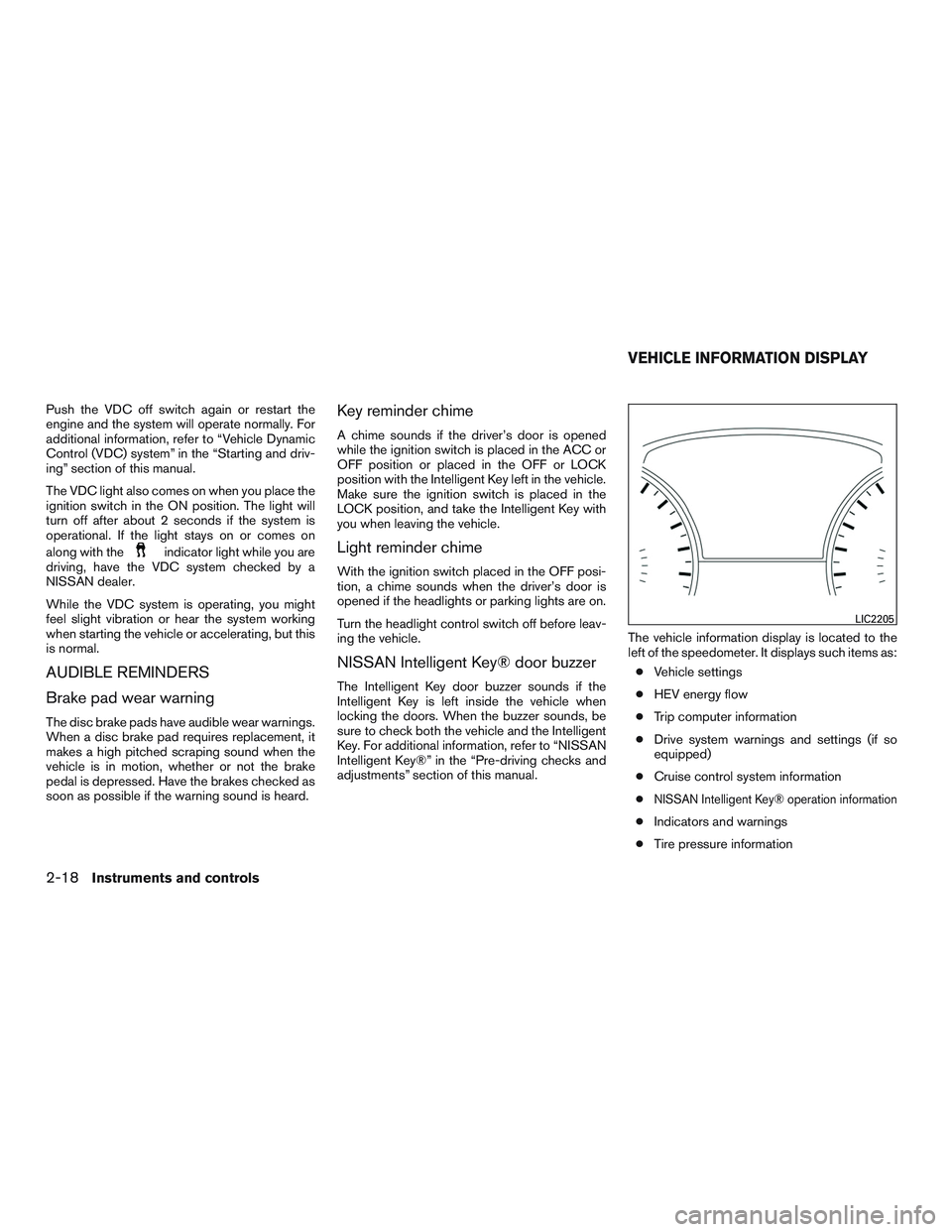
adjustments” section of this manual.The vehicle information display is located to the
left of the speedometer. It displays such items as:
●Vehicle settings
●HEV energy flow
●Trip computer information
●Drive system warnings and settings (if so
equipped)
●Cruise control system information
●
NISSAN Intelligent Key® operation information
●Indicators and warnings
●Tire pressure information
LIC2205
VEHICLE INFORMATION DISPLAY
2-18Instruments and controls
Page 123 of 524
Vehicle Settings
The vehicle settings allows the customer to
change settings for interior lights, intelligent key
settings, unlock settings and other vehicle set-
tings.
The vehicle settings can be changed using
the
,, and the ENTER buttons.
Welcome light (if so equipped)
The welcome light can be set to be ON or OFF.
From the Vehicle Settings menu, select “Wel-
come Light”. Use the ENTER button to turn this
feature ON or OFF.
Auto Room Lamp
The interior lights can be set to be ON or OFF if
any door is unlocked. From the Vehicle Settings
menu, select “Auto Room Light”. Use the ENTER
button to turn this feature ON or OFF.
Light Sensitivity (if so equipped)
The light sensitivity can be set to illuminate earlier
based on the brightness outside the vehicle.
From the Vehicle Settings menu, select “Light
Sensitivity”. Use the ENTER button to change the
sensitivity.Light Off Delay (if so equipped)
The duration of the automatic headlights can be
changed from 0 to 180 seconds. From the Ve-
hicle Settings menu, select “Light Off Delay”. Use
the ENTER button to change the duration.
Wiper with Speed
The wiper with speed can be set to be ON or
OFF. From the Vehicle Settings menu, select
“Wiper with Speed”. Use the ENTER button to
turn this feature ON or OFF.
I-Key Door Lock
When this item is turned on, the request switch
on the door is activated. From the Vehicle Set-
tings menu, select “I-Key Door Unlock”. Use the
ENTER button to activate this function.
Selective-Unlock
When this item is turned on, only the driver’s door
is unlocked first after the door unlock operation.
When the door handle request switch on the
driver’s or front passenger’s side door is pushed
to be unlocked, only the corresponding door is
unlocked first. All the doors can be unlocked if the
door unlock operation is performed again within
1 minute. When this item is turned to OFF, all the
doors will be unlocked after the door unlock
operation is performed once. From the VehicleSettings menu, select “Selective Unlock”. Use
the ENTER button to activate this function.
Auto Door Unlock
The auto door unlock function automatically un-
locks all the doors when the shift lever is placed in
the P (Park) position. From the Vehicle Settings
menu, select “Auto Door Unlock”. Use the EN-
TER button to enable/disable this function.
Answer back horn
When the answer back horn is on, the horn will
chirp and the hazard indicators will flash once
when locking the vehicle with the Intelligent Key.
Remote Start (if so equipped)
The remote start function can be turned on or off.
If the setting is OFF the vehicle cannot be started
using the Intelligent Key. From the Vehicle Set-
tings menu, select “Remote Start”. Use the EN-
TER button to enable/disable.
Battery Saver
The battery saver automatically turns off the igni-
tion after a period of time when the ignition switch
is left in the ACC or ON position.
2-20Instruments and controls
Page 130 of 524
VEHICLE INFORMATION DISPLAY
WARNINGS AND INDICATORS
1. No Key Detected
2. Key ID Incorrect
3. Shift to Park
4. Push ignition to OFF
5. Key battery low (if so equipped)
6. Engine start operation for Intelligent Key sys-
tem
7. Release parking brake
8. Low Fuel
9. Hybrid System Overheated
10. High Coolant Temp: See Owners Manual
11. Low Washer Fluid
12. Door Open
13. Liftgate Open
14. Timer Alert – Time for a driver break?
15. Low Outside Temperature
16. Power will turn off to save the battery
17. CVT Error: See Owner’s Manual
18. Reminder: Turn OFF headlights19. Shift to Park Press Brake & Start
20. Shift to Park Li-ion battery low
21. Low Oil Pressure
22. Key Registration Complete
23. Tire Pressure Low - Add Air
24. TPMS Error
25. Remote Start (if so equipped)
26. Loose Fuel Cap
27. HV System Warm up Please Wait In Park
28. Shutting Down
29. I-Key System Error: See Owners Manual
No Key Detected
This warning appears when the Intelligent Key is
left outside the vehicle with the ignition switch in
the ON or ACC position. Make sure the Intelli-
gent Key is inside the vehicle.
Key ID Incorrect
This warning appears when the ignition switch is
placed from the OFF position and the Intelligent
Key is not recognized by the system. You cannot
start the engine with an unregistered key.For additional information, refer to “NISSAN In-
telligent Key®” in the “Pre-driving checks and
adjustments” section of this manual.
Shift to Park warning
This will be displayed in the following conditions:
●When the shift lever is in any position except
P (Park) and the push button ignition switch
has been placed in the “OFF” position from
the “ON” position.
●When the shift lever is operated while the
READY to drive indicator light is flashing.
●The driver’s door is opened with the shift
lever in N, D or R.
●When the vehicle cannot be driven because
the hybrid system temperature has become
too high.
●The Lithium-ion (Li-ion) battery drops be-
cause the shift lever is in the N position.
●If a malfunction occurs in a situation other
than those described above and the engine
cannot start automatically.
Instruments and controls2-27
Page 131 of 524
When this warning appears, place the shift lever
in the P (Park) position. When the shift “P” warn-
ing appears, a buzzer will sound.
This will turn off in the following conditions:
●When the shift lever has been placed in the
P (Park) position.
●When the push button ignition switch has
been pushed to “ON”.
Push ignition to OFF
After the Push ignition to OFF warning illumi-
nates, the warning will illuminate if the ignition
switch is placed in the ACC position when the
shift lever is moved to the P (Park) position.
To turn off the Push warning, place the ignition
switch in the ON position and then in the LOCK
position.
Key Battery Low (if so equipped)
This indicator illuminates when the Intelligent Key
battery is running out of power.
If this indicator illuminates, replace the battery
with a new one. For additional information, refer
to “Battery replacement” in the “Maintenance and
do-it-yourself” section of this manual.Engine start operation for Intelligent Key
system
This indicator appears when the battery of the
Intelligent Key is low and when the Intelligent Key
system and the vehicle are not communicating
normally.
If this appears, touch the ignition switch with the
Intelligent Key while depressing the brake pedal.
For additional information, refer to “NISSAN In-
telligent Key® battery discharge” in the “Starting
and driving” section of this manual.
Release Parking Brake
This warning illuminates in the message area of
the vehicle information display when the parking
brake is set and the vehicle is driven.
Low Fuel
This warning illuminates when the fuel level in the
fuel tank is getting low. Refuel as soon as it is
convenient, preferably before the fuel gauge
reaches 0 (Empty) .There will be a small re-
serve of fuel in the tank when the fuel
gauge needle reaches 0 (Empty) .
Hybrid System Overheated
This warning appears when the temperature of
the hybrid system is extremely high. Stop the
vehicle in a safe location as soon as possible.Avoid quick starting or abrupt acceleration.
When the warning turns off, the vehicle can be
driven.
If the warning appears again soon after it turns
off, have the vehicle checked by a NISSAN
dealer.
Do not drive the vehicle with the warning
on. Doing so could cause a hybrid system
malfunction.
WARNING
If you continue to drive the vehicle while
the warning is displayed, the hybrid sys-
tem may become temporarily inoperative
and the system can not provide power to
the wheels. This can result in reduced or
zero vehicle speed. The reduced speed or
zero speed may be lower than other traf-
fic, which could increase the chance of a
collision. If the vehicle cannot maintain a
safe driving speed, pull to the side of the
road in a safe area. If this occurs, place the
shift lever in the “P” position, ignition in
the READY position with the vehicle
stopped until the display turns off. The
Hybrid system overheat warning and the
SHIFT “P” warning messages will be alter-
nately displayed. For additional informa-
tion, refer to “Shift to Park” in this section.
2-28Instruments and controls