ECU NISSAN PATROL 2006 Repair Manual
[x] Cancel search | Manufacturer: NISSAN, Model Year: 2006, Model line: PATROL, Model: NISSAN PATROL 2006Pages: 1226, PDF Size: 37.18 MB
Page 1136 of 1226
CAUTION:
+Always place air bag module with pad side facing upward.
+Do not attempt to disassemble air bag module.
+The special bolts are coated with bonding agent. Do not
use old bolts after removal; replace with new ones.
+Replace air bag module if it has been dropped or sustained
an impact.
+Do not expose the air bag module to temperatures exceed-
ing 90ÉC (194ÉF).
+Do not allow oil, grease or water to come in contact with
the air bag module.
3. Set steering wheel in the neutral position.
4. Disconnect horn connector and remove nuts.
5. Using steering wheel puller, remove steering wheel. Be careful
not to over-tighten puller bolt on steering wheel.
CAUTION:
Do not tap or bump the steering wheel.
6. Remove steering column cover.
7. Remove four screws securing the spiral cable. Unlock the spi-
ral cable connector. Then disconnect the spiral cable connec-
tor. The spiral cable can then be removed.
CAUTION:
+Do not attempt to disassemble spiral cable.
+Do not apply lubricant to the spiral cable.
Removal Ð Front Passenger Air Bag Module
CAUTION:
+Before servicing SRS, turn the ignition switch off, discon-
nect both battery cables and wait for at least 3 minutes.
+Always work from the side of or under air bag module.
1. Remove glove box assembly. Refer to ``INSTRUMENT PANEL''
in BT section for details.
MRS120A
SBF814E
SBF239F
SRS384
SRS456
SUPPLEMENTAL RESTRAINT SYSTEM (SRS)
Removal Ð Air Bag Module and Spiral Cable
(Cont'd)
RS-14
Page 1137 of 1226
2. Remove clips securing in¯ator connector.
3. Disconnect in¯ator connector from body harness air bag con-
nector.
4. Remove the nuts and special bolts using the TAMPER RESIS-
TANT TORX (Size T50) from front passenger air bag module.
Take out the air bag module from the instrument panel.
+The air bag module is heavy and should be supported using
bolt hands during removal.
CAUTION:
+Always place air bag module with pad side facing upward.
+Do not attempt to disassemble air bag module.
+The special bolts are coated with bonding agent. Do not
use old bolts after removal; replace with new coated bolts.
+Do not insert foreign objects (screwdriver, etc.) into air bag
module connector.
+Do not use a circuit tester to check the air bag module
harness connector.
+Replace air bag module if it has been dropped or sustained
an impact.
+Do not expose the air bag module to temperatures exceed-
ing 90ÉC (194ÉF).
+Do not allow oil, grease or water to come in contact with
the air bag module.
SRS457
SBF579H
SBF814E
SUPPLEMENTAL RESTRAINT SYSTEM (SRS)
Removal Ð Front Passenger Air Bag Module
(Cont'd)
RS-15
Page 1140 of 1226
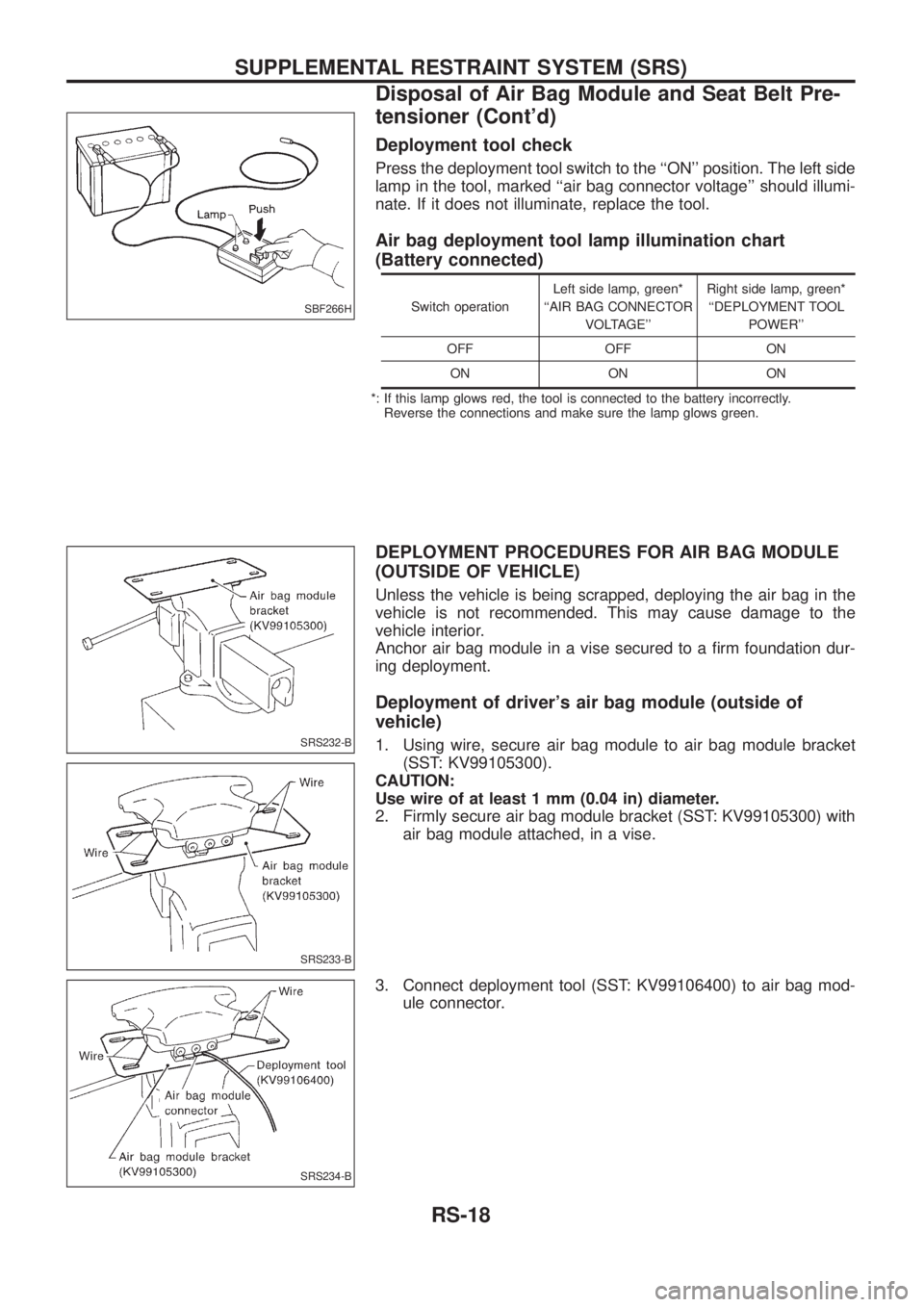
Deployment tool check
Press the deployment tool switch to the ``ON'' position. The left side
lamp in the tool, marked ``air bag connector voltage'' should illumi-
nate. If it does not illuminate, replace the tool.
Air bag deployment tool lamp illumination chart
(Battery connected)
Switch operationLeft side lamp, green*
``AIR BAG CONNECTOR
VOLTAGE''Right side lamp, green*
``DEPLOYMENT TOOL
POWER''
OFF OFF ON
ON ON ON
*: If this lamp glows red, the tool is connected to the battery incorrectly.
Reverse the connections and make sure the lamp glows green.
DEPLOYMENT PROCEDURES FOR AIR BAG MODULE
(OUTSIDE OF VEHICLE)
Unless the vehicle is being scrapped, deploying the air bag in the
vehicle is not recommended. This may cause damage to the
vehicle interior.
Anchor air bag module in a vise secured to a ®rm foundation dur-
ing deployment.
Deployment of driver's air bag module (outside of
vehicle)
1. Using wire, secure air bag module to air bag module bracket
(SST: KV99105300).
CAUTION:
Use wire of at least 1 mm (0.04 in) diameter.
2. Firmly secure air bag module bracket (SST: KV99105300) with
air bag module attached, in a vise.
3. Connect deployment tool (SST: KV99106400) to air bag mod-
ule connector.
SBF266H
SRS232-B
SRS233-B
SRS234-B
SUPPLEMENTAL RESTRAINT SYSTEM (SRS)
Disposal of Air Bag Module and Seat Belt Pre-
tensioner (Cont'd)
RS-18
Page 1141 of 1226
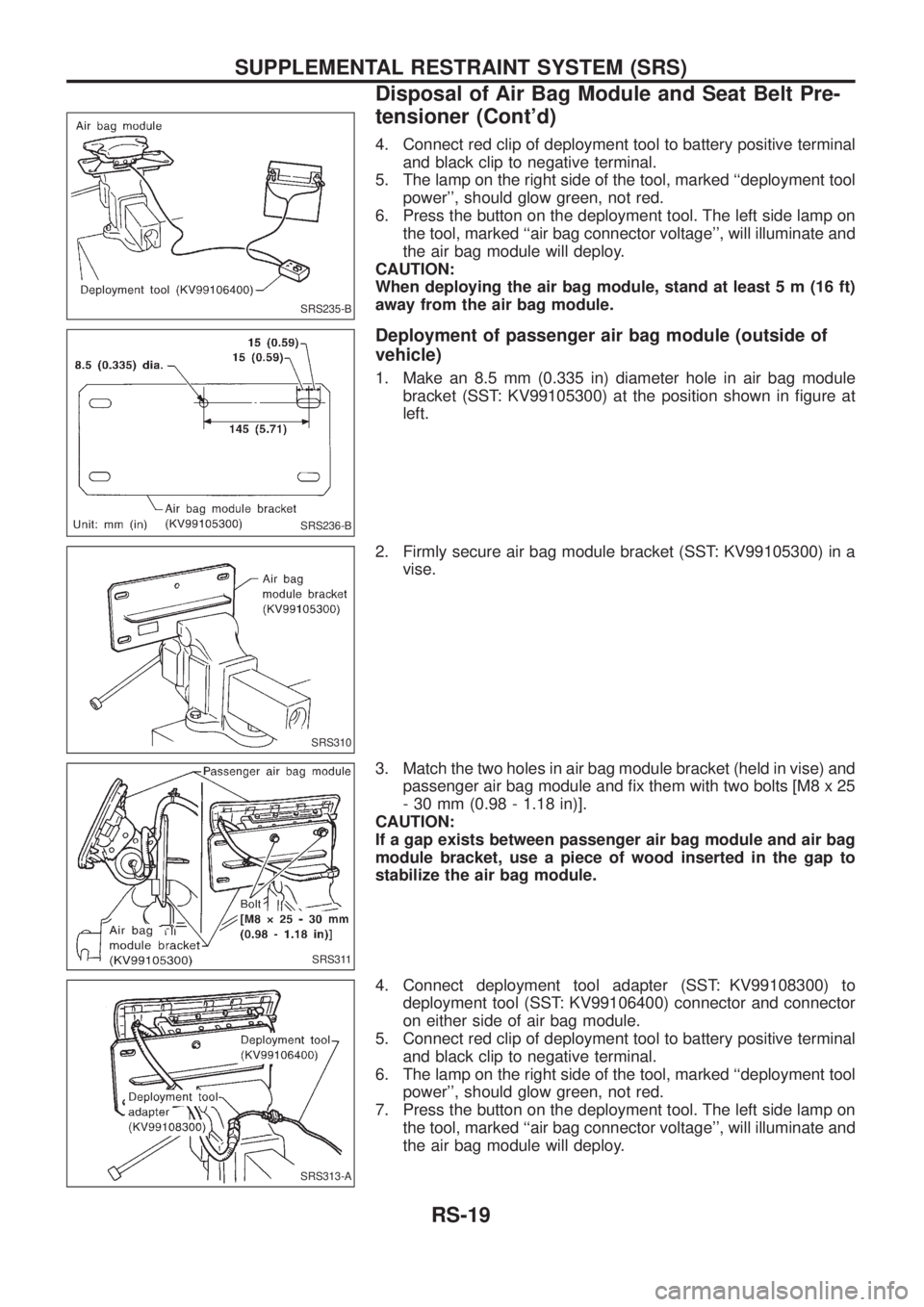
4. Connect red clip of deployment tool to battery positive terminal
and black clip to negative terminal.
5. The lamp on the right side of the tool, marked ``deployment tool
power'', should glow green, not red.
6. Press the button on the deployment tool. The left side lamp on
the tool, marked ``air bag connector voltage'', will illuminate and
the air bag module will deploy.
CAUTION:
When deploying the air bag module, stand at least 5 m (16 ft)
away from the air bag module.
Deployment of passenger air bag module (outside of
vehicle)
1. Make an 8.5 mm (0.335 in) diameter hole in air bag module
bracket (SST: KV99105300) at the position shown in ®gure at
left.
2. Firmly secure air bag module bracket (SST: KV99105300) in a
vise.
3. Match the two holes in air bag module bracket (held in vise) and
passenger air bag module and ®x them with two bolts [M8 x 25
- 30 mm (0.98 - 1.18 in)].
CAUTION:
If a gap exists between passenger air bag module and air bag
module bracket, use a piece of wood inserted in the gap to
stabilize the air bag module.
4. Connect deployment tool adapter (SST: KV99108300) to
deployment tool (SST: KV99106400) connector and connector
on either side of air bag module.
5. Connect red clip of deployment tool to battery positive terminal
and black clip to negative terminal.
6. The lamp on the right side of the tool, marked ``deployment tool
power'', should glow green, not red.
7. Press the button on the deployment tool. The left side lamp on
the tool, marked ``air bag connector voltage'', will illuminate and
the air bag module will deploy.
SRS235-B
SRS236-B
SRS310
SRS311
SRS313-A
SUPPLEMENTAL RESTRAINT SYSTEM (SRS)
Disposal of Air Bag Module and Seat Belt Pre-
tensioner (Cont'd)
RS-19
Page 1144 of 1226
Trouble Diagnoses Introduction
CAUTION:
+Do not use a circuit tester to check SRS harness connectors unless instructed to in this Service
Manual. SRS wiring harnesses except for ``SEAT BELT PRE-TENSIONER'' can be identi®ed with
yellow harness protector or yellow insulation tape before the harness connectors.
+Do not attempt to repair, splice or modify the SRS wiring harness. If the harness is damaged,
replace it with a new one.
+Keep ground portion clean.
DIAGNOSIS FUNCTION
The SRS self-diagnosis results can be read by using ``AIR BAG'' warning lamp and/or CONSULT.
System Using CONSULT Using warning lamp
Seat belt pre-tensioner X Ð
Air bag Driver air bag X X
Front passenger air bag X X
The reading of these results is accomplished using one of two modes Ð ``User mode'' and ``Diagnosis mode''.
The User mode is exclusively prepared for the customer (driver). This mode warns the driver of a system
malfunction through the operation of the ``AIR BAG'' warning lamp.
The Diagnosis mode allows the technician to locate and inspect the malfunctioning part.
The mode applications for the ``AIR BAG'' warning lamp and CONSULT are as follows:
User mode Diagnosis mode Display type
``AIR BAG'' warning lamp X X ON-OFF operation
CONSULT Ð X Monitoring
DIAGNOSIS MODE FOR CONSULT
+``SELF-DIAG [CURRENT]''
A current Self-diagnosis result (also indicated by the warning lamp ¯ashes in the Diagnosis mode) is dis-
played on the CONSULT screen in real time. This refers to a malfunctioning part requiring repairs.
+``SELF-DIAG [PAST]''
Diagnosis results previously stored in the memory are displayed on the CONSULT screen. The stored
results are not erased until memory erasing is executed.
+``TROUBLE DIAG RECORD''
With ``TROUBLE DIAG RECORD'', diagnosis results previously erased by a reset operation can be dis-
played on the CONSULT screen.
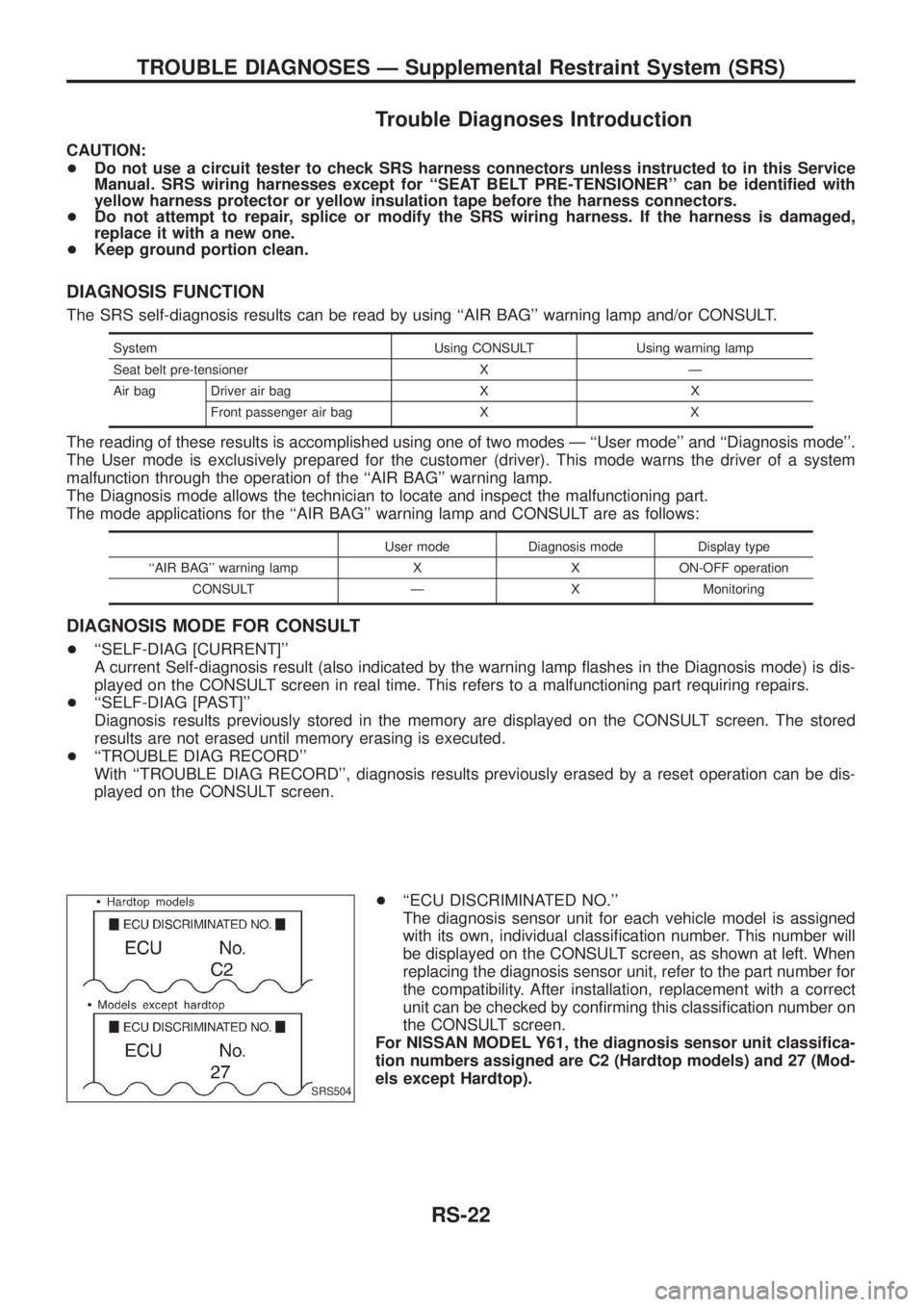
+``ECU DISCRIMINATED NO.''
The diagnosis sensor unit for each vehicle model is assigned
with its own, individual classi®cation number. This number will
be displayed on the CONSULT screen, as shown at left. When
replacing the diagnosis sensor unit, refer to the part number for
the compatibility. After installation, replacement with a correct
unit can be checked by con®rming this classi®cation number on
the CONSULT screen.
For NISSAN MODEL Y61, the diagnosis sensor unit classi®ca-
tion numbers assigned are C2 (Hardtop models) and 27 (Mod-
els except Hardtop).
SRS504
TROUBLE DIAGNOSES Ð Supplemental Restraint System (SRS)
RS-22
Page 1168 of 1226
Part SRS (except the
side air bag) is acti-
vatedSRS is NOT activated
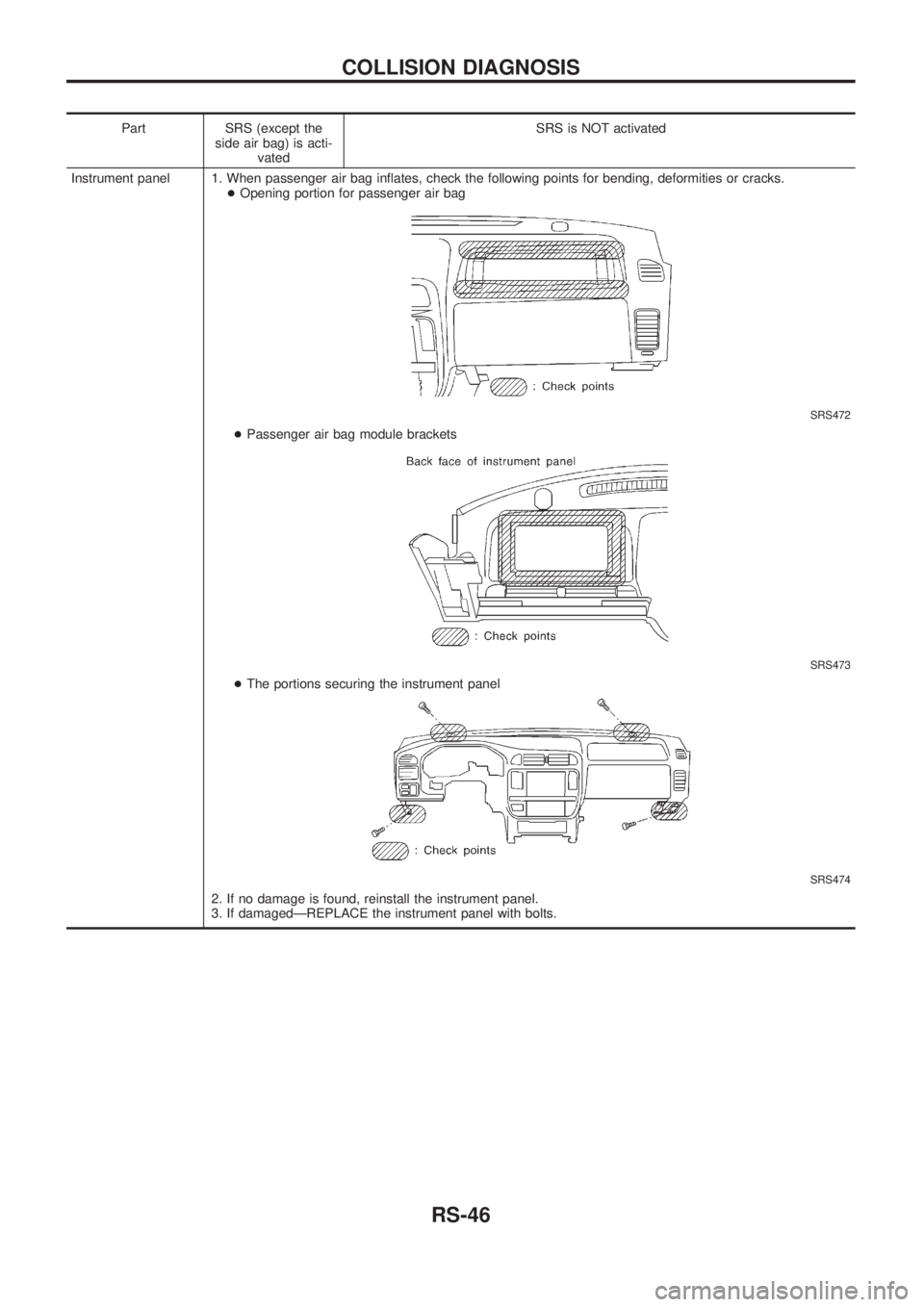
Instrument panel 1. When passenger air bag in¯ates, check the following points for bending, deformities or cracks.
+Opening portion for passenger air bag
SRS472
+Passenger air bag module brackets
SRS473
+The portions securing the instrument panel
SRS474
2. If no damage is found, reinstall the instrument panel.
3. If damagedÐREPLACE the instrument panel with bolts.
COLLISION DIAGNOSIS
RS-46
Page 1178 of 1226
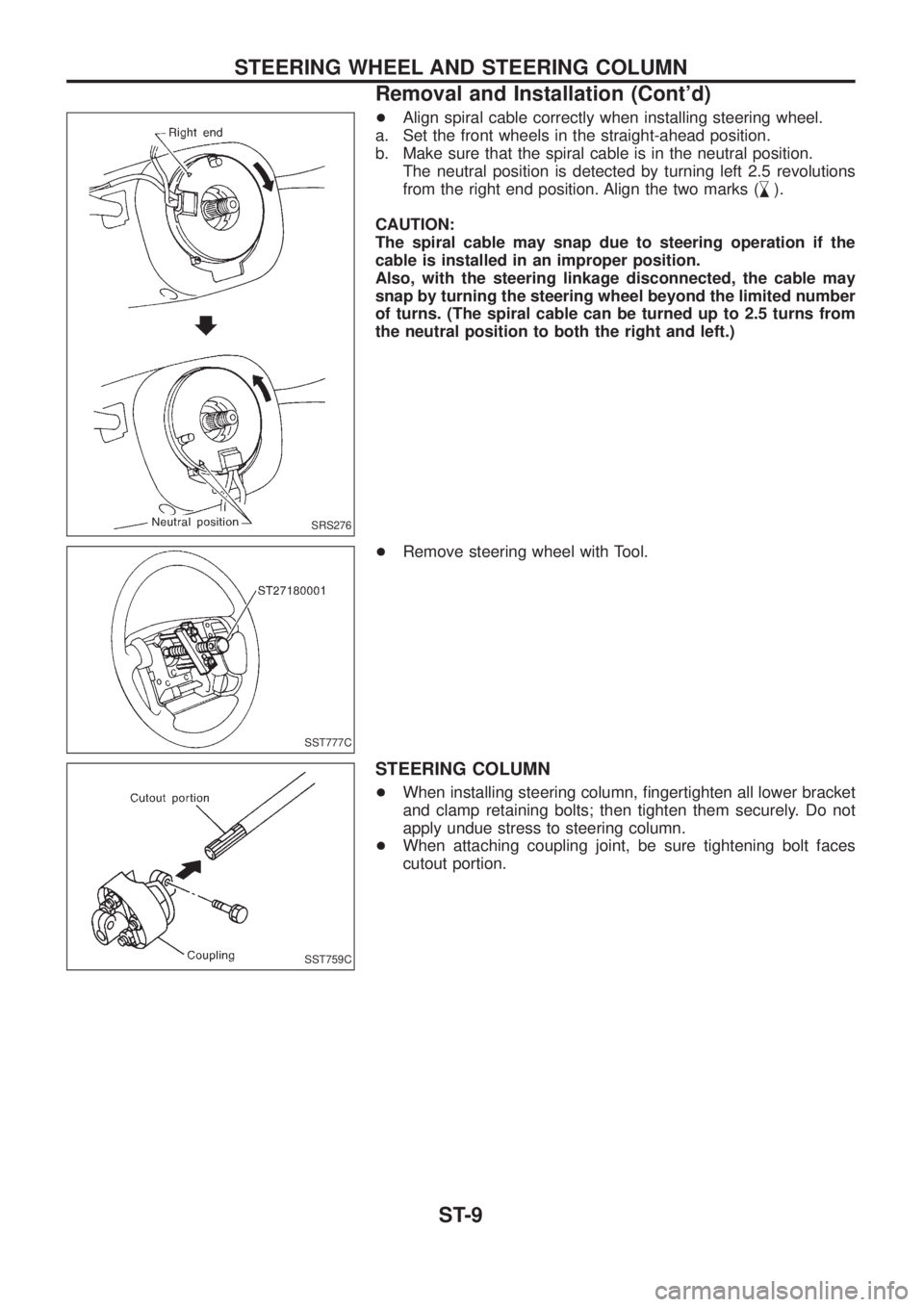
+Align spiral cable correctly when installing steering wheel.
a. Set the front wheels in the straight-ahead position.
b. Make sure that the spiral cable is in the neutral position.
The neutral position is detected by turning left 2.5 revolutions
from the right end position. Align the two marks (
,
m).
CAUTION:
The spiral cable may snap due to steering operation if the
cable is installed in an improper position.
Also, with the steering linkage disconnected, the cable may
snap by turning the steering wheel beyond the limited number
of turns. (The spiral cable can be turned up to 2.5 turns from
the neutral position to both the right and left.)
+Remove steering wheel with Tool.
STEERING COLUMN
+When installing steering column, ®ngertighten all lower bracket
and clamp retaining bolts; then tighten them securely. Do not
apply undue stress to steering column.
+When attaching coupling joint, be sure tightening bolt faces
cutout portion.
SRS276
SST777C
SST759C
STEERING WHEEL AND STEERING COLUMN
Removal and Installation (Cont'd)
ST-9
Page 1182 of 1226
Removal and Installation
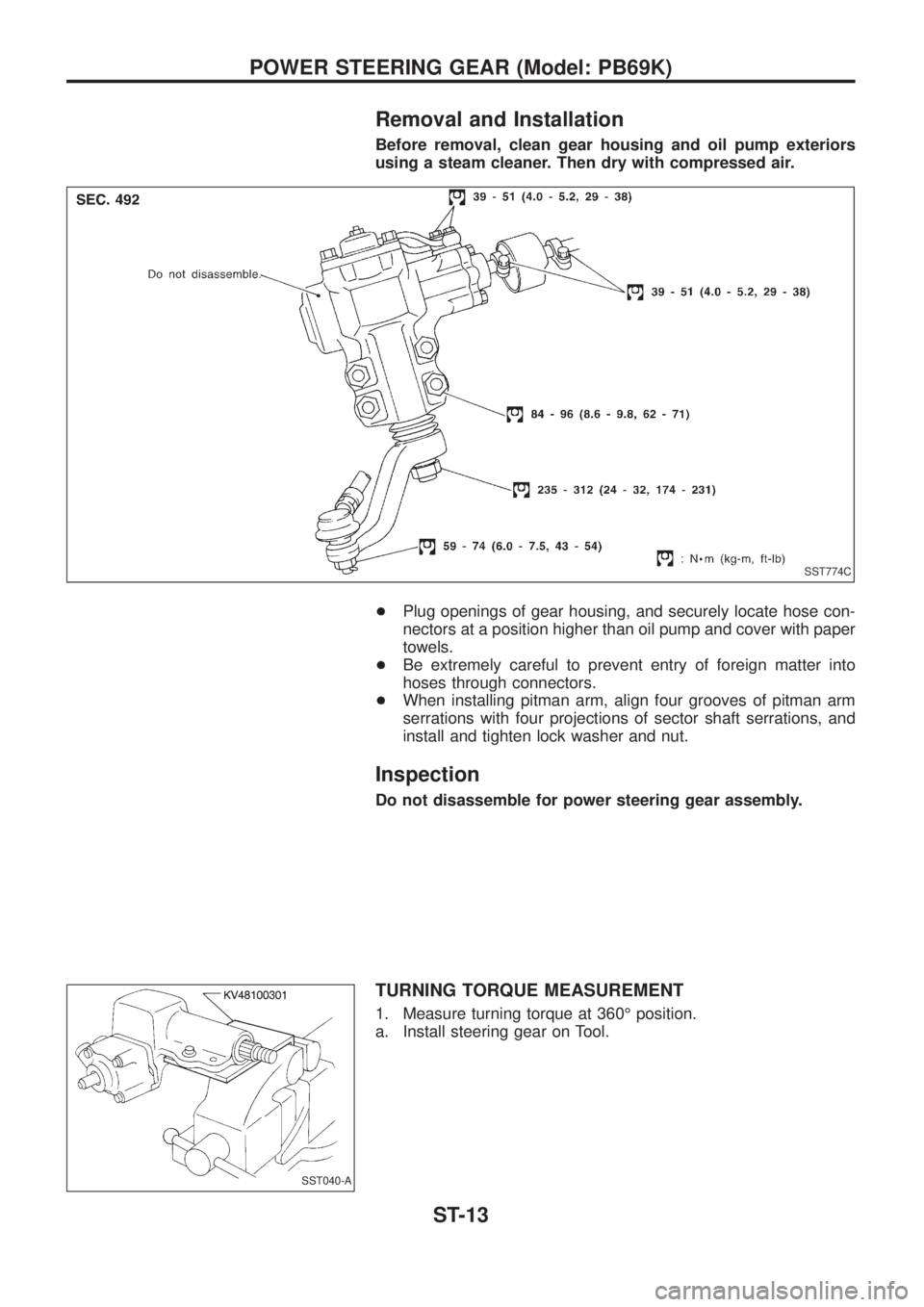
Before removal, clean gear housing and oil pump exteriors
using a steam cleaner. Then dry with compressed air.
+Plug openings of gear housing, and securely locate hose con-
nectors at a position higher than oil pump and cover with paper
towels.
+Be extremely careful to prevent entry of foreign matter into
hoses through connectors.
+When installing pitman arm, align four grooves of pitman arm
serrations with four projections of sector shaft serrations, and
install and tighten lock washer and nut.
Inspection
Do not disassemble for power steering gear assembly.
TURNING TORQUE MEASUREMENT
1. Measure turning torque at 360É position.
a. Install steering gear on Tool.
SST774C
SST040-A
POWER STEERING GEAR (Model: PB69K)
ST-13
Page 1208 of 1226
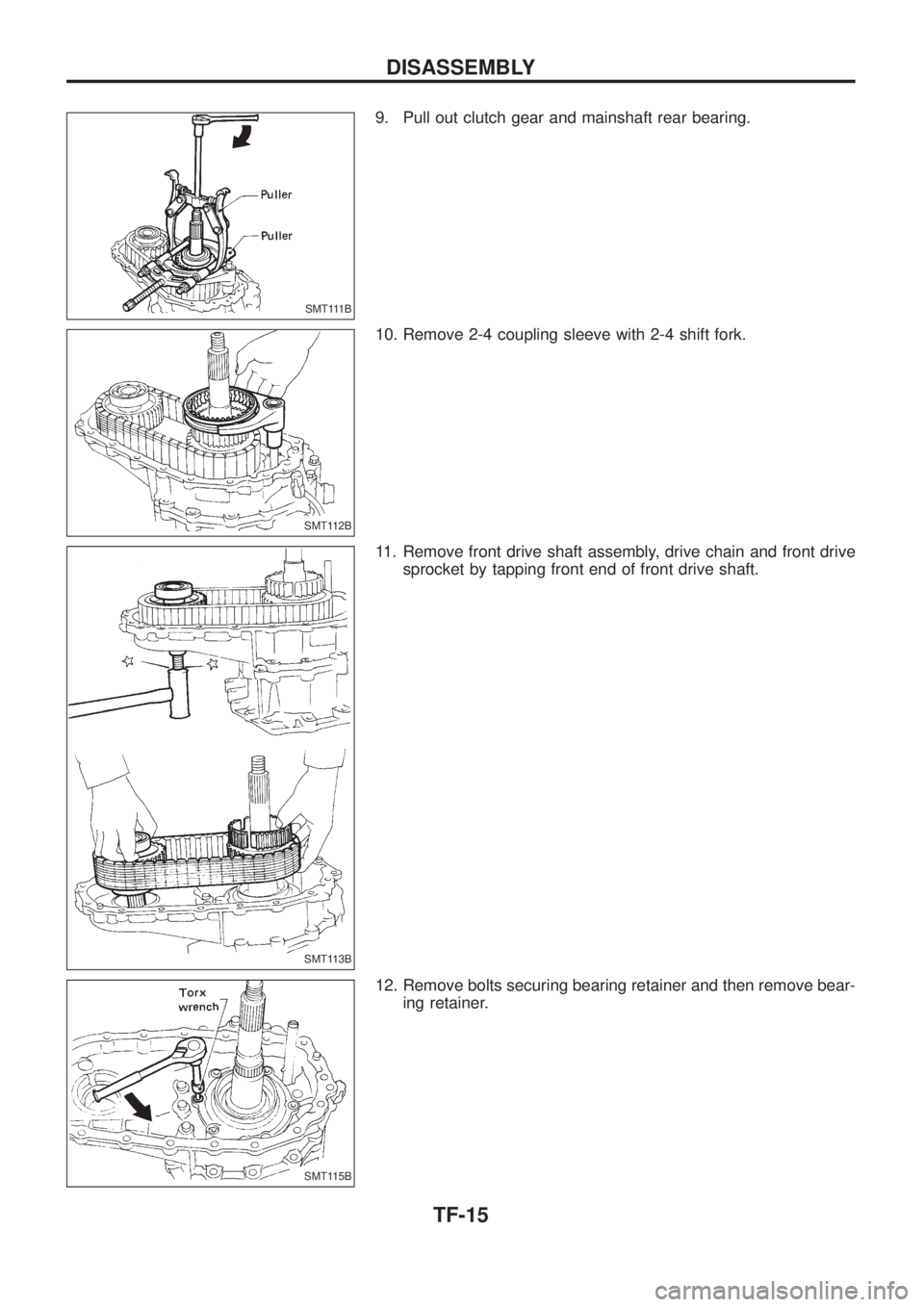
9. Pull out clutch gear and mainshaft rear bearing.
10. Remove 2-4 coupling sleeve with 2-4 shift fork.
11. Remove front drive shaft assembly, drive chain and front drive
sprocket by tapping front end of front drive shaft.
12. Remove bolts securing bearing retainer and then remove bear-
ing retainer.
SMT111B
SMT112B
SMT113B
SMT115B
DISASSEMBLY
TF-15
Page 1209 of 1226
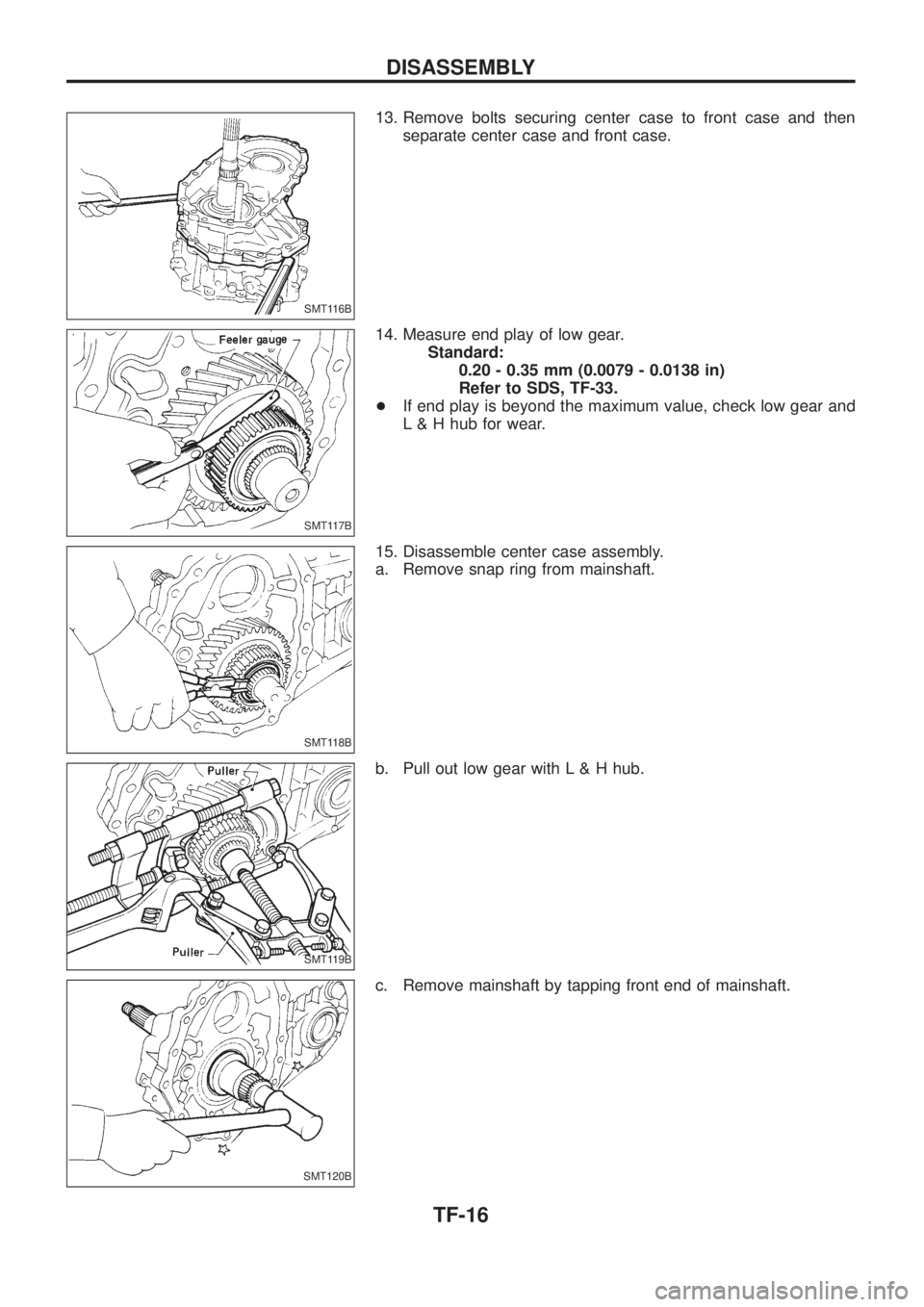
13. Remove bolts securing center case to front case and then
separate center case and front case.
14. Measure end play of low gear.
Standard:
0.20 - 0.35 mm (0.0079 - 0.0138 in)
Refer to SDS, TF-33.
+If end play is beyond the maximum value, check low gear and
L & H hub for wear.
15. Disassemble center case assembly.
a. Remove snap ring from mainshaft.
b. Pull out low gear with L & H hub.
c. Remove mainshaft by tapping front end of mainshaft.
SMT116B
SMT117B
SMT118B
SMT119B
SMT120B
DISASSEMBLY
TF-16