change time NISSAN QASHQAI 2012 User Guide
[x] Cancel search | Manufacturer: NISSAN, Model Year: 2012, Model line: QASHQAI, Model: NISSAN QASHQAI 2012Pages: 297, PDF Size: 4.09 MB
Page 131 of 297
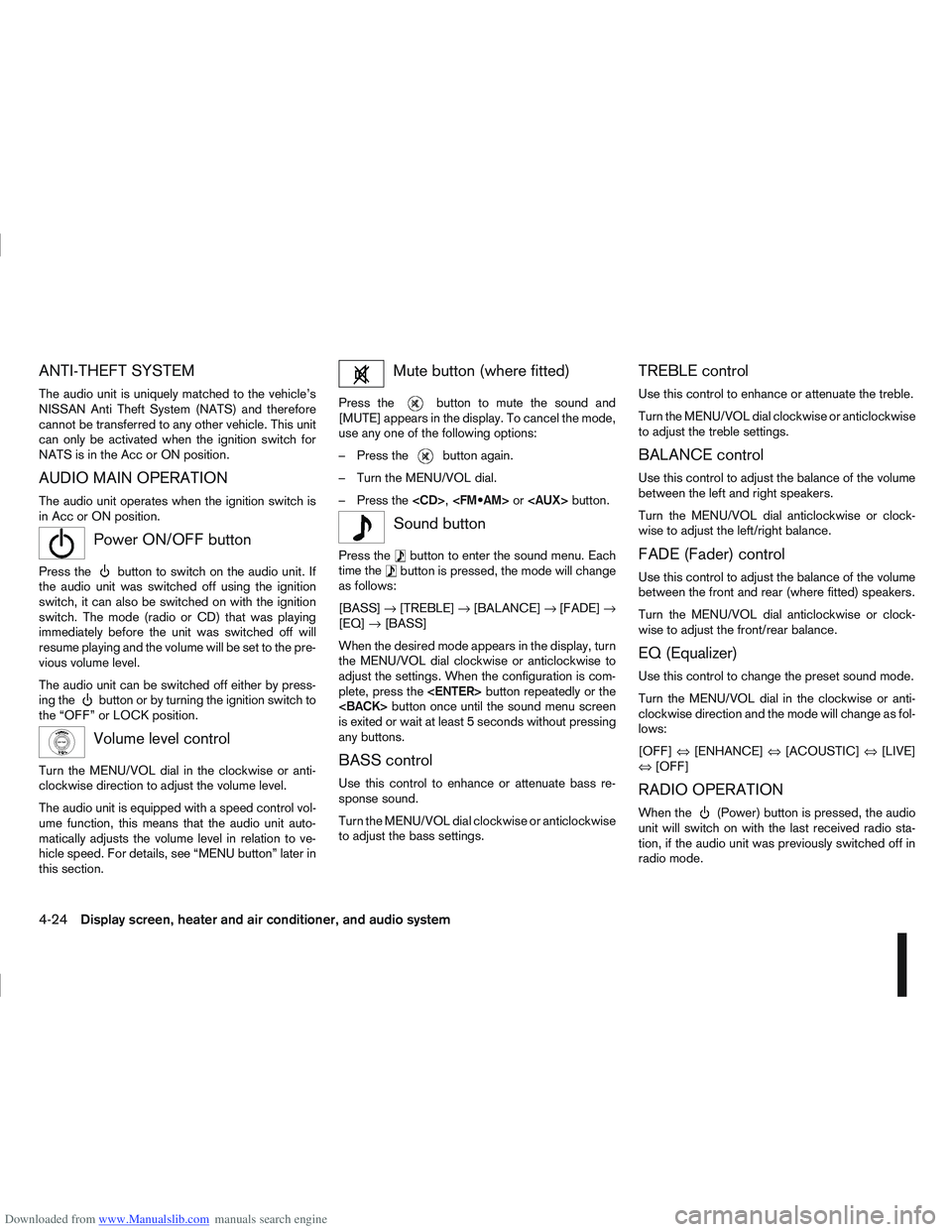
Downloaded from www.Manualslib.com manuals search engine ANTI-THEFT SYSTEM
The audio unit is uniquely matched to the vehicle’s
NISSAN Anti Theft System (NATS) and therefore
cannot be transferred to any other vehicle. This unit
can only be activated when the ignition switch for
NATS is in the Acc or ON position.
AUDIO MAIN OPERATION
The audio unit operates when the ignition switch is
in Acc or ON position.
mPower ON/OFF button
Press thebutton to switch on the audio unit. If
the audio unit was switched off using the ignition
switch, it can also be switched on with the ignition
switch. The mode (radio or CD) that was playing
immediately before the unit was switched off will
resume playing and the volume will be set to the pre-
vious volume level.
The audio unit can be switched off either by press-
ing the
button or by turning the ignition switch to
the “OFF” or LOCK position.
mVolume level control
Turn the MENU/VOL dial in the clockwise or anti-
clockwise direction to adjust the volume level.
The audio unit is equipped with a speed control vol-
ume function, this means that the audio unit auto-
matically adjusts the volume level in relation to ve-
hicle speed. For details, see “MENU button” later in
this section.
Mute button (where fitted)
Press thebutton to mute the sound and
[MUTE] appears in the display. To cancel the mode,
use any one of the following options:
– Press the
button again.
– Turn the MENU/VOL dial.
– Press the
mSound button
Press thebutton to enter the sound menu. Each
time thebutton is pressed, the mode will change
as follows:
[BASS] →[TREBLE] →[BALANCE] →[FADE] →
[EQ] →[BASS]
When the desired mode appears in the display, turn
the MENU/VOL dial clockwise or anticlockwise to
adjust the settings. When the configuration is com-
plete, press the
is exited or wait at least 5 seconds without pressing
any buttons.
BASS control
Use this control to enhance or attenuate bass re-
sponse sound.
Turn the MENU/VOL dial clockwise or anticlockwise
to adjust the bass settings.
TREBLE control
Use this control to enhance or attenuate the treble.
Turn the MENU/VOL dial clockwise or anticlockwise
to adjust the treble settings.
BALANCE control
Use this control to adjust the balance of the volume
between the left and right speakers.
Turn the MENU/VOL dial anticlockwise or clock-
wise to adjust the left/right balance.
FADE (Fader) control
Use this control to adjust the balance of the volume
between the front and rear (where fitted) speakers.
Turn the MENU/VOL dial anticlockwise or clock-
wise to adjust the front/rear balance.
EQ (Equalizer)
Use this control to change the preset sound mode.
Turn the MENU/VOL dial in the clockwise or anti-
clockwise direction and the mode will change as fol-
lows:
[OFF] ⇔[ENHANCE] ⇔[ACOUSTIC] ⇔[LIVE]
⇔ [OFF]
RADIO OPERATION
When the(Power) button is pressed, the audio
unit will switch on with the last received radio sta-
tion, if the audio unit was previously switched off in
radio mode.
4-24Display screen, heater and air conditioner, and audio system
Page 133 of 297
Downloaded from www.Manualslib.com manuals search engine RDS functions
Programme Service (PS) function (station name
display function):
When an RDS station is tuned in with seek or manual
tuning, the RDS data is received and the PS name
is displayed.
Emergency broadcast interrupt function
(ALARM INTERRUPTION - EBU SPEC FOR
INFO):
When the radio receives PTY code 31 (an emer-
gency broadcast code), the sound is interrupted,
the emergency broadcast is heard, and [ALARM] is
displayed. The volume level at this time is the same
as that for traffic announcements. Once the emer-
gency broadcast is finished, the unit immediately
returns to the previous source.
REG (Regional) mode:
Some local radio stations are linked according to
region because they only offer limited coverage due
a limited number of transmitters. If the signal from
one station of these stations becomes weak while
driving, RDS mode will switch to another local sta-
tion in the region with a stronger signal.
When the REG mode is activated in the FM band
and the radio receiver is tuned to a local radio sta-
tion, it will keep receiving this radio station without
switching to another local station. For activation or
deactivation details, see “MENU button” later in this
section.
TA Traffic announcement
This function operates in both FM (radio) and CD
mode.
Pressing the
mode. The TA indicator is displayed while TA
mode is on.
When the
The mode will be switched off and the TA indica-
tor will disappear from the display.
If the TA mode is not activated ,aTiconwill
appear in the display when the currently received
radio station is capable of broadcasting traffic
announcements. Pressing the
ton will activate TA mode and the indicator will
change from T to TA.
Traffic announcement interrupt function:
When a traffic announcement is received, the an-
nouncement is tuned in.
Once the traffic announcement has finished, the unit
returns to the source that was active before the traf-
fic announcement started. The volume returns to the
previous level.
If the
announcement, the traffic announcement interrupt
mode is cancelled. The TA mode returns to the
standby mode and the audio unit returns to the pre-
vious source. NOTE
TA mode operates regardless of whether the AF
mode is on or off.
NEWS mode
When the NEWS mode is activated and the radio
receives a NEWS code from a FM broadcasting
station, the playing mode will be interrupted. Once
the news broadcast has finished, the audio unit will
return to the previous source. During the interrup-
tion, NEWS and the broadcasting station name will
be displayed.
To enable or disable the NEWS mode, press the
button for more than 2 seconds. When
the NEWS mode is enabled, the NEWS icon will be
displayed.
1. NEWS standby mode
The NEWS standby mode can be activated while
in FM or CD mode.
Pressing the TA NEWS button for more than 2
seconds, the NEWS standby mode will switch
off and the NEWS icon will disappear from the
display.
2. NEWS interruption mode
Pressing the
2 seconds, the NEWS standby mode will switch
off and the NEWS icon will disappear from the
display.
4-26Display screen, heater and air conditioner, and audio system
Page 135 of 297
Downloaded from www.Manualslib.com manuals search engine CD insert (CD player)
Insert the CD into the slot with the label side facing
up. The CD will be guided automatically into the slot
and will start playing. After loading the CD, the track
information will be displayed.
If the radio is already operating, it will be automati-
cally turned off and the CD player will start playing.
CD Play button
Press the
CD. Playing starts from the track that was being
played when the CD play mode was switched off.
CD Load button (6 CD
Changer)
To insert a CD into the CD changer proceed as fol-
lows:
1) Press the
button for less than 1.5 seconds
2) Select an unoccupied slot by pressing the corre- sponding CD select button. If no slot is selected,
the CD changer will select the first available slot
after 5 seconds. If the selected slot is already
occupied with a CD then the display will show a
notification message that this slot is not avail-
able.
3) Insert the CD into the slot with the CD label side facing up when the display shows [LOAD CD].
The CD will be guided automatically into the slot
and will start playing. After loading the disc, the track number and the
occupied slot number will appear in the display.
If the CD is not loaded within 10 seconds, the CD
changer will start to play the last CD or return to the
last received radio station.
To insert 6 CDs into the CD changer in succession,
press and hold the
button for more than 1.5
seconds.
CD select buttonsj1j2j3j4j5j6(6
CD Changer)
To change to another CD stored in the CD changer,
press the corresponding CD select button. When a
CD is selected, it will start to play from the first
track.
Fast Forward (Cue),
Fast reverse (Review)
buttons
When the(Cue) or(Review) button is
pressed continuously, the track will be played at
high speed. When the button is released, the CD
will return to normal playing speed.
Track up/down buttons
Pressing theorbutton once will cause the
CD to skip forward or backward to the beginning of
the next track. Press the
orbutton to skip
through the CD tracks. The CD will skip the number
of times the button is pressed.
Repeat/MIX button
Pressing thebutton repeatedly will change the
play mode as follows:
CD player:
[RPT TRACK] →[MIX DISC] →[RPT ALL] →[RPT
TRACK]
[RPT TRACK]: The current track will be played continuously.
[MIX DISC]: All the tracks will be played in a random order.
[RPT ALL]: All the tracks will be played in sequential order.
6 CD changer:
[RPT TRACK] →[RPT DISC] →[MIX DISC] →
[MIX ALL] →[RPT ALL] →[RPT TRACK]
[RPT
TRACK]: The current track will be played
continuously.
[RPT
DISC]: The currently played CD will be
played repeatedly.
[MIX
DISC]: All the tracks on the currently
played CD will be played in a
random order.
[MIX ALL]: All the tracks on all of the CDs will be played in a random order.
[RPT ALL]: All the tracks on all the CDs will be played continuously in sequential
order.
4-28Display screen, heater and air conditioner, and audio system
Page 139 of 297
Downloaded from www.Manualslib.com manuals search engine mPower ON/OFF button
Press thebutton to switch on the audio unit. If
the audio unit was switched off using the ignition
switch, it can also be switched on with the ignition
switch. The source that was playing immediately
before the unit was switched off will resume playing
and the volume will be set to the previous volume
level.
The audio unit can be switched off by pressing
,
or by turning the ignition switch to the “OFF” or
LOCK position.
mVolume (VOL) level control
Turn the
adjust the volume level.
The audio unit is equipped with a speed control vol-
ume function, this means that the audio system au-
tomatically adjusts the volume level in relation to
vehicle speed. For details, see “SPD VOL (Speed
volume) control” later in this section.
Mute button (where fitted)
Press thebutton to mute the sound and [MUTE]
appears in the display. To cancel the mode, use any
of the following options:
– Press
again.
– Turn the
– Press the
Day/Night button (where fitted)
The illumination brightness level is linked to the
headlight switch. When the headlights are switched
“ON” the brightness is dimmed automatically. Press
the button to toggle illumination brightness levels
between daytime setting and nighttime setting inde-
pendent of headlamp status.
RADIO OPERATION
When the(power ON/OFF) button is pressed,
the audio unit will switch on with the last received
radio station, if the audio unit was previously
switched off in radio mode.
Radio band select
buttons
Press the button to change the reception
wave band as follows:
FM1 →FM2 →FMT →AM →FM1
When button is pressed, the radio will
come on at the last received radio station. If the CD
or AUX source mode is already playing, pressing
the button will switch off the playing
source mode and the last received radio station will
be selected.
FM Auto store
When the button is pressed for more
than 1.5 seconds the six stations with the strongest
signals are stored in the preset (1 to 6) buttons of
the FMT band. During the search, a notification mes-
sage [AUTOSTORE] appears in the display and the sound is muted until the operation is complete. Once
completed, the radio selects preset button
j1.
Manual tuning
When adjusting the broadcasting station frequency
manually, turn the
sired station is tuned in.
The frequency increases or decreases in steps of
100 kHz on the FM band, and 9 kHz on the AM
band.
WARNING
The radio should not be tuned while driving in
order for full attention to be given to the driving
operation.
SEEK tuning buttons
Pressing the <>or <>button starts the tun-
ing mode. The radio tuner seeks from low to high or
high to low frequencies and stops at the next broad-
casting station. During seek mode, the audio output
is muted. If no broadcasting station can be found
within the complete band cycle, it will return to the
initial frequency.
Preset station buttonsj1j2j3j4j5j6
Pressing a preset button for less than 2 seconds will
select the stored radio station.
Pressing a preset button for more than 2 seconds
will cause the station currently being received to be
stored against that preset button.
4-32Display screen, heater and air conditioner, and audio system
Page 140 of 297
Downloaded from www.Manualslib.com manuals search engine Eighteen stations can be stored in the FM band.
(Six each for FM1, FM2 and FMT)
Six stations can be set for the AM band.
If the battery is disconnected, or if the fuse blows,
the radio memory will be erased. In that case, reset
the desired stations after battery connection or fuse
replacement.
Radio data system (RDS) operation
The RDS is a system through which encoded digital
information is transmitted by FM radio stations in
addition to the normal FM radio broadcasting. The
RDS provides information services such as station
name, traffic information, or news.
NOTE
In some countries or regions, some of these ser-
vices may not be available.
Alternative Frequency (AF) mode:
The AF mode operates in the FM (radio) mode.
The AF mode operates in the FM (radio), AUX or
CD mode (if FM was previously selected in the
radio mode).
The AF function compares signal strengths and
selects the station with the optimum reception
conditions for the currently tuned-in station.
RDS functions
Programme Service (PS) function (station name
display function):
When an RDS station is tuned in with seek or manual
tuning, the RDS data is received and the PS name
is displayed.
TA Traffic announcement
This function operates in FM (Radio), CD or AUX
mode.
Pressing the
The TA indicator is displayed while TA mode is
on.
When
switched off and the TA indicator will disappear
from the display.
Traffic announcement interrupt function:
When a traffic announcement is received, the an-
nouncement is tuned in and the display shows a
notification message with the radio station name e.g.
[TA: Radio 1].
Once the traffic announcement has finished, the unit
returns to the source that was active before the traf-
fic announcement started.
If
the traffic announcement interrupt mode is can-
celled. The TA mode returns to the standby mode
and the audio unit returns to the previous source.
SETUP BUTTON
To configure Audio, Clock, Bluetooth, Language or
Scroll direction settings, perform the following pro-
cedure:
1. Press the
2. Turn the
clockwise, the display will appear in the following
order:
[Audio] ⇔[Clock] ⇔[Bluetooth] ⇔[Language]
⇔ [Scroll Direction]
After the desired levels have been set, press either
the
(Back) button repeatedly, the
button, or wait for 8 seconds without pressing any
buttons to exit the menu screen.
Display brightness (Day/Night mode)
Press the
switch the display brightness between the daytime
and nighttime mode.
Audio adjustments
Press the
screen then select [Audio].
Each time the
will change as follows:
[Bass] →[Treble] →[Balance] →[Fade] →[AUX
VOL] →[SPD VOL] →setup menu screen [Audio]
→ [Bass]
Display screen, heater and air conditioner, and audio system4-33
Page 150 of 297
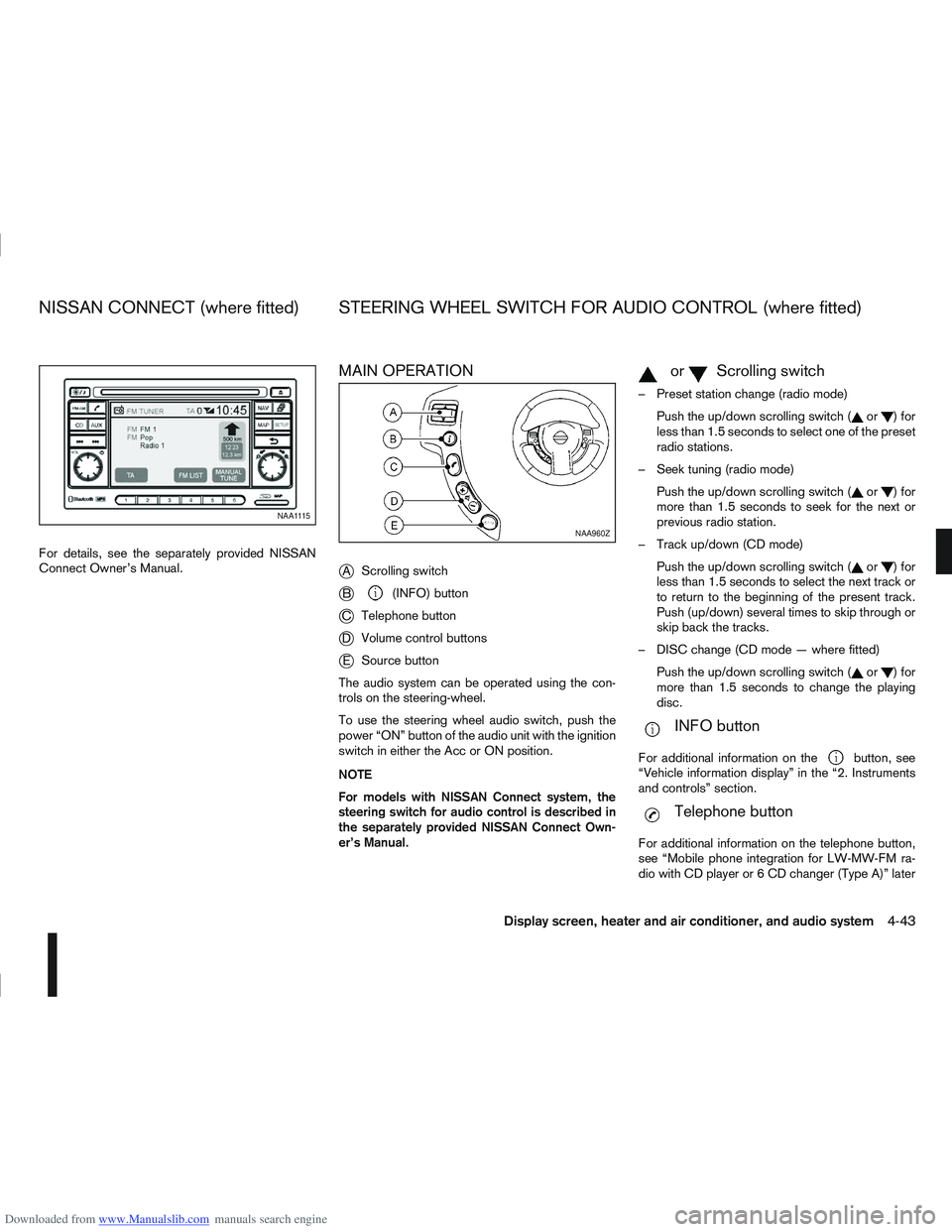
Downloaded from www.Manualslib.com manuals search engine For details, see the separately provided NISSAN
Connect Owner’s Manual.
MAIN OPERATION
j
AScrolling switch
jB(INFO) button
jC Telephone button
jDVolume control buttons
jESource button
The audio system can be operated using the con-
trols on the steering-wheel.
To use the steering wheel audio switch, push the
power “ON” button of the audio unit with the ignition
switch in either the Acc or ON position.
NOTE
For models with NISSAN Connect system, the
steering switch for audio control is described in
the separately provided NISSAN Connect Own-
er’s Manual.
mormScrolling switch
– Preset station change (radio mode) Push the up/down scrolling switch (
or)for
less than 1.5 seconds to select one of the preset
radio stations.
– Seek tuning (radio mode) Push the up/down scrolling switch (
or)for
more than 1.5 seconds to seek for the next or
previous radio station.
– Track up/down (CD mode) Push the up/down scrolling switch (
or)for
less than 1.5 seconds to select the next track or
to return to the beginning of the present track.
Push (up/down) several times to skip through or
skip back the tracks.
– DISC change (CD mode — where fitted) Push the up/down scrolling switch (
or)for
more than 1.5 seconds to change the playing
disc.
mINFO button
For additional information on thebutton, see
“Vehicle information display” in the “2. Instruments
and controls” section.
mTelephone button
For additional information on the telephone button,
see “Mobile phone integration for LW-MW-FM ra-
dio with CD player or 6 CD changer (Type A)” later
NAA1115
NAA960Z
NISSAN CONNECT (where fitted) STEERING WHEEL SWITCH FOR AUDIO CONTROL (where fitted)
Display screen, heater and air conditioner, and audio system4-43
Page 159 of 297
Downloaded from www.Manualslib.com manuals search engine BLUETOOTH®MOBILE PHONE
FEATURE
WARNING
Whilst driving, using the mobile phone is ex-
tremely dangerous because it significantly im-
pairs your concentration and diminishes your re-
action capabilities to sudden changes on the
road, and it may lead to a fatal accident. This
applies to all phone call situations such as when
receiving an incoming call, during a phone con-
versation, when calling through the phone book
search, etc.
CAUTION
Certain country jurisdictions prohibit the use of
the mobile phone in the car without hands-free
support.
This chapter provides information about the NISSAN
hands-free phone system using a Bluetooth
®con-
nection. Bluetooth
®is a wireless radio communication stan-
dard. This system offers a hands-free facility for your
mobile telephone to enhance driving comfort.
NOTE
For models with NISSAN Connect system, see
the separately provided Owner’s Manual.
In order to use your mobile phone with the Blue-
tooth
®of the audio system, the mobile phone must
first be setup. For details, see “BLUETOOTH®
settings” later in this section. Once it has been
setup, the hands-free mode is automatically acti-
vated on the registered mobile phone (via Blue-
tooth
®) when it comes into range.
A notification message appears on the audio display
when the phone is connected, when an incoming
call is being received, as well as when a call is initi-
ated.
When a call is active, the audio system, microphone
(located in the ceiling in front of the rear view mir-
ror), and steering wheel switches enable hands-free
communication.
If the audio system is in use at the time, the radio,
CD, or AUX source mode will be muted and will stay
muted until the active call has ended.
The Bluetooth
®system may be not be able to con-
nect with your mobile phone for the following rea-
sons:
The mobile phone is too far away from the ve-
hicle.
The Bluetooth®mode on your mobile phone has
not been activated.
Your mobile phone has not been paired with the
Bluetooth®system of the audio unit.
The mobile phone does not support Bluetooth®
technology (BT Core v2.0).
NOTE
For models with NISSAN Connect (Audio with
Navigation system) see the separately pro-
vided Owner’s Manual.
For details, see your mobile phone’s Owner’s
Manual.
For assistance with your mobile phone inte-
gration, please visit your local NISSAN dealer.
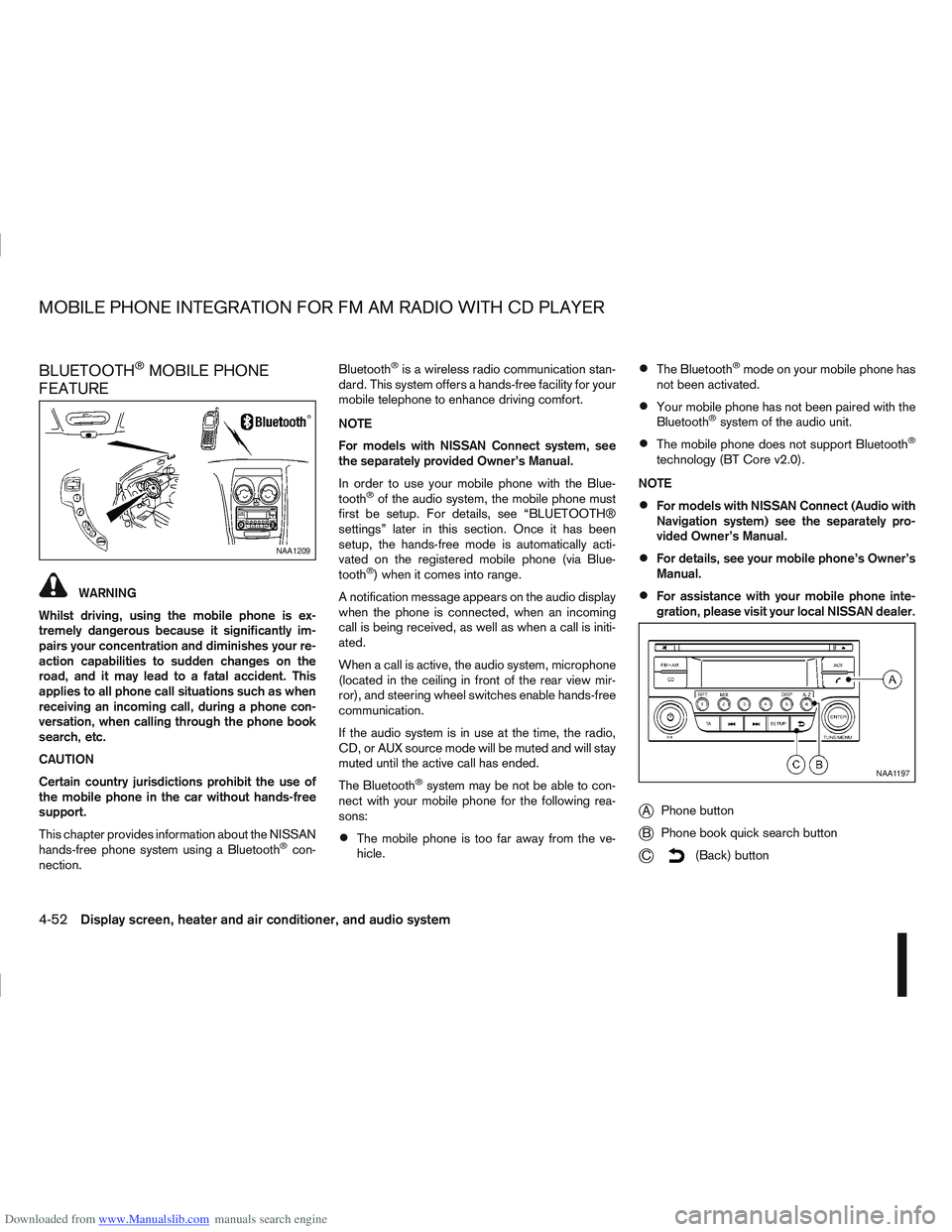
jA Phone button
jB Phone book quick search button
jC(Back) button
NAA1209
NAA1197
MOBILE PHONE INTEGRATION FOR FM AM RADIO WITH CD PLAYER
4-52Display screen, heater and air conditioner, and audio system
Page 166 of 297
Downloaded from www.Manualslib.com manuals search engine WARNING
Do not leave children or adults who would
normally require the support of others alone
in your vehicle. Pets should also not be left
alone. They could accidentally injure them-
selves or others through inadvertent opera-
tion of the vehicle. Also, on hot, sunny days,
temperatures in a closed vehicle could quickly
become high enough to cause severe or pos-
sibly fatal injuries to people or animals.
To prevent luggage or packages from sliding
forward during braking, do not stack anything
in the cargo area higher than the seatbacks.
Secure all cargo with ropes or straps to pre-
vent it from sliding or shifting.
Failure to follow proper seating instructions
see “Seats” in the “1. Safety — seats, seat
belts and supplemental restraint system” sec-
tion, could result in serious personal injury in
an accident or sudden stop.
EXHAUST GAS (Carbon Monoxide)
WARNING
Do not breathe exhaust gases; they contain
colourless and odourless carbon monoxide.
Carbon monoxide is a dangerous gas and can
cause unconsciousness or death.
If you suspect that exhaust fumes are enter-
ing the vehicle, drive with all windows fully
open and have the vehicle inspected immedi-
ately.
Do not run the engine in closed spaces, such
as a garage, for any longer than is absolutely
necessary.
Do not park the vehicle with the engine run-
ning for any extended length of time.
Keep the back door closed while driving, oth-
erwise exhaust gases could be drawn into the
passenger compartment. If you must drive in
this way for some reason, take the following
steps:
1) Open all the windows.
2) Set the air recirculation mode (
)tothe
“OFF” position.
3) Set the fan speed control to the maximum position to circulate the air.
If electrical wiring or other cable connections
must pass to a trailer through the seal of the
body, follow the manufacturer’s recommen-
dations to prevent carbon monoxide entry into
the vehicle.
When a vehicle has been stopped in an open
area with its engine running for any significant
length of time, turn the fan on to force outside
air into the vehicle.
The exhaust system and body should be in-
spected by a NISSAN dealer or qualified work-
shop whenever:
– the vehicle is raised for service.
– you suspect that exhaust fumes are enter-ing into the passenger compartment.
– you notice a change in the sound of the exhaust system.
– you have had an accident involving dam- age to the exhaust system, underbody, or
rear of the vehicle.
PRECAUTIONS WHEN STARTING
AND DRIVING
Starting and driving5-3
Page 168 of 297
Downloaded from www.Manualslib.com manuals search engine The turbocharger system uses engine oil for lubrica-
tion and cooling of its rotating components. The tur-
bocharger turbine turns at extremely high speeds
and it can reach an extremely high temperature. It is
essential to maintain a flow of clean oil through the
turbocharger system. A sudden interruption to the
oil supply may cause a malfunction in the turbo-
charger.
To ensure prolonged life and performance of the
turbocharger, it is essential to comply with the fol-
lowing maintenance procedure:
CAUTION
Change the engine oil of the turbo-charged
diesel engine as prescribed. See the sepa-
rately provided Warranty Information & Main-
tenance Booklet for additional information.
Use only the recommended engine oil. See
“Capacities and recommended
fuel/lubricants” in the “9. Technical
information” section.
If the engine has been operating at high rpm
for an extended period of time, let it idle for a
few minutes prior to shutdown.
Do not accelerate the engine to high rpm im-
mediately after starting it.
WARNING
Be careful not to burn yourself with exhaust
gases.
Do not park the vehicle over flammable mate-
rials such as dry grass, waste paper or rags,
as they may burn easily.
If the vehicle continues to be driven at a low
speed with the DPF warning light illuminated,
the fail-safe will limit engine revolutions and/
or torque. In this case, the engine oil must be
replaced and the process of burning accumu-
lated particulate matter must be carried out
by a NISSAN dealer or qualified workshop.
Service regeneration is a maintenance item
and is not covered by the NISSAN warranty.
Use engine oil for DPF equipped models. For
details, see “Capacities and recommended
fuel/lubricants” in the “9. Technical
information” section.
CAUTION
The DPF becomes extremely hot after burning
particulate matter.
NISSAN GREEN PROGRAM
Some diesel engine models are fitted with a Diesel
Particulate Filter (DPF), which is a device that re-
moves carbon (soot) from the exhaust gas. To oper-
ate effectively, the DPF system must routinely con-
duct a cleaning operation, called regeneration, that burns-off the accumulated carbon. This regenera-
tion process is normally automatic and not visible to
the driver.
REGENERATION RESTRICTIONS
Driving conditions such as frequent short journeys
or stop/start driving can result in excessive build up
of carbon in the filter. When this happens the DPF
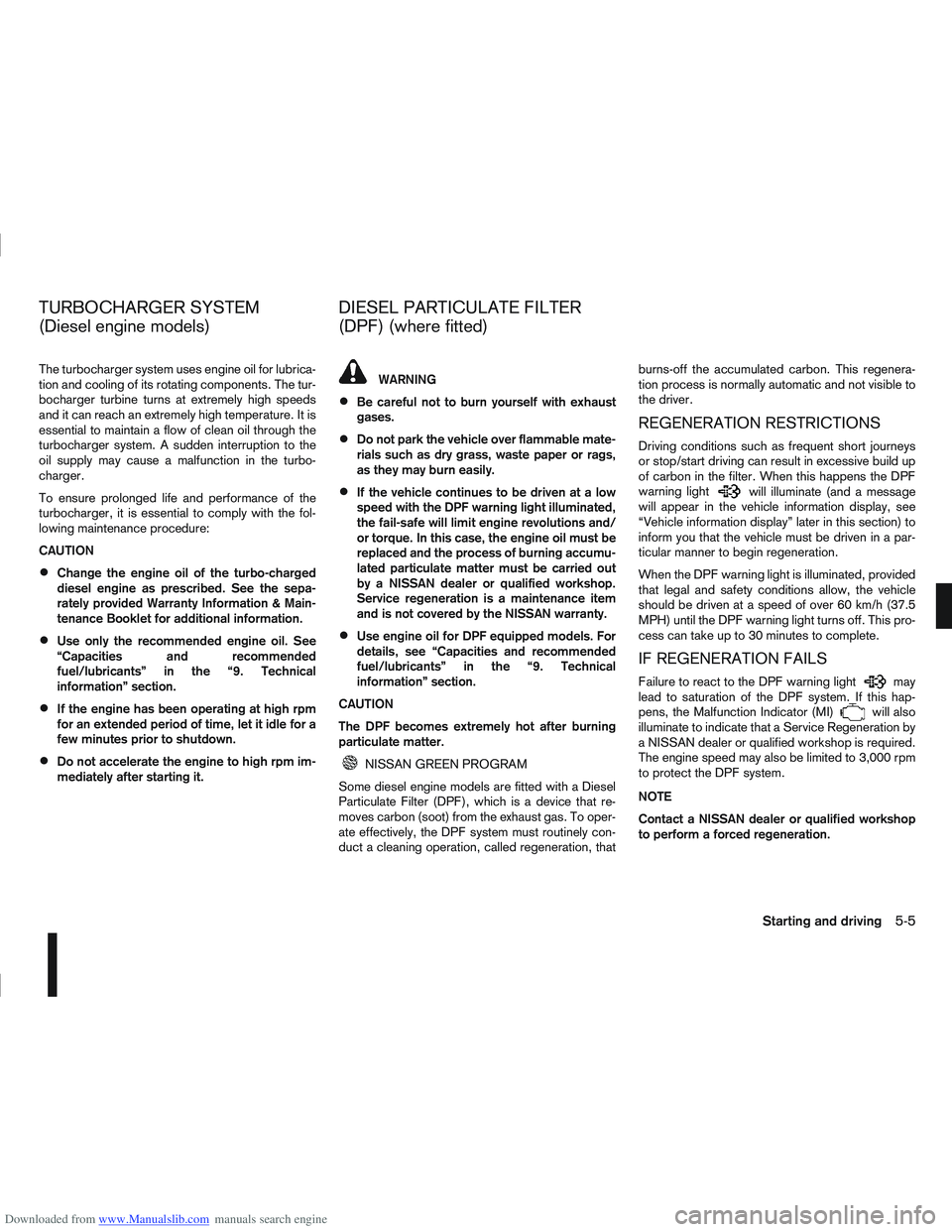
warning light
will illuminate (and a message
will appear in the vehicle information display, see
“Vehicle information display” later in this section) to
inform you that the vehicle must be driven in a par-
ticular manner to begin regeneration.
When the DPF warning light is illuminated, provided
that legal and safety conditions allow, the vehicle
should be driven at a speed of over 60 km/h (37.5
MPH) until the DPF warning light turns off. This pro-
cess can take up to 30 minutes to complete.
IF REGENERATION FAILS
Failure to react to the DPF warning lightmay
lead to saturation of the DPF system. If this hap-
pens, the Malfunction Indicator (MI)
will also
illuminate to indicate that a Service Regeneration by
a NISSAN dealer or qualified workshop is required.
The engine speed may also be limited to 3,000 rpm
to protect the DPF system.
NOTE
Contact a NISSAN dealer or qualified workshop
to perform a forced regeneration.
TURBOCHARGER SYSTEM
(Diesel engine models) DIESEL PARTICULATE FILTER
(DPF) (where fitted)
Starting and driving5-5
Page 175 of 297
Downloaded from www.Manualslib.com manuals search engine mately 1/3 to the floor) and hold it then crank
the engine. Release the ignition switch and
the accelerator pedal when the engine starts.
CAUTION
Do not operate the starter for more than 15
seconds at a time. If the engine does not start,
turn the ignition switch to the “OFF” position
and wait 10 seconds (Petrol engine models)
or 20 seconds (Diesel engine models) before
cranking again, otherwise the starter could be
damaged.
If it becomes necessary to start the engine
with a booster battery and jumper leads, the
instructions and cautions contained in the
“Jump-starting” in the “6. In case of
emergency” section should be carefully fol-
lowed.
7. Warm-up
Allow the engine to idle for at least 30 seconds
after starting. Drive at moderate speed for a short
distance first, especially in cold weather.
WARNING
Do not leave the vehicle unattended while the
engine is warming up.
DRIVING WITH MANUAL
TRANSMISSION
CAUTION
Do not rest your foot on the clutch pedal while
driving. This may cause clutch damage.
Stop your vehicle completely before shifting
into the R (Reverse) position.
When you are shifting from one gear to an-
other, be certain to depress the clutch pedal
all the way to the floor to avoid clashing or
chipping the gears.
Avoid abrupt starts and acceleration for your
safety.
When quick acceleration is required for some
reason, shift to a lower gear and accelerate
until the vehicle reaches the maximum speed
in each gear. Do not exceed the speed limit of
any gear. Pay special attention when acceler-
ating or when shifting into a lower gear on
slippery surfaces. Sudden acceleration or
down shifting could cause the wheels to skid
and result in loss of control.
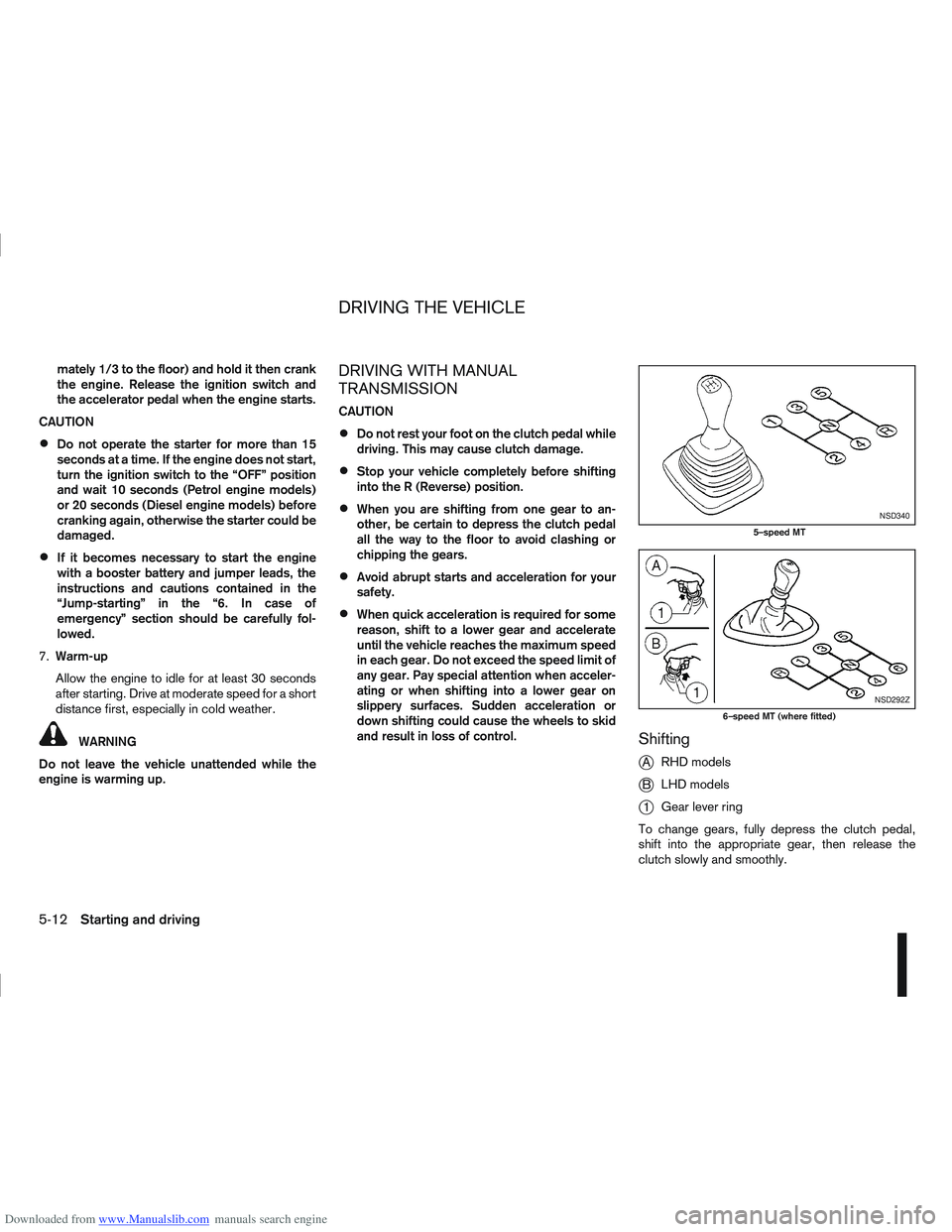
Shifting
j
A RHD models
jB LHD models
j1Gear lever ring
To change gears, fully depress the clutch pedal,
shift into the appropriate gear, then release the
clutch slowly and smoothly.
NSD340
5–speed MT
NSD292Z
6–speed MT (where fitted)
DRIVING THE VEHICLE
5-12Starting and driving