maintenance NISSAN QASHQAI 2016 Owner´s Manual
[x] Cancel search | Manufacturer: NISSAN, Model Year: 2016, Model line: QASHQAI, Model: NISSAN QASHQAI 2016Pages: 338, PDF Size: 4.87 MB
Page 81 of 338
If this warning appears while the engine is stopped,
the engine cannot be started. If this warning ap-
pears while the engine is running, the vehicle can be
driven. However, contact a NISSAN dealer or quali-
fied workshop for repair as soon as possible.
5. [Key battery low] indicator
This indicator appears when the Intelligent Key bat-
tery is running out of power.
If this indicator appears, replace the battery with a
new one. (See “Integrated keyfob/Intelligent Key
battery replacement” in the “8. Maintenance and
do-it-yourself” section.)
6. [Key ID Incorrect] warning
This warning appears when the ignition switch is
pushed from the LOCK position and the Intelligent
Key cannot be recognised by the system. You can-
not start the engine with an unregistered key. Use
the registered Intelligent Key. See “Intelligent Key
system (where fitted)” in the “3. Pre-driving checks
and adjustments” section.
7. Engine start operation for Intelligent
Key system indicator
This indicator appears when the Intelligent Key bat-
tery is running out of power and the Intelligent Key
system and vehicle are not communicating normally.
If this indicator appears, touch the ignition switch
with the Intelligent Key while depressing the brake
pedal. (See “Push-button ignition switch (where
fitted)” in the “5. Starting and driving” section.)
8. [Release parking brake] warning
This warning appears when the vehicle speed is
above 7 km/h (4 MPH) and the parking brake is
applied. Stop the vehicle and release the parking
brake. This warning may a occur if the driver has
attempted to release the parking brake automati-
cally, but did not succeed.
9. Low fuel ([Range]) warning
This warning appears when the fuel level in the tank
is getting low. Refuel as soon as it is convenient,
preferably before the fuel gauge reaches the empty
(0) position.
There is a small reserve of fuel remaining in the
tank when the fuel gauge reaches the empty (0)
position.
10. [Low washer fluid] warning
This warning appears when the washer tank fluid is
at a low level. Add washer fluid as necessary. (See
“Window washer fluid/headlight cleaner fluid (where
fitted)” in the “8. Maintenance and do-it-yourself”
section.)
11. Door/boot open warning
This warning appears if any of the doors and/or the
boot lid are open or not closed securely. The vehicle
icon indicates which door or whether the boot lid is
open on the display.
12. [SHIFT to Park] warning (XTRONIC
transmission models)
This warning appears when the ignition switch is
pushed to stop the engine with the shift lever in any
position except the P (Park) position.
If this warning appears, move the shift lever to the P
(Park) position or place the ignition switch in the ON
position.
An inside warning chime will also sound. (See
“Push-button ignition switch (where fitted)” in the
“5. Starting and driving” section.)
13. [Loose Fuel Cap] warning
This warning appears when the fuel-filler cap is not
tightened correctly after the vehicle has been refu-
elled. See “Fuel filler lid” in the “3. Pre-driving
checks and adjustments” section section of this
manual.
14. [Battery Voltage Low Charge
Battery] warning
This warning appears when the battery voltage is
low and the battery needs to be charged.
15. [Press Brake Pedal] warning
This warning appears to remind you that you must
press the brake pedal before you can release the
parking brake. This warning may also be displayed
if the parking brake is activated, but the vehicle is
still rolling back.
Instruments and controls2-23
Page 82 of 338
![NISSAN QASHQAI 2016 Owner´s Manual 16. [Low Tyre Pressure] warning
This warning ([Low Tyre Pressure] and a vehicle
icon - where fitted) appears when the low tyre pres-
sure warning light in the meter illuminates and low
tyre pressure i](/img/5/40324/w960_40324-81.png "NISSAN QASHQAI 2016 Owner´s Manual 16. [Low Tyre Pressure] warning
This warning ([Low Tyre Pressure] and a vehicle
icon - where fitted) appears when the low tyre pres-
sure warning light in the meter illuminates and low
tyre pressure i")
16. [Low Tyre Pressure] warning
This warning ([Low Tyre Pressure] and a vehicle
icon - where fitted) appears when the low tyre pres-
sure warning light in the meter illuminates and low
tyre pressure is detected. The warning appears each
time the ignition switch is placed in the ON position
as long as the low tyre pressure warning light re-
mains illuminated. If this warning appears, stop the
vehicle and adjust the pressure to the recommended
COLD tyre pressure shown on the tyre placard.
(See “Low tyre pressure warning light (where fitted)”
earlier in this section and “Tyre Pressure Monitoring
System (TPMS)” in the “5. Starting and driving” sec-
tion.)
17. [Low oil pressure stop vehicle]
warning
This warning appears in message area of the ve-
hicle information display if low oil pressure is de-
tected. This gauge is not designed to indicate low
oil level. The low oil pressure warning is not de-
signed to indicate a low oil level. Use the dipstick to
check the oil level. See “Engine oil” in the “8. Main-
tenance and do-it-yourself” section.)
CAUTION
The oil level should be checked regularly using
the engine oil dipstick. Operating with an insuffi-
cient amount of oil can damage the engine and
such damage is not covered by the warranty.
18. [Oil Level Low] warning
This warning appears in message area of the ve-
hicle information display if the oil level is not suffi-
cient for driving. Park the vehicle at a safe location
as soon as possible and use the dipstick to check
the oil level. See “Engine oil” in the “8. Maintenance
and do-it-yourself” section If the oil level is not suf-
ficient for driving, top up the engine oil with the rec-
ommended engine oil. “Engine oil” in the “8. Main-
tenance and do-it-yourself” section.)
CAUTION
The oil level should be checked regularly using
the engine oil dipstick. Operating with an insuffi-
cient amount of oil can damage the engine and
such damage is not covered by the warranty.
19. [4WD System Fault] warning
This warning appears when the four wheel drive
(4WD) system is not functioning properly while the
engine is running.
20. [4WD high temp. stop vehicle]
warning
This warning may appear while trying to free a stuck
vehicle due to increased oil temperature. The driv-
ing mode may change to Two-Wheel Drive (2WD).
If this warning is displayed, stop the vehicle with the
engine idling, as soon as it is safe to do so. Then if
the warning turns off, you can continue driving.
21. [4WD tyre size incorrect] warning
This warning may appear if there is a large differ-
ence between the diameters of the front and rear
wheels and tyres. Pull off the road in a safe area,
with the engine idling. Check that all the tyre sizes
are the same, that tyre pressures are correct and
that the tyres are not excessively worn.
22. [Shipping mode on push storage
fuse] warning
This warning may appear if the extended storage
fuse switch is not pushed in (switched on). When
this warning appears, push in (switch on) the ex-
tended storage fuse switch to turn off the warning.
For more information, see “Fuses” in the “8. Main-
tenance and do-it-yourself” section.
23. [Power will turn off to save the
battery] warning
This warning appears after a period of time if the
shift lever has not moved from the P (Park) position
while the ignition is in the ON position for a certain
period of time.
24. [Power turned off to save the
battery] warning
This warning appears after the ignition switch is au-
tomatically turned OFF to save the battery.
2-24Instruments and controls
Page 89 of 338
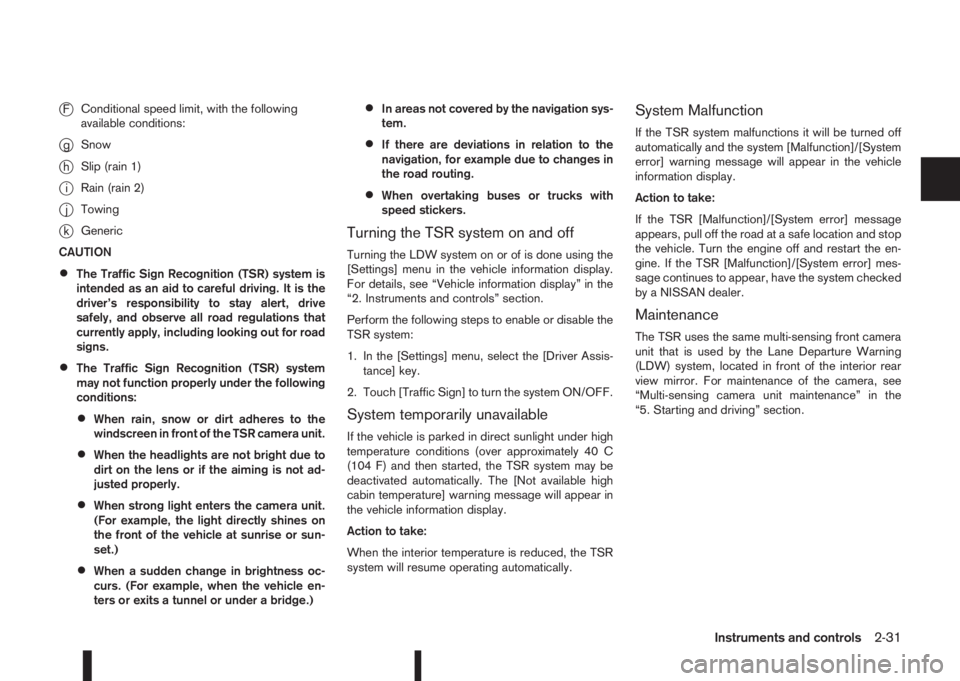
jFConditional speed limit, with the following
available conditions:
jgSnow
jhSlip (rain 1)
jiRain (rain 2)
jjTowing
jkGeneric
CAUTION
•The Traffic Sign Recognition (TSR) system is
intended as an aid to careful driving. It is the
driver’s responsibility to stay alert, drive
safely, and observe all road regulations that
currently apply, including looking out for road
signs.
•The Traffic Sign Recognition (TSR) system
may not function properly under the following
conditions:
•When rain, snow or dirt adheres to the
windscreen in front of the TSR camera unit.
•When the headlights are not bright due to
dirt on the lens or if the aiming is not ad-
justed properly.
•When strong light enters the camera unit.
(For example, the light directly shines on
the front of the vehicle at sunrise or sun-
set.)
•When a sudden change in brightness oc-
curs. (For example, when the vehicle en-
ters or exits a tunnel or under a bridge.)
•In areas not covered by the navigation sys-
tem.
•If there are deviations in relation to the
navigation, for example due to changes in
the road routing.
•When overtaking buses or trucks with
speed stickers.
Turning the TSR system on and off
Turning the LDW system on or of is done using the
[Settings] menu in the vehicle information display.
For details, see “Vehicle information display” in the
“2. Instruments and controls” section.
Perform the following steps to enable or disable the
TSR system:
1. In the [Settings] menu, select the [Driver Assis-
tance] key.
2. Touch [Traffic Sign] to turn the system ON/OFF.
System temporarily unavailable
If the vehicle is parked in direct sunlight under high
temperature conditions (over approximately 40 C
(104 F) and then started, the TSR system may be
deactivated automatically. The [Not available high
cabin temperature] warning message will appear in
the vehicle information display.
Action to take:
When the interior temperature is reduced, the TSR
system will resume operating automatically.
System Malfunction
If the TSR system malfunctions it will be turned off
automatically and the system [Malfunction]/[System
error] warning message will appear in the vehicle
information display.
Action to take:
If the TSR [Malfunction]/[System error] message
appears, pull off the road at a safe location and stop
the vehicle. Turn the engine off and restart the en-
gine. If the TSR [Malfunction]/[System error] mes-
sage continues to appear, have the system checked
by a NISSAN dealer.
Maintenance
The TSR uses the same multi-sensing front camera
unit that is used by the Lane Departure Warning
(LDW) system, located in front of the interior rear
view mirror. For maintenance of the camera, see
“Multi-sensing camera unit maintenance” in the
“5. Starting and driving” section.
Instruments and controls2-31
Page 98 of 338
lowered using the switch located on the driver’s
side of the instrument panel, next to the steering
wheel.
The higher the number designated on the switch,
the lower the axis.
When travelling with no heavy load on a flat road,
select position 0.
AUTOMATIC AIMING CONTROL (LED
headlights)
Vehicles with LED headlights are equipped with an
automatic levelling system. The headlight axis is con-
trolled automatically.
NISSAN recommends consulting local regulations
on the use of lights.To clean the headlights, pull the windscreen washer
switch towards you while the headlight switch is in
the
position and the ignition switch is in the ON
position.
NOTE
The headlight cleaner will automatically operate
every fifth operation of the wiper and washer
switch.
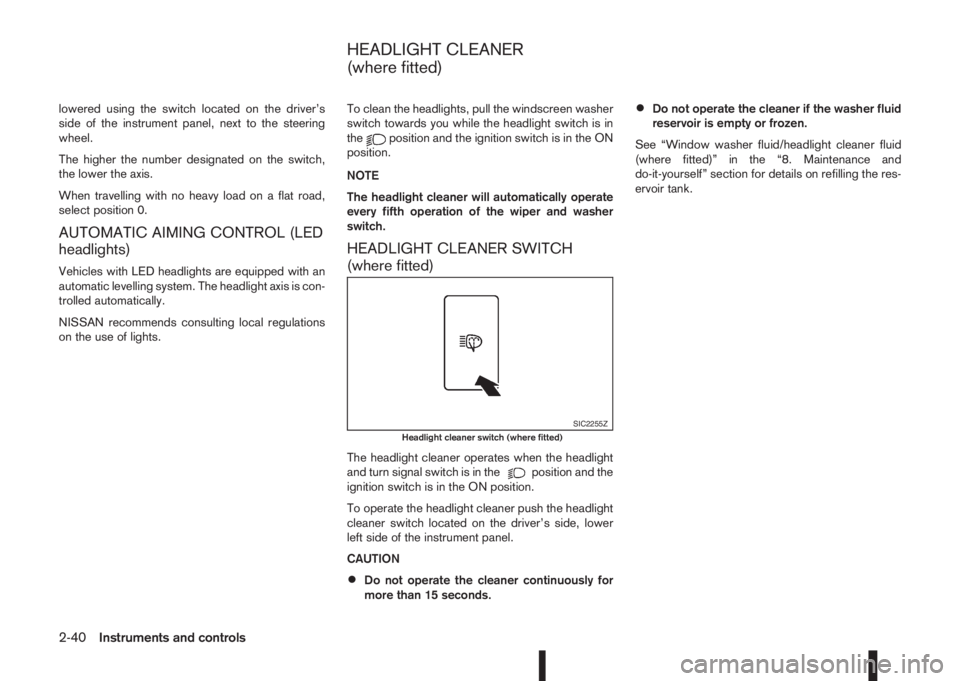
HEADLIGHT CLEANER SWITCH
(where fitted)
The headlight cleaner operates when the headlight
and turn signal switch is in theposition and the
ignition switch is in the ON position.
To operate the headlight cleaner push the headlight
cleaner switch located on the driver’s side, lower
left side of the instrument panel.
CAUTION
•Do not operate the cleaner continuously for
more than 15 seconds.
•Do not operate the cleaner if the washer fluid
reservoir is empty or frozen.
See “Window washer fluid/headlight cleaner fluid
(where fitted)” in the “8. Maintenance and
do-it-yourself” section for details on refilling the res-
ervoir tank.
SIC2255ZHeadlight cleaner switch (where fitted)
HEADLIGHT CLEANER
(where fitted)
2-40Instruments and controls
Page 115 of 338
For information regarding the replacement of a bat-
tery, see “Integrated keyfob/Intelligent Key battery
replacement” in the “8. Maintenance and
do-it-yourself” section.
SWITCHING FROM CONVENIENCE
MODE TO ANTI-HIJACK MODE
(where fitted)
Selective unlock or “Anti-hijack” mode (where fit-
ted) allows the remote unlocking of only the driver’s
door to prevent an attacker from entering the vehicle
via an unlocked passenger door.
As default, the unlock mode will be set to “Conve-
nience” mode (all doors will unlock). Follow the in-
structions in “Vehicle information display” later in
this section.
USING THE REMOTE KEYLESS
ENTRY SYSTEM
WARNING
Super Lock system equipped models:
Failure to follow the precautions below may lead
to hazardous situations. Make sure the Super
Lock system activation is always conducted
safely.
•When the vehicle is occupied, never lock the
doors with the integrated keyfob. Doing so
will trap the occupants, since the Super Lock
system prevents the doors from being opened
from the inside of the vehicle.
•Only operate the integrated keyfob “LOCK”
button when there is a clear view of the ve-hicle. This is to prevent anybody from being
trapped inside the vehicle through the Super
Lock system activation.
For further details on the Super Lock system see
“Door locks” later in this section.
LOCKING THE DOORS
CAUTION
Before operating the keyfob remote control:
•Remove the ignition key or Intelligent Key
from the vehicle and close all windows.
•Check that the driver’s door is securely
closed.
Push the “LOCK” button
on the integrated key-
fob.
– All the doors lock.
– The direction indicators flash once.
If the “LOCK” button
is pushed with all the doors
locked, the direction indicators will flash once to
remind you that the doors are already locked.
UNLOCKING THE DOORS
When you first receive the vehicle, the door unlock
mode is set to unlock all the doors with one push of
the “UNLOCK”
button.
Convenience mode
Unlock all doors, pressing thebutton once.
Setting the convenience mode is done using the
[Settings] menu in the vehicle information display(Select the [Unlocking] menu key).
Also see “Vehicle information display” in the “2. In-
struments and controls” section.
ANTI-HIJACK MODE (where fitted)
Unlock the driver’s door only, pressing thebutton once.
Press thebutton twice to open all doors.
Setting the Anti-hijack mode is done using the [Set-
tings] menu in the vehicle information display (Se-
lect the [Unlocking] menu key). Set [Selective Un-
lock] to off.
For more information see “Vehicle information
display” in the “2. Instruments and controls” sec-
tion.
Auto-relock (where fitted):
An auto-relock function will a short period after a full
or partial unlock, if no further user action is taken.
The auto-relock will be cancelled if any door is
opened or the key is inserted into the ignition.
KEYFOB OPERATION FAILURE
The keyfob may not work properly if:
•The keyfob battery is low.
See “Integrated keyfob/Intelligent Key battery
replacement” in the “8. Maintenance and
do-it-yourself” section for keyfob battery replace-
ment instructions and the required battery type.
Pre-driving checks and adjustments3-5
Page 143 of 338
•The MOD system might detect flowing water
droplets on the camera lens, white smoke
from the exhaust, moving shadows, etc.
•The MOD system may not function properly
depending on the speed, direction, distance
or shape of the moving objects.
•If your vehicle sustains damage to the parts
where the camera is installed, leaving it mis-
aligned or bent, the sensing zone may be al-
tered and the MOD system may not detect
objects properly.
•When the temperature is extremely high or
low, the screen may not display objects
clearly. This is not a malfunction.
Camera maintenance
If dirt, rain or snow accumulates on the camera, the
MOD system may not operate properly. Clean the
camera.
HOW TO ADJUST THE SCREEN
VIEW
To adjust the display brightness of the Around View
Monitor, use the settings described in the sepa-
rately provided NissanConnect owner’s manual.
Do not adjust the settings while the vehicle is mov-
ing. Make sure the parking brake is firmly applied.
AROUND VIEW MONITOR SETTINGS
To switch the Moving Object Detection between on
or off, proceed as follows:
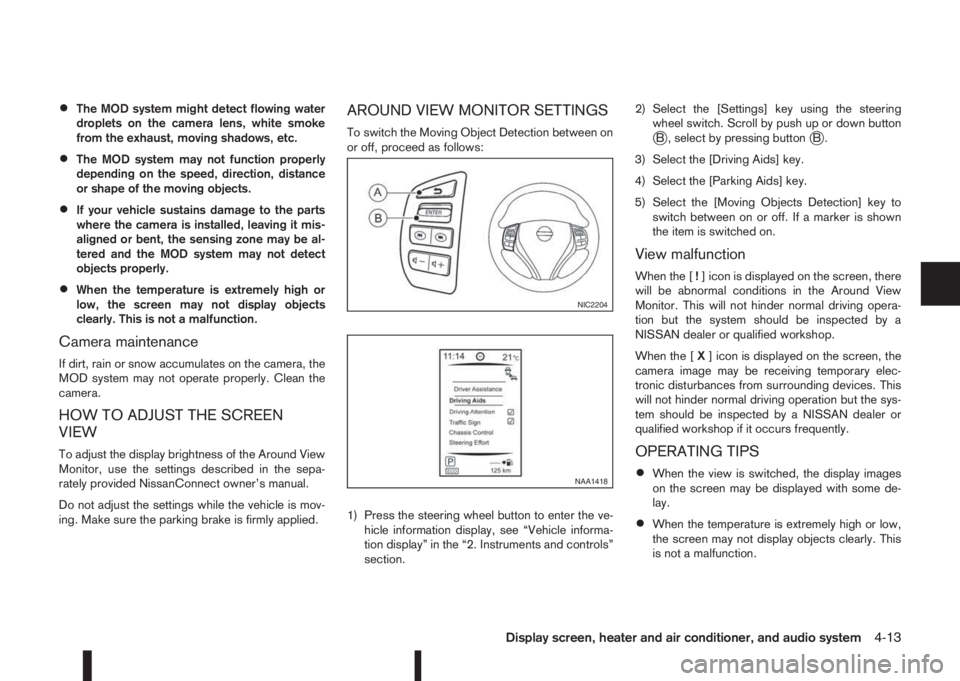
1) Press the steering wheel button to enter the ve-
hicle information display, see “Vehicle informa-
tion display” in the “2. Instruments and controls”
section.2) Select the [Settings] key using the steering
wheel switch. Scroll by push up or down buttonjB , select by pressing buttonjB.
3) Select the [Driving Aids] key.
4) Select the [Parking Aids] key.
5) Select the [Moving Objects Detection] key to
switch between on or off. If a marker is shown
the item is switched on.
View malfunction
When the [!] icon is displayed on the screen, there
will be abnormal conditions in the Around View
Monitor. This will not hinder normal driving opera-
tion but the system should be inspected by a
NISSAN dealer or qualified workshop.
When the [X] icon is displayed on the screen, the
camera image may be receiving temporary elec-
tronic disturbances from surrounding devices. This
will not hinder normal driving operation but the sys-
tem should be inspected by a NISSAN dealer or
qualified workshop if it occurs frequently.
OPERATING TIPS
•When the view is switched, the display images
on the screen may be displayed with some de-
lay.
•When the temperature is extremely high or low,
the screen may not display objects clearly. This
is not a malfunction.
NIC2204
NAA1418
Display screen, heater and air conditioner, and audio system4-13
Page 176 of 338
5Starting and drivingStarting and driving
Running-in schedule ................................................ 5-2
Before starting the engine ........................................ 5-2
Precautions when starting and driving ...................... 5-3
Exhaust gas (Carbon Monoxide) ......................... 5-3
Tyre Pressure Monitoring System (TPMS)................ 5-4
Meter information................................................ 5-7
Activation............................................................ 5-7
TPMS sensor ID and position recognition ........... 5-7
Adjusting TPMS target pressure ......................... 5-8
Tyre pressure units ............................................. 5-8
[Check cold tyre] message ................................. 5-8
TPMS temperature calibration............................. 5-8
On-pavement and off-road driving precautions ......... 5-9
Three-way catalyst (Petrol engine models)................ 5-9
To help prevent damage ..................................... 5-9
Turbocharger system (Diesel engine models) ........... 5-10
Care when driving ................................................... 5-10
Engine cold start period ...................................... 5-10
Loading luggage ................................................. 5-10
Driving on wet roads ........................................... 5-10
Driving under winter conditions ........................... 5-10
Ignition switch (where fitted) .................................... 5-11
Manual transmission ........................................... 5-11
XTRONIC transmission (CVT) ............................ 5-11
Steering lock ...................................................... 5-11
Key positions ...................................................... 5-11
NISSAN Anti-Theft System (NATS) (where
fitted).................................................................. 5-12
Push-button ignition switch (where fitted) ................. 5-12Precautions on push-button ignition switch
operation ............................................................ 5-12
Intelligent Key system ......................................... 5-12
Ignition switch positions ...................................... 5-13
Emergency engine shut off.................................. 5-14
Steering lock ...................................................... 5-14
Intelligent Key battery discharge.......................... 5-14
Starting engine ........................................................ 5-15
Models with Intelligent Key system ...................... 5-15
Models without Intelligent Key system ................. 5-16
Driving the vehicle.................................................... 5-17
Driving with manual transmission......................... 5-17
Driving with XTRONIC Transmission (CVT) ........ 5-18
Stop/Start System (where fitted) .............................. 5-22
Normal operation ................................................ 5-22
Precautions ........................................................ 5-24
Stop/Start System OFF switch ........................... 5-25
Environmental savings ........................................ 5-25
Four-wheel Drive (4WD) (where fitted)..................... 5-26
4WD mode operations........................................ 5-27
4WD shift tips .................................................... 5-27
4WD Mode indicator lights ................................. 5-28
Driving four-wheel drive (4WD) safely ................. 5-28
Blind Spot Warning (BSW) system (where fitted)..... 5-30
BSW system operation ....................................... 5-30
BSW driving situations ....................................... 5-32
BSW temporary disabled status.......................... 5-32
BSW automatic deactivation ............................... 5-33
BSW malfunction ............................................... 5-33
BSW camera unit maintenance ........................... 5-33
Page 177 of 338
Lane Departure Warning (LDW) system (where
fitted) ....................................................................... 5-33
LDW system operation ....................................... 5-34
LDW temporary disabled status .......................... 5-35
LDW automatic deactivation ............................... 5-35
LDW malfunction ................................................ 5-35
Multi-sensing camera unit maintenance ............... 5-35
Cruise control (where fitted) .................................... 5-36
Precautions on cruise control .............................. 5-36
Cruise control system operations ........................ 5-37
Speed limiter (where fitted) ...................................... 5-38
Speed limiter operations ..................................... 5-39
Forward emergency braking system (where fitted) ... 5-40
System operation ................................................ 5-41
Parking .................................................................... 5-43
Ultrasonic Parking Sensors (where fitted)................. 5-45
Operation ........................................................... 5-45
Intelligent Parking Assist (IPA) (where fitted) ............ 5-46
Deactivation of the IPA system ............................ 5-47
Parking procedure using the IPA system ............. 5-48
Operating tips..................................................... 5-52
Trailer towing ........................................................... 5-54
Operating precautions ........................................ 5-54
Maximum load limits (for Australia) ...................... 5-55
Tyre pressure ..................................................... 5-55
Safety chains ...................................................... 5-55
Trailer brakes...................................................... 5-55
Trailer detection (where fitted) ............................ 5-56Installation of coupling device (except for
Australia) ............................................................ 5-56
Vehicle security........................................................ 5-57
Electric power steering system ................................ 5-57
Brake system ........................................................... 5-58
Brake precautions .............................................. 5-58
Anti-lock Braking System (ABS)............................... 5-59
Using system ...................................................... 5-59
Self-test feature .................................................. 5-59
Normal operation ................................................ 5-60
Electronic Stability Programme (ESP) system
(where fitted) ........................................................... 5-60
Electronic Stability Programme (ESP) OFF
switch................................................................. 5-61
Chassis control........................................................ 5-62
Active trace control ............................................. 5-62
Active engine brake (for XTRONIC (CVT)
models only) ....................................................... 5-63
Active ride control ............................................... 5-64
Hill Start Assist (HSA) system .................................. 5-64
ECO mode system (where fitted) ............................. 5-65
Cold weather driving................................................ 5-66
Battery ............................................................... 5-66
Engine coolant .................................................... 5-66
Tyre equipment ................................................... 5-66
Special winter equipment.................................... 5-67
Corrosion protection ........................................... 5-67
Page 178 of 338
During the first 1,600 km (1,000 miles), follow these
recommendations for the future reliability and
economy of your new vehicle. Failure to follow the
recommendations may result in shortened engine
life and reduced engine performance.
•Avoid driving for long periods at a constant
speed, either fast or slow.
•Do not accelerate at full throttle in any gear.
•Avoid quick starts.
•Avoid hard braking as much as possible.
•Do not tow a trailer during the first 800 km (500
miles).
NOTE
Models with K9K diesel engine will achieve top
performance only after approximately 5,000 km
(3,000 miles).
WARNING
The driving characteristics of your vehicle can be
changed remarkably by any additional load and
its distribution as well as by adding optional
equipment (trailer couplings, roof racks, etc.).
Your driving style and speed have to be adjusted
accordingly. Especially when carrying heavy
loads, your speed must be reduced adequately.
•Make sure the area around the vehicle is free of
obstacles.
•Check fluid levels such as engine oil, coolant,
brake and clutch fluid, and window washer fluid
as frequently as possible, at least whenever you
refuel.
•Visually inspect tyres for their appearance and
condition. Also check the tyre pressure for
proper inflation.
•Maintenance items in the “8. Maintenance and
do-it-yourself” section should be checked peri-
odically.
•Check that all windows and light lenses are
clean.
•Check that all doors are closed.
•Position the seat and adjust the head restraints.
•Adjust the inside and outside mirrors.
•Fasten your seat belt and ask all passengers to
do likewise.
•Check the operation of the warning/indicator
lights when the ignition switch is turned to the
ON position.
•Do not place hard or heavy objects on the dash-
board or rear parcel shelf in order to prevent
injury in the event of a sudden stop.
RUNNING-IN SCHEDULE BEFORE STARTING THE ENGINE
5-2Starting and driving
Page 186 of 338
The turbocharger system uses engine oil for lubrica-
tion and cooling of its rotating components. The tur-
bocharger turbine turns at extremely high speeds
and it can reach an extremely high temperature. It is
essential to maintain a flow of clean oil through the
turbocharger system. A sudden interruption to the
oil supply may cause a malfunction in the turbo-
charger.
To ensure prolonged life and performance of the
turbocharger, it is essential to comply with the fol-
lowing maintenance procedure:
CAUTION
•Change the engine oil of the turbo-charged
diesel engine as prescribed. See the sepa-
rately provided Warranty Information & Main-
tenance Booklet for additional information.
•Use only the recommended engine oil. See
“Capacities and recommended fuel/
lubricants” in the “9. Technical information”
section.
•If the engine has been operating at high rpm
for an extended period of time, let it idle for a
few minutes prior to shutdown.
•Do not accelerate the engine to high rpm im-
mediately after starting it.Driving your vehicle to fit the circumstances is es-
sential for your safety and comfort. As a driver, you
should be the one who knows best how to drive in
the given circumstances.
ENGINE COLD START PERIOD
Due to the higher engine speeds when the engine is
cold, extra caution must be exercised when select-
ing a gear during the engine warm-up period after
starting the engine.
LOADING LUGGAGE
Loads, their distribution and the attachment of equip-
ment (coupling devices, roof luggage carriers, etc.)
will change the driving characteristics of the vehicle
considerably. Driving style and speed must be ad-
justed accordingly.
DRIVING ON WET ROADS
•Avoid starting off, accelerating and stopping sud-
denly.
•Avoid sharp turns or lane changes.
•Extra distance should be kept from the vehicle in
front.
•When water covers the road surface in puddles,
small streams, etc, REDUCE SPEED to prevent
aquaplaning which will cause skidding and loss
of control. Worn tyres increase this risk.
DRIVING UNDER WINTER
CONDITIONS
•Drive safely.
•Avoid starting off, accelerating or stopping sud-
denly.
•Avoid sharp turns or lane changes.
•Avoid sudden steering actions.
•Extra distance should be kept from the vehicle in
front.
TURBOCHARGER SYSTEM
(Diesel engine models)CARE WHEN DRIVING
5-10Starting and driving