radio NISSAN QASHQAI 2016 Owner´s Manual
[x] Cancel search | Manufacturer: NISSAN, Model Year: 2016, Model line: QASHQAI, Model: NISSAN QASHQAI 2016Pages: 338, PDF Size: 4.87 MB
Page 182 of 338
Some devices and transmitters may tempo-
rarily interfere with the operation of the TPMS
and cause the TPMS indicator light to illumi-
nate. Some examples are:
– Facilities or electric devices using similar
radio frequencies are near the vehicle.
– If a transmitter set to similar frequencies is
being used in or near the vehicle.
– If a computer (or similar equipment) or a
DC/AC converter is being used in or near
the vehicle.
– If devices which transmit electrical noise
are connected to the vehicle’s 12V power
supply.
•When inflating the tyres and checking the tyre
pressure, never bend the valves.
•Special aluminium valves are fitted to mount
the TPMS sensors on the wheels. The TPMS
sensor is fixed at the wheels by a nut. The nut
needs to be correctly fitted at a torque setting
of 7.5 ± 0.5 N•m. If the TPMS sensor is tight-
ened exceeding the limit, there is a possibility
the sensor grommet will be damaged. If the
sensor is tightened under the limit, there is a
possibility of causing an air leak.
•Use Genuine NISSAN valve caps that comply
with the factory-fitted valve cap specifications.
•Do not use metal valve caps.
•Fit the valve caps properly. Without the valve
caps the valve and tyre pressure monitor sen-
sors could be damaged.
•Do not damage the valves and sensors when
storing the wheels or fitting different tyres.
•Replace the sensor grommet and washer dur-
ing a tyre change. Once they have been re-
moved, the sensor grommet and washer can-
not be reused and must be replaced. The
TPMS sensors can be used again.
•Use caution when using tyre inflation equip-
ment with a rigid air supply tube, as leverage
applied by the long nozzle can damage the
valve stem.
5-6Starting and driving
Page 183 of 338
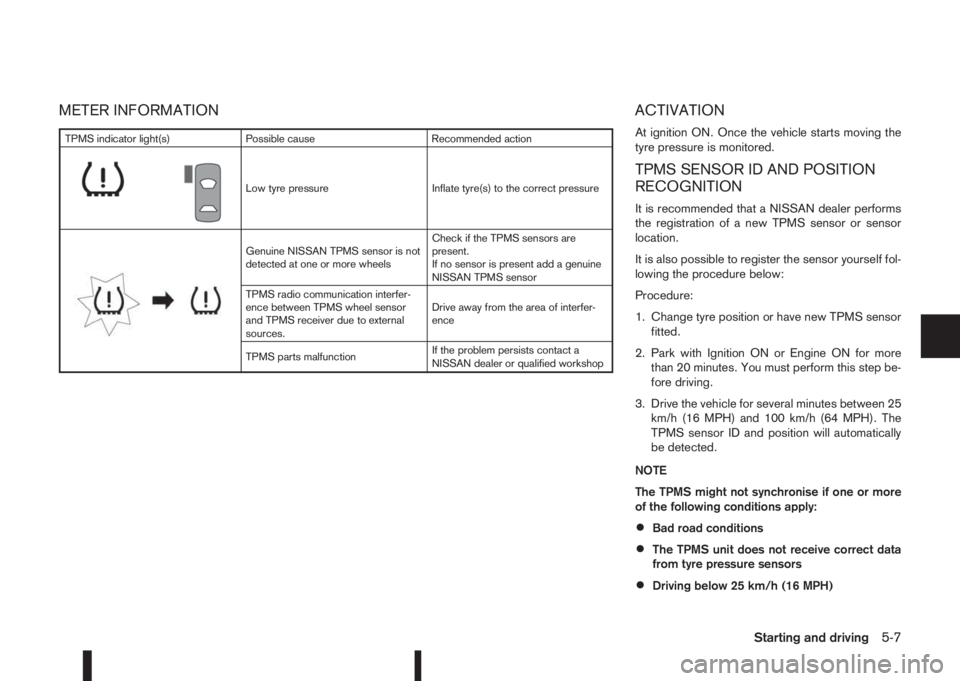
METER INFORMATION ACTIVATION
At ignition ON. Once the vehicle starts moving the
tyre pressure is monitored.
TPMS SENSOR ID AND POSITION
RECOGNITION
It is recommended that a NISSAN dealer performs
the registration of a new TPMS sensor or sensor
location.
It is also possible to register the sensor yourself fol-
lowing the procedure below:
Procedure:
1. Change tyre position or have new TPMS sensor
fitted.
2. Park with Ignition ON or Engine ON for more
than 20 minutes. You must perform this step be-
fore driving.
3. Drive the vehicle for several minutes between 25
km/h (16 MPH) and 100 km/h (64 MPH). The
TPMS sensor ID and position will automatically
be detected.
NOTE
The TPMS might not synchronise if one or more
of the following conditions apply:
•Bad road conditions
•The TPMS unit does not receive correct data
from tyre pressure sensors
•Driving below 25 km/h (16 MPH)
TPMS indicator light(s) Possible cause Recommended action
m
Low tyre pressure Inflate tyre(s) to the correct pressure
m
Genuine NISSAN TPMS sensor is not
detected at one or more wheelsCheck if the TPMS sensors are
present.
If no sensor is present add a genuine
NISSAN TPMS sensor
TPMS radio communication interfer-
ence between TPMS wheel sensor
and TPMS receiver due to external
sources.Drive away from the area of interfer-
ence
TPMS parts malfunctionIf the problem persists contact a
NISSAN dealer or qualified workshop
Starting and driving5-7
Page 187 of 338
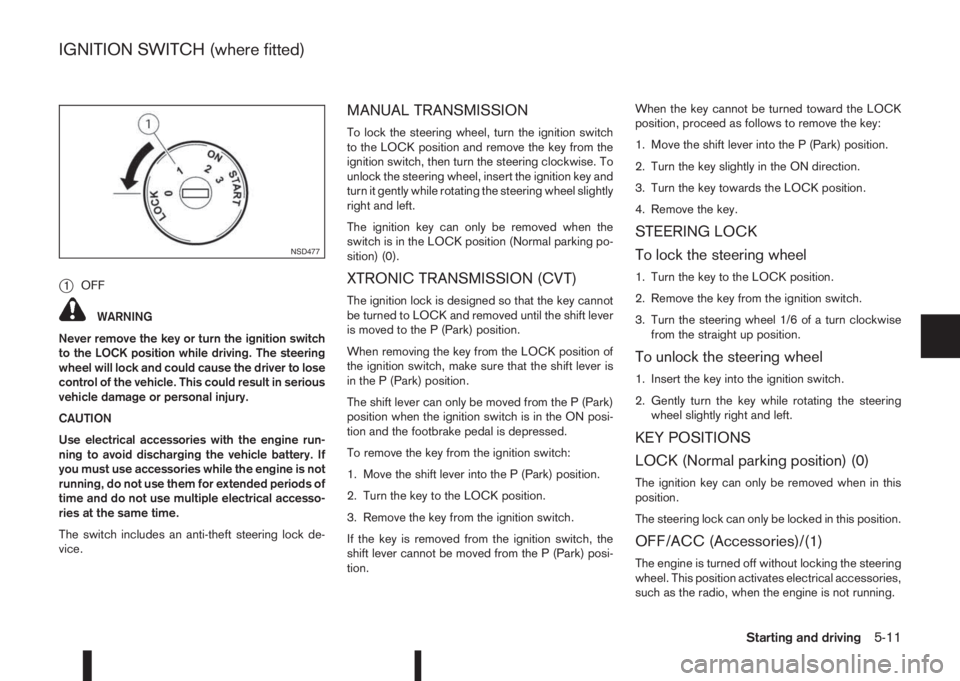
j1OFF
WARNING
Never remove the key or turn the ignition switch
to the LOCK position while driving. The steering
wheel will lock and could cause the driver to lose
control of the vehicle. This could result in serious
vehicle damage or personal injury.
CAUTION
Use electrical accessories with the engine run-
ning to avoid discharging the vehicle battery. If
you must use accessories while the engine is not
running, do not use them for extended periods of
time and do not use multiple electrical accesso-
ries at the same time.
The switch includes an anti-theft steering lock de-
vice.
MANUAL TRANSMISSION
To lock the steering wheel, turn the ignition switch
to the LOCK position and remove the key from the
ignition switch, then turn the steering clockwise. To
unlock the steering wheel, insert the ignition key and
turn it gently while rotating the steering wheel slightly
right and left.
The ignition key can only be removed when the
switch is in the LOCK position (Normal parking po-
sition) (0).
XTRONIC TRANSMISSION (CVT)
The ignition lock is designed so that the key cannot
be turned to LOCK and removed until the shift lever
is moved to the P (Park) position.
When removing the key from the LOCK position of
the ignition switch, make sure that the shift lever is
in the P (Park) position.
The shift lever can only be moved from the P (Park)
position when the ignition switch is in the ON posi-
tion and the footbrake pedal is depressed.
To remove the key from the ignition switch:
1. Move the shift lever into the P (Park) position.
2. Turn the key to the LOCK position.
3. Remove the key from the ignition switch.
If the key is removed from the ignition switch, the
shift lever cannot be moved from the P (Park) posi-
tion.When the key cannot be turned toward the LOCK
position, proceed as follows to remove the key:
1. Move the shift lever into the P (Park) position.
2. Turn the key slightly in the ON direction.
3. Turn the key towards the LOCK position.
4. Remove the key.
STEERING LOCK
To lock the steering wheel
1. Turn the key to the LOCK position.
2. Remove the key from the ignition switch.
3. Turn the steering wheel 1/6 of a turn clockwise
from the straight up position.
To unlock the steering wheel
1. Insert the key into the ignition switch.
2. Gently turn the key while rotating the steering
wheel slightly right and left.
KEY POSITIONS
LOCK (Normal parking position) (0)
The ignition key can only be removed when in this
position.
The steering lock can only be locked in this position.
OFF/ACC (Accessories)/(1)
The engine is turned off without locking the steering
wheel. This position activates electrical accessories,
such as the radio, when the engine is not running.
NSD477
IGNITION SWITCH (where fitted)
Starting and driving5-11
Page 188 of 338
ON (Normal operating position) (2)
This position turns on the ignition system and elec-
trical accessories.
START (3)
The engine starter activates and the engine will start.
As soon as the engine has started, release the key
immediately. It will return to the ON position.
NOTE
For vehicles fitted with Stop/Start System:
When the engine is automatically stopped by the
Stop/Start System the ignition switch can still be
operated as usual.
At the end of a journey turn the ignition OFF to
avoid a flat battery. The Stop/Start System does
not automatically turn ignition off.
NISSAN ANTI-THEFT SYSTEM (NATS)
(where fitted)
The NISSAN Anti Theft System (NATS)* will stop
the engine if someone tries to start the engine with-
out using the registered NATS key.
* Immobilizer
If you failed to start the engine using the NATS Key,
turn the ignition knob to the LOCK position, wait for
5 seconds and turn the key to the START position
again to start the engine.
For additional information, see “NISSAN Anti-Theft
System (NATS)” in the “3. Pre-driving checks and
adjustments” section.
PRECAUTIONS ON PUSH-BUTTON
IGNITION SWITCH OPERATION
WARNING
Do not operate the push-button ignition switch
while driving the vehicle except in an emergency.
(The engine will stop when the ignition switch is
pushed 3 consecutive times in quick succession
or the ignition switch is pushed and held for more
than 2 seconds.) If the engine stops while the
vehicle is being driven, this could lead to a crash
and serious injury.
Before operating the push-button ignition switch:
•Move the shift lever to the N (Neutral) position or
depress the clutch pedal (for Manual Transmis-
sion (MT) models).
•Move the shift lever to the P (Park) position (for
XTRONIC transmission (CVT) models).
INTELLIGENT KEY SYSTEM
The Intelligent Key system can operate the ignition
switch without taking the key out from your pocket
or bag. The operating environment and/or condi-
tions may affect the Intelligent Key system opera-
tion.
CAUTION
•Be sure to carry the Intelligent Key with you
when operating the vehicle.
•Never leave the Intelligent Key inside the ve-
hicle when you leave the vehicle.
•If the Intelligent Key is too far away from the
driver, the vehicle may not start.
•If the vehicle battery is discharged, the igni-
tion switch cannot be switched from the
“LOCK” position, and if the steering lock is
engaged, the steering wheel cannot be
moved. Charge the battery as soon as pos-
sible (See “Jump-starting” in the “6. In case of
emergency” section.)
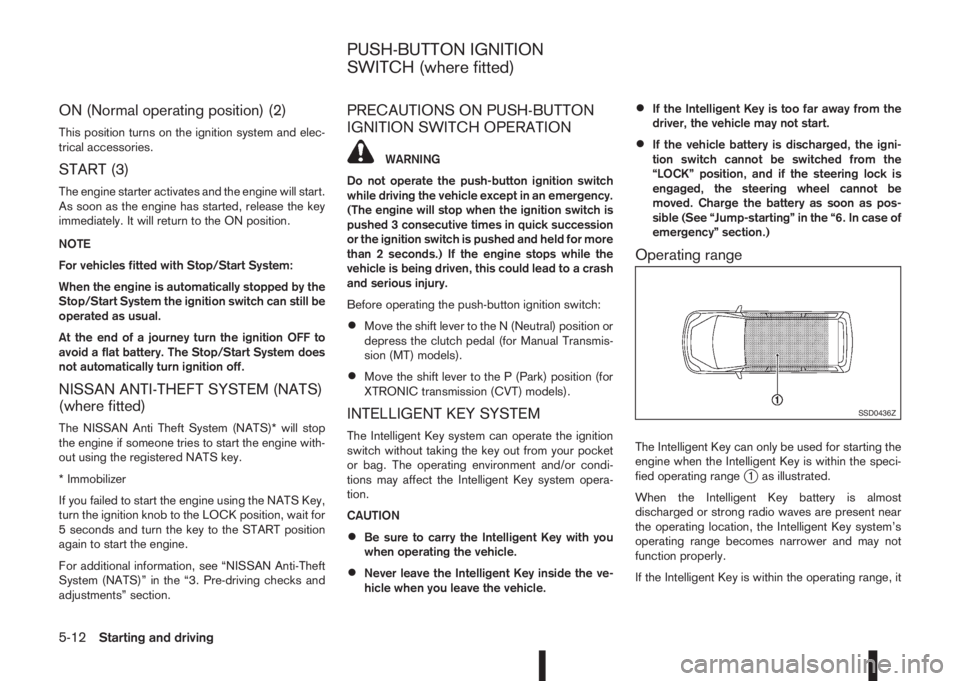
Operating range
The Intelligent Key can only be used for starting the
engine when the Intelligent Key is within the speci-
fied operating range
j1 as illustrated.
When the Intelligent Key battery is almost
discharged or strong radio waves are present near
the operating location, the Intelligent Key system’s
operating range becomes narrower and may not
function properly.
If the Intelligent Key is within the operating range, it
SSD0436Z
PUSH-BUTTON IGNITION
SWITCH (where fitted)
5-12Starting and driving
Page 190 of 338
If the battery of the vehicle is discharged, the push-
button ignition switch cannot be moved from the
LOCK position.
OFF position
The ignition switch is in the OFF position when the
engine is turned off using the ignition switch. No
lights will illuminate on the ignition switch.
ACC position
With the vehicle in the P (Park) position, the Intelli-
gent key with you and the ignition placed from ON
to OFF, the radio can still be used for a period of
time, or until the driver’s door is opened.
After a period of time, functions such as radio, navi-
gation, and Bluetooth® Hands-Free Phone System
may be restarted by pressing the “POWER button/
VOLUME control knob” (See “Monitor, climate, au-
dio, phone and voice recognition systems” in this
manual) or the keyfob unlock button up to a total of
30 minutes.
EMERGENCY ENGINE SHUT OFF
To shut off the engine in an emergency situation
while driving, perform the following procedure:
•Rapidly push the push-button ignition switch 3
consecutive times in less than 1.5 seconds, or
•Push and hold the push-button ignition switch
for more than 2 seconds.
STEERING LOCK
The ignition switch is equipped with an anti-theft
steering lock device.
To lock steering wheel
1. Push the ignition switch to the “OFF” position
where the ignition switch position indicator will
not illuminate.
2. Open or close the door. The ignition switch turns
to the “LOCK” position.
3. Turn the steering wheel 1/6 of a turn to the right
or left from the straight up position.
To unlock steering wheel
Push the ignition switch to “ACC”, and the steering
wheel will be automatically unlocked.
CAUTION
•If the battery of the vehicle is discharged, the
push-button ignition switch cannot be
switched from the “LOCK” position.
•If the ignition switch position does not change
from the “LOCK” position, push the ignition
switch again while rotating the steering wheel
slightly to the right and left.
INTELLIGENT KEY BATTERY
DISCHARGE
If the battery of the Intelligent Key is discharged, or
environmental conditions interfere with the Intelli-
gent Key operation, start the engine according to
the following procedure:
1. Move the shift lever to the P (Park) (XTRONIC
transmission models) or N (Neutral) (MT models)
position.
2. Firmly apply the footbrake.
3. Depress the clutch pedal to the floor (MT mod-
els)
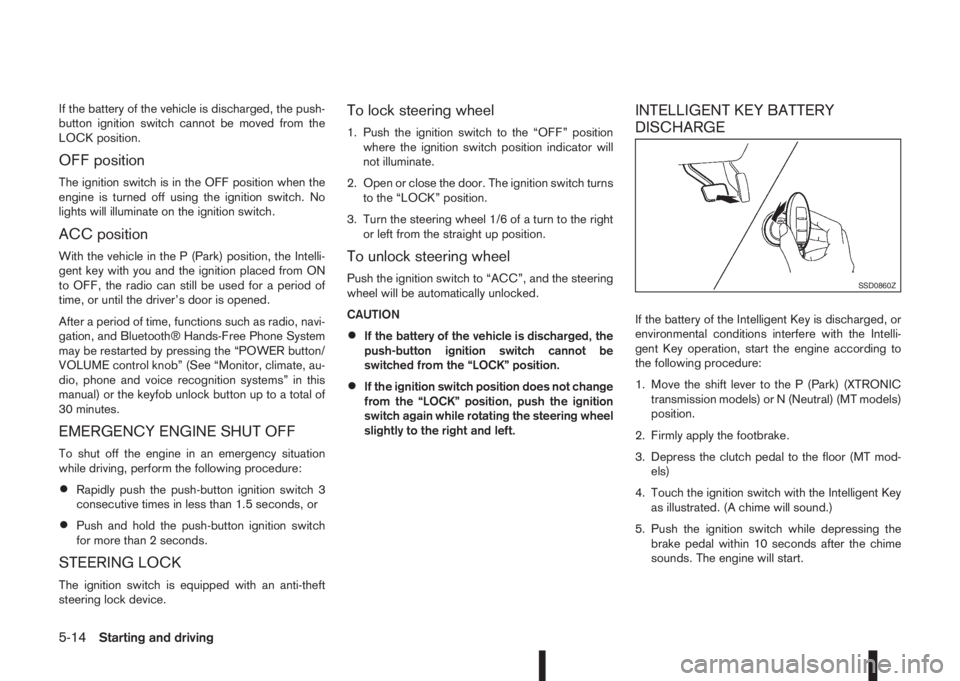
4. Touch the ignition switch with the Intelligent Key
as illustrated. (A chime will sound.)
5. Push the ignition switch while depressing the
brake pedal within 10 seconds after the chime
sounds. The engine will start.
SSD0860Z
5-14Starting and driving
Page 251 of 338
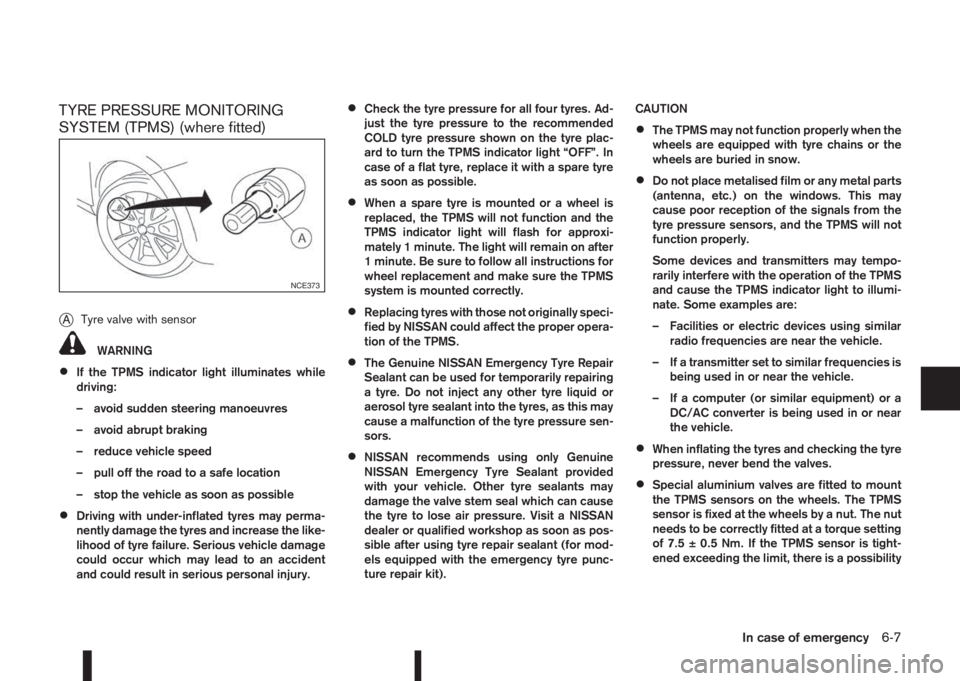
TYRE PRESSURE MONITORING
SYSTEM (TPMS) (where fitted)
j
ATyre valve with sensor
WARNING
•If the TPMS indicator light illuminates while
driving:
– avoid sudden steering manoeuvres
– avoid abrupt braking
– reduce vehicle speed
– pull off the road to a safe location
– stop the vehicle as soon as possible
•Driving with under-inflated tyres may perma-
nently damage the tyres and increase the like-
lihood of tyre failure. Serious vehicle damage
could occur which may lead to an accident
and could result in serious personal injury.
•Check the tyre pressure for all four tyres. Ad-
just the tyre pressure to the recommended
COLD tyre pressure shown on the tyre plac-
ard to turn the TPMS indicator light “OFF”. In
case of a flat tyre, replace it with a spare tyre
as soon as possible.
•When a spare tyre is mounted or a wheel is
replaced, the TPMS will not function and the
TPMS indicator light will flash for approxi-
mately 1 minute. The light will remain on after
1 minute. Be sure to follow all instructions for
wheel replacement and make sure the TPMS
system is mounted correctly.
•Replacing tyres with those not originally speci-
fied by NISSAN could affect the proper opera-
tion of the TPMS.
•The Genuine NISSAN Emergency Tyre Repair
Sealant can be used for temporarily repairing
a tyre. Do not inject any other tyre liquid or
aerosol tyre sealant into the tyres, as this may
cause a malfunction of the tyre pressure sen-
sors.
•NISSAN recommends using only Genuine
NISSAN Emergency Tyre Sealant provided
with your vehicle. Other tyre sealants may
damage the valve stem seal which can cause
the tyre to lose air pressure. Visit a NISSAN
dealer or qualified workshop as soon as pos-
sible after using tyre repair sealant (for mod-
els equipped with the emergency tyre punc-
ture repair kit).CAUTION
•The TPMS may not function properly when the
wheels are equipped with tyre chains or the
wheels are buried in snow.
•Do not place metalised film or any metal parts
(antenna, etc.) on the windows. This may
cause poor reception of the signals from the
tyre pressure sensors, and the TPMS will not
function properly.
Some devices and transmitters may tempo-
rarily interfere with the operation of the TPMS
and cause the TPMS indicator light to illumi-
nate. Some examples are:
– Facilities or electric devices using similar
radio frequencies are near the vehicle.
– If a transmitter set to similar frequencies is
being used in or near the vehicle.
– If a computer (or similar equipment) or a
DC/AC converter is being used in or near
the vehicle.
•When inflating the tyres and checking the tyre
pressure, never bend the valves.
•Special aluminium valves are fitted to mount
the TPMS sensors on the wheels. The TPMS
sensor is fixed at the wheels by a nut. The nut
needs to be correctly fitted at a torque setting
of 7.5 ± 0.5 Nm. If the TPMS sensor is tight-
ened exceeding the limit, there is a possibility
NCE373
In case of emergency6-7
Page 285 of 338
Battery (Type A)
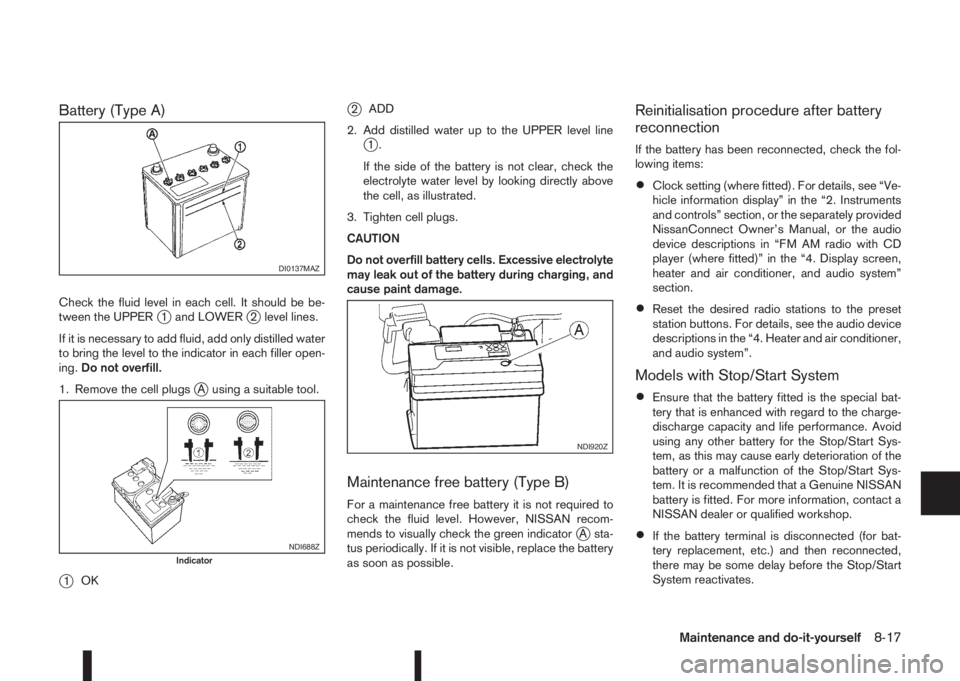
Check the fluid level in each cell. It should be be-
tween the UPPERj1 and LOWERj2 level lines.
If it is necessary to add fluid, add only distilled water
to bring the level to the indicator in each filler open-
ing.Do not overfill.
1. Remove the cell plugs
jA using a suitable tool.
j1OK
j2ADD
2. Add distilled water up to the UPPER level line
j1.
If the side of the battery is not clear, check the
electrolyte water level by looking directly above
the cell, as illustrated.
3. Tighten cell plugs.
CAUTION
Do not overfill battery cells. Excessive electrolyte
may leak out of the battery during charging, and
cause paint damage.
Maintenance free battery (Type B)
For a maintenance free battery it is not required to
check the fluid level. However, NISSAN recom-
mends to visually check the green indicator
jA sta-
tus periodically. If it is not visible, replace the battery
as soon as possible.
Reinitialisation procedure after battery
reconnection
If the battery has been reconnected, check the fol-
lowing items:
•Clock setting (where fitted). For details, see “Ve-
hicle information display” in the “2. Instruments
and controls” section, or the separately provided
NissanConnect Owner’s Manual, or the audio
device descriptions in “FM AM radio with CD
player (where fitted)” in the “4. Display screen,
heater and air conditioner, and audio system”
section.
•Reset the desired radio stations to the preset
station buttons. For details, see the audio device
descriptions in the “4. Heater and air conditioner,
and audio system”.
Models with Stop/Start System
•Ensure that the battery fitted is the special bat-
tery that is enhanced with regard to the charge-
discharge capacity and life performance. Avoid
using any other battery for the Stop/Start Sys-
tem, as this may cause early deterioration of the
battery or a malfunction of the Stop/Start Sys-
tem. It is recommended that a Genuine NISSAN
battery is fitted. For more information, contact a
NISSAN dealer or qualified workshop.
•If the battery terminal is disconnected (for bat-
tery replacement, etc.) and then reconnected,
there may be some delay before the Stop/Start
System reactivates.
DI0137MAZ
NDI688ZIndicator
NDI920Z
Maintenance and do-it-yourself8-17
Page 312 of 338
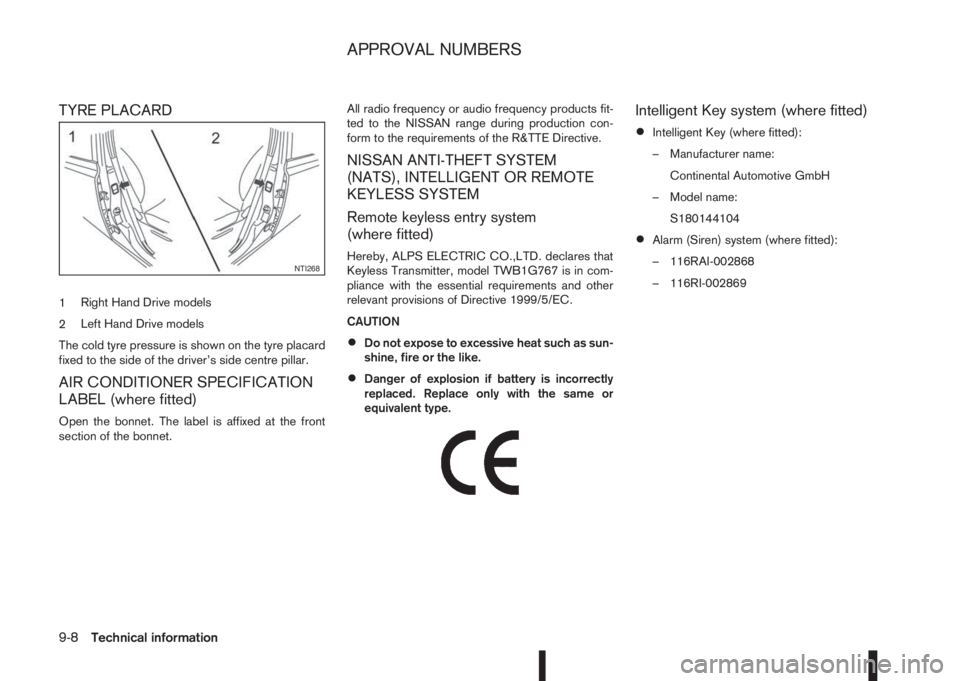
TYRE PLACARD
1Right Hand Drive models
2Left Hand Drive models
The cold tyre pressure is shown on the tyre placard
fixed to the side of the driver’s side centre pillar.
AIR CONDITIONER SPECIFICATION
LABEL (where fitted)
Open the bonnet. The label is affixed at the front
section of the bonnet.All radio frequency or audio frequency products fit-
ted to the NISSAN range during production con-
form to the requirements of the R&TTE Directive.
NISSAN ANTI-THEFT SYSTEM
(NATS), INTELLIGENT OR REMOTE
KEYLESS SYSTEM
Remote keyless entry system
(where fitted)
Hereby, ALPS ELECTRIC CO.,LTD. declares that
Keyless Transmitter, model TWB1G767 is in com-
pliance with the essential requirements and other
relevant provisions of Directive 1999/5/EC.
CAUTION
•Do not expose to excessive heat such as sun-
shine, fire or the like.
•Danger of explosion if battery is incorrectly
replaced. Replace only with the same or
equivalent type.
m
Intelligent Key system (where fitted)
•Intelligent Key (where fitted):
– Manufacturer name:
Continental Automotive GmbH
– Model name:
S180144104
•Alarm (Siren) system (where fitted):
– 116RAI-002868
– 116RI-002869
NTI268
APPROVAL NUMBERS
9-8Technical information
Page 321 of 338
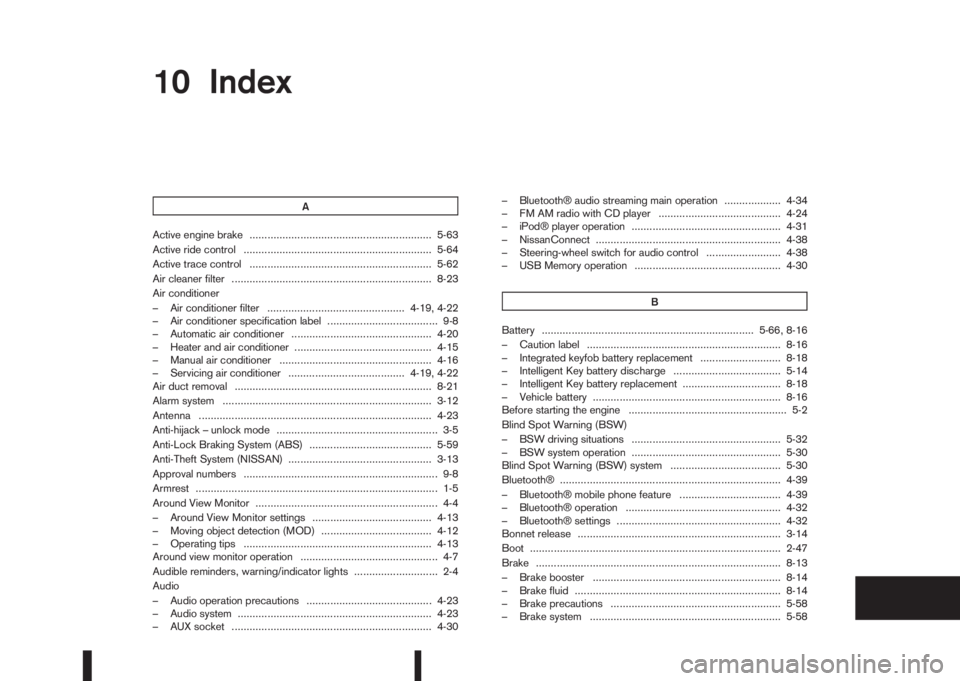
10IndexIndex
A
Active engine brake ............................................................. 5-63
Active ride control ............................................................... 5-64
Active trace control ............................................................. 5-62
Air cleaner filter ................................................................... 8-23
Air conditioner
– Air conditioner filter .............................................. 4-19, 4-22
– Air conditioner specification label ..................................... 9-8
– Automatic air conditioner ............................................... 4-20
– Heater and air conditioner .............................................. 4-15
– Manual air conditioner ................................................... 4-16
– Servicing air conditioner ....................................... 4-19, 4-22
Air duct removal .................................................................. 8-21
Alarm system ...................................................................... 3-12
Antenna .............................................................................. 4-23
Anti-hijack – unlock mode ...................................................... 3-5
Anti-Lock Braking System (ABS) ......................................... 5-59
Anti-Theft System (NISSAN) ................................................ 3-13
Approval numbers ................................................................. 9-8
Armrest ................................................................................. 1-5
Around View Monitor ............................................................. 4-4
– Around View Monitor settings ........................................ 4-13
– Moving object detection (MOD) ..................................... 4-12
– Operating tips ............................................................... 4-13
Around view monitor operation .............................................. 4-7
Audible reminders, warning/indicator lights ............................ 2-4
Audio
– Audio operation precautions .......................................... 4-23
– Audio system ................................................................. 4-23
– AUX socket ................................................................... 4-30– Bluetooth® audio streaming main operation ................... 4-34
– FM AM radio with CD player ......................................... 4-24
– iPod® player operation .................................................. 4-31
– NissanConnect .............................................................. 4-38
– Steering-wheel switch for audio control ......................... 4-38
– USB Memory operation ................................................. 4-30
B
Battery ....................................................................... 5-66, 8-16
– Caution label ................................................................. 8-16
– Integrated keyfob battery replacement ........................... 8-18
– Intelligent Key battery discharge .................................... 5-14
– Intelligent Key battery replacement ................................. 8-18
– Vehicle battery ............................................................... 8-16
Before starting the engine ..................................................... 5-2
Blind Spot Warning (BSW)
– BSW driving situations .................................................. 5-32
– BSW system operation .................................................. 5-30
Blind Spot Warning (BSW) system ..................................... 5-30
Bluetooth® .......................................................................... 4-39
– Bluetooth® mobile phone feature .................................. 4-39
– Bluetooth® operation .................................................... 4-32
– Bluetooth® settings ....................................................... 4-32
Bonnet release .................................................................... 3-14
Boot .................................................................................... 2-47
Brake .................................................................................. 8-13
– Brake booster ............................................................... 8-14
– Brake fluid ..................................................................... 8-14
– Brake precautions ......................................................... 5-58
– Brake system ................................................................ 5-58
Page 322 of 338
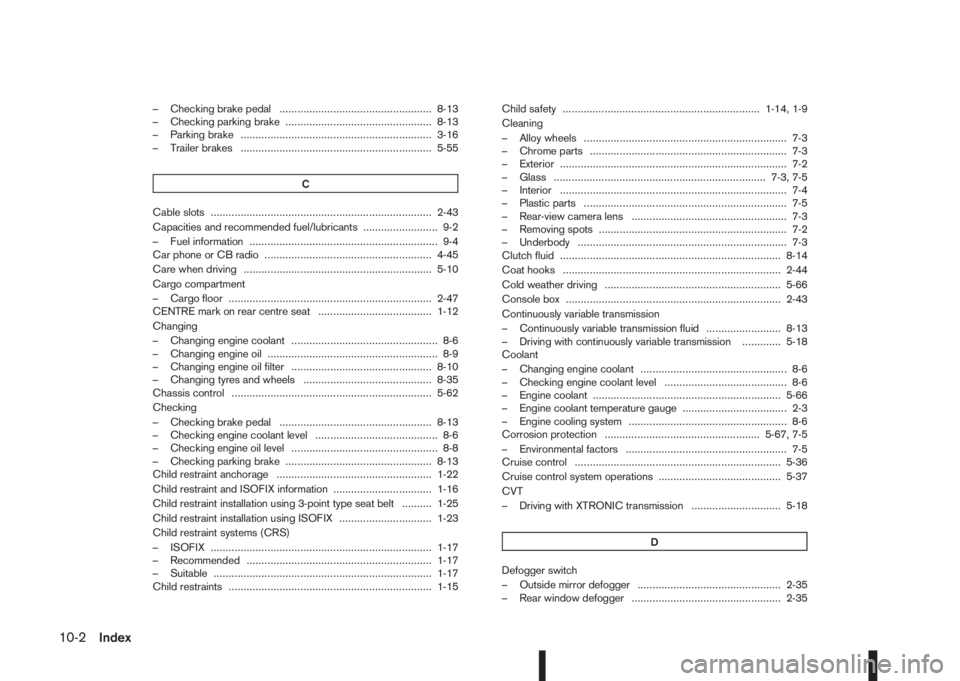
– Checking brake pedal ................................................... 8-13
– Checking parking brake ................................................. 8-13
– Parking brake ................................................................ 3-16
– Trailer brakes ................................................................ 5-55
C
Cable slots .......................................................................... 2-43
Capacities and recommended fuel/lubricants ......................... 9-2
– Fuel information ............................................................... 9-4
Car phone or CB radio ........................................................ 4-45
Care when driving ............................................................... 5-10
Cargo compartment
– Cargo floor .................................................................... 2-47
CENTRE mark on rear centre seat ...................................... 1-12
Changing
– Changing engine coolant ................................................. 8-6
– Changing engine oil ......................................................... 8-9
– Changing engine oil filter ............................................... 8-10
– Changing tyres and wheels ........................................... 8-35
Chassis control ................................................................... 5-62
Checking
– Checking brake pedal ................................................... 8-13
– Checking engine coolant level ......................................... 8-6
– Checking engine oil level ................................................. 8-8
– Checking parking brake ................................................. 8-13
Child restraint anchorage .................................................... 1-22
Child restraint and ISOFIX information ................................. 1-16
Child restraint installation using 3-point type seat belt .......... 1-25
Child restraint installation using ISOFIX ............................... 1-23
Child restraint systems (CRS)
– ISOFIX .......................................................................... 1-17
– Recommended .............................................................. 1-17
– Suitable ......................................................................... 1-17
Child restraints .................................................................... 1-15Child safety .................................................................. 1-14, 1-9
Cleaning
– Alloy wheels .................................................................... 7-3
– Chrome parts .................................................................. 7-3
– Exterior ............................................................................ 7-2
– Glass ....................................................................... 7-3, 7-5
– Interior ............................................................................ 7-4
– Plastic parts .................................................................... 7-5
– Rear-view camera lens .................................................... 7-3
– Removing spots ............................................................... 7-2
– Underbody ...................................................................... 7-3
Clutch fluid .......................................................................... 8-14
Coat hooks ......................................................................... 2-44
Cold weather driving ........................................................... 5-66
Console box ........................................................................ 2-43
Continuously variable transmission
– Continuously variable transmission fluid ......................... 8-13
– Driving with continuously variable transmission ............. 5-18
Coolant
– Changing engine coolant ................................................. 8-6
– Checking engine coolant level ......................................... 8-6
– Engine coolant ............................................................... 5-66
– Engine coolant temperature gauge ................................... 2-3
– Engine cooling system ..................................................... 8-6
Corrosion protection .................................................... 5-67, 7-5
– Environmental factors ...................................................... 7-5
Cruise control ..................................................................... 5-36
Cruise control system operations ......................................... 5-37
CVT
– Driving with XTRONIC transmission .............................. 5-18
D
Defogger switch
– Outside mirror defogger ................................................ 2-35
– Rear window defogger .................................................. 2-35
10-2Index