wheel NISSAN QASHQAI 2016 Owner´s Manual
[x] Cancel search | Manufacturer: NISSAN, Model Year: 2016, Model line: QASHQAI, Model: NISSAN QASHQAI 2016Pages: 338, PDF Size: 4.87 MB
Page 235 of 338
Driving downhill
The engine braking action is effective for controlling
the vehicle while descending hills.
The shift lever (MT models) should be placed in a
gear position low enough to obtain sufficient engine
braking.
For XTRONIC transmission models, a low gear po-
sition in the manual shift mode, low enough to obtain
sufficient engine braking, should be selected.WARNING
•The Anti-lock Braking System (ABS) is a so-
phisticated device, but it cannot prevent acci-
dents resulting from careless or dangerous
driving techniques. It can help maintain ve-
hicle control during braking on slippery sur-
faces. Remember that stopping distances on
slippery surfaces will be longer than on nor-
mal surfaces even with ABS. Stopping dis-
tances may also be longer on rough, gravel or
snow covered roads, or if you are using snow
chains. Always maintain a safe distance from
the vehicle in front of you. Ultimately, the
driver is responsible for safety.
•Tyre type and condition may also affect brak-
ing effectiveness.
– When replacing tyres, install the specified
size of tyres on all four wheels.
– When installing a spare tyre, make sure
that it is the proper size and type as speci-
fied on the tyre placard. (See “Vehicle
identification” in the “9. Technical
information” section.)
– For detailed information, see “Wheels and
tyres” in the “8. Maintenance and
do-it-yourself” section.
The Anti-lock Braking System (ABS) controls the
brakes so the wheels do not lock during hard brak-
ing or when braking on slippery surfaces. The sys-
tem detects the rotation speed at each wheel and
varies the brake fluid pressure to prevent each wheelfrom locking and sliding. By preventing each wheel
from locking, the system helps the driver maintain
steering control and helps to minimise swerving and
spinning on slippery surfaces.
USING SYSTEM
Depress the brake pedal and hold it down. Depress
the brake pedal with firm steady pressure, but do
not pump the brakes. The ABS will operate to pre-
vent the wheels from locking up. Steer the vehicle to
avoid obstacles.
WARNING
Do not pump the brake pedal. Doing so may re-
sult in increased stopping distances.
SELF-TEST FEATURE
The ABS includes electronic sensors, electric
pumps, hydraulic solenoids and a computer. The
computer has a built-in diagnostic feature that tests
the system each time you start the engine and move
the vehicle at a low speed in forward or reverse.
When the self-test occurs, you may hear a “clunk”
noise and/or feel a pulsation in the brake pedal. This
is normal and does not indicate a malfunction. If the
computer senses a malfunction, it switches the ABS
off and illuminates the ABS warning light on the
instrument panel. The brake system then operates
normally, but without anti-lock assistance.
If the ABS warning light illuminates during the self-
test or while driving, have the vehicle checked by a
NISSAN dealer or qualified workshop.
ANTI-LOCK BRAKING SYSTEM
(ABS)
Starting and driving5-59
Page 236 of 338
NORMAL OPERATION
The ABS operates at speeds above 5 to 10 km/h (3
to 6 MPH). The speed varies according to road con-
ditions.
When the ABS senses that one or more wheels are
close to locking up, the actuator rapidly applies and
releases hydraulic pressure. This action is similar to
pumping the brakes very quickly. You may feel a
pulsation in the brake pedal and hear a noise from
under the bonnet or feel a vibration from the actua-
tor when it is operating. This is normal and indicates
that the ABS is operating properly. However, the
pulsation may indicate that road conditions are haz-
ardous and extra care is required while driving.When accelerating, driving on slippery surfaces or
suddenly avoiding obstacles on roads, the vehicle
might swerve or slip. The Electronic Stability Pro-
gramme (ESP) system continuously monitors and
compares the driver’s intended speed and the travel
direction. The system adjusts wheel brake pressure
and engine torque to assist in improving vehicle sta-
bility.
•When the ESP system is operating, the “SLIP”
indicator light () in the combination meter
blinks.
•When only the traction control (TCS) system in
the ESP system is operating, the “SLIP” indica-
tor light (
) in the combination meter will also
blink.
•If the “SLIP” indicator light () blinks, the road
conditions are slippery. Be sure to drive care-
fully. See “Warning/indicator lights and audible
reminders” in the “2. Instruments and controls”
section.
•Indicator light
If a malfunction occurs in the system, the “SLIP”
indicator light (
) will come on in the combina-
tion meter.
As long as these indicator lights are on, the trac-
tion control function is cancelled.
The ESP system uses Active Brake Limited Slip
(ABLS) system to improve vehicle traction. The Ac-
tive Brake Limited Slip (ABLS) system works when
one of the driving wheels is spinning on a slipperysurface. The Active Brake Limited Slip (ABLS) sys-
tem, brakes the spinning wheel to distribute the driv-
ing power to the other driving wheel.
If the vehicle is operated with the ESP system turned
off, all ESP and TCS functions will be turned off.
The Active Brake Limited Slip (ABLS) system and
ABS will still operate with the ESP system off. If the
Active Brake Limited Slip (ABLS) system is acti-
vated, the “SLIP” indicator light (
) will blink and
you may hear a clunk noise and/or feel a pulsation in
the brake pedal. This is normal and does not indi-
cate a malfunction.
While the ESP system is operating, you may feel a
pulsation in the brake pedal and hear a noise or
vibration from under the bonnet. This is normal and
indicates that the ESP system is working properly.
The ESP computer has a built in diagnostic feature
that tests the system each time the engine is started
and the vehicle moves forwards or reverses at a
slow speed. When the self-test occurs, you may
hear a clunk noise and/or feel a pulsation in the
brake pedal. This is normal and is not an indication
of a malfunction.
WARNING
•The ESP system is designed to help improve
driving stability but does not prevent accidents
caused by abrupt steering operation at high
speeds, or careless or dangerous driving
techniques. Reduce vehicle speed and be es-
pecially careful when driving and cornering on
slippery surfaces. Always drive carefully.
ELECTRONIC STABILITY PROGRAMME (ESP) SYSTEM (where fitted)
5-60Starting and driving
Page 237 of 338
•If engine related parts, such as a muffler, are
not standard equipment or are extremely de-
teriorated, the “SLIP” indicator light (
) may
illuminate.
•If brake related parts, such as brake pads,
rotors and callipers, are not standard equip-
ment or are extremely deteriorated, the ESP
system may not operate properly and the
“SLIP” indicator light (
) may illuminate.
•Do not modify the vehicle’s suspension. If
suspension parts, such as shock absorbers,
struts, springs, stabiliser bars and bushings,
are not NISSAN-approved or are extremely
deteriorated, the ESP system may not oper-
ate properly. This could adversely affect ve-
hicle handling performance and the “SLIP” in-
dicator light (
) may illuminate.
•When driving on extremely inclined surfaces,
such as higher banked corners, the ESP sys-
tem may not operate properly and the “SLIP”
indicator light (
) may illuminate. Do not
drive on these types of roads. If ESP OFF indi-
cator light
does illuminate after driving
on extreme surfaces, restart the engine to re-
set the ESP system.
•If wheels or tyres other than the
recommended ones are used, the ESP sys-
tem may not operate properly and the “SLIP”
indicator light (
) may illuminate.
•The ESP system is not a substitute for winter
tyres or snow chains on a snow covered road.NOTE
•The ESP system should be switched on under
normal circumstances although it may be ad-
vantageous to switch off the ESP system to
allow wheelspin under the following condi-
tions:
– When driving in deep snow or mud.
– When trying to rock a vehicle free that is
stuck in snow.
– When driving with snow chains.
•If the ESP system has been switched off, drive
carefully with reduced speed. When road con-
ditions allow, ESP should be switched back
on.
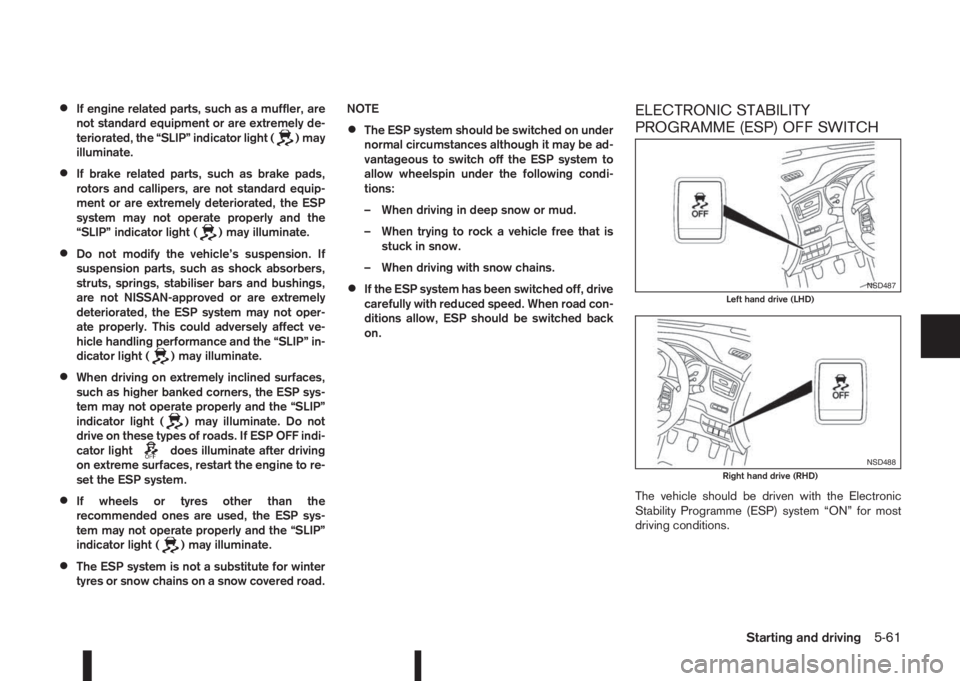
ELECTRONIC STABILITY
PROGRAMME (ESP) OFF SWITCH
The vehicle should be driven with the Electronic
Stability Programme (ESP) system “ON” for most
driving conditions.
NSD487Left hand drive (LHD)
NSD488Right hand drive (RHD)
Starting and driving5-61
Page 238 of 338
If the vehicle is stuck in mud or snow, the ESP sys-
tem reduces the engine output to decrease wheel
spin. The engine speed will be reduced even if the
accelerator is depressed to the floor. If maximum
engine power is needed to free a stuck vehicle, turn
the ESP system off.
To turn off the ESP system, push the ESP OFF
switch. The ESP OFF indicator light (
) will
come on.
NOTE
The ESP system cannot be switched off when
the ESP system is operating and the “SLIP” indi-
cator light (
) is blinking.
Push the ESP OFF switch again, or restart the en-
gine, to turn the system ON. See “Electronic Stabil-
ity Programme (ESP) system (where fitted)” earlier
in this section for operational details.The chassis control is an electric control module
that includes the following functions:
•Active Trace Control
•Active Engine Brake
•Active Ride Control
ACTIVE TRACE CONTROL
WARNING
The active trace control may not be effective de-
pending on the driving condition. Always drive
carefully and attentively.
This system senses driving based on the driver’s
steering and acceleration/braking patterns, and con-
trols brake pressure at individual wheels to aid trac-
ing at corners and help smooth vehicle response.
The Active trace control system is switched ON
(enabled) or OFF (disabled) through the Vehicle In-
formation Display. See “[Driver assistance]” in the
“2. Instruments and controls” section for more infor-
mation.
When the Electronic Stability Programme (ESP)
OFF switch is used to turn off the ESP system, the
active trace control is also turned off.
CHASSIS CONTROL
5-62Starting and driving
Page 240 of 338
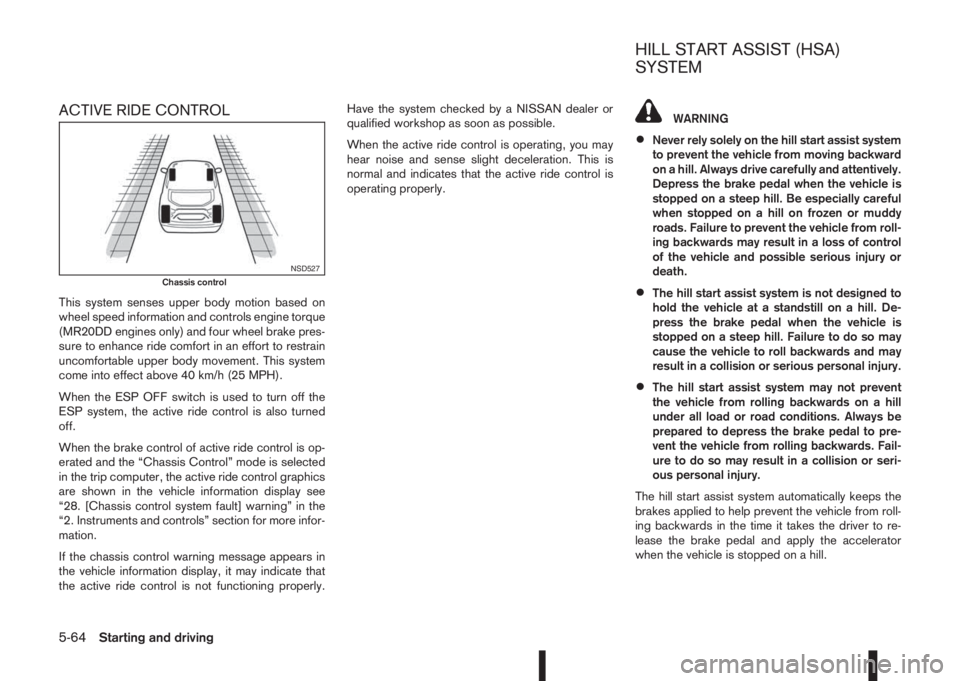
ACTIVE RIDE CONTROL
This system senses upper body motion based on
wheel speed information and controls engine torque
(MR20DD engines only) and four wheel brake pres-
sure to enhance ride comfort in an effort to restrain
uncomfortable upper body movement. This system
come into effect above 40 km/h (25 MPH).
When the ESP OFF switch is used to turn off the
ESP system, the active ride control is also turned
off.
When the brake control of active ride control is op-
erated and the “Chassis Control” mode is selected
in the trip computer, the active ride control graphics
are shown in the vehicle information display see
“28. [Chassis control system fault] warning” in the
“2. Instruments and controls” section for more infor-
mation.
If the chassis control warning message appears in
the vehicle information display, it may indicate that
the active ride control is not functioning properly.Have the system checked by a NISSAN dealer or
qualified workshop as soon as possible.
When the active ride control is operating, you may
hear noise and sense slight deceleration. This is
normal and indicates that the active ride control is
operating properly.
WARNING
•Never rely solely on the hill start assist system
to prevent the vehicle from moving backward
on a hill. Always drive carefully and attentively.
Depress the brake pedal when the vehicle is
stopped on a steep hill. Be especially careful
when stopped on a hill on frozen or muddy
roads. Failure to prevent the vehicle from roll-
ing backwards may result in a loss of control
of the vehicle and possible serious injury or
death.
•The hill start assist system is not designed to
hold the vehicle at a standstill on a hill. De-
press the brake pedal when the vehicle is
stopped on a steep hill. Failure to do so may
cause the vehicle to roll backwards and may
result in a collision or serious personal injury.
•The hill start assist system may not prevent
the vehicle from rolling backwards on a hill
under all load or road conditions. Always be
prepared to depress the brake pedal to pre-
vent the vehicle from rolling backwards. Fail-
ure to do so may result in a collision or seri-
ous personal injury.
The hill start assist system automatically keeps the
brakes applied to help prevent the vehicle from roll-
ing backwards in the time it takes the driver to re-
lease the brake pedal and apply the accelerator
when the vehicle is stopped on a hill.
NSD527Chassis control
HILL START ASSIST (HSA)
SYSTEM
5-64Starting and driving
Page 241 of 338
The hill start assist system will operate automatically
under the following conditions:
•The shift lever is shifted into a forward (vehicle
facing uphill) or reverse gear (vehicle facing
downhill).
•The vehicle is stopped completely on a hill by
applying the foot brake.
•The slope is greater than 3 degrees.
The maximum holding time is 2 seconds. After 2
seconds the vehicle will begin to roll back and the
hill start assist system will stop operating completely.
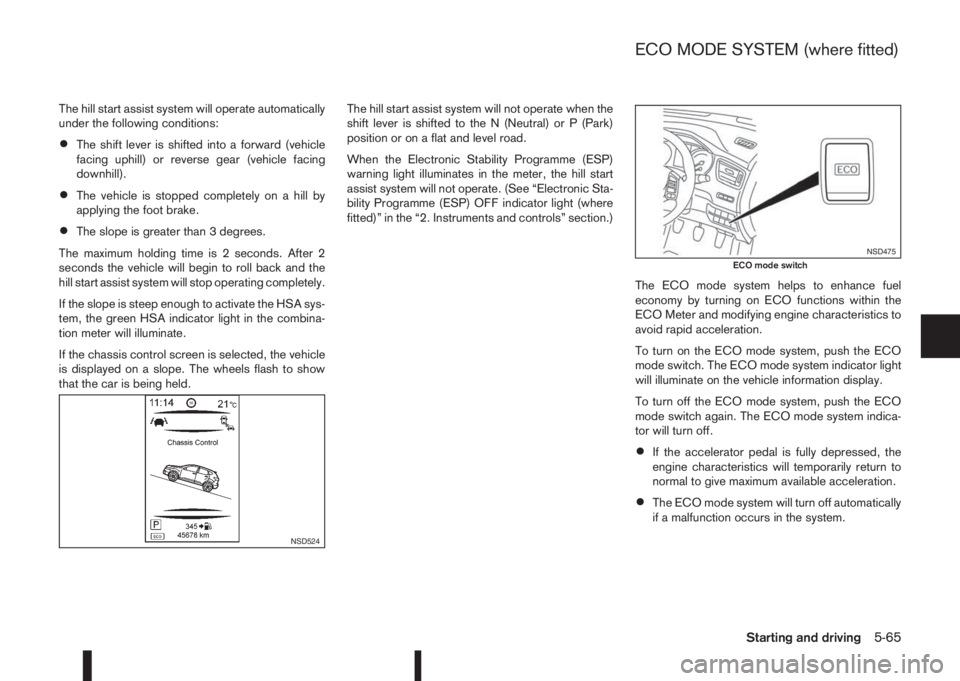
If the slope is steep enough to activate the HSA sys-
tem, the green HSA indicator light in the combina-
tion meter will illuminate.
If the chassis control screen is selected, the vehicle
is displayed on a slope. The wheels flash to show
that the car is being held.The hill start assist system will not operate when the
shift lever is shifted to the N (Neutral) or P (Park)
position or on a flat and level road.
When the Electronic Stability Programme (ESP)
warning light illuminates in the meter, the hill start
assist system will not operate. (See “Electronic Sta-
bility Programme (ESP) OFF indicator light (where
fitted)” in the “2. Instruments and controls” section.)
The ECO mode system helps to enhance fuel
economy by turning on ECO functions within the
ECO Meter and modifying engine characteristics to
avoid rapid acceleration.
To turn on the ECO mode system, push the ECO
mode switch. The ECO mode system indicator light
will illuminate on the vehicle information display.
To turn off the ECO mode system, push the ECO
mode switch again. The ECO mode system indica-
tor will turn off.
•If the accelerator pedal is fully depressed, the
engine characteristics will temporarily return to
normal to give maximum available acceleration.
•The ECO mode system will turn off automatically
if a malfunction occurs in the system.
NSD524
NSD475ECO mode switch
ECO MODE SYSTEM (where fitted)
Starting and driving5-65
Page 242 of 338
•Turn off the ECO mode system when accelera-
tion is required, such as when:
– driving with a heavy load of passengers or
cargo in the vehicle
– driving on a steep uphill slopeWARNING
•Whatever the conditions, drive with caution.
Accelerate and decelerate with great care. If
accelerating or decelerating too fast, the drive
wheels will lose even more traction.
•Allow more stopping distance in cold weather
driving. Braking should be started sooner than
on dry surfaces.
•Keep at a greater distance from the vehicle in
front of you on slippery roads.
•Wet ice (0°C, 32°F and freezing rain), very cold
snow and ice can be slick and very difficult to
drive on. The vehicle will have a lot less trac-
tion or grip under these conditions. Try to
avoid driving on wet ice until the road is salted
or sanded.
•Watch for slippery spots (black ice). These
may appear on an otherwise clear road in
shaded areas. If a patch of ice is seen ahead,
brake before driving on it. Try not to brake
while actually on the ice and avoid any sud-
den steering manoeuvres.
•Do not use cruise control (where fitted) on
slippery roads.
•Snow can trap dangerous exhaust gas under
your vehicle. Keep snow clear of the exhaust
pipe and from around your vehicle.
BATTERY
If the battery is not fully charged during extremely
cold weather conditions, the battery fluid may freeze
and damage the battery. To maintain maximum effi-
ciency, the battery should be checked regularly. For
details, see “Battery” in the “8. Maintenance and
do-it-yourself” section.
ENGINE COOLANT
If the vehicle is to be left outside without anti-freeze,
drain the cooling system. Refill before operating the
vehicle. For details, see “Engine cooling system” in
the “8. Maintenance and do-it-yourself” section.
TYRE EQUIPMENT
1) The SUMMER tyres are of a tread design to pro-
vide superior performance on dry surfaces. How-
ever, the performance of these tyres will be sub-
stantially reduced in snowy and icy conditions. If
you operate your vehicle on snowy or icy roads,
NISSAN recommends the use of MUD & SNOW
or ALL SEASON tyres on all four wheels. Please
consult a NISSAN dealer or qualified workshop
for tyre type, size, speed rating and availability
information.
2) For additional traction on icy roads, studded
tyres may be used. However, some countries,
provinces and states prohibit their use. Check
applicable laws before installing studded tyres.
COLD WEATHER DRIVING
5-66Starting and driving
Page 245 of 338
6In case of emergencyIn case of emergency
Hazard warning flasher switch ................................. 6-2
Spare tyre................................................................ 6-2
Temporary-use spare tyre (where fitted) .............. 6-2
Conventional spare tyre (where fitted) ................. 6-2
Flat tyre ................................................................... 6-3
Stopping the vehicle ........................................... 6-3
Changing flat tyre (Models with spare wheel,
where fitted) ....................................................... 6-3
Tyre Pressure Monitoring System (TPMS)
(where fitted) ...................................................... 6-7
Repairing flat tyre (Models with emergency
tyre puncture repair kit) ....................................... 6-8Jump-starting ........................................................... 6-11
Push-starting ........................................................... 6-13
Engine overheat ....................................................... 6-13
Tow truck towing ..................................................... 6-14
Towing precautions ............................................ 6-14
Recommended towing for two-wheel drive
(2WD) models .................................................... 6-15
Recommended towing for four-wheel drive
(4WD) models .................................................... 6-15
Towing eye ......................................................... 6-16
Freeing the vehicle from sand, snow or mud ....... 6-16
Page 246 of 338
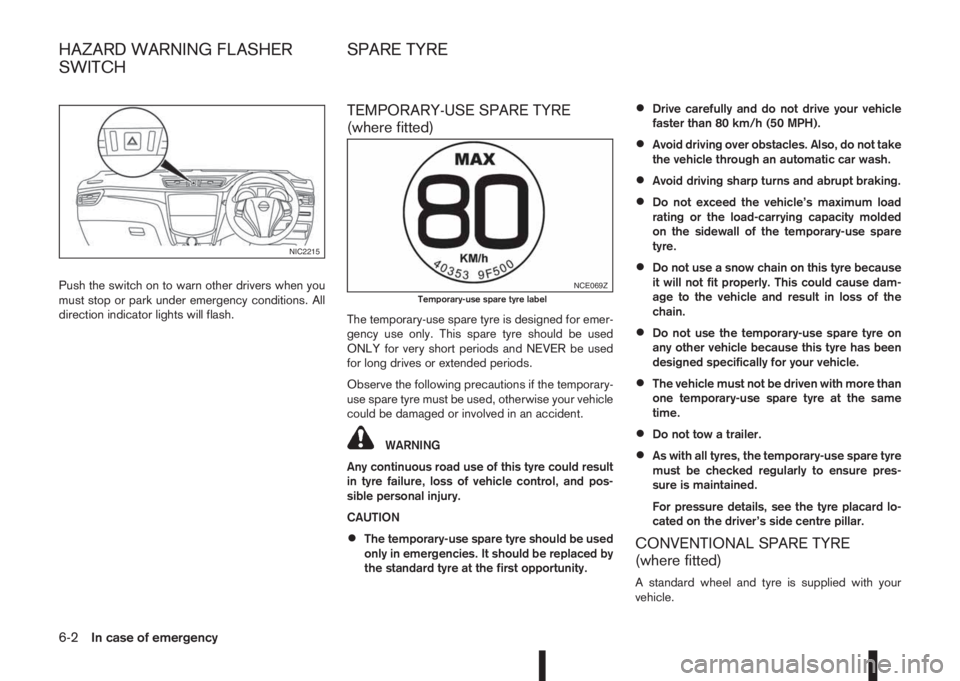
Push the switch on to warn other drivers when you
must stop or park under emergency conditions. All
direction indicator lights will flash.
TEMPORARY-USE SPARE TYRE
(where fitted)
The temporary-use spare tyre is designed for emer-
gency use only. This spare tyre should be used
ONLY for very short periods and NEVER be used
for long drives or extended periods.
Observe the following precautions if the temporary-
use spare tyre must be used, otherwise your vehicle
could be damaged or involved in an accident.
WARNING
Any continuous road use of this tyre could result
in tyre failure, loss of vehicle control, and pos-
sible personal injury.
CAUTION
•The temporary-use spare tyre should be used
only in emergencies. It should be replaced by
the standard tyre at the first opportunity.
•Drive carefully and do not drive your vehicle
faster than 80 km/h (50 MPH).
•Avoid driving over obstacles. Also, do not take
the vehicle through an automatic car wash.
•Avoid driving sharp turns and abrupt braking.
•Do not exceed the vehicle’s maximum load
rating or the load-carrying capacity molded
on the sidewall of the temporary-use spare
tyre.
•Do not use a snow chain on this tyre because
it will not fit properly. This could cause dam-
age to the vehicle and result in loss of the
chain.
•Do not use the temporary-use spare tyre on
any other vehicle because this tyre has been
designed specifically for your vehicle.
•The vehicle must not be driven with more than
one temporary-use spare tyre at the same
time.
•Do not tow a trailer.
•As with all tyres, the temporary-use spare tyre
must be checked regularly to ensure pres-
sure is maintained.
For pressure details, see the tyre placard lo-
cated on the driver’s side centre pillar.
CONVENTIONAL SPARE TYRE
(where fitted)
A standard wheel and tyre is supplied with your
vehicle.
NIC2215
NCE069ZTemporary-use spare tyre label
HAZARD WARNING FLASHER
SWITCHSPARE TYRE
6-2In case of emergency
Page 247 of 338
In case of a flat tyre, follow the instructions as de-
scribed below:
STOPPING THE VEHICLE
WARNING
•Make sure that the parking brake is securely
applied.
•For Manual Transmission (MT) models: Make
sure the shift lever is in the R (Reverse) posi-
tion.
For XTRONIC models: Make sure that the shift
lever is in the P (Park) position.
•Never change tyres when the vehicle is on a
slope, ice or a slippery area. This is hazard-
ous.
•Never change tyres if oncoming traffic is close
to your vehicle. Wait for professional road as-
sistance.
1. Safely move the vehicle off the road, away from
traffic.
2. Switch on the hazard warning flashers.
3. Park on a level surface.
4. Apply the parking brake.
5. Shift the shift lever (MT models) into the R (Re-
verse) position [XTRONIC models, move the shift
lever to the P (Park) position].
6. Turn off the engine.7. Open the bonnet (for details, see “Bonnet
release” in the “3. Pre-driving checks and
adjustments” section) in order to:
•Warn other traffic.
•Signal to professional road assistance that
you require assistance.
8. Have all passengers exit the vehicle and stand in
a safe place, away from traffic and clear of the
vehicle.
CHANGING FLAT TYRE (Models with
spare wheel, where fitted)
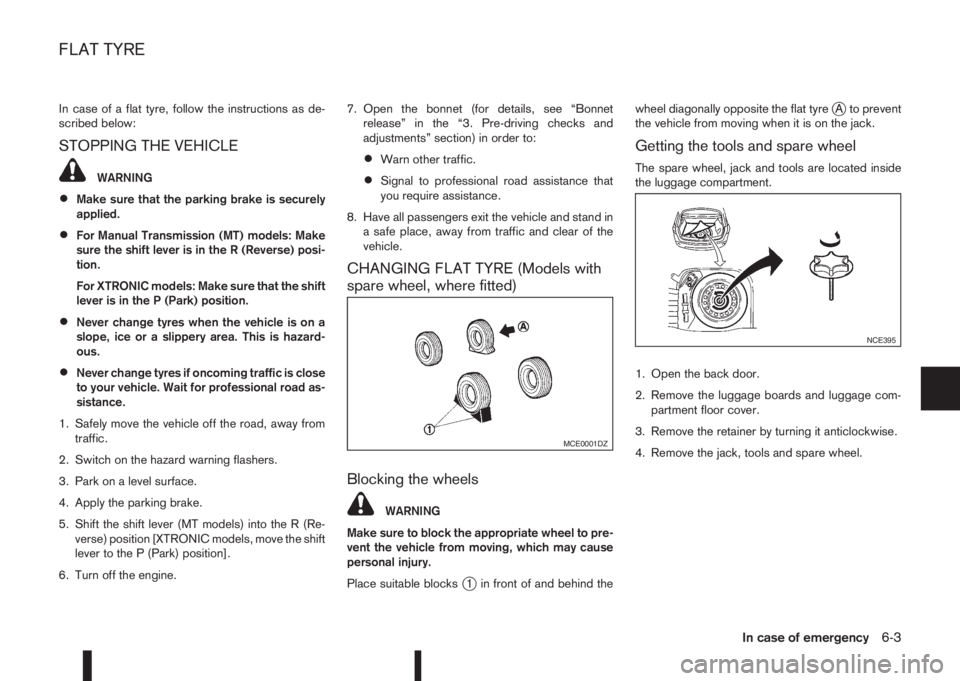
Blocking the wheels
WARNING
Make sure to block the appropriate wheel to pre-
vent the vehicle from moving, which may cause
personal injury.
Place suitable blocks
j1 in front of and behind thewheel diagonally opposite the flat tyre
jA to prevent
the vehicle from moving when it is on the jack.
Getting the tools and spare wheel
The spare wheel, jack and tools are located inside
the luggage compartment.
1. Open the back door.
2. Remove the luggage boards and luggage com-
partment floor cover.
3. Remove the retainer by turning it anticlockwise.
4. Remove the jack, tools and spare wheel.
MCE0001DZ
NCE395
FLAT TYRE
In case of emergency6-3