brake sensor NISSAN QASHQAI 2016 Owner´s Manual
[x] Cancel search | Manufacturer: NISSAN, Model Year: 2016, Model line: QASHQAI, Model: NISSAN QASHQAI 2016Pages: 338, PDF Size: 4.87 MB
Page 12 of 338
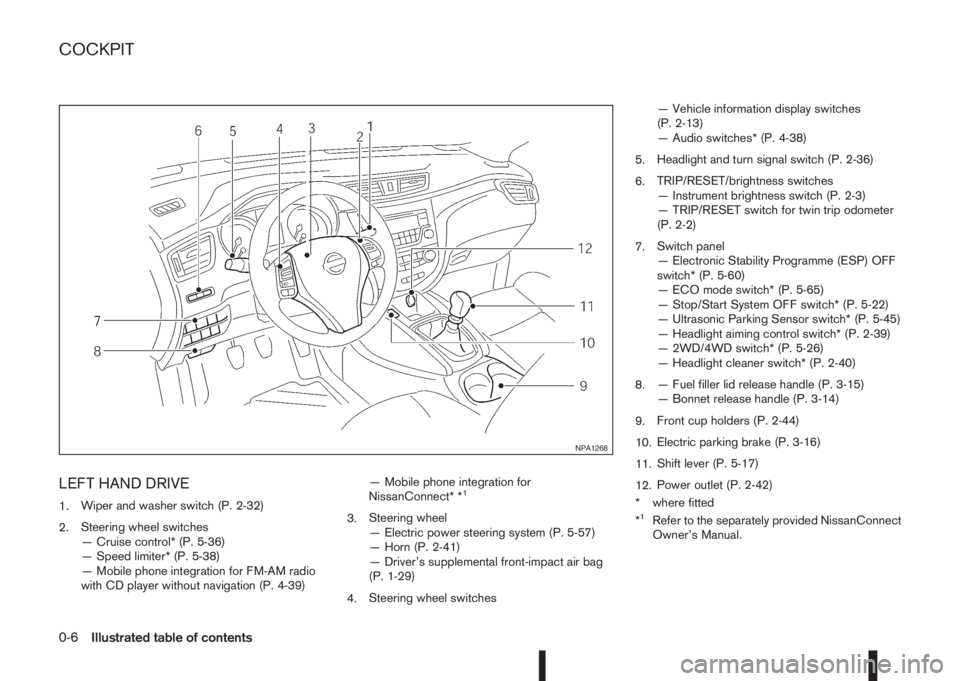
LEFT HAND DRIVE
1.Wiper and washer switch (P. 2-32)
2.Steering wheel switches
— Cruise control* (P. 5-36)
— Speed limiter* (P. 5-38)
— Mobile phone integration for FM-AM radio
with CD player without navigation (P. 4-39)— Mobile phone integration for
NissanConnect* *1
3.Steering wheel
— Electric power steering system (P. 5-57)
— Horn (P. 2-41)
— Driver’s supplemental front-impact air bag
(P. 1-29)
4.Steering wheel switches— Vehicle information display switches
(P. 2-13)
— Audio switches* (P. 4-38)
5.Headlight and turn signal switch (P. 2-36)
6.TRIP/RESET/brightness switches
— Instrument brightness switch (P. 2-3)
— TRIP/RESET switch for twin trip odometer
(P. 2-2)
7.Switch panel
— Electronic Stability Programme (ESP) OFF
switch* (P. 5-60)
— ECO mode switch* (P. 5-65)
— Stop/Start System OFF switch* (P. 5-22)
— Ultrasonic Parking Sensor switch* (P. 5-45)
— Headlight aiming control switch* (P. 2-39)
— 2WD/4WD switch* (P. 5-26)
— Headlight cleaner switch* (P. 2-40)
8.— Fuel filler lid release handle (P. 3-15)
— Bonnet release handle (P. 3-14)
9.Front cup holders (P. 2-44)
10.Electric parking brake (P. 3-16)
11.Shift lever (P. 5-17)
12.Power outlet (P. 2-42)
* where fitted
*1Refer to the separately provided NissanConnect
Owner’s Manual.
NPA1268
COCKPIT
0-6Illustrated table of contents
Page 13 of 338
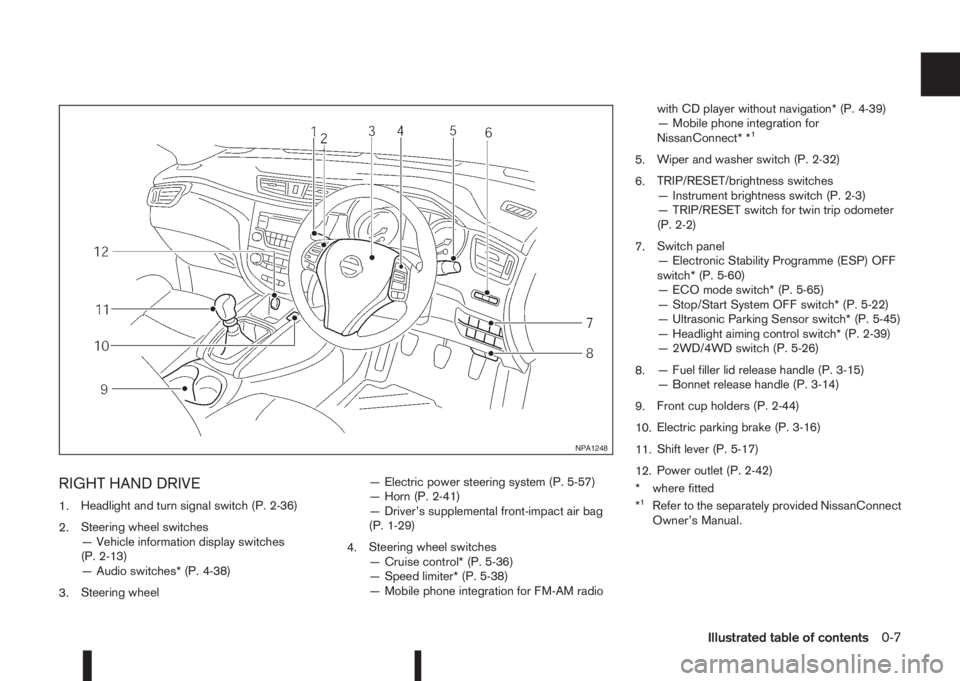
RIGHT HAND DRIVE
1.Headlight and turn signal switch (P. 2-36)
2.Steering wheel switches
— Vehicle information display switches
(P. 2-13)
— Audio switches* (P. 4-38)
3.Steering wheel— Electric power steering system (P. 5-57)
— Horn (P. 2-41)
— Driver’s supplemental front-impact air bag
(P. 1-29)
4.Steering wheel switches
— Cruise control* (P. 5-36)
— Speed limiter* (P. 5-38)
— Mobile phone integration for FM-AM radiowith CD player without navigation* (P. 4-39)
— Mobile phone integration for
NissanConnect* *
1
5.Wiper and washer switch (P. 2-32)
6.TRIP/RESET/brightness switches
— Instrument brightness switch (P. 2-3)
— TRIP/RESET switch for twin trip odometer
(P. 2-2)
7.Switch panel
— Electronic Stability Programme (ESP) OFF
switch* (P. 5-60)
— ECO mode switch* (P. 5-65)
— Stop/Start System OFF switch* (P. 5-22)
— Ultrasonic Parking Sensor switch* (P. 5-45)
— Headlight aiming control switch* (P. 2-39)
— 2WD/4WD switch (P. 5-26)
8.— Fuel filler lid release handle (P. 3-15)
— Bonnet release handle (P. 3-14)
9.Front cup holders (P. 2-44)
10.Electric parking brake (P. 3-16)
11.Shift lever (P. 5-17)
12.Power outlet (P. 2-42)
* where fitted
*
1Refer to the separately provided NissanConnect
Owner’s Manual.
NPA1248
Illustrated table of contents0-7
Page 87 of 338
For more details, see “Blind Spot Warning (BSW)
system (where fitted)” in the “5. Starting and driving”
section, “Lane Departure Warning (LDW) system
(where fitted)” in the “5. Starting and driving” sec-
tion, and/or “Forward emergency braking system
(where fitted)” in the “5. Starting and driving” sec-
tion.
8. [Tyre pressures] (where fitted)
The tyre pressure mode shows the pressure of all
four tyres. The displayed values are only available
while the vehicle is being driven.
When the [Low Tyre Pressure] warning appears,
the display can be switched to the tyre pressure
mode by pushing the ENTER switch to reveal addi-
tional details on the displayed warning.
9. [Chassis control]
When either the Active Trace Control (where fitted),
Active Engine Brake (where fitted), Hill start Assist
(where fitted) or the Active Ride Control system is
operated, it shows the operating condition. See
“Chassis control” in the “5. Starting and driving”
section and “Hill Start Assist (HSA) system” in the
“5. Starting and driving” section for more details.
10. [Stop/Start] system (where fitted)
The Stop/Start system mode shows the CO2 sav-
ings and the engine stop time. (See “Stop/Start Sys-
tem (where fitted)” in the “5. Starting and driving”
section.)[Trip CO2 saving] and engine stop time:
The trip CO2 saving and engine stop time mode
shows the CO2 saving and engine stop time since
the last reset.
The CO2 saving and engine stop time can be reset
by pushing the ENTER switch for longer than 1 sec-
ond.
[Total CO2 saving] and engine stop time:
The total CO2 saving and engine stop time mode
shows:
•The estimated CO2 exhaust emissions
prevented.
•The engine stop time that the engine has been
stopped by the Stop/Start System.
NOTE
The Total CO2 saving and engine stop time val-
ues cannot be reset and show accumulated
Stop/Start System information since the vehicle
was built.
11. Warning check
The current warnings are displayed. If no warning is
present, “No Warnings” is displayed.
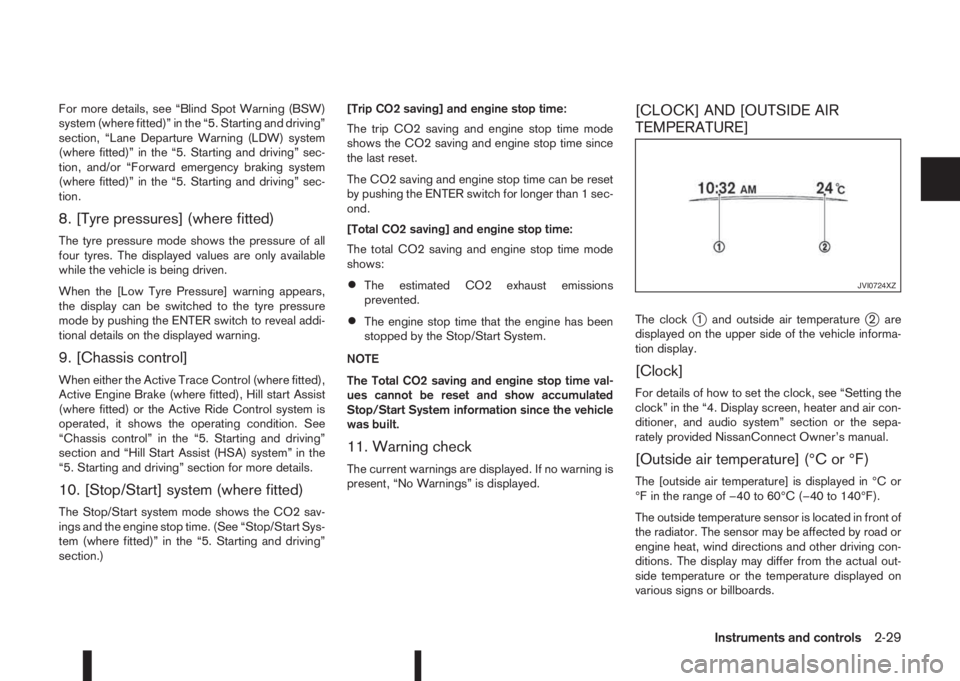
[CLOCK] AND [OUTSIDE AIR
TEMPERATURE]
The clockj1 and outside air temperaturej2 are
displayed on the upper side of the vehicle informa-
tion display.
[Clock]
For details of how to set the clock, see “Setting the
clock” in the “4. Display screen, heater and air con-
ditioner, and audio system” section or the sepa-
rately provided NissanConnect Owner’s manual.
[Outside air temperature] (°C or °F)
The [outside air temperature] is displayed in °C or
°F in the range of −40 to 60°C (−40 to 140°F).
The outside temperature sensor is located in front of
the radiator. The sensor may be affected by road or
engine heat, wind directions and other driving con-
ditions. The display may differ from the actual out-
side temperature or the temperature displayed on
various signs or billboards.
JVI0724XZ
Instruments and controls2-29
Page 177 of 338
Lane Departure Warning (LDW) system (where
fitted) ....................................................................... 5-33
LDW system operation ....................................... 5-34
LDW temporary disabled status .......................... 5-35
LDW automatic deactivation ............................... 5-35
LDW malfunction ................................................ 5-35
Multi-sensing camera unit maintenance ............... 5-35
Cruise control (where fitted) .................................... 5-36
Precautions on cruise control .............................. 5-36
Cruise control system operations ........................ 5-37
Speed limiter (where fitted) ...................................... 5-38
Speed limiter operations ..................................... 5-39
Forward emergency braking system (where fitted) ... 5-40
System operation ................................................ 5-41
Parking .................................................................... 5-43
Ultrasonic Parking Sensors (where fitted)................. 5-45
Operation ........................................................... 5-45
Intelligent Parking Assist (IPA) (where fitted) ............ 5-46
Deactivation of the IPA system ............................ 5-47
Parking procedure using the IPA system ............. 5-48
Operating tips..................................................... 5-52
Trailer towing ........................................................... 5-54
Operating precautions ........................................ 5-54
Maximum load limits (for Australia) ...................... 5-55
Tyre pressure ..................................................... 5-55
Safety chains ...................................................... 5-55
Trailer brakes...................................................... 5-55
Trailer detection (where fitted) ............................ 5-56Installation of coupling device (except for
Australia) ............................................................ 5-56
Vehicle security........................................................ 5-57
Electric power steering system ................................ 5-57
Brake system ........................................................... 5-58
Brake precautions .............................................. 5-58
Anti-lock Braking System (ABS)............................... 5-59
Using system ...................................................... 5-59
Self-test feature .................................................. 5-59
Normal operation ................................................ 5-60
Electronic Stability Programme (ESP) system
(where fitted) ........................................................... 5-60
Electronic Stability Programme (ESP) OFF
switch................................................................. 5-61
Chassis control........................................................ 5-62
Active trace control ............................................. 5-62
Active engine brake (for XTRONIC (CVT)
models only) ....................................................... 5-63
Active ride control ............................................... 5-64
Hill Start Assist (HSA) system .................................. 5-64
ECO mode system (where fitted) ............................. 5-65
Cold weather driving................................................ 5-66
Battery ............................................................... 5-66
Engine coolant .................................................... 5-66
Tyre equipment ................................................... 5-66
Special winter equipment.................................... 5-67
Corrosion protection ........................................... 5-67
Page 194 of 338
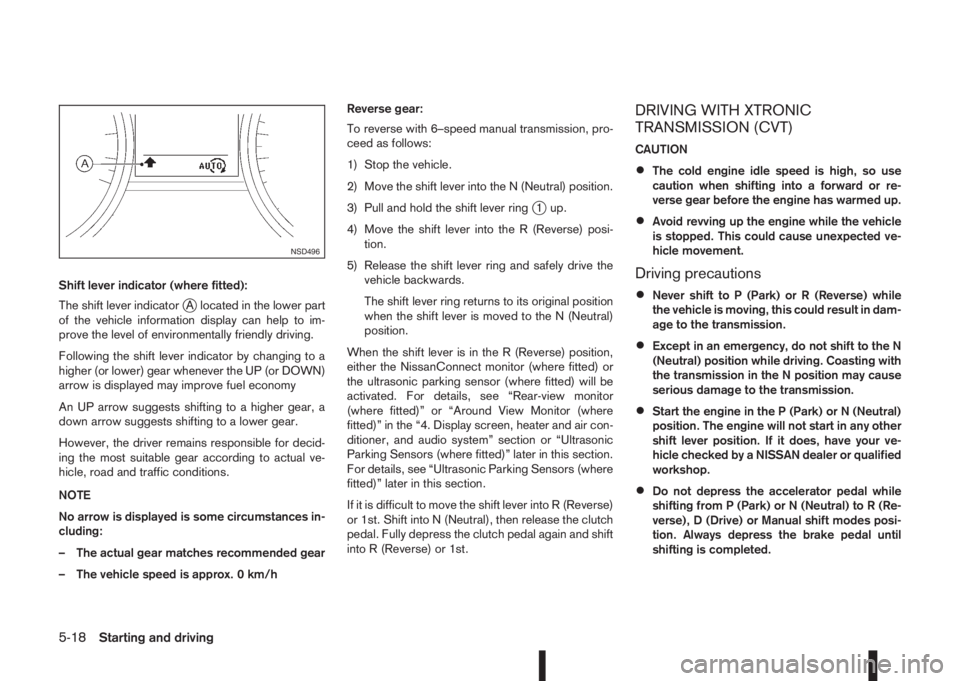
Shift lever indicator (where fitted):
The shift lever indicator
jA located in the lower part
of the vehicle information display can help to im-
prove the level of environmentally friendly driving.
Following the shift lever indicator by changing to a
higher (or lower) gear whenever the UP (or DOWN)
arrow is displayed may improve fuel economy
An UP arrow suggests shifting to a higher gear, a
down arrow suggests shifting to a lower gear.
However, the driver remains responsible for decid-
ing the most suitable gear according to actual ve-
hicle, road and traffic conditions.
NOTE
No arrow is displayed is some circumstances in-
cluding:
– The actual gear matches recommended gear
– The vehicle speed is approx. 0 km/hReverse gear:
To reverse with 6–speed manual transmission, pro-
ceed as follows:
1) Stop the vehicle.
2) Move the shift lever into the N (Neutral) position.
3) Pull and hold the shift lever ring
j1 up.
4) Move the shift lever into the R (Reverse) posi-
tion.
5) Release the shift lever ring and safely drive the
vehicle backwards.
The shift lever ring returns to its original position
when the shift lever is moved to the N (Neutral)
position.
When the shift lever is in the R (Reverse) position,
either the NissanConnect monitor (where fitted) or
the ultrasonic parking sensor (where fitted) will be
activated. For details, see “Rear-view monitor
(where fitted)” or “Around View Monitor (where
fitted)” in the “4. Display screen, heater and air con-
ditioner, and audio system” section or “Ultrasonic
Parking Sensors (where fitted)” later in this section.
For details, see “Ultrasonic Parking Sensors (where
fitted)” later in this section.
If it is difficult to move the shift lever into R (Reverse)
or 1st. Shift into N (Neutral), then release the clutch
pedal. Fully depress the clutch pedal again and shift
into R (Reverse) or 1st.
DRIVING WITH XTRONIC
TRANSMISSION (CVT)
CAUTION
•The cold engine idle speed is high, so use
caution when shifting into a forward or re-
verse gear before the engine has warmed up.
•Avoid revving up the engine while the vehicle
is stopped. This could cause unexpected ve-
hicle movement.
Driving precautions
•Never shift to P (Park) or R (Reverse) while
the vehicle is moving, this could result in dam-
age to the transmission.
•Except in an emergency, do not shift to the N
(Neutral) position while driving. Coasting with
the transmission in the N position may cause
serious damage to the transmission.
•Start the engine in the P (Park) or N (Neutral)
position. The engine will not start in any other
shift lever position. If it does, have your ve-
hicle checked by a NISSAN dealer or qualified
workshop.
•Do not depress the accelerator pedal while
shifting from P (Park) or N (Neutral) to R (Re-
verse), D (Drive) or Manual shift modes posi-
tion. Always depress the brake pedal until
shifting is completed.
NSD496
5-18Starting and driving
Page 196 of 338
P (Park):
Use this position when the vehicle is parked or when
starting the engine. Always make sure that the ve-
hicle is completely stopped before moving the shift
lever into the P (Park) position. For maximum safety,
the footbrake pedal must be depressed before mov-
ing the shift lever into the P (Park) position. Use this
position together with the parking brake. When park-
ing on a hill, first depress the footbrake pedal, apply
the parking brake and then shift into the P (Park)
position.
R (Reverse):
CAUTION
Shift into this position only after the vehicle has
completely stopped.
Use this position to reverse the vehicle.
When the shift lever is in the R (Reverse) position,
either the NissanConnect monitor (where fitted) or
the ultrasonic parking sensor (where fitted) will be
activated. For details, see “Rear-view monitor
(where fitted)” or “Around View Monitor (where
fitted)” in the “4. Display screen, heater and air con-
ditioner, and audio system” section or “Ultrasonic
Parking Sensors (where fitted)” later in this section.
N (Neutral):
Neither forward nor reverse gear is engaged. The
engine can be started in this position. You may shift
to N and restart a stalled engine while driving the
vehicle.D (Drive):
Use this position for all normal forward driving.
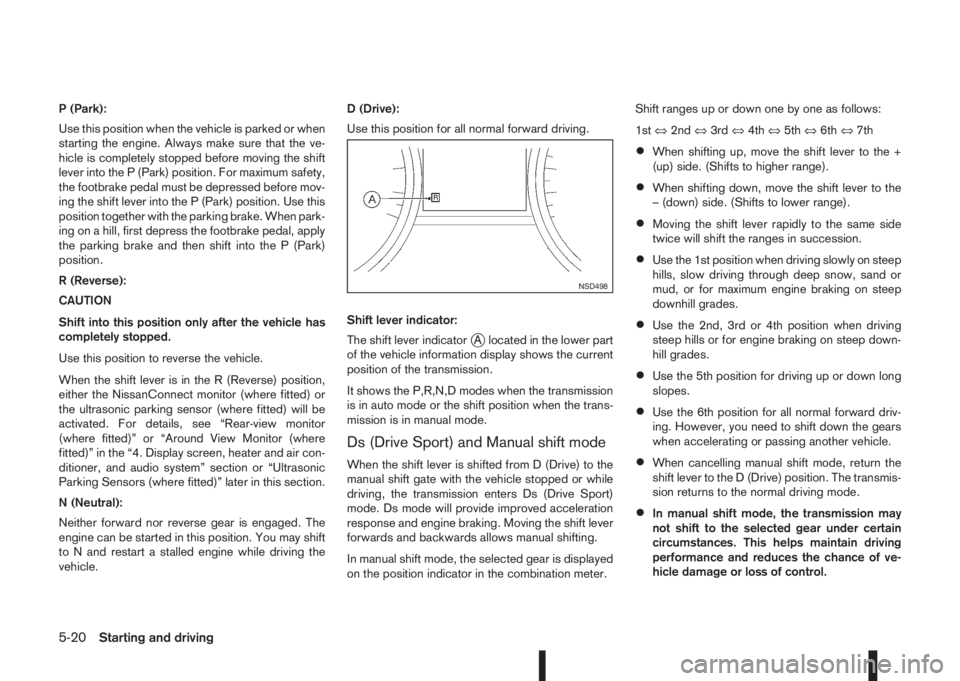
Shift lever indicator:
The shift lever indicator
jA located in the lower part
of the vehicle information display shows the current
position of the transmission.
It shows the P,R,N,D modes when the transmission
is in auto mode or the shift position when the trans-
mission is in manual mode.
Ds (Drive Sport) and Manual shift mode
When the shift lever is shifted from D (Drive) to the
manual shift gate with the vehicle stopped or while
driving, the transmission enters Ds (Drive Sport)
mode. Ds mode will provide improved acceleration
response and engine braking. Moving the shift lever
forwards and backwards allows manual shifting.
In manual shift mode, the selected gear is displayed
on the position indicator in the combination meter.Shift ranges up or down one by one as follows:
1st⇔2nd⇔3rd⇔4th⇔5th⇔6th⇔7th
•When shifting up, move the shift lever to the +
(up) side. (Shifts to higher range).
•When shifting down, move the shift lever to the
– (down) side. (Shifts to lower range).
•Moving the shift lever rapidly to the same side
twice will shift the ranges in succession.
•Use the 1st position when driving slowly on steep
hills, slow driving through deep snow, sand or
mud, or for maximum engine braking on steep
downhill grades.
•Use the 2nd, 3rd or 4th position when driving
steep hills or for engine braking on steep down-
hill grades.
•Use the 5th position for driving up or down long
slopes.
•Use the 6th position for all normal forward driv-
ing. However, you need to shift down the gears
when accelerating or passing another vehicle.
•When cancelling manual shift mode, return the
shift lever to the D (Drive) position. The transmis-
sion returns to the normal driving mode.
•In manual shift mode, the transmission may
not shift to the selected gear under certain
circumstances. This helps maintain driving
performance and reduces the chance of ve-
hicle damage or loss of control.
NSD498
5-20Starting and driving
Page 217 of 338
SYSTEM OPERATION
The forward emergency braking system will func-
tion when your vehicle is driven at speeds above
approximately 5 km/h (3 MPH).
If a risk of a forward collision is detected, the for-
ward emergency braking system will provide the
first warning to the driver by flashing the forward
collision warning light (orange) and providing an au-
dible warning.
If the driver applies the brakes quickly and forcefully
after the warning, and the forward emergency brak-
ing system detects that there is still the possibility of
a forward collision, the system will automatically in-
crease the braking force.
If the driver does not take action, the forward emer-
gency braking system issues the second visual
warning (red) and audible warning. If the driver re-
leases the accelerator pedal, then the system ap-
plies partial braking
If the risk of a collision becomes imminent, the for-
ward emergency braking system applies harder
braking automatically.
NOTE
The vehicle’s brake lights come on when braking
is performed by the forward emergency braking
system.
Depending on vehicle speed and distance to the
vehicle ahead, as well as driving and roadway con-
ditions, the system may help the driver avoid a for-ward collision or may help mitigate the
consequences if a collision should one be unavoid-
able.
If the driver is handling the steering wheel, acceler-
ating or braking, the forward emergency braking
system will function later or will not function.
The automatic braking will cease under the follow-
ing conditions:
•When the steering wheel is turned as far as nec-
essary to avoid a collision.
•When the accelerator pedal is depressed.
•When there is no longer a vehicle detected
ahead.
If the forward emergency braking system has
stopped the vehicle, the vehicle will remain at a
standstill for approximately 2 seconds before the
brakes are released.
WARNING
•The radar sensor does not detect the follow-
ing objects:
– Pedestrians, animals or obstacles in the
roadway
– Oncoming vehicles
– Crossing vehicles
•The radar sensor has some performance limi-
tations. If a stationary vehicle is in the vehi-
cle’s path, the forward emergency brakingsystem will not function when the vehicle is
driven at speeds over approximately 45 MPH
(70 km/h).
•The radar sensor may not detect a vehicle
ahead in the following conditions:
– Dirt, ice, snow or other material covering
the radar sensor.
– Interference by other radar sources.
– Snow or road spray from travelling
vehicles.
– If the vehicle ahead is narrow (e.g. motor-
cycle).
– When driving on a steep downhill slope or
roads with sharp curves.
– When towing a trailer.
•In some road or traffic conditions, the forward
emergency braking system may unexpectedly
apply partial braking. When acceleration is
necessary, continue to depress the accelera-
tor pedal to override the system.
•Braking distances increase on slippery sur-
faces.
•Excessive noise will interfere with the warn-
ing chime sound, and the chime may not be
heard.
•The system is designed to automatically
check the sensor’s functionality, within cer-
tain limitations. The system may not detect
some forms of obstruction of the sensor area
Starting and driving5-41
Page 218 of 338
of the front bumper such as ice, snow, stick-
ers, for example. In these cases, the system
may not be able to warn the driver properly.
Be sure that you check, clean and clear the
sensor area of the front bumper regularly
Turning the forward emergency braking
system ON/OFF
Perform the following steps to turn the forward
emergency braking system ON or OFF.
1. Using the
orswitches and the ENTER but-
ton on the left side of the steering wheel, select
the Settings menu in the vehicle information dis-
play. (See “Settings” in the “2. Instruments and
controls” section
2. Using the
orswitches and the ENTER but-
ton, navigate to the [Driver Assistance] menu,
followed by the [Driving Aids] menu.
3. In the [Driving Aids] menu, highlight the [Emer-
gency Brake] item and use the ENTER button to
toggle between ON (enabled) or OFF (disabled).When the forward emergency braking system is
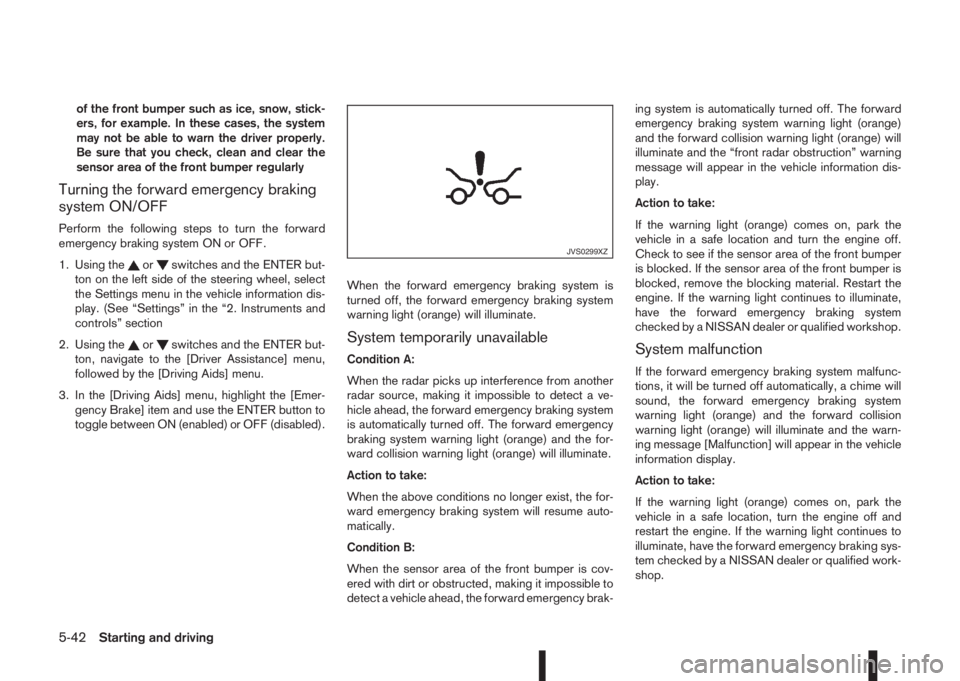
turned off, the forward emergency braking system
warning light (orange) will illuminate.System temporarily unavailable
Condition A:
When the radar picks up interference from another
radar source, making it impossible to detect a ve-
hicle ahead, the forward emergency braking system
is automatically turned off. The forward emergency
braking system warning light (orange) and the for-
ward collision warning light (orange) will illuminate.
Action to take:
When the above conditions no longer exist, the for-
ward emergency braking system will resume auto-
matically.
Condition B:
When the sensor area of the front bumper is cov-
ered with dirt or obstructed, making it impossible to
detect a vehicle ahead, the forward emergency brak-ing system is automatically turned off. The forward
emergency braking system warning light (orange)
and the forward collision warning light (orange) will
illuminate and the “front radar obstruction” warning
message will appear in the vehicle information dis-
play.
Action to take:
If the warning light (orange) comes on, park the
vehicle in a safe location and turn the engine off.
Check to see if the sensor area of the front bumper
is blocked. If the sensor area of the front bumper is
blocked, remove the blocking material. Restart the
engine. If the warning light continues to illuminate,
have the forward emergency braking system
checked by a NISSAN dealer or qualified workshop.System malfunction
If the forward emergency braking system malfunc-
tions, it will be turned off automatically, a chime will
sound, the forward emergency braking system
warning light (orange) and the forward collision
warning light (orange) will illuminate and the warn-
ing message [Malfunction] will appear in the vehicle
information display.
Action to take:
If the warning light (orange) comes on, park the
vehicle in a safe location, turn the engine off and
restart the engine. If the warning light continues to
illuminate, have the forward emergency braking sys-
tem checked by a NISSAN dealer or qualified work-
shop.
JVS0299XZ
5-42Starting and driving
Page 235 of 338
Driving downhill
The engine braking action is effective for controlling
the vehicle while descending hills.
The shift lever (MT models) should be placed in a
gear position low enough to obtain sufficient engine
braking.
For XTRONIC transmission models, a low gear po-
sition in the manual shift mode, low enough to obtain
sufficient engine braking, should be selected.WARNING
•The Anti-lock Braking System (ABS) is a so-
phisticated device, but it cannot prevent acci-
dents resulting from careless or dangerous
driving techniques. It can help maintain ve-
hicle control during braking on slippery sur-
faces. Remember that stopping distances on
slippery surfaces will be longer than on nor-
mal surfaces even with ABS. Stopping dis-
tances may also be longer on rough, gravel or
snow covered roads, or if you are using snow
chains. Always maintain a safe distance from
the vehicle in front of you. Ultimately, the
driver is responsible for safety.
•Tyre type and condition may also affect brak-
ing effectiveness.
– When replacing tyres, install the specified
size of tyres on all four wheels.
– When installing a spare tyre, make sure
that it is the proper size and type as speci-
fied on the tyre placard. (See “Vehicle
identification” in the “9. Technical
information” section.)
– For detailed information, see “Wheels and
tyres” in the “8. Maintenance and
do-it-yourself” section.
The Anti-lock Braking System (ABS) controls the
brakes so the wheels do not lock during hard brak-
ing or when braking on slippery surfaces. The sys-
tem detects the rotation speed at each wheel and
varies the brake fluid pressure to prevent each wheelfrom locking and sliding. By preventing each wheel
from locking, the system helps the driver maintain
steering control and helps to minimise swerving and
spinning on slippery surfaces.
USING SYSTEM
Depress the brake pedal and hold it down. Depress
the brake pedal with firm steady pressure, but do
not pump the brakes. The ABS will operate to pre-
vent the wheels from locking up. Steer the vehicle to
avoid obstacles.
WARNING
Do not pump the brake pedal. Doing so may re-
sult in increased stopping distances.
SELF-TEST FEATURE
The ABS includes electronic sensors, electric
pumps, hydraulic solenoids and a computer. The
computer has a built-in diagnostic feature that tests
the system each time you start the engine and move
the vehicle at a low speed in forward or reverse.
When the self-test occurs, you may hear a “clunk”
noise and/or feel a pulsation in the brake pedal. This
is normal and does not indicate a malfunction. If the
computer senses a malfunction, it switches the ABS
off and illuminates the ABS warning light on the
instrument panel. The brake system then operates
normally, but without anti-lock assistance.
If the ABS warning light illuminates during the self-
test or while driving, have the vehicle checked by a
NISSAN dealer or qualified workshop.
ANTI-LOCK BRAKING SYSTEM
(ABS)
Starting and driving5-59
Page 239 of 338
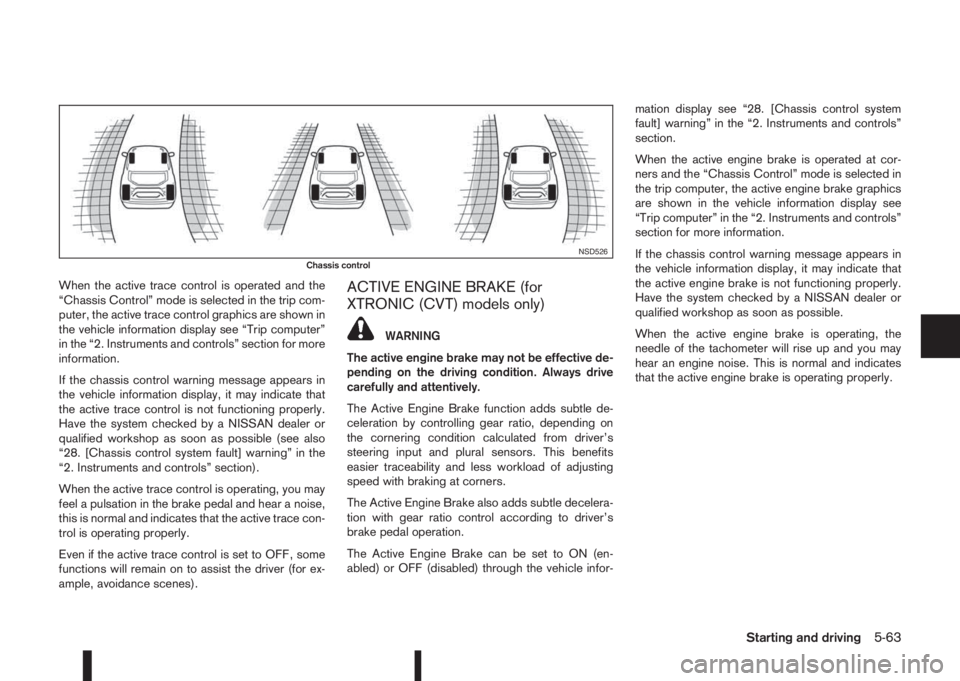
When the active trace control is operated and the
“Chassis Control” mode is selected in the trip com-
puter, the active trace control graphics are shown in
the vehicle information display see “Trip computer”
in the “2. Instruments and controls” section for more
information.
If the chassis control warning message appears in
the vehicle information display, it may indicate that
the active trace control is not functioning properly.
Have the system checked by a NISSAN dealer or
qualified workshop as soon as possible (see also
“28. [Chassis control system fault] warning” in the
“2. Instruments and controls” section).
When the active trace control is operating, you may
feel a pulsation in the brake pedal and hear a noise,
this is normal and indicates that the active trace con-
trol is operating properly.
Even if the active trace control is set to OFF, some
functions will remain on to assist the driver (for ex-
ample, avoidance scenes).ACTIVE ENGINE BRAKE (for
XTRONIC (CVT) models only)
WARNING
The active engine brake may not be effective de-
pending on the driving condition. Always drive
carefully and attentively.
The Active Engine Brake function adds subtle de-
celeration by controlling gear ratio, depending on
the cornering condition calculated from driver’s
steering input and plural sensors. This benefits
easier traceability and less workload of adjusting
speed with braking at corners.
The Active Engine Brake also adds subtle decelera-
tion with gear ratio control according to driver’s
brake pedal operation.
The Active Engine Brake can be set to ON (en-
abled) or OFF (disabled) through the vehicle infor-mation display see “28. [Chassis control system
fault] warning” in the “2. Instruments and controls”
section.
When the active engine brake is operated at cor-
ners and the “Chassis Control” mode is selected in
the trip computer, the active engine brake graphics
are shown in the vehicle information display see
“Trip computer” in the “2. Instruments and controls”
section for more information.
If the chassis control warning message appears in
the vehicle information display, it may indicate that
the active engine brake is not functioning properly.
Have the system checked by a NISSAN dealer or
qualified workshop as soon as possible.
When the active engine brake is operating, the
needle of the tachometer will rise up and you may
hear an engine noise. This is normal and indicates
that the active engine brake is operating properly.
NSD526Chassis control
Starting and driving5-63