buttons NISSAN QASHQAI 2017 Owner´s Manual
[x] Cancel search | Manufacturer: NISSAN, Model Year: 2017, Model line: QASHQAI, Model: NISSAN QASHQAI 2017Pages: 508, PDF Size: 2.68 MB
Page 281 of 508
4-100Heater, air conditioner, audio and phone systems
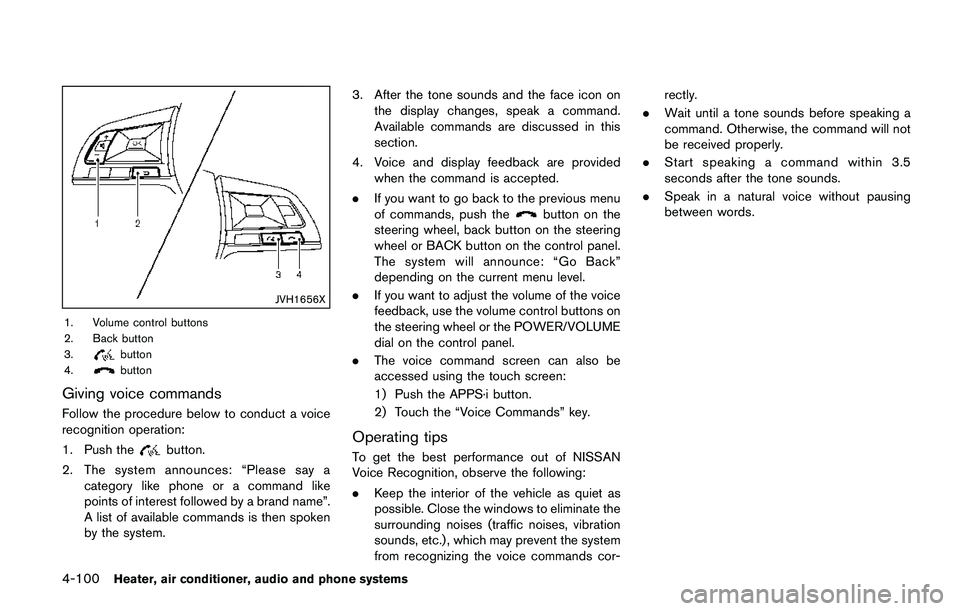
JVH1656X
1. Volume control buttons
2. Back button
3.
button
4.button
Giving voice commands
Follow the procedure below to conduct a voice
recognition operation:
1. Push the
button.
2. The system announces: “Please say a
category like phone or a command like
points of interest followed by a brand name”.
A list of available commands is then spoken
by the system.3. After the tone sounds and the face icon on
the display changes, speak a command.
Available commands are discussed in this
section.
4. Voice and display feedback are provided
when the command is accepted.
.If you want to go back to the previous menu
of commands, push the
button on the
steering wheel, back button on the steering
wheel or BACK button on the control panel.
The system will announce: “Go Back”
depending on the current menu level.
.If you want to adjust the volume of the voice
feedback, use the volume control buttons on
the steering wheel or the POWER/VOLUME
dial on the control panel.
.The voice command screen can also be
accessed using the touch screen:
1) Push the APPS·i button.
2) Touch the “Voice Commands” key.
Operating tips
To get the best performance out of NISSAN
Voice Recognition, observe the following:
.Keep the interior of the vehicle as quiet as
possible. Close the windows to eliminate the
surrounding noises (traffic noises, vibration
sounds, etc.) , which may prevent the system
from recognizing the voice commands cor-rectly.
.Wait until a tone sounds before speaking a
command. Otherwise, the command will not
be received properly.
.Start speaking a command within 3.5
seconds after the tone sounds.
.Speak in a natural voice without pausing
between words.
Page 319 of 508
5-34Starting and driving
3. Use thebuttons to navigate in the menu
and use the “OK” button to select or change
an item:
.Select “Lane” and press the “OK” button.
Use the “OK” button to check/uncheck
the box for “Warning”.
NOTE:
If you disable the LDW system, the system
will remain disabled the next time you start
the vehicle’s engine.
LDW SYSTEM LIMITATIONS
WARNING
Listed below are the system limitations
for the LDW system. Failure to follow
the warnings and instructions for prop-
er use of the LDW system could result in
serious injury or death.
.The system will not operate at
speeds below approximately 37
MPH (60 km/h) or if it cannot detect
lane markers.
.Excessive noise will interfere with
the warning chime sound, and the
chime may not be heard..Do not use the LDW system under
the following conditions as it may
not function properly:
— During bad weather (rain, fog,
snow, etc.) .
— When driving on slippery roads,
such as on ice or snow.
— When driving on winding or
uneven roads.
— When there is a lane closure due
to road repairs.
— When driving in a makeshift or
temporary lane.
— When driving on roads where
the lane width is too narrow.
— When driving without normal
tire conditions (for example, tire
wear, low tire pressure, installa-
tion of spare tire, tire chains,
non-standard wheels) .
— When the vehicle is equipped
with non-original brake parts or
suspension parts.
.The system may not function prop-
erly under the following conditions:— On roads where there are multi-
ple parallel lane markers; lane
markers that are faded or not
painted clearly; yellow painted
lane markers; non-standard lane
markers; or lane markers cov-
ered with water, dirt, snow, etc.
— On roads where discontinued
lane markers are still detect-
able.
— On roads where there are sharp
curves.
— On roads where there are shar-
ply contrasting objects, such as
shadows, snow, water, wheel
ruts, seams or lines remaining
after road repairs. (The LDW
system could detect these items
as lane markers.)
— On roads where the traveling
lane merges or separates.
— When the vehicle’s traveling di-
rection does not align with the
lane marker.
— When traveling close to the
vehicle in front of you, which
obstructs the lane camera unit
Page 329 of 508

5-44Starting and driving
JVS1092X
*1Vehicle information display
*2Steering-wheel-mounted controls (left side)
*3Blind Spot Warning (BSW) switch (for models
without LDP system)
HOW TO ENABLE/DISABLE THE BSW
SYSTEM
Perform the following steps to enable or disablethe BSW system.
1. Press the
button until “Settings”
displays in the vehicle information display
and then press “OK” button. Use the
button to select “Driver Assistance”. Then
press the “OK” button.2. Select “Driving Aids” and press the “OK”
button.
3. Use the
buttons to navigate in the menu
and use the “OK” button to select or change
an item.
.Select “Blind Spot” and press the “OK”
button.
Use the “OK” button to check/uncheck
the box for “Warning.”
For models without LDP system:
To enable the BSW system, push the Blind Spot
Warning (BSW) switch on the instrument panel
after starting the engine.
The BSW ON indicator on the vehicle informa-
tion display will appear. Push the BSW switch
again to disable the BSW system. The BSW ON
indicator on the vehicle information display will
turn off.
NOTE:
The system will retain current settings in
the vehicle information display even if the
engine is restarted.
Page 445 of 508
8-22Do-it-yourself
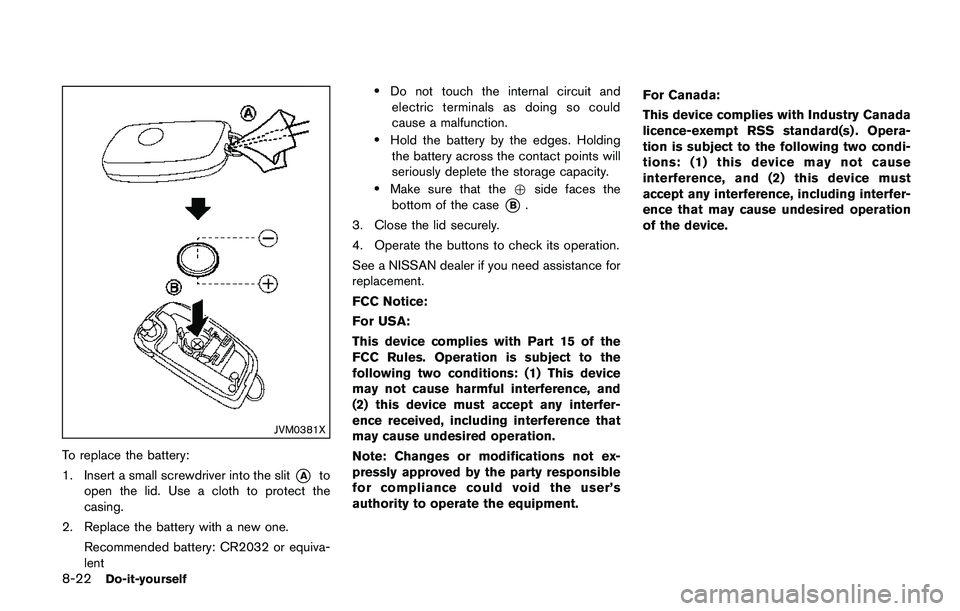
JVM0381X
To replace the battery:
1. Insert a small screwdriver into the slit
*Ato
open the lid. Use a cloth to protect the
casing.
2. Replace the battery with a new one.
Recommended battery: CR2032 or equiva-
lent
.Do not touch the internal circuit and
electric terminals as doing so could
cause a malfunction.
.Hold the battery by the edges. Holding
the battery across the contact points will
seriously deplete the storage capacity.
.Make sure that the+side faces the
bottom of the case
*B.
3. Close the lid securely.
4. Operate the buttons to check its operation.
See a NISSAN dealer if you need assistance for
replacement.
FCC Notice:
For USA:
This device complies with Part 15 of the
FCC Rules. Operation is subject to the
following two conditions: (1) This device
may not cause harmful interference, and
(2) this device must accept any interfer-
ence received, including interference that
may cause undesired operation.
Note: Changes or modifications not ex-
pressly approved by the party responsible
for compliance could void the user’s
authority to operate the equipment.For Canada:
This device complies with Industry Canada
licence-exempt RSS standard(s) . Opera-
tion is subject to the following two condi-
tions: (1) this device may not cause
interference, and (2) this device must
accept any interference, including interfer-
ence that may cause undesired operation
of the device.
Page 447 of 508
8-24Do-it-yourself
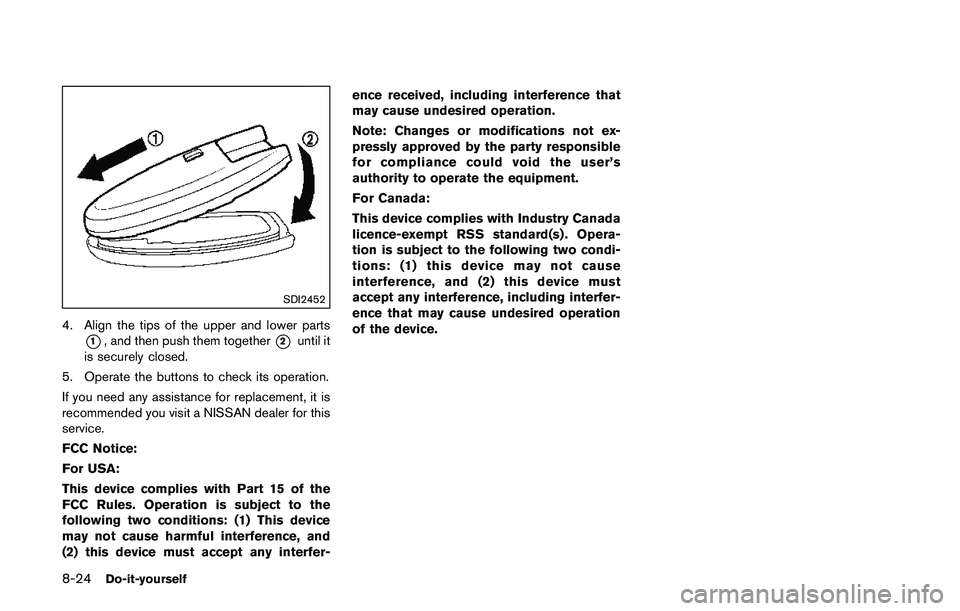
SDI2452
4. Align the tips of the upper and lower parts
*1, and then push them together*2until it
is securely closed.
5. Operate the buttons to check its operation.
If you need any assistance for replacement, it is
recommended you visit a NISSAN dealer for this
service.
FCC Notice:
For USA:
This device complies with Part 15 of the
FCC Rules. Operation is subject to the
following two conditions: (1) This device
may not cause harmful interference, and
(2) this device must accept any interfer-ence received, including interference that
may cause undesired operation.
Note: Changes or modifications not ex-
pressly approved by the party responsible
for compliance could void the user’s
authority to operate the equipment.
For Canada:
This device complies with Industry Canada
licence-exempt RSS standard(s) . Opera-
tion is subject to the following two condi-
tions: (1) this device may not cause
interference, and (2) this device must
accept any interference, including interfer-
ence that may cause undesired operation
of the device.
Page 500 of 508
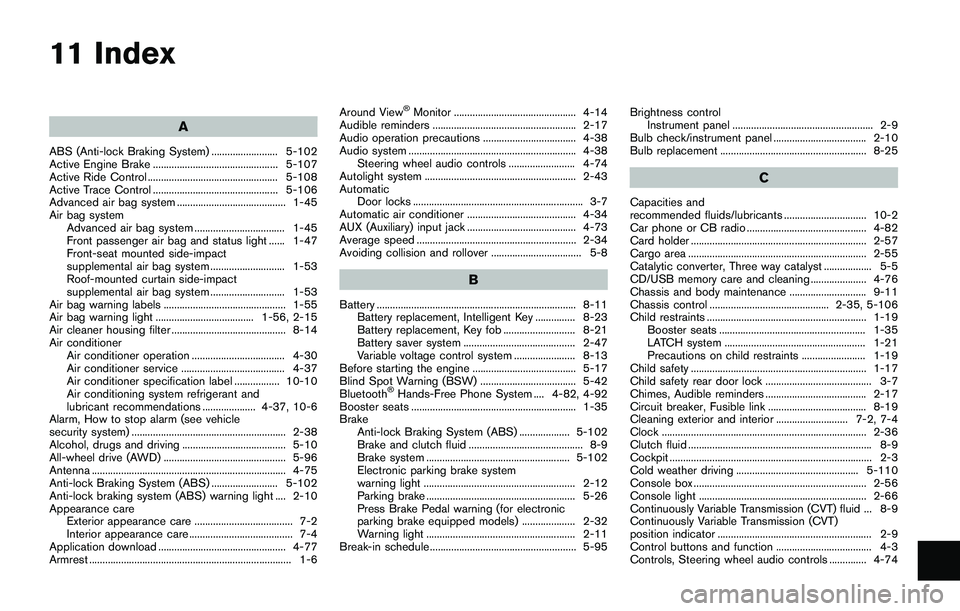
11 Index
A
ABS (Anti-lock Braking System) ......................... 5-102
Active Engine Brake ............................................... 5-107
Active Ride Control ................................................. 5-108
Active Trace Control ............................................... 5-106
Advanced air bag system ......................................... 1-45
Air bag system
Advanced air bag system .................................. 1-45
Front passenger air bag and status light ...... 1-47
Front-seat mounted side-impact
supplemental air bag system ............................ 1-53
Roof-mounted curtain side-impact
supplemental air bag system ............................ 1-53
Air bag warning labels .............................................. 1-55
Air bag warning light ..................................... 1-56, 2-15
Air cleaner housing filter ........................................... 8-14
Air conditioner
Air conditioner operation ................................... 4-30
Air conditioner service ....................................... 4-37
Air conditioner specification label ................. 10-10
Air conditioning system refrigerant and
lubricant recommendations .................... 4-37, 10-6
Alarm, How to stop alarm (see vehicle
security system) .......................................................... 2-38
Alcohol, drugs and driving ....................................... 5-10
All-wheel drive (AWD) .............................................. 5-96
Antenna ......................................................................... 4-75
Anti-lock Braking System (ABS) ......................... 5-102
Anti-lock braking system (ABS) warning light .... 2-10
Appearance care
Exterior appearance care ..................................... 7-2
Interior appearance care ....................................... 7-4
Application download ................................................ 4-77
Armrest ............................................................................ 1-6Around View
ŠMonitor .............................................. 4-14
Audible reminders ...................................................... 2-17
Audio operation precautions ................................... 4-38
Audio system ............................................................... 4-38
Steering wheel audio controls ......................... 4-74
Autolight system ......................................................... 2-43
Automatic
Door locks ................................................................ 3-7
Automatic air conditioner ......................................... 4-34
AUX (Auxiliary) input jack ......................................... 4-73
Average speed ............................................................ 2-34
Avoiding collision and rollover .................................. 5-8
B
Battery ........................................................................... 8-11
Battery replacement, Intelligent Key ............... 8-23
Battery replacement, Key fob ........................... 8-21
Battery saver system .......................................... 2-47
Variable voltage control system ....................... 8-13
Before starting the engine ....................................... 5-17
Blind Spot Warning (BSW) .................................... 5-42
Bluetooth
ŠHands-Free Phone System .... 4-82, 4-92
Booster seats .............................................................. 1-35
Brake
Anti-lock Braking System (ABS) ................... 5-102
Brake and clutch fluid ........................................... 8-9
Brake system ...................................................... 5-102
Electronic parking brake system
warning light ......................................................... 2-12
Parking brake ........................................................ 5-26
Press Brake Pedal warning (for electronic
parking brake equipped models) .................... 2-32
Warning light ........................................................ 2-11
Break-in schedule ....................................................... 5-95Brightness control
Instrument panel ..................................................... 2-9
Bulb check/instrument panel ................................... 2-10
Bulb replacement ....................................................... 8-25
C
Capacities and
recommended fluids/lubricants ............................... 10-2
Car phone or CB radio ............................................. 4-82
Card holder .................................................................. 2-57
Cargo area ................................................................... 2-55
Catalytic converter, Three way catalyst .................. 5-5
CD/USB memory care and cleaning ..................... 4-76
Chassis and body maintenance ............................. 9-11
Chassis control ............................................. 2-35, 5-106
Child restraints ............................................................ 1-19
Booster seats ....................................................... 1-35
LATCH system ..................................................... 1-21
Precautions on child restraints ........................ 1-19
Child safety .................................................................. 1-17
Child safety rear door lock ........................................ 3-7
Chimes, Audible reminders ...................................... 2-17
Circuit breaker, Fusible link ..................................... 8-19
Cleaning exterior and interior ........................... 7-2, 7-4
Clock ............................................................................. 2-36
Clutch fluid ..................................................................... 8-9
Cockpit ............................................................................ 2-3
Cold weather driving .............................................. 5-110
Console box ................................................................. 2-56
Console light ............................................................... 2-66
Continuously Variable Transmission (CVT) fluid ... 8-9
Continuously Variable Transmission (CVT)
position indicator .......................................................... 2-9
Control buttons and function .................................... 4-3
Controls, Steering wheel audio controls .............. 4-74