warning NISSAN QASHQAI 2017 Owner´s Manual
[x] Cancel search | Manufacturer: NISSAN, Model Year: 2017, Model line: QASHQAI, Model: NISSAN QASHQAI 2017Pages: 508, PDF Size: 2.68 MB
Page 126 of 508
If the ambient image sensor is damaged due to
an accident, it is recommended you contact a
NISSAN dealer.
Battery saver system
.When the headlight switch is in theorposition while the ignition switch is in
the ON position, the lights will automatically
turn off within a period of time after the
ignition switch has been placed in the OFF
position.
.When the headlight switch remains in the
orposition after the lights auto-
matically turn off, the lights will turn on when
the ignition switch is placed in the ON
position.
CAUTION
.When you turn on the headlight
switch again after the lights auto-
matically turn off, the lights will not
turn off automatically. Be sure to
turn the light switch to the OFF
position when you leave the vehicle
for extended periods of time, other-
wise the battery will be discharged.
.Never leave the light switch on
when the engine is not running forextended periods of time even if the
headlights turn off automatically.
Daytime Running Light (DRL) system
The LED portion of the headlights automatically
illuminate at 100% intensity when the engine is
started and the parking brake released. The LED
Daytime Running Light (DRL) operate with the
headlight switch in the OFF position or in the
position. When you turn the headlight
switch to theposition for full illumination,
the LED lights switch from LED DRL to the park
function.
If the parking brake is applied before the engine
is started, the LED DRL do not illuminate. The
LED DRL illuminate when the parking brake is
released. The LED DRL will remain on until the
ignition switch is placed in the OFF position.
It is necessary at dusk to turn the headlight
switch ON for interior controls and switches to
illuminate, as those remain OFF while the switch
is in the OFF position.
WARNING
When the LED DRL system is active, tail
lights on your vehicle are not on. It is
necessary at dusk to turn on yourheadlights. Failure to do so could cause
an accident injuring yourself and
others.
Instruments and controls2-47
Page 128 of 508
JVI1569X
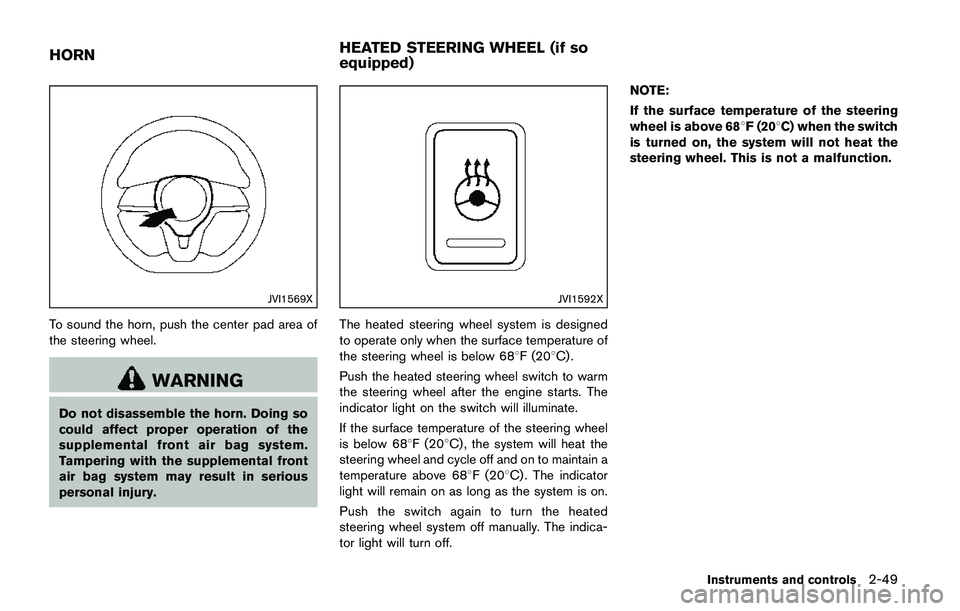
To sound the horn, push the center pad area of
the steering wheel.
WARNING
Do not disassemble the horn. Doing so
could affect proper operation of the
supplemental front air bag system.
Tampering with the supplemental front
air bag system may result in serious
personal injury.
JVI1592X
The heated steering wheel system is designed
to operate only when the surface temperature of
the steering wheel is below 688F (208C) .
Push the heated steering wheel switch to warm
the steering wheel after the engine starts. The
indicator light on the switch will illuminate.
If the surface temperature of the steering wheel
is below 688F (208C) , the system will heat the
steering wheel and cycle off and on to maintain a
temperature above 688F (208C) . The indicator
light will remain on as long as the system is on.
Push the switch again to turn the heated
steering wheel system off manually. The indica-
tor light will turn off.NOTE:
If the surface temperature of the steering
wheel is above 688F (208C) when the switch
is turned on, the system will not heat the
steering wheel. This is not a malfunction.
Instruments and controls2-49
HORNHEATED STEERING WHEEL (if so
equipped)
Page 129 of 508
2-50Instruments and controls
WARNING
Do not use or allow occupants to use
the seat heater if you or the occupants
cannot monitor elevated seat tempera-
tures or have an inability to feel pain in
body parts that contact the seat. Use of
the seat heater by such people could
result in serious injury.
CAUTION
.The battery could run down if the
seat heater is operated while the
engine is not running.
.Do not use the seat heater for
extended periods or when no one
is using the seat.
.Do not put anything on the seat
which insulates heat, such as a
blanket, cushion, seat cover, etc.
Otherwise, the seat may become
overheated.
.Do not place anything hard or heavy
on the seat or pierce it with a pin or
similar object. This may result indamage to the heater.
.Any liquid spilled on the heated seat
should be removed immediately
with a dry cloth.
.When cleaning the seat, never use
gasoline, thinner, or any similar
materials.
.If any malfunctions are found or the
heated seat does not operate, turn
the switch off and have the system
checked. It is recommended you
visit a NISSAN dealer for this ser-
vice.
JVR0322X
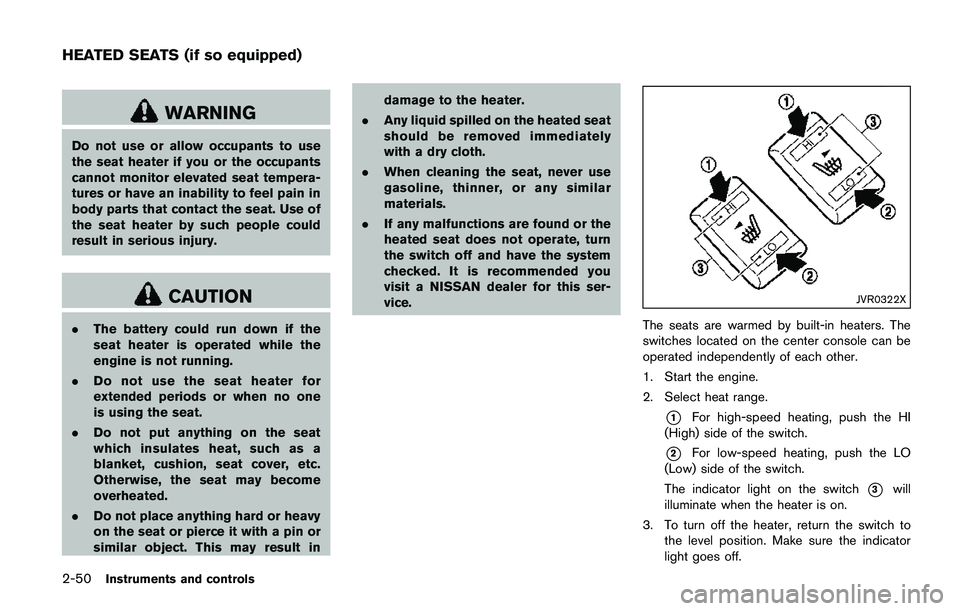
The seats are warmed by built-in heaters. The
switches located on the center console can be
operated independently of each other.
1. Start the engine.
2. Select heat range.
*1For high-speed heating, push the HI
(High) side of the switch.
*2For low-speed heating, push the LO
(Low) side of the switch.
The indicator light on the switch
*3will
illuminate when the heater is on.
3. To turn off the heater, return the switch to
the level position. Make sure the indicator
light goes off.
HEATED SEATS (if so equipped)
Page 130 of 508
The heater is controlled by a thermostat,
automatically turning the heater on and off.
The indicator light will remain on as long as
the switch is on.
When the vehicle’s interior is warmed, or
before you leave the vehicle, be sure to turn
off the switch.
JVI1593X
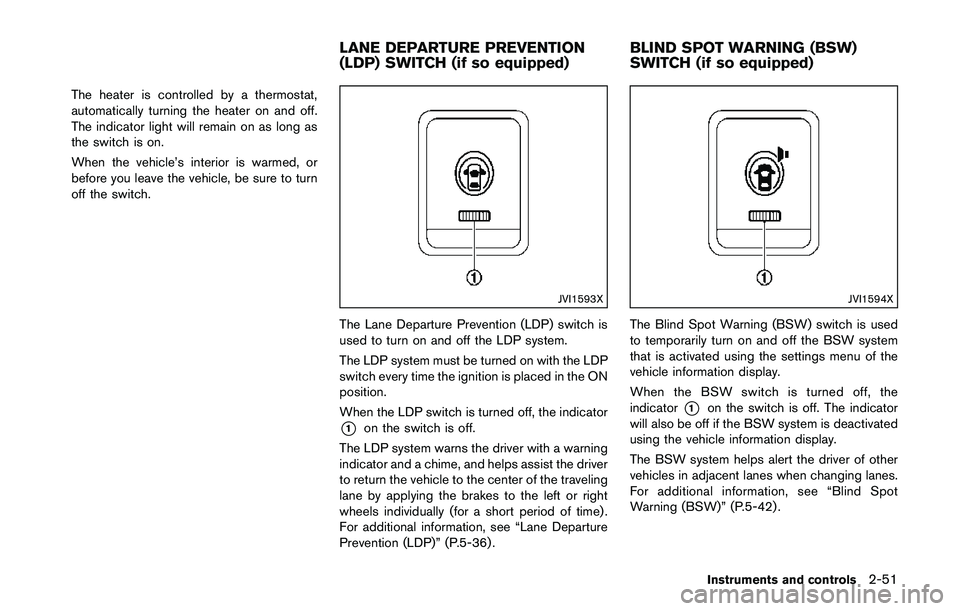
The Lane Departure Prevention (LDP) switch is
used to turn on and off the LDP system.
The LDP system must be turned on with the LDP
switch every time the ignition is placed in the ON
position.
When the LDP switch is turned off, the indicator
*1on the switch is off.
The LDP system warns the driver with a warning
indicator and a chime, and helps assist the driver
to return the vehicle to the center of the traveling
lane by applying the brakes to the left or right
wheels individually (for a short period of time) .
For additional information, see “Lane Departure
Prevention (LDP)” (P.5-36) .
JVI1594X
The Blind Spot Warning (BSW) switch is used
to temporarily turn on and off the BSW system
that is activated using the settings menu of the
vehicle information display.
When the BSW switch is turned off, the
indicator
*1on the switch is off. The indicator
will also be off if the BSW system is deactivated
using the vehicle information display.
The BSW system helps alert the driver of other
vehicles in adjacent lanes when changing lanes.
For additional information, see “Blind Spot
Warning (BSW)” (P.5-42) .
Instruments and controls2-51
LANE DEPARTURE PREVENTION
(LDP) SWITCH (if so equipped)BLIND SPOT WARNING (BSW)
SWITCH (if so equipped)
Page 134 of 508
liquid containers.
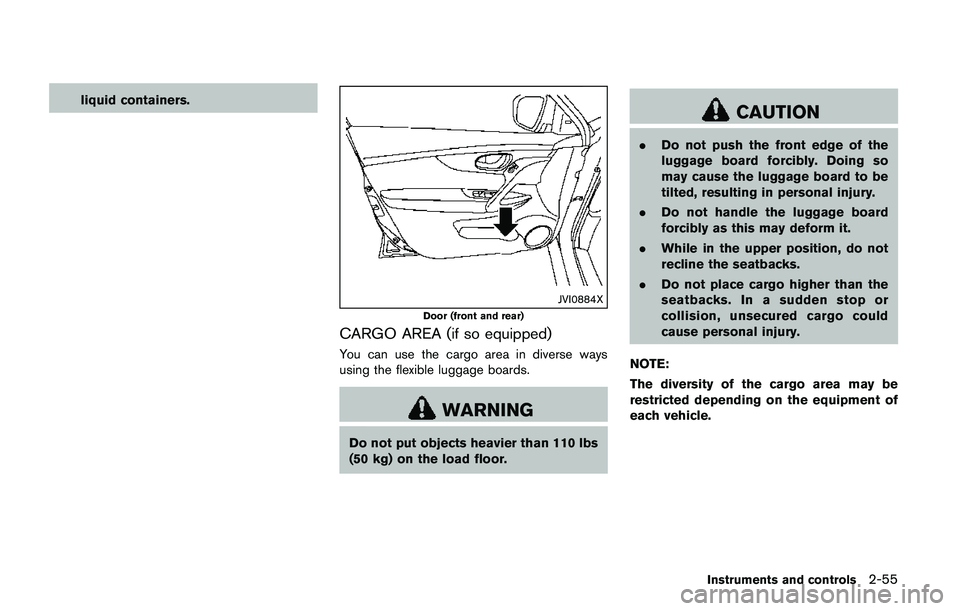
JVI0884X
Door (front and rear)
CARGO AREA (if so equipped)
You can use the cargo area in diverse ways
using the flexible luggage boards.
WARNING
Do not put objects heavier than 110 lbs
(50 kg) on the load floor.
CAUTION
.Do not push the front edge of the
luggage board forcibly. Doing so
may cause the luggage board to be
tilted, resulting in personal injury.
.Do not handle the luggage board
forcibly as this may deform it.
.While in the upper position, do not
recline the seatbacks.
.Do not place cargo higher than the
seatbacks. In a sudden stop or
collision, unsecured cargo could
cause personal injury.
NOTE:
The diversity of the cargo area may be
restricted depending on the equipment of
each vehicle.
Instruments and controls2-55
Page 135 of 508
2-56Instruments and controls
JVI1620X
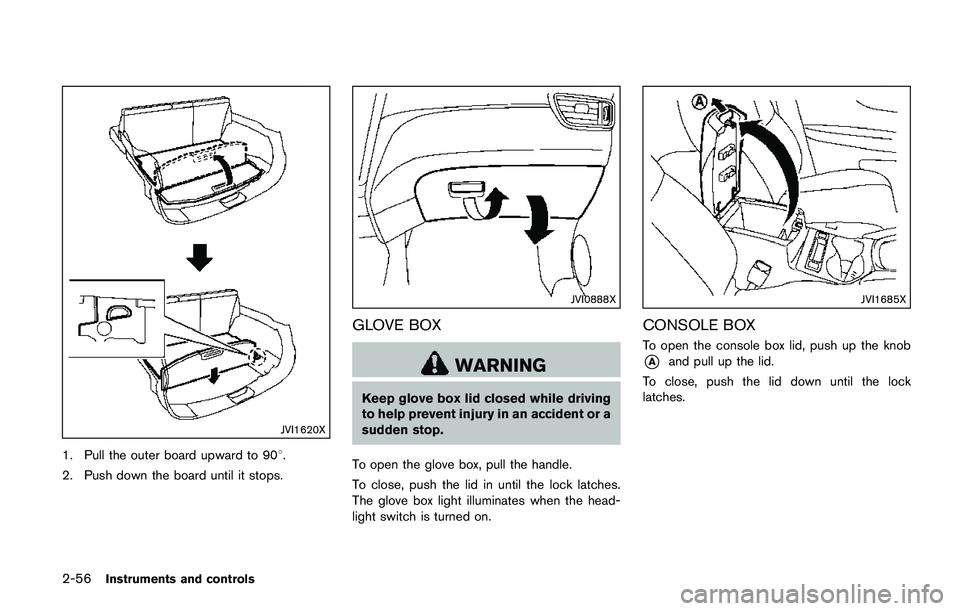
1. Pull the outer board upward to 908.
2. Push down the board until it stops.
JVI0888X
GLOVE BOX
WARNING
Keep glove box lid closed while driving
to help prevent injury in an accident or a
sudden stop.
To open the glove box, pull the handle.
To close, push the lid in until the lock latches.
The glove box light illuminates when the head-
light switch is turned on.
JVI1685X
CONSOLE BOX
To open the console box lid, push up the knob
*Aand pull up the lid.
To close, push the lid down until the lock
latches.
Page 136 of 508
JVI0619X
SUNGLASSES HOLDER
WARNING
Keep the sunglasses holder closed
while driving to avoid obstructing the
driver’s view and to help prevent an
accident.
CAUTION
.Do not use for anything other than
sunglasses..Do not leave sunglasses in the
sunglasses holder while parking in
direct sunlight. The heat may da-
mage the sunglasses.
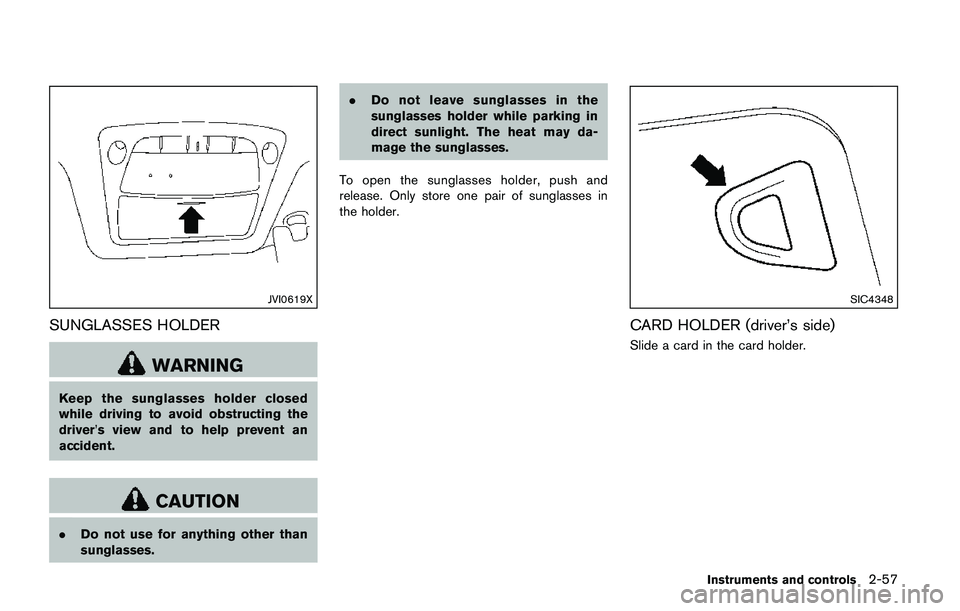
To open the sunglasses holder, push and
release. Only store one pair of sunglasses in
the holder.
SIC4348
CARD HOLDER (driver’s side)
Slide a card in the card holder.
Instruments and controls2-57
Page 137 of 508
2-58Instruments and controls
JVI1686X
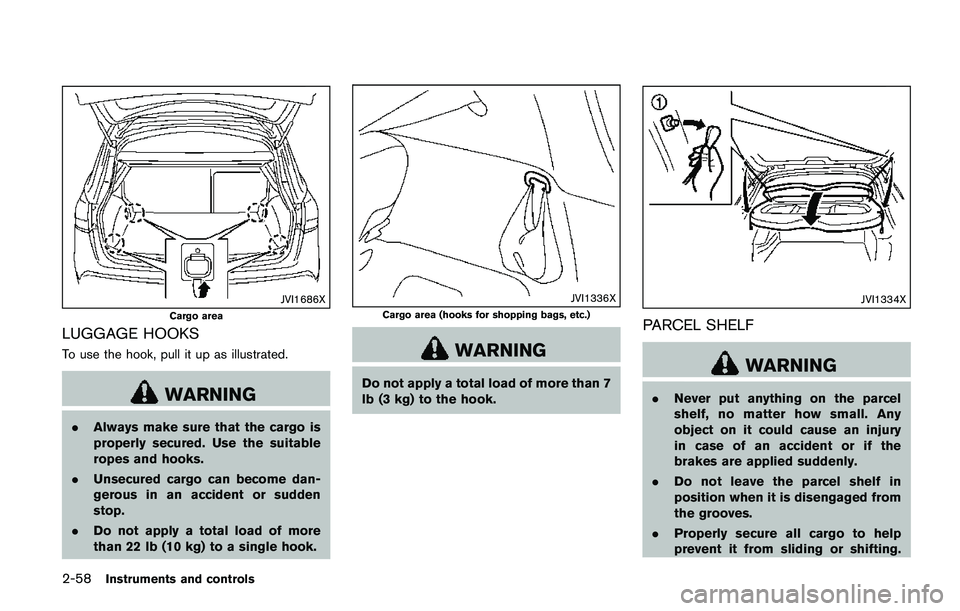
Cargo area
LUGGAGE HOOKS
To use the hook, pull it up as illustrated.
WARNING
.Always make sure that the cargo is
properly secured. Use the suitable
ropes and hooks.
.Unsecured cargo can become dan-
gerous in an accident or sudden
stop.
.Do not apply a total load of more
than 22 lb (10 kg) to a single hook.
JVI1336X
Cargo area (hooks for shopping bags, etc.)
WARNING
Do not apply a total load of more than 7
lb (3 kg) to the hook.
JVI1334X
PARCEL SHELF
WARNING
.Never put anything on the parcel
shelf, no matter how small. Any
object on it could cause an injury
in case of an accident or if the
brakes are applied suddenly.
.Do not leave the parcel shelf in
position when it is disengaged from
the grooves.
.Properly secure all cargo to help
prevent it from sliding or shifting.
Page 139 of 508
2-60Instruments and controls
JVI0889X
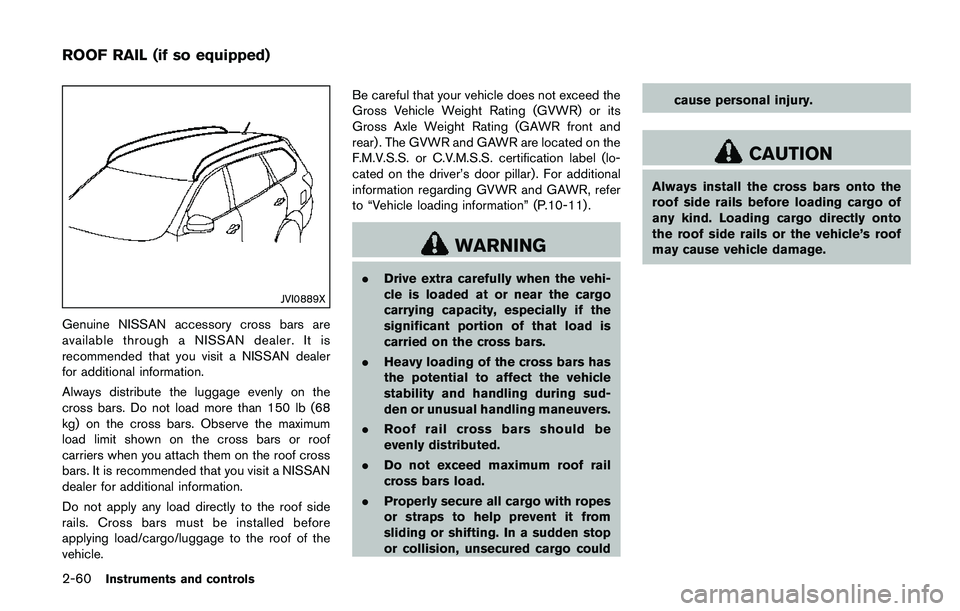
Genuine NISSAN accessory cross bars are
available through a NISSAN dealer. It is
recommended that you visit a NISSAN dealer
for additional information.
Always distribute the luggage evenly on the
cross bars. Do not load more than 150 lb (68
kg) on the cross bars. Observe the maximum
load limit shown on the cross bars or roof
carriers when you attach them on the roof cross
bars. It is recommended that you visit a NISSAN
dealer for additional information.
Do not apply any load directly to the roof side
rails. Cross bars must be installed before
applying load/cargo/luggage to the roof of the
vehicle.Be careful that your vehicle does not exceed the
Gross Vehicle Weight Rating (GVWR) or its
Gross Axle Weight Rating (GAWR front and
rear) . The GVWR and GAWR are located on the
F.M.V.S.S. or C.V.M.S.S. certification label (lo-
cated on the driver’s door pillar). For additional
information regarding GVWR and GAWR, refer
to “Vehicle loading information” (P.10-11) .
WARNING
.Drive extra carefully when the vehi-
cle is loaded at or near the cargo
carrying capacity, especially if the
significant portion of that load is
carried on the cross bars.
.Heavy loading of the cross bars has
the potential to affect the vehicle
stability and handling during sud-
den or unusual handling maneuvers.
.Roof rail cross bars should be
evenly distributed.
.Do not exceed maximum roof rail
cross bars load.
.Properly secure all cargo with ropes
or straps to help prevent it from
sliding or shifting. In a sudden stop
or collision, unsecured cargo couldcause personal injury.
CAUTION
Always install the cross bars onto the
roof side rails before loading cargo of
any kind. Loading cargo directly onto
the roof side rails or the vehicle’s roof
may cause vehicle damage.
ROOF RAIL (if so equipped)
Page 140 of 508
POWER WINDOWS
WARNING
.Make sure that all passengers have
their hands, etc. inside the vehicle
while it is in motion and before
closing the windows. Use the win-
dow lock switch to prevent unex-
pected use of the power windows.
.To help avoid risk of injury or death
through unintended operation of
the vehicle and or its systems,
including entrapment in windows
or inadvertent door lock activation,
do not leave children, people who
require the assistance of others or
pets unattended in your vehicle.
Additionally, the temperature inside
a closed vehicle on a warm day can
quickly become high enough to
cause a significant risk of injury or
death to people and pets.
The power windows operate when the ignition
switch is in the ON position, or for about 45
seconds after the ignition switch is placed in the
OFF position. If the driver’s or front passenger’s
door is opened during this period of about 45seconds, power to the windows is canceled.
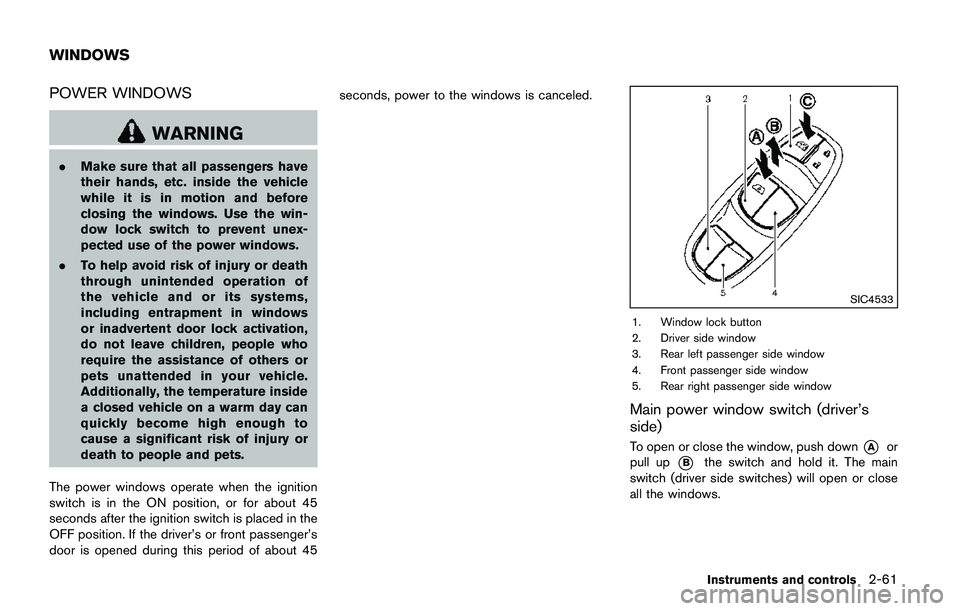
SIC4533
1. Window lock button
2. Driver side window
3. Rear left passenger side window
4. Front passenger side window
5. Rear right passenger side window
Main power window switch (driver’s
side)
To open or close the window, push down*Aor
pull up
*Bthe switch and hold it. The main
switch (driver side switches) will open or close
all the windows.
Instruments and controls2-61
WINDOWS