steering NISSAN QASHQAI 2019 Owner´s Manual
[x] Cancel search | Manufacturer: NISSAN, Model Year: 2019, Model line: QASHQAI, Model: NISSAN QASHQAI 2019Pages: 500, PDF Size: 2.38 MB
Page 84 of 500
2-4Instruments and controls
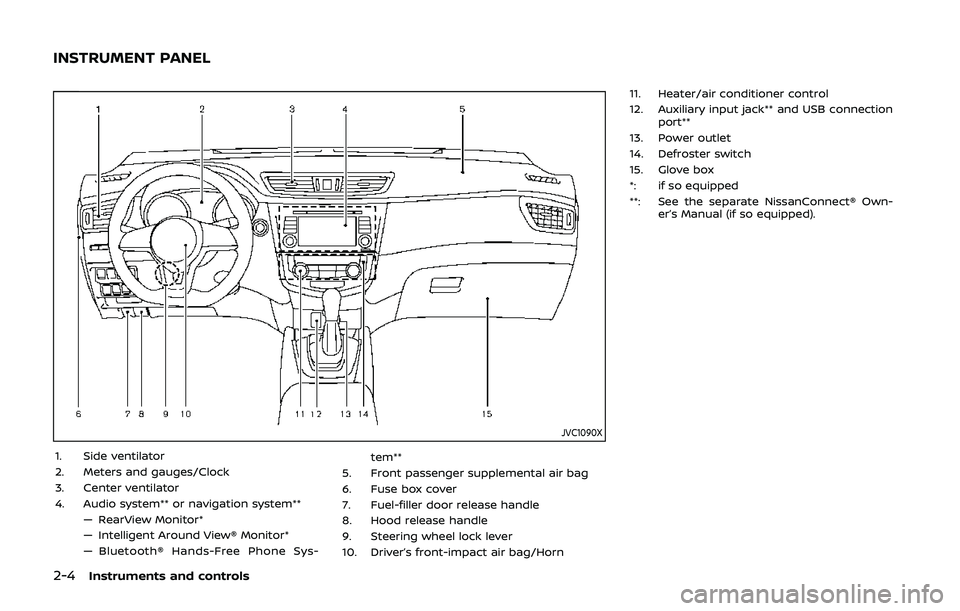
JVC1090X
1. Side ventilator
2. Meters and gauges/Clock
3. Center ventilator
4. Audio system** or navigation system**— RearView Monitor*
— Intelligent Around View® Monitor*
— Bluetooth® Hands-Free Phone Sys- tem**
5. Front passenger supplemental air bag
6. Fuse box cover
7. Fuel-filler door release handle
8. Hood release handle
9. Steering wheel lock lever
10. Driver’s front-impact air bag/Horn 11. Heater/air conditioner control
12. Auxiliary input jack** and USB connection
port**
13. Power outlet
14. Defroster switch
15. Glove box
*: if so equipped
**: See the separate NissanConnect® Own- er’s Manual (if so equipped).
INSTRUMENT PANEL
Page 90 of 500
2-10Instruments and controls
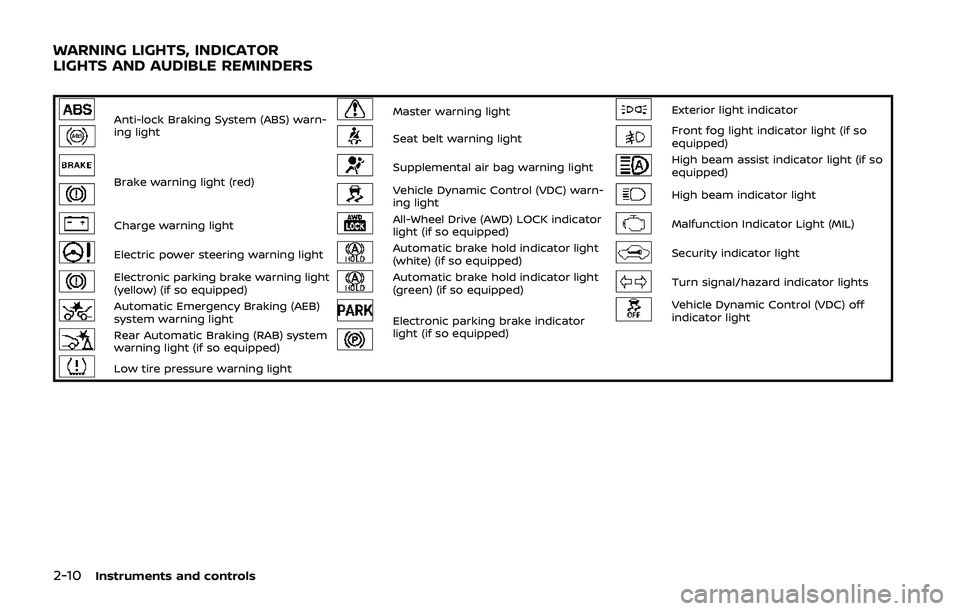
Anti-lock Braking System (ABS) warn-
ing lightMaster warning lightExterior light indicator
Seat belt warning lightFront fog light indicator light (if so
equipped)
Brake warning light (red)Supplemental air bag warning lightHigh beam assist indicator light (if so
equipped)
Vehicle Dynamic Control (VDC) warn-
ing lightHigh beam indicator light
Charge warning lightAll-Wheel Drive (AWD) LOCK indicator
light (if so equipped)Malfunction Indicator Light (MIL)
Electric power steering warning lightAutomatic brake hold indicator light
(white) (if so equipped)Security indicator light
Electronic parking brake warning light
(yellow) (if so equipped)Automatic brake hold indicator light
(green) (if so equipped)Turn signal/hazard indicator lights
Automatic Emergency Braking (AEB)
system warning lightElectronic parking brake indicator
light (if so equipped)Vehicle Dynamic Control (VDC) off
indicator light
Rear Automatic Braking (RAB) system
warning light (if so equipped)
Low tire pressure warning light
WARNING LIGHTS, INDICATOR
LIGHTS AND AUDIBLE REMINDERS
Page 92 of 500
2-12Instruments and controls
gerous.
. Pressing the brake pedal with the
engine stopped and/or low brake
fluid level may increase your
stopping distance and braking
will require greater pedal effort
as well as pedal travel.
. If the brake fluid level is below the
minimum or MIN mark on the
brake fluid reservoir, do not drive
until the brake system has been
checked. It is recommended you
visit a NISSAN dealer for this
service.
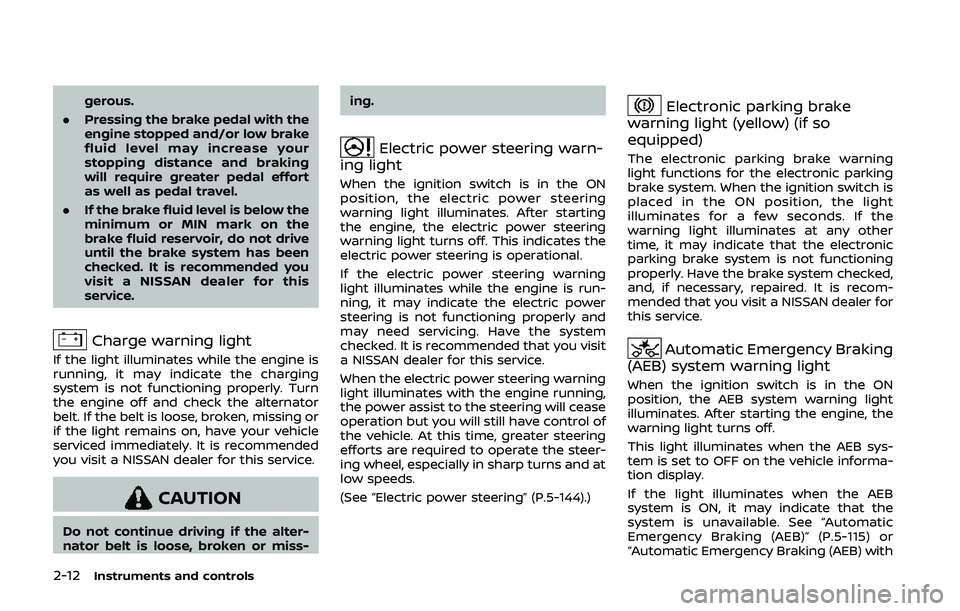
Charge warning light
If the light illuminates while the engine is
running, it may indicate the charging
system is not functioning properly. Turn
the engine off and check the alternator
belt. If the belt is loose, broken, missing or
if the light remains on, have your vehicle
serviced immediately. It is recommended
you visit a NISSAN dealer for this service.
CAUTION
Do not continue driving if the alter-
nator belt is loose, broken or miss- ing.
Electric power steering warn-
ing light
When the ignition switch is in the ON
position, the electric power steering
warning light illuminates. After starting
the engine, the electric power steering
warning light turns off. This indicates the
electric power steering is operational.
If the electric power steering warning
light illuminates while the engine is run-
ning, it may indicate the electric power
steering is not functioning properly and
may need servicing. Have the system
checked. It is recommended that you visit
a NISSAN dealer for this service.
When the electric power steering warning
light illuminates with the engine running,
the power assist to the steering will cease
operation but you will still have control of
the vehicle. At this time, greater steering
efforts are required to operate the steer-
ing wheel, especially in sharp turns and at
low speeds.
(See “Electric power steering” (P.5-144).)
Electronic parking brake
warning light (yellow) (if so
equipped)
The electronic parking brake warning
light functions for the electronic parking
brake system. When the ignition switch is
placed in the ON position, the light
illuminates for a few seconds. If the
warning light illuminates at any other
time, it may indicate that the electronic
parking brake system is not functioning
properly. Have the brake system checked,
and, if necessary, repaired. It is recom-
mended that you visit a NISSAN dealer for
this service.
Automatic Emergency Braking
(AEB) system warning light
When the ignition switch is in the ON
position, the AEB system warning light
illuminates. After starting the engine, the
warning light turns off.
This light illuminates when the AEB sys-
tem is set to OFF on the vehicle informa-
tion display.
If the light illuminates when the AEB
system is ON, it may indicate that the
system is unavailable. See “Automatic
Emergency Braking (AEB)” (P.5-115) or
“Automatic Emergency Braking (AEB) with
Page 93 of 500
pedestrian detection system” (P.5-122).
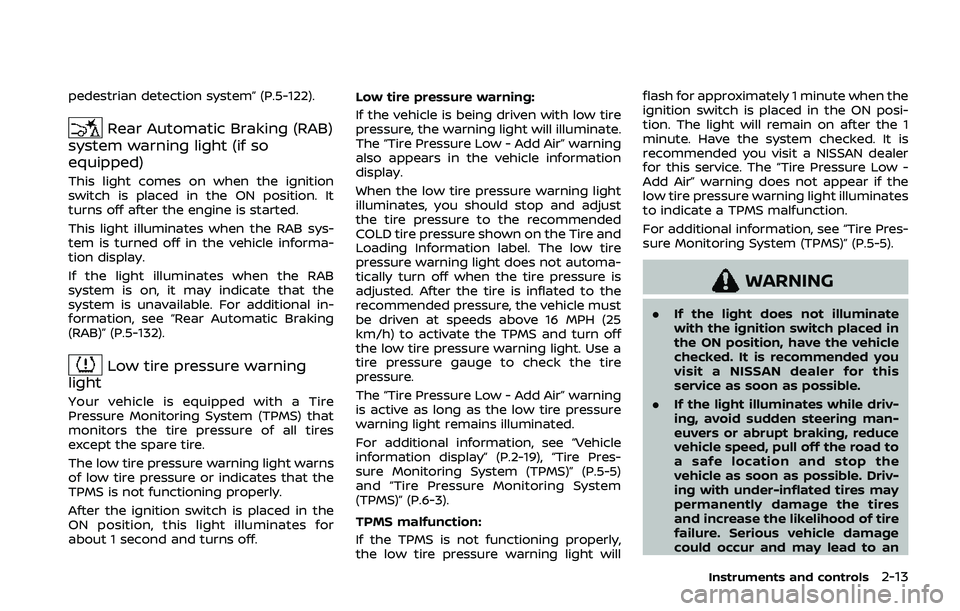
Rear Automatic Braking (RAB)
system warning light (if so
equipped)
This light comes on when the ignition
switch is placed in the ON position. It
turns off after the engine is started.
This light illuminates when the RAB sys-
tem is turned off in the vehicle informa-
tion display.
If the light illuminates when the RAB
system is on, it may indicate that the
system is unavailable. For additional in-
formation, see “Rear Automatic Braking
(RAB)” (P.5-132).
Low tire pressure warning
light
Your vehicle is equipped with a Tire
Pressure Monitoring System (TPMS) that
monitors the tire pressure of all tires
except the spare tire.
The low tire pressure warning light warns
of low tire pressure or indicates that the
TPMS is not functioning properly.
After the ignition switch is placed in the
ON position, this light illuminates for
about 1 second and turns off. Low tire pressure warning:
If the vehicle is being driven with low tire
pressure, the warning light will illuminate.
The “Tire Pressure Low - Add Air” warning
also appears in the vehicle information
display.
When the low tire pressure warning light
illuminates, you should stop and adjust
the tire pressure to the recommended
COLD tire pressure shown on the Tire and
Loading Information label. The low tire
pressure warning light does not automa-
tically turn off when the tire pressure is
adjusted. After the tire is inflated to the
recommended pressure, the vehicle must
be driven at speeds above 16 MPH (25
km/h) to activate the TPMS and turn off
the low tire pressure warning light. Use a
tire pressure gauge to check the tire
pressure.
The “Tire Pressure Low - Add Air” warning
is active as long as the low tire pressure
warning light remains illuminated.
For additional information, see “Vehicle
information display” (P.2-19), “Tire Pres-
sure Monitoring System (TPMS)” (P.5-5)
and “Tire Pressure Monitoring System
(TPMS)” (P.6-3).
TPMS malfunction:
If the TPMS is not functioning properly,
the low tire pressure warning light will flash for approximately 1 minute when the
ignition switch is placed in the ON posi-
tion. The light will remain on after the 1
minute. Have the system checked. It is
recommended you visit a NISSAN dealer
for this service. The “Tire Pressure Low -
Add Air” warning does not appear if the
low tire pressure warning light illuminates
to indicate a TPMS malfunction.
For additional information, see “Tire Pres-
sure Monitoring System (TPMS)” (P.5-5).
WARNING
.
If the light does not illuminate
with the ignition switch placed in
the ON position, have the vehicle
checked. It is recommended you
visit a NISSAN dealer for this
service as soon as possible.
. If the light illuminates while driv-
ing, avoid sudden steering man-
euvers or abrupt braking, reduce
vehicle speed, pull off the road to
a safe location and stop the
vehicle as soon as possible. Driv-
ing with under-inflated tires may
permanently damage the tires
and increase the likelihood of tire
failure. Serious vehicle damage
could occur and may lead to an
Instruments and controls2-13
Page 100 of 500
2-20Instruments and controls
.Indicators and warnings
. Tire pressure information
. Chassis Control
. Other information
JVI1566X
HOW TO USE THE VEHICLE INFOR-
MATION DISPLAY
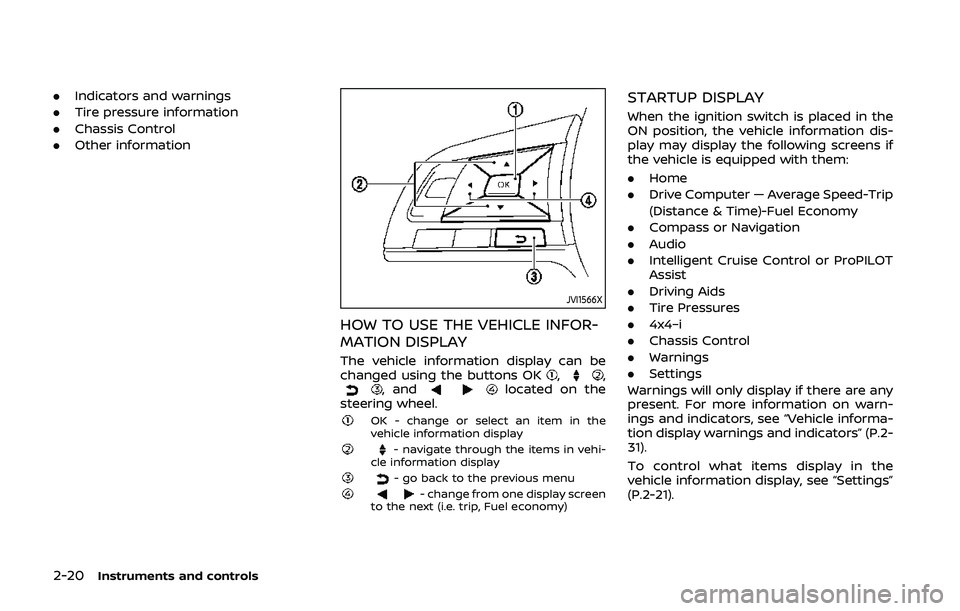
The vehicle information display can be
changed using the buttons OK,,, andlocated on the
steering wheel.
OK - change or select an item in the
vehicle information display
- navigate through the items in vehi-
cle information display
- go back to the previous menu- change from one display screen
to the next (i.e. trip, Fuel economy)
STARTUP DISPLAY
When the ignition switch is placed in the
ON position, the vehicle information dis-
play may display the following screens if
the vehicle is equipped with them:
. Home
. Drive Computer — Average Speed-Trip
(Distance & Time)-Fuel Economy
. Compass or Navigation
. Audio
. Intelligent Cruise Control or ProPILOT
Assist
. Driving Aids
. Tire Pressures
. 4x4–i
. Chassis Control
. Warnings
. Settings
Warnings will only display if there are any
present. For more information on warn-
ings and indicators, see “Vehicle informa-
tion display warnings and indicators” (P.2-
31).
To control what items display in the
vehicle information display, see “Settings”
(P.2-21).
Page 101 of 500
SETTINGS
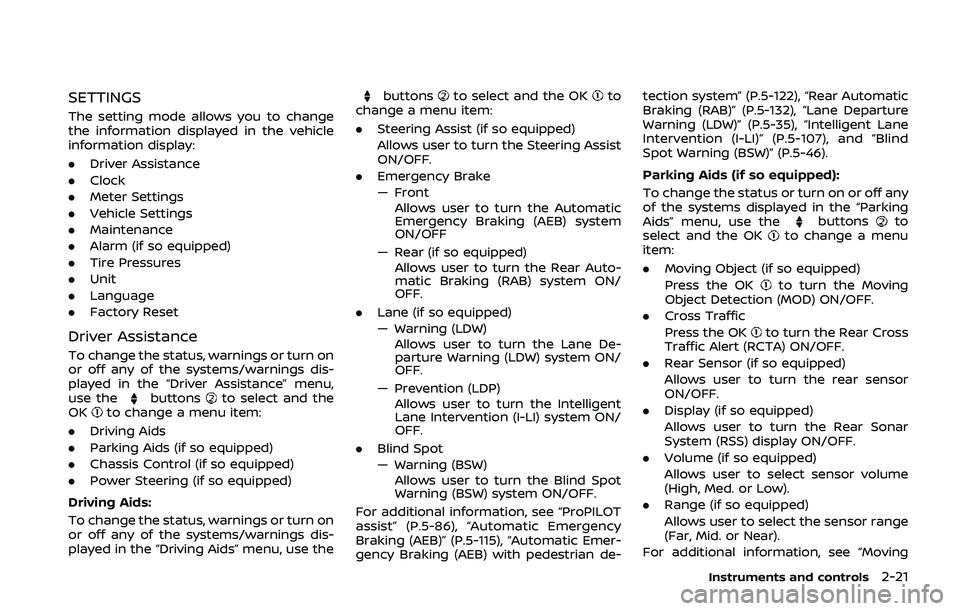
The setting mode allows you to change
the information displayed in the vehicle
information display:
.Driver Assistance
. Clock
. Meter Settings
. Vehicle Settings
. Maintenance
. Alarm (if so equipped)
. Tire Pressures
. Unit
. Language
. Factory Reset
Driver Assistance
To change the status, warnings or turn on
or off any of the systems/warnings dis-
played in the “Driver Assistance” menu,
use the
buttonsto select and the
OKto change a menu item:
. Driving Aids
. Parking Aids (if so equipped)
. Chassis Control (if so equipped)
. Power Steering (if so equipped)
Driving Aids:
To change the status, warnings or turn on
or off any of the systems/warnings dis-
played in the “Driving Aids” menu, use the
buttonsto select and the OKto
change a menu item:
. Steering Assist (if so equipped)
Allows user to turn the Steering Assist
ON/OFF.
. Emergency Brake
— Front
Allows user to turn the Automatic
Emergency Braking (AEB) system
ON/OFF
— Rear (if so equipped) Allows user to turn the Rear Auto-
matic Braking (RAB) system ON/
OFF.
. Lane (if so equipped)
— Warning (LDW)
Allows user to turn the Lane De-
parture Warning (LDW) system ON/
OFF.
— Prevention (LDP) Allows user to turn the Intelligent
Lane Intervention (I-LI) system ON/
OFF.
. Blind Spot
— Warning (BSW)
Allows user to turn the Blind Spot
Warning (BSW) system ON/OFF.
For additional information, see “ProPILOT
assist” (P.5-86), “Automatic Emergency
Braking (AEB)” (P.5-115), “Automatic Emer-
gency Braking (AEB) with pedestrian de- tection system” (P.5-122), “Rear Automatic
Braking (RAB)” (P.5-132), “Lane Departure
Warning (LDW)” (P.5-35), “Intelligent Lane
Intervention (I-LI)” (P.5-107), and “Blind
Spot Warning (BSW)” (P.5-46).
Parking Aids (if so equipped):
To change the status or turn on or off any
of the systems displayed in the “Parking
Aids” menu, use the
buttonsto
select and the OKto change a menu
item:
. Moving Object (if so equipped)
Press the OK
to turn the Moving
Object Detection (MOD) ON/OFF.
. Cross Traffic
Press the OK
to turn the Rear Cross
Traffic Alert (RCTA) ON/OFF.
. Rear Sensor (if so equipped)
Allows user to turn the rear sensor
ON/OFF.
. Display (if so equipped)
Allows user to turn the Rear Sonar
System (RSS) display ON/OFF.
. Volume (if so equipped)
Allows user to select sensor volume
(High, Med. or Low).
. Range (if so equipped)
Allows user to select the sensor range
(Far, Mid. or Near).
For additional information, see “Moving
Instruments and controls2-21
Page 102 of 500
2-22Instruments and controls
Object Detection (MOD)” (P.4-21), “Rear
Cross Traffic Alert (RCTA)” (P.5-56) and
“Rear sonar system (RSS)” (P.5-152).
Chassis Control:
To change the status, warnings or turn on
or off any of the systems/warnings dis-
played in the “Chassis Control” menu.
Use the
buttonsto select and the
OKto change a menu item:
. Trace Control
— See “Intelligent Trace Control” (P.5-
149) for more information.
. Engine Brake (if so equipped)
— See “Intelligent Engine Brake (Con-
tinuously Variable Transmission
(CVT) models)” (P.5-150) for more
information.
Press the OK
to turn ON/OFF.
Power Steering:
Use the
buttonsto select and the
OKto change a menu item:
. NORMAL
The NORMAL mode is recommended
for normal driving.
. SPORT
The SPORT mode adjusts the steering
to enhance performance.
Clock
Allows user to adjust the clock settings
and time within the vehicle information
display. Adjustments that can be made
include automatically setting the time,
12H/24H format, Daylight Savings Time,
time zone, and manually setting the time
(depending on the vehicle’s equipment).
The clock may also be set within the
center display. For additional information,
refer to the separate NissanConnect
Owner’s Manual.
Meter Settings
The meter settings allows the customer
to choose from the various meter selec-
tions.
The meter settings can be changed using
the
and the OKbuttons.
Main Menu Selection:
The items that display when the ignition
switch is placed in the ON position can be
enabled/disabled. To change the items
that are displayed, use the
to scroll
and the OKto select a menu item.
Body Color:
The color of the vehicle that displays in
the vehicle information display when the
ignition switch is placed in the ON posi-
tion can be changed. 1. Use the
buttonsuntil “Body
Color” is selected, and press OK.
2. Select the body color using the
buttonsand press OK.
ECO Mode Settings:
This setting allows the customer to
change the ECO mode system settings.
Use the
buttonsuntil “ECO Mode
Settings” is selected, and press OK.
- ECO Indicator
This setting allows the customer to en-
able/disable the ambient ECO indicator in
the vehicle information display.
1. Use the
buttonsto select “ECO
Indicator”.
2. Press the OK
to turn ON/OFF the
ambient ECO in the vehicle informa-
tion display.
Page 115 of 500
35. Currently unavailable warning
(if so equipped)
This message appears when the Intelli-
gent Lane Intervention (I-LI) system or the
Intelligent Cruise Control (ICC) system
becomes unavailable because the VDC is
turned off. For additional information,
refer to “Intelligent Lane Intervention (I-
LI)” (P.5-40), “Intelligent Cruise Control
(ICC) (models without ProPILOT assist)”
(P.5-66) or “Intelligent Cruise Control (ICC)
(models with ProPILOT assist)” (P.5-97).
36. Unavailable: Front Radar Ob-
struction warning
If the sensor area of the front bumper is
covered with dirt or obstructed, making it
impossible to detect a vehicle ahead, the
Automatic Emergency Braking (AEB) sys-
tem, Automatic Emergency Braking (AEB)
with pedestrian detection system, Intelli-
gent Cruise Control (ICC) system or Pro-
PILOT assist system is automatically
turned off. The warning message will
appear in the vehicle information display.
If the warning message appears, park the
vehicle in a safe location and turn the
engine off.
Check to see if the sensor area of the
front bumper is blocked. If the sensor
area of the front bumper is blocked,
remove the blocking material. Restartthe engine. If the warning message con-
tinues to appear, have the Automatic
Emergency Braking (AEB) system, Auto-
matic Emergency Braking (AEB) with pe-
destrian detection system, Intelligent
Cruise Control (ICC) or ProPILOT assist
system checked. It is recommended that
you visit a NISSAN dealer for this service.
For more details, see “Automatic Emer-
gency Braking (AEB)” (P.5-115), “Automatic
Emergency Braking (AEB) with pedestrian
detection system” (P.5-122), “Intelligent
Cruise Control (ICC) (models without Pro-
PILOT assist)” (P.5-66) or “ProPILOT assist”
(P.5-86).37. Unavailable: Side Radar Ob-
struction warning
This warning appears when the Blind
Spot Warning (BSW)/Rear Cross Traffic
Alert (RCTA) system becomes unavailable
because a radar blockage is detected.
(See “Blind Spot Warning (BSW)” (P.5-46) or
“Rear Cross Traffic Alert (RCTA)” (P.5-56).)
38. Press Brake Pedal warning (for
electronic parking brake equipped
models)
This indicator appears in the following
situations:
.
The driver tries to release the electro-
nic parking brake manually without
depressing the brake pedal.
. The vehicle is stopped on a steep hill
and there is a possibility of moving
backward, even if the electronic park-
ing brake is applied.
. This warning appears if the vehicle
moves while the automatic brake hold
is activated.
39. Lane Departure Warning (LDW)/
Intelligent Lane Intervention (I-LI)
indicator (if so equipped)
This indicator shows when the LDW and/
or I-LI systems are engaged.
See “Lane Departure Warning (LDW)” (P.5-
35) or “Intelligent Lane Intervention (I-LI)”
(P.5-40).
40. Steering assist indicator (if so
equipped)
This indicator appears when the steering
assist system is engaged.
See “ProPILOT assist” (P.5-86).
Instruments and controls2-35
Page 116 of 500
2-36Instruments and controls
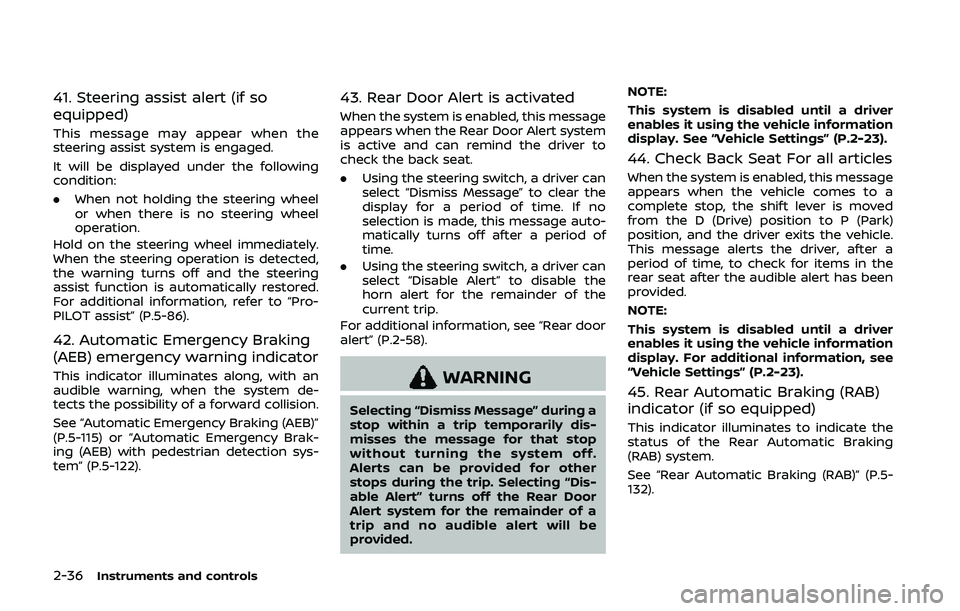
41. Steering assist alert (if so
equipped)
This message may appear when the
steering assist system is engaged.
It will be displayed under the following
condition:
.When not holding the steering wheel
or when there is no steering wheel
operation.
Hold on the steering wheel immediately.
When the steering operation is detected,
the warning turns off and the steering
assist function is automatically restored.
For additional information, refer to “Pro-
PILOT assist” (P.5-86).
42. Automatic Emergency Braking
(AEB) emergency warning indicator
This indicator illuminates along, with an
audible warning, when the system de-
tects the possibility of a forward collision.
See “Automatic Emergency Braking (AEB)”
(P.5-115) or “Automatic Emergency Brak-
ing (AEB) with pedestrian detection sys-
tem” (P.5-122).
43. Rear Door Alert is activated
When the system is enabled, this message
appears when the Rear Door Alert system
is active and can remind the driver to
check the back seat.
. Using the steering switch, a driver can
select “Dismiss Message” to clear the
display for a period of time. If no
selection is made, this message auto-
matically turns off after a period of
time.
. Using the steering switch, a driver can
select “Disable Alert” to disable the
horn alert for the remainder of the
current trip.
For additional information, see “Rear door
alert” (P.2-58).
WARNING
Selecting “Dismiss Message” during a
stop within a trip temporarily dis-
misses the message for that stop
without turning the system off.
Alerts can be provided for other
stops during the trip. Selecting “Dis-
able Alert” turns off the Rear Door
Alert system for the remainder of a
trip and no audible alert will be
provided. NOTE:
This system is disabled until a driver
enables it using the vehicle information
display. See “Vehicle Settings” (P.2-23).
44. Check Back Seat For all articles
When the system is enabled, this message
appears when the vehicle comes to a
complete stop, the shift lever is moved
from the D (Drive) position to P (Park)
position, and the driver exits the vehicle.
This message alerts the driver, after a
period of time, to check for items in the
rear seat after the audible alert has been
provided.
NOTE:
This system is disabled until a driver
enables it using the vehicle information
display. For additional information, see
“Vehicle Settings” (P.2-23).
45. Rear Automatic Braking (RAB)
indicator (if so equipped)
This indicator illuminates to indicate the
status of the Rear Automatic Braking
(RAB) system.
See “Rear Automatic Braking (RAB)” (P.5-
132).
Page 117 of 500
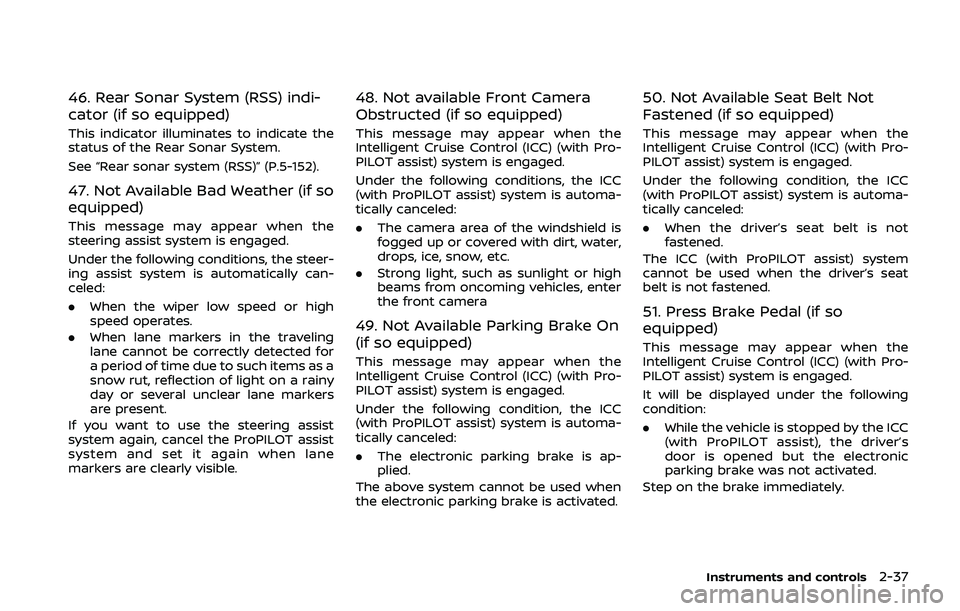
46. Rear Sonar System (RSS) indi-
cator (if so equipped)
This indicator illuminates to indicate the
status of the Rear Sonar System.
See “Rear sonar system (RSS)” (P.5-152).
47. Not Available Bad Weather (if so
equipped)
This message may appear when the
steering assist system is engaged.
Under the following conditions, the steer-
ing assist system is automatically can-
celed:
.When the wiper low speed or high
speed operates.
. When lane markers in the traveling
lane cannot be correctly detected for
a period of time due to such items as a
snow rut, reflection of light on a rainy
day or several unclear lane markers
are present.
If you want to use the steering assist
system again, cancel the ProPILOT assist
system and set it again when lane
markers are clearly visible.
48. Not available Front Camera
Obstructed (if so equipped)
This message may appear when the
Intelligent Cruise Control (ICC) (with Pro-
PILOT assist) system is engaged.
Under the following conditions, the ICC
(with ProPILOT assist) system is automa-
tically canceled:
. The camera area of the windshield is
fogged up or covered with dirt, water,
drops, ice, snow, etc.
. Strong light, such as sunlight or high
beams from oncoming vehicles, enter
the front camera
49. Not Available Parking Brake On
(if so equipped)
This message may appear when the
Intelligent Cruise Control (ICC) (with Pro-
PILOT assist) system is engaged.
Under the following condition, the ICC
(with ProPILOT assist) system is automa-
tically canceled:
.The electronic parking brake is ap-
plied.
The above system cannot be used when
the electronic parking brake is activated.
50. Not Available Seat Belt Not
Fastened (if so equipped)
This message may appear when the
Intelligent Cruise Control (ICC) (with Pro-
PILOT assist) system is engaged.
Under the following condition, the ICC
(with ProPILOT assist) system is automa-
tically canceled:
. When the driver’s seat belt is not
fastened.
The ICC (with ProPILOT assist) system
cannot be used when the driver’s seat
belt is not fastened.
51. Press Brake Pedal (if so
equipped)
This message may appear when the
Intelligent Cruise Control (ICC) (with Pro-
PILOT assist) system is engaged.
It will be displayed under the following
condition:
. While the vehicle is stopped by the ICC
(with ProPILOT assist), the driver’s
door is opened but the electronic
parking brake was not activated.
Step on the brake immediately.
Instruments and controls2-37