ECO mode NISSAN QASHQAI 2019 Owner´s Manual
[x] Cancel search | Manufacturer: NISSAN, Model Year: 2019, Model line: QASHQAI, Model: NISSAN QASHQAI 2019Pages: 500, PDF Size: 2.38 MB
Page 273 of 500
off.
Action to take:
When the above conditions no longer
exist, turn off the I-LI system. Push the
dynamic driver assistance switch (models
without ProPILOT assist) or the ProPILOT
assist switch (models with ProPILOT as-
sist) again to turn the I-LI system back on.
Temporary disabled status at high tem-
perature:
If the vehicle is parked in direct sunlight
under high temperature conditions (over
approximately 104°F (40°C)) and then the
I-LI system is turned on, the I-LI system
may be deactivated automatically and
the following message will appear on
the vehicle information display: “Unavail-
able: High Cabin Temperature.” When the
interior temperature is reduced, the sys-
tem will resume operating automatically.
SYSTEM MALFUNCTION
If the I-LI system malfunctions, it will
cancel automatically. The I-LI indicator
(orange) will illuminate and the “Malfunc-
tion” warning message will appear in the
display.
If the I-LI indicator (orange) illuminates in
the display, pull off the road to a safe
location. Turn the engine off and restart
the engine. If the I-LI indicator (orange)
continues to illuminate, have the I-LI system checked. It is recommended that
you visit a NISSAN dealer for this service.
JVS1079X
SYSTEM MAINTENANCE
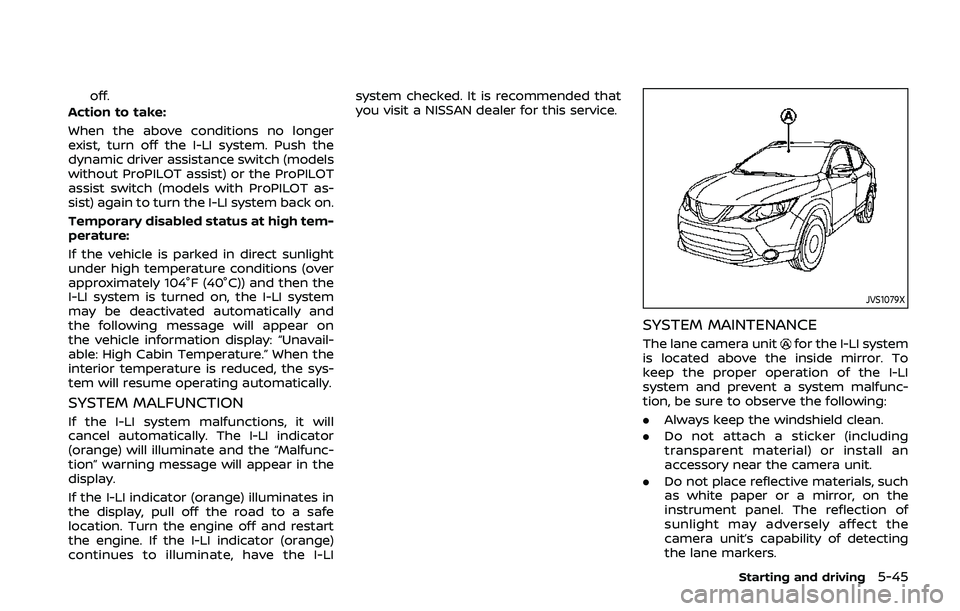
The lane camera unitfor the I-LI system
is located above the inside mirror. To
keep the proper operation of the I-LI
system and prevent a system malfunc-
tion, be sure to observe the following:
. Always keep the windshield clean.
. Do not attach a sticker (including
transparent material) or install an
accessory near the camera unit.
. Do not place reflective materials, such
as white paper or a mirror, on the
instrument panel. The reflection of
sunlight may adversely affect the
camera unit’s capability of detecting
the lane markers.
Starting and driving5-45
Page 293 of 500
— When it is not possible to keepthe vehicle at a constant
speed
— When driving in heavy traffic
— When driving in traffic that varies speed
— When driving in windy areas
— When driving on winding or hilly roads
— When driving on slippery (rain, snow, ice, etc.) roads
CAUTION
On Manual Transmission (MT) model,
do not shift to the N (Neutral) posi-
tion without depressing the clutch
pedal when the cruise control is
operated. Should this occur, depress
the clutch pedal and turn the Cruise
ON/OFF switch off immediately. Fail-
ure to do so may cause engine
damage.
PRECAUTIONS ON CRUISE CON-
TROL
. If the cruise control system malfunc-
tions, it will cancel automatically. The
CRUISE indicator in the vehicle infor-
mation display will then blink to warn
the driver.
. If the CRUISE indicator blinks, turn the
Cruise ON/OFF switch off and have
the system checked. It is recom-
mended that you visit a NISSAN dealer
for this service.
. The CRUISE indicator may blink when
the Cruise ON/OFF switch is turned
ON while pushing the RES/+, SET/-, or
CANCEL switch. To properly set the
cruise control system, perform the
following procedures.
CRUISE CONTROL OPERATIONS
The cruise control allows driving at
speeds above 25 MPH (40 km/h) without
keeping your foot on the accelerator
pedal.
The cruise control will automatically be
canceled if the vehicle slows down more
than approximately 8 MPH (13 km/h)
below the set speed.
Moving the shift lever to the N (Neutral)
position will cancel the cruise control.
Turning on cruise control
Push the Cruise ON/OFF switch. The
CRUISE indicator in the vehicle informa-
tion display will appear.
Setting cruising speed
1. Accelerate to the desired speed.
2. Push the SET/- switch and release it.
3. Take your foot off the accelerator
pedal.
The vehicle will maintain the set speed.
Passing another vehicle:
Depress the accelerator pedal to accel-
erate. After releasing the accelerator
pedal, the vehicle will return to the pre-
viously set speed.
The vehicle may not maintain the set
speed when going up or down steep hills.
In such cases, drive without the cruise
control.
Resetting to slower speed:
Use any one of the following methods to
reset to a slower speed.
. Lightly tap the foot brake pedal. When
the vehicle reaches the desired speed,
push and release the SET/- switch.
. Push and hold the SET/- switch. When
the vehicle reaches the desired speed,
release the SET- switch.
Starting and driving5-65
Page 296 of 500
5-68Starting and driving
Always confirm the setting in the ICC
system display.
For the vehicle-to-vehicle distance con-
trol mode, see “Vehicle-to-vehicle dis-
tance control mode” (P.5-68).
For the conventional (fixed speed) cruise
control mode, see “Conventional (fixed
speed) cruise control mode” (P.5-82).
WAF0145X
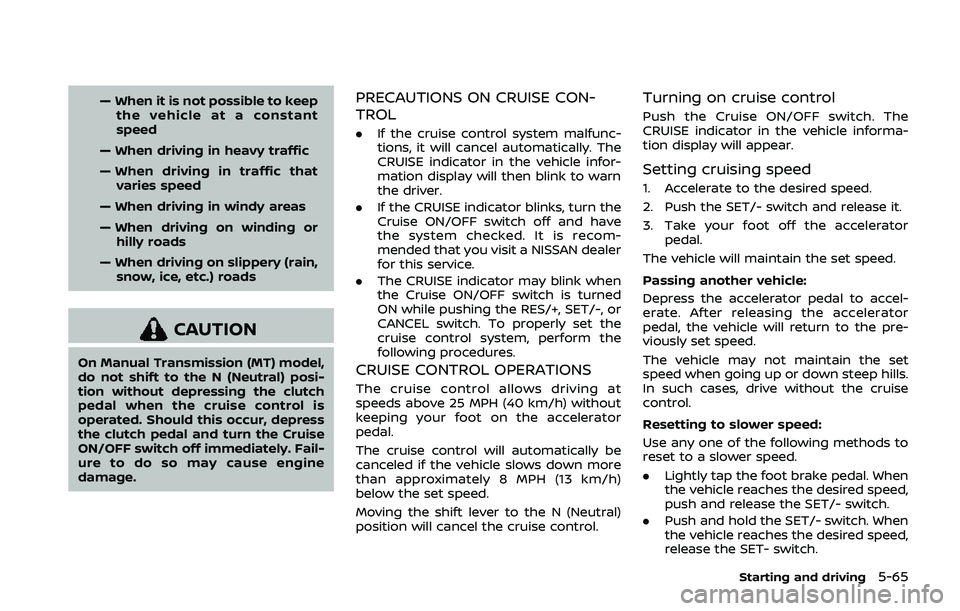
HOW TO SELECT THE CRUISE CON-
TROL MODE
Selecting the vehicle-to-vehicle
distance control mode
To choose the vehicle-to-vehicle distance
control mode, quickly push and release
the Cruise ON/OFF switch.
Selecting the conventional (fixed
speed) cruise control mode
To choose the conventional (fixed speed)
cruise control mode, push and hold the
Cruise ON/OFF switchfor longer than
approximately 1.5 seconds. See “Conven-
tional (fixed speed) cruise control mode” (P.5-82).
VEHICLE-TO-VEHICLE DISTANCE
CONTROL MODE
In the vehicle-to-vehicle distance control
mode, the ICC system automatically
maintains a selected distance from the
vehicle traveling in front of you according
to that vehicle’s speed (up to the set
speed), or at the set speed when the road
ahead is clear.
Page 297 of 500
JVS1041X
The system is intended to enhance the
operation of the vehicle when following a
vehicle traveling in the same lane and
direction.
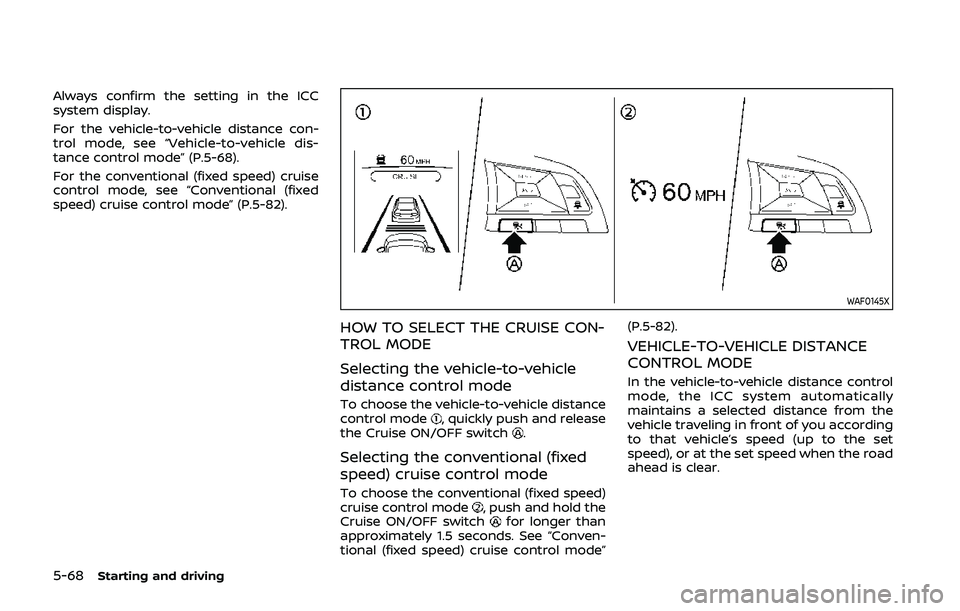
If the radar sensor
detects a slower
moving vehicle ahead, the system will
reduce the vehicle speed so that your
vehicle follows the vehicle in front at the
selected distance.
The system automatically controls the
throttle and applies the brakes (up to
approximately 40% of vehicle braking
power) if necessary.
The detection range of the sensor is
approximately 650 ft (200 m) ahead.
Vehicle-to-vehicle distance control
mode operation
The vehicle-to-vehicle distance control
mode is designed to maintain a selected
distance and reduce the speed to match
the slower vehicle ahead. The system will
decelerate the vehicle as necessary and if
the vehicle ahead comes to a stop, the
vehicle decelerates to a standstill. How-
ever, the ICC system can only apply up to
approximately 40% of the vehicle’s total
braking power. This system should only
be used when traffic conditions allow
vehicle speeds to remain fairly constant
or when vehicle speeds change gradually.
If a vehicle moves into the traveling lane
ahead or if a vehicle traveling ahead
rapidly decelerates, the distance between
vehicles may become closer because the
ICC system cannot decelerate the vehicle
quickly enough. If this occurs, the ICC
system will sound a warning chime and
blink the system display to notify the
driver to take necessary action.
The system will cancel and a warning
chime will sound if the speed is below
approximately 15 MPH (24 km/h) and a
vehicle is not detected ahead. The system
will also disengage when the vehicle goes
above the maximum set speed.
See “Approach warning” (P.5-76). The following items are controlled in the
vehicle-to-vehicle distance control mode:
.
When there are no vehicles traveling
ahead, the vehicle-to-vehicle distance
control mode maintains the speed set
by the driver. The set speed range is
the following speed.
— 20 and 90 MPH (32 and 144 km/h)
. When there is a vehicle traveling
ahead, the vehicle-to-vehicle distance
control mode adjusts the speed to
maintain the distance, selected by
driver, from the vehicle ahead. The
adjusting speed range is up to the set
speed. If the vehicle ahead comes to a
stop, the vehicle decelerates to a
standstill within the limitations of the
system. The system will cancel once it
judges a standstill with a warning
chime.
. When the vehicle traveling ahead has
moved out from its lane of travel, the
vehicle-to-vehicle distance control
mode accelerates and maintains ve-
hicle speed up to the set speed.
The ICC system does not control vehicle
speed or warn you when you approach
stationary and slow moving vehicles. You
must pay attention to vehicle operation
to maintain proper distance from vehicles
ahead when approaching toll gates or
traffic congestion.
Starting and driving5-69
Page 300 of 500
5-72Starting and driving
WAF0147X
Operating vehicle-to-vehicle dis-
tance control mode
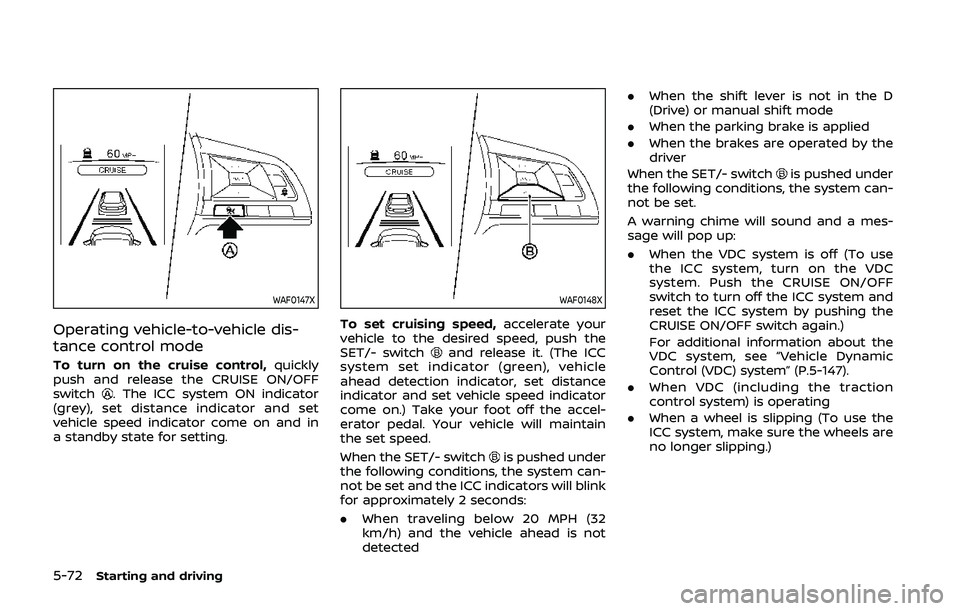
To turn on the cruise control,quickly
push and release the CRUISE ON/OFF
switch
. The ICC system ON indicator
(grey), set distance indicator and set
vehicle speed indicator come on and in
a standby state for setting.
WAF0148X
To set cruising speed, accelerate your
vehicle to the desired speed, push the
SET/- switch
and release it. (The ICC
system set indicator (green), vehicle
ahead detection indicator, set distance
indicator and set vehicle speed indicator
come on.) Take your foot off the accel-
erator pedal. Your vehicle will maintain
the set speed.
When the SET/- switch
is pushed under
the following conditions, the system can-
not be set and the ICC indicators will blink
for approximately 2 seconds:
. When traveling below 20 MPH (32
km/h) and the vehicle ahead is not
detected .
When the shift lever is not in the D
(Drive) or manual shift mode
. When the parking brake is applied
. When the brakes are operated by the
driver
When the SET/- switch
is pushed under
the following conditions, the system can-
not be set.
A warning chime will sound and a mes-
sage will pop up:
. When the VDC system is off (To use
the ICC system, turn on the VDC
system. Push the CRUISE ON/OFF
switch to turn off the ICC system and
reset the ICC system by pushing the
CRUISE ON/OFF switch again.)
For additional information about the
VDC system, see “Vehicle Dynamic
Control (VDC) system” (P.5-147).
. When VDC (including the traction
control system) is operating
. When a wheel is slipping (To use the
ICC system, make sure the wheels are
no longer slipping.)
Page 305 of 500
curves, or on icy roads, in heavy
rain or in fog.
. As there is a performance limit to
the distance control function,
never rely solely on the ICC sys-
tem. This system does not correct
careless, inattentive or absent-
minded driving, or overcome
poor visibility in rain, fog, or other
bad weather. Decelerate the ve-
hicle speed by depressing the
brake pedal, depending on the
distance to the vehicle ahead
and the surrounding circum-
stances in order to maintain a
safe distance between vehicles.
. If the vehicle ahead comes to a
stop, the vehicle decelerates to a
standstill within the limitations of
the system. The system will can-
cel once it judges that the vehicle
has come to a standstill and
sound a warning chime. To pre-
vent the vehicle from moving, the
driver must depress the brake
pedal.
. Always pay attention to the op-
eration of the vehicle and be
ready to manually control the
proper following distance. The
vehicle-to-vehicle distance con-
trol mode of the ICC system may not be able to maintain the se-
lected distance between vehicles
(following distance) or selected
vehicle speed under some cir-
cumstances.
. The system may not detect the
vehicle in front of you in certain
road or weather conditions. To
avoid accidents, never use the ICC
system under the following con-
ditions:
— On roads where the traffic is
heavy or there are sharp
curves
— On slippery road surfaces such as on ice or snow, etc.
— During bad weather (rain, fog, snow, etc.)
— When rain, snow or dirt adhere to the system sensor
— On steep downhill roads (the vehicle may go beyond the set
vehicle speed and frequent
braking may result in over-
heating the brakes)
— On repeated uphill and down- hill roads
— When traffic conditions make it difficult to keep a proper distance between vehicles be-
cause of frequent accelera-
tion or deceleration
— Interference by other radar sources.
. In some road or traffic conditions,
a vehicle or object can unexpect-
edly come into the sensor detec-
tion zone and cause automatic
braking. You may need to control
the distance from other vehicles
using the accelerator pedal. Al-
ways stay alert and avoid using
the ICC system when it is not
recommended in this section.
The radar sensor will not detect the
following objects:
. Stationary and slow moving vehicles
. Pedestrians or objects in the roadway
. Oncoming vehicles in the same lane
. Motorcycles traveling offset in the
travel lane
The sensor generally detects the signals
returned from the vehicle ahead. There-
fore, if the sensor cannot detect the
reflection from the vehicle ahead, the
ICC system may not maintain the se-
lected distance.
The following are some conditions in
Starting and driving5-77
Page 311 of 500
WAF0151X
Conventional (fixed speed) cruise
control mode display and indica-
tors
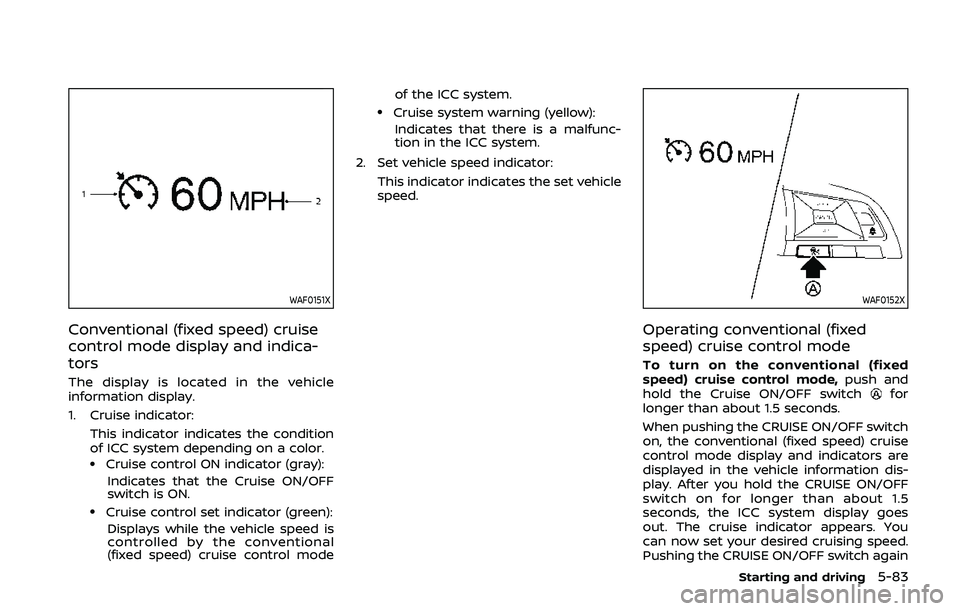
The display is located in the vehicle
information display.
1. Cruise indicator:This indicator indicates the condition
of ICC system depending on a color.
.Cruise control ON indicator (gray):Indicates that the Cruise ON/OFF
switch is ON.
.Cruise control set indicator (green):Displays while the vehicle speed is
controlled by the conventional
(fixed speed) cruise control mode of the ICC system.
.Cruise system warning (yellow):
Indicates that there is a malfunc-
tion in the ICC system.
2. Set vehicle speed indicator: This indicator indicates the set vehicle
speed.
WAF0152X
Operating conventional (fixed
speed) cruise control mode
To turn on the conventional (fixed
speed) cruise control mode, push and
hold the Cruise ON/OFF switch
for
longer than about 1.5 seconds.
When pushing the CRUISE ON/OFF switch
on, the conventional (fixed speed) cruise
control mode display and indicators are
displayed in the vehicle information dis-
play. After you hold the CRUISE ON/OFF
switch on for longer than about 1.5
seconds, the ICC system display goes
out. The cruise indicator appears. You
can now set your desired cruising speed.
Pushing the CRUISE ON/OFF switch again
Starting and driving5-83
Page 313 of 500
3. Push, then quickly release the SET/-switch. Each time you do this, the set
speed will decrease by about 1 MPH
(1.6 km/h).
To resume the preset speed, push and
release the RES/+ switch. The vehicle will
resume the last set cruising speed when
the vehicle speed is over 25 MPH (40
km/h).
System temporarily unavailable
A chime sounds under the following
conditions and the control is automati-
cally canceled.
. When the vehicle slows down more
than 8 MPH (13 km/h) below the set
speed
. When the shift lever is not in the D
(Drive) or manual shift mode
. When the parking brake is applied.
. When the VDC (including the traction
control system) operates
. When a wheel slips
JVS1003X
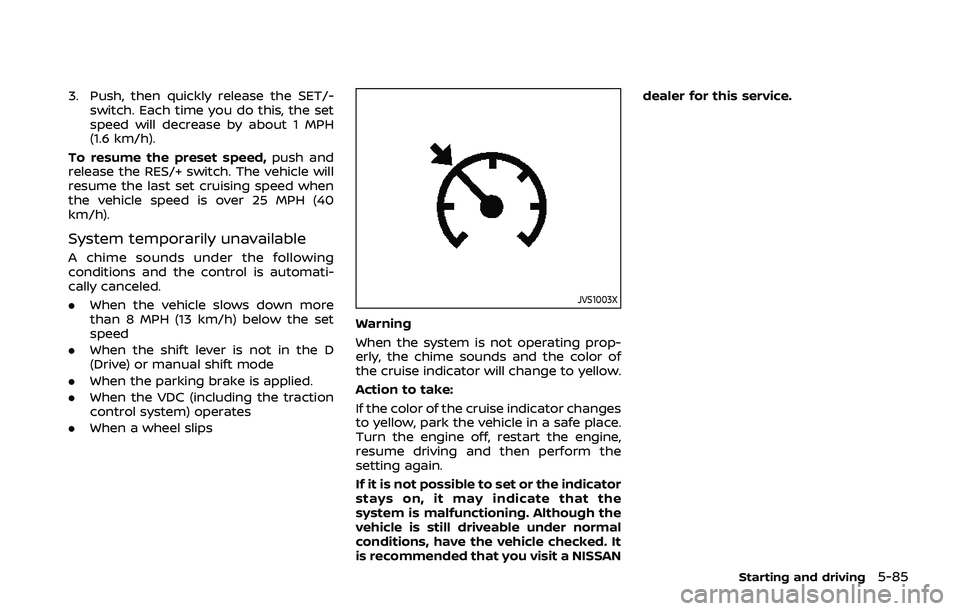
Warning
When the system is not operating prop-
erly, the chime sounds and the color of
the cruise indicator will change to yellow.
Action to take:
If the color of the cruise indicator changes
to yellow, park the vehicle in a safe place.
Turn the engine off, restart the engine,
resume driving and then perform the
setting again.
If it is not possible to set or the indicator
stays on, it may indicate that the
system is malfunctioning. Although the
vehicle is still driveable under normal
conditions, have the vehicle checked. It
is recommended that you visit a NISSAN dealer for this service.
Starting and driving5-85
Page 319 of 500
assist system by the color of the
indicator
.ProPILOT assist status indicator(white): ProPILOT assist is on but
in standby.
.ProPILOT assist status indicator(blue): ProPILOT assist active
TURNING THE CONVENTIONAL
(fixed speed) CRUISE CONTROL
MODE ON
NOTE:
ProPILOT assist provides no approach
warnings, automatic braking, or steer-
ing assist in the conventional (fixed
speed) cruise control mode.
To choose the conventional (fixed speed)
cruise control mode, push and hold the
ProPILOT assist switch for longer than
approximately 1.5 seconds. For additional
information, see “Conventional (fixed
speed) cruise control mode” (P.5-112).
WAF0050X
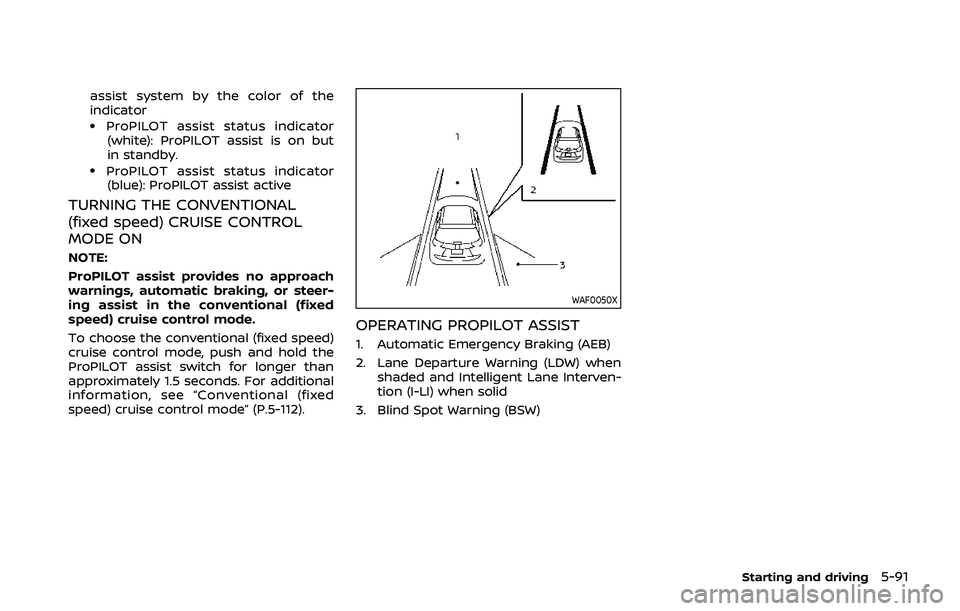
OPERATING PROPILOT ASSIST
1. Automatic Emergency Braking (AEB)
2. Lane Departure Warning (LDW) when shaded and Intelligent Lane Interven-
tion (I-LI) when solid
3. Blind Spot Warning (BSW)
Starting and driving5-91
Page 321 of 500
WAF0052X
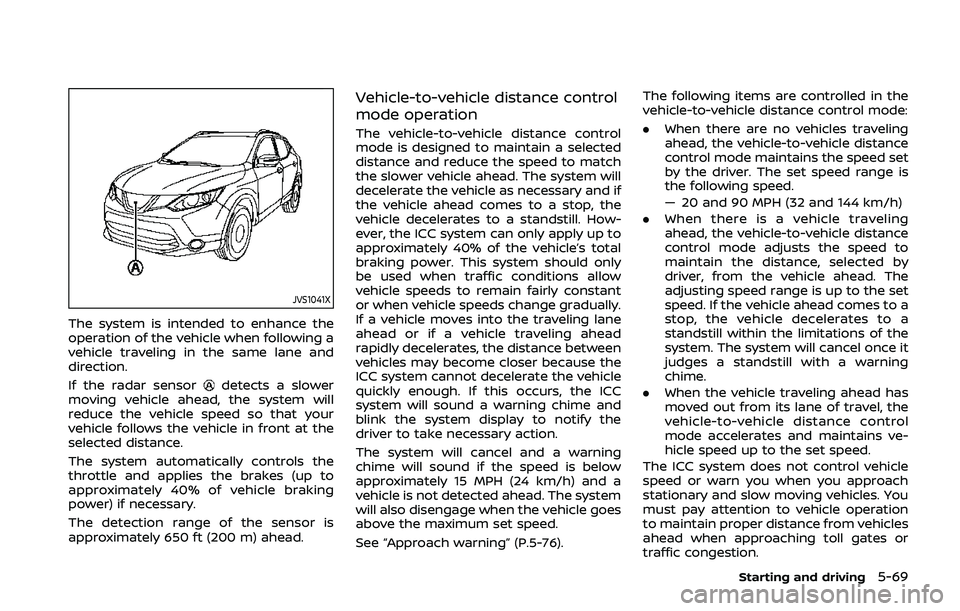
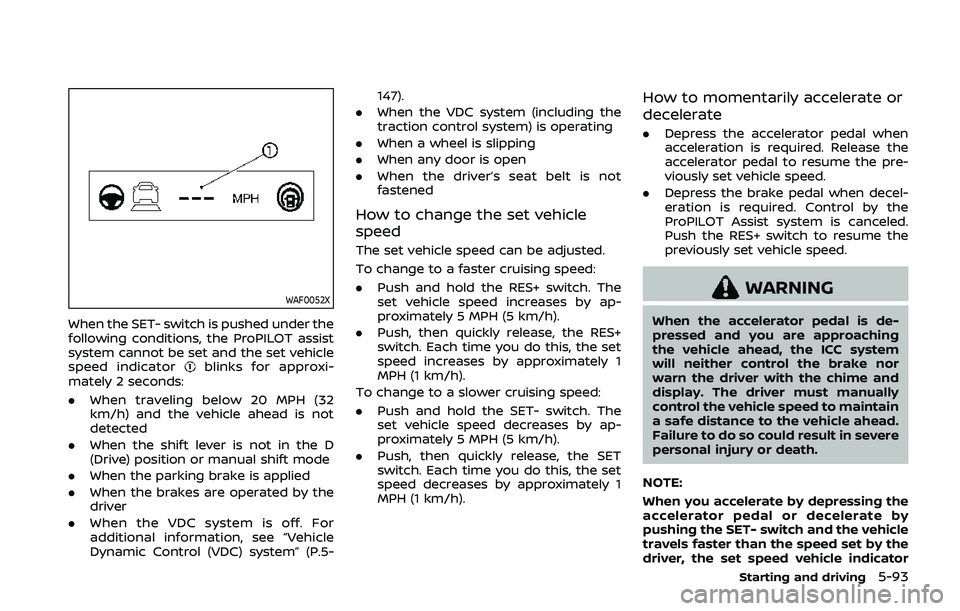
When the SET- switch is pushed under the
following conditions, the ProPILOT assist
system cannot be set and the set vehicle
speed indicator
blinks for approxi-
mately 2 seconds:
. When traveling below 20 MPH (32
km/h) and the vehicle ahead is not
detected
. When the shift lever is not in the D
(Drive) position or manual shift mode
. When the parking brake is applied
. When the brakes are operated by the
driver
. When the VDC system is off. For
additional information, see “Vehicle
Dynamic Control (VDC) system” (P.5- 147).
. When the VDC system (including the
traction control system) is operating
. When a wheel is slipping
. When any door is open
. When the driver’s seat belt is not
fastened
How to change the set vehicle
speed
The set vehicle speed can be adjusted.
To change to a faster cruising speed:
.Push and hold the RES+ switch. The
set vehicle speed increases by ap-
proximately 5 MPH (5 km/h).
. Push, then quickly release, the RES+
switch. Each time you do this, the set
speed increases by approximately 1
MPH (1 km/h).
To change to a slower cruising speed:
. Push and hold the SET- switch. The
set vehicle speed decreases by ap-
proximately 5 MPH (5 km/h).
. Push, then quickly release, the SET
switch. Each time you do this, the set
speed decreases by approximately 1
MPH (1 km/h).
How to momentarily accelerate or
decelerate
.Depress the accelerator pedal when
acceleration is required. Release the
accelerator pedal to resume the pre-
viously set vehicle speed.
. Depress the brake pedal when decel-
eration is required. Control by the
ProPILOT Assist system is canceled.
Push the RES+ switch to resume the
previously set vehicle speed.
WARNING
When the accelerator pedal is de-
pressed and you are approaching
the vehicle ahead, the ICC system
will neither control the brake nor
warn the driver with the chime and
display. The driver must manually
control the vehicle speed to maintain
a safe distance to the vehicle ahead.
Failure to do so could result in severe
personal injury or death.
NOTE:
When you accelerate by depressing the
accelerator pedal or decelerate by
pushing the SET- switch and the vehicle
travels faster than the speed set by the
driver, the set speed vehicle indicator
Starting and driving5-93