seat NISSAN QASHQAI 2019 Owner´s Manual
[x] Cancel search | Manufacturer: NISSAN, Model Year: 2019, Model line: QASHQAI, Model: NISSAN QASHQAI 2019Pages: 500, PDF Size: 2.38 MB
Page 99 of 500
.Rear Automatic Braking (RAB)
. Rear Sonar System (RSS)
For additional information, refer to the
“Starting and driving” section of this
manual.
NISSAN Intelligent Key® door buz-
zer (if so equipped)
The Intelligent Key door buzzer sounds if
any one of the following improper opera-
tions is found.
. The Intelligent Key is left inside the
vehicle when locking the doors.
. The Intelligent Key is left outside the
vehicle when operating the vehicle.
When the buzzer sounds, be sure to
check both the vehicle and the Intelligent
Key. For additional information, refer to
“Intelligent Key system” (P.3-11).
Brake pad wear warning
The disc brake pads have audible wear
warnings. When a brake pad requires
replacement, it will make a high pitched
scraping sound when the vehicle is in
motion. This scraping sound will first
occur only when the brake pedal is
depressed. After more wear of the brake
pad, the sound will always be heard even
if the brake pedal is not depressed. Have
the brakes checked as soon as possible if
the warning sound is heard.
Parking brake reminder chime
The parking brake reminder chime will
sound if the vehicle is driven at more than
4 MPH (7 km/h) (models not equipped
with electronic parking brake) or 2 MPH (4
km/h) (models equipped with electronic
parking brake) with the parking brake
applied. Stop the vehicle and release the
parking brake.
Seat belt warning chime
The seat belt warning chime will sound
for about 6 seconds unless the driver’s
seat belt is securely fastened.
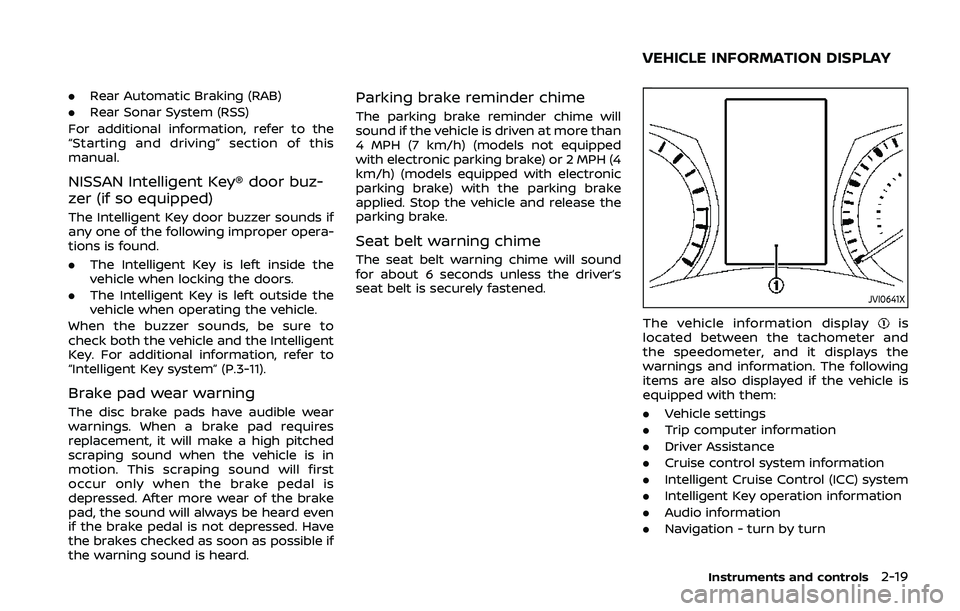
JVI0641X
The vehicle information displayis
located between the tachometer and
the speedometer, and it displays the
warnings and information. The following
items are also displayed if the vehicle is
equipped with them:
. Vehicle settings
. Trip computer information
. Driver Assistance
. Cruise control system information
. Intelligent Cruise Control (ICC) system
. Intelligent Key operation information
. Audio information
. Navigation - turn by turn
Instruments and controls2-19
VEHICLE INFORMATION DISPLAY
Page 116 of 500
2-36Instruments and controls
41. Steering assist alert (if so
equipped)
This message may appear when the
steering assist system is engaged.
It will be displayed under the following
condition:
.When not holding the steering wheel
or when there is no steering wheel
operation.
Hold on the steering wheel immediately.
When the steering operation is detected,
the warning turns off and the steering
assist function is automatically restored.
For additional information, refer to “Pro-
PILOT assist” (P.5-86).
42. Automatic Emergency Braking
(AEB) emergency warning indicator
This indicator illuminates along, with an
audible warning, when the system de-
tects the possibility of a forward collision.
See “Automatic Emergency Braking (AEB)”
(P.5-115) or “Automatic Emergency Brak-
ing (AEB) with pedestrian detection sys-
tem” (P.5-122).
43. Rear Door Alert is activated
When the system is enabled, this message
appears when the Rear Door Alert system
is active and can remind the driver to
check the back seat.
. Using the steering switch, a driver can
select “Dismiss Message” to clear the
display for a period of time. If no
selection is made, this message auto-
matically turns off after a period of
time.
. Using the steering switch, a driver can
select “Disable Alert” to disable the
horn alert for the remainder of the
current trip.
For additional information, see “Rear door
alert” (P.2-58).
WARNING
Selecting “Dismiss Message” during a
stop within a trip temporarily dis-
misses the message for that stop
without turning the system off.
Alerts can be provided for other
stops during the trip. Selecting “Dis-
able Alert” turns off the Rear Door
Alert system for the remainder of a
trip and no audible alert will be
provided. NOTE:
This system is disabled until a driver
enables it using the vehicle information
display. See “Vehicle Settings” (P.2-23).
44. Check Back Seat For all articles
When the system is enabled, this message
appears when the vehicle comes to a
complete stop, the shift lever is moved
from the D (Drive) position to P (Park)
position, and the driver exits the vehicle.
This message alerts the driver, after a
period of time, to check for items in the
rear seat after the audible alert has been
provided.
NOTE:
This system is disabled until a driver
enables it using the vehicle information
display. For additional information, see
“Vehicle Settings” (P.2-23).
45. Rear Automatic Braking (RAB)
indicator (if so equipped)
This indicator illuminates to indicate the
status of the Rear Automatic Braking
(RAB) system.
See “Rear Automatic Braking (RAB)” (P.5-
132).
Page 117 of 500
46. Rear Sonar System (RSS) indi-
cator (if so equipped)
This indicator illuminates to indicate the
status of the Rear Sonar System.
See “Rear sonar system (RSS)” (P.5-152).
47. Not Available Bad Weather (if so
equipped)
This message may appear when the
steering assist system is engaged.
Under the following conditions, the steer-
ing assist system is automatically can-
celed:
.When the wiper low speed or high
speed operates.
. When lane markers in the traveling
lane cannot be correctly detected for
a period of time due to such items as a
snow rut, reflection of light on a rainy
day or several unclear lane markers
are present.
If you want to use the steering assist
system again, cancel the ProPILOT assist
system and set it again when lane
markers are clearly visible.
48. Not available Front Camera
Obstructed (if so equipped)
This message may appear when the
Intelligent Cruise Control (ICC) (with Pro-
PILOT assist) system is engaged.
Under the following conditions, the ICC
(with ProPILOT assist) system is automa-
tically canceled:
. The camera area of the windshield is
fogged up or covered with dirt, water,
drops, ice, snow, etc.
. Strong light, such as sunlight or high
beams from oncoming vehicles, enter
the front camera
49. Not Available Parking Brake On
(if so equipped)
This message may appear when the
Intelligent Cruise Control (ICC) (with Pro-
PILOT assist) system is engaged.
Under the following condition, the ICC
(with ProPILOT assist) system is automa-
tically canceled:
.The electronic parking brake is ap-
plied.
The above system cannot be used when
the electronic parking brake is activated.
50. Not Available Seat Belt Not
Fastened (if so equipped)
This message may appear when the
Intelligent Cruise Control (ICC) (with Pro-
PILOT assist) system is engaged.
Under the following condition, the ICC
(with ProPILOT assist) system is automa-
tically canceled:
. When the driver’s seat belt is not
fastened.
The ICC (with ProPILOT assist) system
cannot be used when the driver’s seat
belt is not fastened.
51. Press Brake Pedal (if so
equipped)
This message may appear when the
Intelligent Cruise Control (ICC) (with Pro-
PILOT assist) system is engaged.
It will be displayed under the following
condition:
. While the vehicle is stopped by the ICC
(with ProPILOT assist), the driver’s
door is opened but the electronic
parking brake was not activated.
Step on the brake immediately.
Instruments and controls2-37
Page 135 of 500
indicator light will turn off.
NOTE:
If the surface temperature of the steer-
ing wheel is above 68°F (20°C) when the
switch is turned on, the system will not
heat the steering wheel. This is not a
malfunction.
WARNING
Do not use or allow occupants to use
the seat heater if you or the occu-
pants cannot monitor elevated seat
temperatures or have an inability to
feel pain in body parts that contact
the seat. Use of the seat heater by
such people could result in serious
injury.
CAUTION
.The battery could run down if the
seat heater is operated while the
engine is not running.
. Do not use the seat heater for
extended periods or when no one
is using the seat.
. Do not put anything on the seat
which insulates heat, such as a
blanket, cushion, seat cover, etc.
Otherwise, the seat may become
overheated.
. Do not place anything hard or
heavy on the seat or pierce it with
a pin or similar object. This may
result in damage to the heater. .
Any liquid spilled on the heated
seat should be removed immedi-
ately with a dry cloth.
. When cleaning the seat, never use
gasoline, thinner, or any similar
materials.
. If any malfunctions are found or
the heated seat does not operate,
turn the switch off and have the
system checked. It is recom-
mended you visit a NISSAN dealer
for this service.
Instruments and controls2-55
HEATED SEATS (if so equipped)
Page 136 of 500
2-56Instruments and controls
JVR0322X
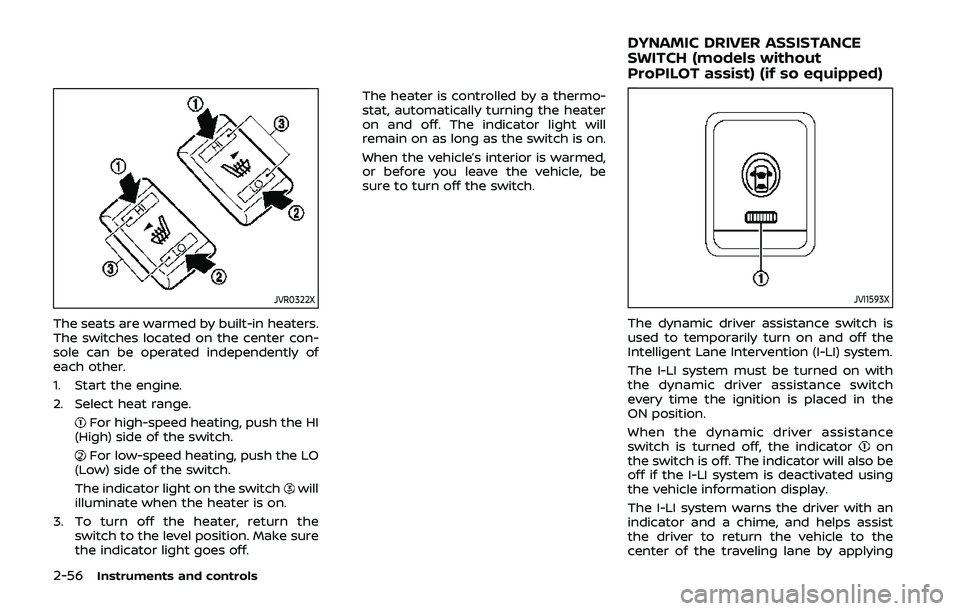
The seats are warmed by built-in heaters.
The switches located on the center con-
sole can be operated independently of
each other.
1. Start the engine.
2. Select heat range.
For high-speed heating, push the HI
(High) side of the switch.
For low-speed heating, push the LO
(Low) side of the switch.
The indicator light on the switch
will
illuminate when the heater is on.
3. To turn off the heater, return the switch to the level position. Make sure
the indicator light goes off. The heater is controlled by a thermo-
stat, automatically turning the heater
on and off. The indicator light will
remain on as long as the switch is on.
When the vehicle’s interior is warmed,
or before you leave the vehicle, be
sure to turn off the switch.
JVI1593X
The dynamic driver assistance switch is
used to temporarily turn on and off the
Intelligent Lane Intervention (I-LI) system.
The I-LI system must be turned on with
the dynamic driver assistance switch
every time the ignition is placed in the
ON position.
When the dynamic driver assistance
switch is turned off, the indicator
on
the switch is off. The indicator will also be
off if the I-LI system is deactivated using
the vehicle information display.
The I-LI system warns the driver with an
indicator and a chime, and helps assist
the driver to return the vehicle to the
center of the traveling lane by applying
DYNAMIC DRIVER ASSISTANCE
SWITCH (models without
ProPILOT assist) (if so equipped)
Page 138 of 500
2-58Instruments and controls
(P.5-147).)
JVI1595X
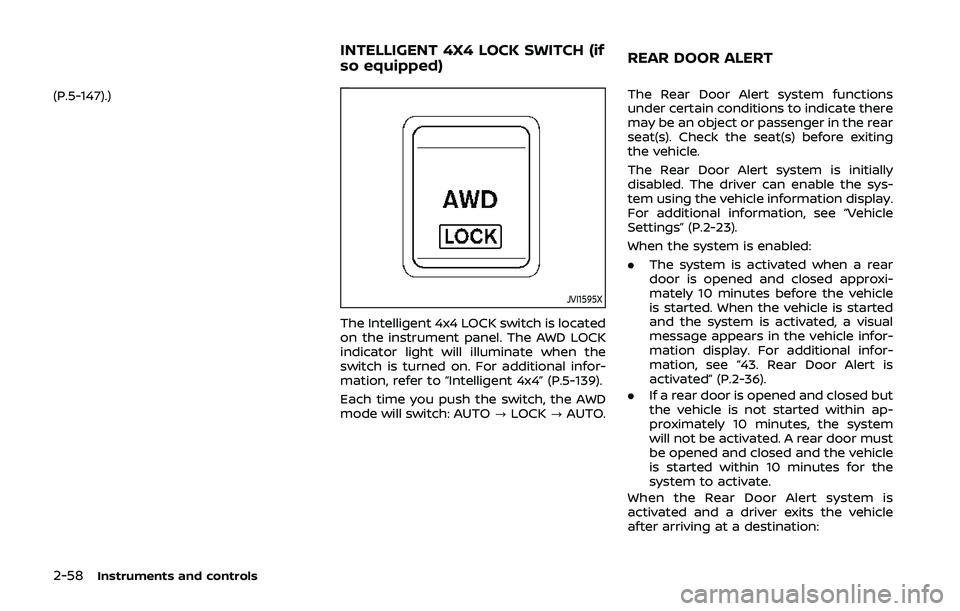
The Intelligent 4x4 LOCK switch is located
on the instrument panel. The AWD LOCK
indicator light will illuminate when the
switch is turned on. For additional infor-
mation, refer to “Intelligent 4x4” (P.5-139).
Each time you push the switch, the AWD
mode will switch: AUTO?LOCK ?AUTO. The Rear Door Alert system functions
under certain conditions to indicate there
may be an object or passenger in the rear
seat(s). Check the seat(s) before exiting
the vehicle.
The Rear Door Alert system is initially
disabled. The driver can enable the sys-
tem using the vehicle information display.
For additional information, see “Vehicle
Settings” (P.2-23).
When the system is enabled:
.
The system is activated when a rear
door is opened and closed approxi-
mately 10 minutes before the vehicle
is started. When the vehicle is started
and the system is activated, a visual
message appears in the vehicle infor-
mation display. For additional infor-
mation, see “43. Rear Door Alert is
activated” (P.2-36).
. If a rear door is opened and closed but
the vehicle is not started within ap-
proximately 10 minutes, the system
will not be activated. A rear door must
be opened and closed and the vehicle
is started within 10 minutes for the
system to activate.
When the Rear Door Alert system is
activated and a driver exits the vehicle
after arriving at a destination:
INTELLIGENT 4X4 LOCK SWITCH (if
so equipped) REAR DOOR ALERT
Page 139 of 500
.When the driver puts the vehicle in the
P (Park) position, a message appears
in the vehicle information display for
the driver to “Dismiss Message” or
“Disable Alert” if desired.
. With the system enabled, when the
driver exits the vehicle, an audible alert
(horn sound) will occur unless a rear
door is opened and closed within a
short time to deactivate the alert.
. If the doors are locked before the alert
is deactivated by opening a rear door,
the horn will sound.
. If the system is activated but the
liftgate is opened before opening a
rear door, the horn will be delayed
until after the liftgate is closed.
. If the audible horn alert occurs, a
message will also appear in the vehi-
cle information display that states,
“Check Back Seat for all articles”. For
additional information, see “44. Check
Back Seat For all articles” (P.2-36).
WARNING
.If the driver selects “Disable
Alert”, no audible alert will be
provided regardless of rear door
open/close status. .
There may be times when there is
an object or passenger in the rear
seat(s) but the audible alert does
not sound. For example, this may
occur if the engine is turned off
and then on again in a short
period of time during a trip, or if
rear seat passengers enter or exit
the vehicle during a trip.
. The system does not directly
detect objects or passengers in
the rear seat(s). Instead, it can
detect when a rear door is
opened and closed, indicating
that there may be something in
the rear seat(s).
NOTE:
There may be times when the horn
sounds but there are no objects or
passengers in the rear seat(s).
For additional information, see “43. Rear
Door Alert is activated” (P.2-36).
JVS0185X
The ECO mode system helps to enhance
the fuel economy by controlling the
engine and CVT operation (for CVT mod-
els) automatically to avoid rapid accelera-
tion.
To turn on the ECO mode system, push
the ECO switch. The ECO mode indicator
appears on the meter.
To turn off the ECO mode, push the ECO
switch again. The ECO mode indicator will
turn off.
. The ECO mode system cannot be
turned off while the accelerator pedal
is depressed even if the ECO switch is
pushed to OFF. Release the accelera-
tor pedal to turn off the ECO mode
Instruments and controls2-59
ECO MODE SWITCH
Page 142 of 500
2-62Instruments and controls
CUP HOLDERS
CAUTION
.Avoid abrupt starting and braking
when the cup holder is being
used to prevent spilling the drink.
If the liquid is hot, it can scald you
or your passenger.
. Use only soft cups in the cup
holder. Hard objects can injure
you in an accident.
JVI1601XCenter console
Front
JVI0873X
Rear seat (if so equipped)
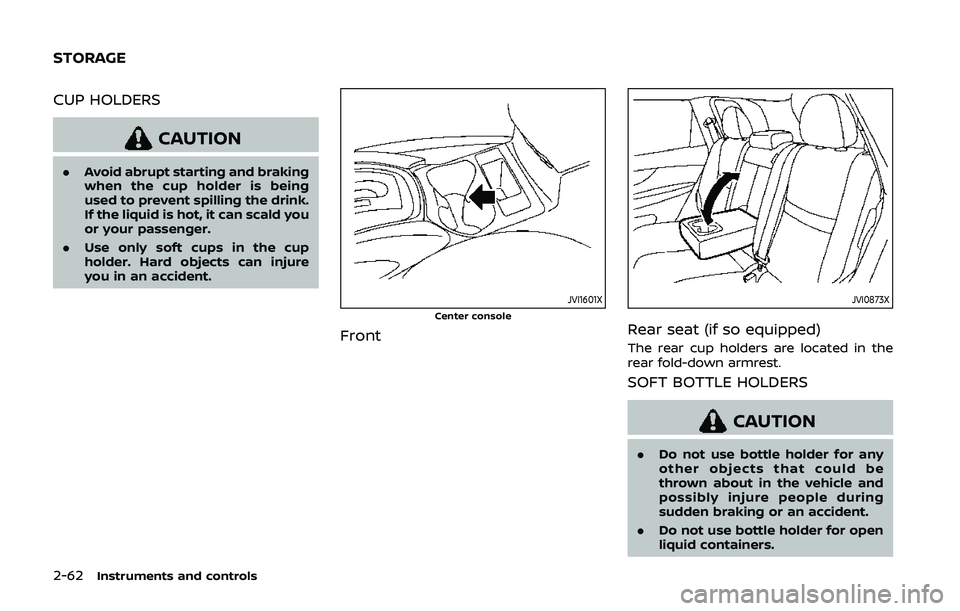
The rear cup holders are located in the
rear fold-down armrest.
SOFT BOTTLE HOLDERS
CAUTION
.Do not use bottle holder for any
other objects that could be
thrown about in the vehicle and
possibly injure people during
sudden braking or an accident.
. Do not use bottle holder for open
liquid containers.
STORAGE
Page 143 of 500
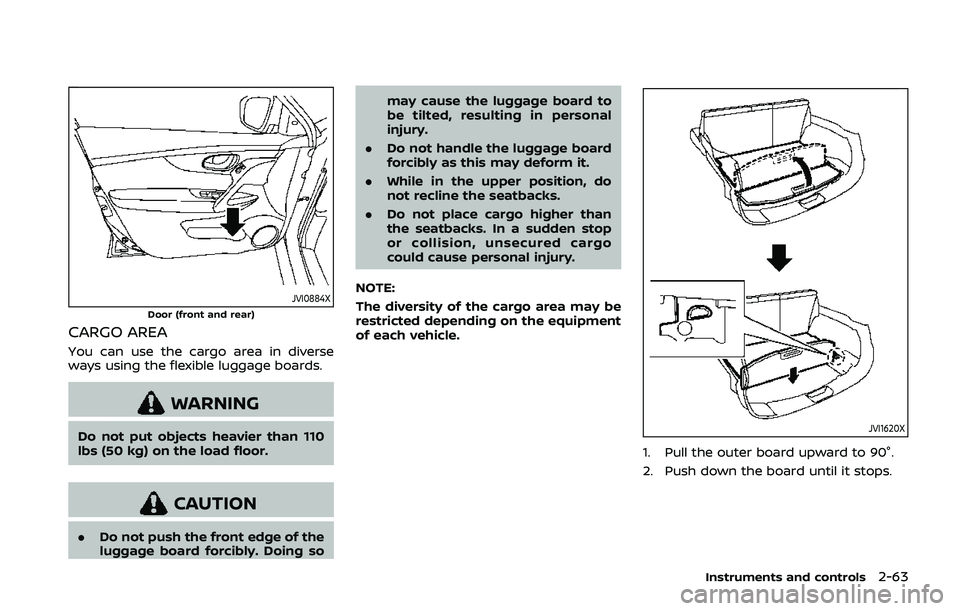
JVI0884XDoor (front and rear)
CARGO AREA
You can use the cargo area in diverse
ways using the flexible luggage boards.
WARNING
Do not put objects heavier than 110
lbs (50 kg) on the load floor.
CAUTION
.Do not push the front edge of the
luggage board forcibly. Doing so may cause the luggage board to
be tilted, resulting in personal
injury.
. Do not handle the luggage board
forcibly as this may deform it.
. While in the upper position, do
not recline the seatbacks.
. Do not place cargo higher than
the seatbacks. In a sudden stop
or collision, unsecured cargo
could cause personal injury.
NOTE:
The diversity of the cargo area may be
restricted depending on the equipment
of each vehicle.
JVI1620X
1. Pull the outer board upward to 90°.
2. Push down the board until it stops.
Instruments and controls2-63
Page 146 of 500
2-66Instruments and controls
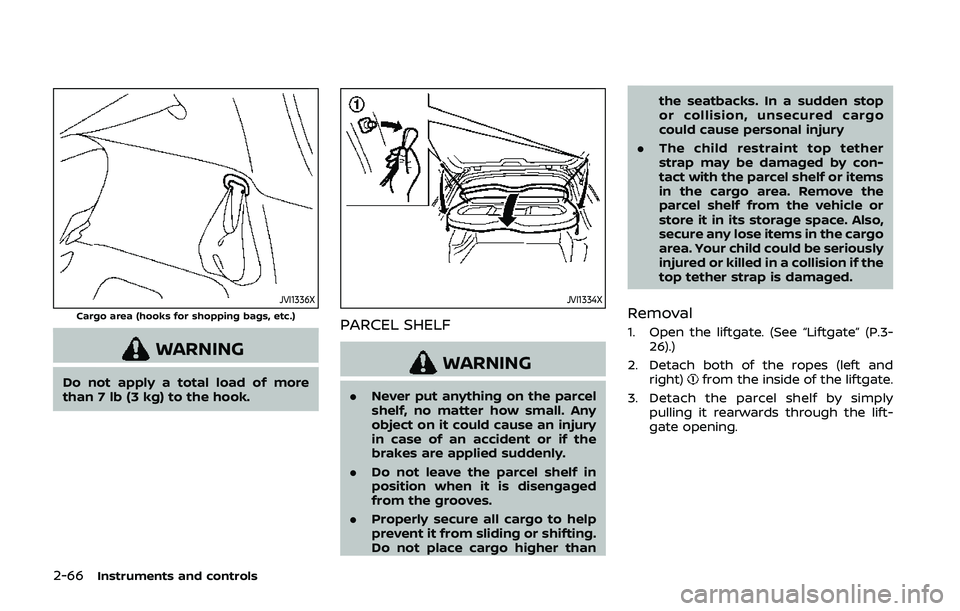
JVI1336XCargo area (hooks for shopping bags, etc.)
WARNING
Do not apply a total load of more
than 7 lb (3 kg) to the hook.
JVI1334X
PARCEL SHELF
WARNING
.Never put anything on the parcel
shelf, no matter how small. Any
object on it could cause an injury
in case of an accident or if the
brakes are applied suddenly.
. Do not leave the parcel shelf in
position when it is disengaged
from the grooves.
. Properly secure all cargo to help
prevent it from sliding or shifting.
Do not place cargo higher than the seatbacks. In a sudden stop
or collision, unsecured cargo
could cause personal injury
. The child restraint top tether
strap may be damaged by con-
tact with the parcel shelf or items
in the cargo area. Remove the
parcel shelf from the vehicle or
store it in its storage space. Also,
secure any lose items in the cargo
area. Your child could be seriously
injured or killed in a collision if the
top tether strap is damaged.
Removal
1. Open the liftgate. (See “Liftgate” (P.3-
26).)
2. Detach both of the ropes (left and right)
from the inside of the liftgate.
3. Detach the parcel shelf by simply pulling it rearwards through the lift-
gate opening.