maintenance NISSAN ROGUE 2015 Owner´s Manual
[x] Cancel search | Manufacturer: NISSAN, Model Year: 2015, Model line: ROGUE, Model: NISSAN ROGUE 2015Pages: 440, PDF Size: 4.71 MB
Page 107 of 440
Drip Wipe
The drip wipe feature can be set to be ON or
OFF. From the Vehicle Settings menu, select
“Drip Wipe”. Use the ENTER button to turn this
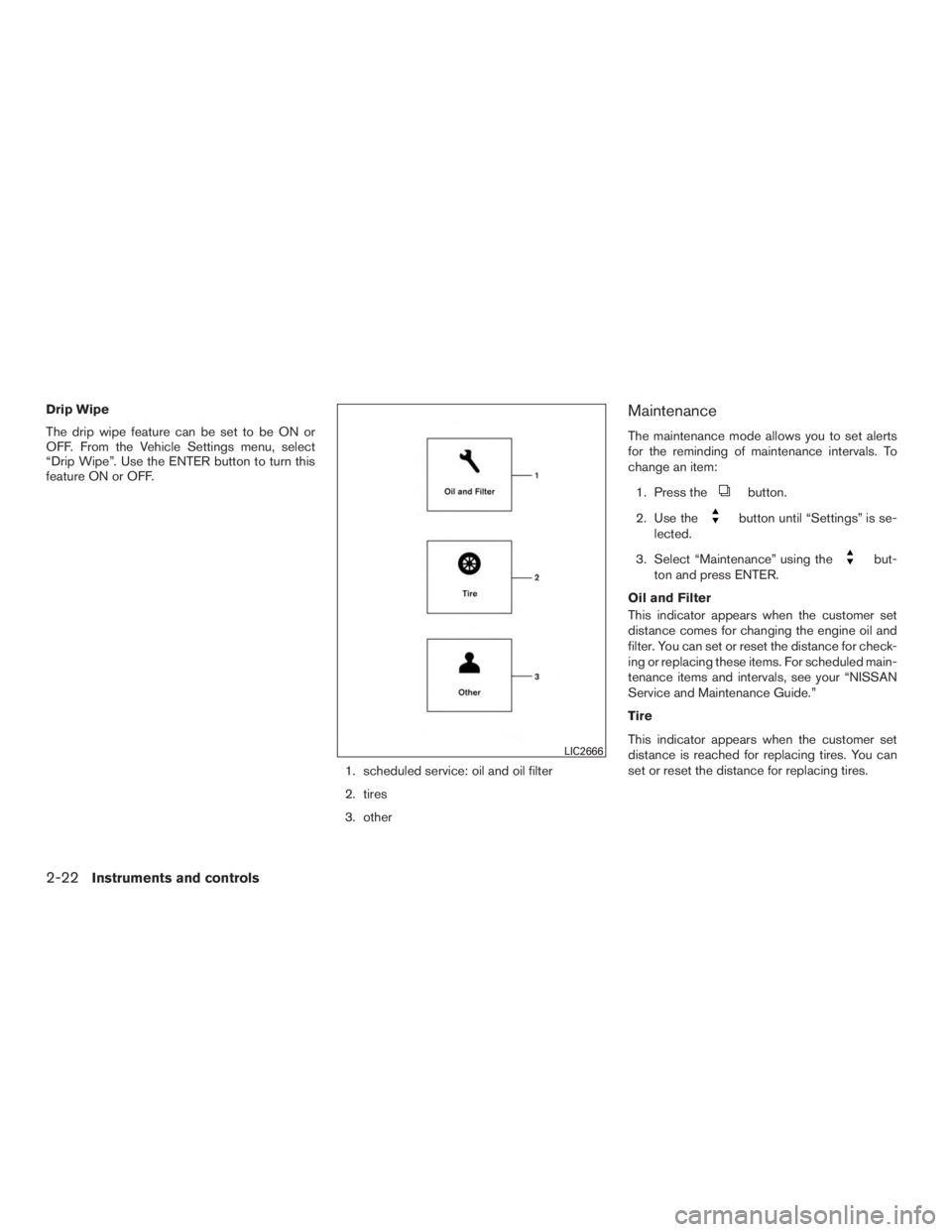
feature ON or OFF.1. scheduled service: oil and oil filter
2. tires
3. otherMaintenance
The maintenance mode allows you to set alerts
for the reminding of maintenance intervals. To
change an item:1. Press the
button.
2. Use the
button until “Settings” is se-
lected.
3. Select “Maintenance” using the
but-
ton and press ENTER.
Oil and Filter
This indicator appears when the customer set
distance comes for changing the engine oil and
filter. You can set or reset the distance for check-
ing or replacing these items. For scheduled main-
tenance items and intervals, see your “NISSAN
Service and Maintenance Guide.”
Tire
This indicator appears when the customer set
distance is reached for replacing tires. You can
set or reset the distance for replacing tires.
LIC2666
2-22Instruments and controls
Page 108 of 440
WARNING
The tire replacement indicator is not a
substitute for regular tire checks, includ-
ing tire pressure checks. For additional
information, refer to “Changing wheels
and tires” in the “Maintenance and do-it-
yourself” section of this manual. Many fac-
tors including tire inflation, alignment,
driving habits and road conditions affect
tire wear and when tires should be re-
placed. Setting the tire replacement indi-
cator for a certain driving distance does
not mean your tires will last that long. Use
the tire replacement indicator as a guide
only and always perform regular tire
checks. Failure to perform regular tire
checks, including tire pressure checks
could result in tire failure. Serious vehicle
damage could occur and may lead to a
collision, which could result in serious
personal injury or death.
Other
This indicator appears when the customer set
distance is reached for checking or replacing
maintenance items other than the engine oil, oil
filter and tires. Other maintenance items can in-
clude such things as air filter or tire rotation. The
distance for checking or replacing the items can
be set or reset.
Alarm
This setting allows the customer to set alarms for
outside temperature and a timer alert.
1. Press the
button.
2. Use the
button until “Settings” is se-
lected, and press ENTER.
3. Select “Alarm” using the
button and
press ENTER.
Outside Temperature
This setting allows the customer to
enable/disable the alert for low outside tempera-
ture in the vehicle information display.
1. Use the
button to select “Outside
Temperature”.
2. Press the ENTER button to turn on/off the outside temperature in the vehicle informa-
tion display.
Timer Alert
This setting allows the driver to set an alert to
notify a set time has been reached.
1. Use the
button to select “Timer Alert”.
2. Press the ENTER button. 3. To change the timer amount, use the
button and the ENTER button to save the
selected time amount.
Navigation (if so equipped)
This setting allows the customer to
enable/disable the alert for navigation in the ve-
hicle information display.
1. Use the
buttons to select “Naviga-
tion”.
2. Press the ENTER button to turn ON/OFF the alert.
Phone (if so equipped)
This setting allows the customer to
enable/disable the alert for navigation in the ve-
hicle information display.
1. Use the
buttons to select “Phone”.
2. Press the ENTER button to turn ON/OFF the alert.
Mail (if so equipped)
This setting allows the customer to
enable/disable the alert for navigation in the ve-
hicle information display.
1. Use the
buttons to select “Mail”.
2. Press the ENTER button to turn ON/OFF the alert.
Instruments and controls2-23
Page 111 of 440
VEHICLE INFORMATION DISPLAY
WARNINGS AND INDICATORS
1. Engine start operation
2. No Key Detected (if so equipped)
3. Shift to Park
4. Key Battery Low (if so equipped)
5. Engine start operation for Intelligent Key sys-tem (if I-Key battery level is low) (if so
equipped)
6. Key ID Incorrect (if so equipped)
7. Release Parking Brake
8. Low Fuel
9. Low Washer Fluid
10. Door/Liftgate Open
11. I-Key System Error: See Owner’s Manual (if so equipped)
12. Loose Fuel Cap
13. Tire Pressure Low – Add Air
14. Flat Tire – Visit Dealer (if so equipped)
15. Low Oil Pressure Stop Vehicle
16. All Wheel Drive (AWD) Error: See Owner’s Manual (if so equipped) 17. All Wheel Drive (AWD) High Temp. Stop
Vehicle (if so equipped)
18. All Wheel Drive (AWD) Tire Size Incorrect See Owner’s Manual (if so equipped)
19. Battery Voltage Low Charge Battery
20. Shipping Mode On Push Storage Fuse
21. Power will turn off to save the battery
22. Power turned off to save the battery
23. Reminder: Turn OFF headlights
24. Timer Alert – Time for a driver break?
25. Low Outside Temperature
26. Chassis Control System Error: See Owner’s Manual
27. Cruise indicators
28. Transmission Shift Position Indicator
29. CVT Error See Owner’s Manual
30. Malfunction See Owner’s Manual
Engine start operation
This indicator appears when the shift lever is in
the P (Park) position.
This indicator means that the engine will start by
pushing the ignition switch with the brake pedal depressed. You can start the engine from any
position of the ignition switch.
No Key Detected (if so equipped)
This warning appears when the Intelligent Key is
left outside the vehicle with the ignition switch in
the ON position. Make sure the Intelligent Key is
inside the vehicle.
For additional information about the Intelligent
Key, refer to “NISSAN Intelligent Key®” in the
“Pre-driving checks and adjustments” section of
this manual.
Shift to Park
This warning illuminates when the ignition switch
is in the ACC (if so equipped) or OFF position
and the shift lever is in any position other than P
(Park) position. Also, a chime sounds when the
ignition switch is in the OFF position.
If this warning illuminates, move the shift lever to
the P (Park) position or start the engine.
Key Battery Low (if so equipped)
This indicator illuminates when the Intelligent Key
battery is running out of power.
If this indicator illuminates, replace the battery
with a new one. For additional information, refer
to “Battery replacement” in the “Maintenance and
do-it-yourself” section of this manual.
2-26Instruments and controls
Page 112 of 440
Engine start operation for Intelligent Key
system (if I-Key battery is low) (if so
equipped)
This indicator appears when the battery of the
Intelligent Key is low and when the Intelligent Key
system and the vehicle are not communicating
normally.
If this appears, touch the ignition switch with the
Intelligent Key while depressing the brake pedal.
For additional information, refer to “NISSAN In-
telligent Key® battery discharge” in the “Starting
and driving” section of this manual.
Key ID Incorrect (if so equipped)
This warning appears when the ignition switch is
placed from the OFF position and the Intelligent
Key is not recognized by the system. You cannot
start the engine with an unregistered key.
For additional information, refer to “NISSAN In-
telligent Key®” in the “Pre-driving checks and
adjustments” section of this manual.
Release Parking Brake
This warning illuminates in the message area of
the vehicle information display when the parking
brake is set and the vehicle is driven.Low Fuel
This warning illuminates when the fuel level in the
fuel tank is getting low. Refuel as soon as it is
convenient, preferably before the fuel gauge
reaches 0 (Empty) .
There will be a small re-
serve of fuel in the tank when the fuel
gauge needle reaches 0 (Empty) .
Low Washer Fluid
This warning illuminates when the windshield-
washer fluid is at a low level. Add windshield-
washer fluid as necessary. For additional informa-
tion, refer to “Windshield-washer fluid” in the
“Maintenance and do-it-yourself” section of this
manual.
Door/liftgate Open
This warning illuminates when a door has been
opened when the engine is running.
I-Key System Error: See Owner’s Manual
(if so equipped)
After the ignition switch is pushed to the ON
position, this light comes on for about 2 seconds
and then turns off.
The I-Key System Error message warns of a
malfunction with the Intelligent Key system. If the
light comes on while the engine is stopped, it may
be impossible to start the engine. If the light comes on while the engine is running,
you can drive the vehicle. However in these
cases, contact a NISSAN dealer for repair as
soon as possible.
Loose Fuel Cap
This warning appears when the fuel-filler cap is
not tightened correctly after the vehicle has been
refueled. For additional information, refer to
“Fuel-filler cap” in the “Pre-driving checks and
adjustments” section of this manual.
Tire Pressure Low - Add Air
This warning appears when the low tire pressure
warning light in the meter illuminates and low tire
pressure is detected. The warning appears each
time the ignition switch is placed in the ON
position as long as they low tire pressure warning
light remains illuminated. If this warning appears,
stop the vehicle and adjust the tire pressures of
all four tires to the recommended COLD tire
pressure shown on the Tire and Loading Informa-
tion label. For additional information, refer to
“Low tire pressure warning light” in this section
and “Tire Pressure Monitoring System (TPMS)”
in the “Starting and driving” section of this
manual.
Flat Tire – Visit Dealer (if so equipped)
This warning appears when the low tire pressure
warning light in the meter illuminates and one or
Instruments and controls2-27
Page 113 of 440
more flat tires are detected while driving. A chime
also sounds for approximately 10 seconds.
Low Oil Pressure Stop Vehicle
This warning appears in message area of the
vehicle information display if low oil pressure is
detected. This gauge is not designed to indicate
low oil level.The low oil pressure warning is
not designed to indicate a low oil level. Use
the dipstick to check the oil level. For additional
information, refer to “Engine oil” in the “Mainte-
nance and do-it-yourself” section of this manual.
All-Wheel Drive (AWD) Error See Owner’s
Manual (if so equipped)
This warning appears when the all-wheel drive
system is not functioning properly while the en-
gine is running.
All-Wheel Drive (AWD) High Temp. Stop
Vehicle (if so equipped)
This warning may appear while trying to free a
stuck vehicle due to increased oil temperature.
The driving mode may change to 2-Wheel Drive
(2WD) . If this warning is displayed, stop the
vehicle with the engine idling, as soon as it is safe
to do so. Then if the warning turns off, you can
continue driving. All-Wheel Drive (AWD) Tire Size Incorrect
See Owner’s Manual (if so equipped)
This warning may appear if there is a large differ-
ence between the diameters of the front and rear
wheels. Pull off the road in a safe area, with the
engine idling. Check that all the tire sizes are the
same, that the tire pressure is correct and that the
tires are not excessively worn.
Battery Voltage Low Charge Battery
This warning appears when the battery is low and
needs to be charged.
Extended storage fuse
This warning may appear if the extended storage
fuse switch is not pushed in (switched on) . When
this warning appears, push in (switch on) the
extended storage fuse switch to turn off the
warning. For additional information, refer to
“Fuses” in the “Maintenance and do-it-yourself”
section of this manual.
Power will turn off to save the battery
This warning appears in message area of the
vehicle information display after a period of time if
the shift lever has not moved from the P (Park)
position.
Power turned off to save the battery
This warning appears after the ignition switch is
automatically turned off to save the battery.
Reminder: Turn OFF headlights
This warning appears when the headlights are
left in the ON position when exiting the vehicle.
Place the headlight switch in the OFF or AUTO
position. For additional information, refer to
“Headlight and turn signal switch” in this section.
Timer Alert – Time for a driver break?
This indicator appears when the set time is
reached. The time can be set up to six hours. For
setting the timer, refer to “Timer alert” in this
section.
Low Outside Temperature
This warning appears if the outside temperature
is below 37°F (3°C) . The temperature can be
changed to display in Celsius or Fahrenheit. For
additional information, refer to “Temperature” in
this section.
2-28Instruments and controls
Page 155 of 440
CAUTION
●Be sure to carry the Intelligent Key with
you when operating the vehicle.
● Never leave the Intelligent Key in the
vehicle when you leave the vehicle.
The Intelligent Key is always communicating with
the vehicle as it receives radio waves. The Intel-
ligent Key system transmits weak radio waves.
Environmental conditions may interfere with the
operation of the Intelligent Key system under the
following operating conditions: ● When operating near a location where
strong radio waves are transmitted, such as
a TV tower, power station and broadcasting
station.
● When in possession of wireless equipment,
such as a cellular telephone, transceiver, or a
CB radio.
● When the Intelligent Key is in contact with or
covered by metallic materials.
● When any type of radio wave remote control
is used nearby.
● When the Intelligent Key is placed near an
electric appliance such as a personal com-
puter. ●
When the vehicle is parked near a parking
meter.
In such cases, correct the operating conditions
before using the Intelligent Key function or use
the mechanical key.
Although the life of the battery varies depending
on the operating conditions, the battery’s life is
approximately two years. If the battery is dis-
charged, replace it with a new one.
When the Intelligent Key battery is low, an indi-
cator illuminates in the Vehicle Information Dis-
play. For additional information, refer to “Vehicle
Information Display” in the “Instruments and con-
trols” section of this manual.
Since the Intelligent Key is continuously receiving
radio waves, if the key is left near equipment
which transmits strong radio waves, such as sig-
nals from a TV and personal computer, the bat-
tery life may become shorter.
For additional information, refer to “Battery re-
placement” in the “Maintenance and do-it-
yourself” section of this manual.
As many as four Intelligent Keys can be regis-
tered and used with one vehicle. For information
about the purchase and use of additional Intelli-
gent Keys, contact a NISSAN dealer.
CAUTION
Listed below are conditions or occur-
rences which will damage the Intelligent
Key:
● Do not allow the Intelligent Key, which
contains electrical components, to
come into contact with water or salt
water. This could affect the system
function.
● Do not drop the Intelligent Key.
● Do not strike the Intelligent Key sharply
against another object.
● Do not change or modify the Intelligent
Key.
● Wetting may damage the Intelligent
Key. If the Intelligent Key gets wet, im-
mediately wipe until it is completely dry.
● Do not place the Intelligent Key for an
extended period in an area where tem-
peratures exceed 140°F (60°C) .
● Do not attach the Intelligent Key with a
key holder that contains a magnet.
● Do not place the Intelligent Key near
equipment that produces a magnetic
field, such as a TV, audio equipment and
personal computers.
3-12Pre-driving checks and adjustments
Page 166 of 440
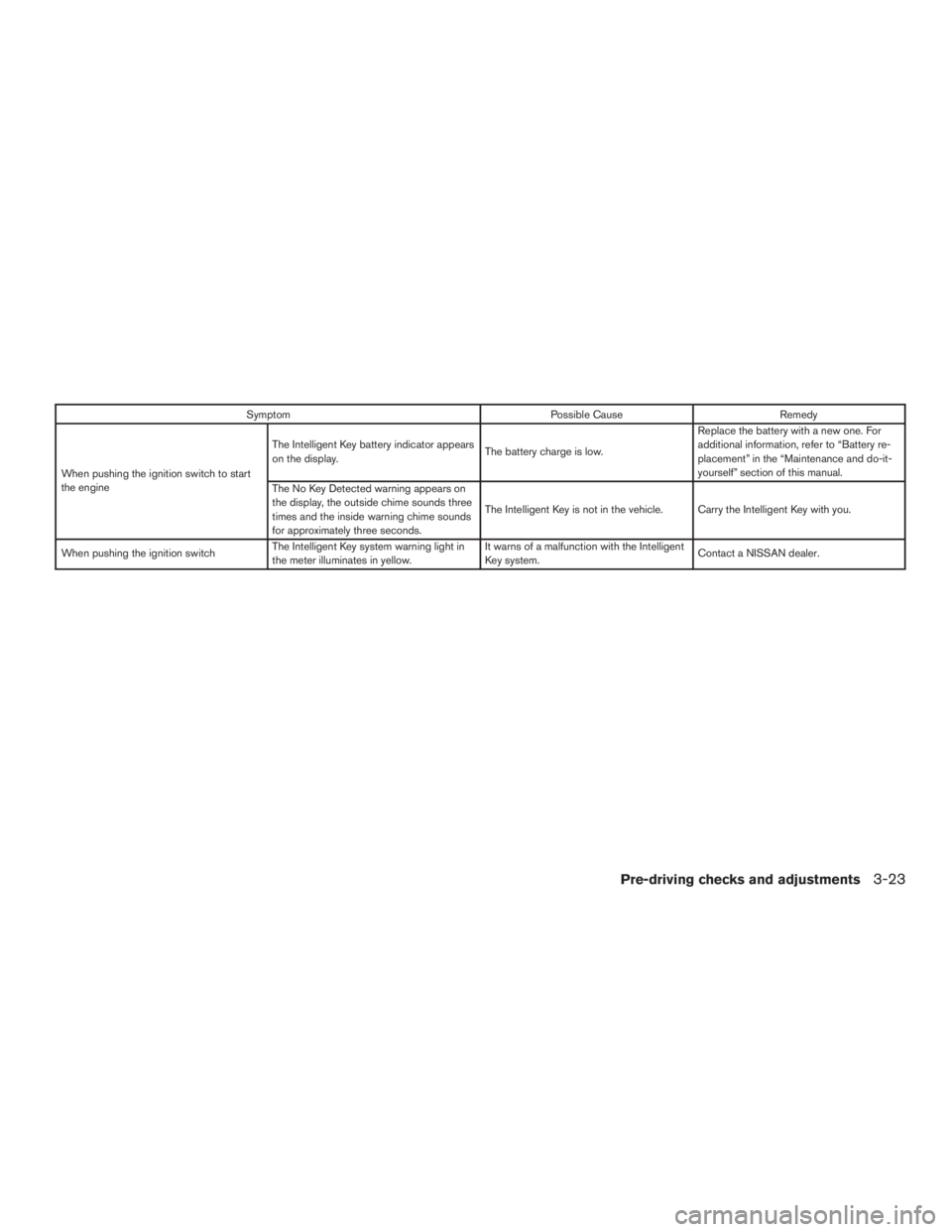
SymptomPossible CauseRemedy
When pushing the ignition switch to start
the engine The Intelligent Key battery indicator appears
on the display.
The battery charge is low.Replace the battery with a new one. For
additional information, refer to “Battery re-
placement” in the “Maintenance and do-it-
yourself” section of this manual.
The No Key Detected warning appears on
the display, the outside chime sounds three
times and the inside warning chime sounds
for approximately three seconds. The Intelligent Key is not in the vehicle. Carry the Intelligent Key with you.
When pushing the ignition switch The Intelligent Key system warning light in
the meter illuminates in yellow. It warns of a malfunction with the Intelligent
Key system.
Contact a NISSAN dealer.
Pre-driving checks and adjustments3-23
Page 186 of 440
Touch-screen maintenance
If you clean the display screen, use a dry, soft
cloth. If additional cleaning is necessary, use a
small amount of neutral detergent with a soft
cloth. Never spray the screen with water or de-
tergent. Dampen the cloth first and then wipe the
screen.
HOW TO USE THEBACK
BUTTON
Press theBACK button to return to the
previous screen.
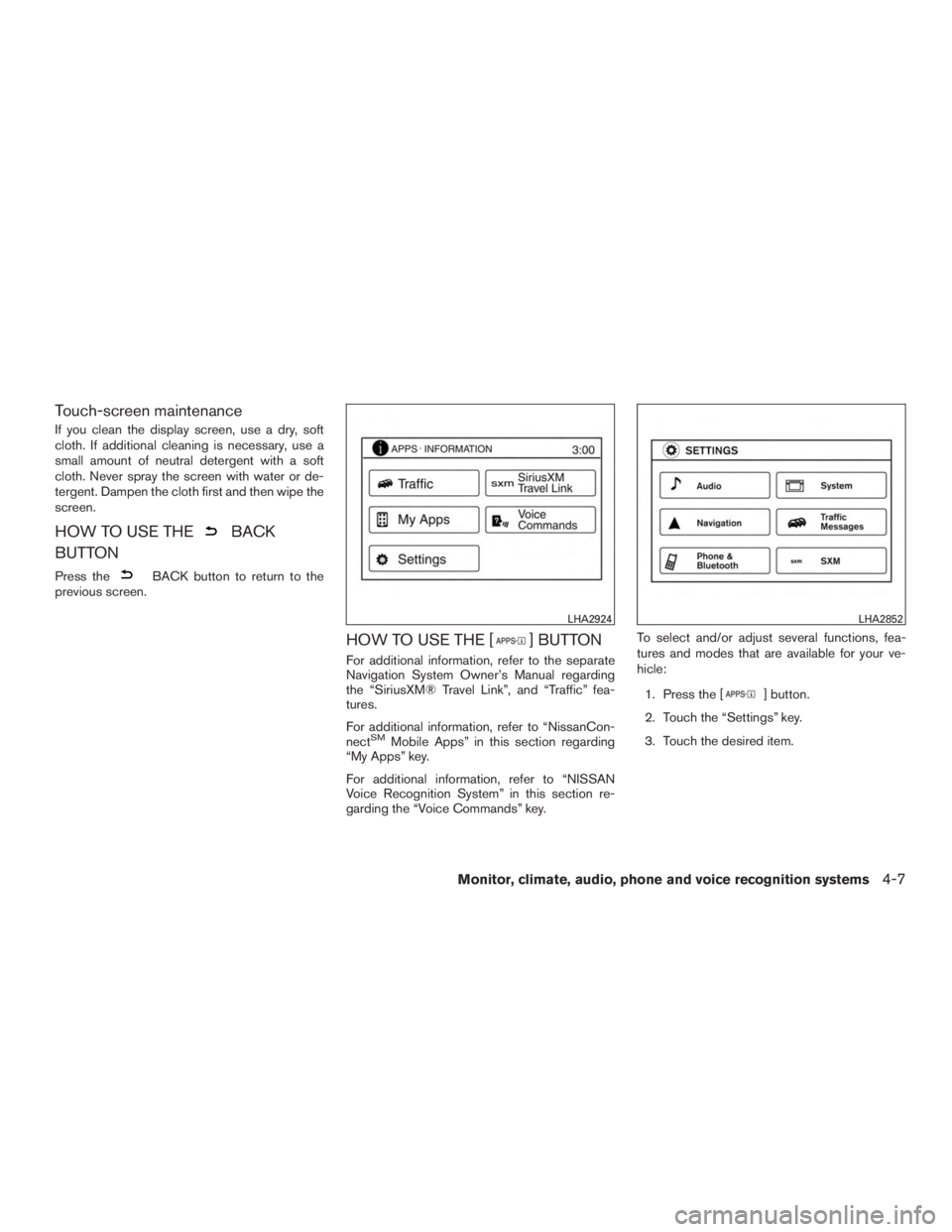
HOW TO USE THE [] BUTTON
For additional information, refer to the separate
Navigation System Owner’s Manual regarding
the “SiriusXM® Travel Link”, and “Traffic” fea-
tures.
For additional information, refer to “NissanCon-
nect
SMMobile Apps” in this section regarding
“My Apps” key.
For additional information, refer to “NISSAN
Voice Recognition System” in this section re-
garding the “Voice Commands” key. To select and/or adjust several functions, fea-
tures and modes that are available for your ve-
hicle:
1. Press the [
] button.
2. Touch the “Settings” key.
3. Touch the desired item.
LHA2924LHA2852
Monitor, climate, audio, phone and voice recognition systems4-7
Page 202 of 440
●Excessive noise (for example, audio
system volume or open vehicle window)
will interfere with the chime sound, and
it may not be heard.
● The MOD system performance will be
limited according to environmental con-
ditions and surrounding objects such
as:
– When there is low contrast between background and the moving objects.
– When there is blinking source of light.
– When strong light such as another vehicle’s headlight or sunlight is
present.
– When there is dirt, water drops or snow on the camera lens.
– When the position of the moving ob- jects in the display is not changed.
● The MOD system might detect flowing
water droplets on the camera lens,
white smoke from the muffler, moving
shadows, etc. ●
The MOD system may not function
properly depending on the speed, direc-
tion, distance or shape of the moving
objects.
● If your vehicle sustains damage to the
parts where the camera is installed,
leaving it misaligned or bent, the sens-
ing zone may be altered and the MOD
system may not detect objects properly.
● When the temperature is extremely
high or low, the screen may not display
objects clearly. This is not a
malfunction.
When the orange MOD icon is displayed in the
view, the system is not functioning properly. This
will not hinder normal driving operation but the
system should be inspected by a NISSAN dealer.
Camera Maintenance
If dirt, rain or snow accumulates on the camera,
the MOD system may not operate properly. Clean
the camera.
OPERATING TIPS
CAUTION
● Do not use alcohol, benzine or thinner
to clean the camera. This will cause
discoloration. To clean the camera,
wipe with a cloth dampened with a di-
luted mild cleaning agent and then wipe
with a dry cloth.
● Do not damage the camera as the moni-
tor screen may be adversely affected.
● The screen displayed on the Around View®
Monitor will automatically return to the pre-
vious screen 3 minutes after the CAMERA
button has been pressed with the shift lever
in a position other than the R (Reverse)
position.
● When the view is switched, the display im-
ages on the screen may be displayed in
some delay.
● When the temperature is extremely high or
low, the screen may not display objects
clearly. This is not a malfunction.
● When strong light directly shines on the
camera, objects may not be displayed
clearly. This is not a malfunction.
Monitor, climate, audio, phone and voice recognition systems4-23
Page 281 of 440
5 Starting and driving
Precautions when starting and driving................5-2
Exhaust gas (carbon monoxide) ..................5-2
Three-way catalyst ..............................5-2
Tire Pressure Monitoring System (TPMS) ..........5-3
Avoiding collision and rollover . . ..................5-6
Off-road recovery ...............................5-7
Rapid air pressure loss ..........................5-7
Drinking alcohol/drugs and driving ................5-8
Driving safety precautions .......................5-8
Ignition switch (if so equipped) .....................5-10
Continuously Variable Transmission (CVT) ........5-10
Key positions ................................. 5-11
NISSAN Vehicle Immobilizer System .............5-11
Push-Button Ignition Switch (if so equipped) ........5-12
Operating range ............................... 5-13
Push-button ignition switch positions . . . .........5-13
Emergency engine shut off .....................5-14
NISSAN Intelligent Key® battery discharge
(if so equipped) ............................... 5-14
NISSAN Vehicle Immobilizer System .............5-15
Before starting the engine ......................... 5-15
Starting the engine (models without NISSAN
Intelligent Key® system) ........................... 5-15Starting the engine (models with NISSAN
Intelligent Key® system)
........................... 5-16
Driving the vehicle ................................ 5-17
Continuously Variable Transmission (CVT) ........5-17
Parking brake .................................... 5-21
ECO mode switch (if so equipped) .................5-22
Blind Spot Warning (BSW) System / Lane
Departure Warning (LDW) System (if so equipped) . . 5-22 BSW system operation ........................ 5-23
BSW driving situations ......................... 5-25
LDW system operation ......................... 5-27
BSW/LDW temporary disabled status ...........5-29
BSW/LDW automatic deactivation ..............5-29
BSW/LDW malfunction ........................ 5-29
Camera unit maintenance ......................5-29
Cruise control .................................... 5-30
Precautions on cruise control ...................5-30
Cruise control operations .......................5-30
Forward
Collision Warning (FCW) system
(if so equipped) .................................. 5-31
Approach warning ............................. 5-32
Precautions on FCW system ....................5-33
FCW system operation ......................... 5-34
Sensor maintenance ........................... 5-35