light NISSAN ROGUE 2016 Owner´s Manual
[x] Cancel search | Manufacturer: NISSAN, Model Year: 2016, Model line: ROGUE, Model: NISSAN ROGUE 2016Pages: 478, PDF Size: 5.94 MB
Page 309 of 478
ON has a battery saver feature that will turn the
ignition switch to the OFF position, if the vehicle
is not running, after some time under the follow-
ing conditions:● All doors are closed.
● Shift lever is in P (Park) .
The battery saver feature will be cancelled if any
of the following occur: ● Any door is opened.
● Shift lever is moved out of the P (Park)
position.
● Ignition switch changes position.
CAUTION
Do not leave the vehicle with the ignition
switch in the ON position when the engine
is not running for an extended period. This
can discharge the battery.
OFF:
The ignition switch is in the OFF position when
the engine is turned off using the ignition switch.
No lights will illuminate on the ignition switch. AUTO ACC:
With the vehicle in the P (Park) position, the
Intelligent key with you and the ignition placed
from ON to OFF, the radio can still be used for a
period of time, or until the driver’s door is opened.
After a period of time, functions such as radio,
navigation, and Bluetooth® Hands-Free Phone
System may be restarted by pressing the
“POWER button/ VOLUME control knob”. For
additional information, refer to “Monitor, climate,
audio, phone and voice recognition systems” in
this manual or the key fob unlock button up to a
total of 30 minutes.
EMERGENCY ENGINE SHUT OFF
To shut off the engine in an emergency situation
while driving, perform the following procedure:
– Rapidly push the push-button ignition switch
three consecutive times in less than 1.5 sec-
onds, or
– Push and hold the push-button ignition switch for more than 2 seconds.NISSAN INTELLIGENT KEY®
BATTERY DISCHARGE (if so
equipped)
If the battery of the NISSAN Intelligent Key® is
discharged, or environmental conditions interfere
with the Intelligent Key operation, start the engine
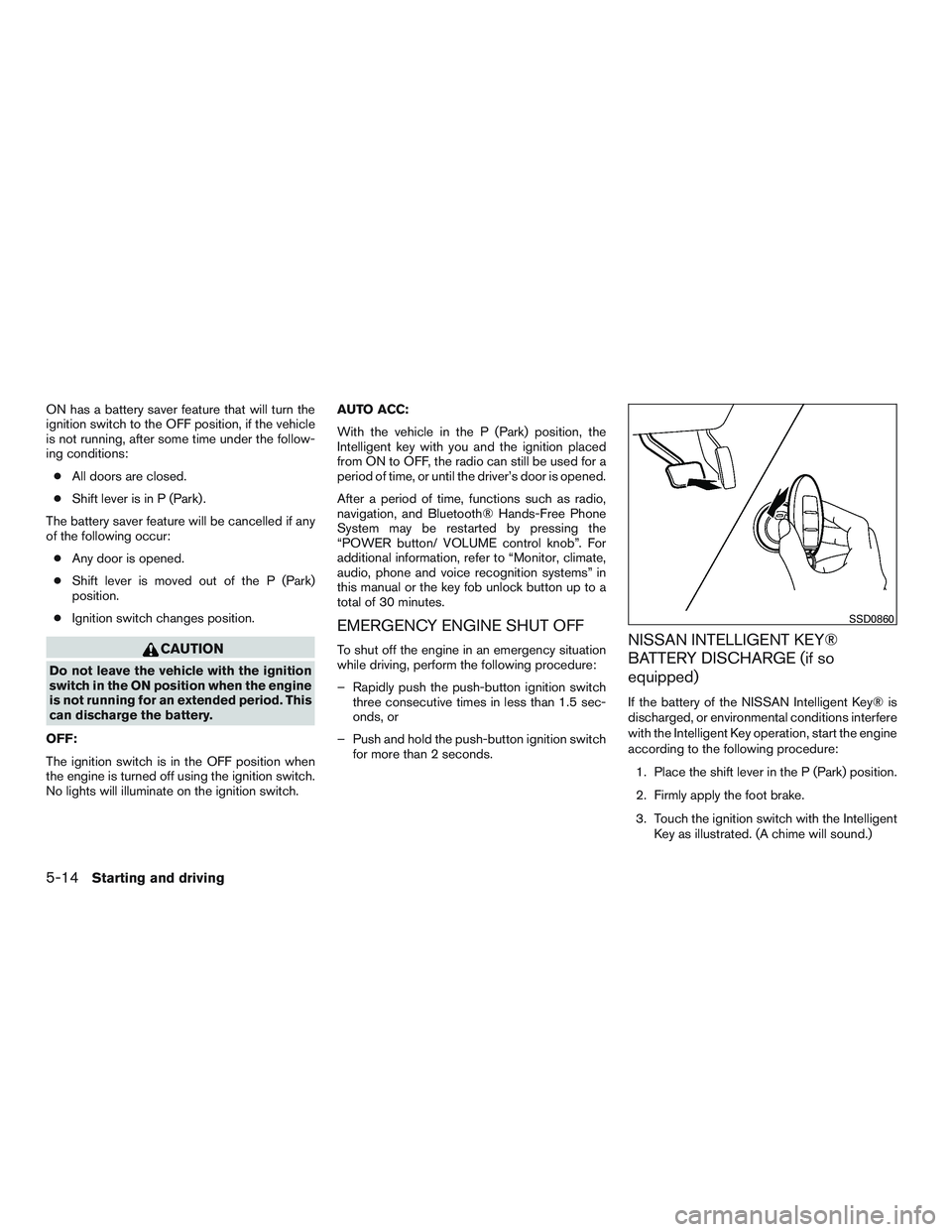
according to the following procedure:
1. Place the shift lever in the P (Park) position.
2. Firmly apply the foot brake.
3. Touch the ignition switch with the Intelligent Key as illustrated. (A chime will sound.)
SSD0860
5-14Starting and driving
Page 310 of 478
After step 3 is performed, when the ignition
switch is pushed without depressing the
brake pedal, the ignition switch position will
change to ON.
4. Push the ignition switch while depressing the brake pedal within ten seconds after the
chime sounds. The engine will start.
NOTE: ● When the ignition switch is pushed to the
ON position or the engine is started by the
above procedure, the Intelligent Key battery
discharge indicator appears in the vehicle
information display even when the Intelligent
Key is inside the vehicle. This is not a mal-
function. To turn off the Intelligent Key bat-
tery discharge indicator, touch the ignition
switch with the Intelligent Key again.
● If the Intelligent Key battery discharge indi-
cator appears, replace the battery as soon
as possible. For additional information, refer
to “Battery Replacement” in the “Mainte-
nance and do-it-yourself” section of this
manual.NISSAN VEHICLE IMMOBILIZER
SYSTEM
The NISSAN Vehicle Immobilizer System will not
allow the engine to start without the use of the
registered key.
If the engine fails to start using a registered key
(for example, when interference is caused by
another registered key, an automated toll road
device or automatic payment device on the key
ring) , restart the engine using the following pro-
cedure:
1. Leave the ignition switch in the ON position for approximately 5 seconds.
2. Place the ignition switch in the OFF or LOCK position, and wait approximately
10 seconds.
3. Repeat steps 1 and 2.
4. Restart the engine while holding the device (which may have caused the interference)
separate from the registered key.
If the no start condition re-occurs, NISSAN rec-
ommends placing the registered key on a sepa-
rate key ring to avoid interference from other
devices. ●
Make sure the area around the vehicle is
clear.
● Check fluid levels such as engine oil, cool-
ant, brake fluid, and windshield-washer fluid
as frequently as possible, or at least when-
ever you refuel.
● Check that all windows and lights are clean.
● Visually inspect tires for their appearance
and condition. Also check tires for proper
inflation.
● Check that all doors are closed.
● Position seat and adjust head
restraints/headrests.
● Adjust inside and outside mirrors.
● Fasten seat belts and ask all passengers to
do likewise.
● Check the operation of warning lights when
the ignition switch is placed in the ON posi-
tion. For additional information, refer to
“Warning lights, indicator lights and audible
reminders” in the “Instruments and controls”
section of this manual.
BEFORE STARTING THE ENGINE
Starting and driving5-15
Page 315 of 478
Use the R (Reverse) position to back up. Make
sure the vehicle is completely stopped before
selecting the R (Reverse) position.The brake
pedal must be depressed and the shift lever
button pushed in to move the shift lever
from P (Park) , N (Neutral) or any drive po-
sition to R (Reverse) .
N (Neutral)
Neither forward nor reverse gear is engaged. The
engine can be started in this position. You may
shift to N (Neutral) and restart a stalled engine
while the vehicle is moving.
D (Drive)
Use this position for all normal forward driving.
L (Low)
Use this position for engine braking on steep
downhill gradients/climbing steep slopes and
whenever approaching sharp bends. Do not use
the L (Low) position in any other circumstances.
Shift lock release
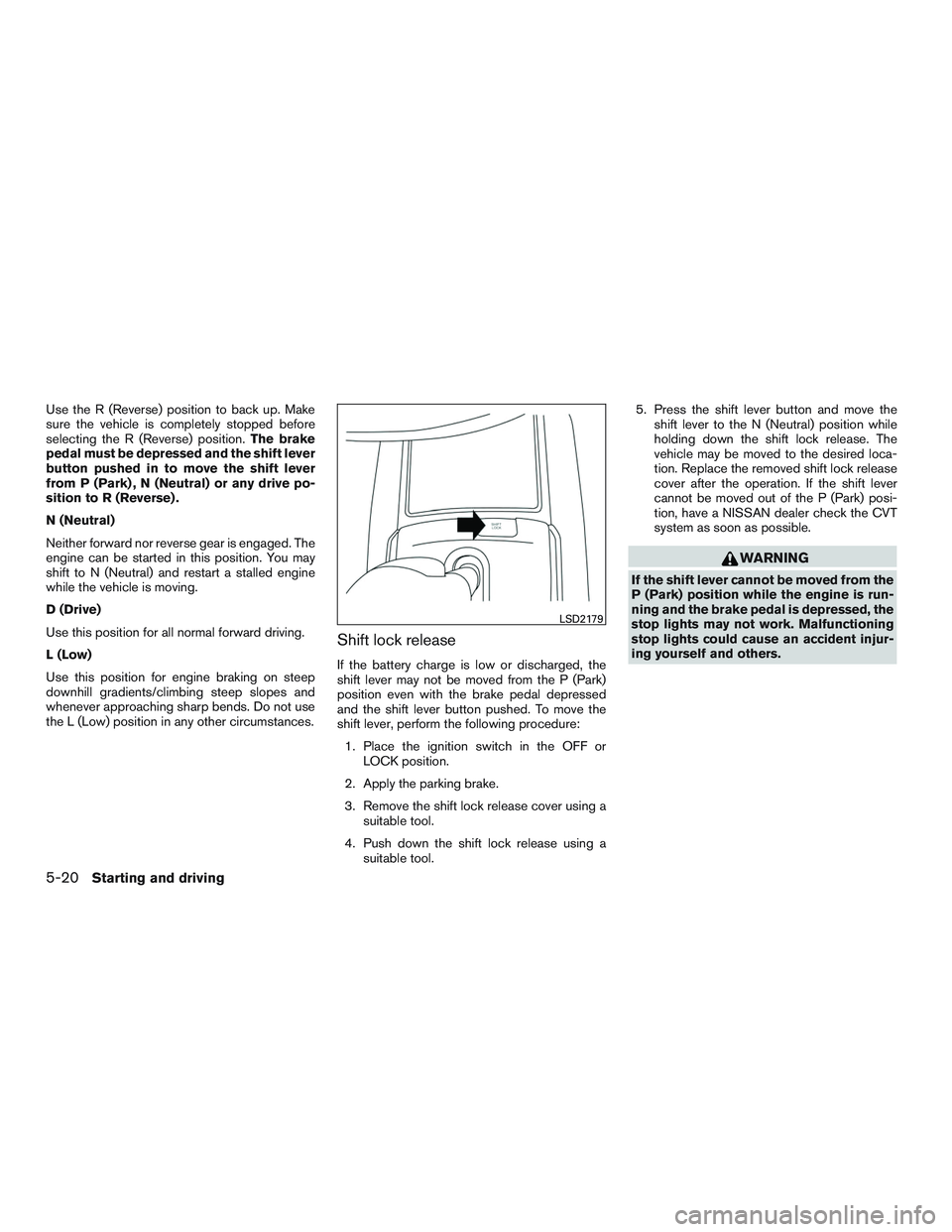
If the battery charge is low or discharged, the
shift lever may not be moved from the P (Park)
position even with the brake pedal depressed
and the shift lever button pushed. To move the
shift lever, perform the following procedure:
1. Place the ignition switch in the OFF or LOCK position.
2. Apply the parking brake.
3. Remove the shift lock release cover using a suitable tool.
4. Push down the shift lock release using a suitable tool. 5. Press the shift lever button and move the
shift lever to the N (Neutral) position while
holding down the shift lock release. The
vehicle may be moved to the desired loca-
tion. Replace the removed shift lock release
cover after the operation. If the shift lever
cannot be moved out of the P (Park) posi-
tion, have a NISSAN dealer check the CVT
system as soon as possible.
WARNING
If the shift lever cannot be moved from the
P (Park) position while the engine is run-
ning and the brake pedal is depressed, the
stop lights may not work. Malfunctioning
stop lights could cause an accident injur-
ing yourself and others.
LSD2179
5-20Starting and driving
Page 316 of 478
Overdrive (O/D) OFF switch (if so
equipped)
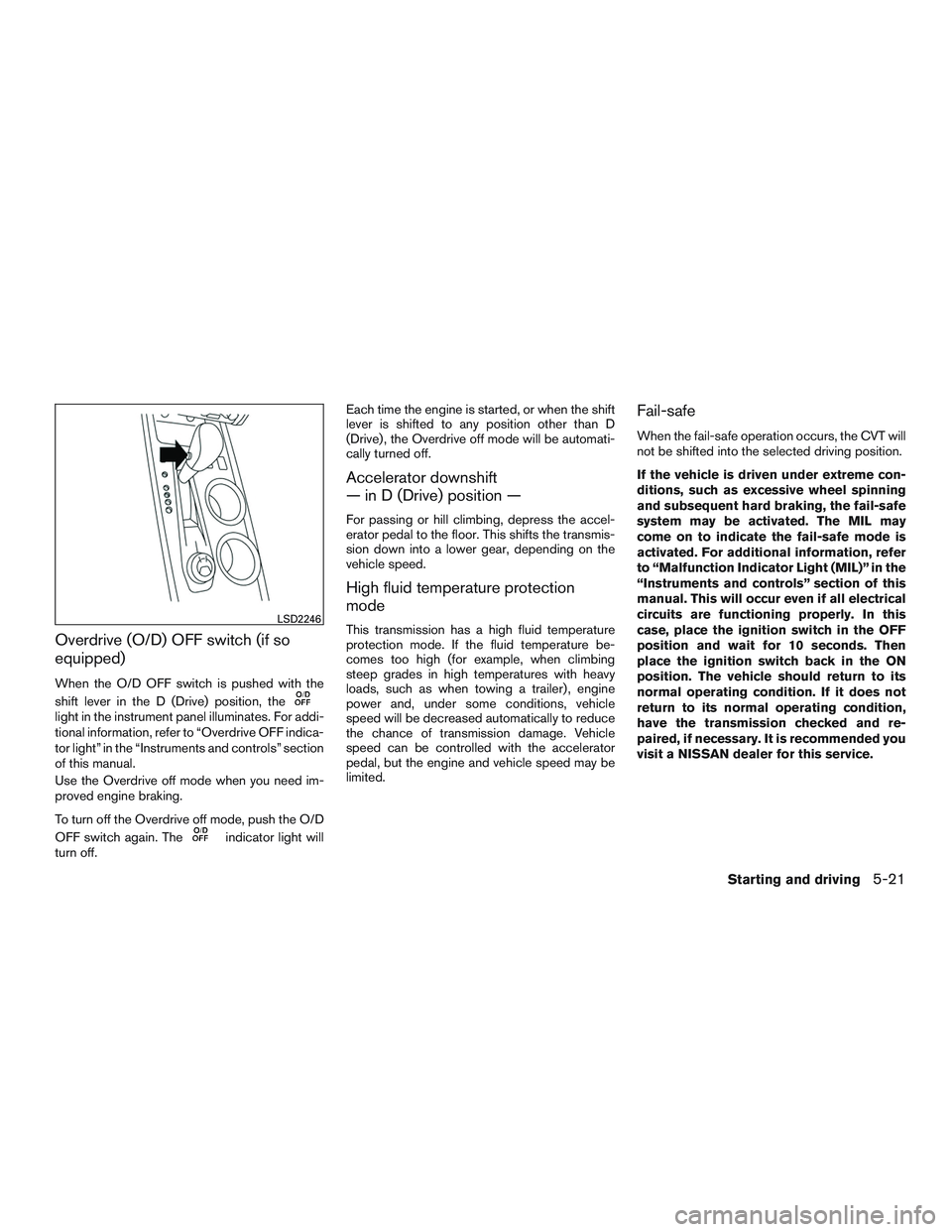
When the O/D OFF switch is pushed with the
shift lever in the D (Drive) position, the
light in the instrument panel illuminates. For addi-
tional information, refer to “Overdrive OFF indica-
tor light” in the “Instruments and controls” section
of this manual.
Use the Overdrive off mode when you need im-
proved engine braking.
To turn off the Overdrive off mode, push the O/D
OFF switch again. The
indicator light will
turn off. Each time the engine is started, or when the shift
lever is shifted to any position other than D
(Drive) , the Overdrive off mode will be automati-
cally turned off.
Accelerator downshift
— in D (Drive) position —
For passing or hill climbing, depress the accel-
erator pedal to the floor. This shifts the transmis-
sion down into a lower gear, depending on the
vehicle speed.
High fluid temperature protection
mode
This transmission has a high fluid temperature
protection mode. If the fluid temperature be-
comes too high (for example, when climbing
steep grades in high temperatures with heavy
loads, such as when towing a trailer) , engine
power and, under some conditions, vehicle
speed will be decreased automatically to reduce
the chance of transmission damage. Vehicle
speed can be controlled with the accelerator
pedal, but the engine and vehicle speed may be
limited.
Fail-safe
When the fail-safe operation occurs, the CVT will
not be shifted into the selected driving position.
If the vehicle is driven under extreme con-
ditions, such as excessive wheel spinning
and subsequent hard braking, the fail-safe
system may be activated. The MIL may
come on to indicate the fail-safe mode is
activated. For additional information, refer
to “Malfunction Indicator Light (MIL)” in the
“Instruments and controls” section of this
manual. This will occur even if all electrical
circuits are functioning properly. In this
case, place the ignition switch in the OFF
position and wait for 10 seconds. Then
place the ignition switch back in the ON
position. The vehicle should return to its
normal operating condition. If it does not
return to its normal operating condition,
have the transmission checked and re-
paired, if necessary. It is recommended you
visit a NISSAN dealer for this service.
LSD2246
Starting and driving5-21
Page 317 of 478
WARNING
When the high fluid temperature protec-
tion mode or fail-safe operation occurs,
vehicle speed may be gradually reduced.
The reduced speed may be lower than
other traffic, which could increase the
chance of a collision. Be especially careful
when driving. If necessary, pull to the side
of the road at a safe place and allow the
transmission to return to normal opera-
tion, or have it repaired if necessary.
WARNING
●Be sure the parking brake is fully re-
leased before driving. Failure to do so
can cause brake failure and lead to an
accident.
● Do not release the parking brake from
outside the vehicle.
● Do not use the shift lever in place of the
parking brake. When parking, be sure
the parking brake is fully engaged.
● To help avoid risk of injury or death
through unintended operation of the
vehicle and /or its systems, do not leave
children, people who require the assis-
tance of others or pets unattended in
your vehicle. Additionally, the tempera-
ture inside a closed vehicle on a warm
day can quickly become high enough to
cause a significant risk of injury or
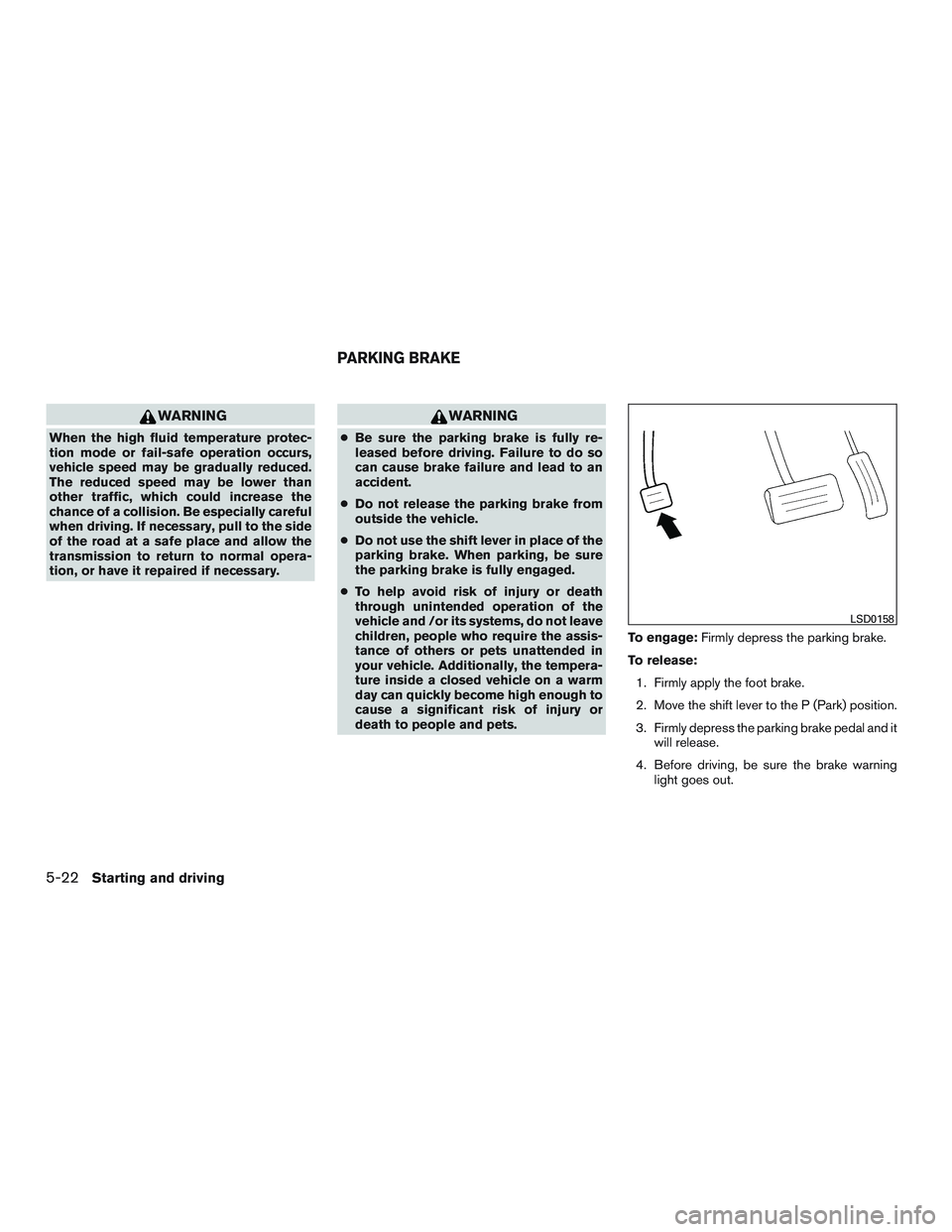
death to people and pets. To engage:
Firmly depress the parking brake.
To release: 1. Firmly apply the foot brake.
2. Move the shift lever to the P (Park) position.
3. Firmly depress the parking brake pedal and it will release.
4. Before driving, be sure the brake warning light goes out.
LSD0158
PARKING BRAKE
5-22Starting and driving
Page 318 of 478
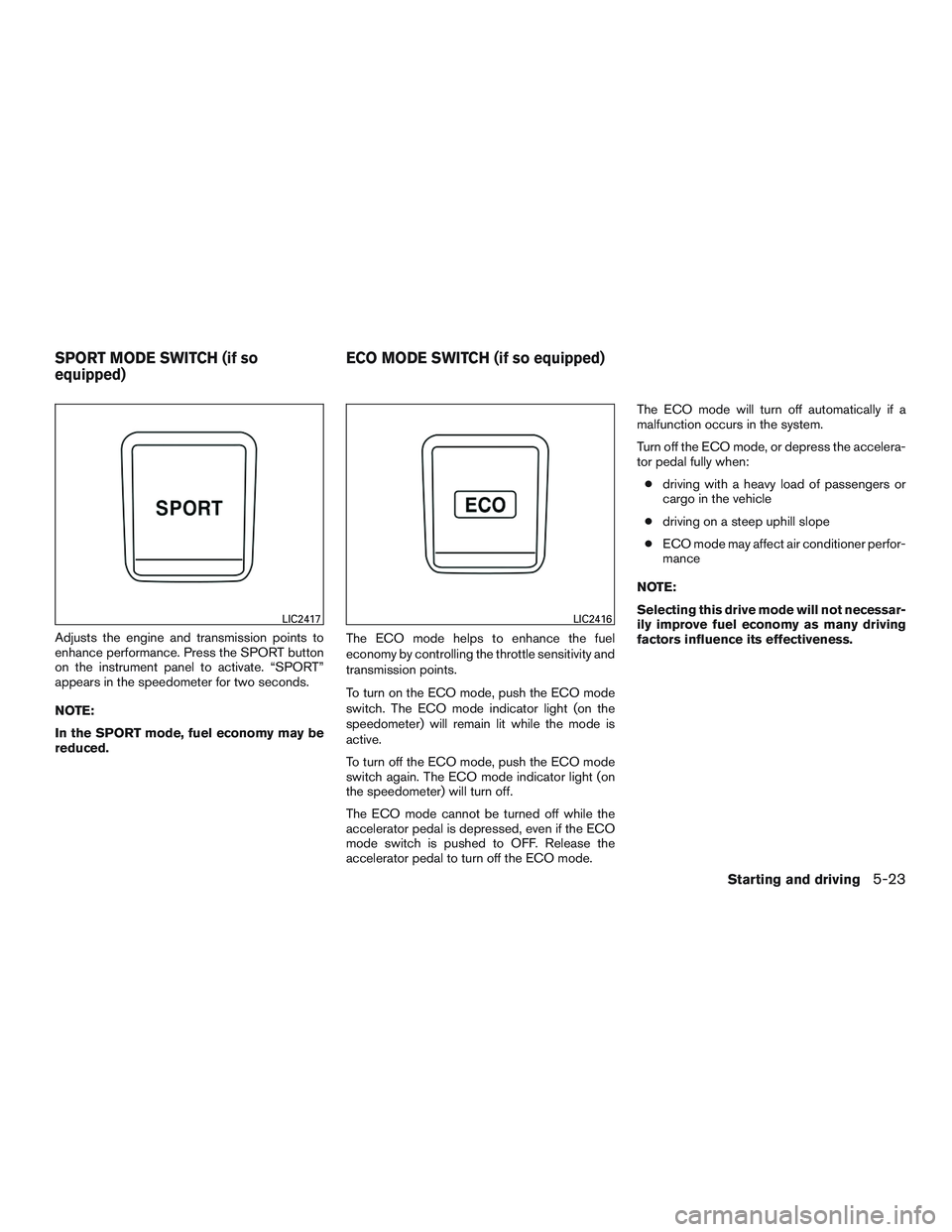
Adjusts the engine and transmission points to
enhance performance. Press the SPORT button
on the instrument panel to activate. “SPORT”
appears in the speedometer for two seconds.
NOTE:
In the SPORT mode, fuel economy may be
reduced.The ECO mode helps to enhance the fuel
economy by controlling the throttle sensitivity and
transmission points.
To turn on the ECO mode, push the ECO mode
switch. The ECO mode indicator light (on the
speedometer) will remain lit while the mode is
active.
To turn off the ECO mode, push the ECO mode
switch again. The ECO mode indicator light (on
the speedometer) will turn off.
The ECO mode cannot be turned off while the
accelerator pedal is depressed, even if the ECO
mode switch is pushed to OFF. Release the
accelerator pedal to turn off the ECO mode.The ECO mode will turn off automatically if a
malfunction occurs in the system.
Turn off the ECO mode, or depress the accelera-
tor pedal fully when:
● driving with a heavy load of passengers or
cargo in the vehicle
● driving on a steep uphill slope
● ECO mode may affect air conditioner perfor-
mance
NOTE:
Selecting this drive mode will not necessar-
ily improve fuel economy as many driving
factors influence its effectiveness.
LIC2417LIC2416
SPORT MODE SWITCH (if so
equipped) ECO MODE SWITCH (if so equipped)
Starting and driving5-23
Page 320 of 478
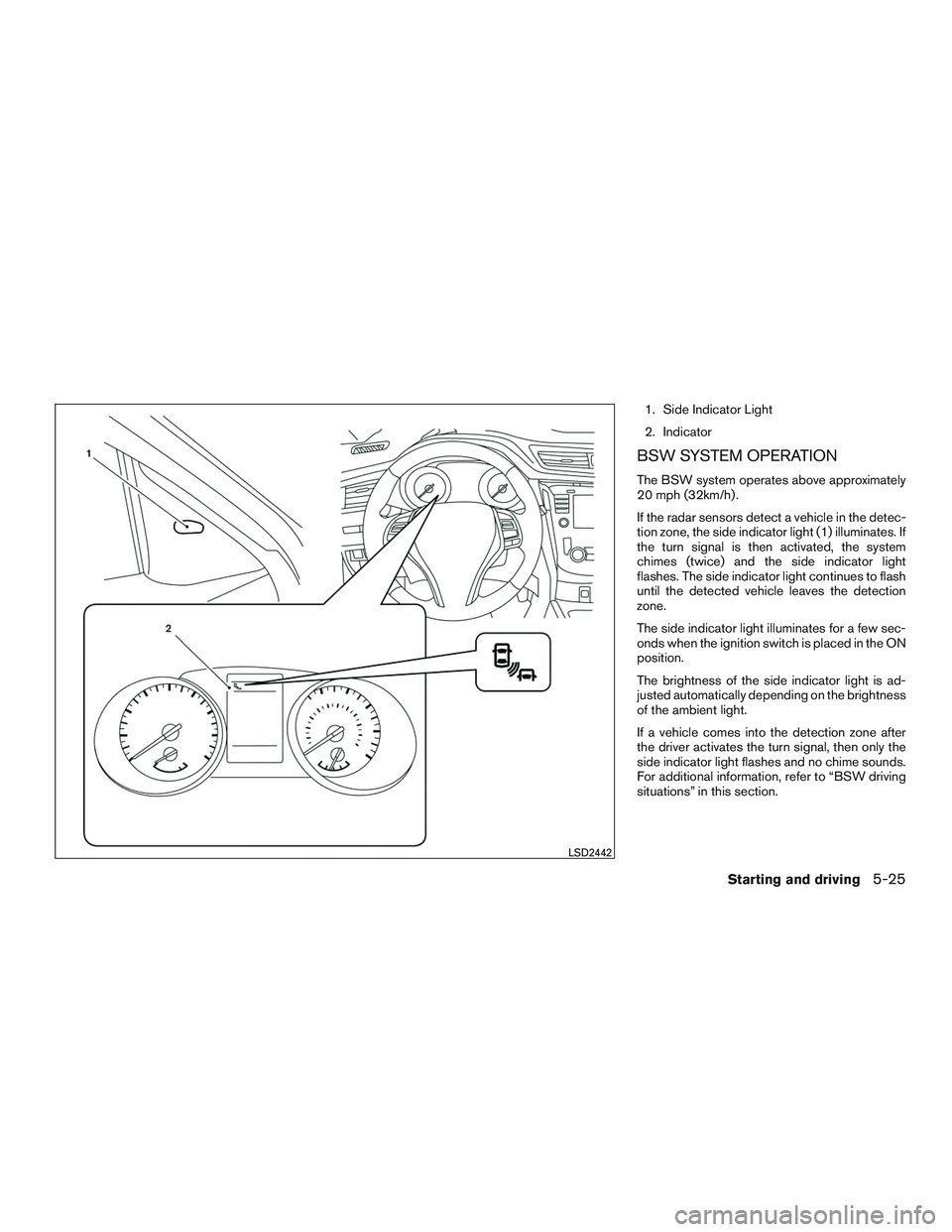
1. Side Indicator Light
2. Indicator
BSW SYSTEM OPERATION
The BSW system operates above approximately
20 mph (32km/h) .
If the radar sensors detect a vehicle in the detec-
tion zone, the side indicator light (1) illuminates. If
the turn signal is then activated, the system
chimes (twice) and the side indicator light
flashes. The side indicator light continues to flash
until the detected vehicle leaves the detection
zone.
The side indicator light illuminates for a few sec-
onds when the ignition switch is placed in the ON
position.
The brightness of the side indicator light is ad-
justed automatically depending on the brightness
of the ambient light.
If a vehicle comes into the detection zone after
the driver activates the turn signal, then only the
side indicator light flashes and no chime sounds.
For additional information, refer to “BSW driving
situations” in this section.
LSD2442
Starting and driving5-25
Page 323 of 478
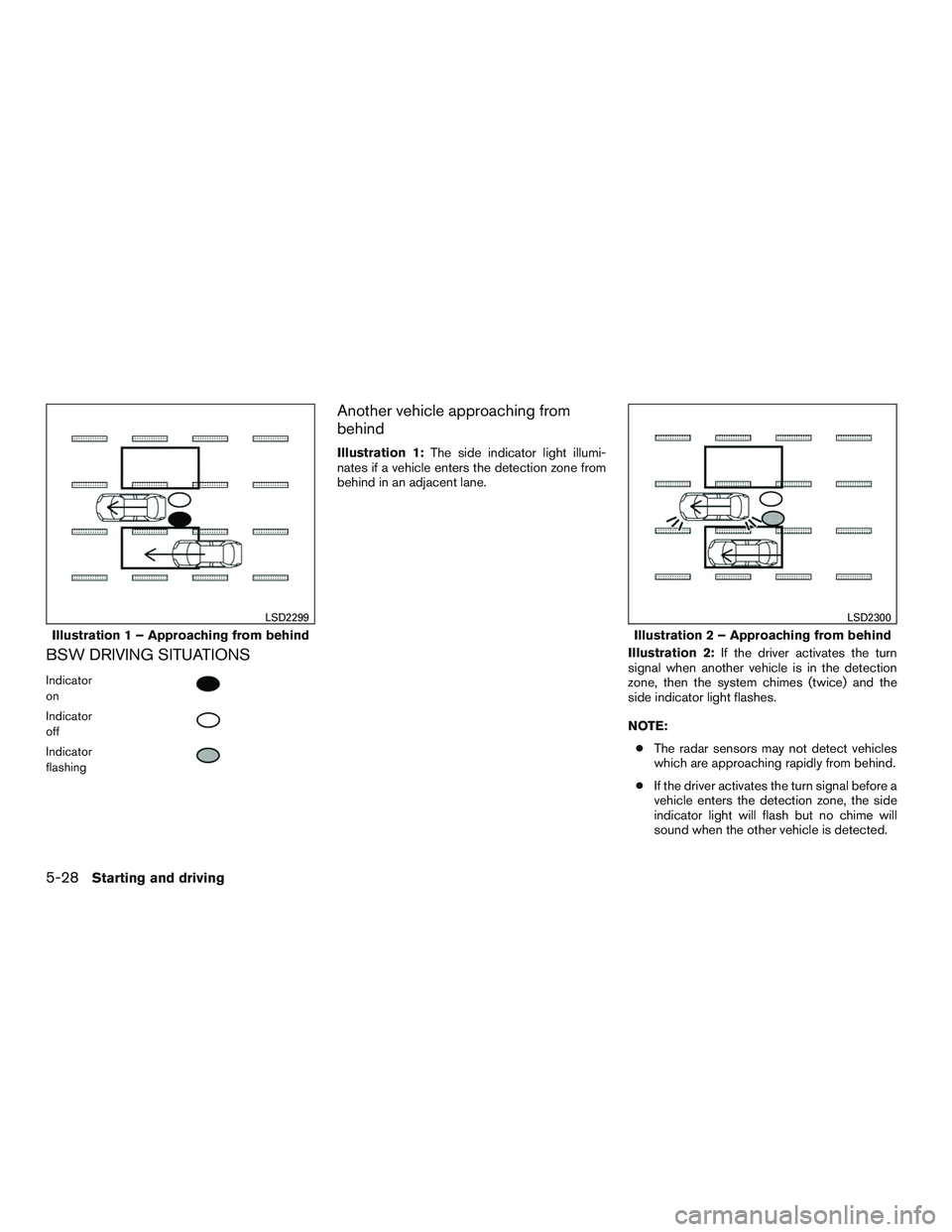
BSW DRIVING SITUATIONS
Indicator
on
Indicator
off
Indicator
flashing
Another vehicle approaching from
behind
Illustration 1:The side indicator light illumi-
nates if a vehicle enters the detection zone from
behind in an adjacent lane.
Illustration 2:If the driver activates the turn
signal when another vehicle is in the detection
zone, then the system chimes (twice) and the
side indicator light flashes.
NOTE:
● The radar sensors may not detect vehicles
which are approaching rapidly from behind.
● If the driver activates the turn signal before a
vehicle enters the detection zone, the side
indicator light will flash but no chime will
sound when the other vehicle is detected.
Illustration 1 – Approaching from behind
LSD2299
Illustration 2 – Approaching from behind
LSD2300
5-28Starting and driving
Page 324 of 478
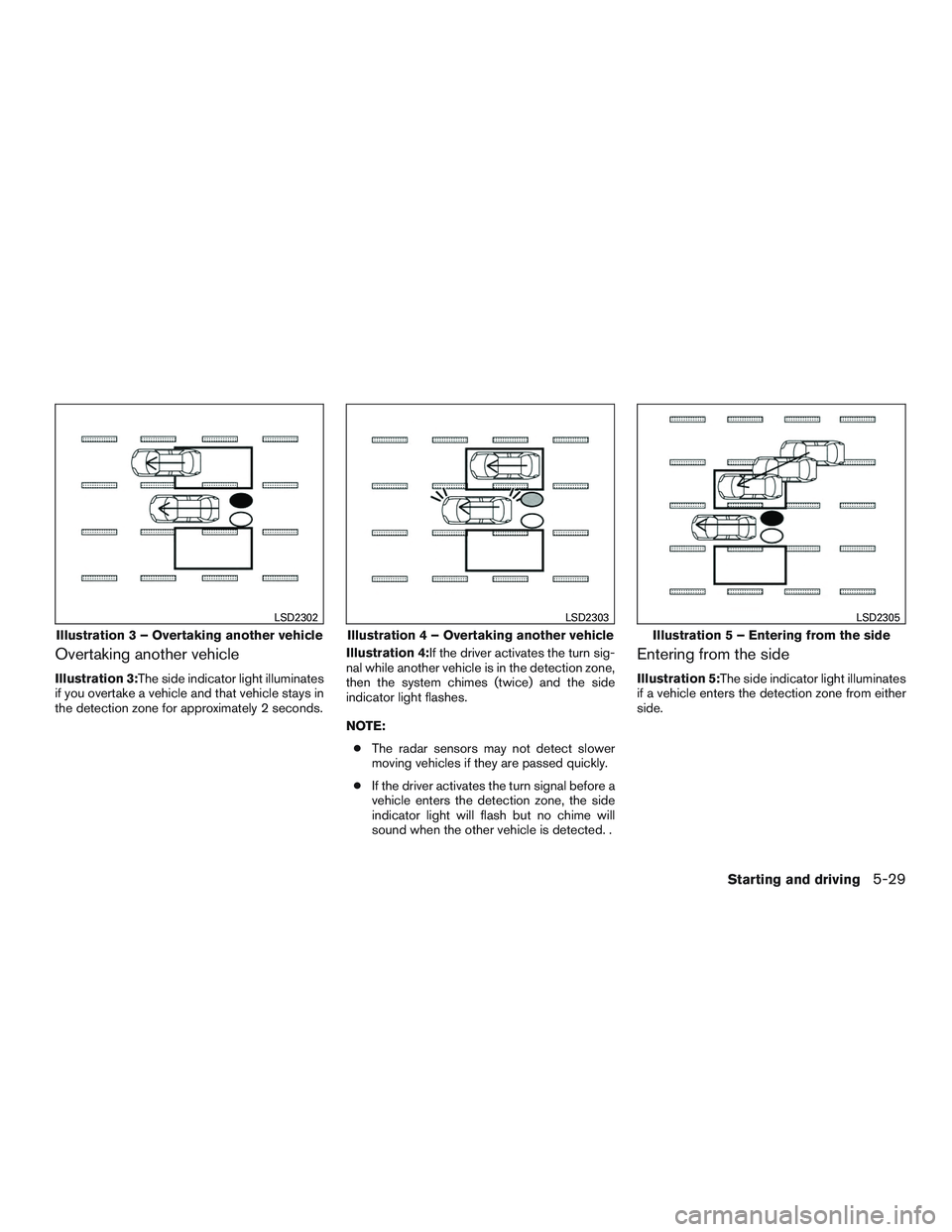
Overtaking another vehicle
Illustration 3:The side indicator light illuminates
if you overtake a vehicle and that vehicle stays in
the detection zone for approximately 2 seconds.Illustration 4:If the driver activates the turn sig-
nal while another vehicle is in the detection zone,
then the system chimes (twice) and the side
indicator light flashes.
NOTE:
● The radar sensors may not detect slower
moving vehicles if they are passed quickly.
● If the driver activates the turn signal before a
vehicle enters the detection zone, the side
indicator light will flash but no chime will
sound when the other vehicle is detected. .
Entering from the side
Illustration 5:The side indicator light illuminates
if a vehicle enters the detection zone from either
side.
Illustration 3 – Overtaking another vehicle
LSD2302
Illustration 4 – Overtaking another vehicle
LSD2303
Illustration 5 – Entering from the side
LSD2305
Starting and driving5-29
Page 325 of 478
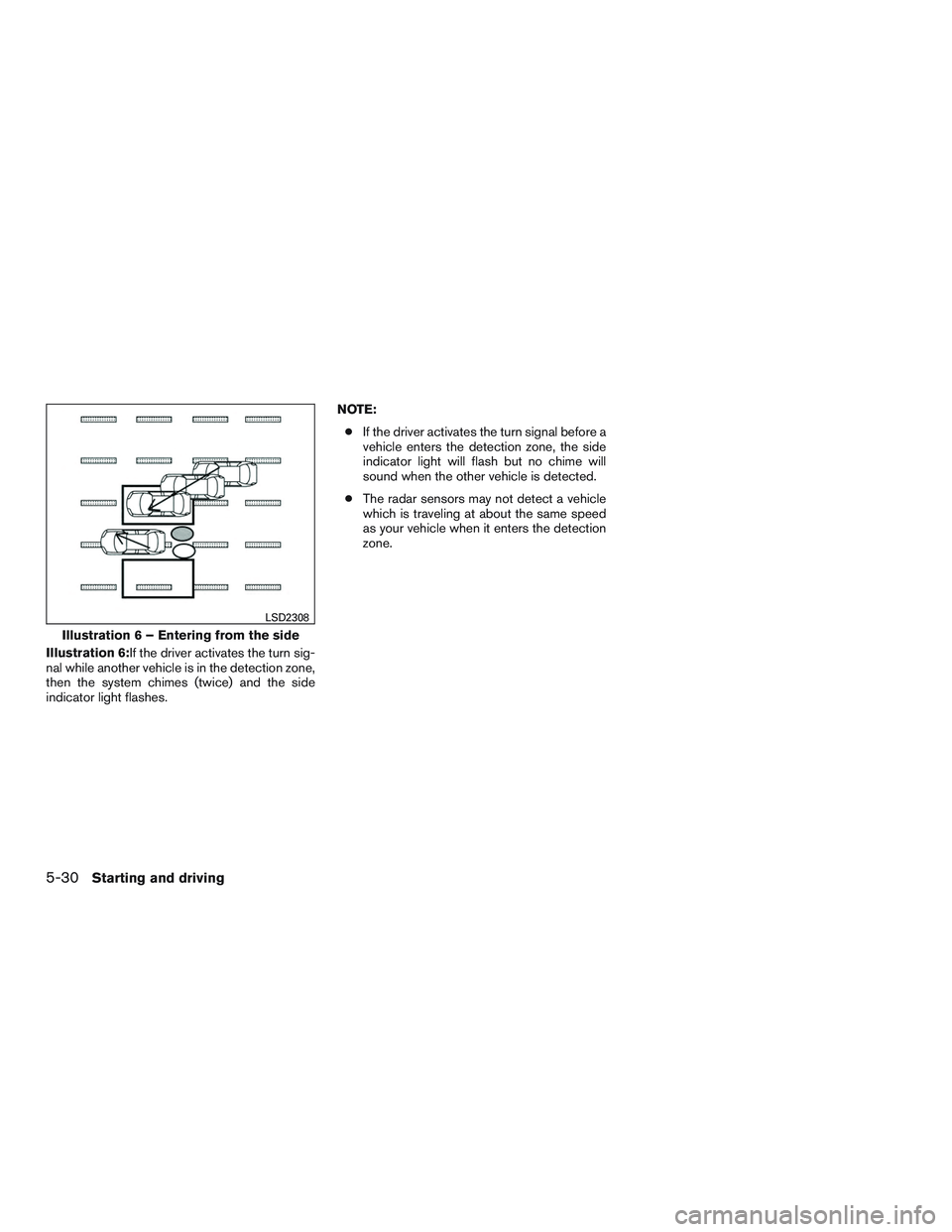
Illustration 6:If the driver activates the turn sig-
nal while another vehicle is in the detection zone,
then the system chimes (twice) and the side
indicator light flashes.NOTE:
● If the driver activates the turn signal before a
vehicle enters the detection zone, the side
indicator light will flash but no chime will
sound when the other vehicle is detected.
● The radar sensors may not detect a vehicle
which is traveling at about the same speed
as your vehicle when it enters the detection
zone.
Illustration 6 – Entering from the side
LSD2308
5-30Starting and driving