ECU NISSAN ROGUE 2018 Owner´s Manual
[x] Cancel search | Manufacturer: NISSAN, Model Year: 2018, Model line: ROGUE, Model: NISSAN ROGUE 2018Pages: 547, PDF Size: 6.42 MB
Page 107 of 547
If the power steering warning light illumi-
nates while the engine is running, it may
indicate the power steering is not function-
ing properly and may need servicing. Have
the power steering checked. It is recom-
mended that you visit a NISSAN dealer for
this service.
When the power steering warning light illu-
minates with the engine running, there will
be no power assist for the steering, but you
will still have control of the vehicle. At this
time, greater steering effort is required to
operate the steering wheel, especially in
sharp turns and at low speeds.
For additional information, refer to “Power
steering” in the “Starting and driving” sec-
tion of this manual.
Seat belt warning light andchime
The light and chime remind you to fasten
your seat belts. The light illuminates when-
ever the ignition switch is placed in the ON
or START position and remains illuminated
until the driver’s seat belt is fastened. At the
same time, the chime sounds for about
6 seconds unless the driver’s seat belt is
securely fastened. The seat belt warning light may also illumi-
nate if the front passenger’s seat belt is not
fastened when the front passenger’s seat
is occupied. For 7 seconds af ter the ignition
switch is placed in the ON position, the sys-
tem does not activate the warning light for
the front passenger.
For additional information, refer to “Seat
belts” in the “Safety—Seats, seat belts and
supplemental restraint system” section of
this manual.
Supplemental air bag
warning light
When the ignition switch is placed in the ON
or START position, the supplemental air
bag warning light illuminates for about
7 seconds and then turns off. This means
the system is operational.
If any of the following conditions occur, the
front air bag, side air bag, curtain air bag,
and pretensioner seat belt systems need
servicing:
∙ The supplemental air bag warning light remains on af ter approximately 7 sec-
onds.
∙ The supplemental air bag warning light flashes intermittently. ∙ The supplemental air bag warning light
does not come on at all.
It is recommended that you visit a NISSAN
dealer for these services.
Unless checked and repaired, the supple-
mental restraint system (air bag system)
and/or the pretensioner(s) may not func-
tion properly. For additional information, re-
fer to “Supplemental Restraint System
(SRS)” in the “Safety—Seats, seat belts and
supplemental restraint system” section of
this manual.
WARNING
If the supplemental air bag warning
light is on, it could mean that the front
air bag, side air bag, curtain air bag
and/or pretensioner systems will not
operate in an accident. To help avoid
injury to yourself or others, have your
vehicle checked as soon as possible. It is
recommended that you visit a NISSAN
dealer for this service.
Instruments and controls2-17
Page 109 of 547
The MIL may also come on steady if the
fuel-filler cap is loose or missing, or if the
vehicle runs out of fuel. Check to make sure
the fuel-filler cap is installed and closed
tightly, and that the vehicle has at least
3 gallons (11.4 liters) of fuel in the fuel tank.
Af ter a few driving trips, the
light
should turn off if no other potential emis-
sion control system malfunction exists.
If this indicator light comes on steady for
20 seconds and then blinks for 10 seconds
when the engine is not running, it indicates
that the vehicle is not ready for an emission
control system inspection/maintenance
test. For additional information, refer to
“Readiness for Inspection/Maintenance
(I/M) test” in the “Technical and consumer
information” section of this manual. Operation
The MIL will come on in one of two ways:
∙ MIL on steady — An emission control system malfunction has been de-
tected. Check the fuel-filler cap if the
Loose Fuel Cap warning appears in the
vehicle information display. If the fuel-
filler cap is loose or missing, tighten or
install the cap and continue to drive the
vehicle. The
light should turn off
af ter a few driving trips. If the
light
does not turn off af ter a few driving
trips, have the vehicle inspected. It is
recommended that you visit a NISSAN
dealer for this service. You do not need
to have your vehicle towed to the
dealer.
∙ MIL blinking — An engine misfire has been detected which may damage the
emission control system. To reduce or
avoid emission control system dam-
age:
– do not drive at speeds above 45 mph (72 km/h).
– avoid hard acceleration or decelera- tion. – avoid steep uphill grades.
– if possible, reduce the amount of
cargo being hauled or towed.
The MIL may stop blinking and come on
steady. Have the vehicle inspected. It is rec-
ommended that you visit a NISSAN dealer
for this service. You do not need to have
your vehicle towed to the dealer.
CAUTION
Continued vehicle operation without
having the emission control system
checked and repaired as necessary
could lead to poor driveability, reduced
fuel economy, and possible damage to
the emission control system.
Security indicator light
This light blinks when the ignition switch is
placed in the OFF or LOCK position.
The blinking security indicator light indi-
cates that the security systems equipped
on the vehicle are operational.
For additional information, refer to “Security
systems” in this section.
Instruments and controls2-19
Page 111 of 547
NISSAN Intelligent Key® door
buzzer (if so equipped)
The Intelligent Key door buzzer sounds if
any one of the following improper opera-
tions is found.∙ The Intelligent Key is lef t inside the ve- hicle when locking the doors.
∙ Any doors are not closed securely when locking the doors.
When the buzzer sounds, be sure to check
both the vehicle and the Intelligent Key. For
additional information, refer to “NISSAN In-
telligent Key®” in the “Pre-driving checks
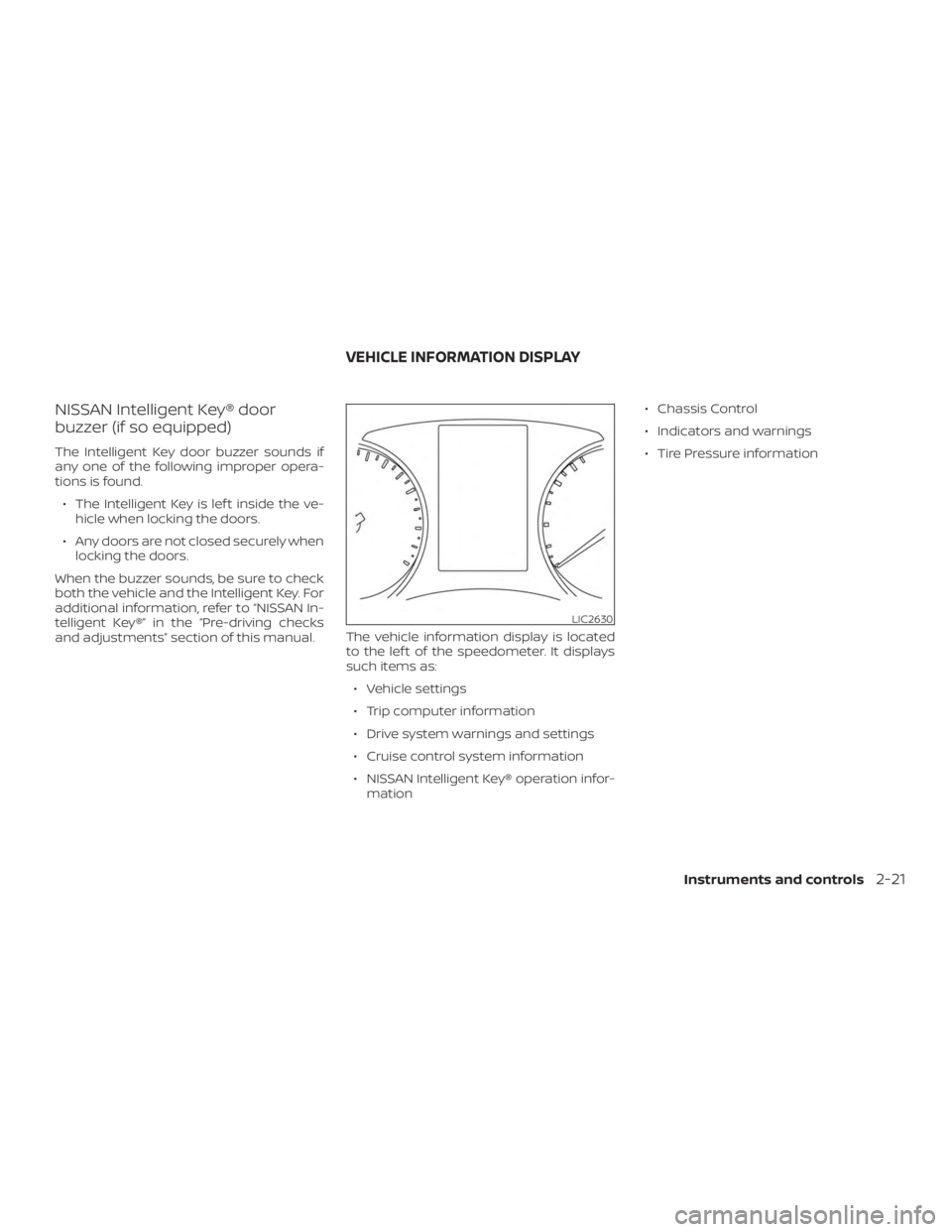
and adjustments” section of this manual. The vehicle information display is located
to the lef t of the speedometer. It displays
such items as:
∙ Vehicle settings
∙ Trip computer information
∙ Drive system warnings and settings
∙ Cruise control system information
∙ NISSAN Intelligent Key® operation infor- mation ∙ Chassis Control
∙ Indicators and warnings
∙ Tire Pressure information
LIC2630
VEHICLE INFORMATION DISPLAY
Instruments and controls2-21
Page 129 of 547
Steering Assist on Standby(if so
equipped)
This message may appear when the Steer-
ing Assist system is engaged.
It will be displayed under the following con-
dition:∙ When not holding the steering wheel or when there is no steering wheel opera-
tion
Please hold on the steering wheel immedi-
ately. When the steering operation is de-
tected, the warning turns off and the steer-
ing assist function is automatically
restored.
Electronic parking brake indicator (if so
equipped)
This indicates the current status of the
electronic parking brake.
For additional information, refer to “Elec-
tronic parking brake” in the “Starting and
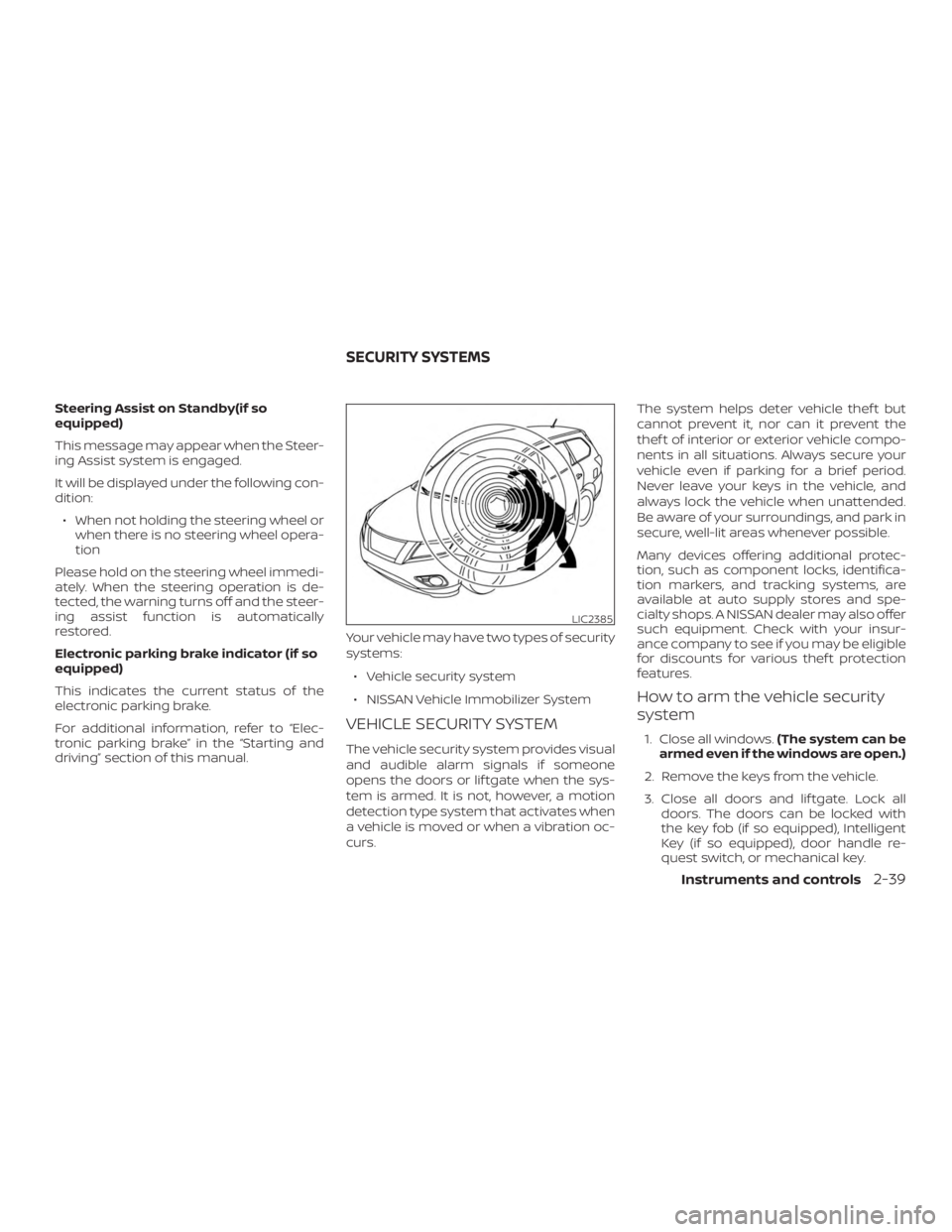
driving” section of this manual. Your vehicle may have two types of security
systems:
∙ Vehicle security system
∙ NISSAN Vehicle Immobilizer System
VEHICLE SECURITY SYSTEM
The vehicle security system provides visual
and audible alarm signals if someone
opens the doors or lif tgate when the sys-
tem is armed. It is not, however, a motion
detection type system that activates when
a vehicle is moved or when a vibration oc-
curs. The system helps deter vehicle thef t but
cannot prevent it, nor can it prevent the
thef t of interior or exterior vehicle compo-
nents in all situations. Always secure your
vehicle even if parking for a brief period.
Never leave your keys in the vehicle, and
always lock the vehicle when unattended.
Be aware of your surroundings, and park in
secure, well-lit areas whenever possible.
Many devices offering additional protec-
tion, such as component locks, identifica-
tion markers, and tracking systems, are
available at auto supply stores and spe-
cialty shops. A NISSAN dealer may also offer
such equipment. Check with your insur-
ance company to see if you may be eligible
for discounts for various thef t protection
features.
How to arm the vehicle security
system
1. Close all windows.
(The system can be
armed even if the windows are open.)
2. Remove the keys from the vehicle.
3. Close all doors and lif tgate. Lock all doors. The doors can be locked with
the key fob (if so equipped), Intelligent
Key (if so equipped), door handle re-
quest switch, or mechanical key.
LIC2385
SECURITY SYSTEMS
Instruments and controls2-39
Page 130 of 547
4. Confirm that thesecurity indica-
tor light stays on for about 30 seconds.
The vehicle security system is now pre-
armed. The vehicle security system will
automatically shif t into the armed
phase. The
security light begins
to flash once every three seconds. If
during the pre-armed phase one of the
following occurs, the system will not
arm:
∙ Any door is unlocked with the key fob (if so equipped), the Intelligent Key (if so
equipped), mechanical key, or door re-
quest switch.
∙ Ignition switch is placed in the ON posi- tion.
∙ Even when the driver and/or passen-
gers are in the vehicle, the system will
activate with all the doors, hood and
lif tgate locked with the ignition
switch placed in the LOCK position.
When placing the ignition switch in
the ON position, the system will be
released.
Vehicle security system activation
The vehicle security system will give the
following alarm:
∙
The headlights blink and the horn
sounds intermittently but synchronously.
∙ The alarm automatically turns off af ter a period of time. However, the alarm
reactivates if the vehicle is tampered
with again.
The alarm is activated by: ∙ opening any door or the lif tgate without using the key or Intelligent Key (even if
the door is unlocked by releasing the
door inside lock knob).
How to stop an activated alarm
The alarm stops only by unlocking a door
or the lif tgate with the mechanical key the
key fob (if so equipped), pressing the
button on the Intelligent Key (if so
equipped), or pushing the request switch
on the driver’s or passenger’s door with the
Intelligent Key (if so equipped) in range of
the door handle.
NISSAN VEHICLE IMMOBILIZER
SYSTEM
The NISSAN Vehicle Immobilizer System
will not allow the engine to start without
the use of a registered key.
Never leave these keys in the vehicle.
FCC Notice:
For USA:
This device complies with Part 15 of the
FCC Rules. Operation is subject to the fol-
lowing two conditions: (1) This device
may not cause harmful interference, and
(2) this device must accept any interfer-
ence received, including interference
that may cause undesired operation.
NOTE:
Changes or modifications not expressly
approved by the party responsible for
compliance could void the user’s author-
ity to operate the equipment.
2-40Instruments and controls
Page 131 of 547
For Canada:
This device complies with Industry
Canada licence-exempt RSS standard(s).
Operation is subject to the following two
conditions: (1) this device may not cause
interference, and (2) this device must ac-
cept any interference received, including
interference that may cause undesired
operation of the device.
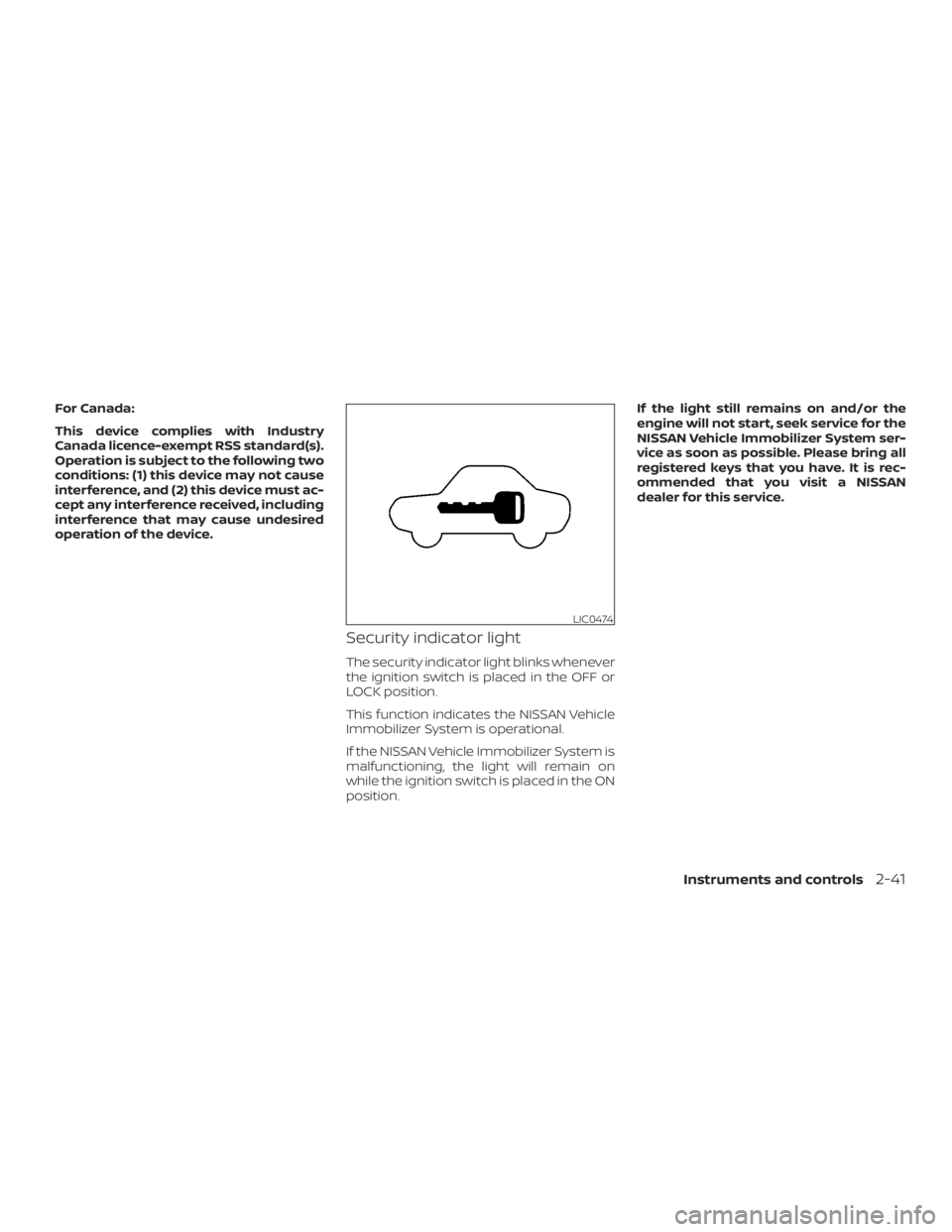
Security indicator light
The security indicator light blinks whenever
the ignition switch is placed in the OFF or
LOCK position.
This function indicates the NISSAN Vehicle
Immobilizer System is operational.
If the NISSAN Vehicle Immobilizer System is
malfunctioning, the light will remain on
while the ignition switch is placed in the ON
position.If the light still remains on and/or the
engine will not start, seek service for the
NISSAN Vehicle Immobilizer System ser-
vice as soon as possible. Please bring all
registered keys that you have. It is rec-
ommended that you visit a NISSAN
dealer for this service.
LIC0474
Instruments and controls2-41
Page 153 of 547
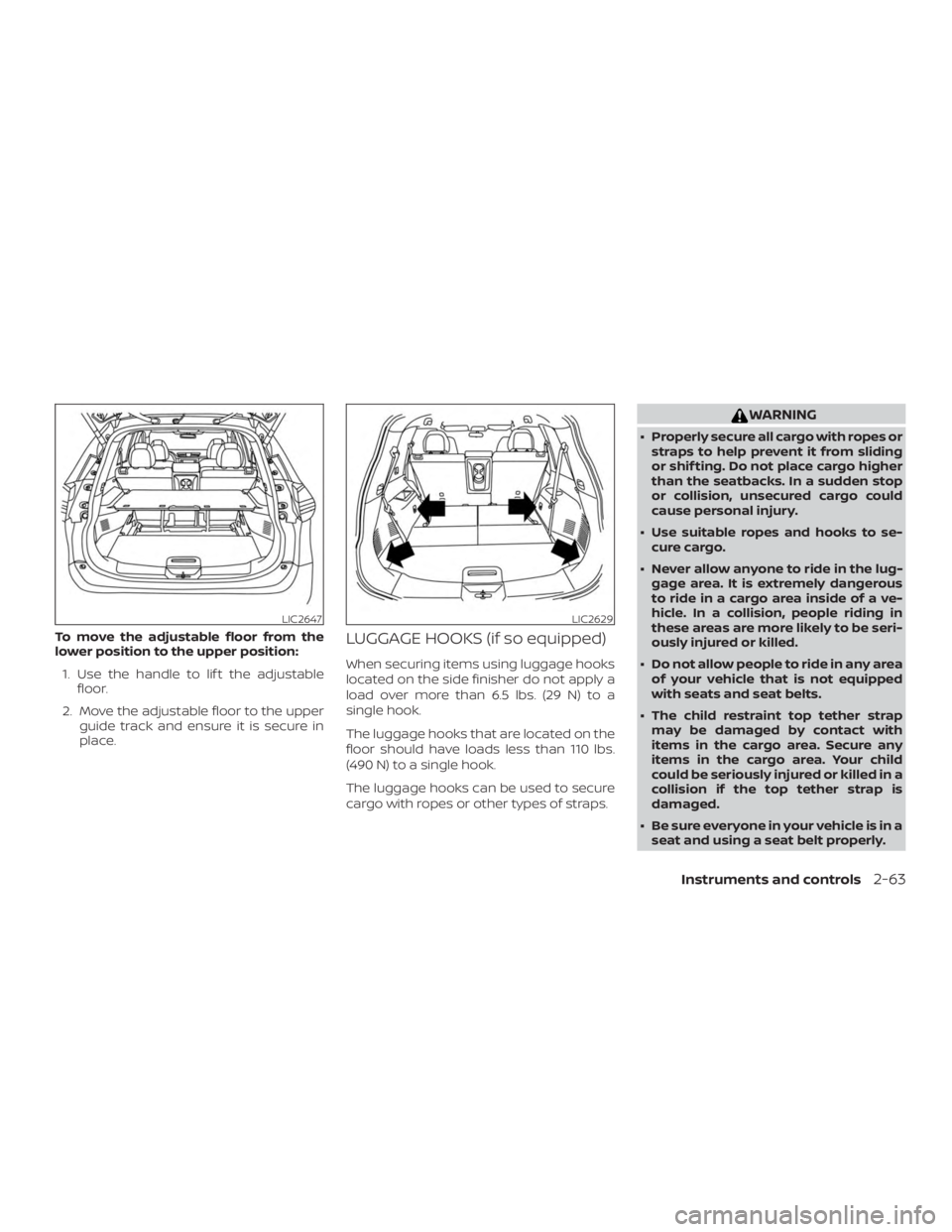
To move the adjustable floor from the
lower position to the upper position:1. Use the handle to lif t the adjustable floor.
2. Move the adjustable floor to the upper guide track and ensure it is secure in
place.LUGGAGE HOOKS (if so equipped)
When securing items using luggage hooks
located on the side finisher do not apply a
load over more than 6.5 lbs. (29 N) to a
single hook.
The luggage hooks that are located on the
floor should have loads less than 110 lbs.
(490 N) to a single hook.
The luggage hooks can be used to secure
cargo with ropes or other types of straps.
WARNING
∙ Properly secure all cargo with ropes orstraps to help prevent it from sliding
or shif ting. Do not place cargo higher
than the seatbacks. In a sudden stop
or collision, unsecured cargo could
cause personal injury.
∙ Use suitable ropes and hooks to se- cure cargo.
∙ Never allow anyone to ride in the lug- gage area. It is extremely dangerous
to ride in a cargo area inside of a ve-
hicle. In a collision, people riding in
these areas are more likely to be seri-
ously injured or killed.
∙ Do not allow people to ride in any area of your vehicle that is not equipped
with seats and seat belts.
∙ The child restraint top tether strap may be damaged by contact with
items in the cargo area. Secure any
items in the cargo area. Your child
could be seriously injured or killed in a
collision if the top tether strap is
damaged.
∙ Be sure everyone in your vehicle is in a seat and using a seat belt properly.
LIC2647LIC2629
Instruments and controls2-63
Page 154 of 547
CARGO COVER (if so equipped)
WARNING
∙ Do not place objects on the cargocover while the vehicle is parked or in
motion, no matter how small. The ob-
ject on the cargo cover could cause an
injury in an accident or sudden stop,
and/or the cargo cover can become
damaged.
∙ Do not leave the cargo cover in the vehicle with it disengaged from the
holder.
∙ Properly secure all cargo with ropes or straps to help prevent it from sliding
or shif ting. Do not place cargo higher
than the seatbacks. In a sudden stop
or collision, unsecured cargo could
cause personal injury. ∙ Properly secure cargo and do not al-
low it to contact the top tether strap
when it is attached to the top tether
anchor. Cargo that is not properly se-
cured or cargo that contacts the top
tether strap may damage the top
tether strap during a collision. If the
cargo cover contacts the top tether
strap when it is attached to the top
tether anchor, remove the cargo cover
from the vehicle or secure it on the
cargo floor below its attachment lo-
cation. If the cargo cover is not re-
moved, it may damage the top tether
strap during a collision. Your child
could be seriously injured or killed in a
collision if the child restraint top
tether strap is damaged.
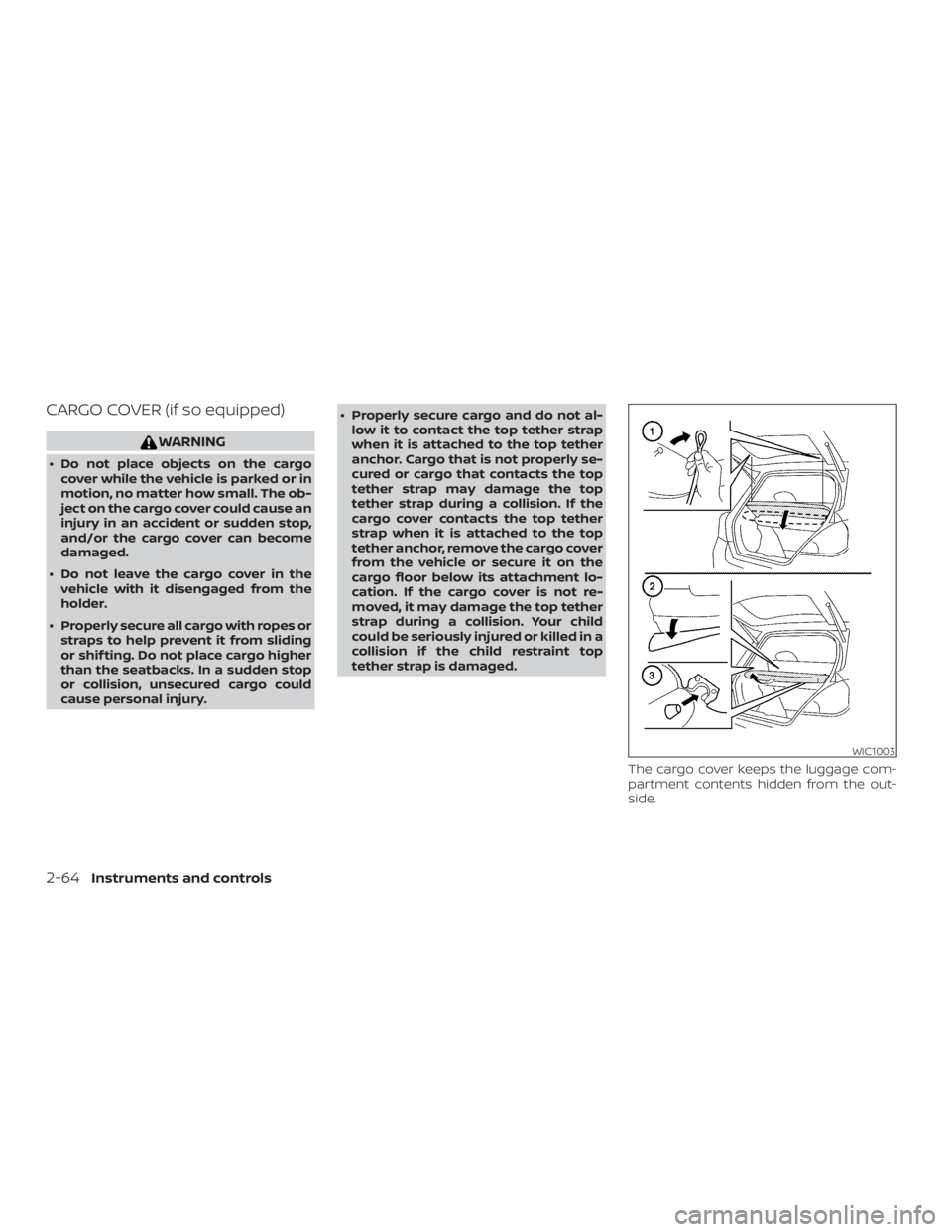
The cargo cover keeps the luggage com-
partment contents hidden from the out-
side.
WIC1003
2-64Instruments and controls
Page 156 of 547
∙ Do not exceed maximum roof rackcross bars load capacity.
∙ Properly secure all cargo with ropes or straps to help prevent it from sliding
or shif ting. In a sudden stop or colli-
sion, unsecured cargo could cause
personal injury.POWER WINDOWS
WARNING
∙ Make sure that all passengers havetheir hands, etc., inside the vehicle
while it is in motion and before closing
the windows. Use the window lock
switch to prevent unexpected use of
the power windows.
∙ To help avoid risk of injury or death through unintended operation of the
vehicle and/or its systems, including
entrapment in windows or inadver-
tent door lock activation, do not leave
children, people who require the as-
sistance of others or pets unattended
in your vehicle. Additionally, the tem-
perature inside a closed vehicle on a
warm day can quickly become high
enough to cause a significant risk of
injury or death to people and pets.
The power windows operate when the ig-
nition switch is placed in the ON position or
for a period of time af ter the ignition switch
is placed in the OFF position. If the driver’s
or passenger’s door is opened during this
period of time, the power to the windows is
canceled.
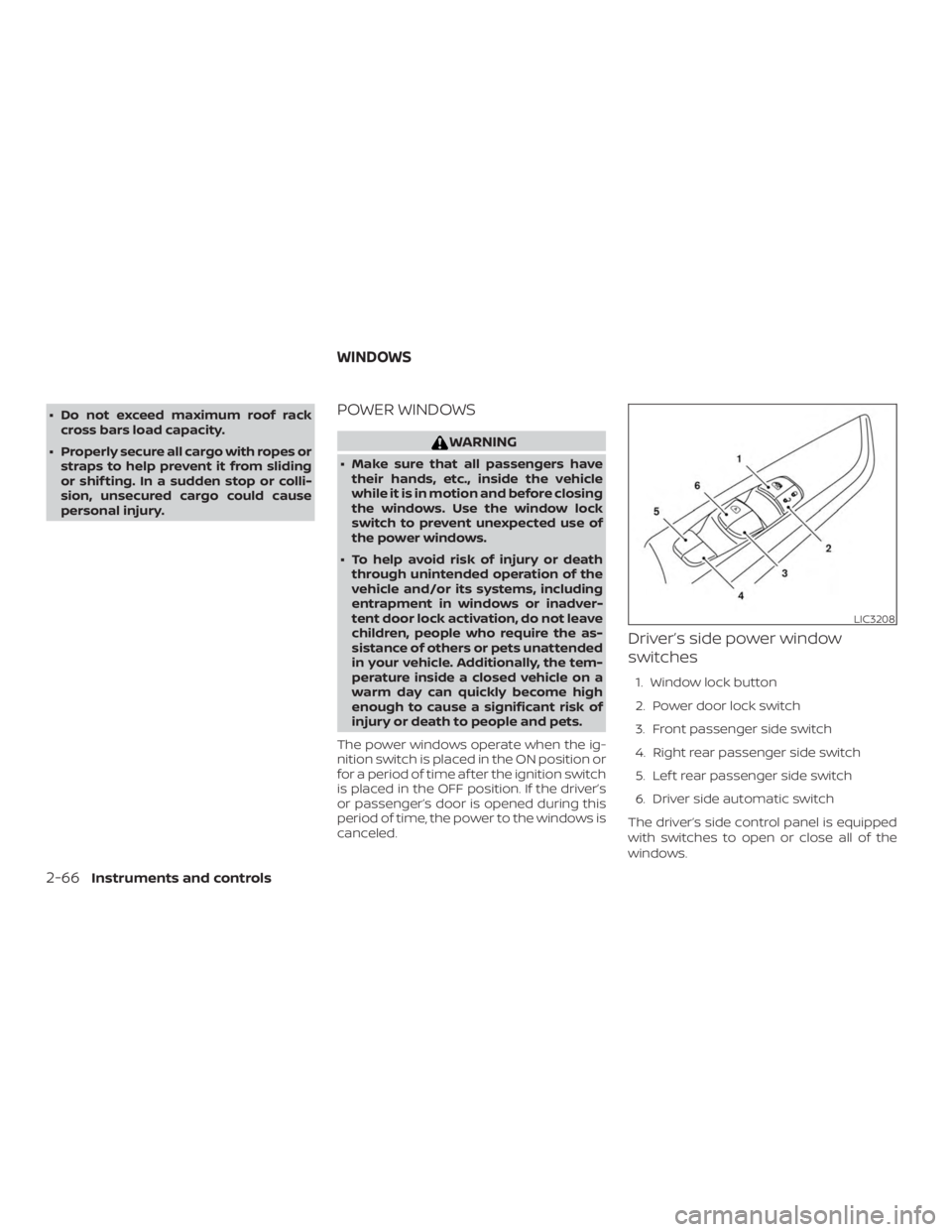
Driver’s side power window
switches
1. Window lock button
2. Power door lock switch
3. Front passenger side switch
4. Right rear passenger side switch
5. Lef t rear passenger side switch
6. Driver side automatic switch
The driver’s side control panel is equipped
with switches to open or close all of the
windows.
LIC3208
WINDOWS
2-66Instruments and controls
Page 164 of 547
The HomeLink® Universal Transceiver pro-
vides a convenient way to consolidate the
functions of up to three individual hand-
held transmitters into one built-in device.
HomeLink® Universal Transceiver:∙ Will operate most radio frequency de- vices such as garage doors, gates,
home and office lighting, entry door
locks and security systems.
∙ Is powered by your vehicle’s battery. No separate batteries are required. If the
vehicle’s battery is discharged or is dis-
connected, HomeLink® will retain all
programming.
When the HomeLink® Universal Trans-
ceiver is programmed, retain the original
transmitter for future programming pro-
cedures (Example: new vehicle pur-
chases). Upon sale of the vehicle, the
programmed HomeLink® Universal
Transceiver buttons should be erased for
security purposes. For additional infor-
mation, refer to “Programming
HomeLink®” in this section.WARNING
∙ Do not use the HomeLink® Universal Transceiver with any garage door
opener that lacks safety stop and re-
verse features as required by federal
safety standards. (These standards
became effective for opener models
manufactured af ter April 1, 1982). A
garage door opener which cannot de-
tect an object in the path of a closing
garage door and then automatically
stop and reverse, does not meet cur-
rent federal safety standards. Using a
garage door opener without these
features increases the risk of serious
injury or death.
∙ During the programming procedure your garage door or security gate will
open and close (if the transmitter is
within range). Make sure that people
or objects are clear of the garage door,
gate, etc. that you are programming. ∙ Your vehicle’s engine should be
turned off while programming the
HomeLink® Universal Transceiver. Do
not breathe exhaust gases; they con-
tain colorless and odorless carbon
monoxide. Carbon monoxide is dan-
gerous. It can cause unconsciousness
or death.
PROGRAMMING HOMELINK®
If you have any questions or are having
difficulty programming your HomeLink®
buttons, refer to the HomeLink® web site at:
www.homelink.com or call 1-800-355-3515.
NOTE:
Place the ignition switch in the ACC posi-
tion when programming HomeLink®. It is
also recommended that a new battery
be placed in the hand-held transmitter
of the device being programmed to
HomeLink® for quicker programming
and accurate transmission of the radio
frequency.
HOMELINK® UNIVERSAL
TRANSCEIVER (if so equipped)
2-74Instruments and controls