turn NISSAN ROGUE 2019 Owner´s Manual
[x] Cancel search | Manufacturer: NISSAN, Model Year: 2019, Model line: ROGUE, Model: NISSAN ROGUE 2019Pages: 564, PDF Size: 6.97 MB
Page 76 of 564
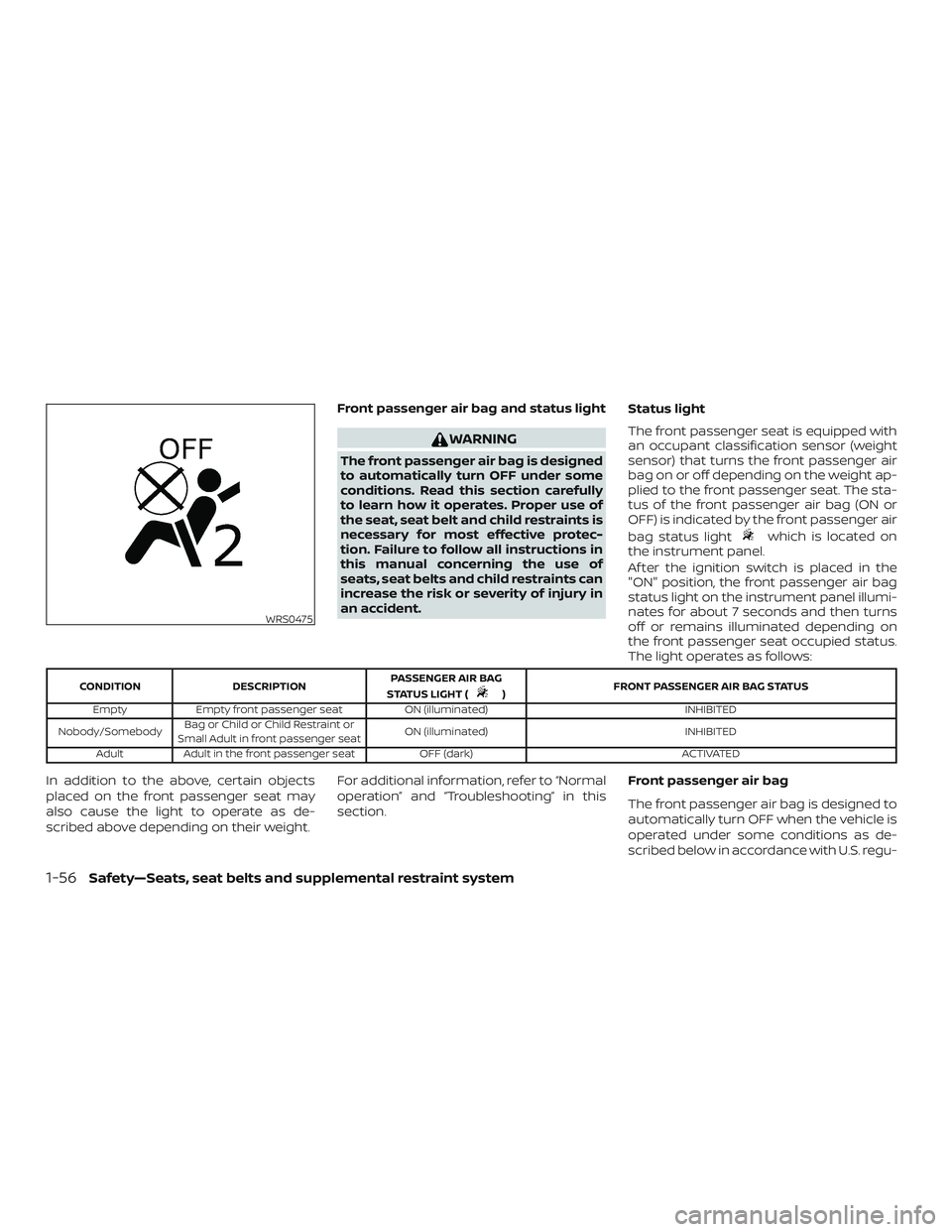
Front passenger air bag and status light
WARNING
The front passenger air bag is designed
to automatically turn OFF under some
conditions. Read this section carefully
to learn how it operates. Proper use of
the seat, seat belt and child restraints is
necessary for most effective protec-
tion. Failure to follow all instructions in
this manual concerning the use of
seats, seat belts and child restraints can
increase the risk or severity of injury in
an accident.Status light
The front passenger seat is equipped with
an occupant classification sensor (weight
sensor) that turns the front passenger air
bag on or off depending on the weight ap-
plied to the front passenger seat. The sta-
tus of the front passenger air bag (ON or
OFF) is indicated by the front passenger air
bag status light
which is located on
the instrument panel.
Af ter the ignition switch is placed in the
"ON" position, the front passenger air bag
status light on the instrument panel illumi-
nates for about 7 seconds and then turns
off or remains illuminated depending on
the front passenger seat occupied status.
The light operates as follows:
CONDITION DESCRIPTION PASSENGER AIR BAG
STATUS LIGHT () FRONT PASSENGER AIR BAG STATUS
Empty Empty front passenger seat ON (illuminated) INHIBITED
Nobody/Somebody Bag or Child or Child Restraint or
Small Adult in front passenger seat ON (illuminated)
INHIBITED
Adult Adult in the front passenger seat OFF (dark) ACTIVATED
In addition to the above, certain objects
placed on the front passenger seat may
also cause the light to operate as de-
scribed above depending on their weight.For additional information, refer to “Normal
operation” and “Troubleshooting” in this
section.
Front passenger air bag
The front passenger air bag is designed to
automatically turn OFF when the vehicle is
operated under some conditions as de-
scribed below in accordance with U.S. regu-
WRS0475
1-56Safety—Seats, seat belts and supplemental restraint system
Page 77 of 564
lations. If the front passenger air bag is OFF,
it will not inflate in a crash. The driver air bag
and other air bags in your vehicle are not
part of this system.
The purpose of the regulation is to help
reduce the risk of injury or death from an
inflating air bag to certain front passenger
seat occupants, such as children, by requir-
ing the air bag to be automatically turned
OFF. Certain sensors are used to meet the
requirements.
The occupant classification sensor in this
vehicle is a weight sensor. It is designed to
detect an occupant and objects on the
seat by weight. For example, if a child is in
the front passenger seat, the NISSAN Ad-
vanced Air Bag System is designed to turn
the front passenger air bag OFF in accor-
dance with the regulations. Also, if a child
restraint of the type specified in the regula-
tions is on the seat, its weight and the
child’s weight can be detected and cause
the air bag to turn OFF.
Front passenger seat adult occupants who
are properly seated and using the seat belt
as outlined in this manual should not cause
the front passenger air bag to be automati-
cally turned OFF. For small adults it may be
turned OFF, however if the occupant takeshis/her weight off the seat cushion (for ex-
ample, by not sitting upright, by sitting on an
edge of the seat, or by otherwise being out of
position), this could cause the sensor to turn
the air bag OFF. Always be sure to be seated
and wearing the seat belt properly for the
most effective protection by the seat belt
and supplemental air bag.
NISSAN recommends that pre-teens and
children be properly restrained in a rear seat.
NISSAN also recommends that appropriate
child restraints and booster seats be prop-
erly installed in a rear seat. If this is not pos-
sible, the occupant classification sensor is
designed to operate as described above to
turn the front passenger air bag OFF for
specified child restraints as required by the
regulations. Failing to properly secure child
restraints and to use the ALR mode may
allow the restraint to tip or move in a collision
or sudden stop. This can also result in the
passenger air bag inflating in a crash instead
of being OFF. For additional information, refer
to “Child restraints” in this section.
If the front passenger seat is not occupied,
the front passenger air bag is designed not
to inflate in a crash. However, heavy objects
placed on the seat could result in air bag
inflation, because of the object’s weight de-
tected by the occupant classification sensor.Other conditions could also result in air bag
inflation, such as if a child is standing on the
seat, or if two children are on the seat, con-
trary to the instructions in this manual. Al-
ways be sure that you and all vehicle occu-
pants are seated and restrained properly.
Using the front passenger air bag status
light, you can monitor when the front pas-
senger air bag is automatically turned OFF.
If an adult occupant is in the seat but the
front passenger air bag status light is illu-
minated (indicating that the air bag is OFF),
it could be that the person is a small adult,
or is not sitting on the seat properly or not
using the seat belt properly.
If a child restraint must be used in the front
seat, the front passenger air bag status light
may or may not be illuminated, depending
on the size of the child and the type of child
restraint being used. If the air bag status light
is not illuminated (indicating that the air bag
might inflate in a crash), it could be that the
child restraint or seat belt is not being used
properly. Make sure that the child restraint is
installed properly, the seat belt is used prop-
erly and the occupant is positioned properly.
If the air bag status light is still not illumi-
nated, reposition the occupant or child re-
straint in a rear seat.
Safety—Seats, seat belts and supplemental restraint system1-57
Page 82 of 564
other type of collision are similar to those of
a higher severity impact. They are de-
signed to inflate on the side where the ve-
hicle is impacted. They may not inflate in
certain side collisions.
Curtain air bags are also designed to inflate
in certain types of rollover collisions or near
rollovers. As a result, certain vehicle move-
ments (for example, during severe off-
roading) may cause the curtain air bags to
inflate.
Vehicle damage (or lack of it) is not always
an indication of proper side air bag and
curtain air bag operation.
When the side air bags and curtain air bags
inflate, a fairly loud noise may be heard,
followed by release of smoke. This smoke is
not harmful and does not indicate a fire.
Care should be taken not to inhale it, as it
may cause irritation and choking. Those
with a history of a breathing condition
should get fresh air promptly.
Side air bags, along with the use of seat belts,
help to cushion the impact force on the
chest of the front occupants. Curtain air
bags help to cushion the impact force to the
head of occupants in the front and rear out-
board seating positions in all rows. They can
help save lives and reduce serious injuries.However, an inflating side air bag or curtain
air bag may cause abrasions or other inju-
ries. Side air bags and curtain air bags do not
provide restraint to the lower body.
The seat belts should be correctly worn
and the driver and front passenger seated
upright as far as practical away from the
side air bag. Rear seat passengers should
be seated as far away as practical from the
door finishers and side roof rails. The side
air bags and curtain air bags inflate quickly
in order to help protect the occupants. Be-
cause of this, the force of the side air bags
and curtain air bags inflating can increase
the risk of injury if the occupant is too close
to, or is against, these air bag modules dur-
ing inflation. The side air bag will deflate
quickly af ter the collision is over.
The curtain air bag will remain inflated for a
short time.
The side air bags and curtain air bags
operate only when the ignition switch is
placed in the ON position.
Af ter placing the ignition switch in the
ON position, the supplemental air bag
warning light illuminates. The supple-
mental air bag warning light will turn off
af ter about 7 seconds if the system is
operational.
WARNING
∙Do not place any objects near the seat-
back of the front seats. Also, do not
place any objects (an umbrella, bag,
etc.) between the front door finisher
and the front seat. Such objects may
become dangerous projectiles and
cause injury if a side air bag inflates.
∙ Right af ter inflation, several side air bag and curtain air bag system com-
ponents will be hot. Do not touch
them; you may severely burn yourself.
∙ No unauthorized changes should be made to any components or wiring of
the side air bag and curtain air bag
systems. This is to prevent damage to
or accidental inflation of the side air
bag and curtain air bag systems.
∙ Do not make unauthorized changes to your vehicle’s electrical system,
suspension system or side panel. This
could affect proper operation of the
curtain air bag systems.
1-62Safety—Seats, seat belts and supplemental restraint system
Page 85 of 564
SUPPLEMENTAL AIR BAG WARNING
LIGHT
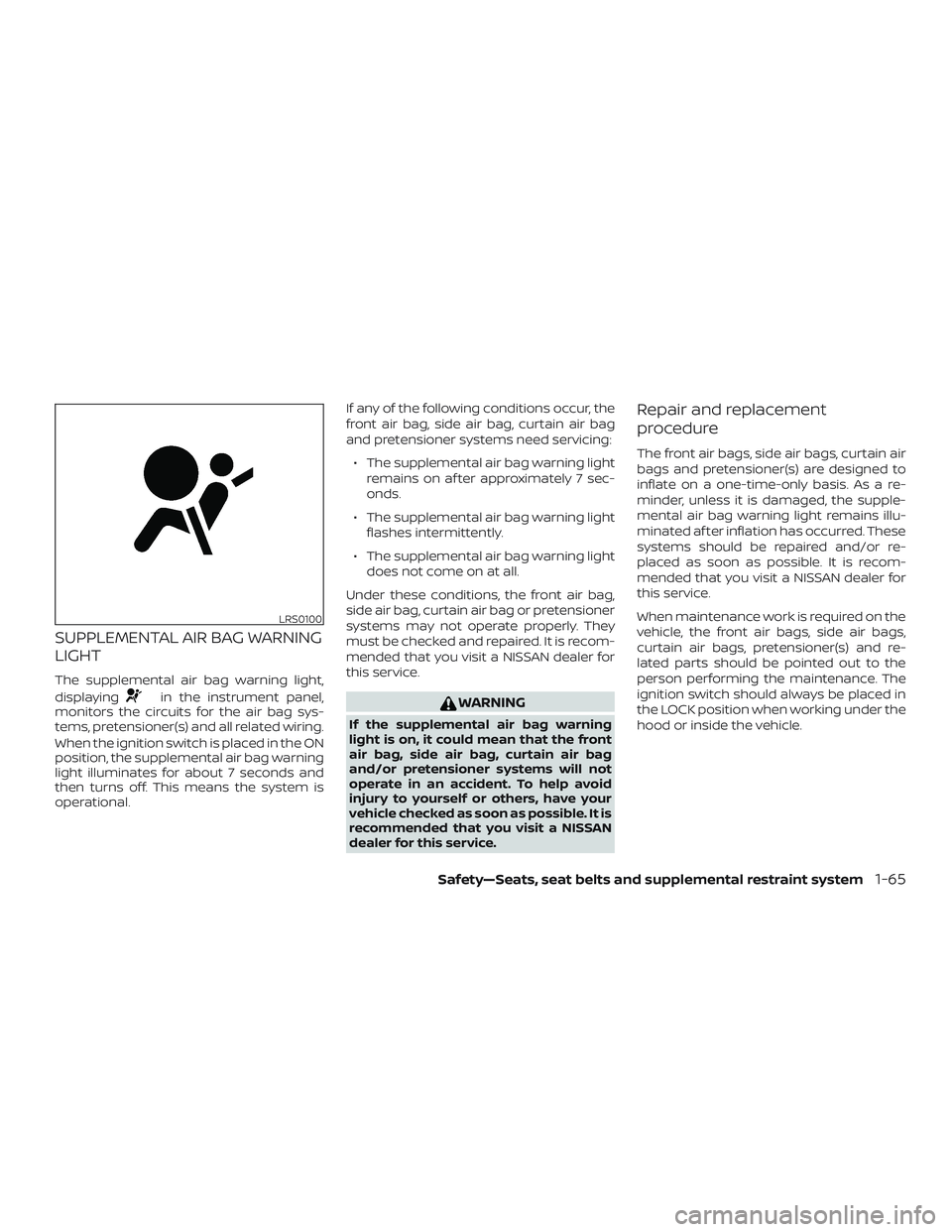
The supplemental air bag warning light,
displaying
in the instrument panel,
monitors the circuits for the air bag sys-
tems, pretensioner(s) and all related wiring.
When the ignition switch is placed in the ON
position, the supplemental air bag warning
light illuminates for about 7 seconds and
then turns off. This means the system is
operational. If any of the following conditions occur, the
front air bag, side air bag, curtain air bag
and pretensioner systems need servicing:
∙ The supplemental air bag warning light remains on af ter approximately 7 sec-
onds.
∙ The supplemental air bag warning light flashes intermittently.
∙ The supplemental air bag warning light does not come on at all.
Under these conditions, the front air bag,
side air bag, curtain air bag or pretensioner
systems may not operate properly. They
must be checked and repaired. It is recom-
mended that you visit a NISSAN dealer for
this service.WARNING
If the supplemental air bag warning
light is on, it could mean that the front
air bag, side air bag, curtain air bag
and/or pretensioner systems will not
operate in an accident. To help avoid
injury to yourself or others, have your
vehicle checked as soon as possible. It is
recommended that you visit a NISSAN
dealer for this service.
Repair and replacement
procedure
The front air bags, side air bags, curtain air
bags and pretensioner(s) are designed to
inflate on a one-time-only basis. As a re-
minder, unless it is damaged, the supple-
mental air bag warning light remains illu-
minated af ter inflation has occurred. These
systems should be repaired and/or re-
placed as soon as possible. It is recom-
mended that you visit a NISSAN dealer for
this service.
When maintenance work is required on the
vehicle, the front air bags, side air bags,
curtain air bags, pretensioner(s) and re-
lated parts should be pointed out to the
person performing the maintenance. The
ignition switch should always be placed in
the LOCK position when working under the
hood or inside the vehicle.
LRS0100
Safety—Seats, seat belts and supplemental restraint system1-65
Page 88 of 564
2 Instruments and controls
Instrument panel................................2-2
Meters and gauges ..............................2-4
Speedometer and odometer .................2-4
Tachometer ..................................2-6
Engine coolant temperature gauge ..........2-6
Fuel gauge ................................... 2-7
Distance To Empty (DTE) ...................... 2-7
Compass (if so equipped) .......................2-8
Compass display .............................2-8
Warning lights, indicator lights and audible
reminders ....................................... 2-11
Checking lights .............................. 2-12
Warning lights ............................... 2-12
Indicator lights .............................. 2-18
Audible reminders ........................... 2-21
Vehicle information display .....................2-22
How to use the vehicle information
display ...................................... 2-22
Startup display .............................. 2-22
Resetting the drive computer ................2-23
Settings ..................................... 2-23
Vehicle information display warnings
and indicators ............................... 2-34Security systems
............................... 2-42
Vehicle security system .....................2-42
NISSAN Vehicle Immobilizer System .........2-44
Wiper and washer switch .......................2-45
Switch operation ............................ 2-45
Rear switch operation .......................2-46
Rear window and outside mirror
(if so equipped) defroster switch ................2-47
Headlight and turn signal switch ...............2-48
Headlight control switch .....................2-48
LED Daytime Running Lights (DRL)
system ...................................... 2-52
Instrument brightness control ...............2-53
Turn signal switch ........................... 2-53
Fog light switch (if so equipped) .............2-54
Horn ........................................... 2-55
Heated seat switches (if so equipped) ..........2-55
Heated steering wheel switch (if so equipped) . . 2-56
Dynamic driver assistance switch
(f
or vehicles without ProPILOT Assist)
(if so equipped) ................................. 2-57
Steering Assist switch (for vehicles with
ProPILOT Assist) (if so equipped) ................2-57
Page 90 of 564
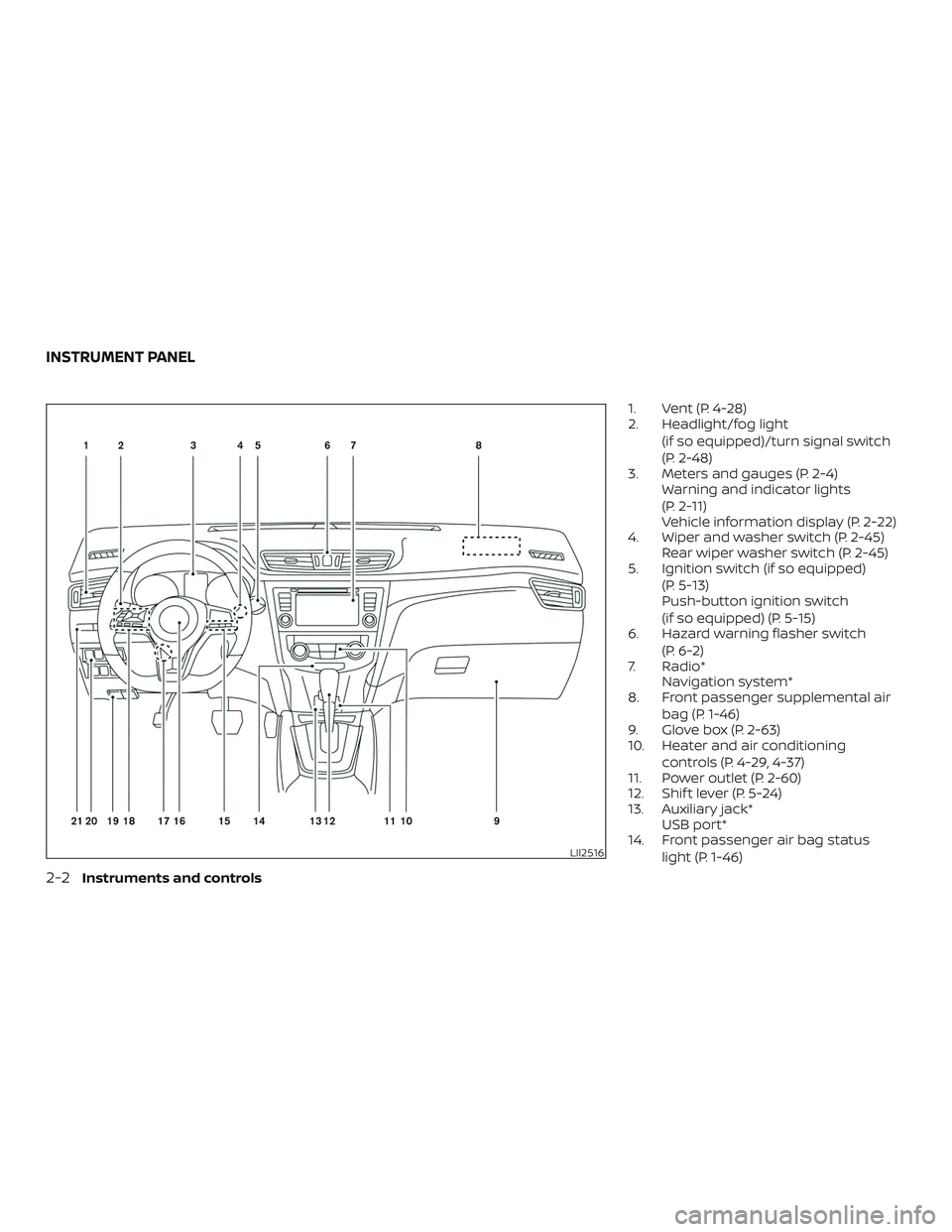
1. Vent (P. 4-28)
2. Headlight/fog light(if so equipped)/turn signal switch
(P. 2-48)
3. Meters and gauges (P. 2-4) Warning and indicator lights
(P. 2-11)
Vehicle information display (P. 2-22)
4. Wiper and washer switch (P. 2-45) Rear wiper washer switch (P. 2-45)
5. Ignition switch (if so equipped)
(P. 5-13)
Push-button ignition switch
(if so equipped) (P. 5-15)
6. Hazard warning flasher switch
(P. 6-2)
7. Radio* Navigation system*
8. Front passenger supplemental air
bag (P. 1-46)
9. Glove box (P. 2-63)
10. Heater and air conditioning
controls (P. 4-29, 4-37)
11. Power outlet (P. 2-60)
12. Shif t lever (P. 5-24)
13. Auxiliary jack* USB port*
14. Front passenger air bag status
light (P. 1-46)
LII2516
INSTRUMENT PANEL
2-2Instruments and controls
Page 95 of 564
FUEL GAUGE
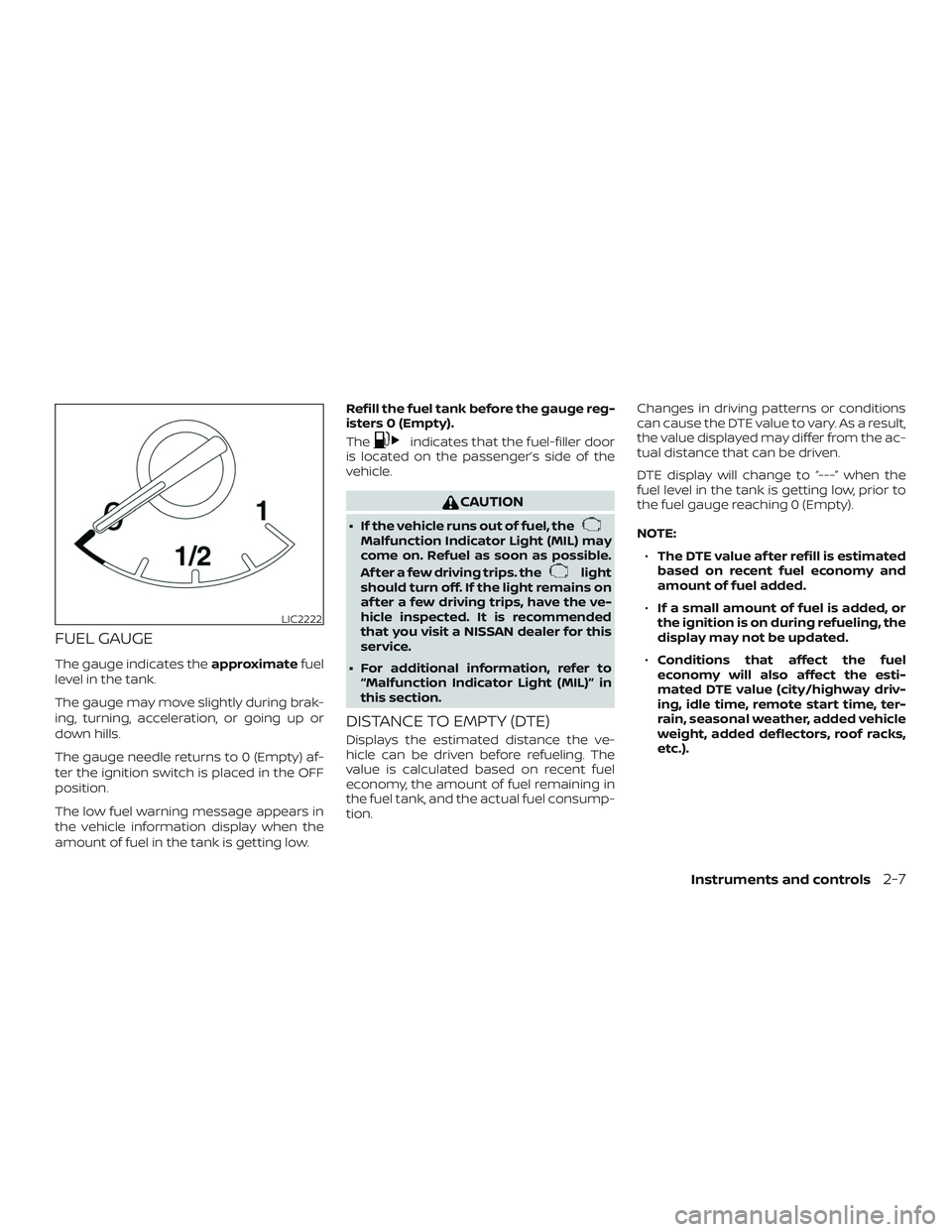
The gauge indicates theapproximatefuel
level in the tank.
The gauge may move slightly during brak-
ing, turning, acceleration, or going up or
down hills.
The gauge needle returns to 0 (Empty) af-
ter the ignition switch is placed in the OFF
position.
The low fuel warning message appears in
the vehicle information display when the
amount of fuel in the tank is getting low. Refill the fuel tank before the gauge reg-
isters 0 (Empty).
The
indicates that the fuel-filler door
is located on the passenger’s side of the
vehicle.
CAUTION
∙ If the vehicle runs out of fuel, theMalfunction Indicator Light (MIL) may
come on. Refuel as soon as possible.
Af ter a few driving trips. the
light
should turn off. If the light remains on
af ter a few driving trips, have the ve-
hicle inspected. It is recommended
that you visit a NISSAN dealer for this
service.
∙ For additional information, refer to “Malfunction Indicator Light (MIL)” in
this section.
DISTANCE TO EMPTY (DTE)
Displays the estimated distance the ve-
hicle can be driven before refueling. The
value is calculated based on recent fuel
economy, the amount of fuel remaining in
the fuel tank, and the actual fuel consump-
tion. Changes in driving patterns or conditions
can cause the DTE value to vary. As a result,
the value displayed may differ from the ac-
tual distance that can be driven.
DTE display will change to “---” when the
fuel level in the tank is getting low, prior to
the fuel gauge reaching 0 (Empty).
NOTE:
∙ The DTE value af ter refill is estimated
based on recent fuel economy and
amount of fuel added.
∙ If a small amount of fuel is added, or
the ignition is on during refueling, the
display may not be updated.
∙ Conditions that affect the fuel
economy will also affect the esti-
mated DTE value (city/highway driv-
ing, idle time, remote start time, ter-
rain, seasonal weather, added vehicle
weight, added deflectors, roof racks,
etc.).
LIC2222
Instruments and controls2-7
Page 98 of 564
1. With the display turned on, press andhold the
for about 10 seconds.
The “C” icon in the compass display will
illuminate.
2. Calibrate the compass by driving the vehicle in three complete circles at a
maximum speed of 5 mph (8 km/h).
3. Af ter completing the circles, the display should return to normal.
CAUTION
∙ Do not install a ski rack, antenna, etc.,which are attached to the vehicle by
means of a magnet. They affect the
operation of the compass.
∙ When cleaning the mirror, use a paper towel or similar material dampened
with glass cleaner. Do not spray glass
cleaner directly on the mirror as it
may cause the liquid cleaner to enter
the mirror housing.
2-10Instruments and controls
Page 99 of 564
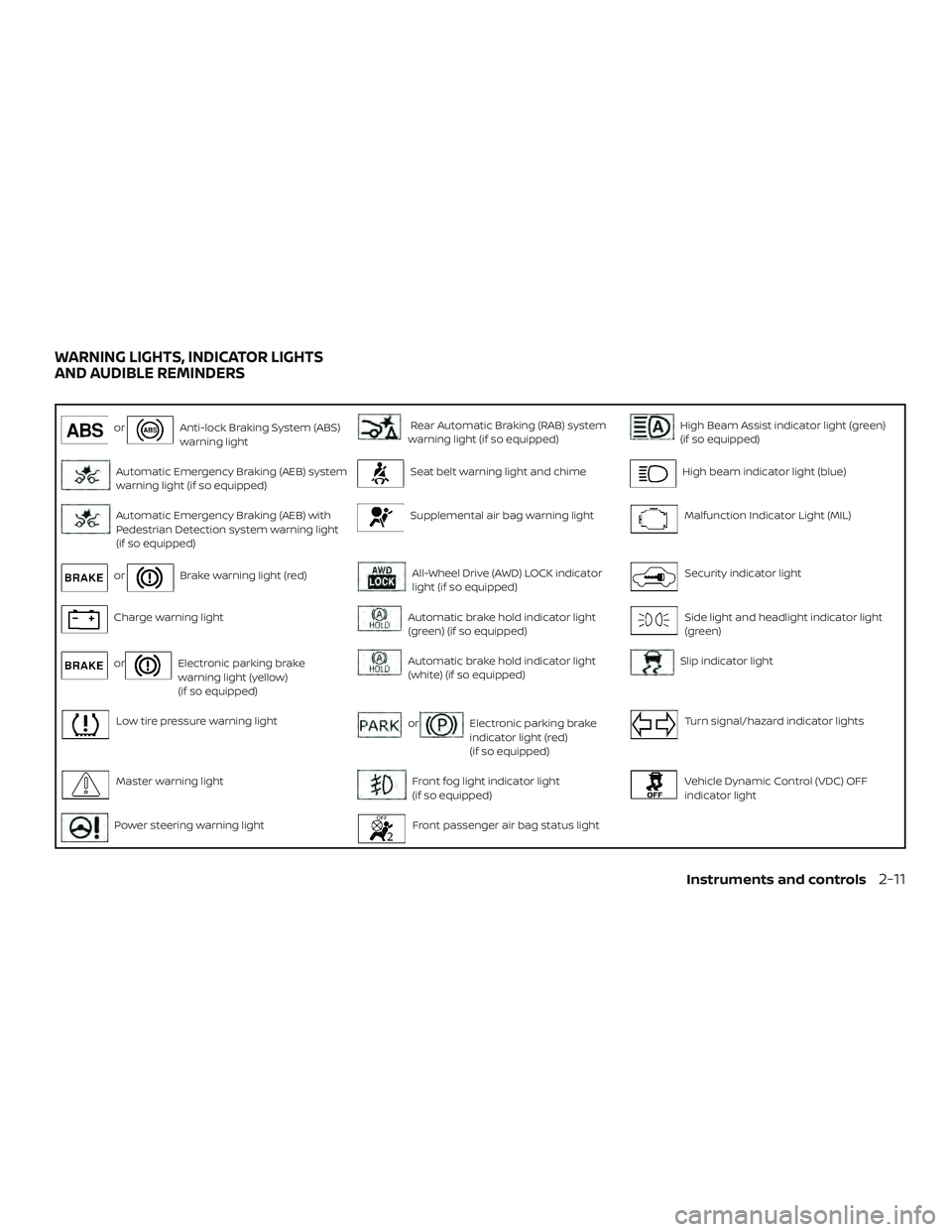
orAnti-lock Braking System (ABS)
warning lightRear Automatic Braking (RAB) system
warning light (if so equipped)High Beam Assist indicator light (green)
(if so equipped)
Automatic Emergency Braking (AEB) system
warning light (if so equipped)Seat belt warning light and chimeHigh beam indicator light (blue)
Automatic Emergency Braking (AEB) with
Pedestrian Detection system warning light
(if so equipped)Supplemental air bag warning lightMalfunction Indicator Light (MIL)
orBrake warning light (red)All-Wheel Drive (AWD) LOCK indicator
light (if so equipped)Security indicator light
Charge warning lightAutomatic brake hold indicator light
(green) (if so equipped)Side light and headlight indicator light
(green)
orElectronic parking brake
warning light (yellow)
(if so equipped)Automatic brake hold indicator light
(white) (if so equipped)Slip indicator light
Low tire pressure warning lightorElectronic parking brake
indicator light (red)
(if so equipped)Turn signal/hazard indicator lights
Master warning lightFront fog light indicator light
(if so equipped)Vehicle Dynamic Control (VDC) OFF
indicator light
Power steering warning lightFront passenger air bag status light
WARNING LIGHTS, INDICATOR LIGHTS
AND AUDIBLE REMINDERS
Instruments and controls2-11
Page 100 of 564
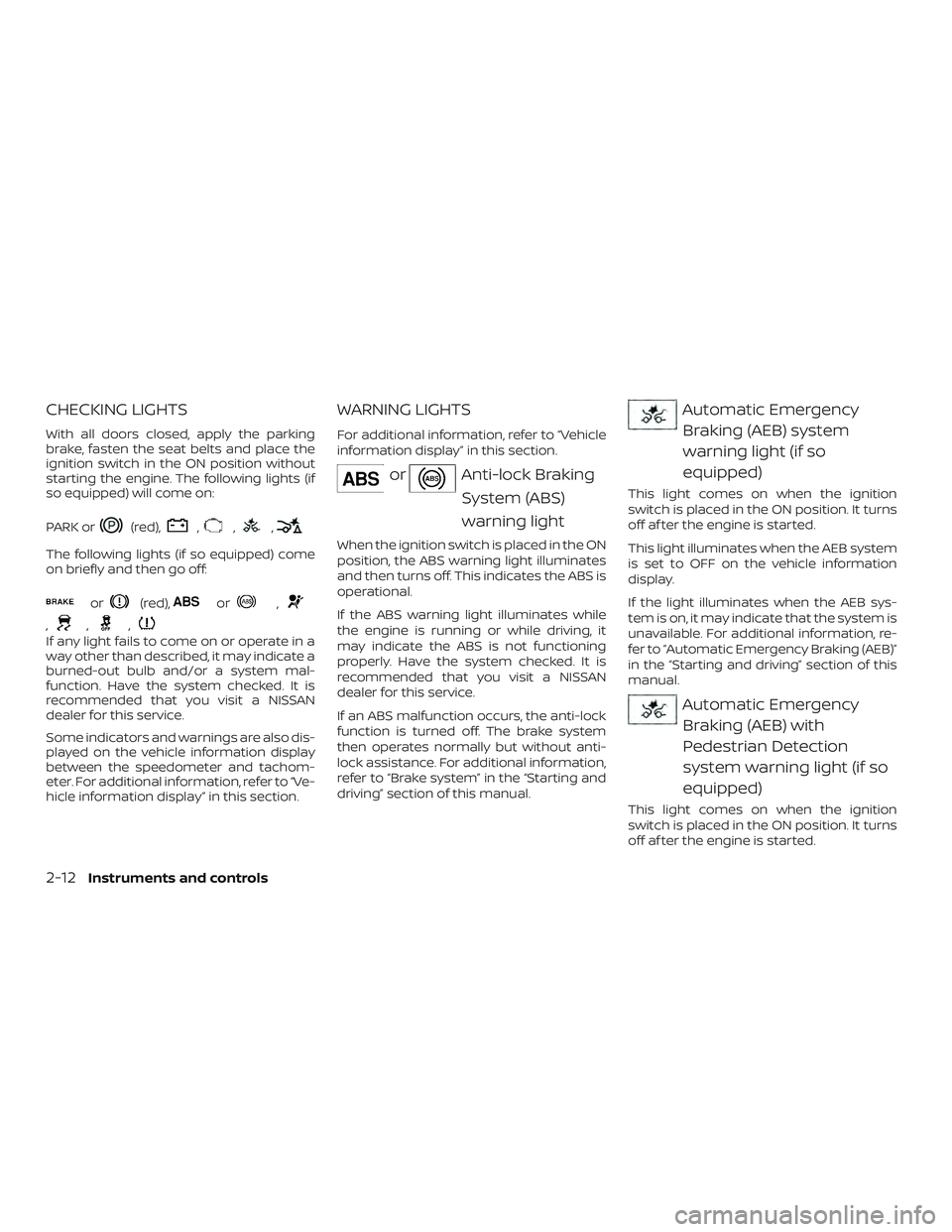
CHECKING LIGHTS
With all doors closed, apply the parking
brake, fasten the seat belts and place the
ignition switch in the ON position without
starting the engine. The following lights (if
so equipped) will come on:
PARK or
(red),,,,
The following lights (if so equipped) come
on briefly and then go off:
or(red),or,
,,,
If any light fails to come on or operate in a
way other than described, it may indicate a
burned-out bulb and/or a system mal-
function. Have the system checked. It is
recommended that you visit a NISSAN
dealer for this service.
Some indicators and warnings are also dis-
played on the vehicle information display
between the speedometer and tachom-
eter. For additional information, refer to “Ve-
hicle information display” in this section.
WARNING LIGHTS
For additional information, refer to “Vehicle
information display” in this section.
orAnti-lock BrakingSystem (ABS)
warning light
When the ignition switch is placed in the ON
position, the ABS warning light illuminates
and then turns off. This indicates the ABS is
operational.
If the ABS warning light illuminates while
the engine is running or while driving, it
may indicate the ABS is not functioning
properly. Have the system checked. It is
recommended that you visit a NISSAN
dealer for this service.
If an ABS malfunction occurs, the anti-lock
function is turned off. The brake system
then operates normally but without anti-
lock assistance. For additional information,
refer to “Brake system” in the “Starting and
driving” section of this manual.
Automatic EmergencyBraking (AEB) system
warning light (if so
equipped)
This light comes on when the ignition
switch is placed in the ON position. It turns
off af ter the engine is started.
This light illuminates when the AEB system
is set to OFF on the vehicle information
display.
If the light illuminates when the AEB sys-
tem is on, it may indicate that the system is
unavailable. For additional information, re-
fer to “Automatic Emergency Braking (AEB)”
in the “Starting and driving” section of this
manual.
Automatic EmergencyBraking (AEB) with
Pedestrian Detection
system warning light (if so
equipped)
This light comes on when the ignition
switch is placed in the ON position. It turns
off af ter the engine is started.
2-12Instruments and controls