light NISSAN ROGUE 2019 Owner´s Manual
[x] Cancel search | Manufacturer: NISSAN, Model Year: 2019, Model line: ROGUE, Model: NISSAN ROGUE 2019Pages: 564, PDF Size: 6.97 MB
Page 109 of 564
AUDIBLE REMINDERS
Brake pad wear warning
The disc brake pads have audible wear
warnings. When a disc brake pad requires
replacement, it makes a high pitched
scraping sound when the vehicle is in mo-
tion, whether or not the brake pedal is de-
pressed. Have the brakes checked as soon
as possible if the warning sound is heard.
Key reminder chime
A chime sounds if the driver’s door is
opened while the ignition switch is placed
in the OFF position or placed in the OFF or
LOCK position with the key lef t in the ve-
hicle. Make sure the ignition switch is
placed in the LOCK position, and take the
key with you when leaving the vehicle.
Light reminder chime
With the ignition switch placed in the OFF
position, a chime sounds when the driver’s
door is opened if the headlights or parking
lights are on.
Turn the headlight control switch off before
leaving the vehicle.
NISSAN Intelligent Key® door
buzzer (if so equipped)
The Intelligent Key door buzzer sounds if
any one of the following improper opera-
tions is found.∙ The Intelligent Key is lef t inside the ve- hicle when locking the doors.
∙ Any doors are not closed securely when locking the doors.
When the buzzer sounds, be sure to check
both the vehicle and the Intelligent Key. For
additional information, refer to “NISSAN In-
telligent Key®” in the “Pre-driving checks
and adjustments” section of this manual.
Driving aid chimes (if so equipped)
An audible alert/chime may be heard if any
of the following systems are active: ∙ Automatic Emergency Braking (AEB)
∙ Automatic Emergency Braking (AEB) with Pedestrian Detection
∙ Blind Spot Warning (BSW)/Rear Cross Traffic Alert (RCTA)
∙ Intelligent Cruise Control (ICC)
∙ Intelligent Lane Intervention (I-LI) ∙ Lane Departure Warning (LDW)
∙ ProPILOT Assist
∙ Rear Automatic Braking (RAB)
∙ Rear Sonar System (RSS)
For additional information, refer to the
“Starting and driving” section of this
manual.
Instruments and controls2-21
Page 113 of 564
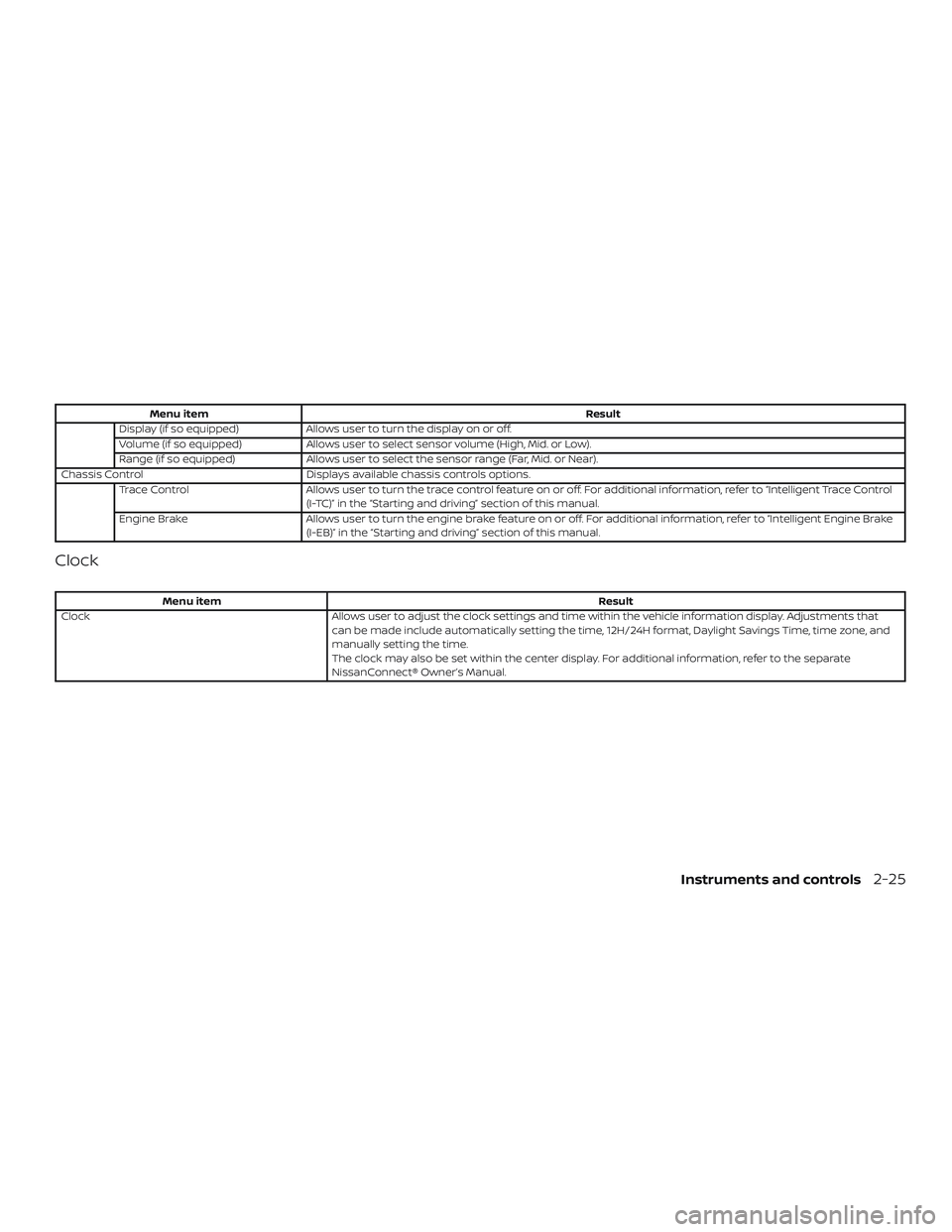
Menu itemResult
Display (if so equipped) Allows user to turn the display on or off.
Volume (if so equipped) Allows user to select sensor volume (High, Mid. or Low).
Range (if so equipped) Allows user to select the sensor range (Far, Mid. or Near).
Chassis Control Displays available chassis controls options.
Trace Control Allows user to turn the trace control feature on or off. For additional information, refer to “Intelligent Trace Control
(I-TC)” in the “Starting and driving” section of this manual.
Engine Brake Allows user to turn the engine brake feature on or off. For additional information, refer to “Intelligent Engine Brake
(I-EB)” in the “Starting and driving” section of this manual.
Clock
Menu item Result
Clock Allows user to adjust the clock settings and time within the vehicle information display. Adjustments that
can be made include automatically setting the time, 12H/24H format, Daylight Savings Time, time zone, and
manually setting the time.
The clock may also be set within the center display. For additional information, refer to the separate
NissanConnect® Owner’s Manual.
Instruments and controls2-25
Page 115 of 564
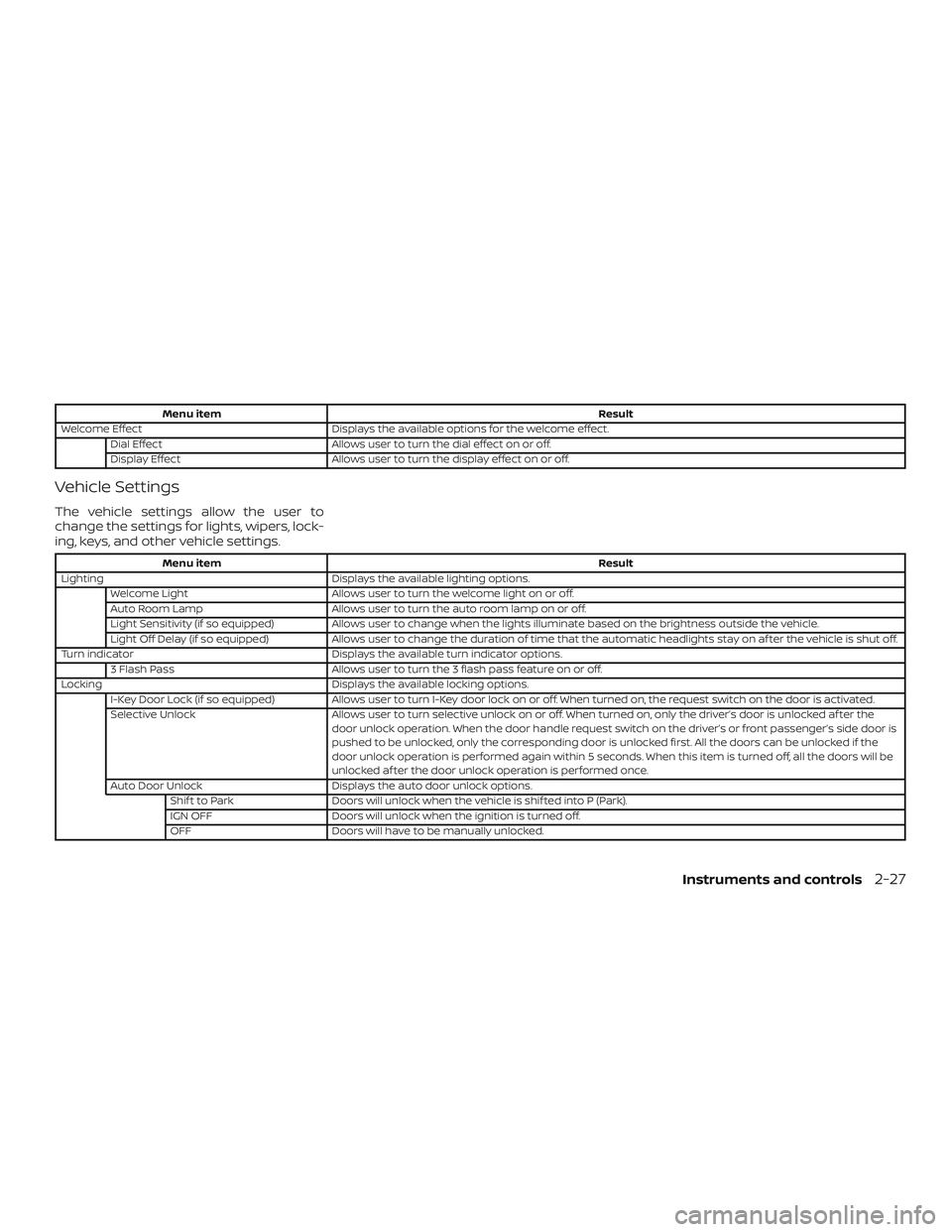
Menu itemResult
Welcome Effect Displays the available options for the welcome effect.
Dial Effect Allows user to turn the dial effect on or off.
Display Effect Allows user to turn the display effect on or off.
Vehicle Settings
The vehicle settings allow the user to
change the settings for lights, wipers, lock-
ing, keys, and other vehicle settings.
Menu item Result
Lighting Displays the available lighting options.
Welcome Light Allows user to turn the welcome light on or off.
Auto Room Lamp Allows user to turn the auto room lamp on or off.
Light Sensitivity (if so equipped) Allows user to change when the lights illuminate based on the brightness outside the vehicle.
Light Off Delay (if so equipped) Allows user to change the duration of time that the automatic headlights stay on af ter the vehicle is shut off.
Turn indicator Displays the available turn indicator options.
3 Flash Pass Allows user to turn the 3 flash pass feature on or off.
Locking Displays the available locking options.
I-Key Door Lock (if so equipped) Allows user to turn I-Key door lock on or off. When turned on, the request switch on the door is activated.
Selective Unlock Allows user to turn selective unlock on or off. When turned on, only the driver’s door is unlocked af ter the
door unlock operation. When the door handle request switch on the driver’s or front passenger’s side door is
pushed to be unlocked, only the corresponding door is unlocked first. All the doors can be unlocked if the
door unlock operation is performed again within 5 seconds. When this item is turned off, all the doors will be
unlocked af ter the door unlock operation is performed once.
Auto Door Unlock Displays the auto door unlock options.
Shif t to Park Doors will unlock when the vehicle is shif ted into P (Park).
IGN OFF Doors will unlock when the ignition is turned off.
OFF Doors will have to be manually unlocked.
Instruments and controls2-27
Page 122 of 564
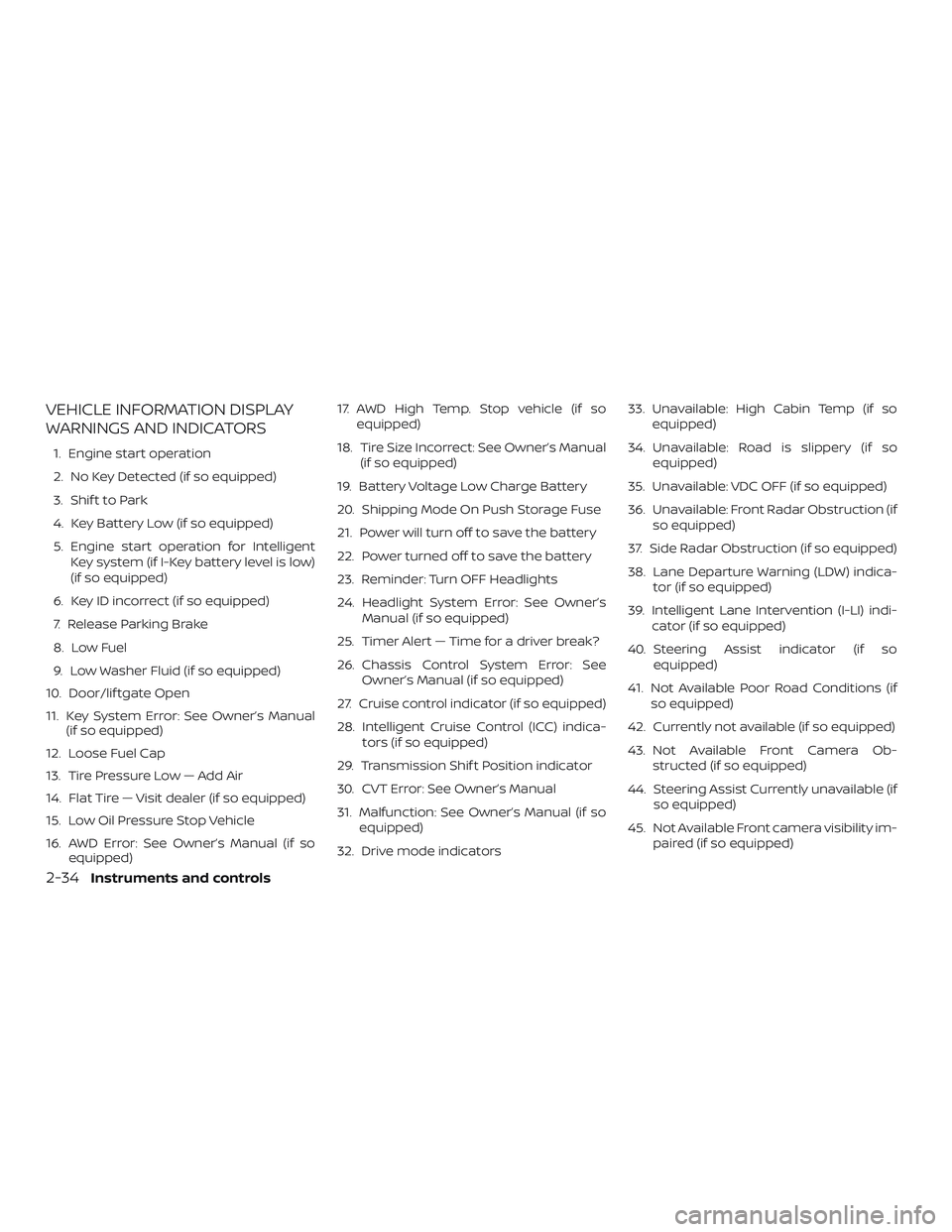
VEHICLE INFORMATION DISPLAY
WARNINGS AND INDICATORS
1. Engine start operation
2. No Key Detected (if so equipped)
3. Shif t to Park
4. Key Battery Low (if so equipped)
5. Engine start operation for IntelligentKey system (if I-Key battery level is low)
(if so equipped)
6. Key ID incorrect (if so equipped)
7. Release Parking Brake
8. Low Fuel
9. Low Washer Fluid (if so equipped)
10. Door/lif tgate Open
11. Key System Error: See Owner’s Manual (if so equipped)
12. Loose Fuel Cap
13. Tire Pressure Low — Add Air
14. Flat Tire — Visit dealer (if so equipped)
15. Low Oil Pressure Stop Vehicle
16. AWD Error: See Owner’s Manual (if so equipped) 17. AWD High Temp. Stop vehicle (if so
equipped)
18. Tire Size Incorrect: See Owner’s Manual (if so equipped)
19. Battery Voltage Low Charge Battery
20. Shipping Mode On Push Storage Fuse
21. Power will turn off to save the battery
22. Power turned off to save the battery
23. Reminder: Turn OFF Headlights
24. Headlight System Error: See Owner’s Manual (if so equipped)
25. Timer Alert — Time for a driver break?
26. Chassis Control System Error: See Owner’s Manual (if so equipped)
27. Cruise control indicator (if so equipped)
28. Intelligent Cruise Control (ICC) indica- tors (if so equipped)
29. Transmission Shif t Position indicator
30. CVT Error: See Owner’s Manual
31. Malfunction: See Owner’s Manual (if so equipped)
32. Drive mode indicators 33. Unavailable: High Cabin Temp (if so
equipped)
34. Unavailable: Road is slippery (if so equipped)
35. Unavailable: VDC OFF (if so equipped)
36. Unavailable: Front Radar Obstruction (if so equipped)
37. Side Radar Obstruction (if so equipped)
38. Lane Departure Warning (LDW) indica- tor (if so equipped)
39. Intelligent Lane Intervention (I-LI) indi- cator (if so equipped)
40. Steering Assist indicator (if so equipped)
41. Not Available Poor Road Conditions (if so equipped)
42. Currently not available (if so equipped)
43. Not Available Front Camera Ob- structed (if so equipped)
44. Steering Assist Currently unavailable (if so equipped)
45. Not Available Front camera visibility im- paired (if so equipped)
2-34Instruments and controls
Page 124 of 564
Release Parking Brake
This warning illuminates in the message
area of the vehicle information display
when the parking brake is set and the ve-
hicle is driven.
Low Fuel
This warning illuminates when the fuel level
in the fuel tank is getting low. Refuel as
soon as it is convenient, preferably before
the fuel gauge reaches 0 (Empty).There
will be a small reserve of fuel in the tank
when the fuel gauge needle reaches 0
(Empty).
Low Washer Fluid (if so equipped)
This warning illuminates when the
windshield-washer fluid is at a low level.
Add windshield-washer fluid as necessary.
For additional information, refer to
“Windshield-washer fluid” in the “Do-it-
yourself ” section of this manual.
Door/lif tgate Open
This warning illuminates when a door or
the lif tgate has been opened. Key System Error: See Owner’s Manual
(if so equipped)
Af ter the ignition switch is pushed to the
ON position, this light comes on for about
2 seconds and then turns off.
The Key System Error message warns of a
malfunction with the Intelligent Key sys-
tem. If the light comes on while the engine
is stopped, it may be impossible to start
the engine.
If the light comes on while the engine is
running, you can drive the vehicle. However
in these cases, contact a NISSAN dealer for
repair as soon as possible.
Loose Fuel Cap
This warning appears when the fuel-filler
cap is not tightened correctly af ter the ve-
hicle has been refueled. For additional in-
formation, refer to “Fuel-filler cap” in the
“Pre-driving checks and adjustments” sec-
tion of this manual.
Tire Pressure Low - Add Air
This warning appears when the low tire
pressure warning light in the meter illumi-
nates and low tire pressure is detected. The
warning appears each time the ignition
switch is placed in the ON position as longas the low tire pressure warning light re-
mains illuminated. If this warning appears,
stop the vehicle and adjust the tire pres-
sures of all four tires to the recommended
COLD tire pressure shown on the Tire and
Loading Information label. For additional
information, refer to “Low tire pressure
warning light” in this section and “Tire Pres-
sure Monitoring System (TPMS)” in the
“Starting and driving” section of this
manual.
Flat Tire – Visit dealer (if so equipped)
This warning appears when the low tire
pressure warning light in the meter illumi-
nates and one or more flat tires are de-
tected while driving. A chime also sounds
for approximately 10 seconds.
Low Oil Pressure Stop Vehicle
This warning appears in the message area
of the vehicle information display if low oil
pressure is detected. This gauge is not de-
signed to indicate low oil level.
The low oil
pressure warning is not designed to indi-
cate a low oil level. Use the dipstick to
check the oil level. For additional informa-
tion, refer to “Engine oil” in the “Do-it-
yourself ” section of this manual.
2-36Instruments and controls
Page 125 of 564
AWD Error: See Owner’s Manual (if so
equipped)
This warning appears when the all-wheel
drive system is not functioning properly
while the engine is running.
AWD High Temp. Stop vehicle (if so
equipped)
This warning may appear while trying to
free a stuck vehicle due to increased oil
temperature. The driving mode may
change to 2-Wheel Drive (2WD). If this warn-
ing is displayed, stop the vehicle with the
engine idling, as soon as it is safe to do so.
Then if the warning turns off, you can con-
tinue driving.
Tire Size Incorrect: See Owner’s Manual
(if so equipped)
This warning may appear if there is a large
difference between the diameters of the
front and rear wheels. Pull off the road in a
safe area, with the engine idling. Check that
all the tire sizes are the same, that the tire
pressure is correct and that the tires are
not excessively worn.
Battery Voltage Low Charge Battery
This warning appears when the battery is
low and needs to be charged.Shipping Mode On Push Storage Fuse
This warning may appear if the extended
storage switch is not pushed in. When this
warning appears, push in the extended
storage switch to turn off the warning. For
additional information, refer to “Extended
storage switch” in this section.
Power will turn off to save the battery
This warning appears in the message area
of the vehicle information display af ter a
period of time if the shif t lever has not
moved from the P (Park) position.
Power turned off to save the battery
This warning appears af ter the ignition
switch is automatically turned off to save
the battery.
Reminder: Turn OFF Headlights
This warning appears when the headlights
are lef t in the ON position when exiting the
vehicle. Place the headlight switch to OFF
or AUTO position. For additional informa-
tion, refer to “Headlight and turn signal
switch” in this section.
Headlight System Error: See Owner’s
Manual (if so equipped)
This warning illuminates when there is an
error with the system. For additional infor-
mation, refer to “Headlight and turn signal
switch” in this section.
Timer Alert – Time for a driver break?
This indicator appears when the set time is
reached. The time can be set up to six
hours. For additional information on set-
ting the timer, refer to “Alarm” in this sec-
tion.
Chassis Control System Error: See Own-
er’s Manual (if so equipped)
This warning appears if the Integrated
Dynamics-control Module detects an error
in the Intelligent Trace Control, Intelligent
Engine Brake, or the Active Ride Control
systems. Have the system checked. It is
recommended that you visit a NISSAN
dealer for this service. For additional infor-
mation, refer to “Chassis control” in the
“Starting and driving” section of this
manual.
Cruise control indicator (if so equipped)
This indicator shows the cruise control sys-
tem status.
Instruments and controls2-37
Page 128 of 564
∙ Strong light, such as sunlight or highbeams from oncoming vehicles, enter
the front camera
∙ When the wiper (HI) operates
The system will be available when the
above conditions no longer exist.
If the warning message continues to ap-
pear, stop the vehicle in a safe location, turn
the engine off and clean the windshield.
Steering Assist Currently unavailable (if
so equipped)
This message may appear when the Steer-
ing Assist system is engaged.
Under the following conditions, the Steer-
ing Assist system is automatically can-
celed: ∙ When the wiper (LO) operates
∙ When lane markers in the traveling lane cannot be correctly detected for a pe-
riod of time due to such items as a
snow rut, reflection of light on a rainy
day or several unclear lane markers are
present If you want to use the Steering Assist sys-
tem again, cancel the ProPILOT Assist sys-
tem and set it again when lane markers are
clearly visible.
Not Available Front camera visibility is
impaired (if so equipped)
This message may appear when the Intel-
ligent Cruise Control (ICC) (with ProPILOT
Assist) system is engaged.
Under the following conditions, the ICC
(with ProPILOT Assist) system is automati-
cally canceled:
∙ The camera area of the windshield is fogged up or covered with dirt, water,
drops, ice, snow, etc.
∙ Strong light, such as sunlight or high beams from oncoming vehicles, enter
the front camera
∙ When the wiper (HI) operates
The system will be available when the
above conditions no longer exist.
If the warning message continues to ap-
pear, stop the vehicle in a safe location, turn
the engine off and clean the windshield. Not Available Parking Brake On (if so
equipped)
This message may appear when the Intel-
ligent Cruise Control (ICC) (with ProPILOT
Assist) system is engaged.
Under the following condition, the ICC (with
ProPILOT Assist) system is automatically
canceled:
∙ The electronic parking brake is applied
The above system cannot be used when
the electric parking brake is activated.
Not Available Seat Belt Not Fastened (if
so equipped)
This message may appear when the Intel-
ligent Cruise Control (ICC) (with ProPILOT
Assist) system is engaged.
Under the following condition, the ICC (with
ProPILOT Assist) system is automatically
canceled: ∙ When the driver’s seat belt is not fas- tened
The above system cannot be used when
the driver’s seat belt is not fastened.
2-40Instruments and controls
Page 131 of 564
The system helps deter vehicle thef t but
cannot prevent it, nor can it prevent the
thef t of interior or exterior vehicle compo-
nents in all situations. Always secure your
vehicle even if parking for a brief period.
Never leave your keys in the vehicle, and
always lock the vehicle when unattended.
Be aware of your surroundings, and park in
secure, well-lit areas whenever possible.
Many devices offering additional protec-
tion, such as component locks, identifica-
tion markers, and tracking systems, are
available at auto supply stores and spe-
cialty shops. A NISSAN dealer may also offer
such equipment. Check with your insur-
ance company to see if you may be eligible
for discounts for various thef t protection
features.
How to arm the vehicle security
system
1. Close all windows.(The system can be
armed even if the windows are open.)
2. Remove the keys from the vehicle.
3. Close all doors and lif tgate. Lock all doors. The doors can be locked with
the key fob (if so equipped), Intelligent Key (if so equipped), door handle re-
quest switch, or mechanical key (if so
equipped).
4. Confirm that the
security indica-
tor light stays on for about 30 seconds.
The vehicle security system is now pre-
armed. The vehicle security system will
automatically shif t into the armed
phase. The
security light begins
to flash once every three seconds. If
during the pre-armed phase one of the
following occurs, the system will not
arm:
∙ Any door is unlocked with the key fob (if so equipped), the Intelligent Key (if so
equipped), mechanical key (if so
equipped), or door request switch.
∙ Ignition switch is placed in the ON posi- tion.
∙ Even when the driver and/or passen-
gers are in the vehicle, the system will
activate with all the doors, hood and
lif tgate locked with the ignition
switch placed in the LOCK position.
When placing the ignition switch in
the ON position, the system will be
released.
Vehicle security system activation
The vehicle security system will give the
following alarm:
∙ The headlights blink and the horn sounds intermittently but synchro-
nously.
∙ The alarm automatically turns off af ter a period of time. However, the alarm
reactivates if the vehicle is tampered
with again.
The alarm is activated by: ∙ opening any door or the lif tgate without using the key or Intelligent Key (even if
the door is unlocked by releasing the
door inside lock knob).
How to stop an activated alarm
The alarm stops only by unlocking a door
or the lif tgate with the mechanical key (if so
equipped), the key fob (if so equipped),
pressing the
button on the Intelligent
Key (if so equipped), or pushing the request
switch on the driver’s or passenger’s door
with the Intelligent Key (if so equipped) in
range of the door handle.
Instruments and controls2-43
Page 132 of 564
NISSAN VEHICLE IMMOBILIZER
SYSTEM
The NISSAN Vehicle Immobilizer System
will not allow the engine to start without
the use of a registered key.
Never leave these keys in the vehicle.
FCC Notice:
For USA:
This device complies with Part 15 of the
FCC Rules. Operation is subject to the fol-
lowing two conditions: (1) This device
may not cause harmful interference, and
(2) this device must accept any interfer-
ence received, including interference
that may cause undesired operation.
NOTE:
Changes or modifications not expressly
approved by the party responsible for
compliance could void the user’s author-
ity to operate the equipment.For Canada:
This device complies with Industry
Canada licence-exempt RSS standard(s).
Operation is subject to the following two
conditions: (1) this device may not cause
interference, and (2) this device must ac-
cept any interference received, including
interference that may cause undesired
operation of the device.
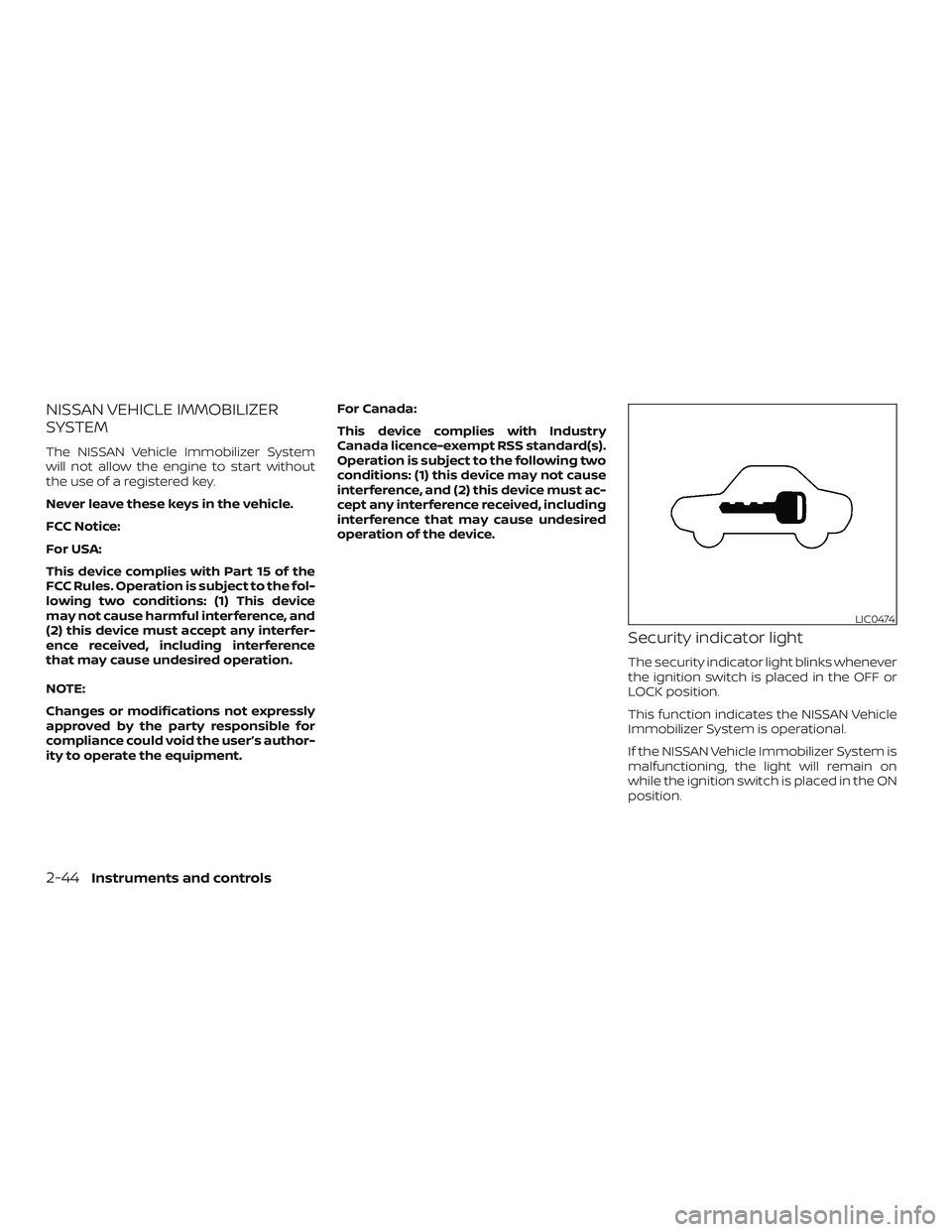
Security indicator light
The security indicator light blinks whenever
the ignition switch is placed in the OFF or
LOCK position.
This function indicates the NISSAN Vehicle
Immobilizer System is operational.
If the NISSAN Vehicle Immobilizer System is
malfunctioning, the light will remain on
while the ignition switch is placed in the ON
position.
LIC0474
2-44Instruments and controls
Page 133 of 564
If the light still remains on and/or the
engine will not start, seek service for the
NISSAN Vehicle Immobilizer System ser-
vice as soon as possible. Please bring all
registered keys that you have. It is rec-
ommended that you visit a NISSAN
dealer for this service.
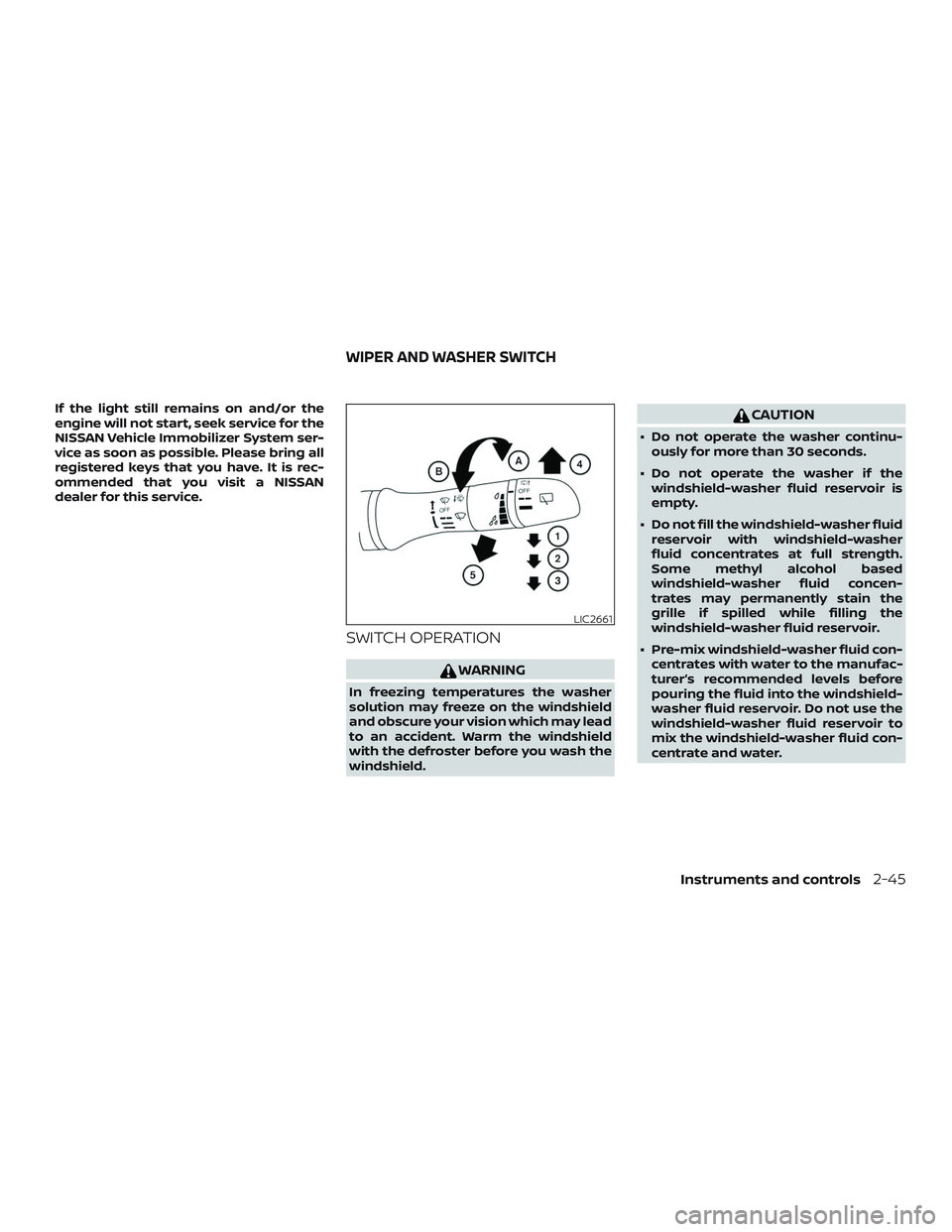
SWITCH OPERATION
WARNING
In freezing temperatures the washer
solution may freeze on the windshield
and obscure your vision which may lead
to an accident. Warm the windshield
with the defroster before you wash the
windshield.
CAUTION
∙ Do not operate the washer continu-ously for more than 30 seconds.
∙ Do not operate the washer if the windshield-washer fluid reservoir is
empty.
∙ Do not fill the windshield-washer fluid reservoir with windshield-washer
fluid concentrates at full strength.
Some methyl alcohol based
windshield-washer fluid concen-
trates may permanently stain the
grille if spilled while filling the
windshield-washer fluid reservoir.
∙ Pre-mix windshield-washer fluid con- centrates with water to the manufac-
turer’s recommended levels before
pouring the fluid into the windshield-
washer fluid reservoir. Do not use the
windshield-washer fluid reservoir to
mix the windshield-washer fluid con-
centrate and water.
LIC2661
WIPER AND WASHER SWITCH
Instruments and controls2-45