lights NISSAN ROGUE 2021 Owner´s Manual
[x] Cancel search | Manufacturer: NISSAN, Model Year: 2021, Model line: ROGUE, Model: NISSAN ROGUE 2021Pages: 556, PDF Size: 2.7 MB
Page 143 of 556
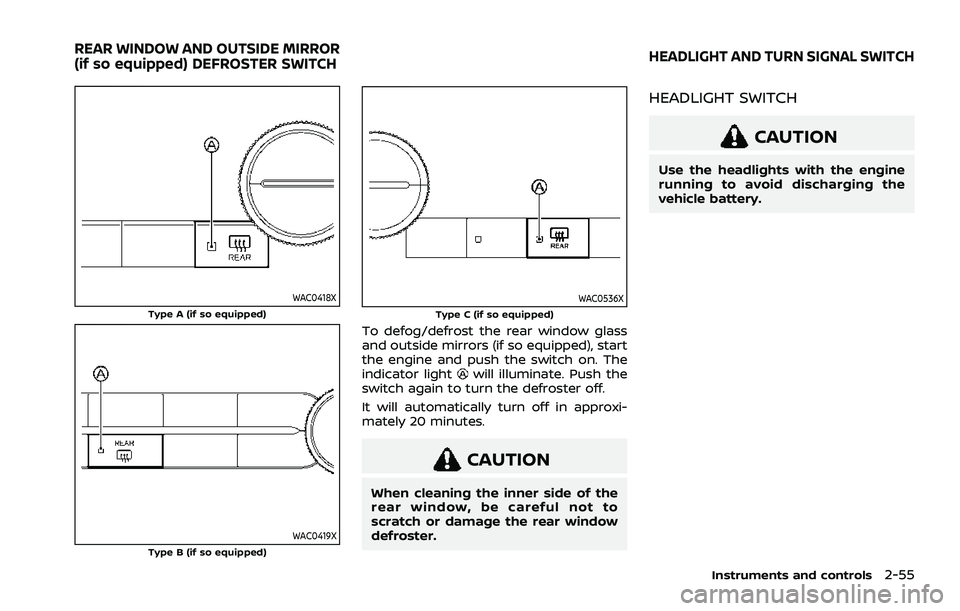
WAC0418XType A (if so equipped)
WAC0419XType B (if so equipped)
WAC0536XType C (if so equipped)
To defog/defrost the rear window glass
and outside mirrors (if so equipped), start
the engine and push the switch on. The
indicator light
will illuminate. Push the
switch again to turn the defroster off.
It will automatically turn off in approxi-
mately 20 minutes.
CAUTION
When cleaning the inner side of the
rear window, be careful not to
scratch or damage the rear window
defroster.
HEADLIGHT SWITCH
CAUTION
Use the headlights with the engine
running to avoid discharging the
vehicle battery.
Instruments and controls2-55
REAR WINDOW AND OUTSIDE MIRROR
(if so equipped) DEFROSTER SWITCHHEADLIGHT AND TURN SIGNAL SWITCH
Page 144 of 556
2-56Instruments and controls
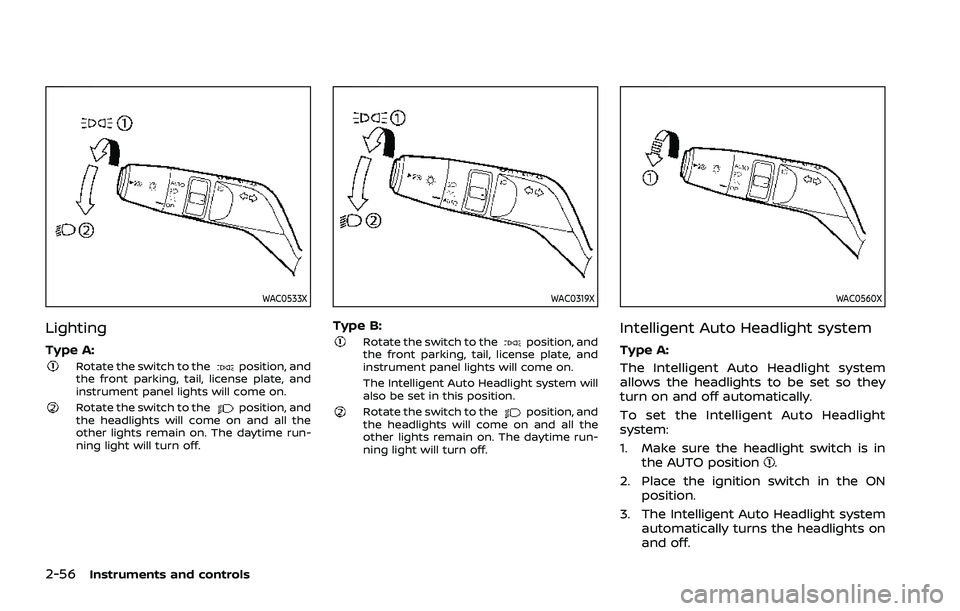
WAC0533X
Lighting
Type A:Rotate the switch to theposition, and
the front parking, tail, license plate, and
instrument panel lights will come on.
Rotate the switch to theposition, and
the headlights will come on and all the
other lights remain on. The daytime run-
ning light will turn off.
WAC0319X
Type B:Rotate the switch to theposition, and
the front parking, tail, license plate, and
instrument panel lights will come on.
The Intelligent Auto Headlight system will
also be set in this position.
Rotate the switch to theposition, and
the headlights will come on and all the
other lights remain on. The daytime run-
ning light will turn off.
WAC0560X
Intelligent Auto Headlight system
Type A:
The Intelligent Auto Headlight system
allows the headlights to be set so they
turn on and off automatically.
To set the Intelligent Auto Headlight
system:
1. Make sure the headlight switch is in
the AUTO position
.
2. Place the ignition switch in the ON position.
3. The Intelligent Auto Headlight system automatically turns the headlights on
and off.
Page 145 of 556
To turn the Intelligent Auto Headlight
system off, turn the switch to the OFF,
orposition.
The Intelligent Auto Headlight system can
turn on the headlights automatically
when it is dark and turn off the headlights
when it is light.
The headlights will also be turned on
automatically at twilight or in rainy
weather (when the windshield wiper is
operated continuously).
If the ignition switch is placed in the OFF
position and one of the doors is opened
and this condition is continued, the head-
lights remain on for 5 minutes.
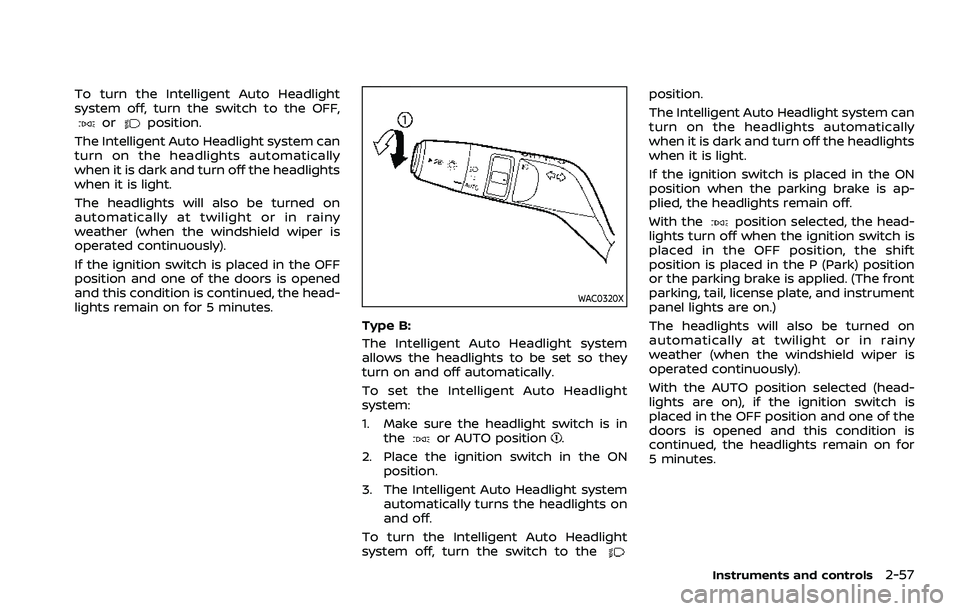
WAC0320X
Type B:
The Intelligent Auto Headlight system
allows the headlights to be set so they
turn on and off automatically.
To set the Intelligent Auto Headlight
system:
1. Make sure the headlight switch is in the
or AUTO position.
2. Place the ignition switch in the ON position.
3. The Intelligent Auto Headlight system automatically turns the headlights on
and off.
To turn the Intelligent Auto Headlight
system off, turn the switch to the
position.
The Intelligent Auto Headlight system can
turn on the headlights automatically
when it is dark and turn off the headlights
when it is light.
If the ignition switch is placed in the ON
position when the parking brake is ap-
plied, the headlights remain off.
With the
position selected, the head-
lights turn off when the ignition switch is
placed in the OFF position, the shift
position is placed in the P (Park) position
or the parking brake is applied. (The front
parking, tail, license plate, and instrument
panel lights are on.)
The headlights will also be turned on
automatically at twilight or in rainy
weather (when the windshield wiper is
operated continuously).
With the AUTO position selected (head-
lights are on), if the ignition switch is
placed in the OFF position and one of the
doors is opened and this condition is
continued, the headlights remain on for
5 minutes.
Instruments and controls2-57
Page 146 of 556
2-58Instruments and controls
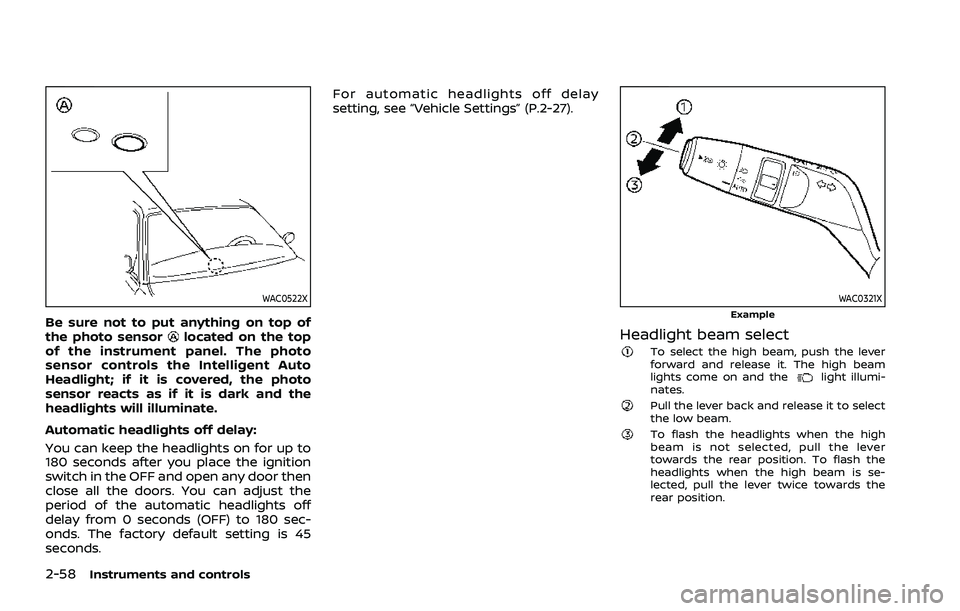
WAC0522X
Be sure not to put anything on top of
the photo sensorlocated on the top
of the instrument panel. The photo
sensor controls the Intelligent Auto
Headlight; if it is covered, the photo
sensor reacts as if it is dark and the
headlights will illuminate.
Automatic headlights off delay:
You can keep the headlights on for up to
180 seconds after you place the ignition
switch in the OFF and open any door then
close all the doors. You can adjust the
period of the automatic headlights off
delay from 0 seconds (OFF) to 180 sec-
onds. The factory default setting is 45
seconds. For automatic headlights off delay
setting, see “Vehicle Settings” (P.2-27).
WAC0321XExample
Headlight beam selectTo select the high beam, push the lever
forward and release it. The high beam
lights come on and the
light illumi-
nates.
Pull the lever back and release it to select
the low beam.
To flash the headlights when the high
beam is not selected, pull the lever
towards the rear position. To flash the
headlights when the high beam is se-
lected, pull the lever twice towards the
rear position.
Page 147 of 556
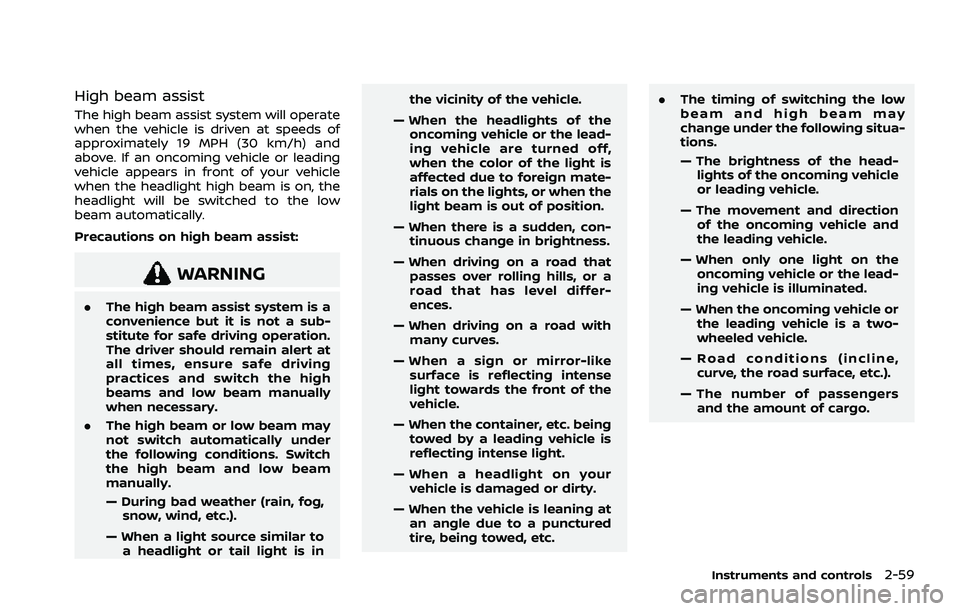
High beam assist
The high beam assist system will operate
when the vehicle is driven at speeds of
approximately 19 MPH (30 km/h) and
above. If an oncoming vehicle or leading
vehicle appears in front of your vehicle
when the headlight high beam is on, the
headlight will be switched to the low
beam automatically.
Precautions on high beam assist:
WARNING
.The high beam assist system is a
convenience but it is not a sub-
stitute for safe driving operation.
The driver should remain alert at
all times, ensure safe driving
practices and switch the high
beams and low beam manually
when necessary.
. The high beam or low beam may
not switch automatically under
the following conditions. Switch
the high beam and low beam
manually.
— During bad weather (rain, fog,
snow, wind, etc.).
— When a light source similar to a headlight or tail light is in the vicinity of the vehicle.
— When the headlights of the oncoming vehicle or the lead-
ing vehicle are turned off,
when the color of the light is
affected due to foreign mate-
rials on the lights, or when the
light beam is out of position.
— When there is a sudden, con- tinuous change in brightness.
— When driving on a road that passes over rolling hills, or a
road that has level differ-
ences.
— When driving on a road with many curves.
— When a sign or mirror-like surface is reflecting intense
light towards the front of the
vehicle.
— When the container, etc. being towed by a leading vehicle is
reflecting intense light.
— When a headlight on your vehicle is damaged or dirty.
— When the vehicle is leaning at an angle due to a punctured
tire, being towed, etc. .
The timing of switching the low
beam and high beam may
change under the following situa-
tions.
— The brightness of the head-
lights of the oncoming vehicle
or leading vehicle.
— The movement and direction of the oncoming vehicle and
the leading vehicle.
— When only one light on the oncoming vehicle or the lead-
ing vehicle is illuminated.
— When the oncoming vehicle or the leading vehicle is a two-
wheeled vehicle.
— Road conditions (incline, curve, the road surface, etc.).
— The number of passengers and the amount of cargo.
Instruments and controls2-59
Page 148 of 556
2-60Instruments and controls
WAC0322XExample
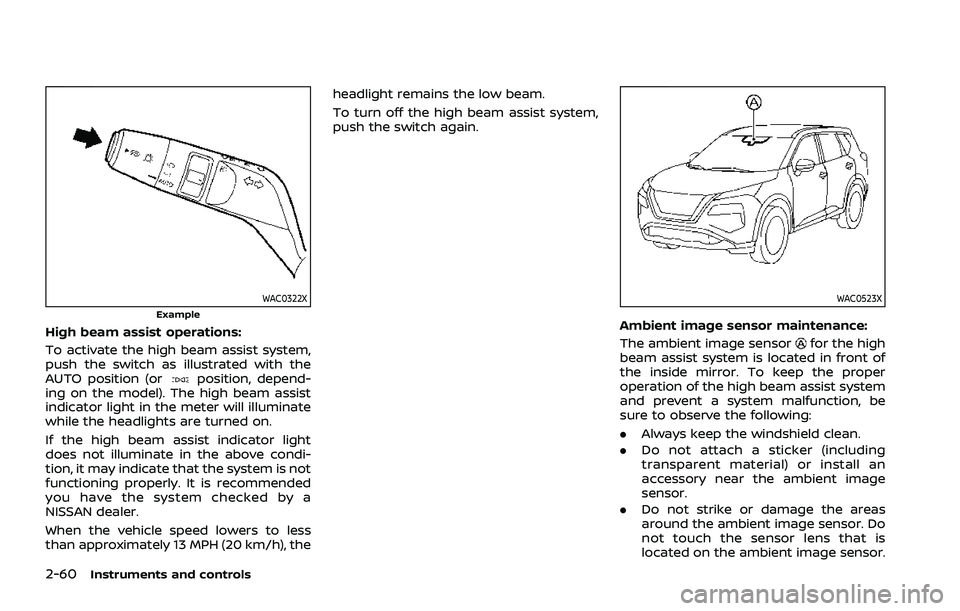
High beam assist operations:
To activate the high beam assist system,
push the switch as illustrated with the
AUTO position (or
position, depend-
ing on the model). The high beam assist
indicator light in the meter will illuminate
while the headlights are turned on.
If the high beam assist indicator light
does not illuminate in the above condi-
tion, it may indicate that the system is not
functioning properly. It is recommended
you have the system checked by a
NISSAN dealer.
When the vehicle speed lowers to less
than approximately 13 MPH (20 km/h), the headlight remains the low beam.
To turn off the high beam assist system,
push the switch again.
WAC0523X
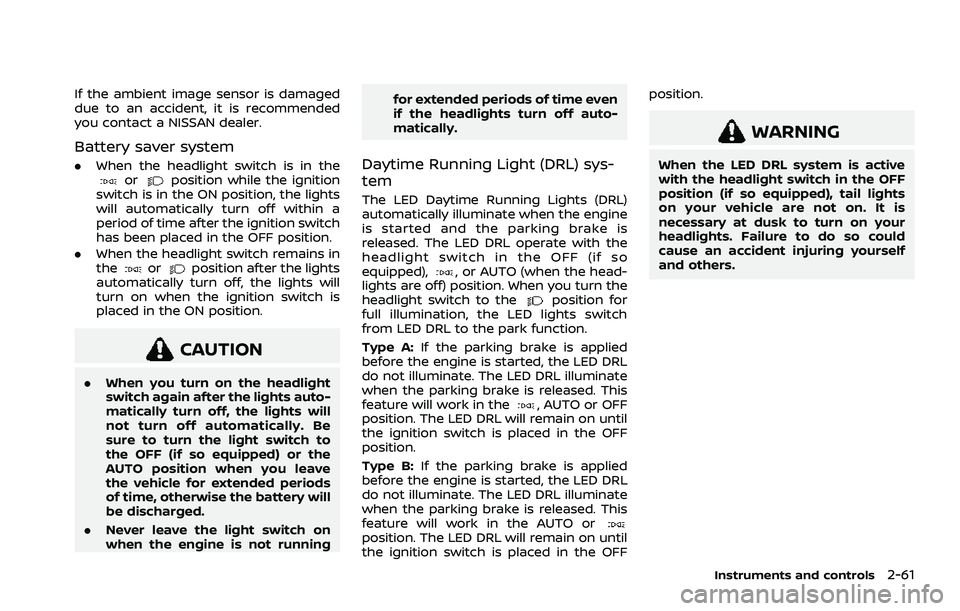
Ambient image sensor maintenance:
The ambient image sensor
for the high
beam assist system is located in front of
the inside mirror. To keep the proper
operation of the high beam assist system
and prevent a system malfunction, be
sure to observe the following:
. Always keep the windshield clean.
. Do not attach a sticker (including
transparent material) or install an
accessory near the ambient image
sensor.
. Do not strike or damage the areas
around the ambient image sensor. Do
not touch the sensor lens that is
located on the ambient image sensor.
Page 149 of 556
If the ambient image sensor is damaged
due to an accident, it is recommended
you contact a NISSAN dealer.
Battery saver system
.When the headlight switch is in theorposition while the ignition
switch is in the ON position, the lights
will automatically turn off within a
period of time after the ignition switch
has been placed in the OFF position.
. When the headlight switch remains in
the
orposition after the lights
automatically turn off, the lights will
turn on when the ignition switch is
placed in the ON position.
CAUTION
. When you turn on the headlight
switch again after the lights auto-
matically turn off, the lights will
not turn off automatically. Be
sure to turn the light switch to
the OFF (if so equipped) or the
AUTO position when you leave
the vehicle for extended periods
of time, otherwise the battery will
be discharged.
. Never leave the light switch on
when the engine is not running for extended periods of time even
if the headlights turn off auto-
matically.
Daytime Running Light (DRL) sys-
tem
The LED Daytime Running Lights (DRL)
automatically illuminate when the engine
is started and the parking brake is
released. The LED DRL operate with the
headlight switch in the OFF (if so
equipped),
, or AUTO (when the head-
lights are off) position. When you turn the
headlight switch to the
position for
full illumination, the LED lights switch
from LED DRL to the park function.
Type A: If the parking brake is applied
before the engine is started, the LED DRL
do not illuminate. The LED DRL illuminate
when the parking brake is released. This
feature will work in the
, AUTO or OFF
position. The LED DRL will remain on until
the ignition switch is placed in the OFF
position.
Type B: If the parking brake is applied
before the engine is started, the LED DRL
do not illuminate. The LED DRL illuminate
when the parking brake is released. This
feature will work in the AUTO or
position. The LED DRL will remain on until
the ignition switch is placed in the OFF position.
WARNING
When the LED DRL system is active
with the headlight switch in the OFF
position (if so equipped), tail lights
on your vehicle are not on. It is
necessary at dusk to turn on your
headlights. Failure to do so could
cause an accident injuring yourself
and others.
Instruments and controls2-61
Page 150 of 556
2-62Instruments and controls
WAC0323XExample
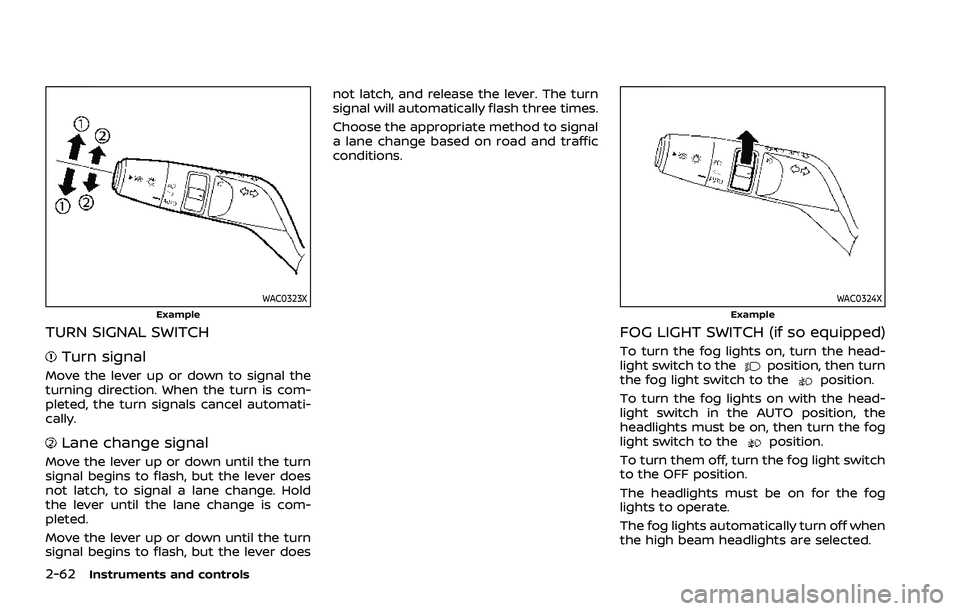
TURN SIGNAL SWITCH
Turn signal
Move the lever up or down to signal the
turning direction. When the turn is com-
pleted, the turn signals cancel automati-
cally.
Lane change signal
Move the lever up or down until the turn
signal begins to flash, but the lever does
not latch, to signal a lane change. Hold
the lever until the lane change is com-
pleted.
Move the lever up or down until the turn
signal begins to flash, but the lever doesnot latch, and release the lever. The turn
signal will automatically flash three times.
Choose the appropriate method to signal
a lane change based on road and traffic
conditions.
WAC0324XExample
FOG LIGHT SWITCH (if so equipped)
To turn the fog lights on, turn the head-
light switch to theposition, then turn
the fog light switch to theposition.
To turn the fog lights on with the head-
light switch in the AUTO position, the
headlights must be on, then turn the fog
light switch to the
position.
To turn them off, turn the fog light switch
to the OFF position.
The headlights must be on for the fog
lights to operate.
The fog lights automatically turn off when
the high beam headlights are selected.
Page 154 of 556
2-66Instruments and controls
vehicle information display but the horn
will not sound.
WARNING
.If the driver selects “Disable
Alert”, no audible alert will be
provided regardless of rear door
open/close status.
. There may be times when there is
an object or passenger in the rear
seat(s) but the audible alert does
not sound. For example, this may
occur if rear seat passengers
enter or exit the vehicle during a
trip.
. The system does not directly
detect objects or passengers in
the rear seat(s). Instead, it can
detect when a rear door is
opened and closed, indicating
that there may be something in
the rear seat(s).
NOTE:
There may be times when the horn
sounds but there are no objects or
passengers in the rear seat(s).
(See “31. Rear Door Alert is activated
indicator” (P.2-37).)
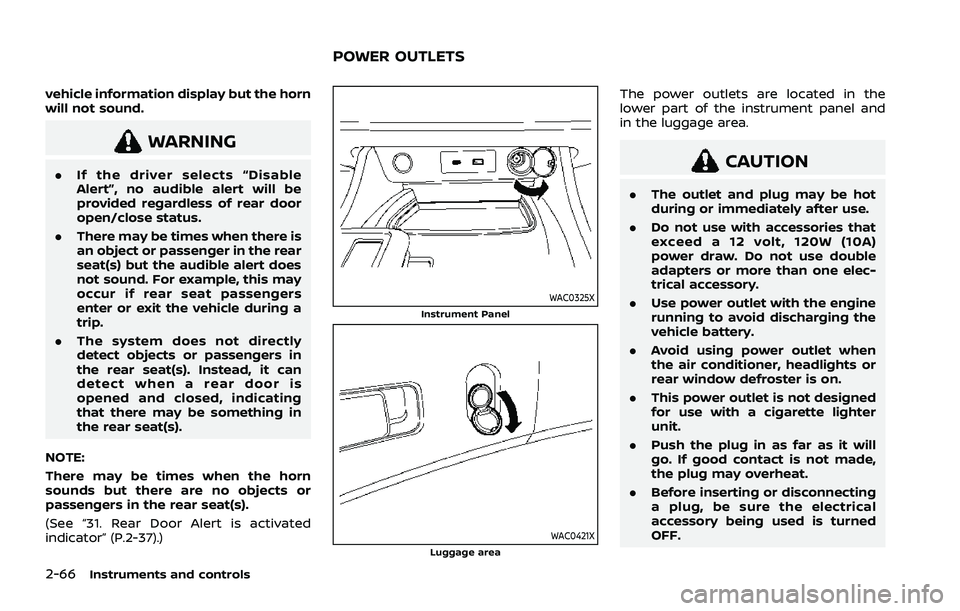
WAC0325XInstrument Panel
WAC0421XLuggage area
The power outlets are located in the
lower part of the instrument panel and
in the luggage area.
CAUTION
. The outlet and plug may be hot
during or immediately after use.
. Do not use with accessories that
exceed a 12 volt, 120W (10A)
power draw. Do not use double
adapters or more than one elec-
trical accessory.
. Use power outlet with the engine
running to avoid discharging the
vehicle battery.
. Avoid using power outlet when
the air conditioner, headlights or
rear window defroster is on.
. This power outlet is not designed
for use with a cigarette lighter
unit.
. Push the plug in as far as it will
go. If good contact is not made,
the plug may overheat.
. Before inserting or disconnecting
a plug, be sure the electrical
accessory being used is turned
OFF.
POWER OUTLETS
Page 173 of 556
.Do not push the sunshade arm
with your hands, etc., as this may
deform it. Improper operation or
damage to the sunshade may
result.
. Do not put any object into the
sunshade inlet port as this may
result in improper operation or
damage the sunshade.
. Do not hang any object on the
arm rail as this may result in
improper operation or damage
the sunshade.
. Do not forcefully pull the sun-
shade. Doing so may elongate
the sunshade. Improper opera-
tion or damage to the sunshade
may result.
If the moonroof does not operate prop-
erly after performing the procedure
above, have your vehicle checked by a
NISSAN dealer.CAUTION
. Do not leave the light switch on
when the engine is not running
for extended periods of time to
prevent the battery from being
discharged.
. Turn off the lights when you leave
the vehicle.
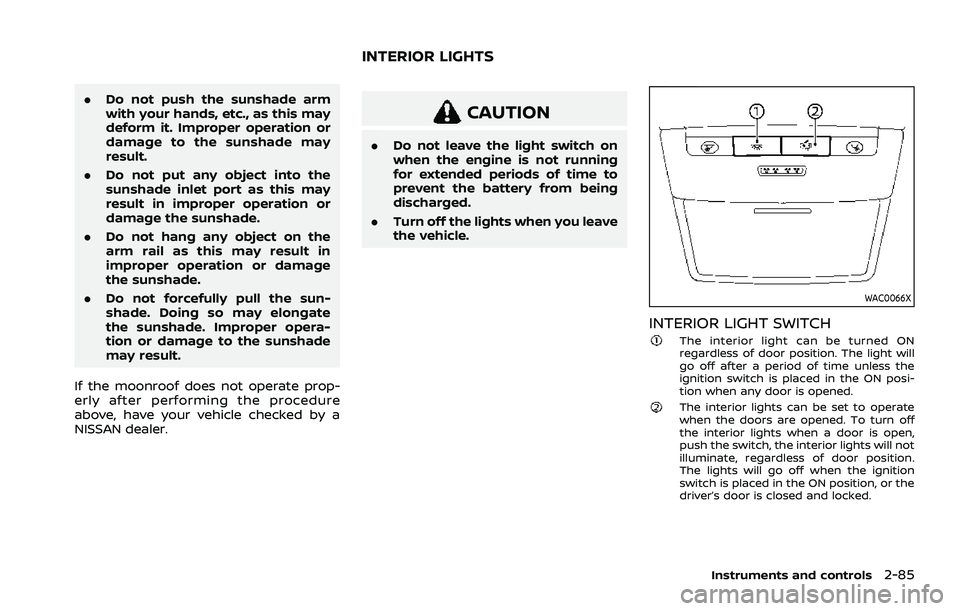
WAC0066X
INTERIOR LIGHT SWITCHThe interior light can be turned ON
regardless of door position. The light will
go off after a period of time unless the
ignition switch is placed in the ON posi-
tion when any door is opened.
The interior lights can be set to operate
when the doors are opened. To turn off
the interior lights when a door is open,
push the switch, the interior lights will not
illuminate, regardless of door position.
The lights will go off when the ignition
switch is placed in the ON position, or the
driver’s door is closed and locked.
Instruments and controls2-85
INTERIOR LIGHTS