key NISSAN ROGUE HYBRID 2018 Owners Manual
[x] Cancel search | Manufacturer: NISSAN, Model Year: 2018, Model line: ROGUE HYBRID, Model: NISSAN ROGUE HYBRID 2018Pages: 482, PDF Size: 5.79 MB
Page 16 of 482
ENERGY FLOW (models with
Navigation System)
When you use this system, make sure the
hybrid system is in the READY to drive
mode. For additional information, refer to
“Operation of the hybrid system” in this
section.
If you use the system with the hybrid
system off for a long time, it will dis-
charge the 12-volt battery power, and
the hybrid system will not start.
The energy monitor for various operating
modes can be displayed on the navigation
system monitor and the meter.1. Press the MENU button on the control panel.
2. Select the “Info” key by touching the touch-screen.
3. Select the “Vehicle” key by touching the touch-screen or highlight the “Vehicle”
key on the display by using the
TUNE/SCROLL knob and press the OK
button. 4. Select the “Energy Flow” key by touch-
ing the touch-screen or highlight the
“Energy Flow” key on the display by us-
ing the TUNE/SCROLL knob and press
the OK button.
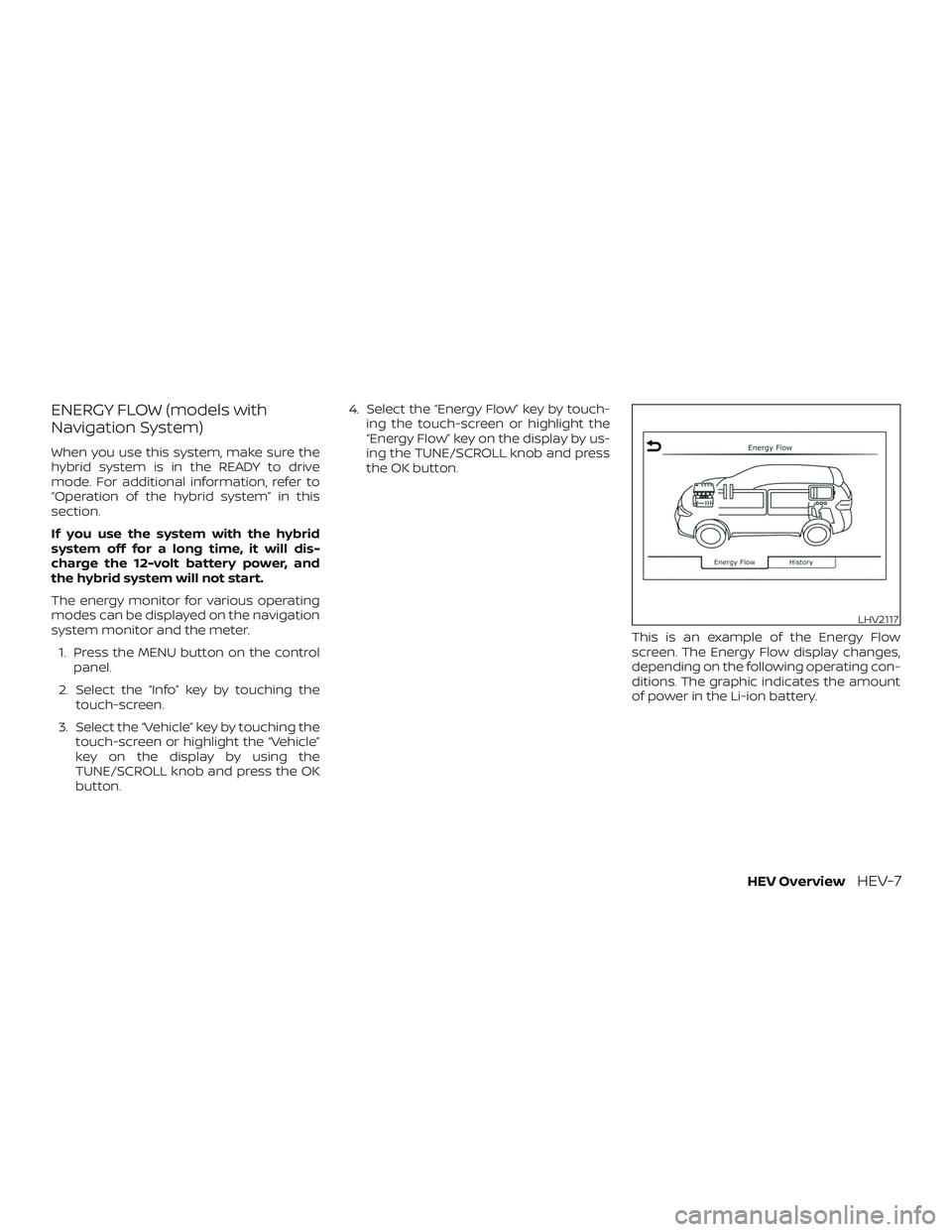
This is an example of the Energy Flow
screen. The Energy Flow display changes,
depending on the following operating con-
ditions. The graphic indicates the amount
of power in the Li-ion battery.
LHV2117
HEV OverviewHEV-7
Page 18 of 482
FUEL ECONOMY
Press thebuttons on the steer-
ing wheel to go backward or forward
through the vehicle information menu
items until “Fuel Economy” appears on the
vehicle information display screen.
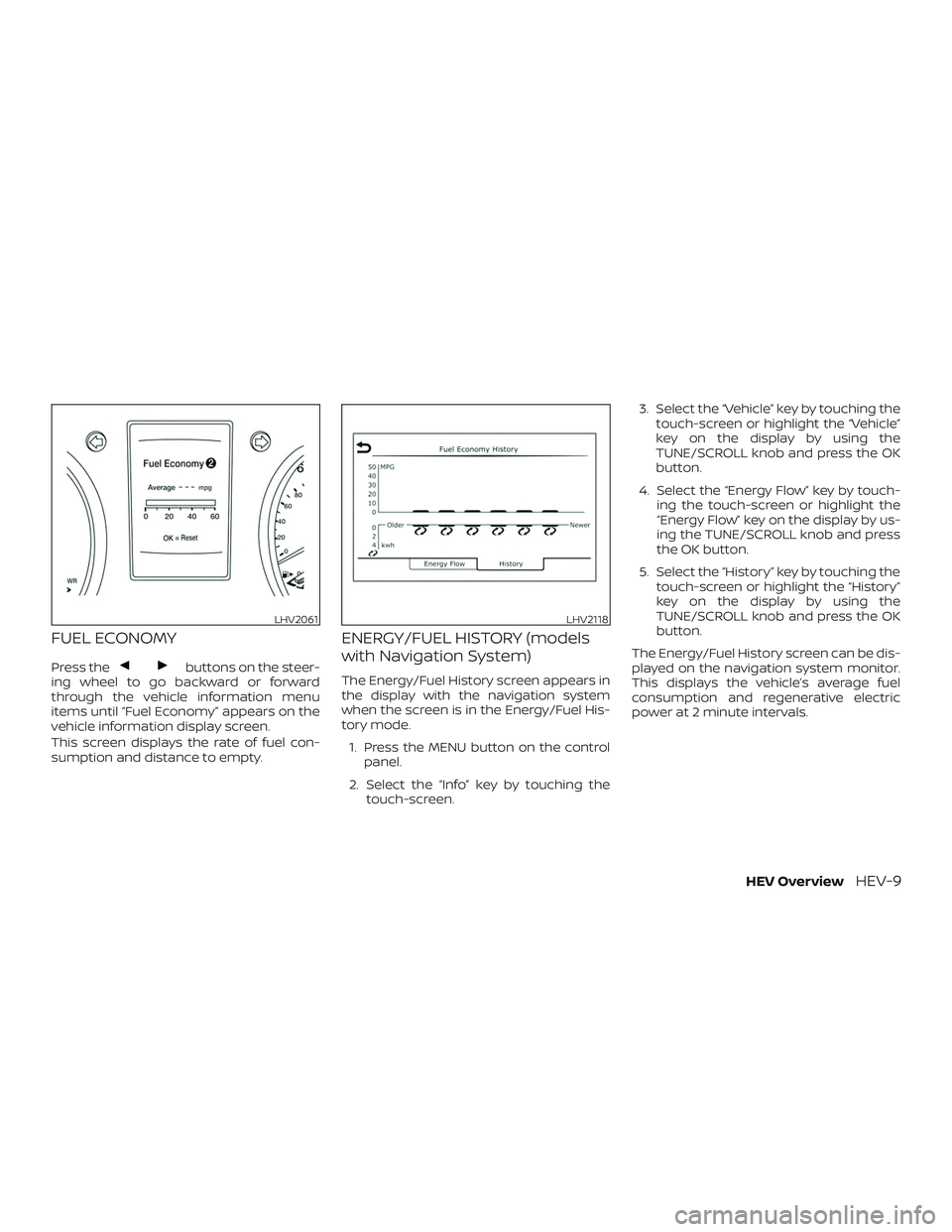
This screen displays the rate of fuel con-
sumption and distance to empty.
ENERGY/FUEL HISTORY (models
with Navigation System)
The Energy/Fuel History screen appears in
the display with the navigation system
when the screen is in the Energy/Fuel His-
tory mode.
1. Press the MENU button on the control panel.
2. Select the “Info” key by touching the touch-screen. 3. Select the “Vehicle” key by touching the
touch-screen or highlight the “Vehicle”
key on the display by using the
TUNE/SCROLL knob and press the OK
button.
4. Select the “Energy Flow” key by touch- ing the touch-screen or highlight the
“Energy Flow” key on the display by us-
ing the TUNE/SCROLL knob and press
the OK button.
5. Select the “History” key by touching the touch-screen or highlight the “History”
key on the display by using the
TUNE/SCROLL knob and press the OK
button.
The Energy/Fuel History screen can be dis-
played on the navigation system monitor.
This displays the vehicle’s average fuel
consumption and regenerative electric
power at 2 minute intervals.
LHV2061LHV2118
HEV OverviewHEV-9
Page 28 of 482
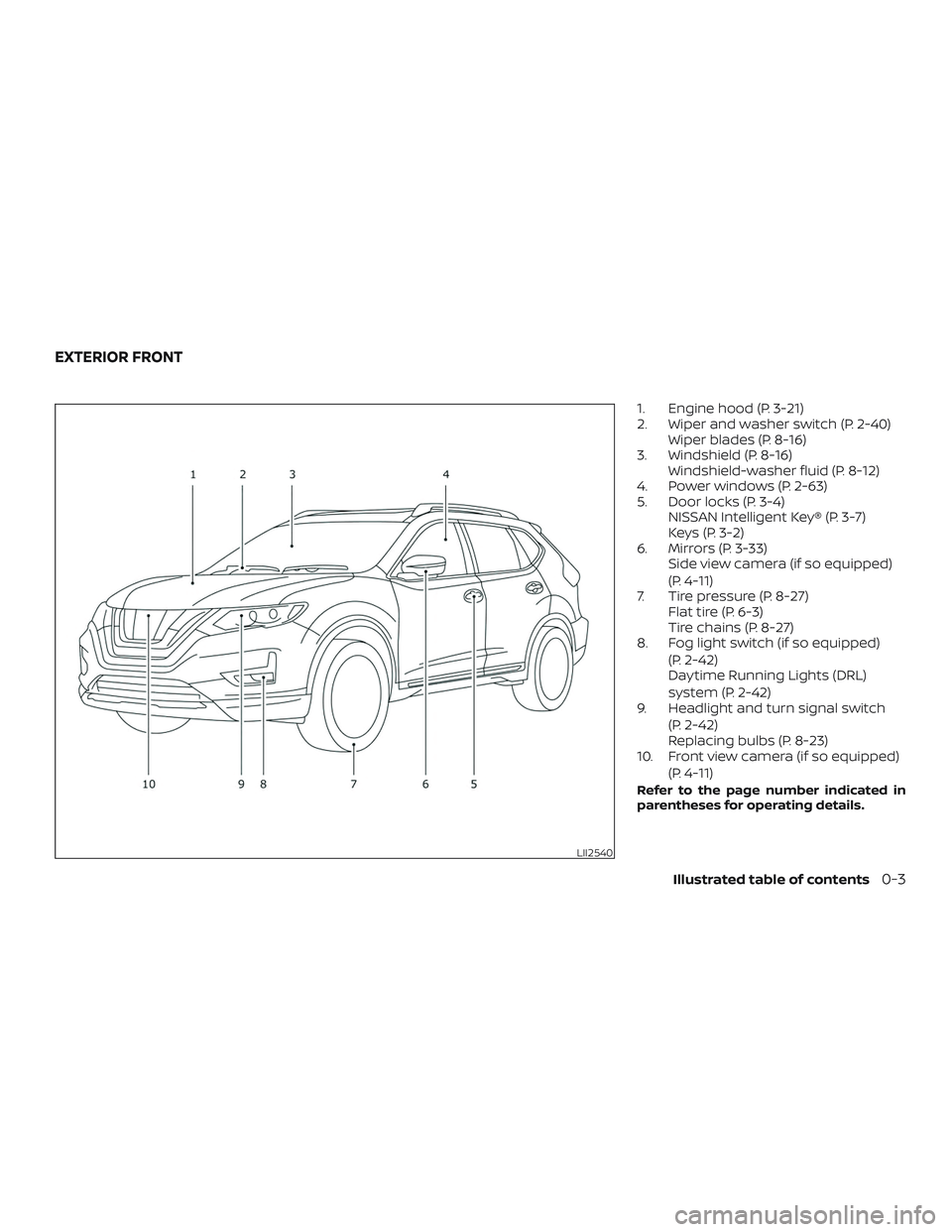
1. Engine hood (P. 3-21)
2. Wiper and washer switch (P. 2-40)Wiper blades (P. 8-16)
3. Windshield (P. 8-16) Windshield-washer fluid (P. 8-12)
4. Power windows (P. 2-63)
5. Door locks (P. 3-4) NISSAN Intelligent Key® (P. 3-7)
Keys (P. 3-2)
6. Mirrors (P. 3-33) Side view camera (if so equipped)
(P. 4-11)
7. Tire pressure (P. 8-27) Flat tire (P. 6-3)
Tire chains (P. 8-27)
8. Fog light switch (if so equipped)
(P. 2-42)
Daytime Running Lights (DRL)
system (P. 2-42)
9. Headlight and turn signal switch
(P. 2-42)
Replacing bulbs (P. 8-23)
10. Front view camera (if so equipped)
(P. 4-11)
Refer to the page number indicated in
parentheses for operating details.
LII2540
EXTERIOR FRONT
Illustrated table of contents0-3
Page 116 of 482
Master warning light
When the ignition is in the ON position, the
master warning light illuminates if any of
the following are displayed on the vehicle
information display.∙ All-Wheel Drive (AWD) Tire Size Incorrect See Owner’s Manual
∙ All-Wheel Drive (AWD) High Temp. Stop vehicle
∙ All-Wheel Drive (AWD) Error See Owner’s Manual
∙ No key warning
∙ Low fuel warning
∙ Low windshield-washer fluid warning
∙ Parking brake release warning
∙ Door/lif tgate open warning
∙ Loose fuel cap warning
If the All-Wheel Drive (AWD) system mal-
functions, or the diameter of the front and
the rear wheels are different, the master
warning light will illuminate. For additional
information, refer to “All-Wheel Drive (AWD)”
in the “Starting and driving” section of this
manual. ∙ If the warning light comes on while driv-
ing there may be a malfunction in the
AWD system. Reduce the vehicle speed
and have your vehicle checked as soon
as possible. It is recommended that you
visit a NISSAN dealer for this service.
CAUTION
∙ If the master warning light was illumi-nated while driving:
—AWD High Temp Stop vehicle
Pull off the road in a safe area and idle
the engine. The driving mode will
change to 2WD to prevent the AWD sys-
tem from malfunctioning. If the warn-
ing light turns off, you can drive again.
—Tire Size Incorrect See Owner’s
Manual
Pull off the road in a safe area and idle
the engine. Check that all tire sizes are
the same, tire pressure is correct and
tires are not worn.
∙ If the warning light is still on af ter the above operations, have your vehicle
checked as soon as possible. It is rec-
ommended that you visit a NISSAN
dealer for this service.
Power steering warning
light
WARNING
∙ If the hybrid system is not running or is turned off while driving, the power
assist for the steering will not work.
Steering will be harder to operate.
∙ When the power steering warning light illuminates with the hybrid sys-
tem running, there will be no power
assist for the steering. You will still
have control of the vehicle, but the
steering will be harder to operate.
Have the power steering system
checked. It is recommended that you
visit a NISSAN dealer for this service.
When the ignition switch is placed in the ON
position, the power steering warning light
illuminates. Af ter starting the hybrid sys-
tem, the power steering warning light turns
off. This indicates the power steering is op-
erational.
Instruments and controls2-15
Page 121 of 482
Key reminder chime
A chime sounds if the driver’s door is
opened while the ignition switch is placed
in the OFF position or placed in the OFF or
LOCK position with the key lef t in the ve-
hicle. Make sure the ignition switch is
placed in the LOCK position, and take the
key with you when leaving the vehicle.
Light reminder chime
With the ignition switch placed in the OFF
position, a chime sounds when the driver’s
door is opened if the headlights or parking
lights are on.
Turn the headlight control switch off before
leaving the vehicle.
NISSAN Intelligent Key® door
buzzer
The Intelligent Key door buzzer sounds if
any one of the following improper opera-
tions is found.∙ The Intelligent Key is lef t inside the ve- hicle when locking the doors.
∙ Any doors are not closed securely when locking the doors. When the buzzer sounds, be sure to check
both the vehicle and the Intelligent Key. For
additional information, refer to “NISSAN In-
telligent Key®” in the “Pre-driving checks
and adjustments” section of this manual.
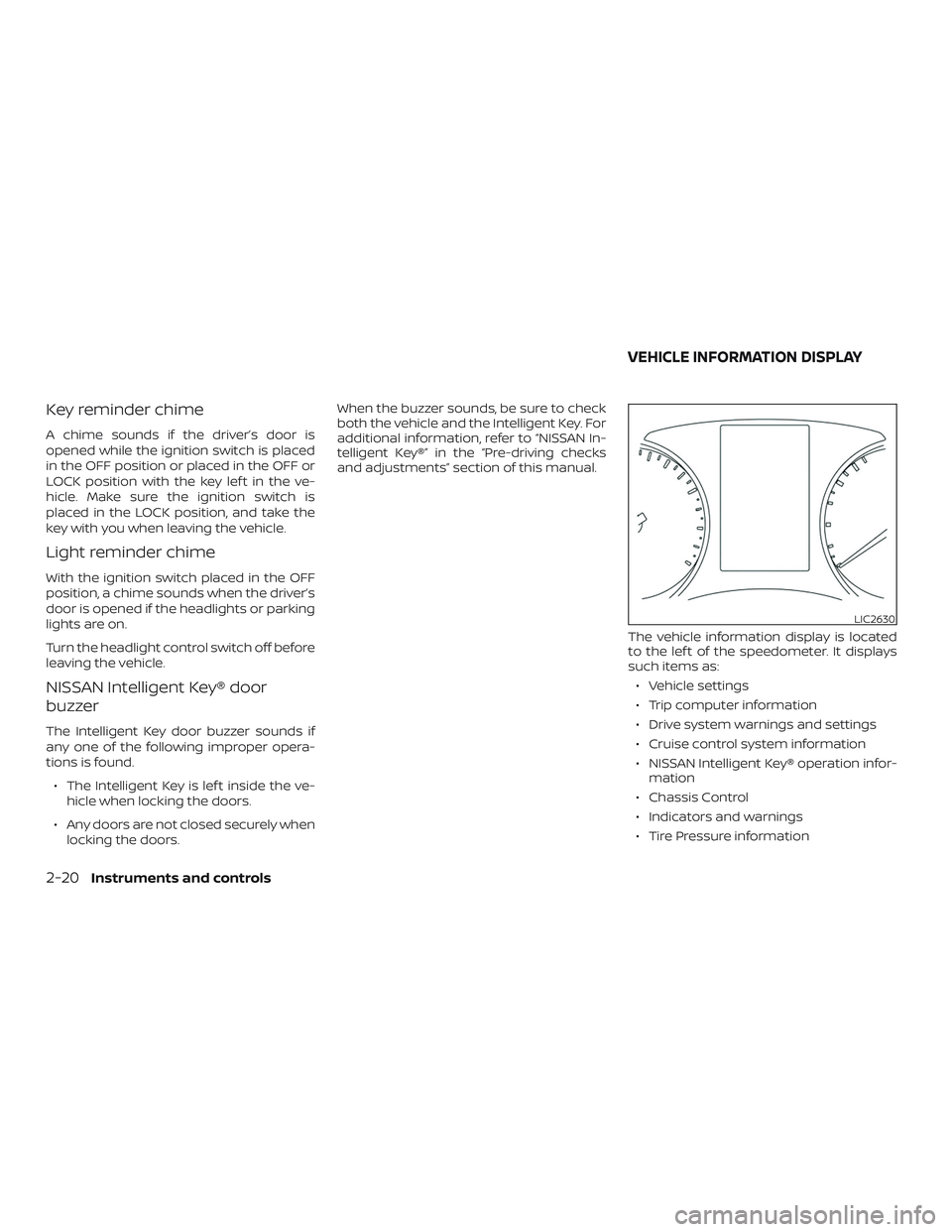
The vehicle information display is located
to the lef t of the speedometer. It displays
such items as:∙ Vehicle settings
∙ Trip computer information
∙ Drive system warnings and settings
∙ Cruise control system information
∙ NISSAN Intelligent Key® operation infor- mation
∙ Chassis Control
∙ Indicators and warnings
∙ Tire Pressure information
LIC2630
VEHICLE INFORMATION DISPLAY
2-20Instruments and controls
Page 127 of 482
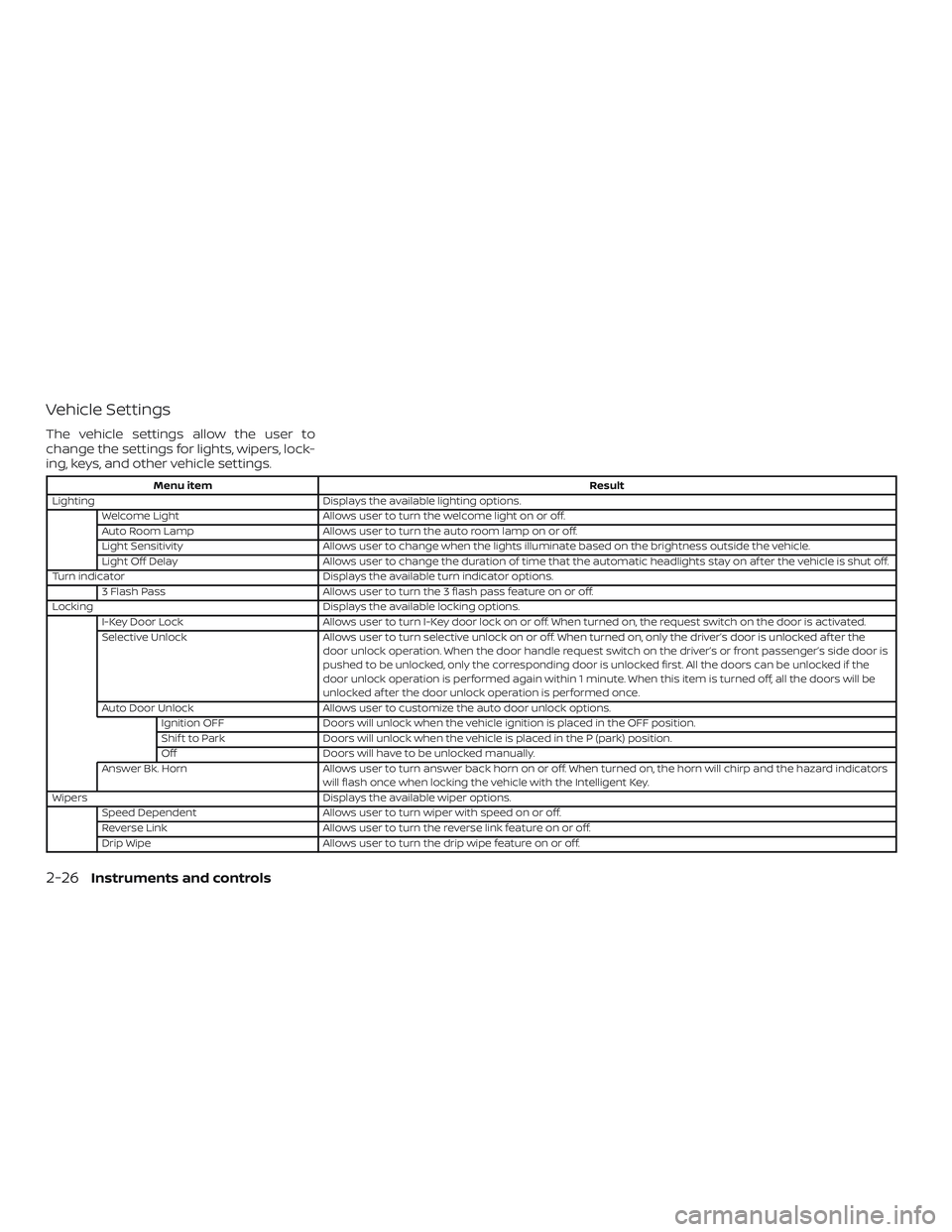
Vehicle Settings
The vehicle settings allow the user to
change the settings for lights, wipers, lock-
ing, keys, and other vehicle settings.
Menu itemResult
Lighting Displays the available lighting options.
Welcome Light Allows user to turn the welcome light on or off.
Auto Room Lamp Allows user to turn the auto room lamp on or off.
Light Sensitivity Allows user to change when the lights illuminate based on the brightness outside the vehicle.
Light Off Delay Allows user to change the duration of time that the automatic headlights stay on af ter the vehicle is shut off.
Turn indicator Displays the available turn indicator options.
3 Flash Pass Allows user to turn the 3 flash pass feature on or off.
Locking Displays the available locking options.
I-Key Door Lock Allows user to turn I-Key door lock on or off. When turned on, the request switch on the door is activated.
Selective Unlock Allows user to turn selective unlock on or off. When turned on, only the driver’s door is unlocked af ter the
door unlock operation. When the door handle request switch on the driver’s or front passenger’s side door is
pushed to be unlocked, only the corresponding door is unlocked first. All the doors can be unlocked if the
door unlock operation is performed again within 1 minute. When this item is turned off, all the doors will be
unlocked af ter the door unlock operation is performed once.
Auto Door Unlock Allows user to customize the auto door unlock options.
Ignition OFF Doors will unlock when the vehicle ignition is placed in the OFF position.
Shif t to Park Doors will unlock when the vehicle is placed in the P (park) position.
Off Doors will have to be unlocked manually.
Answer Bk. Horn Allows user to turn answer back horn on or off. When turned on, the horn will chirp and the hazard indicators
will flash once when locking the vehicle with the Intelligent Key.
Wipers Displays the available wiper options.
Speed Dependent Allows user to turn wiper with speed on or off.
Reverse Link Allows user to turn the reverse link feature on or off.
Drip Wipe Allows user to turn the drip wipe feature on or off.
2-26Instruments and controls
Page 133 of 482
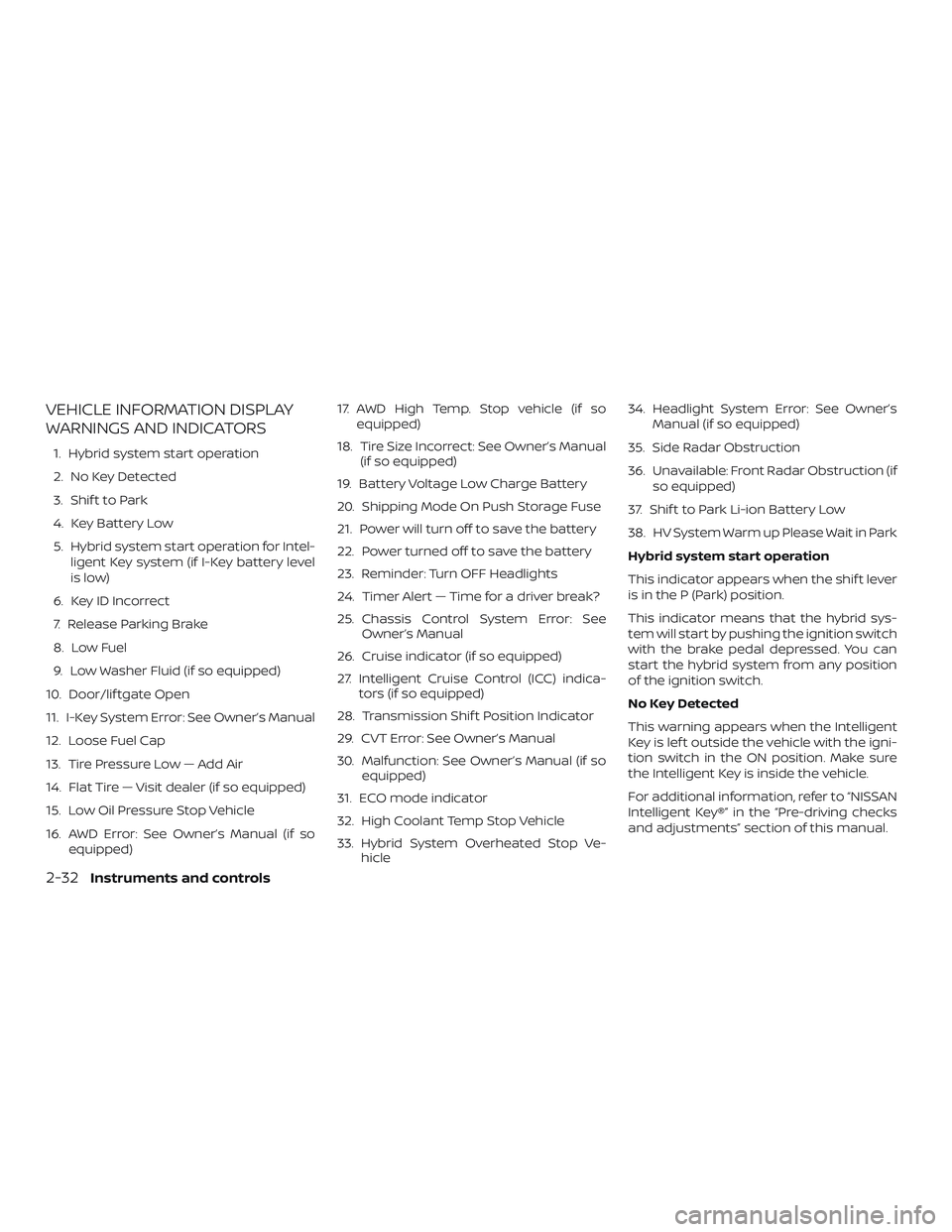
VEHICLE INFORMATION DISPLAY
WARNINGS AND INDICATORS
1. Hybrid system start operation
2. No Key Detected
3. Shif t to Park
4. Key Battery Low
5. Hybrid system start operation for Intel-ligent Key system (if I-Key battery level
is low)
6. Key ID Incorrect
7. Release Parking Brake
8. Low Fuel
9. Low Washer Fluid (if so equipped)
10. Door/lif tgate Open
11. I-Key System Error: See Owner’s Manual
12. Loose Fuel Cap
13. Tire Pressure Low — Add Air
14. Flat Tire — Visit dealer (if so equipped)
15. Low Oil Pressure Stop Vehicle
16. AWD Error: See Owner’s Manual (if so equipped) 17. AWD High Temp. Stop vehicle (if so
equipped)
18. Tire Size Incorrect: See Owner’s Manual (if so equipped)
19. Battery Voltage Low Charge Battery
20. Shipping Mode On Push Storage Fuse
21. Power will turn off to save the battery
22. Power turned off to save the battery
23. Reminder: Turn OFF Headlights
24. Timer Alert — Time for a driver break?
25. Chassis Control System Error: See Owner’s Manual
26. Cruise indicator (if so equipped)
27. Intelligent Cruise Control (ICC) indica- tors (if so equipped)
28. Transmission Shif t Position Indicator
29. CVT Error: See Owner’s Manual
30. Malfunction: See Owner’s Manual (if so equipped)
31. ECO mode indicator
32. High Coolant Temp Stop Vehicle
33. Hybrid System Overheated Stop Ve- hicle 34. Headlight System Error: See Owner’s
Manual (if so equipped)
35. Side Radar Obstruction
36. Unavailable: Front Radar Obstruction (if so equipped)
37. Shif t to Park Li-ion Battery Low
38. HV System Warm up Please Wait in Park
Hybrid system start operation
This indicator appears when the shif t lever
is in the P (Park) position.
This indicator means that the hybrid sys-
tem will start by pushing the ignition switch
with the brake pedal depressed. You can
start the hybrid system from any position
of the ignition switch.
No Key Detected
This warning appears when the Intelligent
Key is lef t outside the vehicle with the igni-
tion switch in the ON position. Make sure
the Intelligent Key is inside the vehicle.
For additional information, refer to “NISSAN
Intelligent Key®” in the “Pre-driving checks
and adjustments” section of this manual.
2-32Instruments and controls
Page 134 of 482
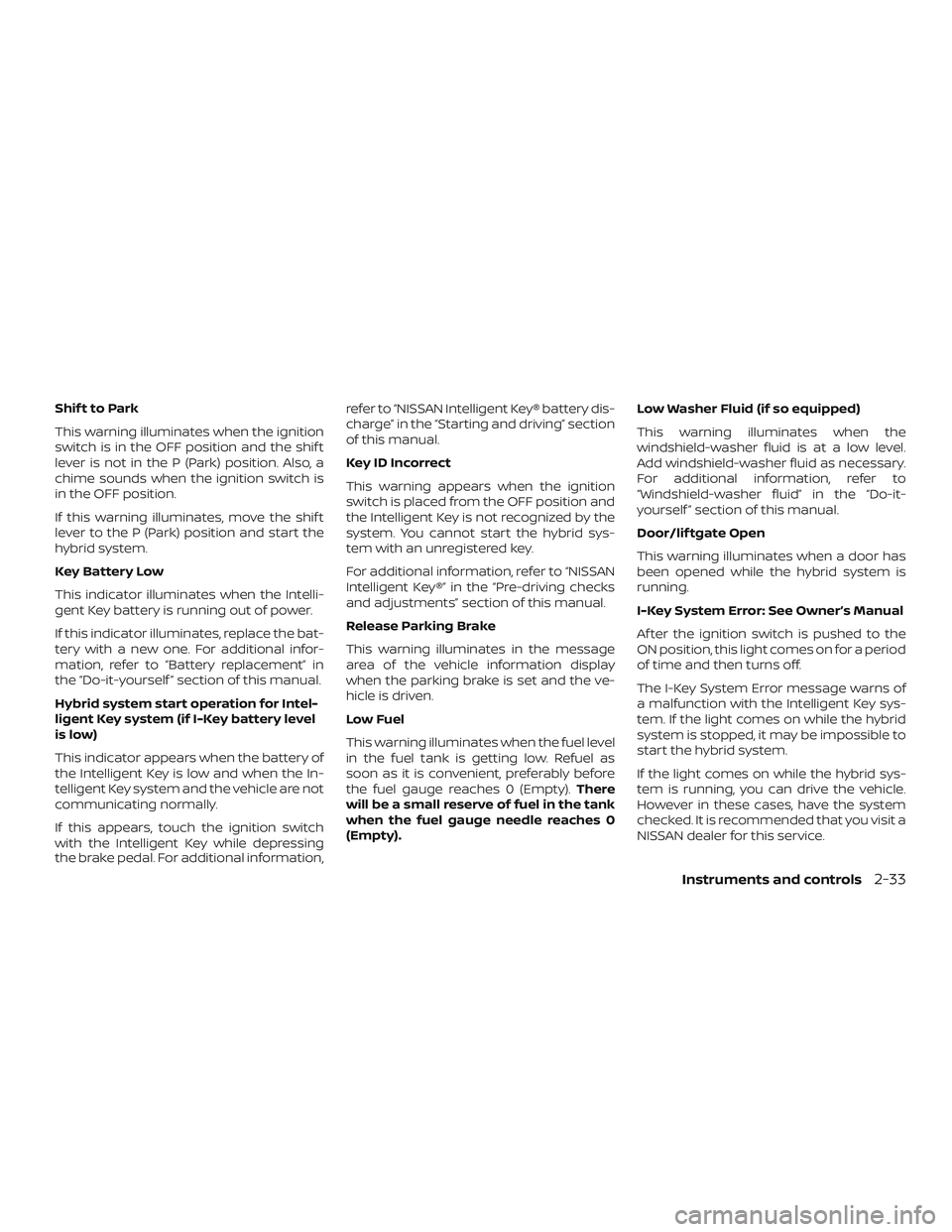
Shif t to Park
This warning illuminates when the ignition
switch is in the OFF position and the shif t
lever is not in the P (Park) position. Also, a
chime sounds when the ignition switch is
in the OFF position.
If this warning illuminates, move the shif t
lever to the P (Park) position and start the
hybrid system.
Key Battery Low
This indicator illuminates when the Intelli-
gent Key battery is running out of power.
If this indicator illuminates, replace the bat-
tery with a new one. For additional infor-
mation, refer to “Battery replacement” in
the “Do-it-yourself ” section of this manual.
Hybrid system start operation for Intel-
ligent Key system (if I-Key battery level
is low)
This indicator appears when the battery of
the Intelligent Key is low and when the In-
telligent Key system and the vehicle are not
communicating normally.
If this appears, touch the ignition switch
with the Intelligent Key while depressing
the brake pedal. For additional information,refer to “NISSAN Intelligent Key® battery dis-
charge” in the “Starting and driving” section
of this manual.
Key ID Incorrect
This warning appears when the ignition
switch is placed from the OFF position and
the Intelligent Key is not recognized by the
system. You cannot start the hybrid sys-
tem with an unregistered key.
For additional information, refer to “NISSAN
Intelligent Key®” in the “Pre-driving checks
and adjustments” section of this manual.
Release Parking Brake
This warning illuminates in the message
area of the vehicle information display
when the parking brake is set and the ve-
hicle is driven.
Low Fuel
This warning illuminates when the fuel level
in the fuel tank is getting low. Refuel as
soon as it is convenient, preferably before
the fuel gauge reaches 0 (Empty).
There
will be a small reserve of fuel in the tank
when the fuel gauge needle reaches 0
(Empty). Low Washer Fluid (if so equipped)
This warning illuminates when the
windshield-washer fluid is at a low level.
Add windshield-washer fluid as necessary.
For additional information, refer to
“Windshield-washer fluid” in the “Do-it-
yourself ” section of this manual.
Door/lif tgate Open
This warning illuminates when a door has
been opened while the hybrid system is
running.
I-Key System Error: See Owner’s Manual
Af ter the ignition switch is pushed to the
ON position, this light comes on for a period
of time and then turns off.
The I-Key System Error message warns of
a malfunction with the Intelligent Key sys-
tem. If the light comes on while the hybrid
system is stopped, it may be impossible to
start the hybrid system.
If the light comes on while the hybrid sys-
tem is running, you can drive the vehicle.
However in these cases, have the system
checked. It is recommended that you visit a
NISSAN dealer for this service.
Instruments and controls2-33
Page 138 of 482
This will turn off in the following conditions:∙ When the shif t lever has been placed in the P (Park) position.
HV System Warm up Please Wait In Park
This warning appears when the hybrid sys-
tem has not reached full operating tem-
perature. When the warning turns off, the
vehicle can be driven.
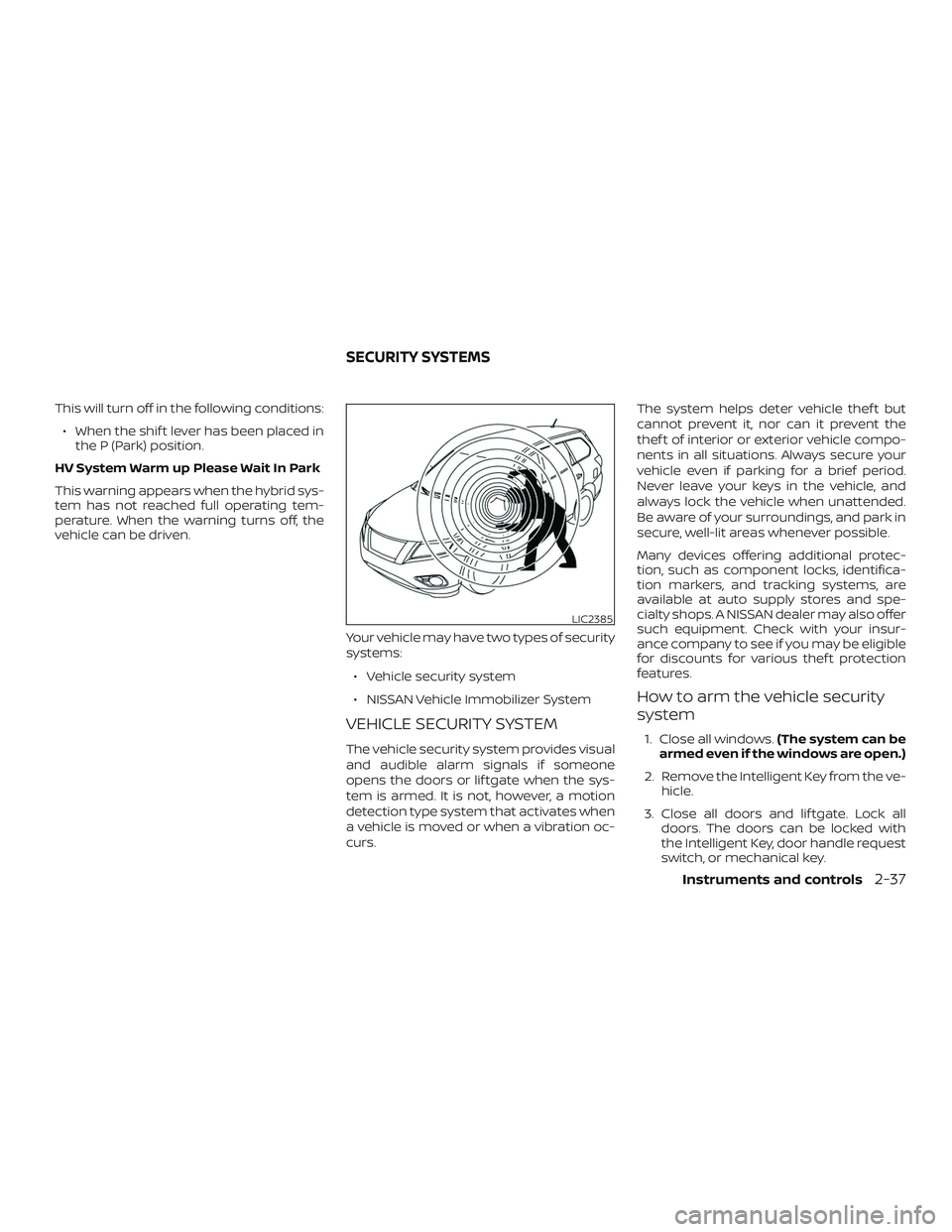
Your vehicle may have two types of security
systems:∙ Vehicle security system
∙ NISSAN Vehicle Immobilizer System
VEHICLE SECURITY SYSTEM
The vehicle security system provides visual
and audible alarm signals if someone
opens the doors or lif tgate when the sys-
tem is armed. It is not, however, a motion
detection type system that activates when
a vehicle is moved or when a vibration oc-
curs. The system helps deter vehicle thef t but
cannot prevent it, nor can it prevent the
thef t of interior or exterior vehicle compo-
nents in all situations. Always secure your
vehicle even if parking for a brief period.
Never leave your keys in the vehicle, and
always lock the vehicle when unattended.
Be aware of your surroundings, and park in
secure, well-lit areas whenever possible.
Many devices offering additional protec-
tion, such as component locks, identifica-
tion markers, and tracking systems, are
available at auto supply stores and spe-
cialty shops. A NISSAN dealer may also offer
such equipment. Check with your insur-
ance company to see if you may be eligible
for discounts for various thef t protection
features.
How to arm the vehicle security
system
1. Close all windows.
(The system can be
armed even if the windows are open.)
2. Remove the Intelligent Key from the ve- hicle.
3. Close all doors and lif tgate. Lock all doors. The doors can be locked with
the Intelligent Key, door handle request
switch, or mechanical key.
LIC2385
SECURITY SYSTEMS
Instruments and controls2-37
Page 139 of 482
4. Confirm that thesecurity indica-
tor light stays on for about 30 seconds.
The vehicle security system is now pre-
armed. The vehicle security system will
automatically shif t into the armed
phase. The
security light begins
to flash once every three seconds. If
during the pre-armed phase one of the
following occurs, the system will not
arm:
∙ Any door is unlocked with the mechani- cal key, the Intelligent Key or door re-
quest switch.
∙ Ignition switch is placed in the ON posi- tion.
∙ Even when the driver and/or passen-
gers are in the vehicle, the system will
activate with all the doors, hood and
lif tgate locked with the ignition
switch placed in the LOCK position.
When placing the ignition switch in
the ON position, the system will be
released.
Vehicle security system activation
The vehicle security system will give the
following alarm:
∙ The headlights blink and the horn sounds intermittently but synchro-
nously.
∙ The alarm automatically turns off af ter a period of time. However, the alarm
reactivates if the vehicle is tampered
with again.
The alarm is activated by: ∙ opening any door or the lif tgate without using the Intelligent Key (even if the
door is unlocked by releasing the door
inside lock knob).
How to stop an activated alarm
The alarm stops only by unlocking a door
or the lif tgate with the mechanical key,
pressing the
button on the Intelligent
Key, or pushing the request switch on the
driver’s or passenger’s door with the Intel-
ligent Key in range of the door handle.
NISSAN VEHICLE IMMOBILIZER
SYSTEM
The NISSAN Vehicle Immobilizer System
will not allow the hybrid system to start
without the use of a registered key.
Never leave these keys in the vehicle.
FCC Notice:
For USA:
This device complies with Part 15 of the
FCC Rules. Operation is subject to the fol-
lowing two conditions: (1) This device
may not cause harmful interference, and
(2) this device must accept any interfer-
ence received, including interference
that may cause undesired operation.
NOTE:
Changes or modifications not expressly
approved by the party responsible for
compliance could void the user’s author-
ity to operate the equipment.
2-38Instruments and controls