engine NISSAN ROGUE SPORT 2017 Manual PDF
[x] Cancel search | Manufacturer: NISSAN, Model Year: 2017, Model line: ROGUE SPORT, Model: NISSAN ROGUE SPORT 2017Pages: 512, PDF Size: 3.33 MB
Page 310 of 512
4. Insert the mechanical key and pushdown the shift lock release.
5. Push the shift lever button and move the shift lever to the N (Neutral)
position while holding down the shift
lock release.
Place the ignition switch in the ON posi-
tion. The vehicle may be moved to the
desired location.
Replace the removed shift lock release
cover after the operation.
If the shift lever cannot be moved out of
the P (Park) position, have the CVT system
checked as soon as possible. It is recom-
mended you visit a NISSAN dealer for this
service.
WARNING
If the shift lever cannot be moved
from the P (Park) position while the
engine is running and the brake
pedal is depressed, the stop lights
may not work. Malfunctioning stop
lights could cause an accident injur-
ing yourself and others.
MANUAL TRANSMISSION (MT)
WARNING
. Do not downshift abruptly on
slippery roads. This may cause a
loss of control.
. Do not over-rev the engine when
shifting to a lower gear. This may
cause a loss of control or engine
damage.
. When the high fluid temperature
protection mode or fail-safe op-
eration occurs, vehicle speed may
be gradually reduced. The re-
duced speed may be lower than
other traffic, which could increase
the chance of a collision. Be
especially careful when driving. If
necessary, pull to the side of the
road at a safe place and allow the
transmission to return to normal
operation, or have it repaired if
necessary.
CAUTION
.Do not rest your foot on the
clutch pedal while driving. This may damage the clutch.
. Fully depress the clutch pedal
before shifting to help prevent
transmission damage.
. Stop your vehicle completely be-
fore shifting into R (Reverse).
. When the vehicle is stopped for a
period of time, for example at a
stop light, shift to N (Neutral) and
release the clutch pedal with the
foot brake applied.
Starting and driving5-25
Page 311 of 512

5-26Starting and driving
SSD0552
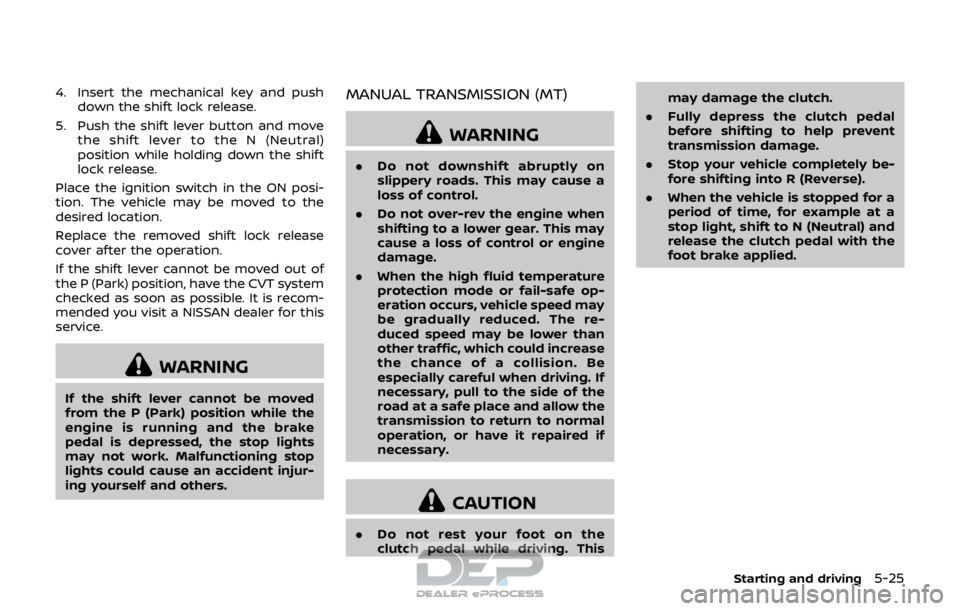
Shifting
To change gears, or when upshifting or
downshifting, fully depress the clutch
pedal, shift into the appropriate gear,
then slowly and smoothly release the
clutch pedal.
To ensure smooth gear changes, be sure
to fully depress the clutch pedal before
operating the shift lever. If the clutch
pedal is not fully depressed before the
transmission is shifted, a gear noise may
be heard. Transmission damage could
occur.
Start the vehicle in 1st gear and shift to
2nd, 3rd, 4th, 5th and 6th gear in
sequence according to vehicle speed.To back up, pull the shift lever ring
upward and then move it to the R
(Reverse) gear after stopping the vehicle
completely.
The shift lever ring returns to its original
position when the shift lever is moved to
the N (Neutral) position.
If it is difficult to move the shift lever into
the R (Reverse) or 1st gear, shift to the N
(Neutral) position, and then release the
clutch pedal once. Fully depress the
clutch pedal again and shift into the R
(Reverse) or 1st gear.Suggested maximum speed in
each gear
Downshift to a lower gear if the engine is
not running smoothly, or if you need to
accelerate.
Do not exceed the maximum suggested
speed (shown below) in any gear. For level
road driving, use the highest gear sug-
gested for that speed. Always observe
posted speed limits, and drive according
to the road conditions, which will ensure
safe operation. Do not over-rev the en-
gine when shifting to a lower gear as it
may cause engine damage or loss of
vehicle control.
Gear
MPH (km/h)
1st 28 (46)
2nd 50 (81)
3rd 70 (112)
4th 90 (145)
5th —
6th —
Page 312 of 512
WARNING
.Never drive the vehicle with the
parking brake applied. The brake
will overheat and fail to operate
and will lead to an accident.
. Never release the parking brake
from outside the vehicle. If the
vehicle moves, it will be impossi-
ble to push the foot brake pedal
and will lead to an accident.
. Never use the shift lever in place
of the parking brake. When park-
ing, be sure the parking brake is
fully applied.
. To help avoid risk of injury or
death through unintended opera-
tion of the vehicle and/or its
systems, do not leave children,
people who require the assis-
tance of others or pets unat-
tended in your vehicle.
Additionally, the temperature in-
side a closed vehicle on a warm
day can quickly become high
enough to cause a significant risk
of injury or death to people and
pets.
SPA2331
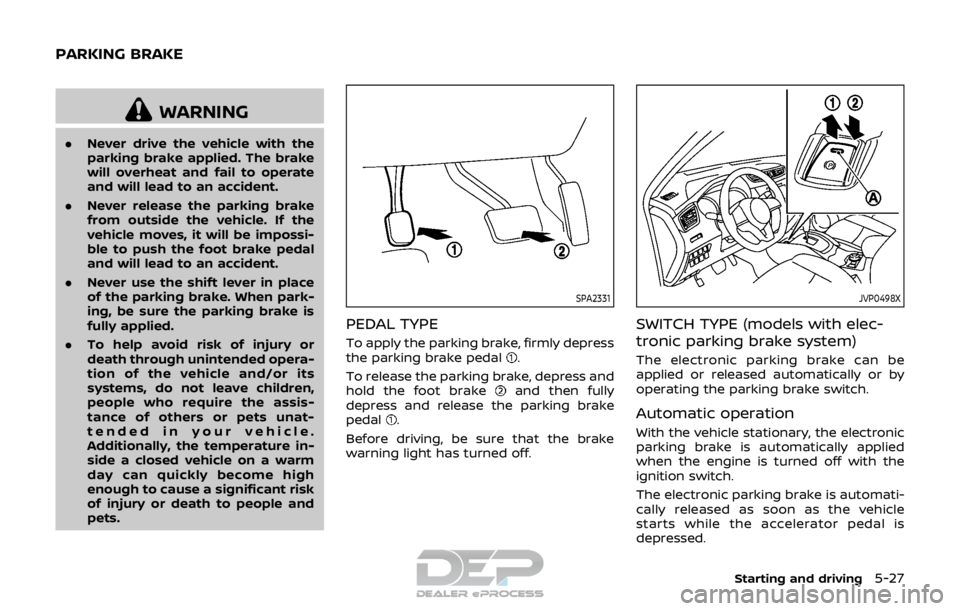
PEDAL TYPE
To apply the parking brake, firmly depress
the parking brake pedal.
To release the parking brake, depress and
hold the foot brake
and then fully
depress and release the parking brake
pedal
.
Before driving, be sure that the brake
warning light has turned off.
JVP0498X
SWITCH TYPE (models with elec-
tronic parking brake system)
The electronic parking brake can be
applied or released automatically or by
operating the parking brake switch.
Automatic operation
With the vehicle stationary, the electronic
parking brake is automatically applied
when the engine is turned off with the
ignition switch.
The electronic parking brake is automati-
cally released as soon as the vehicle
starts while the accelerator pedal is
depressed.
Starting and driving5-27
PARKING BRAKE
Page 313 of 512
5-28Starting and driving
WARNING
.The electronic parking brake will
not be automatically applied
when the engine is stopped with-
out using the ignition switch (for
example, by engine stalling).
Without the vehicle stationary,
the electronic parking brake will
not be automatically applied
even if the engine is turned off
with the ignition switch.
. Before leaving the vehicle, move
the shift lever to the 1 (1st) or R
(Reverse) position and check that
the electronic parking brake
warning light is illuminated to
confirm that the electronic park-
ing brake is applied. The electro-
nic parking brake warning light
will remain on for a period of time
after the driver’s door is locked.
CAUTION
When parking in an area where the
outside temperature is below 32°F
(0°C), do not apply the parking brake
to prevent it from freezing. For safe parking, place the shift lever
in the 1 (1st) or R (Reverse) position
and securely block the wheels.
NOTE:
. To keep the electronic parking brake
released after the engine is turned
off, place the ignition switch in the
OFF position, depress the brake
pedal and push down the parking
brake switch before opening the
driver’s door.
. If a malfunction occurs in the electric
parking brake system (for example,
due to battery discharge), it is re-
commended to contact a NISSAN
dealer.
Manual operation
The electronic parking brake will not be
automatically applied if the engine is
stopped without using the ignition switch
(for example, by engine stalling). In such a
case, you have to apply the parking brake
manually.
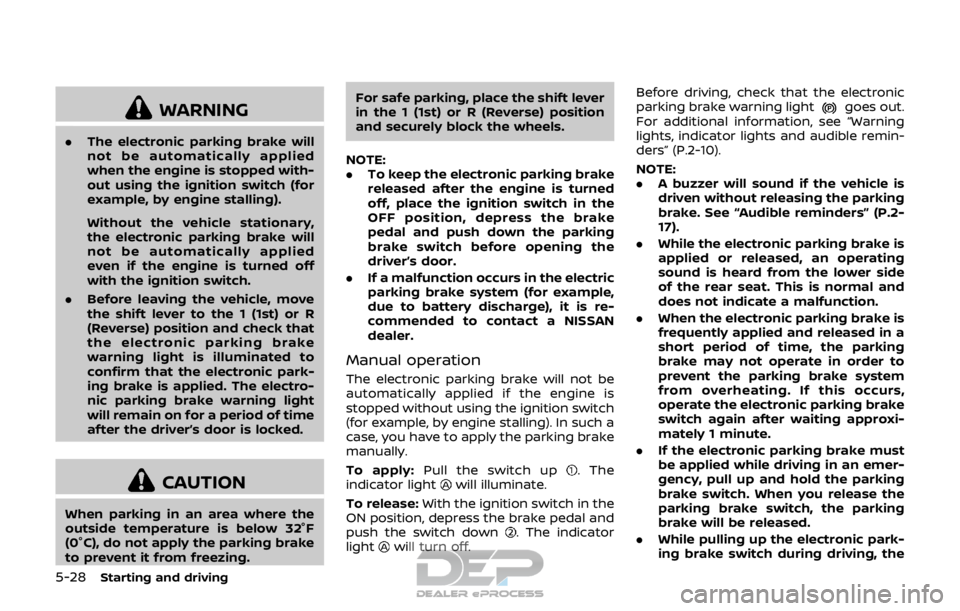
To apply: Pull the switch up
. The
indicator lightwill illuminate.
To release: With the ignition switch in the
ON position, depress the brake pedal and
push the switch down
. The indicator
lightwill turn off. Before driving, check that the electronic
parking brake warning light
goes out.
For additional information, see “Warning
lights, indicator lights and audible remin-
ders” (P.2-10).
NOTE:
. A buzzer will sound if the vehicle is
driven without releasing the parking
brake. See “Audible reminders” (P.2-
17).
. While the electronic parking brake is
applied or released, an operating
sound is heard from the lower side
of the rear seat. This is normal and
does not indicate a malfunction.
. When the electronic parking brake is
frequently applied and released in a
short period of time, the parking
brake may not operate in order to
prevent the parking brake system
from overheating. If this occurs,
operate the electronic parking brake
switch again after waiting approxi-
mately 1 minute.
. If the electronic parking brake must
be applied while driving in an emer-
gency, pull up and hold the parking
brake switch. When you release the
parking brake switch, the parking
brake will be released.
. While pulling up the electronic park-
ing brake switch during driving, the
Page 314 of 512

parking brake is applied and a chime
sounds. The electronic parking
brake warning light in the meter
and in the parking brake switch
illuminate. This does not indicate a
malfunction. The electronic parking
brake warning light in the meter and
in the parking brake switch turn off
when the parking brake is released.
. When pulling the electronic parking
brake switch up with the ignition
switch in the OFF or ACC position,
the parking brake switch indicator
light will continue to illuminate for a
short period of time.
JVS0185X
The ECO mode system helps to enhance
the fuel economy by controlling the
engine and CVT operation (for CVT mod-
els) automatically to avoid rapid accelera-
tion.
To turn on the ECO mode system, push
the ECO switch. The ECO mode indicator
appears on the meter.
To turn off the ECO mode, push the ECO
switch again. The ECO mode indicator will
turn off.
.The ECO mode system cannot be
turned off while the accelerator pedal
is depressed even if the ECO switch is
pushed to OFF. Release the accelera-
tor pedal to turn off the ECO mode system.
. The ECO mode system will turn off
automatically if a malfunction occurs
in the system.
. Turn off the ECO mode system when
acceleration is required such as when:
— driving with a heavy load of pas-
sengers or cargo in the vehicle
— driving on a steep uphill slope
Starting and driving5-29
ECO MODE SYSTEM
Page 319 of 512

5-34Starting and driving
JVS1088X
Vehicle information displaySteering-wheel-mounted controls (left
side)
HOW TO ENABLE/DISABLE THE LDW
SYSTEM
Perform the following steps to enable or
disable the LDW system.
1. Press the
button until “Set-
tings” displays in the vehicle informa-
tion display and then press “OK”
button. Use the
button to select
“Driver Assistance”. Then press the
“OK” button.
2. Select “Driving Aids” and press the “OK” button.
3. Use the
buttons to navigate in the
menu and use the “OK” button to
select or change an item:
.Select “Lane” and press the “OK” button.
Use the “OK” button to check/
uncheck the box for “Warning”.
NOTE:
If you disable the LDW system, the
system will remain disabled the next
time you start the vehicle’s engine.
Page 321 of 512

5-36Starting and driving
— When a sudden change inbrightness occurs. (For exam-
ple, when the vehicle enters or
exits a tunnel or under a
bridge.)
SYSTEM TEMPORARILY UNAVAIL-
ABLE
Condition A:
If the vehicle is parked in direct sunlight
under high temperature conditions (over
approximately 104°F (40°C)) and then
started, the LDW system may be deacti-
vated automatically, the LDW indicator
will flash and the following message will
appear in the vehicle information display.
- “Unavailable: High Cabin Temperature”
When the interior temperature is reduced,
the LDW system will resume operating
automatically and the LDW indicator will
stop flashing.
Condition B:
The warning function of the LDW system
is not designed to work under the follow-
ing conditions:
. When you operate the lane change
signal and change traveling lanes in
the direction of the signal. (The LDW
system will become operable again
approximately 2 seconds after the lane change signal is turned off.)
. When the vehicle speed lowers to less
than approximately 37 MPH (60 km/h).
Action to take:
After the above conditions have finished
and the necessary operating conditions
are satisfied, the LDW system will resume.
SYSTEM MALFUNCTION
If the LDW system malfunctions, it will
cancel automatically and “Malfunction”
will appear in the vehicle information
display. If “Malfunction” appears in the
vehicle information display, pull off the
road to a safe location and stop the
vehicle. Place the ignition switch in the
OFF position and restart the engine. If
“Malfunction” continues to appear in the
vehicle information display, have the
system checked. It is recommended that
you visit a NISSAN dealer for this service.
JVS1079X
SYSTEM MAINTENANCE
The lane camera unitfor the LDW
system is located above the inside mirror.
To keep the proper operation of the LDW
system and prevent a system malfunc-
tion, be sure to observe the following:
. Always keep the windshield clean.
. Do not attach a sticker (including
transparent material) or install an
accessory near the camera unit.
. Do not place reflective materials, such
as white paper or a mirror, on the
instrument panel. The reflection of
sunlight may adversely affect the
camera unit’s capability of detecting
the lane markers.
Page 324 of 512
JVS1118X
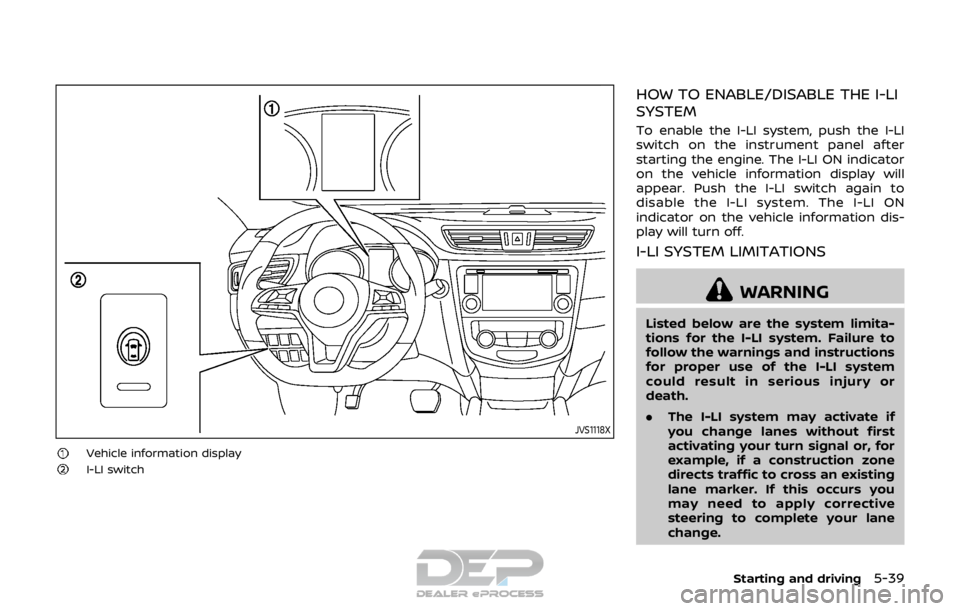
Vehicle information displayI-LI switch
HOW TO ENABLE/DISABLE THE I-LI
SYSTEM
To enable the I-LI system, push the I-LI
switch on the instrument panel after
starting the engine. The I-LI ON indicator
on the vehicle information display will
appear. Push the I-LI switch again to
disable the I-LI system. The I-LI ON
indicator on the vehicle information dis-
play will turn off.
I-LI SYSTEM LIMITATIONS
WARNING
Listed below are the system limita-
tions for the I-LI system. Failure to
follow the warnings and instructions
for proper use of the I-LI system
could result in serious injury or
death.
.The I-LI system may activate if
you change lanes without first
activating your turn signal or, for
example, if a construction zone
directs traffic to cross an existing
lane marker. If this occurs you
may need to apply corrective
steering to complete your lane
change.
Starting and driving5-39
Page 326 of 512
While the I-LI system is operating,
you may hear a sound of brake
operation. This is normal and indi-
cates that the I-LI system is operat-
ing properly.
SYSTEM TEMPORARILY UNAVAIL-
ABLE
Condition A:
The warning and assist functions of the I-
LI system are not designed to work under
the following conditions:
.When you operate the lane change
signal and change the traveling lanes
in the direction of the signal. (The I-LI
system will be deactivated for ap-
proximately 2 seconds after the lane
change signal is turned off.)
. When the vehicle speed lowers to less
than approximately 37 MPH (60 km/h).
Action to take:
After the above conditions have finished
and the necessary operating conditions
are satisfied, the warning and assist
functions will resume.
Condition B:
The assist function of the I-LI system is
not designed to work under the following
conditions (warning is still functional): .
When the brake pedal is depressed.
. When the steering wheel is turned as
far as necessary for the vehicle to
change lanes.
. When the vehicle is accelerated during
the I-LI system operation.
. When the Intelligent Cruise Control
(ICC) approach warning occurs (if so
equipped).
. When the hazard warning flashers are
operated.
. When driving on a curve at high speed.
Action to take:
After the above conditions have finished
and the necessary operating conditions
are satisfied, the I-LI system application of
the brakes will resume.
Condition C:
If the following messages appear in the
vehicle information display, a chime will
sound and the I-LI system will be turned
off automatically.
. “Not available: Poor Road Conditions”:
When the VDC system (except Trac-
tion Control System (TCS) function) or
ABS operates.
. “Currently unavailable”:
When the VDC system is turned off. Action to take:
When the above conditions no longer
exist, turn off the I-LI system. Push the I-
LI switch again to turn the I-LI system
back on.
Temporary disabled status at high tem-
perature:
If the vehicle is parked in direct sunlight
under high temperature conditions (over
approximately 104°F (40°C)) and then the
I-LI system is turned on, the I-LI system
may be deactivated automatically and
the following message will appear on
the vehicle information display: “Unavail-
able: High Cabin Temperature.” When the
interior temperature is reduced, the sys-
tem will resume operating automatically.
SYSTEM MALFUNCTION
If the I-LI system malfunctions, it will
cancel automatically. The I-LI indicator
(orange) will illuminate and the “Malfunc-
tion” warning message appear in the
display.
If the I-LI indicator (orange) illuminates in
the display, pull off the road to a safe
location. Turn the engine off and restart
the engine. If the I-LI indicator (orange)
continues to illuminate, have the I-LI
system checked. It is recommended that
you visit a NISSAN dealer for this service.
Starting and driving5-41
Page 330 of 512

JVS1092X
Vehicle information displaySteering-wheel-mounted controls (left
side)
Blind Spot Warning (BSW) switch (if so
equipped)
HOW TO ENABLE/DISABLE THE BSW
SYSTEM
Perform the following steps to enable or
disable the BSW system.
1. Press the
button until “Set-
tings” displays in the vehicle informa-
tion display and then press “OK”
button. Use the
button to select
“Driver Assistance”. Then press the
“OK” button.
2. Select “Driving Aids” and press the “OK” button.
3. Use the
buttons to navigate in the
menu and use the “OK” button to
select or change an item.
.Select “Blind Spot” and press the “OK” button.
Use the “OK” button to check/
uncheck the box for “Warning.”
For models with BSW switch:
To enable the BSW system, push the Blind
Spot Warning (BSW) switch on the instru-
ment panel after starting the engine.
The BSW ON indicator on the vehicle
information display will appear. Push the
BSW switch again to disable the BSW
system. The BSW ON indicator on the
vehicle information display will turn off.
NOTE:
The system will retain current settings
in the vehicle information display even
if the engine is restarted.
Starting and driving5-45