battery NISSAN SENTRA 2008 B16 / 6.G User Guide
[x] Cancel search | Manufacturer: NISSAN, Model Year: 2008, Model line: SENTRA, Model: NISSAN SENTRA 2008 B16 / 6.GPages: 328, PDF Size: 4.36 MB
Page 124 of 328
The hazard warning lights will flash once and the
horn will sound once to confirm that the horn
beep feature has been reactivated.
Deactivating the horn beep feature does not si-
lence the horn if the alarm is triggered.WARNING
Radio waves could adversely affect elec-
tric medical equipment. Those who use a
pacemaker should contact the electric
medical equipment manufacturer for the
possible influences before use.
The Intelligent Key system can operate all the
door locks using the remote controller function or
pushing the request switch on the vehicle without
taking the key out from a pocket or purse. The
operating environment and/or conditions may af-
fect the Intelligent Key system operation.
Be sure to read the following before using the
Intelligent Key system.
CAUTION
cBe sure to carry the Intelligent Key with
you when operating the vehicle.
cNever leave the Intelligent Key in the
vehicle when you leave the vehicle.
The Intelligent Key is always communicating with
the vehicle as it receives radio waves. The Intel-
ligent Key system transmits weak radio waves.
Environmental conditions may interfere with the
operation of the Intelligent Key system under the
following operating conditions.cWhen operating near a location where
strong radio waves are transmitted, such as
a TV tower, power station and broadcasting
station.
cWhen in possession of wireless equipment,
such as a cellular telephone, transceiver,
and CB radio.
cWhen the Intelligent Key is in contact with or
covered by metallic materials.
cWhen any type of radio wave remote control
is used nearby.
cWhen the Intelligent Key is placed near an
electric appliance such as a personal com-
puter.
cWhen the vehicle is parked near a parking
meter.
In such cases, correct the operating conditions
before using the Intelligent Key function or use
the mechanical key.
Although the life of the battery varies depending
on the operating conditions, the battery’s life is
approximately 2 years. If the battery is dis-
charged, replace it with a new one.
When the Intelligent Key battery is low, the Intel-
ligent Key system warning light (
) will blink
green for about 30 seconds after the ignition
switch is turned to the ON position.
INTELLIGENT KEY SYSTEM (if so
equipped)
3-10Pre-driving checks and adjustments
ZREVIEW COPYÐ2008 Sentra(sen)
Owners ManualÐUSA_English(nna)
01/22/08Ðdebbie
X
Page 125 of 328
Since the Intelligent Key is continuously receiving
radio waves, if the key is left near equipment
which transmits strong radio waves, such as sig-
nals from a TV and personal computer, the bat-
tery life may become shorter.
For information regarding replacement of a bat-
tery, see “Battery” in the “Maintenance and do-it-
yourself” section.
As many as 4 Intelligent Keys can be registered
and used with one vehicle. For information about
the purchase and use of additional Intelligent
Keys, contact a NISSAN dealer.
CAUTION
cDo not allow the Intelligent Key, which
contains electrical components, to
come into contact with water or salt
water. This could affect the system
function.
cDo not drop the Intelligent Key.
cDo not strike the Intelligent Key sharply
against another object.
cDo not change or modify the Intelligent
Key.
cWetting may damage the Intelligent
Key. If the Intelligent Key gets wet, im-
mediately wipe until it is completely dry.cDo not place the Intelligent Key for an
extended period in an area where tem-
peratures exceed 140°F (60°C) .
cDo not attach the Intelligent Key with a
key holder that contains a magnet.
cDo not place the Intelligent Key near
equipment that produces a magnetic
field, such as a TV, audio equipment and
personal computers.
If an Intelligent Key is lost or stolen, NISSAN
recommends erasing the ID code of that Intelli-
gent Key from the vehicle. This may prevent the
unauthorized use of the Intelligent Key to operate
the vehicle. For information regarding the erasing
procedure, contact a NISSAN dealer.
Pre-driving checks and adjustments3-11
ZREVIEW COPYÐ2008 Sentra(sen)
Owners ManualÐUSA_English(nna)
01/22/08Ðdebbie
X
Page 126 of 328

OPERATING RANGE
The Intelligent Key functions can only be used
when the Intelligent Key is within the specified
operating range from the request switch
s1.
When the Intelligent Key battery is discharged or
strong radio waves are present near the operat-
ing location, the Intelligent Key system’s operat-
ing range becomes narrower, and the Intelligent
Key may not function properly.
The operating range is within 31.50 in (80 cm)
from each request switch
s1.If the Intelligent Key is too close to the door glass,
handle or rear bumper, the request switches may
not function.
When the Intelligent Key is within the operating
range, it is possible for anyone, even someone
who does not carry the Intelligent Key, to push the
request switch to lock/unlock the doors.
DOOR LOCKS/UNLOCKS
PRECAUTION
cDo not push the door handle request switch
with the Intelligent Key held in your hand as
illustrated. The close distance to the door
handle will cause the Intelligent Key system
to have difficulty recognizing that the Intelli-
gent Key is outside the vehicle.
cAfter locking with the door handle request
switch, verify the doors are securely locked
by testing them.
cTo prevent the Intelligent Key from being left
inside the vehicle, make sure you carry the
key with you and then lock the doors.
SPA2038WPD0375
3-12Pre-driving checks and adjustments
ZREVIEW COPYÐ2008 Sentra(sen)
Owners ManualÐUSA_English(nna)
01/22/08Ðdebbie
X
Page 130 of 328
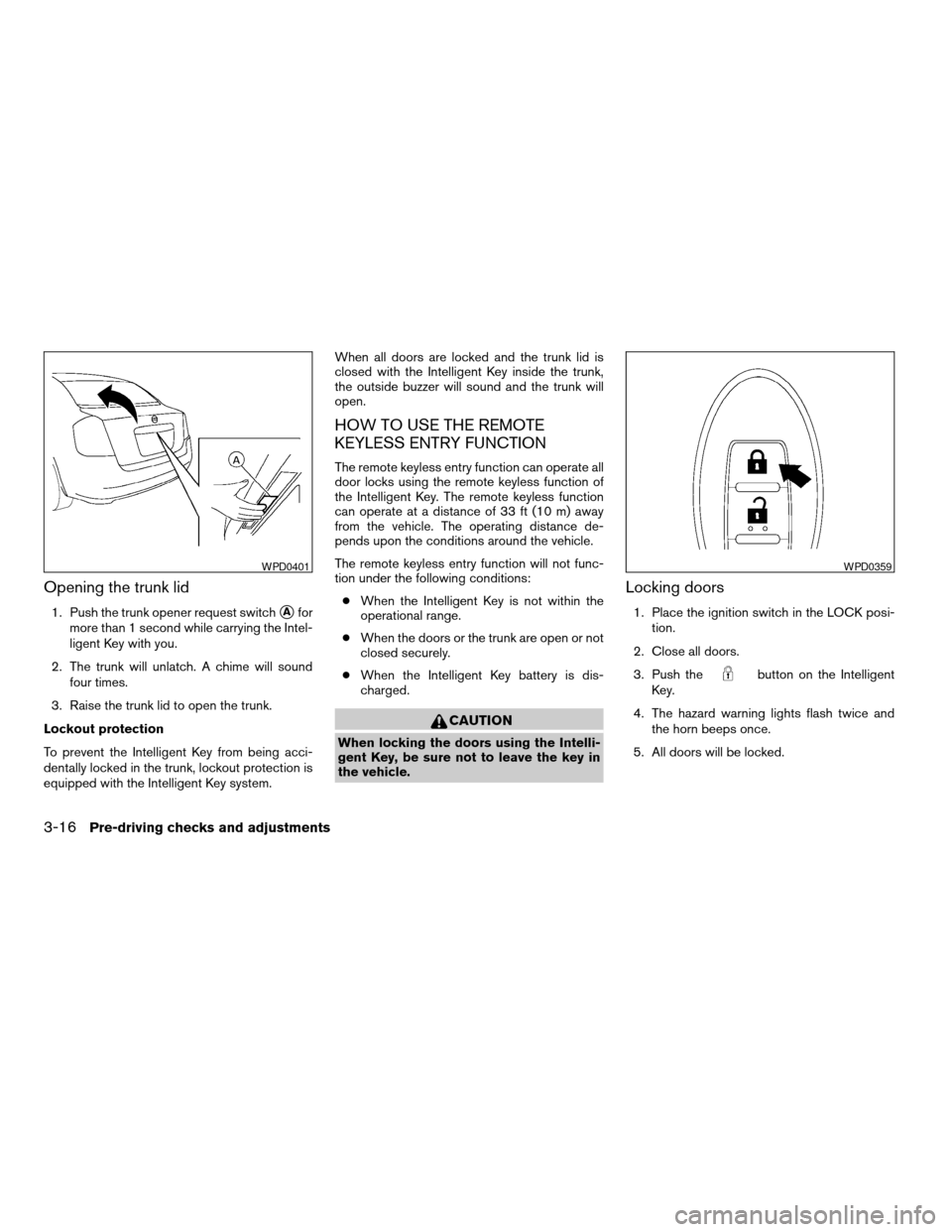
Opening the trunk lid
1. Push the trunk opener request switchsAfor
more than 1 second while carrying the Intel-
ligent Key with you.
2. The trunk will unlatch. A chime will sound
four times.
3. Raise the trunk lid to open the trunk.
Lockout protection
To prevent the Intelligent Key from being acci-
dentally locked in the trunk, lockout protection is
equipped with the Intelligent Key system.When all doors are locked and the trunk lid is
closed with the Intelligent Key inside the trunk,
the outside buzzer will sound and the trunk will
open.
HOW TO USE THE REMOTE
KEYLESS ENTRY FUNCTION
The remote keyless entry function can operate all
door locks using the remote keyless function of
the Intelligent Key. The remote keyless function
can operate at a distance of 33 ft (10 m) away
from the vehicle. The operating distance de-
pends upon the conditions around the vehicle.
The remote keyless entry function will not func-
tion under the following conditions:
cWhen the Intelligent Key is not within the
operational range.
cWhen the doors or the trunk are open or not
closed securely.
cWhen the Intelligent Key battery is dis-
charged.
CAUTION
When locking the doors using the Intelli-
gent Key, be sure not to leave the key in
the vehicle.
Locking doors
1. Place the ignition switch in the LOCK posi-
tion.
2. Close all doors.
3. Push the
button on the Intelligent
Key.
4. The hazard warning lights flash twice and
the horn beeps once.
5. All doors will be locked.
WPD0401WPD0359
3-16Pre-driving checks and adjustments
ZREVIEW COPYÐ2008 Sentra(sen)
Owners ManualÐUSA_English(nna)
01/22/08Ðdebbie
X
Page 134 of 328

Audible reminder and warning when
the engine stops
When the P position selecting warning light
() in the instrument panel blinks in red:
cMake sure the selector lever is in the P
position.
When the chime sounds intermittently:
cMake sure the selector lever is in the P
position and the ignition switch is turned to
the LOCK position.
If the chime sounds continuously when the driv-
er’s door is opened, check the following:
cThe selector lever is in the P position and the
ignition switch is turned to the LOCK posi-
tion.
cThe mechanical key is not inserted into the
ignition switch.
cThe warning chime may stop when one of
the following is performed:
– Returning the ignition switch to the LOCK
position.
– Removing the mechanical key.
– Closing the doors.
Alarm and warning when the engine
starts
When the Intelligent Key system warning light
() blinks red and the outside buzzer
sounds, make sure the Intelligent Key is inside the
vehicle.
Warning for low battery power
When the Intelligent Key battery is low, the Intel-
ligent Key system warning light () will blink
green for about 30 seconds after the ignition
switch is turned to the ON position. This warning
is to let you know that the battery of the Intelligent
Key will run down soon. Replace it with a new
one. Refer to “Battery replacement” in the “Main-
tenance and do-it-yourself” section.
NISSAN recommends replacing the battery at a
NISSAN dealer.
Preventing the Intelligent Key from
being left in the vehicle
If you lock all doors using the power door lock
switch with the Intelligent Key in the vehicle, all of
the doors unlock immediately and the buzzer will
warn you when the door is closed.
3-20Pre-driving checks and adjustments
ZREVIEW COPYÐ2008 Sentra(sen)
Owners ManualÐUSA_English(nna)
01/22/08Ðdebbie
X
Page 135 of 328

TROUBLESHOOTING GUIDE
Symptom Possible Cause Remedy
When pushing the door handle request
switchThe front door beep sounds for approxi-
mately 2 seconds.The doors cannot be locked.Take out the Intelligent Key from the vehicle
and push the door handle request switch.
When closing the doorsThe front door beep sounds for approxi-
mately 10 seconds.The ignition knob is not turned to LOCK
position.Turn the ignition knob to LOCK.
The key warning light in the instrument
panel blinks in red and the front door warn-
ing beep sounds for approximately 3
seconds.The Intelligent Key is not in the vehicle. Be sure to carry the Intelligent Key with you.
The front door beep sounds for approxi-
mately 3 seconds and all doors unlock.The Intelligent Key is left in the vehicle. Take out the Intelligent Key from the vehicle
and close the door.
When opening the driver’s door A warning chime sounds continuously.The ignition knob is not in LOCK position,
or the mechanical key is inserted into the
ignition knob.Turn the ignition knob to LOCK.
Remove the mechanical key from the igni-
tion knob.
When stopping the engine The P (Park) position warning light in the
instrument panel blinks in red.The selector lever is not in the P (Park)
position.Make sure that the selector lever is in the P
(Park) position and turn the ignition knob to
LOCK.
When starting the engine The key warning light in the instrument
panel blinks in green.The battery charge is low. Replace the battery with a new one. See
“Battery replacement” in the “Maintenance
and do-it-yourself” section.
When turning the ignition switch A warning chime sounds continuously. The ignition switch is not turned to the
LOCK position.Turn the ignition switch to the LOCK
position.
When pushing the ignition switch The Intelligent Key system warning light in
the instrument panel illuminates red.The Intelligent Key is not in the vehicle. If the Intelligent Key system warning light
illuminates red even while you are carrying
the Intelligent Key, the battery is completely
discharged. Replace the battery with a new
one. See “Battery replacement” in the
“Maintenance and do-it-yourself” section.
Pre-driving checks and adjustments3-21
ZREVIEW COPYÐ2008 Sentra(sen)
Owners ManualÐUSA_English(nna)
01/22/08Ðdebbie
X
Page 145 of 328

1. TRIP INFO button (P. 4-3)
2. CLOCK DISP button (P. 4-5)
3.
AUDIO button (P. 4-5)
When you use this system, make sure the engine
is running.
If you use the system with the engine not
running (ignition ON or ACC) for a long
time, it will use up all the battery power,
and the engine will not start.
Reference symbols:
TRIP INFO button — This is a button on the
control panel. By pressing this button you can
select the item or perform this action.
HOW TO USE THE TRIP INFO
BUTTON
When the TRIP INFO button is pressed, the
following modes will display on the screen.
Dist. to Empty!Average Speed!Fuel
Economy!Trip Time!Audio!Dist. to Empty
Distance to empty (MI or km)
The Distance To Empty (DTE) mode provides you
with an estimation of the distance that can be
driven before refueling. The DTE is constantly
calculated based on the amount of fuel in the fuel
tank and the actual fuel consumption. The display
is updated every 30 seconds. When the fuel level
is low, the DTE display will change to — .NOTE:
cIf the amount of fuel added while the ignition
switch is OFF is small, the display just before
the ignition switch is turned OFF may con-
tinue to be displayed.
cWhen driving uphill or rounding curves, the
fuel in the tank shifts, which may momentarily
change the display.
WHA0701
Display screen, heater, air conditioner, audio and phone systems4-3
ZREVIEW COPYÐ2008 Sentra(sen)
Owners ManualÐUSA_English(nna)
01/22/08Ðdebbie
X
Page 146 of 328

Average speed (MPH or km/h)
The Average Speed mode shows the average
speed since the last reset. To calculate the aver-
age speed, driving distance is divided by driving
time.
For approximately the first 30 seconds after a
reset or reconnecting the battery cables, the
display will show —.
Resetting average speed
The average speed calculation can be reset to 0.
Press the TRIP INFO button for more than ap-
proximately 2 seconds.
Fuel economy (MPG or L/100 km)
The Fuel Economy mode shows the average fuel
economy since the last reset.
For approximately the first 30 seconds and 1/3
mile (500 m) after a reset or connecting the
battery cables, the display will show —.
Resetting fuel economy
The fuel economy calculation can be reset to 0.
Press the TRIP INFO button for more than ap-
proximately 2 seconds.
Trip time
The trip time mode displays the trip time since the
last reset.
The maximum time that can be displayed by the
Trip Time screen is 99 hours : 59 minutes : 59
seconds.
Resetting trip time
The Trip Time calculation can be reset to 0. Press
the TRIP INFO button for more than approxi-
mately 2 seconds.
WHA0702WHA0703WHA0704
4-4Display screen, heater, air conditioner, audio and phone systems
ZREVIEW COPYÐ2008 Sentra(sen)
Owners ManualÐUSA_English(nna)
01/22/08Ðdebbie
X
Page 158 of 328
SATELLITE RADIO RECEPTION (if so
equipped)
When the satellite radio is first installed or the
battery has been replaced, the satellite radio may
not work properly. This is not a malfunction. Wait
more than 10 minutes with satellite radio ON and
the vehicle outside of any metal or large building
for satellite radio to receive all of the necessary
data.
No satellite radio reception is available when the
RADIO button is pressed to access satellite radio
stations unless optional satellite receiver and an-
tenna are installed and an XMTsatellite radio
service subscription is active. Satellite radio is
not available in Alaska, Hawaii and Guam.
Satellite radio performance may be affected if
cargo carried on the roof blocks the satellite radio
signal.
If possible, do not put cargo over the satellite
antenna.
A build up of ice on the satellite radio antenna can
affect satellite radio performance. Remove the
ice to restore satellite radio reception
AUDIO OPERATION PRECAUTIONSCompact disc (CD) player
CAUTION
cDo not force a compact disc into the CD
insert slot. This could damage the CD
and/or CD changer/player.
cTrying to load a CD with the CD door
closed could damage the CD and/or CD
changer.
cOnly one CD can be loaded into the CD
player at a time.
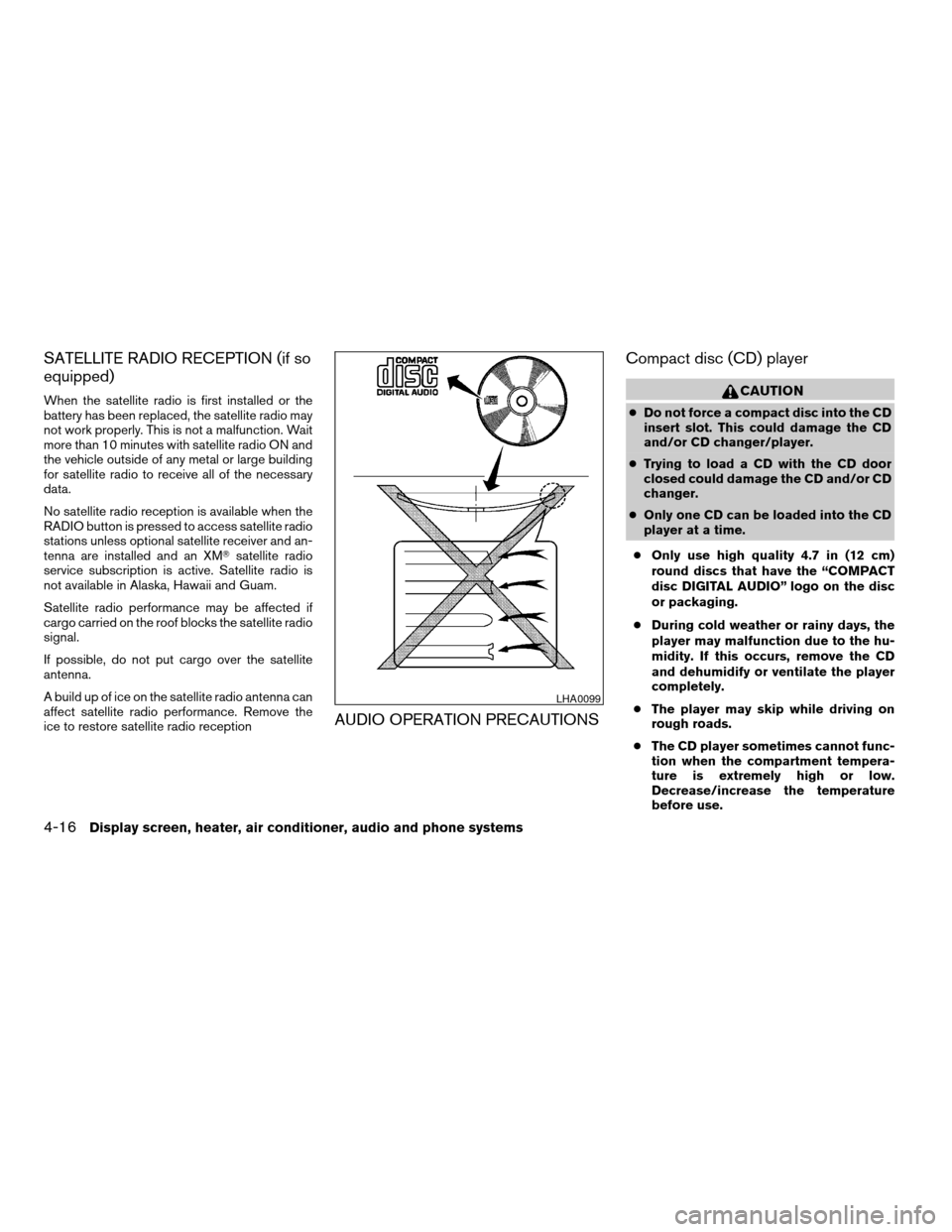
cOnly use high quality 4.7 in (12 cm)
round discs that have the “COMPACT
disc DIGITAL AUDIO” logo on the disc
or packaging.
cDuring cold weather or rainy days, the
player may malfunction due to the hu-
midity. If this occurs, remove the CD
and dehumidify or ventilate the player
completely.
cThe player may skip while driving on
rough roads.
cThe CD player sometimes cannot func-
tion when the compartment tempera-
ture is extremely high or low.
Decrease/increase the temperature
before use.
LHA0099
4-16Display screen, heater, air conditioner, audio and phone systems
ZREVIEW COPYÐ2008 Sentra(sen)
Owners ManualÐUSA_English(nna)
01/22/08Ðdebbie
X
Page 165 of 328

1. Press the PRESET A·B·C button to change
between storage banks. The radio displays
the icon A, B or C to indicate which set of
presets are active.
2. Tune to the desired station using manual
TUNE or SEEK tuning. Press and hold any of
the desired station memory buttons (1 – 6)
until a beep sound is heard. (The radio mutes
when the select button is pressed.)
3. The channel indicator will then come on and
the sound will resume. Programming is now
complete.
4. Other buttons can be set in the same man-
ner.
If the battery cable is disconnected, or if the fuse
opens, the radio memory will be canceled. In that
case, reset the desired stations.
Compact disc (CD) player operation
Turn the ignition key to the ACC or ON position,
and carefully insert the compact disc into the slot
with the label side up. The compact disc is auto-
matically pulled into the slot and starts to play.
If the radio is already operating, it automatically
turns off and the compact disc begins to play.CD·AUX button:
When the CD·AUX button is pressed with a
compact disc loaded and the radio playing, the
radio turns off and the compact disc starts to
play.
TUNE (Rewind or Fast
Forward) button:
When the TUNE button
oris
pressed while the compact disc is playing, the
compact disc plays at an increased speed while
rewinding or fast forwarding. When the button is
released, the compact disc returns to normal play
speed.
SEEK button:
When the SEEK button
is pressed while
the compact disc is playing, the next track follow-
ing the present one starts to play from the begin-
ning. Press the SEEK button
several times
to skip several tracks. Each time the button is
pressed, the CD advances 1 additional track. The
track number appears in the display window.
(When the last track on the compact disc is
skipped, the first track is played.)
When the SEEK button
is pressed, the
track being played returns to the beginning.
Press the SEEK button
several times toskip back several tracks. Each time the button is
pressed the CD moves back 1 track.
RPT·SCAN button:
When the RPT·SCAN button is pressed while the
compact disc is being played, the play pattern
can be changed as follows:
RPT TRACKÃ!MIX DISCÃ!Normal
RPT TRACK: The track that is currently playing
will be repeated.
MIX DISC: The order of the tracks on the disc will
be mixed during play.
RPT·SCAN (CDs) button:
Press and hold the RPT·SCAN button for more
than 1.5 seconds to scan through the first 10
seconds of a track on the compact disc. The
SCAN icon is flashed during scan mode.
The scan mode is canceled once it scans through
all the tracks on the disc, or if the RPT·SCAN
button is pressed during the scan mode.
CD·AUX (Auxiliary) button:
The AUX IN jack is located on the CD player. The
AUX IN audio input jack accepts any standard
analog audio input such as from a portable cas-
sette tape/CD player, MP3 player or laptop com-
puters.
Display screen, heater, air conditioner, audio and phone systems4-23
ZREVIEW COPYÐ2008 Sentra(sen)
Owners ManualÐUSA_English(nna)
01/22/08Ðdebbie
X