service NISSAN SENTRA 2017 B17 / 7.G Owner's Manual
[x] Cancel search | Manufacturer: NISSAN, Model Year: 2017, Model line: SENTRA, Model: NISSAN SENTRA 2017 B17 / 7.GPages: 491
Page 99 of 491
●ITS warning
● Shipping mode warning
● Low oil pressure warning
For additional information, refer to “Vehicle infor-
mation display” in this section.
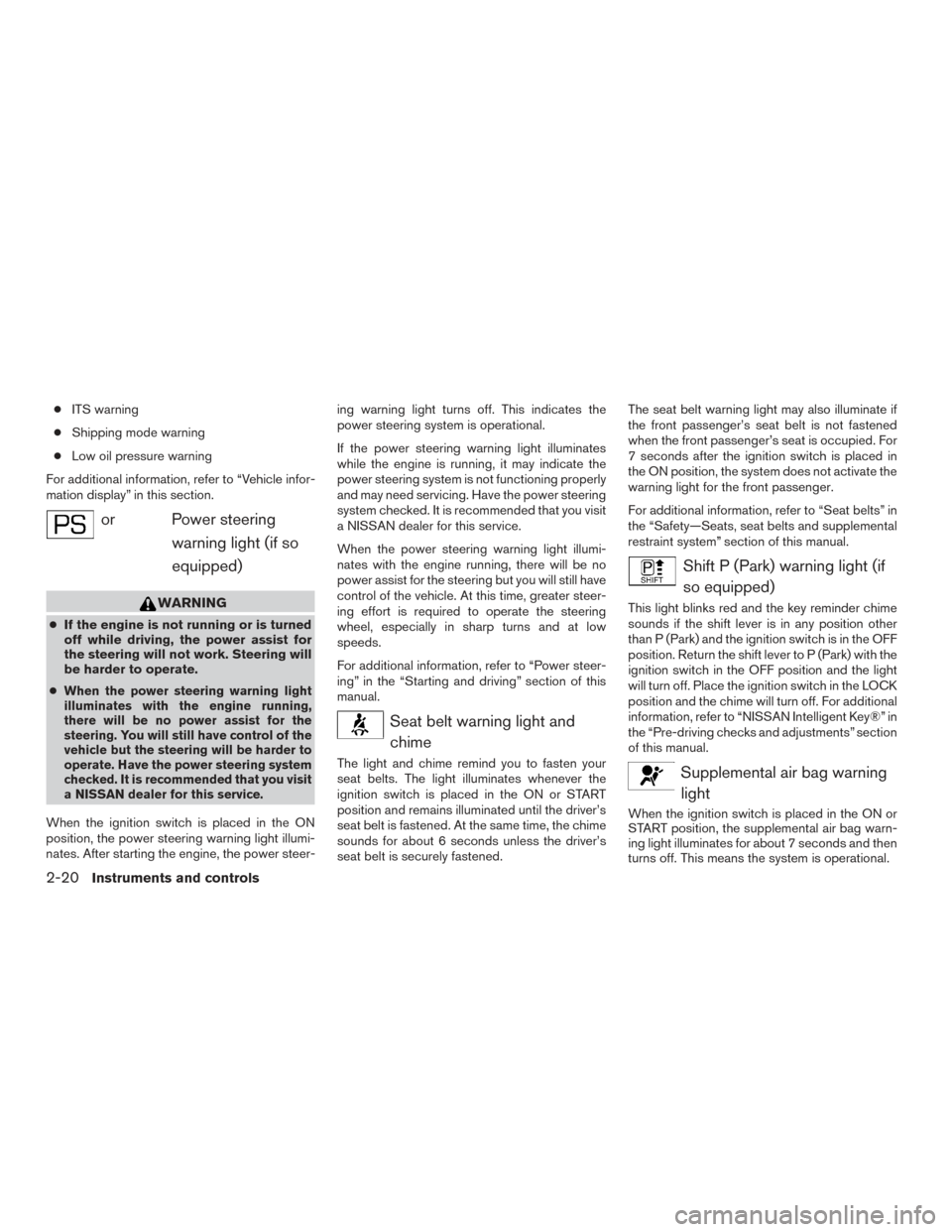
orPower steering warning light (if so
equipped)
WARNING
● If the engine is not running or is turned
off while driving, the power assist for
the steering will not work. Steering will
be harder to operate.
●
When the power steering warning light
illuminates with the engine running,
there will be no power assist for the
steering. You will still have control of the
vehicle but the steering will be harder to
operate. Have the power steering system
checked. It is recommended that you visit
a NISSAN dealer for this service.
When the ignition switch is placed in the ON
position, the power steering warning light illumi-
nates. After starting the engine, the power steer- ing warning light turns off. This indicates the
power steering system is operational.
If the power steering warning light illuminates
while the engine is running, it may indicate the
power steering system is not functioning properly
and may need servicing. Have the power steering
system checked. It is recommended that you visit
a NISSAN dealer for this service.
When the power steering warning light illumi-
nates with the engine running, there will be no
power assist for the steering but you will still have
control of the vehicle. At this time, greater steer-
ing effort is required to operate the steering
wheel, especially in sharp turns and at low
speeds.
For additional information, refer to “Power steer-
ing” in the “Starting and driving” section of this
manual.
Seat belt warning light and
chime
The light and chime remind you to fasten your
seat belts. The light illuminates whenever the
ignition switch is placed in the ON or START
position and remains illuminated until the driver’s
seat belt is fastened. At the same time, the chime
sounds for about 6 seconds unless the driver’s
seat belt is securely fastened. The seat belt warning light may also illuminate if
the front passenger’s seat belt is not fastened
when the front passenger’s seat is occupied. For
7 seconds after the ignition switch is placed in
the ON position, the system does not activate the
warning light for the front passenger.
For additional information, refer to “Seat belts” in
the “Safety—Seats, seat belts and supplemental
restraint system” section of this manual.
Shift P (Park) warning light (if
so equipped)
This light blinks red and the key reminder chime
sounds if the shift lever is in any position other
than P (Park) and the ignition switch is in the OFF
position. Return the shift lever to P (Park) with the
ignition switch in the OFF position and the light
will turn off. Place the ignition switch in the LOCK
position and the chime will turn off. For additional
information, refer to “NISSAN Intelligent Key®” in
the “Pre-driving checks and adjustments” section
of this manual.
Supplemental air bag warninglight
When the ignition switch is placed in the ON or
START position, the supplemental air bag warn-
ing light illuminates for about 7 seconds and then
turns off. This means the system is operational.
2-20Instruments and controls
Page 100 of 491
If any of the following conditions occur, the front
air bag, side air bag, curtain air bag, and preten-
sioner seat belt systems need servicing.● The supplemental air bag warning light re-
mains on after approximately 7 seconds.
● The supplemental air bag warning light
flashes intermittently.
● The supplemental air bag warning light does
not come on at all.
It is recommended that you visit a NISSAN dealer
for these services. Unless checked and repaired,
the supplemental restraint system (air bag sys-
tem) and/or the pretensioners may not function
properly. For additional information, refer to
“Supplemental restraint system (SRS)” in the
“Safety—Seats, seat belts and supplemental re-
straint system” section of this manual.
WARNING
If the supplemental air bag warning light
is on, it could mean that the front air bag,
side air bag, curtain air bag systems
and/or pretensioner systems will not op-
erate in an accident. To help avoid injury to
yourself or others, have your vehicle
checked as soon as possible. It is recom-
mended that you visit a NISSAN dealer for
this service.
INDICATOR LIGHTS
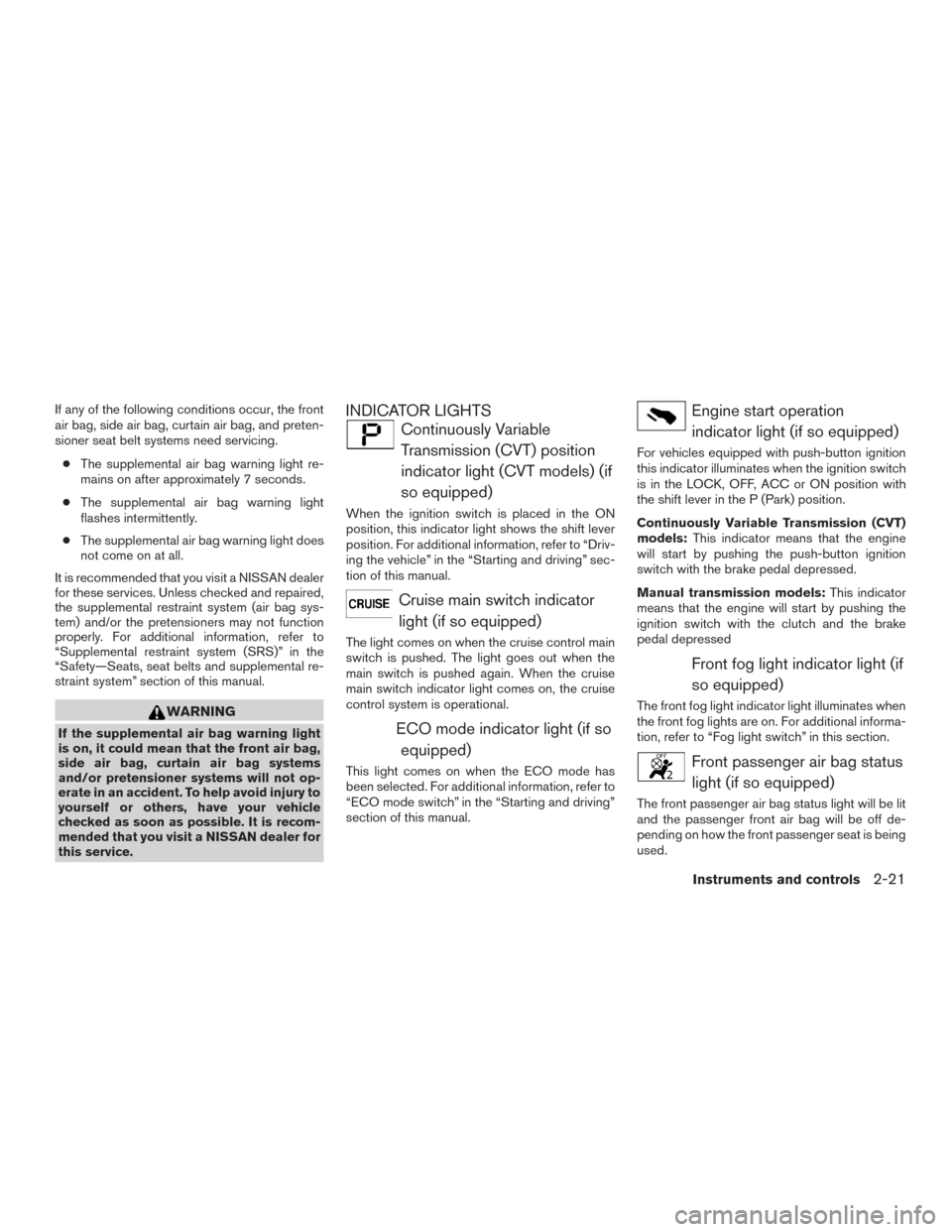
Continuously Variable Transmission (CVT) position
indicator light (CVT models) (if
so equipped)
When the ignition switch is placed in the ON
position, this indicator light shows the shift lever
position. For additional information, refer to “Driv-
ing the vehicle” in the “Starting and driving” sec-
tion of this manual.
Cruise main switch indicatorlight (if so equipped)
The light comes on when the cruise control main
switch is pushed. The light goes out when the
main switch is pushed again. When the cruise
main switch indicator light comes on, the cruise
control system is operational.
ECO mode indicator light (if so equipped)
This light comes on when the ECO mode has
been selected. For additional information, refer to
“ECO mode switch” in the “Starting and driving”
section of this manual.
Engine start operationindicator light (if so equipped)
For vehicles equipped with push-button ignition
this indicator illuminates when the ignition switch
is in the LOCK, OFF, ACC or ON position with
the shift lever in the P (Park) position.
Continuously Variable Transmission (CVT)
models: This indicator means that the engine
will start by pushing the push-button ignition
switch with the brake pedal depressed.
Manual transmission models: This indicator
means that the engine will start by pushing the
ignition switch with the clutch and the brake
pedal depressed
Front fog light indicator light (if
so equipped)
The front fog light indicator light illuminates when
the front fog lights are on. For additional informa-
tion, refer to “Fog light switch” in this section.
Front passenger air bag statuslight (if so equipped)
The front passenger air bag status light will be lit
and the passenger front air bag will be off de-
pending on how the front passenger seat is being
used.
Instruments and controls2-21
Page 101 of 491
For additional information, refer to “Front passen-
ger air bag and status light” in the “Safety —
Seats, seat belts and supplemental restraint sys-
tem” section of this manual.
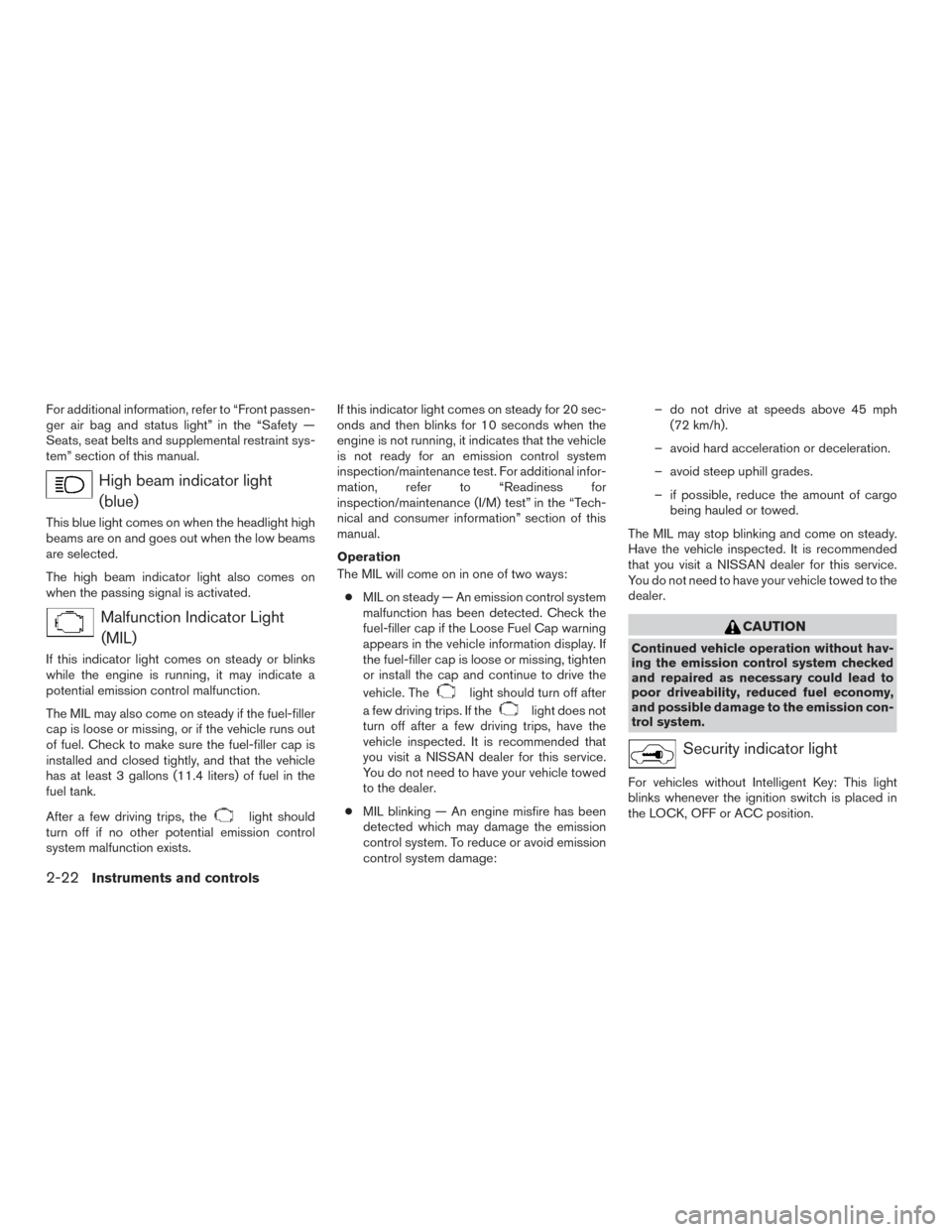
High beam indicator light(blue)
This blue light comes on when the headlight high
beams are on and goes out when the low beams
are selected.
The high beam indicator light also comes on
when the passing signal is activated.
Malfunction Indicator Light(MIL)
If this indicator light comes on steady or blinks
while the engine is running, it may indicate a
potential emission control malfunction.
The MIL may also come on steady if the fuel-filler
cap is loose or missing, or if the vehicle runs out
of fuel. Check to make sure the fuel-filler cap is
installed and closed tightly, and that the vehicle
has at least 3 gallons (11.4 liters) of fuel in the
fuel tank.
After a few driving trips, the
light should
turn off if no other potential emission control
system malfunction exists. If this indicator light comes on steady for 20 sec-
onds and then blinks for 10 seconds when the
engine is not running, it indicates that the vehicle
is not ready for an emission control system
inspection/maintenance test. For additional infor-
mation, refer to “Readiness for
inspection/maintenance (I/M) test” in the “Tech-
nical and consumer information” section of this
manual.
Operation
The MIL will come on in one of two ways:
● MIL on steady — An emission control system
malfunction has been detected. Check the
fuel-filler cap if the Loose Fuel Cap warning
appears in the vehicle information display. If
the fuel-filler cap is loose or missing, tighten
or install the cap and continue to drive the
vehicle. The
light should turn off after
a few driving trips. If the
light does not
turn off after a few driving trips, have the
vehicle inspected. It is recommended that
you visit a NISSAN dealer for this service.
You do not need to have your vehicle towed
to the dealer.
● MIL blinking — An engine misfire has been
detected which may damage the emission
control system. To reduce or avoid emission
control system damage: – do not drive at speeds above 45 mph
(72 km/h).
– avoid hard acceleration or deceleration.
– avoid steep uphill grades.
– if possible, reduce the amount of cargo being hauled or towed.
The MIL may stop blinking and come on steady.
Have the vehicle inspected. It is recommended
that you visit a NISSAN dealer for this service.
You do not need to have your vehicle towed to the
dealer.
CAUTION
Continued vehicle operation without hav-
ing the emission control system checked
and repaired as necessary could lead to
poor driveability, reduced fuel economy,
and possible damage to the emission con-
trol system.
Security indicator light
For vehicles without Intelligent Key: This light
blinks whenever the ignition switch is placed in
the LOCK, OFF or ACC position.
2-22Instruments and controls
Page 102 of 491
For vehicles with Intelligent Key: This light blinks
when the ignition switch is placed in the LOCK
position with the key removed from the ignition
switch.
The blinking security indicator light indicates that
the security systems equipped on the vehicle are
operational.
For additional information, refer to “Security sys-
tems” in this section.
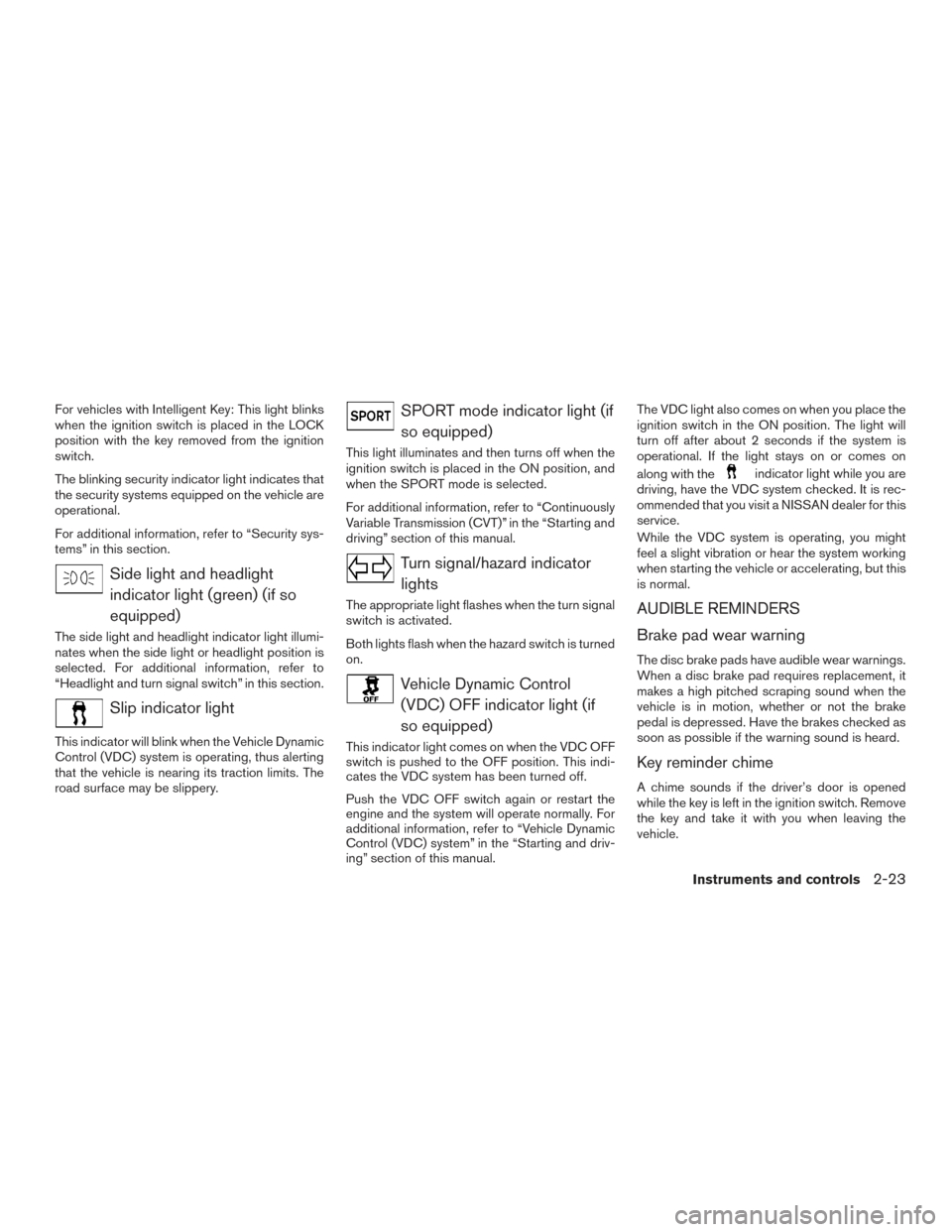
Side light and headlightindicator light (green) (if so
equipped)
The side light and headlight indicator light illumi-
nates when the side light or headlight position is
selected. For additional information, refer to
“Headlight and turn signal switch” in this section.
Slip indicator light
This indicator will blink when the Vehicle Dynamic
Control (VDC) system is operating, thus alerting
that the vehicle is nearing its traction limits. The
road surface may be slippery.
SPORT mode indicator light (ifso equipped)
This light illuminates and then turns off when the
ignition switch is placed in the ON position, and
when the SPORT mode is selected.
For additional information, refer to “Continuously
Variable Transmission (CVT)” in the “Starting and
driving” section of this manual.
Turn signal/hazard indicatorlights
The appropriate light flashes when the turn signal
switch is activated.
Both lights flash when the hazard switch is turned
on.
Vehicle Dynamic Control(VDC) OFF indicator light (if
so equipped)
This indicator light comes on when the VDC OFF
switch is pushed to the OFF position. This indi-
cates the VDC system has been turned off.
Push the VDC OFF switch again or restart the
engine and the system will operate normally. For
additional information, refer to “Vehicle Dynamic
Control (VDC) system” in the “Starting and driv-
ing” section of this manual. The VDC light also comes on when you place the
ignition switch in the ON position. The light will
turn off after about 2 seconds if the system is
operational. If the light stays on or comes on
along with the
indicator light while you are
driving, have the VDC system checked. It is rec-
ommended that you visit a NISSAN dealer for this
service.
While the VDC system is operating, you might
feel a slight vibration or hear the system working
when starting the vehicle or accelerating, but this
is normal.
AUDIBLE REMINDERS
Brake pad wear warning
The disc brake pads have audible wear warnings.
When a disc brake pad requires replacement, it
makes a high pitched scraping sound when the
vehicle is in motion, whether or not the brake
pedal is depressed. Have the brakes checked as
soon as possible if the warning sound is heard.
Key reminder chime
A chime sounds if the driver’s door is opened
while the key is left in the ignition switch. Remove
the key and take it with you when leaving the
vehicle.
Instruments and controls2-23
Page 112 of 491
10. Low Fuel
11. Loose Fuel Cap
12. Low Oil Pressure: See Owner’s Manual
13. Low Washer Fluid
14. Tire Pressure Low — Add Air
15. TPMS Error: See Owner’s Manual
16. Door Open
17. Alarm — Time for a break?
18. Power will turn off to save the battery
19. Power turned off to save the battery
20. Reminder: Turn OFF headlights
21. Headlight System Error: See Owner’sManual (if so equipped)
22. Blind Spot Warning (BSW) and Rear Cross Traffic Alert (RCTA) indicator (if so
equipped)
23. BSW/RCTA System Malfunction: See Owner’s Manual (if so equipped)
24. Side Radar Obstruction (if so equipped)
25. Cruise control indicator (if so equipped)
26. Intelligent Cruise Control (ICC) (if so equipped) 27. Shipping Mode On Push Storage Fuse
28. Transmission Shift Position indicator
29. CVT Error: See Owner’s Manual (if so
equipped)
30. Illumination indicator
31. Outside Temperature Display
32. Low Outside Temperature
33. Forward Emergency Braking (FEB) indicator (if so equipped)
34. Unavailable: Front Radar Obstruction (if so equipped)
No Key Detected
This warning appears when the Intelligent Key is
left outside the vehicle with the ignition switch in
the ON position. Make sure the Intelligent Key is
inside the vehicle.
For additional information, refer to “NISSAN In-
telligent Key®” in the “Pre-driving checks and
adjustments” section of this manual.
Key ID Incorrect
This warning appears when the ignition switch is
placed from the OFF position and the Intelligent
Key is not recognized by the system. You cannot
start the engine with an unregistered key. For additional information, refer to “NISSAN In-
telligent Key®” in the “Pre-driving checks and
adjustments” section of this manual.
Key Battery Low
This indicator illuminates when the Intelligent Key
battery is running out of power.
If this indicator illuminates, replace the battery
with a new one. For additional information, refer
to “Battery replacement” in the “Do-it-yourself”
section of this manual.
I-Key System Error: See Owner’s Manual
After the ignition switch is pushed to the ON
position, this light comes on for a period of time
and then turns off.
The I-Key System Error message warns of a
malfunction with the Intelligent Key system. If the
light comes on while the engine is stopped, it may
be impossible to start the engine.
If the light comes on while the engine is running,
you can drive the vehicle. However in these
cases, have the system checked. It is recom-
mended that you visit a NISSAN dealer for this
service.
Instruments and controls2-33
Page 114 of 491
“Low tire pressure warning light” in this section
and “Tire Pressure Monitoring System (TPMS)”
in the “Starting and driving” section of this
manual.
TPMS Error: See Owner’s Manual
This warning appears when there is an error with
your TPMS. If this warning comes on, have the
system checked. It is recommended that you visit
a NISSAN dealer for this service.
Door Open
This warning illuminates when a door has been
opened.
Alarm - Time for a break?
This indicator appears when the driver enables
the timer alert function within the driver assis-
tance settings and the selected set time is ex-
pired. The time is based on ignition on time and
can be set up to six hours.
Power will turn off to save the battery
This message appears in the vehicle information
display after a period of time if the ignition switch
is in the ACC or the ON position and if the vehicle
is in P (Park) . For additional information, refer to
“Push-button ignition switch positions” in the
“Starting and driving” section of this manual.Power turned off to save the battery
This message appears after the ignition switch is
automatically turned to off. For additional infor-
mation, refer to “Push-button ignition switch po-
sitions” in the “Starting and driving” section of this
manual.
Reminder: Turn OFF Headlights
This warning appears when the headlights are
left in the ON position when exiting the vehicle.
Place the headlight switch in the OFF or AUTO
position. For additional information, refer to
“Headlight and turn signal switch” in this section.
Headlight System Error: See Owner’s
Manual (if so equipped)
This warning appears when the LED headlights
are not functioning properly.
If this warning appears, have your system
checked. It is recommended that you visit a
NISSAN dealer for this service.
Blind Spot Warning (BSW) and Rear Cross
Traffic Alert (RCTA) indicator (if so
equipped)
This indicator shows when the BSW and RCTA
systems are engaged.
For additional information, refer to “Blind Spot
Warning (BSW)” and “Rear Cross Traffic Alert
(RCTA)” in the “Starting and driving” section of
this manual.
BSW/RCTA System Malfunction: See
Owner’s Manual (if so equipped)
This warning appears when the Blind Spot
Warning/Rear Cross Traffic Alert systems are not
functioning properly. For additional information,
refer to “Blind Spot Warning (BSW)” and “Rear
Cross Traffic Alert (RCTA)” in the “Starting and
driving” section of this manual.
Side Radar Obstruction (if so equipped)
This warning appears when there is radar block-
age detected. For additional information, refer to
“Blind Spot Warning (BSW)” in the “Starting and
driving” section of this manual.
Cruise control indicator (if so equipped)
This indicator shows the cruise control system
status.
When cruise control is activated, a green circle
will illuminate to indicate it is set. The vehicle
information display will also display the speed the
cruise control was set at. If you accelerate past
the set speed, the speed will blink until you either
cancel cruise control or go back to the set speed.
If cruise control is on and canceled, the speed will
Instruments and controls2-35
Page 115 of 491
be displayed to show the speed the vehicle will
return to if the resume button is activated.
Intelligent Cruise Control (ICC) indicator
(if so equipped)
This indicator shows the Intelligent Cruise Con-
trol (ICC) system status. The status is shown by
the color. For additional information, refer to “In-
telligent Cruise Control (ICC)” in the “Starting
and driving” section of this manual.
Shipping Mode On Push Storage Fuse
This warning may appear if the extended storage
switch is not pushed in. When this warning ap-
pears, push in the extended storage switch to
turn off the warning. For additional information,
refer to “Fuses” in the “Do-it-yourself” section of
this manual.
Transmission Shift Position indicator
This indicator shows the transmission shift posi-
tion.
CVT Error: See Owner’s Manual (if so
equipped)
This warning illuminates when there is a problem
with the CVT system. If this warning comes on,
have the system checked. It is recommended that
you visit a NISSAN dealer for this service.Illumination indicator
This indicator appears when the vehicle informa-
tion display screen brightness is being adjusted.
Outside Temperature Display
The outside temperature display appears in the
center region of the vehicle information display.
Low Outside Temperature
This warning appears if the outside temperature
is below 37°F (3°C) . The temperature can be
changed to display in Celsius or Fahrenheit. For
additional information, refer to “Settings” in this
section.
Forward Emergency Braking (FEB) indica-
tor (if so equipped)
This indicator shows when the FEB systems are
engaged.
For additional information, refer to “Forward
Emergency Braking (FEB)” in the “Starting and
driving” section of this manual.
Unavailable: Front Radar Obstruction (if
so equipped)
This warning appears when there is a radar ob-
struction detected. For additional information, re-
fer to “Forward Emergency Braking (FEB)” or
“Intelligent Cruise Control (ICC)” in the “Starting
and driving” section of this manual.
Your vehicle may have two types of security sys-
tems:
● Vehicle security system (if so equipped)
● NISSAN Vehicle Immobilizer System
VEHICLE SECURITY SYSTEM (if so
equipped)
The vehicle security system provides visual and
audible alarm signals if someone opens the doors
when the system is armed. It is not, however, a
motion detection type system that activates when
a vehicle is moved or when a vibration occurs.
LIC0301
SECURITY SYSTEMS
2-36Instruments and controls
Page 118 of 491
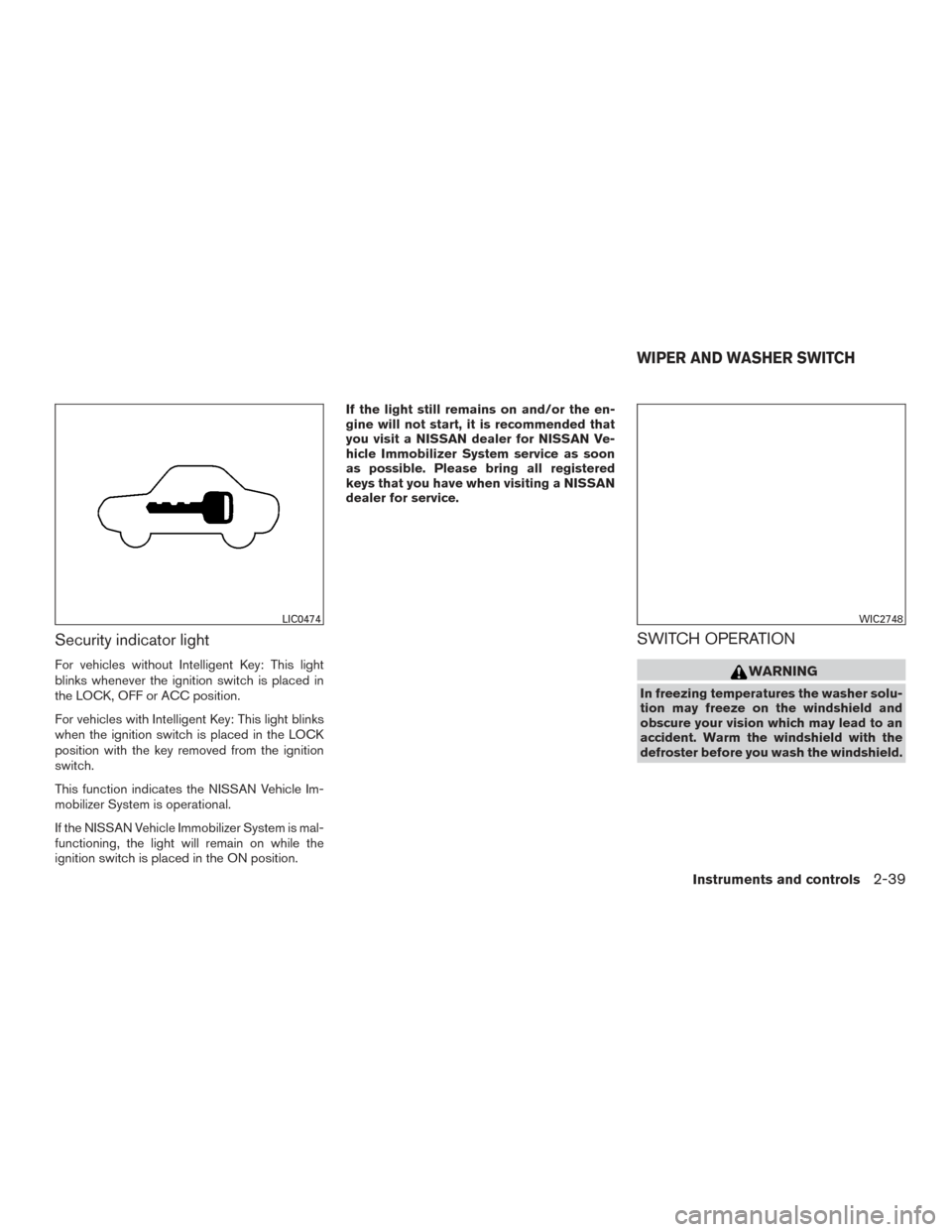
Security indicator light
For vehicles without Intelligent Key: This light
blinks whenever the ignition switch is placed in
the LOCK, OFF or ACC position.
For vehicles with Intelligent Key: This light blinks
when the ignition switch is placed in the LOCK
position with the key removed from the ignition
switch.
This function indicates the NISSAN Vehicle Im-
mobilizer System is operational.
If the NISSAN Vehicle Immobilizer System is mal-
functioning, the light will remain on while the
ignition switch is placed in the ON position.If the light still remains on and/or the en-
gine will not start, it is recommended that
you visit a NISSAN dealer for NISSAN Ve-
hicle Immobilizer System service as soon
as possible. Please bring all registered
keys that you have when visiting a NISSAN
dealer for service.
SWITCH OPERATION
WARNING
In freezing temperatures the washer solu-
tion may freeze on the windshield and
obscure your vision which may lead to an
accident. Warm the windshield with the
defroster before you wash the windshield.
LIC0474WIC2748
WIPER AND WASHER SWITCH
Instruments and controls2-39
Page 126 of 491
CAUTION
●The battery could run down if the seat
heater is operated while the engine is
not running.
● Do not use the seat heater for extended
periods or when no one is using the
seat.
● Do not put anything on the seat which
insulates heat, such as a blanket, cush-
ion or seat cover, etc. Otherwise, the
seat may become overheated.
● Do not place anything hard or heavy on
the seat or pierce it with a pin or similar
object. This may result in damage to the
heater.
● Any liquid spilled on the heated seat
should be removed immediately with a
dry cloth.
● When cleaning the seat, never use
gasoline, benzine, thinner, or any simi-
lar materials.
● If any malfunctions are found or the
heated seat does not operate, turn the
switch off and have the system checked.
It is recommended that you visit a
NISSAN dealer for this service. The front seats are warmed by built-in heaters.
1. Start the engine.
2. Push the LO or HI position of the switch, as desired. The indicator light in the switch will
illuminate.
The heater is controlled by a thermostat,
automatically turning the heater on and off.
The indicator light will remain on as long as
the switch is on.
3. When the seat is warmed or before you leave the vehicle, be sure to turn the switch
off.
The vehicle should be driven with the VDC sys-
tem on for most driving conditions.
If the vehicle is stuck in mud or snow, the VDC
system reduces the engine output to reduce
wheel spin. The engine speed will be reduced
even if the accelerator is depressed to the floor. If
maximum engine power is needed to free a stuck
vehicle, turn the VDC system off.
To turn off the VDC system, push the VDC OFF
switch. The
indicator will come on.
LIC3344
VEHICLE DYNAMIC CONTROL (VDC)
OFF SWITCH (if so equipped)
Instruments and controls2-47
Page 127 of 491
Push the VDC OFF switch again or restart the
engine to turn on the system. For additional infor-
mation, refer to “Vehicle Dynamic Control (VDC)
system” in the “Starting and driving” section of
this manual.The E-call (SOS) system switch is used in com-
bination with a NissanConnect
SMServices sub-
scription to call for assistance in case of an
emergency.
Pushing the switch will (with a paid subscription)
reach a response specialist that will provide as-
sistance based on the situation described by the
vehicle’s occupant. For additional information, or
to enroll your vehicle, refer to
www.NissanUSA.com/connect or call
855–426–6628. The power outlet is for powering electrical acces-
sories such as cellular telephones. It is rated at
12 volt, 120W (10A) maximum.
The power outlet is powered only when the igni-
tion switch is in the ACC or ON position.
CAUTION
●
The outlet and plug may be hot during
or immediately after use.
LIC3357LIC3457
E-CALL (SOS) SWITCH (if so
equipped) POWER OUTLET
2-48Instruments and controls