climate control NISSAN SENTRA 2018 Owner´s Manual
[x] Cancel search | Manufacturer: NISSAN, Model Year: 2018, Model line: SENTRA, Model: NISSAN SENTRA 2018Pages: 507, PDF Size: 5.59 MB
Page 284 of 507
∙ Missed CallsSpeak this command to list the last five
missed calls to the vehicle. If the call is
from an entry in the phonebook, the
name will be displayed. Otherwise, the
phone number of the missed call will be
displayed.
Say “Dial” to call the number or “Send
Text” to send a text message to that
number. Say “Next Entry” or “Previous
Entry” to move through the list of
missed calls.
∙ Outgoing Calls Speak this command to list the last five
outgoing calls from the vehicle. If the
call was to an entry in the phonebook,
the name will be displayed. Otherwise,
the phone number of the outgoing call
will be displayed.
Say “Dial” to call the number or “Send
Text” to send a text message to that
number. Say “Next Entry” or “Previous
Entry” to move through the list of out-
going calls.
∙ Redial Speak this command to call the last
number dialed. ∙ Call Back
Speak this command to call the num-
ber of the last incoming call to the ve-
hicle.
“Messaging” (if so equipped)
Speak this command to access text mes-
saging functions. For additional informa-
tion, refer to “Text messaging” in this sec-
tion.
“Select Phone”
Speak this command to select a phone to
use from a list of those phones connected
to the vehicle.
MAKING A CALL
To make a call from a phone connected to
the vehicle’s Bluetooth® Hands-Free Phone
System:
NOTE:
Available commands different if system
is in Manual Control mode. For additional
information, refer to “Manual Control” in
this section.
1. Press the
(Type A) or the(Type B) button. 2. The system will prompt you for a com-
mand. Say “Call”.
3. Select one of the available voice com- mands to continue:
∙ “(a name)” — Speak the name of a phonebook entry to place a call to that
entry. The system will respond with the
name it interpreted from your com-
mand and will prompt you to confirm
that the name is correct. Say “Yes” to
initiate the call or “No” to hear another
name from the phonebook.
∙ “List Names” – Speak this command to have the system list the names in the
phonebook one by one alphabetically.
Say “Next Entry” or “Previous Entry” to
move through the list alphabetically.
Say “Select” once desired contact is
heard and displayed on screen. Say
“Dial” to dial the number of the current
name or say “Record Name” to record a
name for the current phonebook entry
to be assigned.
4-86Monitor, climate, audio, phone and voice recognition systems
Page 285 of 507
∙“Phone Number” — Speak this command
to place a call by inputting numbers. For
7– to 10–digit phone number, speak the
numbers. Say “Correction” at any time in
the process to correct a misspoken or
misinterpreted number. For phone num-
bers with more digits or special charac-
ters, say “Special Number”, then speak the
digits. Up to 24 digits can be entered.
Available special characters are “start”,
“pound”, “plus”, and “pause”. When finished,
say “Dial” to initiate the call. Say “Correc-
tion” at any time in the process to correct
a misspoken or misinterpreted number
or character.
∙ “Redial” – Speak this command to dial the number of the last outgoing call.
The system will display “Re-dialing
phonebook entry will be displayed if it
available, otherwise the number being
re-dialed will be displayed.
∙ “Call Back” – Speak this command to dial the number of the last incoming
call. The system will display “Calling
back
the phonebook entry will be displayed if
it available, otherwise the number be-
ing called back will be displayed.
RECEIVING A CALL
When a call is received by the phone con-
nected to the vehicle’s Bluetooth® Hands-
Free Phone System, the call information is
displayed on either the vehicle information
display or both the vehicle information dis-
play and he control panel display.
Press the
(Type A) or the(Type
B) button to accept the call. Press the
button to reject the call.
DURING A CALL
While a call is active, press the(Type A)
or the
(Type B) button to access addi-
tional options. Speak one of the following
commands:
∙ “(numbers)” – Speak numbers and then say “Send” or say “Correction” to change
the numbers entered.
∙
“Mute On” or “Mute Off ” – Speak the com-
mand to mute or unmute the system.
∙ “Transfer Call” – Speak this command to transfer the call to the handset. To
transfer the call back from the handset
to the Bluetooth® Hands-Free Phone
System, press the
(Type A) or
the
(Type B) button and confirm
when prompted. If supported by the phone, the Bluetooth®
Hands-Free Phone System allows for call
waiting functionality. If a call is received
while another call is already active, a mes-
sage will be displayed on the screen. Press
the
(Type A) or the(Type B) but-
ton to hold the active call and switch to the
second call. Press the
button to reject
the second call.
While the second call is active, pressing
the
(Type A) or the(Type B) but-
ton will allow the same commands that are
available during any call and additional
commands:
∙ “Switch Call” – Speak this command to hold the second call and switch back to
the original call.
∙ “End Other Call” – Speak this command to stay with the second call and end the
original call.
Press the
(Type A) or the(Type
B) button to accept the call. Press the
button to reject the call.
Monitor, climate, audio, phone and voice recognition systems4-87
Page 289 of 507
∙ Show Incoming TextSelect “Driver Only” to have incoming
text messages displayed only in the ve-
hicle information display. Select “Both”
to have incoming text messages dis-
played in both the vehicle information
display and the center display screen.
Select “None” to have no display of in-
coming text messages.
∙ Edit Custom Messages Select to set a custom message that
will be available with the standard op-
tions when sending a text message. To
set a custom message, send a text
message to your own phone number
while the phone is connected to the
system. Three custom messages can
be set. Custom messages can only be
set while the vehicle is stationary.
∙ Auto Reply Select to turn on or off the Auto Reply
function. When enabled, the vehicle will
automatically send a predefined text
message to the sender when a text
message is received while driving. ∙ Auto Reply Message
Select to choose the message that is
sent when the Auto Reply function is
enabled. Choose from “I’m Driving” or
one of the three custom messages
stored in the system.
∙ Vehicle Signature On/Off Select to choose whether or not the
vehicle signature is added to outgoing
text messages from the vehicle. This
message cannot be changed or cus-
tomized.
MANUAL CONTROL
While using the NISSAN Voice Recognition
system, it is possible to select menu op-
tions by using the steering wheel controls
instead of speaking voice commands. The
manual control mode does not allow dial-
ing a phone number by digits. The user
may select an entry from the Phonebook
or Recent Calls lists. To re-activate NISSAN
Voice Recognition, exit the manual control
mode by pressing and holding
the
button. At that time, pressing
the
(Type A) or the(Type B) but-
ton will start the Hands Free Phone System.
WARNING
∙ Use a phone af ter stopping your ve- hicle in a safe location. If you have to
use a phone while driving, exercise ex-
treme caution at all times so full at-
tention may be given to vehicle
operation.
∙ If you are unable to devote full atten- tion to vehicle operation while talking
on the phone, pull off the road to a
safe location and stop your vehicle.
CAUTION
To avoid discharging the vehicle bat-
tery, use a phone af ter starting the
engine.
BLUETOOTH® HANDS-FREE PHONE
SYSTEM WITH NAVIGATION SYSTEM
(if so equipped)
Monitor, climate, audio, phone and voice recognition systems4-91
Page 292 of 507
BLUETOOTH® is a
trademark owned
by Bluetooth SIG,
Inc. and licensed
to Bosch.
VOICE COMMANDS
You can use voice commands to operate
various Bluetooth® Hands-Free Phone Sys-
tem features using the NISSAN Voice Rec-
ognition system. For additional informa-
tion, refer to “NISSAN Voice Recognition
System” in this section.
Voice Prompt Interrupt
While using the voice recognition system,
the system voice can be interrupted to al-
low the user to speak commands. While
the system is speaking, press the
button on the steering wheel. The system
voice will stop and a tone will be heard.
Af ter the tone, speak desired command
(displayed on the touch-screen).
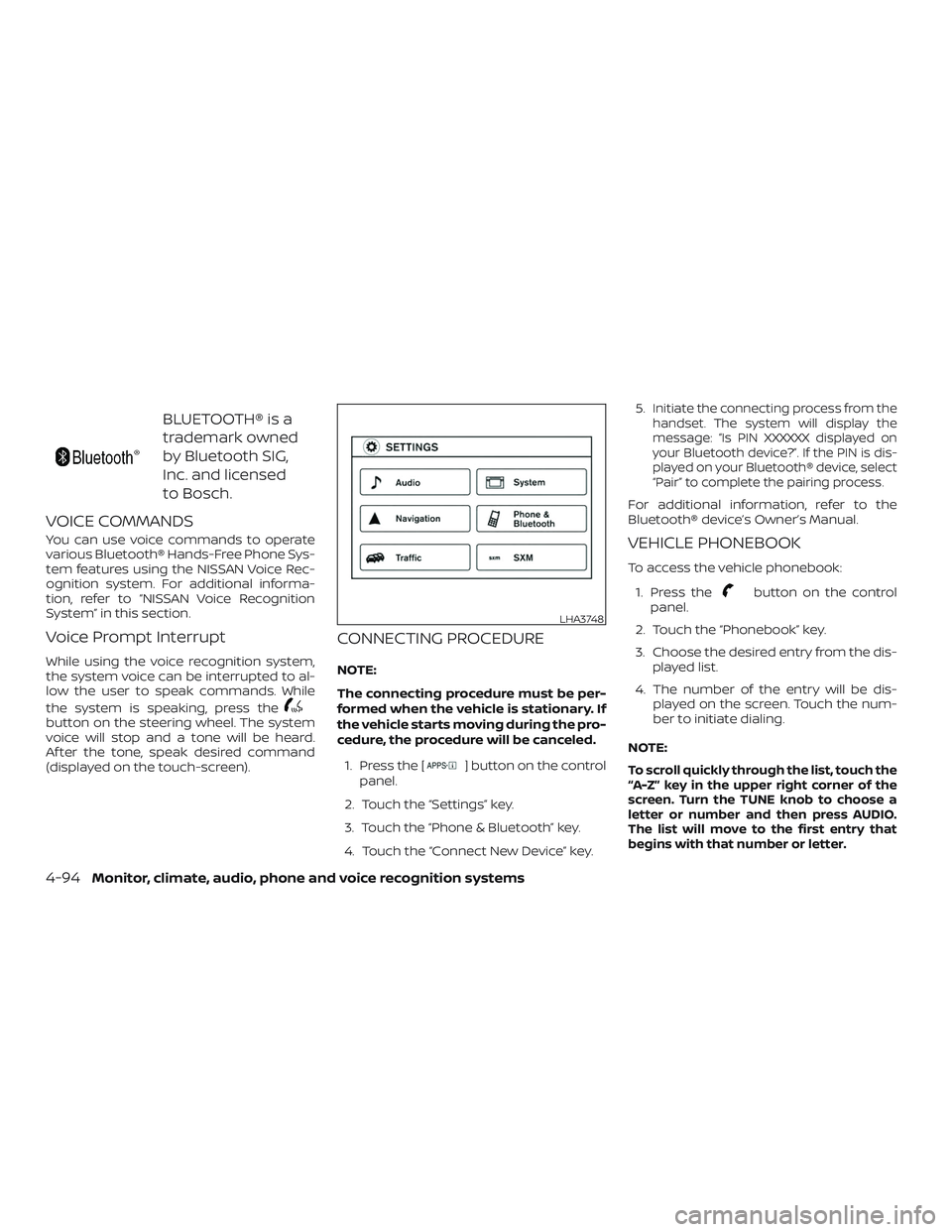
CONNECTING PROCEDURE
NOTE:
The connecting procedure must be per-
formed when the vehicle is stationary. If
the vehicle starts moving during the pro-
cedure, the procedure will be canceled.1. Press the [
] button on the control
panel.
2. Touch the “Settings” key.
3. Touch the “Phone & Bluetooth” key.
4. Touch the “Connect New Device” key. 5.
Initiate the connecting process from the
handset. The system will display the
message: “Is PIN XXXXXX displayed on
your Bluetooth device?”. If the PIN is dis-
played on your Bluetooth® device, select
“Pair” to complete the pairing process.
For additional information, refer to the
Bluetooth® device’s Owner’s Manual.
VEHICLE PHONEBOOK
To access the vehicle phonebook:
1. Press the
button on the control
panel.
2. Touch the “Phonebook” key.
3. Choose the desired entry from the dis- played list.
4. The number of the entry will be dis- played on the screen. Touch the num-
ber to initiate dialing.
NOTE:
To scroll quickly through the list, touch the
“A-Z” key in the upper right corner of the
screen. Turn the TUNE knob to choose a
letter or number and then press AUDIO.
The list will move to the first entry that
begins with that number or letter.
LHA3748
4-94Monitor, climate, audio, phone and voice recognition systems
Page 293 of 507
MAKING A CALL
To make a call, follow the procedure below:1. Press the
button on the control
panel. The “Phone” screen will appear
on the display.
2. Select one of the following options to make a call:
∙ “Phonebook”: Select the name from an entry stored in the vehicle phonebook.
∙ “Call Lists”: Select the name from the incoming, outgoing or missed.
∙ “Redial”: Dial the last outgoing call from the vehicle.
∙“
”: Input the phone number manu-
ally using a keypad displayed on the
screen. For additional information, refer
to “How to use the touch-screen” in this
section.
RECEIVING A CALL
When a call is placed to the connected
phone, the display will change to phone
mode. To accept the incoming call, either:
∙ Press the
button on the steering
wheel, or
∙ Touch the phone icon on the screen.
To reject the incoming call, either:
∙ Press the
button on the steering
wheel, or
∙ Touch the phone icon on the screen.
DURING A CALL
While a call is active, the following options
are available on the screen: ∙ “Handset” Select this option to switch control of
the phone call over to the handset.
∙ “Mute Mic.” Select this option to mute the micro-
phone. Select again to unmute the mi-
crophone.
∙ Phone
icon
Select to end the phone call.
ENDING A CALL
To end a phone call, select the phone
icon on the screen or press thebut-
ton on the steering wheel.
TEXT MESSAGING (if so equipped)
WARNING
∙ Laws in some jurisdictions may re- strict the use of “Text-to-Speech”.
Check local regulations before using
this feature.
∙ Laws in some jurisdictions may re- strict the use of some of the applica-
tions and features, such as social net-
working and texting. Check local
regulations for any requirements.
∙ Use the text messaging feature af ter stopping your vehicle in a safe loca-
tion. If you have to use the feature
while driving, exercise extreme cau-
tion at all times so full attention may
be given to vehicle operation.
∙ If you are unable to devote full atten- tion to vehicle operation while using
the text messaging feature, pull off
the road to a safe location and stop
your vehicle.
Monitor, climate, audio, phone and voice recognition systems4-95
Page 299 of 507
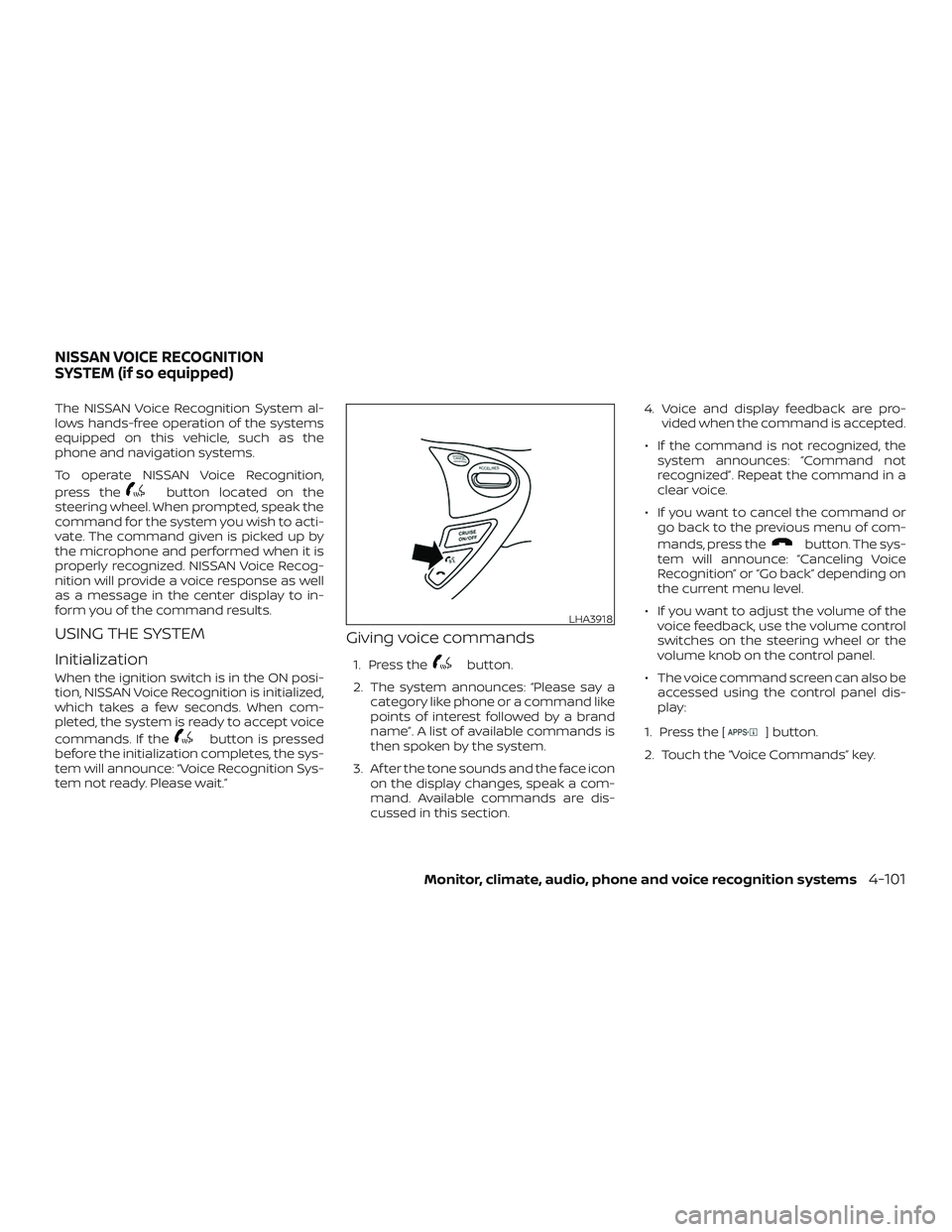
The NISSAN Voice Recognition System al-
lows hands-free operation of the systems
equipped on this vehicle, such as the
phone and navigation systems.
To operate NISSAN Voice Recognition,
press the
button located on the
steering wheel. When prompted, speak the
command for the system you wish to acti-
vate. The command given is picked up by
the microphone and performed when it is
properly recognized. NISSAN Voice Recog-
nition will provide a voice response as well
as a message in the center display to in-
form you of the command results.
USING THE SYSTEM
Initialization
When the ignition switch is in the ON posi-
tion, NISSAN Voice Recognition is initialized,
which takes a few seconds. When com-
pleted, the system is ready to accept voice
commands. If the
button is pressed
before the initialization completes, the sys-
tem will announce: “Voice Recognition Sys-
tem not ready. Please wait.”
Giving voice commands
1. Press thebutton.
2. The system announces: “Please say a category like phone or a command like
points of interest followed by a brand
name”. A list of available commands is
then spoken by the system.
3. Af ter the tone sounds and the face icon on the display changes, speak a com-
mand. Available commands are dis-
cussed in this section. 4. Voice and display feedback are pro-
vided when the command is accepted.
∙ If the command is not recognized, the system announces: “Command not
recognized”. Repeat the command in a
clear voice.
∙ If you want to cancel the command or go back to the previous menu of com-
mands, press the
button. The sys-
tem will announce: “Canceling Voice
Recognition” or “Go back” depending on
the current menu level.
∙ If you want to adjust the volume of the voice feedback, use the volume control
switches on the steering wheel or the
volume knob on the control panel.
∙ The voice command screen can also be accessed using the control panel dis-
play:
1. Press the [
] button.
2. Touch the “Voice Commands” key.
LHA3918
NISSAN VOICE RECOGNITION
SYSTEM (if so equipped)
Monitor, climate, audio, phone and voice recognition systems4-101
Page 302 of 507
∙ Select PhoneThe system replies “Please use manual
controls to continue”. Use manual con-
trols to change the active phone from
among the listed phones connected
to the vehicle.
∙ Siri (if so equipped)
The system replies “Starting Siri”. For
additional information, refer to “Oper-
ating Siri ®Eyes Free” in this section.
For additional information about the
Bluetooth® Hands-Free Phone System, re-
fer to “Bluetooth® Hands-Free Phone Sys-
tem with Navigation System” in this sec-
tion.
NAVIGATION SYSTEM VOICE
COMMANDS
The following voice commands are avail-
able for the navigation system: ∙ Street Address (address)
∙ Points of Interest (name)
∙ POI by Category
∙ Home
∙ Address Book ∙ Previous Destinations
∙ Enter Address in Steps
∙ Cancel Route
For additional information, refer to the
separate NissanConnect® Owner’s Manual.
AUDIO SYSTEM VOICE COMMANDS
To access the audio system voice com-
mands:
1. Press the
button.
2. Say “Audio”
3. Speak a command from the following available commands:
∙ Play (AM, FM, etc.) Allows user to select radio band
∙ Tune AM (number) Allows user to tune directly to a desired
AM frequency
∙ Tune FM (number) Allows user to tune directly to a desired
FM frequency ∙ SXM channel (number)
Allows user to tune directly to a desired
SXM station (if so equipped)
∙ CD Track (number) Allows user to select track to be played
∙ Play Song (name) Allows user to select song name to be
played
∙ Play Artist (name) Allows user to select artist to be played
∙ Play Album (name) Allows user to select album name to
be played
For additional information, refer to “Audio
system” in this section.
4-104Monitor, climate, audio, phone and voice recognition systems
Page 492 of 507
Do not tow a trailer with your vehicle.
FLAT TOWING
Towing your vehicle with all four wheels on
the ground is sometimes called flat towing.
This method is sometimes used when
towing a vehicle behind a recreational ve-
hicle, such as a motor home.
CAUTION
∙ Failure to follow these guidelines canresult in severe transmission damage.
∙ Whenever flat towing your vehicle, al- ways tow forward, never backward.
∙ Never tow your front wheel drive ve- hicle with the front tires on the
ground. Doing so may cause serious
and expensive damage to the
powertrain.
∙ DO NOT tow any continuously variable transmission vehicle with all four
wheels on the ground (flat towing).
Doing so WILL DAMAGE internal trans-
mission parts due to lack of transmis-
sion lubrication. ∙ For emergency towing procedures re-
fer to “Towing recommended by
NISSAN” in the “In case of emergency ”
section of this manual.
Manual Transmission (if so
equipped)
∙ Always tow with the manual transmis- sion in N (Neutral).
∙ Af ter towing 500 miles (805 km), start and idle the engine with the transmis-
sion in N (Neutral) for two minutes. Fail-
ure to idle the engine af ter every
500 miles (805 km) of towing may cause
damage to internal transmission parts.
Continuously Variable
Transmission (if so equipped)
To tow a vehicle equipped with a continu-
ously variable transmission, an appropriate
vehicle dolly MUSTbe placed under the
towed vehicle’s drive wheels. Alwaysfollow
the dolly manufacturer’s recommenda-
tions when using their product. DOT (Department of Transportation) Qual-
ity Grades: All passenger car tires must
conform to federal safety requirements in
addition to these grades.
Quality grades can be found where appli-
cable on the tire sidewall between tread
shoulder and maximum section width. For
example:
Treadwear 200 Traction AA Temperature A
Treadwear
The treadwear grade is a comparative rat-
ing based on the wear rate of the tire when
tested under controlled conditions on a
specified government test course. For ex-
ample, a tire graded 150 would wear one
and one-half (1 1/2) times as well on the
government course as a tire graded 100.
The relative performance of tires depends
upon the actual conditions of their use,
however, and may depart significantly from
the norm due to variations in driving habits,
service practices and differences in road
characteristics and climate.
TOWING A TRAILER
UNIFORM TIRE QUALITY GRADING
10-18Technical and consumer information