air condition NISSAN SENTRA 2019 Owner´s Manual
[x] Cancel search | Manufacturer: NISSAN, Model Year: 2019, Model line: SENTRA, Model: NISSAN SENTRA 2019Pages: 461, PDF Size: 5.79 MB
Page 92 of 461
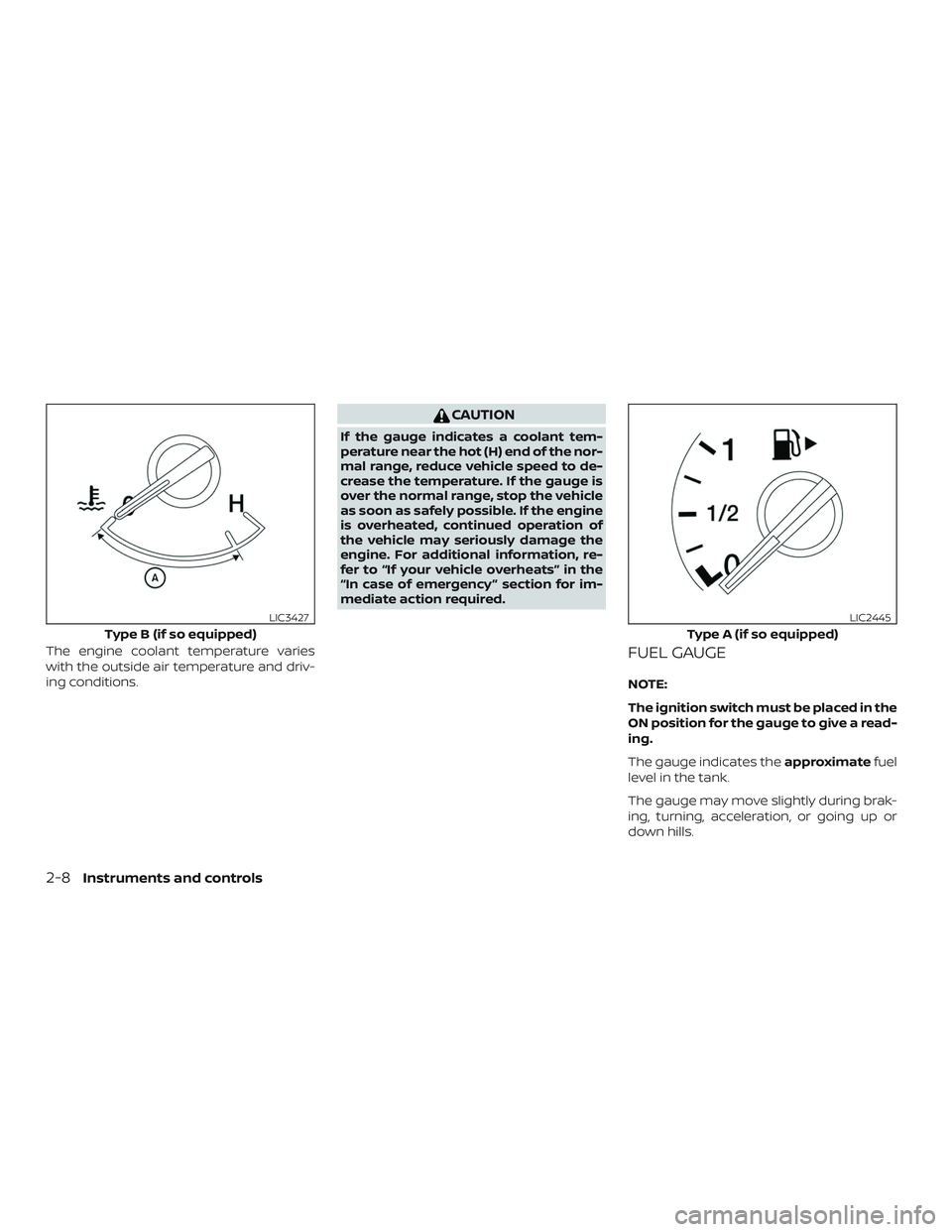
The engine coolant temperature varies
with the outside air temperature and driv-
ing conditions.
CAUTION
If the gauge indicates a coolant tem-
perature near the hot (H) end of the nor-
mal range, reduce vehicle speed to de-
crease the temperature. If the gauge is
over the normal range, stop the vehicle
as soon as safely possible. If the engine
is overheated, continued operation of
the vehicle may seriously damage the
engine. For additional information, re-
fer to “If your vehicle overheats” in the
“In case of emergency ” section for im-
mediate action required.
FUEL GAUGE
NOTE:
The ignition switch must be placed in the
ON position for the gauge to give a read-
ing.
The gauge indicates theapproximatefuel
level in the tank.
The gauge may move slightly during brak-
ing, turning, acceleration, or going up or
down hills.
Type B (if so equipped)
LIC3427
Type A (if so equipped)
LIC2445
2-8Instruments and controls
Page 103 of 461
∙ When the power steering warninglight illuminates with the engine run-
ning, there will be no power assist for
the steering. You will still have control
of the vehicle but the steering will be
harder to operate. Have the power
steering system checked. It is recom-
mended that you visit a NISSAN dealer
for this service.
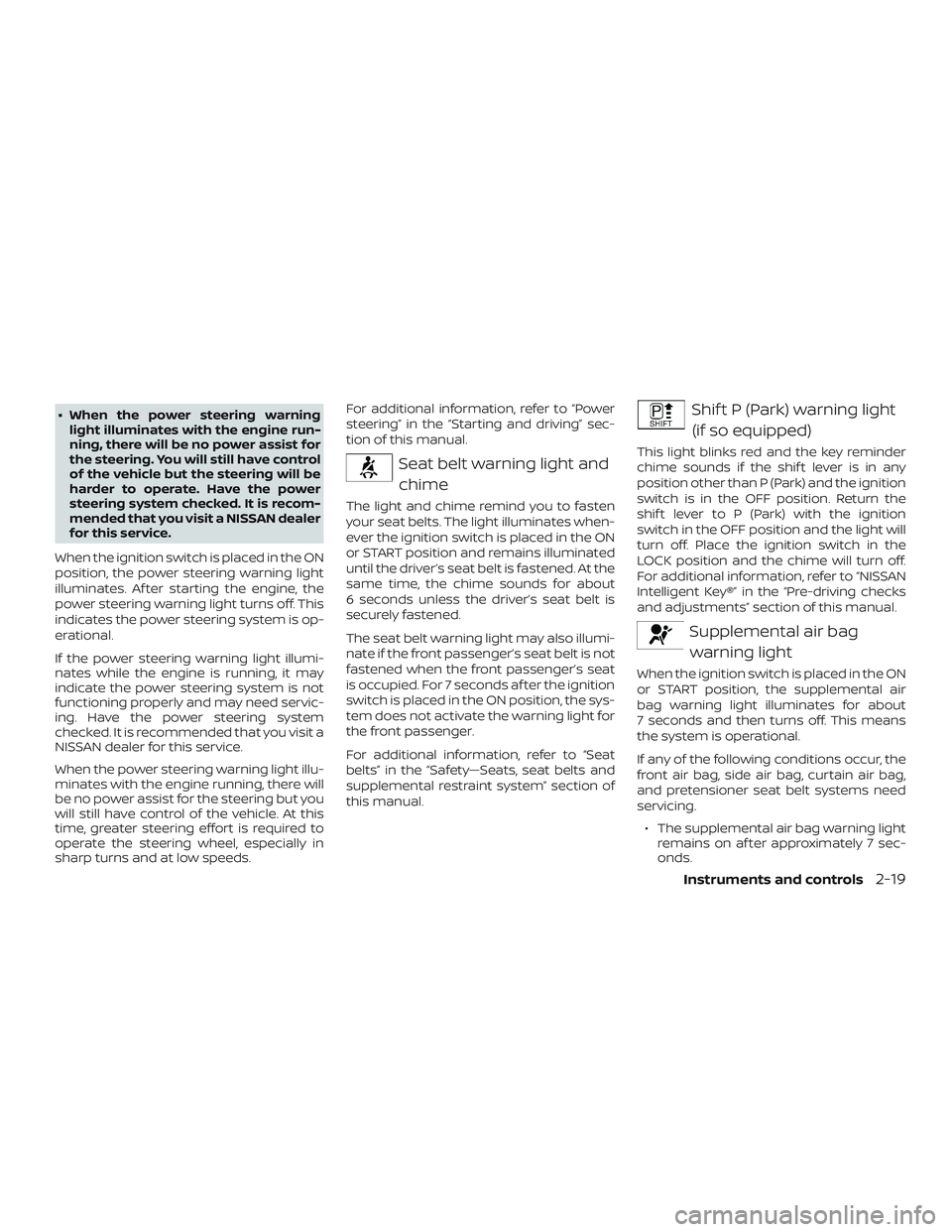
When the ignition switch is placed in the ON
position, the power steering warning light
illuminates. Af ter starting the engine, the
power steering warning light turns off. This
indicates the power steering system is op-
erational.
If the power steering warning light illumi-
nates while the engine is running, it may
indicate the power steering system is not
functioning properly and may need servic-
ing. Have the power steering system
checked. It is recommended that you visit a
NISSAN dealer for this service.
When the power steering warning light illu-
minates with the engine running, there will
be no power assist for the steering but you
will still have control of the vehicle. At this
time, greater steering effort is required to
operate the steering wheel, especially in
sharp turns and at low speeds. For additional information, refer to “Power
steering” in the “Starting and driving” sec-
tion of this manual.
Seat belt warning light and
chime
The light and chime remind you to fasten
your seat belts. The light illuminates when-
ever the ignition switch is placed in the ON
or START position and remains illuminated
until the driver’s seat belt is fastened. At the
same time, the chime sounds for about
6 seconds unless the driver’s seat belt is
securely fastened.
The seat belt warning light may also illumi-
nate if the front passenger’s seat belt is not
fastened when the front passenger’s seat
is occupied. For 7 seconds af ter the ignition
switch is placed in the ON position, the sys-
tem does not activate the warning light for
the front passenger.
For additional information, refer to “Seat
belts” in the “Safety—Seats, seat belts and
supplemental restraint system” section of
this manual.
Shif t P (Park) warning light(if so equipped)
This light blinks red and the key reminder
chime sounds if the shif t lever is in any
position other than P (Park) and the ignition
switch is in the OFF position. Return the
shif t lever to P (Park) with the ignition
switch in the OFF position and the light will
turn off. Place the ignition switch in the
LOCK position and the chime will turn off.
For additional information, refer to “NISSAN
Intelligent Key®” in the “Pre-driving checks
and adjustments” section of this manual.
Supplemental air bagwarning light
When the ignition switch is placed in the ON
or START position, the supplemental air
bag warning light illuminates for about
7 seconds and then turns off. This means
the system is operational.
If any of the following conditions occur, the
front air bag, side air bag, curtain air bag,
and pretensioner seat belt systems need
servicing.
∙ The supplemental air bag warning light remains on af ter approximately 7 sec-
onds.
Instruments and controls2-19
Page 133 of 461
∙ Only certain power outlets are de-signed for use with a cigarette lighter
unit. Do not use any other power out-
let for an accessory lighter. It is rec-
ommended that you visit a NISSAN
dealer for additional information.
∙ Do not use with accessories that ex- ceed a 12 volt, 120W (10A) power draw.
∙ Do not use double adapters or more than one electrical accessory.
∙ Use power outlets with the engine running to avoid discharging the ve-
hicle battery.
∙ Avoid using power outlets when the air conditioner, headlights or rear win-
dow defroster is on.
∙ Before inserting or disconnecting a plug, be sure the electrical accessory
being used is turned off.
∙ Push the plug in as far as it will go. If good contact is not made, the plug
may overheat or the internal tem-
perature fuse may open.
∙ When not in use, be sure to close the cap. Do not allow water or any other
liquid to contact the outlet.
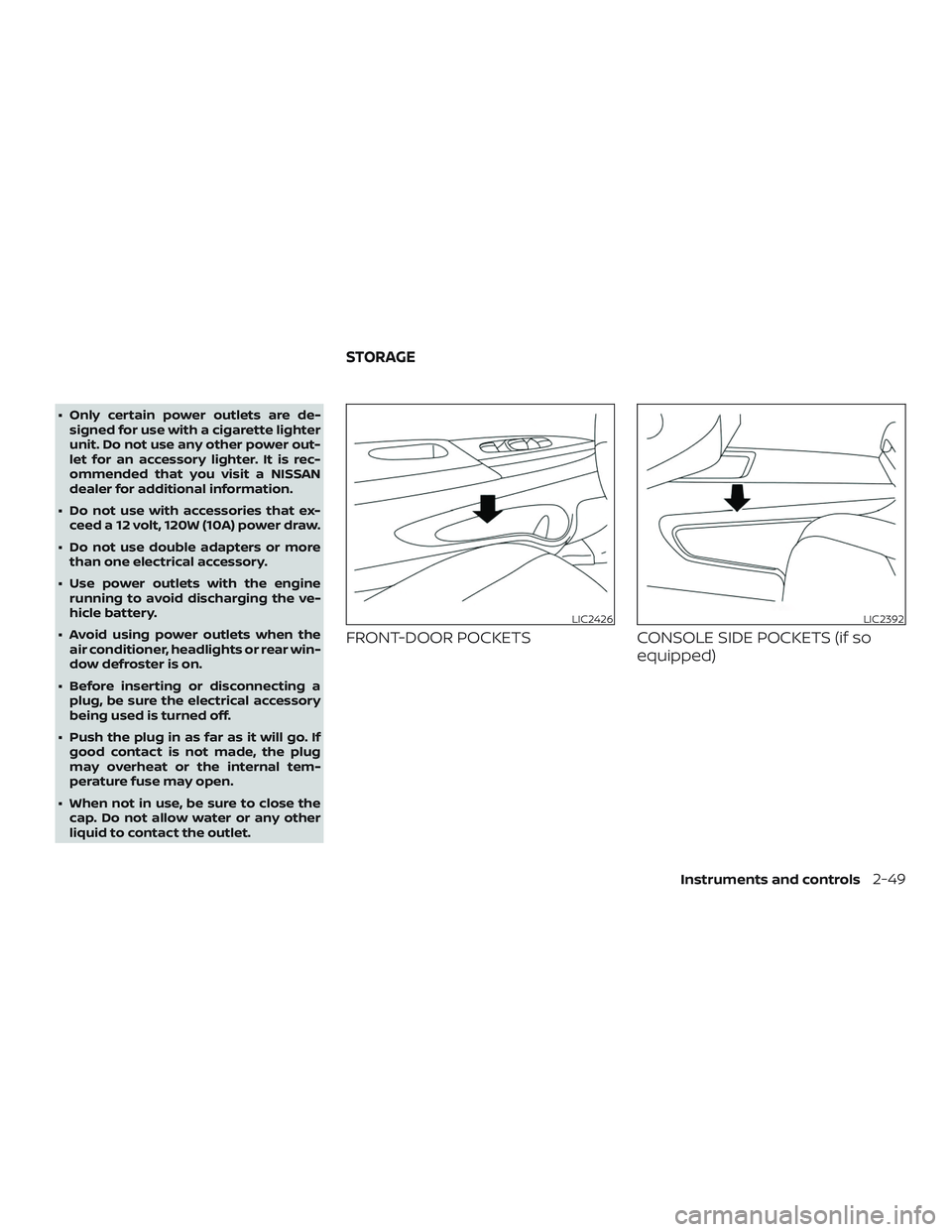
FRONT-DOOR POCKETS CONSOLE SIDE POCKETS (if so
equipped)
LIC2426LIC2392
STORAGE
Instruments and controls2-49
Page 141 of 461
Auto-reverse function
The auto-reverse function can be acti-
vated when a window is closed by auto-
matic operation.
Depending on the environment or driv-
ing conditions, the auto-reverse func-
tion may be activated if an impact or
load similar to something being caught
in the window occurs.
WARNING
There are some small distances imme-
diately before the closed position which
cannot be detected. Make sure that all
passengers have their hands, etc., in-
side the vehicle before closing the
window.
If the vehicle’s battery is disconnected, re-
placed, or jump started, the power window
auto-reverse function may not operate
properly. Have the power window auto-
reverse system re-initialized. It is recom-
mended that you visit a NISSAN dealer for
this service.
If the control unit detects something
caught in a window equipped with auto-
matic operation as it is closing, the window
will be immediately lowered.
When power window switch does
not operate
If the power window automatic function
(closing only) does not operate properly,
perform the following procedure to initial-
ize the power window system: 1. Place the ignition switch in the ON po- sition.
2. Open the window more than half way by operating the power window switch.
3. Pull the power window switch and hold it to close the window, and then hold
the switch more than 3 seconds af ter
the window is closed.
4. Release the power window switch. Op- erate the window by the automatic
function to confirm the initialization is
complete. The power window auto-
matically opens or closes depending
on if the automatic down or up func-
tion is selected.
5. Perform steps 2 through 4 above for other windows. If the power window function does not op-
erate properly af ter performing the above
procedure have the system checked and
repaired. It is recommended that you visit a
NISSAN dealer for this service.
Instruments and controls2-57
Page 158 of 461
WARNING
∙ Radio waves could adversely affectelectric medical equipment. Those
who use a pacemaker should contact
the electric medical equipment
manufacturer for the possible influ-
ences before use.
∙ The remote keyless entry key fob transmits radio waves when the but-
tons are pressed. The FAA advises ra-
dio waves may affect aircraf t naviga-
tion and communication systems. Do
not operate the remote keyless entry
key fob while on an airplane. Make
sure the buttons are not operated un-
intentionally when the unit is stored
for a flight.
It is possible to lock/unlock all doors, turn
the interior lights on, and activate the panic
alarm by using the key fob from outside the
vehicle.
Be sure to remove the key from the ve-
hicle before locking the doors.
The key fob can operate at a distance of
approximately 33 f t (10 m) from the vehicle.
The effective distance depends on the
conditions around the vehicle. As many as four key fobs can be used with
one vehicle. For information concerning
the purchase and use of additional key
fobs, it is recommended that you visit a
NISSAN dealer.
The key fob will not function when:
∙ The battery is discharged.
∙ The distance between the vehicle and the key fob is over 33 f t (10 m).
The panic alarm will not activate when
the key is in the ignition switch.
CAUTION
Listed below are conditions or occur-
rences which will damage the key fob:
∙ Do not allow the key fob, which con- tains electrical components, to come
into contact with water or salt water.
This could affect the system function.
∙ Do not drop the key fob.
∙ Do not strike the key fob sharply against another object.
∙ Do not change or modif y the key fob.
∙ Wetting may damage the key fob. If the key fob gets wet, immediately
wipe until it is completely dry. ∙ Do not place the key fob for an ex-
tended period in an area where tem-
peratures exceed 140°F (60°C).
∙ Do not attach the key fob with a key holder that contains a magnet.
∙ Do not place the key fob near equip- ment that produces a magnetic field,
such as a TV, audio equipment and
personal computers.
If a key fob is lost or stolen, NISSAN rec-
ommends erasing the ID code of that
key fob. This will prevent the key fob
from unauthorized use to unlock the
vehicle. For information regarding the
erasing procedure, it is recommended
that you visit a NISSAN dealer.
REMOTE KEYLESS ENTRY SYSTEM (if
so equipped)
3-8Pre-driving checks and adjustments
Page 161 of 461
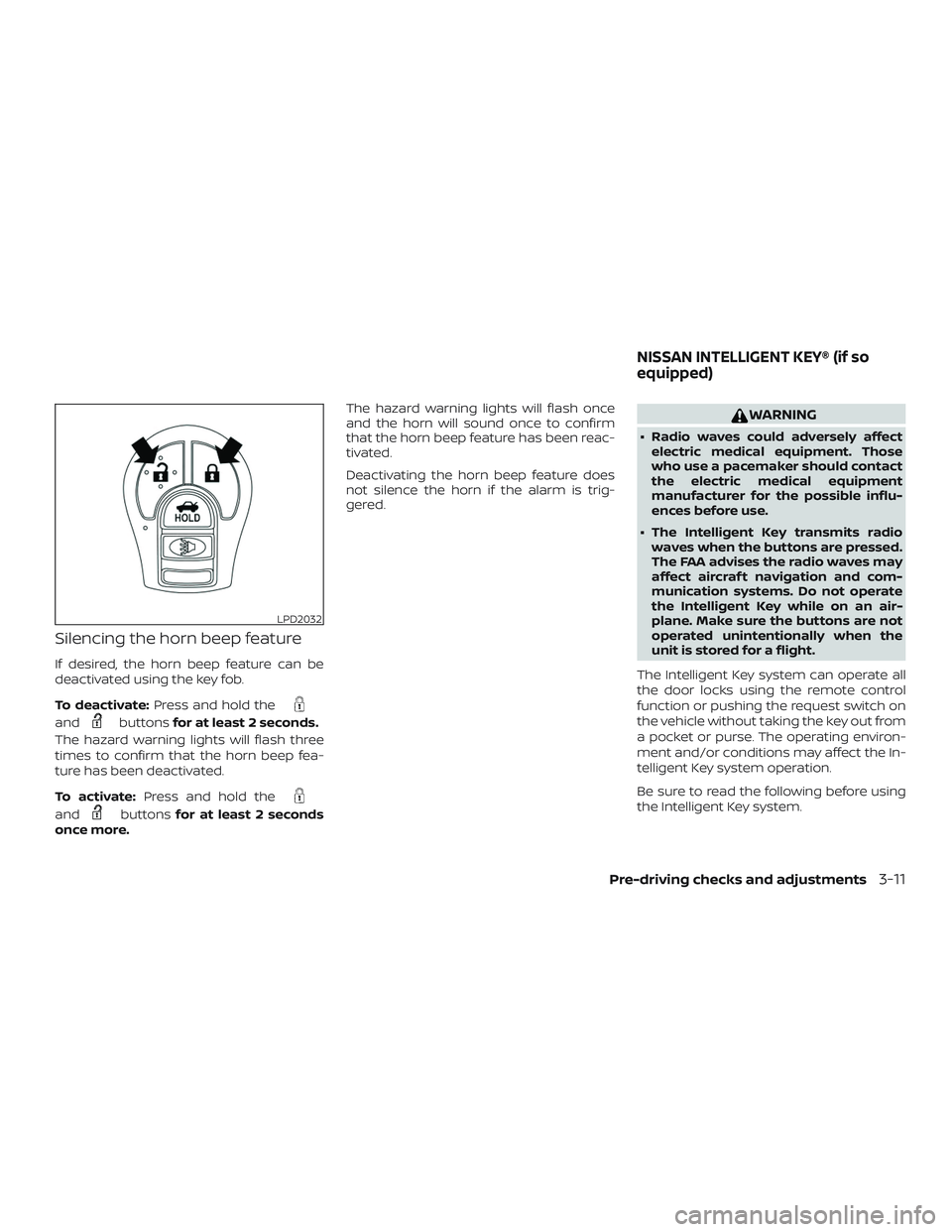
Silencing the horn beep feature
If desired, the horn beep feature can be
deactivated using the key fob.
To deactivate:Press and hold the
andbuttonsfor at least 2 seconds.
The hazard warning lights will flash three
times to confirm that the horn beep fea-
ture has been deactivated.
To activate: Press and hold the
andbuttonsfor at least 2 seconds
once more. The hazard warning lights will flash once
and the horn will sound once to confirm
that the horn beep feature has been reac-
tivated.
Deactivating the horn beep feature does
not silence the horn if the alarm is trig-
gered.
WARNING
∙ Radio waves could adversely affect
electric medical equipment. Those
who use a pacemaker should contact
the electric medical equipment
manufacturer for the possible influ-
ences before use.
∙ The Intelligent Key transmits radio waves when the buttons are pressed.
The FAA advises the radio waves may
affect aircraf t navigation and com-
munication systems. Do not operate
the Intelligent Key while on an air-
plane. Make sure the buttons are not
operated unintentionally when the
unit is stored for a flight.
The Intelligent Key system can operate all
the door locks using the remote control
function or pushing the request switch on
the vehicle without taking the key out from
a pocket or purse. The operating environ-
ment and/or conditions may affect the In-
telligent Key system operation.
Be sure to read the following before using
the Intelligent Key system.
LPD2032
NISSAN INTELLIGENT KEY® (if so
equipped)
Pre-driving checks and adjustments3-11
Page 184 of 461
4 Monitor, climate, audio, phone and
voice recognition systems
NissanConnect® Owner’s Manual................4-2
Control panel buttons ...........................4-3
How to use the touch-screen .................4-3
How to use the
MENU button ...........4-5
(brightness control) button .............4-7
How to use the VOL (volume) knob /
PUSH
(power)button ...................4-7
Selecting menu from launch bar .............4-7
RearView Monitor ...............................4-8
RearView Monitor system operation ..........4-9
How to read the displayed lines ...............4-9
Difference between predicted and
actual distances ............................. 4-10
How to park with predicted course
lines (if so equipped) .......................... 4-11
Adjusting the screen ........................ 4-13
How to turn on and off predicted
course lines (if so equipped) .................4-13
RearView Monitor system limitations ........4-13
System maintenance ........................ 4-14
Vents ........................................... 4-15
Heater (manual) (if so equipped) ................4-15
Controls ..................................... 4-16Heater operation
............................ 4-17
Air flow charts ............................... 4-18
Heater and air conditioner (manual)
(if so equipped) ................................. 4-20
Controls ..................................... 4-21
Heater operation ............................ 4-22
Air conditioner operation ....................4-23
Air flow charts ............................... 4-24
Heater and air conditioner (automatic)
(if so equipped) ................................. 4-28
Automatic operation ........................ 4-29
Manual operation ........................... 4-30
Operating tips ............................... 4-31
Servicing air conditioner (if so equipped) ........4-31
Audio system ................................... 4-31
Radio ........................................ 4-31
FM radio reception .......................... 4-32
AM radio reception .......................... 4-32
Audio operation precautions ................4-32
FM/AM radio ................................. 4-36
USB (Universal Serial Bus) Connection
Port......................................... 4-40
iPod®* player operation ......................4-43
Bluetooth® streaming audio .................4-46
Page 186 of 461
Refer to the NissanConnect® Owner’s
Manual that includes the following infor-
mation.∙ NissanConnect® Services
∙ Navigation system
∙ Audio system
∙ Apple CarPlay
TM
∙ Android AutoTM
∙ Bluetooth® Hands-Free Phone system
∙ Viewing information
∙ Other settings
∙ Voice recognition
∙ General system information
WARNING
∙ Positioning of the heating or air con- ditioning controls and display con-
trols should not be done while driving
in order that full attention may be
given to the driving operation.
∙ Do not disassemble or modif y this system. If you do, it may result in acci-
dents, fire, or electrical shock.
∙ Do not use this system if you notice any abnormality, such as a frozen
screen or lack of sound. Continued
use of the system may result in acci-
dent, fire or electric shock.
∙ In case you notice any foreign object in the system hardware, spill liquid on
it, or notice smoke or smell coming
from it, stop using the system imme-
diately. Ignoring such conditions may
lead to accidents, fire or electrical
shock. It is recommended that you
visit a NISSAN dealer for servicing.
NISSANCONNECT® OWNER’S
MANUAL
4-2Monitor, climate, audio, phone and voice recognition systems
Page 199 of 461
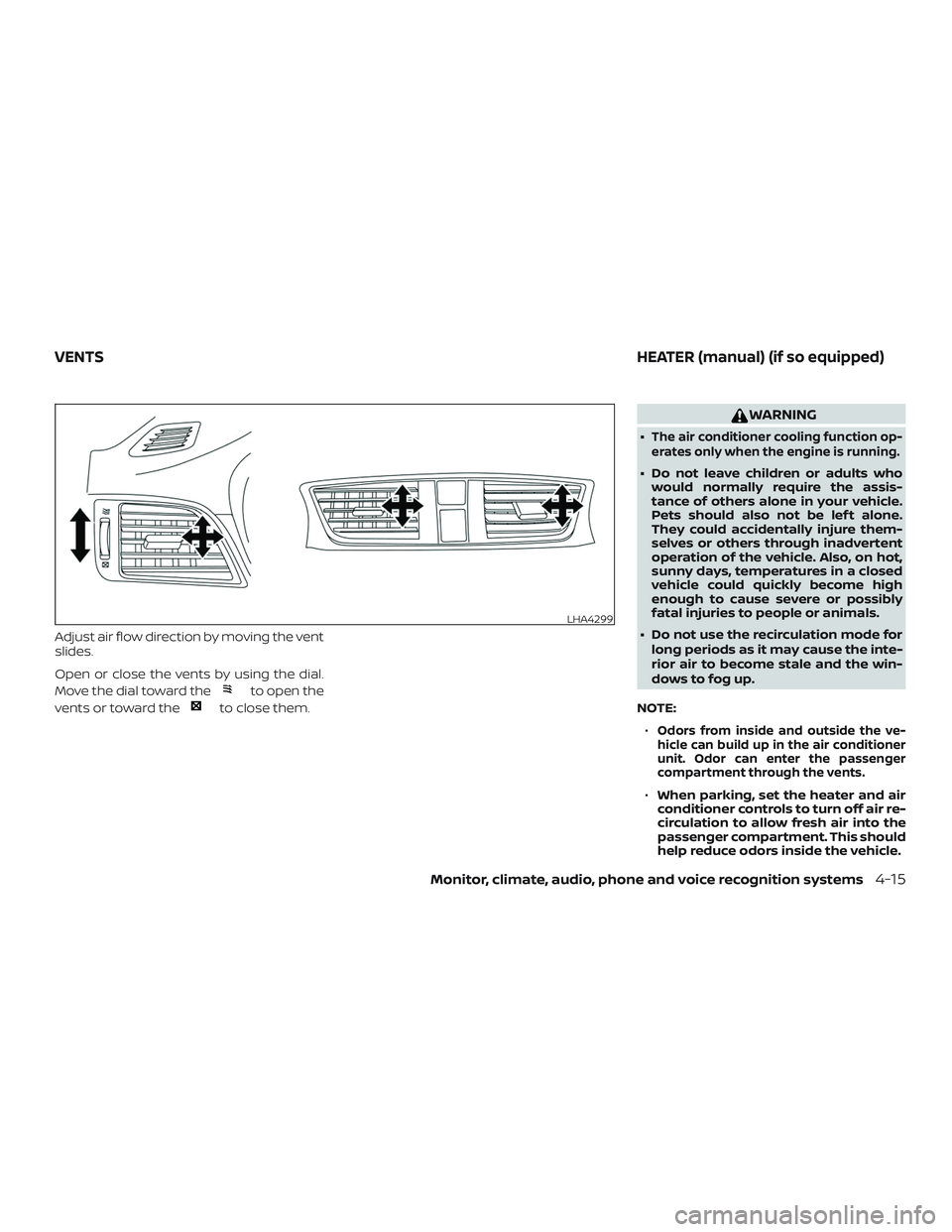
Adjust air flow direction by moving the vent
slides.
Open or close the vents by using the dial.
Move the dial toward the
to open the
vents or toward the
to close them.
WARNING
∙The air conditioner cooling function op-
erates only when the engine is running.
∙ Do not leave children or adults who would normally require the assis-
tance of others alone in your vehicle.
Pets should also not be lef t alone.
They could accidentally injure them-
selves or others through inadvertent
operation of the vehicle. Also, on hot,
sunny days, temperatures in a closed
vehicle could quickly become high
enough to cause severe or possibly
fatal injuries to people or animals.
∙ Do not use the recirculation mode for long periods as it may cause the inte-
rior air to become stale and the win-
dows to fog up.
NOTE: ∙
Odors from inside and outside the ve-
hicle can build up in the air conditioner
unit. Odor can enter the passenger
compartment through the vents.
∙ When parking, set the heater and air
conditioner controls to turn off air re-
circulation to allow fresh air into the
passenger compartment. This should
help reduce odors inside the vehicle.
LHA4299
VENTS HEATER (manual) (if so equipped)
Monitor, climate, audio, phone and voice recognition systems4-15
Page 204 of 461
WARNING
∙The air conditioner cooling function op-
erates only when the engine is running.
∙ Do not leave children or adults who would normally require the assis-
tance of others alone in your vehicle.
Pets should also not be lef t alone.
They could accidentally injure them-
selves or others through inadvertent
operation of the vehicle. Also, on hot,
sunny days, temperatures in a closed
vehicle could quickly become high
enough to cause severe or possibly
fatal injuries to people or animals.
∙ Do not use the recirculation mode for long periods as it may cause the inte-
rior air to become stale and the win-
dows to fog up.
NOTE: ∙
Odors from inside and outside the ve-
hicle can build up in the air conditioner
unit. Odor can enter the passenger
compartment through the vents.
∙ When parking, set the heater and air
conditioner controls to turn off air re-
circulation to allow fresh air into the
passenger compartment. This should
help reduce odors inside the vehicle.
LHA4403
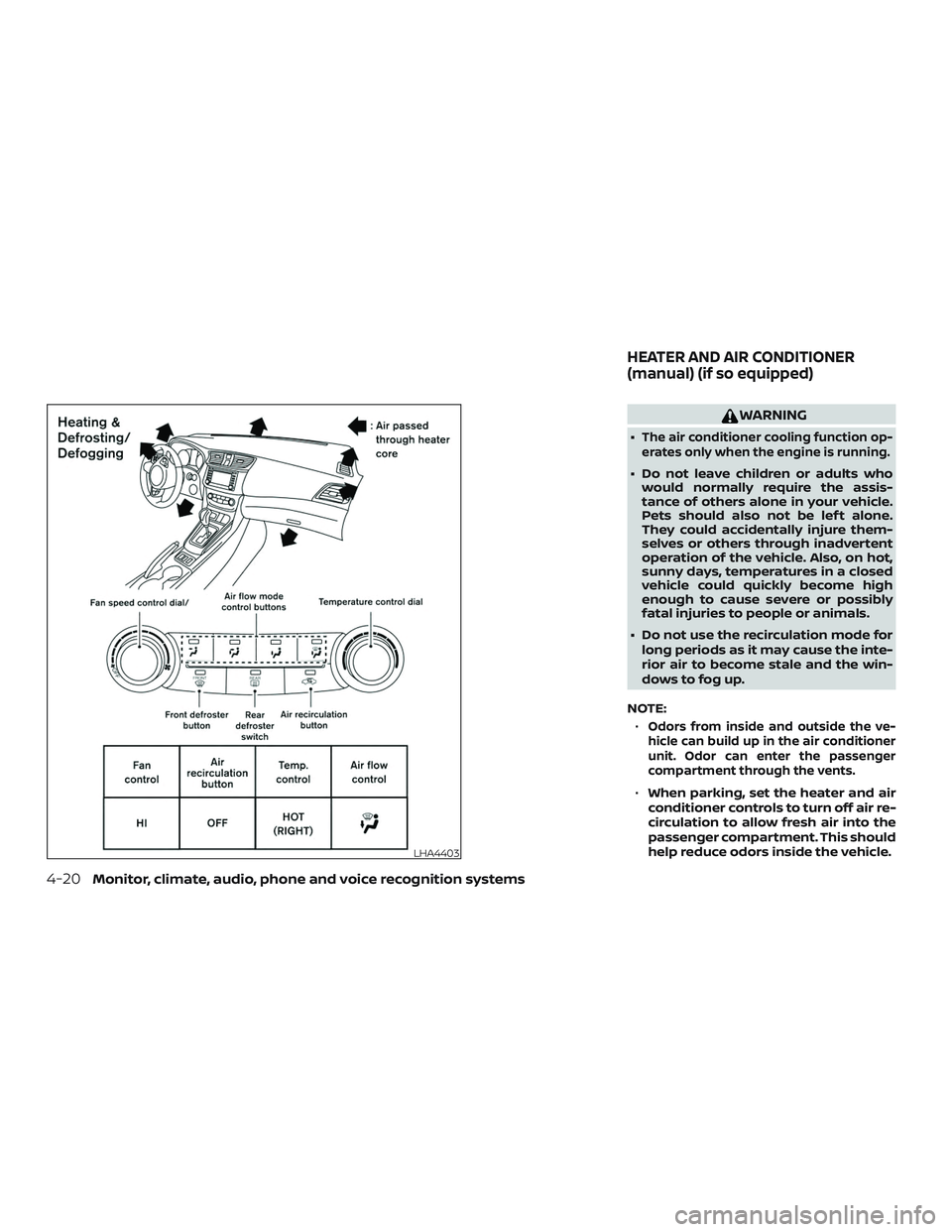
HEATER AND AIR CONDITIONER
(manual) (if so equipped)
4-20Monitor, climate, audio, phone and voice recognition systems