engine NISSAN SENTRA 2020 Owner´s Manual
[x] Cancel search | Manufacturer: NISSAN, Model Year: 2020, Model line: SENTRA, Model: NISSAN SENTRA 2020Pages: 528, PDF Size: 3.56 MB
Page 363 of 528
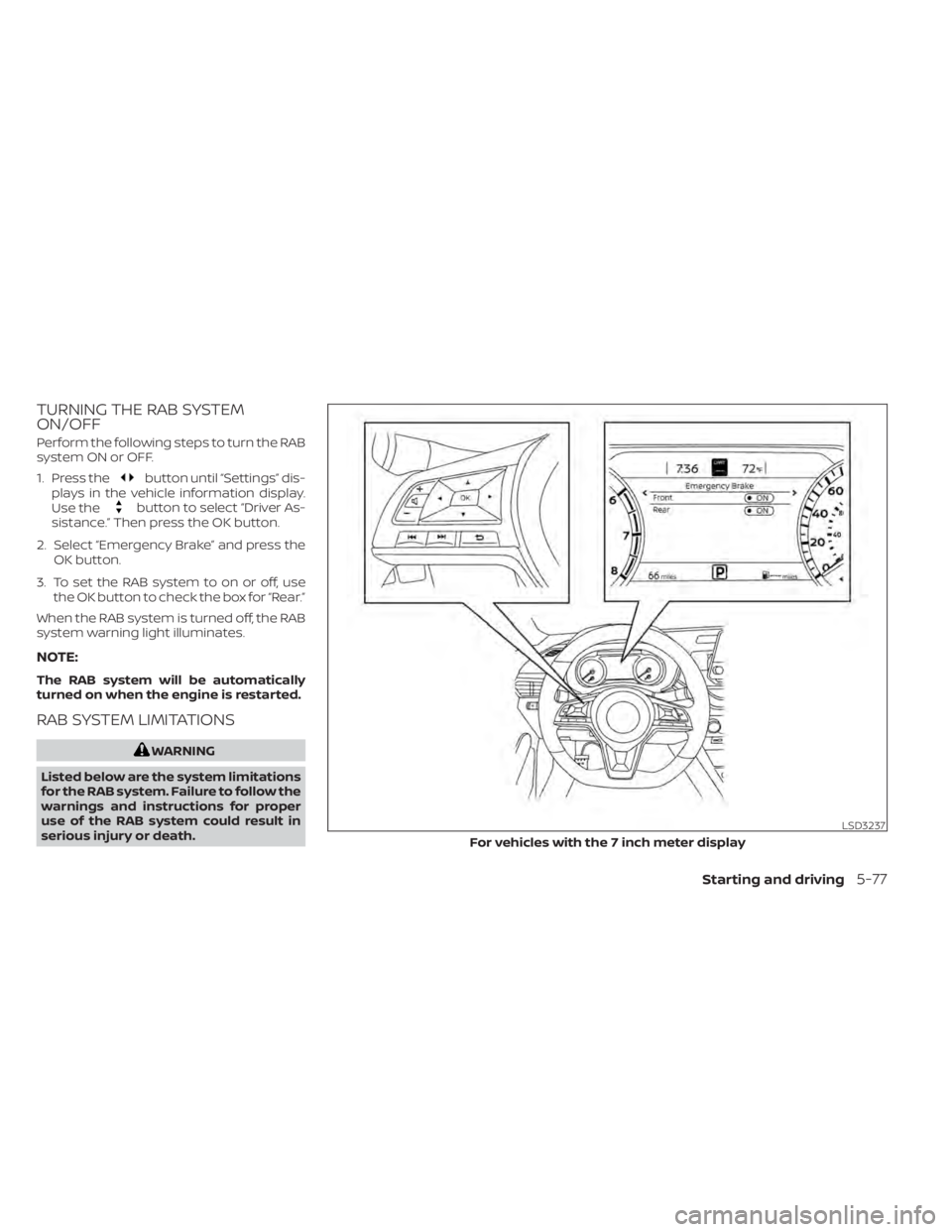
TURNING THE RAB SYSTEM
ON/OFF
Perform the following steps to turn the RAB
system ON or OFF.
1. Press the
button until “Settings” dis-
plays in the vehicle information display.
Use the
button to select “Driver As-
sistance.” Then press the OK button.
2. Select “Emergency Brake” and press the OK button.
3. To set the RAB system to on or off, use the OK button to check the box for “Rear.”
When the RAB system is turned off, the RAB
system warning light illuminates.
NOTE:
The RAB system will be automatically
turned on when the engine is restarted.
RAB SYSTEM LIMITATIONS
WARNING
Listed below are the system limitations
for the RAB system. Failure to follow the
warnings and instructions for proper
use of the RAB system could result in
serious injury or death.
LSD3237
For vehicles with the 7 inch meter display
Starting and driving5-77
Page 366 of 528
–Suspension parts other than
those designated as Genuine
NISSAN parts are used. (If the ve-
hicle height or the vehicle body in-
clination is changed, the system
may not detect an obstacle
correctly.)
• Excessive noise (e.g., audio system
volume, an open vehicle window) will
interfere with the chime sound, and it
may not be heard.
SYSTEM MALFUNCTION
If the RAB system malfunctions, it will be
turned off automatically, the RAB system
warning light will illuminate, and the “Sys-
tem fault” warning message will appear in
the vehicle information display.
Action to take
If the warning light illuminates, park the ve-
hicle in a safe location, turn the engine off,
and restart the engine. If the warning light
continues to illuminate, have the RAB sys-
tem checked. It is recommended that you
visit a NISSAN dealer for this service.
NOTE:
If the RAB system cannot be operated
temporarily, the RAB system warning
light blinks.
SYSTEM MAINTENANCE
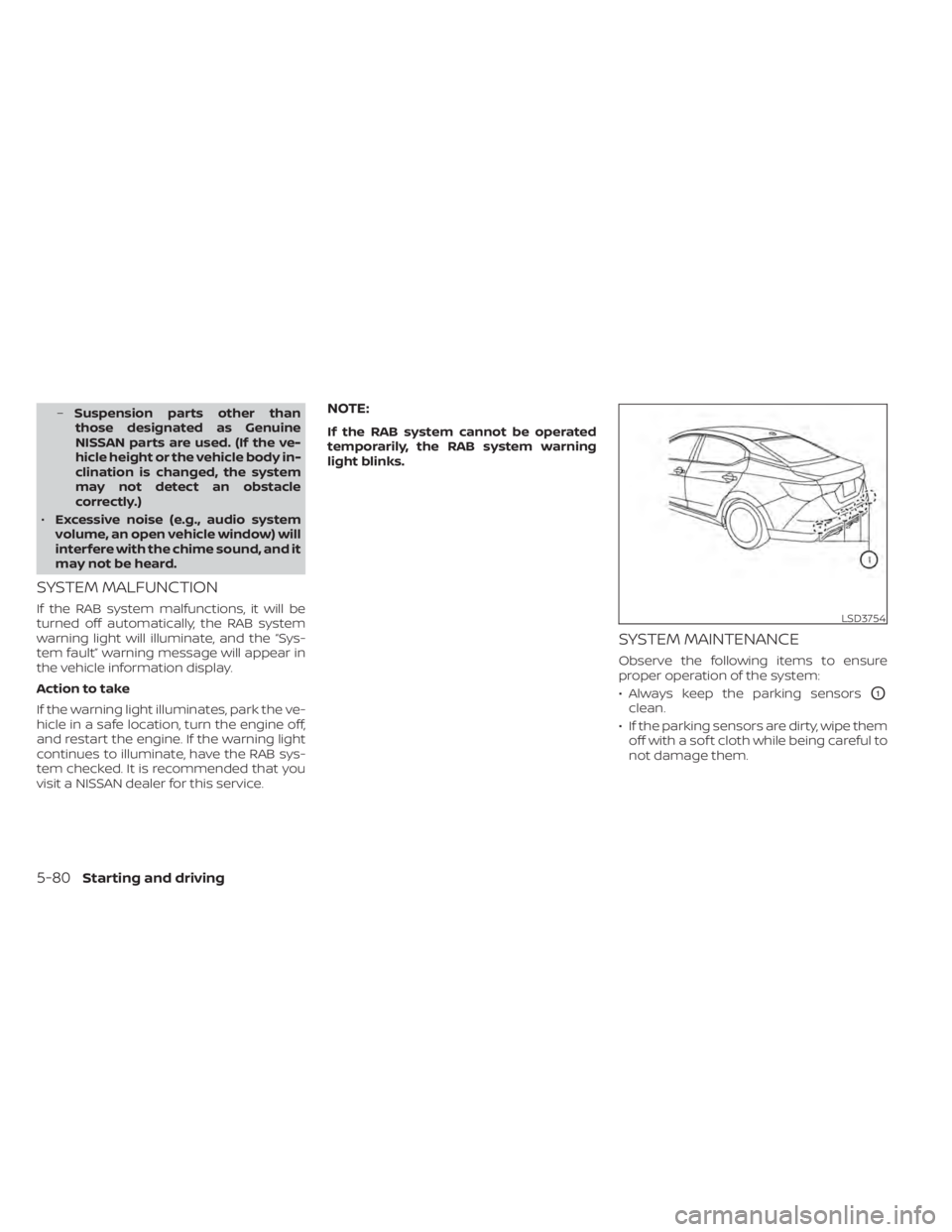
Observe the following items to ensure
proper operation of the system:
• Always keep the parking sensors
O1
clean.
• If the parking sensors are dirty, wipe them off with a sof t cloth while being careful to
not damage them.
LSD3754
5-80Starting and driving
Page 371 of 528
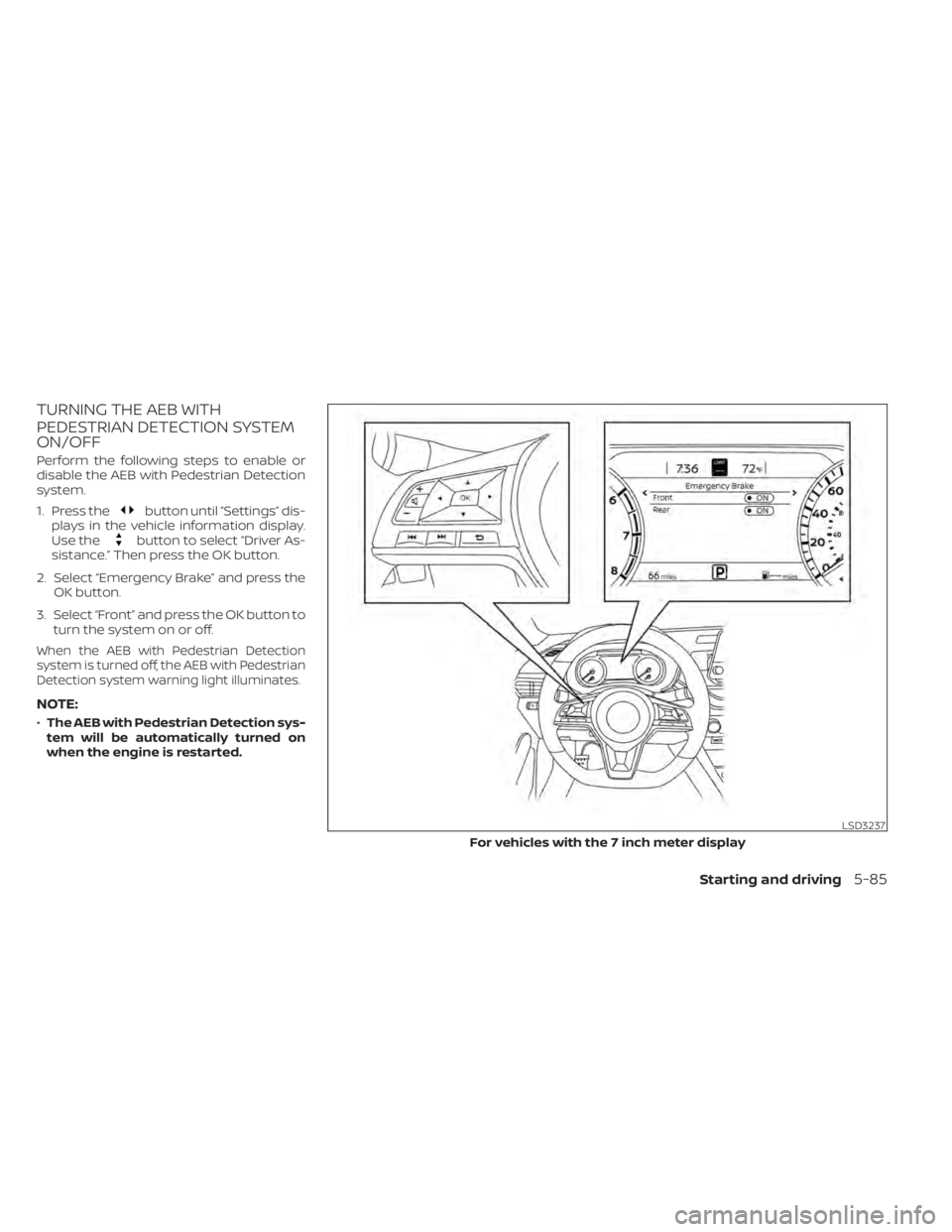
TURNING THE AEB WITH
PEDESTRIAN DETECTION SYSTEM
ON/OFF
Perform the following steps to enable or
disable the AEB with Pedestrian Detection
system.
1. Press the
button until “Settings” dis-
plays in the vehicle information display.
Use the
button to select “Driver As-
sistance.” Then press the OK button.
2. Select “Emergency Brake” and press the OK button.
3. Select “Front” and press the OK button to turn the system on or off.
When the AEB with Pedestrian Detection
system is turned off, the AEB with Pedestrian
Detection system warning light illuminates.
NOTE:
•The AEB with Pedestrian Detection sys-
tem will be automatically turned on
when the engine is restarted.
LSD3237
For vehicles with the 7 inch meter display
Starting and driving5-85
Page 376 of 528
Condition B:
When the radar sensor of the front bumper
is covered with dirt or is obstructed, the
AEB with Pedestrian Detection system will
automatically be canceled. The chime will
sound and the “Unavailable: Front Radar
Obstruction” warning message will appear
in the vehicle information display.
Action to take:
If the warning message appears, stop the
vehicle in a safe place, place the shif t lever
in the P (Park) position, and turn the engine
off. When the radar signal is temporarily
interrupted, clean the sensor area of the
front bumper and restart the engine. If the
“Unavailable: Front Radar Obstruction”
warning message continues to be dis-
played, have the system checked. It is rec-
ommended that you visit a NISSAN dealer
for this service.
Condition C
When driving on roads with limited road
structures or buildings (for example, long
bridges, deserts, snowfields, driving next to
long walls), the system may illuminate the
system warning light and display the “Un-
available: Front Radar Obstruction” mes-
sage.Action to take:
When the above driving conditions no lon-
ger exist, turn the system back on.
NOTE:
If the AEB with Pedestrian Detection
system stops working, the I-FCW sys-
tem will also stop working.
SYSTEM MALFUNCTION
If the AEB with Pedestrian Detection sys-
tem malfunctions, it will be turned off auto-
matically, a chime will sound, the AEB with
Pedestrian Detection system warning light
(orange) will illuminate and the warning
message [Malfunction] will appear in the
vehicle information display.
Action to take
If the warning light (orange) comes on, stop
the vehicle in a safe location, turn the en-
gine off and restart the engine. If the warn-
ing light continues to illuminate, have the
AEB with Pedestrian Detection system
checked. It is recommended that you visit a
NISSAN dealer for this service.
SYSTEM MAINTENANCE
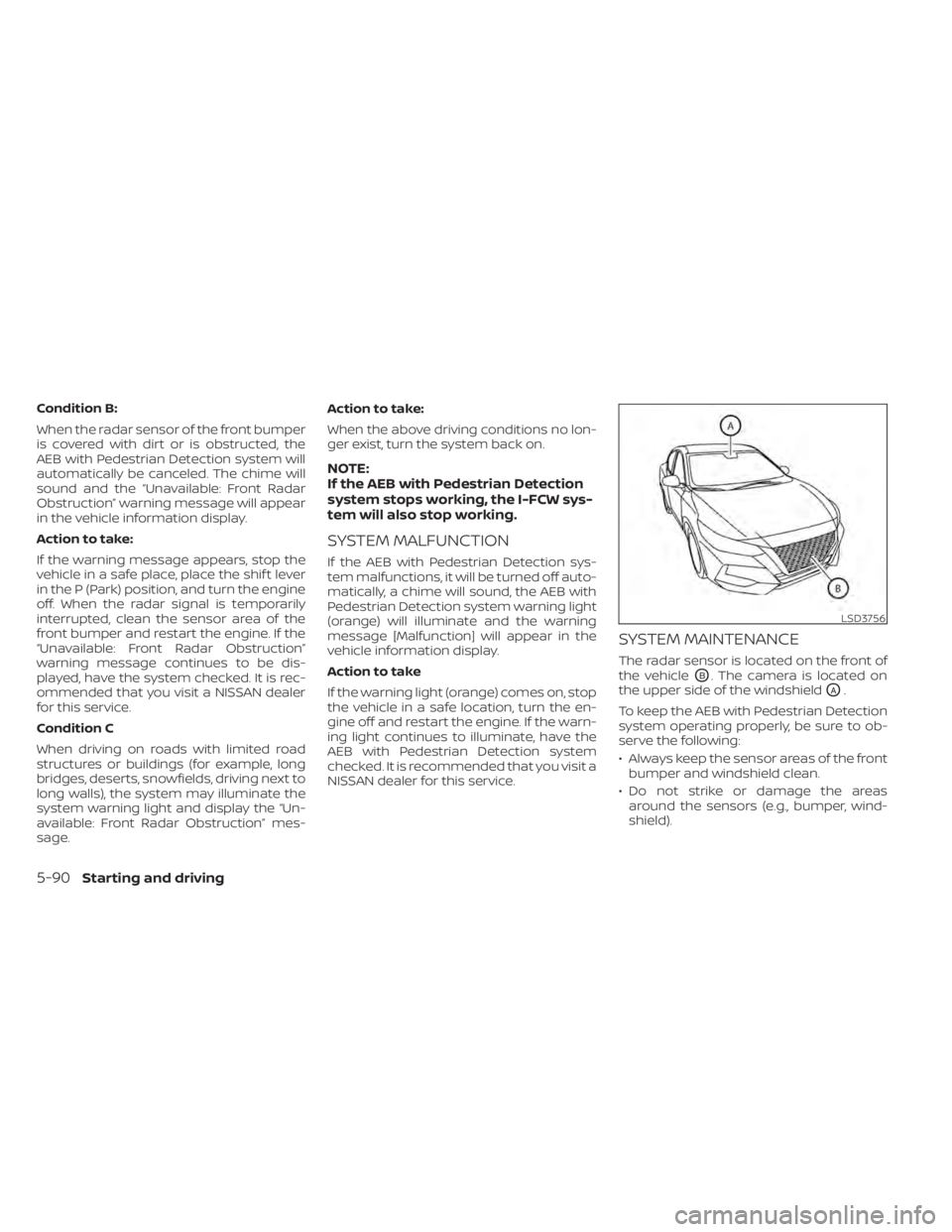
The radar sensor is located on the front of
the vehicle
OB. The camera is located on
the upper side of the windshield
OA.
To keep the AEB with Pedestrian Detection
system operating properly, be sure to ob-
serve the following:
• Always keep the sensor areas of the front bumper and windshield clean.
• Do not strike or damage the areas around the sensors (e.g., bumper, wind-
shield).
LSD3756
5-90Starting and driving
Page 382 of 528
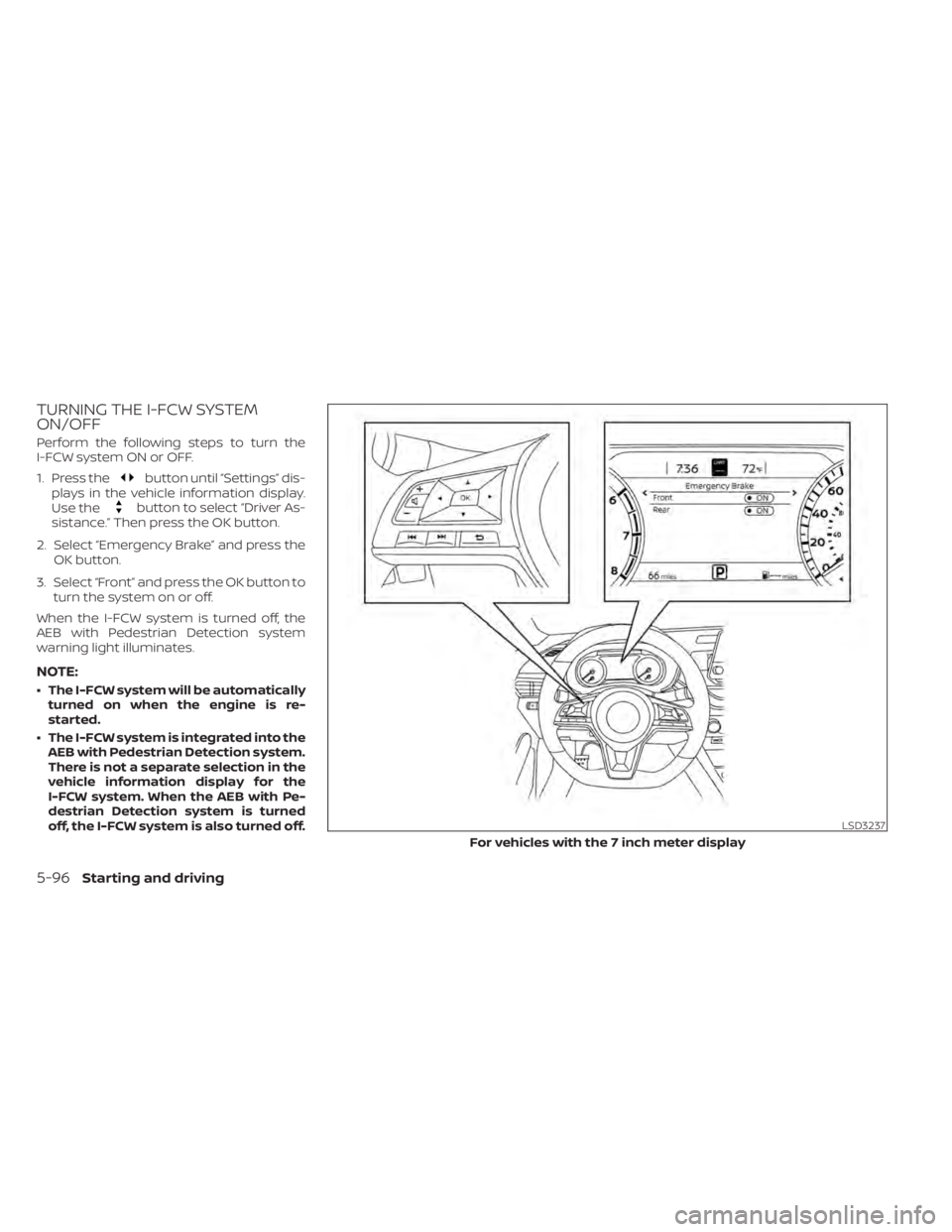
TURNING THE I-FCW SYSTEM
ON/OFF
Perform the following steps to turn the
I-FCW system ON or OFF.
1. Press the
button until “Settings” dis-
plays in the vehicle information display.
Use the
button to select “Driver As-
sistance.” Then press the OK button.
2. Select “Emergency Brake” and press the OK button.
3. Select “Front” and press the OK button to turn the system on or off.
When the I-FCW system is turned off, the
AEB with Pedestrian Detection system
warning light illuminates.
NOTE:
• The I-FCW system will be automatically turned on when the engine is re-
started.
• The I-FCW system is integrated into the AEB with Pedestrian Detection system.
There is not a separate selection in the
vehicle information display for the
I-FCW system. When the AEB with Pe-
destrian Detection system is turned
off, the I-FCW system is also turned off.
LSD3237
For vehicles with the 7 inch meter display
5-96Starting and driving
Page 389 of 528
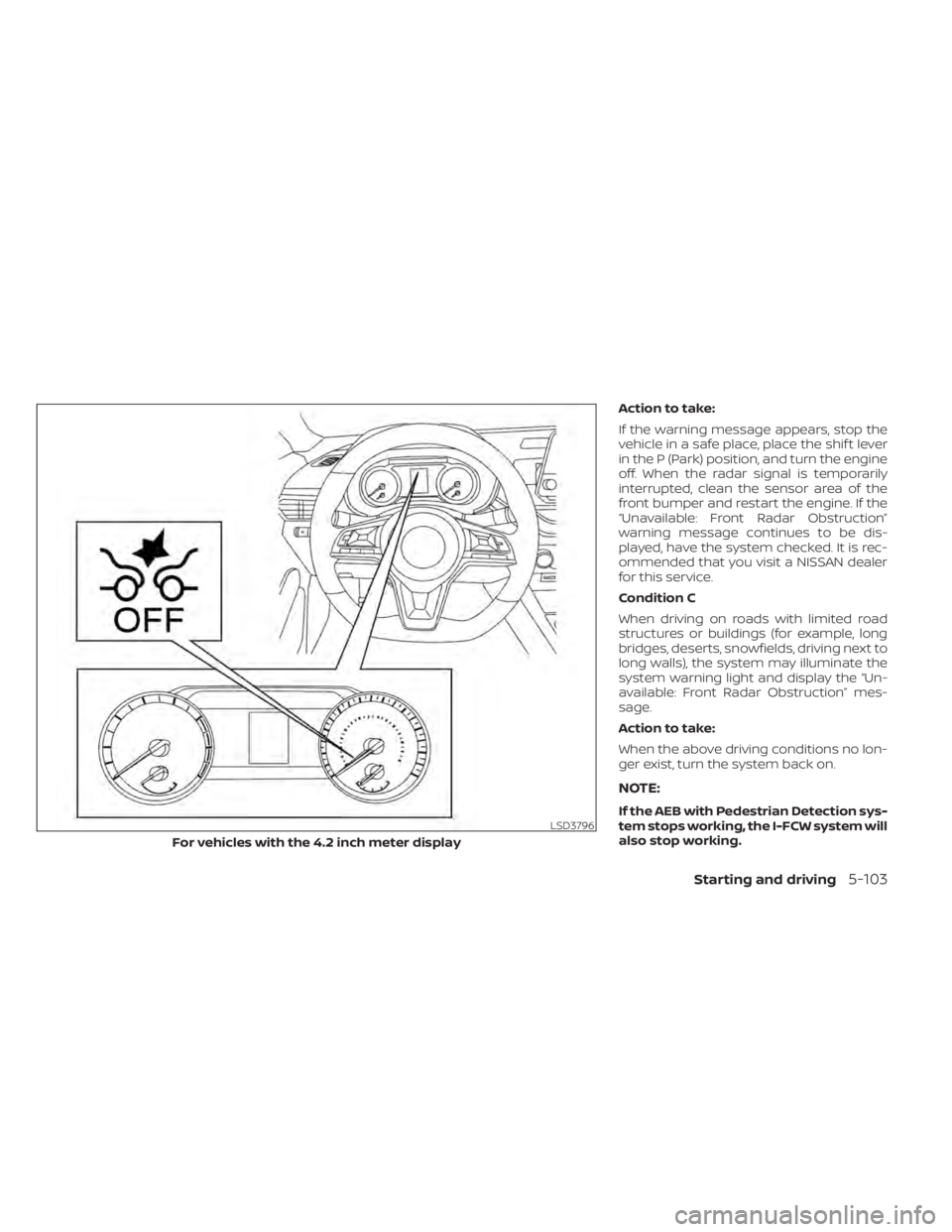
Action to take:
If the warning message appears, stop the
vehicle in a safe place, place the shif t lever
in the P (Park) position, and turn the engine
off. When the radar signal is temporarily
interrupted, clean the sensor area of the
front bumper and restart the engine. If the
“Unavailable: Front Radar Obstruction”
warning message continues to be dis-
played, have the system checked. It is rec-
ommended that you visit a NISSAN dealer
for this service.
Condition C
When driving on roads with limited road
structures or buildings (for example, long
bridges, deserts, snowfields, driving next to
long walls), the system may illuminate the
system warning light and display the “Un-
available: Front Radar Obstruction” mes-
sage.
Action to take:
When the above driving conditions no lon-
ger exist, turn the system back on.
NOTE:
If the AEB with Pedestrian Detection sys-
tem stops working, the I-FCW system will
also stop working.LSD3796
For vehicles with the 4.2 inch meter display
Starting and driving5-103
Page 390 of 528
SYSTEM MALFUNCTION
If the I-FCW system malfunctions, it will be
turned off automatically, a chime will
sound, the AEB with Pedestrian Detection
system warning light (orange) will illumi-
nate and the warning message [Malfunc-
tion] will appear in the vehicle information
display.
Action to take
If the warning light (orange) comes on, stop
the vehicle in a safe location, turn the en-
gine off and restart the engine. If the warn-
ing light continues to illuminate, have the
I-FCW system checked. It is recommended
that you visit a NISSAN dealer for this ser-
vice.
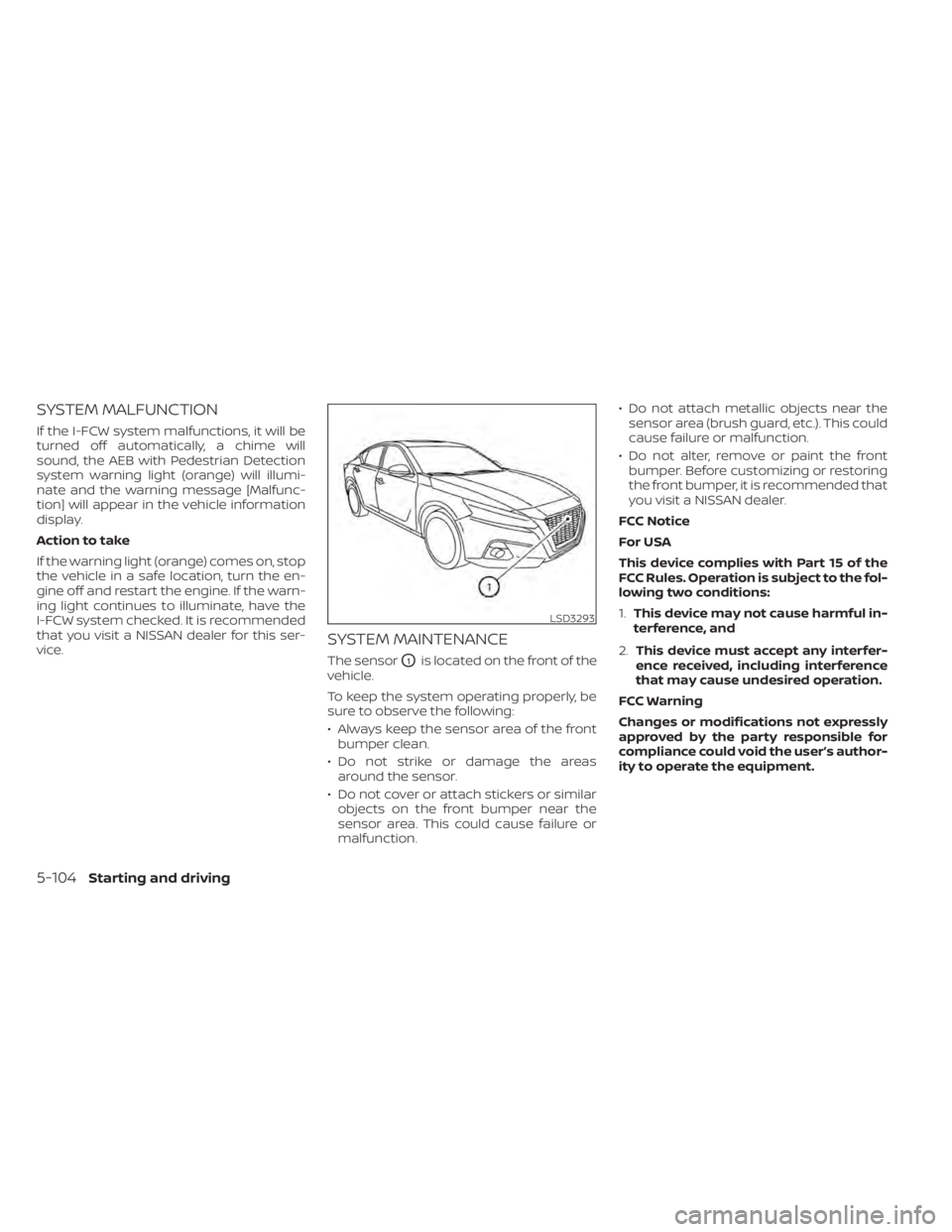
SYSTEM MAINTENANCE
The sensorO1is located on the front of the
vehicle.
To keep the system operating properly, be
sure to observe the following:
• Always keep the sensor area of the front bumper clean.
• Do not strike or damage the areas around the sensor.
• Do not cover or attach stickers or similar objects on the front bumper near the
sensor area. This could cause failure or
malfunction. • Do not attach metallic objects near the
sensor area (brush guard, etc.). This could
cause failure or malfunction.
• Do not alter, remove or paint the front bumper. Before customizing or restoring
the front bumper, it is recommended that
you visit a NISSAN dealer.
FCC Notice
For USA
This device complies with Part 15 of the
FCC Rules. Operation is subject to the fol-
lowing two conditions:
1. This device may not cause harmful in-
terference, and
2. This device must accept any interfer-
ence received, including interference
that may cause undesired operation.
FCC Warning
Changes or modifications not expressly
approved by the party responsible for
compliance could void the user’s author-
ity to operate the equipment.
LSD3293
5-104Starting and driving
Page 393 of 528
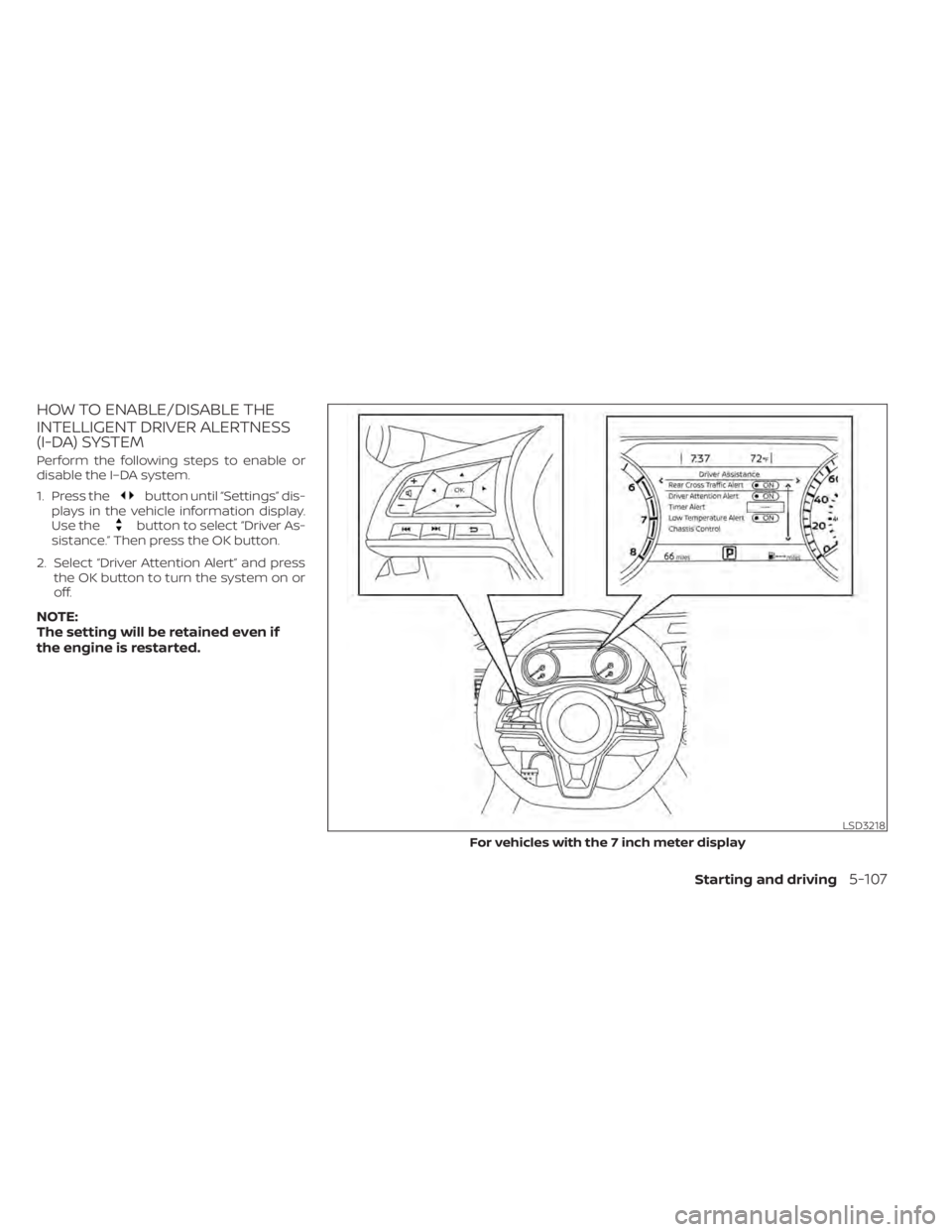
HOW TO ENABLE/DISABLE THE
INTELLIGENT DRIVER ALERTNESS
(I-DA) SYSTEM
Perform the following steps to enable or
disable the I–DA system.
1. Press the
button until “Settings” dis-
plays in the vehicle information display.
Use the
button to select “Driver As-
sistance.” Then press the OK button.
2. Select “Driver Attention Alert” and press the OK button to turn the system on or
off.
NOTE:
The setting will be retained even if
the engine is restarted.
LSD3218
For vehicles with the 7 inch meter display
Starting and driving5-107
Page 395 of 528
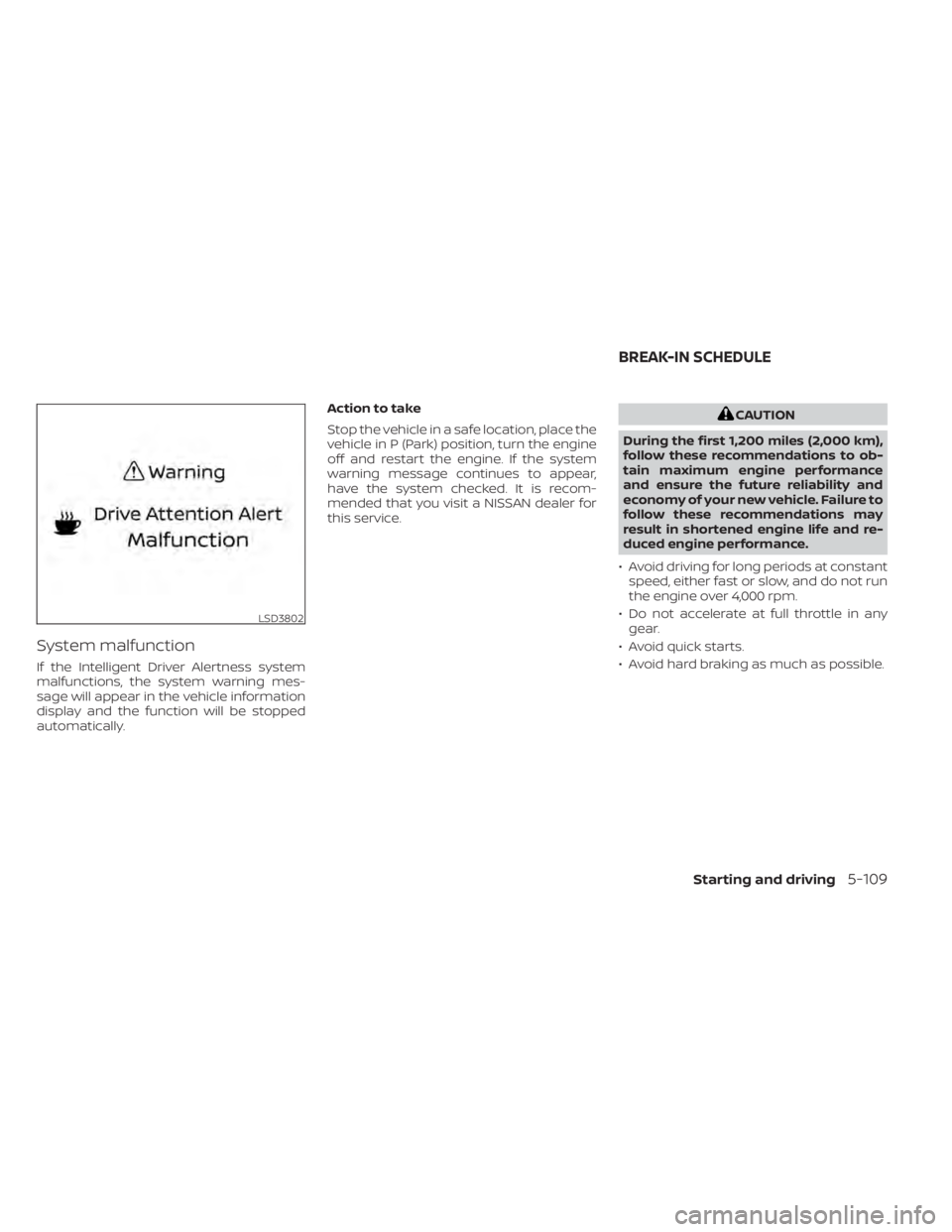
System malfunction
If the Intelligent Driver Alertness system
malfunctions, the system warning mes-
sage will appear in the vehicle information
display and the function will be stopped
automatically.Action to take
Stop the vehicle in a safe location, place the
vehicle in P (Park) position, turn the engine
off and restart the engine. If the system
warning message continues to appear,
have the system checked. It is recom-
mended that you visit a NISSAN dealer for
this service.
CAUTION
During the first 1,200 miles (2,000 km),
follow these recommendations to ob-
tain maximum engine performance
and ensure the future reliability and
economy of your new vehicle. Failure to
follow these recommendations may
result in shortened engine life and re-
duced engine performance.
• Avoid driving for long periods at constant speed, either fast or slow, and do not run
the engine over 4,000 rpm.
• Do not accelerate at full throttle in any gear.
• Avoid quick starts.
• Avoid hard braking as much as possible.
LSD3802
BREAK-IN SCHEDULE
Starting and driving5-109
Page 396 of 528
Follow these easy-to-use Fuel Efficient
Driving Tips to help you achieve the most
fuel economy from your vehicle.
1.Use Smooth Accelerator and Brake
Pedal Application
• Avoid rapid starts and stops
• Use smooth, gentle accelerator and brake application whenever possible
• Maintain constant speed while com- muting and coast whenever possible
2. Maintain Constant Speed
• Look ahead to try and anticipate and minimize stops
• Synchronizing your speed with traffic lights allows you to reduce your num-
ber of stops
• Maintaining a steady speed can mini- mize red light stops and improve fuel
efficiency
3. Use Air Conditioning (A/C) at Higher
Vehicle Speeds
• Below 40 mph (64 km/h), it is more efficient to open windows to cool the
vehicle due to reduced engine load
• Above 40 mph (64 km/h), it is more efficient to use A/C to cool the vehicle
due to increased aerodynamic drag • Recirculating the cool air in the cabin
when the A/C is on reduces cooling
load
4. Drive at Economical Speeds and
Distances
• Observing the speed limit and not ex- ceeding 60 mph (97 km/h) (where le-
gally allowed) can improve fuel effi-
ciency due to reduced aerodynamic
drag
• Maintaining a safe following distance behind other vehicles reduces unnec-
essary braking
• Safely monitoring traffic to anticipate changes in speed permits reduced
braking and smooth acceleration
changes
• Select a gear range suitable to road conditions
5. Use Cruise Control
• Using cruise control during highway driving helps maintain a steady speed
• Cruise control is particularly effective in providing fuel savings when driving
on flat terrains
6. Plan for the Shortest Route
• Utilize a map or navigation system to determine the best route to save time 7.
Avoid Idling
• Shutting off your engine when safe for stops exceeding 30–60 seconds saves
fuel and reduces emissions
8. Buy an Automated Pass for Toll Roads
• Automated passes permit drivers to use special lanes to maintain cruising
speed through the toll and avoid stop-
ping and starting
9. Winter Warm Up
• Limit idling time to minimize impact to fuel economy
• Vehicles typically need no more than 30 seconds of idling at start-up to ef-
fectively circulate the engine oil before
driving
• Your vehicle will reach its ideal operat- ing temperature more quickly while
driving versus idling
10. Keeping your Vehicle Cool
• Park your vehicle in a covered parking area or in the shade whenever pos-
sible
• When entering a hot vehicle, opening the windows will help to reduce the
inside temperature faster, resulting in
reduced demand on your A/C system
FUEL EFFICIENT DRIVING TIPS
5-110Starting and driving