ABS NISSAN SENTRA 2020 Owner´s Manual
[x] Cancel search | Manufacturer: NISSAN, Model Year: 2020, Model line: SENTRA, Model: NISSAN SENTRA 2020Pages: 528, PDF Size: 3.56 MB
Page 401 of 528
•Tire type and condition may also af-
fect braking effectiveness.
– When replacing tires, install the
specified size of tires on all four
wheels.
– When installing a spare tire, make
sure that it is the proper size and
type as specified on the Tire and
Loading Information label. For ad-
ditional information, refer to “Tire
and Loading Information label” in
the “Technical and consumer in-
formation” section of this manual.
– For additional information, refer
to “Wheels and tires” in the “Do-it-
yourself ” section of this manual.
The ABS controls the brakes so the wheels
do not lock during hard braking or when
braking on slippery surfaces. The system
detects the rotation speed at each wheel
and varies the brake fluid pressure to pre-
vent each wheel from locking and sliding.
By preventing each wheel from locking, the
system helps the driver maintain steering
control and helps to minimize swerving
and spinning on slippery surfaces.Using the system
Depress the brake pedal and hold it down.
Depress the brake pedal with firm steady
pressure, but do not pump the brakes. The
Anti-lock Braking System will operate to
prevent the wheels from locking up. Steer
the vehicle to avoid obstacles.
WARNING
Do not pump the brake pedal. Doing so
may result in increased stopping dis-
tances.
Self-test feature
The Anti-lock Braking System (ABS) includes
electronic sensors, electric pumps, hydraulic
solenoids and a computer. The computer
has a built-in diagnostic feature that tests
the system each time you start the engine
and move the vehicle at a low speed in for-
ward or reverse. When the self-test occurs,
you may hear a “clunk” noise and/or feel a
pulsation in the brake pedal. This is normal
and does not indicate a malfunction. If the
computer senses a malfunction, it switches
the ABS off and illuminates the ABS warning
light on the instrument panel. The brake sys-
tem then operates normally, but without
anti-lock assistance.
If the ABS warning light illuminates during
the self-test or while driving, have the ve-
hicle checked. It is recommended that you
visit a NISSAN dealer for this service.
Normal operation
The Anti-lock Braking System (ABS) oper-
ates at speeds abov e3-6mph(5-10
km/h). The speed varies according to road
conditions.
When the ABS senses that one or more
wheels are close to locking up, the actuator
rapidly applies and releases hydraulic pres-
sure. This action is similar to pumping the
brakes very quickly. You may feel a pulsa-
tion in the brake pedal and hear a noise
from under the hood or feel a vibration
from the actuator when it is operating. This
is normal and indicates that the ABS is op-
erating properly. However, the pulsation
may indicate that road conditions are haz-
ardous and extra care is required while
driving.
Starting and driving5-115
Page 403 of 528
When the vehicle information display is
used to turn off the VDC system, the sys-
tem still operates to prevent one drive
wheel from slipping by transferring power
to a non-slipping drive wheel. The
indicator light flashes if this occurs. All
other VDC functions are off and the
indicator light will not flash.
The VDC system is automatically reset to
on when the ignition switch is placed in the
OFF position then back to the ON position.
The computer has a built-in diagnostic fea-
ture that tests the system each time you
start the engine and move the vehicle for-
ward or in reverse at a slow speed. When
the self-test occurs, you may hear a clunk
noise and/or feel a pulsation in the brake
pedal. This is normal and is not an indica-
tion of a malfunction.
WARNING
• The VDC system is designed to help
the driver maintain stability but does
not prevent accidents due to abrupt
steering operation at high speeds or
by careless or dangerous driving
techniques. Reduce vehicle speed
and be especially careful when driv-
ing and cornering on slippery sur-
faces and always drive carefully.
• Do not modif y the vehicle's suspen-
sion. If suspension parts such as
shock absorbers, struts, springs, sta-
bilizer bars, bushings and wheels are
not NISSAN recommended for your
vehicle or are extremely deterio-
rated, the VDC system may not oper-
ate properly. This could adversely af-
fect vehicle handling performance,
and the
indicator light may flash
or theindicator light may
illuminate.
• If brake related parts such as brake
pads, rotors and calipers are not
NISSAN recommended or are ex-
tremely deteriorated, the VDC sys-
tem may not operate properly and
the
indicator light may
illuminate. •
If engine control related parts are not
NISSAN recommended or are ex-
tremely deteriorated, the
indica-
tor light may illuminate.
• When driving on extremely inclined
surfaces such as higher banked cor-
ners, the VDC system may not oper-
ate properly and the
indicator
light may flash or theindicator
light may illuminate. Do not drive on
these types of roads.
• When driving on an unstable surface
such as a turntable, ferry, elevator or
ramp, the
indicator light may
flash or theindicator light may
illuminate. This is not a malfunction.
Restart the engine af ter driving onto
a stable surface.
• If wheels or tires other than the
NISSAN recommended ones are
used, the VDC system may not oper-
ate properly and the
indicator
light may flash or theindicator
light may illuminate.
• The VDC system is not a substitute
for winter tires or tire chains on a
snow covered road.
Starting and driving5-117
Page 404 of 528
RISE-UP AND BUILD-UP
The system gradually adjusts braking
power during normal braking to help pro-
vide an enhanced brake feel.
BRAKE FORCE DISTRIBUTION
During braking while driving through turns,
the system optimizes the distribution of
force to each of the front and rear wheels
depending on the radius of the turn.
WARNING
• The VDC system is designed to help
the driver maintain stability but does
not prevent accidents due to abrupt
steering operation at high speeds or
by careless or dangerous driving
techniques. Reduce vehicle speed
and be especially careful when driv-
ing and cornering on slippery sur-
faces and always drive carefully. •
Do not modif y the vehicle's suspen-
sion. If suspension parts such as
shock absorbers, struts, springs, sta-
bilizer bars, bushings and wheels are
not NISSAN recommended for your
vehicle or are extremely deterio-
rated, the VDC system may not oper-
ate properly. This could adversely af-
fect vehicle handling performance,
and the
indicator light may flash
or theindicator light may
illuminate.
• If brake related parts such as brake
pads, rotors and calipers are not
NISSAN recommended or are ex-
tremely deteriorated, the VDC sys-
tem may not operate properly and
the
indicator light may
illuminate.
• If engine control related parts are not
NISSAN recommended or are ex-
tremely deteriorated, the
indica-
tor light may illuminate.
• When driving on extremely inclined
surfaces such as higher banked cor-
ners, the VDC system may not oper-
ate properly and the
indicator
light may flash or theindicator
light may illuminate. Do not drive on
these types of roads. •
When driving on an unstable surface
such as a turntable, ferry, elevator or
ramp, the
indicator light may
flash or theindicator light may
illuminate. This is not a malfunction.
Restart the engine af ter driving onto
a stable surface.
• If wheels or tires other than the
NISSAN recommended ones are
used, the VDC system may not oper-
ate properly and the
indicator
light may flash or theindicator
light may illuminate.
• The VDC system is not a substitute
for winter tires or tire chains on a
snow covered road.
5-118Starting and driving
Page 460 of 528
3. Remove the fuse box cover by pushingthe tabs
OAand lif ting the cover up.
4. Remove the fuse with the fuse puller, which is located in the center of the fuse
box cover in the passenger compart-
ment. For additional information, refer to
“Passenger Compartment” in the “Do-it
yourself ” section of this manual.
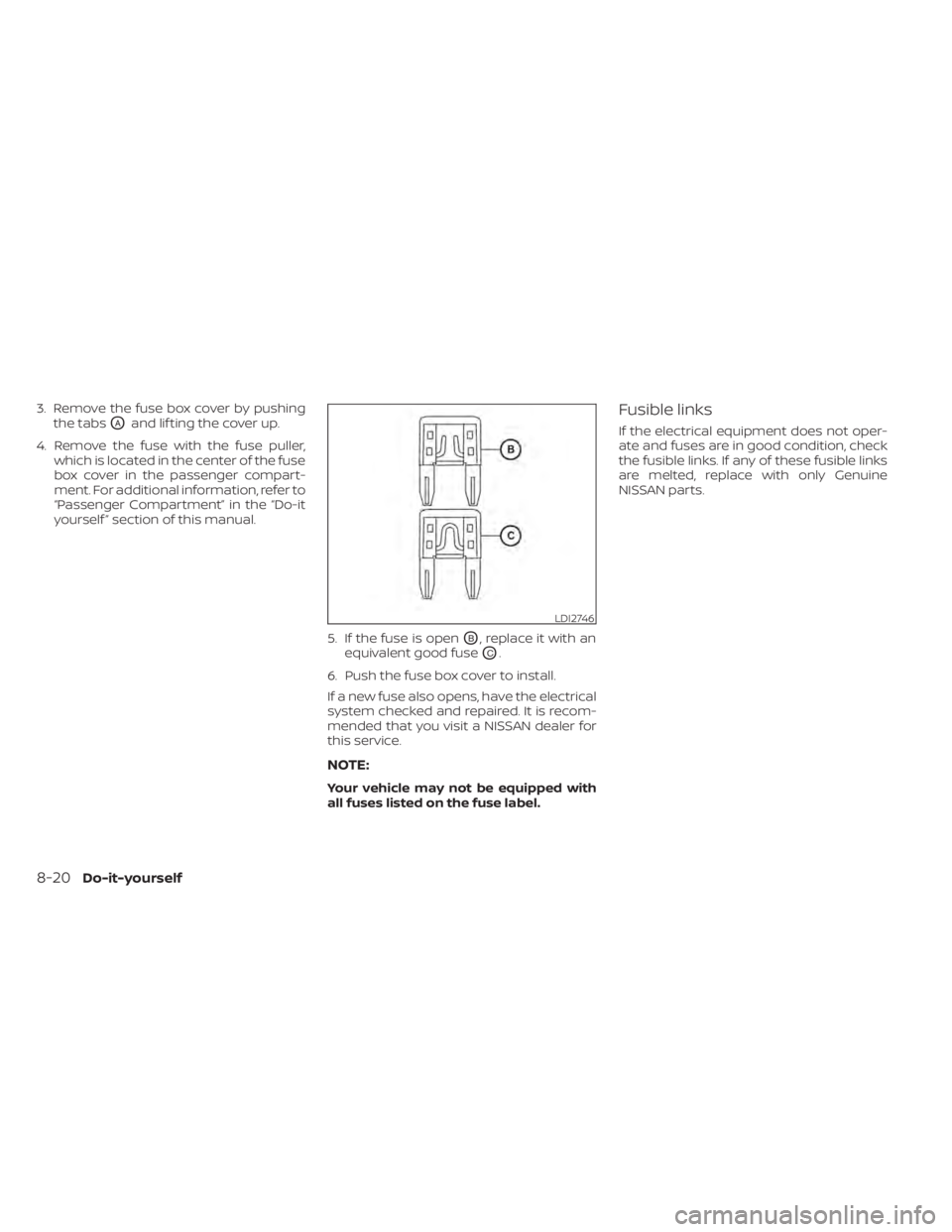
5. If the fuse is open
OB, replace it with an
equivalent good fuse
OC.
6. Push the fuse box cover to install.
If a new fuse also opens, have the electrical
system checked and repaired. It is recom-
mended that you visit a NISSAN dealer for
this service.
NOTE:
Your vehicle may not be equipped with
all fuses listed on the fuse label.
Fusible links
If the electrical equipment does not oper-
ate and fuses are in good condition, check
the fusible links. If any of these fusible links
are melted, replace with only Genuine
NISSAN parts.
LDI2746
8-20Do-it-yourself
Page 517 of 528
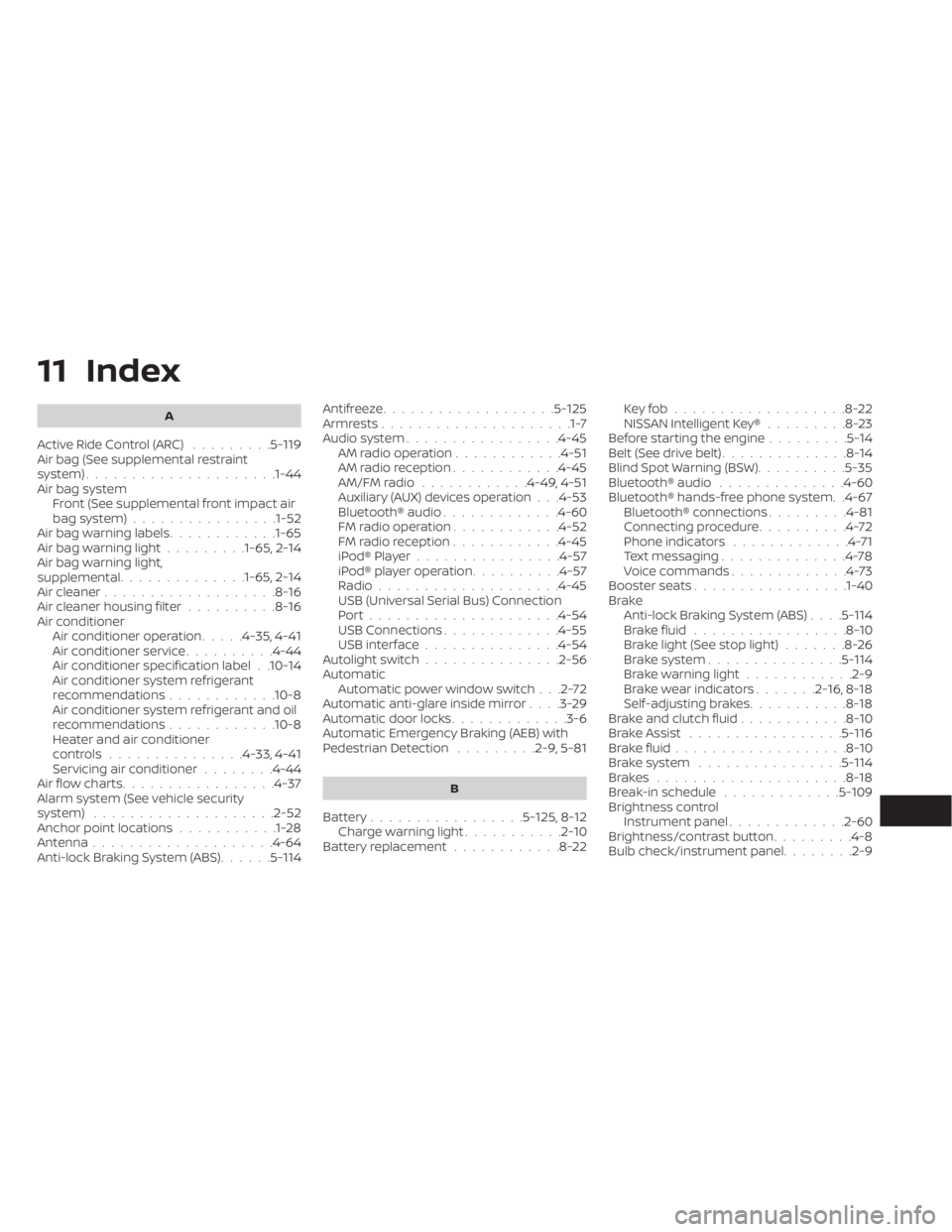
11 Index
A
Active Ride Control (ARC).........5-119Air bag (See supplemental restraint
system).....................1-44Air bag system
Front (See supplemental front impact air
bag system)
................1-52Air bag warning labels............1-65Air bag warning light.........1-65, 2-14Air bag warning light,
supplemental..............1-65, 2-14Air cleaner...................8-16Air cleaner housing filter..........8-16Air conditionerAir conditioner operation.....4-35, 4-41Air conditioner service..........4-44Air conditioner specification label. .10-14Air conditioner system refrigerant
recommendations............10-8Air conditioner system refrigerant and oil
recommendations............10-8Heater and air conditioner
controls...............4-33, 4-41Servicing air conditioner........4-44Air flow charts................ .4-37Alarm system (See vehicle security
system)................... .2-52Anchor point locations...........1-28Antenna....................4-64Anti-lock Braking System (ABS)......5-114
Antifreeze...................5-125Armrests.....................1-7Audio system.................4-45AM radio operation............4-51AM radio reception............4-45AM/FM radio............4-49, 4-51Auxiliary (AUX) devices operation. . .4-53Bluetooth® audio.............4-60FM radio operation............4-52FM radio reception............4-45iPod® Player................4-57iPod® player operation..........4-57Radio................... .4-45USB (Universal Serial Bus) Connection
Port.................... .4-54USB Connections.............4-55USB interface...............4-54Autolight switch...............2-56Automatic
Automatic power window switch. . .2-72Automatic anti-glare inside mirror. . . .3-29Automatic door locks.............3-6Automatic Emergency Braking (AEB) with
Pedestrian Detection.........2-9, 5-81
B
Battery.................5- 125, 8-12Charge warning light...........2-10Battery replacement............8-22
Key fob...................8-22NISSAN Intelligent Key®.........8-23Before starting the engine.........5-14Belt (See drive belt)..............8-14Blind Spot Warning (BSW)..........5-35Bluetooth® audio..............4-60Bluetooth® hands-free phone system. .4-67Bluetooth® connections.........4-81Connecting procedure..........4-72Phone indicators.............4-71Text messaging..............4-78Voice commands.............4-73Booster seats.................1-40Brake
Anti-lock Braking System (ABS). . . .5-114Brake fluid.................8-10Brake light (See stop light).......8-26Brake system...............5-114Brake warning light............2-9Brake wear indicators.......2-16,8-18Self-adjusting brakes...........8-18Brake and clutch fluid............8-10Brake Assist.................5-116Brake fluid...................8-10Brake system................5-114Brakes.....................8-18Break-in schedule.............5-109Brightness controlInstrument panel.............2-60Brightness/contrast button.........4-8Bulb check/instrument panel........2-9