warning NISSAN SENTRA 2020 Owner´s Manual
[x] Cancel search | Manufacturer: NISSAN, Model Year: 2020, Model line: SENTRA, Model: NISSAN SENTRA 2020Pages: 528, PDF Size: 3.56 MB
Page 389 of 528
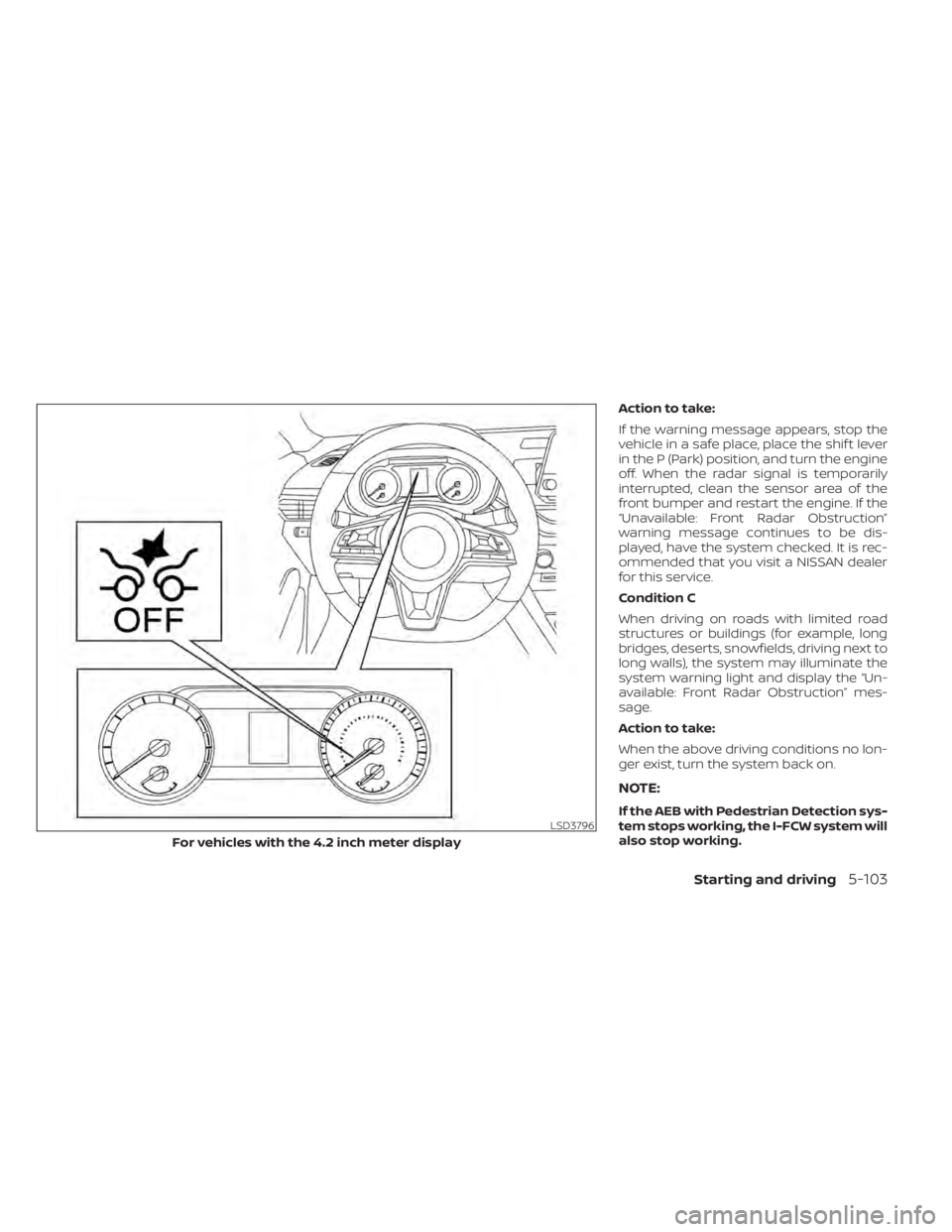
Action to take:
If the warning message appears, stop the
vehicle in a safe place, place the shif t lever
in the P (Park) position, and turn the engine
off. When the radar signal is temporarily
interrupted, clean the sensor area of the
front bumper and restart the engine. If the
“Unavailable: Front Radar Obstruction”
warning message continues to be dis-
played, have the system checked. It is rec-
ommended that you visit a NISSAN dealer
for this service.
Condition C
When driving on roads with limited road
structures or buildings (for example, long
bridges, deserts, snowfields, driving next to
long walls), the system may illuminate the
system warning light and display the “Un-
available: Front Radar Obstruction” mes-
sage.
Action to take:
When the above driving conditions no lon-
ger exist, turn the system back on.
NOTE:
If the AEB with Pedestrian Detection sys-
tem stops working, the I-FCW system will
also stop working.LSD3796
For vehicles with the 4.2 inch meter display
Starting and driving5-103
Page 390 of 528
SYSTEM MALFUNCTION
If the I-FCW system malfunctions, it will be
turned off automatically, a chime will
sound, the AEB with Pedestrian Detection
system warning light (orange) will illumi-
nate and the warning message [Malfunc-
tion] will appear in the vehicle information
display.
Action to take
If the warning light (orange) comes on, stop
the vehicle in a safe location, turn the en-
gine off and restart the engine. If the warn-
ing light continues to illuminate, have the
I-FCW system checked. It is recommended
that you visit a NISSAN dealer for this ser-
vice.
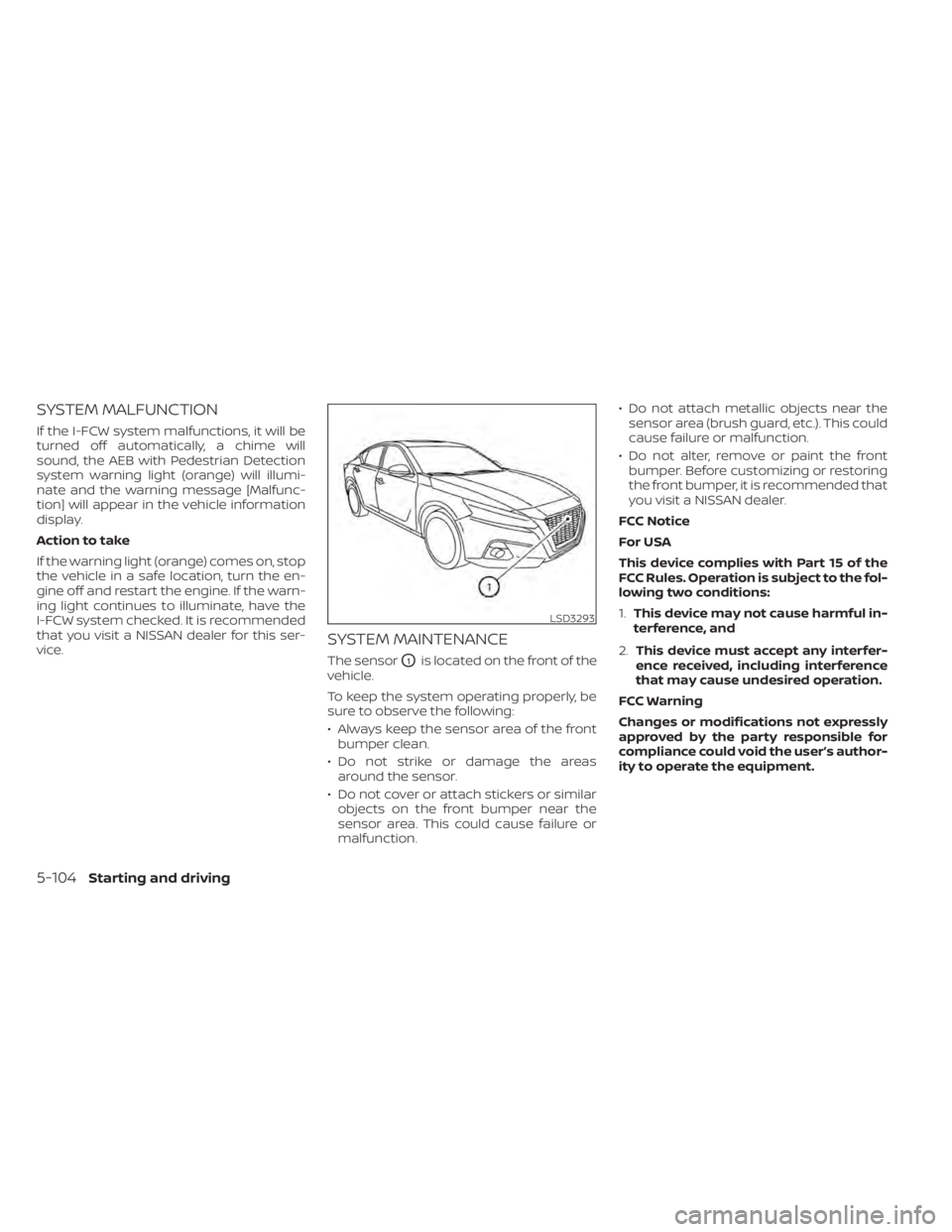
SYSTEM MAINTENANCE
The sensorO1is located on the front of the
vehicle.
To keep the system operating properly, be
sure to observe the following:
• Always keep the sensor area of the front bumper clean.
• Do not strike or damage the areas around the sensor.
• Do not cover or attach stickers or similar objects on the front bumper near the
sensor area. This could cause failure or
malfunction. • Do not attach metallic objects near the
sensor area (brush guard, etc.). This could
cause failure or malfunction.
• Do not alter, remove or paint the front bumper. Before customizing or restoring
the front bumper, it is recommended that
you visit a NISSAN dealer.
FCC Notice
For USA
This device complies with Part 15 of the
FCC Rules. Operation is subject to the fol-
lowing two conditions:
1. This device may not cause harmful in-
terference, and
2. This device must accept any interfer-
ence received, including interference
that may cause undesired operation.
FCC Warning
Changes or modifications not expressly
approved by the party responsible for
compliance could void the user’s author-
ity to operate the equipment.
LSD3293
5-104Starting and driving
Page 391 of 528
For Canada
This device complies with Industry
Canada licence-exempt RSS standard(s).
Operation is subject to the following two
conditions:
1.This device may not cause
interference,
2. This device must accept any interfer-
ence, including interference that may
cause undesired operation of the
device.WARNING
Failure to follow the warnings and in-
structions for proper use of the I-DA
system could result in serious injury or
death.
• The I–DA system is only a warning to
inform the driver of a potential lack
of driver attention or drowsiness. It
will not steer the vehicle or prevent
loss of control.
• The I–DA system does not detect and
provide an alert of the driver’s lack of
attention or fatigue in every
situation.
• It is the driver’s responsibility to:
– stay alert,
– drive safely,
– keep the vehicle in the traveling lane,
– be in control of the vehicle at all times,
– avoid driving when tired,
– avoid distractions (texting, etc). The I–DA system helps alert the driver if the
system detects a lack of attention or driv-
ing fatigue.
The system monitors driving style and
steering behavior over a period of time,
and it detects changes from the normal
pattern. If the system detects that driver
attention is decreasing over a period of
time, the system uses audible and visual
warnings to suggest that the driver take a
break.
INTELLIGENT DRIVER ALERTNESS
(I-DA)
Starting and driving5-105
Page 394 of 528
INTELLIGENT DRIVER ALERTNESS
(I-DA) SYSTEM LIMITATIONS
WARNING
Listed below are the system limitations
for the I–DA system. Failure to operate
the vehicle in accordance with these
system limitations could result in seri-
ous injury or death.
• The I-DA system may not operate
properly and may not provide an
alert in the following conditions:
– Poor road conditions such as an
uneven road surface or pot holes.
– Strong side wind.
–
If you have adopted a sporty driving style with higher cornering speeds
or higher rates of acceleration.
– Frequent lane changes or
changes to vehicle speed.
• The I–DA system will not provide an
alert in the following conditions:
– Vehicle speeds lower than 37 mph
(60 km/h).
– Short lapses of attention.
– Instantaneous distractions such
as dropping an object.
LSD3801
For vehicles with the 4.2 inch meter display
5-108Starting and driving
Page 395 of 528
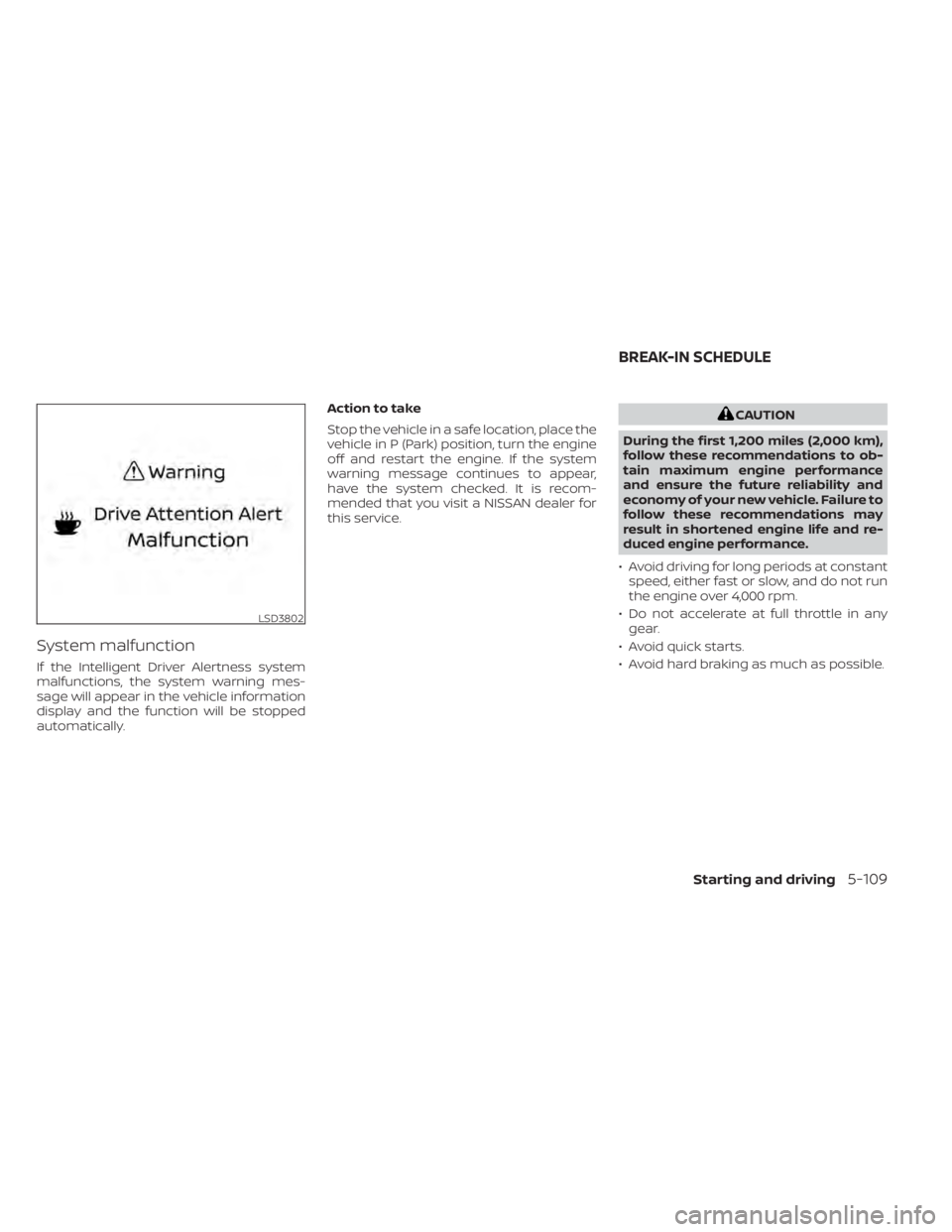
System malfunction
If the Intelligent Driver Alertness system
malfunctions, the system warning mes-
sage will appear in the vehicle information
display and the function will be stopped
automatically.Action to take
Stop the vehicle in a safe location, place the
vehicle in P (Park) position, turn the engine
off and restart the engine. If the system
warning message continues to appear,
have the system checked. It is recom-
mended that you visit a NISSAN dealer for
this service.
CAUTION
During the first 1,200 miles (2,000 km),
follow these recommendations to ob-
tain maximum engine performance
and ensure the future reliability and
economy of your new vehicle. Failure to
follow these recommendations may
result in shortened engine life and re-
duced engine performance.
• Avoid driving for long periods at constant speed, either fast or slow, and do not run
the engine over 4,000 rpm.
• Do not accelerate at full throttle in any gear.
• Avoid quick starts.
• Avoid hard braking as much as possible.
LSD3802
BREAK-IN SCHEDULE
Starting and driving5-109
Page 398 of 528
WARNING
• Do not stop or park the vehicle over
flammable materials such as dry
grass, waste paper or rags. They may
ignite and cause a fire. •
Safe parking procedures require that
both the parking brake be set and the
transmission placed in P (Park) for
Continuously Variable Transmission
(CVT) models or in an appropriate
gear for manual transmission (M/T)
models. Failure to do so could cause
the vehicle to move unexpectedly or
roll away and result in an accident.
Make sure the shif t lever has been
pushed as far forward as it can go
and cannot be moved without de-
pressing the foot brake pedal.
• Never leave the engine running while
the vehicle is unattended. •
Do not leave children unattended in-
side the vehicle. They could unknow-
ingly activate switches or controls or
make the vehicle move. Unattended
children could become involved in
serious accidents.
• To help avoid risk of injury or death
through unintended operation of the
vehicle and/or its systems, do not
leave children, people who require
the assistance of others or pets unat-
tended in your vehicle. Additionally,
the temperature inside a closed ve-
hicle on a warm day can quickly be-
come high enough to cause a signifi-
cant risk of injury or death to people
and pets.
1. Firmly apply the parking brake.
2. M/T models
Place the shif t lever in the R (Reverse)
position. When parking on an uphill
grade, place the shif t lever in 1st gear.
CVT models
Move the shif t lever into the P (Park) po-
sition.
SSD0488
PARKING/PARKING ON HILLS
5-112Starting and driving
Page 399 of 528
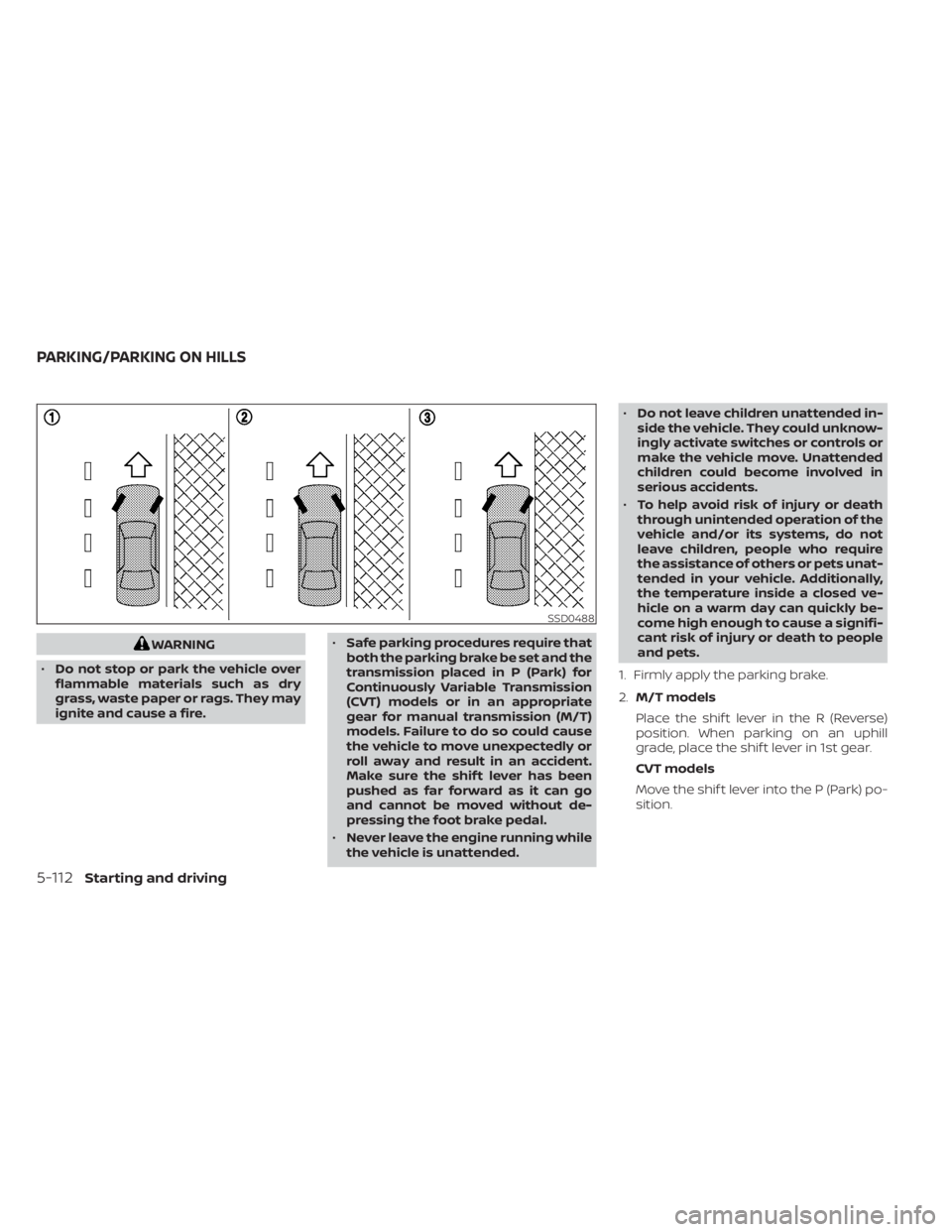
3. To help prevent the vehicle from rollinginto traffic when parked on an incline, it
is a good practice to turn the wheels as
illustrated.
• HEADED DOWNHILL WITH CURB
O1:
Turn the wheels into the curb and
move the vehicle forward until the
curb side wheel gently touches the
curb.
• HEADED UPHILL WITH CURB
O2:
Turn the wheels away from the curb
and move the vehicle back until the
curb side wheel gently touches the
curb.
• HEADED UPHILL OR DOWNHILL, NO CURB
O3:
Turn the wheels toward the side of the
road so the vehicle will move away
from the center of the road if it moves.
4. Place the ignition switch in the LOCK po- sition and remove the key.
WARNING
• If the engine is not running or is
turned off while driving, the power
assist for the steering will not work.
Steering will be harder to operate.
• When the power steering warning
light illuminates with the engine run-
ning, there will be no power assist for
the steering. You will still have control
of the vehicle, but the steering will be
harder to operate. Have the power
steering system checked. It is recom-
mended that you visit a NISSAN
dealer for this service.
The power steering system is designed to
provide power assist while driving to oper-
ate the steering wheel with light force.
When the steering wheel is operated re-
peatedly or continuously while parking or
driving at a very low speed, the power as-
sist for the steering wheel will be reduced.
This is to prevent overheating of the power
steering system and protect it from getting
damaged. While the power assist is re-
duced, steering wheel operation will be-
come heavy. When the temperature of the
power steering system goes down, the
power assist level will return to normal.
Avoid repeating such steering wheel op- erations that could cause the power steer-
ing system to overheat.
You may hear a noise when the steering
wheel is operated quickly. However, this is
not a malfunction.
If the power steering warning light illumi-
nates while the engine is running, it may
indicate the power steering system is not
functioning properly and may need servic-
ing. Have the power steering system
checked. It is recommended that you visit a
NISSAN dealer for this service.
When the power steering warning light illu-
minates with the engine running, there will
be no power assist for the steering, but you
will still have control of the vehicle. At this
time, greater steering effort is required to
operate the steering wheel, especially in
sharp turns and at low speeds.
For additional information, refer to “Power
steering warning light” in the “Instruments
and controls” section of this manual.
POWER STEERING
Starting and driving5-113
Page 400 of 528
The brake system has two separate hy-
draulic circuits. If one circuit malfunctions,
you will still have braking at two wheels.
BRAKE PRECAUTIONS
Vacuum assisted brakes
The brake booster aids braking by using
engine vacuum. If the engine stops, you
can stop the vehicle by depressing the
brake pedal. However, greater foot pres-
sure on the brake pedal will be required to
stop the vehicle and stopping distance will
be longer.
Using the brakes
Avoid resting your foot on the brake pedal
while driving. This will overheat the brakes,
wear out the brake pads faster, and reduce
gas mileage.
To help reduce brake wear and to prevent
the brakes from overheating, reduce speed
and downshif t to a lower gear before going
down a slope or long grade. Overheated
brakes may reduce braking performance
and could result in loss of vehicle control.
WARNING
• While driving on a slippery surface,
be careful when braking, accelerat-
ing or downshif ting. Abrupt braking
or accelerating could cause the
wheels to skid and result in an
accident.
• If the engine is not running or is
turned off while driving, the power
assist for the brakes will not work.
Braking will be harder.
Wet brakes
When the vehicle is washed or driven
through water, the brakes may get wet. As
a result, your braking distance will be lon-
ger and the vehicle may pull to one side
during braking.
To dry the brakes, drive the vehicle at a safe
speed while lightly pressing the brake
pedal to heat up the brakes. Do this until
the brakes return to normal. Avoid driving
the vehicle at high speeds until the brakes
function correctly.
Parking brake break-in
Break in the parking brake shoes whenever
the stopping effect of the parking brake is
weakened or whenever the parking brake
shoes and/or drums/rotors are replaced,
in order to assure the best braking perfor-
mance.
This procedure is described in the vehicle
service manual. It is recommended that
you visit a NISSAN dealer for this service.
ANTI-LOCK BRAKING SYSTEM (ABS)
WARNING
• The ABS is a sophisticated device, but
it cannot prevent accidents resulting
from careless or dangerous driving
techniques. It can help maintain ve-
hicle control during braking on slip-
pery surfaces. Remember that stop-
ping distances on slippery surfaces
will be longer than on normal sur-
faces even with ABS. Stopping dis-
tances may also be longer on rough,
gravel or snow covered roads, or if
you are using tire chains. Always
maintain a safe distance from the ve-
hicle in front of you. Ultimately, the
driver is responsible for safety.
BRAKE SYSTEM
5-114Starting and driving
Page 401 of 528
•Tire type and condition may also af-
fect braking effectiveness.
– When replacing tires, install the
specified size of tires on all four
wheels.
– When installing a spare tire, make
sure that it is the proper size and
type as specified on the Tire and
Loading Information label. For ad-
ditional information, refer to “Tire
and Loading Information label” in
the “Technical and consumer in-
formation” section of this manual.
– For additional information, refer
to “Wheels and tires” in the “Do-it-
yourself ” section of this manual.
The ABS controls the brakes so the wheels
do not lock during hard braking or when
braking on slippery surfaces. The system
detects the rotation speed at each wheel
and varies the brake fluid pressure to pre-
vent each wheel from locking and sliding.
By preventing each wheel from locking, the
system helps the driver maintain steering
control and helps to minimize swerving
and spinning on slippery surfaces.Using the system
Depress the brake pedal and hold it down.
Depress the brake pedal with firm steady
pressure, but do not pump the brakes. The
Anti-lock Braking System will operate to
prevent the wheels from locking up. Steer
the vehicle to avoid obstacles.
WARNING
Do not pump the brake pedal. Doing so
may result in increased stopping dis-
tances.
Self-test feature
The Anti-lock Braking System (ABS) includes
electronic sensors, electric pumps, hydraulic
solenoids and a computer. The computer
has a built-in diagnostic feature that tests
the system each time you start the engine
and move the vehicle at a low speed in for-
ward or reverse. When the self-test occurs,
you may hear a “clunk” noise and/or feel a
pulsation in the brake pedal. This is normal
and does not indicate a malfunction. If the
computer senses a malfunction, it switches
the ABS off and illuminates the ABS warning
light on the instrument panel. The brake sys-
tem then operates normally, but without
anti-lock assistance.
If the ABS warning light illuminates during
the self-test or while driving, have the ve-
hicle checked. It is recommended that you
visit a NISSAN dealer for this service.
Normal operation
The Anti-lock Braking System (ABS) oper-
ates at speeds abov e3-6mph(5-10
km/h). The speed varies according to road
conditions.
When the ABS senses that one or more
wheels are close to locking up, the actuator
rapidly applies and releases hydraulic pres-
sure. This action is similar to pumping the
brakes very quickly. You may feel a pulsa-
tion in the brake pedal and hear a noise
from under the hood or feel a vibration
from the actuator when it is operating. This
is normal and indicates that the ABS is op-
erating properly. However, the pulsation
may indicate that road conditions are haz-
ardous and extra care is required while
driving.
Starting and driving5-115
Page 402 of 528
BRAKE ASSIST
When the force applied to the brake pedal
exceeds a certain level, the Brake Assist is
activated generating greater braking force
than a conventional brake booster even
with light pedal force.
WARNING
The Brake Assist is only an aid to assist
braking operation and is not a collision
warning or avoidance device. It is the
driver’s responsibility to stay alert,
drive safely and be in control of the ve-
hicle at all times. The VDC system uses various sensors to
monitor driver inputs and vehicle motion.
Under certain driving conditions, the VDC
system helps to perform the following
functions:
• Controls brake pressure to reduce wheel
slip on one slipping drive wheel so power
is transferred to a non-slipping drive
wheel on the same axle.
• Controls brake pressure and engine out- put to reduce drive wheel slip based on
vehicle speed (traction control function).
• Controls brake pressure at individual wheels and engine output to help the
driver maintain control of the vehicle in
the following conditions:– Understeer (vehicle tends to not follow the steered path despite increased
steering input)
– Oversteer (vehicle tends to spin due to certain road or driving conditions)
The VDC system can help the driver to
maintain control of the vehicle, but it can-
not prevent loss of vehicle control in all driv-
ing situations. When the VDC system operates, the
indicator light in the instrument panel
flashes to note the following:
• The road may be slippery or the system
may determine some action is required
to help keep the vehicle on the steered
path.
• You may feel a pulsation in the brake pedal and hear a noise or vibration from
under the hood. This is normal and indi-
cates that the VDC system is working
properly.
• Adjust your speed and driving to the road conditions.
For additional information, refer to “Slip in-
dicator light” and ”Vehicle Dynamic Control
(VDC) OFF indicator light” in the ”Instru-
ments and controls” section of this manual.
If a malfunction occurs in the system, the
indicator light comes on in the instru-
ment panel. The VDC system automatically
turns off when the indicator light is off.
The vehicle information display is used to
turn off the VDC system. The
indicator
light and the AEB system warning light illu-
minates to indicate the VDC system is off.
VEHICLE DYNAMIC CONTROL (VDC)
SYSTEM
5-116Starting and driving