steering NISSAN SENTRA 2020 Owner´s Manual
[x] Cancel search | Manufacturer: NISSAN, Model Year: 2020, Model line: SENTRA, Model: NISSAN SENTRA 2020Pages: 528, PDF Size: 3.56 MB
Page 125 of 528
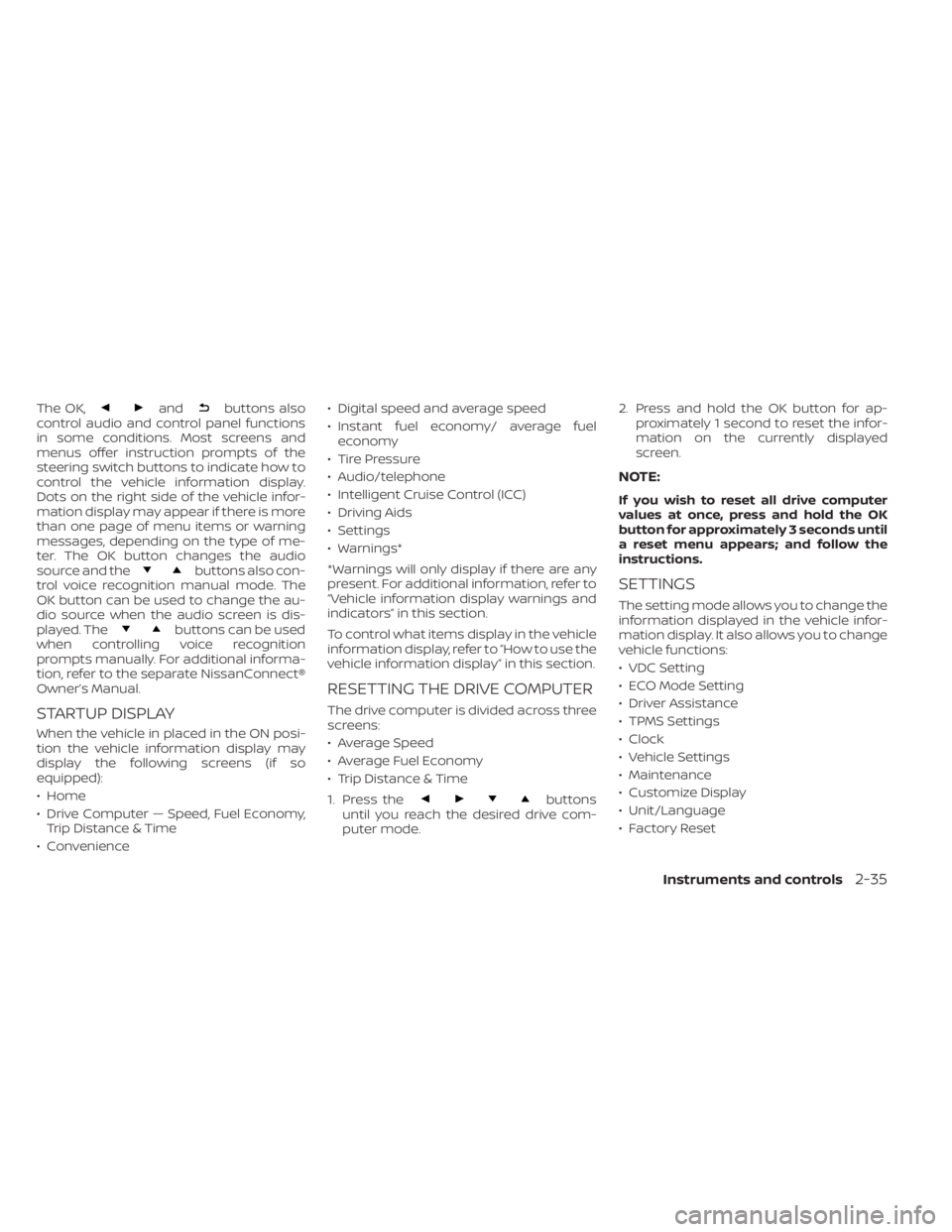
The OK,andbuttons also
control audio and control panel functions
in some conditions. Most screens and
menus offer instruction prompts of the
steering switch buttons to indicate how to
control the vehicle information display.
Dots on the right side of the vehicle infor-
mation display may appear if there is more
than one page of menu items or warning
messages, depending on the type of me-
ter. The OK button changes the audio
source and the
buttons also con-
trol voice recognition manual mode. The
OK button can be used to change the au-
dio source when the audio screen is dis-
played. The
buttons can be used
when controlling voice recognition
prompts manually. For additional informa-
tion, refer to the separate NissanConnect®
Owner’s Manual.
STARTUP DISPLAY
When the vehicle in placed in the ON posi-
tion the vehicle information display may
display the following screens (if so
equipped):
• Home
• Drive Computer — Speed, Fuel Economy, Trip Distance & Time
• Convenience • Digital speed and average speed
• Instant fuel economy/ average fuel
economy
• Tire Pressure
• Audio/telephone
• Intelligent Cruise Control (ICC)
• Driving Aids
• Settings
• Warnings*
*Warnings will only display if there are any
present. For additional information, refer to
“Vehicle information display warnings and
indicators” in this section.
To control what items display in the vehicle
information display, refer to “How to use the
vehicle information display” in this section.
RESETTING THE DRIVE COMPUTER
The drive computer is divided across three
screens:
• Average Speed
• Average Fuel Economy
• Trip Distance & Time
1. Press the
buttons
until you reach the desired drive com-
puter mode. 2. Press and hold the OK button for ap-
proximately 1 second to reset the infor-
mation on the currently displayed
screen.
NOTE:
If you wish to reset all drive computer
values at once, press and hold the OK
button for approximately 3 seconds until
a reset menu appears; and follow the
instructions.
SETTINGS
The setting mode allows you to change the
information displayed in the vehicle infor-
mation display. It also allows you to change
vehicle functions:
• VDC Setting
• ECO Mode Setting
• Driver Assistance
• TPMS Settings
• Clock
• Vehicle Settings
• Maintenance
• Customize Display
• Unit/Language
• Factory Reset
Instruments and controls2-35
Page 135 of 528
10. Release Parking Brake
11. Low Fuel
12. Loose Fuel Cap
13. Engine Oil Service due in–––km
14. Low Washer Fluid (if so equipped)
15. Tire Pressure Low - Add Air
16. Door/ Trunk Open
17. Timer Alert —Time for a break?
18. Low outside temperature indicator
19. Power will turn off to save the battery
20. Power turned off to save the battery
21. Reminder: Turn OFF Headlights
22. Headlight System Error See Owner’sManual (if so equipped)
23. Parking Sensor Error: See Owner’s Manual
24. Driver Attention Alert— Take a Break?
25. Driver Attention Alert Malfunction
26. Malfunction: See Owner’s Manual
27. Unavailable: Side Radar Obstruction
28. Malfunction (if so equipped) 29. Shipping Mode On Push Storage Fuse
30. Intelligent Cruise Control (ICC) indica-
tors (if so equipped)
31. CVT (AT) Malfunction Service now (if so equipped)
32. CVT (AT) hot Power reduced (if so equipped)
33. Chassis Control System Error: See Owner’s Manual (if so equipped)
34. Not Available System Malfunction
35. Not Available Front Radar Blocked
36. Currently not available (if so equipped)
37. Not Available Poor Road Conditions (if so equipped)
38. Unavailable: High Cabin Temperature
39. Rear Door Alert is activated
40. Check Rear Seat For All Articles
41. Rear seat belt reminder
42. Rotate Steering Wheel and Push Start Switch
43. No Key Press and hold to Stop Engine
44. Speed Limit Sign (if so equipped)
45. Brightness indicator 46. Engine Stalled Stop safely
47. Engine Malfunction Power reduced Ser-
vice now
48. Engine Malfunction Service now
49. Engine hot Power reduced
No Key Detected
This warning appears when the Intelligent
Key is lef t outside the vehicle with the igni-
tion switch in the ON position. Make sure
the Intelligent Key is inside the vehicle.
For additional information, refer to “NISSAN
Intelligent Key®” in the “Pre-driving checks
and adjustments” section of this manual.
Key ID Incorrect
This warning appears when the ignition
switch is placed from the OFF position and
the Intelligent Key is not recognized by the
system. You cannot start the engine with
an unregistered key.
For additional information, refer to “NISSAN
Intelligent Key®” in the “Pre-driving checks
and adjustments” section of this manual.
Instruments and controls2-45
Page 140 of 528
Under the following conditions, the ICC sys-
tem is automatically canceled:
• When the VDC operates
• When a wheel slips
The above system cannot be used in some
situations (VDC operates and wheel slip.)
Unavailable: High Cabin Temperature
This message appears when the camera
detects an interior temperature of more
than approximately 104°F (40°C). For addi-
tional information, refer to “Lane Departure
Warning (LDW)” in the “Starting and driving”
section of this manual.
Rear Door Alert is activated
When the system is enabled, this message
appears when the Rear Door Alert system
is active and can remind the driver to check
the back seat.
• Using the steering wheel switch, a drivercan select “Dismiss Message” to clear the
display for a period of time. If no selection
is made, this message automatically
turns off af ter a period of time.
• Using the steering wheel switch, a driver can select “Disable Alert” to disable the
horn alert for the remainder of the cur-
rent trip.
WARNING
Selecting “Dismiss Message” during a
stop within a trip temporarily dis-
misses the message for that stop with-
out turning the system off. Alerts can
be provided for other stops during the
trip. Selecting “Disable Alert” turns off
the Rear Door Alert system for the re-
mainder of a trip and no audible alert
will be provided.
NOTE:
This system is disabled until a driver en-
ables it using the vehicle information
display. For additional information, refer
to “How to use the vehicle information
display ” in this section.
For additional information, refer to “Rear
Door Alert” in this section.
Check Rear Seat For All Articles
When the system is enabled, this message
appears when the vehicle comes to a com-
plete stop, the vehicle is transitioned from
the D (Drive) position to P (Park) position,
and the driver exits the vehicle. This mes-
sage alerts the driver, af ter a period of time,
to check for items in the rear seat af ter the
audible alert has been provided.
NOTE:
This system is disabled until a driver en-
ables it using the vehicle information
display. For additional information, refer
to “How to use the vehicle information
display ” in this section.
For additional information, refer to “Rear
Door Alert” in this section.
Rear seat belt reminder
This warning appears for 35 seconds af ter
the ignition is placed in the ON position and
the engine is started.
This warning message shows the status of
the three rear seat belts. When one of the
rear seat belts are buckled, the corre-
sponding rear seat belt indicator will ap-
pear grey. When one of the rear seat belts
are unbuckled, the corresponding rear seat
belt indicator will appear red.
Af ter a change in buckle status, a chime will
sound and the warning will appear for an-
other 35 seconds.
Rotate Steering Wheel and Push Start
Switch
This indicator appears when the steering
lock cannot be released.
2-50Instruments and controls
Page 141 of 528
If this indicator appears, push the ignition
switch while lightly turning the steering
wheel right and lef t.
No Key Press and hold to Stop Engine
This message appears when the Intelligent
key is not detected and the engine should
be turned off.
Speed Limit Sign indicator (if so
equipped)
This message may appear when the Traffic
Sign Recognition system is engaged.
For additional information, refer to “Traffic
Sign Recognition (TSR)” in the “Starting and
driving” section of this manual.
Brightness indicator
This indicator appears when the vehicle
information display screen brightness is
being adjusted.
Engine Stalled: Stop safely (if so
equipped)
This message appears 30 seconds before
the vehicle is shutdown due to an above
normal operating exhaust temperature.
The Malfunction Indicator Light (MIL) and
malfunction warning (red) will illuminate.
Have the system checked. It is recom-mended that you visit a NISSAN dealer im-
mediately for this service.
Engine Malfunction: Power Reduced
Service now (if so equipped)
This warning appears when the engine is
not operating under normal conditions. If
this warning comes on, have the system
checked. It is recommended that you visit a
NISSAN dealer for this service.
Engine Malfunction Service now (if so
equipped)
This warning illuminates when there is a
problem with the engine. If this warning
comes on, have the system checked. It is
recommended that you visit a NISSAN
dealer for this service.
Engine hot Power reduced (if so
equipped)
This engine has a high fluid temperature
protection mode. If the fluid temperature
becomes too high (for example, climbing
steep grades in high temperatures with
heavy loads, such as when towing a trailer),
engine power and, under some conditions,
vehicle speed will be decreased automati-
cally to reduce the chance of engine dam-
age. Vehicle speed can be controlled with
the accelerator pedal, but the engine and
vehicle speed may be reduced.
WARNING
When the high fluid temperature pro-
tection mode operation occurs, vehicle
speed may be gradually reduced. The
reduced speed may be lower than
other traffic, which could increase the
chance of a collision. Be especially
careful when driving. If necessary, pull
to the side of the road at a safe place
and allow the engine to return to nor-
mal operation; or have it repaired if
necessary.
Instruments and controls2-51
Page 152 of 528
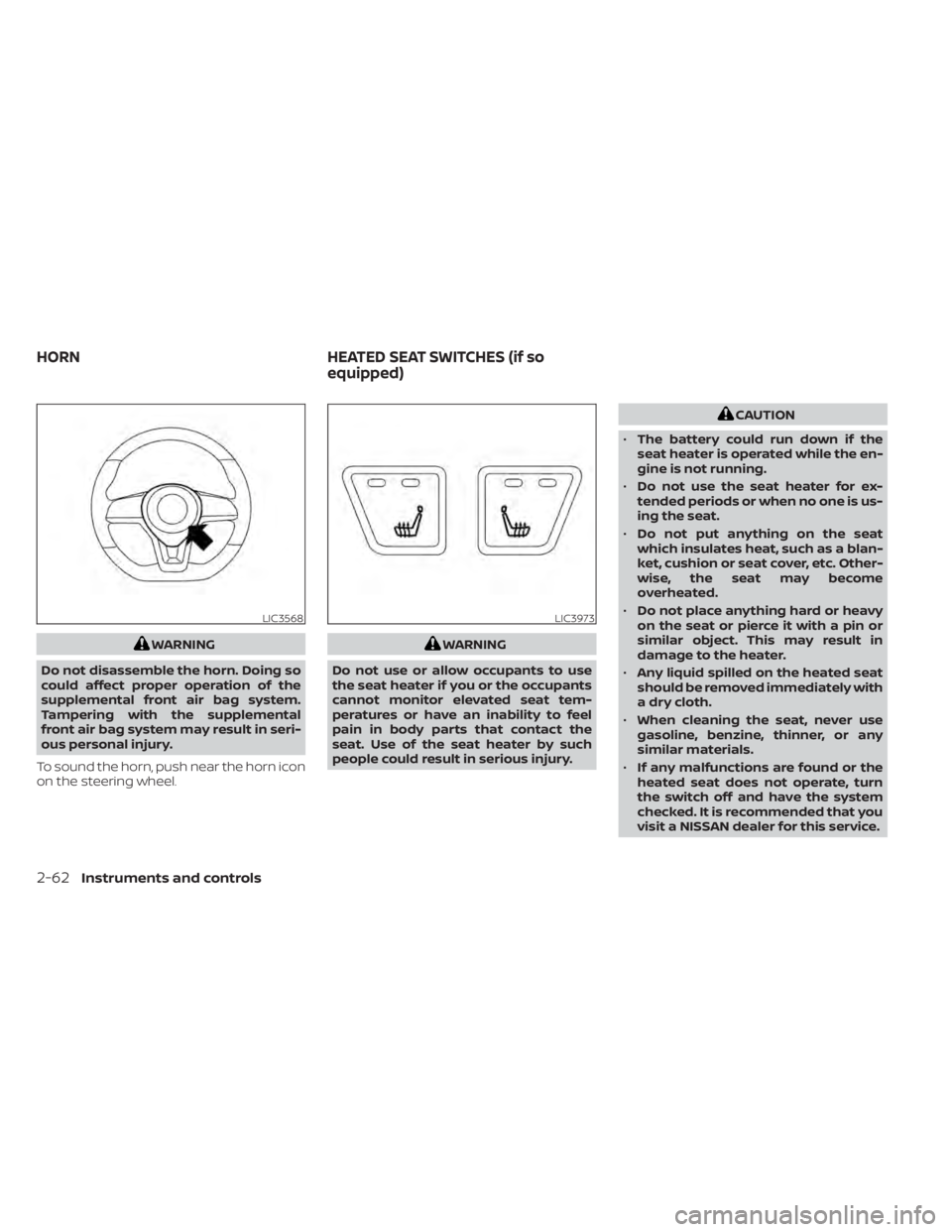
WARNING
Do not disassemble the horn. Doing so
could affect proper operation of the
supplemental front air bag system.
Tampering with the supplemental
front air bag system may result in seri-
ous personal injury.
To sound the horn, push near the horn icon
on the steering wheel.WARNING
Do not use or allow occupants to use
the seat heater if you or the occupants
cannot monitor elevated seat tem-
peratures or have an inability to feel
pain in body parts that contact the
seat. Use of the seat heater by such
people could result in serious injury.
CAUTION
• The battery could run down if the
seat heater is operated while the en-
gine is not running.
• Do not use the seat heater for ex-
tended periods or when no one is us-
ing the seat.
• Do not put anything on the seat
which insulates heat, such as a blan-
ket, cushion or seat cover, etc. Other-
wise, the seat may become
overheated.
• Do not place anything hard or heavy
on the seat or pierce it with a pin or
similar object. This may result in
damage to the heater.
• Any liquid spilled on the heated seat
should be removed immediately with
a dry cloth.
• When cleaning the seat, never use
gasoline, benzine, thinner, or any
similar materials.
• If any malfunctions are found or the
heated seat does not operate, turn
the switch off and have the system
checked. It is recommended that you
visit a NISSAN dealer for this service.
LIC3568LIC3973
HORN HEATED SEAT SWITCHES (if so
equipped)
2-62Instruments and controls
Page 153 of 528
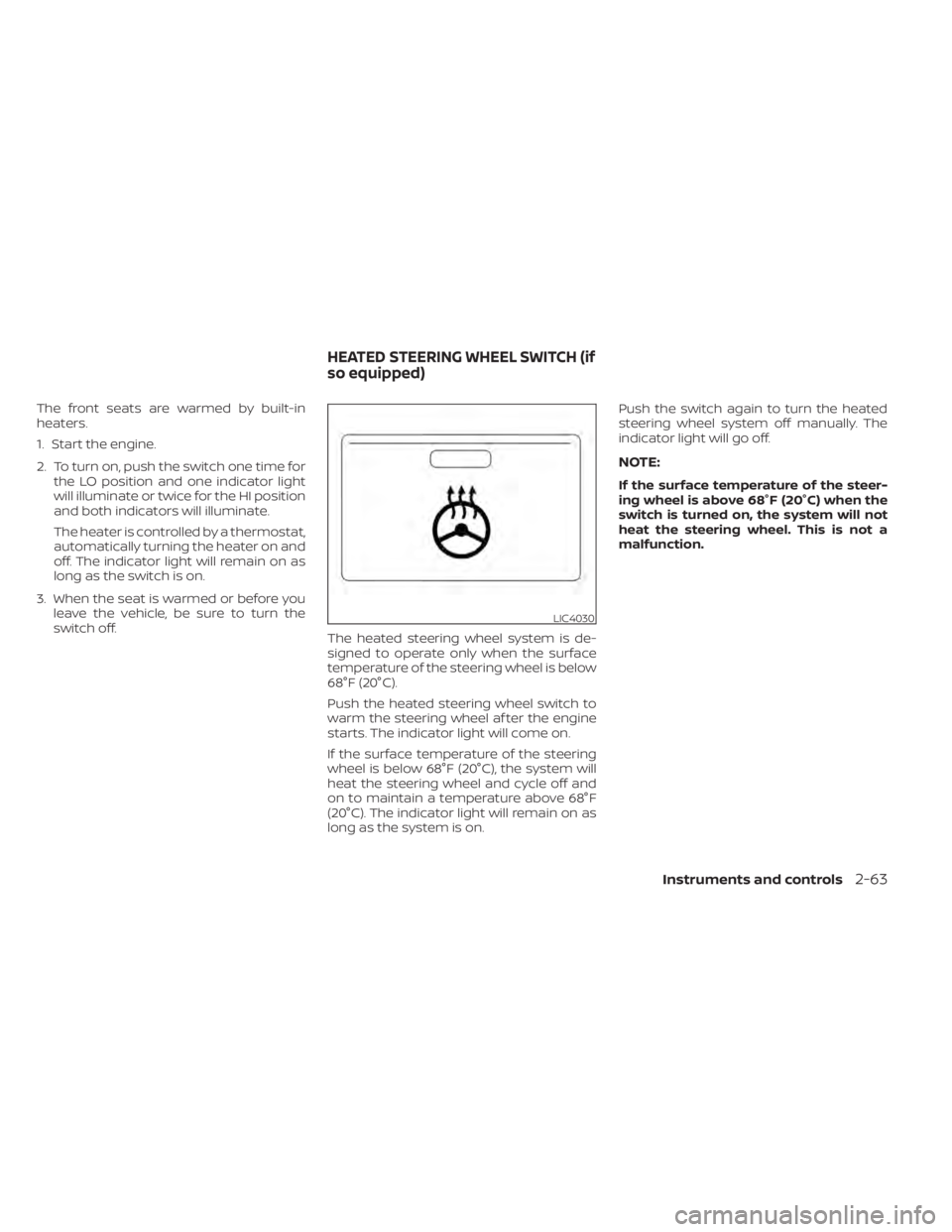
The front seats are warmed by built-in
heaters.
1. Start the engine.
2. To turn on, push the switch one time forthe LO position and one indicator light
will illuminate or twice for the HI position
and both indicators will illuminate.
The heater is controlled by a thermostat,
automatically turning the heater on and
off. The indicator light will remain on as
long as the switch is on.
3. When the seat is warmed or before you leave the vehicle, be sure to turn the
switch off. The heated steering wheel system is de-
signed to operate only when the surface
temperature of the steering wheel is below
68°F (20°C).
Push the heated steering wheel switch to
warm the steering wheel af ter the engine
starts. The indicator light will come on.
If the surface temperature of the steering
wheel is below 68°F (20°C), the system will
heat the steering wheel and cycle off and
on to maintain a temperature above 68°F
(20°C). The indicator light will remain on as
long as the system is on. Push the switch again to turn the heated
steering wheel system off manually. The
indicator light will go off.
NOTE:
If the surface temperature of the steer-
ing wheel is above 68°F (20°C) when the
switch is turned on, the system will not
heat the steering wheel. This is not a
malfunction.
LIC4030
HEATED STEERING WHEEL SWITCH (if
so equipped)
Instruments and controls2-63
Page 171 of 528
3 Pre-driving checks and adjustments
Keys.............................................3-2NISSAN Intelligent Key® .......................3-2
NISSAN Vehicle Immobilizer System
keys..........................................3-4
Doors ...........................................3-4
Locking with key .............................3-5
Locking with inside lock knob ................3-6
Locking with power door lock switch .........3-6
Automatic door locks ........................3-6
Child safety rear door lock .................... 3-7
NISSAN Intelligent Key® .......................... 3-7
Operating range .............................3-9
Door locks/unlocks precaution ..............3-10
NISSAN Intelligent Key® Operation ...........3-10
How to use the remote keyless entry
function ..................................... 3-14
Warning lights and audible reminders .......3-16
Warning signals ............................. 3-16
Troubleshooting guide (Continuously
Variable Transmission only) .................3-18
Troubleshooting guide
(Manual Transmission only) ..................3-19
Remote Engine Start (if so equipped) ...........3-20
Remote Engine Start operating range .......3-20
Remote starting the vehicle .................3-21Extending engine run time
..................3-21
Canceling a Remote Engine Start ...........3-21
Conditions the Remote Engine Start will
notwork .................................... 3-22
Hood ........................................... 3-23
Trunk lid ........................................ 3-24
Trunk lid release switch .....................3-24
Interior trunk lid release .....................3-24
Interior trunk access ........................ 3-25
Fuel-filler door .................................. 3-25
Opener operation ........................... 3-25
Fuel-filler cap ................................ 3-26
Steering wheel ................................. 3-28
Tilt operation ................................ 3-28
Telescopic operation ........................ 3-28
Sun visors ...................................... 3-28
Vanity mirrors ............................... 3-29
Mirrors ......................................... 3-29
Manual anti-glare rearview mirror
(if so equipped) .............................. 3-29
Automatic
anti-glare rearview mirror
(if so equipped) .............................. 3-29
Outside mirrors ............................. 3-30
Page 197 of 528
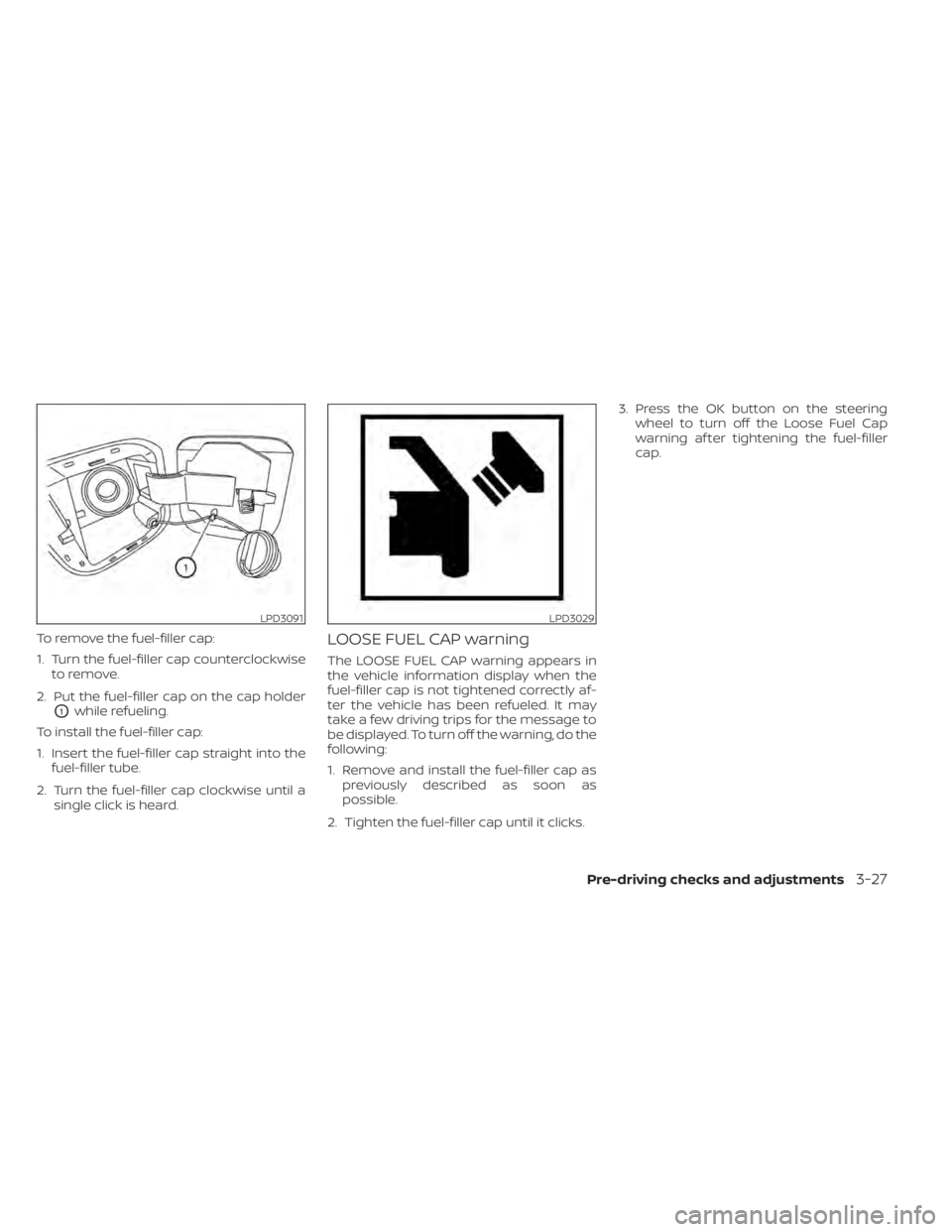
To remove the fuel-filler cap:
1. Turn the fuel-filler cap counterclockwiseto remove.
2. Put the fuel-filler cap on the cap holder
O1while refueling.
To install the fuel-filler cap:
1. Insert the fuel-filler cap straight into the fuel-filler tube.
2. Turn the fuel-filler cap clockwise until a single click is heard.
LOOSE FUEL CAP warning
The LOOSE FUEL CAP warning appears in
the vehicle information display when the
fuel-filler cap is not tightened correctly af-
ter the vehicle has been refueled. It may
take a few driving trips for the message to
be displayed. To turn off the warning, do the
following:
1. Remove and install the fuel-filler cap aspreviously described as soon as
possible.
2. Tighten the fuel-filler cap until it clicks. 3. Press the OK button on the steering
wheel to turn off the Loose Fuel Cap
warning af ter tightening the fuel-filler
cap.
LPD3091LPD3029
Pre-driving checks and adjustments3-27
Page 198 of 528
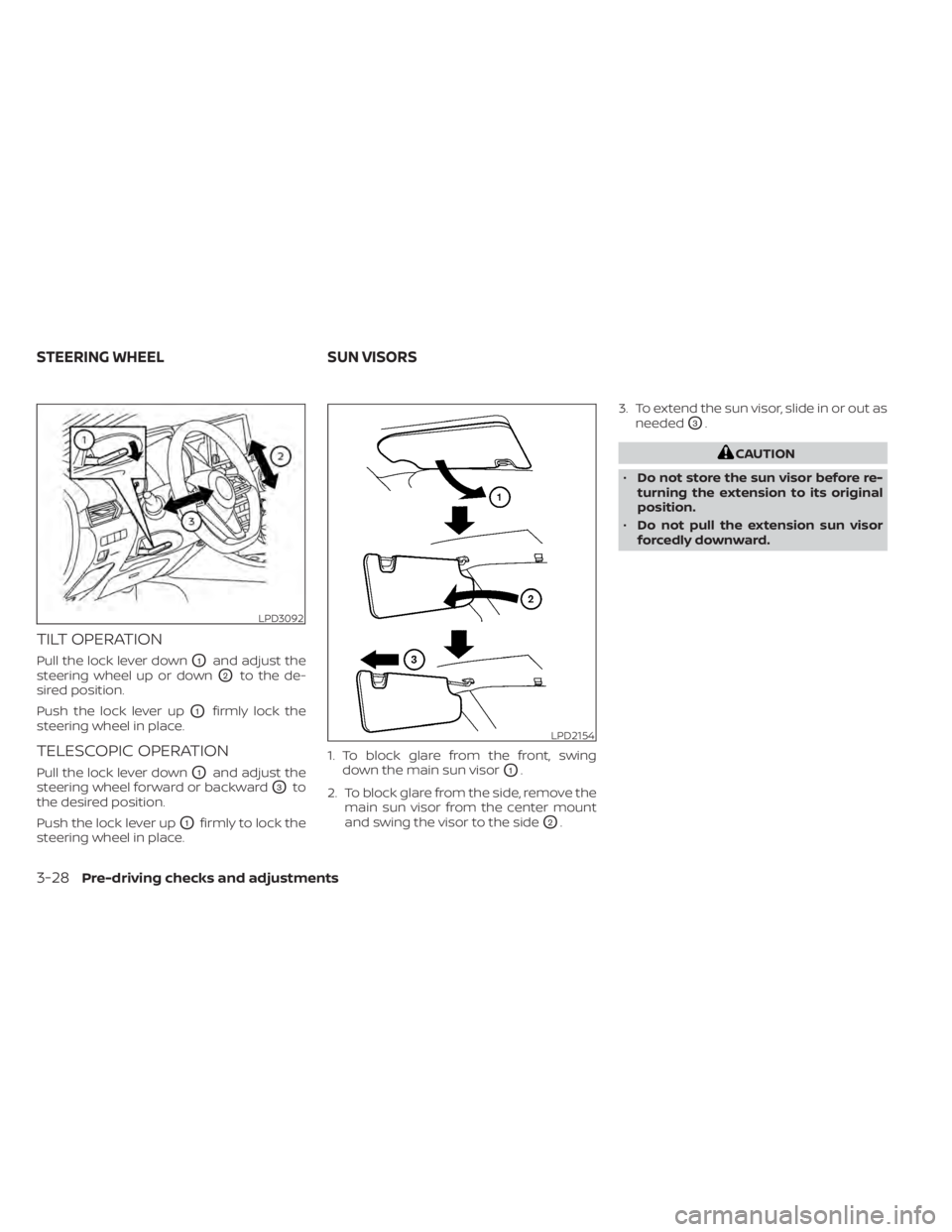
TILT OPERATION
Pull the lock lever downO1and adjust the
steering wheel up or down
O2to the de-
sired position.
Push the lock lever up
O1firmly lock the
steering wheel in place.
TELESCOPIC OPERATION
Pull the lock lever downO1and adjust the
steering wheel forward or backward
O3to
the desired position.
Push the lock lever up
O1firmly to lock the
steering wheel in place. 1. To block glare from the front, swing
down the main sun visor
O1.
2. To block glare from the side, remove the main sun visor from the center mount
and swing the visor to the side
O2. 3. To extend the sun visor, slide in or out as
needed
O3.
CAUTION
• Do not store the sun visor before re-
turning the extension to its original
position.
• Do not pull the extension sun visor
forcedly downward.
LPD3092
LPD2154
STEERING WHEEL SUN VISORS
3-28Pre-driving checks and adjustments
Page 203 of 528
Servicing air conditioner........................4-44
Audio system .................................. 4-45
Radio ....................................... 4-45
FM radio reception .......................... 4-45
AM radio reception .......................... 4-45
Audio operation precautions ................4-46
FM/AM radio ................................ 4-49
USB (Universal Serial Bus) Connection
Port......................................... 4-54
iPod®* player operation .....................4-57
Bluetooth® streaming audio .................4-60
Steering wheel switch for audio control .....4-63
Antenna ..................................... 4-64
USB/iPod® charging port (if so equipped) .......4-64
Siri® Eyes Free (if so equipped) ..................4-64
Requirements ............................... 4-65
Operating Siri® Eyes Free ....................4-65
Troubleshooting guide ......................4-66Car phone or CB radio
.......................... 4-67
Bluetooth® Hands-Free Phone System .........4-67
Regulatory information ......................4-69
Using the system ........................... 4-69
Indicators ................................... 4-71
Control buttons ............................. 4-71
Connecting procedure ......................4-72
Voice commands ........................... 4-73
Phone display screen .......................4-75
Making a call ................................ 4-76
Receiving a call .............................. 4-77
During a call ................................. 4-77
Ending a call ................................ 4-77
Text messaging (if so equipped) .............4-78
Bluetooth® connections screen .............4-81
Phone and text message settings ...........4-82
iPod®/iPhone® ................................. 4-84