seats NISSAN SENTRA 2022 Workshop Manual
[x] Cancel search | Manufacturer: NISSAN, Model Year: 2022, Model line: SENTRA, Model: NISSAN SENTRA 2022Pages: 528, PDF Size: 3.51 MB
Page 104 of 528
Supplemental air bag
warning light
When the ignition switch is placed in the ON
position, the supplemental air bag warning
light illuminates for about 7 seconds and
then turns off. This means the system is
operational.
If any of the following conditions occur, the
front air bag, side air bag, curtain air bag,
and pretensioner seat belt systems need
servicing.
• The supplemental air bag warning lightremains on af ter approximately 7 sec-
onds.
• The supplemental air bag warning light flashes intermittently.
• The supplemental air bag warning light does not come on at all.
It is recommended that you visit a NISSAN
dealer for these services. Unless checked
and repaired, the supplemental restraint
system (air bag system) and/or the preten-
sioners may not function properly. For ad-
ditional information, refer to “Supplemental
restraint system (SRS)” in the “Safety—
Seats, seat belts and supplemental re-
straint system” section of this manual.
Continuously Variable
Transmission (CVT)
position indicator light
(CVT models) (if so
equipped)
When the ignition switch is placed in the ON
position, this indicator light shows the shif t
lever position. For additional information,
refer to “Driving the vehicle” in the “Starting
and driving” section of this manual.
ECO mode indicator light (if
so equipped)
This light comes on when the ECO mode
has been selected. For additional informa-
tion, refer to “ECO mode switch” in the
“Starting and driving” section of this
manual.
Front fog light indicator
light (if so equipped)
The front fog light indicator light illumi-
nates when the front fog lights are on. For
additional information, refer to “Fog light
switch” in this section.
Front passenger air bag
status light
The front passenger air bag status light will
be lit and the passenger front air bag will be
off depending on how the front passenger
seat is being used.
For additional information, refer to “Front
passenger air bag and status light” in the
“Safety — Seats, seat belts and supplemen-
tal restraint system” section of this manual.
2-14Instruments and controls
Page 153 of 528
The front seats are warmed by built-in
heaters.
1. Start the engine.
2. To turn on, push the switch one time forthe LO position and one indicator light
will illuminate or twice for the HI position
and both indicators will illuminate.
The heater is controlled by a thermostat,
automatically turning the heater on and
off. The indicator light will remain on as
long as the switch is on.
3. When the seat is warmed or before you leave the vehicle, be sure to turn the
switch off. The heated steering wheel system is de-
signed to operate only when the surface
temperature of the steering wheel is below
68°F (20°C).
Push the heated steering wheel switch to
warm the steering wheel af ter the engine
starts. The indicator light will come on.
If the surface temperature of the steering
wheel is below 68°F (20°C), the system will
heat the steering wheel and cycle off and
on to maintain a temperature above 68°F
(20°C). The indicator light will remain on as
long as the system is on. Push the switch again to turn the heated
steering wheel system off manually. The
indicator light will go off.
NOTE:
If the surface temperature of the steer-
ing wheel is above 68°F (20°C) when the
switch is turned on, the system will not
heat the steering wheel. This is not a
malfunction.
Instruments and controls2-63
Page 249 of 528
The vehicle is not equipped with a USB de-
vice. USB devices should be purchased
separately as necessary.
This system cannot be used to format USB
devices. To format a USB device, use a per-
sonal computer.
In some jurisdictions, the USB device for the
front seats plays only sound without im-
ages for regulatory reasons, even when the
vehicle is parked.
This system supports various USB
memory devices, USB hard drives and
iPod® players. Some USB devices may not
be supported by this system.
• Partitioned USB devices may not playcorrectly.
• Some characters used in other lan- guages (Chinese, Japanese, etc.) may not
appear properly in the display. Using Eng-
lish language characters with a USB de-
vice is recommended.
General notes for USB use:
• For additional information, refer to your device manufacturer’s owner informa-
tion regarding the proper use and care of
the device. Notes for iPod® use:
iPod® is a trademark of Apple Inc., regis-
tered in the U.S. and other countries.
• Improperly plugging in the iPod® may
cause a checkmark to be displayed on
and off (flickering). Always make sure that
the iPod® is connected properly.
• An iPod® nano (1st Generation) may re- main in fast forward or rewind mode if it is
connected during a seek operation. In
this case, please manually reset the
iPod®.
• An iPod® nano (2nd Generation) will con- tinue to fast-forward or rewind if it is dis-
connected during a seek operation.
• An incorrect song title may appear when the Play Mode is changed while using an
iPod® nano (2nd Generation).
• Audiobooks may not play in the same order as they appear on an iPod®.
• Large video files cause slow responses in an iPod®. The vehicle center display may
momentarily black out, but will soon re-
cover.
• If an iPod® automatically selects large video files while in the shuffle mode, the
vehicle center display may momentarily
black out, but will soon recover.iPod®* player
• Some characters used in other lan-guages (Chinese, Japanese, etc.) are not
displayed properly on the vehicle center
screen. We recommend using English or
Spanish language characters with an
iPod®.
• Large video podcast files cause slow re- sponses in the iPod®. The vehicle center
display may momentarily black out, but it
will soon recover.
• If the iPod® automatically selects large video podcast files while in the shuffle
mode, the vehicle center display may
momentarily black out, but it will soon
recover.
• Improperly plugging in the iPod® may cause a checkmark to be displayed on
and off (flickering). Always make sure that
the iPod® is connected properly.
• The iPod® nano (2nd Generation) will con- tinue to fast forward or rewind if it is dis-
connected during a seek operation.
• An incorrect song title may appear when the Play Mode is changed while using the
iPod® nano (2nd Generation).
• Audiobooks may not play in the same order as they appear on the iPod®.
Monitor, climate, audio, phone and voice recognition systems4-47
Page 435 of 528
Occasionally remove loose dust from the
interior trim, plastic parts and seats using a
vacuum cleaner or sof t bristled brush. Wipe
the vinyl and leather (if so equipped) sur-
faces with a clean, sof t cloth dampened in
mild soap solution, then wipe clean with a
dry, sof t cloth.
Regular care and cleaning is required in
order to maintain the appearance of the
leather (if so equipped).
Before using any fabric protector, read the
manufacturer's recommendations. Some
fabric protectors contain chemicals that
may stain or bleach the seat material.
Use a cloth dampened only with water to
clean the meter and gauge lens.CAUTION
• Never use benzine, thinner or any
similar material.
• Small dirt particles can be abrasive
and damaging to leather surfaces
and should be removed promptly. Do
not use saddle soap, car waxes, pol-
ishes, oils, cleaning fluids, solvents,
detergents or ammonia-based
cleaners as they may damage the
leather's natural finish.
• Never use fabric protectors unless
recommended by the manufacturer.
• Do not use glass or plastic cleaner on
meter or gauge lens covers. It may
damage the lens cover.
AIR FRESHENERS
Most air fresheners use a solvent that
could affect the vehicle interior. If you use
an air freshener, take the following precau-
tions:
• Hanging-type air fresheners can cause permanent discoloration when they con-
tact vehicle interior surfaces. Place the air
freshener in a location that allows it to
hang free and not contact an interior sur-
face. • Liquid-type air fresheners typically clip on
the vents. These products can cause im-
mediate damage and discoloration
when spilled on interior surfaces.
Carefully read and follow the manufactur-
er's instructions before using the air fresh-
eners.
POWER MOONROOF (if so
equipped)
The sunshade is made from a tricot mate-
rial.
Page 437 of 528
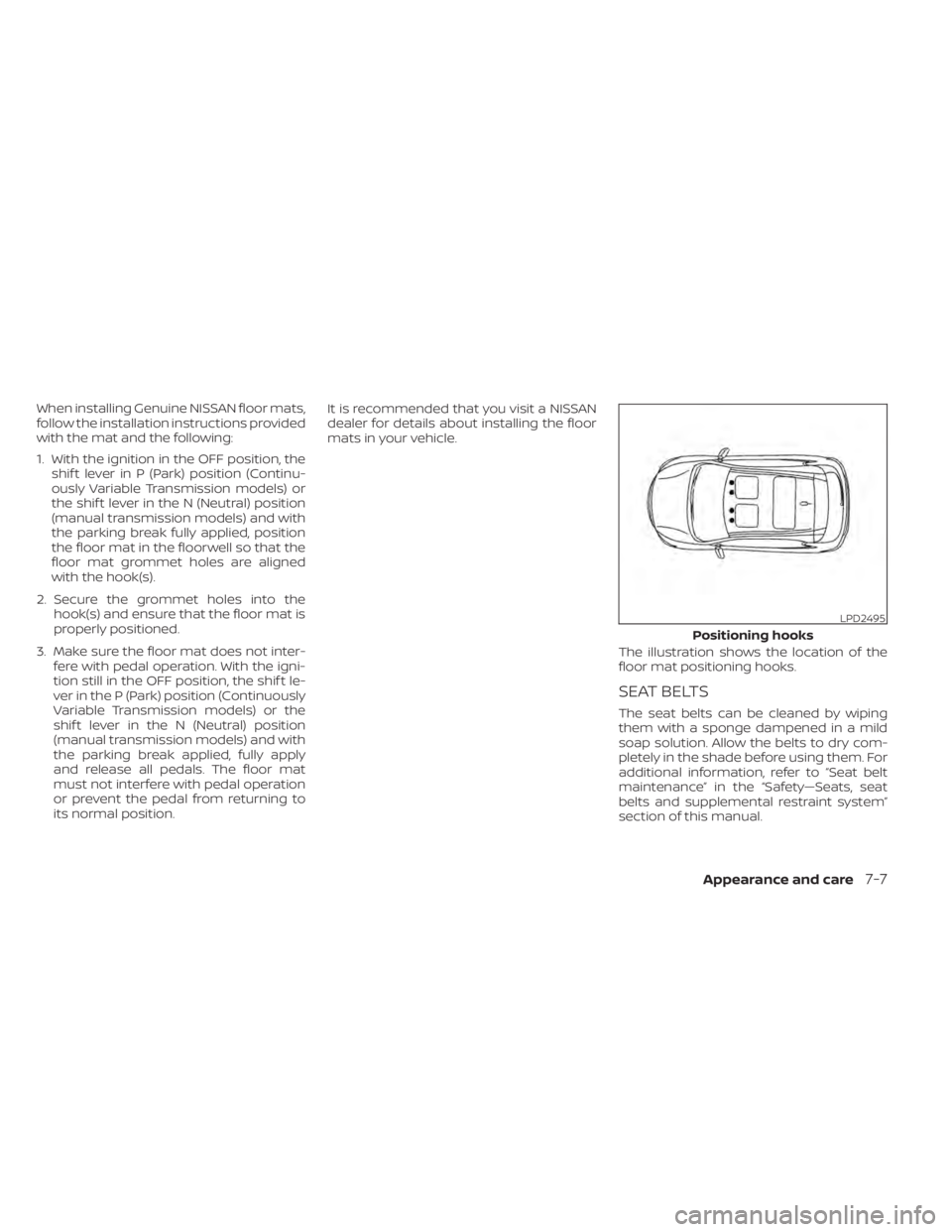
When installing Genuine NISSAN floor mats,
follow the installation instructions provided
with the mat and the following:
1. With the ignition in the OFF position, theshif t lever in P (Park) position (Continu-
ously Variable Transmission models) or
the shif t lever in the N (Neutral) position
(manual transmission models) and with
the parking break fully applied, position
the floor mat in the floorwell so that the
floor mat grommet holes are aligned
with the hook(s).
2. Secure the grommet holes into the hook(s) and ensure that the floor mat is
properly positioned.
3. Make sure the floor mat does not inter- fere with pedal operation. With the igni-
tion still in the OFF position, the shif t le-
ver in the P (Park) position (Continuously
Variable Transmission models) or the
shif t lever in the N (Neutral) position
(manual transmission models) and with
the parking break applied, fully apply
and release all pedals. The floor mat
must not interfere with pedal operation
or prevent the pedal from returning to
its normal position. It is recommended that you visit a NISSAN
dealer for details about installing the floor
mats in your vehicle.
The illustration shows the location of the
floor mat positioning hooks.
SEAT BELTS
The seat belts can be cleaned by wiping
them with a sponge dampened in a mild
soap solution. Allow the belts to dry com-
pletely in the shade before using them. For
additional information, refer to “Seat belt
maintenance” in the “Safety—Seats, seat
belts and supplemental restraint system”
section of this manual.
LPD2495
Positioning hooks
Appearance and care7-7
Page 484 of 528
Parking brake:Check the parking brake
operation regularly. The vehicle should be
securely held on a fairly steep hill with only
the parking brake applied. If the parking
brake needs adjustment, it is recom-
mended that you visit a NISSAN dealer for
this service.
Seats: Check seat position controls such
as seat adjusters, seatback recliner, etc., to
ensure they operate smoothly and all
latches lock securely in every position.
Check that the head restraints/headrests
move up and down smoothly and the locks
(if so equipped) hold securely in all latched
positions.
Seat belts: Check that all parts of the seat
belt system (for example, buckles, anchors,
adjusters and retractors) operate properly
and smoothly, and are installed securely.
Check the belt webbing for cuts, fraying,
wear or damage.
Steering wheel: Check for changes in the
steering system, such as excessive free
play, hard steering or strange noises.
Warning lights and chimes: Make sure all
warning lights and chimes are operating
properly.
Windshield defroster: Check that the air
comes out of the defroster outlets properly and in sufficient quantity when operating
the heater or air conditioner.
Windshield wiper and washer*:
Check
that the wipers and washer operate prop-
erly and that the wipers do not streak.
Under the hood and vehicle
The maintenance items listed here should
be checked periodically (for example, each
time you check the engine oil or refuel).
Battery*: This vehicle is equipped with a
sealed maintenance free battery. It is rec-
ommended that you visit a NISSAN dealer
for service.
NOTE:
Care should be taken to avoid situations
that can lead to potential battery dis-
charge and potential no-start conditions
such as:
1. Installation or extended use of elec-
tronic accessories that consume bat-
tery power when the engine is not run-
ning (Phone chargers, GPS, DVD
players, etc.).
2. Vehicle is not driven regularly and/or
only driven short distances. In these cases, the battery may need to
be charged to maintain battery health.
Brake and clutch (if so equipped) fluid
level*:
Make sure that the brake and clutch
fluid levels are between the MIN and MAX
lines on the reservoir.
Engine coolant level*: Check the coolant
level when the engine is cold.
Engine drive belt*: Make sure the drive belt
is not frayed, worn, cracked or oily.
Engine oil level*: Check the level af ter
parking the vehicle on a level surface with
the engine off. Wait more than 15 minutes
for the oil to drain back into the oil pan.
Exhaust system: Make sure there are no
loose supports, cracks or holes. If the
sound of the exhaust seems unusual or
there is a smell of exhaust fumes, immedi-
ately have the exhaust system inspected. It
is recommended that you visit a NISSAN
dealer for this service. For additional infor-
mation, refer to “Exhaust gas (carbon mon-
oxide)” in the “Starting and driving” section
of this manual.
9-4Maintenance and schedules
Page 509 of 528
WARNING
• It is extremely dangerous to
ride in a cargo area inside a ve-
hicle. In a collision, people rid-
ing in these areas are more
likely to be seriously injured or
killed.
• Do not allow people to ride in
any area of your vehicle that is
not equipped with seats and
seat belts.
• Be sure everyone in your ve-
hicle is in a seat and using a
seat belt properly.
TERMS
It is important to familiarize yourself
with the following terms before
loading your vehicle: • Curb Weight (actual weight of your
vehicle) - vehicle weight including:
standard parts, fluids, emergency
tools and spare tire assembly. This
weight does not include passen-
gers and cargo.
• GVW (Gross Vehicle Weight) - curb weight plus the combined weight
of passengers and cargo.
• GVWR (Gross Vehicle Weight Rat- ing) - maximum total combined
weight of the unloaded vehicle,
passengers, luggage, hitch, trailer
tongue load and any other op-
tional equipment. This information
is located on the F.M.V.S.S./
C.M.V.S.S. certification label.
• GAWR (Gross Axle Weight Rating) - maximum weight (load) limit
specified for the front or rear axle.
This information is located on the
F.M.V.S.S./C.M.V.S.S. certification la-
bel. • GCWR (Gross Combined Weight
Rating) - The maximum total
weight rating of the vehicle, pas-
sengers, cargo, and trailer.
• Vehicle Capacity Weight, Load limit, Total load capacity - maximum to-
tal weight limit specified of the load
(passengers and cargo) for the ve-
hicle. This is the maximum com-
bined weight of occupants and
cargo that can be loaded into the
vehicle. If the vehicle is used to tow
a trailer, the trailer tongue weight
must be included as part of the
cargo load. This information is lo-
cated on the Tire and Loading In-
formation label.
• Cargo capacity - permissible weight of cargo, the subtracted
weight of occupants from the load
limit.
VEHICLE LOADING INFORMATION
Technical and consumer information10-15
Page 519 of 528
Engine Block Heater.............5-127Engine coolant temperature gauge. . . .2-6Event Data recorders............10-22Exhaust gas (Carbon monoxide)......5-4Explanation of maintenance items.....9-2Explanation of scheduled maintenance
items.......................9-5Extended storage switch..........8-22Eyeglass case.................2-68
F
F.M.V.S.S. certification label.........10-13Flashers (See hazard warning flasher
switch)......................6-2Flat tire.................. .6-3, 6-4Floor mat positioning aid...........7-6Fluid
Brake fluid..................8-10Capacities and recommended
fuel/lubricants...............10-2Clutch fluid..................8-11Continuously Variable Transmission (CVT)
fluid......................8-10Engine coolant................8-5Engine oil...................8-7Windshield-washer fluid..........8-11Fog light switch................2-61Front air bag system
(See supplemental restraint system). . .1-52Front power seat adjustment........1-5Front seats....................1-2Front-door pocket..............2-66
FuelCapacities and recommended
fuel/lubricants
...............10-2Fuel economy...............5-111Fuel gauge..................2-7Fuel octane rating.............10-6Fuel recommendation..........10-4Fuel-filler cap................3-26Fuel-filler door lock opener lever. . . .3-25Fuel-filler lid.................3-26Loose fuel cap warning......2-29,2-47Fuel efficient driving tips..........5-110Fuel gauge....................2-7Fuel-filler door.................3-25Fuses.......................8-19Fusible links..................8-20
G
Garage door opener, HomeLink® Universal
Transceiver.....2-76,2-77,2-78,2-79, 2-80Gas cap.....................3-26Gauge
Engine coolant temperature gauge. . .2-6Fuel gauge..................2-7Speedometer................2-4Tachometer................ .2-5Trip odometer................2-5General maintenance.............9-2Glove box................... .2-67Glove box lock.................2-67
H
Hands-free phone system, Bluetooth®. .4-67Hazard warning flasher switch........6-2Head restraints.................1-7Headlight and turn signal switch.....2-55Headlight control switch...........2-55Headlights...................8-24Heated seat switches............2-62Heated seats................. .2-62Heated steering wheel switch.......2-63Heater
Heater and air conditioner
controls
................4-33, 4-41Heater operation..........4-34, 4-42Hill start assist system...........5-119HomeLink® Universal
Transceiver.....2-76,2-77,2-78,2-79, 2-80Hood.......................3-23Horn...................... .2-62
I
Ignition switch
Push-button ignition switch.......5-11Immobilizer system..........2-53, 5-14Important vehicle information label. . .10-13In-cabin microfilter..............8-16Increasing fuel economy..........5-111IndicatorNISSAN Intelligent Key® battery discharge
indicator
...................5-13
Index11-3
Page 521 of 528
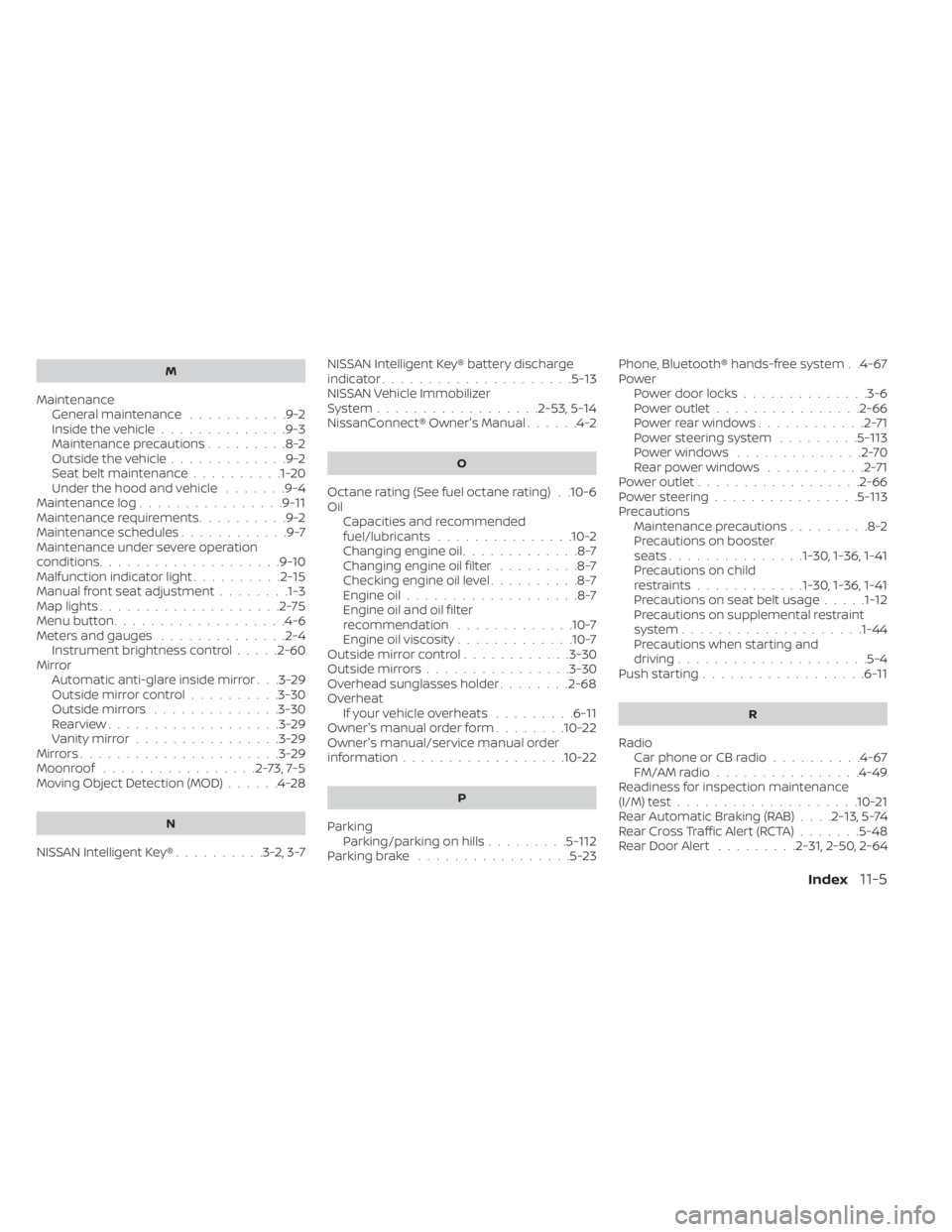
M
MaintenanceGeneral maintenance...........9-2Inside the vehicle..............9-3Maintenance precautions.........8-2Outside the vehicle.............9-2Seat belt maintenance..........1-20Under the hood and vehicle.......9-4Maintenance log................9-11Maintenance requirements..........9-2Maintenance schedules............9-7Maintenance under severe operation
conditions....................9-10Malfunction indicator light..........2-15Manual front seat adjustment........1-3Map lights....................2-75Menu button.................. .4-6Meters and gauges..............2-4Instrument brightness control.....2-60Mirror
Automatic anti-glare inside mirror. . .3-29Outside mirror control..........3-30Outside mirrors..............3-30Rearview...................3-29Vanity mirror................3-29Mirrors......................3-29Moonroof.................2-73,7-5Moving Object Detection (MOD)......4-28
N
NISSAN Intelligent Key®..........3-2,3-7
NISSAN Intelligent Key® battery discharge
indicator.....................5-13NISSAN Vehicle Immobilizer
System................. .2-53, 5-14NissanConnect® Owner's Manual......4-2
O
Octane rating (See fuel octane rating). .10-6Oil
Capacities and recommended
fuel/lubricants
...............10-2Changing engine oil.............8-7Changing engine oil filter.........8-7Checking engine oil level..........8-7Engine oil...................8-7Engine oil and oil filter
recommendation.............10-7Engine oil viscosity.............10-7Outside mirror control............3-30Outside mirrors................3-30Overhead sunglasses holder........2-68OverheatIf your vehicle overheats.........6-11Owner's manual order form........10-22Owner's manual/service manual order
information................. .10-22
P
Parking
Parking/parking on hills.........5-112Parking brake.................5-23
Phone, Bluetooth® hands-free system. .4-67PowerPower door locks..............3-6Power outlet................2-66Powerrearwindows............2-71Power steering system.........5-113Power windows..............2-70Rear power windows...........2-71Power outlet................. .2-66Power steering................5-113Precautions
Maintenance precautions.........8-2Precautions on booster
seats...............1-30, 1-36, 1-41Precautions on child
restraints............1-30, 1-36, 1-41Precautions on seat belt usage.....1-12Precautions on supplemental restraint
system................... .1-44Precautions when starting and
driving.................... .5-4Push starting..................6-11
R
Radio
Car phone or CB radio..........4-67FM/AM radio................4-49Readiness for inspection maintenance
(I/M) test................... .10-21Rear Automatic Braking (RAB). . . .2-13, 5-74Rear Cross Traffic Alert (RCTA).......5-48Rear Door Alert.........2-31, 2-50, 2-64
Index11-5
Page 522 of 528
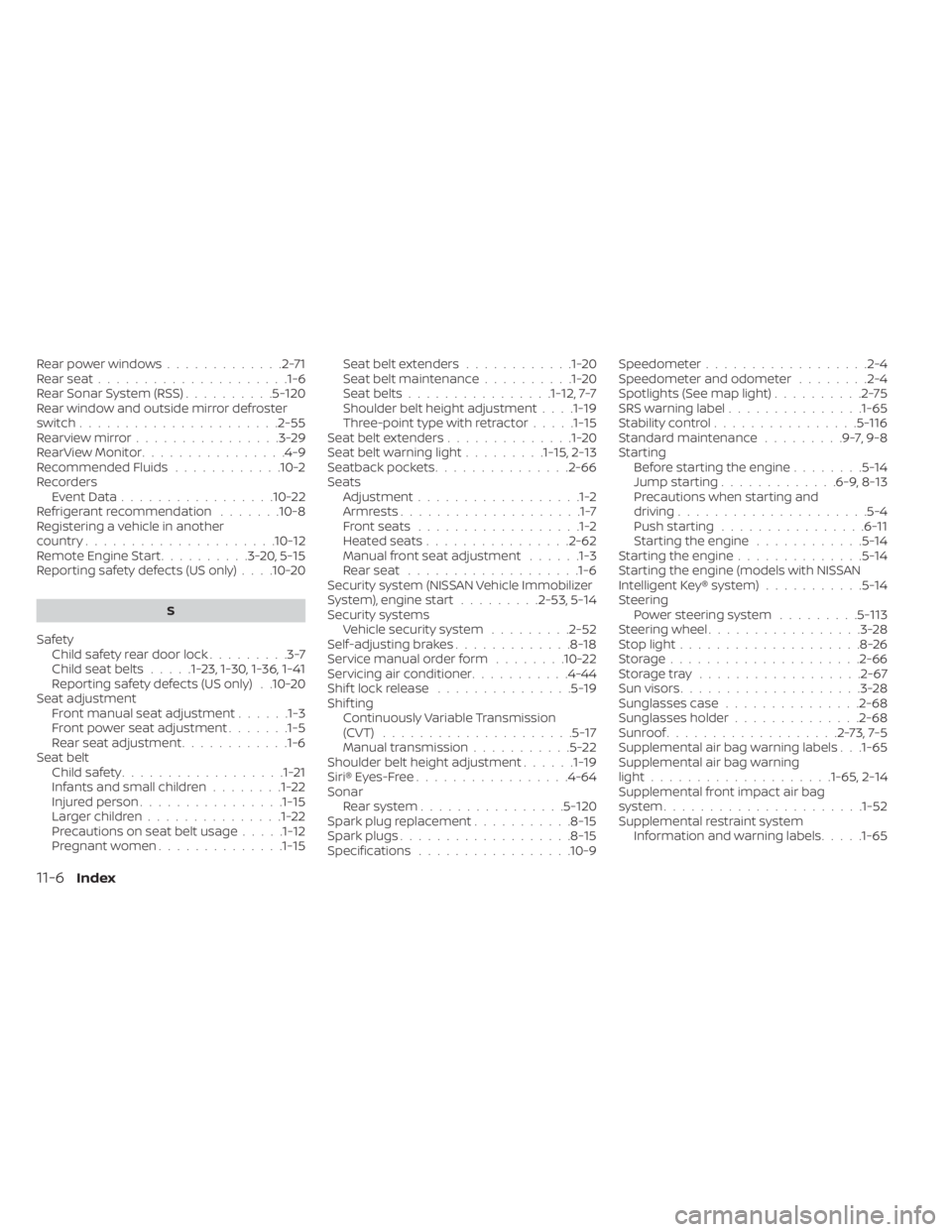
Rear power windows.............2-71Rear seat.....................1-6Rear Sonar System (RSS)..........5-120Rear window and outside mirror defroster
switch..................... .2-55Rearview mirror................3-29RearView Monitor................4-9Recommended Fluids............10-2Recorders
Event Data................ .10-22Refrigerant recommendation.......10-8Registering a vehicle in another
country.................... .10-12Remote Engine Start..........3-20,5-15Reporting safety defects (US only). . . .10-20
S
Safety
Child safety rear door lock.........3-7Child seat belts.....1-23, 1-30, 1-36, 1-41Reporting safety defects (US only). .10-20Seat adjustment
Front manual seat adjustment......1-3Front power seat adjustment.......1-5Rear seat adjustment............1-6Seat beltChild safety..................1-21Infants and small children........1-22Injured person................1-15Larger children...............1-22Precautions on seat belt usage.....1-12Pregnant women..............1-15
Seat belt extenders............1-20Seat belt maintenance..........1-20Seat belts................1-12,7-7Shoulder belt height adjustment. . . .1-19Three-point type with retractor.....1-15Seat belt extenders..............1-20Seat belt warning light.........1-15,2-13Seatback pockets...............2-66SeatsAdjustment..................1-2Armrests....................1-7Front seats..................1-2Heated seats................2-62Manual front seat adjustment......1-3Rear seat.................. .1-6Security system (NISSAN Vehicle Immobilizer
System), engine start.........2-53, 5-14Security systems
Vehicle security system.........2-52Self-adjusting brakes.............8-18Service manual order form........10-22Servicing air conditioner...........4-44Shif t lock release...............5-19Shif tingContinuously Variable Transmission
(CVT)
.....................5-17Manual transmission...........5-22Shoulder belt height adjustment......1-19Siri® Eyes-Free................ .4-64Sonar
Rear system................5-120Spark plug replacement...........8-15Spark plugs...................8-15Specifications................ .10-9
Speedometer................. .2-4Speedometer and odometer........2-4Spotlights (See map light)..........2-75SRS warning label...............1-65Stability control................5-116Standard maintenance.........9-7,9-8Starting
Before starting the engine........5-14Jump starting.............6-9, 8-13Precautions when starting and
driving.................... .5-4Push starting................6-11Starting the engine............5-14Starting the engine..............5-14Starting the engine (models with NISSAN
Intelligent Key® system)...........5-14Steering
Power steering system.........5-113Steering wheel.................3-28Stop light....................8-26Storage.................... .2-66Storage tray..................2-67Sun visors....................3-28Sunglasses case...............2-68Sunglasses holder..............2-68Sunroof...................2-73,7-5Supplemental air bag warning labels. . .1-65Supplemental air bag warning
light................... .1-65, 2-14Supplemental front impact air bag
system..................... .1-52Supplemental restraint system
Information and warning labels.....1-65
11-6Index