display NISSAN SENTRA 2023 Owners Manual
[x] Cancel search | Manufacturer: NISSAN, Model Year: 2023, Model line: SENTRA, Model: NISSAN SENTRA 2023Pages: 556, PDF Size: 6.11 MB
Page 394 of 556
Action to take:
When the conditions listed above are no
longer present, the warning message will
no longer be available in the vehicle infor-
mation display. If the “Forward Driving Aids
Temporarily Disabled Front Sensor
Blocked: See Owner’s Manual” or “Driving
Aids Temporarily Disabled Front Sensor
Blocked: See Manual” warning message
continues to be displayed, have the system
checked. It is recommended that you visit a
NISSAN dealer for this service.
Condition C
When the radar sensor of the front bumper
is covered with mud, dirt, snow, ice, etc., or is
obstructed, the I-FCW system will auto-
matically be canceled, the chime will sound
and the “Forward Driving Aids Temporarily
Disabled Front Sensor Blocked: See Own-
er’s Manual” or “Driving Aids Temporarily
Disabled Front Sensor Blocked: See
Manual” warning message will appear in
the vehicle information display.
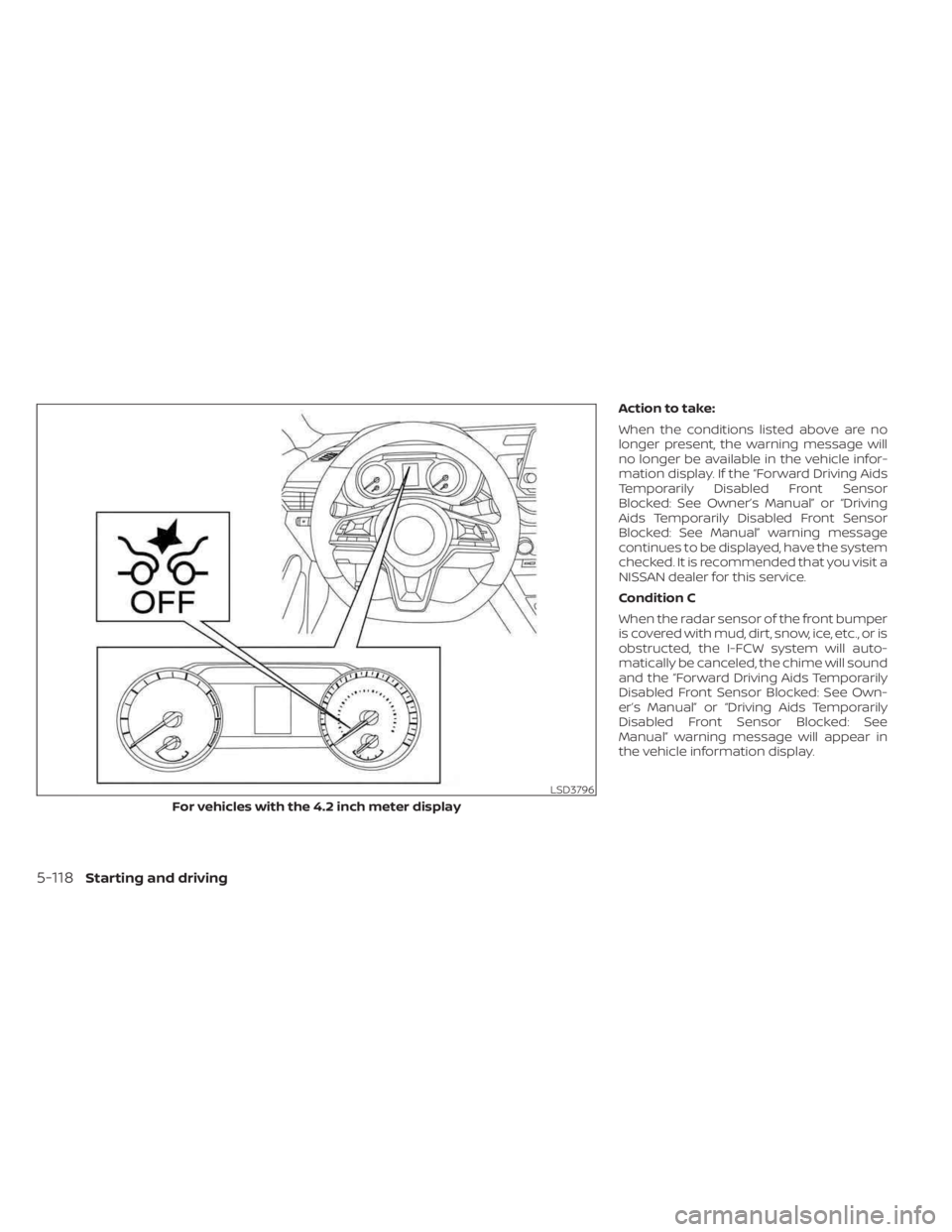
LSD3796
For vehicles with the 4.2 inch meter display
5-118Starting and driving
Page 395 of 556
Action to take:
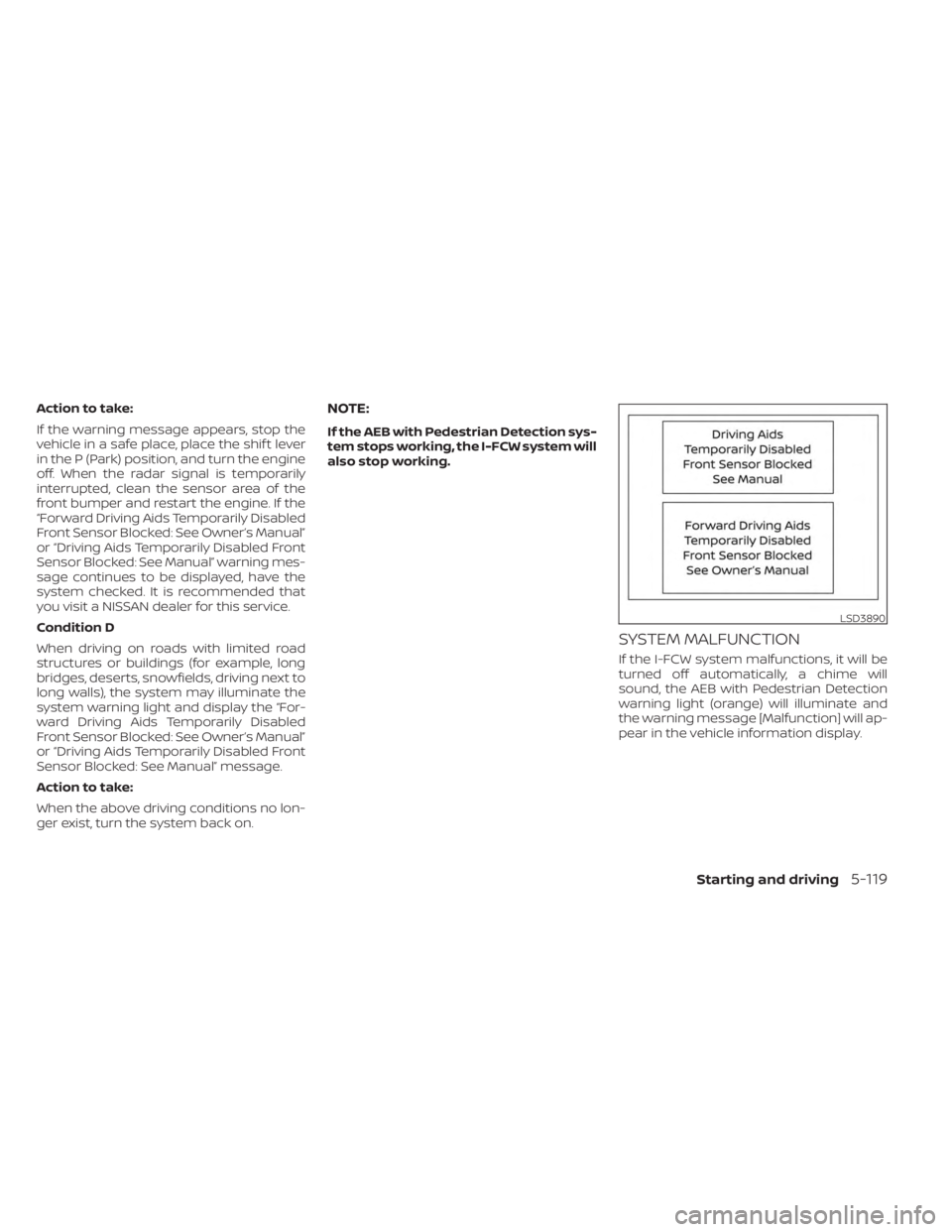
If the warning message appears, stop the
vehicle in a safe place, place the shif t lever
in the P (Park) position, and turn the engine
off. When the radar signal is temporarily
interrupted, clean the sensor area of the
front bumper and restart the engine. If the
“Forward Driving Aids Temporarily Disabled
Front Sensor Blocked: See Owner’s Manual”
or “Driving Aids Temporarily Disabled Front
Sensor Blocked: See Manual” warning mes-
sage continues to be displayed, have the
system checked. It is recommended that
you visit a NISSAN dealer for this service.
Condition D
When driving on roads with limited road
structures or buildings (for example, long
bridges, deserts, snowfields, driving next to
long walls), the system may illuminate the
system warning light and display the “For-
ward Driving Aids Temporarily Disabled
Front Sensor Blocked: See Owner’s Manual”
or “Driving Aids Temporarily Disabled Front
Sensor Blocked: See Manual” message.
Action to take:
When the above driving conditions no lon-
ger exist, turn the system back on.NOTE:
If the AEB with Pedestrian Detection sys-
tem stops working, the I-FCW system will
also stop working.
SYSTEM MALFUNCTION
If the I-FCW system malfunctions, it will be
turned off automatically, a chime will
sound, the AEB with Pedestrian Detection
warning light (orange) will illuminate and
the warning message [Malfunction] will ap-
pear in the vehicle information display.
LSD3890
Starting and driving5-119
Page 397 of 556
WARNING
Failure to follow the warnings and in-
structions for proper use of the I-DA
system could result in serious injury or
death.
• The I–DA system is only a warning to
inform the driver of a potential lack
of driver attention or drowsiness. It
will not steer the vehicle or prevent
loss of control.
• The I–DA system does not detect and
provide an alert of the driver’s lack of
attention or fatigue in every
situation.
• It is the driver’s responsibility to:
– stay alert,
– drive safely,
– keep the vehicle in the traveling lane,
– be in control of the vehicle at all times,
– avoid driving when tired,
– avoid distractions (texting, etc.).
The I–DA system helps alert the driver if the
system detects a lack of attention or driv-
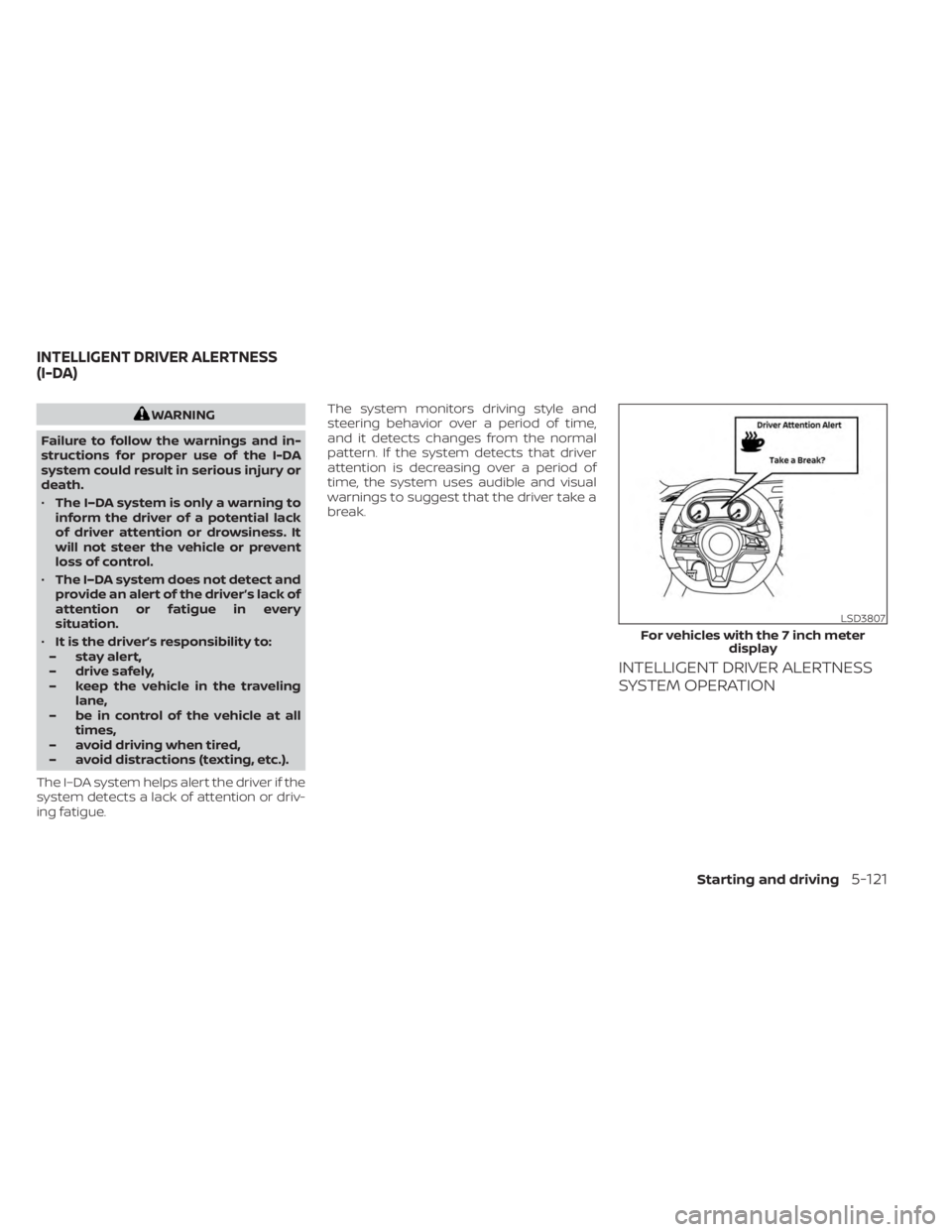
ing fatigue. The system monitors driving style and
steering behavior over a period of time,
and it detects changes from the normal
pattern. If the system detects that driver
attention is decreasing over a period of
time, the system uses audible and visual
warnings to suggest that the driver take a
break.
INTELLIGENT DRIVER ALERTNESS
SYSTEM OPERATION
LSD3807
For vehicles with the 7 inch meter
display
INTELLIGENT DRIVER ALERTNESS
(I-DA)
Starting and driving5-121
Page 398 of 556
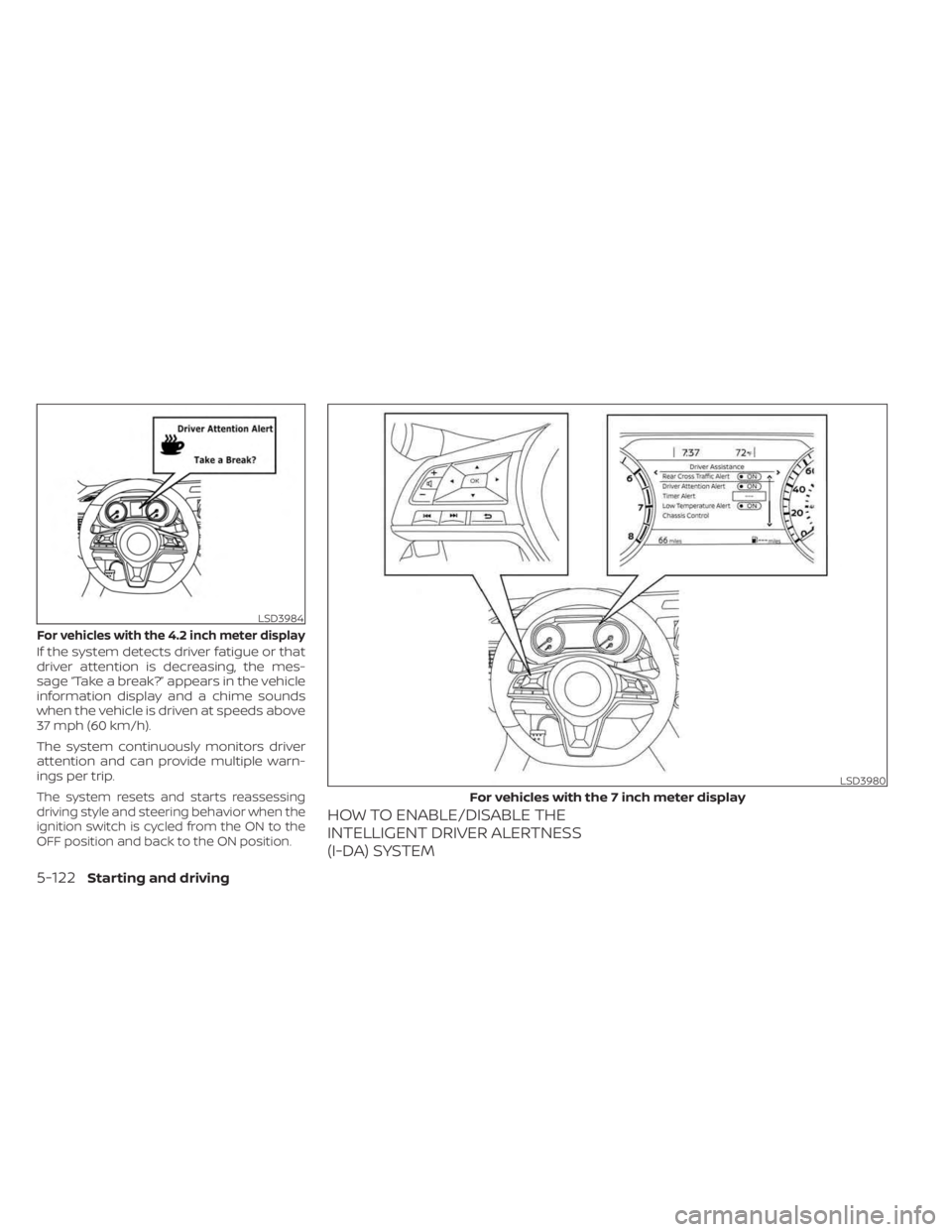
If the system detects driver fatigue or that
driver attention is decreasing, the mes-
sage “Take a break?” appears in the vehicle
information display and a chime sounds
when the vehicle is driven at speeds above
37 mph (60 km/h).
The system continuously monitors driver
attention and can provide multiple warn-
ings per trip.
The system resets and starts reassessing
driving style and steering behavior when the
ignition switch is cycled from the ON to the
OFF position and back to the ON position.
HOW TO ENABLE/DISABLE THE
INTELLIGENT DRIVER ALERTNESS
(I-DA) SYSTEM
LSD3984
For vehicles with the 4.2 inch meter display
LSD3980
For vehicles with the 7 inch meter display
5-122Starting and driving
Page 399 of 556
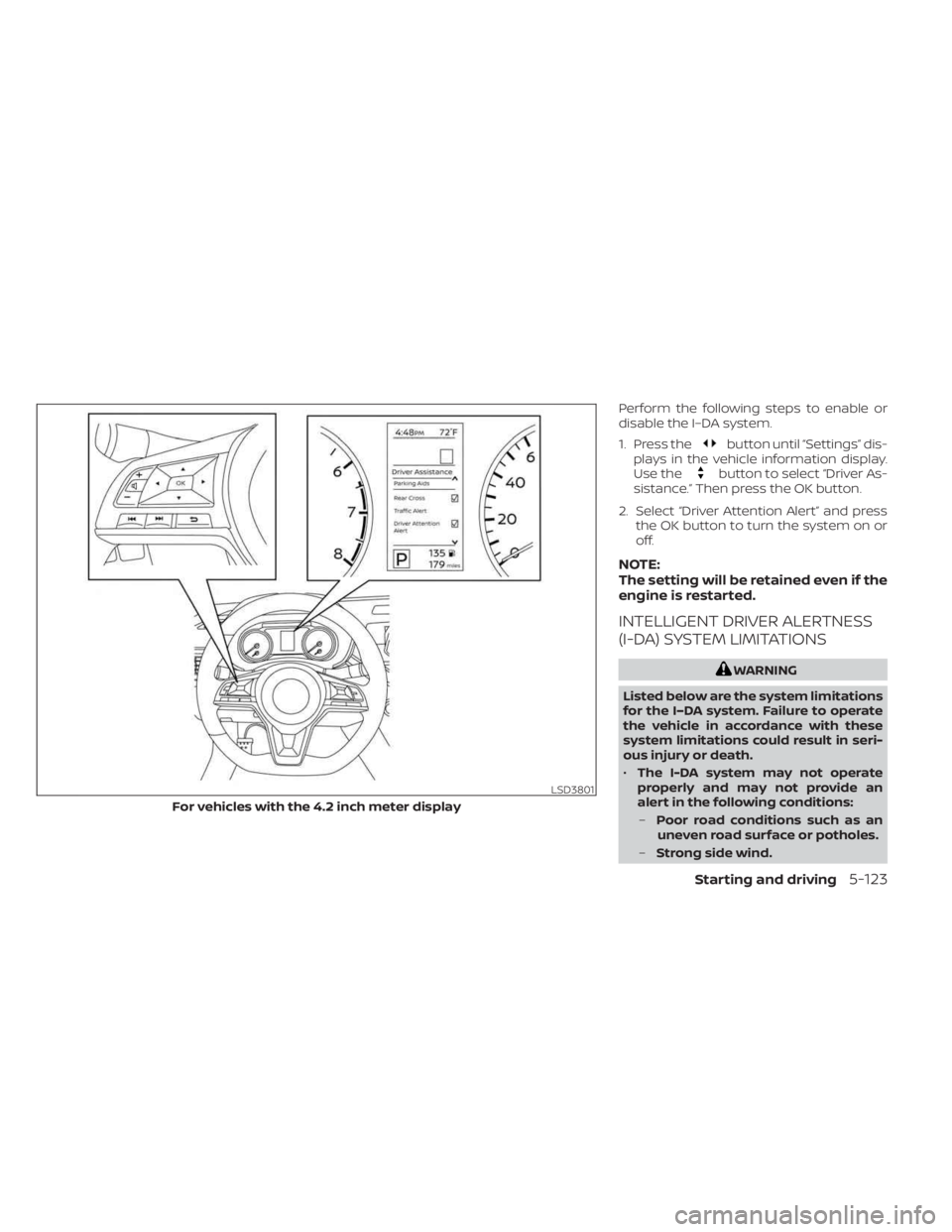
Perform the following steps to enable or
disable the I–DA system.
1. Press the
button until “Settings” dis-
plays in the vehicle information display.
Use the
button to select “Driver As-
sistance.” Then press the OK button.
2. Select “Driver Attention Alert” and press the OK button to turn the system on or
off.
NOTE:
The setting will be retained even if the
engine is restarted.
INTELLIGENT DRIVER ALERTNESS
(I-DA) SYSTEM LIMITATIONS
WARNING
Listed below are the system limitations
for the I–DA system. Failure to operate
the vehicle in accordance with these
system limitations could result in seri-
ous injury or death.
• The I-DA system may not operate
properly and may not provide an
alert in the following conditions:
– Poor road conditions such as an
uneven road surface or potholes.
– Strong side wind.
LSD3801
For vehicles with the 4.2 inch meter display
Starting and driving5-123
Page 400 of 556
–If you have adopted a sporty driv-
ing style with higher cornering
speeds or higher rates of
acceleration.
– Frequent lane changes or
changes to vehicle speed.
• The I–DA system will not provide an
alert in the following conditions:
– Vehicle speeds lower than 37 mph
(60 km/h).
– Short lapses of attention.
– Instantaneous distractions such
as dropping an object.
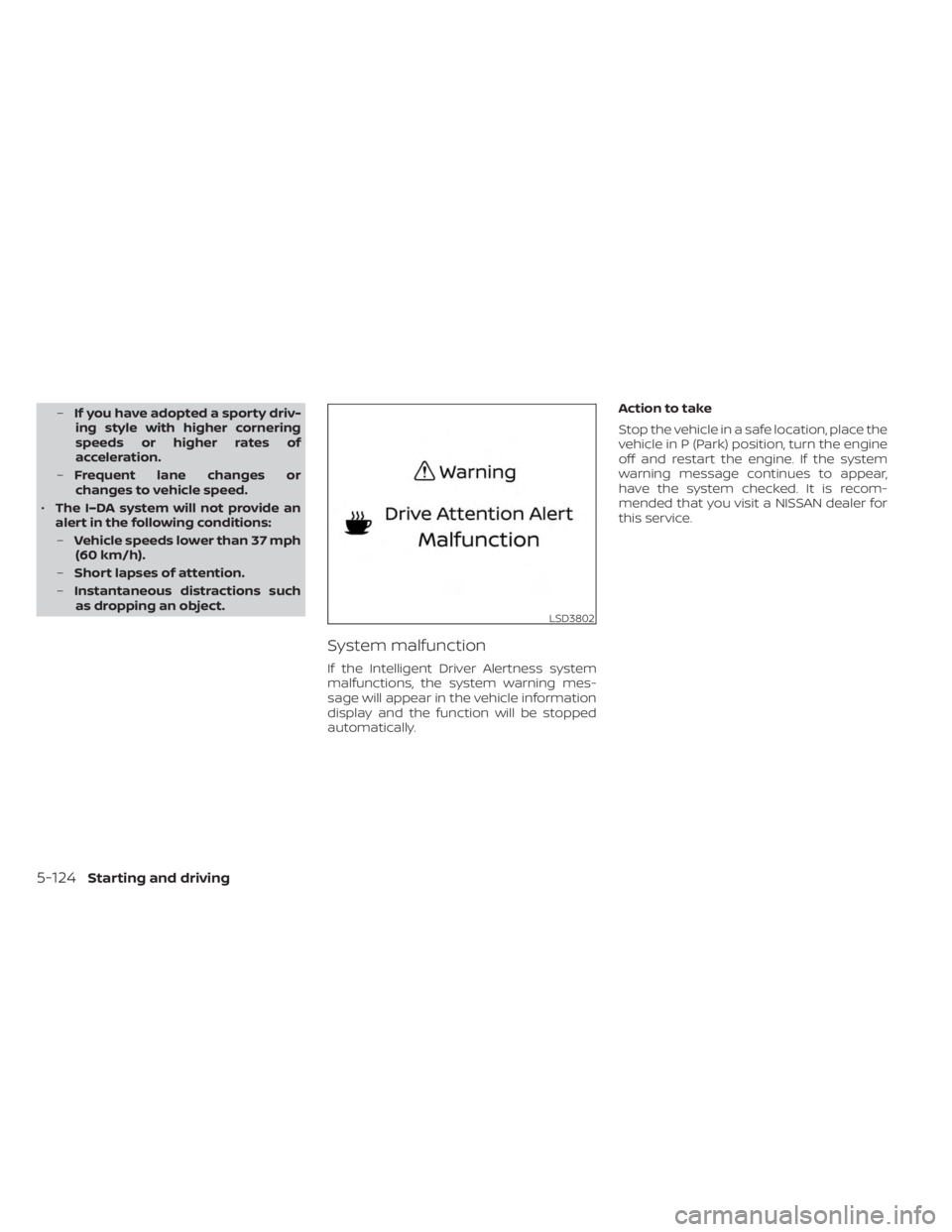
System malfunction
If the Intelligent Driver Alertness system
malfunctions, the system warning mes-
sage will appear in the vehicle information
display and the function will be stopped
automatically. Action to take
Stop the vehicle in a safe location, place the
vehicle in P (Park) position, turn the engine
off and restart the engine. If the system
warning message continues to appear,
have the system checked. It is recom-
mended that you visit a NISSAN dealer for
this service.
LSD3802
5-124Starting and driving
Page 407 of 556
BRAKE ASSIST
When the force applied to the brake pedal
exceeds a certain level, the Brake Assist is
activated generating greater braking force
than a conventional brake booster even
with light pedal force.
WARNING
The Brake Assist is only an aid to assist
braking operation and is not a collision
warning or avoidance device. It is the
driver’s responsibility to stay alert,
drive safely and be in control of the ve-
hicle at all times. The VDC system uses various sensors to
monitor driver inputs and vehicle motion.
Under certain driving conditions, the VDC
system helps to perform the following
functions:
• Controls brake pressure to reduce wheel
slip on one slipping drive wheel so power
is transferred to a non-slipping drive
wheel on the same axle.
• Controls brake pressure and engine out- put to reduce drive wheel slip based on
vehicle speed (traction control function).
• Controls brake pressure at individual wheels and engine output to help the
driver maintain control of the vehicle in
the following conditions:– Understeer (vehicle tends to not follow the steered path despite increased
steering input)
– Oversteer (vehicle tends to spin due to certain road or driving conditions)
The VDC system can help the driver to
maintain control of the vehicle, but it can-
not prevent loss of vehicle control in all driv-
ing situations.
When the VDC system operates, the
indicator light in the instrument panel
flashes to note the following: • The road may be slippery or the system
may determine some action is required
to help keep the vehicle on the steered
path.
• You may feel a pulsation in the brake pedal and hear a noise or vibration from
under the hood. This is normal and indi-
cates that the VDC system is working
properly.
• Adjust your speed and driving to the road conditions.
For additional information, see “Slip indica-
tor light” (P. 2-16) and ”Vehicle Dynamic Con-
trol (VDC) OFF indicator light” (P. 2-16).
If a malfunction occurs in the system, the
indicator light comes on in the instru-
ment panel. The VDC system automatically
turns off when the indicator light is off.
The vehicle information display is used to
turn off the VDC system. The
indicator
light and the AEB system warning light illu-
minates to indicate the VDC system is off.
When the vehicle information display is
used to turn off the VDC system, the sys-
tem still operates to prevent one drive
wheel from slipping by transferring power
to a non-slipping drive wheel. The
indicator light flashes if this occurs. All
VEHICLE DYNAMIC CONTROL (VDC)
SYSTEM
Starting and driving5-131
Page 409 of 556
WARNING
• The VDC system is designed to help
the driver maintain stability but does
not prevent accidents due to abrupt
steering operation at high speeds or
by careless or dangerous driving
techniques. Reduce vehicle speed
and be especially careful when driv-
ing and cornering on slippery sur-
faces and always drive carefully.
• Do not modif y the vehicle's suspen-
sion. If suspension parts such as
shock absorbers, struts, springs, sta-
bilizer bars, bushings and wheels are
not NISSAN recommended for your
vehicle or are extremely deterio-
rated, the VDC system may not oper-
ate properly. This could adversely af-
fect vehicle handling performance,
and the
indicator light may flash
or theindicator light may
illuminate.
• If brake related parts such as brake
pads, rotors and calipers are not
NISSAN recommended or are ex-
tremely deteriorated, the VDC sys-
tem may not operate properly and
the
indicator light may
illuminate. •
If engine control related parts are not
NISSAN recommended or are ex-
tremely deteriorated, the
indi-
cator light may illuminate.
• When driving on extremely inclined
surfaces such as higher banked cor-
ners, the VDC system may not oper-
ate properly and the
indicator
light may flash or theindicator
light may illuminate. Do not drive on
these types of roads.
• When driving on an unstable surface
such as a turntable, ferry, elevator or
ramp, the
indicator light may
flash or theindicator light may
illuminate. This is not a malfunction.
Restart the engine af ter driving onto
a stable surface.
• If wheels or tires other than the
NISSAN recommended ones are
used, the VDC system may not oper-
ate properly and the
indicator
light may flash or theindicator
light may illuminate.
• The VDC system is not a substitute
for winter tires or tire chains on a
snow covered road. The chassis control is an electric control
module that includes the following
functions:
• Intelligent Trace Control
• Active Ride Control
• Intelligent Engine Brake
INTELLIGENT TRACE CONTROL
This system senses driving based on the
driver’s steering and acceleration/braking
patterns, and controls brake pressure at
individual wheels to aid tracing at corners
and help smooth vehicle response.
When the VDC system is turned off, the In-
telligent Trace Control is also turned off.
If the chassis control warning message ap-
pears in the vehicle information display, it
may indicate that Intelligent Trace Control
is not functioning properly. Have the sys-
tem checked by a NISSAN dealer as soon
as possible. See “Vehicle information dis-
play warnings and indicators” (P. 2-26) or
(P. 2-41).
WARNING
The Intelligent Trace Control may not
be effective depending on the driving
condition. Always drive carefully and
attentively.
CHASSIS CONTROL
Starting and driving5-133
Page 410 of 556
When the Intelligent Trace Control is oper-
ating, you may feel a pulsation in the brake
pedal and hear a noise. This is normal and
indicates that the Intelligent Trace Control
is operating properly.
You may also feel deceleration when the
Intelligent Trace Control is operating. How-
ever, this is not a malfunction.
ACTIVE RIDE CONTROL
This system senses upper body motion
(based on wheel speed information) and
controls four wheel brake pressure. This will
enhance ride comfort in effort to restrain
uncomfortable upper body movement
when passing over undulated road
surfaces.
When the VDC system is turned off, the Ac-
tive Ride Control is also turned off.
When the Active Ride Control is operating,
you may hear noise and sense slight decel-
eration. This is normal and indicates that
the Active Ride Control is operating
properly.
If the chassis control warning message ap-
pears in the vehicle information display, it
may indicate that Active Ride Control is not
functioning properly. Have the system
checked by a NISSAN dealer as soon aspossible. See “Vehicle information display
warnings and indicators” (P. 2-26) or (P. 2-41).
INTELLIGENT ENGINE BRAKE
The Intelligent Engine Brake function adds
subtle deceleration by controlling gear ra-
tio, depending on the cornering condition
calculated from driver’s steering input and
plural sensors. This benefit is for easier
traceability and less workload of adjusting
speed with braking at corners.
The Intelligent Engine Brake also adds
subtle deceleration with gear ratio control
according to driver’s brake pedal
operation.
If the chassis control warning message ap-
pears in the vehicle information display, it
may indicate that the Intelligent Engine
Brake is not functioning properly. Have the
system checked by a NISSAN dealer as
soon as possible. See “Vehicle information
display warnings and indicators” (P. 2-26) or
(P. 2-41).
WARNING
The Intelligent Engine Brake may not
be effective depending on the driving
condition. Always drive carefully and
attentively. When the Intelligent Engine Brake is oper-
ating, the needle of the tachometer will rise
up and you may hear an engine noise. This
is normal and indicates that the Intelligent
Engine Brake is operating properly.
5-134Starting and driving
Page 411 of 556
WARNING
• Never rely solely on the hill start as-
sist system to prevent the vehicle
from moving backward on a hill. Al-
ways drive carefully and attentively.
Depress the brake pedal when the
vehicle is stopped on a steep hill. Be
especially careful when stopped on a
hill on frozen or muddy roads. Failure
to prevent the vehicle from rolling
backwards may result in a loss of
control of the vehicle and possible
serious injury or death.
• The hill start assist system is not de-
signed to hold the vehicle at a stand-
still on a hill. Depress the brake pedal
when the vehicle is stopped on a
steep hill. Failure to do so may cause
the vehicle to roll backwards and
may result in a collision or serious
personal injury.
• The hill start assist system may not
prevent the vehicle from rolling
backwards on a hill under all load or
road conditions. Always be prepared
to depress the brake pedal to prevent
the vehicle from rolling backwards.
Failure to do so may result in a colli-
sion or serious personal injury. When the vehicle is stopped on a hill, the hill
start assist system automatically keeps
the brakes applied to help prevent the ve-
hicle from rolling backward in the time it
takes the driver to release the brake pedal
and apply the accelerator.
The hill start assist system will operate au-
tomatically under the following conditions:
• The transmission is shif ted to a forward
or reverse gear.
• The vehicle is stopped completely on a hill by applying the brake. The maximum
holding time is 2 seconds. Af ter 2 sec-
onds the vehicle will begin to roll back and
the hill start assist system will stop oper-
ating completely.
The hill start assist system will not operate
when the shif t lever is placed in the N (Neu-
tral) or P (Park) position or on a flat and level
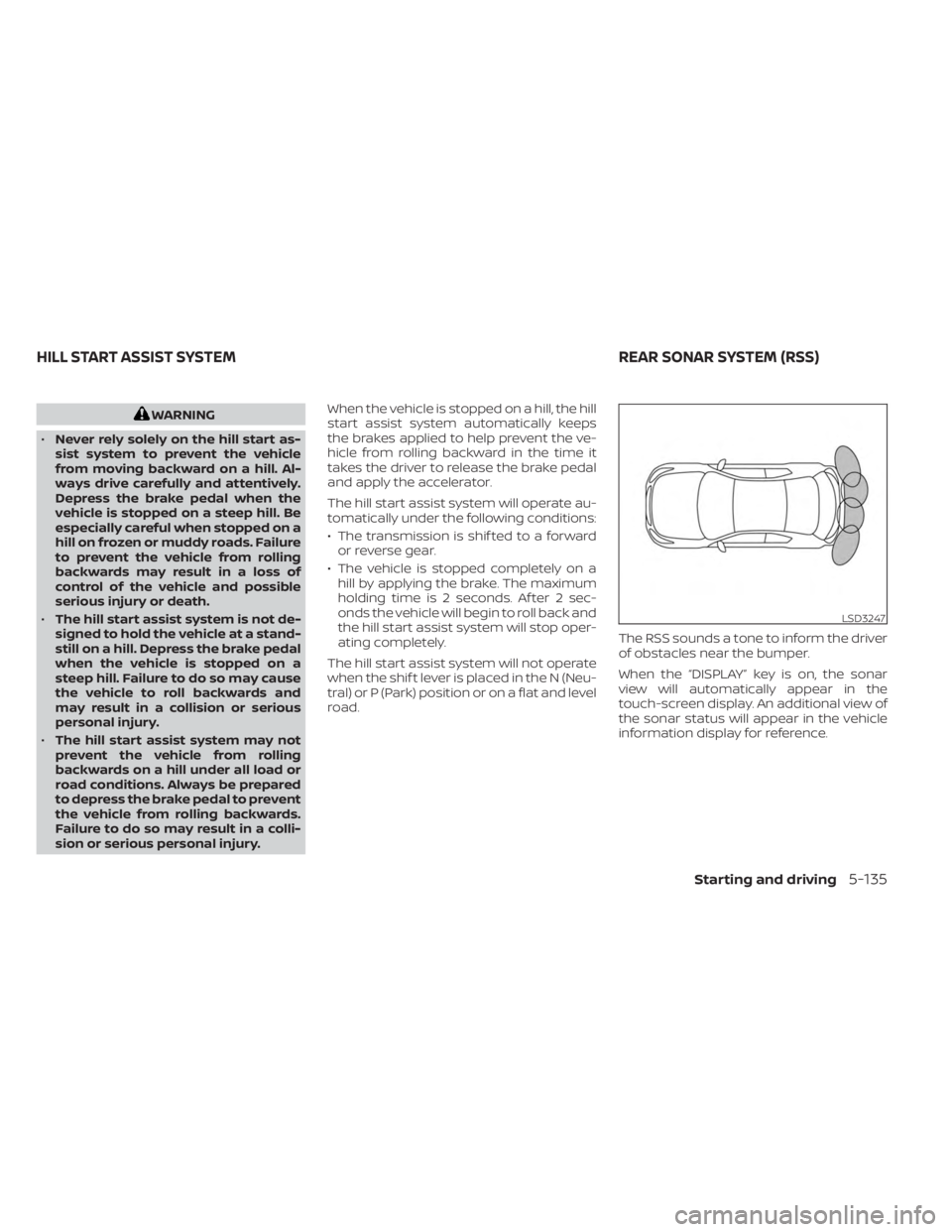
road. The RSS sounds a tone to inform the driver
of obstacles near the bumper.
When the “DISPLAY” key is on, the sonar
view will automatically appear in the
touch-screen display. An additional view of
the sonar status will appear in the vehicle
information display for reference.
LSD3247
HILL START ASSIST SYSTEM
REAR SONAR SYSTEM (RSS)
Starting and driving5-135