ignition NISSAN TEANA 2008 Manual PDF
[x] Cancel search | Manufacturer: NISSAN, Model Year: 2008, Model line: TEANA, Model: NISSAN TEANA 2008Pages: 5121, PDF Size: 69.03 MB
Page 138 of 5121
ADP-132
< SYMPTOM DIAGNOSIS >
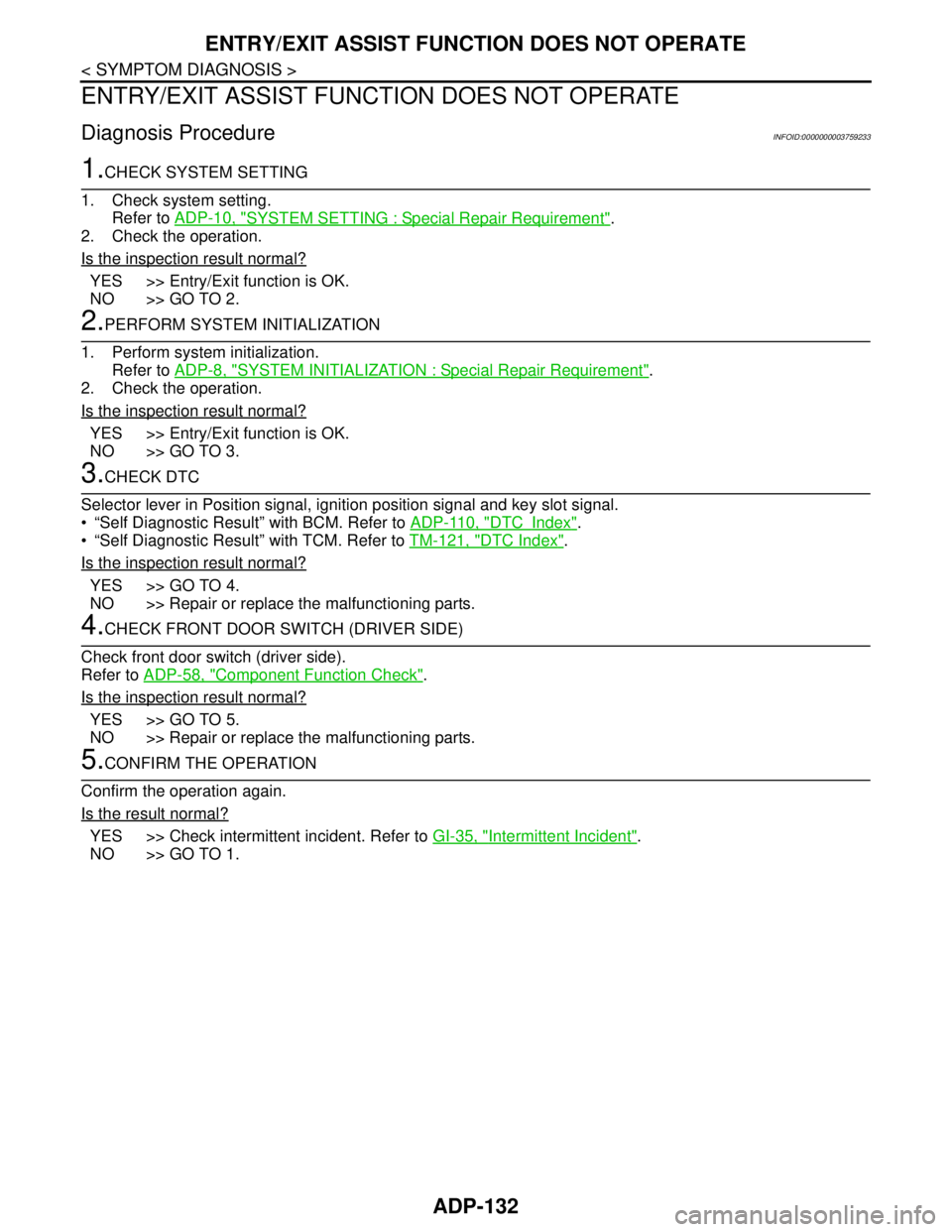
ENTRY/EXIT ASSIST FUNCTION DOES NOT OPERATE
ENTRY/EXIT ASSIST FUNCTION DOES NOT OPERATE
Diagnosis ProcedureINFOID:0000000003759233
1.CHECK SYSTEM SETTING
1. Check system setting.
Refer to ADP-10, "
SYSTEM SETTING : Special Repair Requirement".
2. Check the operation.
Is the inspection result normal?
YES >> Entry/Exit function is OK.
NO >> GO TO 2.
2.PERFORM SYSTEM INITIALIZATION
1. Perform system initialization.
Refer to ADP-8, "
SYSTEM INITIALIZATION : Special Repair Requirement".
2. Check the operation.
Is the inspection result normal?
YES >> Entry/Exit function is OK.
NO >> GO TO 3.
3.CHECK DTC
Selector lever in Position signal, ignition position signal and key slot signal.
“Self Diagnostic Result” with BCM. Refer to ADP-110, "
DTCIndex".
“Self Diagnostic Result” with TCM. Refer to TM-121, "
DTC Index".
Is the inspection result normal?
YES >> GO TO 4.
NO >> Repair or replace the malfunctioning parts.
4.CHECK FRONT DOOR SWITCH (DRIVER SIDE)
Check front door switch (driver side).
Refer to ADP-58, "
Component Function Check".
Is the inspection result normal?
YES >> GO TO 5.
NO >> Repair or replace the malfunctioning parts.
5.CONFIRM THE OPERATION
Confirm the operation again.
Is the result normal?
YES >> Check intermittent incident. Refer to GI-35, "Intermittent Incident".
NO >> GO TO 1.
Page 159 of 5121
![NISSAN TEANA 2008 Manual PDF AV
DIAGNOSIS SYSTEM (AUDIO UNIT)
AV-15
< FUNCTION DIAGNOSIS >[AUDIO SYSTEM]
C
D
E
F
G
H
I
J
K
L
MB A
O
P
DIAGNOSIS SYSTEM (AUDIO UNIT)
Diagnosis DescriptionINFOID:0000000003765592
Self-diagnosis mode](/img/5/57391/w960_57391-158.png "NISSAN TEANA 2008 Manual PDF AV
DIAGNOSIS SYSTEM (AUDIO UNIT)
AV-15
< FUNCTION DIAGNOSIS >[AUDIO SYSTEM]
C
D
E
F
G
H
I
J
K
L
MB A
O
P
DIAGNOSIS SYSTEM (AUDIO UNIT)
Diagnosis DescriptionINFOID:0000000003765592
Self-diagnosis mode")
AV
DIAGNOSIS SYSTEM (AUDIO UNIT)
AV-15
< FUNCTION DIAGNOSIS >[AUDIO SYSTEM]
C
D
E
F
G
H
I
J
K
L
MB A
O
P
DIAGNOSIS SYSTEM (AUDIO UNIT)
Diagnosis DescriptionINFOID:0000000003765592
Self-diagnosis mode can perform the following items.
Versions display
Channel check diagnosis
Key check diagnosis
AV communication diagnosis
VERSIONS DISPLAY FUNCTION
1. Turn ignition switch ON.
2. Turn the audio unit off.
3. While pressing “1” button, turn volume control dial clockwise or
counterclockwise for 30 clicks or more.
4. Diagnosis default screen of audio display unit is displayed.
NOTE:
Diagnosis default screen = All icons and segments of the audio display unit are turned on.
5. Pressing the AUDIO switch briefly displays the version display mode. Pressing the AUDIO switch briefly
switches to each version display. Pressing and holding the AUDIO switch when displaying each software
version returns to the diagnosis default screen.
Version display item
6. Self-diagnosis mode is canceled when the ignition switch is turned OFF.
CHANNEL CHECK DIAGNOSIS FUNCTION
1. Turn ignition switch ON.
2. Turn the audio unit off.
3. While pressing the “1” button, turn the volume control dial clock-
wise or counterclockwise for 30 clicks or more.
JSNIA1334GB
Mode Description
Ve r s i o n s d i s p l a ySoftware V###### Audio unit software version is displayed.
Hardware V###### Audio unit hardware version is displayed.
Disp HW V###### Display unit hardware version is displayed.
CD Mech V###### Audio unit CD mechanism version is displayed.
EEPROM V###### Audio unit EEPROM version is displayed.
Disp SW V###### Display unit software version is displayed.
JSNIA1334GB
Page 160 of 5121
![NISSAN TEANA 2008 Manual PDF AV-16
< FUNCTION DIAGNOSIS >[AUDIO SYSTEM]
DIAGNOSIS SYSTEM (AUDIO UNIT)
4. The diagnosis default screen of audio display unit is displayed.
NOTE:
Diagnosis default screen = All icons and segments of](/img/5/57391/w960_57391-159.png "NISSAN TEANA 2008 Manual PDF AV-16
< FUNCTION DIAGNOSIS >[AUDIO SYSTEM]
DIAGNOSIS SYSTEM (AUDIO UNIT)
4. The diagnosis default screen of audio display unit is displayed.
NOTE:
Diagnosis default screen = All icons and segments of")
AV-16
< FUNCTION DIAGNOSIS >[AUDIO SYSTEM]
DIAGNOSIS SYSTEM (AUDIO UNIT)
4. The diagnosis default screen of audio display unit is displayed.
NOTE:
Diagnosis default screen = All icons and segments of the audio display unit are turned on.
5. Turning the TUNE/FOLDER dial clockwise displays the channel check mode. Pressing and holding the
AUDIO switch during each channel check or waiting approximately 1 second after finishing all channel
checks returns to the diagnosis default screen.
Channel check item
6. Self-diagnosis mode is canceled when the ignition switch is turned OFF.
KEY CHECK DIAGNOSIS FUNCTION
1. Turn ignition switch ON.
2. Turn the audio unit off.
3. While pressing the “1” button, turn the volume control dial clock-
wise or counterclockwise for 30 clicks or more.
4. The diagnosis default screen of audio display unit is displayed.
NOTE:
Diagnosis default screen = All icons and segments of the audio display unit are turned on.
5. Turning the TUNE/FOLDER dial counterclockwise displays the key check mode, and the pressed switch
name is shown. Pressing and holding the AUDIO switch during the key check returns to the diagnosis
default screen.
Mode Description
Channel checkChannel Check
Front Left
Connection of a speaker can be confirmed by test tone. Channel Check
Rear Left
Channel Check
Rear Right
Channel Check
Front Right
JSNIA1334GB
Page 161 of 5121
![NISSAN TEANA 2008 Manual PDF AV
DIAGNOSIS SYSTEM (AUDIO UNIT)
AV-17
< FUNCTION DIAGNOSIS >[AUDIO SYSTEM]
C
D
E
F
G
H
I
J
K
L
MB A
O
P
Key check item (audio)
Key check item (steering switch)
6. Self-diagnosis mode is canceled when](/img/5/57391/w960_57391-160.png "NISSAN TEANA 2008 Manual PDF AV
DIAGNOSIS SYSTEM (AUDIO UNIT)
AV-17
< FUNCTION DIAGNOSIS >[AUDIO SYSTEM]
C
D
E
F
G
H
I
J
K
L
MB A
O
P
Key check item (audio)
Key check item (steering switch)
6. Self-diagnosis mode is canceled when")
AV
DIAGNOSIS SYSTEM (AUDIO UNIT)
AV-17
< FUNCTION DIAGNOSIS >[AUDIO SYSTEM]
C
D
E
F
G
H
I
J
K
L
MB A
O
P
Key check item (audio)
Key check item (steering switch)
6. Self-diagnosis mode is canceled when the ignition switch is turned OFF.
AV COMMUNICATION DIAGNOSIS FUNCTION
1. Turn ignition switch ON.
2. Turn the audio unit off.
3. While pressing the “6” button, turn the volume control dial clock-
wise or counterclockwise for 30 clicks or more.
4. Returns to diagnosis default screen and displays “AV DIAGNOSIS”.
Mode Display item Switch name
Key checkEJECT “EJECT” switch
LOAD “LOAD” switch
POWER “ON·OFF” switch
VOLUME up “VOL up” switch
VOLUME down “VOL down” switch
1 Preset button “1” switch
2 Preset button “2” switch
3 Preset button “3” switch
4 Preset button “4” switch
5 Preset button “5” switch
6 Preset button “6” switch
AM·FM “AM·FM” switch
DISC “DISC” switch
AUX “AUX” switch
AUDIO “AUDIO” switch
TUNE/FOLDER up “TUNE/FOLDER up” switch
TUNE/FOLDER down “TUNE/FOLDER up” switch
DISP CLOCK “DISP CLOCK” switch
AUTO.P “AUTO.P”” switch
SCAN/RPT “SCAN RPT” switch
SEEK/TRACK down “SEEK” switch
SEEK/TRACK up “TRACK” switch
Mode Display item Switch name
Key checkSTR SOURCE “SOURCE” switch
STR VOL UP “VOL up” switch
STR VOL DOWN “VOL down” switch
STR UP “SEEK up” switch
STR DOWN “SEEK down” switch
JSNIA1335GB
Page 162 of 5121
![NISSAN TEANA 2008 Manual PDF AV-18
< FUNCTION DIAGNOSIS >[AUDIO SYSTEM]
DIAGNOSIS SYSTEM (AUDIO UNIT)
5. Pressing the AUDIO switch briefly displays the AV communication diagnosis mode. Pressing the AUDIO
switch briefly again swit](/img/5/57391/w960_57391-161.png "NISSAN TEANA 2008 Manual PDF AV-18
< FUNCTION DIAGNOSIS >[AUDIO SYSTEM]
DIAGNOSIS SYSTEM (AUDIO UNIT)
5. Pressing the AUDIO switch briefly displays the AV communication diagnosis mode. Pressing the AUDIO
switch briefly again swit")
AV-18
< FUNCTION DIAGNOSIS >[AUDIO SYSTEM]
DIAGNOSIS SYSTEM (AUDIO UNIT)
5. Pressing the AUDIO switch briefly displays the AV communication diagnosis mode. Pressing the AUDIO
switch briefly again switches to each AV communication display.
AV communication diagnosis item
6. Pressing the TRACK switch displays the confirmation screen of “delete error record”. Press the SEEK
switch if returning from RECORD DEL YES? to RECORD DEL NO?
The item is automatically determined approximately 6 seconds after it is displayed. Then the display
returns to AV TROUBLE DEL display item.
7. Self-diagnosis mode is canceled when the ignition switch is turned OFF.
Display item
Description
AV communication item Current Past
TRANSMIT OK / UN OK / 0 –39The communication condition and error counter from the audio unit to
the audio display unit are displayed.
DISP OK / UN OK / 0 –39
The communication condition and error counter from the audio display
unit to the audio unit.
DISP MPDT OK / UN OK / 0 –39
NO HISTORY BTHF — — Not used.
AV TROUBLE DEL — — The error record can be deleted.
Display item Description
RECORD DEL NO? Does not delete error record.
RECORD DEL YES? Deletes error record.
Page 163 of 5121
![NISSAN TEANA 2008 Manual PDF AV
POWER SUPPLY AND GROUND CIRCUIT
AV-19
< COMPONENT DIAGNOSIS >[AUDIO SYSTEM]
C
D
E
F
G
H
I
J
K
L
MB A
O
P
COMPONENT DIAGNOSIS
POWER SUPPLY AND GROUND CIRCUIT
AUDIO UNIT
AUDIO UNIT : Diagnosis Proced](/img/5/57391/w960_57391-162.png "NISSAN TEANA 2008 Manual PDF AV
POWER SUPPLY AND GROUND CIRCUIT
AV-19
< COMPONENT DIAGNOSIS >[AUDIO SYSTEM]
C
D
E
F
G
H
I
J
K
L
MB A
O
P
COMPONENT DIAGNOSIS
POWER SUPPLY AND GROUND CIRCUIT
AUDIO UNIT
AUDIO UNIT : Diagnosis Proced")
AV
POWER SUPPLY AND GROUND CIRCUIT
AV-19
< COMPONENT DIAGNOSIS >[AUDIO SYSTEM]
C
D
E
F
G
H
I
J
K
L
MB A
O
P
COMPONENT DIAGNOSIS
POWER SUPPLY AND GROUND CIRCUIT
AUDIO UNIT
AUDIO UNIT : Diagnosis ProcedureINFOID:0000000003765593
1.CHECK FUSE
Check for blown fuses.
Is the inspection result normal?
YES >> GO TO 2.
NO >> Be sure to eliminate the cause of malfunction before installing new fuse.
2.CHECK POWER SUPPLY CIRCUIT
Check voltage between audio unit harness connectors and ground.
Is the inspection result normal?
YES >> INSPECTION END
NO >> Check harness between audio unit and fuse.
Power source Fuse No.
Battery 31
Ignition switch ACC or ON 19
Signal name Connector No. Terminal No. Ignition switch position Value (Approx.)
Battery power supply
M4619 OFF
Battery voltage
ACC power supply 7 ACC
Page 164 of 5121
![NISSAN TEANA 2008 Manual PDF AV-20
< COMPONENT DIAGNOSIS >[AUDIO SYSTEM]
STEERING SWITCH SIGNAL A CIRCUIT
STEERING SWITCH SIGNAL A CIRCUIT
DescriptionINFOID:0000000003765594
Transmits the steering switch signal to audio unit.
Dia](/img/5/57391/w960_57391-163.png "NISSAN TEANA 2008 Manual PDF AV-20
< COMPONENT DIAGNOSIS >[AUDIO SYSTEM]
STEERING SWITCH SIGNAL A CIRCUIT
STEERING SWITCH SIGNAL A CIRCUIT
DescriptionINFOID:0000000003765594
Transmits the steering switch signal to audio unit.
Dia")
AV-20
< COMPONENT DIAGNOSIS >[AUDIO SYSTEM]
STEERING SWITCH SIGNAL A CIRCUIT
STEERING SWITCH SIGNAL A CIRCUIT
DescriptionINFOID:0000000003765594
Transmits the steering switch signal to audio unit.
Diagnosis ProcedureINFOID:0000000003765595
1.CHECK STEERING SWITCH SIGNAL A CIRCUIT
1. Disconnect audio unit connector and spiral cable connector.
2. Check continuity between audio unit harness connector and spiral cable harness connector.
3. Check continuity between audio unit harness connector and ground.
Is the inspection result normal?
YES >> GO TO 2.
NO >> Repair harness or connector.
2.CHECK SPIRAL CABLE
Check spiral cable.
Is the inspection result normal?
YES >> GO TO 3.
NO >> Replace spiral cable.
3.CHECK AUDIO UNIT VOLTAGE
1. Connect audio unit connector and spiral cable connector.
2. Turn ignition switch ON.
3. Check voltage between audio unit harness connector terminals.
Is the inspection result normal?
YES >> GO TO 4.
NO >> Replace audio unit.
4.CHECK STEERING SWITCH
1. Turn ignition switch OFF.
2. Check steering switch. Refer to AV-21, "
Component Inspection".
Is the inspection result normal?
YES >> INSPECTION END
NO >> Replace steering switch.
Audio unit Spiral cable
Continuity
Connector Terminal Connector Terminal
M46 6 M33 24 Existed
Audio unit
—Continuity
Connector Terminal
M46 6 Ground Not existed
(+) (−)
Vo l ta g e Audio unit
Connector Terminal Connector Terminal
M46 6 M46 15 Approx. 5.0 V
Page 166 of 5121
![NISSAN TEANA 2008 Manual PDF AV-22
< COMPONENT DIAGNOSIS >[AUDIO SYSTEM]
STEERING SWITCH SIGNAL B CIRCUIT
STEERING SWITCH SIGNAL B CIRCUIT
DescriptionINFOID:0000000003765597
Transmits the steering switch signal to audio unit.
Dia](/img/5/57391/w960_57391-165.png "NISSAN TEANA 2008 Manual PDF AV-22
< COMPONENT DIAGNOSIS >[AUDIO SYSTEM]
STEERING SWITCH SIGNAL B CIRCUIT
STEERING SWITCH SIGNAL B CIRCUIT
DescriptionINFOID:0000000003765597
Transmits the steering switch signal to audio unit.
Dia")
AV-22
< COMPONENT DIAGNOSIS >[AUDIO SYSTEM]
STEERING SWITCH SIGNAL B CIRCUIT
STEERING SWITCH SIGNAL B CIRCUIT
DescriptionINFOID:0000000003765597
Transmits the steering switch signal to audio unit.
Diagnosis ProcedureINFOID:0000000003765598
1.CHECK STEERING SWITCH SIGNAL B CIRCUIT
1. Disconnect audio unit connector and spiral cable connector.
2. Check continuity between audio unit harness connector and spiral cable harness connector.
3. Check continuity between audio unit harness connector and ground.
Is the inspection result normal?
YES >> GO TO 2.
NO >> Repair harness or connector.
2.CHECK SPIRAL CABLE
Check spiral cable.
Is the inspection result normal?
YES >> GO TO 3.
NO >> Replace spiral cable.
3.CHECK AUDIO UNIT VOLTAGE
1. Connect audio unit connector and spiral cable connector.
2. Turn ignition switch ON.
3. Check voltage between audio unit harness connector terminals.
Is the inspection result normal?
YES >> GO TO 4.
NO >> Replace audio unit.
4.CHECK STEERING SWITCH
1. Turn ignition switch OFF.
2. Check steering switch. Refer to AV-23, "
Component Inspection".
Is the inspection result normal?
YES >> INSPECTION END
NO >> Replace steering switch.
Audio unit Spiral cable
Continuity
Connector Terminal Connector Terminal
M46 16 M33 31 Existed
Audio unit
—Continuity
Connector Terminal
M46 16 Ground Not existed
(+) (−)
Vo l ta g e Audio unit
Connector Terminal Connector Terminal
M46 16 M46 15 Approx. 5.0 V
Page 168 of 5121
![NISSAN TEANA 2008 Manual PDF AV-24
< COMPONENT DIAGNOSIS >[AUDIO SYSTEM]
STEERING SWITCH SIGNAL GND CIRCUIT
STEERING SWITCH SIGNAL GND CIRCUIT
DescriptionINFOID:0000000003765600
Transmits the steering switch signal to audio unit.](/img/5/57391/w960_57391-167.png "NISSAN TEANA 2008 Manual PDF AV-24
< COMPONENT DIAGNOSIS >[AUDIO SYSTEM]
STEERING SWITCH SIGNAL GND CIRCUIT
STEERING SWITCH SIGNAL GND CIRCUIT
DescriptionINFOID:0000000003765600
Transmits the steering switch signal to audio unit.")
AV-24
< COMPONENT DIAGNOSIS >[AUDIO SYSTEM]
STEERING SWITCH SIGNAL GND CIRCUIT
STEERING SWITCH SIGNAL GND CIRCUIT
DescriptionINFOID:0000000003765600
Transmits the steering switch signal to audio unit.
Diagnosis ProcedureINFOID:0000000003765601
1.CHECK STEERING SWITCH SIGNAL GND CIRCUIT
1. Turn ignition switch OFF.
2. Disconnect audio unit connector and spiral cable connector.
3. Check continuity between audio unit harness connector and spiral cable harness connector.
Is the inspection result normal?
YES >> GO TO 2.
NO >> Repair harness or connector.
2.CHECK SPIRAL CABLE
Check spiral cable.
Is the inspection result normal?
YES >> GO TO 3.
NO >> Replace spiral cable.
3.CHECK GROUND CIRCUIT
1. Connect audio unit connector.
2. Check continuity between audio unit harness connector and ground.
Is the inspection result normal?
YES >> GO TO 4.
NO >> Replace audio unit.
4.CHECK STEERING SWITCH
1. Turn ignition switch OFF.
2. Check steering switch. Refer to AV-25, "
Component Inspection".
Is the inspection result normal?
YES >> INSPECTION END
NO >> Replace steering switch.
Audio unit Spiral cable
Continuity
Connector Terminal Connector Terminal
M46 15 M33 33 Existed
Audio unit
—Continuity
Connector Terminal
M46 15 Ground Existed
Page 170 of 5121
![NISSAN TEANA 2008 Manual PDF AV-26
< ECU DIAGNOSIS >[AUDIO SYSTEM]
AUDIO UNIT
ECU DIAGNOSIS
AUDIO UNIT
Reference ValuesINFOID:0000000003765603
TERMINAL LAYOUT
PHYSICAL VALUES
JSNIA1428ZZ
Terminal
(Wire color)Description
Condition](/img/5/57391/w960_57391-169.png "NISSAN TEANA 2008 Manual PDF AV-26
< ECU DIAGNOSIS >[AUDIO SYSTEM]
AUDIO UNIT
ECU DIAGNOSIS
AUDIO UNIT
Reference ValuesINFOID:0000000003765603
TERMINAL LAYOUT
PHYSICAL VALUES
JSNIA1428ZZ
Terminal
(Wire color)Description
Condition")
AV-26
< ECU DIAGNOSIS >[AUDIO SYSTEM]
AUDIO UNIT
ECU DIAGNOSIS
AUDIO UNIT
Reference ValuesINFOID:0000000003765603
TERMINAL LAYOUT
PHYSICAL VALUES
JSNIA1428ZZ
Terminal
(Wire color)Description
ConditionReference value
(Approx.)
+ – Signal nameInput/
Output
2
(W)3
(B)Sound signal front LH OutputIgnition
switch
ONSound output.
4
(O/B)5
(W/R)Sound signal rear LH OutputIgnition
switch
ONSound output.
6
(W/G)15
(L/B)Steering switch signal A InputIgnition
switch
ONKeep pressing SOURCE
switch. 0 V
Keep pressing switch.1.0 V
Keep pressing switch.2.0 V
Except for above. 5.0 V
7
(V/W)Ground ACC power supply InputIgnition
switch
ACC— Battery voltage
11
(B/W)12
(BR)Sound signal front RH OutputIgnition
switch
ONSound output.
SKIB3609E
SKIB3609E
SKIB3609E