lock NISSAN TEANA 2014 Repair Manual
[x] Cancel search | Manufacturer: NISSAN, Model Year: 2014, Model line: TEANA, Model: NISSAN TEANA 2014Pages: 4801, PDF Size: 51.2 MB
Page 417 of 4801
![NISSAN TEANA 2014 Repair Manual
ENGINE COOLANTCO-37
< PERIODIC MAINTENANCE > [VQ35DE]
C
D E
F
G H
I
J
K L
M A
CO
NP
O
• Do not allow the coolant to
contact the drive belts.
• Perform this step when engine is cold.
5. When dr](/img/5/57390/w960_57390-416.png "NISSAN TEANA 2014 Repair Manual
ENGINE COOLANTCO-37
< PERIODIC MAINTENANCE > [VQ35DE]
C
D E
F
G H
I
J
K L
M A
CO
NP
O
• Do not allow the coolant to
contact the drive belts.
• Perform this step when engine is cold.
5. When dr")
ENGINE COOLANTCO-37
< PERIODIC MAINTENANCE > [VQ35DE]
C
D E
F
G H
I
J
K L
M A
CO
NP
O
• Do not allow the coolant to
contact the drive belts.
• Perform this step when engine is cold.
5. When draining all of the coolant in the system for engine removal or repair, open all of the drain plugs (A-D) on the cylin-
der block.
6. Check the drained coolant for contaminants such as rust, corro- sion or discoloration.
If the coolant is contaminated, flush the engine cooling system.
REFILLING ENGINE COOLANT
1. Install the radiator drain plug. If the cooling syst em was drained completely, install the reservoir tank and
the cylinder block drain plugs.
• The radiator must be complete ly empty of coolant and water.
• Apply sealant to the threads of the cylinder block drain plug. Use Genuine High Performance
Thread Sealant or equivalent. Refer to GI-21, "Recommended Chemical Products and Sealants"
.
CAUTION:
Do not reuse copper sealing washers.
2. If disconnected, reattach the upper radiator hose at the engine side.
3. Set the vehicle heater controls to the full HOT and heat er ON position. Turn the vehicle ignition ON with
the engine OFF as necessary to activate the heater mode.
PBIC2487E
Radiator drain plug : Refer to CO-16, "Exploded View"
Cylinder block front drain plug (LH) (A) (ex-
cept Canada) : 62.0 N·m (6.3 kg-m, 46 ft-lb)
Cylinder block water drain plug (B) : 6.0 N·m (0.6 kg-m, 53 in-lb)
Cylinder block rear drain plug (C) : 78.0 N·m (8.0 kg-m, 58 ft-lb)
Cylinder block RH banjo bolt (D) (oil co oler) : 19.6 N·m (2.0 kg-m, 14 ft-lb)
Revision: November 20132014 Altima NAM
Page 425 of 4801
![NISSAN TEANA 2014 Repair Manual
WATER PUMPCO-45
< REMOVAL AND INSTALLATION > [VQ35DE]
C
D E
F
G H
I
J
K L
M A
CO
NP
O
4. Remove cowl top extension. Refer to
EXT-24, "Removal and Installation".
5. Remove the front road wheel and t](/img/5/57390/w960_57390-424.png "NISSAN TEANA 2014 Repair Manual
WATER PUMPCO-45
< REMOVAL AND INSTALLATION > [VQ35DE]
C
D E
F
G H
I
J
K L
M A
CO
NP
O
4. Remove cowl top extension. Refer to
EXT-24, \"Removal and Installation\".
5. Remove the front road wheel and t")
WATER PUMPCO-45
< REMOVAL AND INSTALLATION > [VQ35DE]
C
D E
F
G H
I
J
K L
M A
CO
NP
O
4. Remove cowl top extension. Refer to
EXT-24, "Removal and Installation".
5. Remove the front road wheel and tire (RH). Refer to WT-55, "Adjustment"
.
6. Remove the fender protector (RH). Refer to EXT-26, "FENDER PROTECTOR : Removal and Installation"
.
7. Drain coolant from the radiator. Refer to CO-36, "Changing Engine Coolant"
.
CAUTION:
Perform when the engine is cold.
8. Disconnect coolant reservoir hose and remove coolant reservoir tank. Refer to CO-40, "Exploded View"
.
9. Drain the power steering fluid reservoir. Refer to ST-30, "Draining and Refilling"
.
10. Remove the power steering oil pump. Refer to ST-38, "Removal and Installation"
.
11. Support engine and remove the RH engine insulator and bracket. Refer to EM-220, "Exploded View"
.
12. Set No. 1 cylinder at TDC on its compression stroke. • Align pointer with TDC mark on crankshaft pulley.
13. Remove drive belt. Refer to EM-134, "Removal and Installation"
.
14. Remove the drive belt auto-tensioner assembly. Refer to EM-135, "Removal and Installation of Drive Belt
Auto-tensioner".
15. Remove water drain plug (A) and copper sealing washer (B) to drain coolant from engine.
CAUTION:
Do not reuse copper sealing washers.
16. Disconnect RH valve timing control connectors and remo ve valve timing control cover (bank 1). Refer to
EM-182, "Exploded View"
.
17. Remove water pump cover. Refer to CO-44, "Exploded View"
.
18. Remove the timing chain tensioner (primary) as follows:
a. Pull the lever (C) down to release the plunger stopper tab (B).
b. Insert the stopper pin A into the tensioner body hole to hold the lever (C) and keep the plunger stopper tab (B) released.
NOTE:
An allen wrench [(1.2 mm (0.047 in)] is used for a stopper pin A
as an example.
c. Compress the plunger (D) into the tensioner body (1) by press- ing the slack guide (2).
d. Keep the slack guide (2) pressed and lock the plunger (D) in by pushing the stopper pin A through the lever (C) and into the
chain tensioner body hole.
e. Remove timing chain tensioner bolts and then remove the timing chain tensioner. CAUTION:
Be careful not to drop timing chain te nsioner bolts inside timing chain case.
19. Remove the three water pump bolts (A). Make a gap between water pump sprocket (1) and timing chain, by carefully turning
crankshaft pulley (2) counterclockwise until timing chain loosens
on water pump sprocket (1).
: Front
AWBIA1202GB
AWBIA0903ZZ
AWBIA0904ZZ
Revision: November 20132014 Altima NAM
Page 426 of 4801
![NISSAN TEANA 2014 Repair Manual
CO-46
< REMOVAL AND INSTALLATION >[VQ35DE]
WATER PUMP
20. Remove water pump:
a. Screw M8 bolts approximately 50 mm (1.97 in) into water pump upper and lower bolt holes until they reach the timing ch](/img/5/57390/w960_57390-425.png "NISSAN TEANA 2014 Repair Manual
CO-46
< REMOVAL AND INSTALLATION >[VQ35DE]
WATER PUMP
20. Remove water pump:
a. Screw M8 bolts approximately 50 mm (1.97 in) into water pump upper and lower bolt holes until they reach the timing ch")
CO-46
< REMOVAL AND INSTALLATION >[VQ35DE]
WATER PUMP
20. Remove water pump:
a. Screw M8 bolts approximately 50 mm (1.97 in) into water pump upper and lower bolt holes until they reach the timing chain case
[M8 bolt pitch 1.25 mm (0.49 in) length].
CAUTION:
• Place a suitable shop cloth below the water pump hous-
ing to prevent any co olant from dripping into the timing
chain case.
• Pull water pump straight out while preventing vane from
contacting socket in installation area.
• Remove water pump without causing sprocket to contact
timing chain.
b. Remove M8 bolts and O-rings from water pump. CAUTION:
Do not reuse O-rings.
INSPECTION AFTER REMOVAL
• Visually check for significant dirt or rust on the water pump body and vane.
• Check that the vane shaft turns smoothly by hand and is not
excessively loose.
• Replace the water pump assembly if the water pump does not per- form properly.
INSTALLATION
1. Install new O-rings on water pump (1).
CAUTION:
Do not reuse O-rings.
a. Apply engine oil to the O-rings (2,3) as shown.
b. Locate the O-ring (2) with white paint mark (A) to engine front side.
2. Hold timing chain to the side ( ) and install the water pump ().
CAUTION:
Do not allow the O-rings to be damaged by the cylinder
block when installing the water pump.
• Check that timing chain and water pump sprocket are
engaged.
• Tighten water pump bolts alternately and evenly to specifica- tion.
3. Remove dust and foreign material completely from installation area of timing chain tensioner and rear tim- ing chain case.
JLC357B
SLC943A
AWBIA1290GB
SLC031B
Revision: November 20132014 Altima NAM
Page 427 of 4801
![NISSAN TEANA 2014 Repair Manual
WATER PUMPCO-47
< REMOVAL AND INSTALLATION > [VQ35DE]
C
D E
F
G H
I
J
K L
M A
CO
NP
O
4. Turn the crankshaft pulley approximately 20
° clockwise so that
the timing chain on the timing chain tension](/img/5/57390/w960_57390-426.png "NISSAN TEANA 2014 Repair Manual
WATER PUMPCO-47
< REMOVAL AND INSTALLATION > [VQ35DE]
C
D E
F
G H
I
J
K L
M A
CO
NP
O
4. Turn the crankshaft pulley approximately 20
° clockwise so that
the timing chain on the timing chain tension")
WATER PUMPCO-47
< REMOVAL AND INSTALLATION > [VQ35DE]
C
D E
F
G H
I
J
K L
M A
CO
NP
O
4. Turn the crankshaft pulley approximately 20
° clockwise so that
the timing chain on the timing chain tensioner side is loose.
5. Apply engine oil to the oil feed hole and timing chain tensioner and install the timing chain tensioner.
6. Remove the stopper pin (A).
7. Install valve timing control cover (bank 1) and water pump cover.
a. Before installing, remove all traces of liquid gasket from mating surface of water pump cover and IVT cover using a scraper.
Also remove traces of liquid gasket from the mating surface of the front cover.
b. Apply a continuous bead of liquid gasket to mating surface of IVT cover and water pump cover. Use Gen-
uine RTV Silicone Sealant or equivalent. Refer to GI-21, "Recommended Chemical Products and
Sealants".
CAUTION:
• Installation should be done within 5 minutes afte r applying liquid gasket.
• Do not fill the engine with oil for at least 30 minutes after the co mponents are installed to allow
the sealant to cure.
8. Install water drain plug (A) and copper sealing washer (B). CAUTION:
Do not reuse copper sealing washers.
9. Installation of remaining components is in the reverse order of removal. • After installation, refill coolant and check for leaks. Refer to CO-36, "Changing Engine Coolant"
and CO-
35, "System Inspection".
CAUTION:
Do not spill coolant in en gine compartment. Use a sh op cloth to absorb coolant.
• After starting engine, let idle for three minutes, then rev engine up to 3,000 rpm under no load to purge air from the high-pressure chamber of the chai n tensioner. The engine may produce a rattling noise.
This indicates that air still remains in the chamber and is not a matter of concern.
INSPECTION AFTER INSTALLATION
• Before starting engine, check oil/fluid levels incl uding engine coolant and engine oil. If less than required
quantity, fill to the specified level. Refer to MA-11, "FOR USA AND CANADA : Fluids and Lubricants"
.
PBIC0848E
AWBIA0905ZZ
: Front
Water drain plug (A) : Refer to EM-224, "Disas-
sembly and Assembly".
AWBIA1202GB
Revision: November 20132014 Altima NAM
Page 513 of 4801
![NISSAN TEANA 2014 Repair Manual
DAS-80
< SYSTEM DESCRIPTION >[LDW]
OPERATION
OPERATION
Switch Name and FunctionINFOID:0000000009464725
Menu Displayed by Pressing Each SwitchINFOID:0000000009464726
INDICATOR LAMP AND WARNING LAMP
D](/img/5/57390/w960_57390-512.png "NISSAN TEANA 2014 Repair Manual
DAS-80
< SYSTEM DESCRIPTION >[LDW]
OPERATION
OPERATION
Switch Name and FunctionINFOID:0000000009464725
Menu Displayed by Pressing Each SwitchINFOID:0000000009464726
INDICATOR LAMP AND WARNING LAMP
D")
DAS-80
< SYSTEM DESCRIPTION >[LDW]
OPERATION
OPERATION
Switch Name and FunctionINFOID:0000000009464725
Menu Displayed by Pressing Each SwitchINFOID:0000000009464726
INDICATOR LAMP AND WARNING LAMP
DISPLAY AND WARNING
ALOIA0109ZZ
No. Switch name Description 1 Warning systems switch Turns LDW system ON/OFF
(When the setting of LDW system on the navigation system screen is ON)
ALOIA0184ZZ
No. Display item Description
1 Warning systems ON indicator Indicates that the LDW and/or BSW system is ON
2 Lane departure warning lamp • Blinks when LDW system is activated
• Turns ON when LDW system has a malfunction
• Blinks when DTC is detected or system is temporarily disabled
• Blinks when rear view camera blockage is detected
Vehicle condition/ Driver's operation Action Warning sys-
tems ON indi-
cator Indication on the combination
meter Buzzer
Less than Ap-
prox. 60 km/h
(40 MPH) Close to lane marker No action ON White —
Revision: November 20132014 Altima NAMRevision: November 20132014 Altima NAM
Page 587 of 4801
![NISSAN TEANA 2014 Repair Manual
DAS-154
< SYSTEM DESCRIPTION >[BSW]
SYSTEM
control unit performs the control when the following conditions are satisfied:
• When the warning systems switch is turned ON
*.
• When the vehicle dr](/img/5/57390/w960_57390-586.png "NISSAN TEANA 2014 Repair Manual
DAS-154
< SYSTEM DESCRIPTION >[BSW]
SYSTEM
control unit performs the control when the following conditions are satisfied:
• When the warning systems switch is turned ON
*.
• When the vehicle dr")
DAS-154
< SYSTEM DESCRIPTION >[BSW]
SYSTEM
control unit performs the control when the following conditions are satisfied:
• When the warning systems switch is turned ON
*.
• When the vehicle drives at 32 km/h (20 MPH) or more in the forward direction.
NOTE:
*: When the BSW system setting on the v ehicle information display screen is ON.
• After the operating conditions of warning are satisf ied, the warning continues until the vehicle speed is
reduced below approximately 29 km/h (18 MPH)
• The BSW system may not function properly, depending on the situation.
BULB CHECK ACTION AND FAIL-SAFE INDICATION
*: Blinking cycle when there is a rear view camera blockage condition or lane camera unit high tempera-
ture condition
NOTE:
Time shown in the figure is approximate.
Fail-safe (ITS Control Unit)INFOID:0000000009464808
If a malfunction occurs in each system, ITS control uni t cancels each control, and turns ON the warning lamp
or indicator lamp.
Vehicle condition/Driver ′s operation Blind Spot Warning/
Blind Spot Intervention indicator Warning systems
ON indicator Indication on the combination meter
When DTC is detected OFF ON OFF
→ Orange
Temporary disabled status OFF ON BSW light (white) will blink
When rear view camera needs cleaning OFF ON Unavailable: Clean Rear Camera
When the warning systems switch is
pressed
(When the settings of LDW system and
BSW system on the vehicle information
screen are “OFF”) OFF Blink —
ALOIA0172GB
JSOIA0358GB
System Warning lamp/Indicator lamp Description
Blind Spot Warning (BSW) Blind Spot Warning lamp Cancel
Lane Departure Warning (LDW) Lane Departure Warning indicator Cancel
Revision: November 20132014 Altima NAMRevision: November 20132014 Altima NAM
Page 588 of 4801
![NISSAN TEANA 2014 Repair Manual
DAS
OPERATIONDAS-155
< SYSTEM DESCRIPTION > [BSW]
C
D E
F
G H
I
J
K L
M B
N P
A
OPERATION
Switch Name and FunctionINFOID:0000000009464809
System Display and WarningINFOID:0000000009464810
INDICATOR](/img/5/57390/w960_57390-587.png "NISSAN TEANA 2014 Repair Manual
DAS
OPERATIONDAS-155
< SYSTEM DESCRIPTION > [BSW]
C
D E
F
G H
I
J
K L
M B
N P
A
OPERATION
Switch Name and FunctionINFOID:0000000009464809
System Display and WarningINFOID:0000000009464810
INDICATOR")
DAS
OPERATIONDAS-155
< SYSTEM DESCRIPTION > [BSW]
C
D E
F
G H
I
J
K L
M B
N P
A
OPERATION
Switch Name and FunctionINFOID:0000000009464809
System Display and WarningINFOID:0000000009464810
INDICATOR AND WARNING LAMP
DISPLAY AND WARNING OPERATION
ALOIA0109ZZ
No. Name Function 1 Warning systems switch Turns BSW system ON/OFF
(When the setting of BSW system on the vehicle information display setting screen
is ON)
ALOIA0180ZZ
No. Name Description
1 Warning systems ON indicator Indicates that the LDW system and/or BSW system is ON
2 Blind Spot Warning lamp (orange) • Turns ON when Blind Spot Warning system is malfunctioning
• Blinks during the following conditions:
- DTC is detected or system is temporarily disabled.
- When rear view camera blockage is detected.
Vehicle condition/ Driver's operation Action
Warning
systems ON indicator Vehicle speed
(Approx.)
[km/h (MPH)] Turn signal
condition Status of ve-
hicle detec- tion within detection
area Indication on the
Blind Spot Warning indicator Buzzer
OFF — — — OFF OFF
Revision: November 20132014 Altima NAMRevision: November 20132014 Altima NAM
Page 664 of 4801
![NISSAN TEANA 2014 Repair Manual
DAS
OPERATIONDAS-231
< SYSTEM DESCRIPTION > [MOD]
C
D E
F
G H
I
J
K L
M B
N P
A
OPERATION
System Display and WarningINFOID:0000000009464891
INDICATOR AND WARNING LAMP
The MOD system can be turned O](/img/5/57390/w960_57390-663.png "NISSAN TEANA 2014 Repair Manual
DAS
OPERATIONDAS-231
< SYSTEM DESCRIPTION > [MOD]
C
D E
F
G H
I
J
K L
M B
N P
A
OPERATION
System Display and WarningINFOID:0000000009464891
INDICATOR AND WARNING LAMP
The MOD system can be turned O")
DAS
OPERATIONDAS-231
< SYSTEM DESCRIPTION > [MOD]
C
D E
F
G H
I
J
K L
M B
N P
A
OPERATION
System Display and WarningINFOID:0000000009464891
INDICATOR AND WARNING LAMP
The MOD system can be turned ON or OFF for the current ignition cycle using the warning system switch.
When toggled between ON and OFF, the indicator will appear on the right side of the rear view camera screen.
DISPLAY AND WARNING OPERATION
No. Name Description
1 MOD indicator (blue)
• Turns ON while MOD system is ON
• Under the following conditions, the MOD indicator (blue) will blink.
- When the VDC system (except TCS function) or ABS operates.
- When the VDC system is turned off.
MOD warning lamp (orange) • Turns ON when MOD system is malfunctioning
• Blinks under the following conditions:
- When the component temperature reaches high level.
- When rear view camera blockage is detected.
Vehicle condition/Driver's operation
Moving Ob- ject Detec- tion ON
indicator Vehicle speed
(Approx.)
[km/h (MPH)] Status of vehi-
cle detection
within detec- tion area Indication on the
Moving Object Detection indicator Buzzer
OFF — — OFF OFF
Blue Less than ap-
prox.
8 km/h ( 5 MPH) Ve h i c l e i s
detected ON ON
Approx.
8 km/h ( 5
MPH) or more Vehicle is ab-
sent ON OFF
Ve h i c l e i s detected ON OFF
Vehicle is not detected ON OFF
Revision: November 20132014 Altima NAMRevision: November 20132014 Altima NAM
Page 733 of 4801

DEF-8
< SYSTEM DESCRIPTION >
DIAGNOSIS SYSTEM (BCM)
DIAGNOSIS SYSTEM (BCM)
COMMON ITEM
COMMON ITEM : CONSULT Function (BCM - COMMON ITEM)INFOID:0000000009956271
CAUTION:
After disconnecting the CONSULT vehicle interface (VI) from the data link connector, the ignition must
be cycled OFF → ON (for at least 5 seconds) → OFF. If this step is not performed, the BCM may not go
to ”sleep mode”, potentially causing a di scharged battery and a no-start condition.
APPLICATION ITEM
CONSULT performs the following functions via CAN communication with BCM.
SYSTEM APPLICATION
BCM can perform the following functions.
Direct Diagnostic Mode Description
Ecu Identification The BCM part number is displayed.
Self Diagnostic Result The BCM self diagnostic results are displayed.
Data Monitor The BCM input/output data is displayed in real time.
Active Test The BCM activates outputs to test components.
Work support The settings for BCM functions can be changed.
Configuration • The vehicle specification can be read and saved.
• The vehicle specification can be written when replacing BCM.
CAN Diag Support Mntr The result of transmit/receive diagnosis of CAN communication is displayed.
System Sub System Direct Diagnostic Mode
Ecu Identification
Self Diagnostic Result
Data Monitor
Active Test
Work support
Configuration
CAN Diag Su pport Mntr
Door lock DOOR LOCK ××××
Rear window defogger REAR DEFOGGER ×××
Warning chime BUZZER ××
Interior room lamp timer INT LAMP ×××
Remote keyless entry system MULTI REMOTE ENT ×××
Exterior lamp HEADLAMP ×××
Wiper and washer WIPER ×××
Turn signal and hazard warning lamps FLASHER ××
Air conditioner AIR CONDITIONER ×
Intelligent Key system INTELLIGENT KEY ××××
Combination switch COMB SW ×
BCM BCM × × ×××
Immobilizer IMMU ×××
Interior room lamp battery saver BATTERY SAVER ××
Trunk open TRUNK ×
Vehicle security system THEFT ALM ×××
Revision: November 20132014 Altima NAMRevision: November 20132014 Altima NAM
Page 744 of 4801
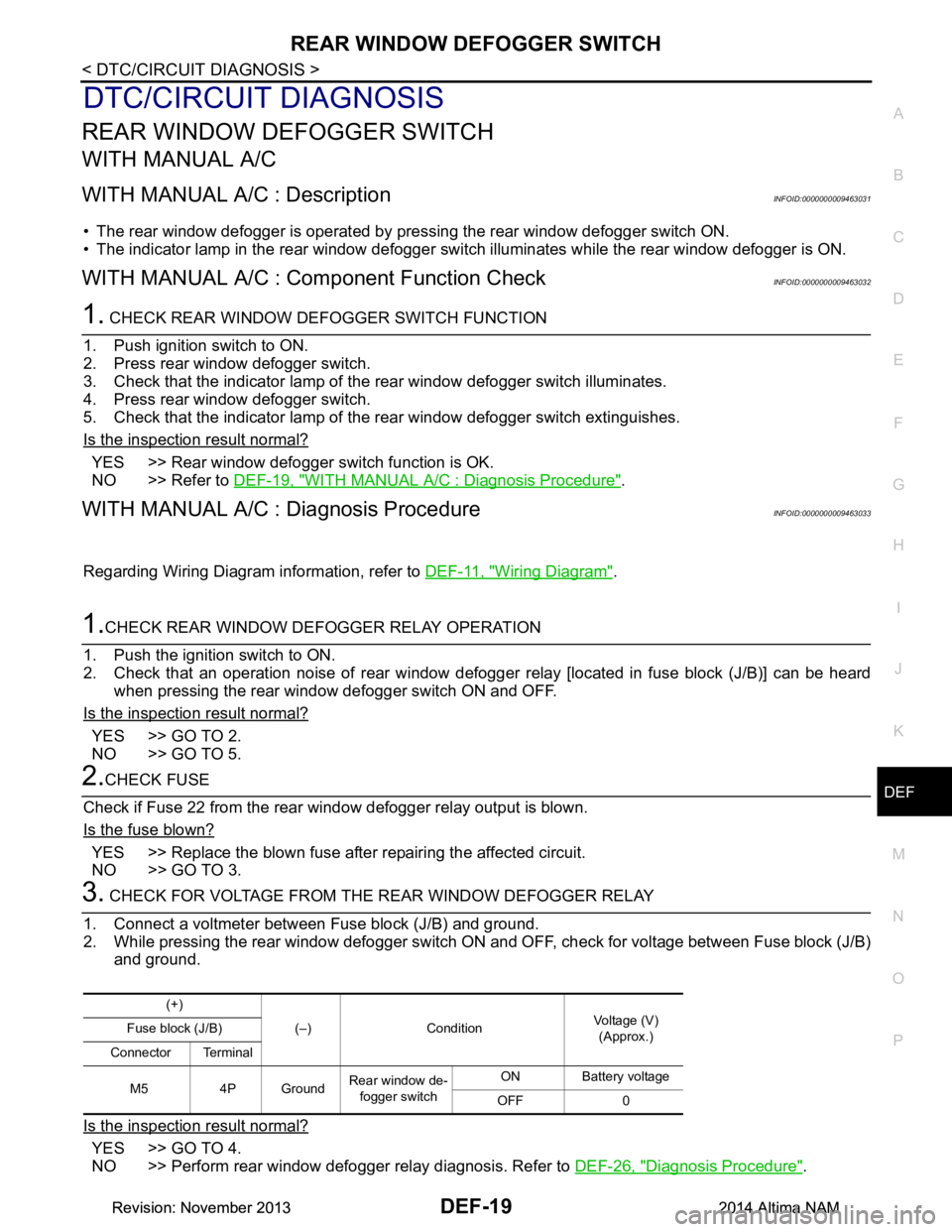
REAR WINDOW DEFOGGER SWITCHDEF-19
< DTC/CIRCUIT DIAGNOSIS >
C
D E
F
G H
I
J
K
M A
B
DEF
N
O P
DTC/CIRCUIT DIAGNOSIS
REAR WINDOW DEFOGGER SWITCH
WITH MANUAL A/C
WITH MANUAL A/C : DescriptionINFOID:0000000009463031
• The rear window defogger is operated by pre ssing the rear window defogger switch ON.
• The indicator lamp in the rear window defogger switch illuminates while the rear window defogger is ON.
WITH MANUAL A/C : Component Function CheckINFOID:0000000009463032
1. CHECK REAR WINDOW DEFOGGER SWITCH FUNCTION
1. Push ignition switch to ON.
2. Press rear window defogger switch.
3. Check that the indicator lamp of t he rear window defogger switch illuminates.
4. Press rear window defogger switch.
5. Check that the indicator lamp of t he rear window defogger switch extinguishes.
Is the inspection result normal?
YES >> Rear window defogger switch function is OK.
NO >> Refer to DEF-19, "WITH MANUAL A/C : Diagnosis Procedure"
.
WITH MANUAL A/C : Diagnosis ProcedureINFOID:0000000009463033
Regarding Wiring Diagram information, refer to DEF-11, "Wiring Diagram".
1.CHECK REAR WINDOW DEFOGGER RELAY OPERATION
1. Push the ignition switch to ON.
2. Check that an operation noise of rear window defogger relay [located in fuse block (J/B)] can be heard
when pressing the rear window defogger switch ON and OFF.
Is the inspection result normal?
YES >> GO TO 2.
NO >> GO TO 5.
2.CHECK FUSE
Check if Fuse 22 from the rear window defogger relay output is blown.
Is the fuse blown?
YES >> Replace the blown fuse after repairing the affected circuit.
NO >> GO TO 3.
3. CHECK FOR VOLTAGE FROM THE REAR WINDOW DEFOGGER RELAY
1. Connect a voltmeter between Fuse block (J/B) and ground.
2. While pressing the rear window defogger switch ON and OFF, check for voltage between Fuse block (J/B)
and ground.
Is the inspection result normal?
YES >> GO TO 4.
NO >> Perform rear window defogger relay diagnosis. Refer to DEF-26, "Diagnosis Procedure"
.
(+)
(–) Condition Voltage (V)
(Approx.)
Fuse block (J/B)
Connector Terminal
M5 4P Ground Rear window de-
fogger switch ON Battery voltage
OFF 0
Revision: November 20132014 Altima NAMRevision: November 20132014 Altima NAM