rear view mirror NISSAN TITAN 2005 1.G Owners Manual
[x] Cancel search | Manufacturer: NISSAN, Model Year: 2005, Model line: TITAN, Model: NISSAN TITAN 2005 1.GPages: 352, PDF Size: 6.08 MB
Page 76 of 352

2 Instruments and controls
Instrument panel...................................2-2
Meters and gauges................................2-4
Speedometer and odometer.....................2-4
Tachometer....................................2-5
Engine coolant temperature gauge...............2-6
Fuel gauge....................................2-6
Engine oil pressure gauge.......................2-7
Voltmeter......................................2-8
Automatic transmission fluid temperature
gauge (if so equipped)..........................2-8
Compass and outside temperature display...........2-9
Outside temperature display.....................2-9
Compass display..............................2-10
Warning/indicator lights and audible reminders......2-12
Checking bulbs...............................2-12
Warning lights................................2-13
Indicator lights................................2-17
Audible reminders.............................2-20
Security systems (if so equipped)..................2-20
Vehicle security system.........................2-20
Nissan vehicle immobilizer system (NVIS)........2-22
Windshield wiper and washer switch...............2-23
Switch operation..............................2-23Rear window and outside mirror defroster switch
(if so equipped)..................................2-24
Headlight and turn signal switch....................2-24
Headlight control switch........................2-24
Daytime running light system (Canada only)......2-27
Instrument brightness control...................2-27
Turn signal switch.............................2-28
Fog light switch (if so equipped)................2-28
Hazard warning flasher switch.....................2-28
Cargo lamp switch...............................2-29
Horn............................................2-29
Heated seat (if so equipped).......................2-30
Vehicle dynamic control (VDC) off switch
(if so equipped)..................................2-31
Electronic locking rear differential (E-Lock) system
switch (if so equipped)............................2-31
Rear sonar system off switch (if so equipped)........2-32
Tow mode switch.................................2-33
Power outlet.....................................2-33
Cigarette lighter..................................2-35
Storage.........................................2-35
Instrument panel storage trays..................2-35
Console box (if so equipped)...................2-36
ZREVIEW COPYÐ2005 Titan(tzw)
Owners ManualÐUSA_English(nna)
08/26/04Ðtbrooks
X
Page 100 of 352
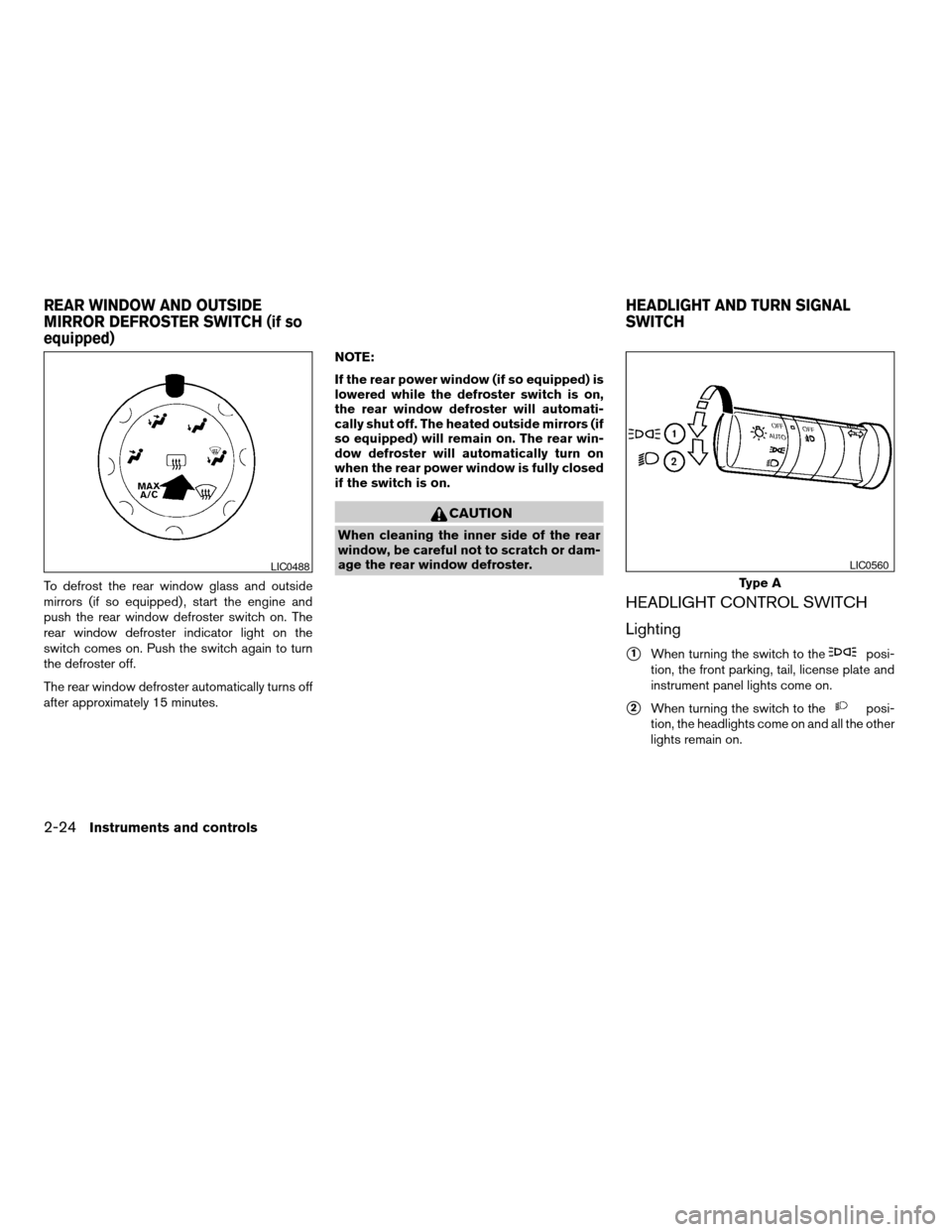
To defrost the rear window glass and outside
mirrors (if so equipped) , start the engine and
push the rear window defroster switch on. The
rear window defroster indicator light on the
switch comes on. Push the switch again to turn
the defroster off.
The rear window defroster automatically turns off
after approximately 15 minutes.NOTE:
If the rear power window (if so equipped) is
lowered while the defroster switch is on,
the rear window defroster will automati-
cally shut off. The heated outside mirrors (if
so equipped) will remain on. The rear win-
dow defroster will automatically turn on
when the rear power window is fully closed
if the switch is on.
CAUTION
When cleaning the inner side of the rear
window, be careful not to scratch or dam-
age the rear window defroster.
HEADLIGHT CONTROL SWITCH
Lighting
s1When turning the switch to theposi-
tion, the front parking, tail, license plate and
instrument panel lights come on.
s2When turning the switch to theposi-
tion, the headlights come on and all the other
lights remain on.
LIC0488
Type A
LIC0560
REAR WINDOW AND OUTSIDE
MIRROR DEFROSTER SWITCH (if so
equipped)HEADLIGHT AND TURN SIGNAL
SWITCH
2-24Instruments and controls
ZREVIEW COPYÐ2005 Titan(tzw)
Owners ManualÐUSA_English(nna)
08/26/04Ðtbrooks
X
Page 124 of 352

NOTE:
If the rear power window (if so equipped) is
lowered while the defroster switch is on,
the rear window defroster will automati-
cally shut off. The heated outside mirrors (if
so equipped) will remain on. The rear win-
dow defroster will automatically turn on
when the rear power window is fully closed
if the switch is on.
AUTOMATIC SUNROOF
The sunroof will only operate when the ignition
key is in the ON position. The automatic sunroof
is operational for about 45 seconds, even if the
ignition key is turned to the ACC or OFF position.
If the driver’s door or the front passenger’s door
is opened during this period of about 45 sec-
onds, power to the sunroof is canceled.
Sliding the sunroof
To fully open the sunroof, push the switch toward
the open position
s3.
To fully close the sunroof, push the switch toward
the close position
s4.To open or close the sunroof part way, push the
switch in any direction
s5while the roof is sliding
open or closed to stop it in the desired position.
Tilting the sunroof
To tilt the sunroof up, push the tilt switch toward
the up position
s1.
To tilt the sunroof down, push the tilt switch
toward the down position
s2.
Restarting the sunroof sliding switch
The sliding switch will become inoperable after
the battery terminal is disconnected, the electri-
cal supply interrupted and/or some abnormality
detected. Use the following reset procedure to
return sunroof operation to normal.
1. If the sunroof lid is open, push the tilting
switch repeatedly toward the down position
s2to fully close the lid.
2. Finally, push and hold the tilting switch for
more than 2 seconds toward the down po-
sition
s2to reestablish the lid’s home posi-
tion.
The sunroof should now operate normally.
WIC0812
SUNROOF (if so equipped)
2-48Instruments and controls
ZREVIEW COPYÐ2005 Titan(tzw)
Owners ManualÐUSA_English(nna)
08/26/04Ðtbrooks
X
Page 133 of 352

3 Pre-driving checks and adjustments
Keys .............................................3-2
Nissan vehicle immobilizer system (NVIS)
keys..........................................3-2
Doors............................................3-3
Locking with key................................3-3
Locking with inside lock knob....................3-4
Locking with power door lock switch
(if so equipped)................................3-4
Wide Open doors (if so equipped)...............3-5
Child safety rear door lock
(Crew Cab models only)........................3-6
Remote keyless entry system (if so equipped).........3-7
How to use remote keyless entry system..........3-7
Hood...........................................3-10
Fuel filler lid......................................3-10
Fuel filler cap..................................3-10
Steering wheel...................................3-12Tilt operation (if so equipped)...................3-12
Pedal position adjustment (if so equipped)..........3-12
Sun visors.......................................3-13
Vanity mirrors.................................3-14
Mirrors..........................................3-15
Inside mirror (if so equipped)....................3-15
Automatic anti-glare inside mirror
(if so equipped)...............................3-15
Outside mirrors...............................3-15
Truck box........................................3-19
Tailgate.......................................3-19
Tie down hooks...............................3-20
Automatic drive positioner (if so equipped)..........3-21
Memory storage function.......................3-21
Entry/exit function.............................3-22
System operation..............................3-23
ZREVIEW COPYÐ2005 Titan(tzw)
Owners ManualÐUSA_English(nna)
08/26/04Ðtbrooks
X
Page 147 of 352
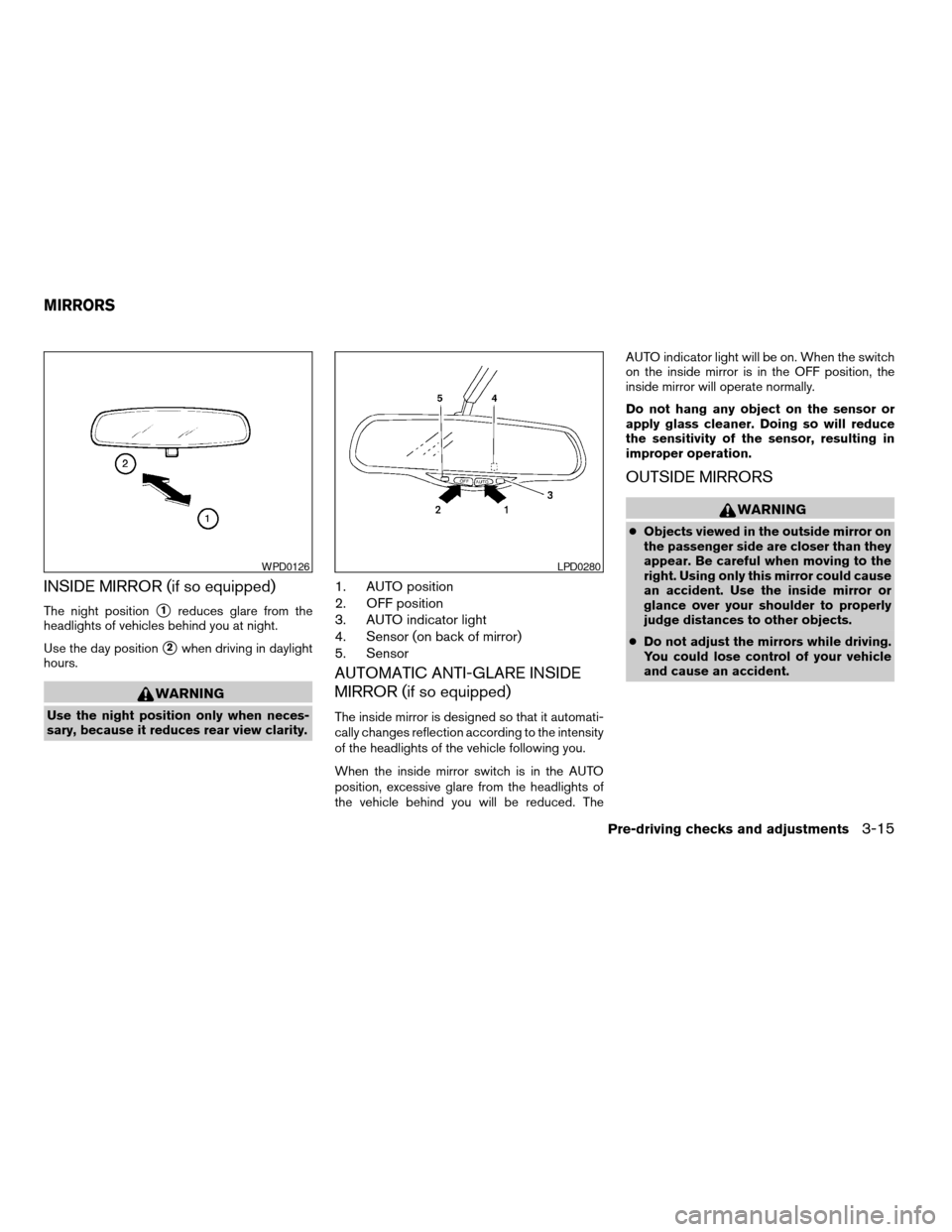
INSIDE MIRROR (if so equipped)
The night positions1reduces glare from the
headlights of vehicles behind you at night.
Use the day position
s2when driving in daylight
hours.
WARNING
Use the night position only when neces-
sary, because it reduces rear view clarity.
1. AUTO position
2. OFF position
3. AUTO indicator light
4. Sensor (on back of mirror)
5. Sensor
AUTOMATIC ANTI-GLARE INSIDE
MIRROR (if so equipped)
The inside mirror is designed so that it automati-
cally changes reflection according to the intensity
of the headlights of the vehicle following you.
When the inside mirror switch is in the AUTO
position, excessive glare from the headlights of
the vehicle behind you will be reduced. TheAUTO indicator light will be on. When the switch
on the inside mirror is in the OFF position, the
inside mirror will operate normally.
Do not hang any object on the sensor or
apply glass cleaner. Doing so will reduce
the sensitivity of the sensor, resulting in
improper operation.
OUTSIDE MIRRORS
WARNING
cObjects viewed in the outside mirror on
the passenger side are closer than they
appear. Be careful when moving to the
right. Using only this mirror could cause
an accident. Use the inside mirror or
glance over your shoulder to properly
judge distances to other objects.
cDo not adjust the mirrors while driving.
You could lose control of your vehicle
and cause an accident.
WPD0126LPD0280
MIRRORS
Pre-driving checks and adjustments3-15
ZREVIEW COPYÐ2005 Titan(tzw)
Owners ManualÐUSA_English(nna)
08/26/04Ðtbrooks
X
Page 148 of 352
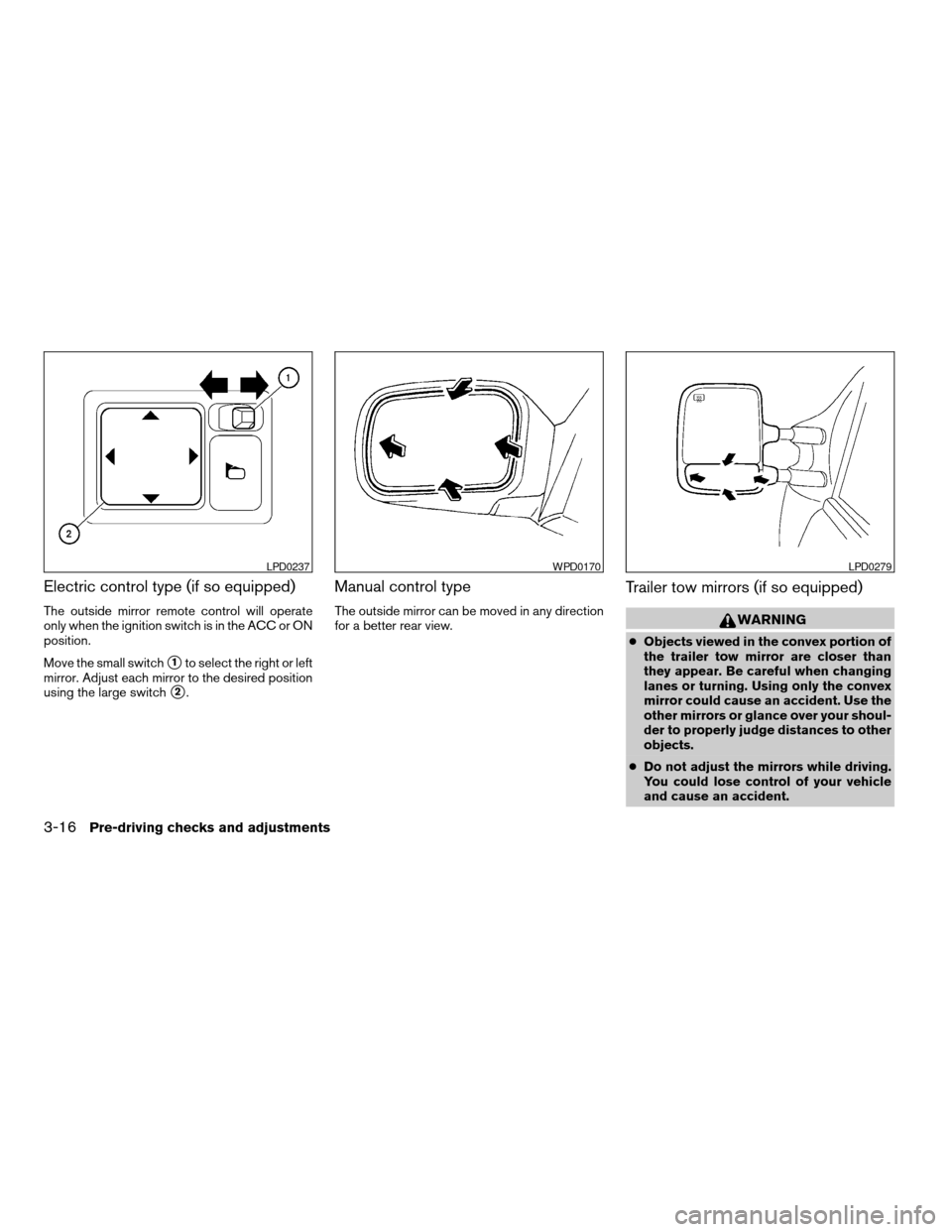
Electric control type (if so equipped)
The outside mirror remote control will operate
only when the ignition switch is in the ACC or ON
position.
Move the small switch
s1to select the right or left
mirror. Adjust each mirror to the desired position
using the large switch
s2.
Manual control type
The outside mirror can be moved in any direction
for a better rear view.
Trailer tow mirrors (if so equipped)
WARNING
cObjects viewed in the convex portion of
the trailer tow mirror are closer than
they appear. Be careful when changing
lanes or turning. Using only the convex
mirror could cause an accident. Use the
other mirrors or glance over your shoul-
der to properly judge distances to other
objects.
cDo not adjust the mirrors while driving.
You could lose control of your vehicle
and cause an accident.
LPD0237WPD0170LPD0279
3-16Pre-driving checks and adjustments
ZREVIEW COPYÐ2005 Titan(tzw)
Owners ManualÐUSA_English(nna)
08/26/04Ðtbrooks
X
Page 149 of 352
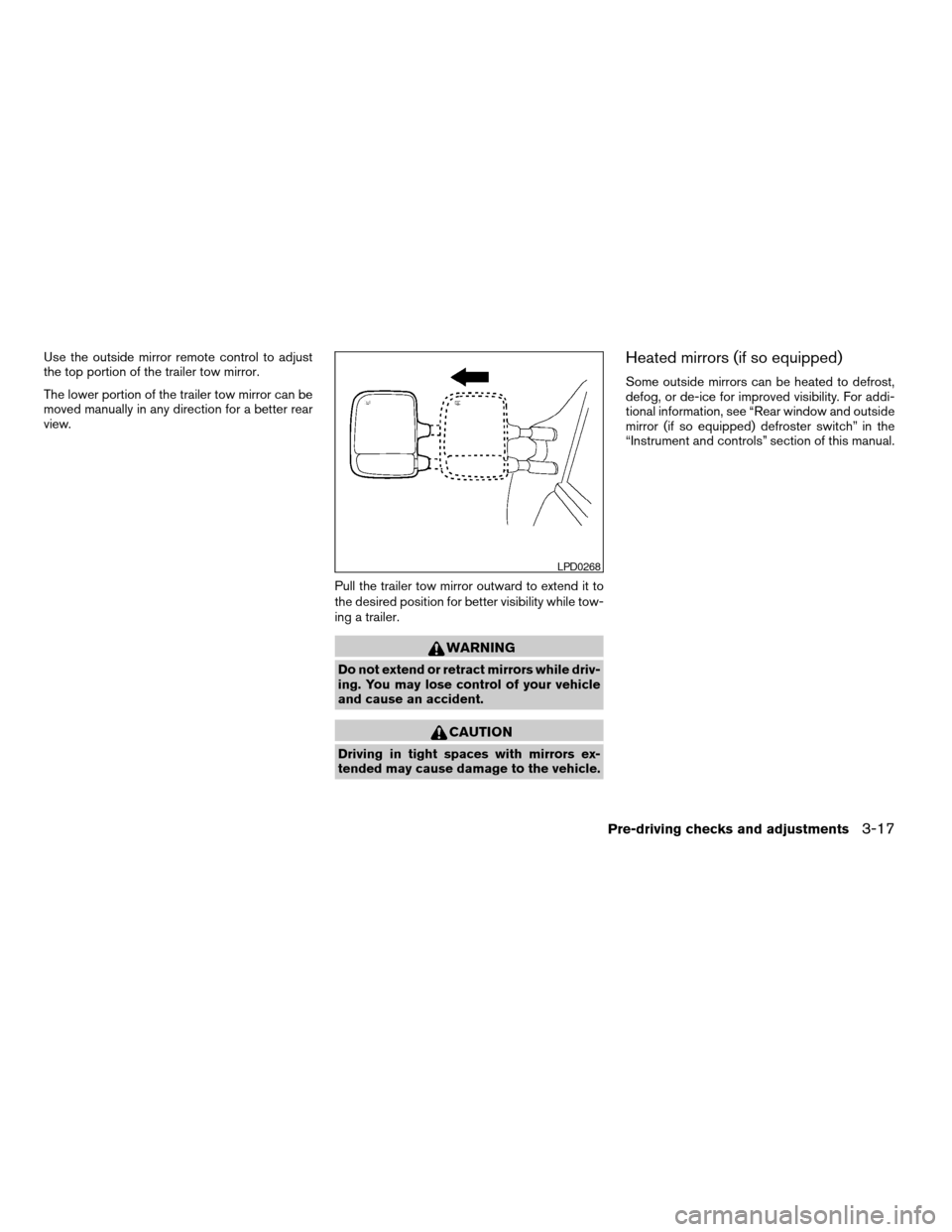
Use the outside mirror remote control to adjust
the top portion of the trailer tow mirror.
The lower portion of the trailer tow mirror can be
moved manually in any direction for a better rear
view.
Pull the trailer tow mirror outward to extend it to
the desired position for better visibility while tow-
ing a trailer.
WARNING
Do not extend or retract mirrors while driv-
ing. You may lose control of your vehicle
and cause an accident.
CAUTION
Driving in tight spaces with mirrors ex-
tended may cause damage to the vehicle.
Heated mirrors (if so equipped)
Some outside mirrors can be heated to defrost,
defog, or de-ice for improved visibility. For addi-
tional information, see “Rear window and outside
mirror (if so equipped) defroster switch” in the
“Instrument and controls” section of this manual.
LPD0268
Pre-driving checks and adjustments3-17
ZREVIEW COPYÐ2005 Titan(tzw)
Owners ManualÐUSA_English(nna)
08/26/04Ðtbrooks
X
Page 170 of 352

— Air flows from center and side
ventilators and the front and rear
floor outlets.
— Air flows mainly from the front
and rear floor outlets.
— Air flows from defroster outlets
and the front and rear floor
outlets.
— Air flows mainly from defroster
outlets.
The air flow control dial also has intermediate
positions which allow the air flow to be distrib-
uted between 2 of the icon positions on the air
flow control dial.
Temperature control dial
The temperature control dial allows you to adjust
the temperature of the outlet air. To lower the
temperature, turn the dial to the left. To raise the
temperature, turn the dial to the right.
Air recirculation button
ON position:
Push thebutton to recirculate air inside
the vehicle.
Push the
button to the on position when:
cdriving on a dusty road.cto prevent traffic fumes from entering pas-
senger compartment.
cfor maximum cooling when using the air con-
ditioner.
OFF position:
Push the
button again to turn air recircula-
tion off. Outside air is drawn into the passenger
compartment and distributed through the se-
lected outlet.
Use the off position for normal heater or air con-
ditioner operation.
Air conditioner button
Start the engine, turn the fan control dial to the
desired position and push thebutton to
turn on the air conditioner. A/C will appear on the
display when the air conditioner is operating. To
turn off the air conditioner, push the
button
again, the display will show A/C OFF.
The air conditioner cooling function oper-
ates only when the engine is running.
Rear window defroster switch (if so
equipped)
For more information about the rear window de-
froster switch, see “Rear window defroster
switch” in the “Instruments and controls” section
of this manual.
Heated mirror switch (if so equipped)
For more information about the heated mirror
switch, see “Heated mirror switch” in the “Instru-
ments and controls” section of this manual.
HEATER OPERATION
Heating
This mode is used to direct heated air to the foot
outlets. Some air also flows from the defrost
outlets.
1. Push the
button to the OFF position
for normal heating. The indicator light on
the
button will go off. (will ap-
pear on the display, if so equipped.)
2. Turn the air flow control dial to the
position.
3. Turn the fan control dial to the desired posi-
tion.
4. Turn the temperature control dial to the de-
sired position between the middle and the
hot position.
Ventilation
This mode directs outside air to the side and
center ventilators.
4-14Display screen, heater, air conditioner and audio systems
ZREVIEW COPYÐ2005 Titan(tzw)
Owners ManualÐUSA_English(nna)
09/07/04Ðtmchalpi
X
Page 286 of 352
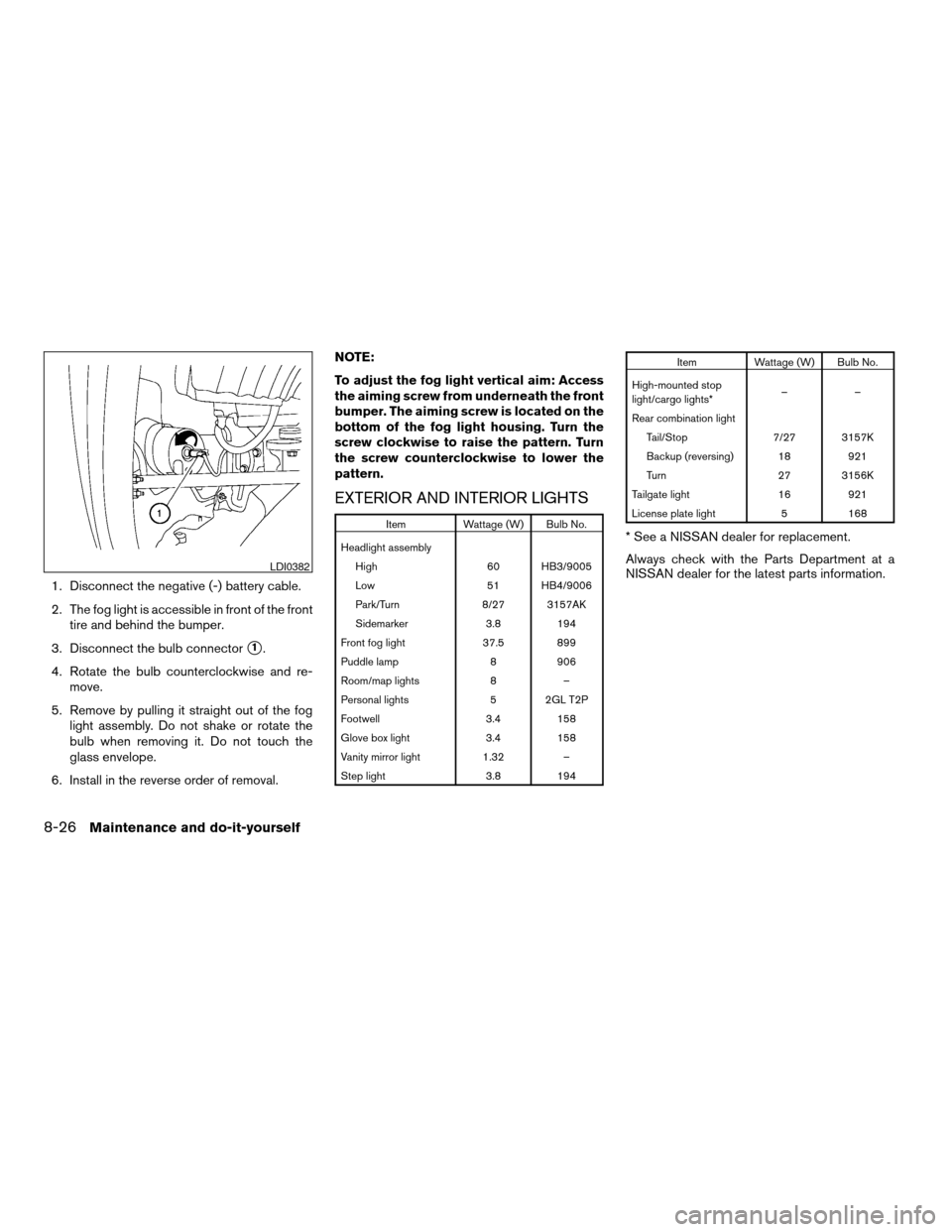
1. Disconnect the negative (-) battery cable.
2. The fog light is accessible in front of the front
tire and behind the bumper.
3. Disconnect the bulb connector
s1.
4. Rotate the bulb counterclockwise and re-
move.
5. Remove by pulling it straight out of the fog
light assembly. Do not shake or rotate the
bulb when removing it. Do not touch the
glass envelope.
6. Install in the reverse order of removal.NOTE:
To adjust the fog light vertical aim: Access
the aiming screw from underneath the front
bumper. The aiming screw is located on the
bottom of the fog light housing. Turn the
screw clockwise to raise the pattern. Turn
the screw counterclockwise to lower the
pattern.
EXTERIOR AND INTERIOR LIGHTS
Item Wattage (W) Bulb No.
Headlight assembly
High 60 HB3/9005
Low 51 HB4/9006
Park/Turn 8/27 3157AK
Sidemarker 3.8 194
Front fog light 37.5 899
Puddle lamp 8 906
Room/map lights 8 –
Personal lights 5 2GL T2P
Footwell 3.4 158
Glove box light 3.4 158
Vanity mirror light 1.32 –
Step light 3.8 194
Item Wattage (W) Bulb No.
High-mounted stop
light/cargo lights*––
Rear combination light
Tail/Stop 7/27 3157K
Backup (reversing) 18 921
Turn 27 3156K
Tailgate light 16 921
License plate light 5 168
* See a NISSAN dealer for replacement.
Always check with the Parts Department at a
NISSAN dealer for the latest parts information.
LDI0382
8-26Maintenance and do-it-yourself
ZREVIEW COPYÐ2005 Titan(tzw)
Owners ManualÐUSA_English(nna)
08/26/04Ðtbrooks
X
Page 331 of 352

4. Peel off the tape and connect the jumper
harness to the connector
s2.
5. Release the parking brake.
6. Install the aftermarket electric trailer brake
controller according to the manufacturer’s
instructions.
Pre-towing tips
cBe certain your vehicle maintains a level
position when a loaded and/or unloaded
trailer is hitched. Do not drive the vehicle if it
has an abnormal nose-up or nose-down
condition; check for improper tongue load,
overload, worn suspension or other possible
causes of either condition.cAlways secure items in the trailer to prevent
load shift while driving.
cLoad the trailer so approximately 60% of the
trailer load is in the front half and 40% is in
the back half.
cCheck your hitch, trailer tire pressure, ve-
hicle tire pressure, trailer light operation, and
trailer wheel lug nuts every time you attach a
trailer to the vehicle.
cBe certain your rearview mirrors conform to
all federal, state or local regulations. If not,
install any mirrors required for towing before
driving the vehicle.
Trailer towing tips
In order to gain skill and an understanding of the
vehicle’s behavior, you should practice turning,
stopping and backing up in an area which is free
from traffic. Steering stability and braking perfor-
mance will be somewhat different than under
normal driving conditions.
cAlways secure items in the trailer to prevent
load shift while driving.
cAvoid abrupt starts, acceleration or stops.
cAvoid sharp turns or lane changes.
cAlways drive your vehicle at a moderate
speed.cWhen backing up, hold the bottom of the
steering wheel with one hand. Move your
hand in the direction in which you want the
trailer to go. Make small corrections and
back up slowly. If possible, have someone
guide you when you are backing up.
cAlways block the wheels on both vehicle and
trailer when parking. Parking on a slope is
not recommended; however, if you must do
so, first block the wheels and apply the park-
ing brake, and then move the transmission
shift selector lever into the P (Park) position.
If you move the shift selector lever to the P
(Park) position before blocking the wheels
and applying the parking brake, transmission
damage could occur.
cWhen going down a hill, shift into a lower
gear and use the engine braking effect.
When going up a long grade, downshift the
transmission to a lower gear and reduce
speed to reduce chances of engine over-
loading and/or overheating. However, for
long steep grades, do not stay in 1st gear
when driving above 35 MPH (56 km/h) or
2nd gear when driving above 58 MPH (93
km/h) .
LTI0116
Technical and consumer information9-31
ZREVIEW COPYÐ2005 Titan(tzw)
Owners ManualÐUSA_English(nna)
08/26/04Ðtbrooks
X