display NISSAN TITAN 2010 User Guide
[x] Cancel search | Manufacturer: NISSAN, Model Year: 2010, Model line: TITAN, Model: NISSAN TITAN 2010Pages: 407, PDF Size: 3.14 MB
Page 146 of 407
It is possible to lock/unlock all doors, turn on the
interior lights and puddle lights (if so equipped) ,
and activate the panic alarm by using the keyfob
from outside the vehicle.
Some settings for the keyfob, such as horn beep,
can be adjusted. For vehicles without navigation
system, refer to “Silencing the horn beep feature”
in this section. For vehicles with navigation sys-
tem, refer to “Vehicle electronic systems” in the
“Display screen, heater, air conditioner and audio
systems” section in this manual.
Be sure to remove the key from the vehicle
before locking the doors.
The keyfob can operate at a maximum distance of
approximately 33 ft (10 m) from the vehicle. The
effective distance depends upon the conditions
around the vehicle.
As many as 5 keyfobs can be used with one
vehicle. For information concerning the purchase
and use of additional keyfobs, contact a NISSAN
dealer.
The keyfob will not function when:● the battery is discharged.
● the distance between the vehicle and the
keyfob is over 33 ft (10 m) .
The panic alarm will not activate when the
key is in the ignition switch.
Page 149 of 407
NOTE:
If you change the horn beep and light flash
feature with the keyfob, the display screen
(if so equipped) will not show the current
mode and cannot be used to change the
mode. Use the keyfob to return to the pre-
vious mode and re-enable the display
screen control.
To deactivate:Press and hold the
Page 164 of 407
The entry/exit function can be adjusted or can-
celed. For vehicles with a navigation system, see
“Vehicle electronic systems” in the “Display
screen, heater, air conditioner, audio and phone
systems” section of this manual. For vehicles
without navigation system, see your NISSAN
dealer.
Restarting the entry/exit function
If the battery cable is disconnected or if the fuse
opens, the entry/exit function will be disabled.
Drive the vehicle over 25 MPH (40 km/h) to
restart the entry/exit function. You can also restart
the entry/exit function using the following proce-
dure.1. Connect the battery cable or replace the fuse.
2. Open and close the driver’s door more than 2 times with the ignition switch in the LOCK
position.
The entry/exit function should now work properly.
SYSTEM OPERATION
The automatic drive positioner system will not
work or will stop operating under the following
conditions: ● When the vehicle speed is above 4 MPH (7
km/h) .
● When any of the memory switches are
pushed while the automatic drive positioner
is operating.
● When the adjusting switch for the driver’s
seat is turned on while the automatic drive
positioner is operating.
● When the seat has already been moved to
the memorized position.
● When no seat position is stored in the
memory switch.
● When the shift selector is moved from P
(Park) to any other position.
● When the driver’s door remains open more
than 45 seconds and the ignition switch is
not in the ON position. The automatic drive positioner system can be
adjusted and canceled. For vehicles with a navi-
gation system, see “Vehicle electronic systems”
in the “Display screen, heater, air conditioner,
audio and phone systems” section of this manual.
For vehicles without navigation system, see your
NISSAN dealer.
3-26Pre-driving checks and adjustments
Page 166 of 407
4 Display screen, heater, air conditioner,
audio and phone systems
Control panel buttons (if so equipped)...............4-2
How to use the joystick and ENTER button ........4-3
How to use the BACK button . ...................4-3
Setting up the start-up screen ...................4-3
How to use the TRIP button .....................4-4
How to use the SETTING button .................4-7
Page 168 of 407
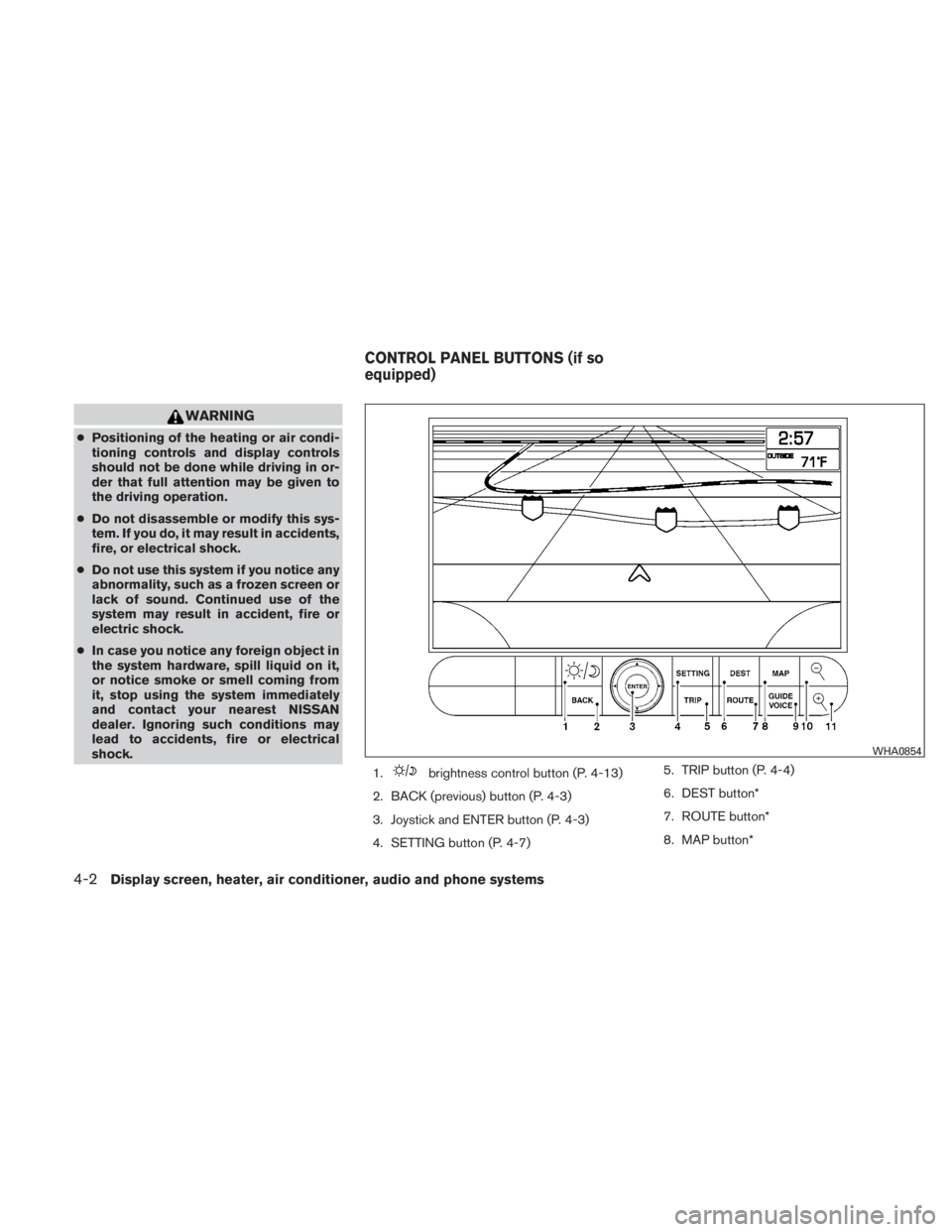
WARNING
●Positioning of the heating or air condi-
tioning controls and display controls
should not be done while driving in or-
der that full attention may be given to
the driving operation.
● Do not disassemble or modify this sys-
tem. If you do, it may result in accidents,
fire, or electrical shock.
● Do not use this system if you notice any
abnormality, such as a frozen screen or
lack of sound. Continued use of the
system may result in accident, fire or
electric shock.
● In case you notice any foreign object in
the system hardware, spill liquid on it,
or notice smoke or smell coming from
it, stop using the system immediately
and contact your nearest NISSAN
dealer. Ignoring such conditions may
lead to accidents, fire or electrical
shock.
1.
Page 170 of 407
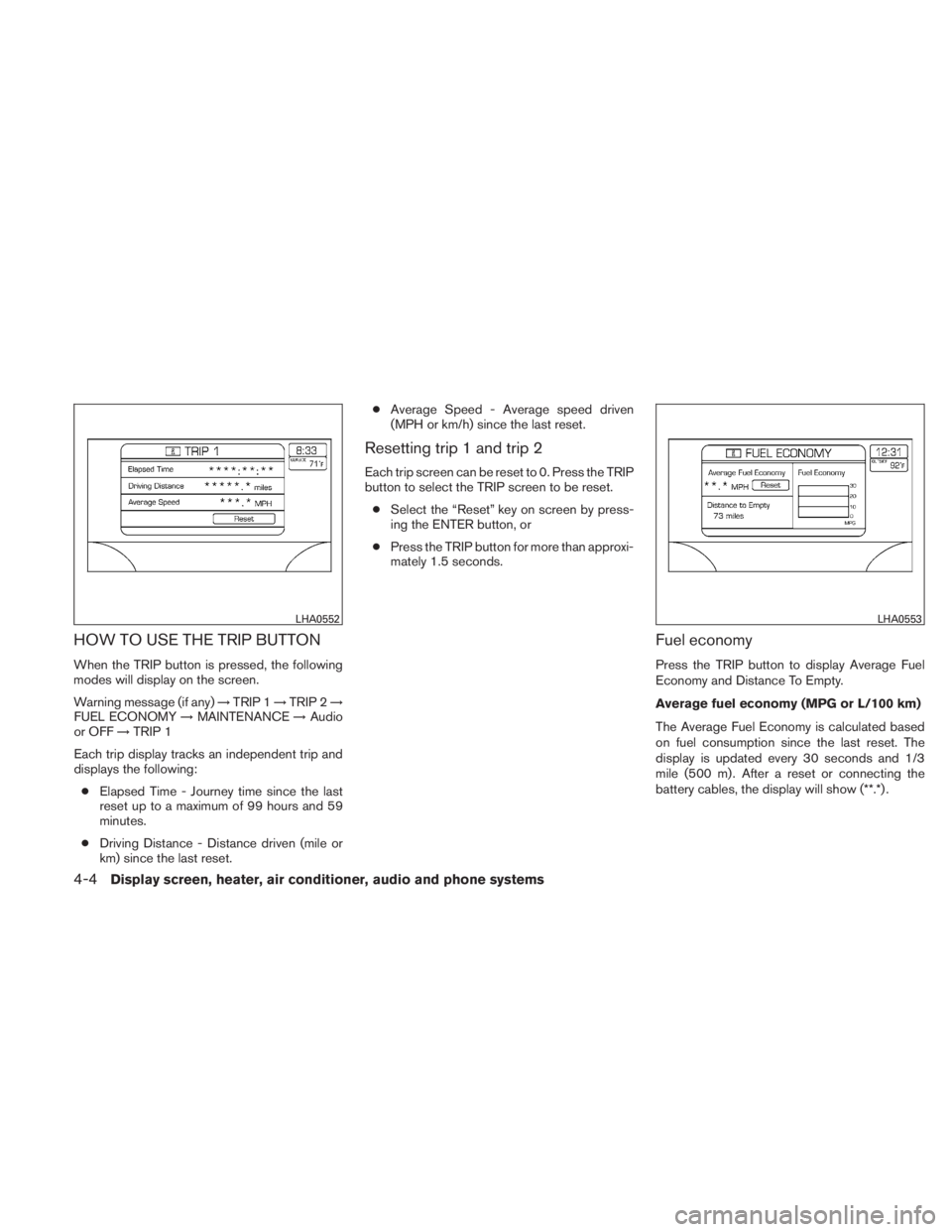
HOW TO USE THE TRIP BUTTON
When the TRIP button is pressed, the following
modes will display on the screen.
Warning message (if any)→TRIP 1 →TRIP 2 →
FUEL ECONOMY →MAINTENANCE →Audio
or OFF →TRIP 1
Each trip display tracks an independent trip and
displays the following: ● Elapsed Time - Journey time since the last
reset up to a maximum of 99 hours and 59
minutes.
● Driving Distance - Distance driven (mile or
km) since the last reset. ●
Average Speed - Average speed driven
(MPH or km/h) since the last reset.
Resetting trip 1 and trip 2
Each trip screen can be reset to 0. Press the TRIP
button to select the TRIP screen to be reset.
● Select the “Reset” key on screen by press-
ing the ENTER button, or
● Press the TRIP button for more than approxi-
mately 1.5 seconds.
Fuel economy
Press the TRIP button to display Average Fuel
Economy and Distance To Empty.
Average fuel economy (MPG or L/100 km)
The Average Fuel Economy is calculated based
on fuel consumption since the last reset. The
display is updated every 30 seconds and 1/3
mile (500 m) . After a reset or connecting the
battery cables, the display will show (**.*) .
Page 171 of 407
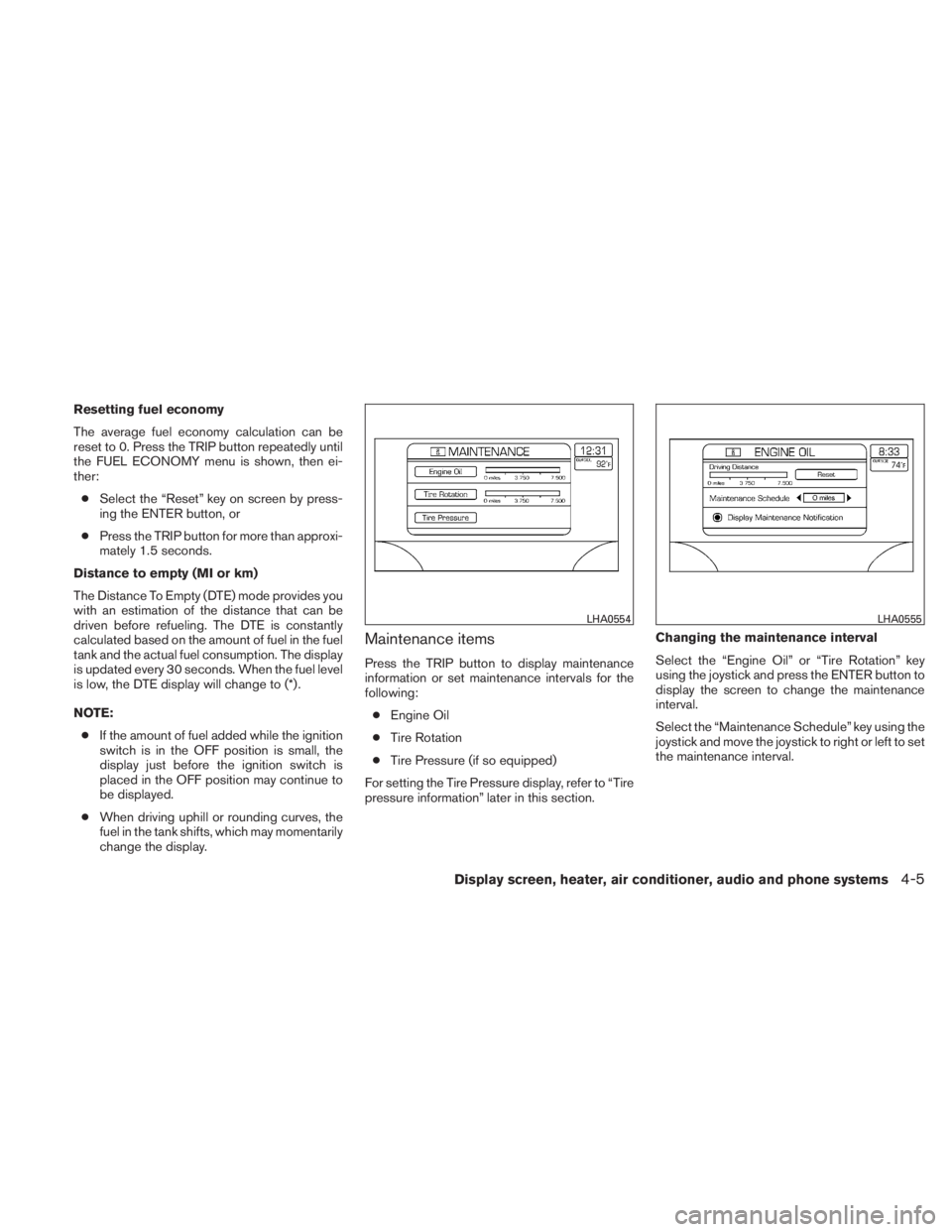
Resetting fuel economy
The average fuel economy calculation can be
reset to 0. Press the TRIP button repeatedly until
the FUEL ECONOMY menu is shown, then ei-
ther:● Select the “Reset” key on screen by press-
ing the ENTER button, or
● Press the TRIP button for more than approxi-
mately 1.5 seconds.
Distance to empty (MI or km)
The Distance To Empty (DTE) mode provides you
with an estimation of the distance that can be
driven before refueling. The DTE is constantly
calculated based on the amount of fuel in the fuel
tank and the actual fuel consumption. The display
is updated every 30 seconds. When the fuel level
is low, the DTE display will change to (*) .
NOTE: ● If the amount of fuel added while the ignition
switch is in the OFF position is small, the
display just before the ignition switch is
placed in the OFF position may continue to
be displayed.
● When driving uphill or rounding curves, the
fuel in the tank shifts, which may momentarily
change the display.
Maintenance items
Press the TRIP button to display maintenance
information or set maintenance intervals for the
following:
● Engine Oil
● Tire Rotation
● Tire Pressure (if so equipped)
For setting the Tire Pressure display, refer to “Tire
pressure information” later in this section. Changing the maintenance interval
Select the “Engine Oil” or “Tire Rotation” key
using the joystick and press the ENTER button to
display the screen to change the maintenance
interval.
Select the “Maintenance Schedule” key using the
joystick and move the joystick to right or left to set
the maintenance interval.
Page 172 of 407
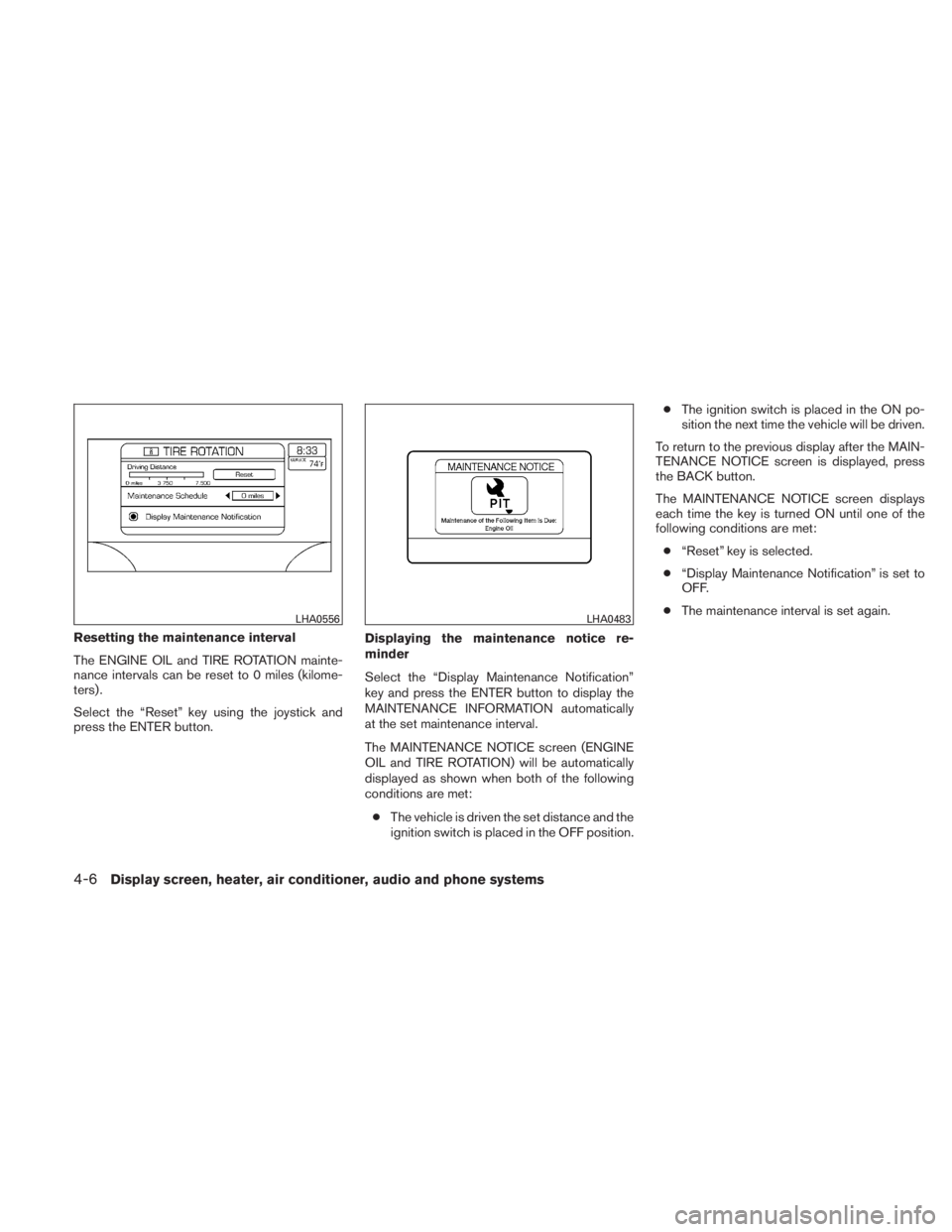
Resetting the maintenance interval
The ENGINE OIL and TIRE ROTATION mainte-
nance intervals can be reset to 0 miles (kilome-
ters) .
Select the “Reset” key using the joystick and
press the ENTER button.Displaying the maintenance notice re-
minder
Select the “Display Maintenance Notification”
key and press the ENTER button to display the
MAINTENANCE INFORMATION automatically
at the set maintenance interval.
The MAINTENANCE NOTICE screen (ENGINE
OIL and TIRE ROTATION) will be automatically
displayed as shown when both of the following
conditions are met:
● The vehicle is driven the set distance and the
ignition switch is placed in the OFF position. ●
The ignition switch is placed in the ON po-
sition the next time the vehicle will be driven.
To return to the previous display after the MAIN-
TENANCE NOTICE screen is displayed, press
the BACK button.
The MAINTENANCE NOTICE screen displays
each time the key is turned ON until one of the
following conditions are met: ● “Reset” key is selected.
● “Display Maintenance Notification” is set to
OFF.
● The maintenance interval is set again.
Page 173 of 407
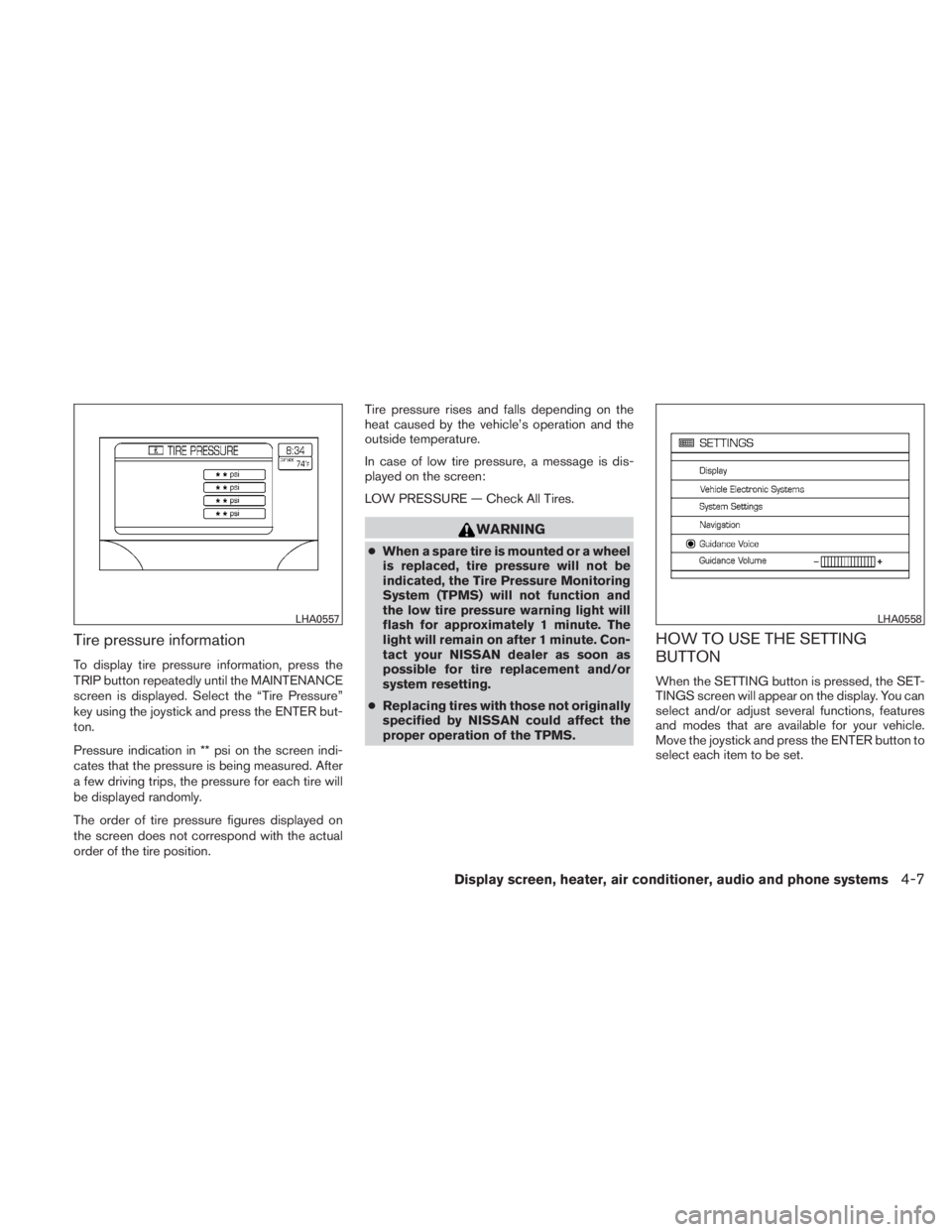
Tire pressure information
To display tire pressure information, press the
TRIP button repeatedly until the MAINTENANCE
screen is displayed. Select the “Tire Pressure”
key using the joystick and press the ENTER but-
ton.
Pressure indication in ** psi on the screen indi-
cates that the pressure is being measured. After
a few driving trips, the pressure for each tire will
be displayed randomly.
The order of tire pressure figures displayed on
the screen does not correspond with the actual
order of the tire position.Tire pressure rises and falls depending on the
heat caused by the vehicle’s operation and the
outside temperature.
In case of low tire pressure, a message is dis-
played on the screen:
LOW PRESSURE — Check All Tires.
Page 174 of 407
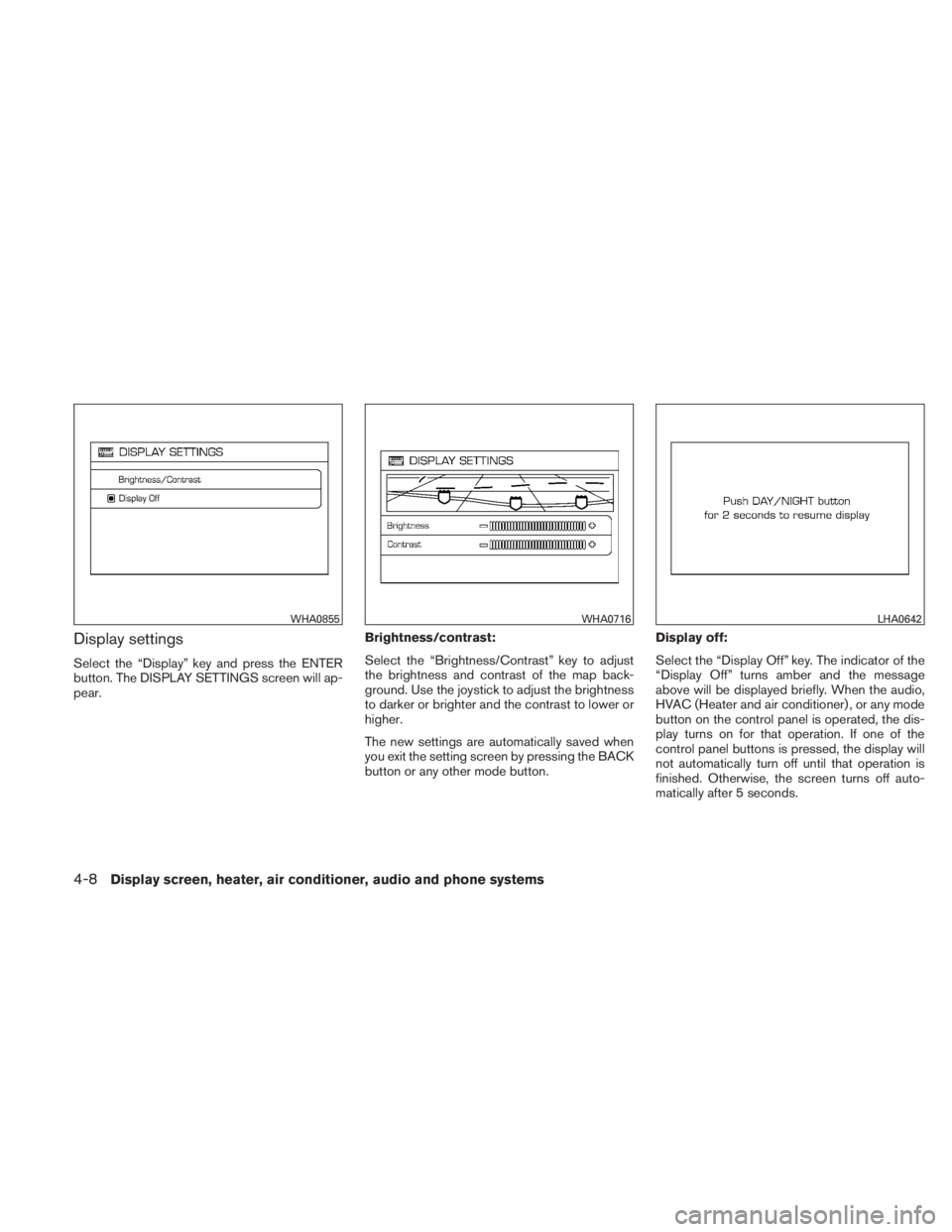
Display settings
Select the “Display” key and press the ENTER
button. The DISPLAY SETTINGS screen will ap-
pear.Brightness/contrast:
Select the “Brightness/Contrast” key to adjust
the brightness and contrast of the map back-
ground. Use the joystick to adjust the brightness
to darker or brighter and the contrast to lower or
higher.
The new settings are automatically saved when
you exit the setting screen by pressing the BACK
button or any other mode button.Display off:
Select the “Display Off” key. The indicator of the
“Display Off” turns amber and the message
above will be displayed briefly. When the audio,
HVAC (Heater and air conditioner) , or any mode
button on the control panel is operated, the dis-
play turns on for that operation. If one of the
control panel buttons is pressed, the display will
not automatically turn off until that operation is
finished. Otherwise, the screen turns off auto-
matically after 5 seconds.